


The best free LMS depends on who you train. TalentLMS and ProProfs Training Maker run small-business pilots on hosted free plans, Google Classroom serves accredited schools, LifterLMS suits WordPress course creators, and Moodle is the self-hosted pick for a small server.
The business free plans stop at 5 to 10 users, and the open-source picks trade a license fee for a server bill of $72 to $576 a year. Canvas Lite has also replaced Canvas’s old Free-for-Teacher sign-up. I built the ranking from each vendor’s pricing, eligibility and documentation pages, read in October 2026, plus DigitalOcean’s Droplet prices.
Quick verdict
A small business should start with TalentLMS (5 users, 10 courses) or ProProfs Training Maker (10 learners, unlimited courses).
Accredited schools get Google Classroom at no cost; a solo teacher or tutor gets Canvas Lite. WordPress creators get unlimited students from LifterLMS, and teams with someone technical can self-host Moodle on a $6-a-month server.
The trade-off: hosted free plans cap headcount, while open-source software costs server time and patching.

TalentLMS
Best for: small businesses testing a hosted LMS
The Free plan covers 5 users and 10 courses with no time limit and no credit card.
Limit: the sixth user moves you to Core at $119 a month, billed yearly

Moodle
Best for: self-hosted courses on a small server
The software is a free download, and its docs recommend 1GB of memory or more.
Limit: patching, backups and plugins are your job

Google Classroom
Best for: accredited schools
Education Fundamentals is free for government-recognized, accredited K-12 schools and degree-granting colleges.
Limit: tutoring programs and corporate training centers do not qualify

LifterLMS
Best for: course creators on WordPress
The free core plugin lists unlimited courses, memberships, students and teachers.
Limit: the Stripe and PayPal add-ons come with the paid Earth Bundle
| Software | Best for | Free option and cap | Paid starting price | Hosting | Key limitation |
|---|---|---|---|---|---|
| TalentLMS | Small businesses testing a hosted LMS | 5 users, 10 courses | Core: $119 per month billed yearly | Hosted | 100MB per file on Free |
| Moodle | Self-hosted courses on a small server | Free download | Server from $6.00 per month | Self-hosted | Updates and backups are yours |
| Google Classroom | Accredited schools | Free for qualifying schools | Education Plus: contact sales | Hosted | Businesses do not qualify |
| LifterLMS | Course creators on WordPress | Unlimited students | Earth: $199 per year (normally $398) | Your WordPress host | Assignments need Infinity |
| Canvas LMS | Individual teachers and tutors | Canvas Lite account | No paid tier listed for Lite; self-hosting server from $48.00 per month | Hosted or self-hosted | No caps listed for Lite |
| ProProfs Training Maker | Up to 10 learners with unlimited courses | 10 learners, unlimited courses | Essentials: $1.99 per active learner per month, billed annually; Business $3.99 | Hosted | Course library on Business |
| Mitti | Frontline safety training on mobile | 10 seats, basic training | Premium: $24 per seat per month, billed annually | Not listed | SSO starts on Premium |
| Connecteam | Deskless teams that also need scheduling | 10 users, all hubs | Small Business $0; HR & Skills Basic $29 per month billed yearly | Hosted | 3 courses on Limited (11-30 users) |
| Chamilo | Assessment-heavy courses on open source | Free (GPLv3+) | Server from $24.00 per month | Self-hosted | Provider list on hold |
| Open edX | MOOC-scale self-paced programs | No licensing fees | Server from $24.00 per month | Self-hosted or provider | Setup and upkeep are yours |
Sources: TalentLMS pricing, LifterLMS pricing, ProProfs pricing, Mitti pricing, Connecteam pricing, DigitalOcean Droplet pricing, checked October 2026.
In This Article (17 sections)
How I Chose These Free LMS Platforms
A free LMS here is one of three things: a hosted free plan with a cap, a free edition you qualify for, or open-source software you host yourself. The must-have was a free option that still exists on the vendor’s own page in October 2026, which ruled out Thinkific and Teachable.
I then ranked the rest on seven criteria, in this order:
- Who qualifies for the free option (any business, an individual educator, an accredited school)
- The free cap on users or learners
- The cap on courses, file uploads and storage
- Hosting model and the real cost of “free” (server, upkeep, paid support)
- Training tools on the free tier (quizzes, certificates, reporting)
- Branding and custom domain
- The price of the first paid step past the cap
That covers 19 tools: the 10 picks below and the 9 under Also Considered. Every cap, price and eligibility rule comes from the vendor’s own pricing, help or documentation page, checked October 2026; the cost tables are my arithmetic on those figures.
Instructure lists no student or storage cap for Canvas Lite, and Mitti’s pricing FAQ says all team members must be on the same plan, so Free and Premium seats cannot mix. Build one short course for three learners in your top two before you roll one out.
1. TalentLMS: Best for Small Businesses Testing a Hosted LMS

- Best for: small businesses piloting staff or customer training
- Free plan: up to 5 users and 10 courses, no time limit, no credit card
- First paid plan: Core, $119 per month billed yearly for 1-40 users
- Integrations: HubSpot, API and LTI 1.3 support on Core; count not listed
TalentLMS gives a small business a hosted pilot with no server to run, no expiry date and no card at sign-up, and its pricing FAQ promises unlimited support on all plans, the Free plan included. That is where it leads ProProfs Training Maker, which ties a dedicated onboarding manager to its Business plan.
Five users is the catch, so the Free plan is a proving ground for one onboarding course and a few managers, not a rollout tool. If the pilot works, my TalentLMS review covers what the full platform adds.
The Free plan has no time limit, which matters for a slow pilot: Thinkific and Teachable offer 30-day trials instead.
Storage works in your favor until a video gets long. TalentLMS sets no cap on total portal storage, but Free accepts 100MB per file, against 600MB on paid plans, so long screen recordings need splitting first.
“Remove TalentLMS branding”, Single Sign On and a custom domain with SSL are listed as Core features, so a customer-facing academy under your own brand starts at the first paid plan.
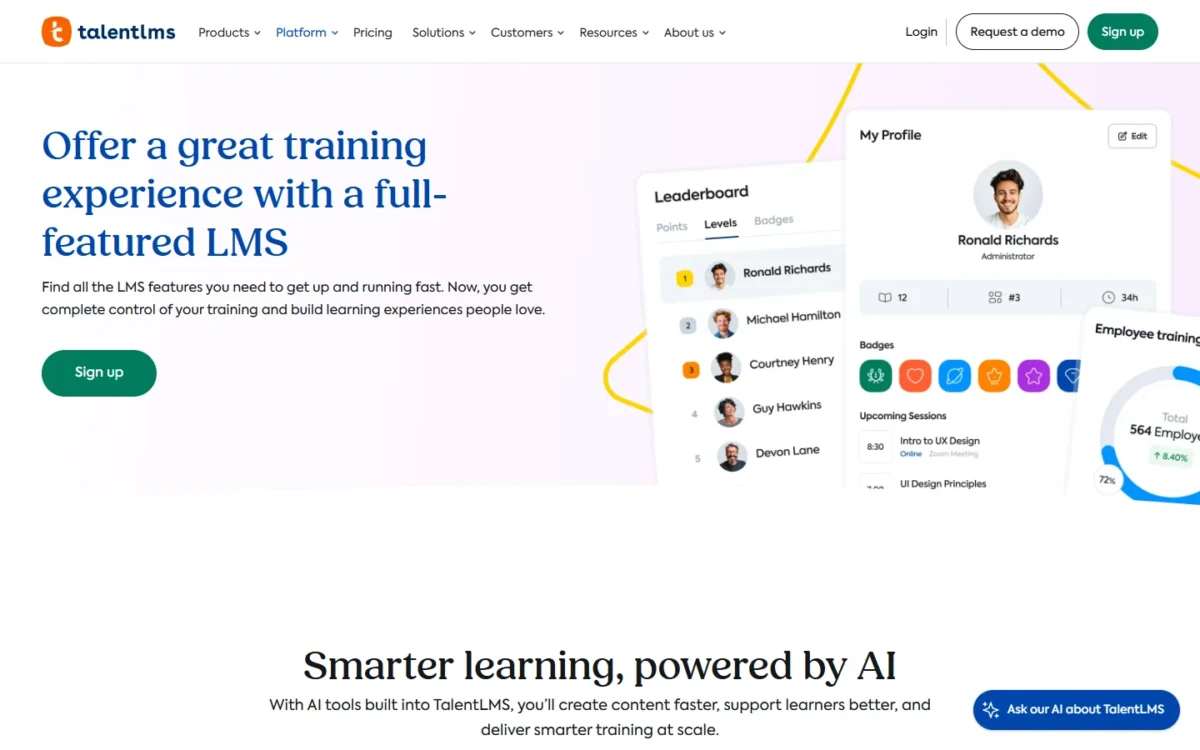
Core costs $119 a month, billed yearly as $1,428, for 1-40 users, and the sixth user triggers it. A 6-person team and a 40-person team pay the same $1,428, so Core gets cheaper per head as you near 40.
Registered nonprofits get 20% off the annual plan, and my TalentLMS pricing guide breaks down every tier.

| Plan | Price | Billing | Users |
|---|---|---|---|
| Free | $0 | No time limit | 5 users, 10 courses |
| Core | $119 per month ($1,428 per year) | Billed yearly | 1-40 users |
| Grow | $229 per month ($2,748 per year) | Billed yearly | 1-70 users |
Sources: TalentLMS pricing, checked October 2026.
Pros
- No time limit and no credit card on Free
- No cap on total portal storage
- Core’s flat price covers 1 to 40 users
Cons
- Five free users is too few for a department rollout
- Free accepts files of up to 100MB each
- Branding removal, SSO and a custom domain start on Core
Choose TalentLMS to prove a program with a handful of people before paying for Core.
- Skip it if:
- you need 6 to 10 people or more than 10 courses free; ProProfs Training Maker gives 10 learners unlimited courses, and my roundup of TalentLMS alternatives covers other replacements.
2. Moodle: Best for Self-Hosted Courses on a Small Server
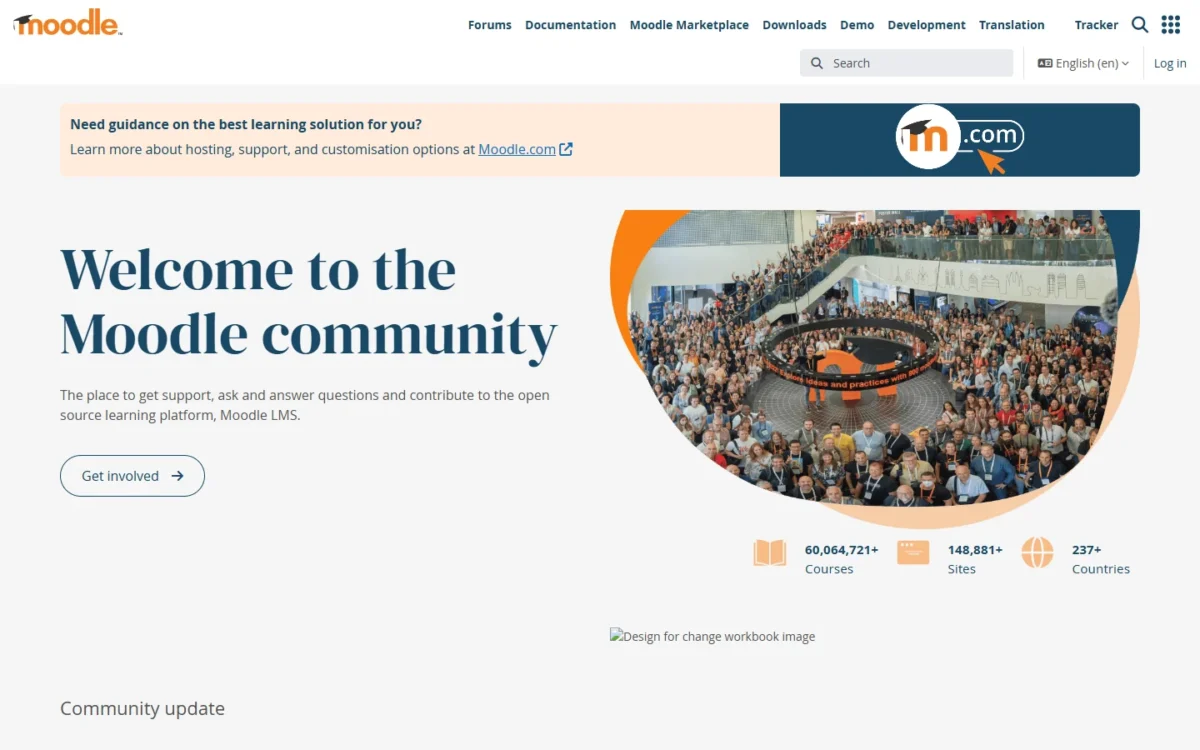
- Best for: schools and training teams with someone who can run a web server
- License: a free open-source software package
- Server floor: 512MB memory minimum, 1GB or more recommended; 5GB disk as a realistic minimum
- Integrations: thousands of plugins and themes for self-hosted sites
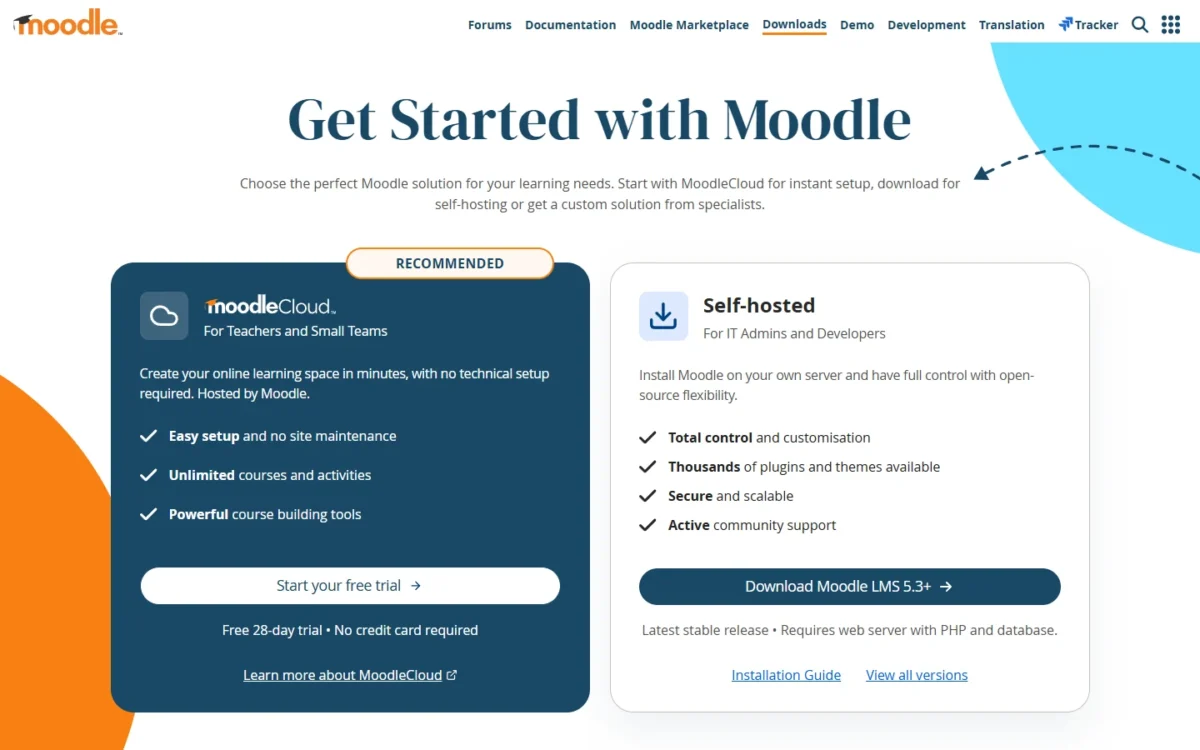
- Hosted option: MoodleCloud, with a free 28-day trial and no plugin installation
Moodle has the lowest documented server floor of the open-source picks, so it is the cheapest full LMS to own if someone on your team can keep a web server healthy. The software is free and scales from a single-teacher site to a 200,000-student university. The cost is time: updates, backups, security alerts and plugins land on you.
Plugins are the reason to choose Moodle, and the reason budgets creep. Moodle LMS 5.3+ supports thousands of plugins and themes, and moodle.org now invites developers to list paid plugins on the new Moodle Marketplace.
The hosted shortcut gives that up. MoodleCloud plans do not allow plugin installation and bill in Australian dollars, so this page quotes no MoodleCloud price; its 28-day trial is still a good place to build a first course.
Upkeep is real. Moodle’s news feed carries an update on its response to the PHP2SHELL vulnerability for its public-facing sites, and on your own server, patching is your job. Moodle HQ and its Certified Partners sell hosting and support by quote.
Against Canvas, Moodle’s 1GB recommendation is an eighth of Instructure’s 8GB: a $6 server instead of a $48 one each month.
Moodle’s software is free, so the bill is the server. Matched to DigitalOcean’s Basic Droplets, the 1GB recommendation is the 1 GiB, 1 vCPU, 25 GiB plan at $6.00 a month, or $6 x 12 = $72 a year, before backups, a domain and your admin time.
| Option | Price | Billing | Key limit |
|---|---|---|---|
| Moodle LMS 5.3+ download | Free | No license fee | Needs PHP and a database |
| DigitalOcean 1 GiB Droplet | $6.00 per month | Monthly cap | 1 vCPU, 25 GiB SSD |
| MoodleCloud | Free 28-day trial | Billed in Australian dollars | No plugin installation |
Sources: Moodle downloads, Installing Moodle, MoodleCloud, DigitalOcean Droplet pricing, checked October 2026.
Pros
- Scales from one teacher to a 200,000-student university
- The 1GB recommendation fits a $6-a-month Droplet
- Thousands of plugins and themes when self-hosted
Cons
- Patches, backups and upgrades are yours
- MoodleCloud blocks plugin installation
- Partner support is priced by quote
Choose Moodle when you have an IT person and plan to extend the platform with plugins.
- Skip it if:
- nobody on your team will patch a server; a hosted free plan such as TalentLMS or ProProfs Training Maker removes that work, and an accredited school should look at Google Classroom first.
3. Google Classroom: Best for Accredited Schools

- Best for: accredited K-12 schools and degree-granting colleges
- Free edition: Google Workspace for Education Fundamentals, at no cost for qualifying institutions
- Storage: 100 TB of pooled cloud storage shared by the organization
- Integrations: Gmail, Google Docs, Google Calendar and Drive; hundreds of EdTech apps
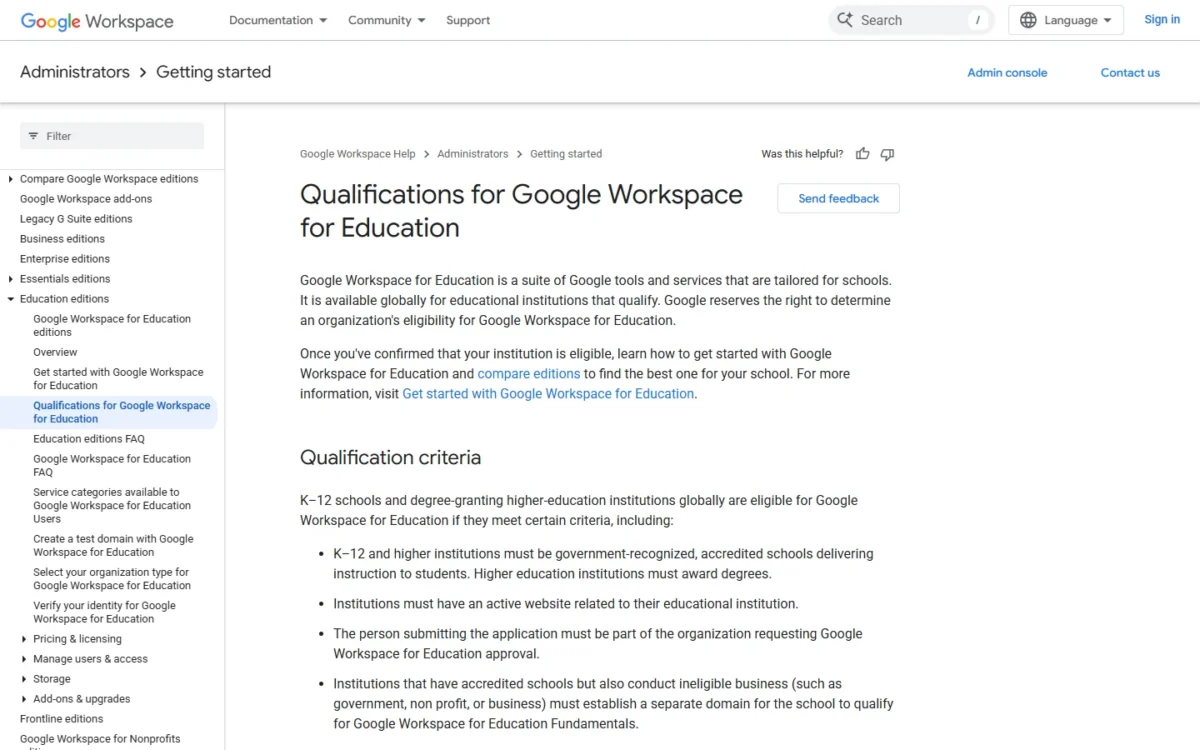
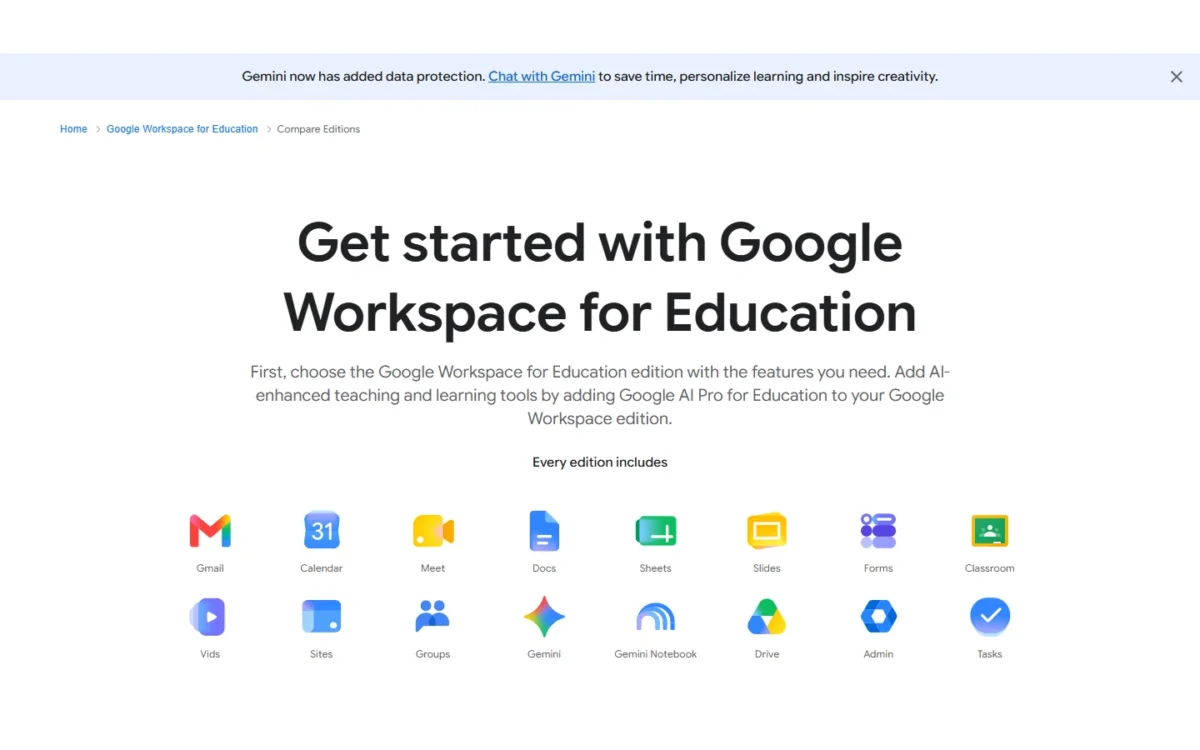
Google Classroom’s free edition, Workspace for Education Fundamentals, is only for qualifying schools: government-recognized, accredited institutions that deliver instruction to students. A qualifying K-12 school or degree-granting college gets a whole-school platform with 100 TB of pooled storage. Businesses, tutoring programs and language schools are pointed to other Google Workspace editions.
The rule is specific. Schools must be government-recognized and accredited, higher-education institutions must award degrees, and the school needs an active website. Organizations that do not qualify include corporate funded training centers, employee education programs, job training programs, language schools, for-profit education companies, MOOCs and tutoring programs.
For teachers, Classroom covers the daily loop without paper: assignments and grades online, a class stream for discussions, and email summaries of missing work for guardians. Gemini in Classroom adds AI tools at no cost.
Some of what districts compare is paid. Classroom analytics and unlimited originality reports are premium features, so a district that wants adoption data is shopping for Education Plus.
Canvas Lite is the contrast: Google serves the whole accredited school, Canvas Lite the one educator Google excludes, such as a private tutor.
Education Fundamentals costs nothing for a qualifying institution, and Education Plus is a paid edition priced through Google’s sales team. Google’s authorized Workspace for Education partners can set up a 60-day Education Plus trial with 50 licenses, enough to pilot analytics with a few classes.
| Edition | Price | Billing | Key limit |
|---|---|---|---|
| Education Fundamentals | No cost | Qualifying institutions only | 100 TB pooled storage |
| Education Plus | Contact sales | Paid edition | 60-day Google partner trial, 50 licenses |
Sources: Google Workspace for Education editions, Qualifications for Google Workspace for Education, checked October 2026.
Pros
- Free for accredited K-12 schools and degree-granting colleges
- 100 TB of pooled storage across the institution
- Guardian email summaries of missing work
Cons
- Businesses, tutoring programs and language schools do not qualify
- Classroom analytics are a premium feature
- Education Plus pricing comes only from Google’s sales team
Choose Google Classroom when your school qualifies and teachers already live in Docs and Drive.
- Skip it if:
- you run a tutoring business, a corporate academy or a language school; Canvas Lite fits a single educator, and TalentLMS fits company training.
4. LifterLMS: Best for Course Creators on WordPress
- Best for: course creators and coaches who already run a WordPress site
- Free core plugin: unlimited courses, memberships, students and teachers
- Integrations: Stripe, PayPal and WooCommerce add-ons from the Earth Bundle
- Try it: a 30-day demo site with every add-on for $1
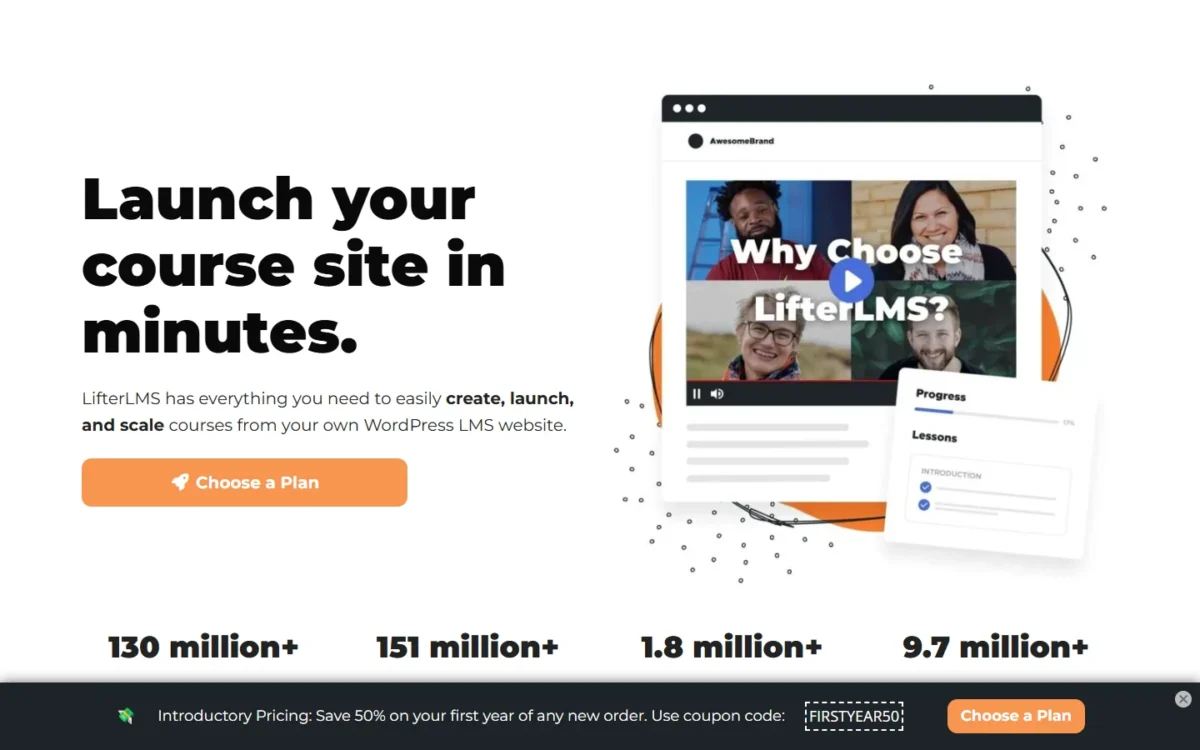
LifterLMS is the pick for a creator who wants courses on their own WordPress site with no per-student fee. Its free core plugin lists unlimited students, where the hosted business plans here stop at 5 to 10 users. The trade-off: you host it, and card payments or graded essays need a paid bundle.
The free core is a real teaching tool. Quizzes, certificates and achievement badges come free, and student, course and quiz reports export to CSV, so a coach can run a free course or member community at no license cost.
Selling is where the bill starts. Earth is the bundle that lists the Stripe, PayPal and WooCommerce add-ons, while Advanced Quizzes (essays with manual grading), Assignments and Continuing Education tracking come only in Infinity.
A lapsed license does not take the site down: the site keeps working, but add-on updates, security upgrades and support stop. Against Coursebox, whose free plan stops at 3 mini courses with a “Created with Coursebox” label, LifterLMS holds a full catalog.
The core plugin is free. Earth is $199 a year for 1 live site, shown below a “normally $398” price, and all renewals are at full price, so budget $398 for year two. Universe ($299) covers 5 live sites and Infinity ($799) unlimited sites.

| Plan | Price | Billing | Key limit |
|---|---|---|---|
| Core plugin | Free | No license fee | No payment add-ons |
| Earth Bundle | $199 per year (normally $398) | Annual | 1 live site |
| Universe Bundle | $299 per year (normally $598) | Annual | 5 live sites |
| Infinity Bundle | $799 per year (normally $1,598) | Annual | Unlimited sites, assignments |
Sources: LifterLMS pricing, checked October 2026.
Pros
- No student, course or teacher cap in the free core
- Quizzes, certificates and badges free
- The site keeps working if a license lapses
Cons
- Payment add-ons start with the Earth Bundle
- Assignments and essay grading need Infinity
- Renewals are at full price, above the first-year figures
Choose LifterLMS when you already run WordPress and want courses without per-learner fees.
- Skip it if:
- you have no website and teach one class; Canvas Lite gives an individual educator a hosted account instead.
5. Canvas LMS: Best for Individual Teachers and Tutors
- Best for: individual teachers, tutors, homeschooling parents and course pilots
- Free option: Canvas Lite, a free Canvas account for individual educators
- Integrations: Google Drive, Zoom and Microsoft Teams
- Open source: AGPLv3 code; at least 8GB RAM recommended to self-host
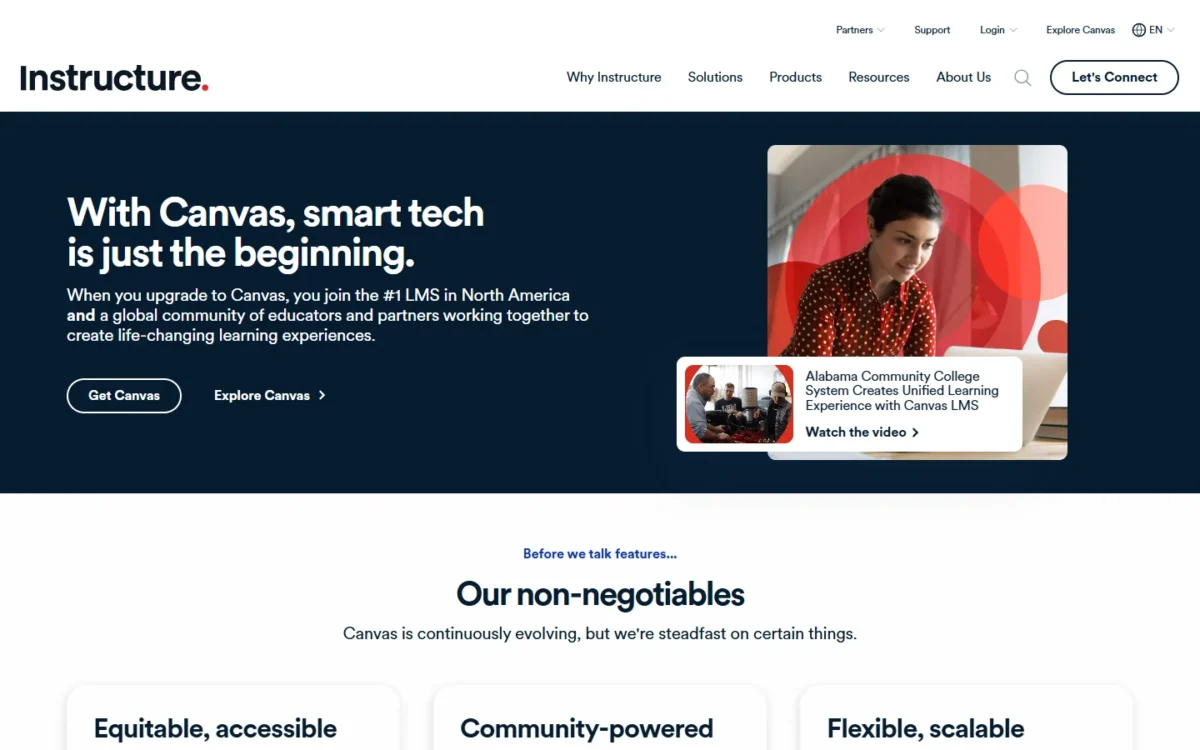
Yes, Canvas is still free for a teacher working alone, under a new name: the old Free-for-Teacher sign-up page now announces that Canvas Lite is live, checked October 2026. Canvas Lite is built for teaching your own class, tutoring, homeschooling or piloting a course without a school license. The catch: its page lists no student or storage cap.
That is exactly the gap Google Classroom leaves. Google lists tutoring programs as ineligible for its free edition, while Instructure names tutoring among Canvas Lite’s uses.
The toolset is grading-heavy: SpeedGrader, rubrics and audio or video feedback, plus modules, discussions and inbox messaging, with Canvas Teacher and Canvas Student apps for phones.
Self-hosting the AGPLv3 code is another matter. Instructure recommends at least 8GB RAM, which ties Canvas with Open edX’s recommended setup for the highest server cost here.
Canvas Lite costs nothing, and its page lists no paid tier. Self-hosting at 8GB means DigitalOcean’s 8 GiB, 4 vCPU Droplet at $48.00 a month, or $48 x 12 = $576 a year.

| Option | Price | Billing | Key limit |
|---|---|---|---|
| Canvas Lite | Free | Not billed | No caps listed on the Lite page |
| DigitalOcean 8 GiB Droplet | $48.00 per month | Monthly cap | 4 vCPUs, 160 GiB SSD |
Sources: Canvas Lite, Canvas production setup, DigitalOcean Droplet pricing, checked October 2026.
Pros
- A free Canvas account for one educator, no school license needed
- SpeedGrader, rubrics and video feedback in Lite
- Teacher and Student mobile apps
Cons
- No student or storage cap listed for Canvas Lite
- Instructure recommends at least 8GB RAM to self-host
- Built for one educator, not a whole school
Choose Canvas Lite when you teach on your own and need real grading tools.
- Skip it if:
- you need a whole school or company on one platform; an accredited school belongs on Google Classroom, and a 10-person business on ProProfs Training Maker.
6. ProProfs Training Maker: Best for Up to 10 Learners With Unlimited Courses

- Best for: teams of up to 10 learners that need many courses
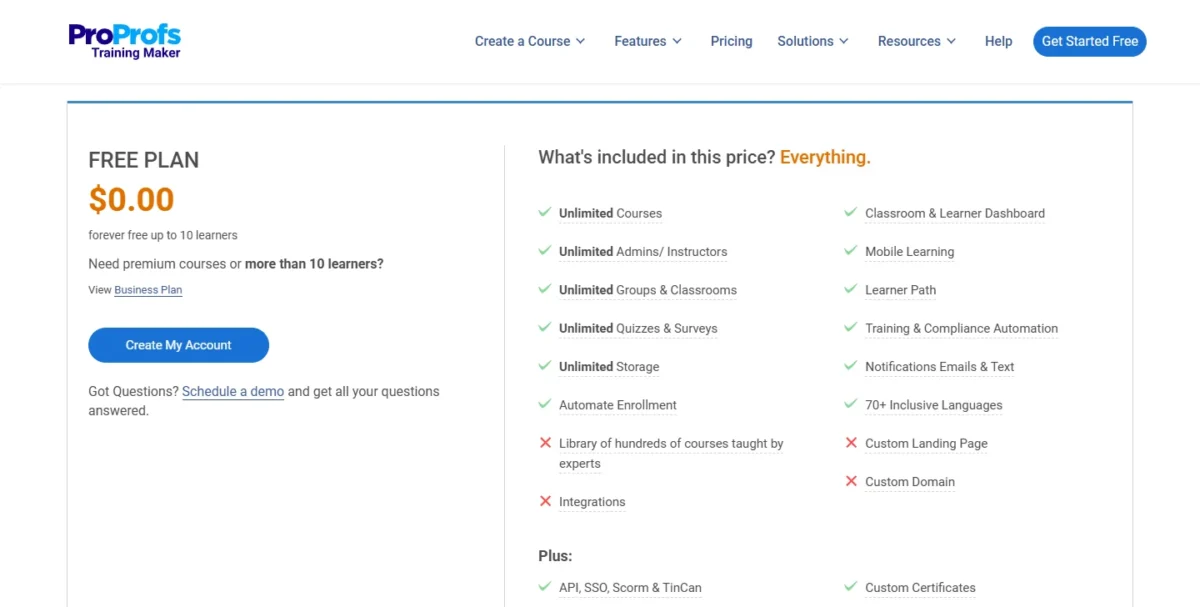
- Free plan: $0, forever free up to 10 learners
- Free plan includes: unlimited courses, AI course creation, admins, groups, quizzes and storage
- Next step: Essentials, $1.99 per active learner per month billed annually, max 100 active learners
- Integrations: BambooHR, Salesforce, HRIS and payroll listed; count not listed
ProProfs Training Maker gives a team of 10 twice TalentLMS’s free users, unlimited courses where TalentLMS stops at 10, and no storage cap. It fits an office manager building a full onboarding library. The trade-off is ready-made content: the 500+ expert courses, such as Sexual Harassment and OSHA training, sit on the paid Business plan.
Unlimited storage changes how you build: long videos and slide decks go in as they are, with none of the trimming TalentLMS’s 100MB Free limit forces. Courses also run in 70+ languages.
ProProfs lists replacing its branding with your own logo on Business, and TalentLMS puts branding removal on Core.
Downgrading has a cost. If a paid subscription stops, stored attempts and score data are deleted, though courses stay, so export records you need for compliance first.
Essentials costs $1.99 per active learner per month, billed annually as $23.88 per learner a year. Eleven learners cost 11 x $23.88 = $262.68 a year. At 40 learners, 40 x $23.88 = $955.20 a year, still below the $1,428 TalentLMS Core charges for 1-40 users.
| Plan | Price | Billing | Key limit |
|---|---|---|---|
| Free | $0.00 | Forever free | Up to 10 learners |
| Essentials | $1.99 per active learner per month ($23.88 per learner per year) | Billed annually | Max 100 active learners |
| Business | $3.99 per active learner per month ($47.88 per learner per year) | Billed annually | Max 200 active learners |
Sources: ProProfs Training Maker pricing, checked October 2026.
Pros
- Ten free learners with unlimited courses and storage
- AI course creation on the free plan
- Essentials stays cheap for small teams
Cons
- The 500+ ready-made courses need the Business plan
- The 11th learner starts per-learner billing
- Stopping a paid plan deletes stored score data
Choose ProProfs Training Maker when you train up to 10 people and want more than 10 courses free.
- Skip it if:
- your learners work offline on a shop floor or a site; Mitti is built for completing courses without a connection.
7. Mitti: Best for Frontline Safety Training on Mobile

- Best for: frontline and deskless teams whose training follows inspections
- Free plan: up to 10 seats with basic training, basic analytics and 300 AI credits per seat per month
- Premium: $24 per seat per month billed annually, excluding taxes
- Integrations: out-of-the-box and custom integrations on Premium
- Offline: learners finish courses without a connection, and progress syncs later
Mitti (by SafetyCulture) keeps its workplace training “Always free up to 10 users”, and its own LMS roundup lists the product as “SC Training (formerly EdApp)”.
Mitti fits a site crew whose training should follow what an inspection finds. The trade-off: Free gives basic training only, and because all team members must be on the same plan, growth means per-seat Premium for everyone.
The inspection link is Mitti’s distinct feature: a flagged inspection item becomes a training course without leaving the app, so a repeated safety miss turns into a refresher for the crew.
Course building suits teams without an instructional designer. AI turns a PDF, PowerPoint or Word file into a course, the library holds 1,000+ free, editable courses, and translation covers 100+ languages.
Offline mode is the frontline feature. Workers complete courses without a connection and progress syncs later, which a crew in a basement or a field needs. Against Connecteam, Mitti ties training to inspections, while Connecteam ties it to schedules.
Premium costs $24 per seat per month billed annually, excluding taxes, and adds advanced training and SSO. Its pricing FAQ answers the seat question directly: some members cannot stay Free while others go Premium, so an 11th worker moves all 11 seats to a paid plan.

| Plan | Price | Billing | Key limit |
|---|---|---|---|
| Free | $0 | Per-seat pricing only | Up to 10 seats, basic training |
| Premium | $24 per seat per month | Billed annually | Same plan for every team member |
Sources: Mitti pricing, Mitti training, checked October 2026.
Pros
- Training is free for up to 10 users
- A flagged inspection item can become a course
- Courses work offline and sync later
Cons
- Training on Free is labeled basic
- Premium bills per seat for every team member
- Free and Premium seats cannot mix: all team members must be on the same plan
Choose Mitti when workers train on phones between tasks and safety runs on inspections.
- Skip it if:
- your team also needs shift schedules and a time clock in the same free app; Connecteam bundles both for 10 users.
8. Connecteam: Best for Deskless Teams That Also Need Scheduling

- Best for: deskless crews of up to 10 that also need schedules and a time clock
- Free plan: Small Business plan, $0, “free for life” for up to 10 users with all hubs and all features
- Training tools: courses, quizzes, documents and onboarding in the HR & Skills hub
- Integrations: payroll integration on Operations Basic; API access on Expert
- First paid training plan: HR & Skills Basic, $29 per month billed yearly for the first 30 users
Connecteam is an employee app first, and that is its appeal for a small crew. Training sits in the HR & Skills hub beside the time clock, scheduling and chat, all free to up to 10 users on the Small Business plan. A café can run onboarding and shift schedules in one app.
The course tools cover onboarding, not academies. The compare table lists quizzes, an AI course creator, and course insights and completion status, so a manager can check who finished the food-safety module before the first shift.
Growth past 10 has a free path. Teams of 11 to 30 can move to the Limited plan, free for life for up to 30 users, though it drops some capabilities and caps courses at 3.
If you keep schedules on Connecteam, my list of free employee scheduling software compares it with other scheduling apps.
HR & Skills Basic costs $29 a month billed yearly, $29 x 12 = $348 a year, for the first 30 users, plus $0.5 per month for each user after 30. On monthly billing it costs $35 a month plus $0.6 per extra user.
Each hub is priced on its own, so a crew of 11 that needs more than the Limited plan’s essentials pays two plans, Operations Basic and HR & Skills Basic, at $29 a month each on yearly billing. The free Limited plan avoids that bill but drops some capabilities and caps courses at 3.
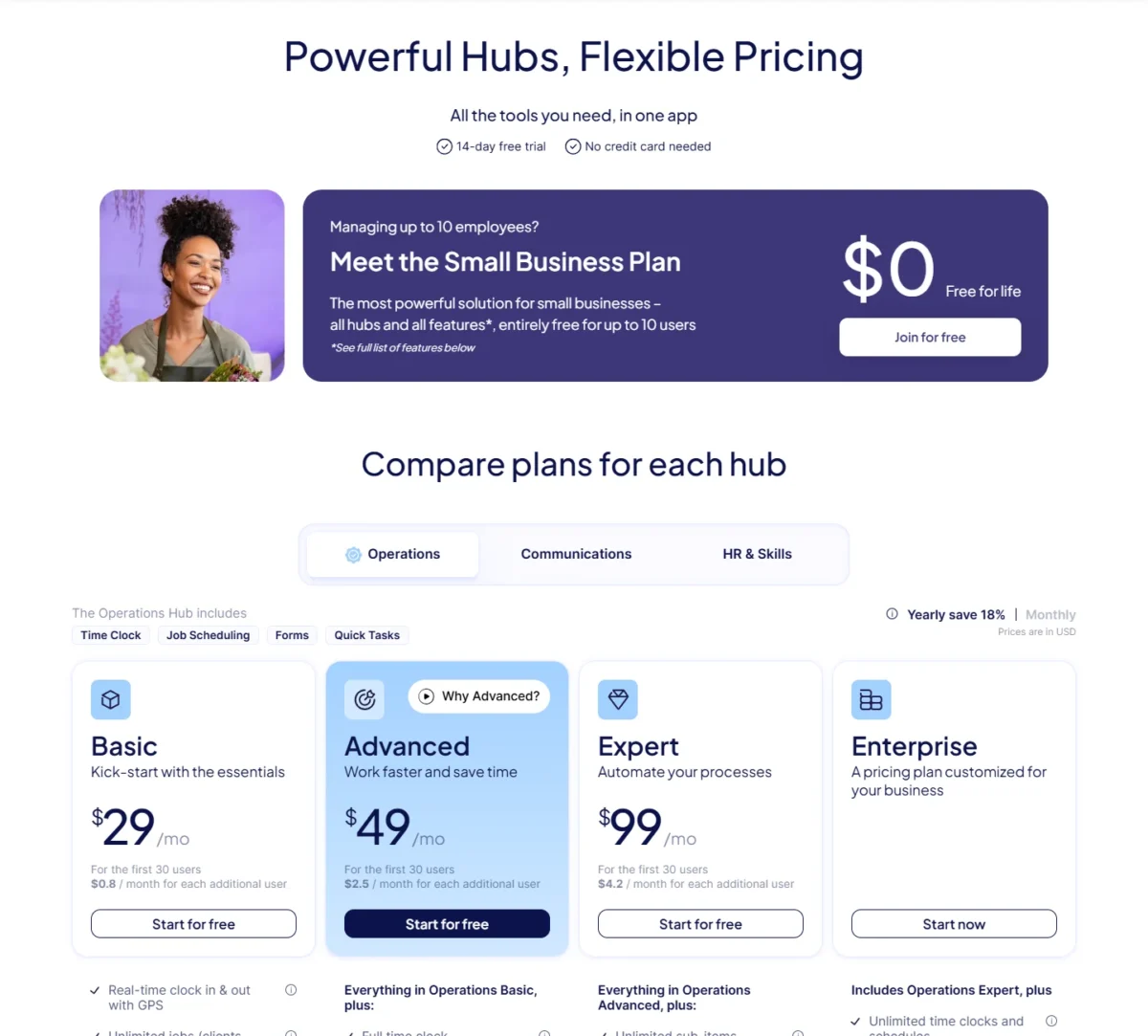
| Plan | Price | Billing | Key limit |
|---|---|---|---|
| Small Business | $0 | Free for life | Up to 10 users |
| Limited | $0 | Free for life | Up to 30 users, 3 courses |
| HR & Skills Basic | $29 per month, first 30 users | Billed yearly | $0.5 per month per user after 30 |
| HR & Skills Basic | $35 per month, first 30 users | Billed monthly | $0.6 per month per user after 30 |
Sources: Connecteam pricing, checked October 2026.
Pros
- Training, scheduling and the time clock free for up to 10 users
- A free Limited plan for 11 to 30 users
- Flat Basic pricing for the first 30 users
Cons
- The Limited plan caps courses at 3
- Past 10 users, each hub is billed separately unless Limited’s 3-course cap fits
- Course tools fit onboarding more than a customer academy
Choose Connecteam when the same 10 people need schedules, timesheets and onboarding courses in one app.
- Skip it if:
- testing knowledge is the main job; Chamilo offers 20+ question types, adaptive tests and time limits, and ProProfs Training Maker suits office training.
9. Chamilo: Best for Assessment-Heavy Courses on Open Source
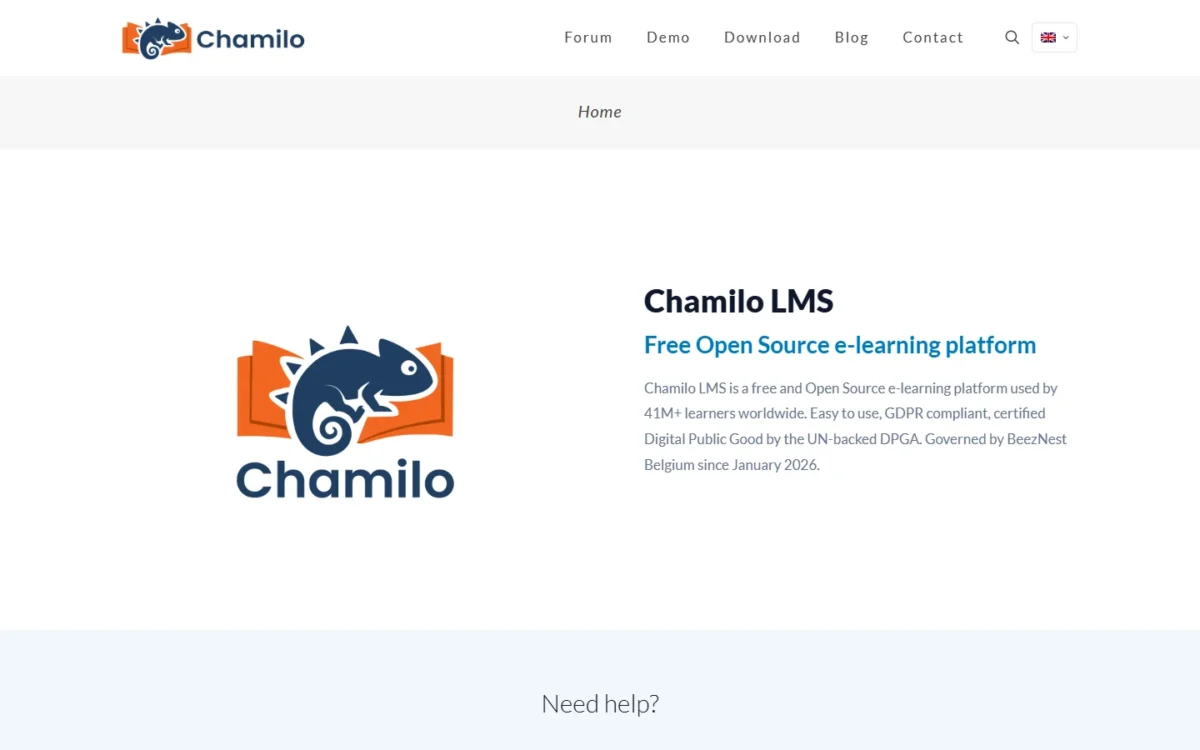
- Best for: schools, nonprofits and public programs that test knowledge heavily
- License: free and open source, GNU/GPLv3+
- Server floor: 2 vCPUs, 4GB RAM and 4GB free disk; shown to work on 2 vCPUs and 2GB RAM
- Integrations: proctoring tools; SCORM 1.2, QTI, LTI and xAPI CMI 5
Chamilo is the open-source pick when tests and exams matter more than plugins, and the software is free under GPLv3+. The trade-off is support: BeezNest Belgium has governed Chamilo since January 2026, and the official provider list is on hold while it sets up a new structure. A US school should plan to run it in-house.
The quiz engine is the reason to choose it: 20+ question types, random selection by category, adaptive tests, time limits and proctoring integration. A certification program that draws each exam from a question bank gets that in the core feature set.
The server floor sits between Moodle and Canvas. Chamilo 3.0 asks for 2 vCPUs, 4GB RAM and 4GB free disk, but no load testing of simultaneous users has been done yet, so size up before exam week.
Support is thin for US buyers: the listed providers are in Belgium, Latin America, France and Spain. Installers such as Softaculous and the DigitalOcean marketplace can set it up for you.
Chamilo’s software is free, so the cost is the server. Its documented minimum matches DigitalOcean’s 4 GiB, 2 vCPU Droplet at $24.00 a month, or $24 x 12 = $288 a year; a public demo campus lets you build a test course first.

| Option | Price | Billing | Key limit |
|---|---|---|---|
| Chamilo software | Free | GPLv3+ | You install and maintain it |
| DigitalOcean 4 GiB Droplet | $24.00 per month | Monthly cap | 2 vCPUs, 80 GiB SSD |
Sources: Chamilo on GitHub, Chamilo providers, DigitalOcean Droplet pricing, checked October 2026.
Pros
- 20+ question types, adaptive tests and time limits
- Proctoring tool integration
- Free under GPLv3+, with a public demo campus
Cons
- The official provider list is on hold
- No load testing published for simultaneous users
- The server floor costs four times Moodle’s ($24 against $6 a month)
Choose Chamilo when exams and question banks drive your courses and you can host it yourself.
- Skip it if:
- you need a vendor or partner on call; Moodle’s Certified Partners and Open edX’s providers sell managed hosting.
10. Open edX: Best for MOOC-Scale Self-Paced Programs
- Best for: universities and organizations running large self-paced programs
- License: open source, with no licensing fees
- Server floor (Tutor): 4 GB RAM, 2 CPU and 8 GB disk minimum; 8 GB RAM, 4 CPU and 25 GB disk recommended
- Integrations: plugins, XBlock and APIs
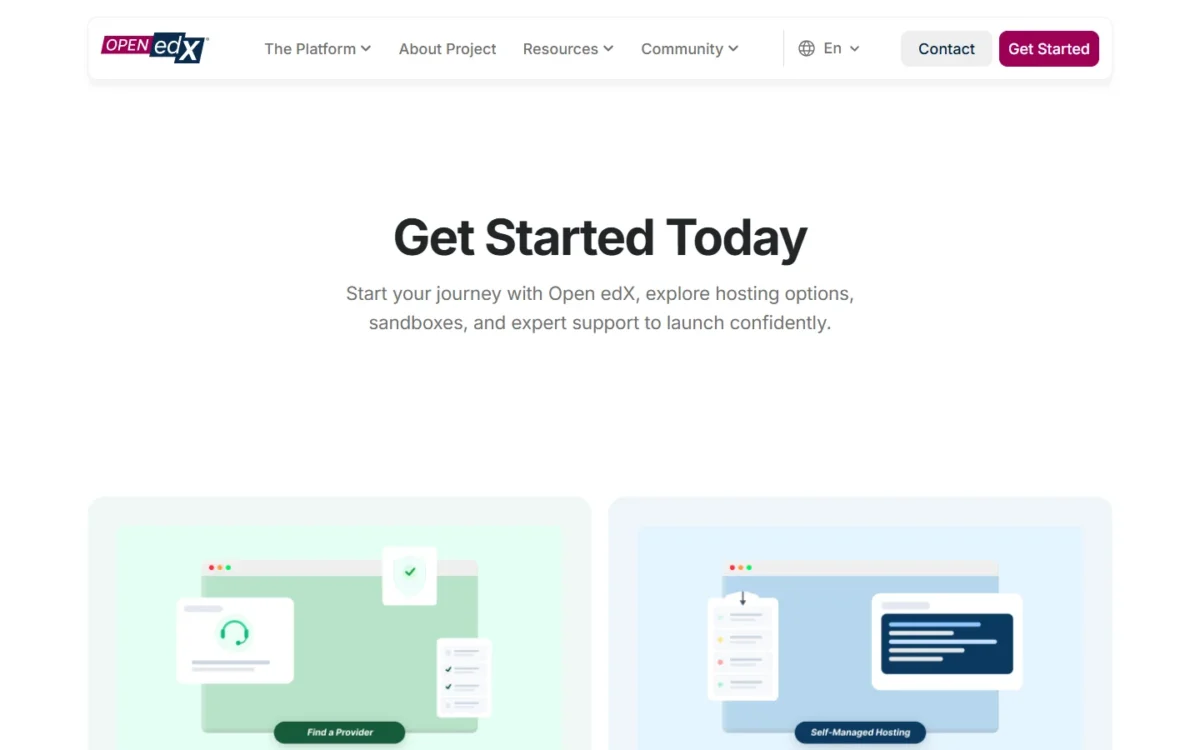
- Try first: a temporary, preconfigured sandbox
Open edX is not realistic without engineers, unless you pay a provider. It is built for courses that serve millions of learners and carries no licensing fees, but self-managed hosting puts setup, maintenance and infrastructure entirely on you.
Scale is the reason to choose it over Moodle. Self-service registration and self-paced courses let a small team reach a large audience, which fits a university’s public courses or a nonprofit’s open program.
Installation is quicker than its reputation. Tutor, the Docker-based distribution, launches the platform with one “tutor local launch” command in under 10 minutes on a server with good bandwidth. Providers are the other route, managing hosting, updates and scaling at a cost that varies.
Open edX has no license fee, so the cost is the server or the provider. Tutor’s minimum (4 GB RAM, 2 CPU) matches DigitalOcean’s 4 GiB, 2 vCPU Droplet at $24.00 a month, $24 x 12 = $288 a year; its recommended 8 GB setup matches the $48.00 Droplet.
| Option | Price | Billing | Key limit |
|---|---|---|---|
| Open edX software | No licensing fees | Not billed | Setup and maintenance are yours |
| Tutor minimum server | $24.00 per month | Monthly cap | 4 GiB RAM, 2 vCPUs |
Sources: Open edX get started, Tutor requirements, DigitalOcean Droplet pricing, checked October 2026.
Pros
- No licensing fees at any scale
- Self-service registration for large audiences
- A sandbox to test before you commit
Cons
- Setup, maintenance and infrastructure are yours when self-managed
- The minimum server needs 4 GB RAM
- Provider costs vary by solution
Choose Open edX when you expect thousands of self-registering learners and have engineers or a provider budget.
- Skip it if:
- you teach a few hundred learners or fewer; Moodle runs on a smaller server and has thousands of plugins.
What Self-Hosting an Open-Source LMS Really Costs
Running an open-source LMS at its documented server floor costs $72 to $576 a year on DigitalOcean’s Basic Droplets. That runs from $6 a month for Moodle’s 1GB recommendation to $48 a month for Canvas’s 8GB one, before backups, a domain, plugins, paid support and admin hours.
| LMS | Documented requirement | Matching Droplet | Per month | Per year |
|---|---|---|---|---|
| Moodle | 1GB memory or more recommended | 1 GiB, 1 vCPU, 25 GiB | $6.00 | $6 x 12 = $72 |
| Chamilo | 2 vCPUs, 4GB RAM, 4GB disk | 4 GiB, 2 vCPUs, 80 GiB | $24.00 | $24 x 12 = $288 |
| Open edX (Tutor minimum) | 4 GB RAM, 2 CPU, 8 GB disk | 4 GiB, 2 vCPUs, 80 GiB | $24.00 | $24 x 12 = $288 |
| Open edX (Tutor recommended) | 8 GB RAM, 4 CPU, 25 GB disk | 8 GiB, 4 vCPUs, 160 GiB | $48.00 | $48 x 12 = $576 |
| Canvas LMS | At least 8GB RAM recommended | 8 GiB, 4 vCPUs, 160 GiB | $48.00 | $48 x 12 = $576 |
Sources: Installing Moodle, Chamilo on GitHub, Tutor requirements, Canvas production setup, DigitalOcean Droplet pricing, checked October 2026.

The monthly figure is a cap. DigitalOcean moved Droplets to per-second billing on January 1, 2026, so a test server you run for a week and then destroy costs a fraction of it.
The server is the smallest line in the real budget:
- Upkeep: patching, backups and upgrades are yours on every self-hosted pick.
- Plugins: Moodle’s new Marketplace invites paid plugin listings.
- Paid support: Moodle Certified Partners quote on request; Open edX provider costs vary by solution.
Before you install anything, build a course in MoodleCloud’s 28-day trial, the Open edX sandbox or Chamilo’s demo campus.
What You Pay When You Outgrow the Free Plan
Past a hosted free cap, Connecteam’s Limited plan stays free up to 30 users (3 courses), while the paid steps run from $262.68 a year (ProProfs Training Maker, 11 learners) to $3,168 (Mitti, 11 Premium seats).
TalentLMS’s sixth user moves you to Core at $1,428 a year, and the table prices the first team size over each cap on yearly billing.
| Product | Free cap | Next step | Cost at the first size over the cap |
|---|---|---|---|
| TalentLMS | 5 users, 10 courses | Core, 1-40 users | $119 x 12 = $1,428 per year |
| ProProfs Training Maker | 10 learners | Essentials, up to 100 active learners | 11 x $23.88 = $262.68 per year |
| Mitti | 10 seats | Premium, per seat | 11 x $24 x 12 = $3,168 per year (all seats on the same plan) |
| Connecteam | 10 users | Free Limited plan, or HR & Skills Basic | $0 on Limited (3 courses); $29 x 12 = $348 per year on Basic |
| LifterLMS | No student cap | Earth for payments | $199 per year on Earth (normally $398) |
| Google Classroom | Qualifying schools only | Education Plus | Contact sales |
Sources: TalentLMS pricing, ProProfs pricing, Mitti pricing, Connecteam pricing, LifterLMS pricing, checked October 2026.
The shape of each price matters more than the number. ProProfs prices Essentials per active learner at $23.88 a year, while Mitti requires one plan for the whole team, so with 11 workers all 11 seats are paid.
TalentLMS and Connecteam charge a flat amount for a band of users (1-40 and the first 30), so the bill jumps once and then holds until the band fills.
How to Choose the Best Free LMS for Your Team
Decide in three steps: first check eligibility (an accredited school, an individual educator or a business), then whether anyone can run a server, then count your learners against the caps.
| Software | Who can use it free | Free user cap | Free course cap | Server needed | Next paid step |
|---|---|---|---|---|---|
| TalentLMS | Any organization | 5 users | 10 courses | No | Core |
| Moodle | Anyone | Not listed | Not listed | Yes | Server or Certified Partner |
| Google Classroom | Accredited schools | Not listed | Not listed | No | Education Plus |
| LifterLMS | Anyone with WordPress | Unlimited students | Unlimited | Yes (WordPress host) | Earth Bundle |
| Canvas LMS | Individual educators | Not listed | Not listed | No (Lite) | Self-hosting |
| ProProfs Training Maker | Any organization | 10 learners | Unlimited | No | Essentials |
| Mitti | Small teams (up to 10) | 10 seats | Not listed | Not listed | Premium |
| Connecteam | Any organization | 10 users | Unlimited | No | Limited or HR & Skills Basic |
| Chamilo | Anyone | Not listed | Not listed | Yes | Server or provider |
| Open edX | Anyone | Not listed | Not listed | Yes | Server or provider |
Sources: TalentLMS pricing, ProProfs pricing, Qualifications for Google Workspace for Education, checked October 2026.
Read the matrix by your situation:
- An accredited school: Google Classroom; Moodle when you want your own server.
- One teacher or tutor: Canvas Lite.
- A business with 5 or fewer learners: TalentLMS, for unlimited support on Free and one flat Core price for 1-40 users; with 6 to 10, or more than 10 courses, ProProfs Training Maker.
- A frontline crew: Mitti for inspections, Connecteam for schedules.
- A team with an IT person: Moodle for breadth, Chamilo for exams, Open edX for very large audiences.
If your team already passes every free cap, my ranking of the best LMS platforms for business compares the paid options by training job and yearly cost.
Also Considered
These 9 tools stay off the ranked list for the reason given:
- Coursebox: 3 AI mini courses of up to 5 pages free, with a “Created with Coursebox” label.
- ILIAS: free, but asks for at least 4GB of RAM and names service providers across Europe.
- Sakai: open source, hosted by commercial affiliates (Longsight, Learning Experiences, EDF) with no prices on its site.
- Forma LMS: open source for corporate training, but its pages give no server or hosting figure.
- Tutor LMS: free core, but the same WordPress job as LifterLMS.
- Thinkific: no free plan, a 30-day free trial instead.
- Teachable: a paid service with a 30-day free trial.
- Podia: a 14-day free trial, no free plan.
- Coassemble: starts at a paid Build tier on a 12-month agreement.
FAQ
Is Google Classroom free for a business or tutoring program?
No: Google Classroom’s free edition, Education Fundamentals, is only for government-recognized, accredited K-12 schools and degree-granting institutions. Google lists corporate funded training centers, employee education programs and tutoring programs among those that do not qualify, and points them to other Google Workspace editions. A tutor working alone can use Canvas Lite instead.
What is the best free LMS?
There is no single winner, so pick by job. TalentLMS or ProProfs Training Maker suit a small-business pilot, Google Classroom suits an accredited school, LifterLMS suits a WordPress course creator, and Moodle suits a team that can self-host. The deciding factor is usually eligibility, then your learner count against each free cap.
What is the easiest free LMS to start with?
Pick a hosted one if you want no server to run: TalentLMS, ProProfs Training Maker, Connecteam, Canvas Lite and Google Classroom are all hosted. Moodle, Chamilo and Open edX need a server you maintain, and LifterLMS needs a WordPress host. The business free plans trade that server work for a cap of 5 to 10 users.
Final Verdict
Start with eligibility. An accredited school should take Google Classroom’s free edition, and a teacher or tutor on their own should open a Canvas Lite account.
For a business, headcount decides. Up to 5 learners, TalentLMS adds unlimited support on Free and a flat Core price for 1-40 users; up to 10 with many courses, ProProfs Training Maker gives more for nothing. Frontline crews pick Mitti for inspections or Connecteam for schedules.
WordPress creators get LifterLMS with no student cap, budgeting for Earth once they sell. With someone who can run a server, Moodle costs $72 a year at its documented recommendation, Chamilo suits exams at $288, and Open edX suits audiences in the thousands.
Whichever you pick, choose the option whose free cap sits furthest above your headcount, so the first paid step stays a year away.






Pingback: 10 Best LMS Platforms for Business (2026): Cost and Fit