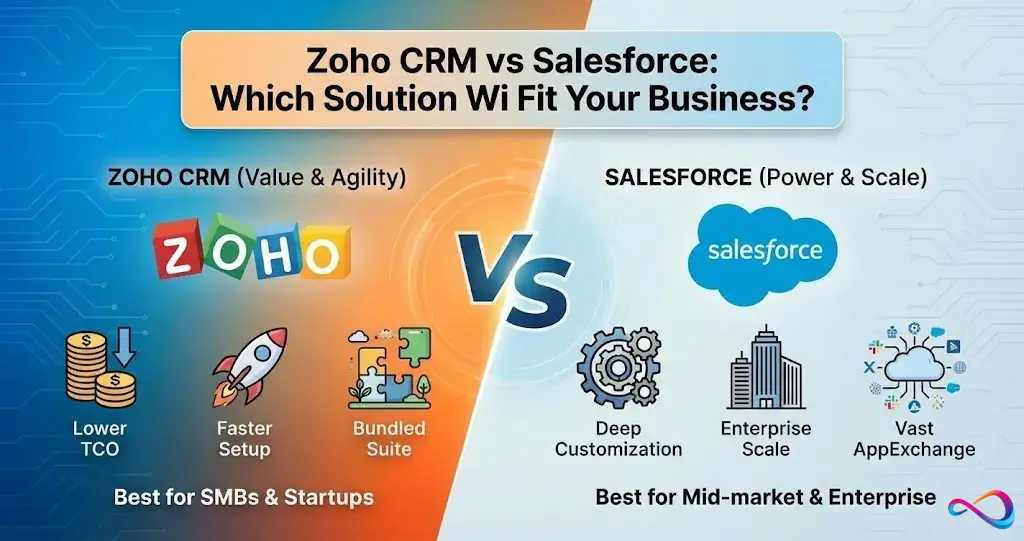
Choosing between Zoho CRM vs Salesforce is one of the most consequential CRM decisions a growing business can make. Both platforms dominate the CRM software comparison landscape, but they serve fundamentally different buyer profiles, budgets, and operational realities. This guide breaks down pricing, features, integrations, AI capabilities, and total cost of ownership so you can pick the right fit — not the most marketed one.
Why this article exists: We created this Zoho CRM vs Salesforce comparison to help you choose a CRM based on budget, complexity, and admin capacity — not vendor marketing. Below, you’ll find scenario-based cost models, a weighted scorecard, and an implementation blueprint you won’t find in most comparisons.
Quick Answer
Choose Zoho CRM if you want a cost-effective, all-in-one platform with solid automation and AI that a small team can self-implement without dedicated developers.
Choose Salesforce if you need deep customization, enterprise-grade reporting, a massive integrations ecosystem, and have the budget (and admin capacity) to support it.
Decision rule: If your annual CRM budget is under $5,000, your workflows are moderately complex, and you don’t have a dedicated Salesforce admin — start with Zoho CRM. If you need advanced governance, complex multi-department workflows, and plan to scale past 100+ users, Salesforce Sales Cloud justifies the premium.
Best For
- Solo / Micro team (1–2 users): Both offer free plans — Zoho CRM Free (up to 3 users) or Salesforce Free Suite (up to 2 users). Zoho’s free tier covers more users; Salesforce’s Free Suite gives access to the Salesforce ecosystem with no expiration.
- Startup (3–10 users): Zoho CRM — free tier covers the team; fast setup; low overhead.
- SMB (10–50 users): Zoho CRM or Salesforce Starter Suite — depends on integration complexity and customization needs.
- Mid-market (50–200 users): Salesforce Sales Cloud — stronger reporting, workflow depth, and cross-department orchestration.
- Enterprise (200+ users): Salesforce — governance, AppExchange ecosystem, Einstein AI, and compliance tooling at scale.
Zoho CRM vs Salesforce at a Glance (Comparison Table)
| Criteria | Zoho CRM | Salesforce Sales Cloud |
|---|---|---|
| Ideal Company Size | Startup to Mid-market (1–200 users) | Mid-market to Enterprise (50–10,000+ users) |
| Free Plan | Yes — up to 3 users | Yes — Free Suite, up to 2 users (no expiration, no credit card) |
| Paid Pricing (from) | $14/user/mo (billed annually) | $25/user/mo (monthly or annual billing available on Starter Suite) |
| Customization Depth | Strong — custom modules, Blueprint, Deluge scripting | Extremely deep — custom objects, Apex, Salesforce Flow |
| Implementation Effort | Low to Moderate (days–weeks; self-service possible) | Moderate to High (weeks–months; often needs a partner) |
| AI Assistant | Zia AI (predictions, anomaly detection, conversational) | Einstein AI (lead scoring, forecasting, generative email) |
| Reporting & Analytics | Solid — standard + custom reports, Zoho Analytics add-on | Advanced — custom report types, joined reports, Tableau |
| Integrations | ~900+ extensions via Zoho Marketplace + native Zoho One suite | ~6,000+ apps on AppExchange (varies by counting method) |
| Support & Training | Included in most plans; Zoho Learn + community | Tiered (Premier/Signature cost extra); Trailhead free |
Pricing verified as of February 2026. Most Salesforce contracts are annual, but Starter Suite can be billed monthly or annually. Always confirm current rates on each vendor’s pricing page.
Key Takeaways
- Both platforms now offer free plans — Zoho for up to 3 users, Salesforce for up to 2.
- Zoho CRM wins on value, ease of adoption, and suite-level bundling with Zoho One.
- Salesforce wins on depth, scale, and ecosystem breadth — but charges for it.
- If total cost of ownership is your deciding factor, Zoho CRM is typically 50–70% less expensive at comparable user counts on paid plans.
- Neither is “better” in a vacuum; the right choice depends on your team’s complexity, budget, and admin capacity.
How We Evaluated
To keep this Zoho CRM vs Salesforce comparison grounded, we used a structured evaluation framework rather than subjective opinions. If you’re new to CRM evaluation, our guide on what is CRM software covers foundational concepts.
Evaluation Criteria and Weighting
| Criterion | Weight | What We Assessed |
|---|---|---|
| Cost / TCO | 20% | Published pricing, add-ons, implementation, admin effort |
| Core Features | 15% | Lead/opportunity management, pipeline, forecasting |
| Integrations | 10% | Marketplace depth, API flexibility, iPaaS compatibility |
| Customization | 15% | Custom objects/modules, workflow builders, scripting |
| Ease of Use | 10% | UI intuitiveness, learning curve, onboarding time |
| Reporting & Analytics | 10% | Dashboard depth, custom reports, BI connectivity |
| AI Capabilities | 5% | Lead scoring, forecasting, generative features |
| Support & Training | 5% | Included vs. paid tiers, self-serve resources |
| Security & Compliance | 5% | MFA/SSO, audit logs, role-based access, data residency |
| Time-to-Value | 5% | Setup time, adoption speed, ROI timeline |
Data Sources and Methodology
We reviewed trial environments and publicly available demos for both platforms, cross-referenced vendor documentation, and verified findings against user feedback on Capterra. Independent comparisons from Forbes Advisor and Business.com were used to validate pricing claims and feature parity.
We did not invent personal usage claims. Where we reference user sentiment, it reflects aggregate patterns from verified review platforms — not anecdotal preferences.
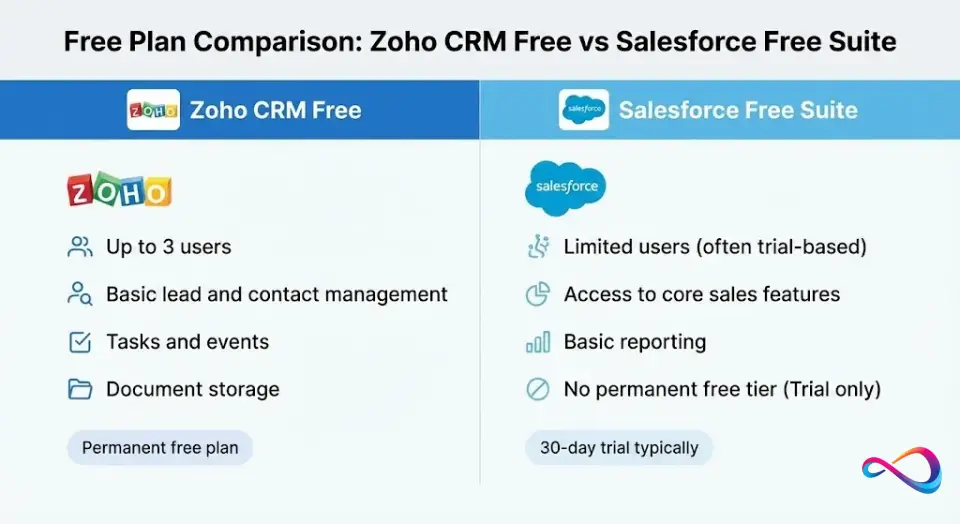
Free Plan Comparison: Zoho CRM Free vs Salesforce Free Suite
Both vendors offer a $0 entry point — but the scope and limitations differ significantly.
| Feature | Zoho CRM Free | Salesforce Free Suite |
|---|---|---|
| Max users | 3 | 2 |
| Contract required | No | No (no credit card, no contract) |
| Expiration | No expiration | No expiration (as long as you log in regularly) |
| Lead management | Yes | Yes |
| Contact / Account management | Yes | Yes |
| Deal / Opportunity tracking | Yes (basic) | Yes |
| Email integration | Basic | Gmail / Outlook sync |
| Automation | Limited workflow rules | Limited |
| Reports & dashboards | Basic (pre-built) | Basic |
| Storage | 1 GB (shared) | Limited data storage |
| Mobile app | Yes | Yes |
| Upgrade path | Standard ($14/user/mo) | Starter Suite ($25/user/mo) |
Which Free Plan Should You Start With?
- Choose Zoho CRM Free if you have a 3-person team and want a cost-free start with room to grow into Zoho’s affordable paid tiers.
- Choose Salesforce Free Suite if you have 1–2 users, want early access to the Salesforce ecosystem, and anticipate scaling into Salesforce’s more advanced editions later.
So what? Both free plans are legitimate for micro teams testing CRM adoption. However, neither free plan supports meaningful automation or advanced reporting — expect to upgrade within 3–6 months if you’re serious about pipeline management.
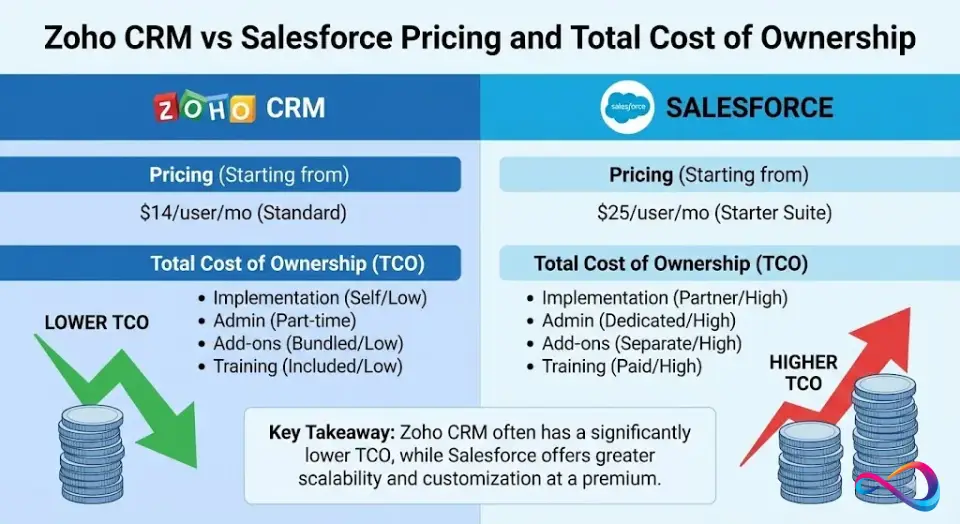
Zoho CRM vs Salesforce Pricing and Total Cost of Ownership
Pricing is the single biggest gap between Zoho CRM and Salesforce on paid plans — and the listed per-user price only tells half the story. For a detailed tier-by-tier analysis, see our Zoho CRM pricing breakdown and Salesforce pricing guide.
What “Starting Price” Does NOT Include
For Zoho CRM:
- Zoho CRM Plus or Zoho One bundles (needed for advanced marketing/service features)
- Third-party integrations outside the Zoho ecosystem
- Optional Zoho Analytics premium for advanced BI
- Data migration or customization consulting (less common, but possible)
For Salesforce Sales Cloud:
- Implementation consulting (typical: $5,000–$50,000+)
- Premier or Signature support ($$$)
- Add-ons: CPQ, Pardot/Marketing Cloud, Tableau CRM, Slack Pro
- Dedicated admin salary or managed-service retainer
Three Scenario Cost Estimates
All figures are annual, illustrative, and assume published list prices as of February 2026. Actual costs vary by negotiation, region, and add-ons selected.
Scenario 1: 5-User Startup
| Cost Component | Zoho CRM | Salesforce |
|---|---|---|
| Licenses (annual) | $336 (Free for 3 + 2 × Standard $14/mo) | $1,500 (Starter Suite, $25/user/mo) |
| Implementation | $0 (self-service) | $2,000 (light consultant) |
| Admin overhead | Minimal | Part-time internal |
| Estimated Year-1 Total | ~$336 | ~$3,500 |
Scenario 2: 25-User SMB with Integrations
| Cost Component | Zoho Standalone | Zoho One Bundle | Salesforce |
|---|---|---|---|
| Licenses (annual) | $8,400 (Professional, $28/user/mo) | $13,500 ($45/user/mo — CRM + 45 apps) | $18,000 (Professional, $60/user/mo) |
| Marketing add-on | Zoho Campaigns ~$1,200/yr | Included | Pardot ($1,250/mo) = $15,000 |
| Implementation | $3,000 | $3,000 | $15,000 (partner) |
| Zapier / iPaaS | $600 | $0 (Zoho Flow included) | $600 |
| Admin (allocated) | Part-time (~$10,000) | Part-time (~$10,000) | 0.5 FTE (~$35,000) |
| Estimated Year-1 Total | ~$23,200 | ~$26,500 | ~$83,600 |
Note: Zoho One replaces CRM + marketing + helpdesk + telephony as a single bundle — it’s an alternative purchasing model, not an add-on.
Scenario 3: 150-User Enterprise
| Cost Component | Zoho CRM | Salesforce |
|---|---|---|
| Licenses (annual) | $126,000 (Enterprise, $70/user/mo) | $270,000 (Enterprise, $150/user/mo) |
| Advanced add-ons | Zoho Analytics Premium + CRM Plus (~$25,000) | Tableau CRM, Shield, CPQ (~$80,000) |
| Implementation & migration | $20,000–$40,000 | $75,000+ |
| Admin team | 1 FTE (~$80,000) | 2 FTEs (~$160,000) |
| Estimated Year-1 Total | ~$251,000–$271,000 | ~$585,000 |
User satisfaction ratings on Capterra consistently reflect this value gap, with Zoho scoring higher on price-to-value perception.
So what? Zoho CRM’s total cost of ownership is roughly 40–60% lower at every scale on paid plans. Salesforce’s premium buys deeper customization, a larger ecosystem, and enterprise governance — but you pay for it in both licensing and human capital.
Weighted Scorecard — Winner by Scenario
We scored both platforms (1–10 scale) across weighted criteria for three common buyer profiles. Higher is better.
| Criterion (Weight) | Startup (5 users) | SMB + Marketing (25 users) | Enterprise (150 users) | |||
|---|---|---|---|---|---|---|
| Zoho CRM | Salesforce | Zoho CRM | Salesforce | Zoho CRM | Salesforce | |
| Cost/TCO (20%) | 10 | 5 | 9 | 4 | 8 | 5 |
| Core Features (15%) | 7 | 7 | 7 | 8 | 7 | 9 |
| Customization (15%) | 7 | 6 | 7 | 8 | 7 | 10 |
| Integrations (10%) | 6 | 7 | 7 | 9 | 7 | 10 |
| Ease of Use (10%) | 8 | 5 | 8 | 5 | 7 | 5 |
| Reporting (10%) | 6 | 7 | 7 | 8 | 7 | 10 |
| AI (5%) | 6 | 5 | 7 | 7 | 7 | 9 |
| Support (5%) | 7 | 5 | 7 | 6 | 6 | 8 |
| Security (5%) | 6 | 7 | 6 | 7 | 7 | 9 |
| Time-to-Value (5%) | 9 | 4 | 8 | 5 | 6 | 5 |
| Weighted Total | 7.6 | 5.8 | 7.4 | 6.5 | 7.1 | 7.8 |
| Winner | 🏆 Zoho CRM | 🏆 Zoho CRM | 🏆 Salesforce |
So what? Zoho CRM wins on value for startups and SMBs. Salesforce pulls ahead only when organizations reach enterprise scale with complex reporting, governance, and compliance requirements.
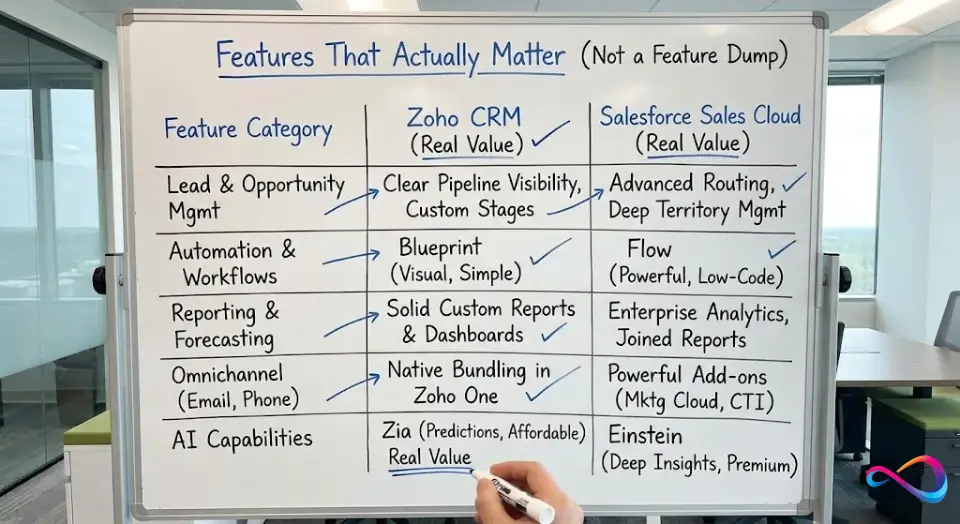
Features That Actually Matter (Not a Feature Dump)
Rather than listing every checkbox, we focused on the CRM features that directly impact revenue operations. For a deeper look at each platform, read our standalone Zoho CRM review and Salesforce CRM review.
Lead & Opportunity Management
| Capability | Zoho CRM | Salesforce Sales Cloud |
|---|---|---|
| Lead scoring | Zia-powered scoring + manual rules (Professional+) | Einstein Lead Scoring (AI, Enterprise+) |
| Lead routing | Assignment rules + territories (Enterprise+) | Assignment rules + territories + queues |
| Opportunity stages | Fully customizable | Fully customizable |
| Kanban/pipeline view | Yes (Blueprint visual pipelines) | Yes |
| Web-to-lead capture | Native (+ Zoho Forms, SalesIQ) | Native |
Both platforms handle core lead and opportunity management well. Salesforce edges ahead on routing complexity for multi-territory, multi-product orgs. Zoho’s built-in SalesIQ integration gives it an edge for website visitor tracking.
Automation & Workflows
| Capability | Zoho CRM | Salesforce Sales Cloud |
|---|---|---|
| Workflow builder | Zoho Blueprint + custom workflows | Salesforce Flow (visual, low-code) |
| Approval processes | Multi-step with delegation | Multi-step, condition-based |
| Sales playbooks | CommandCenter (Enterprise+) | Sales Engagement (add-on) |
| Triggered actions | Time + event + webhooks | Time + event + platform events |
| Scripting | Deluge (proprietary), custom functions | Apex (Java-like), LWC |
Zoho’s Blueprint is more intuitive for straightforward processes. Salesforce Flow is one of the most powerful low-code CRM automation builders available, but doesn’t match Blueprint’s simplicity for teams without a dedicated admin.
Reporting & Forecasting
| Capability | Zoho CRM | Salesforce Sales Cloud |
|---|---|---|
| Custom reports | Custom reports with grouping + cross-module | Unlimited types, cross-object joins |
| Dashboards | Customizable; scheduled refresh | Highly customizable; real-time |
| Pipeline forecasting | Forecasting module (Professional+) | Collaborative Forecasts (role-based) |
| BI integration | Zoho Analytics (native) | Tableau CRM / Tableau |
| Scheduled reports | Yes, with email delivery | Yes, with email + Slack delivery |
Zoho CRM’s reporting is solid for most SMB use cases. Salesforce reporting is the gold standard for enterprise CRM analytics — complex joined reports and real-time executive dashboards favor Salesforce at scale.
Marketing + Omnichannel Touchpoints
| Capability | Zoho CRM | Salesforce |
|---|---|---|
| Email campaigns | Built-in email + Zoho Campaigns (in CRM Plus) | Marketing Cloud / Pardot (separate products) |
| Social media | Zoho Social (bundled in Zoho One) | Social Studio (retiring → Data Cloud) |
| Phone/CTI | PhoneBridge + Zoho Voice | Open CTI framework, partner apps |
| Live chat | Zoho SalesIQ (native, CRM Plus) | Messaging (add-on) / Slack |
| Meeting scheduling | Zoho Bookings (Zoho One) | Salesforce Scheduler (add-on) |
Zoho’s bundle advantage shines here. With Zoho CRM Plus or Zoho One, you get marketing, social, chat, and telephony without purchasing separate products. Salesforce requires separate SKUs for most omnichannel features.
Service/Support Adjacency
When CRM overlaps with support needs — tracking tickets, escalations, or customer health — Zoho bundles Zoho Desk into CRM Plus and Zoho One, making it simpler and cheaper for teams needing light service features inside their CRM. Salesforce offers Service Cloud as a separate, deeply integrated product — best-in-class for dedicated support operations, but at additional cost.
So what? If you need a single-vendor stack covering sales + marketing + support, Zoho’s bundling is hard to beat on value. If you need best-of-breed depth in any one area, Salesforce’s modular (but expensive) approach wins.
AI Comparison — Zia vs Einstein (What’s Real vs Hype)
AI is the buzzword both vendors push hard. Here’s what actually works in practice when comparing Zoho CRM’s Zia against Salesforce’s Einstein.
Concrete Use Cases
| Use Case | Zia AI (Zoho CRM) | Einstein AI (Salesforce) |
|---|---|---|
| Lead scoring | Prediction builder + scoring rules (Enterprise+) | Predictive scoring based on historical data (Enterprise+) |
| Next best action | Zia suggestions — less configurable but functional | Einstein Next Best Action — in-context recommendations |
| Email drafting | Zia generative content — subject lines, email body | Einstein GPT / generative AI for sales emails |
| Forecasting | Zia predictions for deal closure and revenue | Einstein Forecasting on Collaborative Forecasts |
| Conversation insights | Zia Voice — call sentiment, transcription | Einstein Conversation Insights (call analysis, add-on) |
| Anomaly detection | Zia anomaly detection on KPI trends | Einstein Discovery |
Limits & Caveats
- Data quality matters for both. AI models are only as good as your CRM hygiene. Garbage in, garbage out — regardless of vendor.
- Zia is included earlier in the pricing stack. Most Zia features are available from Professional or Enterprise tiers without separate add-ons — a significant cost advantage for SMBs.
- Einstein’s best features cost extra. Many Einstein capabilities require Enterprise or Unlimited editions, plus add-on licenses. Budget $50–$75/user/month on top of base licensing for full AI access.
- Permissions matter. Both platforms require proper role/profile configurations for AI insights to respect data visibility rules (role-based access control).
- Neither replaces human judgment. AI-driven lead scoring supplements — not replaces — a well-designed sales process.
So what? Zia AI offers “good enough” intelligence at a fraction of the cost — for most SMBs, Zia delivers 80% of the value at 20% of the price. Einstein AI is more powerful for large datasets and complex sales motions, but comes with a significant price premium.

Zoho CRM vs Salesforce CRM for Integrations and Ecosystem
Zoho Marketplace vs AppExchange
| Dimension | Zoho Marketplace | Salesforce AppExchange |
|---|---|---|
| Total apps/extensions | ~900+ extensions (and growing) | ~6,000+ apps (varies by counting method) |
| Categories | Sales, marketing, telephony, productivity | Sales, marketing, service, analytics, industry-specific |
| Quality control | Zoho review process | Salesforce security review required |
| Native suite advantage | Strong — Zoho One bundles 45+ apps natively | N/A — each product is a separate SKU |
| Enterprise depth | Growing — stronger within Zoho’s own suite | Deep — SAP, Oracle, Workday connectors |
Zoho’s strength is its self-contained ecosystem: Zoho One replaces many third-party tools with native integrations. AppExchange is the largest CRM ecosystem by a wide margin — if you need niche industry apps or complex ERP connectors, Salesforce is unmatched. For more options outside Salesforce, see our roundup of Salesforce alternatives.
APIs + iPaaS
Both platforms offer robust REST APIs. Key differences:
- Zoho CRM: Generous API limits for the price. Deluge scripting enables server-side integrations without external middleware.
- Salesforce: Well-documented APIs, but API call limits are tier-dependent. Heavy integration workloads may require purchasing additional API capacity.
- iPaaS compatibility: Both integrate well with Zapier, Make (Integromat), and Workato. QuickBooks Online, Google Workspace, and Microsoft 365 connectors are available on both platforms.
Integration Risk Checklist
Before connecting either CRM to your stack, address these risks:
- ☐ Duplicate management: How will you prevent duplicate contacts/leads across systems?
- ☐ Field mapping: Are custom field types compatible between systems?
- ☐ Data ownership: Which system is the source of truth for each object?
- ☐ Sync conflicts: What happens when a record is updated simultaneously in two systems?
- ☐ Audit logs: Can you trace integration-driven changes for compliance/debugging?
So what? Zoho’s integration ecosystem is more self-contained (Zoho One replaces many third-party tools). Salesforce’s CRM ecosystem is broader and deeper. Choose based on how many external systems you need to connect.

Ease of Use, Admin Overhead, and Time-to-Value
Who Needs a Dedicated Admin?
- Zoho CRM: Not necessarily. A tech-savvy operations lead can manage Zoho CRM for teams up to 50–100 users. Dedicated admin recommended at 100+.
- Salesforce: Yes, for any deployment beyond basic. A certified Salesforce admin is recommended for 25+ users. Complex orgs often need a developer as well.
Onboarding and Training
- Zoho CRM: Zoho Learn + in-app tutorials. Simpler UI means most users are productive within 1–2 weeks.
- Salesforce: Trailhead (free, gamified learning) is excellent. But the platform’s depth means onboarding realistically takes 2–6 weeks for end users and longer for admins.
Adoption Risks and Mitigations
| Risk | Zoho CRM | Salesforce |
|---|---|---|
| Over-customization | Moderate — simpler platform limits complexity creep | High — too many custom fields/objects create confusion |
| Low adoption | Less common; cleaner default UI helps | Common if UX is cluttered or training is rushed |
| Data decay | Equal risk — requires hygiene processes | Equal risk — requires hygiene processes |
| Mitigation | Leverage Zoho’s guided setup + Blueprint enforcement | Invest in change management + dedicated admin |
So what? Zoho CRM’s time-to-value is significantly faster for small and mid-size teams. Salesforce’s time-to-value is longer but the ceiling is higher — if you invest in proper CRM implementation.
Security, Privacy, and Compliance Considerations (US Market)
Both Zoho CRM and Salesforce meet standard security benchmarks, but the details matter for regulated industries.
Practical Checklist
| Requirement | Zoho CRM | Salesforce |
|---|---|---|
| MFA / SSO | MFA available; SSO via SAML | MFA required by default; SSO via SAML/OAuth |
| Role-based access (RBAC) | Solid — roles, profiles, field-level security | Granular — profiles, permission sets, sharing rules |
| Audit logs | Audit log in Enterprise+ | Field audit trail (add-on for full history) |
| Data residency | US, EU, IN, AU, other data centers available | US, EU, other regions (Shield add-on for encryption) |
| Compliance certifications | SOC 2, ISO 27001, GDPR-ready; HIPAA with Enterprise+ | SOC 1/2, ISO 27001, HIPAA (with BAA), FedRAMP |
| Vendor SLA | 99.9% uptime (Standard); SLA varies by plan | 99.9%+ uptime (documented, with credits) |
Practical Notes
- For standard B2B sales operations, both platforms are more than adequate.
- If you handle PHI (healthcare) in the US, Salesforce has a more established HIPAA track record with Shield and BAA.
- Always confirm data residency options during procurement — defaults may not match your requirements.
So what? For standard business use, both CRM platforms are secure and reliable. For highly regulated industries (healthcare, financial services), Salesforce’s compliance tooling has a longer track record.
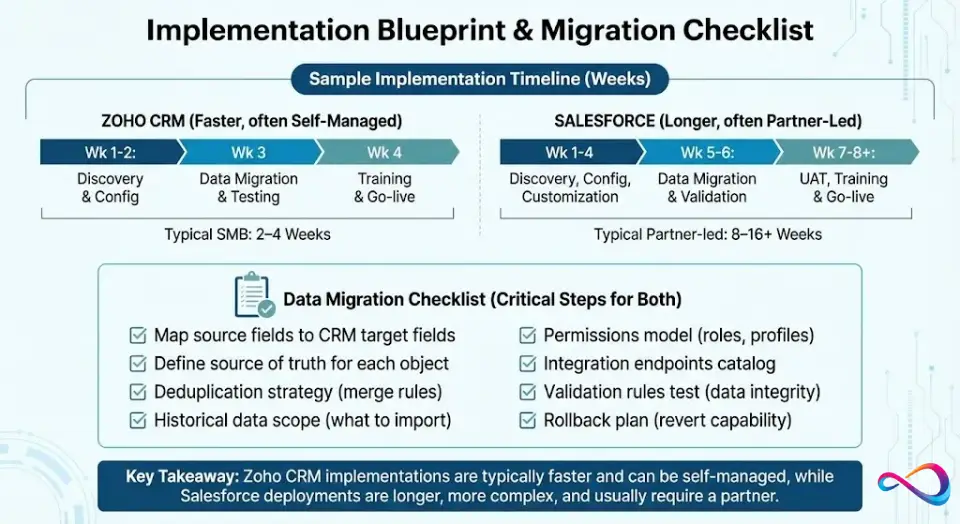
Implementation Blueprint & Migration Checklist
Most CRM comparisons skip implementation — but this is where projects succeed or fail. Below is a practical timeline and data migration checklist you can adapt for either platform.
Sample Timeline
| Phase | Zoho CRM (typical) | Salesforce (typical) |
|---|---|---|
| Week 1–2: Discovery & requirements | Same, but leaner scope | Stakeholder interviews, process mapping |
| Week 2–4: Configuration | Module setup, Blueprint, field mapping | Custom objects, Flow setup, integrations, security |
| Week 4–5: Data migration | Import wizard + API migration | ETL tools, deduplication, field validation |
| Week 5–6: Testing & UAT | Testing in trial/sandbox | Sandbox testing, user acceptance |
| Week 6–7: Training & go-live | Zoho Learn + guided walkthrough | Trailhead + custom training |
| Post-launch (30–90 days): Optimization | Same, lighter admin effort | Report tuning, adoption monitoring |
Zoho CRM implementations are commonly completed in 2–4 weeks for SMBs. Salesforce implementations typically take 8–16 weeks with a partner.
Data Migration Checklist
- ☐ Map all source fields to CRM target fields (contacts, leads, accounts, deals)
- ☐ Define source of truth for each object (which system wins on conflicts?)
- ☐ Deduplication strategy: merge rules, matching criteria, review workflow
- ☐ Historical data scope: how far back? What’s essential vs. archival?
- ☐ Permissions model: map existing roles to CRM role hierarchy and profiles
- ☐ Integration endpoints: catalog all systems that write to or read from CRM
- ☐ Validation rules: test data integrity post-migration with spot-check samples
- ☐ Rollback plan: can you revert within 48 hours if migration fails?
So what? CRM implementation is the biggest risk in any deployment. Building this checklist before you sign a contract saves weeks of rework and protects data quality from day one.
Which One Fits Your Business? (Decision Guide)
Decision Tree
- If you need a free CRM to start → Both work. Zoho CRM Free (3 users) or Salesforce Free Suite (2 users). Also see our best free CRM software guide.
- If your budget is under $25/user/month → Zoho CRM. Salesforce’s starting paid price is $25, but real costs scale quickly.
- If you have fewer than 10 users and simple workflows → Zoho CRM. Faster to implement, lower overhead.
- If you want sales + marketing + support in one vendor → Zoho CRM Plus or Zoho One. Better bundled value than Salesforce’s modular pricing.
- If you need complex, multi-department workflows → Salesforce. Flow + custom objects handle intricate process orchestration.
- If you need thousands of third-party integrations → Salesforce. AppExchange is unmatched.
- If you’re in a regulated industry (HIPAA, FedRAMP) → Salesforce. Stronger established compliance posture.
- If you have a dedicated Salesforce admin already → Salesforce. Leverage existing expertise.
- If your team resists complex tools → Zoho CRM. Lower adoption friction.
- If you plan to scale past 200+ users with complex reporting → Salesforce. Enterprise CRM reporting and governance tools are superior.
Pros and Cons (Balanced)
Zoho CRM
Pros:
- Significantly lower CRM total cost of ownership at all scales
- Free tier covers up to 3 users
- Zoho One bundle replaces multiple SaaS subscriptions
- Zia AI included at lower pricing tiers
- Faster implementation and time-to-value
- Cleaner, more intuitive default UI
Cons:
- Smaller third-party integration ecosystem (~900+ extensions)
- Reporting depth doesn’t match Salesforce at enterprise scale
- Less established in regulated industries (HIPAA, FedRAMP)
- Advanced customization (Deluge scripting) has a smaller developer community
- Enterprise-grade governance and audit tooling is less mature
Salesforce Sales Cloud
Pros:
- Deepest customization of any enterprise CRM platform
- Massive AppExchange ecosystem (~6,000+ apps)
- Best-in-class reporting and forecasting
- Einstein AI is powerful for large datasets
- Strong compliance and governance tooling
- Free Suite available for up to 2 users (no expiration)
- Trailhead is the best free CRM training resource available
Cons:
- Expensive — especially at scale with add-ons
- Steep learning curve for admins and end users
- Requires dedicated admin for most deployments
- CRM implementation can take months
- Many features locked behind higher-tier or add-on pricing
Alternatives to Consider (When Neither Is Ideal)
If neither Zoho CRM nor Salesforce fits your requirements, consider these alternatives. Explore the full comparison in our best CRM software roundup. If Salesforce’s complexity is the concern, our Pipedrive vs Salesforce comparison shows how a simpler, sales-focused CRM stacks up against the enterprise giant.
| Alternative | Best For | Starting Price |
|---|---|---|
| HubSpot CRM | Inbound marketing-led teams; free CRM with paid hubs | Free; paid from $15/user/mo |
| Freshsales (Freshworks) | SMBs wanting built-in phone/email with AI scoring | Free; paid from $9/user/mo |
| monday CRM | Teams already using monday.com for project management | From $12/seat/mo |
| Microsoft Dynamics 365 | Microsoft-centric enterprises needing ERP + CRM | From $65/user/mo |
| Pipedrive | Small sales teams wanting a simple, visual pipeline | From $14/user/mo |
If you’re comparing HubSpot vs Zoho CRM or HubSpot vs Salesforce, we’ve covered those matchups in depth. For small businesses specifically, our best CRM for small business guide narrows the field further.
Salesforce vs Zoho CRM – FAQs
Is Zoho CRM better than Salesforce?
Not universally. Zoho CRM is better for small to mid-size businesses that want solid CRM functionality at a lower total cost of ownership. Salesforce is better for large organizations that need deep customization, advanced reporting, and a vast integrations ecosystem. The “better” choice depends on your team size, budget, and operational complexity.
Can Zoho CRM replace Salesforce?
For many small and mid-size businesses, yes. Zoho CRM covers the core CRM needs — lead management, pipeline tracking, automation, reporting, and AI — at a fraction of Salesforce’s cost. However, enterprises with complex multi-department workflows, advanced governance needs, or heavy reliance on AppExchange may find Zoho CRM lacks the depth Salesforce provides.
Does Zoho CRM have a free version?
Yes. Zoho CRM offers a free plan for up to 3 users, which includes basic lead and contact management, tasks, events, and document storage. It’s a legitimate option for very small teams testing CRM adoption.
Does Salesforce have a free version?
Yes. Salesforce now offers a Free Suite — a $0 plan for up to 2 users with no contract, no credit card required, and no expiration limit (as long as you log in regularly). It includes core lead, contact, and deal management. This is a relatively new offering; previously, Salesforce only provided a 30-day trial. Paid plans start at $25/user/month with the Starter Suite.
Which is easier to implement?
Zoho CRM is significantly easier and faster to implement. Most small teams can self-configure Zoho CRM in days. Salesforce implementations — even basic ones — typically take weeks, and mid-to-large deployments often require a consulting partner. For a broader framework on comparing CRM implementation approaches, see Zapier’s comparison.
Which CRM is best for small business?
For most small businesses, Zoho CRM is the stronger choice due to its free tier (3 users), lower paid pricing, faster setup, and the ability to bundle additional Zoho apps. Salesforce’s Free Suite works for 1–2 person teams, but its paid tiers scale cost quickly. For a curated shortlist, visit our guide to the best CRM for startups.
Conclusion
The Zoho CRM vs Salesforce decision ultimately comes down to three variables: budget, complexity, and internal capacity. Zoho CRM is the smarter financial choice for small and mid-size teams that need capable CRM automation, reporting, and AI without the enterprise price tag or implementation overhead. Salesforce Sales Cloud is the more powerful, more customizable, and more expensive platform — built for organizations with dedicated admin resources and complex, multi-department workflows.
Both platforms now offer free plans, making it easier than ever to test before you commit. Neither is universally “better.” The right CRM is the one your team will actually use, that fits your budget for the next 3–5 years, and that grows with your operational complexity.
Next Steps Checklist
- Start free. Sign up for Zoho CRM Free (3 users) or Salesforce Free Suite (2 users). Test with real workflows.
- Define your requirements. List must-have features, nice-to-haves, and deal-breakers.
- Calculate total cost of ownership. Factor in add-ons, implementation, admin, and training costs over 3 years.
- Get stakeholder buy-in. Involve sales reps, managers, and IT early — adoption is the #1 predictor of CRM ROI.
- Plan your data migration. Use the checklist above before committing.
- Set success metrics. Define “working” — adoption rates, pipeline accuracy, time saved — before go-live.
About the author

I’m Macedona, an independent reviewer covering SaaS platforms, CRM systems, and AI tools. My work focuses on hands-on testing, structured feature analysis, pricing evaluation, and real-world business use cases.
All reviews are created using transparent comparison criteria and are updated regularly to reflect changes in features, pricing, and performance.