
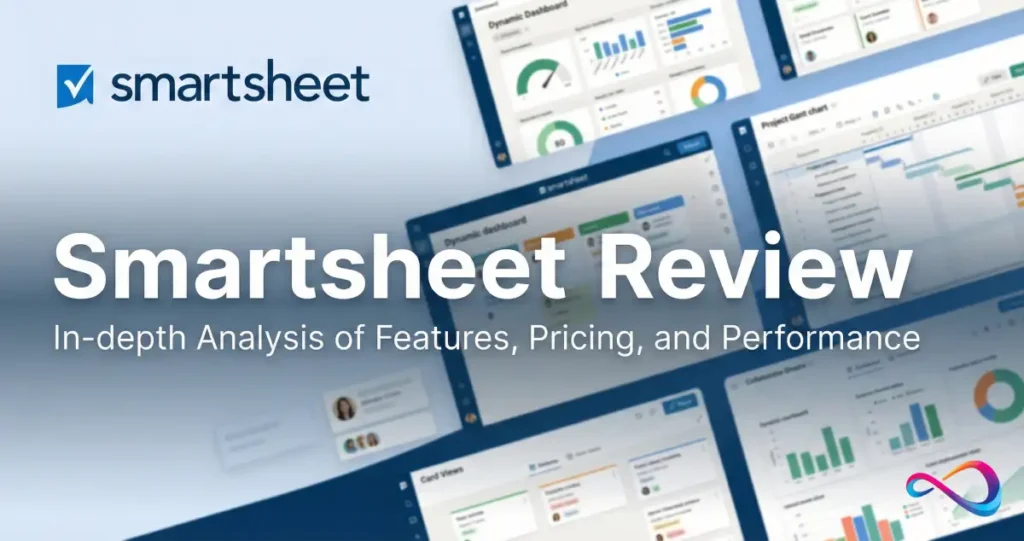
Bottom line first: Smartsheet is a spreadsheet-native work management platform built for cross-functional operations, PMO reporting, and structured workflows. It’s powerful for teams who think in rows and columns—but it has clear tradeoffs compared to modern visual PM tools like Monday.com and database-first platforms.
If your team loves Excel but needs governance, automation, and dashboards on top, Smartsheet is likely your best fit. If you want visual boards, intuitive UX, or database-style flexibility, look elsewhere.
Quick Verdict – Smartsheet Review
| Criteria | Assessment |
|---|---|
| Best For | Ops teams, PMOs, Excel power users, cross-departmental reporting |
| Not For | Small teams, creative workflows, users who dislike spreadsheets |
| Pricing | $9–$19/user/mo (Pro/Business); Enterprise = custom |
| Free Plan | None (30-day trial available) |
| Standout Feature | Cross-sheet reporting + enterprise automation |
| Biggest Weakness | Steeper learning curve, dated UI compared to competitors |
Quick Bullets:
- ✅ Worth it for PMOs and operations teams needing structured reporting across departments
- ✅ Strong automation (unlimited on Business+) with triggers, approvals, and conditional logic
- ✅ Enterprise-grade security: SOC 2 Type II, HIPAA-ready (BAA available on Enterprise), SAML SSO
- ⚠️ No free plan—only a 30-day trial
- ⚠️ Steeper learning curve than Monday.com or Asana
- ❌ Not ideal for lightweight PM or teams wanting visual, intuitive interfaces
Who It’s Best For
- PMO leads managing cross-functional project portfolios
- Ops teams running intake, approvals, and status reporting
- Excel-heavy organizations needing governance + collaboration on top
- Mid-market to enterprise with compliance requirements (HIPAA, SOC 2)
- Teams integrating with Microsoft 365 or Google Workspace
Who Should Avoid It
- Small teams (under 10) who need quick, visual task boards
- Creative teams who want Kanban, whiteboards, or doc-first workflows
- Organizations allergic to spreadsheet interfaces
- Budget-conscious buyers who need a free tier
Smartsheet Review Pricing (Plans, Costs, Add-ons)
Verified source: Smartsheet official pricing page
Checked on: January 29, 2026
Pricing may vary by region. Enterprise and AWM require direct sales negotiation.
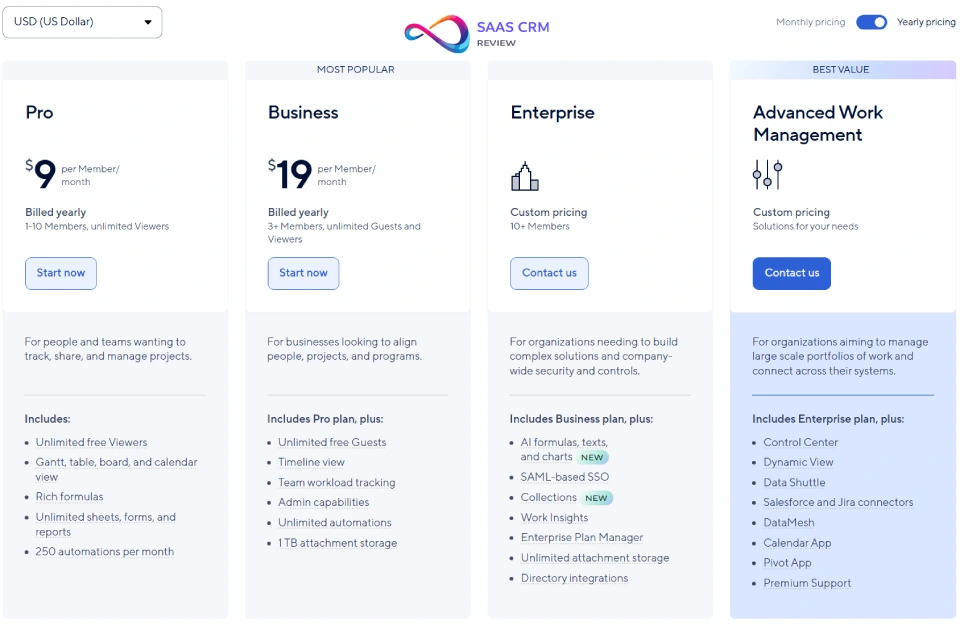
Pricing Table
| Plan | Monthly (Annual Billing) | Monthly (Monthly Billing) | Min Users | Free Trial |
|---|---|---|---|---|
| Pro | $9/user | $12/user | 1 | 30 days |
| Business | $19/user | $24/user | 3 | 30 days |
| Enterprise | Custom | Custom | Varies | By request |
| Advanced Work Management | Custom | Custom | Varies | By request |
What’s Included by Tier
Pro Plan ($9/user/mo annual):
- Unlimited sheets, forms, reports
- Up to 10 paid editors, unlimited free viewers
- 250 automations/month
- 20 GB attachment storage
- Grid, Gantt, calendar, card views
- Integrations: Microsoft 365, Google Workspace, Slack
Business Plan ($19/user/mo annual):
- Everything in Pro, plus:
- Unlimited automations
- Unlimited free guests/viewers
- 1 TB attachment storage
- Timeline view, workload tracking
- Activity logs, admin controls
- Branding (custom logo/colors)
- 250 MB max file attachment
Enterprise Plan (Custom):
- Everything in Business, plus:
- AI formulas, text, and charts (availability varies—confirm with sales)
- SAML-based SSO, directory integrations
- Unlimited attachment storage
- Enterprise Plan Manager, WorkApps
- Enhanced IT governance, audit logs
- 24/7 phone support (professional support available)
- Customer Managed Encryption Keys (CMEK, premium add-on)
Advanced Work Management (Custom):
- All Enterprise features, plus:
- Resource management (capacity planning)
- Advanced portfolio reporting
- Program-level dashboards
Hidden Costs & Considerations
| Item | Notes |
|---|---|
| Connectors | Premium integrations (Salesforce,Jira, etc.) may require add-on purchase—confirm with sales |
| Phone support | 24/7 phone support included only on Enterprise; professional support is extra |
| Training | Smartsheet University, certifications, and onboarding services cost extra |
| CMEK | Customer Managed Encryption Keys is a premium add-on beyond Enterprise |
| Implementation | Large rollouts often require consulting partners; plan for services budget |
| Data residency | Some compliance/data residency options may affect pricing—confirm with sales |
Note: No free plan exists. All paid plans offer a 30-day free trial. Annual billing saves ~25%.
What Is Smartsheet (and What It’s Not)
Positioning & Key Differentiators
Smartsheet occupies a unique position in the work management market: it’s a spreadsheet-native platform with project management, workflow automation, and enterprise governance layered on top.
What Smartsheet is:
- A structured work management platform for teams who need rows, columns, formulas, and cross-sheet data aggregation
- A PMO and operations hub for intake forms, approvals, dashboards, and portfolio reporting
- An enterprise-ready system with SOC 2, HIPAA (Enterprise), SSO, and robust admin controls
What Smartsheet is NOT:
- Not a lightweight PM tool like Trello or Basecamp
- Not a visual-first workspace like Monday.com or Notion
- Not a database-centric platform like Airtable
- Not a software development PM like Jira
Key Differentiators:
- Spreadsheet DNA: If your team thinks in Excel, Smartsheet feels native. Formulas, cell references, and cross-sheet lookups work similarly.
- Cross-sheet reporting: Aggregate data from dozens (or hundreds) of sheets into unified reports and dashboards.
- Enterprise automation: Build multi-step workflows with conditional logic, approval chains, and external triggers.
- Governance at scale: Admin controls, audit logs, and compliance certifications for regulated industries.
Where Smartsheet Fits in the Work Management Market
| Platform Type | Examples | Smartsheet Fit |
|---|---|---|
| Spreadsheet-native PM | Smartsheet, Excel + Project | ✅ Core fit |
| Visual boards / task mgmt | Monday.com, Asana, Trello | ⚠️ Overlap, but Smartsheet is less intuitive |
| Database / low-code | Airtable, Notion | ❌ Smartsheet is less flexible as a relational DB |
| Dev-centric PM | Jira, Linear | ❌ Not designed for sprints/agile dev |
| Enterprise PPM | Wrike, Planview, ServiceNow | ⚠️ Smartsheet can serve mid-market PPM use cases |
Key Features (Deep Dive)
Work Execution (Sheets, Tasks, Dependencies)
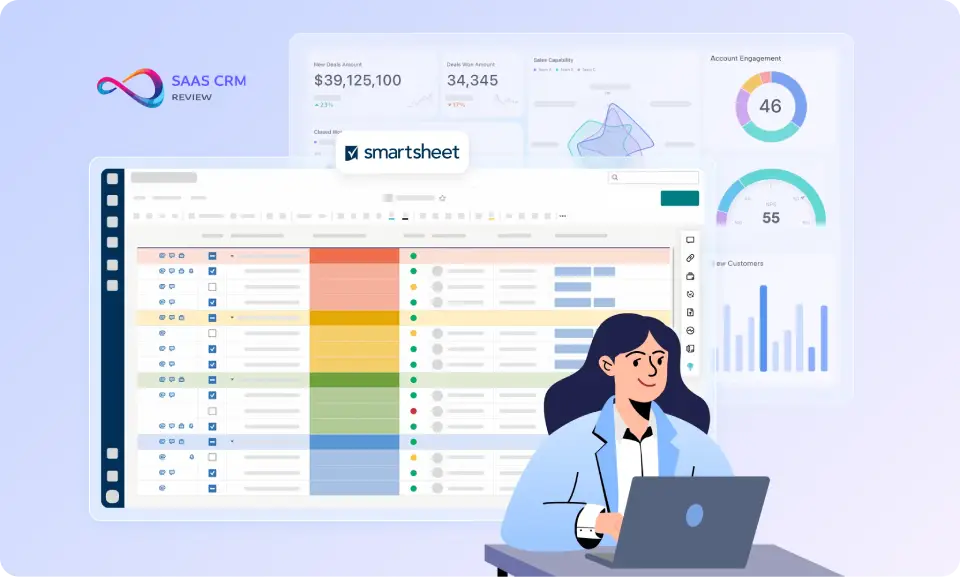
Smartsheet’s core is the sheet—a structured grid where each row typically represents a task, record, or process step.
Core capabilities:
- Dependencies: Set predecessor relationships (Finish-to-Start, etc.) for automatic date recalculation
- Critical path: Visualize which tasks drive your project end date
- Hierarchy: Indent rows for parent-child relationships, summary rollups
- Formulas: Excel-like formulas (SUM, VLOOKUP equivalents, cross-sheet references)
- Cell history: Track changes at the cell level with full audit trail
Practical note: Smartsheet excels at structured, repeatable processes—onboarding, procurement, project tracking—where the “spreadsheet model” fits naturally. It’s less suited to freeform, creative collaboration.
Views (Grid, Gantt, Calendar, Card, Timeline)
| View | Best For |
|---|---|
| Grid | Data-heavy work, bulk edits, formulas |
| Gantt | Project scheduling, dependencies, critical path |
| Calendar | Date-centric planning, event scheduling |
| Card | Kanban-style workflows, status tracking |
| Timeline | Milestones, high-level program views (Business+) |
All views read from the same underlying sheet data—switching views doesn’t duplicate or break data.
Automation & Approvals
Smartsheet offers robust automation, especially on Business and Enterprise plans.
Automation capabilities:
- Triggers: Row changes, date-based, form submissions, schedule-based
- Actions: Assign users, update fields, send alerts, request approvals, lock rows, move rows
- Conditional logic: IF/THEN branching, multi-step workflows
- Approval requests: Route items for approval, capture responses, auto-update status
- Alert & reminder emails: Notify stakeholders on changes or deadlines
Limits:
- Pro plan: 250 automations/month
- Business/Enterprise: Unlimited
2025-2026 updates: Smartsheet has expanded AI-assisted workflow building features; availability varies by plan and region—confirm with sales.
Dashboards & Reporting
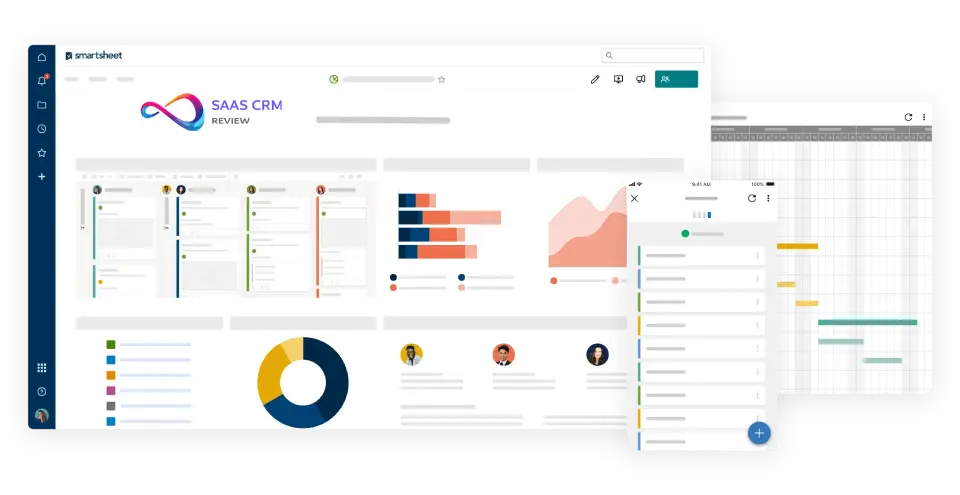
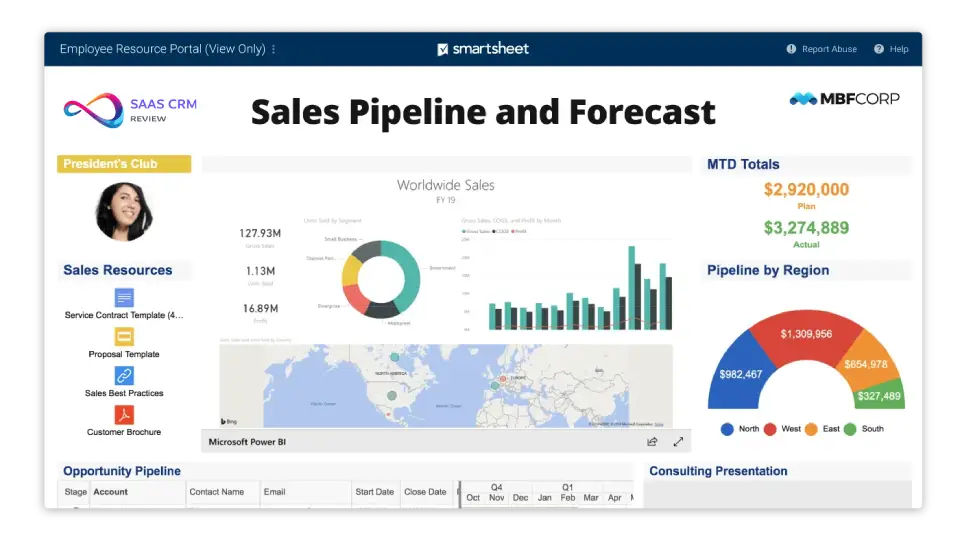
Smartsheet dashboards are the executive-facing layer for stakeholders.
Dashboard widgets:
- Charts (bar, pie, line)
- Metric widgets (KPIs, progress bars)
- Shortcut links
- Embedded images, video, web content
- Report widgets (live data from sheets)
- Timeline widget (added 2025)
Cross-sheet reporting:
- Pull data from multiple sheets into a single report
- Bi-directional: edit in reports, changes sync to source sheets
- Grouping, summary, filtering, sorting
- Scheduled report delivery
For teams that need advanced knowledge management alongside their work management, platforms like Document360 can complement Smartsheet by providing structured documentation hubs.
Forms/Intake & Governance
Forms:
- Create intake forms for requests, submissions, approvals
- Conditional logic (show/hide fields based on responses)
- Collect attachments, dropdown selections, dates
Governance:
- Folder-level permissions, sheet-level sharing
- Group-based access management
- Controlled sharing policies (Enterprise)
- Safe sharing settings (restrict external sharing)
Collaboration Features
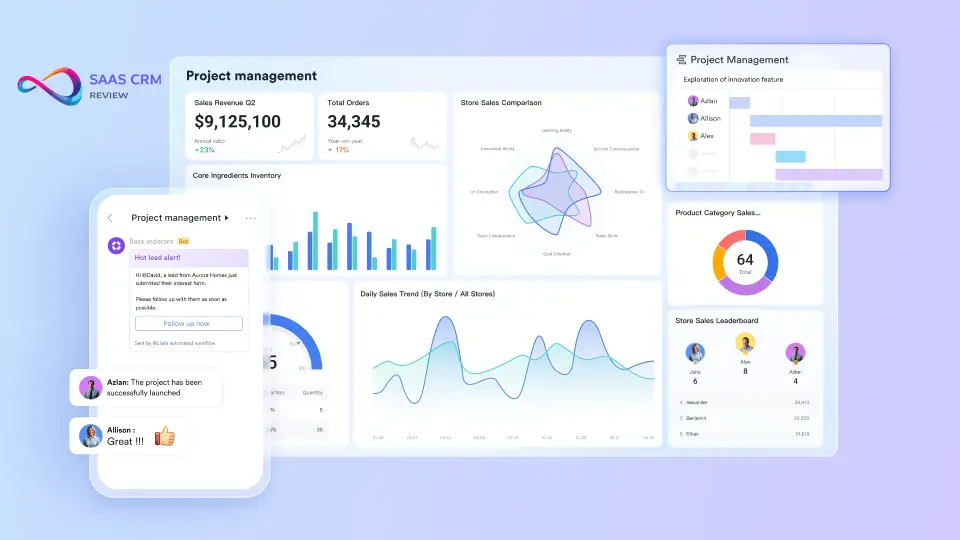
- Comments: Row-level, @mentions, notifications
- Proofing: Upload files for review/approval markup
- Conversations: Threaded discussions
- Attachments: Attach files to rows or sheets
- Activity log: Track who changed what, when
Note: Collaboration in Smartsheet is more structured than in Slack-integrated tools like Monday.com or Notion. It’s designed for formal handoffs, not real-time chat-style work.
Integrations & API Ecosystem
Native integrations:
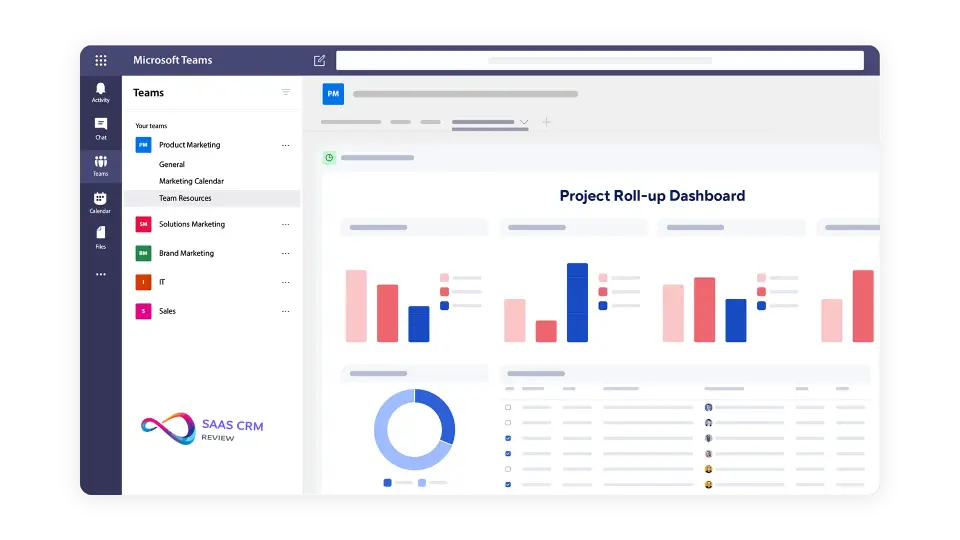
- Microsoft 365 (Teams, Outlook, OneDrive, SharePoint, Power Automate)
- Google Workspace (Drive, Calendar, Gmail)
- Slack
- Salesforce (premium Connector)
- Jira (premium Connector)
- ServiceNow, Tableau, Power BI
Connectors (premium):
- Pre-built integrations with CRM, ERP, and dev tools
- May require add-on licensing depending on plan—confirm with sales
API:
- RESTful API for custom integrations
- Webhooks for event-driven automation
- SDKs available (Python, .NET, Java)
Ecosystem note: Smartsheet’s integration depth is strongest with Microsoft 365. For Google-heavy orgs, it works but isn’t as deeply native as Microsoft. If you’re evaluating CRM integrations, see our reviews of HubSpot CRM and Salesforce CRM for compatibility insights.
Admin, Security & Compliance
Security certifications (per Smartsheet Trust Center):
- SOC 1 Type II, SOC 2 Type II (annual audits)
- ISO 27001, ISO 27017, ISO 27018
- Supports multiple compliance frameworks—see Trust Center for full list
HIPAA:
- HIPAA-ready for Enterprise customers with a Business Associate Agreement (BAA)
- Confirm eligibility and scope in Trust Center + your contract
Security features:
- AES-256 encryption at rest
- TLS 1.2/1.3 encryption in transit
- SSO (SAML-based, Enterprise only)
- SCIM directory integration
- Customer Managed Encryption Keys (CMEK, premium)
Admin controls:
- User provisioning/deprovisioning via directory sync
- Activity and audit logs
- Data retention policies
- IP allowlisting (Enterprise)

AI Capabilities in Smartsheet
Smartsheet is investing in AI, primarily for Enterprise customers.
Smart Assist
- Conversational AI companion for building workflows, generating formulas, summarizing data
- Ask questions in plain language—get formula suggestions, next steps, or data insights
- Availability varies by plan—confirm Enterprise AI access with sales
Smart Columns & Smart Flows
- Smart Columns: AI-powered columns for auto-translation, text analysis, summarization
- Smart Flows: Create multi-step automated workflows using natural language
AI Limitations
- Enterprise-only: Most AI features require Enterprise or Advanced Work Management plans
- Not a general-purpose AI: Smartsheet AI is spreadsheet- and workflow-focused, not a creative or generative assistant
- Data sensitivity: For regulated industries, evaluate what data passes through AI features—confirm data handling policies with Smartsheet
Read full review: 20 Best Project Management Software Picked For 2026
Hands-on Testing Notes (What I Built and What I Learned)
Test Environment
- Tested on: Windows 11, Chrome (latest), 30-day Business trial
- Team size simulated: 5–12 users across two workspaces
- Use case: Intake → approval → dashboard reporting
What I Built (3 Tests)
Test 1: Intake Form (10 fields + conditional logic)
- Created a request intake form with dropdowns, attachments, and conditional show/hide
- Form submissions routed to a sheet automatically
Test 2: Approval Flow (IF status=Ready → request approval → update status)
- Built a multi-step automation: when status changes to “Ready for Review,” request approval from assigned owner, then update status to “Approved” or “Rejected” based on response
Test 3: Exec Dashboard (3 KPIs + report widget + chart)
- Created a dashboard pulling from two sheets via report widgets
- Added metric widgets for “Open Requests,” “Avg Time-to-Approval,” and “Rejection Rate”
Observed Results
| Observation | Notes |
|---|---|
| Setup time | Completed all three tests within an afternoon (~3–4 hours) |
| Pain points | Cross-sheet formulas required trial-and-error; permission model needs upfront design |
| What worked well | Dashboards and report rollups work cleanly when field names are standardized across sheets |
| What didn’t | When sheets multiply (10+), discoverability drops—requires strict naming conventions + folder structure |
Hands-on Takeaways
- Smartsheet rewards upfront schema design—standardize field names and dropdown values before scaling
- Cross-sheet formulas are powerful but fragile; use reports for aggregation when possible
- For complex intake, pair Smartsheet forms with a knowledge base platform to reduce request ambiguity
Usability & Implementation Reality Check
Learning Curve
Honest assessment: Smartsheet has a steeper learning curve than Monday.com, Asana, or Trello.
| Persona | Learning Curve |
|---|---|
| Excel power user | Low (feels familiar) |
| PM using task tools | Medium (new mental model) |
| Non-technical end user | High (can be intimidating) |
New users often struggle with:
- Understanding sheet vs. report vs. dashboard distinctions
- Setting up cross-sheet formulas correctly
- Designing effective automations
- Migrating from spreadsheet habits to collaborative governance
Recommendation: Budget for onboarding, templates, and internal champions—especially for org-wide rollouts.
Common Rollout Patterns
Most Smartsheet deployments follow this progression:
- Single team adoption: One PMO, ops, or marketing team pilots the platform
- Cross-team reporting: Dashboards aggregate data from multiple teams
- Org-wide governance: IT or ops standardizes templates, permissions, and compliance controls
Time to value:
- Team-level: 2–4 weeks
- Cross-department: 2–3 months
- Org-wide: 6–12 months
What Breaks at Scale
| Issue | Symptoms | Mitigation |
|---|---|---|
| Sheet sprawl | Hundreds of sheets, hard to find/manage | Naming conventions, folder governance, Control Center |
| Formula complexity | Slow-loading sheets, formula errors | Simplify formulas, use reports for aggregation |
| Permission chaos | Over-sharing, inconsistent access | Group-based permissions, safe sharing policies |
| Automation overload | Conflicting triggers, slow automation queues | Audit automation rules, consolidate where possible |
Scenario Recommendations (Consultant View)
Scenario 1: Marketing Ops (200 Requests/Month)
Choose Smartsheet if:
- You need standardized intake forms with SLA tracking
- Approval workflows must route through multiple stakeholders
- Leadership wants a single dashboard showing request status and cycle time
Pilot success metrics:
- % of requests submitted with complete fields (target: >90%)
- Time-to-approval reduction vs. current process
- Dashboard adoption by leadership
Choose Wrike instead if: You also need built-in proofing/creative review and visual workload balancing.
Scenario 2: PMO (30 Projects, Executive Rollup)
Choose Smartsheet if:
- You need portfolio dashboards with cross-project schedule dependencies
- Gantt + critical path analysis is non-negotiable
- Your team already uses Excel-based status reports
Pilot success metrics:
- Dashboard data completeness (target: >95% of projects reporting weekly)
- Reduction in manual status aggregation time
- Executive satisfaction with rollup visibility
Choose Airtable instead if: Your projects are more data-model-driven (e.g., inventory, CRM-adjacent) than schedule-driven.
Smartsheet Scorecard (2026)
| Criteria | Weight | Smartsheet Score (0–5) | Notes |
|---|---|---|---|
| Reporting/Dashboards | 25% | 4.5 | Excellent cross-sheet reporting; strong when schema is consistent |
| Automation/Approvals | 20% | 4.0 | Business+ unlocks unlimited; very capable for structured workflows |
| Governance/Admin | 15% | 4.0 | Enterprise offers strong controls; lower tiers have gaps |
| Adoption/UX | 15% | 3.0 | Not intuitive for non-spreadsheet users; learning curve is real |
| Integrations | 15% | 3.5 | Strong M365 depth; premium Connectors add cost |
| Total Cost | 10% | 3.0 | Transparent base pricing, but add-ons and implementation can add up |
Weighted Total: 3.8 / 5 (7.6 / 10)
Use-case adjusted scores:
- Ops/PMO at mid-market+: 8.5/10
- Small creative teams: 5.5/10
- Enterprise with heavy compliance: 8.0/10
Alternatives Map (Choose Based on Your Operating Model)
| If you prioritize… | Choose | Why |
|---|---|---|
| Visual UX + fast adoption | Monday.com | Board-first, templates, intuitive drag-and-drop |
| Clean task/goal tracking | Asana | Lightweight onboarding, free tier available |
| All-in-one at low cost | ClickUp | Maximum features per dollar |
| Database / low-code workflows | Airtable | Relational data + interfaces + automations |
| Enterprise PMO + resource mgmt | Wrike | Proofing, workload, BI tools |
| Doc-centric workflows | Coda | Docs + tables + Packs ecosystem |
| Dev workflow / agile | Jira | Sprint/backlog + Atlassian ecosystem |
Smartsheet Pros & Cons (Consultant-Grade Analysis)
Pros
| Pro | Why It Matters |
|---|---|
| Spreadsheet-native UX | Fast adoption for Excel-heavy orgs; formulas, cross-sheet references work as expected |
| Cross-sheet reporting | Aggregate data across 100+ sheets—rare in competitors |
| Unlimited automations (Business+) | No throttling for workflow-heavy teams |
| Enterprise security | SOC 2, HIPAA (with BAA), SSO, audit logs—passes most vendor reviews |
| Strong Microsoft 365 integration | Native for teams already in the Microsoft ecosystem |
| Governance at scale | Admin controls, safe sharing, data retention for IT/compliance teams |
Cons
| Con | Why It Matters |
|---|---|
| Steeper learning curve | Slower onboarding, especially for non-Excel users |
| Dated UI | Less visually modern than Monday.com, Notion, or ClickUp |
| No free plan | Barrier for small teams; competitors offer free tiers |
| AI gated to Enterprise | Smaller orgs miss out on AI-powered productivity gains |
| Collaboration not real-time chat-native | Less “instant” than Slack-integrated competitors |
| Sheet sprawl risk | Without governance, large orgs drown in unmanaged sheets |
Smartsheet vs Competitors (Decision Summary)
Comparison Table
| Criteria | Smartsheet | Monday.com | Asana | ClickUp | Airtable |
|---|---|---|---|---|---|
| Best For | Ops, PMO, Excel orgs | Visual PM, marketing | Task-centric PM | All-in-one PM | Database workflows |
| UI Style | Spreadsheet | Visual boards | Clean lists/boards | Dense, customizable | Relational DB |
| Free Plan | No | Yes (2 users) | Yes (10 users) | Yes | Yes |
| Pricing (entry) | $9/user/mo | ~$12/seat/mo | ~$13/user/mo | ~$7/user/mo | ~$20/seat/mo |
| Automation | Strong (unlimited Business+) | Strong | Strong (paid) | Strong | Strong |
| Cross-sheet Reporting | Excellent | Good | Good | Good | Good (linked records) |
| Enterprise Security | SOC 2, HIPAA, SSO | SOC 2, HIPAA, SSO | SOC 2, HIPAA | SOC 2 | SOC 2, HIPAA |
| AI Features | Enterprise only | Yes | All paid plans | Yes | Yes |
| Learning Curve | High | Low-Medium | Low | Medium-High | Medium |
Competitor pricing is approximate and changes frequently—verify on vendor sites before purchasing.
Choose Smartsheet When…
- Your team thinks in spreadsheets and wants to keep that mental model
- You need to aggregate data from many sources into unified dashboards
- Your PMO requires cross-project visibility, dependencies, and critical path
- Enterprise security (HIPAA, SOC 2, SSO) is non-negotiable
- You’re already deep in Microsoft 365 and want native integration
Choose Monday.com When…
- You want a visually intuitive, drag-and-drop interface
- Your team is marketing, creative, or non-technical
- You need a free tier for small teams
- AI and visual dashboards are priorities
Choose Asana When…
- You want a clean, fast, and easy-to-onboard PM tool
- Task management and goal tracking are primary use cases
- You value a robust free plan
- You prefer a structured but not spreadsheet-heavy UX
Choose Airtable When…
- You need relational database functionality (linked records, many-to-many)
- Your workflow is database-first, not project-first
- You want flexible, low-code app building
Choose ClickUp When…
- You want maximum features at the lowest price
- You’re willing to invest in customization and configuration
- All-in-one (docs, goals, time tracking, chat) matters more than UX polish
Best Smartsheet Alternatives (By Use Case)
Best for Simple Team PM
| Tool | Why |
|---|---|
| Trello | Ultra-simple Kanban boards—free tier, zero learning curve |
| Basecamp | Flat-fee, no per-user pricing—great for agencies |
Choose these when: You just need lightweight task tracking without enterprise overhead.
Best for Enterprise PMO
| Tool | Why |
|---|---|
| Wrike | Enterprise PMO with resource management, proofing, custom workflows |
| Microsoft Project / Planner | Native for M365 shops; Project handles complex scheduling |
Choose these when: You need PPM-grade features, resource leveling, and deep Microsoft integration.
Best for Database-Style Workflows
| Tool | Why |
|---|---|
| Airtable | Relational database + spreadsheet hybrid; more flexible than Smartsheet for data modeling |
| Notion | Docs + databases + wikis—better for knowledge management and flexible workspaces |
| Coda | Docs + tables + Packs—ideal for doc-centric workflows with embedded logic |
Choose these when: Your workflow is data-centric, not project-centric.
Best Value / All-in-One
| Tool | Why |
|---|---|
| ClickUp | More features per dollar—docs, goals, time tracking, chat, dashboards |
| Monday.com | Visual, easy, strong automation, solid free tier |
Choose these when: You want maximum capability at competitive pricing.
Best for Agency/Client Services
| Tool | Why |
|---|---|
| Teamwork | Purpose-built for client services with native time tracking, client portals, billable rates, and profitability dashboards. |
Choose this when: You manage client work, need time + billing baked in, and want visibility into margins and utilization.
Best for Internal Knowledge + Work Management Combo
If your ops team also needs structured internal documentation or customer help centers, consider pairing Smartsheet with a dedicated knowledge base platform.
Options like Nuclino (lightweight wiki), Tettra (Slack-first), or Helpjuice (enterprise docs) can complement Smartsheet’s workflow capabilities. Best for Personal Task Management: Todoist – focused task capture without spreadsheet complexity.
Who Should Choose Smartsheet in 2026 (and Who Shouldn’t)
Buyer Checklist: Smartsheet Is a Good Fit If…
- [ ] Your team already uses Excel heavily and wants a similar UX
- [ ] You need to aggregate and report across many projects/departments
- [ ] Enterprise security (SOC 2, HIPAA, SSO) is required
- [ ] Your PMO needs dependencies, critical path, and Gantt scheduling
- [ ] You’re integrated with Microsoft 365 and want native sync
- [ ] Budget allows $19+/user/mo for full automation
Red Flags: Consider Alternatives If…
- 🚩 You want visual, intuitive interfaces over spreadsheet grids
- 🚩 Your team is small and/or budget-constrained (no free plan)
- 🚩 You need relational database power (Airtable is better)
- 🚩 You prefer doc-first collaboration (Notion or Coda is better)
- 🚩 Learning curve tolerance is low—your team won’t invest in training
10 Questions to Validate Smartsheet in a 7-Day Pilot
- Can 3 teams use one template without modifying core fields?
- Can you produce one exec dashboard with <10 minutes weekly maintenance?
- Can you enforce permissions without confusion across 5+ users?
- Can you integrate with Teams/Slack and keep notifications sane?
- Can you measure SLA/cycle time from intake to done?
- Can you set up an approval workflow in under 30 minutes?
- Can you aggregate data from 3 sheets into one report accurately?
- Can new users complete a basic task within 15 minutes of onboarding?
- Can you export or integrate dashboard data with your existing BI tools?
- Can your admin control sharing without blocking necessary collaboration?
Smartsheet Review: FAQ
Is Smartsheet worth it in 2026?
Smartsheet is worth it for PMO/ops teams needing structured intake, cross-sheet reporting, and enterprise governance. If your team thinks in spreadsheets and needs compliance (SOC 2, HIPAA), Smartsheet delivers strong ROI. For small teams or those wanting visual UX, alternatives like Monday.com or Asana offer faster time-to-value.
How much does Smartsheet cost?
Pro: $9/user/mo (annual), Business: $19/user/mo (annual), Enterprise and Advanced Work Management: custom pricing. No free plan, 30-day trial available. Add-ons (Connectors, CMEK, training) may increase total cost—confirm with sales.
What’s the difference between Smartsheet plans?
Pro is for individuals/small teams (10 editors max, 250 automations/mo). Business adds unlimited automation, timeline view, activity logs, and admin controls. Enterprise adds AI, SSO, advanced governance, and 24/7 support. AWS adds resource management and portfolio reporting.
Is Smartsheet better than Monday.com?
Smartsheet is better for spreadsheet-native ops and cross-sheet reporting. Monday.com is better for visual, intuitive work management. Choose Smartsheet if your PMO needs data aggregation and governance; choose Monday.com if UX and onboarding speed are priorities.
Is Smartsheet better than Asana?
Smartsheet offers deeper data aggregation and enterprise governance. Asana is faster to adopt, has a cleaner UX, and offers a free tier. Smartsheet suits PMOs with complex reporting; Asana suits task-focused teams.
What are Smartsheet’s limitations?
No free plan. Steeper learning curve. Dated UI. AI gated to Enterprise. Collaboration less real-time than competitors. Risk of sheet sprawl without governance.
Does Smartsheet support Gantt and automation?
Yes. Gantt view with dependencies and critical path is standard. Automation is available on all plans (250/mo on Pro, unlimited on Business+).
Is Smartsheet good for enterprise governance?
Yes. SOC 2 Type II, HIPAA (with BAA on Enterprise), SSO, SCIM, audit logs, controlled sharing, and CMEK (premium) make it enterprise-ready. Confirm current certifications in the Trust Center and your order form.
What are the best Smartsheet alternatives?
Monday.com (visual PM), Asana (clean task management), Airtable (database-style), ClickUp (feature-dense), Wrike (enterprise PMO), Notion and Coda (docs/wiki-centric). For a complete breakdown of work management tools, explore our SaaS software reviews.
Does Smartsheet have a free plan?
No. Smartsheet does not offer a free plan, only a 30-day free trial. Competitors like Asana, Monday.com, and ClickUp offer free tiers.
Is Smartsheet HIPAA compliant?
Smartsheet supports HIPAA-aligned use cases for Enterprise customers when a Business Associate Agreement (BAA) is in place. Whether you qualify depends on your plan and contract terms. Confirm current eligibility in the Trust Center and your order form.
Can Smartsheet replace Excel?
Partially. Smartsheet replicates many Excel features (formulas, filtering, sorting) but adds collaboration, automation, and governance. Complex data modeling and advanced analytics still favor Excel or Airtable.
Methodology
Evaluation Criteria
This review evaluated Smartsheet across:
- Core PM functionality: Sheets, views, dependencies, automation
- Enterprise readiness: Security, compliance, admin controls, scalability
- Usability: Learning curve, UI quality, onboarding friction
- Pricing transparency: Published pricing, add-on costs, negotiation requirements
- Integration depth: Native and third-party integrations
- AI capabilities: Feature availability, plan requirements
- Competitive positioning: vs. Monday.com, Asana, Airtable, ClickUp, Wrike
What “Good” Looks Like for Work Management in 2026
A top-tier work management platform in 2026 should:
- Be easy to adopt: Minimal training required for end users
- Support structured and flexible work: Boards, lists, sheets, and databases
- Offer robust automation: Conditional workflows, approvals, integrations
- Provide enterprise governance: SSO, audit logs, compliance certifications
- Include AI-powered productivity: Natively, not as a gated add-on
- Scale gracefully: From single team to org-wide, without chaos
How I Tested
- Trial type: 30-day Business plan trial (self-serve)
- Test date: January 2026
- Environment: Windows 11, Chrome (latest)
- Simulated team: 5–12 users across two workspaces
- Scenarios tested: Intake form, approval automation, exec dashboard
Limitations & Assumptions
- Pricing verified as of January 29, 2026. Enterprise pricing is negotiated; actual costs may vary.
- Feature claims based on Smartsheet’s public documentation, trial testing, and third-party reviews. Some features are region- or plan-specific.
- Security/compliance certifications confirmed via Smartsheet Trust Center. Always request current attestations for procurement.
- AI features (Smart Assist, Smart Flows) availability may vary. Confirm with Smartsheet sales for enterprise AI access.
- Competitor comparisons reflect publicly available pricing and features as of January 2026. Direct vendor calls may reveal differences.
Conclusion
Smartsheet is a spreadsheet-native work management platform optimized for cross-functional operations, PMO reporting, and structured workflows. It excels when your organization thinks in rows and columns, needs enterprise security, and wants powerful cross-sheet reporting.
If Excel is your team’s native language and you need governance, automation, and dashboards—Smartsheet is worth serious evaluation.
If you want visual boards, lightweight task management, or a free tier, Monday.com, Asana, and ClickUp offer faster time-to-value. For database-style workflows, explore Airtable or Coda.
For broader comparisons across CRM and SaaS tools, see our full review library.
Recommended next step: Start a 30-day Smartsheet free trial and test a real workflow (intake form → automation → dashboard) before committing.
About the author

I’m Macedona, an independent reviewer covering SaaS platforms, CRM systems, and AI tools. My work focuses on hands-on testing, structured feature analysis, pricing evaluation, and real-world business use cases.
All reviews are created using transparent comparison criteria and are updated regularly to reflect changes in features, pricing, and performance.





