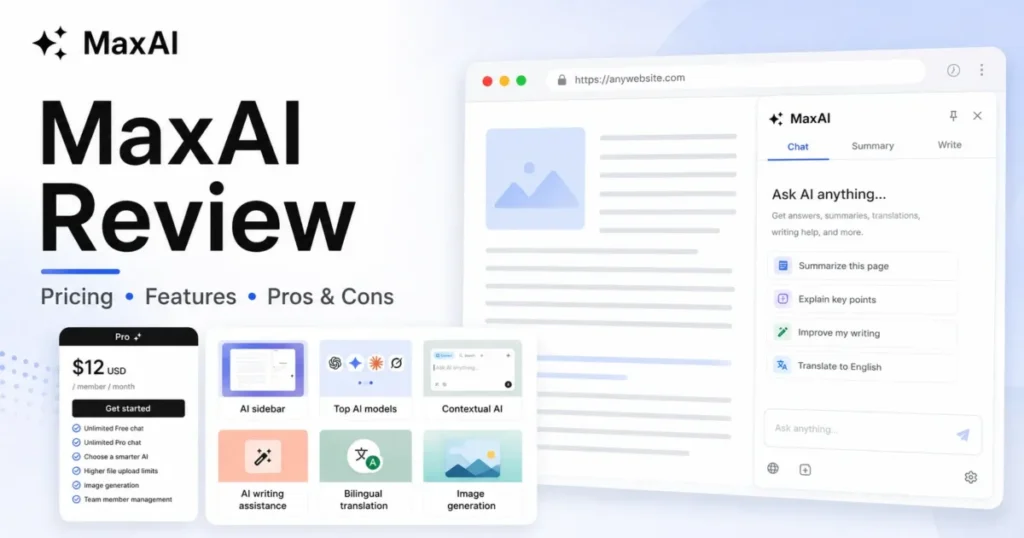
MaxAI.me review in one line: this is a browser assistant, not another chatbot, and the first buying decision is whether you live inside Chrome or Edge enough to get value from an AI sidebar that follows you across every tab. The tool summarizes webpages, rewrites selected text, searches the web, compares AI models, and reads PDFs without making you copy-paste into a separate window.
The version most buyers weigh is Pro, and the number that matters is not the advertised $12. It is the $144 you commit up front when you pick annual billing, under a no-refund policy that turns a casual trial into a real purchase decision.
This review reconciles the live pricing, separates website compatibility from true integration, explains what “unlimited” leaves out, and gives you a switch-or-stay path against Monica, Sider, Merlin, HARPA AI, and a direct ChatGPT or Claude subscription. If you want the wider category first, our roundup of the best AI chatbots frames where a browser layer like MaxAI fits.
Evaluation basis: MaxAI’s live product, pricing, terms, privacy, and extension pages checked July 11, 2026, plus third-party testing from Tooltivity and Originality.ai and user sentiment from Product Hunt and Trustpilot. Testing level: third-party validated, so this is analyst judgment on official pages and independent tests, not a first-person SaaS CRM Review install.
In This Article (14 sections)
Quick Verdict: MaxAI at a Glance
| Category | Verdict |
|---|---|
| Best for | Chrome or Edge users doing 5+ in-page AI actions a day: summarize, rewrite, translate, reply |
| Not ideal for | Automation teams needing an API, mobile-first users, and buyers who want refunds |
| Starting price | $0 Free; Pro $12 per member/ |
| Best practical plan | Pro annual, but only after a free-plan trial because billing is non-refundable |
| Free plan | Yes: unlimited basic chat, three Pro chats per day |
| Setup difficulty | Low to install, medium to learn the full feature set |
| Main strength | Removes tab-switching and copy-paste across the whole browser |
| Main limitation | “Unlimited” Pro is governed by a Fair Usage Policy, and file limits are undisclosed |
| Best alternative | Sider for research depth, or a direct ChatGPT/ |
The short version: MaxAI is a strong fit if your workday runs through a browser and you keep hitting the same friction of copy, paste, switch, repeat. It is the wrong purchase if you need automation, mobile parity, or the safety of a refund.
What Is MaxAI.me?
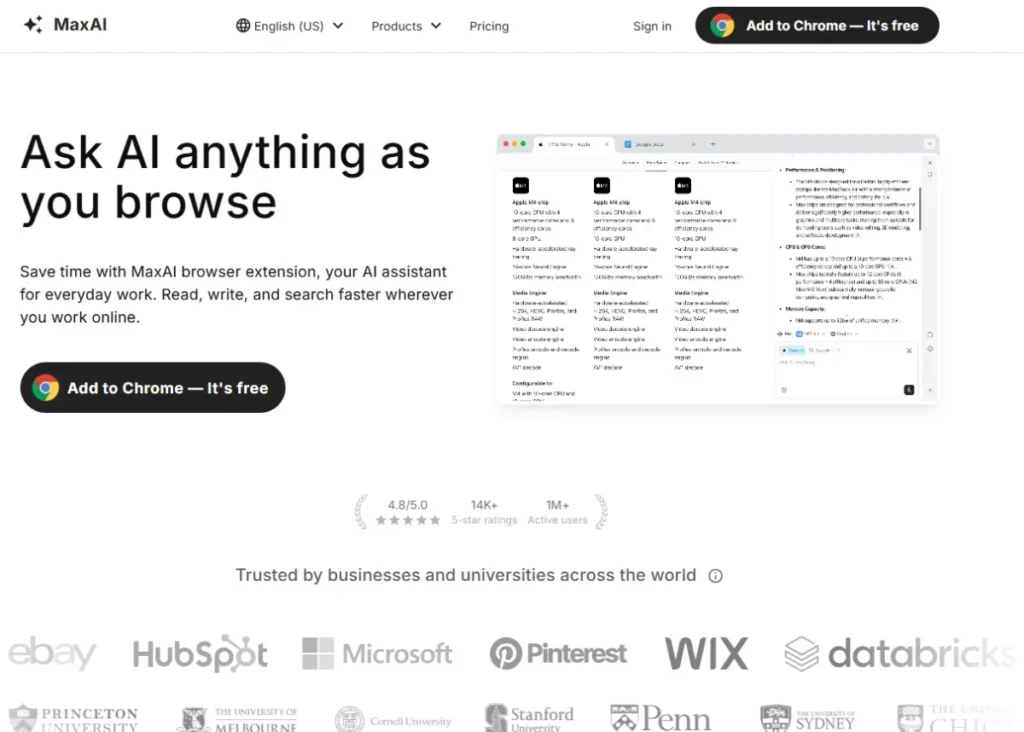
MaxAI is an AI browser assistant that adds a sidebar and right-click menu to Chrome and Edge, plus a separate web app. Its pitch is access to AI where you already work: on the page, on the email, on the PDF, without opening a new chatbot tab.
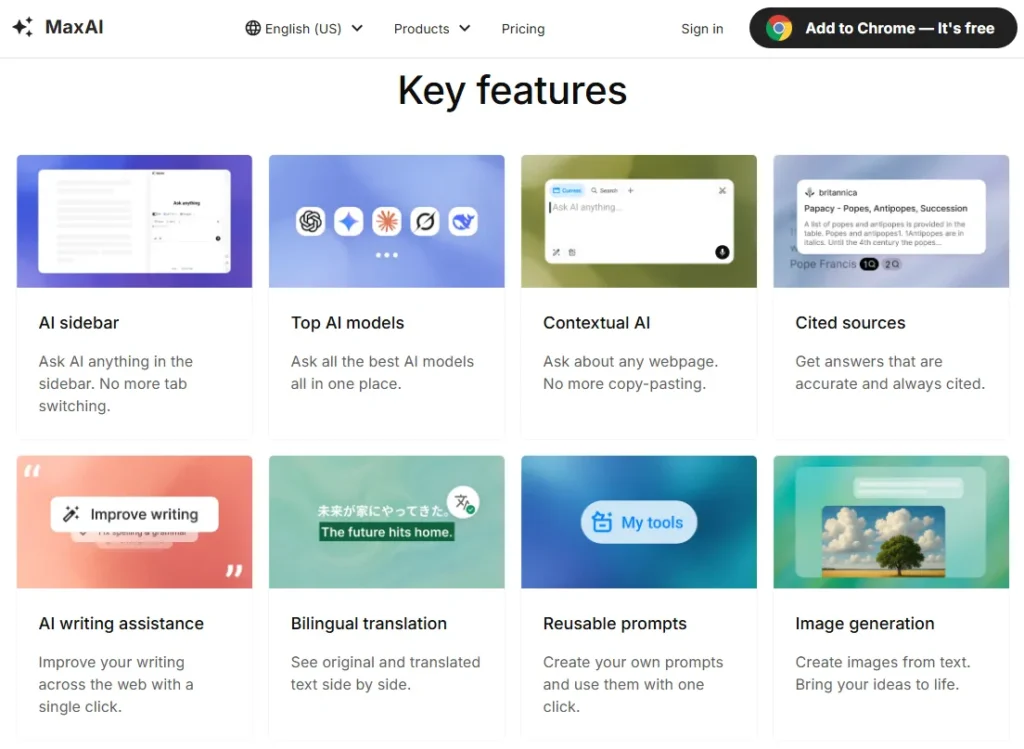
It bundles several model families from OpenAI, Anthropic, Google, xAI, and DeepSeek, then layers reading, writing, search, translation, and image tools on top. That bundling is the selling point, not exclusive access to any underlying model.
Here is the distinction most reviews blur. MaxAI is a browser layer that assists a human inside the UI, and its own Terms describe human-paced, interface-driven use, so it is not a scheduled automation platform, an autonomous agent, or an API service.
If you are new to how these tools generate answers, our primer on generative AI models covers the basics that MaxAI sits on top of. Treat MaxAI as convenience plumbing over models you can also reach elsewhere, and the buying question becomes sharper: is the plumbing worth $144 a year?
How We Reviewed MaxAI
This is a third-party validated review, so I did not personally install MaxAI, benchmark latency, or open a support ticket. The judgments here come from MaxAI’s official pages and from independent testers who did use the product.
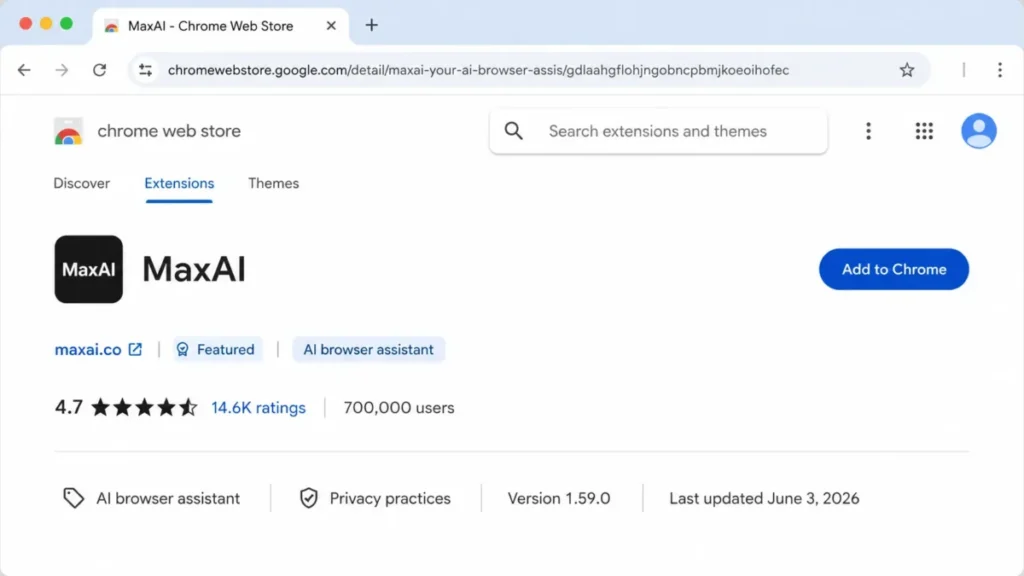
I checked MaxAI’s live pricing, terms, privacy, contact, feature, and web app pages on July 11, 2026. I read the Chrome Web Store and Microsoft Edge Add-ons listings on the same date for ratings, version, permissions, and data disclosures.
For hands-on behavior, I relied on Tooltivity’s March 2026 test and Originality.ai’s usage write-up, treating only their workflow observations as evidence because Originality’s pricing is stale. For sentiment, I read Product Hunt and Trustpilot and separated verified policy from individual complaints.
Pricing was verified against the official page and is dated July 2026. Where MaxAI does not publish a number, such as exact file limits or fair-use ceilings, this review says so rather than borrowing figures from ChatGPT or Claude.
One honest limitation: user-review allegations about billing and support are reported experiences, not confirmed company-wide behavior, and I have kept them labeled that way throughout.
Day 1: Setup and First Impressions
Day one with MaxAI is easy, and that is a real advantage. You add the extension from the Chrome Web Store or Edge Add-ons, sign in with name and email, refresh your open tabs, and the sidebar plus right-click menu appear.
The familiar sidebar-and-context-menu pattern lowers first-use friction, which is why the Chrome listing shows 4.7 from 14.6K ratings across roughly 700,000 users on July 11, 2026. Adoption at that scale usually signals a low barrier to the first useful action.
The catch shows up as feature discovery, not installation. Product Hunt reviewer Dan Tinianow praised the Chrome integration but noted that because there are many features, there is a bit of a learning curve, and Tooltivity found the settings extensive enough to feel heavy at first.
Platforms and Mobile Availability
MaxAI runs on three verified surfaces, and the gap in that list matters for anyone who works away from a desktop. Official navigation lists a Chrome extension, an Edge extension, and a web app.
| Surface | Status (July 11, 2026) | Practical note |
|---|---|---|
| Chrome extension | Verified | Primary experience, sidebar and context menu |
| Microsoft Edge extension | Verified | Official listing exists; same browser-layer model |
| Web app | Verified | Chat, sources, writing, image creation |
| Native iOS app | Not verified | No official app confirmed on research date |
| Native Android app | Not verified | Reviewers have requested one |
No official native iOS or Android app was verified on July 11, 2026, though the web app may still be reachable from a mobile browser. If you expect a phone assistant with full continuity, treat MaxAI as desktop-first and confirm the mobile web experience yourself before committing.
Week 1: The Workflows MaxAI Actually Handles
By week one, the value or the disappointment is clear, because MaxAI lives or dies on repeated in-page actions. Tooltivity’s testing found the sidebar, context menu, rewriting, translation, web search, reusable prompts, and multi-model comparison all working as intended in normal browsing.
The core loop is: select text or open a page, right-click or open the sidebar, and act without leaving the tab. That removes the copy, paste, switch tabs, paste again cycle that eats minutes across a knowledge-work day.
Reading, Writing, and Research Tools
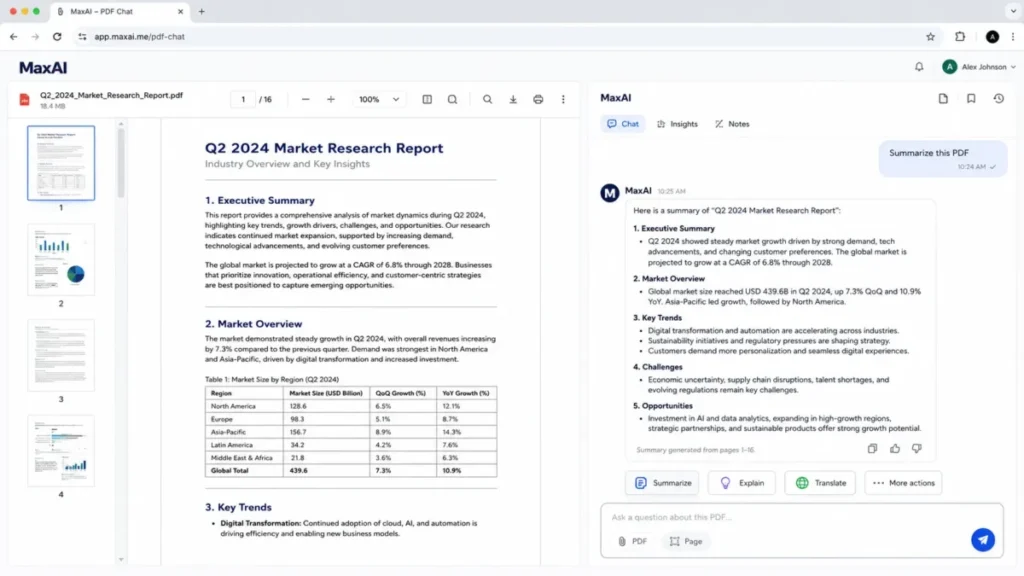
MaxAI’s reading tools summarize webpages, PDFs, files, images, audio, and YouTube videos, which is the feature set most buyers actually come for. The rewriter proofreads, shortens, expands, simplifies, and changes tone on selected text anywhere in the browser.
Its search adds AI answers with source links, and Pro widens the source pool and analysis depth. For heavy document work, MaxAI offers a dedicated PDF workflow to summarize, search, explain, analyze, and translate a file.
The writing quality here comes from the underlying models, not from MaxAI itself, so a Jasper-style dedicated copywriter is a different tool for a different job. If long-form drafting is your main need, compare against our AI tools for content creation shortlist before assuming a browser assistant replaces a writing platform.
AI Models and Plan Access
MaxAI’s model list is a purchase driver, so use the live pricing matrix as the source of truth rather than older reviews. On July 11, 2026 the plans split model access into fast free models, smarter models, and reasoning-oriented models, drawn from OpenAI, Anthropic, Google, xAI, and DeepSeek.
| Capability | Free | Pro |
|---|---|---|
| Basic chat | Unlimited | Unlimited (subject to fair use) |
| Pro chats (smart models) | 3 per day | Unlimited (subject to fair use) |
| Web search sources | Standard | Roughly 5x more sources plus deeper analysis |
| Multiple-model comparison | No | Yes |
| Image generation | No | Yes |
| File uploads | Limited | Higher limits (exact numbers undisclosed) |
| Team member management | No | Yes |
Model versions change faster than any review cycle, and MaxAI’s own release notes announced GPT-5 support in August 2025, so recheck the current names before you buy. The buyer takeaway is that multi-model comparison, image generation, and deeper search all sit behind Pro, while Free is really a three-smart-chats-a-day sampler.
If your main use is search rather than chat, a dedicated answer engine can outperform a bundled sidebar, and the Perplexity AI review is a useful comparison point before you settle on MaxAI for research.
Integrations Versus Website Compatibility
This is the section where MaxAI gets oversold, and getting it right protects your budget. MaxAI works on top of Gmail, Google Docs, YouTube, LinkedIn, Outlook, Slack, and many other sites, but that is browser-page assistance, not deep integration.
| App | Browser-page support | Explicit MaxAI feature | Verified deep integration |
|---|---|---|---|
| Gmail / Outlook | Yes | AI reply drafting on the page | Not verified (no API/ |
| Google Docs | Yes | Rewrite and improve selected text | Not verified |
| YouTube | Yes | Video/ | Not verified |
| LinkedIn / social sites | Yes | Reply and rewrite on the page | Not verified |
| Slack / Discord | Yes | Draft and rewrite messages | Not verified |
Public evidence establishes on-page assistance, not bidirectional data sync, triggers, or app-specific APIs. If your definition of integration is a two-way connection that pushes data into your CRM or fires automations, MaxAI does not clear that bar on public documentation. If rewriting selected AI-generated text is the main job, compare tools designed to humanize AI-generated text before paying for a broader browser-assistant stack.
Month 1: What Breaks at Scale
By month one, the honeymoon features are routine and the real constraints surface. This is where Macedona’s buyer-risk lens earns its keep, because the problems that appear now are the ones finance and IT will ask about at renewal.
Where “Unlimited” Pro Actually Stops
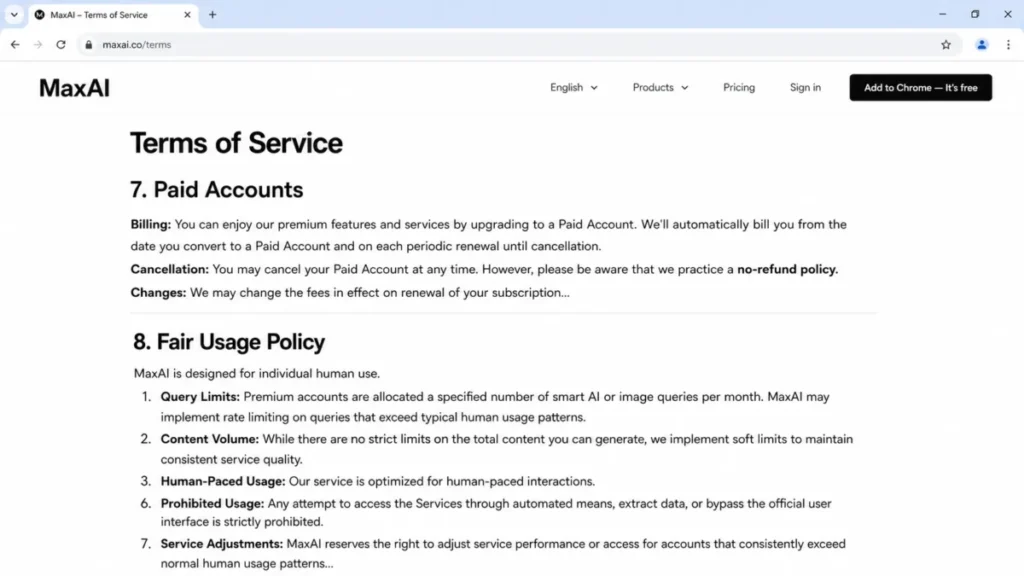
The pricing page says “unlimited Pro chat,” and the Terms quietly qualify it. This is the single most consequential contradiction in the purchase, and no top competitor resolves it clearly.
MaxAI’s Fair Usage Policy allows specified smart-AI or image query allocations, soft limits, rate limiting, usage monitoring, and service adjustments for unusually heavy use. It also ties accounts to normal individual human interaction, not automated or bulk consumption.
In plain terms: unlimited means human-paced, not uncapped. If you are buying Pro specifically to run high-volume smart-model or image requests all day, budget for the possibility of throttling, and confirm your real workload against the Terms before you commit.
The File-Limit Blind Spot
MaxAI markets file uploads comparatively, not numerically, which leaves document-heavy buyers unable to size the product. The pricing page says Free has limited uploads and Pro has higher limits, without publishing file size, count, frequency, or storage ceilings.
Tooltivity’s testers also described the file limits as restrictive in practice. Exact upload ceilings were not publicly disclosed on July 11, 2026, so if PDFs and large documents are your core use case, test your largest typical files on Free and confirm the limit in-app before paying for a year.
API, Automation, and Team Reality
Two more month-one walls hit automation buyers and IT buyers respectively. First, no verified public API exists, and the Terms restrict automated or programmatic access, scraping, data extraction, and bypassing the interface.
If your team wants to build agents, schedule jobs, or trigger MaxAI from other systems, it is the wrong category, and an API-first provider or an automation platform fits better. Our explainer on what an API is is worth a skim if that distinction is new to a stakeholder.
Second, paid plans support adding team members, but that is seat management, not enterprise governance. The public pricing page does not verify SSO, SCIM, granular roles, audit logs, retention controls, or data residency.
Team plan reality check: MaxAI confirms member management and nothing more in public documentation, so a regulated rollout needs written security and administration answers from the vendor first. Do not treat “add a teammate” as proof of compliance readiness.
Privacy and Security
Privacy is where a browser extension deserves precise language, not a simple safe-or-unsafe label. MaxAI’s privacy policy and its Chrome disclosure describe different things, and both are true at once.
| Topic | MaxAI privacy policy says | Chrome Web Store disclosure says | Safe buyer interpretation |
|---|---|---|---|
| Browsing history | Does not collect visited-site or browsing-content history | Extension handles user activity | MaxAI processes page context to function, without building a browsing-history dataset |
| Personal data | Collects name and email for login and sync | Handles personally identifiable information | Account data is collected for the service |
| Selling data | Does not sell information | Data not sold for unapproved uses | Consistent: no data sale claimed |
| Certifications | Commercially reasonable safeguards described | Developer listed as a non-trader | No MaxAI-specific SOC 2 or ISO proof verified |
A browser extension can process sensitive page content even when it does not sell browsing history, so “does not collect browsing data” is not the same as “sees nothing.” For ordinary productivity this is a reasonable posture after individual review, but no dedicated trust center, certification report, or DPA was verified, and regulated or confidential data needs vendor due diligence first.
Customer Support
Support is the last month-one risk, and it becomes urgent exactly when billing or access breaks. MaxAI’s public support runs through email at hello@maxai.me and the Chrome Web Store support link, with no verified response-time SLA.
Trustpilot and Product Hunt include recurring complaints about slow or ineffective support after payment, which are reported reviewer patterns rather than a guaranteed outcome. Plan for email-led, best-effort support, and keep your own records of any billing or cancellation action.
The MaxAI Pricing Math Nobody Shows You
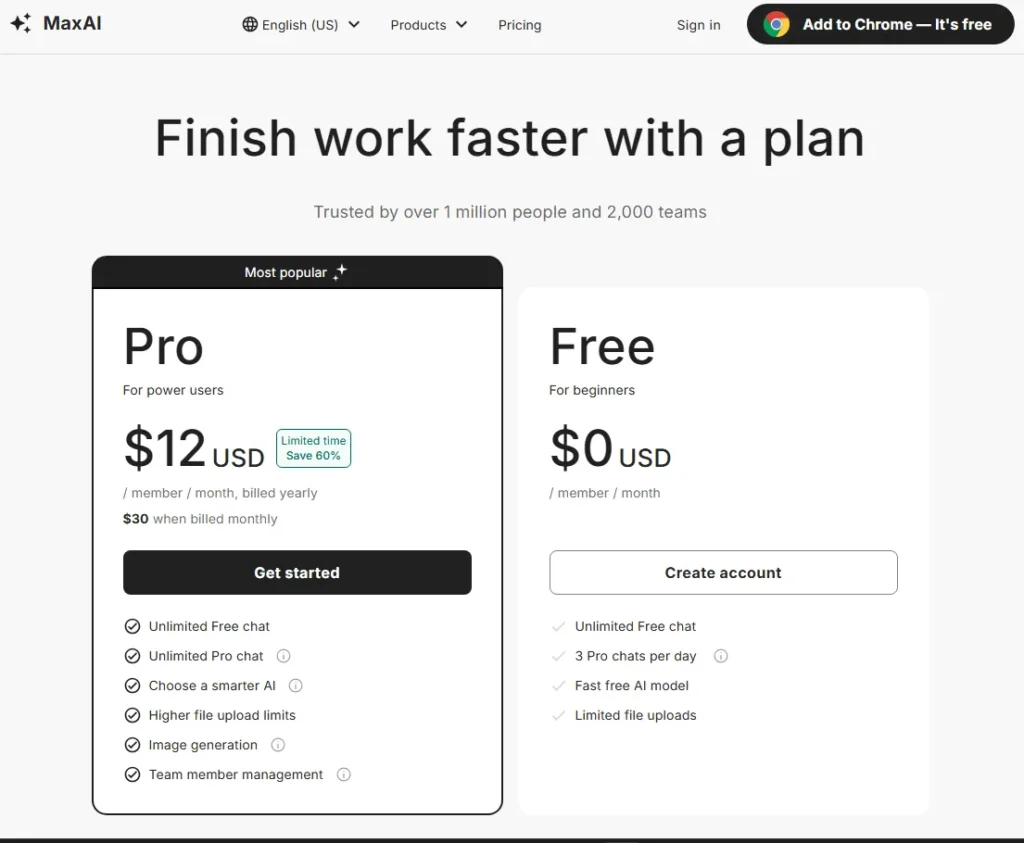
MaxAI’s pricing looks simple and hides a commitment. On July 11, 2026 the live US page showed two public plans: Free at $0 and Pro at a limited-time $12 per member per month billed yearly, or $30 per member billed monthly.
The advertised $12 is not what you pay at checkout. Billed yearly means a $144 per-member commitment for twelve months before tax, and MaxAI’s policy is that payments are final and non-refundable.
Annual Versus Monthly
The flexible monthly plan carries a steep premium that the marketing rate hides. Here is the real cost of choosing flexibility over commitment.
| Billing choice | Effective monthly | 12-month total | Refundable? |
|---|---|---|---|
| Pro annual (billed yearly) | $12 | $144 | No (payments final) |
| Pro monthly | $30 | $360 | No (payments final) |
Monthly billing costs $18 more per member every month and $216 more across a full year, roughly 2.5x the annual effective rate. Pricing checked: July 2026, and the $12 annual rate was labeled a limited-time offer, so verify the checkout total before you buy.
Free Versus Pro: When the Free Plan Runs Out
Free is generous on basic chat and strict where it counts. You get unlimited basic chat but only three Pro chats per day, and that daily ceiling is the true upgrade trigger.
Map it to real work. A user who rewrites one email a day and runs the occasional summary can stay on Free indefinitely.
A user who needs three strong reasoning queries a day is living right at the edge of the cap. A researcher running ten smart-model or document-analysis prompts a day will hit the wall by mid-morning and needs Pro.
A single heavy user should also sanity-check MaxAI’s $144 against a direct plan for the model they use most, and our ChatGPT pricing guide is a clean baseline for that comparison.
Team Cost at Scale
Per-member pricing scales faster than the headline suggests, and team buyers need totals, not a per-seat rate. These figures are arithmetic from the $12 and $30 published rates, not quoted bundles.
| Seats | Pro annual (12 x $12) | Pro monthly held 12 months (12 x $30) |
|---|---|---|
| 1 | $144 | $360 |
| 5 | $720 | $1,800 |
| 10 | $1,440 | $3,600 |
| 25 | $3,600 | $9,000 |
A ten-person team is looking at $1,440 a year on annual billing, or $3,600 if it stays month to month, before tax. For any team above five seats, the annual-versus-monthly gap is the biggest lever in the whole purchase.
If the team really lives in one model, weigh those seats against a provider plan too, since our Claude pricing guide shows how single-model costs compare at scale.
Billing, Cancellation, and Refunds
The no-refund policy changes how you should trial MaxAI. Because annual billing is non-refundable and auto-renews, the safe move is to validate the workflow on Free first, then buy annual only once you know it fits.
Cancellation runs through your account and Stripe, and a short checklist reduces renewal risk. Open Your Plan, choose Manage my subscription, confirm the status in the Stripe portal, keep the confirmation, and set a personal reminder a few days before renewal.
Reviewers on Trustpilot and Product Hunt report unwanted renewals and difficult cancellations, and reviewer Caitlin Brandt called it “predatory billing and awful customer service.” Those are reported experiences, not proven company-wide conduct, but combined with the no-refund policy they are a strong reason to cancel immediately after purchase if you only want one term.
MaxAI Pros and Cons
The tradeoffs cluster around the same theme: excellent in-browser convenience, weak commercial safety nets. Each item below ties to a specific feature, gate, or policy rather than a vibe.
| Pros | Cons |
|---|---|
| Removes copy-paste and tab-switching across Gmail, Docs, YouTube, and general webpages | Annual billing is a non-refundable $144-per-member commitment |
| Real free plan with unlimited basic chat plus three Pro chats per day | “Unlimited” Pro is governed by fair-use soft limits and rate limiting |
| Multi-model access (OpenAI, Anthropic, Google, xAI, DeepSeek) from one sidebar | Exact file-upload and query ceilings are not publicly disclosed |
| Strong adoption signal: 4.7 from 14.6K Chrome ratings, ~700,000 users | No verified public API and automated access is restricted |
| Works on Chrome, Edge, and a web app | No verified native iOS or Android app for full mobile continuity |
| PDF, YouTube, image, and translation tools in one place | Team seats without verified SSO, SCIM, audit logs, or a support SLA |
The pattern is clear: MaxAI is built for individual browser productivity and thin on the governance and safety features a cautious buyer or IT team expects.
Who Should Use MaxAI?
MaxAI fits best when task frequency, not job title, drives the decision. The value scales with how often you act on a page without wanting to leave it.
Choose MaxAI if you are a Chrome or Edge user running five or more in-page AI actions a day, such as summarizing, explaining, rewriting, translating, or replying. That behavioral threshold is my editorial guidance, not a vendor claim, but it predicts value better than any persona label.
It also fits document-heavy researchers who want page-aware questions, PDF analysis, and the ability to compare several models from one interface. And it suits communication-heavy operators in sales, recruiting, support, and marketing who draft and refine high volumes of email and social replies inside the browser.
Small teams that want centrally purchased browser-assistant seats can adopt it too, as long as they can operate without verified enterprise identity and governance controls.
Who Should Avoid MaxAI?
Skip MaxAI when your needs point to a different category or you cannot absorb its policy risks. These exclusions are specific on purpose.
Automation teams that require an API, scheduled workflows, machine-triggered agents, or bulk processing should avoid it, because the Terms restrict programmatic access. Regulated or security-sensitive organizations that need verified SSO, SCIM, audit logs, data residency, a DPA, or certification reports should not deploy it without direct vendor answers.
Mobile-first users who require a native iOS or Android app with full continuity will be underserved, since only a web app is verified. Occasional users who need no more than three advanced queries a day should stay on Free rather than pay.
Finally, anyone uncomfortable with annual auto-renewal, a no-refund policy, and recurring third-party billing complaints should validate carefully or pick a refundable alternative.
MaxAI Alternatives
The right MaxAI alternative depends on which failure mode pushed you away, not on a generic ranking. Use the switch logic below, and verify each competitor’s current pricing and features before you commit, since this review did not price them.
| Alternative | Better for | Why choose it instead |
|---|---|---|
| Sider | Research-agent depth | Deeper in-browser research workflows than MaxAI’s sidebar |
| Merlin AI | Command-bar speed | Fast keyboard-driven summarize and reply flow |
| Monica | Broad cross-site assistant | Wide consumer-device positioning and all-round assistant use |
| HARPA AI | Browser automation and monitoring | Repetitive task orchestration and page monitoring MaxAI does not do |
| Direct ChatGPT or Claude | Single-model deep work | Native projects, memory, agents, and first-party support |
Choose Sider over MaxAI if research depth matters more than breadth, and choose HARPA AI if you actually need automation rather than a chat sidebar.
If most of your work happens in one model, a direct subscription is often the better buy for native projects, memory, agents, and first-party support. The ChatGPT review is the right comparison if you mainly write and reason in one place.
Anthropic’s model is the other common single-model choice, and the Claude AI review covers where its long-context work beats a browser sidebar. Stay with MaxAI only if cross-site convenience across many tabs is the thing you value most.
MaxAI Reviews: What Users Actually Say
MaxAI’s ratings look contradictory until you separate the samples, because two platforms measure two different experiences. Averaging them would mislead you.
| Platform | Score and sample | Dominant themes |
|---|---|---|
| Chrome Web Store | 4.7 from 14.6K ratings, ~700,000 users | Utility, convenience, ease of use |
| Product Hunt | 3.8 from 20 reviews | Chrome integration and time savings, plus UI, support, and mobile gripes |
| Trustpilot | Poor score from 28 reviews | Billing, cancellation, refunds, access, support |
The Chrome sample is large and reflects everyday utility, while the Trustpilot sample is small, self-selected, and concentrated on billing and support pain. Trustpilot even notes the profile is unclaimed and may not be representative, so treat it as a risk signal about billing and support, not a population-wide satisfaction score.
Final Verdict: Is MaxAI Worth It?
MaxAI.me review verdict: it is worth it for Chrome and Edge power users whose day is a stream of in-page AI actions, and it is not worth it for automation teams, mobile-first users, or anyone who needs the safety of a refund. The product delivers on convenience, and the risks are commercial, not functional.
Choose MaxAI if you run five or more browser AI actions a day and you validate the fit on Free before buying annual. Skip it, or pick an alternative, if you need an API, native mobile, enterprise governance, or refundable billing.
My recommendation is to treat the free plan as a seven-day evaluation: test webpage and PDF summaries, one YouTube summary, a Gmail reply, a Google Docs rewrite, a translation, your three daily Pro chats, and a support message. If those hold up, buy Pro annual for the $12 rate and cancel immediately after checkout so a single non-refundable term is all you are committing to.
Given the no-refund policy, that discipline is the difference between a smart purchase and a stuck one.
FAQ
What is MaxAI.me used for?
MaxAI.me is an AI browser assistant for Chrome and Edge. People use it to summarize webpages, PDFs, and YouTube videos, rewrite or translate selected text, draft email and social replies, search the web with cited answers, and compare multiple AI models, all without leaving the active tab.
Is MaxAI free to use?
Yes, MaxAI has a Free plan at $0 with unlimited basic chat, three Pro chats per day, and core reading and writing tools. Occasional users can stay on it, but repeated smart-model or heavy document work quickly hits the three-Pro-chat daily ceiling and pushes you toward Pro.
How much does MaxAI Pro cost?
On July 11, 2026, MaxAI Pro cost $12 per member per month billed yearly, a $144 annual commitment, or $30 per member billed monthly. The $12 rate was a limited-time offer, so verify the checkout total, and note that monthly billing costs about $216 more per member over a full year.
Does MaxAI include unlimited GPT and Claude usage?
Not without conditions: Pro is marketed as unlimited chat, but MaxAI’s Fair Usage Policy allows soft limits, rate limiting, query allocations, and service adjustments for unusually heavy use. Treat unlimited as human-paced rather than uncapped, and confirm your real workload against the Terms before buying if you plan high volume.
Is MaxAI safe to install?
MaxAI is a widely used extension with 4.7 stars from 14.6K Chrome ratings, and its privacy policy says it does not collect browsing history or sell data. The Chrome listing discloses that it handles personal data and user activity to function, so it is reasonable for ordinary productivity after review, while regulated data needs vendor due diligence first.
How do I cancel MaxAI and can I get a refund?
Cancel from your account by opening Your Plan, choosing Manage my subscription, and confirming through the Stripe portal. MaxAI’s policy states payments are final and non-refundable and subscriptions auto-renew, so there is no standard refund, and the safest move is to cancel right after purchase and keep the confirmation.
Does MaxAI work on every website?
Almost, but not literally: MaxAI works across Gmail, Google Docs, YouTube, LinkedIn, Outlook, Slack, and general webpages through its browser layer. It does not run on some restricted pages such as the Chrome Web Store, and its on-page support is not the same as a deep, data-syncing integration or an API.
Does MaxAI have a mobile app?
No verified native iOS or Android app was found on July 11, 2026, and MaxAI officially offers Chrome and Edge extensions plus a web app. The web app may be reachable from a mobile browser, so MaxAI is best treated as a desktop-first tool if cross-device continuity matters to you.
Which is better, MaxAI or Monica?
It depends on scope: MaxAI focuses on an in-browser sidebar and multi-model chat for Chrome and Edge users doing frequent page actions, while Monica positions as a broader cross-site assistant with wider device coverage. Choose MaxAI for tight browser workflows, and compare Monica if you want an all-round assistant, verifying current features first.
What are MaxAI’s biggest limitations?
The main limitations are a non-refundable annual commitment, fair-use caps behind the “unlimited” label, undisclosed file and query ceilings, no verified public API, no native mobile app, team seats without verified enterprise governance, and email-led support with no published SLA. None break the core features, but they raise the risk of an annual purchase.