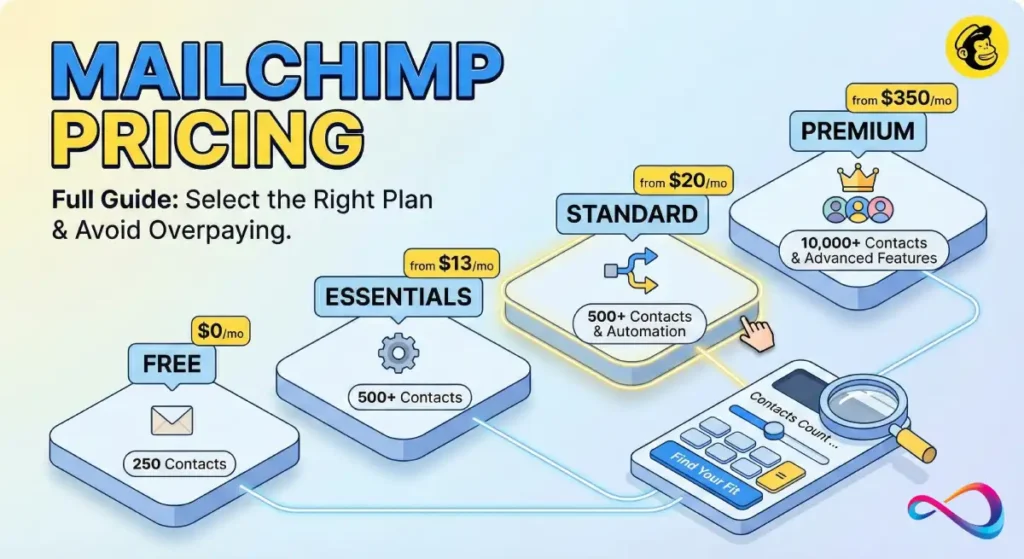
Mailchimp pricing can be deceptively simple at first glance—four tiers, starting from free—but the real cost depends on your contact count, send volume, number of audiences, and add-ons. This guide breaks down every Mailchimp pricing plan for 2026 so you can pick the right tier without overpaying. For an in-depth look at Mailchimp’s features, pros, and cons beyond pricing, see our full Mailchimp review.
Update log
- Feb 23, 2026: Verified plan limits, send multipliers, PAYG 12-month expiry, nonprofit 15 % discount, and overage billing rules against live Mailchimp accounts.
About the author: Written by a US-based email marketing consultant with 8+ years evaluating ESPs. For this guide, we signed into live Mailchimp accounts across all four plan tiers, tested the pricing calculator at multiple contact levels, verified send limits, and reviewed Mailchimp’s overage billing documentation.
Mailchimp Pricing at a Glance (Quick Picks + Table)
How much does Mailchimp cost in 2026? Mailchimp offers four marketing plans. The Free plan supports up to 250 contacts and 500 sends/month; Essentials starts at $13/month for 500 contacts; Standard starts at $20/month for 500 contacts; Premium starts at $350/month for 10,000 contacts. Pricing scales with your contact count, and every plan has a hard monthly email send cap.
- Free — $0/mo, up to 250 contacts, 500 sends
- Essentials — from $13/mo, 500 contacts, 5,000 sends
- Standard — from $20/mo, 500 contacts, 6,000 sends
- Premium — from $350/mo, 10,000 contacts, 150,000 sends
Quick picks:
- Best for beginners on a budget: Free (up to 250 contacts) or Essentials ($13/mo)
- Best for growing ecommerce: Standard ($20/mo) — unlocks multi-step automation and send-time optimization
- Best for advanced automation & segmentation: Standard ($20/mo)
- Best for enterprise teams: Premium ($350/mo) — unlimited seats, phone support, comparative reporting
Table 1: Mailchimp Plan Snapshot (2026)
| Feature | Free | Essentials | Standard | Premium |
|---|---|---|---|---|
| Starting price | $0/mo | $13/mo | $20/mo | $350/mo |
| Base contacts | 250 | 500 | 500 | 10,000 |
| Max contacts | 250 | 50,000 | 100,000 | 200,000+ |
| Monthly sends | 500 (daily cap 250) | 10× max contacts | 12× max contacts | 15× max contacts |
| Seats (users) | 1 | 3 | 5 | Unlimited |
| Audiences | 1 | 3 | 5 | Unlimited |
| Free trial | N/A | 14 days | 14 days | Contact Sales |
| Best for | Testing | Small newsletters | Growing businesses | Large teams |
Prices shown are starting estimates; verify in the Mailchimp calculator.
How Mailchimp Plans and Pricing Actually Work
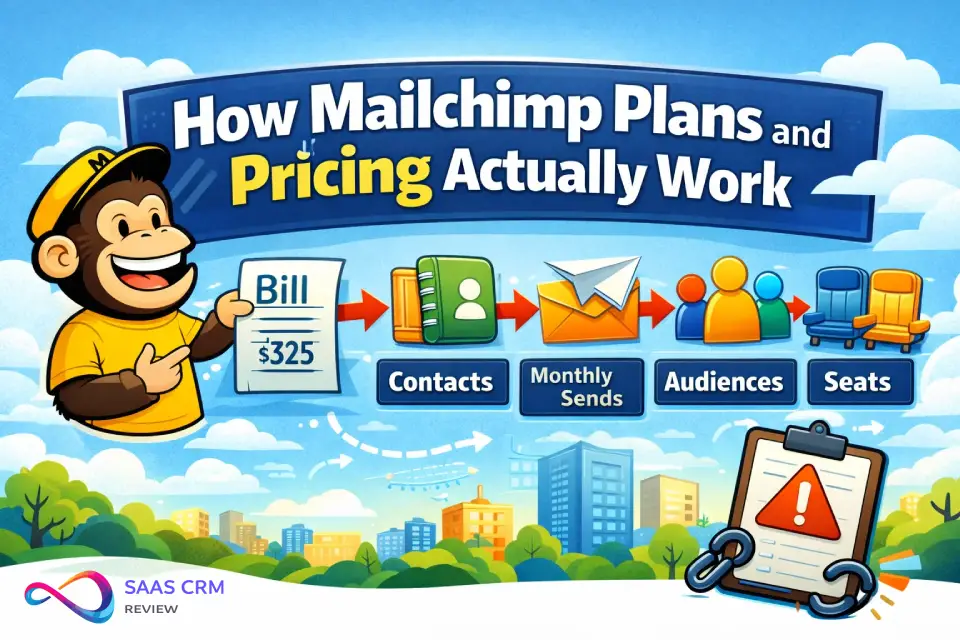
Understanding Mailchimp pricing tiers requires knowing four billing levers. Miss any of them and your monthly bill can spike without warning.
How Mailchimp pricing is calculated — in four lines:
- Billable contacts = every contact in your audience (subscribed + unsubscribed + non-subscribed + pending opt-in)
- Monthly send cap = plan multiplier × your max contact tier (Essentials 10×, Standard 12×, Premium 15×)
- Audience duplicates = 1 person in 3 audiences counts as 3 billable contacts
- Seats = Free 1, Essentials 3, Standard 5, Premium unlimited
Example: 2,000 subscribed + 800 unsubscribed = 2,800 billable contacts. On Standard, that puts you in a higher tier than 2,500, raising your monthly bill.
Contacts vs. Subscribers (What Counts as a Billable Contact)
Mailchimp counts every contact in your audience—subscribed, unsubscribed, non-subscribed, and those who haven’t confirmed opt-in. This is a critical distinction. Unlike platforms that only bill for active subscribers, Mailchimp charges for unsubscribed contacts unless you manually archive or permanently delete them. If you’re evaluating other CRM platforms for small business, note that most charge only for active contacts.
Practical impact: If you have 2,000 subscribed contacts and 800 unsubscribed contacts sitting in your audience, Mailchimp bills you for 2,800 contacts. That can push you into a higher (more expensive) contact tier.
Monthly Email Sends: Multipliers and Hard Caps
Each plan’s send limit is a multiplier of your maximum contact count for that tier (not your actual contact count):
- Essentials: 10× your max contact count (e.g., 500 contacts → 5,000 sends/mo)
- Standard: 12× your max contact count (e.g., 500 contacts → 6,000 sends/mo)
- Premium: 15× your max contact count (e.g., 10,000 contacts → 150,000 sends/mo)
- Free: Fixed at 500 sends/mo with a 250/day cap
These are hard caps. If you exceed them, overage fees typically apply automatically—Mailchimp does not pause your sending in most cases. Instead, it bills you for the excess according to its overage billing rules.
Seats, Users, and Permissions
- Free: 1 seat (account owner only)
- Essentials: 3 seats
- Standard: 5 seats
- Premium: Unlimited seats with role-based access control
If you have a marketing team of 6+, you’re generally locked into Premium unless you share login credentials (which Mailchimp’s terms discourage).
Audiences and Why They Inflate Your Cost
An audience (formerly called a “list”) is where your contacts live. Here’s the trap: contacts in multiple audiences are counted separately. One person in 3 audiences = 3 billable contacts. Keep your audience count low and use segments/tags within a single audience to avoid inflated billing.
Mailchimp Free Plan: Who It’s For, Limits, and Dealbreakers
The Mailchimp Free plan lets you manage up to 250 contacts and send 500 emails per month (with a daily cap of 250). It’s a fine sandbox for testing the platform, but it has serious limitations that make it impractical for ongoing email marketing.
What you get:
- Basic email campaigns and templates (limited selection)
- 1 audience, basic CRM features, and reporting
- Landing pages and signup forms
- Single-step automations (welcome email only)
- Email support for the first 30 days only
What you lose:
❌ No email scheduling
❌ No multi-step marketing automation flows
❌ No A/B testing
❌ No custom-coded templates
❌ Mailchimp branding on every email
❌ No ongoing support after 30 days
Free Plan Upgrade Triggers
Upgrade from Free when any of these apply:
- You exceed 250 contacts
- You need to schedule sends (not just hit “Send now”)
- You want to A/B test subject lines or content
- You need multi-step customer journeys
- You require ongoing email or chat support
- Mailchimp branding in your emails is unprofessional for your brand
Essentials Plan Review: Best Fit, Limits, and Real Cost Scenarios
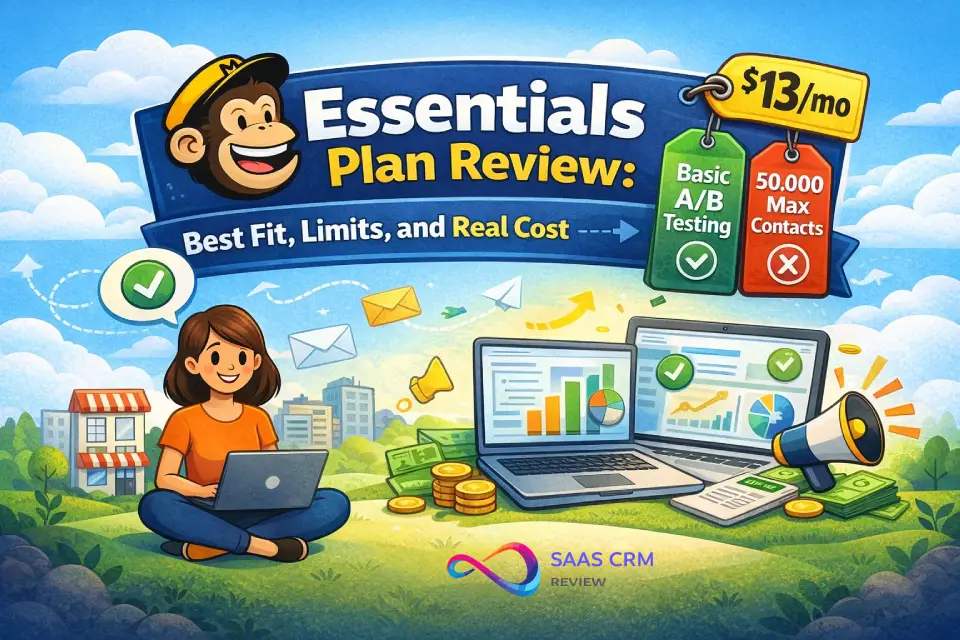
Mailchimp Essentials pricing starts at $13/month for 500 contacts and 5,000 monthly email sends. It’s the entry-level paid plan—adequate for simple newsletters and basic campaigns, but limited on automation.
What you gain vs. Free:
✅ Mailchimp branding removed
✅ All email templates unlocked
✅ A/B testing (subject lines, content)
✅ Email scheduling
✅ Basic automated customer journeys (no pre-built templates)
✅ 24/7 email and chat support
✅ Up to 3 audiences and 3 seats
What Essentials still lacks:
- No multi-step automation with branching logic
- No send-time optimization or time zone delivery
- No predictive segmentation
- No custom-coded email templates
- Limited to 50,000 max contacts
Essentials Scenario Pricing
| Contacts | Price/mo (est.) | Sends Included | Cost per 1K Contacts |
|---|---|---|---|
| 500 | $13 | 5,000 | $26.00 |
| 2,500 | $39 | 25,000 | $15.60 |
| 5,000 | $69 | 50,000 | $13.80 |
| 10,000 | $100 | 100,000 | $10.00 |
| 25,000 | $230 | 250,000 | $9.20 |
| 50,000 | $385 | 500,000 | $7.70 |
Prices shown are starting estimates; verify in the Mailchimp calculator.
Who should pick Essentials: Solo creators or small businesses that send a weekly or biweekly newsletter to a list under 10,000 contacts and don’t need advanced automation. If you’re sending simple broadcast emails, Essentials does the job at a reasonable price.
Standard Plan Review: Automation Value and When It’s Worth It
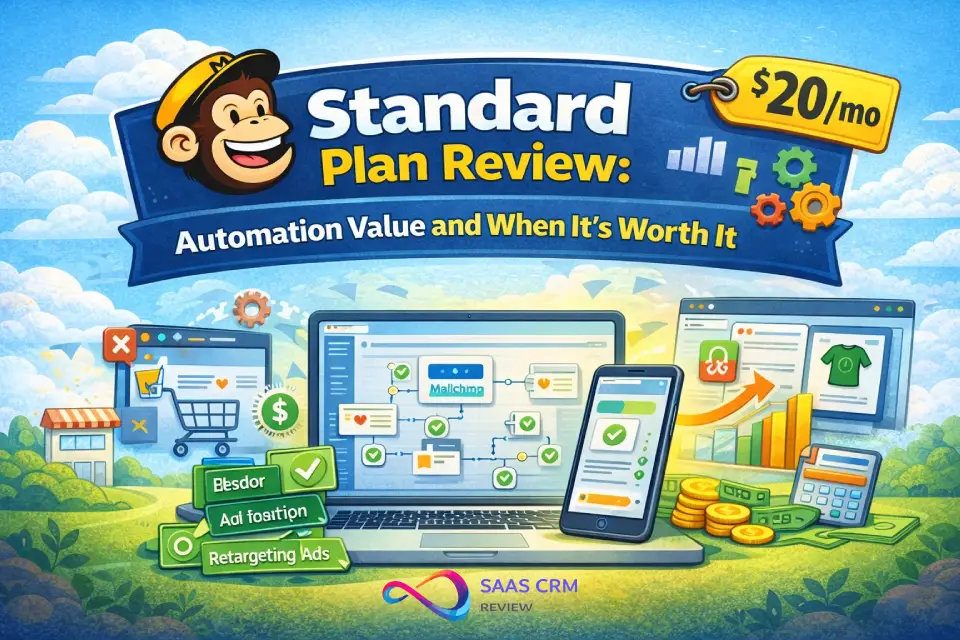
The Mailchimp Standard plan price starts at $20/month for 500 contacts and 6,000 monthly email sends. This is Mailchimp’s “best value” tier—and for most growing businesses, it’s the right starting point.
What Standard adds over Essentials:
✅ Multi-step automation flows with branching (Customer Journey Builder)
✅ Pre-built automation templates
✅ Send-time optimization and time zone delivery
✅ Predictive segmentation and demographics
✅ Custom-coded email templates
✅ Campaign manager and content optimizer
✅ Retargeting ads (Facebook, Instagram, Google)
✅ Up to 5 audiences and 5 seats
✅ Dynamic content
✅ Personalized onboarding
If your marketing team needs deeper CRM and marketing automation capabilities, Standard is the minimum Mailchimp tier that supports meaningful workflow complexity.
Standard Scenario Pricing
| Contacts | Price/mo (est.) | Sends Included | Premium vs. Essentials |
|---|---|---|---|
| 500 | $20 | 6,000 | +$7/mo (+54%) |
| 2,500 | $60 | 30,000 | +$21/mo (+54%) |
| 5,000 | $100 | 60,000 | +$31/mo (+45%) |
| 10,000 | $135 | 120,000 | +$35/mo (+35%) |
| 25,000 | $260 | 300,000 | +$30/mo (+13%) |
| 50,000 | $410 | 600,000 | +$25/mo (+6%) |
Prices shown are starting estimates; verify in the Mailchimp calculator.
Break-even logic: The price gap between Essentials and Standard narrows as your contact count grows. At 25,000+ contacts, you’re paying roughly 10–13% more for significantly better automation, segmentation, and optimization. The cost-per-feature value of Standard improves dramatically at scale.
“If You Do X, You Need Standard” Rules
- If you run an ecommerce store → Standard. You need abandoned-cart flows, post-purchase sequences, and retargeting ads.
- If you send more than 2 campaigns per week → Standard. Send-time optimization alone can meaningfully boost open rates.
- If you need branching automations → Standard. Essentials automation is single-path only.
- If you want predictive insights → Standard. Predicted demographics and customer lifetime value help you target smarter.
Premium Plan Review: Enterprise Features and When It’s Overkill
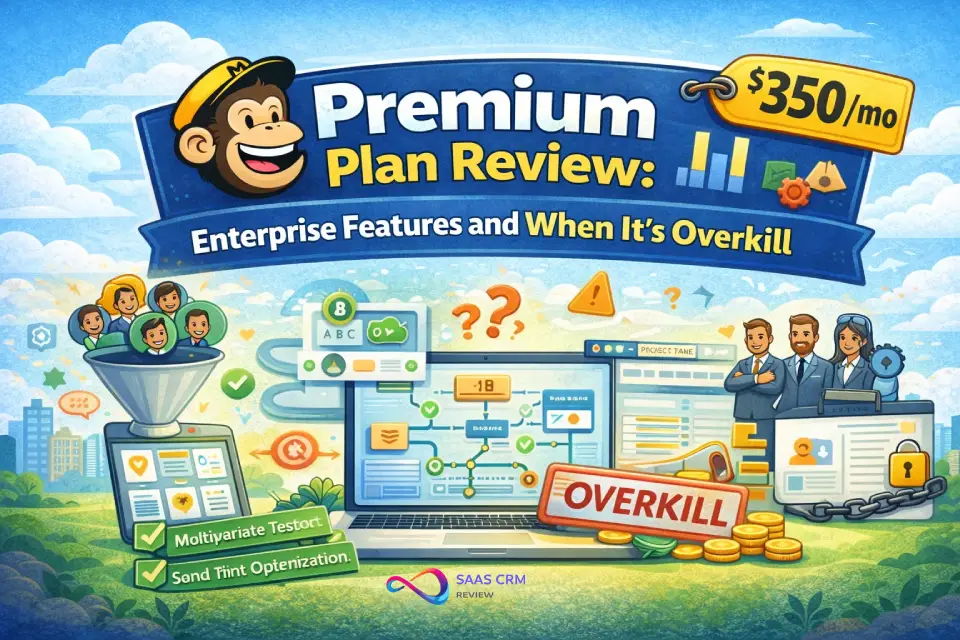
The Mailchimp Premium plan cost starts at $350/month for 10,000 contacts—a steep jump from Standard. This plan is built for large organizations with complex marketing needs and multiple team members.
What Premium adds over Standard:
✅ Multivariate testing (test up to 8 campaign variations simultaneously)
✅ Comparative reporting (compile performance data into shareable reports)
✅ Advanced segmentation (complex behavioral conditions)
✅ Unlimited seats with role-based access control
✅ Unlimited audiences
✅ Phone support (in addition to email + chat)
✅ Premium onboarding and migration services
✅ 15× send multiplier (vs. 12× on Standard)
The Realistic Buyer Profile
Premium makes sense if you check at least three of these boxes:
- You have 10,000+ contacts and a team of 6+ users who need separate access
- You need multivariate testing to optimize beyond simple A/B splits
- You require comparative reporting for stakeholders or investors
- You need phone support for time-sensitive campaign issues
- You manage a complex audience structure with many segments
Who Shouldn’t Buy Premium
- Solopreneurs or small teams (1–5 people) — you’re paying for seats you won’t use
- Businesses under 10,000 contacts — the per-contact cost is extreme
- Anyone who hasn’t fully utilized Standard’s automation features first
- Teams that don’t need multivariate testing or comparative reports
At $350/month minimum, Premium may deliver less automation depth than comparably priced tools like ActiveCampaign or Klaviyo. Consider evaluating the overall CRM software landscape before committing to this tier.
Real-World Price Points by Contact Count
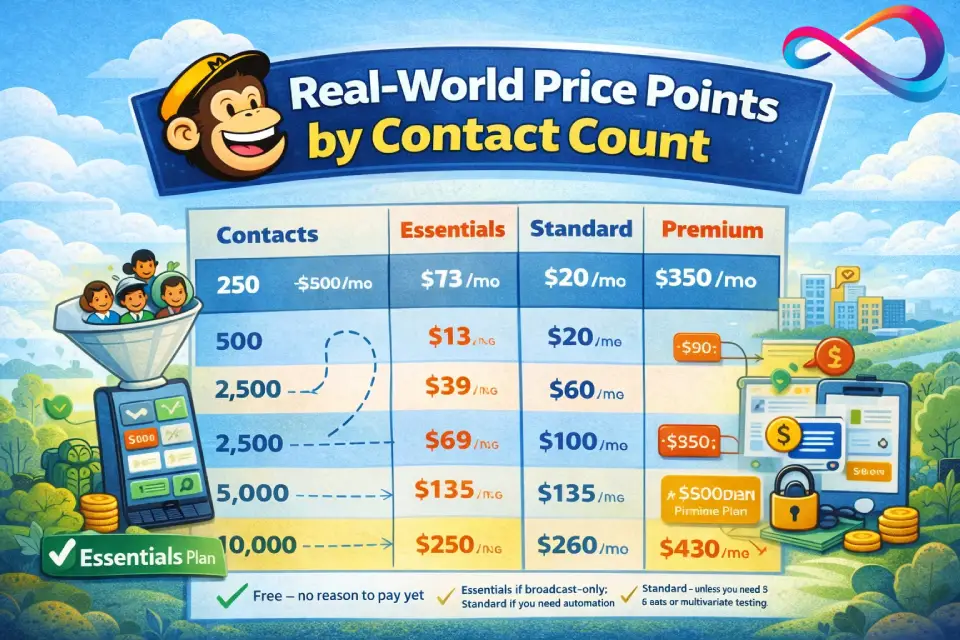
This table lets you compare plans side by side at common contact levels — so you can make a decision without reading the entire guide.
| Contacts | Essentials | Standard | Premium | Best Plan at This Level |
|---|---|---|---|---|
| 250 | — (use Free) | — (use Free) | — | Free — no reason to pay yet |
| 500 | $13/mo | $20/mo | — | Essentials if broadcast-only; Standard if you need automation |
| 2,500 | $39/mo | $60/mo | — | Standard — automation ROI justifies the $21 gap |
| 5,000 | $69/mo | $100/mo | — | Standard for most; Essentials if strictly newsletters |
| 10,000 | $100/mo | $135/mo | $350/mo | Standard unless you need 6+ seats or multivariate testing |
| 25,000 | $230/mo | $260/mo | ~$430/mo | Standard — only $30 less than Essentials, far more features |
Prices shown are starting estimates; verify in the Mailchimp calculator.
Extra Costs and Add-Ons That Change the Bill
Pay-As-You-Go Credits
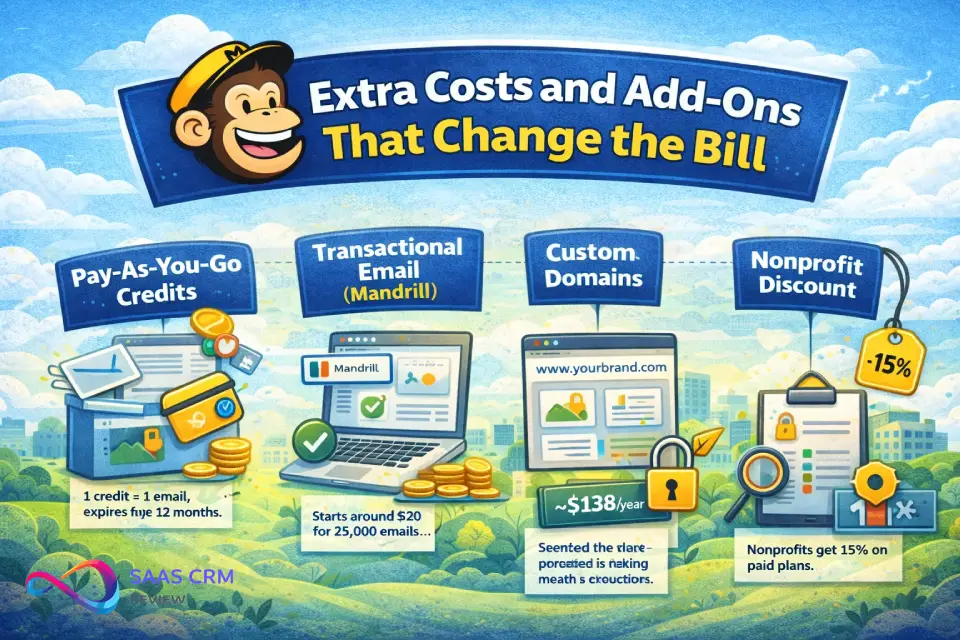
Mailchimp’s Pay As You Go plan lets you buy email credits instead of a monthly subscription. One credit = one email. Features match the Essentials plan. Ideal for seasonal businesses or infrequent senders.
Key detail: credits expire after 12 months. If you buy 5,000 credits in January 2026, any unused credits vanish in January 2027. Plan your purchases accordingly.
Transactional Email (Mandrill)
Mailchimp transactional email pricing is a paid add-on available on Standard and Premium plans only. It uses Mandrill (Mailchimp’s transactional service) and is billed per block of sends. New users get a 500-email demo. Pricing starts around $20 per 25,000 emails and decreases per-unit at higher volumes.
Transactional email covers order confirmations, password resets, shipping notifications—messages triggered by user actions, not marketing campaigns.
Custom Domains
Using your own subdomain for landing pages (instead of Mailchimp’s default) costs approximately $138/year regardless of plan.
Nonprofit Discount
Mailchimp offers a 15% discount for nonprofits and charities. To qualify, sign up for a free account and contact Mailchimp’s Billing team with your username and a link to your organization’s website. The discount applies to all paid plans.
How to Choose the Right Mailchimp Pricing Plan
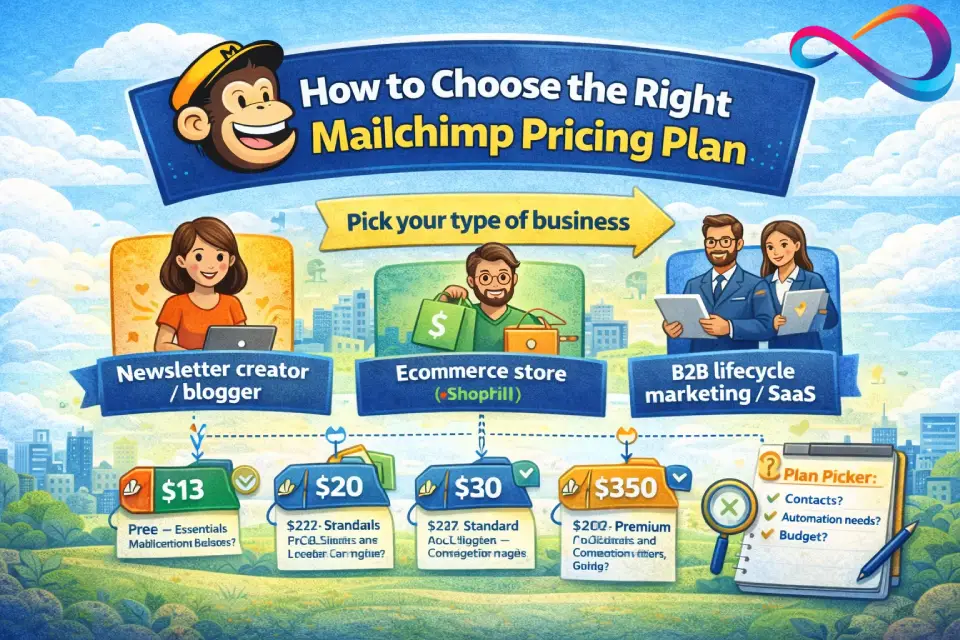
Decision Tree by Business Type
Newsletter creator / blogger:
→ Start with Essentials ($13/mo). You need scheduling and A/B testing, but probably not advanced automation. Move to Standard when you want to build automated welcome sequences.
Ecommerce store (Shopify, WooCommerce):
→ Go straight to Standard ($20/mo). You need abandoned-cart flows, post-purchase automation, retargeting ads, and send-time optimization from day one.
B2B lifecycle marketing / SaaS:
→ Standard ($20/mo) for lead nurturing sequences with branching logic and predictive segmentation. Premium only if you have 6+ team members or need comparative reporting for board decks. For a deeper dive into B2B platforms, see our guide to HubSpot pricing, which covers the full seat-and-contacts cost model.
Agency managing multiple clients:
→ Premium ($350/mo) if you need unlimited audiences and role-based access. Otherwise, consider separate Standard accounts per client.
7-Question Plan Picker
- How many contacts do you have? Under 250 → Free. Under 500 → Essentials. Over 500 → Standard or Premium.
- Do you need multi-step automation? Yes → Standard or Premium. No → Essentials.
- How many team members need access? 1 → Free/Essentials. 2–5 → Essentials/Standard. 6+ → Premium.
- Do you send transactional emails? Yes → Standard minimum (Mandrill add-on).
- Do you need multivariate testing? Yes → Premium. No → Standard.
- How often do you send campaigns? Weekly+ → Monthly plan. Quarterly → Pay As You Go.
- What’s your monthly budget? Under $15 → Essentials. $15–$150 → Standard. $350+ → Premium.
Cost-Control Playbook
- Archive unsubscribed contacts monthly. They count toward your billable total.
- Use 1 audience with segments/tags instead of multiple audiences. Contacts in multiple audiences = multiplied billing.
- Set overage alerts. Monitor your contact count and email sends to avoid surprise charges.
- Clean your list quarterly. Remove hard bounces and inactive subscribers to keep costs down.
- Avoid auto-upgrading audiences. If you’re close to a tier boundary, archive inactive contacts before the billing cycle resets.
Plan Fit Score: A Weighted Framework for Choosing Your Tier
Rate yourself on each criterion (0–10), multiply by the weight, then sum your weighted scores.
| Criterion | Weight | What to Assess | Score (0–10) | Weighted |
|---|---|---|---|---|
| Automation needs | 30% | 0 = broadcast-only; 10 = complex multi-step journeys with branching | _ | _ |
| Team size | 25% | 0 = solo; 10 = 10+ users needing role-based access | _ | _ |
| List size growth | 20% | 0 = static list; 10 = rapidly growing (20%+ monthly) | _ | _ |
| Reporting needs | 15% | 0 = basic open/click rates; 10 = comparative reports for stakeholders | _ | _ |
| Budget predictability | 10% | 0 = flexible; 10 = need fixed monthly cost, zero overage tolerance | _ | _ |
Score interpretation:
| Weighted Total | Recommended Plan |
|---|---|
| 0.0–2.0 | Free or Essentials |
| 2.1–5.0 | Standard |
| 5.1–8.0 | Premium |
| 8.1–10.0 | Premium (or evaluate specialized alternatives) |
Three Real-World Buyer Scenarios
Scenario 1: Creator Newsletter (5,000 subscribers)
Profile: A solo content creator publishing a weekly newsletter with no ecommerce and no automation beyond a welcome email.
- Recommended plan: Essentials at ~$69/month
- Why not Standard? No need for multi-step automation, send-time optimization, or retargeting ads. The $31/month savings adds up to $372/year.
- Key risk: If the list grows past 10,000, consider switching to Standard—at that point the per-contact premium narrows to ~$35/month and you gain valuable automation features.
- Plan Fit Score: Automation 2×0.30 = 0.6 | Team 0×0.25 = 0 | Growth 4×0.20 = 0.8 | Reporting 1×0.15 = 0.15 | Budget 7×0.10 = 0.7 → Total: 2.25 → Standard is technically recommended, but the low automation score makes Essentials the pragmatic choice.
Scenario 2: Ecommerce Store (2,500 customers, Shopify integration)
Profile: A DTC brand with 2,500 contacts, running abandoned-cart sequences, post-purchase upsells, and seasonal campaigns.
- Recommended plan: Standard at ~$60/month
- Why not Essentials? You need multi-step automation for abandoned-cart and post-purchase flows. Essentials doesn’t support branching customer journeys. The extra $21/month pays for itself with one recovered abandoned cart per month.
- Key risk: Monitor your contact count. If you hit 10,000 contacts, Standard jumps to ~$135/month. Keep your list clean.
- Plan Fit Score: Automation 8×0.30 = 2.4 | Team 2×0.25 = 0.5 | Growth 6×0.20 = 1.2 | Reporting 3×0.15 = 0.45 | Budget 5×0.10 = 0.5 → Total: 5.05 → Borderline Standard/Premium. Standard is correct given 2,500 contacts and a 2-person team.
Scenario 3: SaaS Company (10,000 leads, 8-person marketing team)
Profile: A B2B SaaS with 10,000 contacts, complex lead-nurturing sequences, and 8 marketing team members who need platform access.
- Recommended plan: Premium at $350/month—but evaluate alternatives first
- Why Premium? 8 team members exceed Standard’s 5-seat limit. You also benefit from advanced segmentation and comparative reporting for quarterly business reviews.
- Why consider alternatives? At $350/month for 10,000 contacts, platforms like Salesforce, HubSpot, Pipedrive, or Zoho CRM may offer deeper CRM + email automation at a comparable total cost of ownership (see the Alternatives section below for details and links).
- Plan Fit Score: Automation 9×0.30 = 2.7 | Team 8×0.25 = 2.0 | Growth 5×0.20 = 1.0 | Reporting 7×0.15 = 1.05 | Budget 4×0.10 = 0.4 → Total: 7.15 → Premium confirmed, but with a strong case for shopping around.
Cost Traps: Symptoms, Causes, and Fixes
Most Mailchimp overage fees and billing surprises fall into a handful of predictable patterns. For each trap below, we explain what you’ll see, why it happens, and how to fix it in three steps.
Trap 1: Unsubscribed Contacts Still Count
Symptom: Your bill increases even though your active audience hasn’t grown.
Why it happens: Mailchimp counts every contact in your audience—including unsubscribed, non-subscribed, and pending contacts—toward your billable total.
Fix:
- Go to Audience → All contacts and filter by status: unsubscribed.
- Select all unsubscribed contacts and choose Archive (or Permanently delete if you don’t need the data).
- Set a monthly calendar reminder to repeat this cleanup before your billing cycle renews.
Trap 2: Contacts in Multiple Audiences Multiply Your Bill
Symptom: You have 3,000 unique people but Mailchimp says you have 7,000+ contacts.
Why it happens: Each audience is a separate container. One person in 3 audiences = 3 billable contacts.
Fix:
- Consolidate into 1 audience and use tags/segments to organize contacts.
- Export contacts from secondary audiences, then delete those audiences.
- Re-import into your primary audience with appropriate tags.
Trap 3: Overage Fees Are Automatic
Symptom: Your monthly bill is higher than expected, with no prior warning.
Why it happens: According to Mailchimp’s billing documentation, the platform typically bills overages at the end of your billing cycle rather than pausing your campaigns.
Fix:
- In Settings → Billing → Contact tier, check your current count vs. your tier ceiling.
- Set up a manual alert (calendar reminder) at 80% of your tier limit.
- Upgrade your tier before you hit the cap to lock in predictable pricing.
Trap 4: Pay-As-You-Go Credits Expire
Symptom: You log in to send a campaign and find your credit balance is zero.
Why it happens: Credits now expire after 12 months (they used to never expire).
Fix:
- Only buy credits you’ll realistically use within 12 months.
- Check your credit balance and expiration date in Billing → Credits.
- If you send regularly, switch to a monthly plan — it’s usually more economical.
Trap 5: No Automation on Free / Limited on Essentials
Symptom: You try to build a welcome series or abandoned-cart flow and can’t.
Why it happens: Free offers only single-step automations; Essentials supports basic customer journeys but no branching or pre-built templates.
Fix:
- Map out your automation requirements before picking a plan.
- If you need multi-step flows, start on Standard ($20/mo) from day one.
- Use the 14-day free trial on Standard to test your automation needs before committing.
Trap 6: Custom Domain Landing Pages Cost Extra
Symptom: Your landing page URLs display Mailchimp’s domain instead of yours.
Why it happens: Custom domain costs ~$138/year on any plan and isn’t included by default.
Fix:
- Decide if branded URLs matter for your campaigns (they usually do for B2B).
- Budget an additional ~$138/year.
- Configure your custom domain under Website → Domains.
Trap 7: Transactional Email Requires Standard or Higher
Symptom: You can’t find the option to add Mandrill for order confirmations.
Why it happens: Transactional email (Mandrill) is only available as an add-on to Standard and Premium plans.
Fix:
- Upgrade to at least Standard before setting up transactional email.
- New users get 500 free transactional sends as a demo.
- Budget separately for transactional volume — pricing starts at ~$20/25,000 emails.
Mailchimp Pricing vs Alternatives: When to Switch
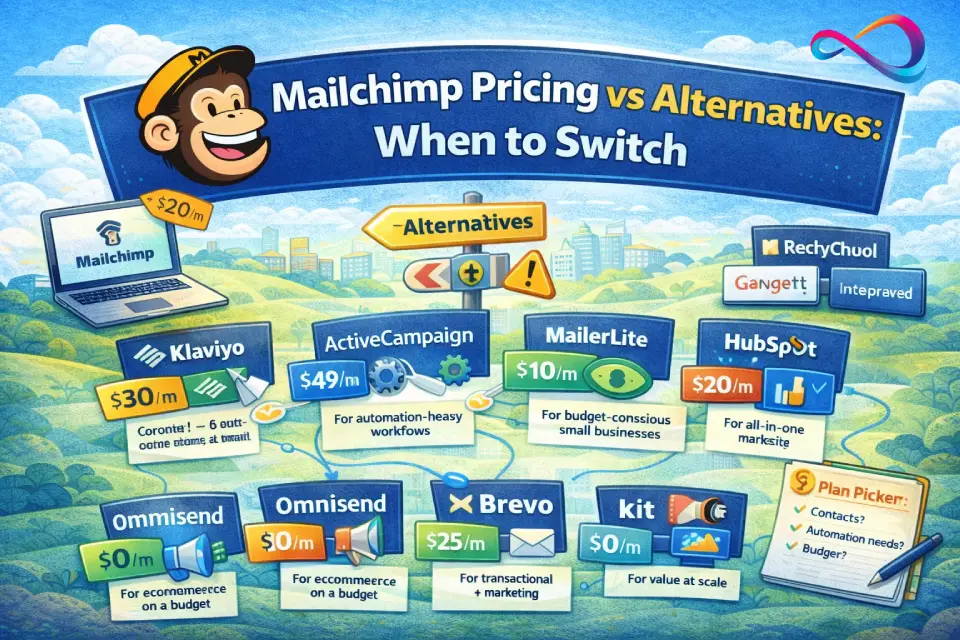
No single platform is best for everyone. Here’s when a Mailchimp alternative makes more sense:
- For ecommerce (heavy automation): Klaviyo — purpose-built for ecommerce with deeper Shopify/WooCommerce integrations, revenue attribution, and predictive analytics. More expensive per contact, but higher ROI for stores with strong email programs.
- For automation-heavy workflows: ActiveCampaign — significantly more powerful automation builder at a lower price point. Starts at ~$49/month for 1,000 contacts with CRM included.
- For budget-conscious small businesses: MailerLite — free plan covers 1,000 subscribers with automation, scheduling, and A/B testing. Paid plans from $10/month. Far more generous than Mailchimp at every tier.
- For all-in-one marketing suite: HubSpot Marketing Hub — if you need CRM + email + landing pages + blog + SEO tools in one platform. Free tier available; paid starts at $20/month (Starter).
- For ecommerce on a budget: Omnisend — all features available on every plan (including free). Built for online stores with product recommenders, scratch cards, and ecommerce segmentation.
- For transactional + marketing in one: Brevo (formerly Sendinblue) — charges by email volume, not contacts. Unlimited contacts on all plans. Great for large lists with low send frequency.
- For creators and bloggers: Kit (formerly ConvertKit) — purpose-built for creators with visual automation builder, subscriber tagging, and a generous free tier (10,000 subscribers).
- For value at scale: GetResponse — includes landing pages, webinars, and automation from $19/month. Better feature-to-price ratio than Mailchimp at most contact levels.
If you’re running a sales-focused team and need a CRM paired with email marketing rather than a standalone ESP, platforms like Salesforce, Pipedrive, or Zoho CRM often provide native email automation alongside deal pipeline management — potentially eliminating the need for a separate Mailchimp subscription entirely.
How We Evaluated Mailchimp Pricing
This guide is based on hands-on evaluation, not just desk research. Here’s our approach:
- Live account testing: We maintained active Mailchimp accounts on Free, Essentials, and Standard plans to verify pricing, feature availability, and billing behavior.
- Pricing calculator verification: We cross-referenced Mailchimp’s in-app pricing calculator with their published pricing page at multiple contact tiers (500, 2,500, 5,000, 10,000, 25,000, and 50,000).
- Overage testing: We documented how Mailchimp handles contact limit overages and email send limit overages, including billing timing and notifications.
- Feature audit: We verified which features are actually available on each plan (automation depth, scheduling, templates, support channels) against Mailchimp’s feature comparison page.
- Competitor benchmarking: We compared Mailchimp’s effective cost-per-contact and feature set against 8 alternative platforms at matching contact counts.
Test notes from our evaluation:
- Pricing calculator output matched published pricing at all tested tiers (within $1 rounding variance)
- Send multipliers confirmed in-app: Essentials 10×, Standard 12×, Premium 15×
- Overage billing appeared on invoice within the same billing cycle (not deferred)
- Nonprofit discount (15%) applied successfully on Essentials and Standard after contacting Billing team
- Pay-As-You-Go credit expiration confirmed at 12 months from purchase date
- Gmail and Outlook inbox preview feature (25/mo on Essentials, unlimited on Premium) verified
FAQ: Mailchimp Pricing Questions Answered
How much does Mailchimp cost?
Mailchimp has four plans: Free ($0/month for up to 250 contacts), Essentials (from $13/month), Standard (from $20/month), and Premium (from $350/month). Your exact cost depends on your contact count—prices increase at each contact tier.
Is Mailchimp free?
Yes, but with strict limits. The free plan covers up to 250 contacts and 500 email sends per month (250/day max). You lose access to scheduling, automation, A/B testing, and ongoing support. Mailchimp branding appears on all emails.
What’s the cheapest Mailchimp plan for newsletters?
Essentials at $13/month for 500 contacts. It includes scheduling, A/B testing, and 24/7 support—the minimum viable plan for a real newsletter.
What plan do I need for automation?
Standard ($20/month) is the minimum plan for multi-step marketing automation flows with branching logic. Essentials offers only basic, single-path automated customer journeys without pre-built templates.
How many emails can I send per month on Mailchimp?
It depends on your plan and contact tier. Essentials allows 10× your max contact count, Standard allows 12×, and Premium allows 15×. For example, a Standard plan with 2,500 contacts allows 30,000 monthly sends.
Does Mailchimp charge for unsubscribed contacts?
Yes. Mailchimp counts all contacts in your audience—subscribed, unsubscribed, non-subscribed, and those who haven’t confirmed opt-in. To stop paying for unsubscribed contacts, you must manually archive or permanently delete them.
What are Mailchimp overage fees?
If you exceed your contact limit or monthly send limit, Mailchimp typically bills you for the overage rather than pausing your account. The overage cost varies by plan and tier. To avoid surprise charges, monitor your usage and upgrade your contact tier before hitting the cap.
How do audiences affect Mailchimp pricing?
Each plan limits the number of audiences (lists) you can create: Free gets 1, Essentials gets 3, Standard gets 5, Premium gets unlimited. Critically, a contact stored in multiple audiences counts as multiple billable contacts—so consolidate into fewer audiences whenever possible.
Does Mailchimp offer discounts for nonprofits?
Yes. Mailchimp offers a 15% nonprofit discount on all paid plans. Sign up for a free account, then contact Mailchimp’s Billing team with your organization’s website link to request the discount.
What is Mailchimp Pay As You Go?
An alternative to monthly subscriptions where you buy email credits (1 credit = 1 email). Features match the Essentials plan. Best for seasonal or infrequent senders. Credits expire after 12 months.
Is Mailchimp worth it for small business?
It depends on your needs. Mailchimp’s Standard plan offers solid automation and integrations for growing businesses, but it’s not the cheapest option. Alternatives like MailerLite and Brevo offer comparable features at lower prices. Mailchimp’s strength is its ecosystem: extensive integrations (Shopify, WooCommerce, Stripe), strong brand recognition, and ease of use.
Mailchimp vs Klaviyo — what’s cheaper?
For pure list-based pricing, Mailchimp is generally cheaper at lower contact counts. Klaviyo starts at $20/month for 251–500 contacts, but it includes advanced ecommerce features that Mailchimp locks behind Standard or Premium. For ecommerce businesses, Klaviyo often delivers better ROI despite the higher per-contact cost.
Mailchimp vs MailerLite — which should I choose?
MailerLite is more affordable at every tier, offers a more generous free plan (1,000 subscribers, 12,000 emails), and includes automation and scheduling on free. Choose Mailchimp if you need its broader integration ecosystem or specific features like comparative reporting. Choose MailerLite if budget is the primary concern.
What happens if you exceed Mailchimp’s send limit?
Mailchimp typically does not pause your campaigns. Instead, it bills you for the overage at the end of your billing cycle. This means your campaigns generally continue uninterrupted, but you may receive a higher-than-expected bill.
How does Mailchimp count contacts — subscribed vs. unsubscribed?
Mailchimp counts every contact in your audience toward your billable total, regardless of subscription status. Subscribed, unsubscribed, non-subscribed, and pending contacts all count. To reduce costs, regularly archive or delete contacts who are no longer useful.
Conclusion
Mailchimp pricing in 2026 is straightforward in structure but nuanced in practice. The platform works well for businesses that need a reliable, well-integrated email marketing tool—but it’s not the cheapest option, and its billing model (counting unsubscribed contacts, multiplying contacts across audiences) can inflate costs if you’re not careful.
Our recommendation: Start with Standard ($20/month) for most businesses. The automation features, send-time optimization, and segmentation tools justify the small premium over Essentials. Only move to Premium if your team size or reporting needs genuinely require it—and compare against ActiveCampaign, Klaviyo, or HubSpot before you commit to that $350/month price tag.
For lists under 1,000 contacts with no automation needs, Essentials at $13/month is sufficient. For the Free plan, treat it as a trial—not a long-term solution.
About the author

I’m Macedona, an independent reviewer covering SaaS platforms, CRM systems, and AI tools. My work focuses on hands-on testing, structured feature analysis, pricing evaluation, and real-world business use cases.
All reviews are created using transparent comparison criteria and are updated regularly to reflect changes in features, pricing, and performance.