Kimi AI is worth paying for if your work is coding or multi-step agent jobs, starting on Plus at $19 a month, or $180 a year billed annually. One membership covers chat, Agent Swarm (up to 300 sub-agents) and Kimi Code, which is compatible with Claude Code. The catch: every feature draws on one monthly credit pool, sized as 2x, 5x and 10x agent credits on Pro, Max and Ultra.
Quick verdict
Worth it for: developers and researchers running coding and agent work. Annual billing saves $48 on Plus (12 x $19 = $228 against $180) and up to $480 on Ultra.
- Skip it if:
- your data must stay out of China (kimi.com stores personal information in the PRC), or you buy seats for a team.
Biggest limit: that credit pool first; then Plus caps K3.1 Pro at 256K context in Kimi Code, while Pro ($39 a month) opens 1M and Highspeed.
Check first: Kimi calls its API “primarily intended” for mainland China users, and K3.1 Pro requests may queue at launch. The API bills separately, per token.
In This Article (10 sections)
What Kimi AI Is and Who It’s For
Kimi AI is Moonshot AI’s assistant and agent platform, sold two ways: a US membership (Free, Plus, Pro, Max, Ultra) for the app, Agent and Kimi Code, and a separate pay-as-you-go API. Its flagship model is Kimi K3.1 Pro.
- Best for: solo coding and research agent work
- Starting price: Plus, $19 a month billed monthly, or $180 a year billed annually
- Free plan: yes: 1 Agent task at a time, 2 projects, 500MB of project storage
- API: K3.1 Pro at $2.00 input and $10.00 output per 1M tokens
- Main limitation: credits stated as multiples, with no published count
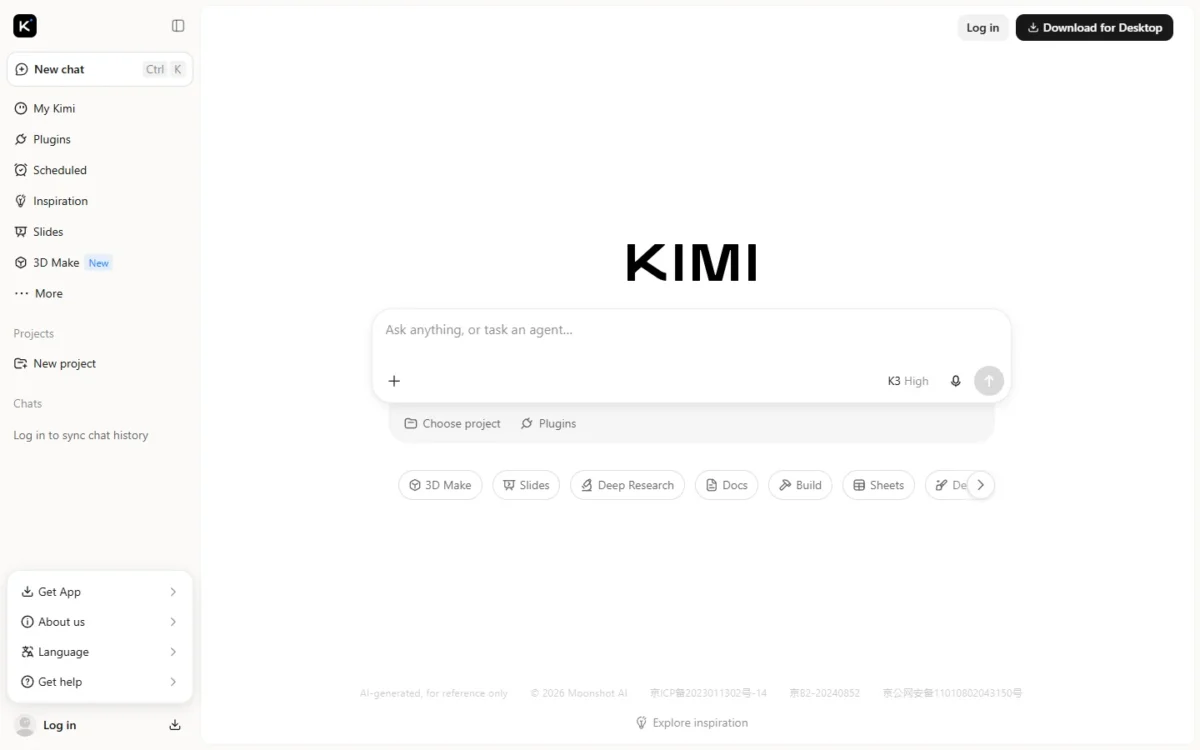
Inside the membership, Kimi Agent builds websites, documents, spreadsheets, slide decks and Deep Research reports, Kimi Code is the coding agent, and Kimi Work runs an agent on your own computer.
The Kimi API Open Platform is for builders who call the model from their own product, and its API is not interchangeable with the Kimi Code API.
If an old link brought you here for the retired Kimi K2.5, its status and migration steps are near the end.
Kimi AI Features That Matter
Four things decide a Kimi purchase: where K3.1 Pro’s context window applies, what Agent and Agent Swarm can do, Kimi Code’s plan gates, and where your data goes.
K3.1 Pro: the flagship model and where its context applies
K3.1 Pro is Kimi’s most capable model, with native vision and a 1M-token context window in Kimi’s model list, but that window does not reach every surface. You get the full 1M on the API and in Kimi Code from Pro up; Agent works in 128K tokens, and Plus stops at 256K in Kimi Code.
Thinking is always on in the K3.1 Pro API, with reasoning_effort defaulting to max, so a quick classification call should send low. The Highspeed variant runs at about 2-3x the speed for double the token rates.
The benchmarks are Moonshot’s own: its launch post reports that Kimi K3.1 Pro scores 65.7% on Terminal-Bench 4.0. Run your own task for a month on Plus before paying for a year.
Agent and Agent Swarm
Agent handles one bounded task; Agent Swarm handles wide, parallel ones. An Agent task usually takes 5 to 20 minutes, works in a 128K-token context window and usually outputs one file.
Agent Swarm deploys up to 300 sub-agents and more than 4,000 tool calls in a single task, at roughly several times the credits of a regular Agent task. The pricing page limits Swarm running subtasks to 2 on Plus, 4 on Pro and 8 on Max and Ultra, so I would treat Plus as the tier for trying Swarm on complex tasks, not for running it all week.
Kimi Code: plan gates for developers
Kimi Code starts at Plus, with K3.1 Pro capped at 256K tokens of context; Pro opens the 1M context window and Highspeed. Every new plan runs on a rolling 5-hour rate window with no weekly limit, inside a monthly quota shared with the rest of the membership.
Kimi Code ships as a desktop app, a CLI and a VS Code extension. A member can also create up to 5 API keys and point Claude Code, OpenCode or Codex at Kimi’s models, so a developer who knows how to set up Claude Code keeps the tool and swaps the model.
When the window or the quota is spent, requests return an HTTP 429 error until the reset. Extra Usage keeps a session going from a balance shown in RMB, with no spending cap unless you set one.
My take
I would start on Plus only if your repositories fit in 256K tokens. For a large codebase in one pass, or for Highspeed, Pro at $39 a month is the real entry price. Set a monthly cap before you switch on Extra Usage.
Kimi Work (desktop, Beta)
Kimi Work is the local agent in Kimi’s desktop client (Mac with Apple silicon, or Windows 10 or later), in Beta since its June 3, 2026 launch. Of its three permission levels, I would pilot on Manual approval, which asks before acting.
Data handling, security and support
Whether Kimi is safe for business data depends on the surface. The kimi.com app comes from Beijing Moonshot Technology Co., Ltd. and its affiliates, and it stores personal information within the People’s Republic of China, under its privacy policy, and may use de-identified inputs and outputs to optimize its models unless you ask customer service to stop.
That policy sends users outside mainland China to kimi.ai, whose privacy policy, last updated December 19, 2024 and served in Chinese, says backups are stored in different physical locations. The API is separate: its policy, from MOONSHOT AI PTE. LTD., puts servers in Singapore.
With PRC storage and that training default, I would keep client, health and regulated data out of the consumer app. Support is email and in-product feedback, with paid members prioritized and no response time stated.
Kimi AI Ease of Use and Setup
Kimi’s app lets you log in to sync chat history, and it bills its membership and its API as two separate systems on one account, so check which one you are buying. A plan of any tier pays for no API calls, and credits are not shared; read up on what an API is if the split is new to you.
Kimi Code’s desktop app and VS Code extension sign in with your Kimi account, with no API key to manage.
The API needs one more step: K3.1 Pro opens after a top-up of at least $1. Its caveat is Kimi’s own: the API help page says the Kimi API is “primarily intended for users in the Chinese mainland” and that overseas stability “cannot be fully guaranteed”. The API also has no endpoints for PPT generation or Deep Research.
One Reddit thread (r/kimi), checked Nov 2026, adds a user’s view: its author gets the best results from prompts that spell out role, context, task, constraints and output.
My take
For a US team I would try Agent on the Free plan, pay for one month of Plus to use Kimi Code, and only then top up the API and run a week of real traffic.
Kimi AI Pricing
Kimi’s US membership costs $0 on Free, then $19 on Plus, $39 on Pro, $99 on Max and $199 on Ultra per month billed monthly, or $180 to $1,908 a year billed annually. The API is separate and pay-as-you-go: K3.1 Pro costs $2.00 per 1M input tokens and $10.00 per 1M output tokens.
These are individual plans in US dollars; annual billing is one charge up front.
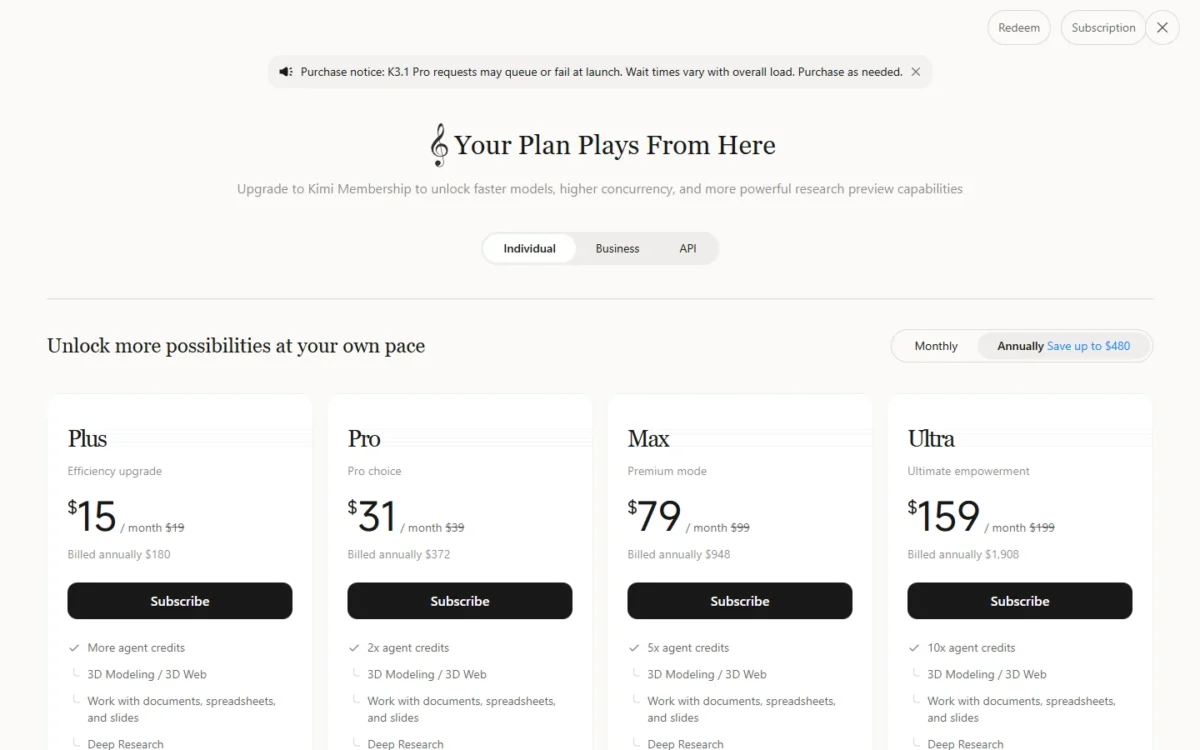
| Plan | Monthly billing | Annual billing (per year) | Monthly equivalent | Key limit |
|---|---|---|---|---|
| Free | $0 | $0 | $0 | 1 Agent task at a time |
| Plus | $19 | $180 | $15 | “More agent credits” |
| Pro | $39 | $372 | $31 | 2x agent credits |
| Max | $99 | $948 | $79 | 5x agent credits |
| Ultra | $199 | $1,908 | $159 | 10x agent credits |
Sources: Kimi membership pricing, Monthly and Annually views, checked Nov 2026.
Kimi prints credits as multiples and never the base number, so no tier tells you how many tasks it buys. All features share one monthly credit pool with no rollover; when it runs out, tasks in progress finish and new ones are blocked.
The old tier names (Andante, Moderato, Allegretto, Allegro) are now legacy plans, with pricing unchanged, and switching to a new plan is optional. Legacy plans keep a weekly Kimi Code limit on top of the rolling 5-hour window; new plans have no weekly limit.
Plan gates: what each tier unlocks
The limit that forces an upgrade from Plus is Kimi Code’s 256K context cap: Pro opens 1M and Highspeed.
| Plan | Kimi Code context on K3.1 Pro | Highspeed | Agent tasks at once | Swarm running subtasks |
|---|---|---|---|---|
| Plus | Up to 256K | Higher plan: Pro | 2 | 2 |
| Pro | Up to 1M | Included | 2 | 4 |
| Max | Up to 1M | Included | 4 | 8 |
| Ultra | Up to 1M | Included | 4 | 8 |
Sources: Kimi Code membership benefits, Kimi Code error reference and the Kimi pricing page, checked Nov 2026.
I would buy Max, with 5x agent credits and 4 Agent tasks at once, only after draining Pro’s pool in a normal month. Ultra matches Max on these four gates; the pricing page gives it 10x agent credits against Max’s 5x and 25 scheduled tasks against 20, so the same rule applies one step up: drain Max’s pool first.
What it costs in a year, and on the API
Annual billing saves $96 on Pro (12 x $39 = $468 against $372) and $240 on Max (12 x $99 = $1,188 against $948). I would still pay monthly first: Kimi’s own purchase notice says K3.1 Pro requests may queue or fail at launch, and month one shows whether the credit pool covers your work.
Three people on Pro pay 3 x $372 = $1,116 a year, as three individual memberships; team seats sit in the separate Kimi Business subscription.
On the API, take an illustrative month of 10 million input tokens and 2 million output tokens, at list prices with no caching.
| Model | Input per 1M tokens | Output per 1M tokens | Illustrative month |
|---|---|---|---|
| K3.1 Pro | $2.00 | $10.00 | 10 x $2.00 + 2 x $10.00 = $40.00 |
| K3.1 Pro Highspeed | $4.00 | $20.00 | 10 x $4.00 + 2 x $20.00 = $80.00 |
| K3 | $3.00 | $15.00 | 10 x $3.00 + 2 x $15.00 = $60.00 |
Sources: Kimi model inference pricing, checked Nov 2026; illustrative workload. Prices exclude applicable taxes.
Batch inference bills at 60% of the standard price, which takes the K3.1 Pro month to $40.00 x 60% = $24.00.
The API caches repeated request prefixes automatically, and cached input on K3.1 Pro bills at $0.20 per 1M tokens, a tenth of the $2.00 standard rate, which pays off for agents that resend the same long system prompt.
K3.1 Pro is the cheaper flagship as well as the newer one, and I would pay for Highspeed only where a user waits on each answer. To set these token rates against a Western model, see Claude’s plan and API prices.
One standing cost sits inside the membership: Kimi Claw, a cloud agent that runs code, operates a browser and calls tools in an isolated sandbox, comes with Pro and up. Its deployed cloud host deducts about 0.6% of your membership credits each day, about 18% over a 30-day month (0.6% x 30), so delete the host when you are not using it.
Kimi AI Pros and Cons
Kimi’s bundle is worth it when your data can sit on kimi.com; if it cannot, no strength below matters.
Pros
- Plus at $19 a month bundles K3.1 Pro, Kimi Code and Agent Swarm, so a solo developer pays once for chat and a coding agent
- Kimi Code works with Claude Code, OpenCode and Codex through its API keys, so a developer keeps a familiar tool
- Agent Swarm runs up to 300 sub-agents in one task, for wide research and batch jobs, with 2 running subtasks on Plus and 4 on Pro
Cons
- Credits are stated only as multiples and shared by every feature, so heavy Swarm use can block coding until the monthly refresh
- Plus caps Kimi Code at 256K context; the 1M window needs Pro
- kimi.com stores personal information in the PRC and may train on content unless you opt out, which rules it out for client data
- Overseas API stability is not fully guaranteed, a risk for US production apps
Who Should Use Kimi AI (and Who Should Skip It)
Kimi fits three buyers: a solo developer who wants a second model in Claude Code, which Kimi Code works with; a researcher who runs wide Swarm jobs; and a builder who pays K3.1 Pro’s $2.00 input and $10.00 output per 1M tokens, or 60% of that on batch jobs. Skip it if you handle client or regulated data, need team seats, or need guaranteed API access from the US.
Best for
- A solo developer who wants a second model in Claude Code, which Kimi Code works with, for $15 to $19 a month
- A researcher running wide comparison or list-building jobs through Agent Swarm
- A builder batch-processing documents on the API at 60% of the standard price
Not ideal for
- Teams handling client, health or regulated data, because kimi.com stores personal information in the PRC
- Buyers who need team seats and admin, which sit in the separate Kimi Business subscription
If the data rule sends you back to the two large US assistants, my ChatGPT vs Claude for business comparison sets them side by side.
Kimi AI vs Competitors
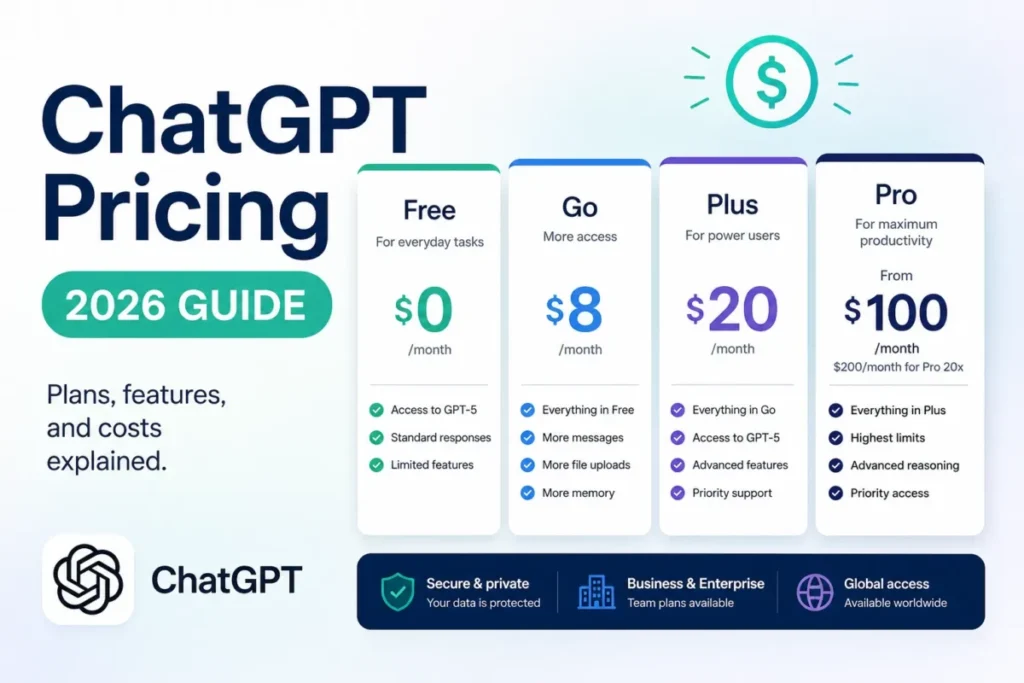
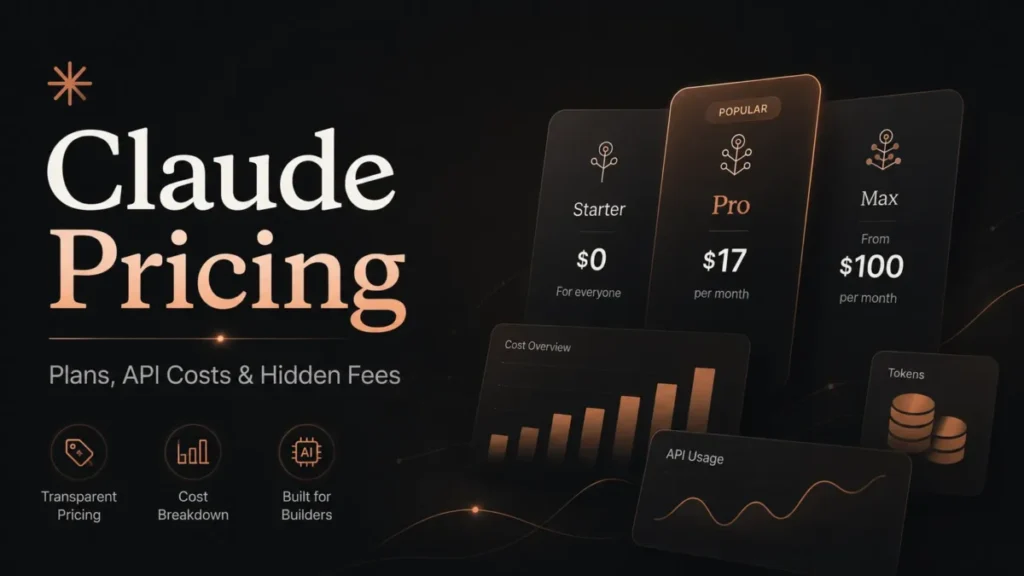
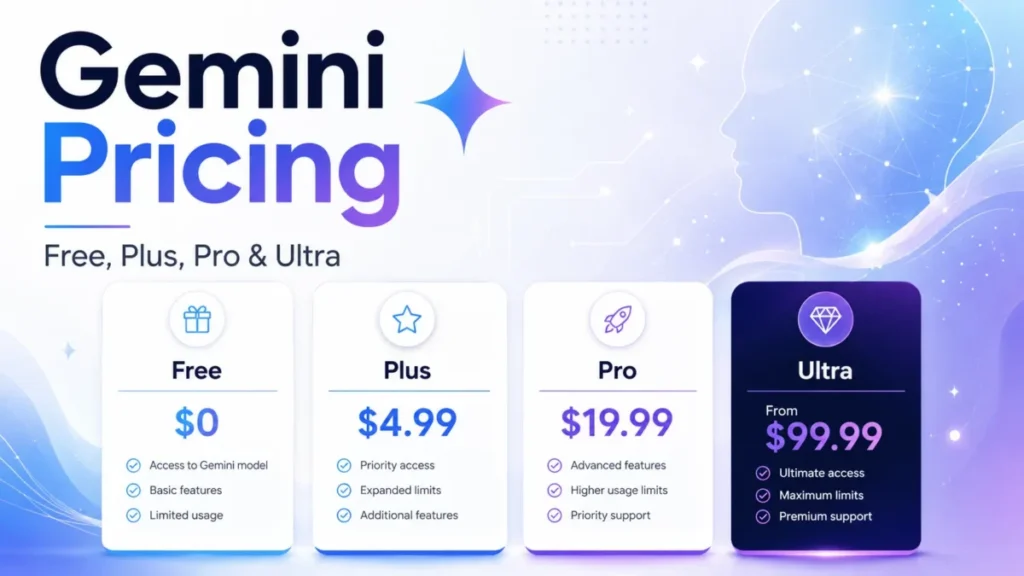
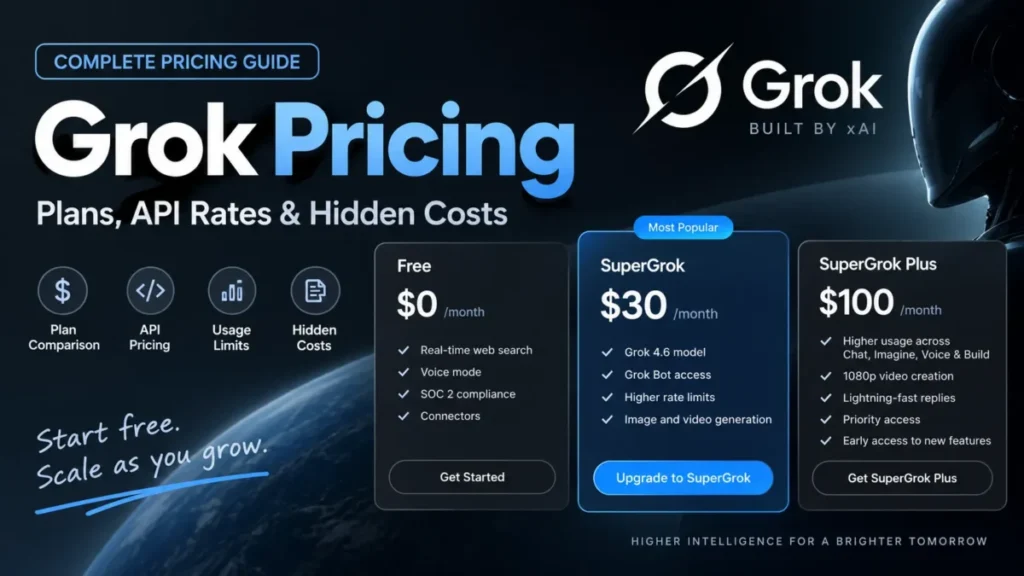
On monthly billing, Kimi Plus lists $1 below both ChatGPT Plus and Claude Pro ($19 against $20), and on the API K3.1 Pro lists above DeepSeek V4 Pro. Kimi’s edge is Swarm-scale agents and a coding agent in one plan.
| Software | Best for | Starting price | Key difference | Main trade-off |
|---|---|---|---|---|
| Kimi AI | Solo coding and agent work | Plus: $19 a month, or $15 with annual billing ($180 a year) | Agent Swarm and Kimi Code in one plan | PRC data storage on kimi.com |
| ChatGPT | A general assistant | Plus: $20 a month | Projects, scheduled tasks and custom GPTs on Plus | Pro, the next tier, starts from $100 a month |
| Claude | Coding in Claude Code | Pro: $20 a month, or $17 with annual billing | Claude Code is included in all paid plans | Usage is metered every 5 hours and every week |
| DeepSeek | Low-cost API tokens | V4 Pro: $1.32 input, $3.96 output per 1M tokens at peak | Off-peak rates are half of peak rates | V4 Pro does not support vision |
Sources: Kimi membership pricing page, ChatGPT pricing, Claude pricing and DeepSeek API pricing, checked Nov 2026.
Claude is the coding rival, and because Kimi Code works with Claude Code the two also pair up; my Claude review covers that plan.
Pick ChatGPT when you want one general assistant and your data cannot sit in the PRC; my ChatGPT review has the full verdict.
If token price decides your build, my ranking of the best AI models by task and token price sets DeepSeek and others beside K3.1 Pro.
To widen the shortlist, start from my list of the best AI chatbots by job and budget.
Kimi K2.5 Is Retired: Where Old K2 Integrations Go
Kimi K2.5 no longer works on the Kimi API: Kimi’s platform changelog says kimi-k2.5 was retired across all platforms, and calls to it return a 404 “model not found” error.
The rest of the K2 line closed to newly registered users on October 31, 2026, and the model list expects its deprecation in late December 2026, so a team still on K2.6 or K2.7 Code should plan the move now.
The changelog names Kimi K3 as the migration target. I would move to K3.1 Pro instead, the newer flagship with the lower list price:
- Inventory every K2 model name in code, config and fallbacks.
- Top up at least $1 to open K3.1 Pro.
- Set
reasoning_effort: thinking is always on and defaults to max. - Re-test vision input, which takes base64 or
ms://<file-id>images, not public URLs. - Move non-urgent jobs to batch inference at 60% of the standard price.
FAQ
Is Kimi AI free?
Yes. The Free plan costs $0 and runs 1 Agent task at a time, with 2 scheduled tasks, 2 projects and 500MB of project storage. Kimi Code starts on Plus.
Is Kimi AI open source?
Partly. The app and API are hosted services, but Moonshot releases model weights: Kimi K3’s full weights became available on July 27, 2026, and the K3.1 Pro launch post promised its weights by November 4, 2026. Before you self-host, confirm them on the model repository and read its license.
How I Evaluated Kimi AI
I read Kimi’s official pages on November 16, 2026: membership pricing in both billing views, API pricing, the model list and changelog, the K3.1 Pro quickstart and launch post, the help center, and the privacy policies and terms. Prices and limits come from those pages, plan-fit calls and cost math are my analysis, and one Reddit thread is cited as its author’s view.
The pricing page lists agent credits for Pro, Max and Ultra as 2x, 5x and 10x multiples, so the plan calls here compare tiers by those multiples.
Kimi AI Review: Final Verdict
Kimi is worth paying for if you are a solo developer or researcher whose work is coding and agent jobs. I would take Plus if 256K tokens of context is enough and Pro if you need the 1M window or Highspeed, paying monthly until K3.1 Pro’s launch queue has settled for you. For Swarm jobs, the tier rule is running subtasks: 2 on Plus, 4 on Pro and 8 on Max, with Max only after you drain Pro’s pool.
Skip it for client or regulated data: kimi.com’s storage and training terms settle that before any feature does, and ChatGPT Plus or Claude Pro costs $20 a month.
Builders should budget the API apart from any plan and run real traffic from the US first. Before you pay for a year, watch how fast a normal day of work drains your credit balance, which Kimi shows as a percentage.