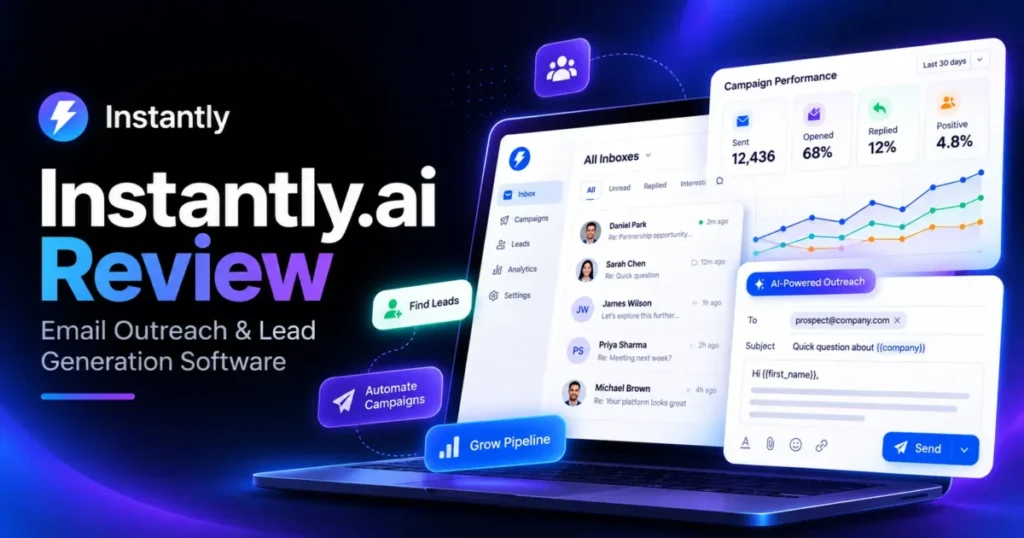
Instantly.ai is a sound buy for one kind of team: people who send cold email from their own domains, want unlimited inboxes and warmup in one workspace, and stay disciplined about add-ons. The Growth Outreach plan is $47 a month on monthly billing.
Lead data, the CRM and inbox placement testing are separate subscriptions, though, and the bill grows fast once you stack them. Start the trial with a written monthly budget and a short list of the gates you need.
Evidence basis: official pricing and documentation, checked 2026-10-01.
In This Article (18 sections)
Instantly.ai Quick Verdict
| Question | Short answer |
|---|---|
| Best for | Solo founders and SDR teams sending from inboxes they connect themselves |
| Not ideal for | Buyers who want one price for sending, data and CRM, or who want Instantly only as a data or inbox vendor |
| Starting price | Growth Outreach at $47 a month on monthly billing |
| Practical plan | Hypergrowth at $97 a month once a team needs the features gated above Growth |
| Free trial | A time-limited trial with no card needed; the Help Center and the trial workspace list different email allowances |
| Main strength | Unlimited email accounts and pooled warmup, included with Outreach |
| Main limitation | Add-ons bill separately: a Growth-tier stack of four modules is $188 a month |
| Best alternative | Depends on the gap: a multichannel tool beyond email, a cold email tool without metered credits, or one platform for data, outreach and deals (all named in the alternatives section) |
Source: Instantly plans overview.
Methodology: How Instantly.ai Was Reviewed
This review is based on Instantly’s public pricing page, its Help Center articles on plans, credits, warmup, email accounts and the core sending features, and two vendor blog posts on pricing. It also uses screens captured in an Instantly free-trial workspace, the public G2 and Trustpilot profiles, and the pricing pages of four alternatives, checked on October 1, 2026; the feature guides and the G2 profile were checked on October 2, 2026.
The editorial policy explains how that evidence is checked.
Each plan was assessed against the same buyer questions: what it costs per month once add-ons are included, which features each tier gates, how far credits stretch, what the trial allows, and which team outgrows it first.
Greater weight went to factors that change a purchase: entry price against practical price, plan gates, usage caps that do not reset, and dependencies between subscriptions. Brand popularity and affiliate relationships did not affect the verdict.
Claims that could not be verified from these sources were left out. Where Instantly’s own pages disagree, both figures are shown with their source so you know what to confirm.
Two figures published by Salesforge, an Instantly competitor, appear in the warmup and SuperSearch sections with attribution; they are its own measurements, not findings of this review.
What Instantly.ai Is and Who It Fits
Instantly is a cold email platform built around sending from many inboxes at once. Its pricing page says you can connect and warm as many accounts as you need from any provider.
The Help Center’s email accounts guide names the options: you can connect accounts you already own from Google, Microsoft or other providers.
The connection guide shows three routes when you choose a provider: Google, Microsoft, and Other provider (IMAP/SMTP). The same guide says Outlook accounts must be connected individually using the Microsoft connector with oAuth, and bulk connection is not available for Microsoft accounts.
Transactional senders have a route too. Instantly’s SMTP provider guide says you can connect SendGrid, Mailgun, Amazon SES and other SMTP providers by combining SMTP from these services with IMAP from your email provider.
A team with dozens of Outlook inboxes should therefore budget setup time to connect them one at a time, while Google and custom hosts follow their own routes.
Instantly’s agency pricing article says Outreach plans are per workspace with unlimited accounts, not charged by individual seat. That is the vendor’s own description, so confirm how added team members are billed before you sign up.
Everything beyond sending is a separate subscription. The plans overview prices the CRM and Inbox Placement as their own monthly plans, and the pricing page sells Instantly Credits as a separate monthly tier.
Budget for that split before you compare entry prices.
One credit-funded module is easy to miss. The plans overview lists Website Visitors among the features an Instantly Credits plan gives access to, next to SuperSearch, lead verification and the AI agents.
Website Visitors resolves visitors to your website into profiles, and the credit system article charges 3 credits per resolved profile. At that rate, Growth Credits cover about 500 resolved profiles a month if they go to nothing else.
Fit by buyer type, in short:
- Solo founders fit well on Growth alone, as long as the working contact list and the monthly send stay inside its limits.
- SDR teams fit on Hypergrowth, because the team features sit above Growth.
- Agencies and high-volume senders fit on Light Speed or Enterprise, but only after they price the full stack and any inboxes bought inside Instantly.
Core Features and Which Plan Each Needs
Sending is the core product, and the Help Center documents each part of it. Several features a team uses every day are tied to Hypergrowth or above, which matters as much for plan choice as the sending limits do.
Campaigns and A/Z Testing
Instantly’s A/Z testing guide says you can create up to 26 variants per step. Its auto-optimize feature deactivates lower-performing versions based on a winning metric you set: reply rate, click rate or open rate.
That is far more room than a two-version split test. The trial workspace’s upgrade card lists A/Z testing under Hyper Growth, though, so a Growth subscriber should not count on it until checkout confirms otherwise.
Subsequences
The subsequences guide says subsequences send targeted follow-ups automatically when a lead changes to a specific status, performs certain actions, or replies with specific keywords or phrases. The same guide says they are available on the Hyper Growth and Light Speed plans.
This is the branching layer: a reply or a status change can move a lead onto a different follow-up path instead of the main sequence. Growth campaigns run without it.
Unibox
The Unibox guide says it consolidates all replies from your connected email accounts into one master inbox. With unlimited accounts on every Outreach plan, that single inbox is what keeps replies from scattering across dozens of mailboxes.
The trial workspace’s upgrade card lists Unibox with the Hyper Growth features, so a team that plans to share reply handling should price Hypergrowth.
Analytics and Reporting
Instantly’s analytics guide says account-level analytics include total sent, open rate, click rate, reply rate and opportunities. The same guide says you can download campaign analytics as CSV.
Those headline figures summarise all campaigns together. If you report in your own spreadsheets or BI tool, the CSV export is the way to move campaign data out of Instantly.
AI Reply Agent
The AI Reply Agent guide describes an agent for reading incoming emails, replying to leads, handling objections, sending follow-ups, sharing calendar links and updating CRM status. In Human-In-The-Loop mode, you approve replies before they’re sent; Autopilot mode is only available on Hyper Growth or above Email Outreach plans.
Replies it generates are paid for in Instantly credits, at the rate shown in the credits section below. Starting in Human-In-The-Loop mode lets you check its answers before you hand it a live inbox on Autopilot.
Integrations
Instantly’s HubSpot guide says you can connect HubSpot to import leads, export SuperSearch leads, or build real-time workflows in Automations. A separate Help Center article on OutboundSync describes an integration that logs Instantly data, such as sent emails, replies and lead status changes, into HubSpot and Salesforce.
The cited passages state no plan requirement, so confirm availability on your plan, and whether the OutboundSync route adds its own cost, before you build a CRM workflow around it.
For Solo Founders: What the Entry Plan Buys
On monthly billing, Growth costs $47 a month. It includes unlimited email accounts and warmup, 1,000 uploaded contacts and 5,000 emails a month.
The contact figure is the one to watch. Instantly’s plans overview says the uploaded contact limit is a fixed limit across all campaigns, not per month.
So Growth’s 1,000 contacts are a total working list, not a monthly refill.
The bundles look like the easy answer for a founder who also wants lead data. The Starter bundle at $94 a month includes 5,000 emails monthly, 1,000 uploaded contacts and 1,500 Instantly credits monthly.
Growth Credits cost $47 a month for 1,500 credits. Buying Growth Outreach and Growth Credits separately costs $94 per month, the same as the Starter bundle.
On monthly billing, the bundle saves nothing, because it holds the same 1,500 credits and the same sending limits as the two plans bought apart. Any saving comes from annual billing or from the convenience of one checkout.
If a founder only needs a few verified emails a month, the Nano credits tier costs $9 a month for 150 credits.
Verdict for this buyer: Growth fits a sender who stays under 5,000 emails a month and 1,000 active contacts. Start on Growth alone, keep the list lean, and add the smallest credits tier only when lead data is the bottleneck.
For SDR Teams: When Hypergrowth Is Worth the Jump
On monthly billing, Hypergrowth costs $97 a month. In the trial workspace’s billing page, the upgrade card listed A/Z testing, team accounts, advanced scheduling and Unibox under Hyper Growth, not Growth.
For a team, that gate decides the plan. A manager who wants reps answering replies in one shared inbox, or testing more than one version of a step, is shopping for Hypergrowth from day one.
Subsequences and the AI Reply Agent’s Autopilot mode also need Hypergrowth or above, as the core features section shows.
Hypergrowth raises the limits to 25,000 uploaded contacts and 125,000 emails a month in the pricing page’s monthly view. A team that outgrows that list can buy capacity instead of jumping a tier.
The Help Center lists an Email Outreach Add-on at $87 a month for an extra 25,000 uploaded contacts and 125,000 emails monthly.
For an SDR team, the AI and data spend needs closer watching than sending volume. The credit math further down shows how quickly it grows.
The second risk is the sending cap itself, which Instantly lists two different ways (see the section on conflicting figures below).
Verdict for this buyer: Hypergrowth is the practical plan for a team sending tens of thousands of emails a month. Confirm the email cap in writing before you commit to a year.
For Agencies and High-Volume Senders: Light Speed and the Inbox Bill
On monthly billing, the top Light Speed Outreach plan costs $358 a month. The Help Center’s plan list puts its limits at 100,000 uploaded contacts and 500,000 emails monthly.
Light Speed also adds SISR (Server and IP Sharding and Rotation), which the pricing page says assigns dedicated or private server and IP blocks to protect deliverability. Above it, Enterprise is custom-priced through a sales call and covers 500,000+ emails monthly, 100,000+ uploaded contacts and a private deliverability network.
Sending infrastructure bought inside Instantly is priced per unit in the same plan list. Each domain bought through Instantly costs $15 per year.
Each Done-For-You Google email account costs $5 per month. Each Pre-warmed Google email account costs $10 per month.
Those inboxes are tied to your Outreach subscription. Without the Email Outreach plan, DFY and pre-warmed accounts are paused automatically after the trial period.
For an agency, that is a lock-in worth pricing: if the Outreach plan lapses, the inboxes are paused with it.
Verdict for this buyer: Instantly works for agencies that already run their own domains and want to connect them as unlimited email accounts. If you plan to buy dozens of inboxes from Instantly, budget them as a second recurring bill and decide up front what happens to them if you leave.
Instantly.ai Pricing and Plan Gates
| Plan | Monthly price (monthly billing) | What the official page lists |
|---|---|---|
| 1. Growth Outreach | $47 | Unlimited email accounts and warmup, 1,000 uploaded contacts, 5,000 emails monthly |
| 2. Hypergrowth Outreach | $97 | 25,000 uploaded contacts and 125,000 emails monthly in the monthly view |
| 3. Light Speed Outreach | $358 | 100,000 uploaded contacts and 500,000 emails monthly, plus SISR |
| 4. Enterprise Outreach | Custom, by sales call | 500,000+ emails monthly, 100,000+ uploaded contacts, private deliverability network |
| 5. Email Outreach Add-on | $87 | Extra 25,000 uploaded contacts and 125,000 emails monthly |
| 6. Nano credits | $9 | 150 credits |
| 7. Growth Credits | $47 | 1,500 Instantly credits monthly |
| 8. Supersonic credits | $97 | 5,000 Instantly credits monthly |
| 9. Supersonic credits 2 | $147 | 7,500 Instantly credits monthly |
| 10. Growth CRM | $47 | CRM add-on |
| 11. Hyper CRM | $97 | Higher CRM tier |
| 12. Growth Inbox Placement | $47 | Unlimited one-time tests |
| 13. Hypergrowth Inbox Placement | $97 | Unlimited one-time and automated tests |
| 14. Starter bundle | $94 | 5,000 emails monthly, 1,000 uploaded contacts, 1,500 Instantly credits monthly |
| 15. Scale bundle | $194 | 100,000 emails monthly, 25,000 uploaded contacts, 5,000 Instantly credits monthly |
Sources: Growth, Hypergrowth, Enterprise, Growth Credits, Supersonic price and bundle rows Instantly pricing; Light Speed limits, add-on, CRM and Inbox Placement rows Instantly plans overview; Nano, Supersonic credit counts and Supersonic credits 2 rows Instantly credit system. Prices shown in USD, captured from Vietnam with no regional variant observed.
Annual billing changes the numbers, but the pricing page does not label its second view as billed annually. In that view, Hypergrowth shows a lower monthly figure alongside a lower email cap covered further down.
Confirm any annual figure at checkout before you rely on it. For credits, the credit system article cited under the table says that if you pay annually, the price is 10% less and all credits are delivered upfront.
Feature Gates: Growth Versus Hyper Growth
| Feature | Growth | Hyper Growth |
|---|---|---|
| Unlimited email accounts and warmup | Included | Included |
| A/Z testing | Not on the upgrade card for Growth | Listed on the upgrade card |
| Team accounts | Not on the upgrade card for Growth | Listed on the upgrade card |
| Advanced scheduling | Not on the upgrade card for Growth | Listed on the upgrade card |
| Unibox | Not on the upgrade card for Growth | Listed on the upgrade card |
| Subsequences | Not available | Available on Hyper Growth and Light Speed |
| AI Reply Agent, Autopilot mode | Not available | Available on Hyper Growth or above |
Sources: row 1 Instantly pricing; rows 2-5 billing page, Outbound tab (trial workspace capture, checked October 1, 2026); row 6 subsequences guide; row 7 AI Reply Agent guide.
The upgrade trigger is simple to state. Move to Hyper Growth when more than one person works the replies, when you want to test several versions of a step instead of one, or when replies should trigger subsequences or an Autopilot agent.
What the Full Stack Costs Per Month
| Stack, monthly billing | Modules added together | Monthly total |
|---|---|---|
| Growth Outreach plus Growth Credits | 2 | $94 |
| Growth-tier stack: Growth Outreach, Growth Credits, Growth CRM, Growth Inbox Placement | 4 | $188 |
| Hypergrowth-tier stack: Hypergrowth, Supersonic credits, Hyper CRM, Hypergrowth Inbox Placement | 4 | $388 |
Sources: Instantly pricing, Instantly plans overview. Basis: the monthly list prices in the pricing table above, added together.
That Growth-tier stack comes to $2,256 a year on monthly billing.
Read the three rows as a range: Outreach plus credits covers sending and lead data, the CRM and Inbox Placement each add a further monthly line, and the entry price covers sending only.
Where Instantly’s Own Pricing Pages Disagree
| Figure | Where it appears | What it says |
|---|---|---|
| 1. Hypergrowth email cap | Pricing page, monthly view | 25,000 uploaded contacts and 125,000 emails monthly |
| 2. Hypergrowth email cap | Help Center plans overview | $97 a month with 25,000 uploaded contacts and 125,000 emails monthly |
| 3. Hypergrowth email cap | Pricing page, other billing view | A lower monthly figure with 25,000 uploaded contacts and 100,000 emails monthly |
| 4. Hypergrowth price inside a bundle | Pricing page, Scale bundle card | Hypergrowth Plan listed at the Light Speed Outreach price, not the Hypergrowth price |
| 5. Scale bundle | Pricing page, public | $194 a month with 5,000 Instantly credits monthly |
| 6. Scale bundle | In-app billing page, Bundles tab | An annually billed price with a different list price from the public card, and 10,000 Instantly credits monthly |
| 7. Supersonic credits | Pricing page, credits card | The $97 card shows a range of 5,000-7,500 credits |
| 8. Supersonic credits | Help Center credit system table | $97 buys 5,000 credits; 7,500 credits is a separate tier, Supersonic credits 2, at $147 |
Sources: rows 1, 3, 4, 5, 7 Instantly pricing; row 2 Instantly plans overview; row 6 billing page, Bundles tab (trial workspace capture, checked October 1, 2026); row 8 Instantly credit system.
None of these conflicts is fatal, but each one changes a budget. Before paying, screenshot the checkout page and ask support to confirm the sending cap and the credits included in the plan you are buying.
How Instantly Credits Work
| Action | Credits used |
|---|---|
| AI Reply Agent | 5 credits per reply generated |
| AI Sales Agent | 5 credits per enriched lead |
| Website Visitors | 3 credits per resolved profile |
| Verified work email | 1 credit when Instantly finds it, 2 credits from data partners |
| Lead verification | 0.25 credits per lead verified |
Source: Instantly credit system.
Credits are where an Instantly budget drifts. Growth Credits cost $47 a month for 1,500 credits on the pricing page.
At the burn rates above, that tier stretches to roughly this much in a month, if it went to one job only:
- Growth Credits cover about 300 AI Reply Agent replies a month.
- Growth Credits cover about 500 resolved website-visitor profiles a month.
- Growth Credits cover about 300 AI Sales Agent enriched leads a month.
Expiry is not a strict one-month cycle. On monthly plans, credits expire 2 months after purchase if unused, according to the same credit system article.
On annual plans, credits expire 1 year after purchase if unused.
A slow month does not burn the balance immediately, but buying a bigger tier than you can use in two cycles still wastes money. On annual billing the whole year’s credits arrive upfront, so the same caution applies to the annual total.
Credits alone do not make Instantly a data vendor. Instantly’s plan rules say that with only an Instantly Credits plan and no Email Outreach plan, you are limited to uploading 250 leads to campaigns.
What the Trial Workspace Showed on October 1, 2026
Instantly’s pricing page footer says no credit card is required to get started.
The Help Center’s email accounts guide sets the trial rules. Free trial users can connect up to 2 email accounts, and after the 14-day free trial, accounts, warmup and campaigns are paused automatically until you subscribe to an Email Outreach plan.
So free use ends with the trial. These are the screens captured in an Instantly free-trial workspace on October 1, 2026.
| Screen | What it showed |
|---|---|
| 1. Billing, Outbound tab | Limits of 250 total contacts and 1,250 emails per month |
| 2. Billing, Outbound tab | The Outreach free trial ending on Oct 15, 2026 |
| 3. Billing, Bundles tab | Bundles described as costing less than buying outreach and data credits separately |
Sources: billing page (trial workspace capture, checked October 1, 2026; these screens need an Instantly login); published trial terms for comparison, Instantly plans overview.
The trial allowance does not match the documentation. The Help Center trial terms list the free trial at 250 uploaded contacts and 1,000 emails, and the Instantly Credits free trial at 100 trial credits.
The workspace showed 1,250 emails a month instead. Plan your trial test around the smaller figure, and finish it before the end date the billing page shows.
Warmup, Inbox Placement and SuperSearch
Warmup is included rather than sold separately. Growth and Hypergrowth both list unlimited email accounts and unlimited email warmup, so warming every inbox you connect costs nothing extra.
How Instantly Warmup Works
Instantly’s warmup guide describes a shared pool. When you enable warmup, your account joins a pool of other Instantly users who have also enabled the feature.
All warmup emails are automatically opened, and a high percentage receive replies with positive sentiment. That engagement comes from other pool members, not from your prospects.
The Help Center’s campaign readiness article recommends at least 2 weeks of warmup, or 3 weeks for DFY AirMail accounts, and a health score above 90% before campaigns.
The warmup health score measures the percentage of warmup emails that landed in the inbox versus spam folders, based on the last 7 days.
The warmup guide also says it is completely normal for warmup emails to land in spam initially. A low score in the first days is expected, so judge it after the ramp, not on day one.
Add that ramp to your launch plan: a newly connected inbox is not campaign-ready for at least two weeks.
Inbox Placement
Warmup keeps accounts active, and its health score covers warmup mail only; it does not tell you where your campaign mail lands. For that, Instantly sells Inbox Placement as an add-on, and the plans overview says it monitors your IPs and domains against 94 blacklists.
Growth Inbox Placement costs $47 a month with unlimited one-time tests. Hypergrowth Inbox Placement costs $97 a month with unlimited one-time and automated tests.
A sensible order is to finish the warmup ramp first, then run a one-time placement test on your real campaign copy before you raise volume. A good warmup score on its own does not show that campaign mail reaches the inbox.
A competitor has published numbers on that gap. Salesforge’s Instantly review reports that three inboxes with heat scores above 85 at day 14 showed 32%, 38% and 41% spam placement in its Inbox Placement Test.
Salesforge sells an alternative to Instantly, and its figures were not verified by this review, so read them as one vendor’s report rather than a benchmark. They fit what Instantly’s own documentation already says: the health score counts warmup emails only, and the warmup guide treats early spam placement of warmup mail as normal, so neither one tells you where campaign mail lands.
Deliverability depends on your domains, lists and copy, so treat any inbox-placement figure, including that one, as specific to that sender’s setup. A one-time test with the Inbox Placement add-on on your own copy is the check that applies to you.
SuperSearch Lead Database
SuperSearch is the lead database behind Instantly Credits. According to Instantly’s credits plan list, Instantly Credits plans include a database of 450M+ B2B leads, 13 filters including keywords and lookalikes, and waterfall work email enrichment with 5+ providers.
The database size is Instantly’s own figure. What matters for a budget is the cost per contact.
The credit system article lists 1 credit for a verified email found by Instantly and 2 credits for one sourced from data partners. Verifying a lead costs 0.25 credits.
Two rules in that article matter for data quality. No credits are consumed when a verified work email is not found for a lead, so failed lookups cost nothing.
Verification is priced separately, which lets you check a list before a campaign rather than after the bounces.
The same Salesforge review reports verification accuracy of around 85% in its own SuperSearch sample, with the rest being hard bounces or invalid addresses. That is a competitor’s published figure, not one verified by this review.
Treat it as a reason to check rather than a measure, because the waterfall across 5+ providers says nothing about match quality in your niche. Pull a sample from your own market during the trial and verify it before you send.
Instantly.ai Pros and Cons
Instantly’s main strengths are unlimited inboxes with pooled warmup, an interface G2 reviewers most often praise for ease of use, and deep testing and reply tools. Its main weaknesses are separate billing for every module, a contact cap that does not reset, and key team features held back from the entry plan.
| Pros | Cons |
|---|---|
| Unlimited email accounts and pooled warmup with every Outreach subscription | Data, CRM and inbox testing each bill as a separate subscription |
| Ease of Use is the largest positive theme in G2’s review summary | Unibox, A/Z testing, subsequences and Autopilot replies sit above the entry level |
| A/Z testing allows many variants per step and can switch off weaker ones automatically | Expensive and Missing Features are recurring critical themes in G2’s review summary |
| Unibox gathers replies from every connected inbox in one place | G2’s review summary says reporting and analytics could be more detailed |
| The AI Reply Agent can run with a person approving each reply before it is sent | The contact allowance is a fixed total that does not refill each month |
| HubSpot connects natively, and replies and status changes can be logged to HubSpot or Salesforce | Instantly’s own pages disagree on the Hypergrowth sending cap, the Scale bundle and Supersonic credits |
| Usage costs per action are published, and failed email lookups use no credits | Inboxes bought from Instantly pause without an active Outreach subscription |
| SuperSearch pairs a large lead database with keyword and lookalike filters | Customer service, cancellation, refunds and subscriptions are among Trustpilot’s most-mentioned topics |
What G2 and Trustpilot Users Report
The two largest review profiles tell different stories, so read them side by side.
On G2, Instantly shows a 4.8 rating from 4,156 reviews. G2’s review summary says some users note that the reporting and analytics could be more detailed.
G2’s summary also groups feedback into themes with counts: Ease of Use (686) and Helpful (497) on the positive side, Expensive (198) and Missing Features (190) on the critical side. Those critical themes fit the add-on pricing and plan gates covered above, though the labels alone do not say which features reviewers missed.
On Trustpilot, there is no rating to compare: Trustpilot says the company’s rating is unavailable due to a breach of its guidelines and that it removed a number of fake reviews. The profile still shows 1,170 reviews, 344 of them in the last 12 months, with 67% 5-star and 25% 1-star.
That Trustpilot split is polarised: about two-thirds of reviews sit at the top of the scale and a quarter at the bottom, with little in between. Trustpilot was checked on October 1, 2026 and G2 a day later, and both figures move.
The themes differ by platform. Trustpilot’s top mentions for Instantly include customer service, cancellation, refund, subscription and spam.
On G2, the caveat in the review summary is about reporting and analytics depth.
Top mentions are topics, not verdicts, so a label alone does not say whether reviewers praise or criticise that area. Still, customer service, cancellation, refund and subscription all concern support and billing, which makes the cancellation and refund terms worth reading before you commit to annual billing.
If you read the public reviews yourself, three filters make them more useful:
- Sort by date. Older complaints about price may describe plans that no longer match the current pricing page.
- Check how the reviewer sent mail. Complaints about deliverability mean different things for someone using inboxes bought inside Instantly and someone connecting their own domains.
- Open the top-mention topic that matches your concern. If you plan a short test, read the cancellation and refund reviews first.
Instantly.ai Limitations
- Every module bills separately, so the entry price is not the practical price.
- The contact allowance is a fixed total across campaigns, which hurts teams that recycle large lists.
- The Hypergrowth sending cap, the Scale bundle and the Supersonic credit count are described differently across Instantly’s own pages.
- Inboxes and domains bought inside Instantly depend on an active Outreach subscription.
- A Credits-only account has a small lead upload cap, so Instantly is not a standalone data source.
- New inboxes need a warmup ramp before campaigns, and the warmup health score does not measure campaign placement; the measuring tool is a paid add-on.
- G2’s review summary notes that reporting and analytics could be more detailed.
- Subsequences and the AI Reply Agent’s Autopilot mode need Hypergrowth or above, and the upgrade card places Unibox and A/Z testing there too, so Growth suits a single sender best.
- Support and billing come up often on Trustpilot, where customer service, cancellation, refund and subscription are among the top mentions, so read the cancellation terms before an annual commitment.
Who Should Avoid Instantly.ai
- Teams that want a single all-in price for sending, data and CRM. Instantly prices sending, credits, the CRM and inbox testing as separate plans, so the total depends on how many you add.
- Buyers who only need lead data. The Credits-only upload cap makes a dedicated data tool the cleaner choice.
- Sales teams that need a full pipeline CRM. Instantly sells its CRM as a separate add-on, so compare it with a dedicated sales CRM before paying for both.
- Agencies that want to own inboxes outright and keep them if they cancel. Inboxes bought inside Instantly pause without the Outreach subscription.
- Teams whose sequences must mix email with LinkedIn, calls, WhatsApp or SMS. Compare a multichannel tool such as lemlist first.
Instantly.ai Alternatives Worth Weighing
Four alternatives map to the gaps covered above: channels beyond email, metered credits, a lower entry price, and one platform for data, outreach and deals.
| Tool | Entry price shown | What it is built around |
|---|---|---|
| Instantly | Growth Outreach at $47 a month, monthly billing | Cold email from unlimited inboxes, with lead data paid in credits |
| lemlist | Email plan listed at $69 a month, with a lower figure shown beside it | Sequences across email, LinkedIn, calls, WhatsApp and SMS |
| Saleshandy | Starter at $34 a month on annual billing | Lead finding, cold email and warmup with no metered credits |
| Smartlead | Base listed at $39 a month for 2,000 contacts | Cold email plans sized by contact count |
| Apollo.io | Basic at $49 per seat per month, billed annually | Prospecting, outreach and deal management, billed per seat |
Sources: lemlist pricing; Saleshandy pricing; Smartlead pricing; Apollo pricing (all checked October 1, 2026); Instantly row Instantly pricing.
Choose lemlist if your outreach has to run beyond email. lemlist’s pricing page says it reaches leads via email, LinkedIn, calls, WhatsApp and SMS, and its Email plan is listed at $69 a month. Confirm which billing period the lower figure applies to before you compare it with Instantly’s monthly price.
Choose Saleshandy if credit math is the part of Instantly you dislike. Saleshandy’s pricing page says it lets you find verified leads, send personalized cold emails and warm up inboxes with no metered credits, and Starter is $34 a month on annual billing. Compare it with Instantly on the same annual basis and check its sending and contact limits at your volume.
Choose Smartlead if a lower entry price and a larger starting contact allowance are what you compare first. Smartlead’s pricing page lists its Base plan at $39 a month for 2,000 contacts, against 1,000 uploaded contacts on Instantly’s $47 Growth plan. Check what Smartlead counts as a contact and its sending limits before you treat the two as equivalent.
Choose Apollo.io if you want lead data, outreach and deal management from one vendor. Apollo.io’s pricing page describes Basic as covering prospecting, outreach and deal management, and the table above shows it is charged for each seat.
Instantly works differently: its agency pricing article describes Outreach plans as per workspace with unlimited accounts, not charged by individual seat. Each rep you add is another Apollo.io seat, so price both at your real team size.
Stay with Instantly if email is your only channel, you want to connect many inboxes you already own, and you are comfortable budgeting credits separately.
The right fit can also sit outside cold email tools, depending on which gap pushed you away:
- You mainly need emails found and verified. A dedicated finder avoids paying for a sending plan you will not use; the Hunter review is a place to start.
- You need a pipeline your whole sales team lives in. Pair cold email with a proper CRM for sales teams rather than leaning on the CRM add-on.
- You run client work as an agency. Compare CRMs built for agencies for client management, and keep Instantly for sending.
- You want an AI agent doing prospecting work. Look at dedicated AI SDR tools and compare their monthly cost with Instantly plus its credits.
Whatever you shortlist, compare total monthly cost at your real volume, not the entry price. Ask each vendor what its trial allows before you start it.
Final Verdict: Is Instantly.ai Worth It?
Instantly is worth it when cold email is your main channel and you already control your sending domains. Growth at $47 a month suits a solo founder with a lean list and a modest monthly send.
Hypergrowth at $97 a month is the practical plan for SDR teams, because the shared inbox and testing features sit there. Agencies can connect unlimited email accounts on every Outreach plan and move to Light Speed for volume, but should budget inboxes bought from Instantly as a second recurring bill.
It is not worth it for buyers who want data only, a single price for every module, a full sales CRM or sequences beyond email. A Growth-tier stack of four modules reaches $188 a month, and that, not the entry price, is the number to defend to finance if you plan to use everything.
Use the trial to answer two questions before you choose a plan: do the SuperSearch filters find your market, and does your team need the Hyper Growth features. Leave room for the warmup ramp inside the trial window.
Frequently Asked Questions
How much does Instantly.ai cost per month?
On monthly billing, Outreach costs $47 for Growth, $97 for Hypergrowth and $358 for Light Speed, with Enterprise priced on request. Credits, the CRM and Inbox Placement are billed on top of that.
Can I use Instantly.ai for free?
Only during the 14-day free trial. It needs no credit card and allows two connected email accounts; after it ends, accounts, warmup and campaigns pause until you subscribe to an Email Outreach plan.
Do Instantly credits roll over?
Partly. On monthly plans, unused credits expire 2 months after purchase, so they survive one slow month but not two.
On annual plans they last a year from purchase.
What is the best Instantly.ai alternative?
It depends on the gap. lemlist suits teams whose sequences need LinkedIn, calls, WhatsApp or SMS next to email.
Saleshandy suits teams that want lead finding, cold email and warmup without metered credits. Smartlead suits buyers comparing entry price and contact allowance, and Apollo.io suits teams that want data, outreach and deal management on one per-seat plan.
Is Instantly.ai legit?
Yes, it is a paid product with a public pricing page and a documented Help Center.
G2 lists thousands of reviews. Trustpilot shows no rating, citing a breach of its guidelines, and says it removed a number of fake reviews, so read both profiles before relying on either.