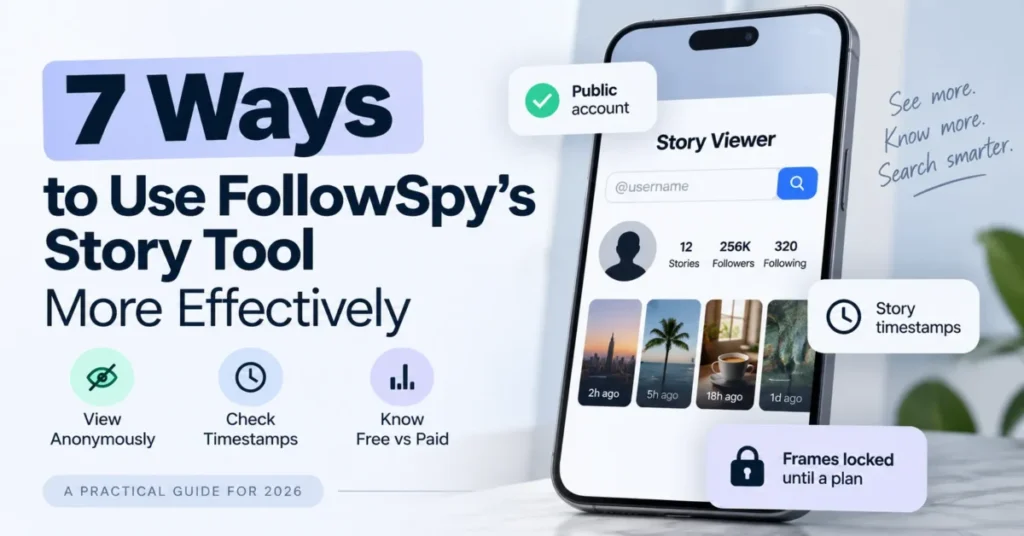
Most guides to anonymous Instagram story tools skip the part that decides whether the tool is worth opening. Use the FollowSpy Story Viewer on the free level and it answers whether anything is there, because the story frames themselves stay locked until a plan is chosen.
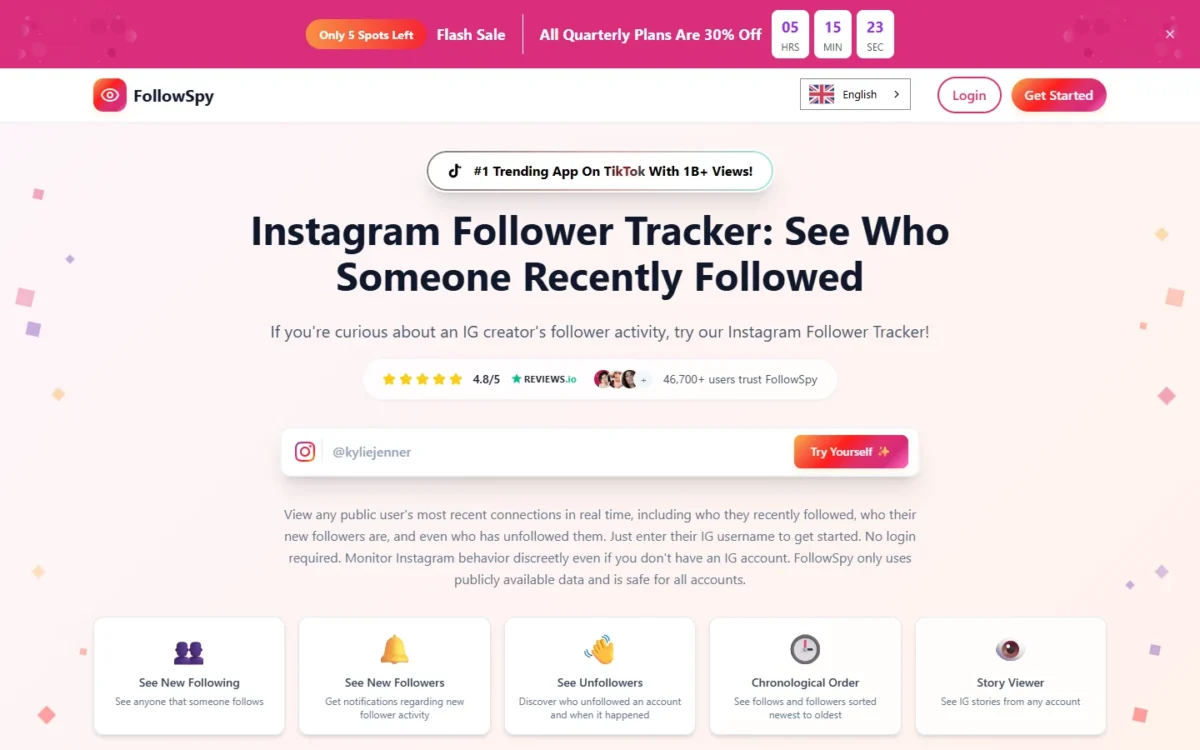
That single gate changes the whole workflow. Seven jobs sit inside the FollowSpy story tool, four of them cost nothing, and three sit behind a paid plan.
This guide walks the seven jobs in the order they actually run and names the gate each one hits. It ends with the failure modes that make people think the tool is broken when it is behaving exactly as documented.
In This Article (14 sections)
What the Story Viewer Does, and Where It Stops
FollowSpy’s Story Viewer works on public Instagram accounts only. A private account’s stories, highlights and follow lists are not reachable through the service, and no plan changes that.
The account being checked is not notified by FollowSpy when a profile is searched or its follow activity is opened. The viewer’s name does not appear in the story owner’s viewer list either.
The plan gate matters more than the feature list:
| Job | Free level | Premium plan |
|---|---|---|
| Confirm a username belongs to a public account | Included | Included |
| See whether the account has stories live | Included | Included |
| See how many stories are waiting | Included | Not listed on FollowSpy’s pricing page |
| See the exact post time on each story | Included | Not listed on FollowSpy’s pricing page |
| Open the story frames | Locked until a plan is chosen | Anonymous story viewer |
| Download a public story to a device | Not included | Listed on the story-viewer page plan list; not on the pricing page |
| Follower, following and unfollower lists | Not included | See who they followed, see who followed them |
| Number of accounts tracked | Not applicable | Unlimited |
| Support | Not included | Priority support |
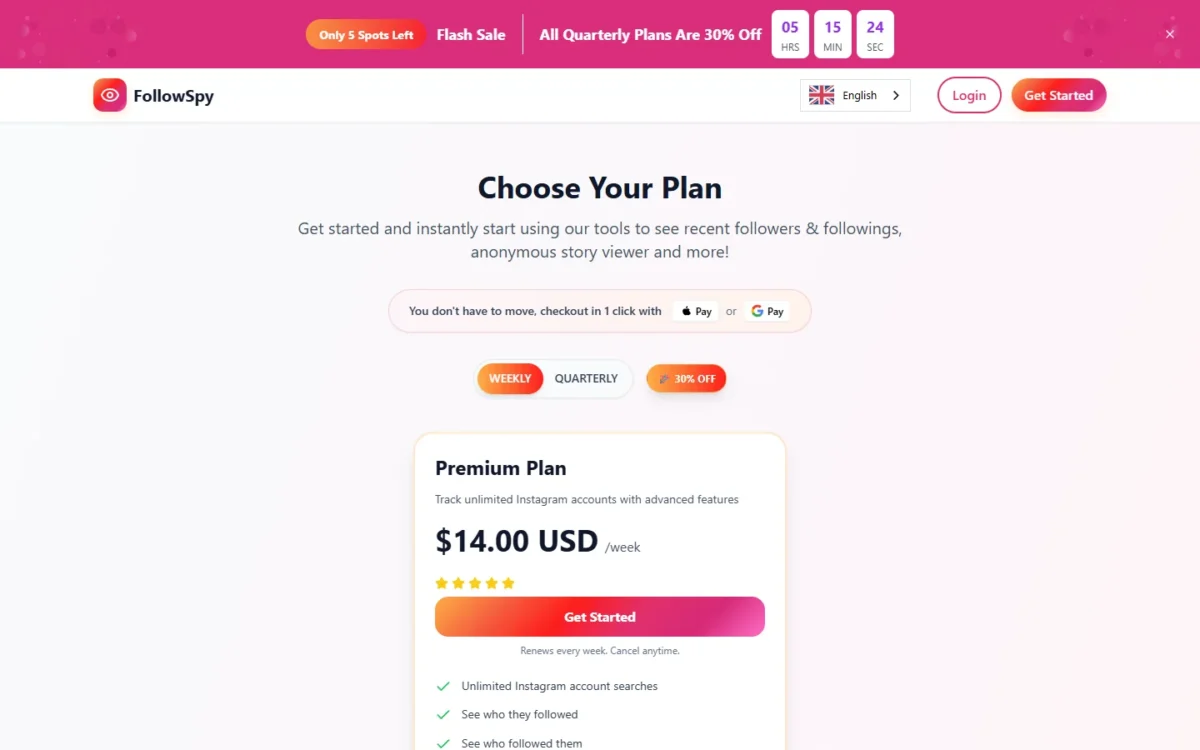
Source: the plan features are listed on the FollowSpy pricing page, read on 2 November 2026. The pricing page lists one paid plan, Premium, at $14.00 USD per week billed weekly (renews every week), or $9.80 USD per week billed quarterly (renews every 3 months).
Two boundaries belong in the same breath. FollowSpy states that it is “not affiliated with or endorsed by Instagram, Meta Platforms Inc., or any third-party platform”, and its terms of service require users to agree not to use the service to collect, scrape or analyze data in violation of Instagram’s terms.
That second clause pushes the compliance question onto the person typing the username. Reading Instagram’s own Terms of Use is the reasonable first move before building any routine around a third-party viewer.
Before You Start: Three Checks That Save a Wasted Search
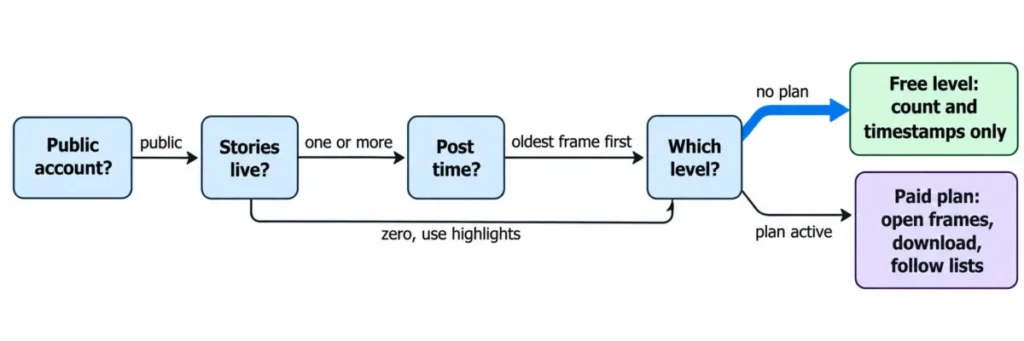
Run these before typing anything into the viewer.
The account must be public. A private profile returns nothing, and no amount of refreshing changes that.
An active story must exist. FollowSpy treats active stories as content posted within the last 24 hours, so an account that last posted two days ago has nothing live even though its highlights are still sitting there.
The level you are on decides what you see. On the free level the availability data is the deliverable and the frames are not.
Step 1: Confirm the Account Is Public
Type the username into the viewer and read what comes back before doing anything else.
A public account returns profile information and, when stories exist, a story count. A private one returns nothing usable, and that is the end of the workflow rather than a problem to troubleshoot.
The pitfall here is spending five minutes deciding the tool failed. Private is a hard boundary on every plan.
Step 2: Check Whether a Story Is Live Before Trying to Open Anything
The free level answers this question directly. It reports whether the account has stories live at that moment and how many are waiting.
That answer is the whole point of the free tier. A zero means there is nothing to open, and the correct next move is Step 7 rather than a second search five minutes later.
The pitfall is treating a zero as evidence that something is hidden. An account with no live story has simply not posted one inside the 24-hour window.
Step 3: Read the Post Time and Decide What to Open First
Each active story card carries its posting time, shown in the vendor’s own examples as “1h ago” or “17h ago”.
Since active stories are the ones posted inside the last 24 hours, that timestamp is a countdown in disguise. A frame posted seventeen hours ago has roughly seven hours of life left, while a frame posted an hour ago has most of a day.
So when several frames are waiting and time is short, the oldest one is the one to open first.
The pitfall is the reverse instinct, which is to start at the newest frame because it feels like the update. The newest frame is the one least at risk of disappearing.
Step 4: Decide Whether Anonymous Viewing Is Actually the Point
FollowSpy states that the viewer’s name does not appear in the story owner’s viewer list, and that the account being checked is never notified when its profile is searched or its follow activity is opened.
That is worth something in two situations and almost nothing outside them. It matters when appearing in a viewer list would create an obligation to respond, and it matters when someone has a professional reason to look at a public account without signalling interest.
A competitor’s public brand account is the clean example.
It does not matter for casual browsing, and it is not a reason to check an account more often. The pitfall in this step is letting the absence of a visible footprint turn an occasional check into a habit.
Anonymity changes who sees the check. It does not change what the check is.
Step 5: Work From a Browser Instead of Setting Up a Second Instagram Account
The Story Viewer runs in a web browser and requires no Instagram login, no app install and no browser extension. FollowSpy describes it as working on any device, which puts the same workflow on a desktop, a tablet and a phone.
No account and no card are needed to reach the free availability data.
This is the practical route for someone who does not use Instagram at all, or who does not want a third-party service connected to a personal account. Creating a throwaway Instagram profile to do the same job adds a credential to manage and puts the check inside Instagram’s own notification surface.
The pitfall is assuming browser access means full access. The browser reaches the availability data on the free level and the frames only once a plan is active.
Step 6: Separate Story Activity From Follow Activity
FollowSpy pairs the Story Viewer with follower tracking in the same service. The tracking side shows public followers and following lists in chronological order, newest to oldest, along with recent follows and unfollows on public accounts.
Two observations sitting side by side are still two observations. An account posted a story at 9am, and its public following list gained a name the same morning.
Both facts are visible. Neither one explains the other.
This is the step where the tool gets misused most often. Public activity records what happened, not why it happened, and a timeline that looks like a sequence is not a motive.
The discipline that keeps this useful is to log what changed and leave the interpretation open. The discipline that ruins it is building a story out of two data points and then reading every later check as confirmation.
If a follow change genuinely matters to a decision, the follow-up belongs in a conversation with the person rather than in a third search.
Step 7: Fall Back to Highlights, Posts and Reels When Nothing Is Live
FollowSpy’s anonymous viewer also covers public highlights, posts and reels, which gives Step 2’s zero somewhere to go.
Highlights are the closest substitute, because they are story content the account chose to keep. They sit outside the 24-hour window, so they answer a different question: what an account wants preserved rather than what it published in the last day.
Posts and reels show the wider public output. They are not a replacement for a missing story, and treating them as one is how a quick availability check turns into twenty minutes of scrolling.
The download entitlement sits here too. Saving a public story to a device is a paid-plan function, and it earns its place only when a copy is needed after the frame expires, such as a competitor’s campaign announcement that has to be shown in a meeting the following week.
Where This Workflow Breaks
Five failures account for most of the frustration, and four of them are the tool working as documented.
Nothing returns for a username. The account is private, or the handle is wrong. Neither is fixable from inside the viewer.
Stories show as live but the frames will not open. That is the free-level gate rather than an error. The count and the timestamps are the free deliverable.
The story disappeared mid-check. Active stories run on Instagram’s 24-hour clock, and a frame at seventeen hours is close to the edge. This is exactly why Step 3 exists.
A follow change gets read as a motive. This is the only failure on the list that is an analysis error rather than a boundary, and it is the expensive one.
The tool is mistaken for an Instagram feature. FollowSpy states plainly that it is not affiliated with or endorsed by Instagram or Meta. Its terms also set a 7-day window in which a new purchase can be cancelled for a refund of the original amount charged, after which a cancellation ends the subscription without a refund.
Anyone buying a plan to solve a one-off problem should know about that window before the purchase rather than after.
When a Story Viewer Is the Wrong Tool
Anonymous story checks answer a narrow question about a public account at a moment in time. Three jobs look similar and are not.
Tracking a person or company you intend to sell to is a record-keeping problem, and a story viewer keeps no record you can act on later. That belongs in a system built for it, which for most small teams means one of the CRM platforms built for small business rather than a browser tab.
Reaching an audience is a channel problem. Watching what a competitor posts gives you nothing you own, while an email marketing platform or an SMS marketing platform gives you a list that does not depend on another company’s 24-hour window.
Monitoring a specific private individual is not a tooling problem at all. Public-account limits are not the only reason to stop there.
How This Guide Was Put Together
This guide is based on FollowSpy’s own Story Viewer page, its homepage feature descriptions and its published terms of service, read on 16 September 2026. Plan gates, entitlements and refund terms were taken from those pages directly.
The Story Viewer was assessed against the criteria that decide whether a free tool earns a browser tab: what the free level returns, which functions sit behind a paid plan, what the documented account and content limits are, and what the vendor commits to in writing.
Greater weight was given to the plan gate and the public-account boundary. Those two facts decide whether a check succeeds before any feature matters.
Plan prices come from FollowSpy’s pricing page, read on 2 November 2026, and the refund terms from its terms of service. Anything the vendor’s own pages do not state was left out. The full standard applied here is documented in the review methodology.
FAQ
Does FollowSpy work on private Instagram accounts?
No. The account must be public for FollowSpy to display stories, highlights, posts, reels or follow lists.
This is stated as a service limitation rather than a plan restriction, so no paid tier removes it.
Can I watch a story for free?
The free level tells you whether stories are live, how many are waiting and when each was posted. The story frames stay locked until a plan is chosen.
Will the account owner know I looked?
FollowSpy states that the viewer’s name does not appear in the story owner’s viewer list. It also states that the account is not notified when its profile or follow activity is searched through the service.
How long does an active story stay available?
FollowSpy treats active stories as content posted within the last 24 hours, which matches Instagram’s own story window. A card showing “17h ago” is closer to expiry than one showing “1h ago”.
Is FollowSpy an official Instagram product?
No. Its terms of service state that it is not affiliated with or endorsed by Instagram, Meta Platforms Inc., or any third-party platform, and the same terms require users not to use the service in violation of Instagram’s terms.
Can I cancel after buying a plan?
FollowSpy’s terms describe a 7-day guarantee on new purchases, within which a subscription can be cancelled with a refund of the original amount charged. After that window a cancellation ends the subscription without a refund.
The Short Version
Confirm the account is public, check whether anything is live, read the post time, and only then decide whether the frames are worth a plan.
Four of the seven jobs cost nothing and answer the question most people actually have, which is whether there is anything there at all. The paid functions earn their place when a copy of a public story is needed after it expires, or when follow activity is being tracked across more than one account.
What none of the levels provide is a reason to read intent into what a public account did this morning.