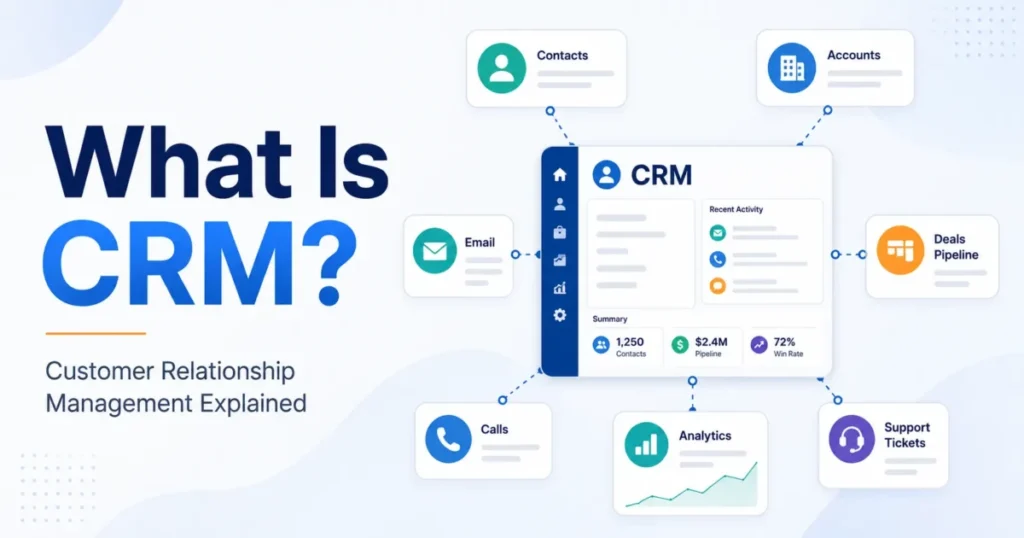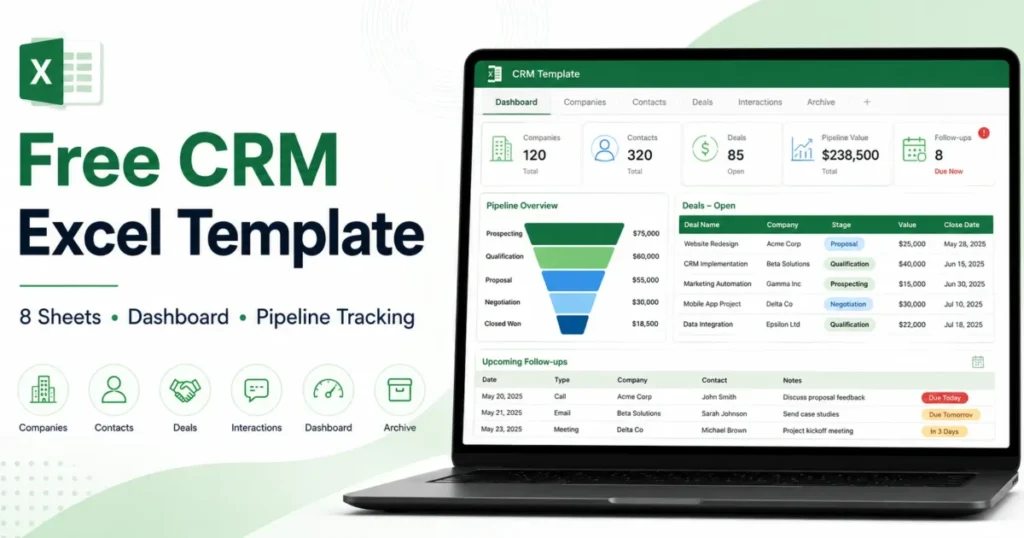
Most free spreadsheets that call themselves a CRM Excel template are a single sheet of contacts with a “last contacted” column. That design fails on the day you need to answer a simple question: which deals are stalled, and who owes the customer a reply?
This guide builds an eight-sheet workbook that links companies, contacts, deals and interactions through stable IDs, flags overdue follow-ups automatically, and exports cleanly when you eventually move to real CRM software. It is written for solo consultants, founders, and two-to-five-person B2B sales teams.
A spreadsheet is not a substitute for what a CRM does, and this guide is specific about where the line falls.
The finished file is attached to this guide as crm-excel-template.xlsx. Every formula in it is checked against the acceptance list at the end of this article before release.
In This Article (6 sections)
What You Need Before You Start
Excel 2016 or newer on Windows or Mac, or Excel for the web. The workbook contains no macros, so nothing needs enabling and nothing gets blocked by an IT policy.
You also need an answer to a question most template pages skip: are you allowed to keep this customer data in a spreadsheet at all? Settle that before you paste in a single email address.
| Requirement | Detail |
|---|---|
| Excel version | 2016, 2019, 2021, Microsoft 365, or Excel for the web |
| Macros | None used, so no trust-centre changes |
| Storage for solo use | Any location you back up |
| Storage for team use | OneDrive or SharePoint, required for co-authoring |
| Data approval | Your own decision on what customer data may live in a file |
| Time to set up | Around 45 minutes, most of it in Settings |
Semantic purpose of this table: it separates the technical prerequisites from the approval decision that blocks team use.
Who should not use this workbook
Some teams need to skip straight to software. A spreadsheet cannot give you per-record permissions, an audit trail of who changed what, automatic activity capture from a mailbox, or lead routing.
Skip this workbook if you handle regulated customer data without an approved control set, if more than five people need to edit at once, if you need email or calendar sync, or if anyone must be prevented from seeing another rep’s accounts. Those are structural gaps, not configuration problems.
The Workbook at a Glance
Eight sheets, each with one job. The split matters more than the field lists, because it is what lets you export the data later without untangling it.
| Sheet | Job | Key |
|---|---|---|
| Start Here | Version, privacy note, setup order, legend | None |
| Settings | Controlled lists and the stage-probability table | None |
| Companies | One row per organisation | Company ID |
| Contacts | One row per person | Contact ID |
| Deals | One row per opportunity | Deal ID |
| Interactions | One row per call, email, meeting, task or note | Activity ID |
| Dashboard | Formula summaries and data-quality exceptions | None |
| Archive | Closed and inactive records, kept out of active views | Original ID |
Semantic purpose of this table: it maps each sheet to the single entity it owns and the key that identifies it.
Two rules hold the whole thing together. One row per record, and IDs carry the relationships instead of names.
Microsoft documents Excel Tables as the structure for organising tabular worksheet data, and the five operational sheets each use one (Microsoft, create and format tables). A Table extends formulas and validation to new rows on its own, which is the difference between a workbook that survives six months and one that quietly stops calculating at row 40.
The Dashboard uses SUMIFS and COUNTIFS rather than a PivotTable. That choice costs some flexibility and buys something more valuable for a small team: nothing to refresh, and no stale summary sitting on screen while someone reads numbers off it.
Before working through the steps, it helps to see which cells each one touches. The walkthrough below moves the active cell through all ten steps, and every formula it shows is the formula that ships in the file.
Workbook walkthrough
Ten stepsStep 1: Save a Master Copy and Fix the Privacy Boundary
Start Here sheet C5
| Row | B | C |
|---|---|---|
| 5 | Workbook version | 1.0 |
| 6 | Last updated | 2026-07-25 |
| 7 | Supported Excel versions | Excel 2016, 2019, 2021, Microsoft 365 (Windows, Mac, Excel for the web). No macros are used. |
| 8 | Lookup formula style | INDEX/MATCH, chosen so the workbook evaluates on Excel 2016 and 2019, where XLOOKUP is unavailable. |
Save an untouched copy of the file before you type anything into it. Give it an obvious name, put it somewhere you will not open by accident, and treat it as the thing you restore from.
Then decide what data belongs in the file. Microsoft states plainly that worksheet protection is not intended as a security feature (Microsoft, protection and security in Excel).
Locking cells stops a colleague overwriting a formula. It does not stop anyone who has the file from reading every row in it.
I would keep names, business emails, business phone numbers, deal values and notes about commercial conversations in this workbook. I would not put payment details, health information, government identifiers, or anything covered by a contractual confidentiality clause into a spreadsheet without a control set your organisation has approved.
Step 2: Configure the Settings Sheet
Settings sheet D10
| Row | C | D |
|---|---|---|
| 6 | Stage | Probability |
| 7 | New | 10% |
| 8 | Qualified | 25% |
| 9 | Discovery | 40% |
| 10 | Proposal | 60% |
| 11 | Negotiation | 80% |
| 12 | Won | 100% |
| 13 | Lost | 0% |
Everything a person can choose from a dropdown lives on Settings. Replace the sample owners, lifecycle stages, deal stages, statuses, lead sources, activity types and loss reasons with your own before adding data.
Excel data validation restricts what a cell accepts and supplies the dropdown list (Microsoft, apply data validation to cells). The workbook points each operational column at a named range on Settings, so adding a new loss reason there makes it available everywhere at once.
Controlled lists solve a boring problem that ruins reporting. Free-typed stages produce “Won”, “won”, “Closed Won” and “closed-won” as four different values, and every count you run afterwards is wrong.
| Settings list | Sample values shipped | Why it is controlled |
|---|---|---|
| Owners | Three named reps | Owner filters and the per-owner dashboard block depend on exact matches |
| Deal stages | New, Qualified, Discovery, Proposal, Negotiation, Won, Lost | Drives the probability lookup and the by-stage pipeline table |
| Deal statuses | Open, Won, Lost, On hold | Every dashboard metric filters on Open |
| Lead sources | Six channels | Lets you compare where real deals come from |
| Activity types | Call, Email, Meeting, Task, Note, Demo | Makes activity volume countable by type |
| Loss reasons | Six reasons | Turns a lost-deal list into a pattern you can act on |
Semantic purpose of this table: it explains what breaks downstream when each controlled list is bypassed.
The stage-probability pairs sit in the same place, on a yellow fill. Those numbers are your assumptions about your own pipeline, not measured win rates, and the workbook labels them that way in a cell comment.
Step 3: Create Stable IDs Instead of Using Names
Companies sheet A2
| Row | A | B | G | H |
|---|---|---|---|---|
| 1 | Company ID | Company Name | Owner | Status |
| 2 | COM-0001 | Northstar Analytics | Avery Morgan | Active |
| 3 | COM-0002 | Brightpath Logistics | Jordan Lee | Active |
| 4 | COM-0003 | Harbor Lane Dental | Sam Ruiz | Prospect |
Give every record an ID that never changes: COM-0001 for a company, CON-0001 for a contact, DEAL-0001 for an opportunity, ACT-0001 for an interaction. The prefix makes an orphaned ID obvious the moment you see one in the wrong column.
This is the single design decision that separates this workbook from most free CRM Excel template downloads. Those files link records by company name or email address.
Both change. A company rebrands, a contact moves to a new domain, and every relationship built on that text silently breaks while the sheet keeps showing numbers.
An ID is a permanent handle. The name, email and phone number become editable attributes hanging off it, which is exactly how a real CRM models the same data and exactly what makes a later import work.
Step 4: Build the Companies and Contacts Tables
Contacts sheet F2
| Row | A | E | F | I |
|---|---|---|---|---|
| 1 | Contact ID | Company ID | Company Name | Lifecycle Stage |
| 2 | CON-0001 | COM-0001 | Northstar Analytics | Sales qualified |
| 3 | CON-0002 | COM-0001 | Northstar Analytics | Sales qualified |
| 4 | CON-0003 | COM-0002 | Brightpath Logistics | Marketing qualified |
| 5 | CON-0004 | COM-0003 | Harbor Lane Dental | Lead |
Add companies first, because contacts point at them. This is the split that turns a flat list into real contact management, where a person and the organisation they work for are separate records.
Each company row carries its ID, name, domain, industry, segment, location, owner, status, estimated value, last activity date, next action, next action date and notes.
Contacts then reference a Company ID, and the workbook resolves the readable name for you:
=IFERROR(INDEX(Companies!$B$2:$B$500,MATCH(E2,Companies!$A$2:$A$500,0)),"ID not found")That "ID not found" result is deliberate. A blank would hide the problem, so the cell says what went wrong and a conditional format turns it red.
Keep one header row per sheet and one data type per column. Microsoft’s guidance for source data expects columns with a single header row and consistent types (Microsoft, create a PivotTable to analyze worksheet data), and mixed types in a date column are the most common reason a summary quietly counts the wrong thing.
Step 5: Import and Deduplicate Without Losing Records
Contacts sheet G3
| Row | A | E | G |
|---|---|---|---|
| 1 | Contact ID | Company ID | |
| 2 | CON-0001 | COM-0001 | a.whitfield@northstaranalytics.example |
| 3 | CON-0002 | COM-0001 | p.raman@northstaranalytics.example |
| 4 | CON-0003 | COM-0002 | d.kovacs@brightpathlogistics.example |
| 5 | CON-0004 | COM-0003 | n.okonjo@harborlanedental.example |
Two import paths work. Paste into the Table for a one-off list, or use Power Query when the same export will arrive again (Microsoft, import data from data sources with Power Query).
Whichever you pick, check four things in the preview before loading: the delimiter, the header row, the inferred data type of every column, and any field with leading zeros. A phone number or postcode that arrives as a number loses its leading zero permanently.
Now the part that costs people real data. Save a second backup before you deduplicate, because Microsoft’s Remove Duplicates command permanently deletes duplicate values (Microsoft, filter for unique values or remove duplicate values).
There is no undo once you close the file. Pick your match columns deliberately as well: matching on company name alone will merge two genuine contacts at the same employer.
I would match contacts on email address, review anything the Dashboard flags as a duplicate, and only then delete. The Dashboard carries a duplicate-email count for exactly this reason.
Step 6: Add Deals With Probability and Weighted Value
Deals sheet I2
| Row | A | F | G | H | I |
|---|---|---|---|---|---|
| 1 | Deal ID | Stage | Probability | Amount | Weighted Value |
| 2 | DEAL-0001 | Proposal | 60% | $12,000 | $7,200 |
| 3 | DEAL-0002 | Qualified | 25% | $4,000 | $1,000 |
| 4 | DEAL-0003 | Discovery | 40% | $4,500 | $1,800 |
| 5 | DEAL-0004 | New | 10% | $2,500 | $250 |
A deal row links to a company and a contact by ID, then carries stage, amount, dates, owner, status and the next action. The probability and weighted value are formulas, not typed numbers.
Probability      =IFERROR(INDEX(Settings!$D$7:$D$13,MATCH(F2,Settings!$C$7:$C$13,0)),"")
      Weighted Value   =IF(OR(H2="",G2=""),"",H2*G2)
Pick “Proposal” on a $12,000 deal and the probability reads 60 percent from Settings, so weighted value returns $7,200. Change the Proposal assumption to 75 percent and the same deal reports $9,000 without you touching the deal row.
Evidence status: illustrative. Source: the shipped workbook sample rows and Start Here documentation, checked 2026-07-25. These are not prices for any product.
That is the point of putting the probabilities on a settings sheet rather than burying them in a formula. Your forecast becomes auditable, and anyone who disagrees with it can see the exact number they disagree with.
Weighted pipeline is an estimate built on assumptions you chose. Treating it as a commitment to your bank is the most expensive mistake available in this workbook.
Every open deal also needs a next action and a next action date. A deal with a stage but no next action is a record, not a pipeline.
Step 7: Log Interactions in Their Own Table
Interactions sheet E2
| Row | A | B | C | E | F | J |
|---|---|---|---|---|---|---|
| 1 | Activity ID | Date | Contact ID | Deal ID | Type | Outcome |
| 2 | ACT-0001 | 2026-06-18 | CON-0001 | DEAL-0001 | Call | Discovery booked |
| 3 | ACT-0002 | 2026-06-25 | CON-0001 | DEAL-0001 | Meeting | Moved to proposal |
| 4 | ACT-0003 | 2026-07-14 | CON-0002 | DEAL-0002 | Awaiting reply | |
| 5 | ACT-0004 | 2026-07-21 | CON-0001 | DEAL-0001 | Revision requested |
One row per call, email, meeting, task or note, each linked to a Contact ID, a Company ID and a Deal ID. Salesforce lists interaction logs alongside contact management and pipeline as a core component of a spreadsheet CRM (Salesforce, CRM template), and Vertex42’s long-running Excel workbook keeps a separate contact log for the same reason (Vertex42, CRM template for Excel).
Most free templates instead keep a single “notes” cell per contact. That cell becomes a wall of undated text within a month, and nobody can tell what was agreed when.
A separate table gives you chronology, countable activity by type, and a clean export. It also survives a contact leaving the company, because the history hangs off IDs rather than off a person’s row.
Each interaction records an outcome and a next step. The outcome is what happened, the next step is what you owe them, and the next action date is when.
Closed and inactive records move to Archive rather than getting deleted. Status changes, IDs and timestamps stay intact, the row leaves your active views, and the reporting history remains available for migration.
Step 8: Add the Overdue Follow-Up Logic
Deals sheet R4
| Row | A | O | P | Q | R |
|---|---|---|---|---|---|
| 1 | Deal ID | Status | Next Action | Next Action Date | Overdue |
| 2 | DEAL-0001 | Open | Send revised scope | 2026-07-28 | |
| 3 | DEAL-0002 | Open | Share pricing summary | 2026-07-30 | |
| 4 | DEAL-0003 | Open | Confirm budget owner | 2026-07-15 | Overdue |
| 5 | DEAL-0004 | Open | Book intro call | 2026-08-04 | |
| 6 | DEAL-0005 | Lost |
Excel conditional formatting highlights cells based on a rule (Microsoft, use conditional formatting to highlight information). Here is the exact condition the workbook uses:
Overdue              =IF(AND(Q2<>"",Q2<TODAY(),O2="Open"),"Overdue","")
      Days Since Activity  =IF(L2="","",TODAY()-L2)
Read the three tests in order, because the order is where most published versions of this formula go wrong. The date must exist, it must be in the past, and the deal must still be open.
Drop the first test and every blank next-action date evaluates as zero, which is earlier than any real date, so an empty row reports itself as overdue. Drop the third and closed deals stay red forever.
Days Since Activity uses the same blank guard. Without it, a deal you have never contacted shows the number of days since 1900.
Both formulas recalculate against the current date, so the counts change on their own overnight. That is the behaviour you want, and it also means any number in the file is true as of the day you opened it.
Step 9: Build the Dashboard and Its Exception Checks
Dashboard sheet G23
| Row | F | G |
|---|---|---|
| 16 | Check | Count |
| 17 | Open deals with no next action | 0 |
| 18 | Open deals with no next action date | 0 |
| 19 | Open deals with no owner | 0 |
| 20 | Deals whose Company ID does not exist | 0 |
| 21 | Contacts whose Company ID does not exist | 0 |
| 22 | Lost deals with no loss reason | 0 |
| 23 | Duplicate Deal IDs | 0 |
| 24 | Duplicate Contact IDs | 0 |
| 25 | Duplicate contact email addresses | 0 |
The Dashboard reads the operational sheets with SUMIFS and COUNTIFS across a fixed range that runs well past your current data, so it keeps working as the Tables grow. Pipeline, work due, by-stage and by-owner blocks all filter on Status = "Open".
The block underneath them is the one I would look at first each week.
| Exception check | What a non-zero count means |
|---|---|
| Open deals with no next action | Someone is waiting on you and nothing is scheduled |
| Open deals with no next action date | The action exists but will never surface as due |
| Open deals with no owner | Nobody is accountable for the deal |
| Deals whose Company ID does not exist | A relationship is broken and the export will fail |
| Contacts whose Company ID does not exist | Same break, on the contact side |
| Lost deals with no loss reason | You are losing deals without learning why |
| Duplicate Deal IDs | Two rows claim the same opportunity |
| Duplicate Contact IDs | Two rows claim the same person |
| Duplicate contact email addresses | Two people, or one person entered twice |
Semantic purpose of this table: it converts each data-quality count into the operational failure it predicts.
Every one of those counts should read zero. A workbook where three of them read four is not a reporting problem, it is a signal that the team has stopped maintaining the data, and no dashboard fixes that.
This is the 30 and 90-day check for the workbook itself. After 30 days, open deals should all carry a next action and an owner.
After 90 days, the exception block should still read zero without anyone being reminded.
Step 10: Share It With a Two-to-Five-Person Team
Deals sheet N2
| Row | A | N | O | R |
|---|---|---|---|---|
| 1 | Deal ID | Owner | Status | Overdue |
| 2 | DEAL-0001 | Avery Morgan | Open | |
| 3 | DEAL-0002 | Avery Morgan | Open | |
| 4 | DEAL-0003 | Jordan Lee | Open | Overdue |
| 5 | DEAL-0004 | Sam Ruiz | Open |
Co-authoring in Excel needs a supported version and a file stored in OneDrive or SharePoint (Microsoft, collaborate on Excel workbooks at the same time with co-authoring). A file on a local drive or a mapped network share does not qualify, and that is the most common reason a shared workbook produces conflict copies.
Do not reach for the legacy Shared Workbook feature you may find in older guidance. Microsoft identifies it as a legacy feature and points to co-authoring instead (Microsoft, about the Shared Workbook feature).
Cloud storage handles simultaneous editing. It does not handle accountability, so agree four rules with the team.
One owner per open deal. One named person maintains Settings, because adding a stage changes every probability lookup.
Nobody restructures columns while others are editing. Somebody reviews the exception block weekly.
ClickUp draws the same line between a single-owner spreadsheet pipeline and a multi-person workflow that needs stronger logging and ownership (ClickUp, CRM templates). The rules above are what stand in for that logging when the tool cannot provide it.
A schematic of crm-excel-template.xlsx, not a screenshot. Every cell reference, value and formula above is read from the file you download.
Semantic purpose of this asset: it previews the ten setup steps by cell reference, so a reader knows what changes before editing anything. It is a schematic of the workbook rather than a capture of Excel.
Use and Maintain the Workbook
What a completed record looks like, what every field means, which Excel versions the formulas need, and the mistakes that quietly break a working file.
A Filled Example Traced Across Four Sheets
Here is one deal as it appears across the workbook. All values are fictional and the probability is an assumption.
| Sheet | Record |
|---|---|
| Companies | COM-0001, Northstar Analytics, Software, Mid-market, owner Avery Morgan |
| Contacts | CON-0001, Avery Whitfield, VP Revenue Operations, linked to COM-0001, source Referral |
| Deals | DEAL-0001, Northstar Analytics CRM Cleanup, COM-0001, CON-0001, Proposal, $12,000, 60 percent, weighted $7,200, next action "Send revised scope" |
| Interactions | ACT-0004, email, inbound, "Scope question on proposal", outcome "Revision requested", next step "Send revised scope" |
Semantic purpose of this table: it shows one commercial conversation held together by three IDs rather than by a company name. All amounts are synthetic, not prices for any product.
Source: the shipped workbook sample rows and Start Here documentation, checked 2026-07-25.
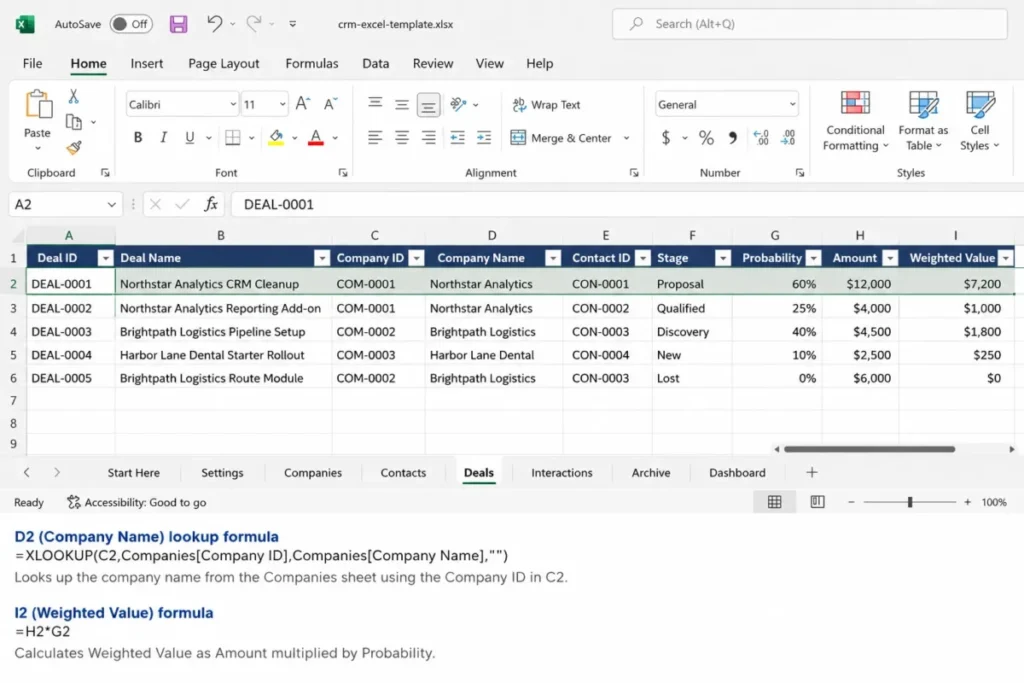
Read it from the bottom up and the design justifies itself. The interaction explains why the next action exists, the deal explains what is at stake, and the IDs mean a name change on any row breaks nothing.
Field Reference
The workbook ships with sample rows so the expected format of every column is visible. These are the fields where the wrong entry causes a silent failure rather than an obvious one.
| Field | Type and allowed values | Editable | Consequence of getting it wrong |
|---|---|---|---|
| Company ID | Text, COM- plus four digits | Yes, once | Orphaned contacts and deals |
| Contact ID | Text, CON- plus four digits | Yes, once | Interaction history detaches |
| Deal ID | Text, DEAL- plus four digits | Yes, once | Duplicate opportunities in every count |
| Stage | List from the Settings stage range | Yes | Probability returns blank, weighted value follows |
| Probability | Formula, read from Settings | No | Forecast stops matching the assumption table |
| Amount | Number, currency format | Yes | Pipeline and weighted totals both wrong |
| Weighted Value | Formula, amount times probability | No | Forecast becomes a typed guess |
| Status | List: Open, Won, Lost, On hold | Yes | Every dashboard metric filters on Open |
| Next Action Date | Date, never text | Yes | Overdue logic never fires |
| Last Activity Date | Date, never text | Yes | Days Since Activity returns an error or a huge number |
| Loss Reason | List from the Settings loss-reason range | Yes | Lost-deal patterns stay invisible |
Semantic purpose of this table: it separates the columns a person types from the columns a formula owns, and names the failure each mistake produces.
The blue and black convention on the Start Here legend carries the same message inside the file. Blue text is yours to type, black text is a formula, and overwriting a black cell is how a working workbook starts reporting nonsense.
Formula Compatibility Across Excel Versions
The shipped file uses INDEX and MATCH for every lookup, deliberately. Microsoft states that XLOOKUP is not available in Excel 2016 or Excel 2019 (Microsoft, XLOOKUP function).
That matters more than it sounds. A workbook built on XLOOKUP opens in Excel 2019 with #NAME? down the probability column, and the person opening it concludes the file is broken rather than that their Excel is older.
| Function used | Works on |
|---|---|
INDEX, MATCH, IFERROR | Excel 2007 and newer, all platforms |
SUMIFS, COUNTIFS | Excel 2007 and newer, all platforms |
SUMPRODUCT duplicate checks | Excel 2007 and newer |
XLOOKUP | Excel 2021, Microsoft 365, Excel for the web only |
IF, AND, OR, TODAY | All supported versions |
Semantic purpose of this table: it shows which functions constrain the audience who can open the file. Source: Microsoft function documentation, checked 2026-07-25.
If your whole team is on Microsoft 365, swapping the probability lookup for XLOOKUP is a readability improvement. The Start Here sheet gives the exact replacement formula.
Common Mistakes and How to Fix Them
| Mistake | Fix |
|---|---|
| Linking records by company name or email | Assign IDs, keep names as attributes |
| Keeping history in one notes cell | One row per interaction on the Interactions sheet |
| Free-typing stages and owners | Add the value to Settings so the dropdown carries it |
| Typing over a formula column | Copy the row above to restore it, then check the Dashboard |
| Reading weighted pipeline as committed revenue | Treat it as your assumption times your amount |
| Leaving open deals with no next action | Clear the exception count before the weekly review |
| Running Remove Duplicates with no backup | Save a copy first, match on email, review candidates |
| Assuming a protected sheet is confidential | Use approved file and access controls instead |
| Deleting closed deals | Move them to Archive so history and IDs survive |
| Storing the shared file on a local drive | Move it to OneDrive or SharePoint before sharing |
Semantic purpose of this table: it pairs each recurring failure with the specific corrective action.
OnePageCRM names overwrite risk, exposure of private client details and limited automation as the standing risks of running sales on a spreadsheet (OnePageCRM, free CRM spreadsheet template). The first two are addressable with the rules above.
The third is not, and it is one of the reasons this workbook has a natural end date.
Security and Privacy Boundaries
Excel offers protection at two different levels, and conflating them is how sensitive data ends up somewhere it should not be. Worksheet protection guards against accidental edits.
File-level protection is a separate mechanism (Microsoft, protect an Excel file).
| Control | What it does | What it does not do |
|---|---|---|
| Protect Sheet | Stops edits to locked cells and formulas | Restrict who can open or read the file |
| Protect Workbook structure | Stops sheets being added, moved or deleted | Restrict access to the data |
| File-level protection | Applies file-open or modify restrictions | Replace organisational access management |
| Cloud permissions | Control who can open and edit the stored file | Give per-record or per-owner visibility |
| Approved organisational controls | Whatever your policy requires | Anything your policy has not covered |
Semantic purpose of this table: it separates edit protection from access control so neither is mistaken for the other.
There is no per-record permission in a spreadsheet. Anyone who can open the file sees every account, every deal value and every note, and no combination of the controls above changes that.
Confirm your own retention and privacy obligations before this workbook holds real customer records. Nothing on a Microsoft documentation page can approve your data classification for you.
Prepare for CRM Migration
The workbook is a bridge, not a destination. These two sections cover how to leave it cleanly and how to tell when it is time.
How to Export for Migration to a Real CRM
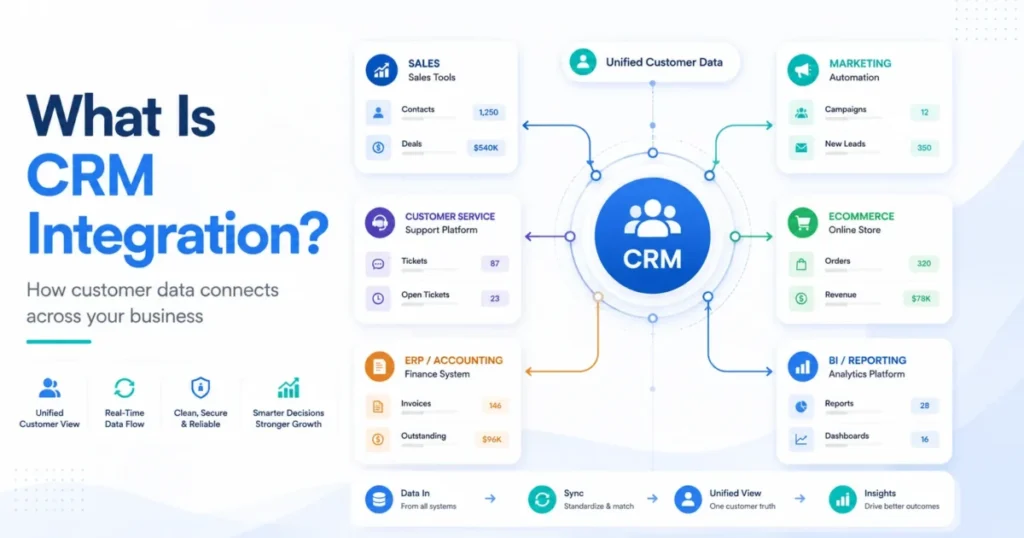
The eight-sheet split pays off here. Because companies, contacts, deals and interactions each live in their own table with their own key, they export as four clean files that a destination system can rebuild relationships from.
Work through this before you export anything:
| Step | Action |
|---|---|
| 1 | Clear every Dashboard exception count to zero |
| 2 | Confirm no ID column shows "ID not found" |
| 3 | Freeze the Settings lists so no new values appear mid-migration |
| 4 | Save a final backup of the whole workbook |
| 5 | Export Companies, Contacts, Deals and Interactions as four separate CSV files |
| 6 | Keep every ID column in the export, including the linking IDs |
| 7 | Include archived rows marked for export so history survives |
| 8 | Map fields against the destination CRM's own import template |
| 9 | Pilot with 10 records before importing everything |
Semantic purpose of this table: it orders the export so relationship integrity is verified before any data leaves the workbook.
Destination behaviour varies more than most guides admit. Which objects a CRM accepts, how it handles custom fields, whether it imports historical activities at all, and how it matches owners are all product-specific, so the destination's own import documentation governs the last three steps.
A broader walkthrough of that process sits in the CRM migration guide.
When to Stop Using Excel
Vendor guidance on this disagrees with itself. HubSpot positions its spreadsheet for roughly the first 25 to 50 customers or leads and the first two to six months (HubSpot, free CRM spreadsheet template), while Pipedrive suggests an Excel CRM becomes complicated somewhere around 50 to 100 contacts (Pipedrive, how to build an Excel CRM).
Neither number is a property of Excel. They are two vendors describing different customers, and a consultant with 200 dormant contacts and six live deals is fine while a five-person team with 60 contacts and daily handoffs is already struggling.
Watch the workflow instead of the row count.
| Symptom | What it tells you | Action |
|---|---|---|
| Overdue count never reaches zero | Follow-up depends on memory, not the file | Fix the habit first, then reassess |
| Two reps contact the same account | Ownership is not holding | Enforce one owner per deal, then reassess |
| Someone overwrites a formula monthly | Structure cannot survive the team | Move to software |
| A rep must not see certain accounts | Permissions are needed | Move to software, no workaround exists |
| You need email or calendar sync | Automatic capture is needed | Move to software |
| You stop trusting the Dashboard | Data quality has failed | Move to software |
| Reporting takes an hour a week | Manual cost now exceeds a subscription | Move to software |
Semantic purpose of this table: it converts observable symptoms into a stay, fix or switch decision.
Capsule frames the same trajectory as manual work increasing as the business grows (Capsule, Excel CRM template). The first two symptoms above are habit problems and a new tool will not fix them.
The last four are structural, and continuing on a spreadsheet costs more than the licence would.
The renewal question I would ask before paying for anything: can you name the three deals you lost last quarter and why? If the workbook can answer that, it is still working.
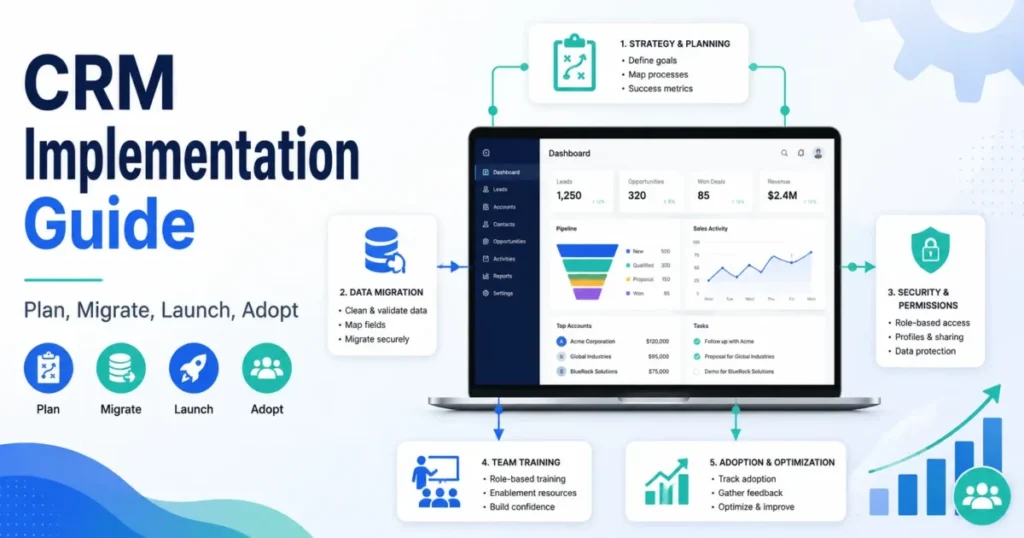
Options for the next step are in the free CRM software roundup and the CRM for small business list, and the CRM implementation guide covers the rollout.
Quality Assurance and Evidence
What the download is checked against before release, and what the analysis in this guide rests on.
Acceptance Checks Behind the Download
Most template pages ship a file and hope. This one publishes what gets checked before release, because a broken dropdown or a formula that flags every blank row as overdue destroys trust faster than a missing feature.
| Check | Requirement |
|---|---|
| Structure | Eight sheets, five Excel Tables, no macro component |
| IDs | Unique and populated on every sample row |
| Lookups | Probability and company name resolve, orphans show "ID not found" |
| Weighted value | Equals amount times the Settings probability |
| Blank handling | Empty dates produce blanks, never zeros or errors |
| Overdue logic | Fires only on open rows with a real past date |
| Dashboard | Stage and owner blocks reconcile to the pipeline total |
| Exceptions | All nine counts read zero on the shipped sample |
| Assumption change | Editing a Settings probability moves deal and dashboard figures |
| Fault injection | Injected duplicates, orphans and missing owners are all detected |
| Compatibility | No function requires Excel 2021 or Microsoft 365 |
| Round trip | Reopening preserves all sheets, Tables and validation |
| Export | Each entity exports with its ID columns intact |
| Recovery | Restoring the backup copy recovers a damaged workbook |
Semantic purpose of this table: it states the release conditions a reader can hold the download to.
Co-authoring by two people at once, desktop UI behaviour on each platform, locale variants of the list and decimal separators, and import into any specific destination CRM sit outside those checks.
Methodology and Sources
This guide is based on official Microsoft Excel documentation for tables, data validation, PivotTable source data, conditional formatting, co-authoring, duplicate removal, worksheet and file protection, formula availability by version, and Power Query, together with the publicly available CRM spreadsheet templates and guidance from HubSpot, Pipedrive, Salesflare, Salesforce, Vertex42, OnePageCRM, ClickUp and Capsule. Documentation was checked on 25 July 2026.
The workbook design was assessed against criteria a small B2B team can verify: relational integrity between records, whether the next action is operational rather than decorative, transparency of any calculated forecast, formula availability on older Excel versions, safety of destructive data operations, and whether the data exports cleanly into another system.
Greater weight went to the factors that cost money later. Migration readiness, data-quality visibility, and version compatibility outrank convenience features, because a workbook that cannot be exported becomes a switching cost rather than a bridge.
Claims that reliable evidence did not support were excluded, and vendor guidance on contact counts is attributed to the vendor that published it rather than presented as a property of Excel. Stage probabilities are labelled as reader assumptions rather than benchmarks, following the review methodology.
FAQ
Can Excel work as a CRM?
For a small enough operation, yes. Excel handles the record keeping, the pipeline arithmetic and the follow-up flagging that a solo consultant or a two-person sales team needs.
What it cannot do is capture activity automatically, restrict who sees which accounts, or keep an audit trail. Those gaps decide the timing of a move rather than the possibility of starting here.
What columns should a CRM spreadsheet include?
Fewer than most templates suggest. Each entity needs a stable ID, an owner, a status, a last activity date, a next action and a next action date.
Deals add stage, amount, probability and expected close. Everything beyond that is optional, and a column nobody maintains is worse than a missing one because it makes the sheet look complete.
How do I add dropdown stages to an Excel CRM?
Put the list of stages on a separate settings sheet, then apply list validation to the stage column pointing at that range. Adding a stage to the settings sheet makes it available in every dropdown at once.
Typing stages directly into the validation source works too, but you then have to edit each column separately whenever your process changes.
How do I highlight overdue follow-ups in Excel?
Use a formula that tests three conditions rather than one: the next action date exists, it is earlier than the current date, and the record is still open. Then apply conditional formatting to that result.
Skipping the blank test is the usual error, because an empty date cell evaluates as zero and reports itself as overdue.
Should I use XLOOKUP or INDEX and MATCH?
Use INDEX and MATCH if anyone on the team might open the file in Excel 2016 or 2019, where XLOOKUP does not exist and the column returns #NAME?.
On Microsoft 365 or Excel 2021 throughout, XLOOKUP is shorter and easier to read. The workbook here ships with INDEX and MATCH so it opens correctly everywhere.
Is a password-protected worksheet secure enough for customer data?
No. Microsoft states that worksheet protection is not intended as a security feature, and it exists to prevent accidental edits rather than to control access (Microsoft, protection and security in Excel).
Anyone who can open the file can read every row in it. Real protection comes from file-level controls, cloud permissions and whatever your organisation's policy requires.
How do I remove duplicate contacts without losing data?
Save a separate backup copy first, because Remove Duplicates deletes permanently and there is no undo after the file closes. Match on email address rather than name, since two genuine contacts often share an employer.
Review the flagged rows before deleting, and use the duplicate-email count on the Dashboard to find them.
Can two people edit the same CRM spreadsheet at once?
Yes, with a supported Excel version and the file stored in OneDrive or SharePoint. A local drive or network share produces conflict copies instead.
Cloud storage solves the technical side but not accountability, so agree one owner per deal and one person responsible for the settings sheet.
Will this spreadsheet import into a real CRM later?
That is what the separate sheets and stable IDs are for. Export companies, contacts, deals and interactions as four CSV files with the ID columns intact, then map them against the destination's import template.
Which objects and historical activities a given CRM accepts varies by product, so its own import documentation governs the final mapping.
At how many contacts should I switch to CRM software?
There is no reliable number, and the vendor figures in circulation range from 25 to 100 while describing different customers. Switch on symptoms instead: unavoidable permission needs, required email or calendar sync, formulas being overwritten, or a dashboard you no longer trust.
A well-maintained workbook at 300 contacts beats an abandoned CRM every time.