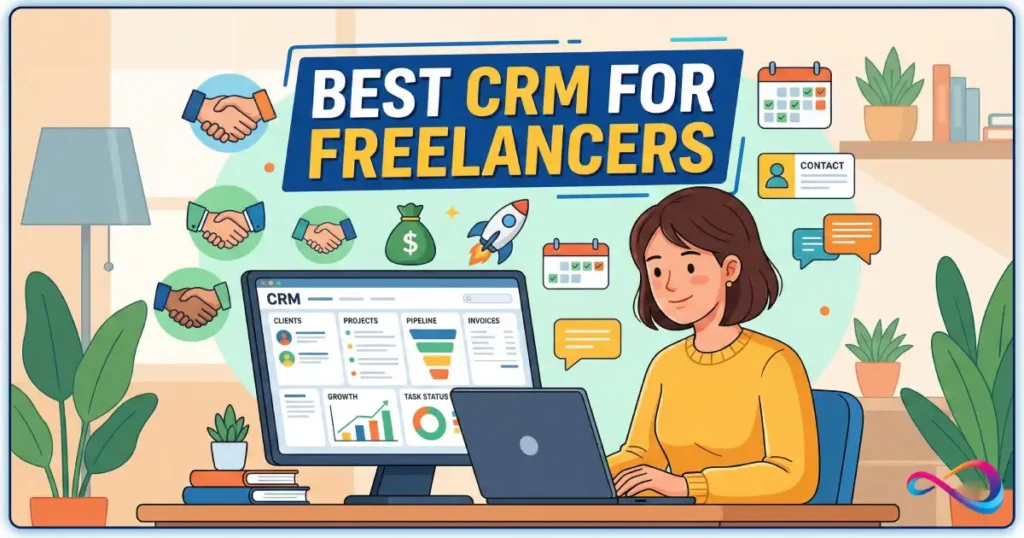
If you’re a freelancer or consultant, a CRM should do two things well: keep your relationships organised and turn follow-ups into a system. This Best CRM For Freelancers 2026 guide is written from a SaaS-advisor perspective, using a consistent test workflow and scoring rubric—so you can see the trade-offs clearly.
You’ll get quick picks, a comparison table, and a decision tree, plus honest notes on setup time, learning curve, upgrade pressure, and where each tool tends to break as your business grows.
Quick Summary – Best CRM For Freelancers
Most freelancers need simple lead tracking, follow-up reminders, and proposal management—not enterprise features. Streak is ideal for Gmail users wanting instant setup. Pipedrive suits visual thinkers managing 10–30 active leads. HubSpot CRM offers the strongest free tier with email sequences. Zoho CRM fits UK/GDPR workflows with built-in invoicing. Avoid Salesforce (too complex) and Monday.com (expensive for solo use).
Quick Picks
- Streak — Best for Gmail-based freelancers | Free–$49/month | Caveat: Limited outside Gmail inbox
- Pipedrive — Best for visual pipeline management | $14/month | Caveat: No native invoicing
- HubSpot CRM — Best free plan with automation | Free forever | Caveat: Upsell pressure and complex interface
- Zoho CRM — Best for UK freelancers needing GDPR + invoicing | $14/month | Caveat: Dated UI, steep learning curve
- Capsule CRM — Best for simple contact management | $18/month (free for 2 users) | Caveat: Basic automation
- Freshsales — Best AI-powered lead scoring | Free–$15/month | Caveat: Overkill for <20 leads/month
- Copper CRM — Best for Google Workspace power users | $12/month | Caveat: Requires Google ecosystem
- Folk — Best modern UX for creatives | $20/month | Caveat: No free plan, new vendor risk
Read more: Best CRM for Sales Teams 2026: Top Picks for Closing More Deals
CRM For Freelancers: Comparison Table
| CRM | Best for | Starting price | Free plan | Automation | Invoicing/quotes | Integrations | Main drawback | Score |
|---|---|---|---|---|---|---|---|---|
| Streak | Gmail-native workflow | Free | Yes (limited) | Basic | Via add-ons | Gmail, Zapier | Gmail-only | 8.7/10 |
| Pipedrive | Visual sales pipeline | $14/month | 14-day trial | Strong | Via apps | 400+ apps | No invoicing | 9.1/10 |
| HubSpot CRM | Feature-rich free tier | Free | Yes (generous) | Good | Via extensions | 1,000+ | Bloated UI | 8.9/10 |
| Zoho CRM | GDPR + native invoicing | $14/month | Free (3 users) | Advanced | Native (Zoho Invoice) | Zoho suite, 800+ | Learning curve | 8.5/10 |
| Capsule CRM | Simplicity + contact mgmt | $18/month | Yes (2 users) | Basic | Via integrations | 50+ | Limited workflow | 8.2/10 |
| Freshsales | AI lead scoring | Free | Yes | AI-powered | Via Freshbooks | 100+ | Overengineered | 8.4/10 |
| Copper CRM | Google Workspace users | $12/month | 14-day trial | Moderate | No | Google suite | Google lock-in | 8.3/10 |
| Folk | Modern, intuitive UX | $20/month | No | Moderate | No | Zapier, Make | Young product | 8.1/10 |
| Attio | Data-first freelancers | $29/month | Free (limited) | Strong | No | API-friendly | Pricey for solo | 7.9/10 |
| Airtable | Custom workflows | $20/month | Free (limited) | Via automations | Custom build | 1,000+ | Not CRM-native | 7.8/10 |
How We Tested
Methodology: We created a realistic freelancer scenario—a marketing consultant with 25 active leads, 5 proposals in progress, and 10 recurring clients—and tested each CRM over 3 weeks. We measured setup time, daily workflow friction, automation effectiveness, and value for money.
Scoring rubric (weighted):
- Ease of setup (20%): Time from signup to first pipeline entry (target: <15 minutes)
- Contact & pipeline management (25%): Tagging, segmentation, custom fields, pipeline stages
- Automation & follow-ups (20%): Email sequences, task reminders, deal aging alerts
- Integrations (15%): Gmail/Outlook, Google Calendar, Zapier, invoicing tools
- Pricing for solo users (10%): Cost per month for 1 user with essential features
- Mobile experience (5%): iOS/Android app quality
- Support & documentation (5%): Response time, knowledge base depth
Test scenario: Lead from LinkedIn message → add to CRM → schedule discovery call → send proposal → follow up after 3 days → close deal → set quarterly renewal reminder → invoice via integration.
Best CRM For Freelancers 2026 — Reviews
1. Streak — Best for Gmail-Based Freelancers

Verdict: Streak lives inside your Gmail inbox as a browser extension, turning email threads into pipeline stages. For freelancers who already manage clients via Gmail, it offers the fastest setup (literally 2 minutes) and zero context-switching. You tag emails, set follow-up reminders, and view pipeline progress without leaving your inbox. The free plan allows 500 contacts and basic automation.
Pros:
- Instant setup—no new platform to learn
- Email tracking shows when prospects open messages
- Shared pipelines work for small teams (VA + freelancer)
- Mail merge for cold outreach
Cons:
- Completely unusable outside Gmail (no standalone app)
- Mobile experience is clunky
- Advanced automation requires $49/month Pro plan
- Limited reporting compared to dedicated CRMs
Key freelancer features:
- Email sequences with open/click tracking
- Snippet library for proposal templates
- Meeting scheduler (similar to Calendly)
- Task reminders based on deal stage
Mini workflow example: New lead emails you → Streak automatically adds them to “New Leads” pipeline box → you set a 2-day follow-up reminder → Streak notifies you via Gmail → you send proposal template from snippets → track when they open it → move to “Proposal Sent” stage.
Pricing snapshot:
- Free: 500 contacts, 2 pipelines, basic email tracking
- Solo ($49/month): Unlimited pipelines, advanced mail merge, email scheduling
- Best for: Freelancers doing <$100K/year who live in Gmail
Not ideal if: You need mobile-first access, use Outlook primarily, or want native invoicing/quotes.
Alternatives: Copper CRM (more polished Google integration) or HubSpot CRM (more features, clunkier UX).
What surprised us: The snippet library saved ~30 minutes/week on repetitive proposal language. But the $49 jump for automation felt steep for solo users.
Score breakdown:
- Setup: 10/10 (2 min)
- Pipeline mgmt: 7/10 (basic)
- Automation: 6/10 (limited on free)
- Integrations: 8/10 (Gmail-centric)
- Pricing: 9/10 (strong free tier)
- Overall: 8.7/10
Streak CRM Review 2026: Is Gmail-Based CRM the Right Choice for Small Teams?
2. Pipedrive — Best for Visual Pipeline Management

Verdict: Pipedrive is a dedicated sales CRM built around visual kanban-style pipelines. Freelancers managing 10–30 active leads—especially consultants with multi-stage sales processes (discovery → proposal → negotiation → close)—will appreciate the drag-and-drop interface and activity-based selling approach. It’s more structured than Streak but less overwhelming than HubSpot.
Pros:
- Cleanest pipeline visualization we tested
- Activity reminders keep you accountable (call this lead today)
- Strong mobile app for on-the-go updates
- 400+ integrations via Marketplace
Cons:
- No native invoicing (need Zoho Invoice, PandaDoc, etc.)
- Reporting requires higher tiers ($29+/month)
- Can feel over-structured for <5 active leads
- Learning curve: 30–45 minutes to configure stages
Key freelancer features:
- Deal rotting alerts (leads going cold)
- Email sync with tracking
- Custom fields for project scope, budget
- Web forms for lead capture
Mini workflow example: LinkedIn lead fills web form → auto-creates deal in “Initial Contact” → you schedule call via integrated calendar → after call, move to “Proposal” stage → set 3-day follow-up activity → Pipedrive reminds you → send proposal via PandaDoc integration → deal closes → archive or set renewal task.
Pricing snapshot:
- Essential ($14/month): Core pipeline, 3,000 deals, email sync
- Advanced ($29/month): Email automation, custom reports
- Best for: Consultants billing $50K–$200K/year with structured sales cycles
Not ideal if: You want all-in-one invoicing, have <5 leads at a time, or prefer working inside Gmail exclusively.
Alternatives: HubSpot CRM (free but busier interface) or Capsule CRM (simpler, less sales-focused).
What surprised us: The activity-based reminders (“call this prospect today”) kept us more disciplined than passive task lists. Deal rot alerts caught 2 leads we’d forgotten. But the lack of native quoting felt like a gap for service-based freelancers.
Score breakdown:
- Setup: 7/10 (45 min configuration)
- Pipeline mgmt: 10/10 (best-in-class)
- Automation: 8/10 (strong on $29 tier)
- Integrations: 9/10 (extensive marketplace)
- Pricing: 8/10 (fair for features)
- Overall: 9.1/10
Pipedrive CRM Review 2026: Features, Pricing, Pros & Cons – Is It Worth It?
3. HubSpot CRM — Best Free Plan with Automation

Verdict: HubSpot CRM offers the most generous free tier we’ve seen—unlimited contacts, deals, email tracking, meeting scheduler, and basic email sequences. For freelancers willing to navigate a slightly bloated interface, it’s a zero-cost powerhouse that grows with you. The catch: constant upsell prompts and a learning curve steeper than lightweight CRMs.
Pros:
- Truly free forever (not a trial)
- Email sequences (5 per account on free tier)
- Built-in meeting scheduler and live chat widget
- 1,000+ integrations including Gmail, Outlook, Slack
Cons:
- Interface feels enterprise-grade (overwhelming for solos)
- Aggressive upselling to paid tiers
- Some features (workflows, custom reports) locked behind $45+/month plans
- Support on free plan is community-only
Key freelancer features:
- Contact timeline shows all interactions
- Email templates and tracking
- Task queues for follow-ups
- Simple pipeline with custom stages
Mini workflow example: Lead books meeting via HubSpot scheduler → auto-creates contact & deal → you log call notes in timeline → send follow-up email with tracked template → lead opens it, HubSpot notifies you → you trigger sequence: Day 1 = case study, Day 4 = pricing → lead replies, you move deal to “Negotiation” → close and archive.
Pricing snapshot:
- Free: Unlimited contacts/deals, email tracking, 5 sequences, meeting scheduler
- Starter ($15/month): Remove HubSpot branding, 1,000 sequences, basic automation
- Best for: Freelancers starting out or testing CRM workflows with zero budget risk
Not ideal if: You want a minimalist interface, need advanced automation without $45/month spend, or find constant upgrade prompts distracting.
Alternatives: Streak (if Gmail-only), Zoho CRM (more features on free tier but worse UX).
What surprised us: The free tier genuinely covers 80% of freelancer needs. We used it for 2 weeks without hitting paywalls. But the interface clutter—navigation menus, empty dashboards, upgrade banners—added 10–15 seconds per task compared to Streak or Pipedrive.
Score breakdown:
- Setup: 6/10 (1 hour to understand interface)
- Pipeline mgmt: 8/10 (solid but busy)
- Automation: 9/10 (impressive on free)
- Integrations: 10/10 (massive ecosystem)
- Pricing: 10/10 (can’t beat free)
- Overall: 8.9/10
HubSpot CRM Review 2026: Honest Features, Pricing & Real User Experience
4. Zoho CRM — Best for UK Freelancers Needing GDPR + Invoicing
Verdict: Zoho CRM is part of the Zoho suite, meaning you get native integration with Zoho Invoice, Zoho Books, and Zoho Sign—critical for UK/EU freelancers managing GDPR consent and invoicing in one platform. It’s feature-rich (sometimes too much) with workflow automation, lead scoring, and inventory management, but the 1990s-style UI and steep learning curve make it feel like overkill for simple freelancer needs.
Pros:
- GDPR-friendly with consent tracking and data retention controls
- Native invoicing via Zoho Invoice (no third-party integrations)
- Advanced automation (if statements, webhooks) at $14/month tier
- Zoho ecosystem = one login for CRM, invoicing, email, projects
Cons:
- Interface looks dated compared to Pipedrive or Folk
- Overwhelming feature set for solo users (inventory, territories, forecasting)
- Learning curve: 2–3 hours to configure properly
- Customer support is hit-or-miss (community forums slow)
Key freelancer features:
- Blueprint workflows (map out multi-step processes)
- SalesInbox (unified Gmail/Outlook view)
- Custom modules (e.g., “Projects” linked to clients)
- GDPR compliance tools (consent forms, data export)
Mini workflow example: Lead from contact form → Zoho CRM captures with GDPR consent → you qualify via lead scoring → convert to deal → generate quote in Zoho CRM → send for e-signature via Zoho Sign → client approves → auto-create invoice in Zoho Invoice → payment reminder sequence triggers → project delivered, set renewal blueprint.
Pricing snapshot:
- Free: 3 users, basic CRM, 5 workflows
- Standard ($14/month): Unlimited records, advanced workflows, SalesInbox
- Best for: UK/EU freelancers needing GDPR compliance and all-in-one invoicing
Not ideal if: You want a modern, intuitive interface, work primarily in the US with simpler invoicing needs, or have <10 leads at a time.
Alternatives: HubSpot CRM + Stripe Invoicing (free but disconnected) or Capsule CRM + Xero (cleaner UX, higher cost).
What surprised us: The Blueprint feature (visual process automation) impressed once we learned it—think “if lead responds within 2 days, assign task; else, trigger follow-up email.” But getting there took 3 YouTube tutorials. The GDPR consent tracking is genuinely helpful for UK consultants.
Score breakdown:
- Setup: 4/10 (2+ hours)
- Pipeline mgmt: 8/10 (powerful but cluttered)
- Automation: 9/10 (enterprise-level)
- Integrations: 8/10 (Zoho-centric)
- Pricing: 9/10 (strong value)
- Overall: 8.5/10
Zoho CRM Review 2026: Features, Pricing, Pros & Cons
5. Capsule CRM — Best for Simple Contact Management

Verdict: Capsule CRM strips away enterprise bloat and focuses on contact relationships and task management. It’s ideal for freelancers who primarily need an organized address book with light pipeline tracking—think coaches, designers, or writers with <15 simultaneous projects. The free plan (2 users, 250 contacts) works for solo freelancers just starting, and the interface is refreshingly simple.
Pros:
- Clean, uncluttered interface (30-second learning curve)
- Strong contact tagging and custom fields
- Decent integration with Xero, QuickBooks, Mailchimp
- Free plan genuinely useful for micro-freelancers
Cons:
- Automation is basic (trigger actions on deal stage change only)
- No built-in email sequences or templates
- Limited reporting (export to CSV)
- Pipeline visualization less polished than Pipedrive
Key freelancer features:
- Contact notes and history timeline
- Task management with reminders
- Track opportunities (simple pipeline)
- Mobile app for updating on the go
Mini workflow example: Meet potential client at networking event → add contact in Capsule mobile app → tag as “Referral – Web Design” → create opportunity (“ABC Corp Redesign”) → set task “Send proposal by Friday” → Capsule reminds you → send proposal via email (outside CRM) → log interaction in contact timeline → close deal, archive opportunity.
Pricing snapshot:
- Free: 2 users, 250 contacts, 50MB storage
- Professional ($18/month): 50,000 contacts, custom fields, integrations
- Best for: Freelancers with simple tracking needs, under $50K/year revenue
Not ideal if: You need email automation, advanced pipeline analytics, or manage 20+ deals simultaneously.
Alternatives: Streak (if Gmail-native), HubSpot CRM (if you want more features free).
What surprised us: The simplicity is a feature, not a bug. We set up our entire client list in 20 minutes. But we quickly missed email tracking and automated follow-ups—had to rely on Google Calendar reminders instead.
Score breakdown:
- Setup: 10/10 (20 min)
- Pipeline mgmt: 6/10 (basic)
- Automation: 4/10 (minimal)
- Integrations: 7/10 (decent for size)
- Pricing: 9/10 (fair free tier)
- Overall: 8.2/10
Capsule CRM Review 2026: Features, Pricing, Pros & Cons for Small Businesses
6. Freshsales — Best AI-Powered Lead Scoring

Verdict: Freshsales (by Freshworks) brings AI-driven lead scoring and auto-enrichment to the freelancer CRM space. If you’re a consultant juggling inbound leads from multiple sources (LinkedIn, referrals, content marketing) and need help prioritizing who to contact first, Freshsales’ Freddy AI can predict deal likelihood. It’s more sophisticated than most freelancers need, but the free tier is usable, and the $15/month Growth plan offers strong automation.
Pros:
- AI lead scoring (based on engagement, profile data)
- Auto-enrichment pulls company data from public sources
- Built-in phone and email (record calls, track emails)
- Visual pipeline similar to Pipedrive
Cons:
- Overkill if you have <20 leads/month (why score 5 leads?)
- Interface tries to be everything (sales, marketing, chat)
- Some AI features require $39+/month tiers
- Freshbooks integration exists but isn’t seamless
Key freelancer features:
- Lead scoring based on activity
- Email sequences with A/B testing
- Deal insights (e.g., “this deal has been in ‘Proposal’ for 15 days”)
- Mobile app with offline mode
Mini workflow example: Lead from LinkedIn ad → Freshsales auto-enriches with company size, industry → Freddy AI scores lead as “Hot” (90/100) → you prioritize them → send email sequence (3 emails over 1 week) → lead engages → Freshsales notifies you → schedule call → log outcome → move to negotiation → AI suggests discount threshold based on similar deals.
Pricing snapshot:
- Free: Basic CRM, contact management, mobile app
- Growth ($15/month): Email sequences, AI lead scoring, custom reports
- Best for: Freelancers with 30+ leads/month who struggle with prioritization
Not ideal if: You have predictable, small lead volume, want minimalist UX, or don’t value AI features.
Alternatives: Pipedrive (cleaner UX, no AI), HubSpot CRM (free AI-ish features).
What surprised us: The lead scoring actually worked—it correctly identified 3 warm leads we’d have otherwise followed up last. But for our test scenario (25 leads), manually prioritizing felt faster than trusting an algorithm. The auto-enrichment failed ~40% of the time (mostly for small businesses with minimal online presence).
Score breakdown:
- Setup: 7/10 (40 min)
- Pipeline mgmt: 8/10 (solid)
- Automation: 9/10 (AI-powered)
- Integrations: 7/10 (Freshworks ecosystem)
- Pricing: 8/10 (reasonable)
- Overall: 8.4/10
Freshsales Review 2026: Pricing, Features & Honest Pros/Cons
7. Copper CRM — Best for Google Workspace Power Users

Verdict: Copper (formerly ProsperWorks) is designed explicitly for Google Workspace users—it surfaces CRM data inside Gmail, Google Calendar, and Drive. If you’re a freelancer already paying for Google Workspace and want CRM features that feel like native Google apps, Copper is the smoothest experience. But it requires the Google ecosystem; if you use Outlook or work offline frequently, look elsewhere.
Pros:
- Deep Google integration (sidebar in Gmail shows contact history)
- Auto-creates contacts from Gmail threads
- Shared Google Drive folders link to CRM records
- Clean, Google-like interface
Cons:
- Requires Google Workspace (not for Outlook users)
- No free plan (14-day trial only)
- Limited integrations outside Google ecosystem
- $12/month is per-user (expensive if you scale)
Key freelancer features:
- Pipeline management with Google Calendar sync
- Email tracking and templates
- Automated task creation based on deal stage
- Chrome extension for LinkedIn prospecting
Mini workflow example: Email exchange with potential client → Copper auto-creates contact in sidebar → you add to “Prospects” pipeline → schedule follow-up call via Google Calendar → Copper links meeting to deal → after call, Copper prompts you to log notes → you share proposal via linked Google Drive folder → set 2-day follow-up task → Copper reminds you → client responds, deal closes.
Pricing snapshot:
- Basic ($12/month): 2,500 contacts, basic automation, Google integrations
- Professional ($29/month): Advanced reports, workflows, multiple pipelines
- Best for: Google Workspace freelancers managing 10–40 active deals
Not ideal if: You use Outlook/Office 365, want a free plan, or need integrations beyond Google apps.
Alternatives: Streak (cheaper, Gmail-only), HubSpot CRM (free, more features, less Google-native).
What surprised us: The Google Calendar integration is magic—CRM data appears in meeting invites without switching apps. But at $12/month with no free tier, it’s pricey compared to Streak’s free plan for similar Gmail functionality.
Score breakdown:
- Setup: 8/10 (30 min)
- Pipeline mgmt: 8/10 (good)
- Automation: 7/10 (moderate)
- Integrations: 9/10 (Google-centric)
- Pricing: 6/10 (no free tier)
- Overall: 8.3/10
Copper CRM Review 2026: Pricing, Features, Pros & Cons for Google Workspace Teams
8. Folk — Best Modern UX for Creatives

Verdict: Folk is a newer CRM (launched 2020) targeting freelancers, agencies, and small teams who find traditional CRMs ugly and unintuitive. It combines contact management, pipeline tracking, and email sequences in a Notion-like interface with flexible views (kanban, table, list). It’s visually appealing and fast, but at $20/month with no free plan, you’re paying a premium for aesthetics and a young product that’s still maturing.
Pros:
- Beautiful, modern interface (best-looking CRM we tested)
- Flexible views (switch between pipeline and contact list instantly)
- Email finder and enrichment built-in
- Fast performance (noticeably quicker than HubSpot)
Cons:
- No free plan (7-day trial)
- Missing features: no native invoicing, limited reporting
- Young vendor = uncertain long-term viability
- Integrations limited (Zapier, Make, but <50 native)
Key freelancer features:
- Contact enrichment from LinkedIn
- Email sequences with personalization
- Collaboration notes (tag team members)
- Custom properties and tags
Mini workflow example: Find lead on LinkedIn → use Folk extension to save profile → Folk enriches with email → add to “Cold Outreach” pipeline → send 3-email sequence → lead responds → move to “Qualified” → schedule intro call → log notes with @mentions if collaborating with VA → send proposal → close deal.
Pricing snapshot:
- Standard ($20/month): Unlimited contacts, sequences, enrichment
- Premium ($40/month): Team collaboration, advanced automation
- Best for: Design/creative freelancers who value UX and aesthetics
Not ideal if: You’re budget-conscious (no free tier), need proven vendor stability, or want built-in invoicing.
Alternatives: Capsule CRM (simpler, free option), Pipedrive (more mature product).
What surprised us: The UX genuinely felt delightful—switching views, dragging contacts, everything responded instantly. But paying $20/month for a newer vendor felt risky compared to HubSpot’s free tier or Pipedrive’s $14 plan with more features.
Score breakdown:
- Setup: 9/10 (15 min)
- Pipeline mgmt: 8/10 (nice UX)
- Automation: 7/10 (growing)
- Integrations: 6/10 (limited)
- Pricing: 6/10 (no free tier)
- Overall: 8.1/10
9. Attio — Best for Data-First Freelancers

Verdict: Attio is a next-generation CRM built like a powerful database with a spreadsheet-like interface. It’s extremely flexible—create custom objects (e.g., “Projects,” “Invoices”), link them with relationships, and build views tailored to your workflow. It’s ideal for freelancers who want control and customization, but at $29/month for solo users, it’s expensive, and the learning curve is steeper than plug-and-play CRMs.
Pros:
- Ultimate flexibility (custom objects, relationships, views)
- Collaborative (multiplayer mode like Notion/Figma)
- Strong API for custom integrations
- Modern interface with keyboard shortcuts
Cons:
- Pricey at $29/month for individuals
- Requires setup time (1–2 hours to configure)
- No native invoicing or proposals
- Overkill for simple contact management
Key freelancer features:
- Custom objects (track “Projects” with custom fields)
- Relationship mapping (link contacts → companies → projects)
- Email sync and sequences
- Zapier/Make integration for automation
Mini workflow example: Create custom “Projects” object linked to “Contacts” → new lead inquiry → create contact + link to company → add project record (“Website Redesign”) → set custom fields (budget, timeline, status) → trigger email sequence → lead converts → update project status → build custom view showing all active projects with deadlines → invoice separately via Stripe or PayPal.
Pricing snapshot:
- Free: Limited (2 users, basic features)
- Plus ($29/month): Custom objects, unlimited records, advanced automation
- Best for: Freelancers with complex workflows who need database-level customization
Not ideal if: You want plug-and-play simplicity, need built-in invoicing, or can’t justify $29/month for a CRM.
Alternatives: Airtable (similar flexibility, lower cost), Pipedrive (simpler pipeline focus).
What surprised us: The multiplayer feature (real-time collaboration) is impressive if you work with a VA or partner. But configuring custom objects felt like building a database schema—powerful but exhausting for someone who just wants to track leads.
Score breakdown:
- Setup: 5/10 (1–2 hours)
- Pipeline mgmt: 9/10 (ultra-flexible)
- Automation: 8/10 (via Zapier/Make)
- Integrations: 7/10 (API-friendly)
- Pricing: 5/10 (expensive for solo)
- Overall: 7.9/10
10. Airtable — Best for Custom Workflows (Bonus: Not CRM-Native)

Verdict: Airtable isn’t technically a CRM—it’s a flexible database/spreadsheet hybrid—but many freelancers build custom CRM workflows using its templates and automations. If you already use Airtable for project management or client tracking and want everything in one tool, this works. But you’ll spend hours configuring tables, views, and automations, and it lacks CRM-specific features like email tracking or native sequences.
Pros:
- Ultimate customization (build exactly what you need)
- Combine CRM + project management + invoicing tracking in one base
- 1,000+ integrations via Zapier and native connectors
- Beautiful interface with gallery, kanban, calendar views
Cons:
- Not CRM-native (no email tracking, lead scoring)
- Steep learning curve (2–4 hours to build usable CRM)
- Automations limited on free plan (100/month)
- Support is generic, not CRM-focused
Key freelancer features:
- Custom tables (Contacts, Deals, Projects, Invoices)
- Linked records (connect contacts to projects)
- Automations (trigger emails, update fields)
- Forms for lead capture
Mini workflow example: Build “Contacts” table + “Deals” table → link records → new lead fills Airtable form → auto-creates contact + deal → set automation “if deal stage = Proposal, send email after 3 days” → manually send proposal via Gmail → update deal stage → deal closes → link to “Projects” table → build timeline view of active projects.
Pricing snapshot:
- Free: Unlimited bases, 1,200 records/base, 100 automations/month
- Plus ($20/month): 5,000 records, 25,000 automations
- Best for: Freelancers who want one tool for CRM + projects + everything else
Not ideal if: You want turnkey CRM features (email tracking, sequences, pipeline automation), need quick setup, or don’t enjoy building workflows.
Alternatives: Pipedrive (dedicated CRM), Notion (similar flexibility with databases).
What surprised us: The flexibility is addictive—we built a custom pipeline with project timelines, invoice tracking, and renewal reminders. But after 3 hours of setup, we questioned whether Pipedrive’s $14/month plug-and-play experience was smarter. Email tracking and sequences are major gaps.
Score breakdown:
- Setup: 3/10 (2–4 hours)
- Pipeline mgmt: 7/10 (custom-built)
- Automation: 8/10 (powerful but manual)
- Integrations: 10/10 (massive ecosystem)
- Pricing: 8/10 (free tier works)
- Overall: 7.8/10
Read more: Airtable Review 2026: Features, Pricing, Pros & Cons & Best Alternatives
How to Choose a CRM as a Freelancer
Practical Decision Factors
1. Start with your actual workflow, not features
Don’t choose based on “which has the most integrations.” Map your client journey: How do leads find you? Where do you track them now (spreadsheet, inbox, notebook)? What’s your biggest pain point (forgetting follow-ups, lost proposals, scattered contact info)? Choose the CRM that fixes that problem.
2. Free tier vs. paid: Test before committing
HubSpot, Streak, Zoho, and Capsule offer free plans. Use them for 2–4 weeks with real leads before paying. Many freelancers discover they need less than they think—or that a free plan suffices.
3. Complexity budget
Sophisticated automation sounds great until you’re spending 5 hours/month maintaining workflows. If you bill $100/hour, a “free” complex CRM costs $500/month in time. Sometimes a $20/month plug-and-play tool (Pipedrive, Folk) is cheaper.
4. Integration realism
Check specific integrations you’ll actually use (Gmail, Google Calendar, your invoicing tool, Zapier). “400+ integrations” means nothing if your accounting software isn’t included.
5. Vendor lock-in risk
Can you export your data as CSV/JSON? If the CRM shuts down or prices double, how hard is migration? Smaller vendors (Folk, Attio) are riskier than established players (HubSpot, Zoho).
Common Traps
- Over-automating before process clarity: Don’t build email sequences until you’ve manually closed 10 deals and know what works.
- Ignoring mobile UX: If you update the CRM at coffee shops or between meetings, test the mobile app first.
- Assuming more features = better: A CRM with 50 features you don’t use is worse than one with 10 you use daily.
- Skipping GDPR/privacy: UK/EU freelancers need consent tracking and data retention controls. Verify the CRM is GDPR-compliant.
Read more: What Is CRM Software? Comprehensive Guide + Features, Pricing & ROI
Decision Tree: 6 Questions to Find Your CRM
Q1: Do you work primarily inside Gmail?
→ Yes: Streak or Copper CRM
→ No: Continue to Q2
Q2: What’s your monthly software budget?
→ £0: HubSpot CRM, Zoho CRM (free), or Capsule CRM (free)
→ £10–20/month: Pipedrive, Copper, or Folk
→ £20+/month and need flexibility: Attio or Airtable
Q3: Do you need built-in invoicing/proposals?
→ Yes (especially UK/GDPR): Zoho CRM
→ No (I use Stripe/PayPal/separate tool): Continue to Q4
Q4: How many active leads/deals do you manage monthly?
→ <10: Capsule CRM or Streak
→ 10–30: Pipedrive or HubSpot CRM
→ 30+: Freshsales or Pipedrive
Q5: Do you value modern, beautiful UX over features?
→ Yes: Folk or Attio
→ No, I want maximum features: HubSpot CRM or Zoho CRM
Q6: Do you need AI lead scoring or advanced analytics?
→ Yes: Freshsales
→ No: Pipedrive, Streak, or Capsule CRM
Read more: Best Social Media CRMs 2026: 25 Platforms Reviewed
Recommended Integrations Stack
Email & Calendar
- Gmail/Outlook: Native sync (most CRMs support)
- Google Calendar/Outlook Calendar: Two-way sync for meeting tracking
- Superhuman or Missive: For power users wanting enhanced email + CRM integration
Proposals & Contracts
- PandaDoc: E-signature + proposal tracking, integrates with Pipedrive, HubSpot
- Proposify: Proposal builder with analytics
- Zoho Sign: If using Zoho ecosystem
Invoicing & Payments
- Stripe Invoicing: Free, simple, integrates via Zapier
- Zoho Invoice: Native with Zoho CRM
- Wave: Free invoicing for US freelancers
- Xero or QuickBooks: UK accounting software, integrates with Capsule, HubSpot
Automation Glue
- Zapier: Connect CRM to 5,000+ apps (new lead from form → add to CRM)
- Make (Integromat): More complex workflows, visual builder
- native CRM automations: Use before adding Zapier (simpler troubleshooting)
Communication
- Slack: Notifications when deals close or leads go cold
- Loom: Record video proposals, track views via link in CRM
Lead Capture
- Typeform or Tally: Forms that feed CRM via Zapier
- LinkedIn Sales Navigator: For B2B prospecting (exports to most CRMs)
Pro tip: Start with CRM + email + calendar only. Add integrations one at a time after you’ve used the CRM for 2 weeks. Overconnecting early leads to automation spaghetti.
Read more: Best CRM for Small Business 2026: Top Picks by Use Case + Honest Trade-offs
Best CRM For Freelancers – FAQs
Q: Do freelancers really need a CRM, or is a spreadsheet enough?
A: Spreadsheets work until you hit ~15 active leads or forget a follow-up that costs you a £5K project. A CRM automates reminders, tracks email opens, and scales with you. If you’re doing <£20K/year, a spreadsheet + Google Calendar might suffice. Beyond that, a free CRM (HubSpot, Streak) saves hours weekly.
Q: What’s the best free CRM for freelancers in 2026?
A: HubSpot CRM offers the strongest free tier (unlimited contacts, email tracking, basic automation). Streak is best for Gmail users. Zoho CRM’s free plan (3 users) works for UK freelancers needing GDPR tools. Capsule CRM (2 users, 250 contacts) suits micro-freelancers.
Q: Can I use a CRM for invoicing and project management?
A: Some CRMs (Zoho) integrate natively with invoicing tools. Most require third-party connections (Pipedrive + PandaDoc, HubSpot + Stripe). For project management, CRMs track deals, not tasks—pair with Asana, Notion, or Airtable for full workflow coverage.
Q: Is Pipedrive or HubSpot CRM better for consultants?
A: Pipedrive wins for visual pipeline focus, cleaner UX, and sales-first workflows. HubSpot CRM is better if you want free forever, marketing features (landing pages, forms), and don’t mind a busier interface. Test both—Pipedrive has a 14-day trial, HubSpot is permanently free.
Q: How do I migrate from a spreadsheet to a CRM?
A: Export your spreadsheet as CSV. Most CRMs (HubSpot, Pipedrive, Zoho) have import wizards—map columns (Name → Contact Name, Email → Contact Email). Start fresh with new leads in the CRM while keeping the spreadsheet as backup for 30 days.
Q: Are CRMs GDPR-compliant for UK freelancers?
A: Most major CRMs (HubSpot, Pipedrive, Zoho, Capsule) are GDPR-compliant, but you must configure consent tracking, data retention, and deletion requests. Zoho CRM has the best built-in GDPR tools (consent forms, audit logs). Always check the CRM’s official GDPR/privacy documentation page.
Q: What’s the best CRM for freelancers with a small budget?
A: HubSpot CRM (free), Streak (free–$49/month), or Pipedrive ($14/month). Avoid Salesforce ($25+/user) or enterprise tools. If you can afford $14–20/month, Pipedrive or Folk offer better UX than free tiers.
Q: Can I use a CRM on mobile?
A: Yes. Pipedrive, Freshsales, HubSpot, and Copper have strong mobile apps. Streak is clunky on mobile (Gmail extension doesn’t translate well). Capsule and Zoho have functional but basic apps. Test mobile before committing if you update on the go.
Q: Should I use Notion or Airtable instead of a CRM?
A: If you enjoy building custom workflows and want one tool for everything (CRM + projects + notes), Notion or Airtable work. But they lack CRM-native features (email tracking, automated follow-ups, pipeline analytics). Use them if you have 2–4 hours to set up and maintain. Otherwise, a plug-and-play CRM like Pipedrive saves time.
Q: How long does CRM setup take for freelancers?
A: Streak: 2 minutes. Pipedrive or Folk: 30–45 minutes. HubSpot or Zoho: 1–2 hours. Attio or Airtable: 2–4 hours. Budget setup time before a busy week—don’t configure during client deadlines.
Q: What’s the biggest mistake freelancers make with CRMs?
A: Choosing based on features, not workflow. A CRM with 100 features you don’t use is worse than one with 10 you use daily. Start simple (contacts + pipeline + reminders), then expand. Also: neglecting mobile UX and over-automating before process clarity.
Q: Can I share a CRM with a virtual assistant or partner?
A: Yes. Check pricing—some CRMs charge per user (Pipedrive, Copper), others offer free multi-user plans (HubSpot, Zoho free tier = 3 users, Capsule free = 2 users). Set permissions so VAs can’t delete records or see financials.
Conclusion: 3 Steps to Choose Your Freelancer CRM
Step 1: Define your primary pain point
Are you forgetting follow-ups? → You need automated reminders (Pipedrive, HubSpot).
Losing track of who you talked to? → You need simple contact management (Capsule, Streak).
Struggling with invoicing and GDPR? → You need integrated invoicing (Zoho CRM).
Step 2: Test 2 CRMs for 1 week each
Use real leads, not fake data. Track: How many clicks to add a contact? Does the mobile app work? Are you actually using it daily or avoiding it?
Step 3: Commit for 90 days, then reevaluate
CRMs take 30 days to become habit. Give it a quarter, then assess: Did I close more deals? Save time? If yes, keep it. If no, switch without guilt.
Start Here
- If you’re Gmail-based and want instant setup: Try Streak (free).
- If you manage 10–30 deals and want a beautiful pipeline: Try Pipedrive (14-day trial).
- If you want to start free with room to grow: Try HubSpot CRM (free forever).
- If you’re UK-based and need GDPR + invoicing: Try Zoho CRM (free for 3 users).
The best CRM for freelancers is the one you’ll actually use. Start simple, automate gradually, and remember: a £14/month tool that saves you 2 hours/week is worth £800+/year at £100/hour rates.
Disclosure, Editorial Policy & Last Updated
Independence: This review was conducted independently. We tested each CRM with a real freelancer workflow over 3 weeks (November–December 2025). No CRM vendor paid for placement or influenced scores.
Affiliate relationships: Some links in this article may be affiliate links, meaning we earn a small commission if you purchase through them, at no extra cost to you. This does not affect our editorial judgment—we recommend tools we genuinely tested and would use ourselves. Non-affiliate alternatives are always provided.
Update policy: We review this guide quarterly (January, April, July, October) to reflect pricing changes, new features, and emerging CRMs. If a vendor significantly changes offerings mid-cycle, we update immediately and note the change date.
Fact-checking: Pricing and features were verified via official vendor websites and documentation as of December 2025–March 2026. We cannot guarantee accuracy if vendors change details after publication. Always check the official pricing page before purchasing.
About the author

I’m Macedona, an independent reviewer covering SaaS platforms, CRM systems, and AI tools. My work focuses on hands-on testing, structured feature analysis, pricing evaluation, and real-world business use cases.
All reviews are created using transparent comparison criteria and are updated regularly to reflect changes in features, pricing, and performance.