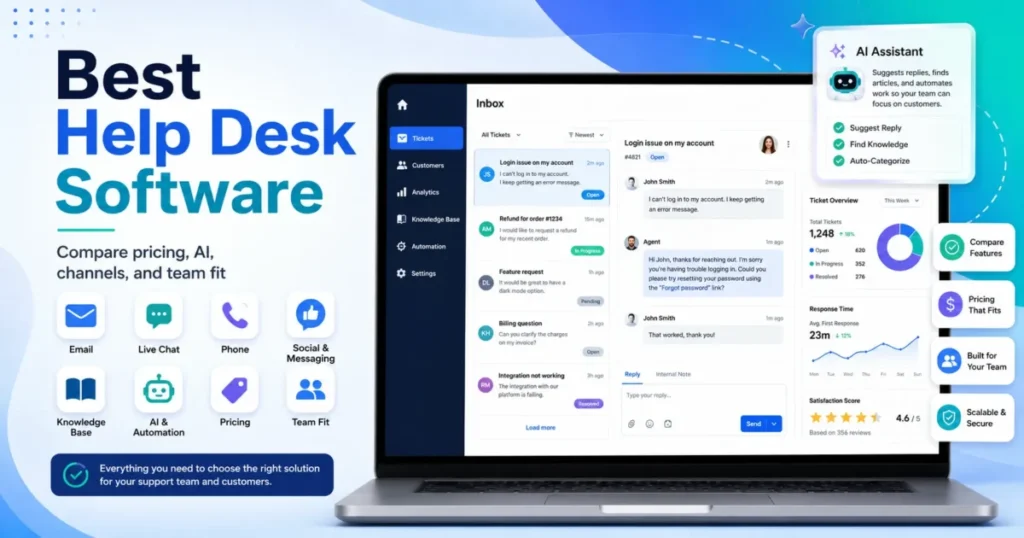
Choosing the right help desk solution determines whether your support team drowns in tickets or delivers consistent, efficient service. This review applies a consultant-grade scoring rubric to 40 platforms, mapping each to specific use cases—IT service management, customer support, ecommerce, MSP workflows—so you can shortlist tools that actually fit your operation, not just check feature boxes.
You’ll find transparent scoring breakdowns, realistic implementation guidance, and clear warnings about where tools fall short. No fluff, no invented metrics—just the tradeoffs that matter when you’re buying help desk software in 2026.
Quick Picks at a Glance
- Best Overall: Zendesk — Mature ecosystem, strong omnichannel, scales from SMB to enterprise
- Best for SMB: Help Scout — Clean UX, affordable, minimal learning curve for small teams
- Best for IT/ITSM: Jira Service Management — Deep ITIL alignment, asset management, change workflows
- Best Budget: Spiceworks Cloud Help Desk — Free tier with surprising capability for internal IT
- Best for Ecommerce: Gorgias — Native Shopify integration, revenue-aware ticket routing
- Best for Omnichannel: Kustomer — Unified customer timeline across every channel
- Best for Enterprise: ServiceNow ITSM — Full ESM suite, governance-first, handles extreme complexity
- Best Open Source: Zammad — Modern UI, active community, self-hosted control
Best Help Desk Solutions 2026 – Top 10 Comparison Table
| Tool | Best for | Category | Pricing transparency | Pricing model | Deployment | Score (rubric) |
|---|---|---|---|---|---|---|
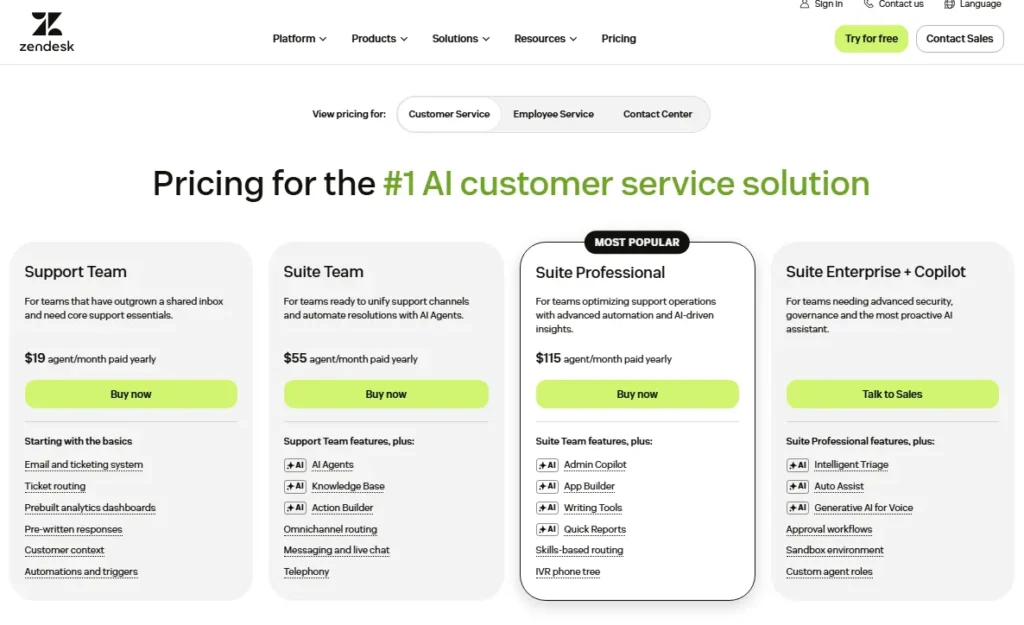
| Zendesk | Scaled omnichannel CX ops | CX help desk | Public | Per agent/seat | Cloud | 88/100 |
| ServiceNow ITSM | Enterprise IT governance + ESM | ITSM/ESM | Contact sales | Subscription (quote) | Cloud/Hybrid | 90/100 |
| Jira Service Management | ITSM + Atlassian dev alignment | ITSM | Public | Per agent (tiered) | Cloud | 86/100 |
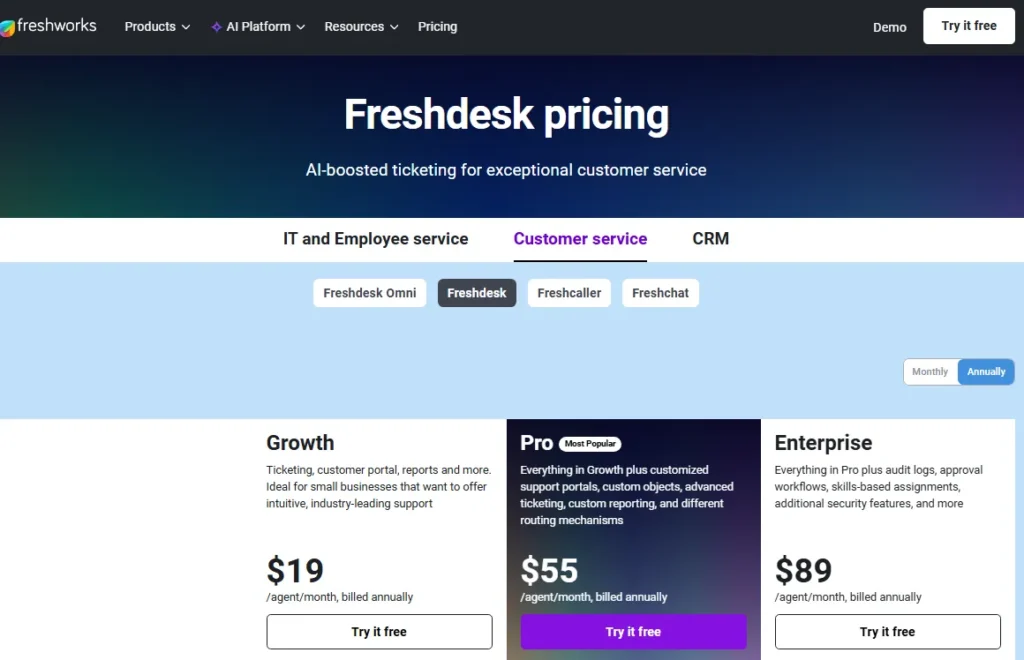
| Freshdesk | SMB→mid-market fast time-to-value | CX help desk | Public | Per agent (tiered) | Cloud | 84/100 |
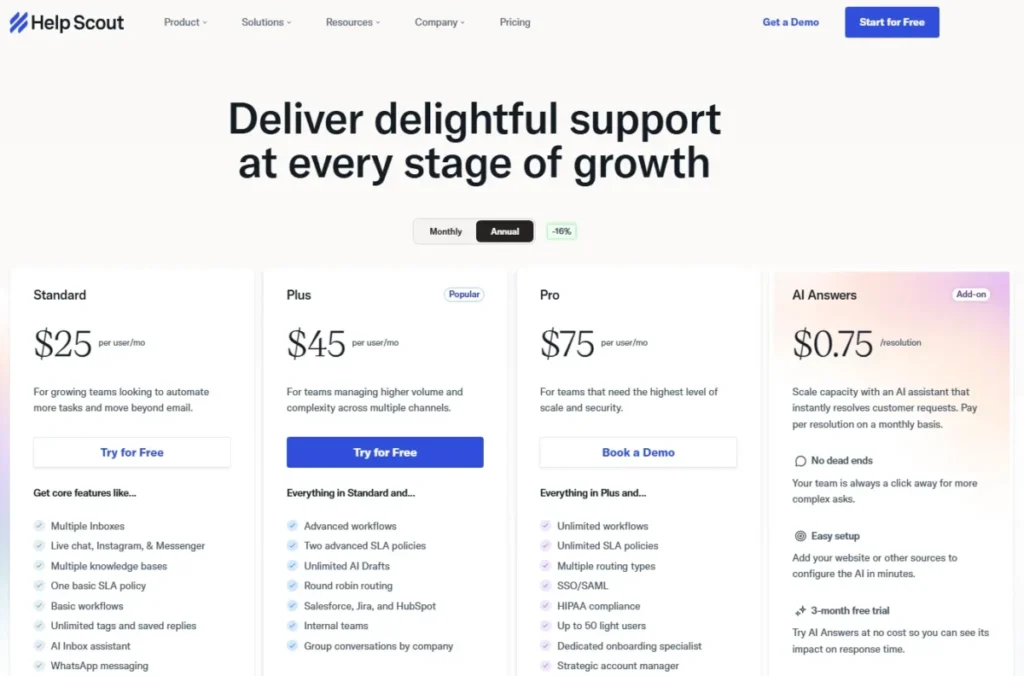
| Help Scout | Email-first SMB support, low admin | CX help desk | Public | Per user/seat | Cloud | 77/100 |
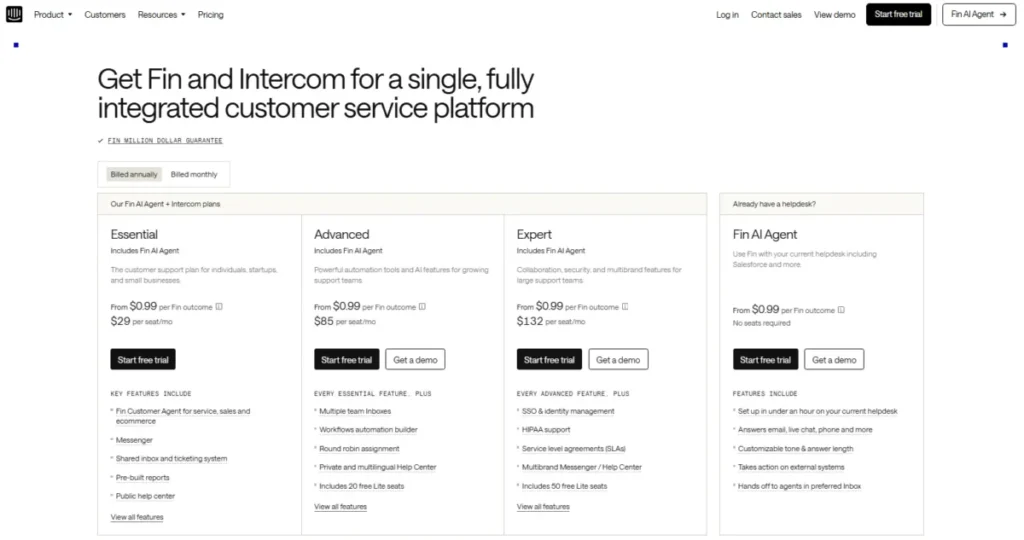
| Intercom | In-app product support + proactive messaging | Conversational CX | Public (usage components) | Seat + usage (verify) | Cloud | 77/100 |
| Kustomer | Omnichannel timeline + customer context | Omnichannel CX | Contact sales | Subscription (quote) | Cloud | 78/100 |
| Gorgias | Shopify-first ecommerce support | Ecommerce help desk | Public | Usage/volume-based (verify) | Cloud | 70/100 |
| Zammad | Modern open-source (self-host or hosted) | Open source | Public | OSS self-host / hosted per agent | Cloud/Self-host | 66/100 |
| Spiceworks Cloud Help Desk | Free internal IT ticketing starter | IT help desk (basic) | Public (free) | Free (model may vary) | Cloud | 51/100 |
How We Reviewed These Help Desk Solutions
Why Trust This Review
I’m an independent reviewer focused on SaaS platforms, using a consistent scoring rubric to help buyers compare tools with less bias and more clarity. This guide is built from product documentation, publicly available vendor materials (including pricing pages when available), and demos/walkthroughs; hands-on trials were used when access was possible.
I don’t invent facts—if pricing, security certifications, customer counts, or region-specific controls can’t be verified, they’re marked “Not publicly confirmed” with exactly what you should ask the vendor to confirm. The scoring prioritizes real-world fit (CX, ITSM/ESM, ecommerce, MSP) and deducts points for opaque pricing, weak governance, and “AI theater” without guardrails or demo-proven value.
The 100-Point Scoring Rubric
Each platform earns points across eight weighted categories:
- Core Ticketing & Workflow (20 points): Routing, escalation, SLA tracking, custom fields, macros, agent collision detection, mobile ticketing. Does the system handle volume without breaking?
- Omnichannel & Customer Experience (10 points): Email, chat, phone, social media, SMS integration. Unified customer view. Channel switching without context loss.
- Automation & AI (15 points): Auto-routing accuracy, canned responses, workflow triggers, AI agent assist, chatbot deflection. Points deducted for inaccurate AI or features requiring extensive tuning with no guardrails.
- Self-Service & Knowledge Management (10 points): KB authoring tools, article lifecycle, search relevance, customer portal, community forums, measurable deflection.
- Reporting & Analytics (10 points): Out-of-box dashboards, custom report builder, SLA compliance tracking, CSAT/NPS collection, agent productivity metrics, data export.
- Integrations & Extensibility (10 points): Native integrations (Slack, Teams, Jira, Salesforce), marketplace depth, API quality, webhook reliability, SSO/SCIM support.
- Security, Admin & Governance (15 points): RBAC, audit logs, data residency options, SOC 2/ISO verification, HIPAA readiness (if claimed), sandbox environments, change tracking.
- TCO & Implementation Fit (10 points): Transparent pricing, onboarding effort, migration tooling, training resources, hidden costs (API limits, storage, premium support), vendor stability.
Scoring interpretation:
- 85–100: Excellent fit for target use case, minor tradeoffs
- 75–84: Strong contender with notable gaps or complexity
- 65–74: Viable for specific scenarios, requires workarounds
- Below 65: Niche use only or significant limitations
Use-Case Fit Categories
IT Service Desk (ITSM/ESM): ITIL-aligned incident, problem, change management. Asset tracking (CMDB). Internal employee support. Typically needs advanced governance.
Customer Support (B2C/B2B): External customer inquiries. Omnichannel orchestration. Knowledge base deflection. CSAT focus. May need multi-brand support.
Internal Operations: HR, facilities, finance helpdesks. Lighter ITSM needs. Approvals and workflow automation. Often needs SSO integration with existing identity provider.
MSP/Multi-tenant: Managed service providers supporting multiple clients. Client segmentation, billing integration, PSA connectivity.
Hybrid/Specialized: Ecommerce order support, healthcare patient services, education IT, government compliance-heavy environments.
Best Overall Help Desk Solutions
1. Zendesk — Best for scaled omnichannel customer support ops
Best for: Mid-market to enterprise CX teams managing high-volume, multi-queue support across channels.
Quick verdict: Choose Zendesk when you need reliable omnichannel operations + a deep app ecosystem and you can commit to governance.

- Trial/Demo: 14-day free trial + free demo available
- Pricing transparency: From $19/user/month (billed annually) (public on pricing page, verify) https://www.zendesk.com/pricing/
Why we picked Zendesk
Zendesk is a safe shortlist pick for teams that need mature routing, SLAs, and queue hygiene at scale. It also has one of the strongest ecosystems for extending workflows (CRM, ecommerce, telephony), which matters more than niche features once volume rises.
Key strengths (evidence-based)
- Scales routing, SLAs, escalations, and macros across many queues.
- Strong agent workspace for collaboration and high-throughput handling.
- Automation/AI options exist, but value depends on real ticket data.
- Marketplace depth reduces build work for integrations and extensions.
Standout features
- SLA policies with business hours and escalation paths.
- Multi-brand support for separate lines of business (verify by plan).
- Agent assist/summaries where available (verify accuracy).
Pros & Cons
| Pros | Cons |
|---|---|
| Strong core ticketing at scale | Governance needed to avoid “expensive email” |
| Deep ecosystem + marketplace | Key features may be plan-gated |
| Mature omnichannel patterns | Total cost rises with add-ons |
Notable limitations (what to watch)
- Advanced reporting and roles may be plan-dependent—verify by plan.
- Add-ons can drive TCO; confirm what’s included in your quote.
- AI performance varies; test on real tickets before rollout.
Integrations & ecosystem notes
Zendesk typically fits stacks that rely on CRM, ecommerce, and collaboration tools. Validate marketplace app costs, API/webhook needs, and identity controls (SSO/SAML, SCIM) by plan and contract.
Reality check (consultant note)
Zendesk performs best when you enforce taxonomy (tags/fields) and ownership for automations. In demos, test routing rules, permissions, SLA clocks, and dashboards using messy real tickets—not a clean sandbox.
Score breakdown (100-point rubric)
| Category | Score |
|---|---|
| Core ticketing & workflow (20) | 18/20 |
| Omnichannel + CX (10) | 9/10 |
| Automation & AI (15) | 13/15 |
| Self-service & knowledge (10) | 8/10 |
| Reporting & analytics (10) | 9/10 |
| Integrations & extensibility (10) | 10/10 |
| Security, admin & governance (15) | 13/15 |
| TCO & implementation fit (10) | 8/10 |
| Total | 88/100 |
Best alternatives: Freshdesk (value), Intercom (messaging-first), Help Scout (email-first simplicity)
2. Freshdesk — Best for SMB-to-mid-market teams needing fast time-to-value
Best for: SMB→mid CX teams that need broad help desk coverage without heavyweight admin overhead.
Quick verdict: Choose Freshdesk when you want strong baseline ticketing + automation at a pragmatic price point.

- Trial/Demo: 14-day free trial + free plan available
- Pricing transparency: From $19/user/month (billed annually) https://www.freshworks.com/freshdesk/pricing/
Why we picked Freshdesk
Freshdesk is a practical choice for teams that need to standardize support quickly and expand into automation and channels over time. It’s especially strong when your priority is “good coverage + speed” rather than enterprise-grade governance.
Key strengths (evidence-based)
- Solid ticketing foundation with routing and SLA support (verify by plan).
- Practical automation for repetitive ops and follow-ups.
- Knowledge base + portal options for deflection programs.
- Good fit for SMB teams scaling toward mid-market.
Standout features
- Rules-based routing and time-based automations.
- Portal/KB pairing for self-service deflection.
- Agent productivity tooling (verify included tiers).
Pros & Cons
| Pros | Cons |
|---|---|
| Fast setup and adoption | Enterprise governance varies by plan |
| Strong value for SMB | Complex orgs can outgrow |
| Good baseline channel coverage | Reporting depth may be tiered |
Notable limitations (what to watch)
- Security/admin controls (SSO/SCIM, audit logs) may be plan-dependent—verify.
- Advanced reporting and multi-brand complexity require careful design.
- AI/automation claims should be tested on real tickets.
Integrations & ecosystem notes
Freshdesk usually integrates well with common SMB tools (CRM, ecommerce, chat/voice add-ons). Validate your must-have integrations and identity controls (SSO/SAML, SCIM) and confirm any overage/usage limits.
Reality check (consultant note)
Freshdesk is excellent when you keep workflows disciplined and avoid over-customization early. In demos, validate SLA accuracy, routing edge cases, reporting outputs, and whether required features are gated.
Score breakdown (100-point rubric)
| Category | Score |
|---|---|
| Core ticketing & workflow (20) | 17/20 |
| Omnichannel + CX (10) | 8/10 |
| Automation & AI (15) | 12/15 |
| Self-service & knowledge (10) | 8/10 |
| Reporting & analytics (10) | 8/10 |
| Integrations & extensibility (10) | 8/10 |
| Security, admin & governance (15) | 13/15 |
| TCO & implementation fit (10) | 10/10 |
| Total | 84/100 |
Best alternatives: Zendesk (scale), Zoho Desk (suite value), Help Scout (email-first)
3. Help Scout — Best for email-first SMB support with low admin overhead
Best for: SMB support teams that primarily run on email and want clean UX + collaboration.
Quick verdict: Choose Help Scout when adoption and simplicity matter more than deep omnichannel or ITSM.

- Trial/Demo: 14-day free trial + free demo available
- Pricing transparency: From $25/user/month (billed annually) https://www.helpscout.com/pricing/
Why we picked Help Scout
Help Scout consistently fits teams that want to move from “shared inbox chaos” to structured support without feeling like they’re running an enterprise platform. It’s especially effective when email is still the dominant channel and you want lightweight governance.
Key strengths (evidence-based)
- Strong agent UX for email-first workflows and collaboration.
- Low admin burden; easy to standardize without heavy ops.
- KB/self-service works well for lightweight deflection.
- Clear fit for teams that don’t need complex routing trees.
Standout features
- Clean shared inbox-style workflow with accountability.
- Knowledge base + portal pairing (verify by plan).
- Templates/saved replies for faster handling.
Pros & Cons
| Pros | Cons |
|---|---|
| Excellent usability | Not built for ITSM |
| Quick adoption | Omnichannel depth varies |
| Low admin overhead | Advanced routing can be limited |
Notable limitations (what to watch)
- Complex SLA/escalation workflows may be limited—verify.
- Governance and advanced reporting may be tiered.
- If you need voice/social at scale, confirm channel strategy.
Integrations & ecosystem notes
Help Scout typically suits simpler stacks but can connect to common CRMs and ecommerce tools. Validate API/webhook needs, identity controls, and whether integrations cover your real workflows—not just “available.”
Reality check (consultant note)
Help Scout shines when the goal is consistency and speed for small teams. If you’re already planning complex multi-brand, multi-region, multi-channel operations, you may outgrow it—test routing and reporting early.
Score breakdown (100-point rubric)
| Category | Score |
|---|---|
| Core ticketing & workflow (20) | 16/20 |
| Omnichannel + CX (10) | 7/10 |
| Automation & AI (15) | 10/15 |
| Self-service & knowledge (10) | 8/10 |
| Reporting & analytics (10) | 7/10 |
| Integrations & extensibility (10) | 7/10 |
| Security, admin & governance (15) | 12/15 |
| TCO & implementation fit (10) | 10/10 |
| Total | 77/100 |
Best alternatives: Front (collaboration inbox), Freshdesk (broader), Zendesk (scale)
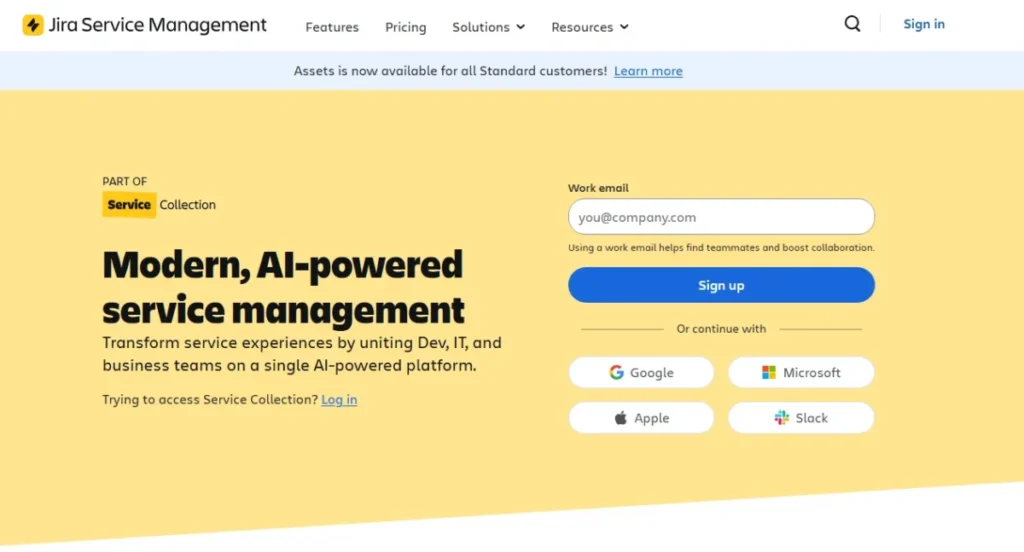
4. Jira Service Management — Best for ITSM with Atlassian-native dev alignment
Best for: IT teams that need ITSM workflows and tight handoffs to engineering in Jira.
Quick verdict: Choose Jira Service Management when you want IT intake that can convert into dev work with traceability.

- Trial/Demo: Free trial available
- Pricing transparency: Free forever for 10 users https://www.atlassian.com/software/jira/pricing
Why we picked Jira Service Management
Jira Service Management is a top choice when IT and engineering share operational ownership. It’s strongest when you need structured intake (requests/incidents/changes) and a clean bridge into Jira issues—without running two disconnected systems.
Key strengths (evidence-based)
- Strong workflow configuration for IT request and incident handling.
- Tight Jira/Atlassian alignment for cross-team traceability.
- Automation supports approvals and escalations (verify scope).
- Good governance potential with disciplined admin ownership.
Standout features
- IT-to-dev handoff with linked records and context.
- Configurable request types and service catalog patterns.
- Incident workflows for operational response (verify setup).
Pros & Cons
| Pros | Cons |
|---|---|
| Best-fit Atlassian environments | Can feel “Jira-ish” to non-IT |
| Strong ITSM workflows | KB may require extra setup |
| Excellent dev alignment | Admin discipline impacts results |
Notable limitations (what to watch)
- Customer-facing CX may feel less polished than CX-first tools.
- Reporting depends on taxonomy discipline and configuration.
- Packaging/add-ons can affect TCO—verify.
Integrations & ecosystem notes
Strong Atlassian ecosystem plus marketplace options. Validate identity (SSO/SAML, SCIM), alerting/on-call integrations, and whether your reporting needs can be met without heavy customization.
Reality check (consultant note)
Jira SM succeeds when you standardize request types and enforce intake hygiene. In demos, test: approvals, SLAs/business hours, permissions, dashboards, and the IT→dev handoff lifecycle.
Score breakdown (100-point rubric)
| Category | Score |
|---|---|
| Core ticketing & workflow (20) | 18/20 |
| Omnichannel + CX (10) | 8/10 |
| Automation & AI (15) | 12/15 |
| Self-service & knowledge (10) | 7/10 |
| Reporting & analytics (10) | 9/10 |
| Integrations & extensibility (10) | 9/10 |
| Security, admin & governance (15) | 14/15 |
| TCO & implementation fit (10) | 9/10 |
| Total | 86/100 |
Best alternatives: ServiceNow ITSM (enterprise), TOPdesk (ESM), HaloITSM (mid-market ITSM)
5. ServiceNow ITSM — Best for enterprise-grade IT governance and ESM programs
Best for: Enterprises running ITSM/ESM with strict governance, auditability, and multi-department workflows.
Quick verdict: Choose ServiceNow when you need platform depth and can fund process design + dedicated admin ownership.

- Trial/Demo: Unknown
- Pricing transparency: Get a Custom Quote https://www.servicenow.com/products/itsm/pricing.html
Why we picked ServiceNow ITSM
ServiceNow is the enterprise baseline when governance, scale, and cross-department service delivery are the real requirements. It’s less a “tool” and more an operating platform—ideal for complex orgs with long-term standardization goals.
Key strengths (evidence-based)
- Deep workflow and governance capabilities for complex org structures.
- Strong fit for ESM (IT + HR + facilities + more).
- Robust reporting/analytics potential when data model is disciplined.
- Extensible platform approach for long-term scale (verify module scope).
Standout features
- Enterprise service catalog and approval orchestration.
- Governance patterns (RBAC/auditability) with strong admin controls.
- Platform extensibility for custom workflows (verify approach).
Pros & Cons
| Pros | Cons |
|---|---|
| Enterprise-grade governance | Heavy implementation effort |
| Scales across departments | Requires mature ownership |
| Strong platform extensibility | Higher TCO risk |
Notable limitations (what to watch)
- Time-to-value depends on implementation quality and resourcing.
- TCO includes admin headcount, integrations, and change management.
- Overkill for smaller orgs—validate real requirements.
Integrations & ecosystem notes
ServiceNow commonly integrates with enterprise identity, HR, ERP, and security stacks. Validate integration approach (connectors vs custom), data residency needs, and role-based access patterns; confirm what’s included vs add-on.
Reality check (consultant note)
If you can’t staff governance (process owners + admins), ServiceNow becomes expensive shelfware. In demo/RFP, insist on real workflow walkthroughs (incident→problem→change), permissions, audit logs, and reporting outputs.
Score breakdown (100-point rubric)
| Category | Score |
|---|---|
| Core ticketing & workflow (20) | 19/20 |
| Omnichannel + CX (10) | 8/10 |
| Automation & AI (15) | 13/15 |
| Self-service & knowledge (10) | 9/10 |
| Reporting & analytics (10) | 9/10 |
| Integrations & extensibility (10) | 9/10 |
| Security, admin & governance (15) | 15/15 |
| TCO & implementation fit (10) | 8/10 |
| Total | 90/100 |
Best alternatives: BMC Helix ITSM (enterprise), Ivanti Neurons (suite), Jira SM (mid-market)
Best Customer Support Help Desk Solutions
6. Salesforce Service Cloud — Best for CRM-native case management and customer 360 context
Best for: Organizations where Salesforce is the system of record and support must be CRM-native.
Quick verdict: Choose Salesforce Service Cloud when cases, entitlements, and CRM-driven workflows matter more than out-of-the-box help desk simplicity.

- Trial/Demo: Free trial + free demo available
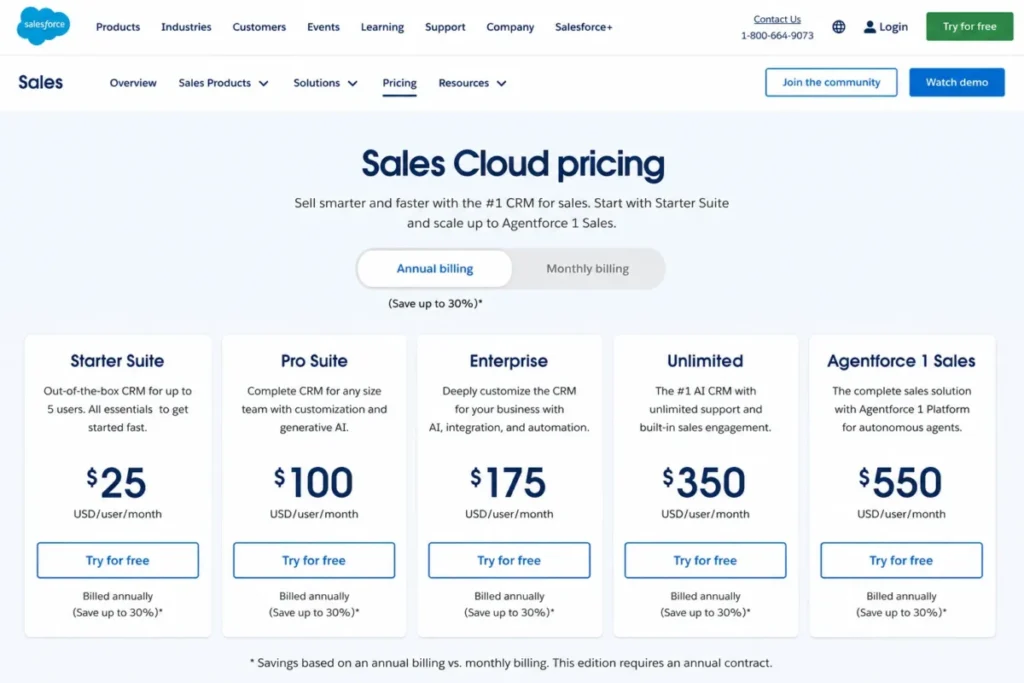
- Pricing transparency: From $25/user/month (billed annually) https://www.salesforce.com/ap/service/pricing/
Why we picked Salesforce Service Cloud
If your company already runs on Salesforce, moving support outside the CRM can create broken handoffs and split reporting. Service Cloud is the strongest option when you need a unified customer data model, complex permissions, and enterprise-grade workflow control inside Salesforce.
Key strengths (evidence-based)
- CRM-native cases with deep customer/account context across teams.
- Enterprise workflow potential for approvals, routing, and entitlements.
- Strong reporting when the underlying data model is disciplined.
- Large ecosystem via AppExchange for vertical and enterprise needs.
Standout features
- Entitlements and service contracts (verify edition requirements).
- Configurable console-style agent workspace.
- AI assist features where available (verify accuracy and scope).
Pros & Cons
| Pros | Cons |
|---|---|
| Best-in-class CRM context | Admin-heavy to configure well |
| Powerful enterprise extensibility | Cost can rise with add-ons |
| Strong reporting potential | Overkill for simple support |
Notable limitations (what to watch)
- Outcome depends on Salesforce admin maturity and data hygiene.
- Key features can be edition/add-on gated—verify in quote.
- Implementation effort can be non-trivial for complex orgs.
Integrations & ecosystem notes
Fits best when Salesforce is your hub; AppExchange adds breadth. Verify identity controls (SSO/SAML, SCIM), telephony/CTI needs, and cross-object reporting requirements in a real workflow demo.
Reality check (consultant note)
If Salesforce governance is weak, Service Cloud amplifies the mess rather than fixing it. Demo a full case lifecycle with real permission roles, routing rules, and reporting outputs before committing.
Score breakdown (100-point rubric)
| Category | Score |
|---|---|
| Core ticketing & workflow (20) | 18/20 |
| Omnichannel + CX (10) | 9/10 |
| Automation & AI (15) | 12/15 |
| Self-service & knowledge (10) | 8/10 |
| Reporting & analytics (10) | 9/10 |
| Integrations & extensibility (10) | 9/10 |
| Security, admin & governance (15) | 14/15 |
| TCO & implementation fit (10) | 7/10 |
| Total | 86/100 |
Best alternatives: Zendesk (CX-first), Kustomer (timeline-first), HubSpot Service Hub (SMB CRM)
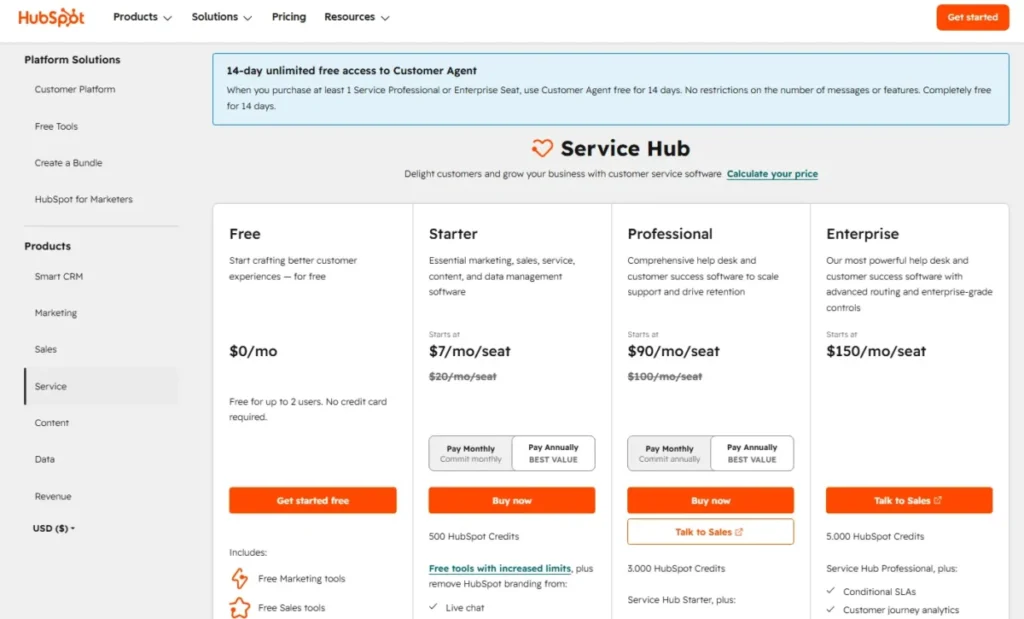
7. HubSpot Service Hub — Best for HubSpot-first SMBs that want support + CRM in one place
Best for: SMB and mid-market teams already using HubSpot CRM who want support tightly tied to customer lifecycle data.
Quick verdict: Choose HubSpot Service Hub when CRM context and cross-team visibility matter more than best-in-class help desk depth.

- Trial/Demo: Start crafting better customer experiences — for free
- Pricing transparency: From $9/month (billed annually) https://www.hubspot.com/pricing/service
Why we picked HubSpot Service Hub
For HubSpot-native businesses, Service Hub can reduce tool sprawl by keeping tickets, conversations, and customer data together. The strongest value appears when marketing/sales/support workflows must share one system of record and reporting layer.
Key strengths (evidence-based)
- Unified CRM context for support prioritization and handoffs.
- Conversation inbox supports common SMB channels (verify specifics).
- Practical automation tied to CRM properties and lifecycle stages.
- Good baseline knowledge base and portal options (verify by tier).
Standout features
- CRM-linked ticketing with cross-team visibility.
- Customer feedback surveys (CSAT/NPS/CES) where available (verify).
- Workflow automation that updates CRM records from support events.
Pros & Cons
| Pros | Cons |
|---|---|
| Strong CRM-service alignment | Help desk depth can be limited |
| Good for SMB ops | Packaging can get expensive |
| Easy cross-team reporting | Enterprise governance varies |
Notable limitations (what to watch)
- SLA and advanced support ops features may be limited or tiered—verify.
- Seat-based pricing can be costly if many users need access.
- Confirm channel coverage and reporting granularity for support KPIs.
Integrations & ecosystem notes
Best fit inside the HubSpot ecosystem; marketplace extends connections. Verify whether you can meet SSO/SCIM, audit logging, and data export needs for IT/security requirements.
Reality check (consultant note)
Service Hub is a “CRM-first” service tool. If your support team needs deep routing trees, complex SLAs, or heavy omnichannel orchestration, you may end up fighting the platform—demo those workflows early.
Score breakdown (100-point rubric)
| Category | Score |
|---|---|
| Core ticketing & workflow (20) | 14/20 |
| Omnichannel + CX (10) | 7/10 |
| Automation & AI (15) | 11/15 |
| Self-service & knowledge (10) | 7/10 |
| Reporting & analytics (10) | 8/10 |
| Integrations & extensibility (10) | 9/10 |
| Security, admin & governance (15) | 12/15 |
| TCO & implementation fit (10) | 8/10 |
| Total | 76/100 |
Best alternatives: Salesforce Service Cloud (enterprise CRM), Zendesk (help desk depth), Front (shared inbox style)
8. Front — Best for shared inbox teams that need collaboration more than rigid ticketing
Best for: Cross-functional teams (support + CS + ops + sales) handling high email volume with lightweight structure.
Quick verdict: Choose Front when speed and collaboration in a shared inbox matters more than SLAs, service catalogs, or deep help desk automation.

- Trial/Demo: 14-day free trial
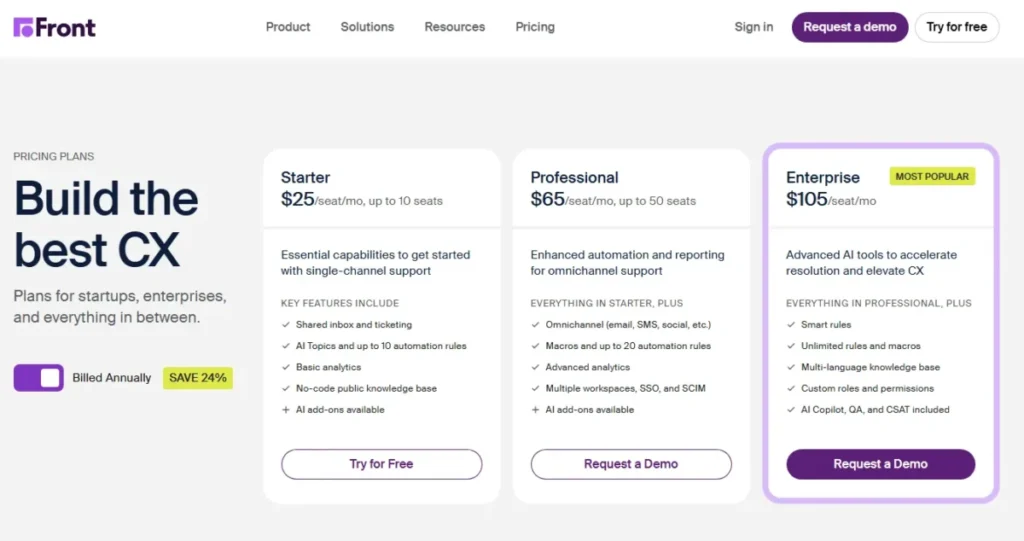
- Pricing transparency: Public From $25/user/month (billed annually, minimum 10 seats) https://front.com/pricing
Why we picked Front
Front excels when the real problem is “shared inbox chaos,” not “we need full ITSM.” It’s a strong fit for teams that operate across email and messaging channels and want clear ownership, internal collaboration, and fast response without a heavy help desk layer.
Key strengths (evidence-based)
- Gmail-like UX with assignment, mentions, and internal comments.
- Strong collaboration patterns for multi-stakeholder responses.
- Practical rules for tagging/assigning (verify automation depth).
- Works well for non-linear workflows across teams and inboxes.
Standout features
- Internal comments separate from customer messages.
- Shared drafts and approvals for sensitive replies.
- Multi-inbox workflows with clear ownership and visibility.
Pros & Cons
| Pros | Cons |
|---|---|
| Very fast adoption | Not a full help desk |
| Excellent collaboration | Limited SLA/ITSM depth |
| Great for email-heavy ops | KB/portal requires add-ons |
Notable limitations (what to watch)
- SLAs, escalations, and service desk controls may be limited—verify.
- Reporting may not satisfy support ops teams managing strict KPIs.
- If you need omnichannel orchestration at scale, evaluate alternatives.
Integrations & ecosystem notes
Front commonly connects to CRMs and collaboration tools. Validate whether integrations are deep enough for your workflow (e.g., writeback to CRM), and confirm identity/security needs (SSO, audit logs) by plan.
Reality check (consultant note)
Front is great until you need strict ticket lifecycle governance and SLA enforcement. Demo your actual “edge cases” (handoffs, approvals, escalations) before replacing a real help desk with a shared inbox tool.
Score breakdown (100-point rubric)
| Category | Score |
|---|---|
| Core ticketing & workflow (20) | 12/20 |
| Omnichannel + CX (10) | 6/10 |
| Automation & AI (15) | 8/15 |
| Self-service & knowledge (10) | 3/10 |
| Reporting & analytics (10) | 6/10 |
| Integrations & extensibility (10) | 8/10 |
| Security, admin & governance (15) | 11/15 |
| TCO & implementation fit (10) | 9/10 |
| Total | 63/100 |
Best alternatives: Help Scout (email-first help desk), Zendesk (scale), Hiver (Gmail-native)
9. Intercom — Best for product-led SaaS teams running in-app conversational support
Best for: SaaS and product-led teams needing in-app messaging, proactive support, and conversational automation.
Quick verdict: Choose Intercom when your customers live inside your app and you want to prevent tickets with proactive messaging—then validate total cost under your real volume.

- Trial/Demo: Free demo + 14-day free trial available
- Pricing transparency: From $0.99/ AI resolution https://www.intercom.com/pricing
Why we picked Intercom
Intercom is a top pick for in-app support because it blends messaging, automation, and proactive customer engagement. It can reduce inbound volume by answering questions and nudging users before they open tickets—if your knowledge and automation are configured well.
Key strengths (evidence-based)
- Excellent in-app messenger experience with customer context.
- Strong automation patterns for routing and deflection (verify).
- Proactive outreach tied to user behavior (verify capabilities).
- Integrates well with SaaS data stacks for segmentation (verify).
Standout features
- In-app messaging widget with contextual resources.
- Proactive messages triggered by user behavior.
- AI/agent assist where available (verify accuracy and sources).
Pros & Cons
| Pros | Cons |
|---|---|
| Best-in-class in-app messaging | Can become expensive at scale |
| Strong proactive automation | Email-first workflows can feel secondary |
| Good SaaS ecosystem fit | Support KPI reporting varies |
Notable limitations (what to watch)
- Total cost is often driven by usage/volume—verify on a modeled quote.
- Traditional SLA-heavy help desk ops may be less native—verify.
- AI answers depend on KB quality; test for hallucinations.
Integrations & ecosystem notes
Intercom often fits SaaS stacks (CRM, CDP, billing, issue tracking). Validate integration depth (two-way sync), identity controls, and how data/events feed routing and segmentation.
Reality check (consultant note)
Intercom wins when you treat support as part of product experience, not a ticket factory. If you’re mainly email + strict SLAs, you may be better with Zendesk/Freshdesk—demo those workflows before committing.
Score breakdown (100-point rubric)
| Category | Score |
|---|---|
| Core ticketing & workflow (20) | 14/20 |
| Omnichannel + CX (10) | 8/10 |
| Automation & AI (15) | 13/15 |
| Self-service & knowledge (10) | 8/10 |
| Reporting & analytics (10) | 7/10 |
| Integrations & extensibility (10) | 8/10 |
| Security, admin & governance (15) | 12/15 |
| TCO & implementation fit (10) | 7/10 |
| Total | 77/100 |
Best alternatives: Zendesk (classic help desk ops), Kustomer (timeline-first), Help Scout (SMB email simplicity)
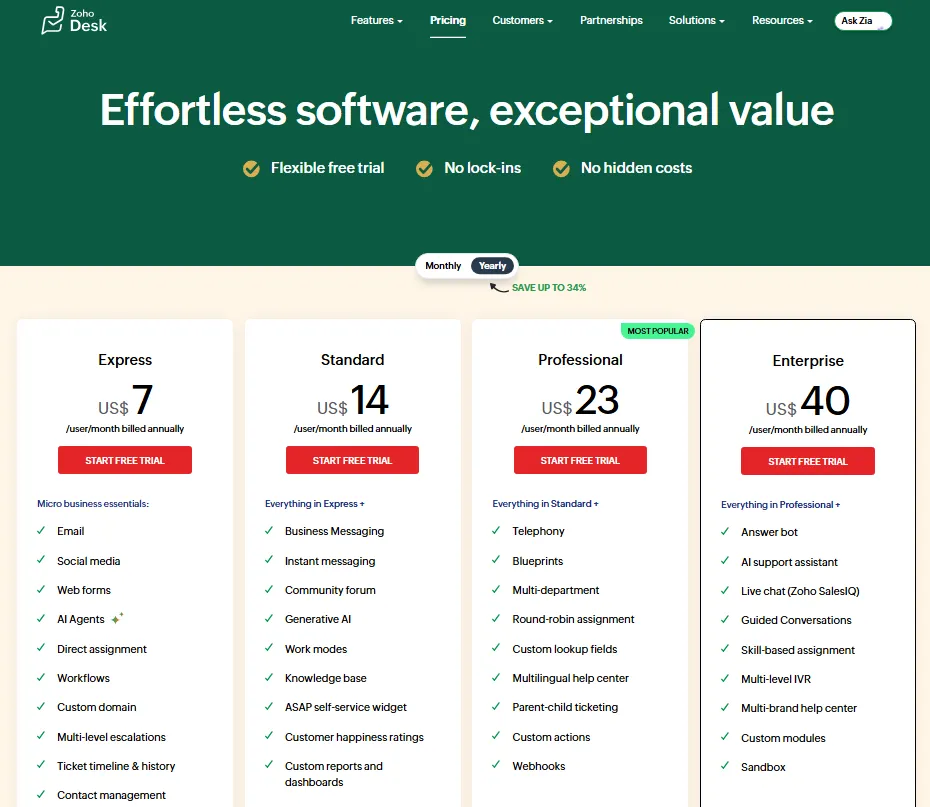
10. Zoho Desk — Best for cost-conscious teams in the Zoho ecosystem
Best for: SMB/mid-market teams that already use Zoho (CRM/Projects/Books) and want a budget-friendly help desk.
Quick verdict: Choose Zoho Desk when suite value and affordability matter more than premium UX and the largest integration marketplace.

- Trial/Demo: 15-day free trial
- Pricing transparency: From $7/user/month (billed annually) https://www.zoho.com/desk/pricing.html
Why we picked Zoho Desk
Zoho Desk is compelling when buyers care about total suite value and can benefit from tight alignment with Zoho CRM and adjacent apps. It’s a pragmatic option for teams wanting solid ticketing, a usable knowledge base, and service workflows without enterprise pricing.
Key strengths (evidence-based)
- Strong value when paired with Zoho CRM and Zoho suite tools.
- Solid ticketing fundamentals with routing and automation (verify).
- Knowledge base and portal options support basic deflection.
- Suitable for budget-conscious teams that can tolerate tradeoffs.
Standout features
- Workflow/blueprint-style process enforcement (verify terminology).
- Contextual widget/portal options for self-service (verify).
- AI assists where available (verify accuracy and scope).
Pros & Cons
| Pros | Cons |
|---|---|
| Strong suite value | UX can feel less polished |
| Budget-friendly entry point | Marketplace smaller than leaders |
| Good baseline ticketing | AI depth varies |
Notable limitations (what to watch)
- Integration breadth may be limited outside Zoho ecosystem—verify.
- Documentation and admin experience can be uneven—validate in trial.
- Confirm security controls (SSO/SCIM, audit logs) by tier.
Integrations & ecosystem notes
Zoho Desk is strongest when Zoho CRM is the hub. Validate your non-Zoho integrations and confirm API/webhook capabilities and identity controls match your security requirements.
Reality check (consultant note)
Zoho Desk is a smart buy when your ops are simple and your budget is real. If your roadmap includes complex omnichannel orchestration or enterprise governance, you may outgrow it—test escalation rules and reporting early.
Score breakdown (100-point rubric)
| Category | Score |
|---|---|
| Core ticketing & workflow (20) | 16/20 |
| Omnichannel + CX (10) | 7/10 |
| Automation & AI (15) | 10/15 |
| Self-service & knowledge (10) | 7/10 |
| Reporting & analytics (10) | 8/10 |
| Integrations & extensibility (10) | 7/10 |
| Security, admin & governance (15) | 12/15 |
| TCO & implementation fit (10) | 9/10 |
| Total | 76/100 |
Best alternatives: Freshdesk (broader SMB), Zendesk (scale), HubSpot Service Hub (CRM-first)
Best Ecommerce Help Desk Software
11. Gorgias — Best for Shopify-first ecommerce support with order-aware workflows
Best for: Ecommerce brands (especially Shopify) that need support tied to orders, refunds, shipping, and retention.
Quick verdict: Choose Gorgias when your support team lives in Shopify and you want order actions inside the ticket—then validate cost behavior during peak seasons.

- Trial/Demo: Free trial + free demo available
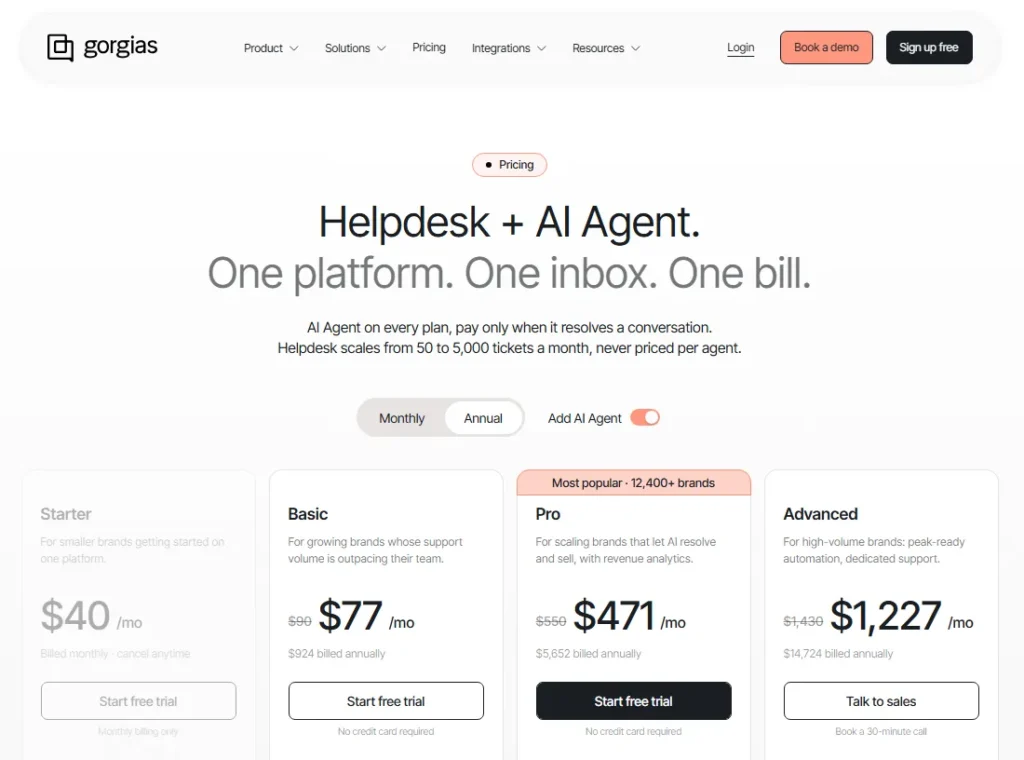
- Pricing transparency: From $10/month https://www.gorgias.com/pricing
Why we picked Gorgias
Gorgias earns its spot because it’s built around ecommerce reality: WISMO, returns, exchanges, refunds, chargebacks, and “where’s my order” spikes. When the help desk can see orders and execute actions without switching tabs, you reduce handle time and improve retention.
Key strengths (evidence-based)
- Ecommerce-native context: order history and customer details in workflow.
- Macros/actions can streamline refunds, cancellations, and shipping updates (verify).
- Channel coverage typically matches ecommerce needs (verify exact channels).
- Useful for prioritizing VIP/high-value customers using commerce context (verify).
Standout features
- Shopify-native actions within support workflow (verify scope).
- Intent/routing tuned for common ecommerce request types.
- Revenue-aware reporting concepts may exist (verify methodology).
Pros & Cons
| Pros | Cons |
|---|---|
| Best-in-class Shopify alignment | Less useful outside ecommerce |
| Reduces tool-switching for agents | Cost can spike with volume |
| Strong for WISMO/returns workflows | KB depth varies by plan |
Notable limitations (what to watch)
- Usage-based pricing can make budgeting harder—model peak months.
- Knowledge base and broader “service desk” governance may be limited—verify.
- If you need ITSM features (assets/changes), this is the wrong category.
Integrations & ecosystem notes
Gorgias is strongest when integrated with Shopify and ecommerce tooling (subscriptions, loyalty, reviews). Validate the depth of integrations (write actions vs read-only), plus identity/security controls if you have compliance requirements.
Reality check (consultant note)
Gorgias is a specialist tool: great when ecommerce operations are the center of the support model. In demo, run common scenarios—refund, exchange, address change, delivery issue—and confirm which actions can be executed inside the ticket.
Score breakdown (100-point rubric)
| Category | Score |
|---|---|
| Core ticketing & workflow (20) | 14/20 |
| Omnichannel + CX (10) | 8/10 |
| Automation & AI (15) | 11/15 |
| Self-service & knowledge (10) | 5/10 |
| Reporting & analytics (10) | 6/10 |
| Integrations & extensibility (10) | 9/10 |
| Security, admin & governance (15) | 10/15 |
| TCO & implementation fit (10) | 7/10 |
| Total | 70/100 |
Best alternatives: Zendesk (broader CX), Freshdesk (value), Kustomer (timeline-first CX)
12. Kustomer — Best for omnichannel CX teams needing a unified customer timeline
Best for: Mid-market to enterprise CX teams where customer context across channels matters more than pure ticket throughput.
Quick verdict: Choose Kustomer when you need a unified timeline and CRM-like customer model—then validate implementation effort and pricing transparency early.

- Trial/Demo: Free trial + free demo available
- Pricing transparency: From $89/month (billed annually) https://www.kustomer.com/pricing/
Why we picked Kustomer
Kustomer is designed for “who is this customer and what happened before?” rather than “what is this ticket.” That’s valuable for subscription businesses, marketplaces, and high-touch support where context reduces repeat conversations and improves personalization across channels.
Key strengths (evidence-based)
- Unified customer timeline across channels reduces context loss.
- CRM-like customer objects support richer segmentation (verify capabilities).
- Strong omnichannel routing for messaging-first support (verify).
- Works well when support ties into lifecycle events and customer value (verify).
Standout features
- Customer timeline view as primary operating model.
- Custom objects/data modeling for customer context (verify).
- AI/automation features may exist (verify safety and accuracy).
Pros & Cons
| Pros | Cons |
|---|---|
| Excellent customer context | Pricing often opaque |
| Strong omnichannel structure | Implementation can be heavy |
| Good for high-touch CX | ITSM depth is limited |
Notable limitations (what to watch)
- CRM-like flexibility adds admin complexity—confirm staffing needs.
- Reporting depends on data model discipline; test dashboards in demo.
- If your model is SLA-heavy ticket ops, validate fit vs Zendesk first.
Integrations & ecosystem notes
Kustomer typically connects to ecommerce, billing, and comms stacks (voice/SMS) plus CRM systems. Validate whether integrations are deep (two-way sync) and confirm SSO/SCIM, audit logs, and data export requirements.
Reality check (consultant note)
Kustomer is strongest for teams prioritizing personalization and continuity. If you mainly need fast, structured ticket resolution with rigid SLAs, you may pay for context you won’t use—pilot with real workflows first.
Score breakdown (100-point rubric)
| Category | Score |
|---|---|
| Core ticketing & workflow (20) | 16/20 |
| Omnichannel + CX (10) | 9/10 |
| Automation & AI (15) | 12/15 |
| Self-service & knowledge (10) | 7/10 |
| Reporting & analytics (10) | 8/10 |
| Integrations & extensibility (10) | 8/10 |
| Security, admin & governance (15) | 12/15 |
| TCO & implementation fit (10) | 6/10 |
| Total | 78/100 |
Best alternatives: Zendesk (ops-first), Intercom (product-led messaging), Gladly (conversation-first)
13. Gladly — Best for conversation-first customer service (people, not tickets)
Best for: Brands that prioritize relationship-based service where continuity and personalization outweigh strict ticket metrics.
Quick verdict: Choose Gladly when you want an always-on customer conversation thread across channels—then confirm how reporting and ops controls map to your KPIs.

- Trial/Demo: Free demo available
- Pricing transparency: From $150/user/month (billed annually, 10 user min) https://www.gladly.ai/
Why we picked Gladly
Gladly takes a “customer-first” approach by organizing work around the person rather than the ticket. For loyalty-driven brands and membership businesses, that reduces repeat explanations and creates a premium service feel—when your operating model supports it.
Key strengths (evidence-based)
- Conversation continuity across channels reduces repetition and friction.
- Unified agent workspace supports high-touch service workflows.
- Routing can prioritize by customer value/context (verify).
- Useful when support is a brand differentiator, not just cost center.
Standout features
- People-centric thread replacing ticket-per-issue model.
- Unified view across channels and historical interactions.
- Agent assist features may exist (verify scope and accuracy).
Pros & Cons
| Pros | Cons |
|---|---|
| Excellent continuity for customers | Ticket-style analytics may be harder |
| Strong for premium service models | Pricing is typically opaque |
| Reduces “repeat your story” pain | Not built for ITSM workflows |
Notable limitations (what to watch)
- If your ops relies on ticket taxonomy and strict SLA reporting, validate fit.
- Integration marketplace may be smaller than Zendesk—verify depth.
- Confirm governance controls (roles/audit logs/exports) to meet compliance needs.
Integrations & ecosystem notes
Gladly commonly integrates with ecommerce and CRM systems plus key comms channels. Validate whether integrations support bi-directional workflows, confirm identity requirements (SSO/SCIM), and ensure data export supports analytics needs.
Reality check (consultant note)
Gladly is the right tool when your service strategy is “relationship and loyalty,” not “close tickets fast.” In demo, test how you’ll measure performance (CSAT, FCR, deflection) without traditional ticket structure.
Score breakdown (100-point rubric)
| Category | Score |
|---|---|
| Core ticketing & workflow (20) | 13/20 |
| Omnichannel + CX (10) | 9/10 |
| Automation & AI (15) | 10/15 |
| Self-service & knowledge (10) | 6/10 |
| Reporting & analytics (10) | 6/10 |
| Integrations & extensibility (10) | 7/10 |
| Security, admin & governance (15) | 11/15 |
| TCO & implementation fit (10) | 6/10 |
| Total | 68/100 |
Best alternatives: Kustomer (timeline + data model), Zendesk (ops + reporting), Intercom (SaaS messaging)
Best IT Service Desk Software Solutions
14. SysAid — Best for mid-market IT teams needing ITSM + remote support in one platform
Best for: Internal IT departments that want ITSM workflows plus built-in remote support/asset visibility.
Quick verdict: Choose SysAid when you want an “all-in-one IT help desk” that reduces tool sprawl—then validate UI fit and integration depth.

- Trial/Demo: Free trial + free demo available
- Pricing transparency: Contact sales https://www.sysaid.com/
Why we picked SysAid
SysAid is a practical ITSM pick when your team needs incident/request handling plus remote support and asset tracking without stitching multiple vendors together. It tends to work best for generalist IT teams who value consolidation over having the “best” point solution.
Key strengths (evidence-based)
- IT-focused workflows for incidents, requests, and approvals (verify scope).
- Built-in remote support can reduce tool-switching during diagnosis.
- Asset context supports faster triage and fewer back-and-forth questions.
- Solid fit for mid-market governance without enterprise platform overhead.
Standout features
- Remote support embedded in technician workflow (verify capabilities).
- Asset inventory tied to tickets for context-driven troubleshooting.
- Self-service portal patterns for internal users (verify customization).
Pros & Cons
| Pros | Cons |
|---|---|
| Consolidates core IT tools | UI feel can be subjective |
| Useful for generalist IT teams | Marketplace breadth varies |
| Strong internal IT orientation | Advanced AI depth uncertain |
Notable limitations (what to watch)
- Integration ecosystem may require custom API work—verify.
- Advanced governance/security controls may be tiered—verify by plan.
- Reporting quality depends on taxonomy discipline (categories, assets, SLAs).
Integrations & ecosystem notes
SysAid typically integrates with directory/identity and common IT tools. Validate SSO/SAML, SCIM, audit logs, and whether integrations are two-way (writeback) versus read-only.
Reality check (consultant note)
SysAid can be a “sweet spot” for mid-market IT, but only if your team commits to intake structure and asset hygiene. In demo, test remote support flows, permissions, SLA clocks, and export/reporting.
Score breakdown (100-point rubric)
| Category | Score |
|---|---|
| Core ticketing & workflow (20) | 16/20 |
| Omnichannel + CX (10) | 3/10 |
| Automation & AI (15) | 10/15 |
| Self-service & knowledge (10) | 8/10 |
| Reporting & analytics (10) | 7/10 |
| Integrations & extensibility (10) | 7/10 |
| Security, admin & governance (15) | 12/15 |
| TCO & implementation fit (10) | 8/10 |
| Total | 71/100 |
Best alternatives: Jira Service Management (Atlassian shops), ManageEngine ServiceDesk Plus (value ITSM), Freshservice (SaaS ITSM)
15. ManageEngine ServiceDesk Plus — Best for cost-effective ITSM with strong asset and change foundations
Best for: IT teams that want ITSM depth (assets/CMDB/change) without enterprise platform pricing.
Quick verdict: Choose ServiceDesk Plus when you need serious ITSM fundamentals at a pragmatic cost—then validate cloud vs on-prem feature parity.

- Trial/Demo: Free demo available
- Pricing transparency: Pricing upon request https://www.manageengine.com/
Why we picked ManageEngine ServiceDesk Plus
ServiceDesk Plus is one of the most common “value ITSM” choices for teams that need more than ticketing—assets, change control, approvals, and procurement-style workflows. It’s a strong fit when you want breadth and can accept a more utilitarian UX.
Key strengths (evidence-based)
- ITSM breadth for incidents, requests, changes, and assets (verify editions).
- Asset lifecycle context improves triage and reduces repeat diagnostics.
- Workflow/approvals support internal governance and auditability.
- Reporting can be strong when categories and assets are maintained well.
Standout features
- Asset/CMDB-oriented workflows tied to tickets (verify modules).
- Change management patterns for IT governance (verify setup complexity).
- Service catalog approach for structured internal intake (verify).
Pros & Cons
| Pros | Cons |
|---|---|
| Strong ITSM value proposition | UX can feel less modern |
| Broad module coverage | Cloud/on-prem differences possible |
| Good for asset-heavy IT | Ecosystem less “CX-style” |
Notable limitations (what to watch)
- Licensing/editions can be confusing—verify what’s included.
- Integrations may require ManageEngine ecosystem alignment or API work.
- AI/automation maturity varies—validate against your workflows.
Integrations & ecosystem notes
Often pairs well with directory services and ManageEngine’s broader suite. Validate SSO/SCIM, audit logs, data export, and whether integrations cover your IT stack (monitoring, endpoint, identity).
Reality check (consultant note)
This tool pays off when you actually use the ITSM discipline—service catalog, asset hygiene, and change governance. In demos, test change approvals, SLA clocks, asset linking, and reporting outputs.
Score breakdown (100-point rubric)
| Category | Score |
|---|---|
| Core ticketing & workflow (20) | 17/20 |
| Omnichannel + CX (10) | 2/10 |
| Automation & AI (15) | 11/15 |
| Self-service & knowledge (10) | 8/10 |
| Reporting & analytics (10) | 8/10 |
| Integrations & extensibility (10) | 7/10 |
| Security, admin & governance (15) | 13/15 |
| TCO & implementation fit (10) | 9/10 |
| Total | 75/100 |
Best alternatives: Jira Service Management (dev alignment), Ivanti Neurons (suite approach), TOPdesk (ESM breadth)
16. SolarWinds Service Desk — Best for SolarWinds-native IT teams connecting monitoring to tickets
Best for: IT orgs already invested in SolarWinds monitoring that want alert-to-ticket workflows.
Quick verdict: Choose SolarWinds Service Desk when monitoring integration is a core requirement—otherwise compare ITSM tools with stronger standalone depth.

- Trial/Demo: 15-day free trial
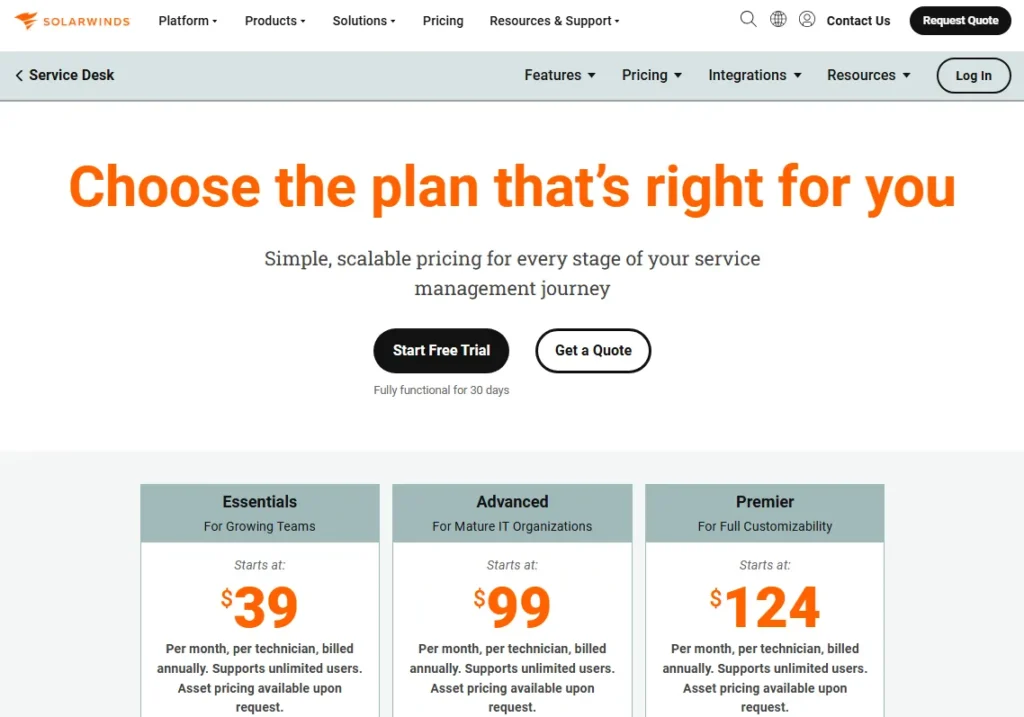
- Pricing transparency: From $39/month (billed annually) https://www.solarwinds.com/service-desk/pricing
Why we picked SolarWinds Service Desk
Its practical value is operational: if your monitoring stack is SolarWinds, connecting alerts to incident workflows can reduce manual ticket creation and shorten detection-to-response. That’s a real outcome lever for smaller IT teams.
Key strengths (evidence-based)
- Monitoring-to-ticket alignment for faster incident capture (verify integration).
- Solid IT ticketing foundation for internal support workflows.
- Asset context can support triage (verify discovery approach).
- Straightforward setup for SolarWinds-centric environments.
Standout features
- Alert-driven incident creation patterns (verify).
- Service catalog for structured requests (verify).
- Knowledge base/self-service portal options (verify).
Pros & Cons
| Pros | Cons |
|---|---|
| Strong in SolarWinds stacks | Less compelling standalone |
| Practical incident intake | Marketplace depth varies |
| Good for lean IT teams | Advanced ITSM may be limited |
Notable limitations (what to watch)
- Change/problem depth may be limited vs dedicated ITSM—verify.
- Automation can be basic depending on edition—verify.
- Confirm security/admin features (SSO, audit logs) by plan.
Integrations & ecosystem notes
Best value appears with SolarWinds products plus core identity tools. Validate integration maturity (bi-directional), API/webhooks, and any edition gating for key connectors.
Reality check (consultant note)
If you’re not SolarWinds-native, you’re paying for an advantage you won’t use. In demo, test alert-to-ticket routing, deduplication/correlation, SLAs, and dashboarding with real alerts.
Score breakdown (100-point rubric)
| Category | Score |
|---|---|
| Core ticketing & workflow (20) | 14/20 |
| Omnichannel + CX (10) | 2/10 |
| Automation & AI (15) | 8/15 |
| Self-service & knowledge (10) | 7/10 |
| Reporting & analytics (10) | 7/10 |
| Integrations & extensibility (10) | 7/10 |
| Security, admin & governance (15) | 11/15 |
| TCO & implementation fit (10) | 8/10 |
| Total | 64/100 |
Best alternatives: Freshservice (SaaS ITSM), ManageEngine ServiceDesk Plus (value ITSM), Jira Service Management (Atlassian)
17. Ivanti Neurons for ITSM — Best for IT orgs pursuing automation tied to endpoint and experience data
Best for: Enterprises standardizing on Ivanti or wanting ITSM connected to endpoint/experience signals.
Quick verdict: Choose Ivanti Neurons when you want ITSM + automation that reaches endpoints—then validate licensing complexity and implementation needs early.

- Trial/Demo: 14-day free trial + free demo available
- Pricing transparency: Contact sales https://www.ivanti.com/solutions/enterprise-service-management
Why we picked Ivanti Neurons for ITSM
Ivanti’s differentiator is the “Neurons” angle: connecting service workflows to broader IT operations and endpoint data can unlock higher automation (e.g., request fulfillment plus remediation). This is most relevant when you can standardize tooling and invest in orchestration.
Key strengths (evidence-based)
- ITSM depth suitable for enterprise service catalogs and approvals (verify).
- Potential to tie workflows to endpoint/ops actions (verify integrations).
- Virtual agent/automation concepts can reduce repetitive requests (verify).
- Good fit when you want ESM expansion beyond IT (verify modules).
Standout features
- Automation tied to operational signals (verify capabilities).
- Virtual agent patterns for common requests (verify guardrails).
- Experience/telemetry-informed workflows (verify).
Pros & Cons
| Pros | Cons |
|---|---|
| Strong “suite” automation story | Licensing can be complex |
| Good enterprise workflow depth | Implementation can be heavy |
| Fits endpoint-linked IT ops | Ecosystem smaller than leaders |
Notable limitations (what to watch)
- Value often depends on broader Ivanti suite alignment—verify.
- Automation success requires clean data and governance.
- Confirm security controls, auditability, and data residency needs.
Integrations & ecosystem notes
Ivanti commonly integrates well within its own ecosystem and core enterprise identity. Validate connector maturity, API/webhooks, and whether your key systems (HR, IAM, endpoint, monitoring) integrate without custom build.
Reality check (consultant note)
This is not a “turn it on in two weeks” buy. If you can’t commit process owners and admin capacity, the automation promise won’t land. In demo, test a full request-to-fulfillment workflow end-to-end.
Score breakdown (100-point rubric)
| Category | Score |
|---|---|
| Core ticketing & workflow (20) | 17/20 |
| Omnichannel + CX (10) | 3/10 |
| Automation & AI (15) | 13/15 |
| Self-service & knowledge (10) | 8/10 |
| Reporting & analytics (10) | 8/10 |
| Integrations & extensibility (10) | 7/10 |
| Security, admin & governance (15) | 13/15 |
| TCO & implementation fit (10) | 6/10 |
| Total | 75/100 |
Best alternatives: ServiceNow ITSM (platform leader), BMC Helix (enterprise), Jira Service Management (mid-market ITSM)
18. BMC Helix ITSM — Best for large enterprises needing ITSM + ops-aligned automation
Best for: Large enterprise IT orgs (often already BMC/Remedy-influenced) modernizing ITSM with enterprise governance.
Quick verdict: Choose BMC Helix when you need enterprise-grade ITSM and want alignment with broader IT operations—then validate modernization path and services requirements.

- Trial/Demo: Free demo available
- Pricing transparency: Contact sales https://www.helixops.ai/products/bmc-helix-itsm.html
Why we picked BMC Helix ITSM
BMC Helix is relevant when you’re operating at enterprise scale and need a governance-heavy ITSM platform with a clear modernization story (especially if you have legacy BMC footprints). It’s typically evaluated alongside ServiceNow in complex environments.
Key strengths (evidence-based)
- Enterprise ITSM breadth for incident/problem/change/service catalog (verify).
- Strong governance posture: roles, auditability, process control (verify).
- Can align ITSM with operations/monitoring patterns (verify connectors).
- Suitable for regulated environments needing process rigor (verify).
Standout features
- Enterprise workflow orchestration for change and approvals.
- Modernization path for legacy BMC environments (verify options).
- Automation/AI capabilities where available (verify scope).
Pros & Cons
| Pros | Cons |
|---|---|
| Enterprise-grade governance | Cost/complexity can be high |
| Strong for complex IT orgs | Often needs services support |
| Viable alternative to ServiceNow | Overkill for mid-market |
Notable limitations (what to watch)
- Implementation effort is typically substantial—verify resourcing model.
- Feature packaging can be complex—confirm what’s included.
- Ensure reporting requirements are met without heavy customization.
Integrations & ecosystem notes
Helix commonly integrates with enterprise identity and ops tooling, but depth varies by connector/module. Validate SSO/SCIM, audit logs, data residency, and integration approach (prebuilt vs custom).
Reality check (consultant note)
If your organization isn’t ready to run ITSM as a program (process owners, CAB rigor, CMDB discipline), Helix will feel heavy. In demo, test change workflows, CMDB/asset relationships, and audit reporting.
Score breakdown (100-point rubric)
| Category | Score |
|---|---|
| Core ticketing & workflow (20) | 18/20 |
| Omnichannel + CX (10) | 3/10 |
| Automation & AI (15) | 13/15 |
| Self-service & knowledge (10) | 8/10 |
| Reporting & analytics (10) | 9/10 |
| Integrations & extensibility (10) | 8/10 |
| Security, admin & governance (15) | 14/15 |
| TCO & implementation fit (10) | 5/10 |
| Total | 78/100 |
Best alternatives: ServiceNow ITSM (market standard), Ivanti Neurons (suite), Jira Service Management (lighter)
19. TOPdesk — Best for ESM across IT + facilities + internal operations with strong process structure
Best for: Organizations running multi-department service management (IT + facilities/HR/ops) that want structured intake and approvals.
Quick verdict: Choose TOPdesk when you want a broad internal service desk model beyond IT—then validate US ecosystem fit and integrations.

- Trial/Demo: Free demo available
- Pricing transparency: From $64/user/month (billed annually) https://www.topdesk.com/en/pricing/
Why we picked TOPdesk
TOPdesk is a strong candidate when the “help desk” is really enterprise service management—multiple internal departments sharing one portal, one catalog, and consistent governance. It’s less about omnichannel customer support and more about internal service delivery maturity.
Key strengths (evidence-based)
- Strong service catalog and portal patterns for internal users.
- Flexible workflows/approvals suitable for multiple departments.
- Good fit for organizations wanting ESM standardization.
- Governance-friendly intake and categorization models (verify).
Standout features
- Multi-department service desk (IT + facilities/ops) approach.
- Catalog-first intake with structured request types.
- Configurable portals and forms (verify customization depth).
Pros & Cons
| Pros | Cons |
|---|---|
| Great for internal ESM | Not for customer omnichannel |
| Strong process structure | US integration fit varies |
| Good portal/catlog patterns | AI depth uncertain |
Notable limitations (what to watch)
- Ecosystem/integration breadth may be region-dependent—verify.
- If you need CX omnichannel (social/chat/voice) at scale, look elsewhere.
- Validate analytics and export needs for operations reporting.
Integrations & ecosystem notes
Common identity integrations are typical, but validate your specific stack (Teams/Slack, HRIS, ERP, asset/discovery). Confirm SSO/SCIM, audit logs, and API/webhooks based on your governance needs.
Reality check (consultant note)
TOPdesk shines when you’re serious about standard intake and service catalogs. If you just need “tickets for IT,” you might be overbuying. In demos, test portal UX, approvals, and category reporting.
Score breakdown (100-point rubric)
| Category | Score |
|---|---|
| Core ticketing & workflow (20) | 16/20 |
| Omnichannel + CX (10) | 3/10 |
| Automation & AI (15) | 9/15 |
| Self-service & knowledge (10) | 8/10 |
| Reporting & analytics (10) | 8/10 |
| Integrations & extensibility (10) | 6/10 |
| Security, admin & governance (15) | 13/15 |
| TCO & implementation fit (10) | 7/10 |
| Total | 70/100 |
Best alternatives: ServiceNow (enterprise ESM), TeamDynamix (higher ed/gov), Jira Service Management (IT-first)
20. TeamDynamix — Best for higher education and public-sector style service workflows
Best for: Universities, healthcare, and government-like orgs needing ITSM + project/service portfolio thinking.
Quick verdict: Choose TeamDynamix when you need flexible internal service management across departments—then validate integrations and reporting to your standards.

- Trial/Demo: Free demo available
- Pricing transparency: Contact sales https://www.teamdynamix.com/
Why we picked TeamDynamix
TeamDynamix is often shortlisted when organizations have diverse service lines and want one platform for intake, service delivery, and internal project alignment. The strength is in configurable workflows that match how complex institutions actually operate.
Key strengths (evidence-based)
- Strong internal portal/catlog patterns for multi-department intake.
- Flexible workflow engine for varied service processes.
- Useful when service + projects/portfolio need alignment (verify modules).
- Good for large, distributed organizations with many stakeholders.
Standout features
- Multi-department service delivery model (verify).
- Request forms and routing tailored by department.
- Portfolio/project alignment concepts where included (verify).
Pros & Cons
| Pros | Cons |
|---|---|
| Good for complex institutions | Not CX omnichannel-first |
| Flexible workflows | Integration work may be required |
| Strong internal service model | AI depth uncertain |
Notable limitations (what to watch)
- Ecosystem may not match commercial CX stacks—verify integrations.
- Reporting depends on strong intake design and taxonomy discipline.
- Confirm identity/security features to meet IT requirements.
Integrations & ecosystem notes
Common enterprise identity and collaboration integrations are typical, but depth varies. Validate API/webhooks, SSO/SCIM, audit logging, and whether your ERP/HRIS/student systems require custom integration.
Reality check (consultant note)
TeamDynamix delivers value when you treat it as a service management program, not a ticket inbox. Demo multi-department routing, permissions, and reporting—especially cross-department views and data boundaries.
Score breakdown (100-point rubric)
| Category | Score |
|---|---|
| Core ticketing & workflow (20) | 16/20 |
| Omnichannel + CX (10) | 3/10 |
| Automation & AI (15) | 10/15 |
| Self-service & knowledge (10) | 8/10 |
| Reporting & analytics (10) | 8/10 |
| Integrations & extensibility (10) | 6/10 |
| Security, admin & governance (15) | 13/15 |
| TCO & implementation fit (10) | 6/10 |
| Total | 70/100 |
Best alternatives: TOPdesk (ESM patterns), ServiceNow (enterprise scale), Jira Service Management (IT-first)
21. HaloITSM — Best for modern mid-market ITSM with MSP-friendly options
Best for: Mid-market IT teams (and some MSPs) wanting modern ITSM without enterprise platform complexity.
Quick verdict: Choose HaloITSM when you want a modern ITSM experience and flexible workflows—then validate support coverage and integration requirements in your region.

- Trial/Demo: Free trial + Free demo available
- Pricing transparency: Contact sales https://usehalo.com/haloitsm/
Why we picked HaloITSM
HaloITSM is frequently considered by teams that want ITSM structure—catalog, approvals, SLAs—without the heavy cost and implementation footprint of enterprise platforms. It can be a strong “modern mid-market ITSM” option when you value UX and speed.
Key strengths (evidence-based)
- Modern UX and configurable workflows for IT intake and fulfillment.
- Strong service catalog patterns and SLA management (verify).
- Useful for teams consolidating ITSM into one system of record.
- Can fit MSP-style multi-client needs in some configurations (verify).
Standout features
- Configurable service catalog and approvals (verify).
- Flexible workflow automation for common IT processes.
- Reporting dashboards dependent on clean taxonomy (verify).
Pros & Cons
| Pros | Cons |
|---|---|
| Modern ITSM feel | Ecosystem depends on region |
| Good mid-market balance | Enterprise features may vary |
| Configurable workflows | AI maturity uncertain |
Notable limitations (what to watch)
- Validate enterprise governance needs (RBAC depth, audit logs, SCIM).
- Confirm integration depth for your must-have systems.
- Ensure change/problem maturity matches your ITIL expectations.
Integrations & ecosystem notes
HaloITSM often integrates with common identity and collaboration tools; verify whether your monitoring/endpoint stack has mature connectors or needs API work. Confirm SSO/SCIM, audit logs, and data export for compliance.
Reality check (consultant note)
HaloITSM can be a great mid-market fit, but only if you standardize your catalog and categories early. In demos, test approvals, SLAs, role permissions, and reporting on real internal request scenarios.
Score breakdown (100-point rubric)
| Category | Score |
|---|---|
| Core ticketing & workflow (20) | 16/20 |
| Omnichannel + CX (10) | 3/10 |
| Automation & AI (15) | 10/15 |
| Self-service & knowledge (10) | 8/10 |
| Reporting & analytics (10) | 8/10 |
| Integrations & extensibility (10) | 7/10 |
| Security, admin & governance (15) | 12/15 |
| TCO & implementation fit (10) | 8/10 |
| Total | 72/100 |
Best alternatives: Jira Service Management (Atlassian), ManageEngine ServiceDesk Plus (value ITSM), Freshservice (SaaS ITSM)
22. InvGate Service Management — Best for mid-market IT teams prioritizing asset+service governance without enterprise overhead
Best for: Mid-market IT teams that want clear service workflows plus strong asset/contract visibility.
Quick verdict: Choose InvGate when you want practical ITSM structure and asset-driven context—then validate integration breadth and long-term vendor fit.

- Trial/Demo: Free trial available
- Pricing transparency: From $17/user/month (billed annually) https://invgate.com/pricing
Why we picked InvGate Service Management
InvGate is a good shortlist option for teams that care about operational clarity: structured intake, approvals, SLAs, and asset context. It fits buyers who want ITSM discipline without signing up for a multi-quarter enterprise platform program.
Key strengths (evidence-based)
- Strong service catalog and portal patterns for internal users (verify).
- Asset context improves triage and supports lifecycle management (verify).
- Workflow automation supports approvals and fulfillment steps (verify).
- Practical fit for teams building ITSM maturity incrementally.
Standout features
- Asset + service alignment in technician workflow (verify).
- Visual workflow/process design patterns (verify).
- Portal UX aimed at structured internal requests (verify).
Pros & Cons
| Pros | Cons |
|---|---|
| Good ITSM + asset balance | Smaller ecosystem than leaders |
| Practical mid-market fit | Some integrations may need API work |
| Clear catalog-first intake | AI depth uncertain |
Notable limitations (what to watch)
- Validate integration needs beyond common identity/collaboration tools.
- Confirm governance controls (audit logs, RBAC depth, SCIM).
- Ensure reporting meets your SLA/ops needs without heavy customization.
Integrations & ecosystem notes
InvGate commonly integrates with identity and collaboration tools; validate whether your monitoring/endpoint/MDM tools have mature connectors. Confirm API/webhook capabilities, export options, and SSO/SCIM support by plan.
Reality check (consultant note)
InvGate works best when you define request types and owners early—otherwise you’ll recreate inbox chaos. In demos, test approvals, SLA clocks, asset linking, and how easy it is to produce operational reports.
Score breakdown (100-point rubric)
| Category | Score |
|---|---|
| Core ticketing & workflow (20) | 15/20 |
| Omnichannel + CX (10) | 2/10 |
| Automation & AI (15) | 9/15 |
| Self-service & knowledge (10) | 8/10 |
| Reporting & analytics (10) | 7/10 |
| Integrations & extensibility (10) | 6/10 |
| Security, admin & governance (15) | 12/15 |
| TCO & implementation fit (10) | 8/10 |
| Total | 67/100 |
Best alternatives: ManageEngine ServiceDesk Plus (ITSM breadth), HaloITSM (modern mid-market), TOPdesk (ESM)
Best Mid-Market Help Desk Solutions
23. Kayako — Best for mid-market support teams wanting a unified inbox without enterprise complexity
Best for: Mid-market customer support teams that want email + chat in one place with straightforward collaboration.
Quick verdict: Choose Kayako when you need a competent, unified support inbox without heavy admin overhead—then confirm roadmap momentum and marketplace fit.

- Trial/Demo: Unknown
- Pricing transparency: $79/user/month https://kayako.com/pricing/
Why we picked Kayako
Kayako is a viable mid-market option when you want a clean, unified view of conversations and basic help desk workflows without the enterprise build-out demanded by larger platforms. It’s most attractive to teams prioritizing agent collaboration and a simpler operational model.
Key strengths (evidence-based)
- Unified inbox supports common channels like email and chat (verify).
- Collaboration tools reduce “who’s responding?” confusion.
- Practical SLA and workflow basics for mid-market teams (verify).
- Works well when you don’t need deep ITSM or complex governance.
Standout features
- Unified customer timeline view (verify depth).
- Built-in chat alongside tickets for continuity.
- Internal notes/mentions for multi-agent collaboration.
Pros & Cons
| Pros | Cons |
|---|---|
| Simple mid-market help desk | Marketplace smaller than leaders |
| Good collaboration UX | Differentiation vs rivals is limited |
| Unified inbox approach | Verify pace of feature updates |
Notable limitations (what to watch)
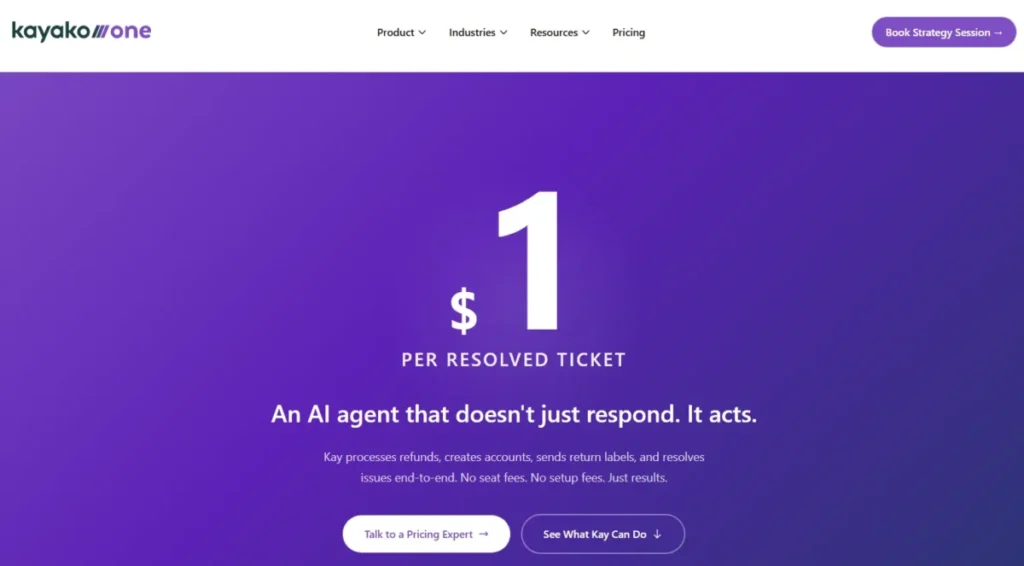
- Advanced automation and reporting may be limited or tiered—verify.
- Ecosystem depth may not match Zendesk/Freshdesk for niche tools.
- Confirm security controls (SSO, audit logs) and data export options.
Integrations & ecosystem notes
Kayako typically integrates with common CRMs and collaboration tools, but coverage varies. Validate whether integrations are “deep” (two-way sync/writeback) and confirm API/webhooks, SSO, and permissions by plan.
Reality check (consultant note)
Kayako can be a steady choice if your needs are straightforward and you want low complexity. But if you expect rapid scaling, heavy automation, or a large marketplace, you may outgrow it—demo your escalation and reporting needs.
Score breakdown (100-point rubric)
| Category | Score |
|---|---|
| Core ticketing & workflow (20) | 15/20 |
| Omnichannel + CX (10) | 7/10 |
| Automation & AI (15) | 9/15 |
| Self-service & knowledge (10) | 6/10 |
| Reporting & analytics (10) | 7/10 |
| Integrations & extensibility (10) | 6/10 |
| Security, admin & governance (15) | 11/15 |
| TCO & implementation fit (10) | 8/10 |
| Total | 69/100 |
Best alternatives: Freshdesk (value + automation), Help Scout (simplicity), Zendesk (scale)
24. HappyFox — Best for teams that want tickets + task-style work management in one workflow
Best for: Support teams that manage tickets plus internal task coordination and want both in one interface.
Quick verdict: Choose HappyFox when your support work includes structured tasks and approvals—not just replying to tickets—then validate reporting depth and automation limits.

- Trial/Demo: Free trial + Free demo available
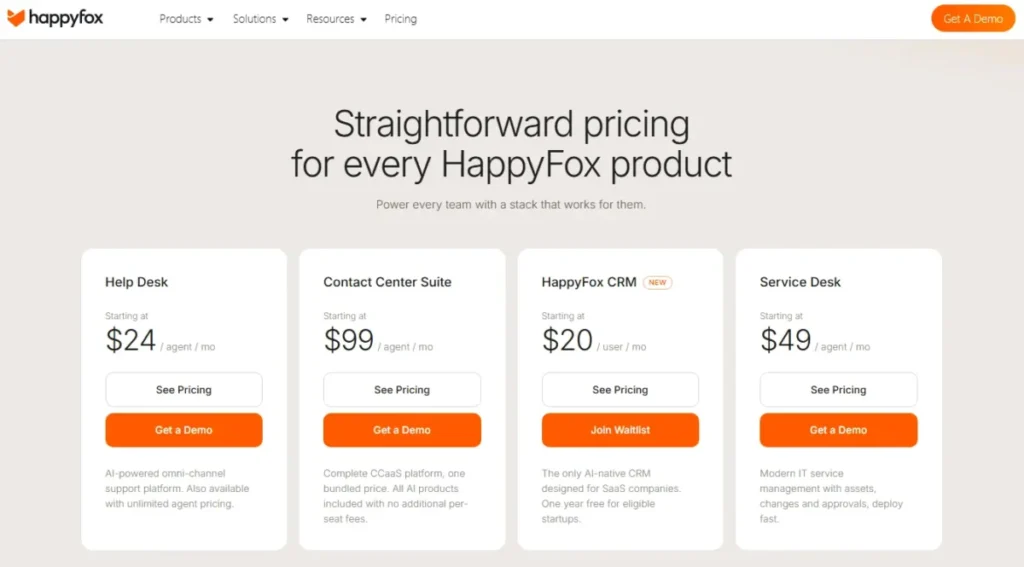
- Pricing transparency: From $21/user/month (billed annually) https://www.happyfox.com/help-desk-price/
Why we picked HappyFox
HappyFox is relevant for teams that need a help desk but also run multi-step internal work—handoffs, approvals, and task coordination that doesn’t fit “reply and close.” It can reduce tool sprawl when you’d otherwise pair a help desk with a task tracker.
Key strengths (evidence-based)
- Ticketing plus task-style coordination for multi-step support workflows.
- Routing and categorization options for structured operations (verify).
- Useful internal collaboration tools for teams that share work often.
- Solid fit for teams wanting process without enterprise ITSM overhead.
Standout features
- Ticket-to-task style handling for complex requests (verify).
- SLA policies and escalation patterns (verify).
- Internal notes and collaboration features for handoffs.
Pros & Cons
| Pros | Cons |
|---|---|
| Good for multi-step workflows | AI depth is uncertain |
| Combines tickets + tasks | Marketplace not the largest |
| Solid operations fit | Reporting may be tier-gated |
Notable limitations (what to watch)
- Advanced reporting and dashboard customization may be limited—verify.
- Omnichannel breadth varies; confirm channel coverage.
- Validate security/governance requirements (SSO, roles, audit logs).
Integrations & ecosystem notes
HappyFox integrates with common business tools, but integration depth varies. Validate API/webhooks for your stack, plus SSO/SCIM needs and whether key workflows require two-way sync rather than “push-only.”
Reality check (consultant note)
HappyFox works when your team truly needs task-like coordination inside support. If your workflow is mainly high-volume, simple ticket resolution, you may be paying for complexity you won’t use—demo both simple and complex queues.
Score breakdown (100-point rubric)
| Category | Score |
|---|---|
| Core ticketing & workflow (20) | 15/20 |
| Omnichannel + CX (10) | 6/10 |
| Automation & AI (15) | 10/15 |
| Self-service & knowledge (10) | 7/10 |
| Reporting & analytics (10) | 7/10 |
| Integrations & extensibility (10) | 6/10 |
| Security, admin & governance (15) | 12/15 |
| TCO & implementation fit (10) | 7/10 |
| Total | 70/100 |
Best alternatives: Zendesk (omnichannel maturity), Freshdesk (value), ClickUp (if work-management-first)
25. LiveAgent — Best for budget-conscious teams that want chat + ticketing (and sometimes voice) without usage fees
Best for: SMB support teams needing live chat plus ticketing on predictable per-agent pricing.
Quick verdict: Choose LiveAgent when budget predictability matters and you want chat-first support—then validate UI/automation depth and channel needs.

- Trial/Demo: 30-day free trial
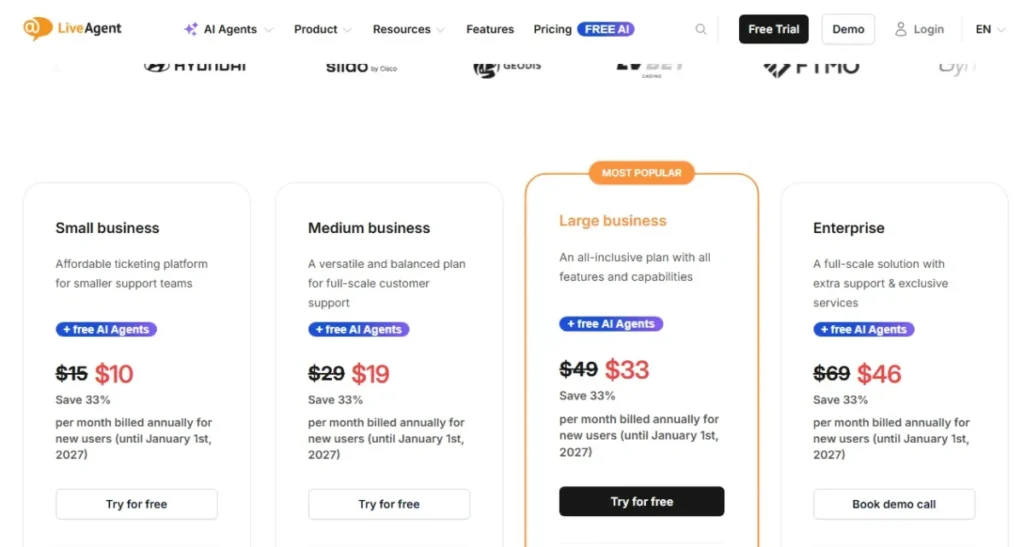
- Pricing transparency: From $15/agent/month (billed annually) https://www.liveagent.com/pricing
Why we picked LiveAgent
LiveAgent fits teams that want a practical help desk with live chat—and potentially additional channels—without unpredictable “per-ticket” cost behavior. It’s most compelling when you need affordability and predictable licensing over premium UX and advanced automation.
Key strengths (evidence-based)
- Predictable per-agent pricing model helps budget planning (verify).
- Live chat is a core experience, not a bolt-on.
- Useful for SMB teams needing multiple channels on a budget (verify).
- Quick setup for teams that want “working” over “perfect.”
Standout features
- Live chat embedded with ticket handling continuity.
- Templates/saved replies to speed up common responses.
- Basic automation for routing and organization (verify).
Pros & Cons
| Pros | Cons |
|---|---|
| Budget-friendly licensing | UX can feel dated |
| Strong chat focus | Automation depth is limited |
| Predictable costs | Marketplace breadth varies |
Notable limitations (what to watch)
- Advanced workflows and reporting may lag market leaders—verify.
- Omnichannel coverage varies by plan; confirm social/voice needs.
- Ensure security and admin controls meet your requirements (SSO, roles).
Integrations & ecosystem notes
LiveAgent supports common integrations, but confirm your must-haves (CRM, ecommerce, voice, collaboration). Validate API/webhooks and whether integrations support true workflow sync or only basic notifications.
Reality check (consultant note)
LiveAgent is a good “value play” when you need chat + ticketing quickly and cheaply. If you’re aiming for enterprise-grade analytics, complex routing, or advanced governance, you’ll likely outgrow it—test reporting in demo.
Score breakdown (100-point rubric)
| Category | Score |
|---|---|
| Core ticketing & workflow (20) | 14/20 |
| Omnichannel + CX (10) | 7/10 |
| Automation & AI (15) | 7/15 |
| Self-service & knowledge (10) | 5/10 |
| Reporting & analytics (10) | 6/10 |
| Integrations & extensibility (10) | 6/10 |
| Security, admin & governance (15) | 11/15 |
| TCO & implementation fit (10) | 9/10 |
| Total | 65/100 |
Best alternatives: Freshdesk (automation value), Help Scout (UX simplicity), Zendesk (scale + ecosystem)
Best Budget & SMB Options
26. Hiver — Best for Gmail-native shared inbox support in Google Workspace
Best for: Small teams operating fully in Gmail/Google Workspace that need shared ownership and basic SLA discipline.
Quick verdict: Choose Hiver when you want “help desk-lite” inside Gmail with near-zero change management—then confirm you won’t outgrow email-first support.

- Trial/Demo: 7-day free trial + free plan available
- Pricing transparency: From $25/user/month https://hiverhq.com/pricing
Why we picked Hiver
Hiver is a strong shortlist option when your support workflow is essentially collaborative email and your team refuses to leave Gmail. It improves accountability (assignments, notes, SLAs) without forcing a new interface, which can meaningfully improve response consistency for small teams.
Key strengths (evidence-based)
- Operates inside Gmail, minimizing training and adoption friction.
- Assignment, notes, and collision signals reduce duplicate responses.
- Basic SLA timers and reminders support consistent response discipline.
- Good fit for email-heavy teams with low-to-moderate ticket complexity.
Standout features
- Gmail-native shared inbox with assignments and internal notes.
- Collision detection to prevent two agents replying at once.
- SLA reminders and analytics for email-based support (verify depth).
Pros & Cons
| Pros | Cons |
|---|---|
| Zero tool-switching | Gmail-only constraint |
| Fast setup and adoption | Limited help desk depth |
| Good for email workflows | Omnichannel is limited |
Notable limitations (what to watch)
- If you need true ticket workflows (queues, complex routing), validate limits.
- Channel coverage beyond email may be add-on or limited—verify by plan.
- Reporting may not satisfy mature support ops without exporting data.
Integrations & ecosystem notes
Hiver fits naturally with Google Workspace. Validate integration needs outside Google (CRM, ecommerce, chat/voice) and confirm API/webhook capabilities, role controls, and export options if you need governance or BI reporting.
Reality check (consultant note)
Hiver is ideal for “shared inbox chaos,” not complex support operations. If your roadmap includes omnichannel, advanced automation, or external customer portals, plan for an eventual migration to a full help desk platform.
Score breakdown (100-point rubric)
| Category | Score |
|---|---|
| Core ticketing & workflow (20) | 11/20 |
| Omnichannel + CX (10) | 4/10 |
| Automation & AI (15) | 7/15 |
| Self-service & knowledge (10) | 3/10 |
| Reporting & analytics (10) | 5/10 |
| Integrations & extensibility (10) | 7/10 |
| Security, admin & governance (15) | 10/15 |
| TCO & implementation fit (10) | 9/10 |
| Total | 56/100 |
Best alternatives: Front (collaboration-first), Help Scout (SMB help desk), Zendesk (scale + structure)
27. Spiceworks Cloud Help Desk — Best for free internal IT ticketing with minimal setup
Best for: Small internal IT teams that need basic ticket tracking and a portal with a zero-dollar budget.
Quick verdict: Choose Spiceworks Cloud when cost is the constraint and you need a functional internal IT help desk fast—then accept the tradeoffs in customization and governance.

- Trial/Demo: Not applicable (free)
- Pricing transparency: Public (free; ad-supported model in many cases—verify) https://www.spiceworks.com/free-cloud-help-desk-software/
Why we picked Spiceworks Cloud Help Desk
Spiceworks remains a go-to recommendation for internal IT teams that need “good enough” ticketing without procurement cycles or licensing costs. The time-to-value is excellent, and for small environments it can provide structure that’s better than inbox-based support.
Key strengths (evidence-based)
- Free entry point enables immediate adoption for budget-constrained IT teams.
- Simple internal IT workflow model fits common request/incident patterns.
- Portal and basic knowledge resources reduce repetitive “how do I” tickets.
- Community ecosystem can help IT teams troubleshoot common issues.
Standout features
- No-cost ticketing with basic queues and assignment.
- End-user portal for submitting and tracking requests.
- Lightweight inventory/IT context features (verify scope).
Pros & Cons
| Pros | Cons |
|---|---|
| Free for internal IT | Limited customization and automation |
| Fast to deploy | Governance/security controls limited |
| Better than shared inbox | Integration ecosystem is minimal |
Notable limitations (what to watch)
- Limited SLA, automation, and advanced reporting—validate if you need KPIs.
- Integrations and APIs can be constrained—verify what’s available today.
- Not a fit for customer-facing omnichannel support operations.
Integrations & ecosystem notes
Spiceworks Cloud is typically limited in deep integrations compared to paid platforms. Validate directory sync, export options, and any API availability if you need analytics, BI, or security governance alignment.
Reality check (consultant note)
Spiceworks is a pragmatic “starter help desk,” not a long-term service management platform. If you need SLAs, auditability, SSO/SCIM, or advanced routing, you’ll eventually migrate—use it to build process discipline first.
Score breakdown (100-point rubric)
| Category | Score |
|---|---|
| Core ticketing & workflow (20) | 13/20 |
| Omnichannel + CX (10) | 1/10 |
| Automation & AI (15) | 5/15 |
| Self-service & knowledge (10) | 6/10 |
| Reporting & analytics (10) | 5/10 |
| Integrations & extensibility (10) | 3/10 |
| Security, admin & governance (15) | 8/15 |
| TCO & implementation fit (10) | 10/10 |
| Total | 51/100 |
Best alternatives: Freshservice (modern SaaS ITSM), ManageEngine ServiceDesk Plus (value ITSM), Jira Service Management (ITIL depth)
Best Open Source Help Desk Solutions
28. osTicket — Best for self-hosted, open-source email ticketing with full data control
Best for: Technical teams that want a free, self-hosted help desk and can maintain servers securely.
Quick verdict: Choose osTicket when data control and open-source licensing matter more than modern UX—then budget real time for hardening, upgrades, and maintenance.

- Trial/Demo: Not applicable (self-host)
- Pricing transparency: Public (open source; hosting/support costs vary) https://osticket.com/
Why we picked osTicket
osTicket is still one of the most widely used open-source ticketing systems for a reason: it’s simple, proven, and gives you full control over your data and environment. It’s a pragmatic option when SaaS isn’t allowed—or when your team wants a basic help desk without per-agent fees.
Key strengths (evidence-based)
- Self-hosted control over data, retention, and security configuration.
- Email-to-ticket workflows are straightforward and reliable when tuned.
- Custom forms and departments support basic routing and categorization.
- No per-agent licensing—costs shift to infrastructure and admin effort.
Standout features
- Email piping into tickets with threading and basic queues.
- Custom forms per request type (verify setup complexity).
- Community plugins for extensions (verify quality).
Pros & Cons
| Pros | Cons |
|---|---|
| Full data control | Requires secure server ops |
| No per-agent licensing | UI/UX feels dated |
| Simple, proven model | Limited automation depth |
Notable limitations (what to watch)
- Security is your responsibility: patching, backups, access control, hardening.
- Automation, omnichannel, and analytics are limited vs modern SaaS tools.
- Expect plugin compatibility issues during upgrades—test in staging.
Integrations & ecosystem notes
osTicket integrations are mostly plugin- or API-driven and vary in quality. Validate SSO possibilities, outbound webhooks/API access, and how you’ll connect identity, email, and reporting (often requires custom work).
Reality check (consultant note)
If your goal is “save money,” osTicket can backfire once you account for admin time, hosting, and security risk. Choose it when self-hosting is a policy requirement—and prove you can maintain it safely long-term.
Score breakdown (100-point rubric)
| Category | Score |
|---|---|
| Core ticketing & workflow (20) | 12/20 |
| Omnichannel + CX (10) | 2/10 |
| Automation & AI (15) | 4/15 |
| Self-service & knowledge (10) | 5/10 |
| Reporting & analytics (10) | 4/10 |
| Integrations & extensibility (10) | 5/10 |
| Security, admin & governance (15) | 11/15 |
| TCO & implementation fit (10) | 6/10 |
| Total | 49/100 |
Best alternatives: Zammad (modern OSS), OTRS (ITSM-oriented OSS), Freshdesk (low-cost SaaS)
29. Zammad — Best for modern open-source help desk with optional hosted cloud
Best for: Privacy-focused teams that want open-source control with a more modern UI than legacy OSS tools.
Quick verdict: Choose Zammad when you want open-source flexibility without a 2008-era interface—then validate hosting model, support, and integration needs early.

- Trial/Demo: 14-day free trial + free demo available
- Pricing transparency: From $5/user/month (billed annually) https://zammad.com/en/pricing
Why we picked Zammad
Zammad stands out in open-source help desks because it feels modern and can support more channels than many OSS options. It’s a practical fit when you need data control, but your agents still expect a usable interface and reasonable search.
Key strengths (evidence-based)
- More modern UI than many open-source ticketing systems.
- Supports broader channel patterns (verify exact channels in your setup).
- Solid knowledge base and search for self-service (verify).
- Flexible deployment: self-host or hosted options (verify availability).
Standout features
- Modern agent workspace with strong search and organization.
- Knowledge base and templates for agent efficiency.
- APIs/webhooks for integrations (verify maturity).
Pros & Cons
| Pros | Cons |
|---|---|
| Modern OSS UI | Smaller ecosystem than SaaS |
| Flexible deployment | Self-hosting needs expertise |
| Good baseline features | AI features are limited |
Notable limitations (what to watch)
- Integration ecosystem is smaller than Zendesk/Freshdesk—plan API work.
- Self-hosting requires operational discipline (patching, backups, monitoring).
- Validate enterprise governance needs (SSO/SCIM, audit logs) for your org.
Integrations & ecosystem notes
Zammad typically integrates through common identity methods (LDAP/AD) and API/webhooks. Validate whether your must-have systems (CRM, ecommerce, voice) have native connectors or require custom build, and confirm export options for analytics.
Reality check (consultant note)
Zammad is a strong open-source “middle path,” but it still isn’t a plug-and-play SaaS ecosystem. If you can’t staff admin ownership, hosted SaaS may be cheaper in real TCO—test admin workflows and upgrades.
Score breakdown (100-point rubric)
| Category | Score |
|---|---|
| Core ticketing & workflow (20) | 14/20 |
| Omnichannel + CX (10) | 7/10 |
| Automation & AI (15) | 7/15 |
| Self-service & knowledge (10) | 6/10 |
| Reporting & analytics (10) | 6/10 |
| Integrations & extensibility (10) | 7/10 |
| Security, admin & governance (15) | 12/15 |
| TCO & implementation fit (10) | 7/10 |
| Total | 66/100 |
Best alternatives: osTicket (simpler OSS), Zendesk (SaaS ecosystem), Freshdesk (budget SaaS)
30. OTRS — Best for ITIL-oriented service desk workflows in a self-hosted/open-source model
Best for: Organizations that want ITIL-style service desk processes and can handle complex configuration.
Quick verdict: Choose OTRS when you need ITSM-like process structure in a self-hosted model—then validate usability and admin overhead before committing.

- Trial/Demo: Free demo available
- Pricing transparency: Contact sales https://otrs.com/
Why we picked OTRS
OTRS is relevant when “help desk” really means structured service management—queues, roles, ITIL-like workflows—especially in orgs that want self-hosting. It’s less about modern CX UX and more about process control, which can be valuable in governance-heavy environments.
Key strengths (evidence-based)
- Process-oriented service desk structure supports disciplined operations.
- Flexible roles/queues enable complex internal routing patterns.
- Suitable for orgs that need self-hosting and customization control.
- Can support ITIL-style workflows depending on edition/configuration (verify).
Standout features
- Process management engine for workflow and approvals (verify).
- Multi-queue routing for complex internal operations.
- Extensibility via APIs/packages (verify).
Pros & Cons
| Pros | Cons |
|---|---|
| Strong process control | Steep learning curve |
| Self-hosting flexibility | UX can feel legacy |
| Fits governance-heavy IT | Admin overhead is real |
Notable limitations (what to watch)
- Complexity means slower time-to-value and higher admin burden.
- Modern omnichannel CX features may be limited vs SaaS tools.
- Validate roadmap and edition differences to avoid “feature surprise.”
Integrations & ecosystem notes
OTRS integrations often require deeper technical work (packages, APIs, middleware). Validate identity integration, email handling, reporting/export, and whether your stack has proven connectors or will require custom development.
Reality check (consultant note)
OTRS can work well in process-driven orgs, but only if you staff administration and treat it like a platform. If you want a modern UI and quick adoption, consider SaaS alternatives or a more modern OSS option.
Score breakdown (100-point rubric)
| Category | Score |
|---|---|
| Core ticketing & workflow (20) | 15/20 |
| Omnichannel + CX (10) | 3/10 |
| Automation & AI (15) | 8/15 |
| Self-service & knowledge (10) | 6/10 |
| Reporting & analytics (10) | 7/10 |
| Integrations & extensibility (10) | 6/10 |
| Security, admin & governance (15) | 12/15 |
| TCO & implementation fit (10) | 6/10 |
| Total | 63/100 |
Best alternatives: Jira Service Management (modern ITSM), ManageEngine ServiceDesk Plus (value ITSM), Zammad (modern OSS)
31. GLPI — Best for open-source IT asset management with a built-in internal help desk
Best for: IT teams where asset and inventory management is priority, and ticketing is secondary.
Quick verdict: Choose GLPI when IT asset lifecycle tracking is your main driver—then validate whether the help desk module is sufficient for your support workflows.

- Trial/Demo: Not applicable (self-host)
- Pricing transparency: Public (open source; hosting/support vary) https://www.glpi-project.org/en/pricing/
Why we picked GLPI
GLPI is best understood as an IT asset management platform with a help desk attached—not a pure help desk. That makes it valuable for infrastructure-heavy IT teams that need inventory, contracts, and lifecycle visibility tightly connected to incidents and requests.
Key strengths (evidence-based)
- Strong asset/inventory management foundation for IT operations.
- Tickets can link directly to assets for faster triage and accountability.
- Open-source model supports data control and customization.
- Fits organizations building “asset-first” service management discipline.
Standout features
- Asset lifecycle tracking integrated with tickets (verify modules).
- Inventory/discovery tooling via plugins/agents (verify).
- Contracts and procurement-style tracking for IT assets (verify).
Pros & Cons
| Pros | Cons |
|---|---|
| Excellent asset focus | Help desk depth is limited |
| Open-source flexibility | UI can feel dated |
| Strong for infra IT | Requires server admin skills |
Notable limitations (what to watch)
- Help desk workflows may lag SaaS tools (automation, omnichannel, analytics).
- Self-hosting introduces security/maintenance obligations.
- Plugin ecosystem varies; test compatibility for your environment.
Integrations & ecosystem notes
GLPI typically relies on plugins and APIs for integrations. Validate directory integration, discovery tooling, export/reporting, and whether key workflows require custom build. If governance matters, confirm audit logging and access controls in your deployment.
Reality check (consultant note)
GLPI is a strong choice if assets are your core problem and you have the skills to run open-source safely. If your main goal is customer support or omnichannel help desk performance, you’ll be better served by dedicated help desk software.
Score breakdown (100-point rubric)
| Category | Score |
|---|---|
| Core ticketing & workflow (20) | 11/20 |
| Omnichannel + CX (10) | 1/10 |
| Automation & AI (15) | 5/15 |
| Self-service & knowledge (10) | 5/10 |
| Reporting & analytics (10) | 6/10 |
| Integrations & extensibility (10) | 6/10 |
| Security, admin & governance (15) | 11/15 |
| TCO & implementation fit (10) | 7/10 |
| Total | 52/100 |
Best alternatives: ManageEngine ServiceDesk Plus (asset + ITSM), Jira Service Management (ITSM + Assets), Freshservice (SaaS ITSM)
MSP-Focused Help Desk Solutions
32. ConnectWise Manage — Best for MSPs needing PSA + ticketing + billing in one operating system
Best for: Managed service providers running multi-client support with time tracking, contracts, and billing automation.
Quick verdict: Choose ConnectWise Manage if you’re an MSP that needs PSA economics (tickets → time → invoices)—not if you’re buying a customer support help desk.

- Trial/Demo: 14-day free trial + free demo available
- Pricing transparency: Contact sales https://www.connectwise.com/pricing
Why we picked ConnectWise Manage
For MSPs, the “help desk” is inseparable from the business model: contracts, SLAs by client, utilization, and billing. ConnectWise Manage is a PSA platform that can function as a service desk, and it’s valuable when you need end-to-end operational control rather than a pure ticketing tool.
Key strengths (evidence-based)
- PSA-first: ticket time feeds billing, agreements, and profitability.
- Multi-client “service boards” support segmentation and SLA variation.
- Strong MSP ecosystem connectivity (RMM, documentation, security) (verify).
- Mature process model for dispatch, scheduling, and utilization management.
Standout features
- Service boards and workflows per client or contract (verify).
- Time entry and billing automation tied to agreements (verify).
- Scheduling/dispatch tools for technician capacity planning.
Pros & Cons
| Pros | Cons |
|---|---|
| Built for MSP economics | Overkill outside MSPs |
| Strong billing alignment | Admin-heavy to configure |
| Large MSP ecosystem | Pricing is opaque |
Notable limitations (what to watch)
- Not a great fit for customer support or internal IT without PSA needs.
- Complexity is real: you’ll need admin ownership and process discipline.
- Validate modern UX, reporting, and integration depth for your stack.
Integrations & ecosystem notes
ConnectWise typically integrates across MSP tooling (RMM, documentation, backup, security, accounting). Validate which integrations are “first-party deep” vs partner-driven, plus API/webhooks, SSO, and export options for BI and compliance needs.
Reality check (consultant note)
If you don’t bill based on time/agreements, you’ll hate this tool. MSPs succeed with it when they standardize boards, categories, and time entry habits—demo ticket-to-invoice workflows with real scenarios before signing.
Score breakdown (100-point rubric)
| Category | Score |
|---|---|
| Core ticketing & workflow (20) | 14/20 |
| Omnichannel + CX (10) | 2/10 |
| Automation & AI (15) | 8/15 |
| Self-service & knowledge (10) | 6/10 |
| Reporting & analytics (10) | 7/10 |
| Integrations & extensibility (10) | 9/10 |
| Security, admin & governance (15) | 12/15 |
| TCO & implementation fit (10) | 5/10 |
| Total | 63/100 |
Best alternatives: Autotask PSA (Datto/Kaseya-aligned MSPs), HaloITSM (lighter MSP-style ITSM), ServiceDesk Plus MSP (smaller MSPs)
33. Autotask PSA — Best for MSPs aligned to Datto/Kaseya ecosystem and contract-driven delivery
Best for: MSPs that want PSA + ticketing tightly connected to Datto/Kaseya tools and recurring service agreements.
Quick verdict: Choose Autotask if you’re an MSP and ecosystem alignment matters—then validate vendor bundling, reporting, and long-term platform direction.

- Trial/Demo: Unknown
- Pricing transparency: Contact sales
Why we picked Autotask PSA
Autotask is the MSP counterpart to ConnectWise Manage, oriented around contracts, utilization, and billing, often favored by teams integrated with Datto/Kaseya tooling. It’s not a classic help desk product, but it functions as the operational backbone for MSP service delivery.
Key strengths (evidence-based)
- Agreement/billing model supports managed services economics.
- Multi-client ticketing segmentation with contract/SLA awareness.
- Strong alignment with Datto/Kaseya ecosystem (verify specifics).
- Scheduling, dispatch, and utilization metrics for technician management.
Standout features
- Contracts/agreements tied to ticket work and billing (verify).
- Resource scheduling and dispatch workflows (verify).
- Ecosystem integrations for MSP tooling (verify depth).
Pros & Cons
| Pros | Cons |
|---|---|
| Strong MSP PSA foundation | Not for non-MSP buyers |
| Good contract/billing fit | Pricing is opaque |
| Ecosystem alignment benefits | Implementation can be heavy |
Notable limitations (what to watch)
- Non-MSP orgs usually mis-buy PSA tools—avoid unless you need billing/time.
- Admin overhead can be substantial; validate resourcing needs.
- Confirm reporting needs: profitability, utilization, SLA, and client segmentation.
Integrations & ecosystem notes
Autotask often integrates best with Datto/Kaseya products and common MSP tools (accounting, documentation, RMM, backup). Validate API/webhooks, integration maturity, and whether you’ll rely on vendor bundles to meet your stack needs.
Reality check (consultant note)
Choose Autotask based on your MSP operating model and ecosystem, not feature checklists. Demo end-to-end flows: ticket intake → time capture → agreement coverage → invoice output. If that’s not your business, it’s the wrong category.
Score breakdown (100-point rubric)
| Category | Score |
|---|---|
| Core ticketing & workflow (20) | 13/20 |
| Omnichannel + CX (10) | 2/10 |
| Automation & AI (15) | 7/15 |
| Self-service & knowledge (10) | 6/10 |
| Reporting & analytics (10) | 7/10 |
| Integrations & extensibility (10) | 8/10 |
| Security, admin & governance (15) | 12/15 |
| TCO & implementation fit (10) | 5/10 |
| Total | 60/100 |
Best alternatives: ConnectWise Manage (MSP standard), ServiceDesk Plus MSP (lighter MSP desk), HaloITSM (modern ITSM with MSP fit)
34. ServiceDesk Plus MSP — Best for smaller MSPs that need multi-tenant service desk without full PSA overhead
Best for: Small-to-midsize MSPs that want client separation, SLAs, and asset visibility without buying a full PSA platform.
Quick verdict: Choose ServiceDesk Plus MSP when you want MSP-ready ticketing and ITSM foundations at a lower complexity level—then validate billing/contract features if you need PSA-level finance.

- Trial/Demo: Unknown
- Pricing transparency: Contact sales (MSP edition varies; verify) https://store.manageengine.com/service-desk-msp/
Why we picked ServiceDesk Plus MSP
This tool is positioned for MSPs who need multi-tenancy, client portals, and structured IT workflows—but don’t want the implementation and administrative burden of a full PSA suite. It’s a practical middle ground for MSPs that prioritize service delivery process over deep billing automation.
Key strengths (evidence-based)
- Multi-tenant support separates clients, SLAs, and service catalogs (verify).
- ITSM-style workflows help standardize service delivery across customers.
- Asset visibility supports faster triage and fewer escalations (verify).
- Typically easier to adopt than heavy PSA platforms for smaller MSP teams.
Standout features
- Client portals with branded intake and request types (verify).
- SLA templates per client with escalation workflows (verify).
- Asset + ticket linkage to speed MSP troubleshooting.
Pros & Cons
| Pros | Cons |
|---|---|
| MSP multi-tenancy focus | Not full PSA billing depth |
| Strong ITSM foundations | UI can feel utilitarian |
| Lower complexity than PSA | Pricing transparency limited |
Notable limitations (what to watch)
- If you need true PSA capabilities (quoting, procurement, deep billing), validate gaps.
- Integration ecosystem may be smaller than PSA leaders—verify MSP tool coverage.
- Confirm security/governance: audit logs, client data boundaries, SSO options.
Integrations & ecosystem notes
ServiceDesk Plus MSP often integrates with identity systems and the broader ManageEngine ecosystem; MSP-specific tools may require API work. Validate integrations for RMM, documentation, accounting, and whether client data isolation is preserved across integrations.
Reality check (consultant note)
This is a smart pick for MSPs who want to professionalize service operations without becoming a PSA admin shop. But if billing automation and agreement profitability are core, you’ll still end up on ConnectWise or Autotask—demo finance workflows early.
Score breakdown (100-point rubric)
| Category | Score |
|---|---|
| Core ticketing & workflow (20) | 15/20 |
| Omnichannel + CX (10) | 2/10 |
| Automation & AI (15) | 9/15 |
| Self-service & knowledge (10) | 7/10 |
| Reporting & analytics (10) | 7/10 |
| Integrations & extensibility (10) | 6/10 |
| Security, admin & governance (15) | 12/15 |
| TCO & implementation fit (10) | 7/10 |
| Total | 65/100 |
Best alternatives: HaloITSM (modern MSP-friendly ITSM), Freshservice (SaaS ITSM + MSP-adjacent), ConnectWise/Autotask (full PSA)
Work Management Platforms with Help Desk Capabilities
35. monday.com — Best for flexible work-management teams running “support-like” workflows (not a true help desk)
Best for: Teams that want one work-management system for projects + requests and can accept missing help desk-native features.
Quick verdict: Choose monday.com when you need flexible intake and automation for internal requests—then stop calling it a help desk if you require SLAs, portals, or knowledge deflection at scale.

- Trial/Demo: Unknown (verify)
- Pricing transparency: Public (verify tier limits and automations) https://monday.com/ap/project-management
Why we picked monday.com
monday.com belongs on the list only as a “work-management platform that can function as a lightweight service desk” for some teams. It’s useful when your real need is flexible intake + routing + visibility across teams, and support tickets are just another work type alongside projects.
Key strengths (evidence-based)
- Highly customizable boards/forms adapt to many request workflows.
- Automations can route, escalate, and notify without heavy admin skill.
- Great visibility for cross-team work: support, ops, product, finance.
- Strong when you need requests + projects in the same operating system.
Standout features
- Custom intake forms feeding structured boards and workflows.
- Automation recipes for assignment, status changes, and reminders.
- Dashboards for operational visibility across multiple boards (verify depth).
Pros & Cons
| Pros | Cons |
|---|---|
| Very flexible workflows | Not help desk-native |
| Strong cross-team visibility | No built-in KB/deflection |
| Easy automation builder | SLAs require custom setup |
Notable limitations (what to watch)
- Help desk fundamentals may be missing: SLAs, ticket merging, agent macros—verify.
- No native customer portal/knowledge base in classic help desk sense.
- Seat-based pricing can get expensive for large requester populations.
Integrations & ecosystem notes
monday.com integrates broadly with business apps and has an automation/integration marketplace. Validate whether you need true two-way sync for CRM/ecommerce, and confirm audit logs, role controls, and data export if governance matters.
Reality check (consultant note)
If you’re supporting external customers at scale, monday.com is usually the wrong tool. It shines for internal request management when you care more about workflow visibility than support KPIs—test SLA math and reporting before committing.
Score breakdown (100-point rubric)
| Category | Score |
|---|---|
| Core ticketing & workflow (20) | 9/20 |
| Omnichannel + CX (10) | 3/10 |
| Automation & AI (15) | 9/15 |
| Self-service & knowledge (10) | 2/10 |
| Reporting & analytics (10) | 6/10 |
| Integrations & extensibility (10) | 8/10 |
| Security, admin & governance (15) | 10/15 |
| TCO & implementation fit (10) | 7/10 |
| Total | 54/100 |
Best alternatives: Zendesk (true help desk), Jira Service Management (service catalog + SLAs), ClickUp (if all-in-one is mandatory)
36. ClickUp — Best for all-in-one task/project teams that want a “ticket board” (not a true help desk)
Best for: Small teams already standardized on ClickUp who want to manage requests and support work as tasks.
Quick verdict: Choose ClickUp when consolidation matters more than help desk-specific capabilities—then validate email intake, SLAs, and customer-facing experiences you’ll have to build yourself.

- Trial/Demo: Free trial + free demo available
- Pricing transparency: From $7/user/month https://clickup.com/lp/pricing
Why we picked ClickUp
ClickUp can work as a “support workflow” when your team’s primary system is task/project management and support is a secondary process. It’s not help desk software, but it can be a pragmatic option when you’d otherwise manage tickets in spreadsheets or scattered inboxes.
Key strengths (evidence-based)
- Flexible task workflows with custom fields and statuses mimic ticket lifecycles.
- Multiple views (list/board/calendar) help different teams work their way.
- Automations can route tasks and enforce basic process discipline.
- Docs/wiki can act as internal knowledge (not true self-service deflection).
Standout features
- Custom fields/statuses for request intake and categorization.
- Templates for request/ticket workflows (verify quality).
- Docs + tasks together for process documentation and internal KB.
Pros & Cons
| Pros | Cons |
|---|---|
| Strong all-in-one platform | Not help desk-native |
| Flexible views + templates | No real customer portal |
| Good for internal requests | SLAs require heavy customization |
Notable limitations (what to watch)
- Email-to-ticket handling, threading, and agent workflows are not native—verify.
- No built-in KB + deflection analytics like dedicated help desks.
- Reporting for support KPIs may require custom dashboards and discipline.
Integrations & ecosystem notes
ClickUp integrates broadly and can connect to email/chat tools, but integration depth varies. Validate whether you can capture conversations reliably, automate assignments, and export data for analytics. Confirm SSO/audit needs for enterprise governance.
Reality check (consultant note)
ClickUp works when support is “work items” shared across teams—not when support is a disciplined, SLA-driven contact center. If you need omnichannel support, macros, or deflection, buy a real help desk and integrate it into ClickUp.
Score breakdown (100-point rubric)
| Category | Score |
|---|---|
| Core ticketing & workflow (20) | 8/20 |
| Omnichannel + CX (10) | 2/10 |
| Automation & AI (15) | 8/15 |
| Self-service & knowledge (10) | 2/10 |
| Reporting & analytics (10) | 5/10 |
| Integrations & extensibility (10) | 8/10 |
| Security, admin & governance (15) | 9/15 |
| TCO & implementation fit (10) | 8/10 |
| Total | 50/100 |
Best alternatives: Freshdesk (budget help desk), Help Scout (SMB help desk), Jira Service Management (internal service requests)
Specialized & Legacy Platforms
37. Cherwell Service Management — Best for existing Cherwell customers; new buyers should verify current product direction
Best for: Organizations already running Cherwell that need continuity while planning modernization.
Quick verdict: Choose Cherwell only if you’re an existing customer with sunk process investment—new buyers should verify Ivanti’s roadmap and compare modern ITSM platforms first.

- Trial/Demo: Unknown
- Pricing transparency: Contact sales https://www.ivanti.com/company/history/cherwell
Why we picked Cherwell
Cherwell appears here because it still exists in real environments and many organizations are evaluating “stay vs migrate.” It historically offered strong low-code ITSM configuration, but post-acquisition realities can change quickly—so the decision now is as much about roadmap clarity as features.
Key strengths (evidence-based)
- Historically strong codeless configuration for ITSM workflows (verify current).
- Mature incident/problem/change concepts for IT service desk operations (verify).
- Existing teams may have deep customization that still delivers value today.
- Migration planning can preserve process investment if managed carefully.
Standout features
- Low-code process configuration model (verify current capabilities).
- Service catalog and workflow customization patterns (verify).
- Reporting dashboards typical of ITSM suites (verify).
Pros & Cons
| Pros | Cons |
|---|---|
| Strong legacy ITSM tooling | Roadmap uncertainty risk |
| Valuable for incumbents | New buyer value unclear |
| Low-code customization | Ecosystem momentum varies |
Notable limitations (what to watch)
- Product direction post-acquisition may shift—get roadmap in writing.
- Verify support SLAs, release cadence, and feature parity vs alternatives.
- Confirm integration strategy and export tools if migration is likely.
Integrations & ecosystem notes
Cherwell integrations vary significantly by deployment and version. Validate what’s native vs partner-built, confirm API availability, and ensure identity controls (SSO) and audit logs align with your governance and compliance requirements.
Reality check (consultant note)
If you’re already on Cherwell, treat this as a portfolio decision: quantify admin effort, upgrade path, and migration cost. If you’re new, don’t buy uncertainty—shortlist Jira Service Management, Freshservice, or ServiceNow first.
Score breakdown (100-point rubric)
| Category | Score |
|---|---|
| Core ticketing & workflow (20) | 16/20 |
| Omnichannel + CX (10) | 3/10 |
| Automation & AI (15) | 9/15 |
| Self-service & knowledge (10) | 7/10 |
| Reporting & analytics (10) | 8/10 |
| Integrations & extensibility (10) | 7/10 |
| Security, admin & governance (15) | 13/15 |
| TCO & implementation fit (10) | 5/10 |
| Total | 68/100 |
Best alternatives: Jira Service Management (modern ITSM), Freshservice (mid-market ITSM), ServiceNow ITSM (enterprise governance)
38. GitHub Issues + service-desk add-ons — Best for developer-centric teams treating support as engineering work
Best for: Engineering orgs that want support intake tracked like backlog work and already live in GitHub.
Quick verdict: Choose GitHub Issues only when the support audience is internal/technical and you can accept missing help desk fundamentals—otherwise it becomes a DIY project disguised as a tool.

- Trial/Demo: 30-day free trial + Free demo available
- Pricing transparency: From $4/user/month https://github.com/features/issues
Why we picked GitHub Issues + add-ons
GitHub Issues can function as a “service intake” workflow for engineering-led teams because it connects directly to code, pull requests, and automation. It’s not a help desk, but it can be the right fit when support work is truly engineering work and the requester population is limited.
Key strengths (evidence-based)
- Native alignment with dev workflows: labels, milestones, PR links.
- Automation potential via Actions and integrations (verify specifics).
- Strong collaboration and transparency for technical stakeholder teams.
- No need to train engineers on a separate support tool.
Standout features
- Issue templates standardize intake for common requests.
- Automation via GitHub Actions for routing/notifications (verify).
- Tight linkage between incidents and code changes.
Pros & Cons
| Pros | Cons |
|---|---|
| Perfect for dev-native teams | Not a real help desk |
| Strong automation potential | No portal/KB deflection |
| Transparent collaboration | SLA/reporting gaps |
Notable limitations (what to watch)
- No true omnichannel: email/chat/voice require third-party glue.
- No built-in SLA controls, customer portal, or CSAT workflows.
- Reporting for support KPIs is limited unless you build your own.
Integrations & ecosystem notes
GitHub has a large app ecosystem, but you’ll stitch together support-like features via add-ons. Validate what’s needed for intake (email forms), security (SSO), and reporting (export) so you’re not surprised by hidden engineering effort.
Reality check (consultant note)
GitHub Issues works when your “customers” are engineers and support is backlog triage—not when you serve external customers or need SLAs and deflection. Demo an end-to-end intake flow and KPI reporting before committing.
Score breakdown (100-point rubric)
| Category | Score |
|---|---|
| Core ticketing & workflow (20) | 7/20 |
| Omnichannel + CX (10) | 1/10 |
| Automation & AI (15) | 7/15 |
| Self-service & knowledge (10) | 1/10 |
| Reporting & analytics (10) | 4/10 |
| Integrations & extensibility (10) | 9/10 |
| Security, admin & governance (15) | 12/15 |
| TCO & implementation fit (10) | 7/10 |
| Total | 48/100 |
Best alternatives: Jira Service Management (IT intake + dev alignment), Zendesk (customer support), Freshdesk (quick-to-deploy help desk)
39. BMC Remedy (legacy note) — Best for existing Remedy environments planning modernization to Helix or alternatives
Best for: Organizations still running Remedy that need stability while preparing a migration program.
Quick verdict: Don’t choose Remedy for new deployments—use it only as a legacy baseline and evaluate Helix, ServiceNow, or Jira Service Management for modernization.

- Trial/Demo: Unknown
- Pricing transparency: Contact sales (legacy maintenance varies) https://docs.bmc.com/xwiki/bin/view/Service-Management/On-Premises-Deployment/Remedy-Deployment/brid2002/Release-notes-and-notices/
Why we picked BMC Remedy (legacy)
Remedy is included because it remains deployed in large enterprises, and “what next?” is a real buyer question. The right evaluation is migration strategy: what processes to keep, what to redesign, and how to avoid carrying technical debt into a modern platform.
Key strengths (evidence-based)
- Proven stability and enterprise scale from long-term deployments.
- Deep ITIL-style process coverage in mature configurations.
- Large ecosystem of legacy integrations and institutional knowledge.
- Strong audit/governance patterns in heavily regulated environments (verify).
Standout features
- Mature workflow engine used in complex enterprise ITSM setups.
- CMDB patterns common in large organizations (verify implementation).
- Longstanding compliance/audit processes in many deployments.
Pros & Cons
| Pros | Cons |
|---|---|
| Stable legacy platform | Not modern cloud-native |
| Deep enterprise processes | UI/UX is dated |
| Existing ecosystem value | New feature velocity low |
Notable limitations (what to watch)
- Modernization pressure: tooling and UX are behind modern ITSM platforms.
- Migration can be costly due to customization and process sprawl.
- Validate vendor direction: Remedy vs Helix positioning and timelines.
Integrations & ecosystem notes
Remedy environments often have years of bespoke integrations. Inventory integrations early, define which to retire, and confirm export/access to historical data. If moving platforms, ensure identity, audit logs, and CMDB data models map cleanly.
Reality check (consultant note)
Treat Remedy as a migration program, not a tool evaluation. Your biggest cost is process debt, not software. Run a discovery: workflows, fields, integrations, and reporting—and then decide what’s worth rebuilding versus simplifying.
Score breakdown (100-point rubric)
| Category | Score |
|---|---|
| Core ticketing & workflow (20) | 17/20 |
| Omnichannel + CX (10) | 2/10 |
| Automation & AI (15) | 8/15 |
| Self-service & knowledge (10) | 6/10 |
| Reporting & analytics (10) | 8/10 |
| Integrations & extensibility (10) | 8/10 |
| Security, admin & governance (15) | 13/15 |
| TCO & implementation fit (10) | 3/10 |
| Total | 65/100 |
Best alternatives: BMC Helix ITSM (BMC modernization), ServiceNow ITSM (enterprise standard), Jira Service Management (lower TCO ITSM)
40. Atera — Best for small MSPs needing all-in-one RMM + ticketing with per-technician pricing
Best for: Small MSPs (and small IT teams) that want RMM + remote access + ticketing in one tool.
Quick verdict: Choose Atera when you want a consolidated MSP stack with predictable per-technician pricing—then validate reporting depth and how far you can scale before needing a PSA upgrade.

- Trial/Demo: Free trial available
- Pricing transparency: From $149/technician/month (billed annually) https://www.atera.com/it-department-pricing/
Why we picked Atera
Atera is compelling because it reduces tool sprawl for small MSPs: ticketing, remote access, monitoring, and automation in one place. For teams that can’t justify separate RMM + PSA + help desk tooling, consolidation often beats “best of breed” in the first 12–24 months.
Key strengths (evidence-based)
- All-in-one model reduces tool switching for small MSP operations.
- Per-technician pricing can be simpler than per-endpoint models (verify).
- Built-in remote access and monitoring supports faster resolution.
- Automation/scripts can handle common maintenance workflows (verify).
Standout features
- Unified RMM + ticketing + remote support workspace.
- Automation/scripting library for common MSP tasks (verify).
- Technician-centric pricing model (verify current plans).
Pros & Cons
| Pros | Cons |
|---|---|
| Great consolidation for small MSPs | Not best-in-class PSA |
| Predictable technician pricing | Reporting depth can be limited |
| Fast time-to-value | Larger MSPs often outgrow it |
Notable limitations (what to watch)
- PSA-level billing and agreement management may be limited vs Manage/Autotask.
- Reporting and advanced workflow governance can become constraints as you scale.
- Validate integrations for your MSP stack (docs, billing, backup, security).
Integrations & ecosystem notes
Atera often integrates with remote access, security tools, and common MSP utilities. Validate whether integrations are deep enough for your operating model (ticket ↔ time ↔ invoice), confirm API/webhooks, and check SSO requirements if needed.
Reality check (consultant note)
Atera is a strong “small MSP accelerator,” not the final destination for complex MSP businesses. In demo, test: alert-to-ticket flow, technician dispatch, time entry, reporting exports, and client separation—those determine whether you’ll outgrow it quickly.
Score breakdown (100-point rubric)
| Category | Score |
|---|---|
| Core ticketing & workflow (20) | 12/20 |
| Omnichannel + CX (10) | 1/10 |
| Automation & AI (15) | 9/15 |
| Self-service & knowledge (10) | 5/10 |
| Reporting & analytics (10) | 6/10 |
| Integrations & extensibility (10) | 7/10 |
| Security, admin & governance (15) | 11/15 |
| TCO & implementation fit (10) | 8/10 |
| Total | 59/100 |
Best alternatives: HaloITSM (MSP-friendly ITSM), ConnectWise/Autotask (PSA-first MSPs), Freshservice (SaaS ITSM for internal IT)
Help Desk Solutions Buyer’s Guide
Understanding Help Desk vs Service Desk vs ITSM
Help Desk traditionally means ticket-based support for external customers or internal users. Core focus: resolve inquiries quickly, track issues, measure satisfaction. Examples: Zendesk, Freshdesk, Help Scout.
Service Desk expands help desk with ITIL service management concepts: service catalog, SLA management, knowledge base, asset relationships. Typically IT-focused for internal employee support. Examples: Jira Service Management, ServiceDesk Plus.
ITSM (IT Service Management) encompasses full IT discipline per ITIL framework: incident management, problem management, change management, release management, asset/configuration management. Enterprise IT operations platform. Examples: ServiceNow, BMC Helix.
Overlap and distinctions: Modern platforms blur lines—Zendesk added ITSM features; Jira Service Management handles customer support. Choose based on primary use case, not label.
When each matters:
- Help desk: Customer support teams, lightweight IT support, SMBs
- Service desk: IT teams managing internal services, need SLAs and service catalog
- ITSM: Enterprise IT requiring ITIL compliance, change control, CMDB
Core Features Every Help Desk Should Have
Ticket Management Fundamentals:
- Email-to-ticket conversion with threading
- Manual ticket creation and bulk updates
- Status workflows (new, open, pending, resolved, closed)
- Priority levels and categorization (tags, custom fields)
- Assignment rules (manual, round-robin, skills-based)
- Ticket search and filtering
- Internal notes separate from customer communication
- Agent collision detection (who’s viewing/editing)
Multi-Channel Support:
- Email as baseline
- Web forms/portal
- Live chat integration
- Phone (voice) integration or CTI
- Social media monitoring (Facebook, Twitter/X)
- Mobile app for agents
Knowledge Base:
- Article authoring with rich text/media
- Article categorization and tagging
- Search functionality (ideally full-text with relevance ranking)
- Customer-facing portal
- Article analytics (views, helpfulness ratings)
- Version control and review workflows
SLA Management:
- Configurable SLA policies by priority/category
- First response time tracking
- Resolution time tracking
- Business hours calendars (24/7, business days, custom)
- Escalation workflows when SLAs breach
- SLA reporting and compliance dashboards
Reporting Basics:
- Ticket volume over time
- Average response and resolution times
- Agent productivity metrics
- Customer satisfaction scores (CSAT)
- SLA compliance reports
- Custom report builder (higher tiers)
Security Essentials:
- Role-based access control (RBAC) for agents, managers, admins
- SSO/SAML integration with corporate identity provider
- Audit logs for security-sensitive actions
- Data encryption (in transit and at rest)
- SOC 2 Type II certification (verify per vendor)
- GDPR compliance features (data export, deletion, residency)
Advanced Features to Consider
AI and Automation (with caveats):
- Auto-categorization and tagging (accuracy varies—test in trials)
- Sentiment analysis for priority routing
- AI agent assist (suggested responses from knowledge base)
- Chatbot deflection for common questions (warning: poor chatbots frustrate customers)
- Auto-assignment based on agent skills, workload, availability
- Workflow automation (if X condition, then Y action)
Omnichannel Orchestration:
- Unified agent desktop (all channels in one workspace)
- Customer context across channels (see previous conversations regardless of channel)
- Channel-switching mid-conversation (start in chat, continue via email)
- Consistent SLAs across all channels
- Agent capacity management per channel
Asset and Change Management:
- CMDB (Configuration Management Database) for IT assets
- Asset discovery (automatic network scanning)
- Asset relationships (dependencies, incidents)
- Change request workflows with approval gates
- Change advisory board (CAB) management
- Release coordination
Advanced Analytics:
- Predictive analytics (forecast ticket volume, identify trends)
- Custom dashboards with real-time data
- Agent performance leaderboards
- Customer effort score (CES), net promoter score (NPS)
- Deflection rate measurement (KB views to ticket creation ratio)
- Revenue impact tracking (for ecommerce support)
Custom Workflows:
- Visual workflow builder (drag-and-drop)
- Conditional logic (if/then/else)
- Multi-step approval chains
- Time-based triggers (auto-close after 7 days)
- External system integration in workflows
How to Choose Help Desk Software (2026) — Buyer Checklist
| Factor | What to consider (buyer lens) | How to verify (demo/proof) |
|---|---|---|
| Primary use case fit | CX vs Internal IT vs Ecommerce vs MSP vs Enterprise governance | Walk through 3 real scenarios end-to-end (intake → routing → resolution → reporting). |
| Ticketing & workflow depth | Routing rules, SLAs, escalations, approvals, collision detection, spam control | Test VIP routing + overflow, SLA clocks (business hours), approval flow, and edge cases. |
| Omnichannel coverage | Email + portal + chat; voice/social only if you actually use them | Confirm channel continuity (no context loss) and real agent UX across channels. |
| Automation & AI (practical) | Auto-triage, macros, triggers, AI assist/chatbot—avoid “AI theater” | Use 10 messy tickets and verify accuracy, auditability, guardrails, and opt-out controls. |
| Self-service & knowledge base | Search relevance, article lifecycle, portal UX, deflection measurement | Test KB search with real queries; confirm review workflow + deflection reporting method. |
| Reporting & analytics | SLA attainment, backlog aging, CSAT, FCR readiness, exports | Ask for sample dashboards + raw export; verify filters by queue/channel/priority. |
| Integrations & ecosystem | CRM, ecommerce, Jira, Teams/Slack, telephony, identity provider | Demo one integration end-to-end (ticket ↔ system ↔ status sync back). |
| Security & governance | RBAC, audit logs, SSO/SAML, SCIM, data retention/residency (if needed) | Request security docs; verify RBAC granularity, audit events, SSO/SCIM availability by plan. |
| Scalability & admin overhead | Multi-brand, multi-team, permissions, taxonomy governance at scale | Validate admin tasks: creating fields, roles, workflows; estimate “admin hours/week.” |
| Pricing transparency & TCO | Seat vs usage; add-ons; API limits; premium support; hidden costs | Require quote based on your last 90 days volumes; list all add-ons in writing. |
| Implementation & migration readiness | Import tools, sandbox, change management, training, rollback | Ask for migration tooling, sandbox availability, and a rollback plan for cutover weekend. |
| Vendor support & reliability | Support model, uptime history, escalation paths, roadmap clarity | Confirm support SLAs, escalation tiers, and roadmap items tied to your must-haves. |
Don’t accept security/compliance claims at face value. If a vendor references certifications or compliance readiness, request written confirmation for the exact product edition and region, and validate what’s included vs paid add-ons.
Trends in Helpdesk Software (2026)
Helpdesk software in 2026 is shifting from “ticket inbox” to resolution system: tools are being judged on how well they deflect, auto-triage, and prove outcomes (SLA/CSAT/FCR) with clean governance—not on how many features they list.
1) AI “Agent Assist” becomes baseline; “AI Resolution” becomes the differentiator
Most platforms now ship AI that summarizes tickets, suggests replies, and drafts articles. The real differentiator is whether AI can resolve low-risk requests safely (e.g., password resets, order status) with controls and auditability. Investment and adoption in AI customer service agents is accelerating.
What to do: In demos, test AI on messy real tickets and verify guardrails (source grounding, confidence, approvals, audit trail).
2) Knowledge management is the engine behind AI (not a side feature)
Generative AI quality rises or falls with knowledge quality. Buyers are putting new emphasis on KB governance (owners, review cycles, stale content detection) because AI answers depend on it.
What to do: Treat KB as a program: article lifecycle, templates, search relevance testing, and deflection reporting rules.
3) Omnichannel “continuity” beats adding more channels
Teams don’t win by adding social/voice/SMS—they win when agents can switch channels without losing context. Tools are moving toward unified timelines and conversation-centric views to reduce repeat explanations and handle-time.
What to do: Validate “context continuity” workflows: chat → email follow-up → reopened case, with full history intact.
4) Proactive support and in-product support keep growing (especially SaaS)
Product-led companies want to reduce tickets before they exist—via in-app messaging, embedded help, guided flows, and behavior-triggered outreach. The help desk increasingly overlaps with product experience and digital adoption.
What to do: If you’re SaaS: require event-based triggers, segmentation, and routing rules tied to user/account attributes.
5) Automation moves from rules to orchestration (but still needs clean taxonomy)
Workflow automation is getting more capable (multi-step flows, approvals, branching), but it still fails without consistent data (fields/tags/request types).
What to do: Standardize 10–20 request types, field definitions, and ownership before you automate everything.
6) Reporting is shifting toward “proof of service,” not vanity dashboards
Buyers want dashboards that answer:
- Are we meeting SLAs by queue/priority?
- What’s aging and why?
- What’s deflected vs created?
- What’s driving repeat contacts?
This aligns with broader contact center tech trends emphasizing analytics and AI-driven quality.
What to do: Demand raw exports + filters by channel/queue/priority; confirm metric definitions (SLA pause rules, reopen handling).
7) Security, governance, and identity controls are now front-and-center
More data + more AI means stronger expectations: RBAC depth, audit logs, SSO/SCIM, data retention controls, and vendor transparency.
What to do: Don’t accept “compliant” claims. Ask for documentation that matches your edition + region, and confirm audit events.
8) Pricing models are getting harder to compare (seat + usage + AI add-ons)
In 2026, many vendors combine per-seat pricing with usage-based charges (conversations, resolutions, AI actions). The risk is budget shock at scale.
What to do: Model pricing using your last 90 days of volume; ask for a written list of add-ons, limits, and overages.
9) “Platform consolidation” is real—but only valuable when it reduces tool-sprawl
Some buyers want one platform for help desk + CRM + voice + KB + analytics. Others do better with a best-of-breed help desk plus clean integrations.
What to do: Choose consolidation only when it removes real complexity (fewer systems to administer, fewer handoffs, cleaner reporting).
Help Desk Solutions Features — “Must-Have vs Nice-to-Have” (Mapped to the 100-Point Rubric)
| Rubric category | Must-have (non-negotiable) | Nice-to-have (adds score, not required) | How to verify |
|---|---|---|---|
| Core ticketing & workflow (20) | Email-to-ticket + web forms; clear statuses; assignment + basic routing; internal notes; merge/split; fast search/views | Skills-based or round-robin routing; collision detection; approvals; advanced SLA rules by queue/customer | Run 10 messy real tickets: routing works, no context loss, agent actions are quick |
| Omnichannel + CX (10) | Email + customer portal; saved replies/templates; full conversation history | Live chat/in-app; social/voice; seamless channel switching with preserved context | Test chat → email follow-up → reopen and confirm full continuity |
| Automation & AI (15) | Rules/triggers (notify, assign, escalate, auto-close); macros; basic auto-tagging | AI summaries/reply assist; auto-triage; chatbot deflection with controls | Ask how AI is grounded (KB/sources), check audit logs, role controls, and accuracy on real tickets |
| Self-service & knowledge (10) | Knowledge base + portal; usable search; categories/tags; basic feedback (“helpful”) | Article lifecycle (owners/reviews/expiry); KB suggestions; deflection measurement | Run 5 real user queries: search relevance + confirm review workflow and ownership |
| Reporting & analytics (10) | Backlog aging; response + resolution trends; SLA attainment; CSAT (for CX) | Custom dashboards; segmentation/cohort; BI-ready data model | Require raw exports + filters by queue/priority/channel; confirm metric definitions |
| Integrations & extensibility (10) | Your core systems (CRM/ecommerce/Jira); Teams/Slack; API access for basics | Marketplace/app store depth; webhooks; deep two-way sync | Demo one integration end-to-end: ticket ↔ system ↔ status sync back |
| Security, admin & governance (15) | RBAC; audit logs; SSO/SAML; data access controls and retention basics | SCIM; data residency options; sandbox/staging; advanced retention/eDiscovery | Request vendor security docs; verify by plan/edition; review actual audit events |
| TCO & implementation fit (10) | Clear onboarding; import/migration tools; training docs; pricing transparency | Dedicated CSM; premium support tiers; staging environments | Price using your last 90 days volumes; list add-ons/limits/overages in writing |
Help Desk Solutions: Frequently Asked Questions (2026)
1) What is the best help desk software in 2026?
There isn’t one best tool for everyone. The best help desk is the one that matches your primary use case (customer support, internal IT, ecommerce, MSP) and can prove routing, SLAs, reporting, and integrations in a real demo using your tickets.
2) What’s the difference between help desk, service desk, and ITSM?
A help desk focuses on ticket handling and customer experience. A service desk adds structured internal service delivery (catalog, approvals, SLAs). ITSM extends further into governance-heavy IT processes like incident/problem/change management and auditability.
3) What features should a help desk ticketing system have?
At minimum: email-to-ticket, assignment/routing, SLA tracking, internal collaboration, a searchable knowledge base/portal, and reporting for backlog aging and SLA attainment. If a tool can’t export data cleanly, it’s risky for long-term operations.
4) How much do help desk solutions cost?
Pricing varies by vendor and can be seat-based, usage-based (conversations/resolutions), or hybrid. The safest approach is to model costs using your last 60–90 days of ticket volume and ask vendors to list add-ons, limits, and overage fees in writing.
5) Which help desk tools have the best automation?
Look for tools that can reliably do rules-based routing, escalations, approvals, and auto-updates without constant admin babysitting. Treat AI automation as “nice-to-have” until it proves accuracy and has guardrails (sources, audit logs, role controls).
6) Do I need omnichannel support (chat, social, voice)?
Only if those channels are already meaningful for your users. Omnichannel is valuable when it preserves context across channels; it’s a liability if it adds complexity without improving resolution speed or CSAT.
7) How do I evaluate AI in help desk software safely?
Test AI on real, messy tickets—not clean templates. Verify what it’s grounded on (knowledge base, past tickets), whether it shows sources, and whether admins can control permissions, auditing, and confidence/approval steps.
8) What should I test in a help desk demo?
Routing edge cases (VIP, overflow), SLA clocks (business hours + pauses), permissions and audit logs, knowledge base search relevance, and one integration end-to-end (e.g., ticket ↔ CRM ↔ status sync back).
9) What are common implementation mistakes?
Over-customizing day one, skipping taxonomy (fields/tags/request types), and not defining ownership for workflows and the knowledge base. These issues usually break reporting and automation later.
10) How long does implementation usually take?
SMB help desks can go live in weeks if workflows are simple. Service desk/ITSM implementations often take longer because catalogs, approvals, integrations, and governance require design and testing.
11) Is open-source help desk software a good idea?
It can be—if you have the team to host, secure, patch, and maintain it. Open source reduces license costs but shifts cost to operations, security risk, and admin time.
12) When should I switch help desk platforms?
Switch when your current tool can’t support your operating model: you can’t trust reporting, SLAs are unreliable, integrations are brittle, costs are unpredictable, or you’re spending more time managing the tool than solving tickets.
Help desk solutions: Conclusion
The best help desk solutions in 2026 aren’t the ones with the longest feature list—they’re the ones that match your operating model (CX vs ITSM vs ecommerce vs MSP) and can prove routing, SLAs, reporting, and integrations in a real demo. Use the rubric scores to narrow your shortlist, then validate the “Reality check” items with your own tickets, users, and security requirements.
If you need scalable omnichannel and ecosystem depth, start with Zendesk/Freshdesk; if you need governance-heavy ITSM, evaluate Jira Service Management or ServiceNow; if you’re ecommerce-first or product-led, prioritize tools like Gorgias or Intercom. Final tip: model total cost using your last 60–90 days of ticket volume and confirm plan gating in writing before you commit.
Sources
Gartner IT Service Management Platforms reviews page:
https://www.gartner.com/reviews/market/it-service-management-platforms
NIST SP 800-53 Rev. 5 IR-7 reference:
https://csf.tools/reference/nist-sp-800-53/r5/ir/ir-7/
HDI KPI Bulletin on First Contact Resolution (FCR):
https://www.thinkhdi.com/~/media/HDICorp/Files/Books/kpi-bulletin-5.pdf