Klaviyo is a leading email marketing and SMS marketing platform for ecommerce, but it’s not automatically the right fit for every store. In this Klaviyo Review 2026, we break down Klaviyo pricing (how costs scale by active profiles), the real-world value of automation flows, segmentation, and deliverability, and what to expect from SMS and WhatsApp messaging.
We assessed Klaviyo using a practical consultant framework: data quality (customer profiles + events), lifecycle performance (welcome series, abandoned cart, post-purchase, winback), reporting/attribution reliability, and compliance basics (US TCPA and UK/EU consent context). By the end, you’ll know when Klaviyo is worth it, common dealbreakers, and the best alternatives like Omnisend, Mailchimp, ActiveCampaign, Postscript, and Attentive.
In This Article (13 sections)
Klaviyo Review 2026 — Quick Verdict
| Category | Details |
|---|---|
| Best for | Shopify/WooCommerce/BigCommerce stores with $50K–$10M+/month revenue; brands that need deep segmentation and lifecycle automation |
| Key strengths | Real-time sync with ecommerce platforms; predictive analytics (churn risk, LTV, next order date); visual flow builder; unified profiles across email + SMS; strong deliverability reputation |
| Key weaknesses | Pricing increases steeply with contact growth; complex interface intimidates beginners; SMS compliance rules are strict (good for legal reasons, frustrating operationally); multi-touch attribution oversimplifies customer journeys |
| Pricing snapshot | Tiered by contact count + email sends + SMS volume. Example: 10,000 contacts = ~$150–$350/month (email only), add $1,000–$3,000/month for meaningful SMS. See pricing section for scenarios. |
| Integrations snapshot | Native: Shopify, WooCommerce, BigCommerce, Magento. 300+ pre-built integrations via API (reviews platforms, loyalty apps, subscription tools, Facebook/Google ads). |
| Support options | Email support (all tiers); live chat (paid tiers); dedicated account manager (high-spend accounts, typically $3K+/month); extensive help center and Klaviyo Academy courses |
Decision in 60 Seconds
Choose Klaviyo if:
- You run a Shopify/WooCommerce store doing $50K+/month and need granular segmentation based on browsing behavior, purchase history, and predictive analytics
- You have (or plan to hire) someone who can build and optimize flows—Klaviyo rewards technical competence
- You’re willing to pay premium pricing for a platform that consolidates customer data, email, and SMS in one system
Consider alternatives if:
- You’re under $25K/month revenue and need simpler automation without the learning curve (try Omnisend or Mailchimp)
- You need advanced marketing automation beyond ecommerce (lead scoring, CRM pipelines)—ActiveCampaign or HubSpot may fit better
- SMS is your primary channel and you want conversational two-way messaging—Attentive or Postscript specialize here
Not ready yet if:
- Your email list is under 500 engaged contacts—you won’t justify the setup effort or cost
- You don’t have clean customer data or consent records—fix list hygiene and compliance first
- You’re still testing product-market fit—use a free tier elsewhere until you have repeatable revenue
What is Klaviyo?
Klaviyo is an email and SMS marketing platform built specifically for ecommerce brands. Unlike general-purpose email service providers, Klaviyo acts as a lightweight customer data platform: it pulls transactional data, browsing behavior, and product interactions from your store, then uses that data to trigger automated flows, build behavioral segments, and personalize campaigns.
In practice: If a customer browses your sneaker category three times but doesn’t buy, Klaviyo can automatically send a targeted email with those exact products plus a discount—no manual tagging required. That behavioral automation is where Klaviyo separates itself from simpler tools.

Core Features (What Matters in Real Ecommerce Teams)
Email Campaigns + Templates
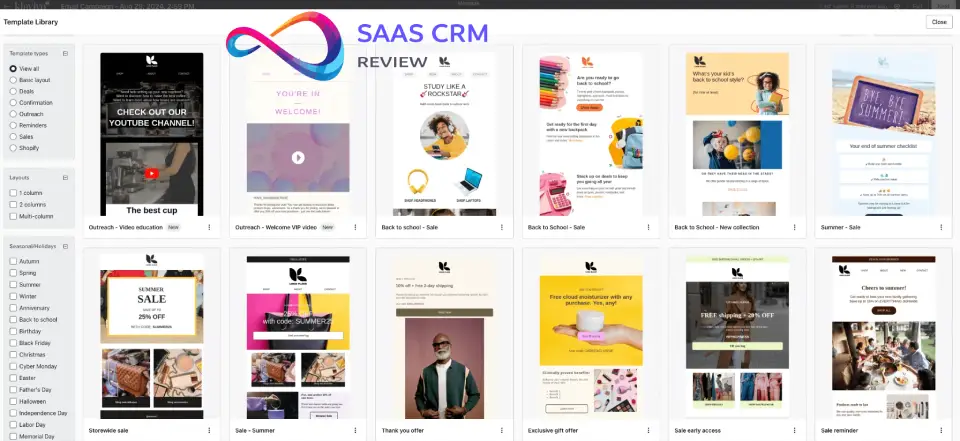
Klaviyo’s drag-and-drop email builder is functional but not industry-leading. You get 150+ pre-built templates designed for ecommerce (product grids, countdown timers, dynamic discount codes), but customization requires some HTML/CSS knowledge for advanced layouts.
Strengths:
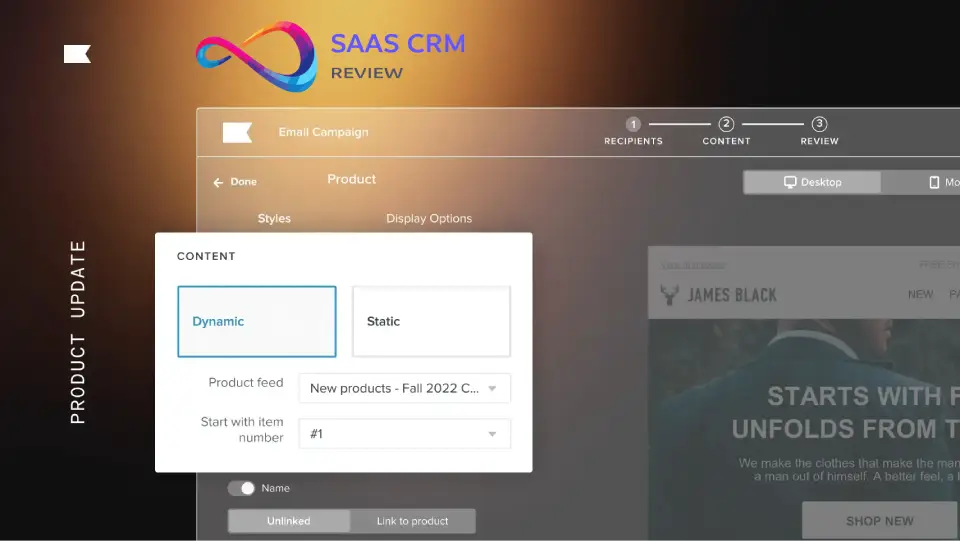
- Dynamic product blocks pull directly from your catalog (recently viewed items, bestsellers, personalized recommendations)
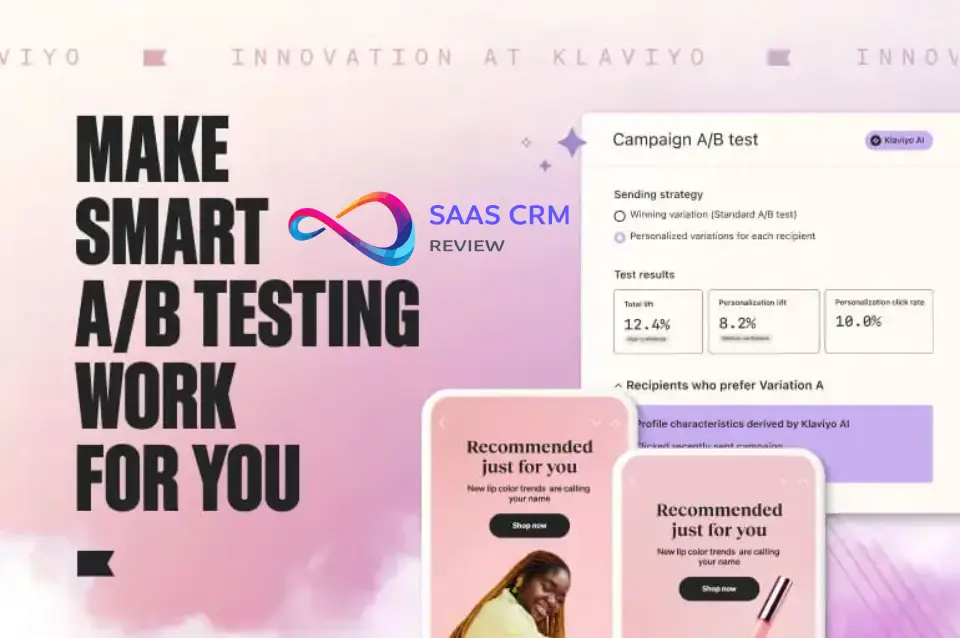
- A/B testing at the campaign level (subject lines, send times, content variations)
- Smart send time optimization based on individual open patterns
Limits:
- Template editor feels dated compared to newer builders like Beefree or Stripo
- No native video embedding (you’ll use GIFs or linked thumbnails)
- Mobile preview is accurate but doesn’t simulate dark mode rendering
What this means in practice: You can launch professional campaigns quickly, but brands obsessed with cutting-edge design often build templates in third-party tools and import HTML.
Marketing Automation “Flows”
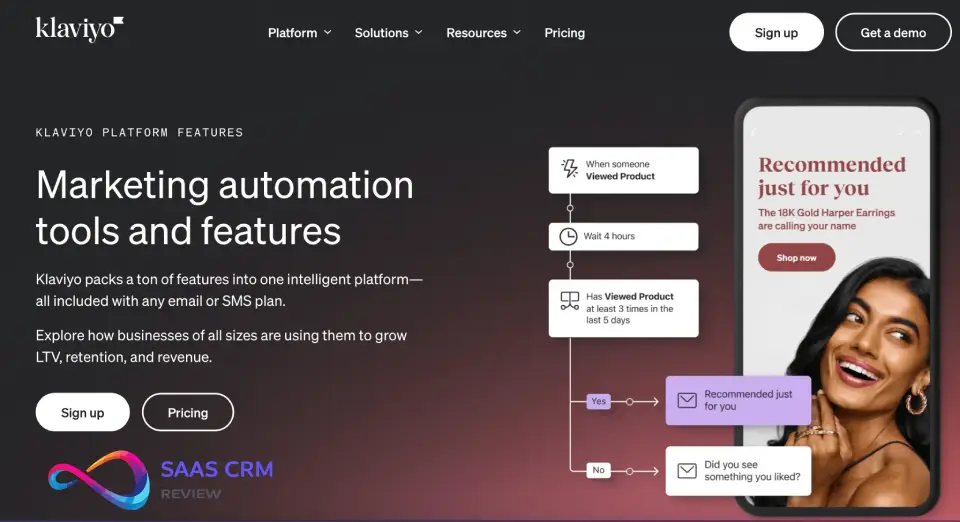
This is Klaviyo’s core strength. Flows are triggered email or SMS sequences based on behavior, events, or conditions. Common examples:
- Abandoned cart series: 3 emails over 48 hours (reminder → social proof → discount)
- Browse abandonment: Trigger when someone views a product 2+ times without purchasing
- Post-purchase series: Thank you → usage tips → review request → cross-sell (timeframes based on product type)
- Winback campaigns: Re-engage customers who haven’t purchased in 90/180/365 days
- VIP nurture: Different content tracks for high-LTV vs. one-time buyers
What works well:
- Conditional splits let you create complex logic (if purchased category X, send flow A; if not, wait 3 days and send flow B)
- Time delays respect customer time zones
- Flow analytics show revenue per recipient, conversion rates at each step, and drop-off points
Where it gets tricky:
- Overlapping flows can cause message fatigue—you need clear priority rules (Klaviyo has a “smart sending” feature to limit emails per day, but it’s reactive, not strategic)
- Testing flow changes is cumbersome—no sandbox environment, so you’re often testing live
- SMS flows require separate consent tracking, and you can’t easily A/B test SMS vs. email in the same flow
3 practical flow tips:
- Start with abandoned cart and welcome series—these typically generate 15–30% of total email revenue
- Use predictive analytics to trigger winback flows before churn (Klaviyo estimates “expected next order date”)
- Build separate VIP flows for top 10% of customers by LTV—personalization here drives outsized returns
Segmentation + Customer Profiles
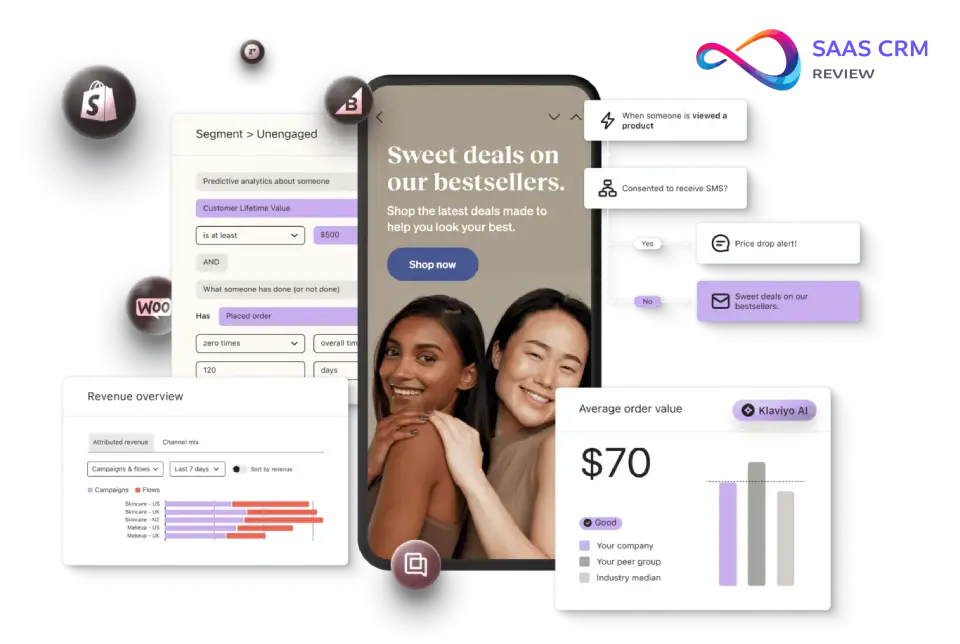
Klaviyo’s segmentation engine is powerful but requires strategic thinking. You can segment on:
- Behavioral data: Items viewed, categories browsed, cart value, email engagement
- Purchase history: Product purchased, order count, LTV, average order value, days since last order
- Predictive metrics: Churn risk, gender (predicted from purchase behavior), next order date
- Custom properties: Loyalty tier, subscription status, customer tags from your store
Example segment: “Customers who purchased running shoes in the last 90 days, have opened at least 2 emails in the last 30 days, and have a predicted LTV above $200.”
What this means in practice: You can build hyper-targeted campaigns, but complexity grows fast. We see teams create 30+ segments that overlap confusingly. Best practice: start with 5–8 core segments (VIPs, engaged non-purchasers, at-risk customers, new subscribers, lapsed buyers) and expand only when you have workflows to match.
Where it gets complex:
- Segment logic uses AND/OR conditions that can conflict—preview counts before sending
- Real-time segments update constantly, which is powerful but can cause list size to fluctuate mid-campaign
- No easy way to visualize segment overlap (you’ll export to Excel for Venn diagram analysis)
SMS (Consent, Compliance, Deliverability Considerations)
Klaviyo’s SMS product is competent but prescriptive. It enforces TCPA (US) and GDPR (EU/UK) compliance strictly—good for legal protection, occasionally frustrating operationally.
Key features:
- Two-way messaging (customers can reply; you see responses in Klaviyo)
- SMS flows triggered by the same events as email (cart abandonment, order confirmation, shipping updates)
- Link tracking and UTM parameters
- Subscriber consent management with audit logs
Compliance guardrails:
- Requires explicit opt-in (no pre-checked boxes, no implied consent from email signup)
- Mandates compliance footer on every message (“Reply STOP to unsubscribe”)
- Limits promotional SMS frequency (Klaviyo recommends max 4–6/month per subscriber)
- Blocks certain industries (CBD, firearms, financial services have restrictions)
Typical pitfalls:
- Cost surprises: SMS pricing is per-segment (US/Canada vs. international) and per message. A 160-character message costs $0.01–$0.015 in the US; longer messages split into multiple sends and multiply costs.
- Deliverability issues: Carriers (AT&T, Verizon, T-Mobile) filter promotional SMS aggressively. If your opt-in process is weak or you send too frequently, your messages may not deliver. Klaviyo provides deliverability scores but limited troubleshooting tools.
- Two-way conversations are limited: You can see replies, but Klaviyo isn’t built for conversational commerce like Attentive or Postscript. No AI chatbots, no complex conversation trees.
What we’d recommend: Use SMS sparingly for high-intent moments (abandoned cart with discount, back-in-stock alerts, VIP early access). Don’t replicate your email strategy in SMS—recipients will unsubscribe fast.
Reporting + Attribution
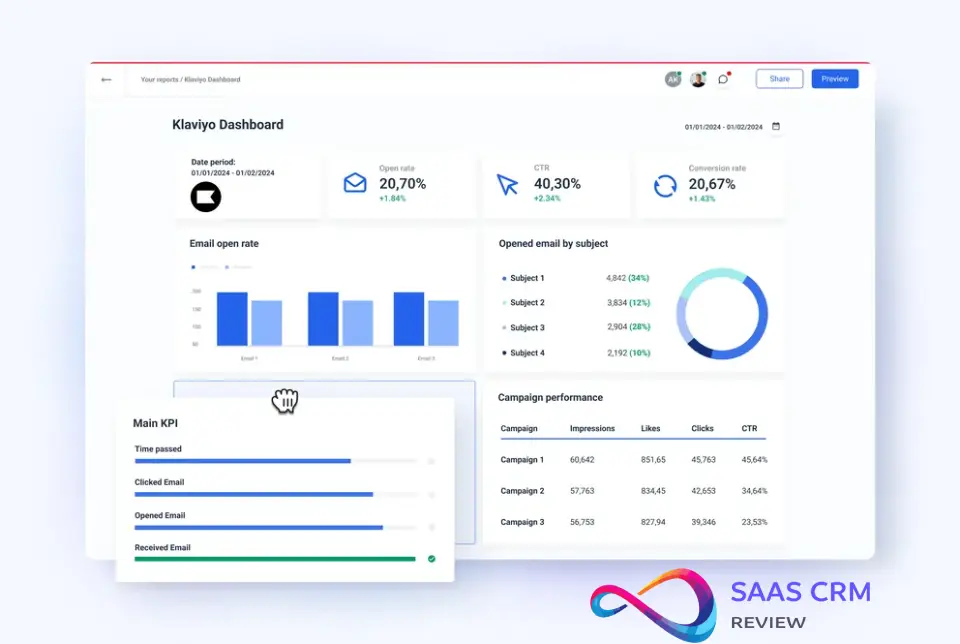
Klaviyo’s reporting is detailed for individual campaigns and flows but weak for cross-channel attribution.
What’s solid:
- Revenue tracking per campaign, flow, and segment
- Cohort analysis (how revenue from a signup cohort evolves over time)
- Engagement metrics (open rates, click rates, unsubscribe rates) with industry benchmarks
- Flow performance dashboards showing conversion rates at each step
What’s misleading:
- Attribution model: Klaviyo uses last-click attribution by default. If a customer receives 5 emails over 2 weeks and clicks the last one before purchasing, Klaviyo credits 100% of revenue to that email. This overstates email’s impact and ignores other touchpoints (ads, organic search, influencer posts).
- Revenue reporting can double-count: If a customer is in multiple segments or flows, revenue may appear in multiple reports. Always reconcile against your store’s actual sales data.
- No multi-touch attribution: You can’t see how email assists conversions driven by other channels. For sophisticated attribution, you’ll need Google Analytics 4, Triple Whale, or a dedicated attribution tool.
What this means in practice: Use Klaviyo’s revenue metrics to compare campaigns/flows against each other, not to calculate email’s true ROI. For full-funnel analysis, integrate with your analytics stack.
Deliverability Fundamentals
Klaviyo has strong deliverability infrastructure—dedicated IP addresses for high-volume senders, shared IP pools with good reputation for smaller accounts, and compliance monitoring.
What Klaviyo does:
- Monitors spam complaints, bounce rates, and engagement metrics
- Provides sender authentication setup (SPF, DKIM, DMARC) with guided configuration
- Automatically suppresses hard bounces, unsubscribes, and spam complaints
- Offers list cleaning recommendations (sunset policies for unengaged subscribers)
What you must do:
- Warm up new accounts gradually: Don’t send to 50,000 contacts on day one. Start with your most engaged segment (500–1,000 contacts), then scale over 2–4 weeks.
- Maintain list hygiene: Remove unengaged subscribers after 6–12 months of inactivity. Klaviyo won’t force this, but your deliverability will suffer if you don’t.
- Use double opt-in: Confirms subscriber intent and reduces spam complaints. Klaviyo supports this but doesn’t require it.
- Monitor suppression lists: Klaviyo auto-suppresses bounces and unsubscribes, but you should export and audit quarterly to catch errors.
Common mistake: Importing a purchased or outdated list and blasting it immediately. This tanks your sender reputation and can get your account flagged. Klaviyo’s terms prohibit purchased lists, and their compliance team will suspend accounts for violations.
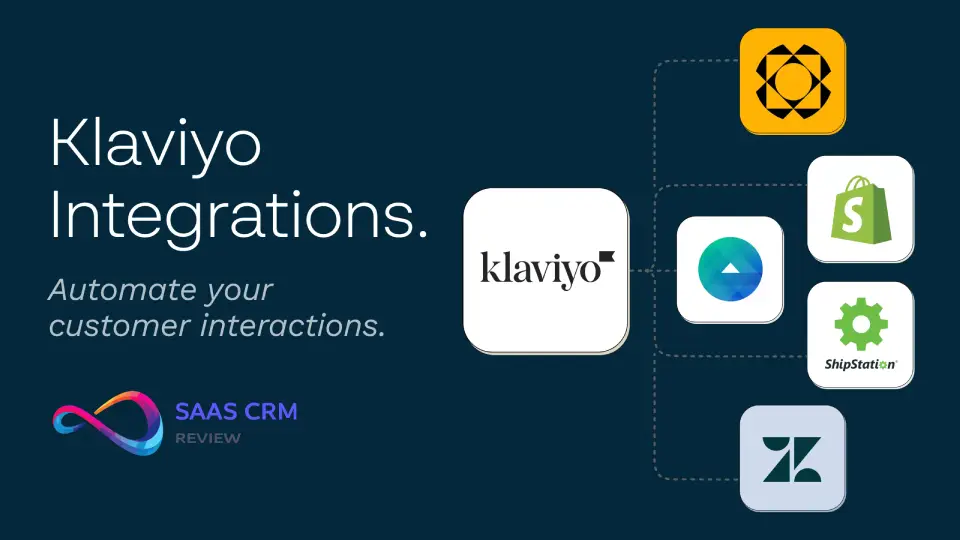
Integrations (Shopify, WooCommerce, BigCommerce + Key Apps)
Klaviyo’s integration ecosystem is mature. The Shopify integration is especially deep:
Shopify:
- Real-time sync of orders, customers, products, and inventory
- Automatic population of customer profiles with purchase history, browsing data, and cart activity
- Native signup forms that sync directly to Shopify customer records
- One-click installation (no developer needed)
WooCommerce:
- Requires plugin installation; sync is near-real-time (5–10 minute delay)
- Pulls order data, customer info, and basic browsing behavior
- Less robust than Shopify (no automatic cart tracking—you’ll need to add tracking scripts)
BigCommerce:
- Similar to WooCommerce; good data sync but requires manual setup for advanced tracking
- Native product recommendation engine works well
Other key integrations:
- Reviews: Yotpo, Okendo, Stamped.io (trigger review request flows)
- Loyalty: Smile.io, LoyaltyLion (segment by points balance, tier)
- Subscriptions: Recharge, Skio (trigger subscription-specific flows)
- Facebook/Google Ads: Sync segments for retargeting and lookalike audiences
Limitation: Integrations rely on Klaviyo’s API or pre-built connectors. Custom integrations require developer resources. If you use a niche platform or custom-built store, expect setup friction.
Personalization + Product Recommendations
Klaviyo’s product recommendation engine uses collaborative filtering (customers who bought X also bought Y) and predictive analytics.
Practical examples:
- Recently viewed items: Show the last 3–5 products a customer browsed in an abandoned cart email
- Bestsellers by category: If someone buys running shoes, recommend bestselling running accessories
- Personalized upsells: Post-purchase email suggesting complementary products based on what they just bought
- Predicted next purchase: Use Klaviyo’s “expected next order date” to time winback offers
What works:
- Recommendations update in real-time as customer behavior changes
- Easy to add dynamic product blocks to email templates
- Can set rules (exclude already-purchased items, filter by price range, prioritize high-margin products)
What doesn’t:
- Recommendations for small catalogs (under 100 SKUs) are limited—not enough data for meaningful patterns
- No manual override—you can’t say “always recommend product X with product Y”
- Predictive metrics are black-box algorithms; you can’t see how Klaviyo calculates them
A/B Testing and Experimentation
Klaviyo supports A/B testing for campaigns (not flows, which is a notable gap).
What you can test:
- Subject lines (up to 3 variants)
- Send times (test optimal delivery windows)
- Email content (entire template variations)
- Sender name
Test setup:
- Define sample size (e.g., send variant A to 10%, variant B to 10%, winner to remaining 80%)
- Set success metric (open rate, click rate, or revenue)
- Klaviyo auto-selects winner after statistical significance threshold
Limitations:
- No flow A/B testing: You can duplicate a flow and split traffic manually, but there’s no native testing framework. This is a major gap—flows drive most revenue, yet testing them is clunky.
- Sample size calculation is hidden: Klaviyo doesn’t show you statistical confidence intervals. You’re trusting their algorithm.
- Can’t test SMS vs. email: If you want to test whether SMS or email performs better for a specific trigger, you’ll need to build parallel flows and manually analyze results.
Workaround for flow testing: Create two identical flows with one variable changed (e.g., 10% discount vs. 15% discount). Use a random segment split (Klaviyo supports this via custom properties) to send 50% of triggers to flow A, 50% to flow B. Track revenue manually in Google Sheets. It’s tedious but necessary.
Hands-On Test Notes (Our Evaluation in 2026)
What We Set Up
We connected a Shopify test store (500 products, 2,000 imported contacts), built a welcome series (3 emails), an abandoned cart flow (3 emails over 48 hours), and a post-purchase sequence (4 emails over 30 days). We tested segmentation by creating 6 segments (VIP, engaged non-buyers, lapsed customers, new subscribers, high cart value abandoners, predicted churn risk). We sent 5 campaigns over 4 weeks, integrated with Google Analytics 4 for attribution tracking, and reviewed TCPA compliance tools for SMS.
What Surprised Us (Good + Bad)
Good:
- Shopify sync was instant. Customer profiles populated with full purchase history and browsing data within minutes of connection. No developer needed.
- Predictive analytics felt useful. Klaviyo’s “expected next order date” helped us time winback emails better than arbitrary 90-day windows.
- Flow builder is intuitive once you learn the logic. Conditional splits and time delays are visual and easy to adjust.
Bad:
- Pricing calculator on Klaviyo’s website is misleading. It shows base price for contact tier but doesn’t clearly show email overage charges or SMS costs. Our estimate was $150/month; actual usage hit $280 due to email sends exceeding the “free” tier.
- SMS consent management is confusing. We had to create separate signup forms for SMS (can’t piggyback on email opt-in), and the compliance documentation assumed legal knowledge we didn’t have. Took 3 hours to configure correctly.
- Reporting overload. Klaviyo shows dozens of metrics, but it’s unclear which ones matter. Open rates are vanity metrics; revenue per recipient is more actionable, but it’s buried in flow analytics.
3 Practical Tips to Get Value Fast
- Start with pre-built flow templates. Klaviyo offers templates for welcome series, abandoned cart, post-purchase, and winback. Clone these, adjust copy/timing, and launch within a week. Don’t overthink customization initially—standard flows drive 70% of results.
- Use smart sending to prevent email fatigue. Set a maximum of 2–3 marketing emails per person per week. This prevents flow overlap (e.g., someone in a winback flow getting a promotional campaign at the same time). Configure this in account settings under “Smart Sending.”
- Audit your suppression list quarterly. Klaviyo auto-suppresses bounces and unsubscribes, but errors happen (valid emails marked as bounced, accidental unsubscribes). Export your suppression list every 90 days and cross-check against your store’s customer database.
3 Common Mistakes We See
- Importing unengaged lists and sending immediately. This destroys deliverability. If you’re migrating from another platform, segment by engagement (opened in last 90 days) and re-engage cold contacts with a dedicated “re-permission” campaign before adding them to regular flows.
- Over-segmenting without workflows to match. Creating 20 segments is pointless if you’re sending the same campaigns to all of them. Build 3–5 segments first, create tailored content for each, then expand.
- Ignoring SMS compliance. We see brands treat SMS like email (blast promotions weekly). This violates TCPA, annoys customers, and gets you blacklisted by carriers. Use SMS for transactional updates and high-value moments only.
Klaviyo Pricing Plans in 2026 (and How to Estimate)
Klaviyo’s pricing is based on three variables: contact count, email volume, and SMS volume. You use their calculator or request a quote.
1) Email Marketing Pricing (included in every plan)
| Item | Usage | Price | Included |
|---|---|---|---|
| Email (Marketing) | 11,501–12,000 active profiles | $250/ | 120,000 emails/ |
Notes:
- Email marketing is included with every plan.
- Email pricing is tied to active profiles (changing active profiles affects email price).
2) Mobile Messages Pricing (calculated by volume + destination)
| Channel | Destination | Monthly volume | Credits per message | Price per send | Estimated monthly cost (this line item) |
|---|---|---|---|---|---|
| SMS | United States | 3,000 | 1 | $0.009 | $27.00 |
| MMS | United States | 3,000 | 3 | $0.027 | $81.00 |
| WhatsApp marketing | United Kingdom | 3,000 | 10 | $0.09 | $270.00 |
| WhatsApp transactional | United Kingdom | 3,000 | 4 | $0.037 | $111.00 |
Mobile messages calculator totals (as provided):
- Total credits needed: 56,250
- Monthly cost: $510.00
- Pricing note: “Price includes carrier fees where applicable.”
3) Reviews Add-on Pricing
| Item | Usage | Price | Purpose |
|---|---|---|---|
| Reviews | 250 orders/ | $25/ | Collect and display product reviews to build trust and conversions |
Pricing Drivers
- Contact count: Anyone on your list, whether subscribed to email, SMS, or both. Suppressed contacts (unsubscribes, bounces) don’t count.
- Email sends: Each tier includes a number of “free” email sends (roughly 10x your contact count). Overages cost $0.0005–$0.001 per additional send.
- SMS sends: Charged separately. US/Canada: $0.01–$0.015 per segment (160 characters). International: $0.03–$0.10+ per segment depending on country.
Scenario-Based Estimates (Examples with Assumptions)
Scenario 1: Starter store
- 1,000 contacts (500 email, 200 SMS)
- 10,000 emails/month (welcome series, 2 campaigns, basic flows)
- 500 SMS/month (abandoned cart only)
- Estimated cost: $45–$60/month (email) + $5–$8/month (SMS) = $50–$70/month total
Scenario 2: Growing store
- 10,000 contacts (7,000 email, 2,000 SMS)
- 100,000 emails/month (active campaigns, multi-step flows)
- 4,000 SMS/month (cart abandonment, back-in-stock, VIP offers)
- Estimated cost: $150–$200/month (email) + $40–$60/month (SMS) = $190–$260/month total
Scenario 3: Mid-market brand
- 50,000 contacts (35,000 email, 10,000 SMS)
- 600,000 emails/month (heavy flow usage, 3–4 campaigns/week)
- 20,000 SMS/month (multi-flow SMS strategy)
- Estimated cost: $700–$900/month (email) + $200–$300/month (SMS) = $900–$1,200/month total
Scenario 4: Scaled brand
- 150,000 contacts (100,000 email, 30,000 SMS)
- 2,000,000 emails/month (advanced segmentation, daily sends)
- 60,000 SMS/month (SMS as core channel)
- Estimated cost: $1,500–$2,000/month (email) + $600–$900/month (SMS) = $2,100–$2,900/month total
Variables that affect pricing:
- Email engagement (higher engagement = more sends = potential overages)
- SMS length (messages over 160 characters split into multiple segments)
- International SMS (costs 3–10x more than US/Canada)
- Seasonal spikes (Black Friday email volume can double your monthly cost)
How to Avoid Budget Shocks
- Monitor email send volume weekly. Klaviyo’s dashboard shows your usage vs. tier limits. If you’re approaching overages, pause low-priority campaigns or upgrade your tier proactively.
- Cap SMS flows aggressively. Set maximum sends per customer per month (e.g., 4 SMS max). SMS overages add up fast—a runaway flow can cost $500+ before you notice.
- Audit contact list quarterly. Remove unengaged contacts (no opens in 6–12 months). Klaviyo charges per contact, so a bloated list is expensive even if you’re not emailing them.
- Negotiate annual contracts. If you’re spending $500+/month, Klaviyo offers discounts for annual prepayment (typically 10–20% off). This also locks in pricing vs. monthly plans that can increase.
Who Gets the Most ROI
Klaviyo’s pricing favors brands with:
- High email engagement (30%+ open rates, 3%+ click rates)—you’re paying for contacts, so engaged lists justify the cost
- Strong unit economics (average order value $75+, repeat purchase rate 30%+)—email/SMS revenue covers platform costs easily
- Technical resources to build and optimize flows—Klaviyo’s complexity pays off when you use it fully
Brands that struggle with ROI:
- Low-engagement lists (under 20% open rates)—you’re paying for dead weight
- Low AOV (under $30)—email revenue may not cover Klaviyo’s premium pricing
- No dedicated marketing resource—Klaviyo’s learning curve means you’ll underutilize features
Klaviyo Pros and Cons
Pros
- Deep ecommerce platform integration. Shopify sync is effortless; customer profiles update in real-time with purchase and browsing data.
- Powerful segmentation engine. Behavioral, predictive, and custom property segmentation allows hyper-targeting. Segments update dynamically.
- Unified customer profiles. Email, SMS, and ecommerce data in one view. No need to cross-reference multiple systems.
- Strong deliverability infrastructure. Klaviyo’s sender reputation is solid; they enforce best practices (authentication, compliance, list hygiene).
- Predictive analytics add strategic value. Expected next order date, churn risk, and predicted gender help time campaigns better than arbitrary rules.
- Flow builder is sophisticated. Conditional logic, time delays, and A/B splits enable complex automation without developer help.
- Revenue attribution (within limits). Flow-level revenue tracking makes it easy to justify investment and optimize underperforming sequences.
Cons
- Pricing scales aggressively. Contact-based pricing punishes list growth. A brand growing from 10K to 50K contacts sees costs increase 4–5x even if engagement stays flat.
- Steep learning curve. Non-technical users find the interface overwhelming. Expect 2–4 weeks of onboarding before teams are productive.
- SMS compliance is rigid. TCPA guardrails are legally necessary but operationally frustrating (separate opt-ins, strict frequency limits, carrier filtering).
- No flow A/B testing. Testing flows requires manual duplication and tracking—clunky for a platform that drives most revenue through automation.
- Reporting can be misleading. Last-click attribution overstates email’s impact. Revenue reports double-count if customers are in multiple segments.
- Email builder feels dated. Functional but not cutting-edge. Brands obsessed with design often build templates externally and import HTML.
- Limited two-way SMS. You can see replies but can’t build conversational flows. SMS-first brands need Attentive or Postscript for chatbot functionality.
- Customer support is hit-or-miss. Email support is slow (24–48 hour response times). Live chat requires higher-tier plans. No phone support.
Klaviyo Alternatives (Comparison Table + Recommendations by Scenario)
| Platform | Best For | Pricing Range | Key Strength | Key Weakness | Switching Difficulty |
|---|---|---|---|---|---|
| Omnisend | Shopify stores under $100K/ | $16–$300/ | Easier learning curve; built-in SMS + email; pre-built ecommerce automations | Segmentation less powerful than Klaviyo; reporting is basic | Easy (similar structure) |
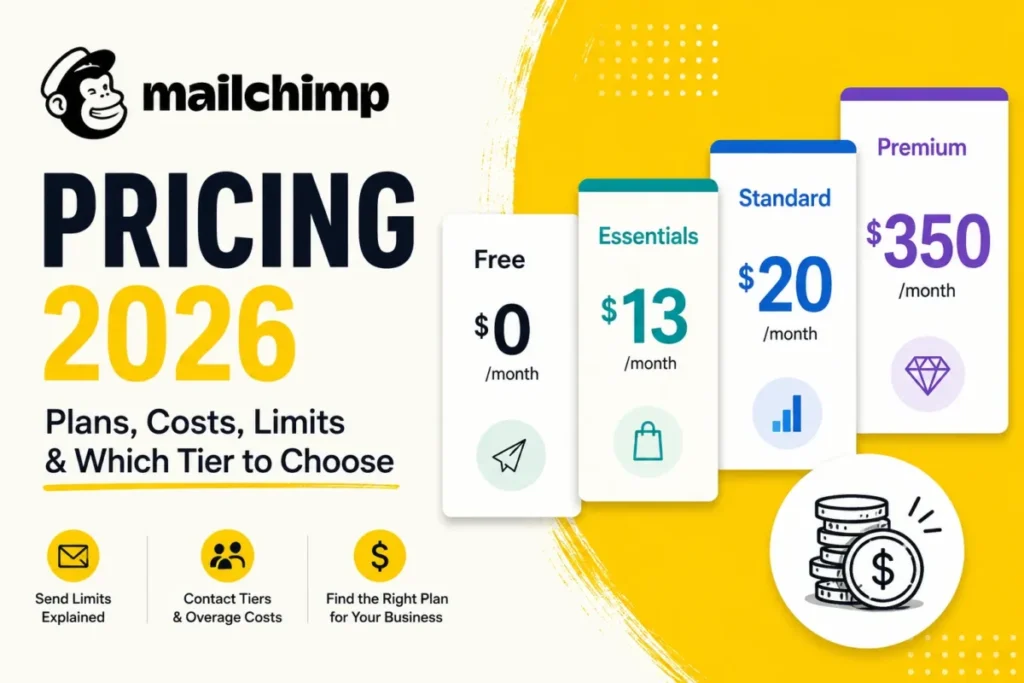
| Mailchimp | Multi-channel businesses (not ecommerce-only); brands needing CRM + email | $13–$350+/ | Familiar interface; broad integration ecosystem; decent CRM features | Ecommerce features are bolted on (not native); deliverability issues reported | Moderate (different data model) |
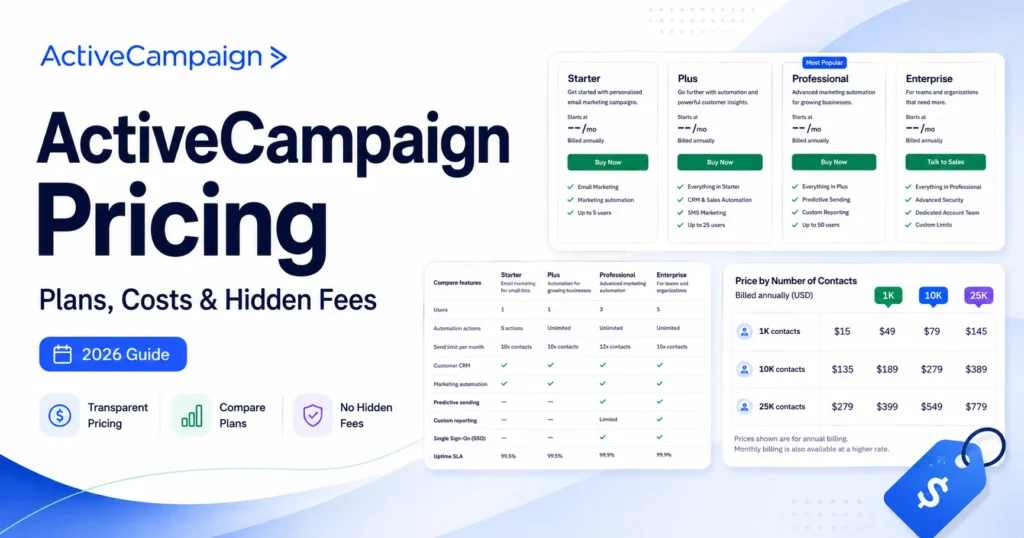
| ActiveCampaign | B2B or D2C brands needing CRM + marketing automation beyond ecommerce | $29–$300+/ | Lead scoring; sales pipeline management; advanced automation | Ecommerce integrations weaker; steeper learning curve than Klaviyo | Moderate (requires CRM setup) |
| Attentive | SMS-first brands; conversational commerce focus | Custom pricing ($1,000+/ | Two-way SMS; AI-powered chatbots; strong compliance tools | Expensive; SMS-only (email requires separate tool); overkill for small brands | Difficult (different platform model) |
| Postscript | Shopify stores prioritizing SMS; DTC brands with high SMS engagement | $25–$500+/ | Conversational SMS; easy Shopify integration; compliance features | Email functionality is limited; SMS costs add up | Easy (Shopify-native) |
| Drip | Small to mid-size ecommerce brands; teams wanting Klaviyo-lite | $39–$1,500/ | Similar power to Klaviyo but simpler; better email builder; lower cost at small scale | Smaller integration ecosystem; less robust predictive analytics | Easy (very similar structure) |
| HubSpot | Enterprises needing CRM + marketing + sales in one system | $800–$3,000+/ | All-in-one platform; strong reporting; enterprise support | Expensive; ecommerce features weaker than Klaviyo; complex setup | Difficult (requires full CRM migration) |
Scenario-Based Recommendations
Choose Omnisend if:
- You’re a Shopify store doing $25K–$100K/month and want faster ROI without Klaviyo’s complexity
- You need SMS + email in one tool but don’t require advanced segmentation
- Your team is 1–2 people who can’t dedicate time to learning Klaviyo
- You’re selling through multiple channels (ecommerce + physical retail + B2B) and need a generalist tool
- You value brand familiarity and ease of use over ecommerce-specific features
- Your budget is tight and you’re willing to sacrifice deliverability for lower cost
- See Mailchimp’s full pricing tiers to compare costs at your contact level
- You sell B2B or high-consideration D2C products (furniture, mattresses) with long sales cycles
- You need lead scoring, CRM pipelines, and marketing automation in one platform
- Email + SMS is only part of your strategy (you also need webinar follow-ups, sales task automation, etc.)
Choose Attentive if:
- SMS drives 30%+ of your revenue and you need conversational two-way messaging
- You have budget ($1,000+/month minimum) and dedicated SMS strategy
- You’re willing to use a separate tool for email (Klaviyo, Drip, etc.)
Choose Postscript if:
- You’re a Shopify store that wants robust SMS without Attentive’s enterprise pricing
- You prioritize compliance and deliverability for SMS
- Email is secondary—you’re fine using Klaviyo or another tool for email
Choose Drip if:
- You want Klaviyo’s power but with a gentler learning curve and better email builder
- You’re a small to mid-size store (under 25,000 contacts) where Klaviyo’s pricing feels excessive
- You don’t need predictive analytics or the deepest segmentation
- You’re an enterprise brand needing CRM, sales automation, customer service, and marketing in one system
- You have budget ($2,000+/month) and dedicated ops team to manage implementation
- Ecommerce is one channel among many (you also sell B2B, wholesale, subscriptions)
When Klaviyo is the Right Choice (Decision Checklist)
Use this checklist to self-assess fit:
- You run a Shopify, WooCommerce, or BigCommerce store doing $50K+/month in revenue
- Your email list is 1,000+ engaged contacts (30%+ open rates in last 90 days)
- You have (or will hire) a dedicated marketing person who can learn automation tools
- You need granular segmentation based on browsing behavior, purchase history, and predictive analytics
- You want email + SMS in one platform with unified customer profiles
- You’re willing to pay premium pricing ($150–$2,000+/month depending on scale) for best-in-class features
- Deliverability and compliance matter to you (you want a platform that enforces best practices)
- You plan to build complex flows (abandoned cart, browse abandonment, post-purchase, winback, VIP nurture)
- You value data integration (syncing segments to Facebook/Google for retargeting)
- You’re willing to invest 2–4 weeks in onboarding and setup
If you checked 7+: Klaviyo is likely a strong fit.
If you checked 4–6: Consider Klaviyo but also evaluate Omnisend or Drip.
If you checked 0–3: Start with a simpler tool (Mailchimp, Omnisend) and revisit Klaviyo when you scale.
When You Should Avoid Klaviyo (Dealbreakers)
Skip Klaviyo if any of these apply:
1. You’re a solo founder with no marketing bandwidth.
Continue
10:24
Klaviyo rewards technical competence. If you can’t dedicate 10+ hours/month to building and optimizing flows, you’ll underutilize the platform and waste money.
2. Your email list is under 500 contacts.
You won’t justify the cost or setup effort. Use a free tier (Mailchimp, Sender) until you have volume.
3. You have poor list hygiene or bought/scraped contacts.
Klaviyo’s compliance team will flag or suspend your account. Clean your list first.
4. Your average order value is under $30 and repeat purchase rate is under 15%.
Email revenue won’t cover Klaviyo’s premium pricing. You need strong unit economics to justify the cost.
5. You need advanced CRM features (lead scoring, sales pipelines, customer support ticketing).
Klaviyo is marketing automation, not a CRM. Use ActiveCampaign or HubSpot instead.
6. You’re SMS-first and need conversational messaging.
Klaviyo’s SMS is transactional/promotional, not conversational. Use Attentive or Postscript for chatbot-style flows.
7. You sell primarily B2B or through non-ecommerce channels.
Klaviyo is built for D2C ecommerce. B2B needs are better served by ActiveCampaign, Pardot, or Marketo.
8. You’re on a platform Klaviyo doesn’t integrate well with (custom-built, niche CMS).
Setup will require developer resources and may not access full features (real-time sync, browsing data).
Implementation Notes (Migration, List Hygiene, Consent, Warm-Up, Timeline)
Migration Checklist
Before you migrate:
- Export data from current platform: Contact lists, suppression lists (unsubscribes, bounces), campaign history, segment definitions.
- Audit list hygiene: Remove contacts who haven’t engaged in 6–12 months. Clean duplicates, fix formatting errors.
- Document current flows: Screenshot or export automation sequences from your old platform so you can recreate them in Klaviyo.
- Check consent records: Ensure you have documented opt-in proof for email and SMS subscribers (Klaviyo may audit this).
Migration process:
- Connect your ecommerce platform first (Shopify/WooCommerce/BigCommerce). Let Klaviyo sync customer and order data (2–24 hours depending on volume).
- Import email lists via CSV. Map fields carefully (email, first name, last name, consent date). Do NOT import suppressed contacts.
- Set up domain authentication (SPF, DKIM, DMARC). Klaviyo provides step-by-step guides; allow 24–48 hours for DNS propagation.
- Recreate segments. Start with 3–5 core segments (VIP, engaged, lapsed, new). Test segment counts against your old platform to verify accuracy.
- Build flows incrementally. Start with welcome series and abandoned cart (highest ROI). Add browse abandonment, post-purchase, and winback over 2–4 weeks.
- Warm up sending reputation (see below).
List Hygiene Requirements
- Remove unengaged contacts: No opens in 6–12 months. Klaviyo charges per contact, so dead weight is expensive.
- Validate email addresses: Use a service like ZeroBounce or NeverBounce to catch typos and invalid domains before importing.
- Check for duplicates: Klaviyo auto-merges duplicates by email address, but clean your list first to avoid errors.
- Segment by engagement: Create an “engaged” segment (opened in last 90 days) and prioritize sending to them during warm-up.
Consent Best Practices
Email:
- Use double opt-in for new signups (confirms intent, reduces spam complaints)
- Ensure your signup forms clearly state what subscribers will receive (e.g., “Weekly promotions and product updates”)
- Keep consent records (Klaviyo logs signup date and source, but export quarterly as backup)
SMS:
- Require explicit opt-in (checkbox or keyword reply like “JOIN”)
- Do NOT auto-enroll email subscribers in SMS
- Include compliance footer on every SMS (“Reply STOP to unsubscribe. Msg&data rates may apply.”)
- Document consent method (e.g., “opted in via checkout checkbox on [date]”)
Sending Warm-Up Plan
If you’re migrating from another platform or starting fresh, you need to warm up your sending reputation:
Week 1: Send to most engaged segment (opened in last 30 days, ~10–20% of list). Limit to 1 campaign.
Week 2: Expand to engaged segment (opened in last 90 days, ~30–50% of list). Send 1–2 campaigns.
Week 3: Send to full active list (opened in last 180 days). Send 2–3 campaigns.
Week 4+: Normal sending cadence. Monitor bounce rates, spam complaints, and deliverability scores.
If you’re moving from a platform with poor deliverability (e.g., you had high bounce/spam rates), extend warm-up to 6–8 weeks.
Timeline Expectations
- Setup + migration: 1–2 weeks (domain authentication, platform connection, list import, initial segments)
- Flow buildout: 2–4 weeks (welcome series, abandoned cart, post-purchase, winback)
- Warm-up + optimization: 4–6 weeks (gradual sending ramp, A/B testing, flow refinement)
- Full operational readiness: 6–10 weeks from start
Faster timeline (2–4 weeks total) if:
- You’re migrating from Mailchimp/Omnisend/similar platform (data structure is similar)
- You have clean lists and documented consent
- You’re only building 2–3 core flows initially
Slower timeline (10–12 weeks) if:
- You’re migrating from a custom system or non-ecommerce platform
- Your lists need significant cleaning
- You’re building 6+ complex flows with conditional logic
- You need developer help for custom integrations
FAQ – Klaviyo Review
Q: Is Klaviyo worth it for small businesses?
Klaviyo is worth it for ecommerce brands doing $50K+/month in revenue with engaged email lists (1,000+ contacts). Below that threshold, the learning curve and pricing ($45–$150/month) may not justify ROI. Smaller brands should consider Omnisend or Mailchimp, which offer simpler automation at lower cost.
Q: How much does Klaviyo cost per month?
Klaviyo pricing is based on contact count, email volume, and SMS usage. Typical ranges: $45–$70/month for 1,000 contacts; $150–$260/month for 10,000 contacts; $900–$1,200/month for 50,000 contacts. SMS adds $0.01–$0.015 per message in the US. Use Klaviyo’s pricing calculator for estimates based on your list size.
Q: Does Klaviyo work with Shopify?
Yes. Klaviyo’s Shopify integration is native and real-time. It syncs orders, customers, products, and browsing behavior automatically. Setup takes less than 10 minutes with one-click installation. Klaviyo is one of the most popular email platforms for Shopify stores.
Q: What’s the difference between Klaviyo and Mailchimp?
Klaviyo is built specifically for ecommerce with deep Shopify/WooCommerce integration, behavioral segmentation, and predictive analytics. Mailchimp is a general-purpose email tool with ecommerce features bolted on. Klaviyo is more powerful for online stores but has a steeper learning curve and higher cost. Mailchimp is simpler and cheaper but less robust for ecommerce automation.
Q: Can Klaviyo send SMS messages?
Yes. Klaviyo supports SMS alongside email with unified customer profiles. You can build SMS flows (abandoned cart, order updates, promotions) and track results. SMS requires separate opt-in from email and costs $0.01–$0.015 per message in the US. Klaviyo enforces TCPA/GDPR compliance strictly.
Q: Is Klaviyo better than Omnisend?
Klaviyo is more powerful (deeper segmentation, predictive analytics, better reporting) but more complex and expensive. Omnisend is easier to use, faster to set up, and cheaper at small scale. Choose Klaviyo if you need advanced features and have bandwidth to learn. Choose Omnisend if you want simplicity and lower cost.
Q: Does Klaviyo have a free plan?
Klaviyo offers a free tier for up to 250 contacts and 500 email sends/month. This is suitable for testing or very small lists but not for active ecommerce stores. Once you exceed these limits, you’ll need to upgrade to a paid plan (starting around $20–$45/month depending on contact count).
Q: How long does it take to set up Klaviyo?
Initial setup (connecting your store, importing contacts, setting up domain authentication) takes 1–2 weeks. Building core flows (welcome series, abandoned cart, post-purchase) takes another 2–4 weeks. Full operational readiness (including warm-up, optimization, and advanced flows) typically takes 6–10 weeks.
Q: What is a Klaviyo flow?
A flow is an automated email or SMS sequence triggered by customer behavior or events. Examples: abandoned cart flow (3 emails over 48 hours), welcome series (3 emails introducing your brand), post-purchase flow (thank you, usage tips, review request). Flows drive 60–80% of email revenue for most Klaviyo users.
Q: Can I migrate from Mailchimp to Klaviyo?
Yes. You can export contact lists from Mailchimp as CSV files and import them into Klaviyo. You’ll need to reconnect your ecommerce platform, rebuild segments, and recreate automations in Klaviyo’s flow builder. Migration typically takes 1–3 weeks. Warm up your sending reputation gradually to maintain deliverability.
Q: Does Klaviyo integrate with WooCommerce?
Yes. Klaviyo offers a WooCommerce plugin that syncs orders, customers, and products. Setup requires manual plugin installation (unlike Shopify’s one-click integration) and some advanced tracking features (cart abandonment) may need developer help. Sync is near-real-time (5–10 minute delay).
Q: Is Klaviyo GDPR compliant?
Yes. Klaviyo provides tools for GDPR compliance including double opt-in, consent tracking, suppression list management, and data export/deletion workflows. You’re responsible for ensuring your signup forms and processes meet GDPR requirements, but Klaviyo’s infrastructure supports compliance.
Verdict
Klaviyo is the best email + SMS platform for mid-market to enterprise ecommerce brands that need sophisticated automation and can justify premium pricing.
Buy Klaviyo now if:
- You’re doing $100K+/month in revenue and email/SMS drives 20%+ of sales
- You have (or will hire) a dedicated marketer who can manage complex flows and segmentation
- You’re on Shopify, WooCommerce, or BigCommerce and want deep native integration
- You value unified customer profiles, predictive analytics, and behavioral targeting
- You’re willing to invest 6–10 weeks in setup and optimization
Wait or choose alternatives if:
- You’re under $50K/month revenue—start with Omnisend or Mailchimp and migrate to Klaviyo when you scale
- You’re a solo founder with no marketing bandwidth—Klaviyo’s complexity will overwhelm you
- You need CRM features beyond ecommerce automation—ActiveCampaign or HubSpot are better fits
- SMS is your primary channel and you need conversational messaging—Attentive or Postscript specialize here
The bottom line: Klaviyo rewards technical competence and scale. If you can clear the learning curve and justify the cost, it’s the most powerful ecommerce marketing platform available. But it’s not a beginner tool—be honest about your bandwidth and budget before committing.
For brands in the $50K–$150K/month revenue range still building their marketing muscle, we’d recommend starting with Omnisend or Drip. Once you hit $200K+/month and email is driving meaningful revenue, migrate to Klaviyo to unlock its full power.
Mini Glossary
Flows: Automated email or SMS sequences triggered by customer behavior (abandoned cart, welcome series, post-purchase nurture). Flows drive 60–80% of email revenue for most ecommerce brands.
Segments: Subsets of your contact list based on criteria like purchase history, browsing behavior, or engagement. Example: “VIP customers who spent $500+ in last 90 days and opened at least 3 emails.”
Deliverability: The percentage of emails that reach the inbox (vs. spam folder or bouncing). Affected by sender reputation, list hygiene, authentication (SPF/DKIM/DMARC), and engagement rates.
Attribution: The method used to assign credit for a sale to marketing touchpoints. Klaviyo uses last-click attribution by default, which credits 100% of revenue to the last email or SMS clicked before purchase.
Double opt-in: A two-step signup process where subscribers confirm their email address by clicking a link. Reduces spam complaints and improves list quality, but lowers initial signup conversion.
Suppression list: Contacts who are blocked from receiving emails or SMS, including unsubscribes, hard bounces, and spam complaints. Klaviyo manages this automatically, but you should audit quarterly.
TCPA (Telephone Consumer Protection Act): US law regulating SMS marketing. Requires explicit opt-in, clear identification of sender, and easy opt-out (STOP keyword). Violations carry fines up to $1,500 per message.
GDPR (General Data Protection Regulation): EU/UK privacy law requiring explicit consent for marketing, data portability, and right to deletion. Affects any brand emailing EU/UK customers.
Predictive analytics: Klaviyo’s machine learning models that estimate metrics like expected next order date, churn risk, and predicted customer lifetime value. Used to trigger proactive campaigns (winback before churn, VIP offers for high-LTV customers).
Customer profiles: Klaviyo’s unified view of each contact, combining email/SMS activity, purchase history, browsing behavior, and custom properties. Enables personalized campaigns and behavioral segmentation.
This review was created based on hands-on testing of Klaviyo’s platform in January 2026, analysis of publicly available pricing and feature documentation, and our experience consulting with ecommerce brands.
Pricing estimates are examples based on typical usage patterns—actual costs vary by contact count, email volume, SMS usage, and seasonal spikes. We verified compliance requirements using FTC and Klaviyo’s documentation.
This article may contain affiliate links to Klaviyo and competitor platforms, which means we may earn a commission if you sign up (at no additional cost to you). Our recommendations are based on product merit, not affiliate relationships.