For a phone, a laptop and one person to share with, the best free password manager is Bitwarden Free: it caps neither devices nor passwords and includes a free two-person organization. Proton Pass Free suits a privacy-minded household, Passbolt Community Edition a team that runs its own server, and KeePassXC anyone who wants no cloud at all. I ranked ten free plans, not trials, from US pricing and help pages read in November 2026.
Quick verdict
Devices split the free plans first. Bitwarden, Proton Pass and Zoho Vault allow unlimited devices; RoboForm Free covers a single device, NordPass Free leaves out multi-device access, and LastPass Free works on one device type.
Sharing splits them next: Bitwarden’s Free organization holds 2 users in up to 2 collections, Proton Pass shares vaults with 2 others, and Psono gives a self-hosting team SSO free for up to 10 users.
The trade-off: Bitwarden and Proton Pass keep the built-in authenticator and emergency access on paid plans, while RoboForm and Zoho Vault include an authenticator free.

Bitwarden Free
Best for: unlimited devices and two-person sharing
No cap on devices or passwords, and a Free organization shares logins with one other user.
Limit: the integrated authenticator and emergency access need Premium

Proton Pass Free
Best for: sharing a vault privately with email aliases
Unlimited devices, vault sharing with two others and 10 hide-my-email aliases on the free plan.
Limit: 2 vaults, and no sharing of single items

Passbolt Community Edition
Best for: a self-hosted team of any size
Free with unlimited users, groups and shared folders, on a server you run.
Limit: SSO, account recovery and the activity log are Pro features
KeePassXC
Best for: an offline vault with no account
An encrypted file on your own computer, free and open source, with no remote servers.
Limit: no phone app on the download page, and you arrange sync yourself
In This Article (16 sections)
Quick Comparison: Free Password Manager Limits Side by Side
Three of the ten free plans limit where you can use them: RoboForm Free runs on a single device, NordPass Free leaves out access on multiple devices, and LastPass Free covers one device type.
| Software | Best for | Devices on free | Sharing on free | What free leaves out | First paid plan price |
|---|---|---|---|---|---|
| Bitwarden Free | Unlimited devices and two-person sharing | Unlimited | Free organization: 2 users, 2 collections | Integrated authenticator, emergency access, vault health reports | Premium $1.65 per month, billed annually at $19.80 |
| Proton Pass Free | Sharing a vault privately with email aliases | Unlimited | 2 vaults, shared with 2 others | Integrated 2FA, single-item sharing, Dark Web Monitoring | Pass Plus $23.88 for the first 12 months, then $35.88 |
| Passbolt Community Edition | A self-hosted team of any size | Browser extensions, iOS and Android apps | Unlimited users, groups, shared folders | SSO, LDAP provisioning, account recovery, activity log | Pro $4.9 per user per month, billed annually, minimum 10 users |
| KeePassXC | An offline vault with no account | Windows, macOS, Linux; no phone app listed | No sharing service | Sync, which you arrange yourself | No subscriptions: free and open source |
| Psono | A self-hosted team of up to 10 that needs SSO | Not listed on psono.com | Free business version up to 10 users | Business features past 10 users | $3 per user per month, billed annually, minimum 25 users |
| Zoho Vault Free | Offline access and a built-in authenticator | Unlimited | Not on Free; starts on Standard | Password sharing, cloud backup | Standard $0.90 per user per month, billed annually |
| RoboForm Free | Form filling on one device | Single device | Shared folders are Premium | Access on all devices, Emergency Access | Premium $18.00 for the first year (new users), then $29.88 a year |
| LastPass Free | One device type with dark web monitoring | One device type: computer or mobile | One password with one person at a time | Both device types, emergency access | Premium $3.00 per month, billed annually |
| NordPass Free | One device before a NordPass business plan | Access on multiple devices not included | Not stated for Free | Password Health, Data Breach Scanner, file attachments | Teams sold as a 10-user pack only |
| Google Password Manager | Chrome and Android users who install nothing | Chrome and Android; iPhone through Chrome | Not stated on passwords.google | Sync while signed out of Chrome | Built into Chrome and Android |
Sources: Bitwarden pricing, Proton Pass pricing, Passbolt pricing, KeePassXC, Psono editions, Zoho Vault pricing, RoboForm Free, LastPass pricing, NordPass free plan, Google Password Manager, checked Nov 2026.
How I Chose These Tools
One must-have came first: a free plan with no time limit, which ruled out trial-only options such as Dashlane. I ranked the rest on devices, sharing, storage and vault caps, where the vault lives, the authenticator and passkeys, what free takes away, and the upgrade path for a team, using the vendors’ own pricing and help pages, checked November 2026.
The options that failed the free-plan test sit under Also Considered. Autofill behaves differently on every site, so install your two finalists, import ten logins and try them on your five most-used sites before you move everything.
1. Bitwarden Free: Best for Unlimited Devices and Two-Person Sharing
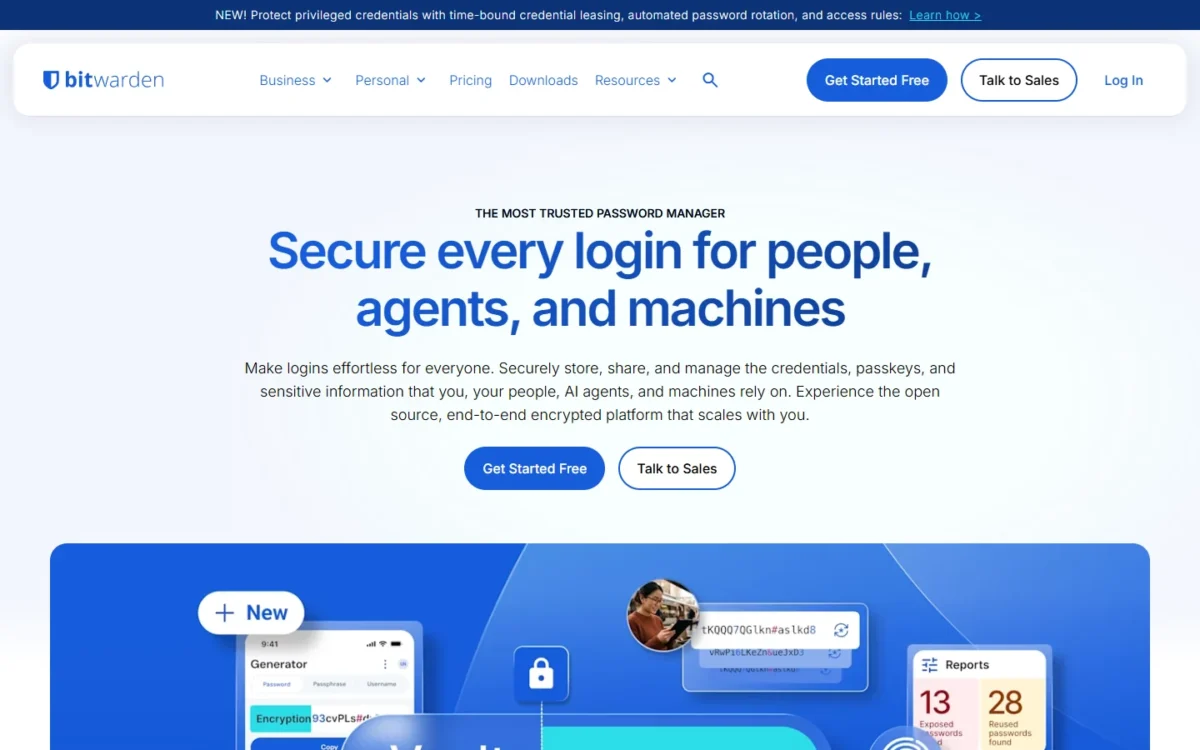
- Free plan: unlimited devices and passwords, a secure password generator, no end date
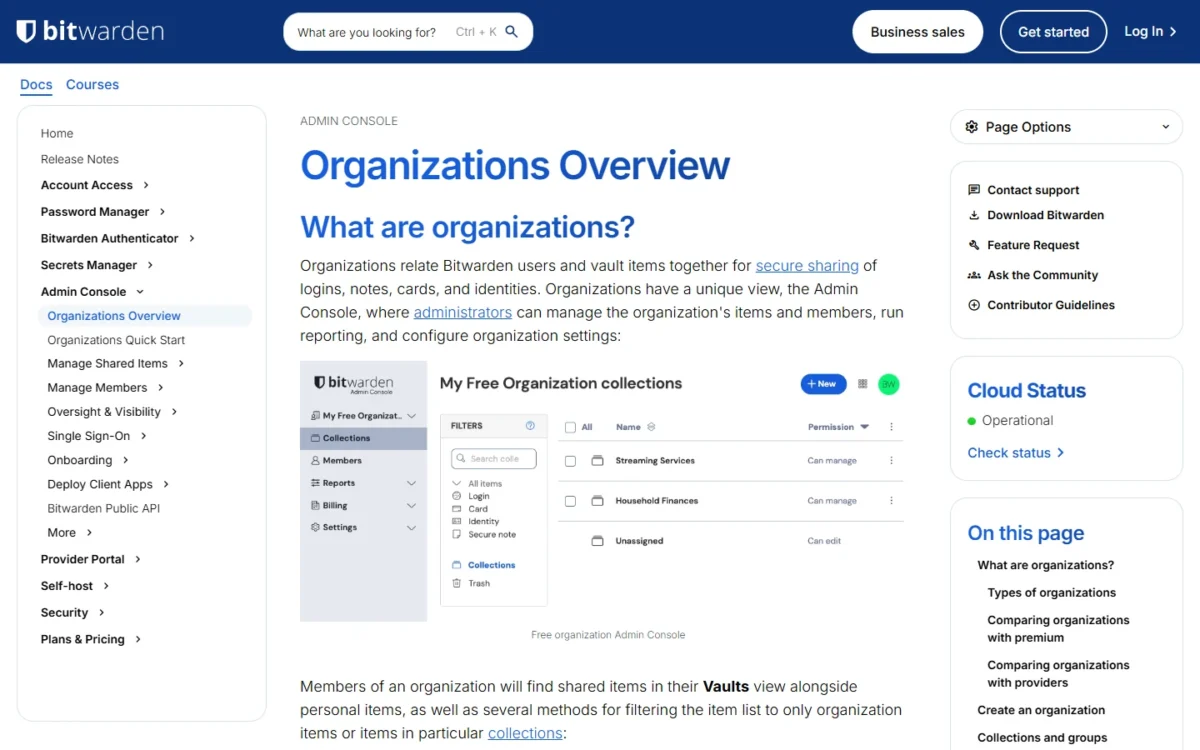
- Sharing on free: a Free organization for 2 users in up to 2 collections
Install Bitwarden Free first if you carry a phone and a laptop: it caps neither devices nor passwords and still lets you share with another person at no cost. It suits an individual or a couple. The trade-off sits in the extras, because the integrated authenticator, file attachments, vault health reports and emergency access are Premium features.
The Free organization is the sharing piece: any user can own one, and it gives two people shared storage in up to two collections, so a couple can keep household logins in one and shared subscriptions in the other. A third person breaks the model, which is where Proton Pass Free, sharing with two others, fits better. Against Proton Pass, Bitwarden’s edge is the cheaper paid step: Premium costs $19.80 a year, while Pass Plus renews at $35.88 every 12 months.
Sign-in security is generous for a free tier: passkey management comes with every account, and Free’s two-step login accepts a hardware security key, an authenticator app or email. Encrypted export means you can leave with your data.
Premium is the cheap fix if the authenticator or emergency access is all you miss, and Families covers a household of up to 6.
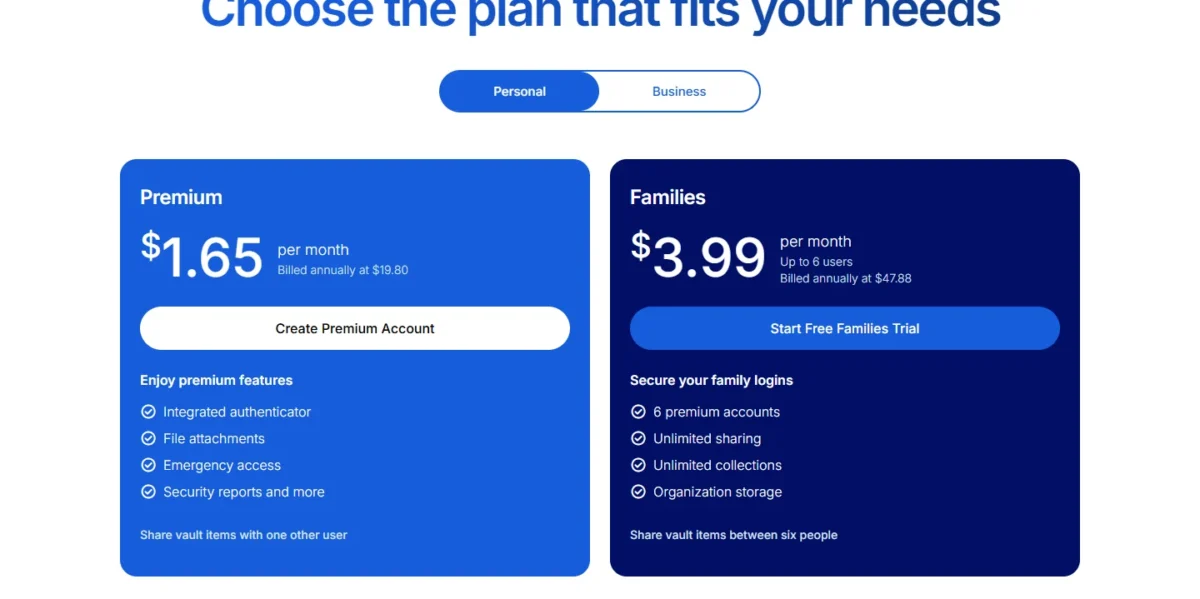
| Plan | Price | Billing | Key limit |
|---|---|---|---|
| Free | Free | Always free | Shares with 1 other user |
| Premium | $1.65 per month | Billed annually at $19.80 | 1 person |
| Families | $3.99 per month | Billed annually at $47.88 | Up to 6 users |
Sources: Bitwarden pricing and Bitwarden plans help page, checked Nov 2026.
Pros
- Two people share in collections without paying
- Passkeys and hardware-key two-step login on Free
- Encrypted export in every account
Cons
- The integrated authenticator (TOTP) needs Premium
- No emergency access or vault health reports on Free
- Bitwarden Send shares text only on Free
- Skip it if:
- you want two-factor codes inside your password manager without paying; RoboForm Free and Zoho Vault Free both include a built-in authenticator.
My Bitwarden review covers the paid plans and business features in full.
If you are already weighing a paid manager, Bitwarden vs 1Password compares the two on team plans.
2. Proton Pass Free: Best for Sharing a Vault Privately With Email Aliases
- Free plan: unlimited logins, notes and credit cards on unlimited devices
- Privacy extra: 10 hide-my-email aliases
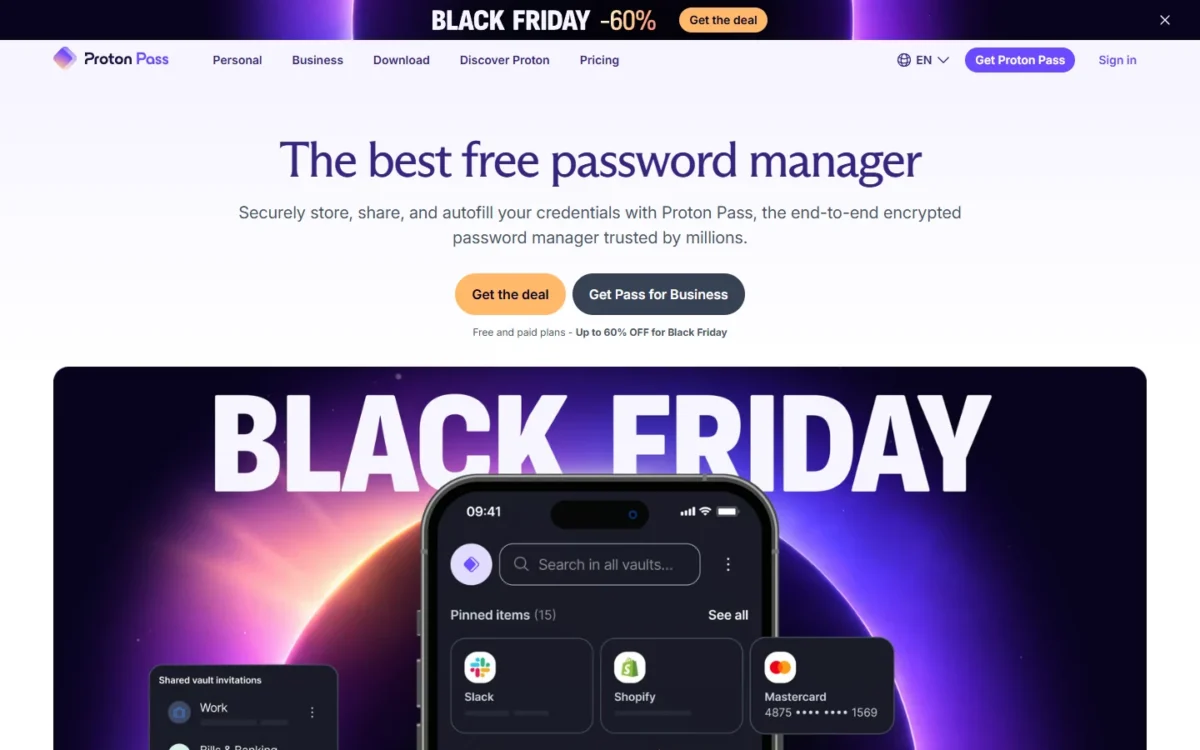
When more than two people share, Proton Pass Free pulls ahead of Bitwarden: it shares whole vaults with two others and adds 10 hide-my-email aliases, so new sign-ups never see your real address. It fits a privacy-minded household of up to three. The structure is the catch, because Free holds 2 vaults and cannot share a single item.
Vault sharing is the reason to pick it. A household can keep one private vault and share the second with a partner and a teenager. Since single-item sharing is paid, you share a whole vault or nothing, so decide which logins go in the shared vault before you import.
Unlike Bitwarden’s email alias integration, which connects to outside forwarding services, Proton Pass creates the alias itself when you sign up for a new account.
Pass Plus carried a Black Friday price in November 2026, so budget for the renewal rather than the first year.
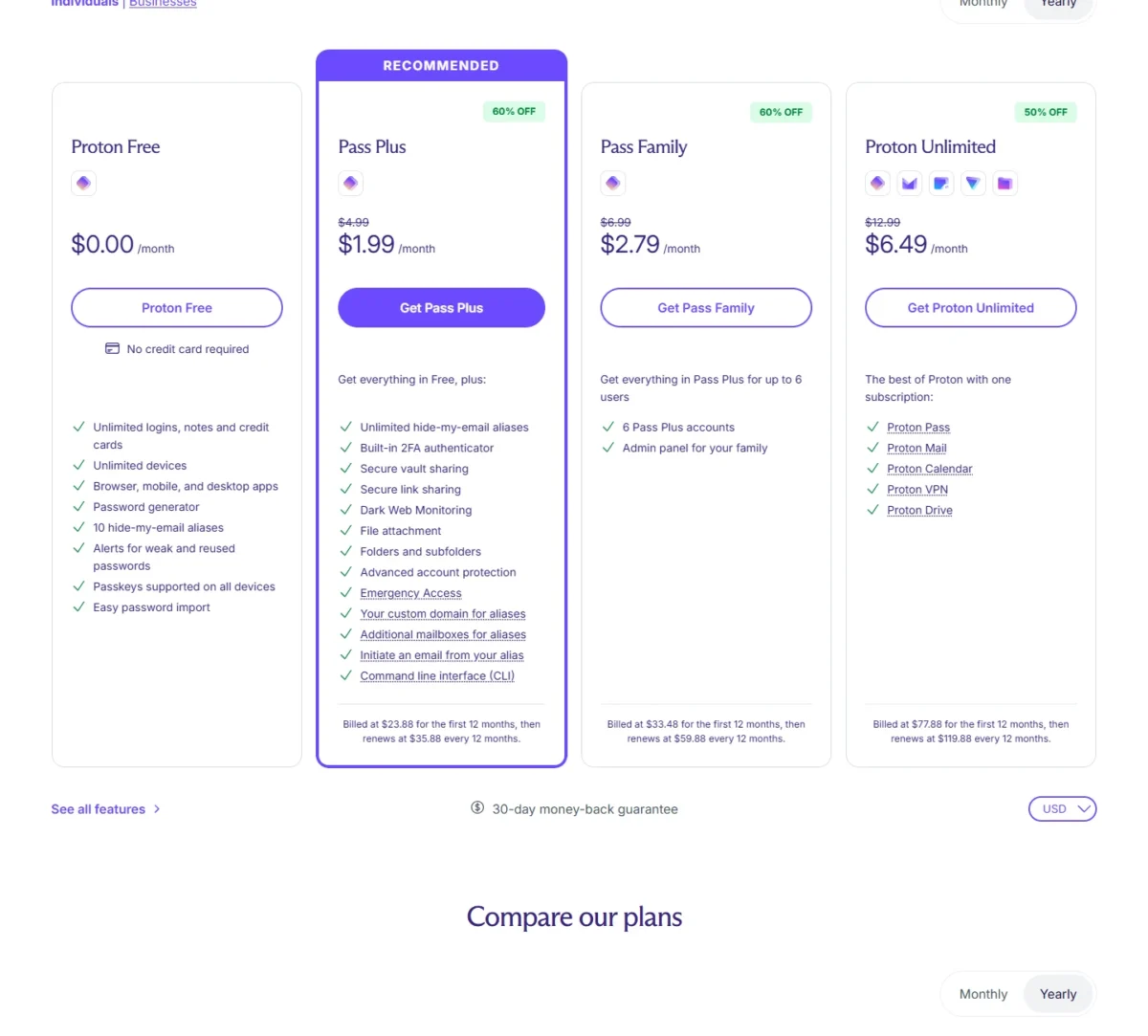
| Plan | Price | Billing | Key limit |
|---|---|---|---|
| Proton Free | $0.00 per month | No credit card required | 2 vaults, shared with 2 others |
| Pass Plus | $23.88 for the first 12 months | Renews at $35.88 every 12 months | 50 vaults, shared with 10 others |
| Pass Family | $33.48 for the first 12 months | Renews at $59.88 every 12 months | 6 Pass Plus accounts |
Sources: Proton Pass pricing, checked Nov 2026.
Pros
- Vault sharing with 2 others on the free plan
- Aliases created for you at sign-up
- Passkeys supported on all devices
Cons
- Only 2 vaults on Free
- No sharing of single items without Pass Plus
- No integrated 2FA or Emergency Access on Free
- Skip it if:
- you need to share one login without opening a whole vault, or want two-factor codes in your password manager for free; RoboForm Free includes a TOTP authenticator, though on one device only.
If NordPass is also on your shortlist, my NordPass vs Proton Pass comparison sets the two side by side.
3. Passbolt Community Edition: Best for a Self-Hosted Team of Any Size
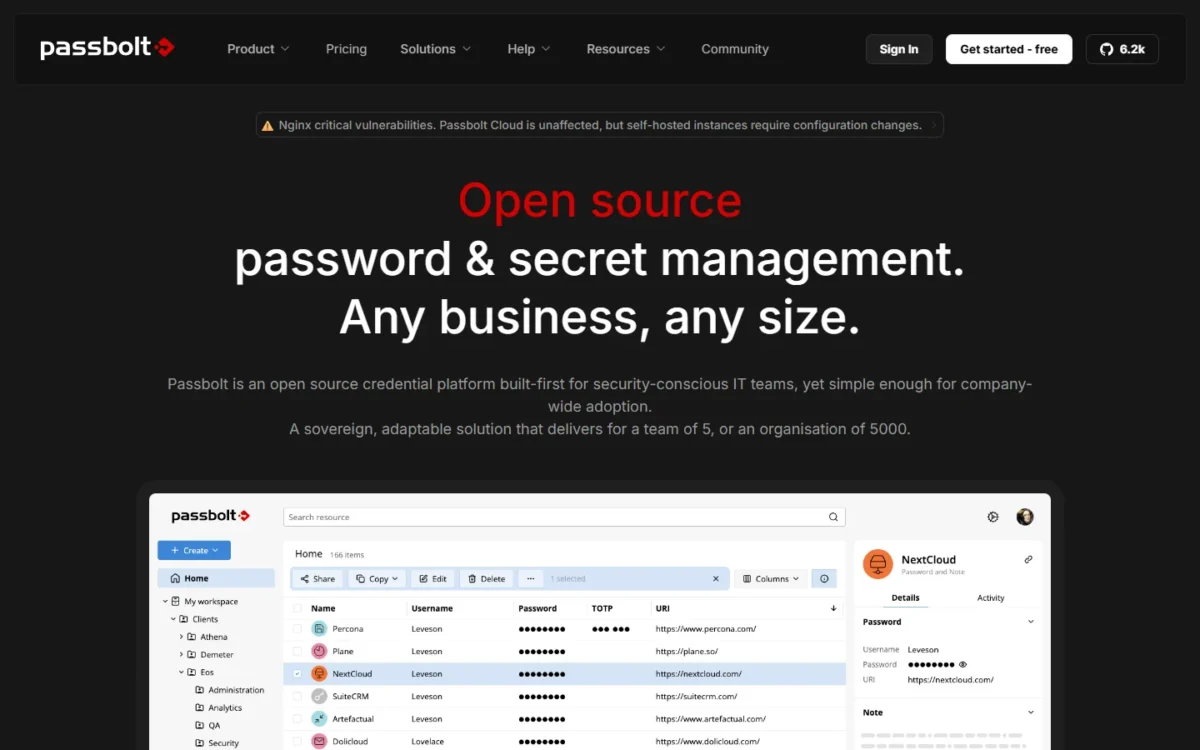
- Price: free with unlimited users, open source under AGPLv3
- Not in this edition: SSO, LDAP provisioning, account recovery, activity log
A whole team can share passwords without paying on Passbolt Community Edition, provided someone runs the server: it has no user limit and still includes users, groups and shared folders. It fits a technical team that already hosts its own tools. What the team gives up is the admin safety net, because SSO, account recovery and the activity log are Pro features.
Users and groups management is what makes it work for a team: logins live in private and shared folders, people sit in groups, and every member gets browser extensions, iOS and Android apps and TOTP management.
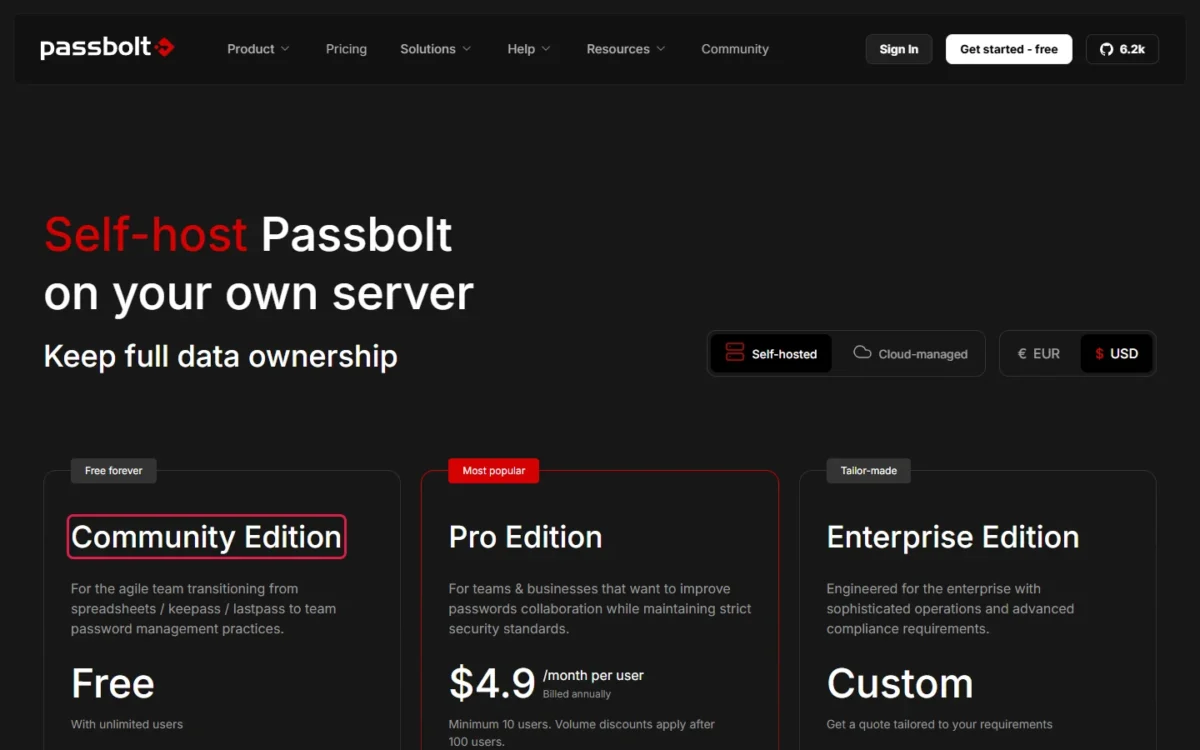
Installation is where the cost moves from money to time: a turn-key installer or a Docker container, with community support. Against Psono, Passbolt has no user cap but no SSO, while Psono’s free business version has SSO but stops at 10 users.
The jump to Pro is steep for a small team, because the 10-user minimum sets the smallest bill at $4.9 x 10 users x 12 months = $588 a year, before your server.

| Plan | Price | Billing | Key limit |
|---|---|---|---|
| Community Edition | Free | Free updates forever | Community support |
| Pro Edition | $4.9 per user per month | Billed annually | Minimum 10 users |
| Enterprise Edition | Custom | Get a quote | Quote only |
Sources: Passbolt pricing, checked Nov 2026.
Pros
- Free with unlimited users
- Groups, shared folders and role-based access control
- Mobile apps for iOS and Android included
Cons
- You install, host and update the server
- No SSO or LDAP provisioning without Pro
- No account recovery or activity log in this edition
- Skip it if:
- nobody on your team can install and maintain a server, or you need SSO from day one; Psono gives up to 10 users SSO free, and Bitwarden Teams needs no server at $4 per user per month, billed annually.
4. KeePassXC: Best for an Offline Vault With No Account
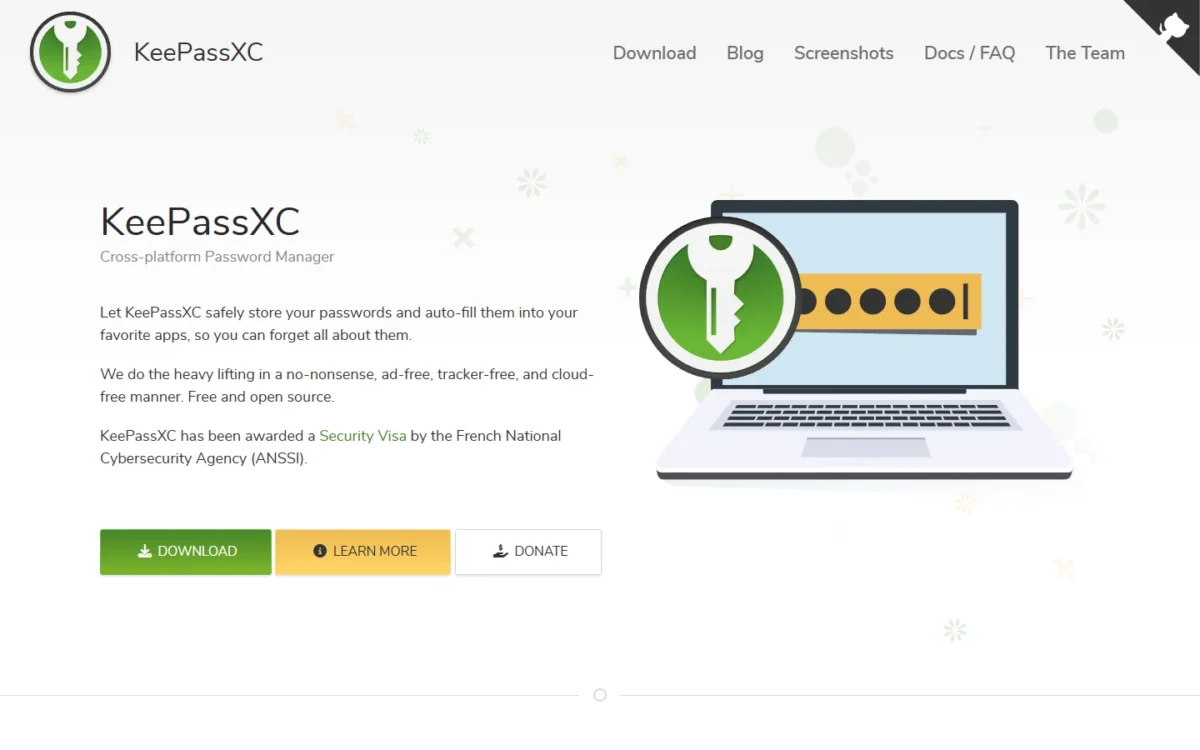
- Platforms: Windows, macOS, Linux, plus a browser extension
- Storage: an offline, encrypted file you keep in any location
Nothing about KeePassXC touches anyone’s cloud: it keeps the vault in an encrypted file on your own computer, costs nothing and is open source under GPLv3. It suits a privacy-minded desktop user who is comfortable managing files. The price of that control is convenience, because the download page lists no phone app and moving the file between devices is your job.
No data is stored on remote servers, yet the file can sit in any location, including a cloud folder you already use, which is how a KeePassXC user reaches the same vault on a second computer. Bitwarden Free, Proton Pass Free and Zoho Vault Free sync across unlimited devices for you; here you choose and maintain the sync.
Autofill comes through the KeePassXC browser extension. Version 2.7.12 added nested folders to Bitwarden imports, so someone leaving Bitwarden can bring a structured vault along. The same release made passkeys stored in KeePassXC keep their backup eligibility and backup state flags. With no sharing service, it stays a one-person tool.
There are no plans or tiers, and the project accepts donations; the real cost is the sync service you pick for the file, if any.

| Plan | Price | Billing | Key limit |
|---|---|---|---|
| KeePassXC | Free and open source | No subscriptions | Desktop apps and browser extension |
Sources: KeePassXC and KeePassXC downloads, checked Nov 2026.
Pros
- No data stored on remote servers
- Free and open source under GPLv3
- Imports Bitwarden vaults with nested folders
Cons
- No phone app on the download page
- You set up any sync yourself
- No sharing service for a family or team
- Skip it if:
- you want the same vault on your phone without setting up file sync; Bitwarden Free and Proton Pass Free sync unlimited devices for you.
5. Psono: Best for a Self-Hosted Team of Up to 10 That Needs SSO
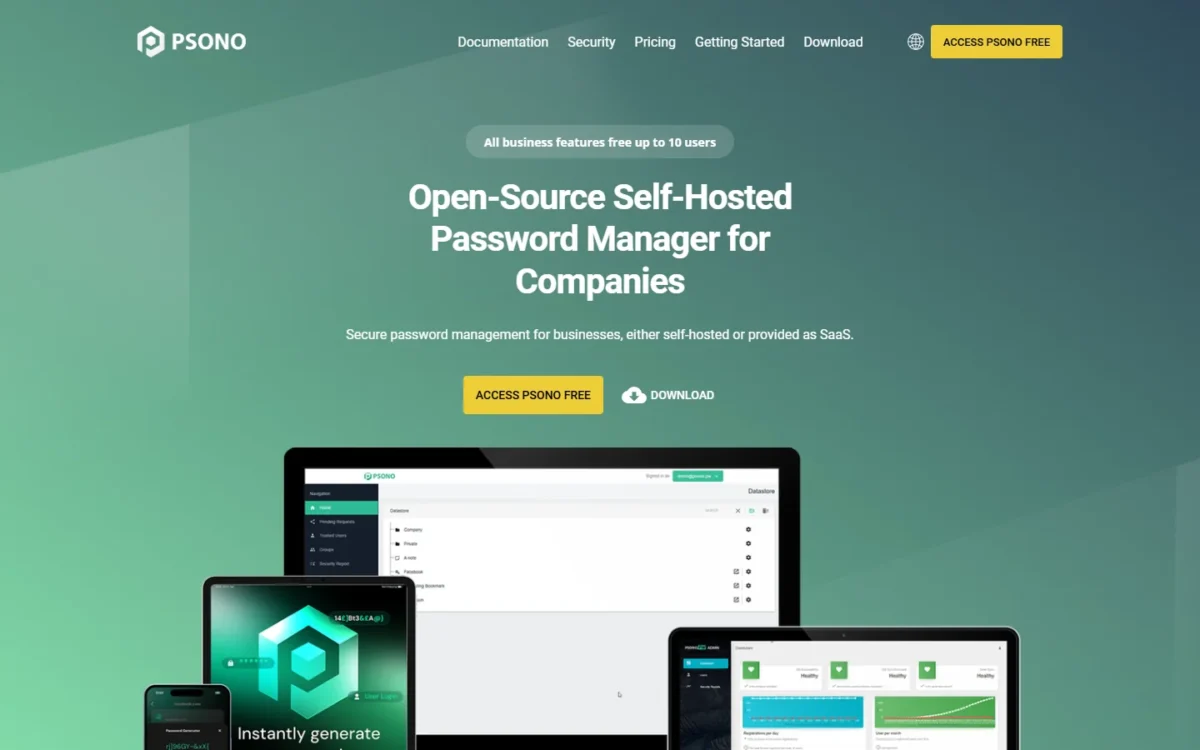
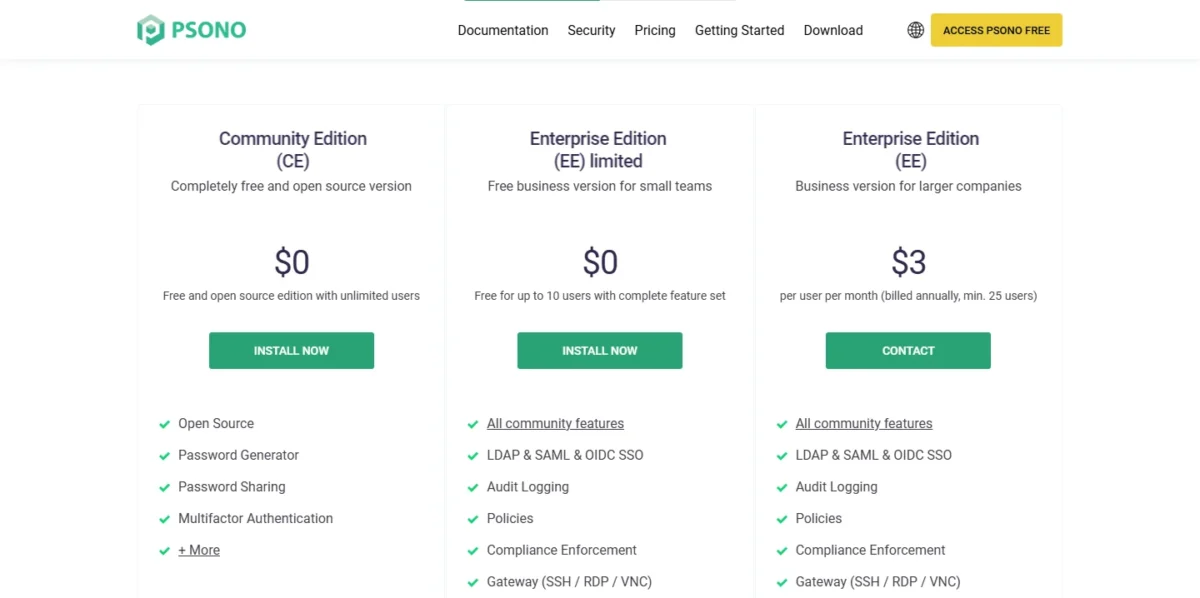
- Free editions: community edition with unlimited users; free business version for up to 10 users
- Free business features: LDAP, SAML and OIDC SSO, audit logging, policies
Psono gives a small self-hosting team the controls that Passbolt Community Edition and Bitwarden Free hold back: its free business version covers up to 10 users with LDAP, SAML and OIDC single sign-on, audit logging and policies. It fits an IT-capable team of ten or fewer whose headcount is stable. The cliff comes at the eleventh user, and only if the team wants to keep those controls; the community edition stays free with unlimited users, while SSO and audit logging are listed under the business versions.
Free SSO is the reason Psono is on this list: staff sign in through the directory or identity provider the company already runs, and audit logging records vault activity, two things Passbolt keeps on Pro and Bitwarden on paid organizations.
An 11-person team that keeps SSO and audit logging pays for 25 seats, $3 x 25 users x 12 months = $900 a year, so price that step against Bitwarden Teams before you commit.
| Plan | Price | Billing | Key limit |
|---|---|---|---|
| Community edition | $0 | Free | Unlimited users, no SSO listed |
| Free business version | $0 | Free | Up to 10 users |
| Business version | $3 per user per month | Billed annually | Minimum 25 users |
Sources: Psono editions and pricing, checked Nov 2026.
Pros
- LDAP, SAML and OIDC SSO free for up to 10 users
- Audit logging and policies in the free business version
- Community edition free with unlimited users
Cons
- You install and run the server
- The free business version stops at 10 users
- The paid business version bills at least 25 users
- Skip it if:
- your team will pass ten people within a year and a 25-user minimum is hard to justify; Passbolt Community Edition has no user cap, and Bitwarden Teams bills a flat rate per seat.
6. Zoho Vault Free: Best for Offline Access and a Built-In Authenticator in the Cloud
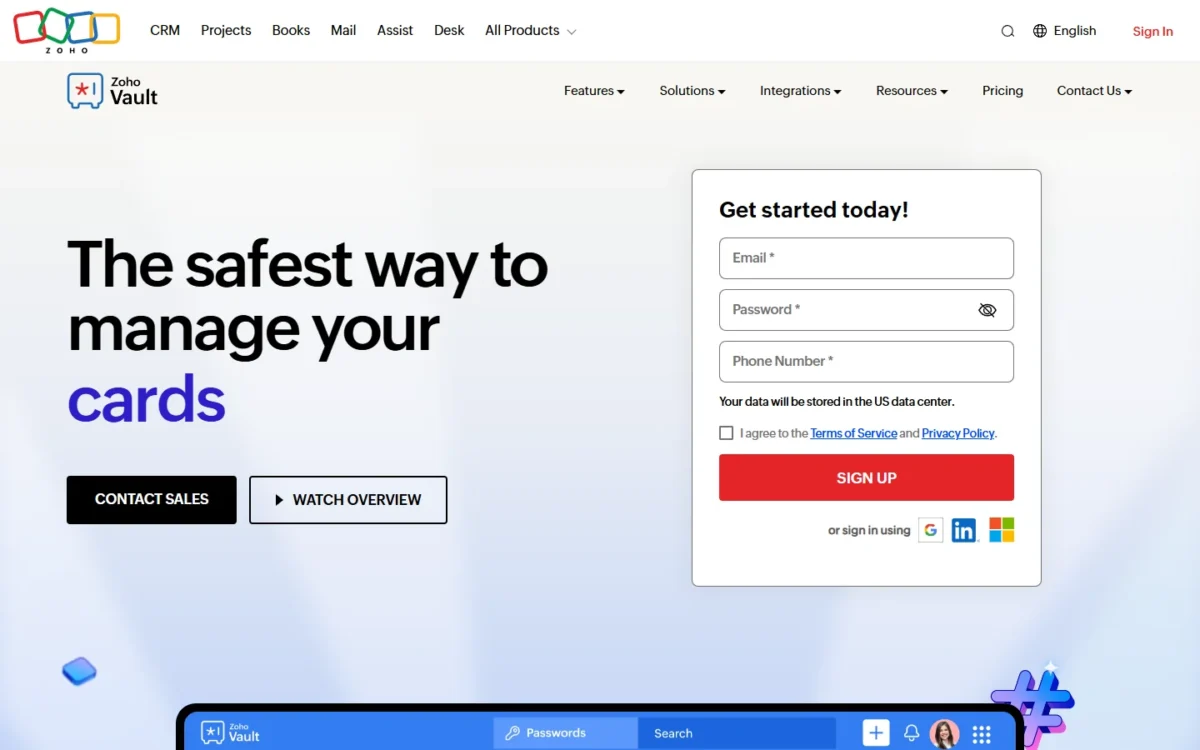
- Free plan: unlimited passwords, passkeys and storage on unlimited devices
- Free extras: offline access, a built-in 2FA authenticator, a desktop app for Mac and Windows
Zoho Vault Free puts a built-in 2FA authenticator, which Bitwarden and Proton Pass keep on paid plans, into a cloud plan that is free forever, with offline access on unlimited devices. It suits one person, especially someone already signed in to Zoho apps. The gap is sharing, which starts on Standard, so a couple who share logins is better served by Bitwarden or Proton Pass.
The built-in authenticator keeps two-factor codes beside the passwords, and passwordless login opens the vault with Zoho OneAuth, Windows Hello, TouchID, a passkey or a YubiKey, and the free plan integrates with Zoho Mail, Desk, Projects and Flow.
Zoho’s 15-day Enterprise trial, for up to five users, falls back to the Free plan with all data intact, so testing team sharing costs nothing.
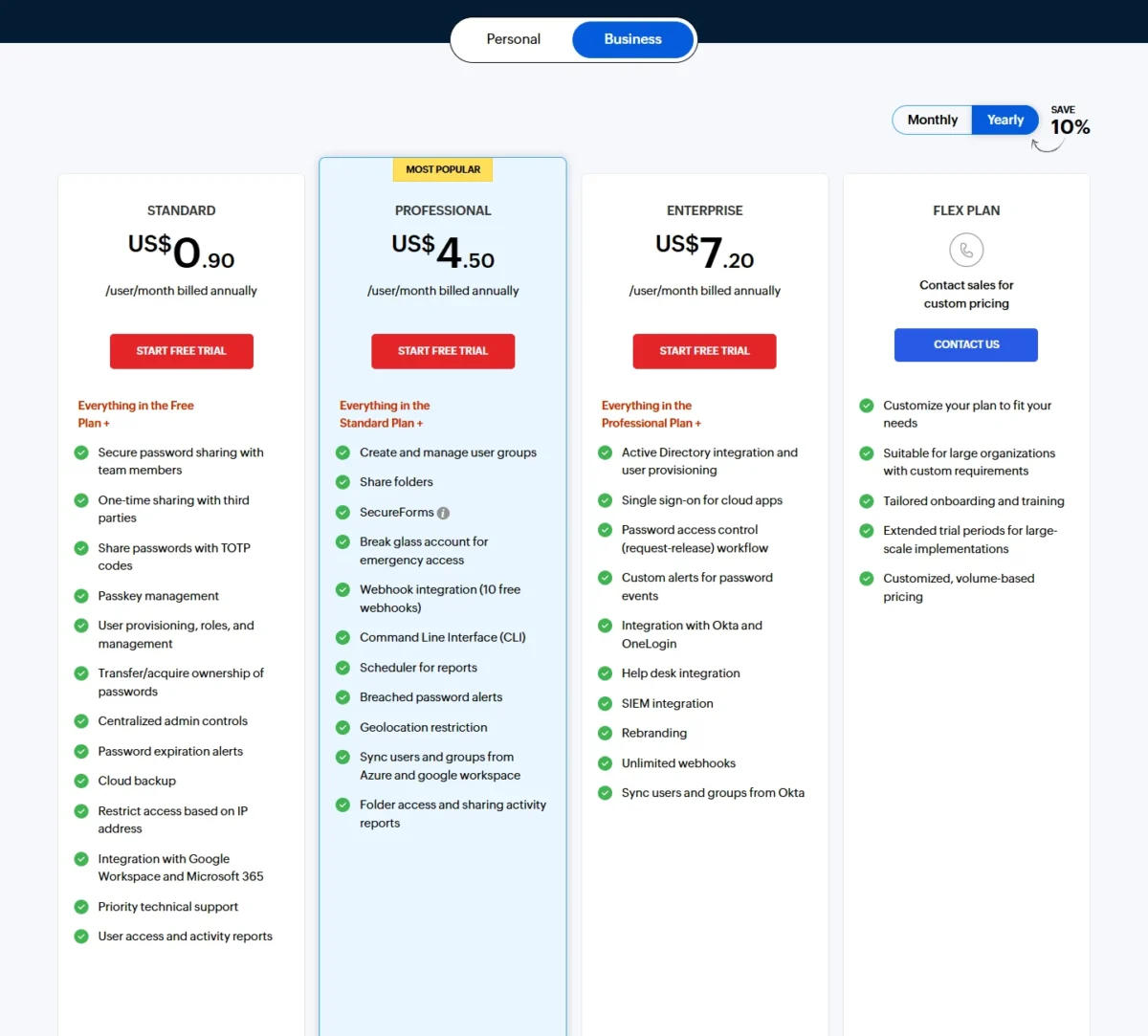
Sharing is cheap to add: on Standard a couple pays $0.90 x 2 users x 12 months = $21.60 a year.
| Plan | Price | Billing | Key limit |
|---|---|---|---|
| Free | $0 | Valid forever | No password sharing |
| Standard | $0.90 per user per month | Billed annually | Adds secure password sharing |
| Professional | $4.50 per user per month | Billed annually | Minimum 5 users |
Sources: Zoho Vault pricing (yearly view), checked Nov 2026.
Pros
- Built-in 2FA authenticator on the free plan
- Offline access and a desktop app for Mac and Windows
- An expired Enterprise trial falls back to Free with data intact
Cons
- No password sharing on Free
- Cloud backup and admin controls start on Standard
- Shared folders and user groups need Professional, with a 5-user minimum
- Skip it if:
- you need to share a password with anyone on a free plan; Bitwarden Free shares with one user and Proton Pass Free with two.
7. RoboForm Free: Best for Form Filling on One Device
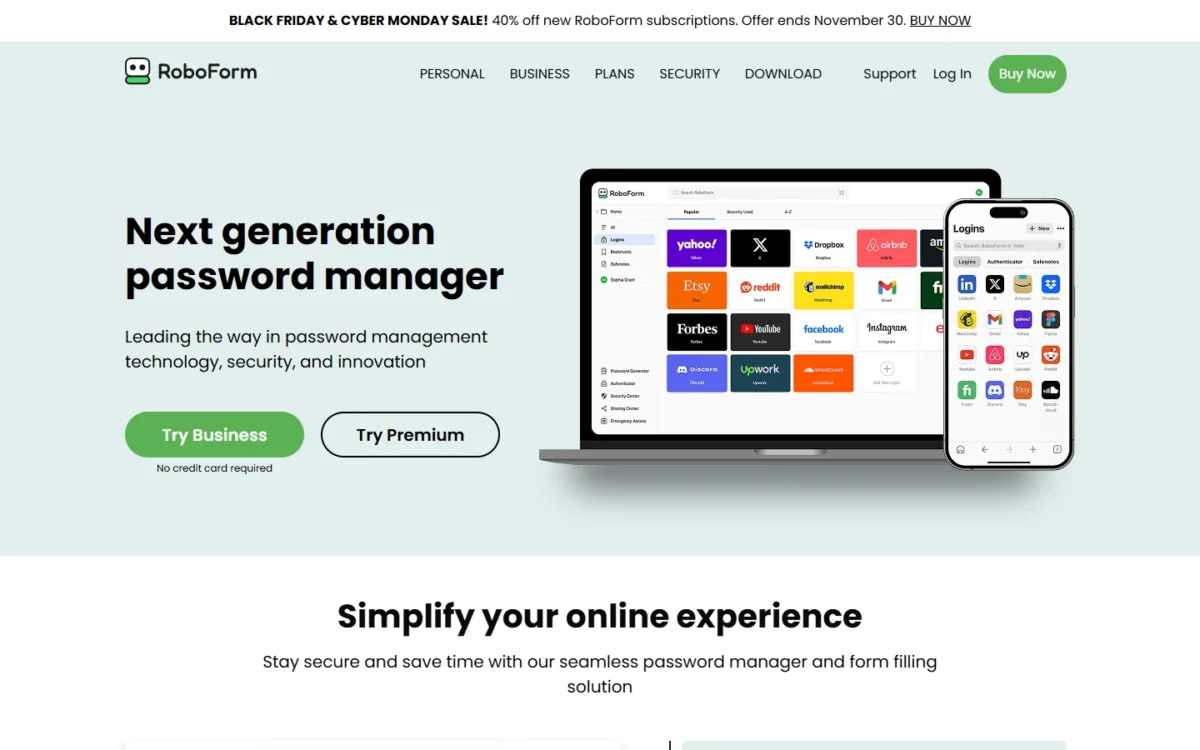
- Free plan: unlimited passwords on a single device
- Free extras: one-click login, form filling, compromised password scan, built-in TOTP authenticator
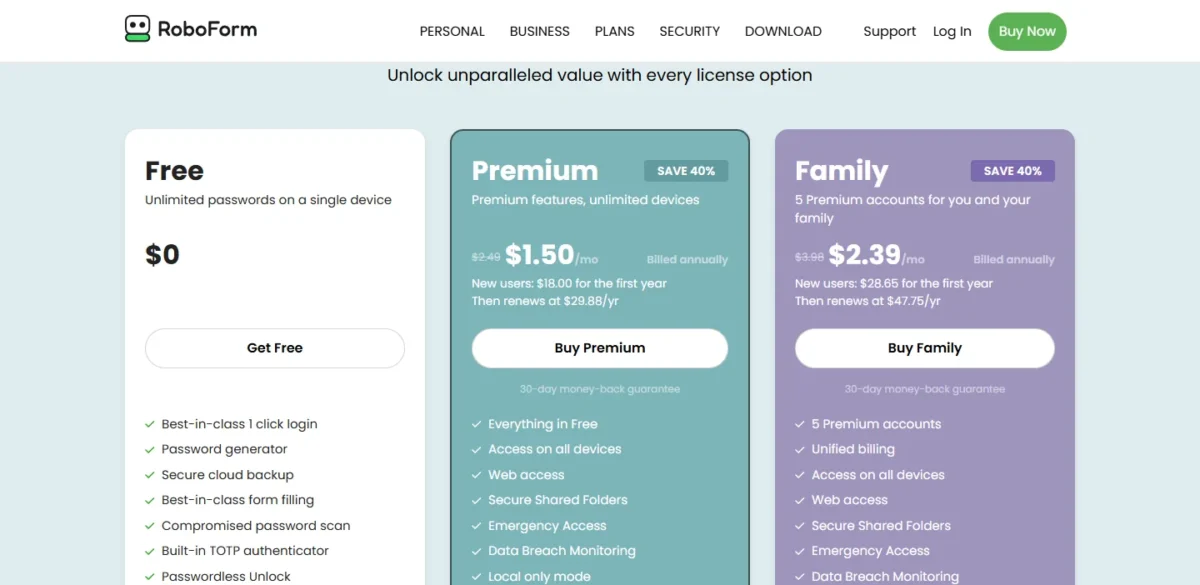
If you fill a lot of web forms on one computer, RoboForm Free earns its place: it keeps unlimited passwords on that device and adds one-click form filling, a compromised password scan and a built-in TOTP authenticator. The moment the vault needs to reach a phone, though, you are buying Premium.
Form filling is the job RoboForm is built around, and it saves the most time for someone who fills checkout, application or account forms all day on one machine. NordPass Free, the other one-device plan here, includes autosave and autofill but leaves out its authenticator and Data Breach Scanner.
Free also includes advanced two-factor authentication (2FA) with hardware security keys, while Data Breach Monitoring, Secure Shared Folders and Emergency Access are Premium features.
Premium was on a Black Friday sale when I checked, 40% off new subscriptions until November 30, so the first-year figure below is the promotion and the renewal is the regular price.
| Plan | Price | Billing | Key limit |
|---|---|---|---|
| Free | $0 | Free | Unlimited passwords on a single device |
| Premium | $18.00 for the first year (new users) | Then $29.88 a year, billed annually | Access on all devices |
| Family | $28.65 for the first year (new users) | Then $47.75 a year, billed annually | 5 Premium accounts |
Sources: RoboForm Free and plans, checked Nov 2026.
Pros
- One-click form filling on the free plan
- Built-in TOTP authenticator without paying
- Advanced 2FA with hardware security keys on Free
Cons
- Works on a single device only
- Secure Shared Folders need Premium
- Premium’s $18.00 covers the first year only, then $29.88 a year
- Skip it if:
- you need your passwords on a phone and a computer; Bitwarden Free and Zoho Vault Free cover unlimited devices.
8. LastPass Free: Best for One Device Type With Dark Web Monitoring
- Sharing on free: one password with one person at a time
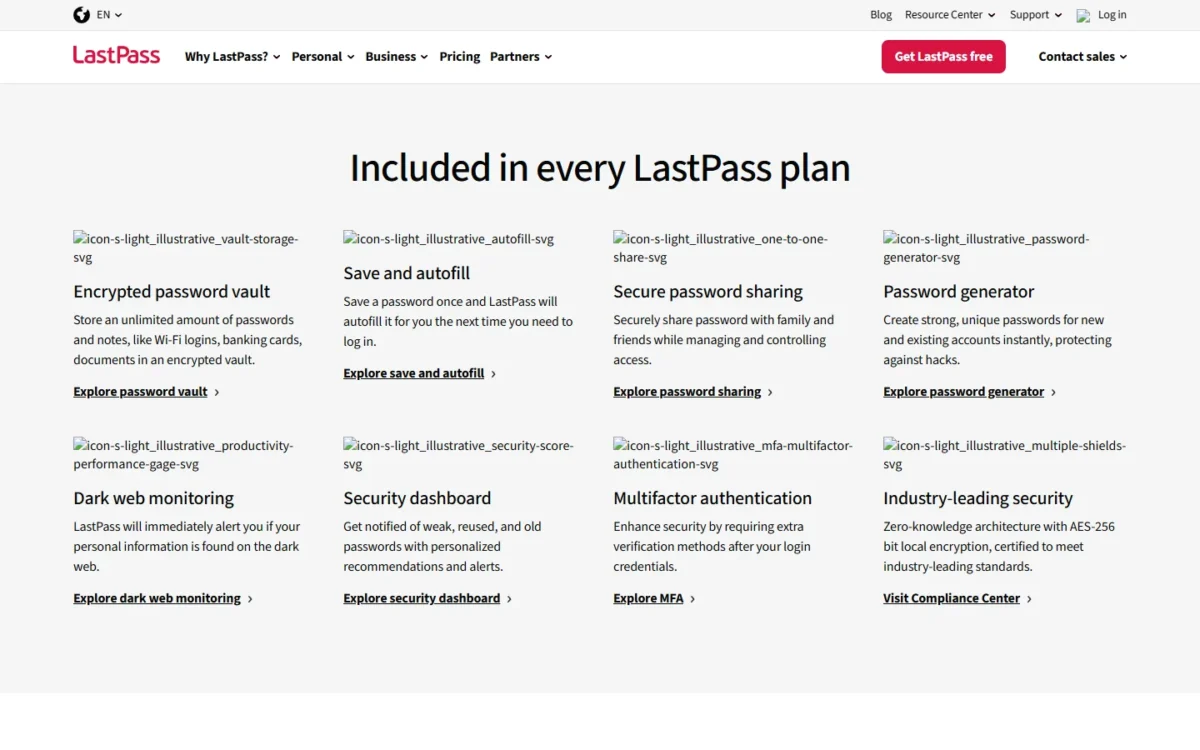
- Free extras: unlimited password storage, autofill, dark web monitoring
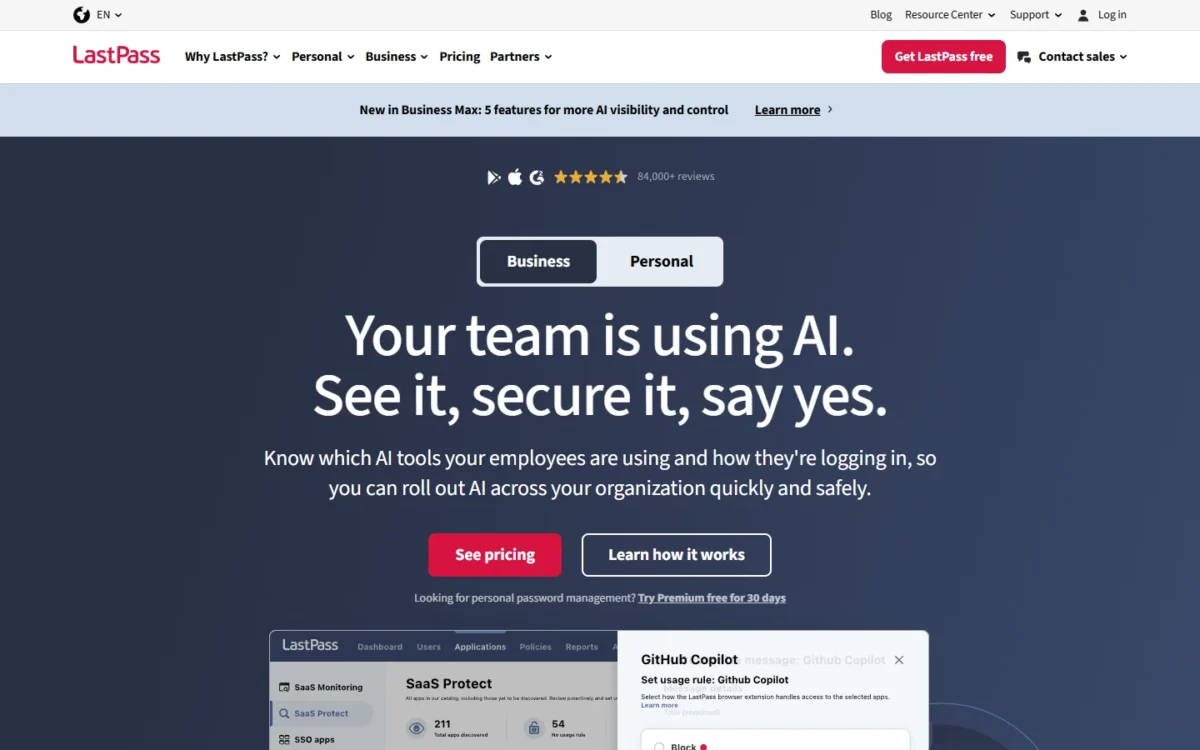
LastPass Free still fits one kind of user: someone who works only on computers, or only on a phone and tablet, and wants dark web monitoring without paying. It limits a device type, not a single device. Sharing is the tight part, because Free shares one password with one person at a time.
LastPass counts computer (all browsers on desktops and laptops) and mobile (phones, smart watches and tablets) as its two device types, and Free works on one of them, so a reader with two laptops is covered while a reader with a laptop and a phone is not. Dark web monitoring is its own reason to be here: Proton Pass keeps Dark Web Monitoring for paid plans, and NordPass Free leaves out its Data Breach Scanner.
Free also gives up emergency access and hardware MFA such as YubiKey, and when the included 30-day Premium trial ends, your saved data stays in the vault.
Premium is the plan that lifts the device-type limit and the one-person sharing rule; for a household, Families stretches the same features to 6 users.
| Plan | Price | Billing | Key limit |
|---|---|---|---|
| Free | Free | Includes a 30-day Premium trial | 1 device type |
| Premium | $3.00 per month | Billed annually | 1 user |
| Families | $4.00 per month | Billed annually | 6 users |
Sources: LastPass pricing, checked Nov 2026.
Pros
- Dark web monitoring on the free plan
- Works on every computer, or every phone and tablet
- A 30-day Premium trial that leaves your data in place
Cons
- One device type: computer or mobile, not both
- Shares one password with one person at a time
- No emergency access on Free
- Skip it if:
- you use a laptop and a phone every day; Bitwarden Free and Proton Pass Free cover unlimited devices.
If LastPass’s limits rule it out, my LastPass alternatives ranking covers the options that replace it.
For a team weighing LastPass Teams, LastPass vs 1Password compares the business plans.
9. NordPass Free: Best for One Device Before a NordPass Business Plan
- Free plan: free “for a lifetime”, no limit on passwords, passkeys or personal info
- Business path: Teams sold as a 10-user pack only; Business from 5 users
NordPass Free makes sense on one device for someone who expects to bring NordPass into work later: it stores unlimited passwords and passkeys, and the business plans are the next step up. Against RoboForm Free, the other one-device plan here, it gives up the authenticator and the breach checks, so pick it for the vendor rather than for its free features.
The device rule is the decision point. Access on multiple devices, Password Health, the Data Breach Scanner, the NordPass Authenticator and file attachments all sit outside Free, so the free plan serves one device. What it keeps is solid: autosave and autofill, import from other password vaults, and XChaCha20 encryption on a zero-knowledge architecture.
The paid prices, including the Black Friday deal on the free-plan page in November 2026, are tracked in my guide to what NordPass costs.
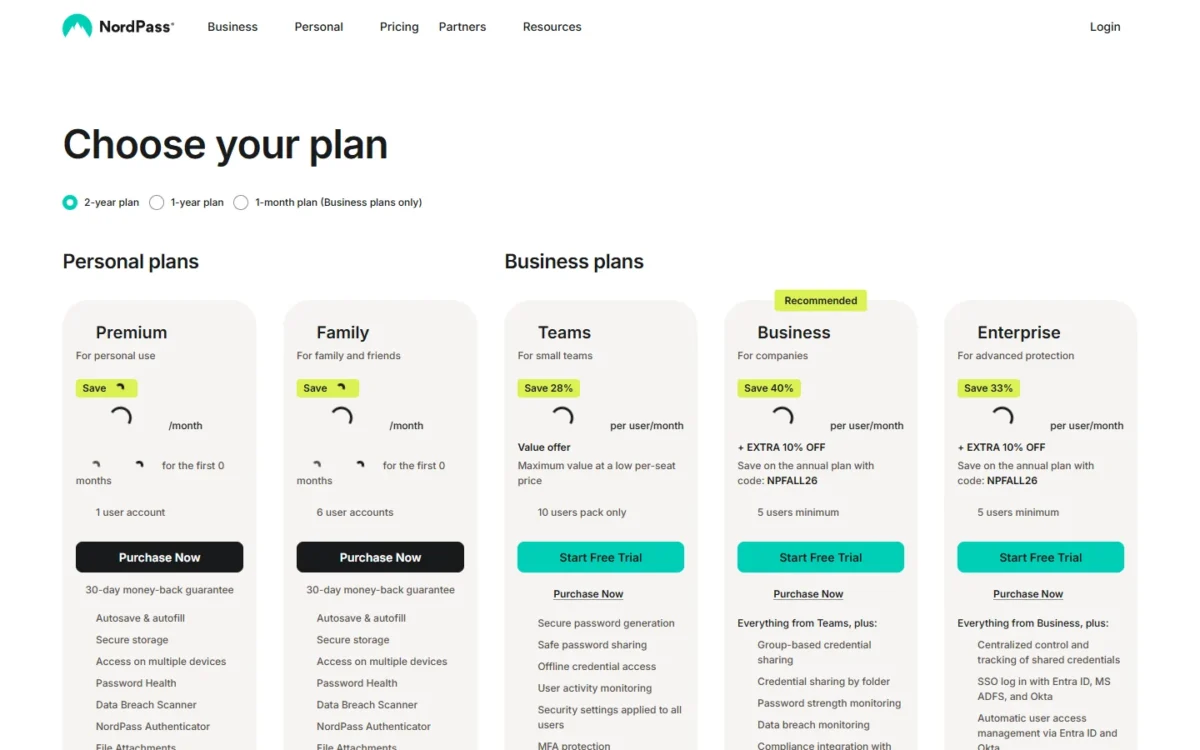
- Free: for a lifetime; access on multiple devices not included
- Teams: 10-user pack only
- Business: 5 users minimum
Sources: NordPass free plan and NordPass pricing, checked Nov 2026.
Pros
- No limit on passwords, passkeys or personal info
- Imports from other password vaults
- A direct path to NordPass Teams and Business
Cons
- One device only on Free
- No Password Health or Data Breach Scanner on Free
- No file attachments on Free
- Skip it if:
- you want your vault on a phone and a computer for free; Bitwarden Free syncs unlimited devices.
My NordPass review weighs the paid plans in full.
The NordPass vs Bitwarden comparison sets the two vendors’ plans against each other, free tiers included.
10. Google Password Manager: Best for Chrome and Android Users Who Install Nothing
Google Password Manager homepage, first screen, passwords.google, captured Nov 2026
- Where it works: built into Chrome on all platforms and every Android app; on iPhone through Chrome
- Extras: Password Checkup, optional extra encryption, import and export
For someone who already lives in Chrome and Android, Google Password Manager is enough, and there is nothing new to install. It is built into Chrome on every platform and into every Android app, and Password Checkup flags at-risk accounts. The ties are the catch: it works through Chrome and your Google Account, and on an iPhone it needs Chrome set as the AutoFill provider.
The reasons to look elsewhere are structural. If you are signed out of Chrome, your passwords stay local to that Chrome and are not available on other devices. A reader whose main browser is not Chrome gets more from Bitwarden Free, which ships its own browser, mobile and desktop apps.
Google Password Manager comes with Chrome and Android (“you don’t have to install it”), so what you commit to is Chrome and a Google Account rather than a plan.
- Chrome: sign in and turn on sync
- Android: select Google as the autofill service
- iPhone and iPad: turn on sync in Chrome, then choose Chrome under AutoFill Passwords
Sources: Google Password Manager, checked Nov 2026.
Pros
- Built into Chrome and Android
- Password Checkup flags at-risk accounts
- CSV import and export from Settings
Cons
- Tied to Chrome and a Google Account
- On iPhone it works only through Chrome
- Signed out of Chrome, passwords stay on that one Chrome
- Skip it if:
- your main browser is not Chrome, or you want a vault you can share; Bitwarden Free and Proton Pass Free run outside Chrome and share for free.
How to Choose the Best Free Password Manager for You
Choose in three passes: devices first, sharing second, then where the vault lives; the matrix applies those criteria, plus the authenticator and passkeys, to all ten.
If you use a phone and a computer, drop RoboForm Free, NordPass Free and LastPass Free before reading anything else. Then match sharing: one partner fits Bitwarden’s Free organization, two fit Proton Pass, and a larger group points to Passbolt or Psono.
Passkeys are part of the free tier on Bitwarden, Proton Pass, Zoho Vault and NordPass; my passkeys vs passwords guide explains whether to move your accounts to them. KeePassXC also stores passkeys in its vault file.
| Software | Unlimited devices | Share on free | Built-in authenticator | Passkeys | Where the vault lives |
|---|---|---|---|---|---|
| Bitwarden Free | Yes | Free organization, 2 users | Premium | Yes | Synced across devices |
| Proton Pass Free | Yes | Vaults with 2 others | Pass Plus | Yes | Synced across all devices |
| Passbolt Community Edition | Not listed | Unlimited users | TOTP management | Not listed | Your own server |
| KeePassXC | Not listed | No sharing service | Not listed | Yes | Local encrypted file |
| Psono | Not listed | Password sharing | Not listed | Not listed | Your own server or SaaS |
| Zoho Vault Free | Yes | Standard | Yes | Yes | Offline access included |
| RoboForm Free | Single device | Premium | Yes | Not listed | Secure cloud backup |
| LastPass Free | One device type | One password, one person | Not listed | Not listed | Not listed |
| NordPass Free | Not on Free | Not listed | Not on Free | Yes | Secure storage |
| Google Password Manager | Not listed | Not listed | Not listed | Not listed | Google Account |
Sources: the vendor pages under the comparison table, plus Bitwarden plans, checked Nov 2026.
The three kinds of free password manager
Where the vault lives is the third pass. Bitwarden Free, Proton Pass Free and Zoho Vault Free sync across unlimited devices, LastPass Free works across one device type, and Google’s built-in manager syncs through Chrome and your Google Account, while RoboForm Free runs on a single device and NordPass Free leaves out access on multiple devices. KeePassXC keeps a local file that never touches a remote server. Passbolt and Psono run on a server you operate, which keeps them free for a team at the cost of your own hosting.
Free options for a team of two to ten
A small team can stay free in four ways, each with a ceiling and a cost in what it gives up:
- 2 people: Bitwarden’s Free organization, up to 2 collections; no event logs, directory sync or SCIM, which start on Teams.
- 3 people: Proton Pass Free, 2 vaults shared with 2 others; no single-item sharing.
- Up to 10, self-hosted: Psono’s free business version with SSO and audit logging; you run the server.
- Any size, self-hosted: Passbolt Community Edition with unlimited users; no SSO, account recovery or activity log.
The cloud options cap the headcount, and the self-hosted ones cap your free time, so pick by which of the two your team has more of.
When a Free Password Manager Stops Being Enough
Pay when the free plan’s ceiling becomes your daily problem: a single-device plan has to reach a second device, or the team needs event logs or SSO. For shared logins, the ceiling is a third person on Bitwarden Free, whose Free organization shares with one other user, and a fourth on Proton Pass Free, which shares vaults with 2 others.
For a 10-person team, Bitwarden Teams, which adds event logs, costs $4 x 10 users x 12 months = $480 a year, billed annually; SSO starts on Enterprise, at $6 x 10 users x 12 months = $720 a year.
Households have a cheaper step than business plans. Bitwarden Families is $47.88 a year for up to 6 users, less than four Teams seats ($4 x 4 users x 12 months = $192 a year), and Proton Pass Family renews at $59.88 every 12 months for 6 accounts.
At work, the admin features are the reason to pay. Beyond event logs, Bitwarden Teams adds directory sync and SCIM provisioning, and Enterprise adds SSO, enterprise policies and account recovery, the controls an employee onboarding checklist relies on when someone joins or leaves.
My take
I would move a family to Bitwarden Families the day a third person needs the shared logins, and a team to Bitwarden Teams the day someone leaves and you cannot see what they could open. Per-seat prices grow with every hire, the effect my explainer on the SaaS seat tax breaks down, so price the team you expect in a year.
What a team pays after free
| Plan | 2 users | 5 users | 10 users | 25 users |
|---|---|---|---|---|
| Bitwarden Teams, $4 per user per month | $96 | $240 | $480 | $1,200 |
| Bitwarden Enterprise, $6 per user per month | $144 | $360 | $720 | $1,800 |
| Passbolt Pro, $4.9 per user per month, minimum 10 users | $588 (10-user minimum) | $588 (10-user minimum) | $588 | $1,470 |
| Psono, free to 10 users, then $3 per user per month, minimum 25 users | $0 (free to 10 users) | $0 (free to 10 users) | $0 (free to 10 users) | $900 |
| Zoho Vault Standard, $0.90 per user per month | $21.60 | $54 | $108 | $270 |
Sources: Bitwarden business pricing, Passbolt pricing, Psono editions, Zoho Vault pricing, checked Nov 2026. Each total is the price x users x 12 months with the minimum applied; self-hosted totals exclude your server.
Two numbers stand out. Passbolt Pro’s 10-user minimum makes it the most expensive row for a team of two or five, and Psono jumps from $0 at 10 users to $900 at 25 users once an 11th user needs the free business version’s SSO and audit logging; without them, the community edition stays free.
For the paid managers this list does not rank, my password managers for business, picked by team job is the next step.
If 1Password is on that shortlist, the 1Password pricing guide lists its current plans.
Choosing between two paid vendors, NordPass vs 1Password compares their team plans.
Also Considered
Five more options stayed off the list, each for a fact that fails the free-plan test:
- Enpass: the free plan stores up to 25 items in 1 vault; Premium is $1.99 per month, billed annually.
- Dashlane: Dashlane no longer offers Dashlane Free and starts with a 14-day trial of select Premium features; my Dashlane review covers the paid packages.
- Keeper: Keeper’s free password manager page leads to “Start Free Trial” and prints no free-plan limits to compare; my Keeper review covers its paid plans.
- 1Password: the pricing page I saved lists quote-based products (“Request a quote”) and no free plan; 1Password alternatives covers cheaper routes.
- Apple Passwords: Apple’s app keeps passwords, passkeys and verification codes across your devices, but Apple’s guide publishes no limits to compare.
FAQ
Are free password managers safe?
Yes, when the free plan uses the same encryption as the paid one. Bitwarden lists zero-knowledge encryption in every account, and Proton says its free and paid plans offer the same level of privacy protection. RoboForm encrypts on your own device with a Master Password that is never transmitted to its server. The free-tier gap is recovery: Bitwarden and Proton Pass keep emergency access on paid plans. My explainer on what a password manager is covers zero-knowledge encryption in plain terms.
Is a free plan the same as a free trial?
No. A free plan has no end date, and a trial ends. Bitwarden’s new Families, Teams and Enterprise organizations come with a 14-day free trial, LastPass Free includes a 30-day Premium trial, and Zoho Vault moves an expired 15-day Enterprise trial to its Free plan with your data intact.
What is the best free password manager for Android and iPhone?
For a phone plus a computer, pick Bitwarden Free or Proton Pass Free, because both allow unlimited devices, and Proton Pass lists apps for Android and iOS. Google Password Manager works in every Android app and, on an iPhone, through Chrome. KeePassXC’s download page lists no phone app.
What is the best totally free password manager?
The pick depends on the job: KeePassXC has no subscriptions at all, Passbolt Community Edition is free with unlimited users for a self-hosting team, and Bitwarden Free is the cloud plan with no device or password cap. None of the three is a trial.
My take
On Bitwarden and Proton Pass, recovery, not safety, is the reason to pay. I would stay free until someone needs emergency access to your vault or it has to reach a device the plan leaves out.
Final Verdict: My Pick for Each Situation
- A phone, a laptop and one person to share with: Bitwarden Free.
- A household of three that values privacy: Proton Pass Free.
- A team that self-hosts: Passbolt Community Edition for any size, or Psono when ten or fewer people need SSO.
- No cloud at all: KeePassXC.
- An authenticator and offline access in the cloud: Zoho Vault Free.
- One computer and a lot of forms: RoboForm Free.
- Computers only, or phones only, with dark web alerts: LastPass Free.
- One device now and NordPass at work later: NordPass Free.
- Chrome and Android only: Google Password Manager.
My take
Pick Bitwarden Free if you are unsure: it has no device or password cap, it gives you a free sharing partner, and Premium at $19.80 a year fixes its main gap. Paying is worth it when a third sharer, a second device on a one-device plan, or a team’s need for SSO arrives, not before.