For a support team, the best Zendesk alternative depends on why you are leaving. Freshdesk keeps the same ticketing, SLA and routing features, cheaper at the top tier, Zoho Desk sells Standard at $14 per user against Zendesk Support Team’s $19, Help Scout fits small email-first teams, and Intercom fits AI-first chat. The pressure on Zendesk is its ladder: Suite Team costs $55 per agent per month and Suite Professional $115, billed annually, and Copilot adds $50 per agent.
Quick verdict
For 10 agents, Zendesk Suite Professional with Copilot costs ($115 + $50) x 10 agents x 12 months = $19,800 a year. Freshdesk Enterprise with Freddy AI Copilot costs ($89 + $29) x 10 x 12 = $14,160, and Zoho Desk Enterprise $40 x 10 x 12 = $4,800.
Pick Gorgias for an online store, HubSpot Service Hub or Salesforce Service Cloud when the CRM decides, and Jira Service Management for IT requests.
Stay with Zendesk if phone, chat and email run in one suite. Every move has a rebuild cost: Help Scout’s importer leaves macros and triggers behind.

Freshdesk
Best for: a like-for-like ticketing suite
Its $19 and $55 plans match Zendesk’s, and Enterprise is $89 per agent against Suite Professional’s $115.
Limit: AI Agent sessions cost $49 per 100 after a one-time 500

Zoho Desk
Best for: budget per-agent pricing
Professional costs $23 per user per month, a fifth of what Zendesk charges for Suite Professional.
Limit: live chat sits on the $40 Enterprise edition

Help Scout
Best for: email-first small teams
A free plan for 5 users, and Envoy AI at $0.75 per resolution against Zendesk’s $1.50.
Limit: phone and voice work only through an integration

Intercom
Best for: AI-first chat and in-app support
Fin AI Agent costs $0.99 per outcome, and Copilot is $29 per agent against Zendesk Copilot’s $50.
Limit: the Zendesk importer drops tags and is for fewer than 150k tickets
In This Article (17 sections)
Zendesk Alternatives Compared
The 11 picks each replace Zendesk for one job, and Zendesk’s own row is the benchmark. Prices are per month in US dollars, with the billing basis each vendor’s US pricing page prints.
| Software | Best for | Starting price (unit, billing) | Main advantage | What you give up | Switching note |
|---|---|---|---|---|---|
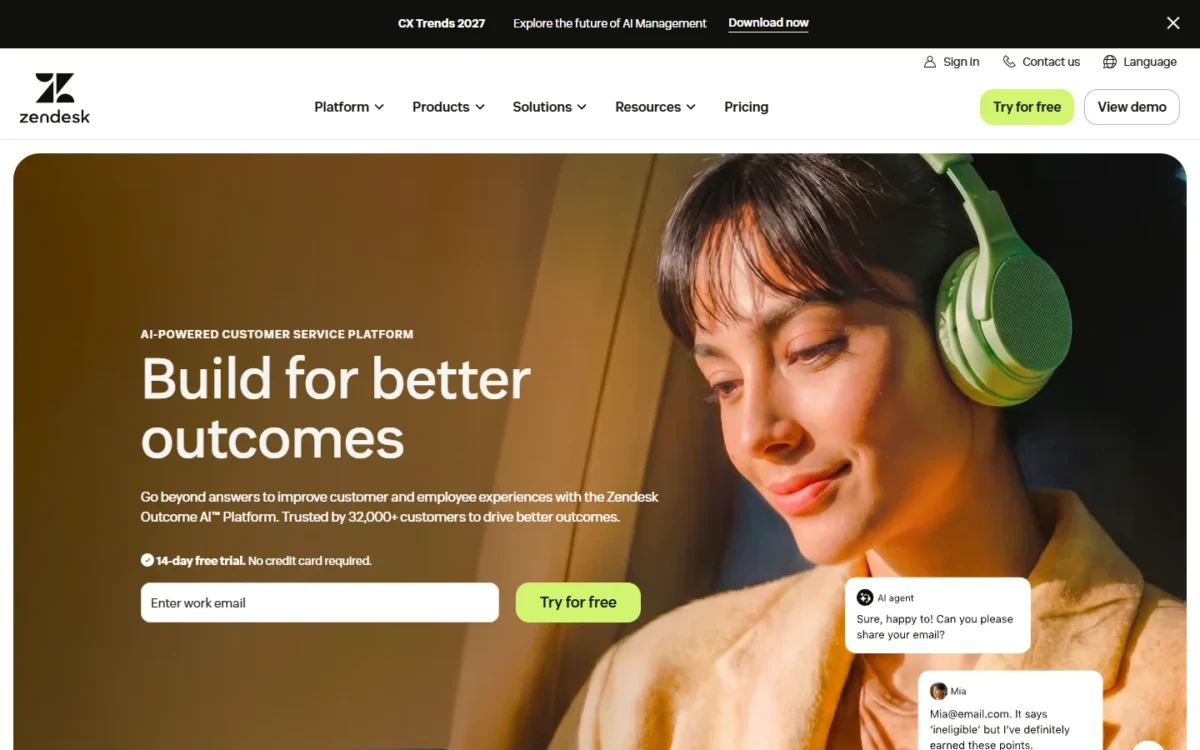
| Zendesk | Phone, chat and email in one suite | Support Team $19, Suite Team $55, Suite Professional $115 per agent, billed annually | Ticketing, messaging, live chat, help center and voice in the Suite | Benchmark | Benchmark |
| Freshdesk | A like-for-like ticketing suite | Growth $19, Enterprise $89 per agent, billed annually | A lower top tier and a $29 Copilot | Paid AI Agent sessions after 500 | Confirm the import path in the trial |
| Zoho Desk | Budget per-agent pricing | Free for 3 users; Professional $23, Enterprise $40 per user, billed annually | Blueprints and multi-department at $23 | Live chat only on Enterprise | Zwitch imports tickets and users; tags stay behind |
| Help Scout | Email-first small teams | Free for 5 users; Standard $25 per user, billed annually | Envoy AI at $0.75 per resolution | Phone only via integration | Import2 moves history and tags, not macros |
| Intercom | AI-first chat and in-app support | Essential $29 ($19 for new customers), Advanced $85 per seat, billed annually | Fin AI Agent at $0.99 per outcome | An AI bill that grows with use | Importer under 150k tickets; no tags |
| HubSpot Service Hub | Teams on HubSpot CRM | Free for up to 2 users; Professional starts at $90 per seat | Service tools beside HubSpot’s CRM | A required $1,500 onboarding | Knowledge base articles import |
| Gorgias | Shopify and ecommerce stores | Basic $50, Pro $300 per account, billed annually | Never priced per agent | Price follows ticket volume | Imports tickets, macros, users and tags |
| Front | Shared-inbox account teams | Starter $25 per seat, billed annually, up to 10 seats | Comments and shared drafts on shared email | One channel type and 10 rules on Starter | Free importer, not actively maintained |
| Hiver | Gmail-based support | Growth $25 per user, billed annually; 2-seat minimum | Works inside Gmail | Voice is a Hiver Omni add-on | Hiver’s team migrates data at no extra cost |
| Crisp | Flat workspace pricing (chat-first, a partial replacement) | Free for 2 seats; Essentials $95 per workspace, 10 seats | One price whatever the volume | Ticketing system only on Plus | Zendesk import: not listed on the pricing page |
| Jira Service Management | IT and internal service desks (a partial replacement) | Free for 3 agents; Standard $21.50 per agent | Incident and change management on Premium | Built for service management first | Zendesk import: not listed on the pricing page |
| Salesforce Service Cloud | Enterprises on Salesforce | Starter Suite $25 per user; Core $195 per user, billed annually | Cases inside the Salesforce CRM | A higher price than Suite Professional | Zendesk import: not listed on the pricing page |
Sources: Zendesk pricing, Freshdesk pricing, Zoho Desk pricing, Help Scout pricing, Intercom pricing, HubSpot Service Hub pricing, Gorgias pricing, Front pricing, Hiver pricing, Crisp pricing, Jira Service Management pricing, Salesforce Service Cloud pricing, checked Nov 2026.
How I Evaluated the Alternatives
I started from 21 hosted help desks: the 11 picks below and the 10 tools under Also Considered. A pick had to publish US prices and replace Zendesk’s ticketing or a named part of it. I ranked by comparable-plan cost per agent, AI fee model, the documented import path from Zendesk, channel fit, stack fit, seat caps and one-time costs.
The ranking rests on official pricing pages and help-center documentation, checked Nov 2026, plus my analysis of them. My ranking of the best help desk software covers the category without Zendesk as the benchmark.
Why Teams Look Beyond Zendesk
Three costs push teams away: the jump to Suite Professional, paid AI on top of the seat, and metered extras.
The plan jump. A team that needs Suite Professional’s skills-based routing or SLAs more than doubles its Suite Team bill. Freshdesk and Zoho Desk sell that tier for $89 and $40. My guide to Zendesk’s pricing and AI costs has the plan-by-plan detail.
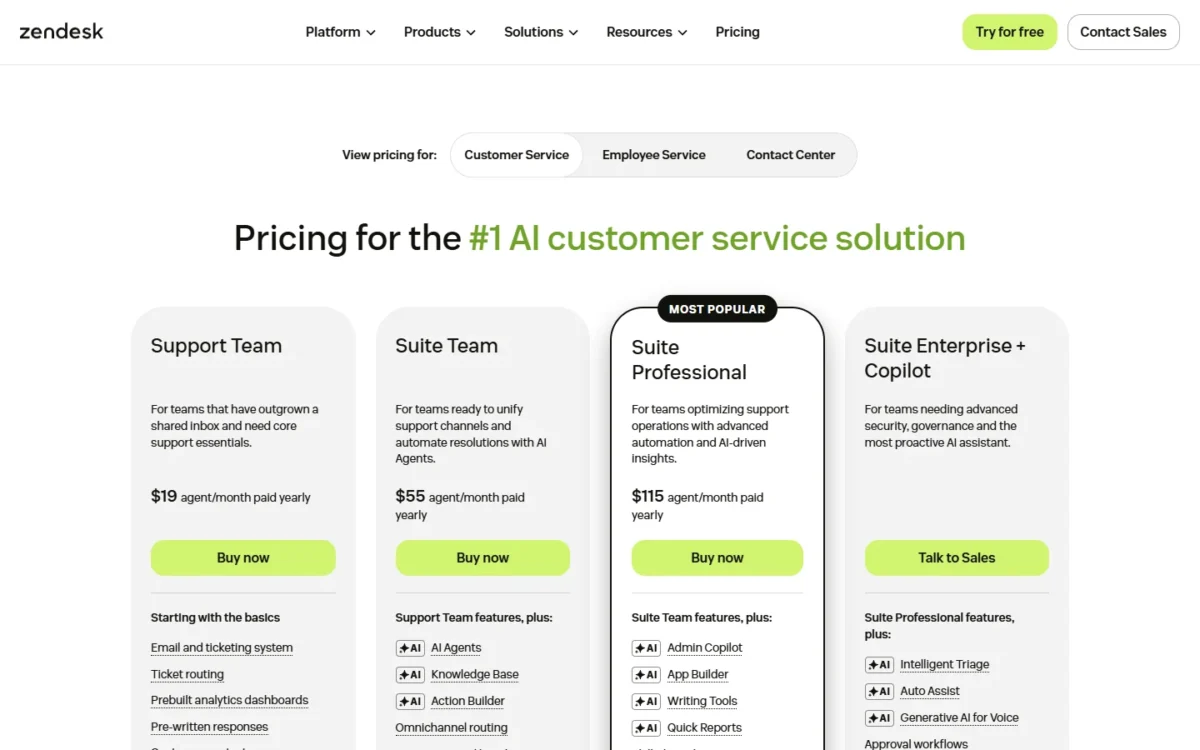
Paid AI. Copilot, with auto assist and intelligent triage, is an add-on for Professional and higher plans.
Metered extras. Zendesk bills App Builder, Action Builder and Voice on consumption above each plan’s allowance. For a small email team that uses none of them, I think that is more platform than the job needs. Help Scout’s metered extra is Envoy AI at $0.75 per resolution, and Hiver’s is voice at $30 per voice seat a month.
None of this makes Zendesk a poor product. My Zendesk review covers where it is still the better buy.
What 10 and 25 agents pay on Zendesk and each alternative
Zendesk Suite Professional costs $115 x 10 x 12 = $13,800 a year for 10 agents and $34,500 for 25 on annual billing. The table applies the same formula to the plan of each pick that does a comparable job.
| Software and plan | Price per agent per month | 10 agents x 12 months | 25 agents x 12 months | Billing basis and notes |
|---|---|---|---|---|
| Zendesk Suite Team | $55 | $6,600 | $16,500 | Billed annually |
| Zendesk Suite Professional | $115 | $13,800 | $34,500 | Billed annually |
| Zendesk Suite Professional + Copilot | $115 + $50 | $19,800 | $49,500 | Billed annually |
| Freshdesk Pro | $55 | $6,600 | $16,500 | Billed annually |
| Freshdesk Enterprise + Freddy AI Copilot | $89 + $29 | $14,160 | $35,400 | Billed annually |
| Zoho Desk Professional | $23 | $2,760 | $6,900 | Billed annually |
| Zoho Desk Enterprise | $40 | $4,800 | $12,000 | Billed annually |
| Help Scout Plus | $45 | $5,400 | $13,500 | Billed annually |
| Intercom Advanced | $85 | $10,200 | $25,500 | Billed annually; Fin outcomes extra |
| Intercom Expert (SLAs) | $132 | $15,840 | $39,600 | Billed annually; Fin outcomes extra |
| HubSpot Service Hub Professional | $90 | $10,800 | $27,000 | Starting price; plus $1,500 onboarding |
| HubSpot Service Hub Enterprise (skill-based routing) | $150 | $18,000 | $45,000 | Starting price; plus $3,500 onboarding |
| Gorgias Pro | $300 per account | $3,600 | $3,600 | Billed annually; priced by tickets |
| Front Professional | $65 | $7,800 | $19,500 | Billed annually |
| Hiver Pro | $55 | $6,600 | $16,500 | Billed annually |
| Crisp Essentials (10 seats), Plus (20 seats + 5 additional agents) | $95; $295 + 5 x $10 = $345 per workspace | $1,140 | $4,140 | Flat monthly price x 12; additional agents $10 a month each |
| Jira Service Management Standard | $21.50 | $2,580 | $6,450 | Listed rate; repriced by team size |
| Salesforce Service Cloud Core | $195 | $23,400 | $58,500 | Billed annually |
Sources: Zendesk pricing and the vendor pricing pages linked under the first table, checked Nov 2026.
With an AI copilot on both sides, Freshdesk trims a 10-agent bill by less than a third. When SLAs or skill-based routing drive the need, Intercom Expert and HubSpot Enterprise cost more than Suite Professional, not less. The large savings come from Zoho Desk’s seat price, or from Gorgias and Crisp, which price the account or the workspace.
AI add-ons and resolution fees
Zendesk includes 5 automated resolutions per agent per month on Support Team and Suite Team and 10 on Suite Professional, then charges $1.50 for each committed resolution or $2.00 pay-as-you-go. Ten Suite Professional agents get 100 included resolutions a month.
| Vendor | AI agent fee | The unit billed | 500 units a month | Copilot-style add-on |
|---|---|---|---|---|
| Zendesk | $1.50 committed, $2.00 pay-as-you-go | Automated resolution: resolved without escalation to a human | 500 x $1.50 = $750; 500 x $2.00 = $1,000 | Copilot $50 per agent, billed annually |
| Help Scout | $0.75 | Resolution: resolved without human assistance | 500 x $0.75 = $375 | AI Drafts unlimited on Plus and Pro |
| Intercom | $0.99 | Outcome: a resolution or a completed workflow, including handoffs | 500 x $0.99 = $495 | Copilot $29 per agent, billed annually |
| Gorgias | $0.90 on an annual contract | Automated interaction | 500 x $0.90 = $450 | Not listed on the pricing page |
| Freshdesk | $49 per 100 sessions | Session: a unique interaction with an AI Agent | 5 x $49 = $245 | Freddy AI Copilot $29 per agent |
Sources: Zendesk pricing, Help Scout pricing, Intercom pricing, Gorgias pricing, Freshdesk pricing, checked Nov 2026.
These units are not the same thing. Intercom counts a completed workflow that ends in a handoff as an outcome, and a Freshdesk session is an interaction, not a resolution. Count your own escalation rate before you compare the dollar column.
My take
I would not switch help desks for AI fees alone below a few hundred AI conversations a month. Copilot is the bigger lever, because it multiplies by every agent. My guide to AI customer service workflows shows which requests are worth automating first.
1. Freshdesk: Best Zendesk Alternative for a Like-for-Like Ticketing Suite
- Best for: teams that like Zendesk’s ticket-and-queue model but not its top-tier price
- Comparable plan: Enterprise, where Zendesk’s is Suite Professional
- Trial: 14 days on the Enterprise plan
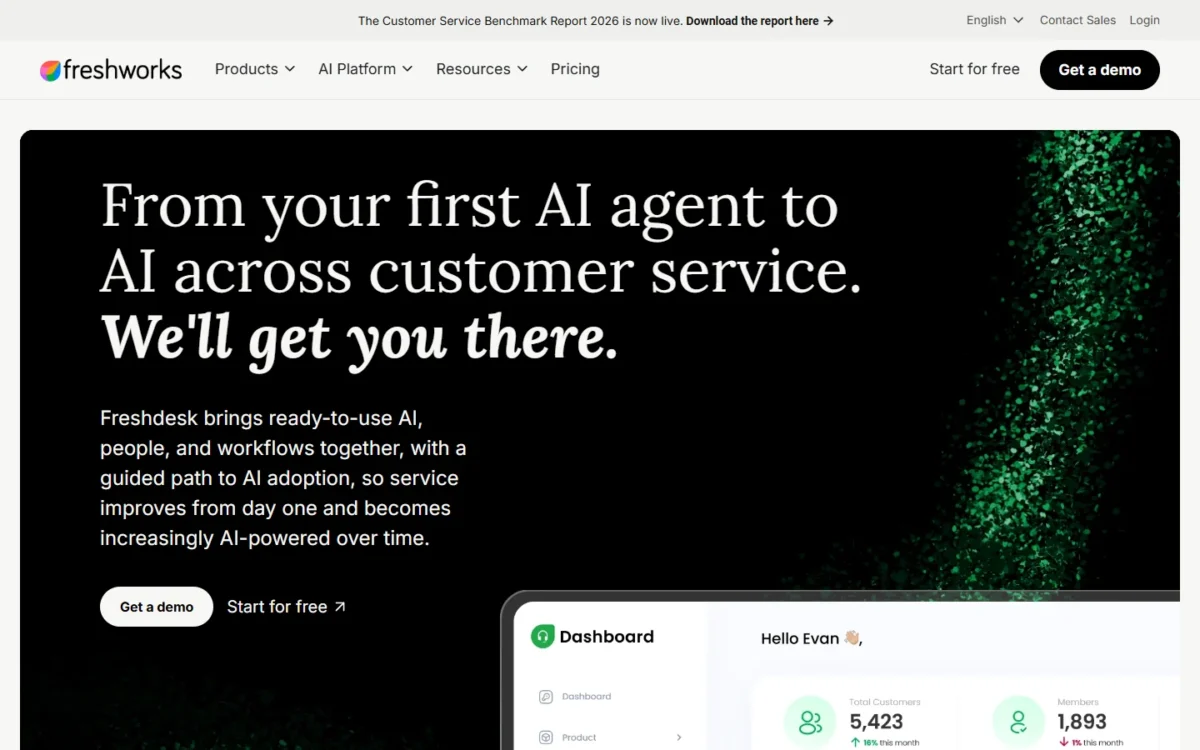
Freshdesk fits a team that likes Zendesk’s ticket-and-queue model but needs SLAs or routing without the Suite Professional bill. The trade-off is a metered AI agent: all three plans include 500 Freddy AI Agent sessions once per account, and more cost $49 per 100 sessions.
Growth and Pro cost the same $19 and $55 as Support Team and Suite Team; the saving comes from where features sit. Pro already has multiple SLA policies and intelligent routing, and Enterprise at $89 adds skill-based routing, which Zendesk sells on Suite Professional. A team that moved up for SLAs alone can price Pro: $55 x 10 x 12 = $6,600 a year.
Freshdesk ranks above Zoho Desk because Zoho Desk holds live chat for its $40 Enterprise edition, and Zwitch needs export files that Zendesk Team plans cannot produce.
Where Freshdesk may be better
- Top tier: Enterprise is $89 per agent, billed annually, against Suite Professional’s $115
- Agent AI: Freddy AI Copilot is $29 per agent, against Zendesk Copilot’s $50
Where Zendesk may be better
- Channels: Suite plans come with messaging, live chat and voice
- AI allowance: 5 to 10 automated resolutions per agent renew every month
On list price, Freshdesk undercuts Zendesk only at the top, where Enterprise costs $89 per agent per month, billed annually. My guide to Freshdesk plan prices has the full ladder.
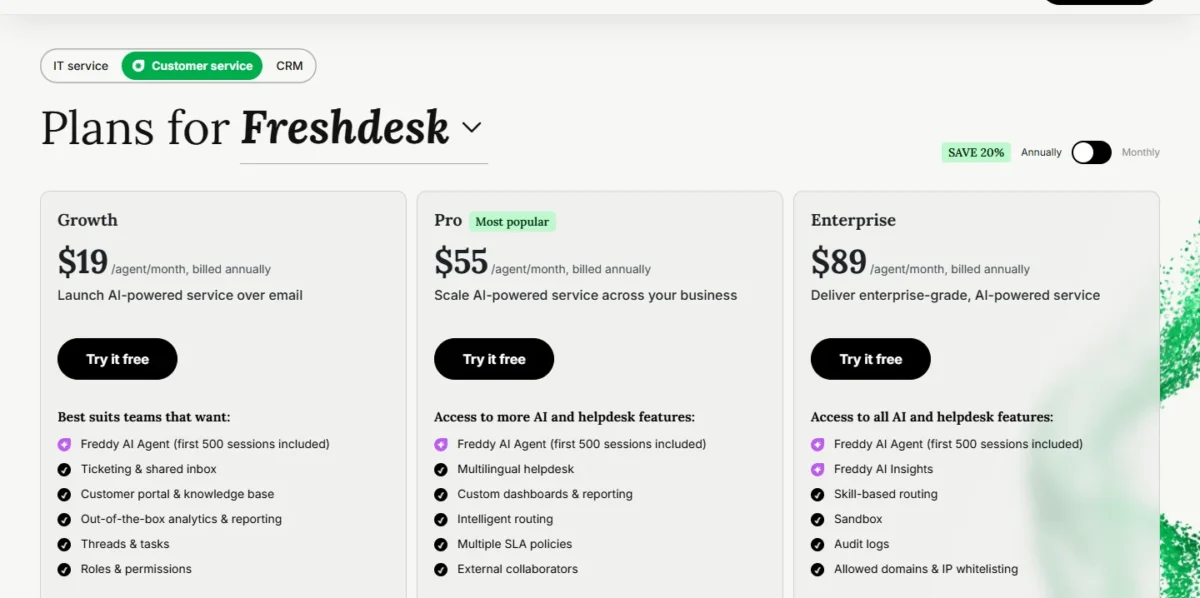
| Plan | Price per agent per month, billed annually |
|---|---|
| Growth | $19 |
| Pro | $55 |
| Enterprise | $89 |
Sources: Freshdesk pricing, checked Nov 2026.
Switching from Zendesk. Export tickets, users and organizations as JSON or through the API, then ask Freshdesk’s team how ticket history imports. I would plan to rebuild automations, SLA policies and reports unless Freshdesk confirms they move.
My take
Pick Freshdesk if Suite Professional is the plan you need and email is your main channel. At 25 agents, Enterprise costs $89 x 25 x 12 = $26,700 a year.
- Skip it if:
- phone support has to be part of the base plan. Stay on Zendesk’s Suite, or price Zoho Desk Professional, which lists telephony.
The Freshdesk review covers its routing and reporting.
2. Zoho Desk: Best Zendesk Alternative for Budget Per-Agent Pricing
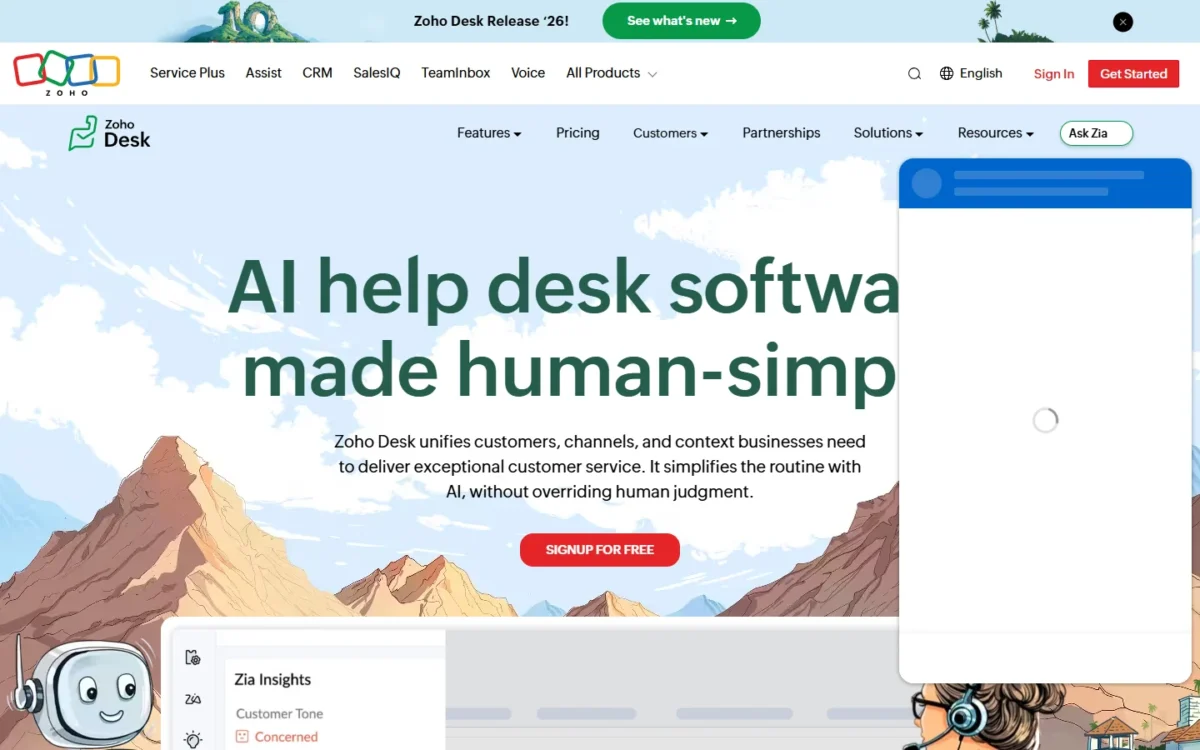
- Best for: price-sensitive teams, and teams already in the Zoho ecosystem
- Free plan: three users
- Import from Zendesk: Zwitch, for tickets, users and organizations
Zoho Desk is the pick when per-agent cost is the whole reason you are leaving. Professional costs a fifth of Suite Professional’s price and still includes telephony, Zia AI, Blueprints, Automation Studio and multi-department support. The trade-off: live chat comes through Zoho SalesIQ on the Enterprise edition.
Standard, one step below, adds a knowledge base, AI Agents and an answer bot for less than Zendesk’s Support Team.
Where Zoho Desk may be better
- Seat price: Professional is $23 and Enterprise $40 per user, billed annually, against $115
- Starting free: the Free edition has three user licenses
Where Zendesk may be better
- Live chat: Suite Team includes it, while Zoho Desk holds it for Enterprise
- AI agents: included in all Zendesk plans; Zoho Desk lists them from Standard
Ten agents on Professional pay $23 x 10 x 12 = $2,760 a year. Even Enterprise costs less than 10 seats of Zendesk Suite Team.
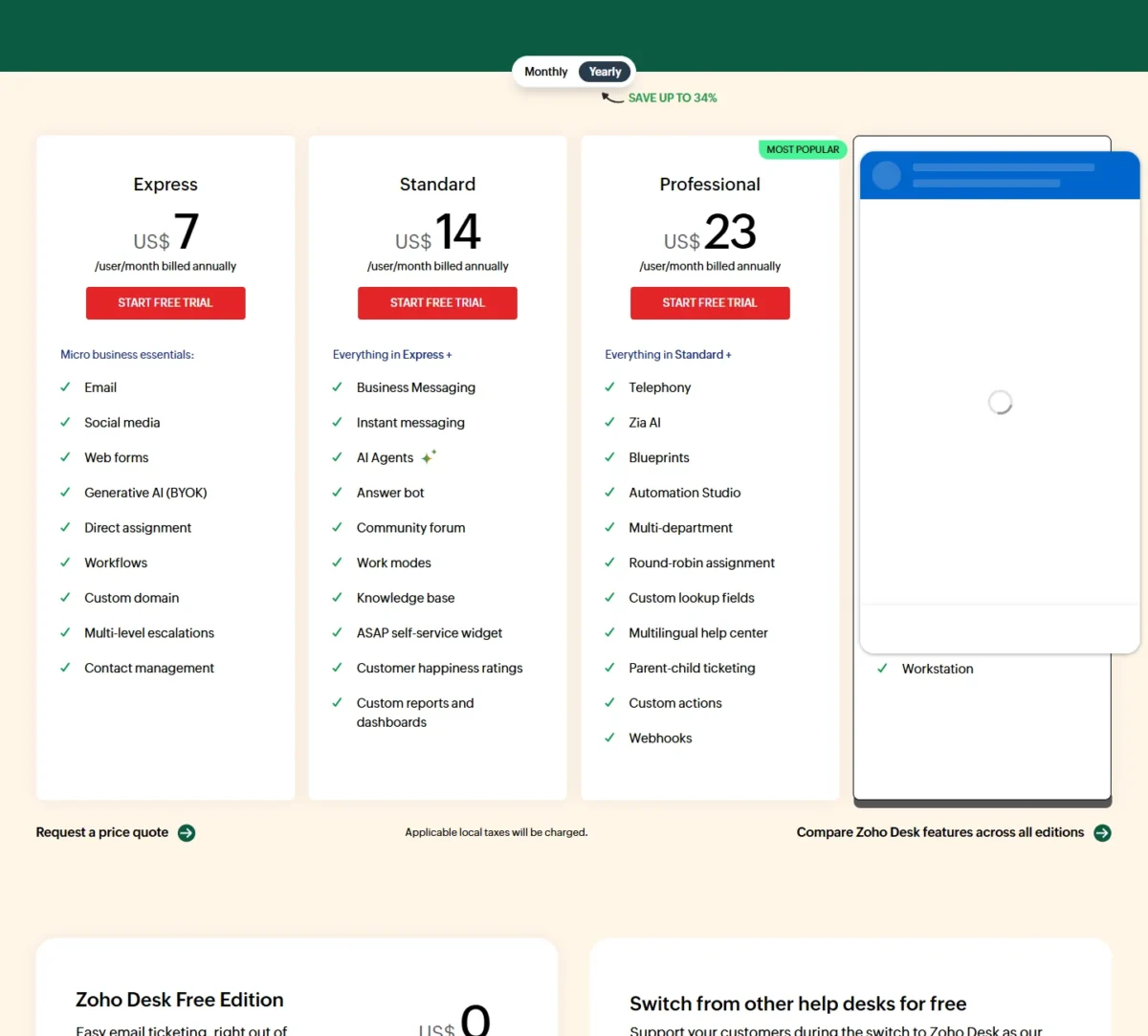
| Edition | Price per user per month, billed annually |
|---|---|
| Standard | $14 |
| Professional | $23 |
| Enterprise | $40 |
Sources: Zoho Desk pricing, checked Nov 2026.
What moves. Zoho’s Zwitch migration tool reads tickets, comments, attachments, users and organizations from Zendesk’s export files. It needs all three exported ZIP files.
My take
Zoho Desk is worth it when the budget decides and tags can be rebuilt.
- Skip it if:
- you are on Support Team or Suite Team and cannot produce the export ZIPs. Intercom and Gorgias connect to your Zendesk account directly.
My Zoho Desk review compares the editions.
3. Help Scout: Best Zendesk Alternative for Email-First Small Teams
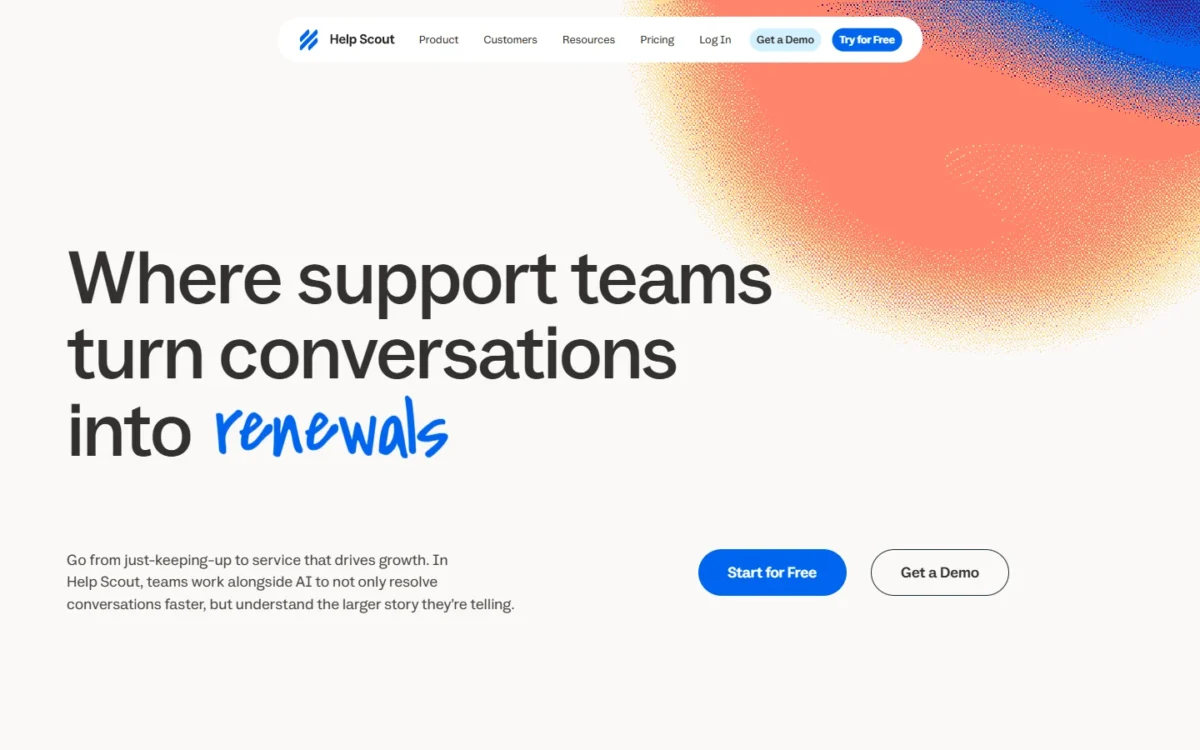
- Best for: email-led teams of up to 25 people
- Free plan: 5 users, 1 Inbox, 1 Docs site
- Integrations: 100+ apps; Salesforce, Jira and HubSpot from Plus
Help Scout treats support as a shared inbox, not a ticket queue. Tickets are called Conversations, and its counterparts to Zendesk’s macros and triggers are Saved Replies and Workflows. I recommend it for a small team that answers mostly by email and finds Zendesk heavier than the work. What you lose is depth: phone and voice run only through an integration.
The user caps matter more than the features: Free stops at 5 users, Standard at 25 and Plus at 50. Envoy bills a resolution only when the customer does not escalate, and you can cap it monthly.
Where Help Scout may be better
- A free start: 5 users on the Free plan, where Zendesk offers a 14-day trial
- AI trial: a new account gets 3 months of free, unlimited Envoy resolutions
Where Zendesk may be better
- Phone: Suite plans include voice, while Help Scout lists phone as “Via integration”
- Ticket structure: Help Scout has no ticket type field, so problem-incident links are lost
The Free plan is narrow: 100 contacts a month and 10 saved replies. I would start a switching team on Standard, or on Plus when it needs round robin routing and a secure customer portal.
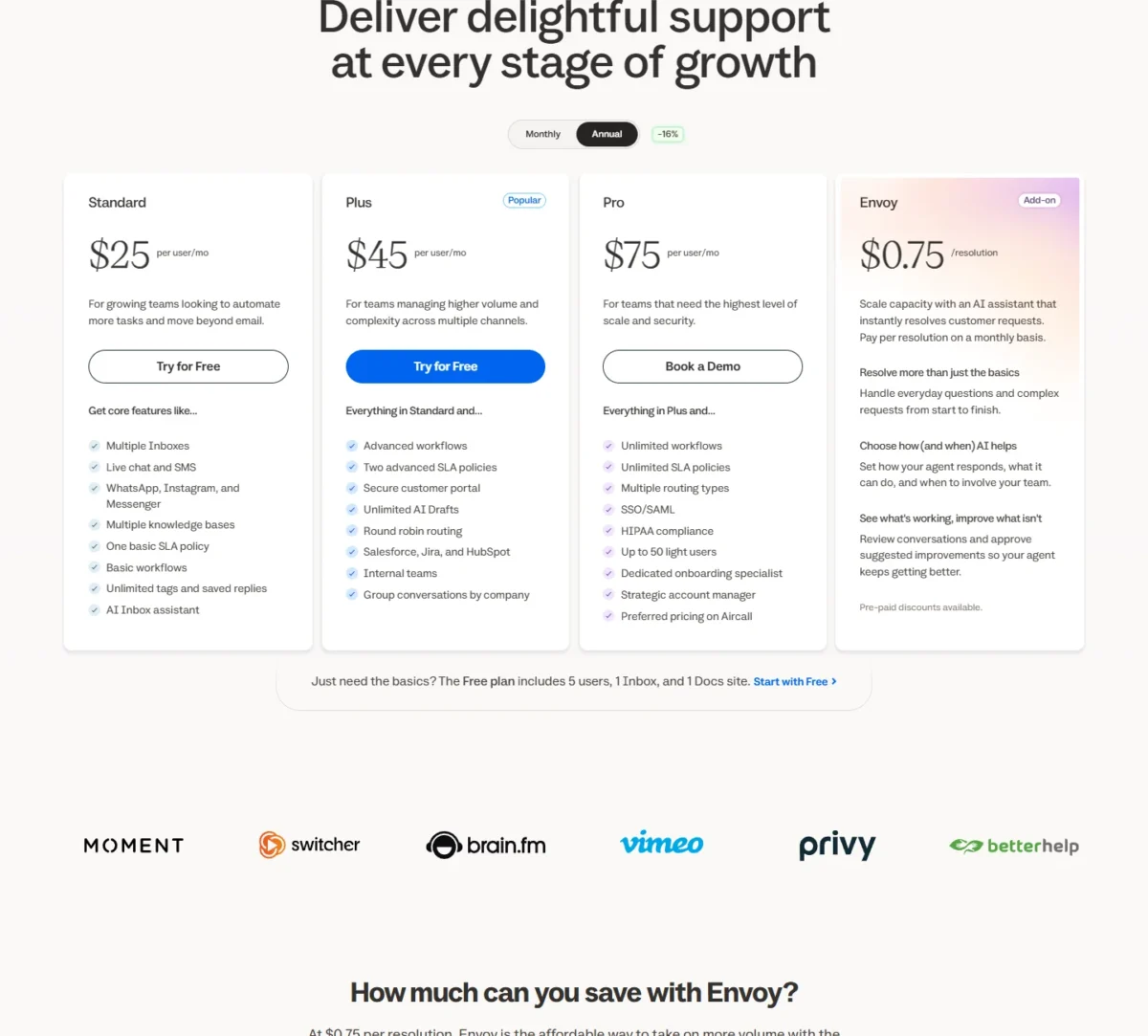
| Plan | Per user per month, billed annually | Billed monthly |
|---|---|---|
| Standard | $25 | $30 |
| Plus | $45 | $54 |
| Pro | $75 | $90 |
Sources: Help Scout pricing, checked Nov 2026.
Switching from Zendesk. Help Scout’s built-in Import2 tool for Zendesk brings over ticket history and customer profiles, and Zendesk tags arrive on the same tickets. Macros and triggers are not imported, so you rebuild them as Saved Replies and Workflows. Knowledge base articles need a different tool, so contact Help Scout before you start.
My take
Pick Help Scout if your team is under 25 people and works by email plus some chat.
- Skip it if:
- a phone queue is central to your support, or problem and incident tickets must stay linked. Freshdesk keeps the ticket model.
The Help Scout review goes deeper on Inboxes and Docs.
4. Intercom: Best Zendesk Alternative for AI-First Chat and In-App Support
- Best for: product and SaaS teams that want an AI agent to answer first
- AI agent: Fin, included in all three plans and billed per outcome
- Import from Zendesk: built-in, for fewer than 150k tickets
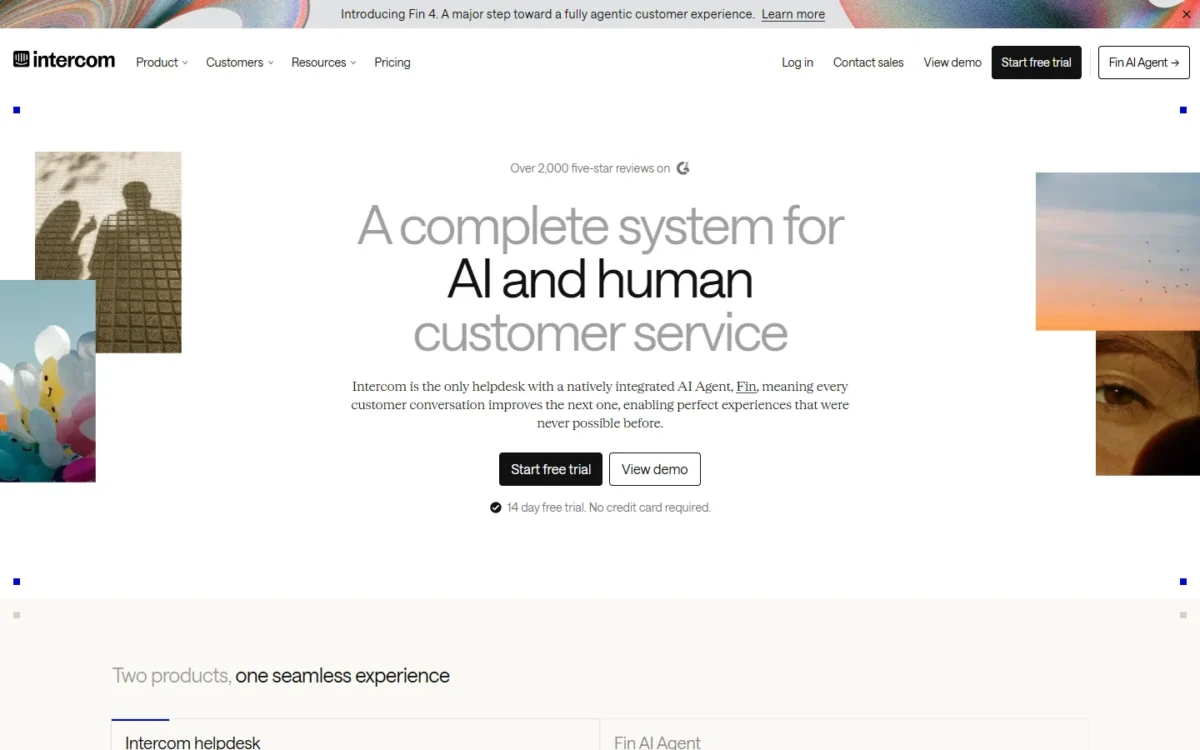
Intercom meters different things from Zendesk. Live chat, support email and in-app chats are free and unlimited on all plans, while Fin AI Agent bills $0.99 per outcome on all three plans. It suits a team whose volume arrives by chat and in-app messages, where Fin can close routine questions before an agent sees them. The cost of that design is a usage bill that rises with every outcome.
WhatsApp, SMS and phone are pay-as-you-go.
Where Intercom may be better
- AI agent price: Fin is $0.99 per outcome, against $1.50 per committed automated resolution
- Agent AI: Copilot is $29 per agent billed annually, against $50
Where Zendesk may be better
- SLAs: Suite Professional includes them, while Intercom holds them for Expert
- Migration: Intercom’s importer does not move tags, side conversations or call recordings
Seats are priced per month, billed annually: Essential is $29, or $19 per seat a month for new customers, who save 35%. Copilot is $29 per agent a month, billed annually. Budget the seats and Fin separately: 1,000 outcomes a month is 1,000 x $0.99 = $990.
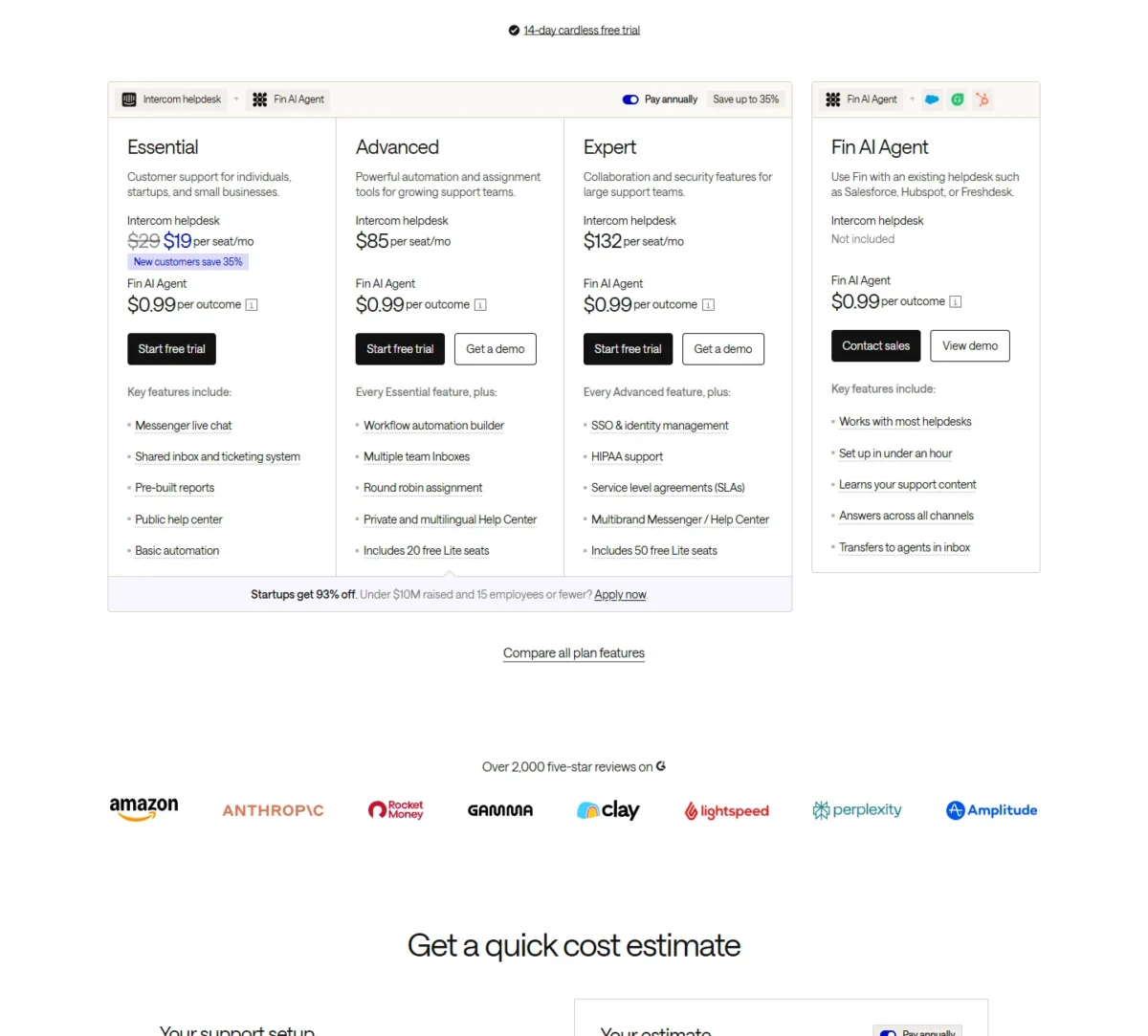
| Plan | Price per seat per month, billed annually |
|---|---|
| Essential | $29 ($19 for new customers) |
| Advanced | $85 |
| Expert | $132 |
Sources: Intercom pricing, checked Nov 2026.
The migration limit. Intercom’s Zendesk importer moves users, organizations, tickets and attachments by connecting to your Zendesk account, and can be run again later.
My take
Intercom is worth it when chat is the main channel and you expect an AI agent to resolve a large share of it. If tags drive your reports, recreate them before the cutover.
- Skip it if:
- you hold 150k tickets or more, or need tags to arrive intact. Help Scout’s importer keeps tags.
My Intercom review covers the plans, and the Zendesk vs Intercom comparison sets the two side by side.
5. HubSpot Service Hub: Best Zendesk Alternative for Teams on HubSpot CRM
- Best for: companies whose sales and marketing already run in HubSpot
- One-time cost: $1,500 Professional onboarding, required
- Integrations: 2,000+
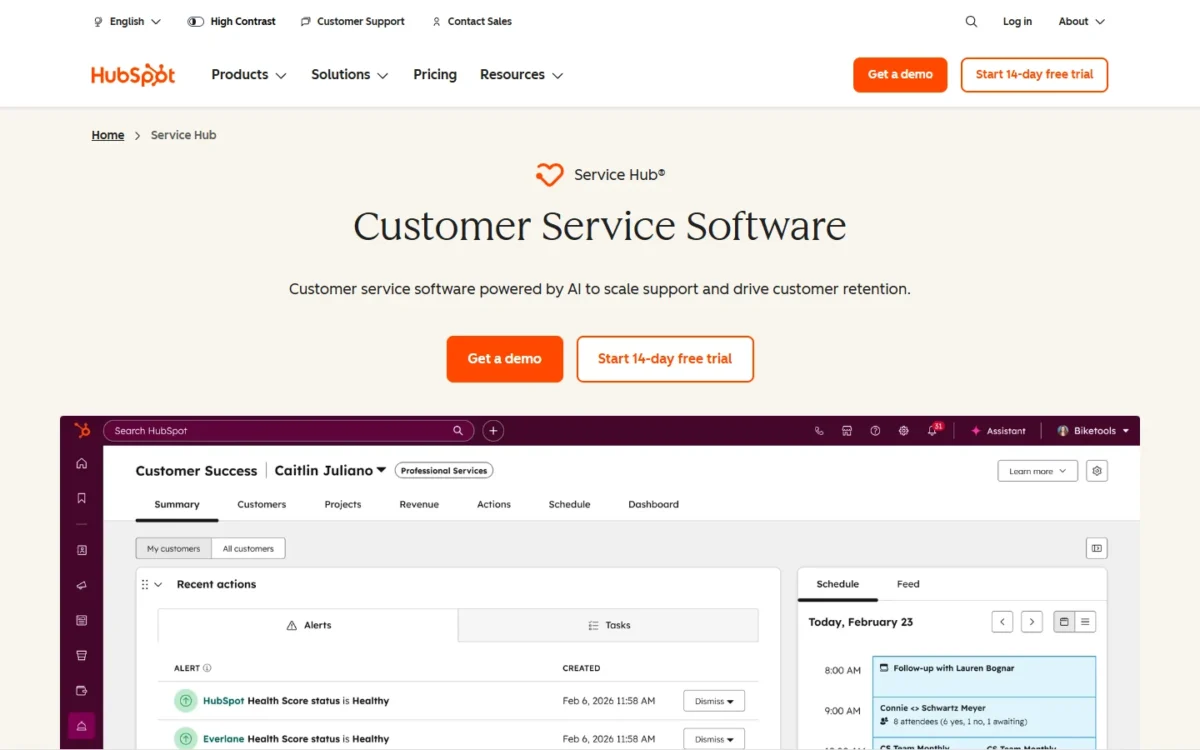
Service Hub is a reason to leave Zendesk only if HubSpot already holds your customer data. In that case support works in the product sales and marketing use, and you retire one integration. For everyone else the saving is thin: against Suite Professional, the required $1,500 onboarding fee takes half of the $3,000 seat saving at 10 seats in year one, and a fifth of the $7,500 saving at 25 seats.
Professional is the tier that replaces a help desk: it adds the Help Desk Workspace, a knowledge base, a customer portal and 500 macros.
Where HubSpot Service Hub may be better
- One vendor: service tools are sold beside HubSpot’s CRM, sales and marketing products
- Starting free: up to 2 users pay nothing
Where Zendesk may be better
- Routing: skill-based routing comes with Suite Professional, and with Enterprise at $150 on HubSpot
- Ticket history: HubSpot’s import article covers knowledge base articles
Professional starts at $90 per seat per month, and $100 with Pay Monthly selected. Ten seats cost $90 x 10 x 12 = $10,800 a year, and onboarding brings year one to $10,800 + $1,500 = $12,300.
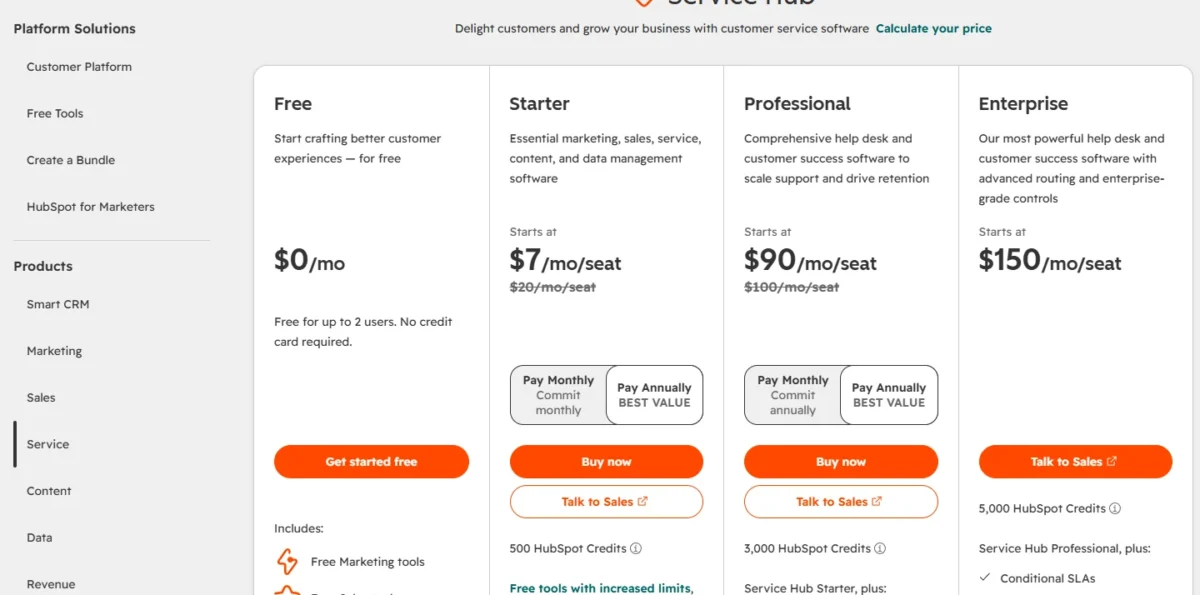
| Plan | Price per seat per month | One-time onboarding |
|---|---|---|
| Professional | Starts at $90 | $1,500, required |
| Enterprise | Starts at $150 | $3,500, required |
Sources: HubSpot Service Hub pricing, checked Nov 2026.
Before you move. HubSpot’s knowledge base import copies articles from a Zendesk help center by URL or CSV. Ask HubSpot how ticket history moves, and expect to rebuild macros and triggers.
My take
Pick Service Hub only if HubSpot is already the system of record; otherwise a migration project can absorb what the seats save.
- Skip it if:
- years of ticket history must move without a separate project. Intercom’s importer is for fewer than 150k tickets and Gorgias imports up to two years of data, so check your history against both limits.
6. Gorgias: Best Zendesk Alternative for Shopify and Ecommerce Stores
- Best for: Shopify and other online stores whose agent count swings with the season
- Pricing unit: tickets, from 50 to 5,000 a month
- Import from Zendesk: tickets, macros, users, tags and ticket fields, up to two years of data
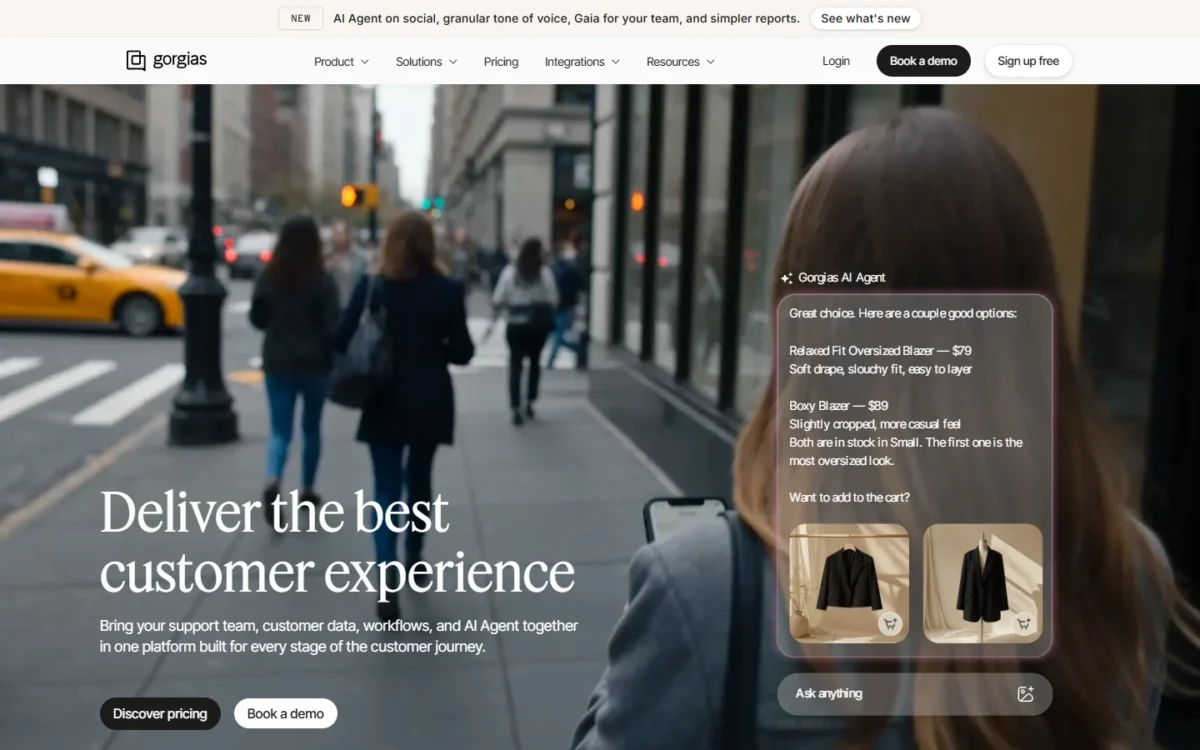
Gorgias is built for stores and changes the unit you pay for. Gorgias says it powers customer conversations for 40% of Shopify brands. Its helpdesk scales from 50 to 5,000 tickets a month and is never priced per agent, so adding ten seasonal agents in November does not change the bill. The trade-off is that price follows ticket volume instead of headcount.
An AI Agent is on all plans and is billed only when it resolves a conversation. Voice and SMS are add-ons.
Where Gorgias may be better
- Seasonal staffing: no per-agent price, so temporary agents add no seat cost
- Parallel running: continuous sync keeps Zendesk data flowing into Gorgias after the import
Where Zendesk may be better
- Phone: voice is part of the Suite, and an add-on at Gorgias
- Macro actions: only reply text and status changes survive the import
Pro costs $300 x 12 = $3,600 a year, whatever the agent count. Before you rely on that figure, match your monthly ticket count to the tier on Gorgias’s pricing page, since the helpdesk tiers run from 50 to 5,000 tickets a month.
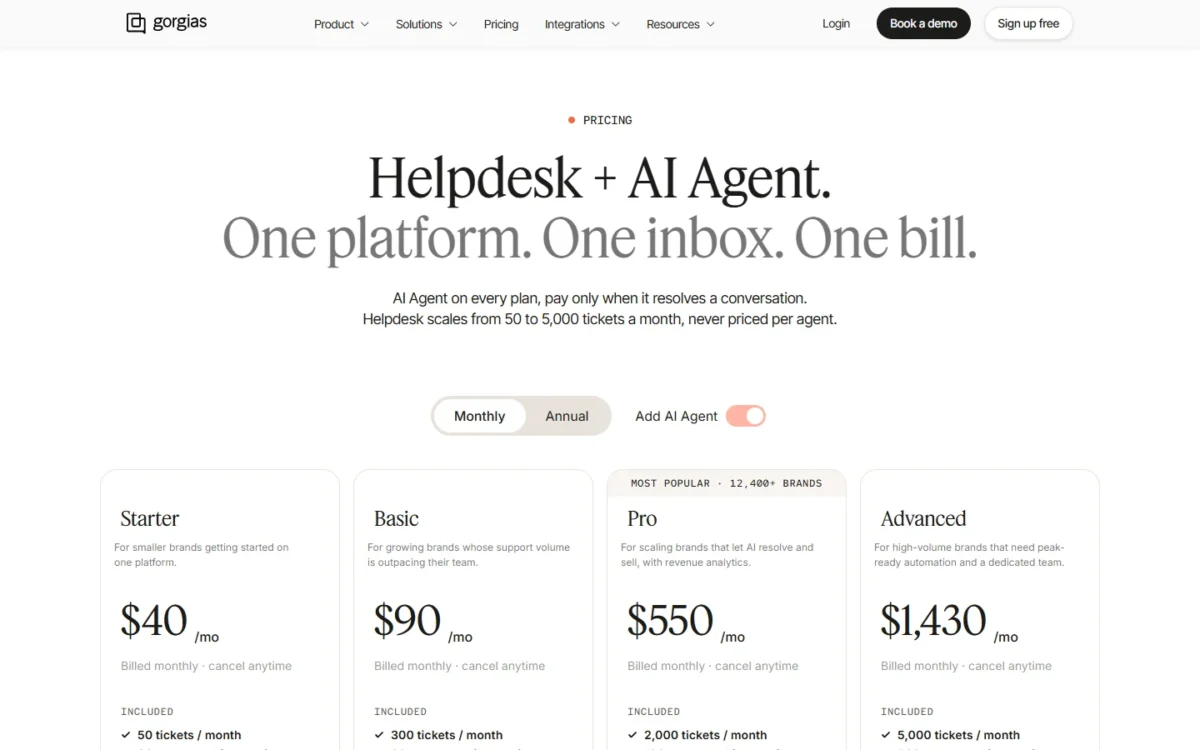
| Plan | Helpdesk price per month, per account |
|---|---|
| Basic | $50 |
| Pro | $300 |
| Advanced | $750 |
Sources: Gorgias pricing, checked Nov 2026.
Switching from Zendesk. Gorgias’s Zendesk import connects with a Zendesk API token, imports up to two years of your most recent data and loads the most recent 14 days first. Continuous sync stays on by default, so agents can learn Gorgias while Zendesk is still live.
My take
Pick Gorgias if you run a store with more than a handful of agents: the more people answer tickets, the wider the gap with a per-agent plan.
- Skip it if:
- you run an IT or internal service desk, or your agent count stays the same all year, which removes the edge Gorgias has over per-seat plans. Jira Service Management fits internal requests, and Freshdesk fits general ticketing.
The Gorgias review explains its ecommerce features.
7. Front: Best Zendesk Alternative for Shared-Inbox Account Teams
- Best for: B2B account teams that answer customers from a team inbox
- Seat caps: Starter up to 10 seats, Professional up to 50
- Trial: 14 days of the Professional plan
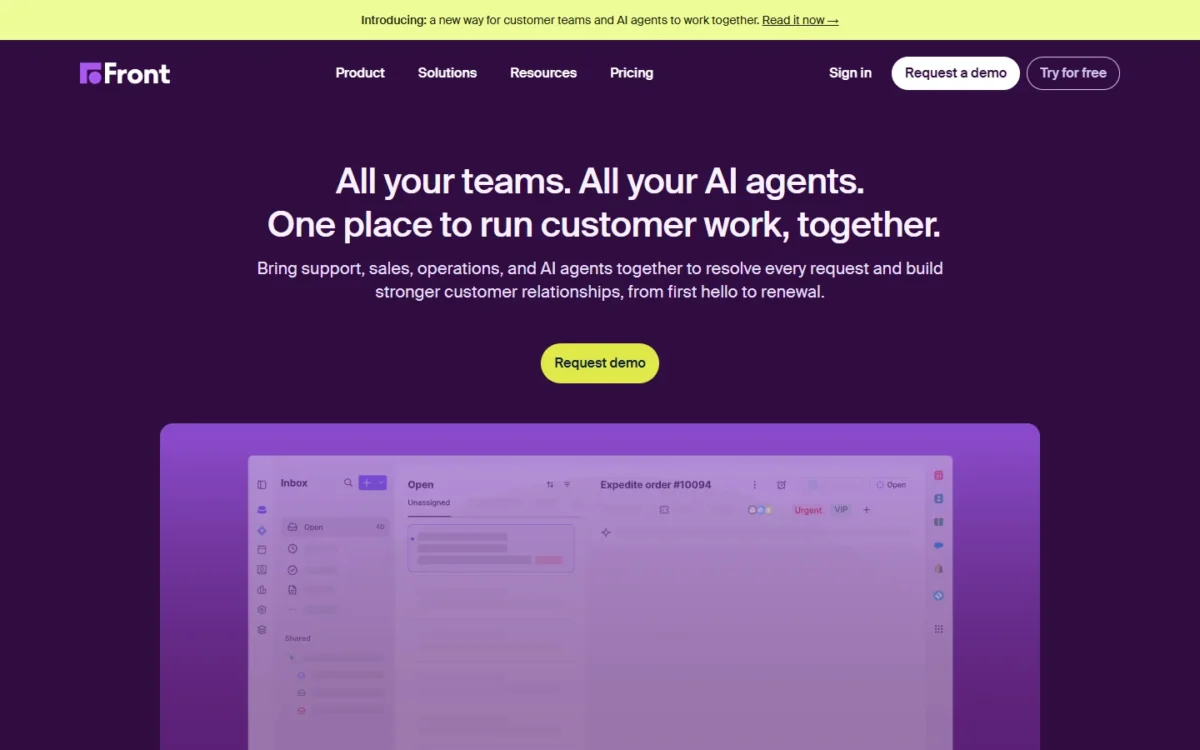
Front fits B2B account teams where several colleagues work the same customer thread, with assignments, internal comments and shared drafts on one email. Pick Front for that workflow, not for price: Professional costs $65 per seat against Suite Team’s $55, and Enterprise $105 against Suite Professional’s $115. Its limits are caps on seats and automation rules.
Those caps decide the plan. A rule-heavy Zendesk setup lands on Enterprise, which includes the AI Copilot that drafts replies. Professional is the first tier with omnichannel support across email, SMS and social.
Where Front may be better
- Small teams: Starter is $25 per seat for up to 10 seats, against Suite Team’s $55
- Collaboration: internal comments and shared drafts on the customer’s email thread
Where Zendesk may be better
- Scale: Front caps Starter at 10 seats and Professional at 50
- Import: Front’s own Zendesk importer is not actively maintained
Front requires a paid onboarding package for contracts over $25k, which a 25-seat Enterprise team reaches: $105 x 25 x 12 = $31,500.
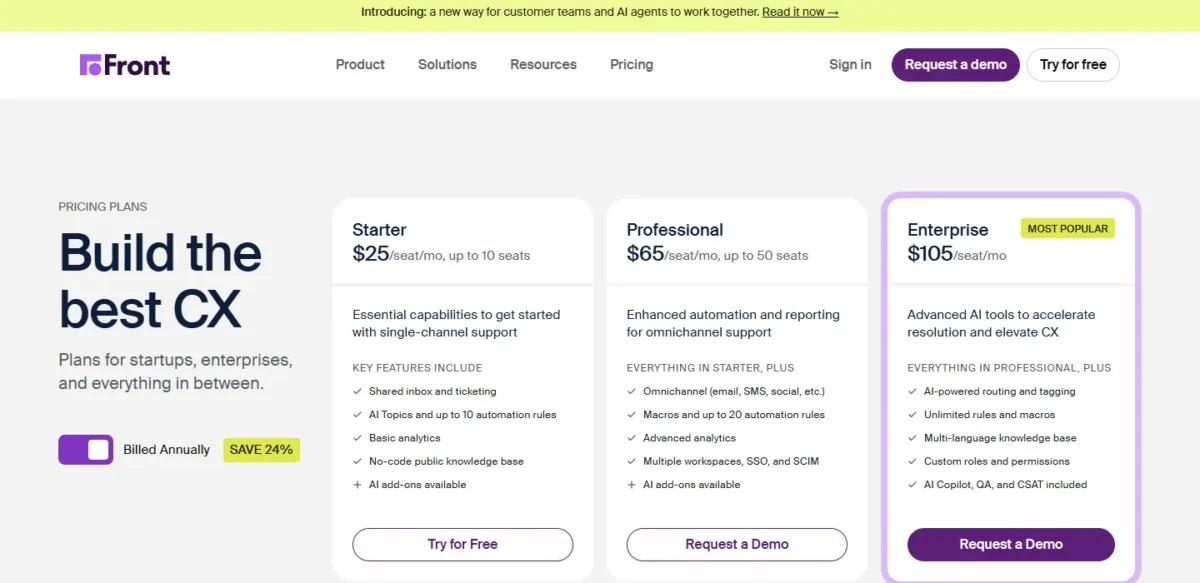
| Plan | Price per seat per month, billed annually | Key limit |
|---|---|---|
| Starter | $25 | 10 seats, 10 rules, one channel type |
| Professional | $65 | 50 seats, 20 rules |
| Enterprise | $105 | Unlimited rules and macros |
Sources: Front pricing, checked Nov 2026.
Getting history in. Front recommends two migration partners and keeps a free Zendesk history importer that brings inboxes, contacts, conversations, attachments and comments.
My take
For a queue of anonymous tickets, I think Zendesk’s routing fits better than Front’s shared inbox.
- Skip it if:
- you need more than 20 automation rules without paying for Enterprise. Freshdesk Pro includes intelligent routing at $55 per agent.
8. Hiver: Best Zendesk Alternative for Gmail-Based Support
- Best for: teams whose support already lives in Gmail or Google Workspace
- Minimum: 2 seats, then 5, then steps of 5
- Integrations: Slack on Growth; Shopify, Asana and CRMs on Pro
Hiver in Gmail is a Chrome extension on top of an existing Gmail or Google Workspace account, so agents assign, tag and answer shared inbox email where they already work. Consider it when your team does not want a second system beside the inbox. Its limit is channel reach.
Growth already includes AI Agents and AI Copilot. Pro adds SLAs for response and resolution targets, customer satisfaction (CSAT) surveys and a customer portal. Teams outside Gmail use Hiver Omni, a standalone product with live chat and WhatsApp.
Where Hiver may be better
- No second tool: Hiver in Gmail runs as a Chrome extension inside Gmail
- AI at the entry tier: Growth includes AI Copilot; Zendesk Copilot is a $50 add-on
Where Zendesk may be better
- Seat steps: Hiver sells seats in increments of 5 above five, so 11 agents pay for 15
- Voice: included in Zendesk’s Suite; a $30 per voice seat add-on on Hiver Omni
Pro matches Suite Team’s price, so Hiver is a workflow decision more than a saving. Watch the seat steps: 11 agents on Pro pay for 15 seats, $55 x 15 x 12 = $9,900 a year.
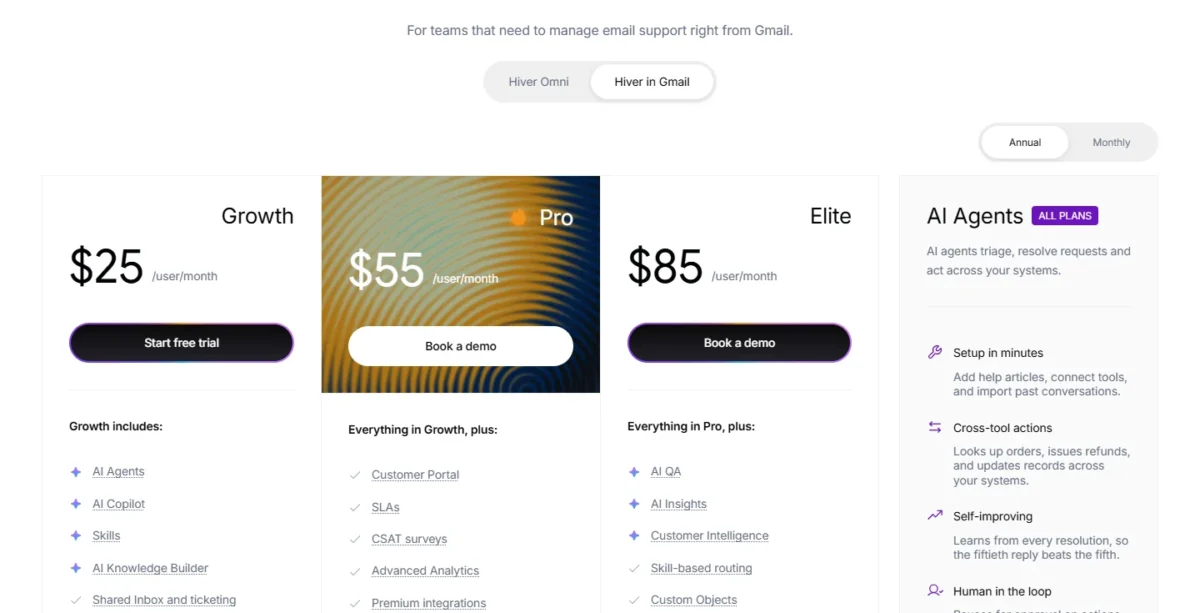
| Plan | Per user per month, billed annually | Billed monthly |
|---|---|---|
| Growth | $25 | $35 |
| Pro | $55 | $65 |
| Elite | $85 | $95 |
Sources: Hiver pricing, checked Nov 2026.
Switching from Zendesk. Hiver’s team helps migrate your data at no extra cost. Ask in the demo which objects move, and plan to recreate rules and email templates.
My take
Pick Hiver if you are an email-led team of up to 20 on Google Workspace that never wanted a separate help desk.
- Skip it if:
- your team works in Outlook and wants support inside the mailbox, because Hiver in Gmail needs Gmail; Hiver Omni, a standalone platform, works with Outlook. With phone as the main queue, Zendesk’s Suite is the better fit.
9. Crisp: Best Zendesk Alternative for Flat Workspace Pricing
- Best for: chat-first startups that want one predictable bill
- Free plan: 2 seats
- Integrations: 100+ on Plus
Crisp bills the workspace, not the agent. Ten people share one Essentials subscription, where Zendesk charges for each of them. It is a partial replacement, though: Crisp is built around a live chat widget and a shared inbox, and its ticketing system arrives only on Plus.
Essentials adds an omnichannel inbox for WhatsApp, Instagram DMs and SMS, a knowledge base and routing rules. Conversations are unlimited, so volume never changes the price.
Where Crisp may be better
- Flat price: Essentials is $95 a month for 10 seats; 10 Suite Team seats are $55 x 10 = $550
- Volume: one price whatever the number of conversations
Where Zendesk may be better
- Ticketing: included from Support Team, while Crisp lists its ticketing system on Plus
- Voice: part of the Zendesk Suite, while Crisp’s plans center on chat, email and messaging apps
The step from Essentials to Plus is steep, and it is the step a ticket-driven team has to take. Plus costs $295 x 12 = $3,540 a year with 20 seats included. Crisp lists additional agents at $10 a month, so 25 agents pay $295 + 5 x $10 = $345 a month, or $345 x 12 = $4,140 a year.
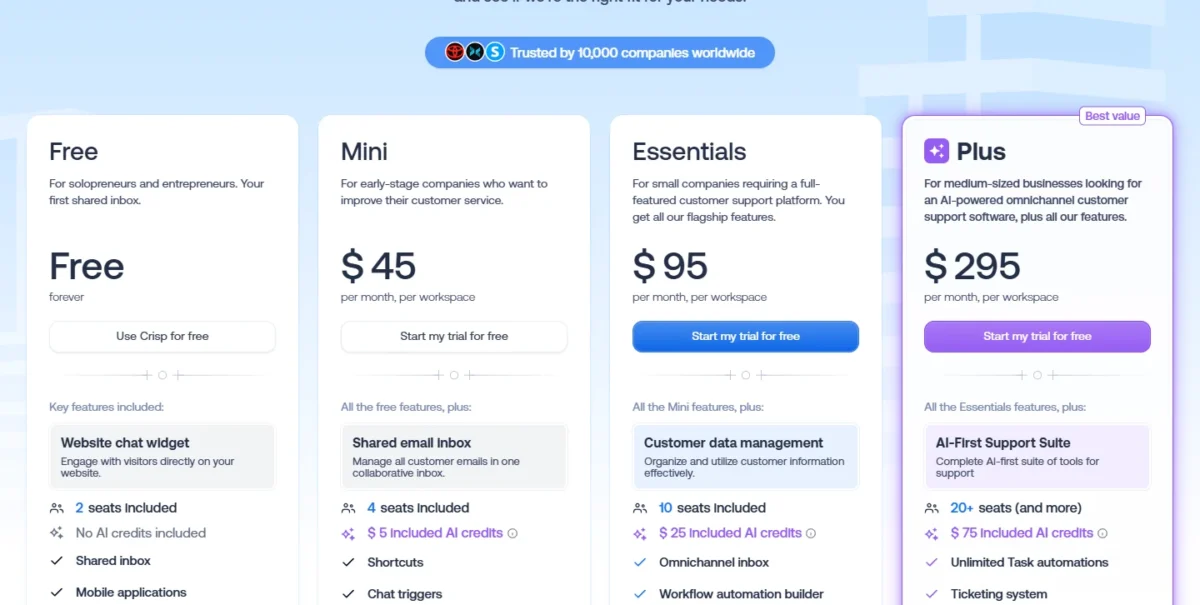
| Plan | Price per month, per workspace | Seats included |
|---|---|---|
| Mini | $45 | 4 |
| Essentials | $95 | 10 |
| Plus | $295 | 20+ |
Sources: Crisp pricing, checked Nov 2026.
A fresh start. Treat this move as a rebuild: keep a Zendesk export as your archive, and recreate shortcuts, routing rules and help articles in Crisp during the trial.
My take
Crisp is worth it for a startup of up to 10 people where chat is the front door.
- Skip it if:
- email ticket queues with SLAs are the core of your support. Freshdesk Pro lists multiple SLA policies at $55 per agent, billed annually.
10. Jira Service Management: Best Zendesk Alternative for IT and Internal Service Desks
- Best for: IT, operations and support teams that escalate into Jira
- Free plan: 3 agents
- Customer support: the Customer Service Management app is included in Standard and Premium
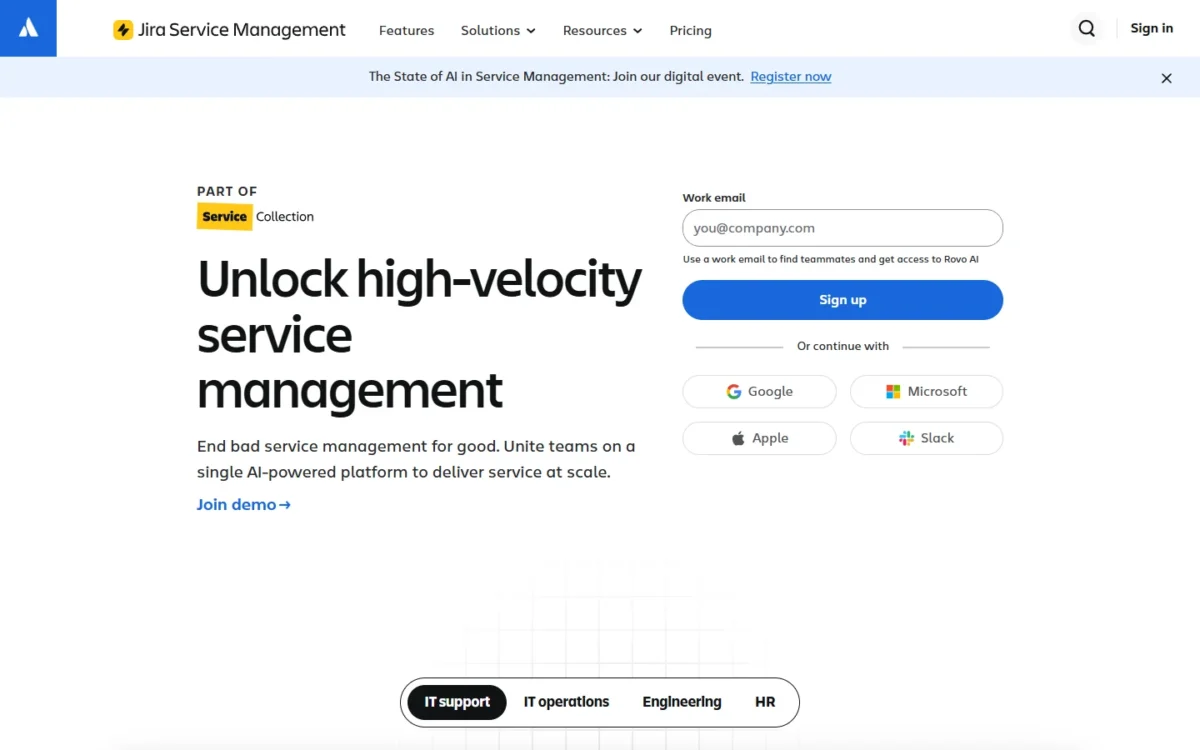
Jira Service Management is a service desk for employees and engineering first, and a customer help desk second. Requests arrive by email, Slack, Microsoft Teams or a portal, and agents work them in queues with alerts and on-call schedules. Choose it when most tickets end up with engineering or IT anyway. For consumer support it replaces only part of Zendesk.
Atlassian sells it inside its Service Collection, which includes a Customer Service Management app for external customers at no additional cost. Customers are free; only agents need a license.
Where Jira Service Management may be better
- Starting free: 3 agents on the Free plan
- IT processes: Premium includes incident, problem and change management
Where Zendesk may be better
- Customer channels: Suite plans include messaging, live chat and voice
- AI agents: Zendesk puts them on every plan; Atlassian’s virtual service agent comes with Premium and Enterprise
A calculator on the pricing page sets the final price by team size and billing cycle, so treat the listed rates as a starting point. Usage-based billing starts December 3, 2026.
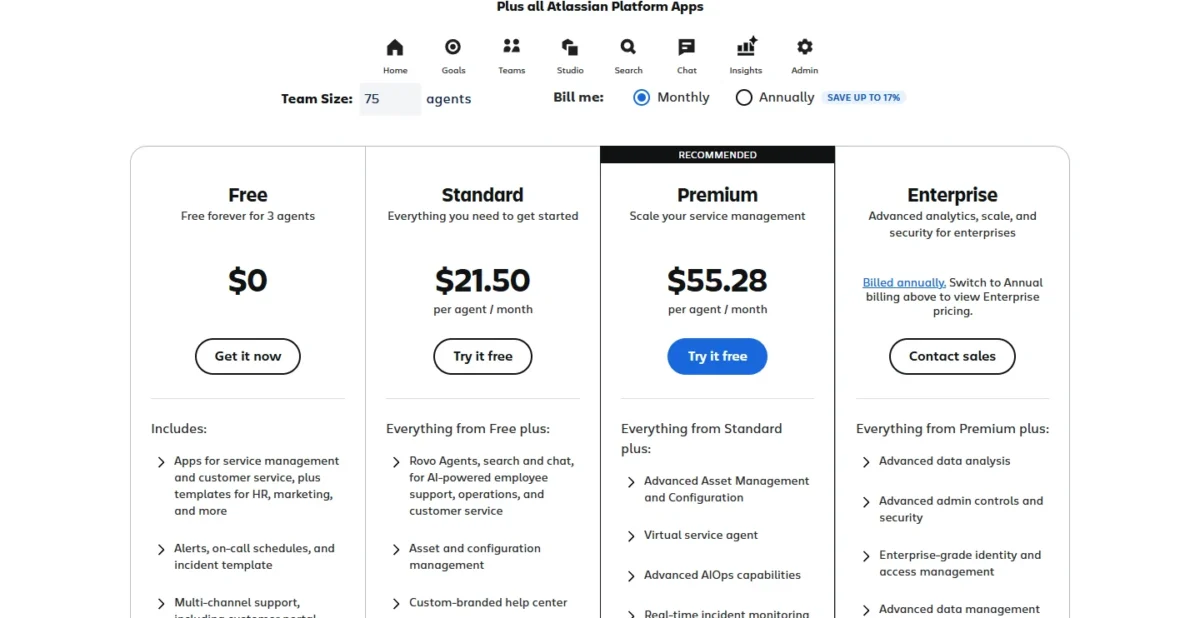
| Plan | Listed price per agent per month |
|---|---|
| Free | $0, for 3 agents |
| Standard | $21.50 |
| Premium | $55.28 |
Sources: Jira Service Management pricing, checked Nov 2026.
What to rebuild. Export from Zendesk through its API, check Atlassian’s import options before you commit, and expect to recreate the portal, workflows and SLAs.
My take
Pick Jira Service Management if you run an internal IT desk or support a developer tool, because the ticket and the engineering issue live in one system. My list of help desk ticketing systems has more options for that job.
- Skip it if:
- you run consumer support over chat and social channels. Intercom fits that work better.
11. Salesforce Service Cloud: Best Zendesk Alternative for Enterprises on Salesforce
- Best for: large teams whose customer record is Salesforce
- Entry plan: Starter Suite, billed monthly or annually
- Contract: required on Pro Suite
Service Cloud makes sense only when cases have to sit in the same CRM as accounts and opportunities. If Salesforce is not your system of record, I would not move, because Core alone costs $195 per user per month, billed annually.
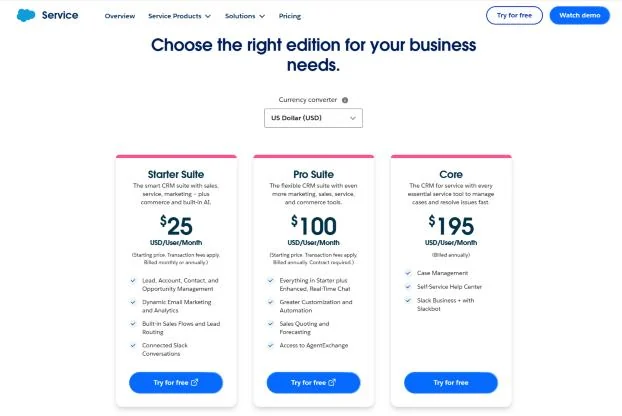
The ladder climbs fast. Core covers case management and a self-service help center, Advanced adds an AI agent for customer service, and Max adds a contact center.
Where Salesforce Service Cloud may be better
- CRM unity: cases are managed in the Salesforce CRM
- Contact center: Max includes digital channels and workforce and quality management
Where Zendesk may be better
- Price: Suite Professional is $115 per agent, against $195 for Core
- AI agents: on every Zendesk plan, and on Salesforce’s Advanced edition at $395
Ten users on Core pay $195 x 10 x 12 = $23,400 a year.
| Edition | Price per user per month | Billing |
|---|---|---|
| Starter Suite | $25 | Monthly or annual |
| Pro Suite | $100 | Annual, contract required |
| Core | $195 | Annual |
| Advanced | $395 | Annual |
Sources: Salesforce Service Cloud pricing, checked Nov 2026.
Plan a project. Export from Zendesk through its API, map tickets to cases, and rebuild macros, triggers and reports.
My take
Service Cloud is worth it only inside a wider Salesforce decision, usually at 25 agents or more.
- Skip it if:
- you have fewer than 25 agents and no Salesforce. Freshdesk or Zoho Desk does the job for a fraction of the price.
Should You Stay With Zendesk or Switch?
Stay with Zendesk if phone, chat and email run through one suite, if a large team depends on its routing, or if years of macros and triggers would have to be rebuilt.
Zendesk’s strengths are specific. The Suite is equipped with ticketing, messaging, live chat, a help center and voice. Suite Professional’s omnichannel routing weighs agent status, capacity, skill and ticket priority, and its voice product has IVR, overflow routing and callback requests.
Qualified early-stage startups get a 6-month trial of the Zendesk Suite for up to 50 agents. The 14-day trial runs on Suite Professional with Copilot included, so you can measure the add-on before paying for it.
Consider switching if
- The jump from Suite Team to Suite Professional blocks your next feature
- Copilot at $50 per agent is more than your AI budget
- Your AI agent resolves far more than the included 5 to 10 requests per agent a month
- Seasonal staffing makes per-agent pricing expensive
Consider staying with Zendesk if
- Phone, chat and email arrive in one Suite
- Your queues depend on skills-based routing in Suite Professional
- Years of macros and triggers would be rebuilt, because Help Scout’s importer does not move them
Choosing by your reason for leaving
Each row names the trade-off you accept.
| Your priority | Alternative to consider | Reason | Trade-off |
|---|---|---|---|
| A low per-agent price | Zoho Desk | Professional is $23 per user | Live chat on Enterprise |
| Same suite, lower top tier | Freshdesk | Enterprise is $89 per agent | Metered AI Agent sessions |
| A small email-first team | Help Scout | Free for 5 users | Phone via integration |
| AI-first chat | Intercom | Fin is billed per outcome | The bill grows with outcomes |
| An online store | Gorgias | Never priced per agent | Ticket tiers |
| HubSpot is the CRM | HubSpot Service Hub | Service tools beside the CRM | Required onboarding fee |
| A shared inbox for accounts | Front | Collaboration on one thread | Seat and rule caps |
| Support inside Gmail | Hiver | A Chrome extension in Gmail | Seats sold in steps |
| A flat price | Crisp | 10 seats on one subscription | Ticketing only on Plus |
| IT and internal requests | Jira Service Management | Free for 3 agents | Customer support is one app |
| Salesforce is the CRM | Salesforce Service Cloud | Cases inside the CRM | A higher price |
| Voice, chat and email at scale | Zendesk (stay) | One Suite for those channels | The per-agent ladder |
Sources: Zendesk pricing and the vendor pricing pages linked in each pick, checked Nov 2026.
Migrating from Zendesk
Moving off Zendesk starts with a request to Zendesk itself, because data exports are not enabled by default.
- Ask Zendesk to enable data exports. The account owner has to contact Zendesk Customer Support. Zendesk’s export tools are not available on Team plans, where the REST API is the way out.
- Export tickets, users and organizations as JSON. CSV exports leave out ticket comments, and XML exports cap at 500MB and omit custom ticket fields.
- Split large exports. Zendesk’s export guide warns that exports of more than 100,000 records might time out, so split them by date range. Help center articles leave through the help center API.
- Check the target’s importer against your export. Zoho’s Zwitch needs all three ZIP files, Intercom’s importer is for fewer than 150k tickets, and Gorgias imports up to two years.
- List what you will rebuild. Macros and triggers on Help Scout, tags on Zoho Desk, Intercom and Front, rules on Front.
- Run a trial with sample data. Freshdesk, Intercom, Front and Crisp each give 14 days, Help Scout 15 days and Hiver 7.
- Cut over and keep a rollback. List every source of incoming tickets, change the email forwarding at your provider, and keep the Zendesk export as your fallback.
- Cancel Zendesk last. Zendesk subscriptions are month to month, annual or multi-year, so confirm your renewal date first.
Also Considered
These 10 tools are not ranked, each for one reason.
- HappyFox: Web Messaging, AI, Workflows and BI are separate products with their own pricing.
- Forethought: Zendesk’s own AI agent layer, which integrates with a current help desk and does not replace one.
- Kustomer: it does not post prices.
- Tidio: Starter and Growth support up to 10 agent seats.
- LiveAgent: a per-agent ladder that overlaps Zoho Desk’s budget job.
- Kayako: an AI agent at $1 per resolved ticket with no seat fees, a different purchase from a help desk seat.
- BoldDesk: plans from $99 a month with unlimited human agents, a flat-price job Crisp covers here.
- ServiceNow: its Customer Service Management page sends buyers to product experts for a custom demo.
- Document360: knowledge base software, a replacement for the help center only.
- Helpjuice: knowledge base software as well.
FAQ
Is there a free Zendesk alternative?
Yes, five of these picks have a free plan: Zoho Desk for three users, Help Scout for 5 users, HubSpot Service Hub for up to 2 users, Jira Service Management for 3 agents and Crisp for 2 seats. Help Scout’s free plan is limited to 100 contacts a month.
Which is better, Zendesk or Freshdesk?
Freshdesk is the better buy for an email-led team that needs top-tier routing, because its Enterprise plan costs less than Suite Professional. Zendesk is better when voice and messaging must come with the plan. Freshdesk also charges no cancellation fee.
Who does Zendesk compete with?
Zendesk competes with ticketing suites (Freshdesk, Zoho Desk), messaging-led tools (Intercom, Crisp), shared inboxes (Help Scout, Front, Hiver), CRM vendors (HubSpot, Salesforce), Gorgias for stores and Jira Service Management for IT.
Can I export everything from Zendesk?
No. AI agent tickets cannot be exported, and a ticket with more than 1 MB of data is exported to JSON without its comments. Exports can take from a few minutes to a day or more.
Final Verdict
Match the alternative to the reason you are leaving. Choose Freshdesk to keep the suite and lower the top tier, Zoho Desk when per-agent price decides, Help Scout for a small email-first team, and Intercom when an AI agent should answer chat first. Gorgias is the pick for stores, and HubSpot Service Hub or Salesforce Service Cloud when the CRM is already chosen.
Switch when the saving is larger than the rebuild. Zoho Desk Professional’s $2,760 a year for 10 agents, against $13,800 on Suite Professional, justifies recreating tags and automations. Suite Team to Freshdesk Pro saves nothing on seats, but a team on Suite Professional only for SLAs gets them on Pro at $55.
Stay with Zendesk if phone, chat and email share one queue and your routing already works. The biggest trade-off of any move is the setup you leave behind, so export first, trial second and cancel last.