Dashlane is worth it for a business on an identity provider that wants three features in one package: single sign-on (SSO), SCIM provisioning and shared Collections. A team that buys on price should look elsewhere. This Dashlane review turns on two prices: Omnix Password Management, the business vault, costs $8 per user per month, billed annually, and Omnix Credential Protection, which watches logins outside the vault and SSO, costs $4 on the same terms.
Quick verdict
Worth it for: teams on Okta, Microsoft Entra ID or Google Workspace. SSO, SCIM and unlimited Collections come in the self-serve Password Management package.
What it costs: $8 x 10 users x 12 months = $960 a year, against $720 on Bitwarden Enterprise, where Bitwarden puts SSO, and $480 on Bitwarden Teams, all billed annually.
- Skip it if:
- price per seat decides, you need monthly billing, or you wanted a free plan. Dashlane prints only annual prices and no longer offers Dashlane Free.
Biggest limit: annual billing only, and a custom quote above 50 users.
In This Article (11 sections)
What Dashlane Is and Who It’s For
Dashlane is a password manager sold two ways: to businesses as three Omnix packages (Password Management, Credential Protection and Enterprise) and to individuals as Premium and Friends & Family. The business vault is Omnix Password Management. Employees get an encrypted vault for passwords, passkeys and sharing, and admins get a central console for policies.
The packaging is recent. Dashlane’s comparison of professional plans, updated October 30, 2026, says the company no longer sells its Starter, Team or Standard plans, though existing customers can keep and renew them. A review that still prices one of those three describes a plan a new buyer can’t pick.
- Category: Password manager for businesses, individuals and families
- Best for: Teams that run an identity provider
- Starting price: $8 per user per month, billed annually (Omnix Password Management)
- Free trial: 14 days
- Free plan: None; Dashlane no longer offers Dashlane Free
- Main limitation: Credential Protection and pricing above 50 users go through sales
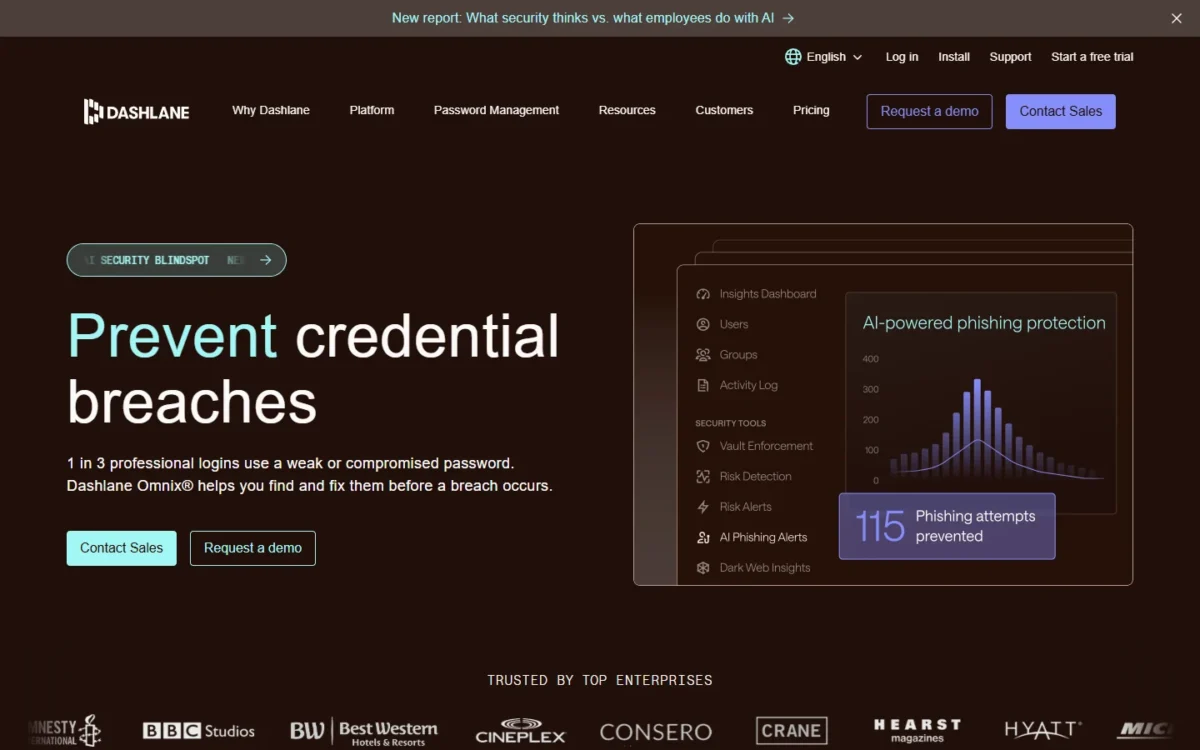
Dashlane’s Trust Center says more than 25,000 brands use it. The package names say little about daily use, so the next question is which features change how a team shares and controls passwords, the same ground my guide to sharing passwords with a team covers.
Dashlane Features That Matter
Four features carry Dashlane’s business case: shared Collections, admin policies with Password Health, SSO with SCIM, and Credential Protection. The first three come with Password Management. The fourth is priced and sold separately.
Shared Collections and role-based sharing
A team can share logins by department or project, because Password Management includes unlimited Collections. Password sharing runs through them: a Collection works like a folder of work logins and Secure Notes, shared with people or groups in the organization.
Dashlane’s guide to sharing Collections gives the sharer two controls: a role for each recipient (Editor or Manager) and one of four permission levels for the items (Full access, Can edit, Can view or Can autofill).
Can autofill is the one to know. The recipient can log in with the shared password but can’t see it in plain text, which fits a contractor or a shared social media account.
Three limits are worth settling before rollout:
- A Collection that includes a Secure Note with an attachment can’t be shared.
- Plan admins don’t automatically get the Manager role on Collections that members create.
- A Collection shared from the mobile or macOS app gives recipients the Manager role and Full access by default.
So decide who owns each department’s Collection, and set permissions from the web app when least privilege matters.
Admin Console, vault policies and Password Health
An admin can enforce two-factor authentication (2FA), automatic vault logout after inactivity and organization-wide rules for shared logins. Password Health adds an organization-wide score with a per-employee breakdown of weak, reused and compromised passwords, so the admin sees whose vault needs attention.
The package also includes Dark Web Monitoring and a Password Generator, and its encrypted activity logs export to a security information and event management (SIEM) tool.
One catch applies to SSO teams: Dashlane’s 2FA isn’t available to plan members who log in with SSO, so I would enforce the second factor in the identity provider.
SSO, SCIM and the identity providers Dashlane names
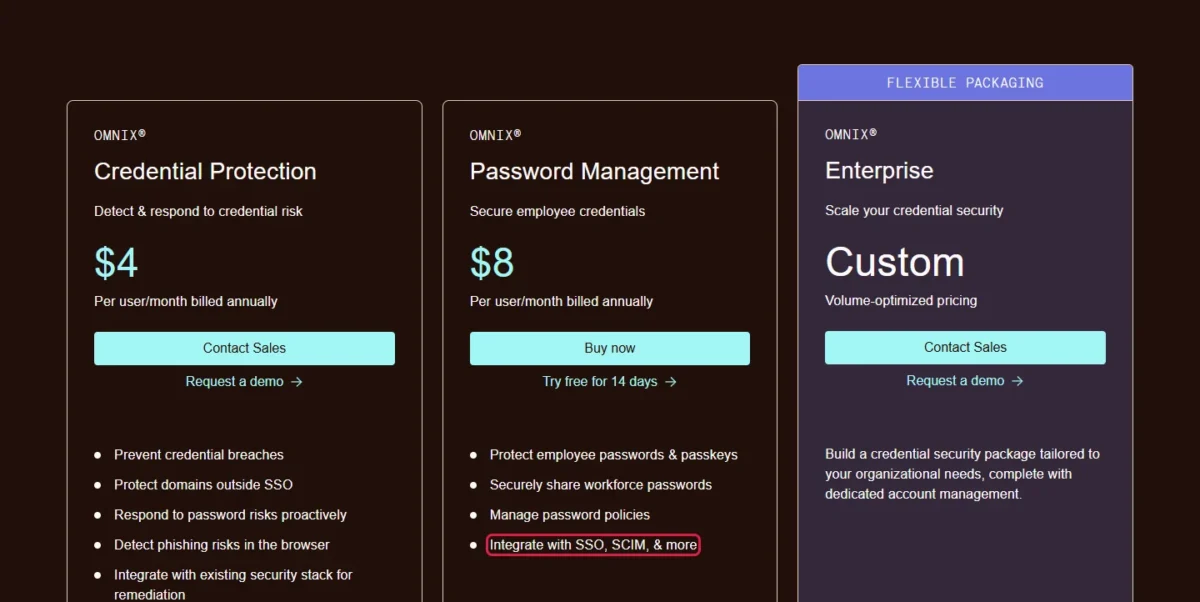
SSO and SCIM provisioning come with Password Management. Dashlane’s plan comparison marks both for Password Management and Enterprise, and for neither under Credential Protection.
Dashlane connects to SAML 2.0 identity providers, and its SSO and SCIM setup guide names Microsoft Entra ID, ADFS, Okta, Google Workspace, JumpCloud, Duo and PingID. Setup starts with one choice: Dashlane Confidential SSO, which Dashlane recommends as the simplest and fastest setup, or a self-hosted encryption service.
Each route has a limit to check against your devices:
- Confidential SSO doesn’t support Microsoft Conditional Access on mobile devices.
- Self-hosted SSO doesn’t work in the Dashlane extension for Safari.
- Members need an internet connection to log in with SSO.
- Admins still log in with a Master Password after SSO is on.
For a team already on an identity provider, this is the feature that justifies the seat price: no higher tier stands between the team and SSO.
Credential Protection: risk detection outside the vault
Credential Protection watches what a vault can’t see: employee logins across all web domains, including those outside SSO, flagged when a password is weak, reused or compromised. It works whether or not an employee uses the vault.
The package adds AI Phishing Detection, which warns an employee before they submit a password to a suspicious domain. Admins get Risk and Remediation Insights dashboards, automated reminders (Slack notifications included) and connections to SIEM, SOAR or IGA tools.
It costs $4 per user per month, billed annually, and the pricing page offers Contact Sales for it, not a Buy button. One gap sits on the other side: the KnowBe4 integration is marked “Limited” on Password Management, so a team that ties security training to password risk should ask sales what the limit is.
Passkeys, autofill and support
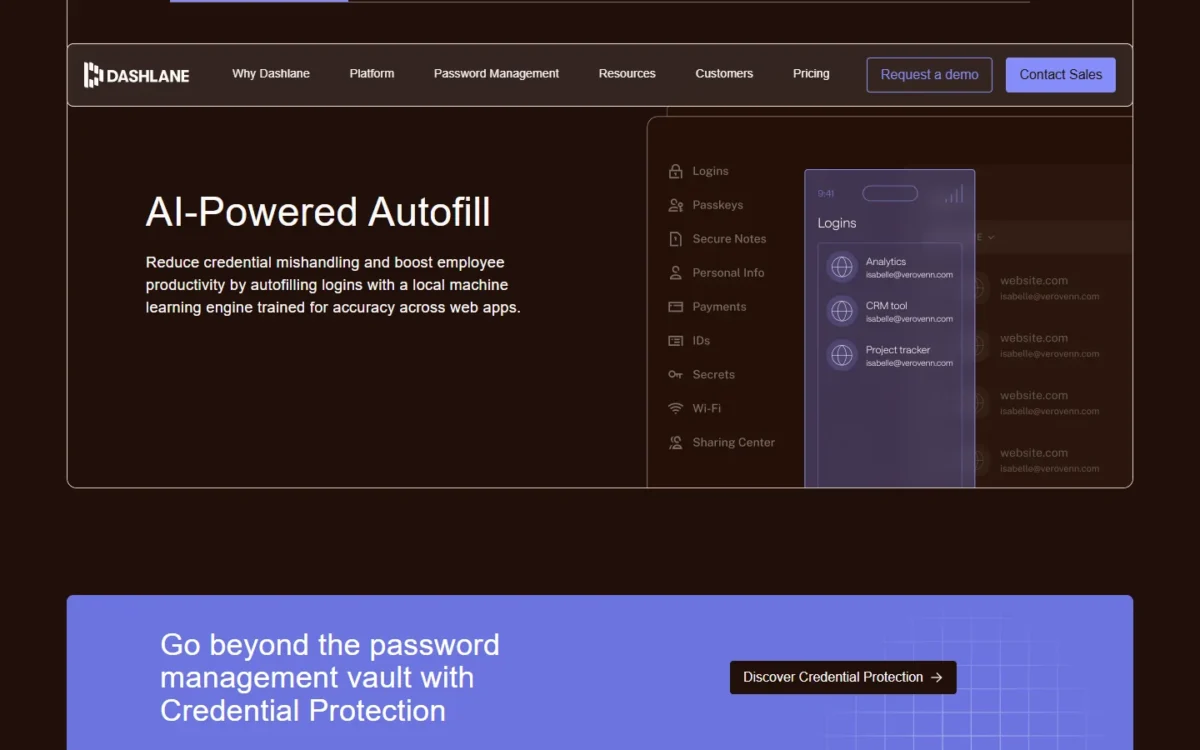
Day to day, employees meet autofill, passkeys and the support queue. Autofill runs on a local machine learning engine, and business passkeys are stored in secure enclaves instead of on the device. Neither fact shows how well autofill handles your own sites, so run it on the five logins your team opens most during the trial.
For a team new to passkeys, how passkeys differ from passwords decides which accounts are worth moving first.
Every professional package lists expert email support seven days a week and live chat support. Inbound phone support, onboarding support and a Customer Success Manager are for qualifying accounts, so a 10-person team should plan on email and chat.
My take
The Password Management package covers what a team on an identity provider needs to share and control passwords: Collections, policies, Password Health, SSO and SCIM. I would hold off on Credential Protection until someone on the team owns the risk alerts, because it adds $4 per user per month, billed annually, and a sales conversation.
Those controls only matter if the vault itself can be trusted with every company login.
Is Dashlane Secure?
Dashlane’s published security model supports trusting it with company passwords, with one incident a vendor review should note. The design is zero-knowledge: vaults are encrypted and decrypted locally on the user’s device, and Dashlane says it can never view or access what users store.
Its security page gives the specifics a security reviewer asks for:
- Vault encryption uses AES256-CBC-HMAC.
- Key derivation uses Argon2d with 3 iterations, a 32 MB memory cost and 2 threads.
- Each new device generates its own 40-byte key, which the user must verify and which is separate from the vault encryption key.
- AWS Nitro Enclaves isolate sensitive cryptographic operations in the cloud.
With SSO on, Dashlane says neither it nor the identity provider has the encryption key.
On compliance, the Trust Center lists ISO 27001:2022, SOC 2 Type II, GDPR, CCPA and HIPAA, a 2026 penetration test summary and a privacy policy. Dashlane says its SOC 2 Type II audits are annual. Those are the vendor’s statements, and the Trust Center shows a Request access button for its documents.
One incident belongs in a vendor review. Dashlane’s security advisory says an attacker reached its Salesforce CRM through Drift, a third-party application, from August 12 to August 16, 2025. The data accessed was basic business information for a very small subset of business customers: names, titles, company names, phone numbers and emails. Dashlane says all data in personal and business vaults stayed secure.
My take
I would treat that incident as a sales-system exposure, not a vault breach, and brief admins on phishing aimed at their contact details. For a vendor review, I would request the SOC 2 Type II report, the ISO 27001 certificate and the penetration test summary through the Trust Center early, because access is by request.
Security clears the first hurdle. The second is how much work the rollout takes.
Dashlane Ease of Use and Setup
Rollout runs through the browser extension and the Admin Console: the 14-day trial deploys the extension and sets up the console. Its Configurations page then covers domain verification, SSO, SCIM provisioning, an invite link for members, and pushing the extension to company-managed devices through a mobile device management (MDM) tool.
I would set up SSO first, as Dashlane recommends, so members log in with SSO from the start and never create a Master Password. A team with no identity provider skips that step, invites members by link and handles removals by hand in the Admin Console.
Onboarding and offboarding employees
With SCIM, a member’s status in the identity provider provisions and deprovisions the Dashlane account. Password access is still only one step of a new hire’s first day, so put the Dashlane invite on your employee onboarding checklist.
Offboarding takes preparation, and it is the limit to check first in a trial. Before someone leaves, Dashlane’s offboarding guide tells admins to have them share every work login with the Full access permission. If they don’t, the admin can’t reach those logins or the account after removal.
There is one way back. If the member was removed fewer than 30 days ago, an admin can re-add them and log in to the account, which may need the person’s email or device.
In the trial, remove a trial user who holds one shared login and one unshared login, and see what the admin can still open.
Platforms and moving from another password manager
Dashlane runs as a browser extension for Google Chrome, Firefox, Safari, Microsoft Edge and other Chromium browsers, with apps for Android, iPhone, iPad and macOS. Every professional plan allows unlimited devices, so one seat covers multiple devices, such as an employee’s laptop and phone.
Check two requirements against your fleet: the Android app needs Android 10.0 or later, and Apple devices need one of the last two major versions of macOS, iOS or iPadOS. Dashlane also deactivates app versions more than 12 months old.
Moving in is a CSV file import. Dashlane’s CSV import guide lists export steps for 1Password, Bitwarden, LastPass, KeePass, Keeper, Roboform and the main browsers. The import brings logins and Secure Notes, and a folder from the old manager becomes a Collection with the same name.
Two cautions come from the same guide. CSV files aren’t encrypted, so delete the file after the import. And 2FA codes in the file land in a login’s Note section, so 2FA has to be turned on again for each login.
The setup fits a team with an identity provider. The plans and the seat-count table are next.
Dashlane Pricing
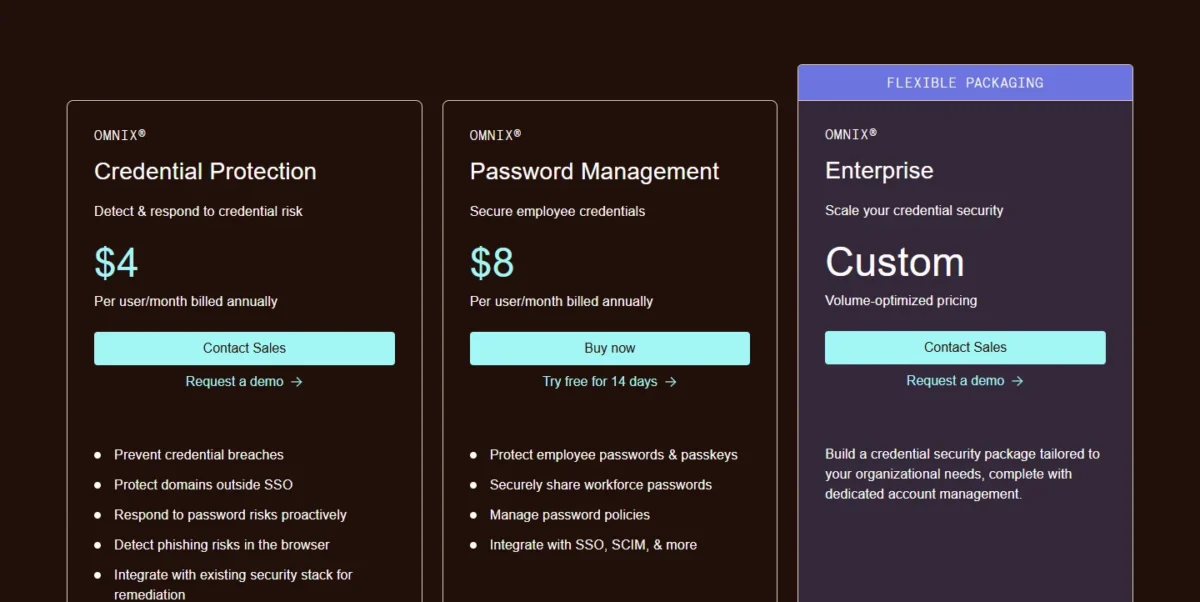
Dashlane’s business vault, Omnix Password Management, costs $8 per user per month, billed annually. Omnix Credential Protection costs $4 per user per month, billed annually, through sales, and Omnix Enterprise is a custom quote for organizations with more than 50 users. Personal plans cost $5.42 a month for Premium and $8.13 a month for Friends & Family, both billed annually.
| Plan | Price | Billing | Key limit |
|---|---|---|---|
| Omnix Password Management | $8 per user per month | Annual | Self-serve, 14-day free trial; no risk detection |
| Omnix Credential Protection | $4 per user per month | Annual | Contact Sales; no vault, SSO or SCIM |
| Omnix Enterprise | Custom | Custom quote | Built for more than 50 users |
| Premium | $5.42 per month | Annual | 1 member |
| Friends & Family | $8.13 per month for 10 members | Annual | VPN for the plan manager only |
Sources: Dashlane pricing page and Compare Dashlane professional plans, checked Nov 2026.
The table hides one decision: Password Management is the only business package with a Buy now button. The other two start with a sales call.
Billing note
Every price on Dashlane’s pricing page is billed annually, and Dashlane’s comparison of personal plans says it no longer offers monthly subscriptions for any plan. Budget the full year up front: $8 x 12 months = $96 per seat on Password Management.
Business packages: Password Management, Credential Protection, Enterprise
Password Management is the package I would buy for a smaller team. Credential Protection is a separate layer, not a cheaper tier: it includes no vault, sharing or SSO, so it does not replace Password Management.
Omnix Enterprise bundles both for organizations with more than 50 users, and the buyer chooses how many seats get Password Management and how many employees Credential Protection covers.
Dashlane does not publish an Enterprise price, only that Omnix Enterprise is built for organizations with more than 50 users. Its pages also don’t say whether a team under 50 can add Credential Protection to Password Management, so put that question to sales.
What Dashlane costs at 5, 10, 25 and 50 users
Password Management costs $8 x 12 months = $96 per seat per year, so a team pays $480 for 5 users, $960 for 10 users, $2,400 for 25 users and $4,800 for 50 users. The table sets that against Bitwarden’s two business plans at the same seat counts, all on annual billing.
| Team size | Dashlane Password Management | Dashlane, both packages at list price | Bitwarden Teams | Bitwarden Enterprise |
|---|---|---|---|---|
| 5 users | $8 x 5 x 12 = $480 | ($8 + $4) x 5 x 12 = $720 | $4 x 5 x 12 = $240 | $6 x 5 x 12 = $360 |
| 10 users | $8 x 10 x 12 = $960 | ($8 + $4) x 10 x 12 = $1,440 | $4 x 10 x 12 = $480 | $6 x 10 x 12 = $720 |
| 25 users | $8 x 25 x 12 = $2,400 | ($8 + $4) x 25 x 12 = $3,600 | $4 x 25 x 12 = $1,200 | $6 x 25 x 12 = $1,800 |
| 50 users | $8 x 50 x 12 = $4,800 | ($8 + $4) x 50 x 12 = $7,200 | $4 x 50 x 12 = $2,400 | $6 x 50 x 12 = $3,600 |
Sources: Dashlane pricing page and Bitwarden business pricing, checked Nov 2026.
At 10 seats, Dashlane costs $960 – $480 = $480 a year more than Bitwarden Teams. That gap flatters Bitwarden for a team on an identity provider, though. Bitwarden lists SCIM on Teams and puts its SSO integration on Enterprise, so the like-for-like gap is $960 – $720 = $240 a year.
The both-packages column is a list-price sum, not a quote. Dashlane bundles the two packages under Omnix Enterprise and prices that on request, so treat ($8 + $4) x 12 months = $144 per seat per year as the number to bring to the sales call.
Each hire adds one more seat to the annual bill. That is small alone and less so when per-seat pricing adds up across every tool the team pays for.
Personal plans: Premium and Friends & Family
One person pays $5.42 a month for Dashlane Premium, billed annually, which is $5.42 x 12 months = $65.04 a year. Friends & Family, the family plan, covers up to 10 members for $8.13 a month, billed annually: $8.13 x 12 months = $97.56 a year.
Both plans include unlimited passwords and devices, Dark Web Monitoring, Secure Notes with 1GB of encrypted document storage and live chat support. Premium includes the VPN; on Friends & Family only the plan manager gets it. Premium has a 14-day free trial, and the trial leaves out the VPN.
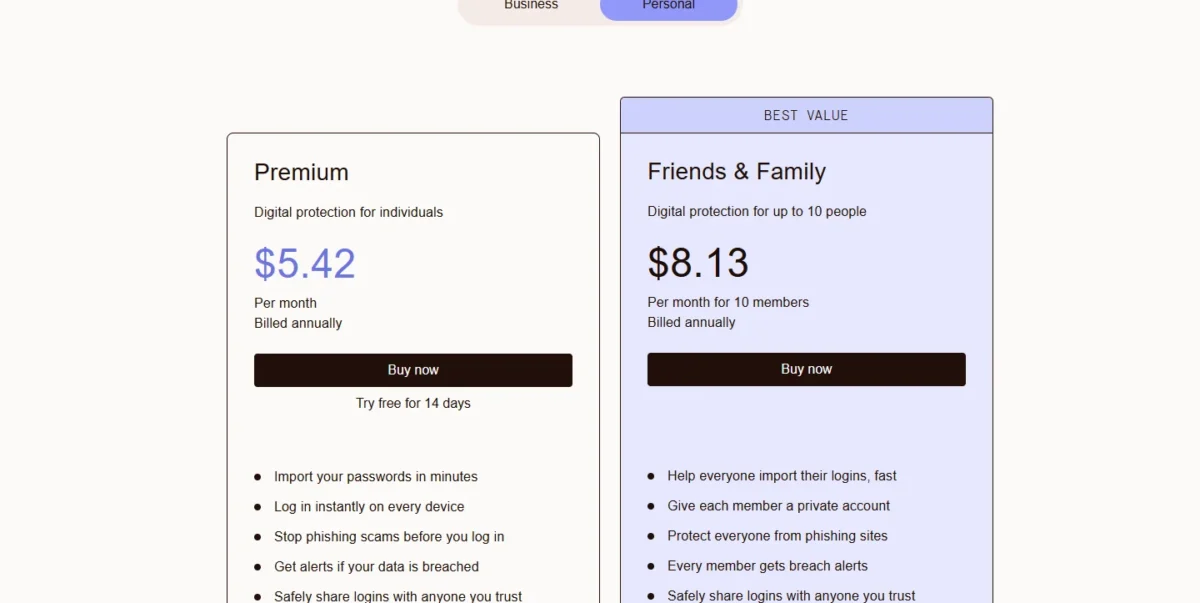
Friends & Family is not a budget business plan. Its feature list shows no SSO, SCIM provisioning or admin policies, and Dashlane’s Collections guide says personal plans can’t share Collections with others.
Which package to buy and when to upgrade
I would start any team under 50 on Password Management, the one business package with self-serve checkout. Two triggers move the bill:
- Logins outside SSO become the risk you can’t see, and someone is ready to act on alerts: ask sales whether Credential Protection, listed at $4 per user per month, billed annually, can be added to your Password Management seats.
- The organization passes 50 users, or wants both packages under one agreement: price Omnix Enterprise with sales before the renewal.
Password Management also lists a VPN for Wi-Fi protection, which isn’t available during the free trial.
With the price fixed, the trade-offs are easier to weigh.
Dashlane Pros and Cons
Dashlane’s strengths sit in what the base business package includes; its limits sit in how it is billed and sold.
Pros
- SSO and SCIM provisioning come in the self-serve Password Management package, so a team with an identity provider needs no higher tier
- Unlimited Collections with four permission levels, including Can autofill, which lets a contractor log in without seeing the password
- Password Health shows admins a per-employee breakdown of weak, reused and compromised passwords
- The Trust Center lists SOC 2 Type II and ISO 27001:2022 for buyers who have to pass a vendor security review
Cons
- A seat costs $8 x 12 months = $96 a year, twice Bitwarden Teams at $4 x 12 months = $48, which hurts a team that buys on price
- Billing is annual only, so a 25-person team commits $8 x 25 users x 12 months = $2,400 up front
- Credential Protection and any plan above 50 users go through sales, so a small team can’t buy either online
- Dashlane Free is no longer offered, so a solo user gets a 14-day trial and then a paid plan
- An admin can’t open a departed member’s unshared logins after removal unless the member is re-added within 30 days, so offboarding depends on the employee sharing first
I would accept those cons for a team that will turn on SSO in week one. Pick Bitwarden instead if the first con is the one that stings.
What Users Say About Dashlane
Price, not security, is the recurring complaint in the one forum thread I read for this review. In an r/PasswordManagers thread titled “Thoughts on Dashlane?”, read in November 2026, the commenters make three points:
- One calls Dashlane “a competent password manager with good security and a nice interface” but says they wouldn’t choose it new because it’s expensive.
- Two Reddit commenters describe leaving for Proton Pass through an export; one says a CSV export carried 685 passwords across after more than 10 years.
- One Reddit commenter left for 1Password and says they didn’t like the bundled VPN.
That is one Reddit thread with five comments, so I would treat it as a list of things to check, not as the customers’ view. The price point matches the math above. The exit route is worth confirming yourself: export a sample vault during the trial so you know what leaving would take.
Who Should Use Dashlane (and Who Should Skip It)
Dashlane fits a team that already runs an identity provider and wants SSO, SCIM and Collections in one package. It is the wrong buy for a budget-led team, a solo user who wanted a free plan, or an organization that needs monthly billing.
The floor is an identity provider to connect, not a seat count: a smaller team on one buys the same self-serve package. A team with no identity provider pays for SSO and SCIM it won’t configure. Above 50 users, Dashlane points buyers to a custom Omnix Enterprise quote. A team on the wrong side of those lines can compare the field in my list of password managers for companies.
Best for
- A team that already manages accounts in Okta, Microsoft Entra ID or Google Workspace and wants SSO without a tier jump
- Departments that share logins by team or project: Collections are unlimited, with Editor and Manager roles
- Admins who need a per-employee view of weak, reused and compromised passwords in Password Health
- Buyers who must show SOC 2 Type II and ISO 27001:2022 in a vendor review
Not ideal for
- A budget-led team: Bitwarden Teams costs $4 per user per month, billed annually, half of Dashlane’s $8
- A team that needs monthly billing: Dashlane prints only annual prices
- A solo user who wanted a free plan: Dashlane Free is no longer offered
- An organization above 50 users that wants a published price: Omnix Enterprise is a custom quote
For the readers in the Not ideal for list, three rivals are worth pricing.
Dashlane vs Competitors and Alternatives
Dashlane costs more per seat than Bitwarden and NordPass, and its $8 per user per month sits $0.99 under 1Password Business at $8.99, both billed annually. What differs most is where each vendor puts SSO.
| Software | Best for | Starting price | Key difference | Main trade-off |
|---|---|---|---|---|
| Dashlane | Teams on an identity provider | $8 per user per month, billed annually | SSO and SCIM in the one self-serve package | Annual billing only; custom quote above 50 users |
| Bitwarden | Budget-led teams | $4 per user per month, billed annually (Teams) | SCIM on Teams; SSO on Enterprise at $6 per user per month, billed annually | SSO and enterprise policies need the Enterprise plan |
| 1Password | Small teams of up to 20, and established businesses | $24.95 per month, billed annually, for the first 10 members (Teams Starter Pack); each extra seat up to 20 costs $4.99 per month, billed annually | Business, at $8.99 per user per month, billed annually, adds Okta, Entra ID, OneLogin and Duo integrations | Teams Starter Pack stops at 20 users |
| NordPass | Small teams that want a low seat price | $1.99 per user per month on the 1-year plan (Teams) | SSO with Google Workspace on Teams; SSO with Entra ID and Okta on Enterprise | Teams is a 10-user pack only; Business has a 5-user minimum |
Sources: Dashlane pricing page, Bitwarden business pricing, 1Password business pricing and NordPass business plans, checked Nov 2026.
Bitwarden is the rival to price first. Teams gives a budget-led team shared collections and SCIM at half Dashlane’s seat price, and Enterprise adds SSO at $6 per user per month, billed annually, still $2 under Dashlane’s $8. My Bitwarden review goes through what the lower price leaves out.
1Password is the closest match on price and packaging. A team of 10 with no identity provider pays $299.40 a year on its Teams Starter Pack, against $8 x 10 users x 12 months = $960 on Dashlane. The Bitwarden vs 1Password comparison sets those two rivals side by side.
NordPass is the low-price alternative, sold in packs and minimums that take a second look. My NordPass review covers them in detail.
LastPass isn’t in the table. If it is still on your shortlist, weigh it against these rivals with my LastPass comparison before you decide.
For more Dashlane alternatives, my page of NordPass alternatives covers other password managers to shortlist.
FAQ
Is Dashlane free?
No. Dashlane no longer offers its Dashlane Free plan, and the pricing page lists only paid plans. Premium has a 14-day free trial, and business buyers get a 14-day trial of the Omnix platform. Existing customers can earn six months of free Premium for each friend they refer, up to four people.
Does Dashlane include a VPN?
Yes, on the personal plans and on Password Management. Premium includes a VPN, and on Friends & Family only the plan manager gets it; Dashlane’s help center names Hotspot Shield as the VPN there. Password Management lists VPN for Wi-Fi protection too. Free trials don’t include the VPN.
What happens if an employee forgets their Master Password?
An admin can approve an admin-assisted recovery request, and Dashlane says neither the admin nor Dashlane can access the member’s data in the process. The setting is on by default, but each member must acknowledge it first. It isn’t available to members who log in with SSO, and an admin can’t approve their own request, so keep two admins.
Is Dashlane worth it for a family?
Yes, once two people need it. Friends & Family costs $8.13 a month, billed annually, for up to 10 members, each with a private account. Two Premium subscriptions would cost $5.42 x 2 = $10.84 a month, billed annually. The catch is the VPN, which only the plan manager gets.
How I Evaluated Dashlane
I built this review from Dashlane’s own pages, read in November 2026: the pricing page in its Business and Personal views, the business, Omnix and security pages, the Trust Center, and help center articles on plans, SSO and SCIM, Collections, offboarding, recovery, devices and CSV import.
Rival prices come from Bitwarden’s, 1Password’s and NordPass’s pricing pages, and user opinion from one Reddit thread, named where it appears. The facts are documentation; the cost math and fit calls are my analysis. Dashlane does not publish a monthly business price or an Omnix Enterprise price, so this review estimates neither.
Dashlane Review: The Final Verdict
Buy Dashlane if your team runs an identity provider and you value SSO, SCIM and Collections enough to pay $8 x 12 months = $96 a seat per year. Skip it if the budget decides, because Bitwarden Teams halves that bill, or if you are past 50 users and haven’t priced Omnix Enterprise.
The biggest trade-off is commitment: annual billing only, and a custom quote once the company outgrows the self-serve package. Use the 14-day trial to verify four things before you pay:
- Connect your identity provider with Confidential SSO, and check Microsoft Conditional Access on mobile if you rely on it.
- Remove a trial user who holds one unshared login and see what the admin can recover.
- Run autofill on the five logins your team opens most.
- Ask sales whether Credential Protection can be added under 50 users, if risk alerts are on your roadmap.