


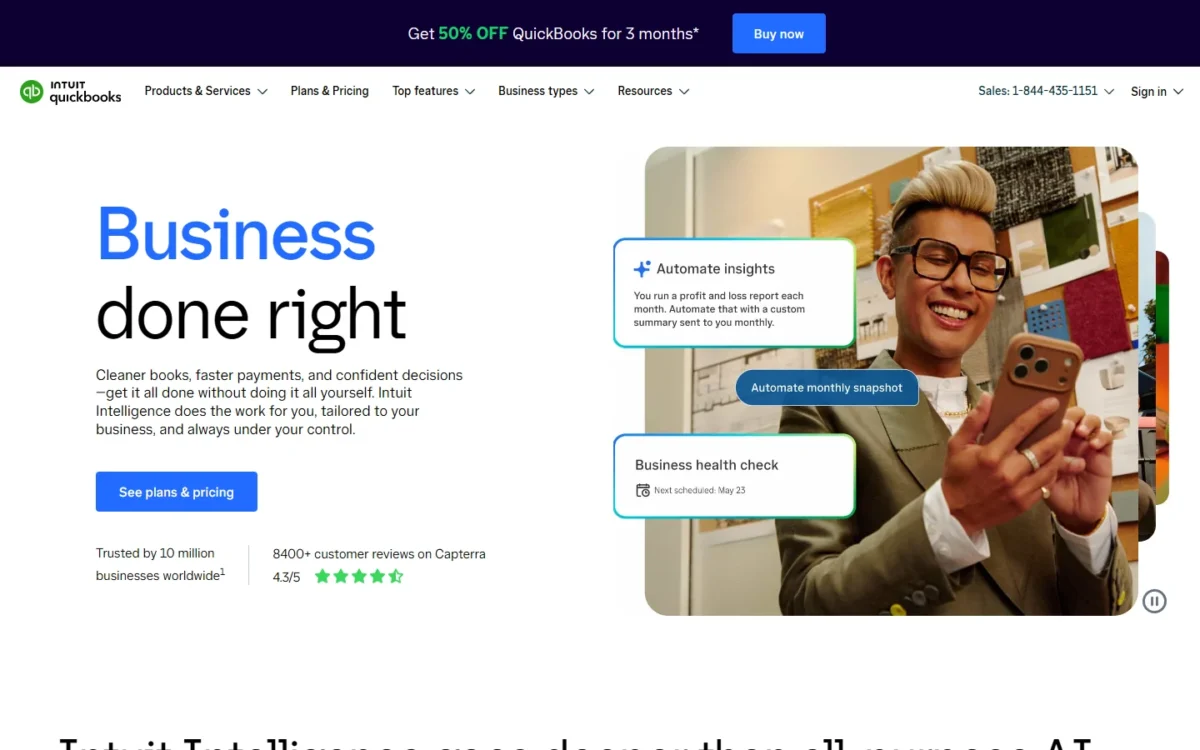
QuickBooks Online pricing in the US is $38, $85, $140 or $340 a month per company at list price, billed monthly. Those prices buy Simple Start, Essentials, Plus and Advanced; QuickBooks Free costs $0, and new customers pay half the base price for the first 3 months.
The plan you need is set mostly by how many people sign in: 1, 3, 5 or 25 users. Payroll is a separate monthly base fee plus $7 to $17 per employee.
Quick pricing answer
- QuickBooks Online plans: Free $0; Simple Start $38, Essentials $85, Plus $140 and Advanced $340 per company per month, billed monthly (US list prices).
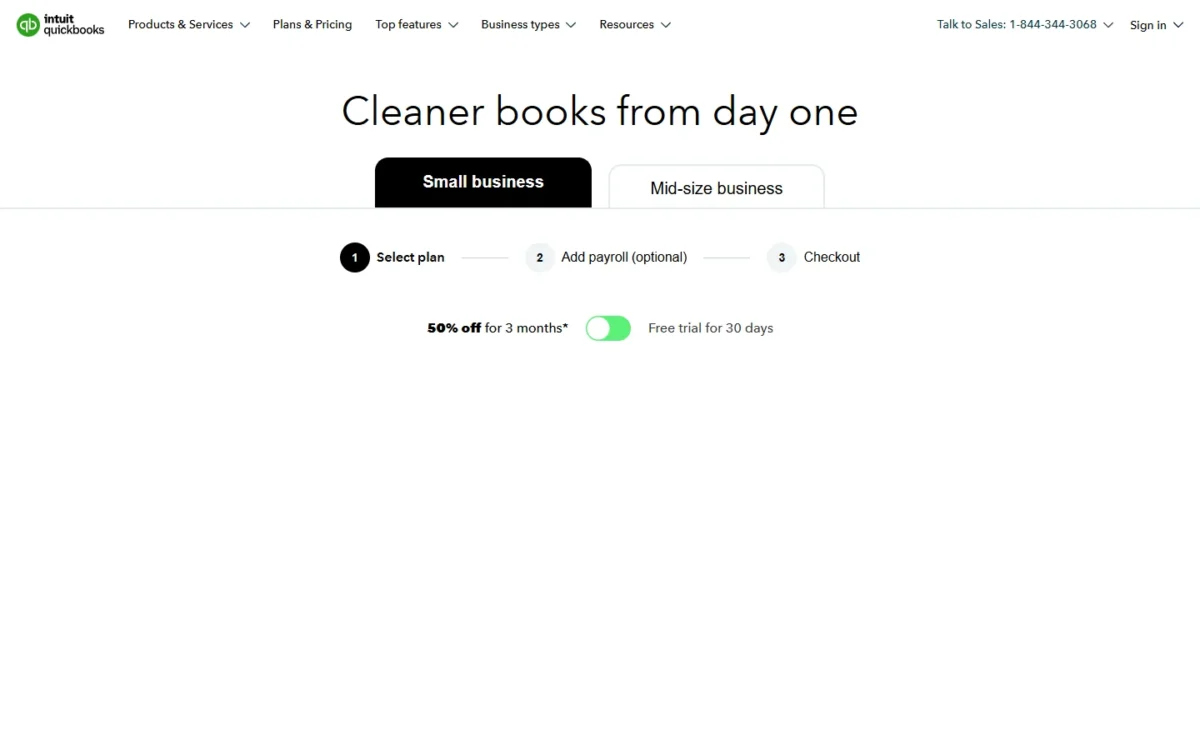
- New customers: 50% off the base price for 3 months or a 30-day free trial, not both.
- Users included: 1 on Free and Simple Start, 3 on Essentials, 5 on Plus, 25 on Advanced.
- For a 1-3 person business: Simple Start for one user, Essentials for two or three.
- Cost caveat: the user cap forces each upgrade, and payroll adds a base fee plus $7, $13 or $17 per employee a month.
- Checked: October 21, 2026, on Intuit’s US pricing pages.
In This Article (13 sections)
QuickBooks Online Pricing at a Glance
QuickBooks Online has five US plans, from $0 to $340 a month per company at list price, billed monthly, and new customers pay half the base price for the first 3 months.
| Plan | List price, billed monthly | First 3 months (50% off) | Users | Best for | Main limitation |
|---|---|---|---|---|---|
| Free | $0 per month | Not applicable | 1 user, no accountant | Up to 2 invoices a month | No mobile app or integrations |
| Simple Start | $38 per month | $19 per month | 1 + 2 accountants | A solo owner who invoices | A second user means Essentials |
| Essentials | $85 per month | $42.50 per month | 3 + 2 accountants | 2-3 users who bill time | No inventory or project profitability |
| Plus | $140 per month | $70 per month | 5 + 2 accountants | 4-5 users, inventory or projects | 40 classes and locations |
| Advanced | $340 per month | $170 per month | 25 + 3 accountants | 6-25 users, permissions, automation | Highest list price |
Sources: Intuit’s pricing page, checked October 2026 in its “50% off for 3 months” and “Free trial for 30 days” views.
These are Intuit’s US list prices in US dollars, per company and billed monthly, read on October 21, 2026. The US page publishes no annual price, and Intuit’s terms say pricing is “subject to change without notice”.
Read the Users column first: each plan is priced per company, so only the 2nd, 4th or 6th login changes the bill.
QuickBooks Online Pricing Plans Explained
The user cap (1, 3, 5 or 25 users) is the first upgrade trigger to check: a 2nd, 4th or 6th user needs the next plan. The second is a feature that starts higher up, such as inventory on Plus. My QuickBooks Online review judges how well those features work.
QuickBooks Free
QuickBooks Free gives one user 2 invoices a month, 1 bank connection, a profit & loss report and chat support for $0. It has no accountant access, and mobile app access and third-party integrations are “not currently available” on it.
Two invoices a month is a trial run, not a billing system: a freelancer with three clients outgrows it in the first month.
Simple Start
Simple Start costs $38 a month, billed monthly, and adds what Free lacks for a business that bills clients: general business reports, invoicing and getting paid, bill pay with free ACH, and access for 2 accountants.
It is the cheapest plan an outside accountant can work in, but still a one-user plan: Intuit publishes no price for an extra user, so a partner who needs a login means Essentials.
Essentials
Essentials costs $85 a month, billed monthly, for 3 users, and adds enhanced reports, employee time on invoices and an annual books check-in. The second and third logins cost $85 – $38 = $47 a month more than Simple Start, billed monthly.
That step pays off when the extra people bill hours that flow onto client invoices; without billable time, Essentials buys 3 logins.
Plus
Plus costs $140 a month, billed monthly, for 5 users, and adds what Intuit calls “comprehensive reports”, budgets, project profitability, inventory tracking and up to 40 classes and locations. A fourth user alone moves a team from Essentials to Plus at $140 – $85 = $55 more a month.
That upgrade deserves a hard look. A four-person service firm with no stock and no projects pays $55 a month, billed monthly, for one login.
For a product business, the same step buys inventory tracking. Upgrade to Advanced at the sixth user or the 41st class or location.
Advanced
Advanced costs $340 a month, billed monthly, for up to 25 users and 3 accountants. It adds custom user permissions, workflow automation, batch invoices and expenses, Excel sync, unlimited classes and locations, Bill Pay Elite with free 1099 e-filing, and priority support.
Intuit lists “no fees per user, app, ACH transfer, or Form 1099” on Advanced. The step from Plus is $340 – $140 = $200 a month, billed monthly: steep for a sixth user alone, fair for a 12-person team that must control who sees what.
Intuit Enterprise Suite is a separate product, not priced here.
Does QuickBooks Online Have a Free Plan or Free Trial?
Yes, both: QuickBooks Free costs $0 with no credit card required, and new customers can try a paid plan free for 30 days on a monthly subscription.
Free is a plan with the limits above; the trial covers only “the monthly base price for the first thirty (30) days”, and you are charged automatically when it ends.
The trial does not cover per-employee and state tax filing fees, so payroll employees are billed from the start. Use it when the open question is fit, not price: run a month of your own invoices before you pay.
Monthly vs Annual QuickBooks Online Pricing
QuickBooks Online is sold in the US as monthly plans only, with no annual price published. New customers pick 50% off for 3 months or a 30-day free trial, since “offers for the same product cannot be combined”.
50% off for 3 months or the 30-day free trial?
The 50% discount costs less in year one on every plan, by half a month’s list price: $19 on Simple Start, $42.50 on Essentials, $70 on Plus and $170 on Advanced.
The trial column assumes the free 30 days replace one of the first 12 monthly charges; all totals are estimates from list prices, before payroll, fees and tax.
| Plan | List price per month | First 3 months, per month | Year 1 with 50% off | Year 1 with the trial | Year 1 at list |
|---|---|---|---|---|---|
| Simple Start | $38 | $19 | 3 x $19 + 9 x $38 = $399 | 11 x $38 = $418 | 12 x $38 = $456 |
| Essentials | $85 | $42.50 | 3 x $42.50 + 9 x $85 = $892.50 | 11 x $85 = $935 | 12 x $85 = $1,020 |
| Plus | $140 | $70 | 3 x $70 + 9 x $140 = $1,470 | 11 x $140 = $1,540 | 12 x $140 = $1,680 |
| Advanced | $340 | $170 | 3 x $170 + 9 x $340 = $3,570 | 11 x $340 = $3,740 | 12 x $340 = $4,080 |
Sources: Intuit’s pricing page and offer terms, checked October 2026.
The trial wins only if you might leave within a month: it bills nothing for 30 days, while the discount bills from the first day.
Cancellation and the price after month 3
After the third month, or after the trial, Intuit bills “on a monthly basis thereafter at the then-current price” until you cancel. The plan runs month by month, and the list price you budget is today’s price, not a locked one.
These totals hold no employees. Payroll is where a QuickBooks bill grows fastest.
QuickBooks Online Pricing with Payroll
Payroll adds a base price plus a per-employee fee every month, on top of a QuickBooks Online plan. Workforce Payroll costs $50 + $7 per employee, Workforce Premium $88 + $13 and Workforce Elite $134 + $17.
What separates the tiers:
- Workforce Payroll: full service payroll, auto payroll, 1099 e-filing and next-day direct deposit.
- Workforce Premium: same-day direct deposit, expert setup review, time tracking and HR tools (5 automated HR workflows).
- Workforce Elite: expert setup, unlimited HR workflows, a personal HR advisor and, for eligible users, tax penalty protection up to $25,000 a year.
Intuit’s bundles cost exactly the plan plus the add-on (Simple Start with Workforce Payroll is $38 + $50 = $88), so adding payroll later costs the same as buying it on day one.
| Setup | Employees paid | Plan + payroll base | Employee fees | Monthly total | 12 months |
|---|---|---|---|---|---|
| Simple Start + Workforce Payroll | 2 | $38 + $50 = $88 | 2 x $7 = $14 | $88 + $14 = $102 | 12 x $102 = $1,224 |
| Essentials + Workforce Payroll | 5 | $85 + $50 = $135 | 5 x $7 = $35 | $135 + $35 = $170 | 12 x $170 = $2,040 |
| Plus + Workforce Premium | 10 | $140 + $88 = $228 | 10 x $13 = $130 | $228 + $130 = $358 | 12 x $358 = $4,296 |
| Advanced + Workforce Elite | 20 | $340 + $134 = $474 | 20 x $17 = $340 | $474 + $340 = $814 | 12 x $814 = $9,768 |
Sources: QuickBooks payroll pricing and payroll add-on pricing, checked October 2026.
The employee fee is the line that grows: at 20 employees on Workforce Elite it equals the Advanced plan itself. It also counts different people from the user cap, everyone you pay rather than those who sign in.
Pricing note
The 50% discount and the trial cover base prices only; the offer terms exclude “per-employee fees, per-contractor fees or state tax filing fees”. Plus + Workforce Premium with 10 employees pays 10 x $13 = $130 in fees from month one: $114 + $130 = $244 a month in months 1-3, then $228 + $130 = $358.
Additional QuickBooks Online Costs to Consider
Five costs sit outside the plan price: payment processing, payroll employee fees, state tax filing fees, QuickBooks Time fees and the jump to a higher plan at the user cap.
| Cost type | When it applies | Pricing basis | Notes |
|---|---|---|---|
| Card and wallet payments | Invoice paid by card, PayPal or Venmo | 2.99% per transaction | Rates as of 09/18/2026 |
| ACH bank payments | Invoice paid by bank transfer | 1% per transaction | Lowest rate here |
| In-person and keyed cards | Card reader; card number typed in | 2.5% in person; 3.5% keyed | Keyed is the highest rate here |
| Instant deposits | Funds at once, nights and weekends included | 1.75% per transaction | Holidays included too |
| Payroll employees | Any Workforce tier | $7, $13 or $17 per employee per month | Not discounted by either offer |
| State tax filing fees | Workforce payroll | Not published on the pricing page | Excluded from both offers |
| QuickBooks Time | Time tracking outside Workforce Premium or Elite | Additional fees may apply | Included in Premium and Elite |
| An extra user | Above your plan’s user cap | Not published | The next plan is the route |
Sources: QuickBooks payment rates and the pricing page’s offer terms, checked October 2026.
Moving repeat clients from card payments at 2.99% to ACH bank transfers at 1% is the cheapest cut on this list.
How Much Does QuickBooks Online Cost for Your Team?
A year of QuickBooks Online costs $38 x 12 = $456 for one user on Simple Start. Up to 25 users on Advanced pay $340 x 12 = $4,080, at list price before payroll and fees.
Enter your users and tick the features you need: the calculator shows every plan’s monthly and 12-month cost and names the cheapest plan that covers both. It uses list prices, so the intro discount, payroll, payment fees and sales tax stay out.
QuickBooks Online cost calculator
This calculator needs JavaScript. The scenario table below gives the same estimate for typical workloads.
Enter what you need. The calculator prices it on every plan at list prices and names the cheapest plan that covers it.
- List prices in USD from QuickBooks Online’s official pricing pages, checked Oct 21, 2026. Tax and regional prices are not included.
- 12-month figures are 12 times the monthly cost at the billing you choose.
- A planning estimate at list prices, not a quote.
| Team size | Plan | Billing | Monthly equivalent | Annual total | Assumptions |
|---|---|---|---|---|---|
| Solo owner who invoices: 1 user | Simple Start | Monthly | $38 | $38 x 12 = $456 | 1 user included; no payroll, fees or tax |
| Three-person office: 3 users | Essentials | Monthly | $85 | $85 x 12 = $1,020 | 3 users included; no payroll, fees or tax |
| Five users who track inventory: 5 users | Plus | Monthly | $140 | $140 x 12 = $1,680 | 5 users included; no payroll, fees or tax |
| Twelve users who need custom permissions: 12 users | Advanced | Monthly | $340 | $340 x 12 = $4,080 | 25 users included; no payroll, fees or tax |
Sources: Intuit’s pricing page, checked October 2026.
The twelve-user team pays the same $340 a team of 25 would, so Advanced gets better value the fuller it is.
Which QuickBooks Online Plan Should You Choose?
Choose by users first, then by the one feature you cannot work without; a 1-3 person service business that tracks no stock or projects stops at Simple Start or Essentials.
| Your needs | Plan to consider | Why | Main limitation |
|---|---|---|---|
| Sole owner, 2 or fewer invoices a month | QuickBooks Free | 2 invoices and 1 bank at no cost | No accountant, mobile app or integrations |
| One user who invoices, with an accountant | Simple Start | Cheapest plan with accountant access | One user only |
| 2-3 users who bill employee time | Essentials | 3 users, time on invoices | No inventory or projects |
| 4-5 users, or inventory, projects or budgets | Plus | 5 users, inventory tracking | 40 classes and locations |
| 6-25 users, custom permissions or automation | Advanced | 25 users, custom permissions | A team of 6 pays as much as 25 |
| Users and features still fit your plan | No upgrade | Nothing you use sits higher | Recheck at the next hire |
Sources: Intuit’s pricing page, checked October 2026.
Is QuickBooks Online Worth the Price?
QuickBooks Online is worth its price when your team fills the plan’s user cap and uses the feature that plan gates. It is poor value when a 4th or 6th user forces a plan whose features sit idle.
Each step up is fair when it buys a feature you use, such as billable time, inventory or custom permissions, and poor value when it buys only a login. The one to test hardest is Plus to Advanced, $340 – $140 = $200 a month.
- Skip it if:
- you are one person sending a few invoices a month: Free covers 2, and the rivals below list cheaper entry plans.
QuickBooks Online Pricing vs Xero, FreshBooks and Zoho Books
Each rival’s entry paid plan lists below Simple Start’s $38 a month: Xero Early is $27, FreshBooks Lite $23 and Zoho Books Standard $20 a month, each with its own cap.
| Software | Entry paid plan | List price | Cap on the entry plan | Payroll |
|---|---|---|---|---|
| QuickBooks Online | Simple Start | $38 per month, billed monthly | 1 user | Workforce Payroll, $50 + $7 per employee per month |
| Xero | Early | $27 per month | 20 invoices and 5 bills | Xero Payroll, powered by Gusto, $36 a month + $6 per employee/ |
| FreshBooks | Lite | $23 per month | 5 billable clients | FreshBooks Payroll add-on, $40/mo plus $6/mo per user |
| Zoho Books | Standard | $20 per organization per month | 3 users | Not listed on the pricing page |
Sources: Xero US pricing, FreshBooks pricing and Zoho Books US pricing, checked October 2026.
The lower prices come with caps: FreshBooks Lite stops at 5 billable clients and Xero Early at 20 invoices, while Zoho Books Standard includes 3 users, a count QuickBooks sells only from Essentials.
For payroll with 5 employees, Xero’s $36 + $30 (5 employees x $6) = $66 a month compares with Workforce Payroll’s $50 + $35 (5 employees x $7) = $85, before you weigh what each includes. Check Early’s invoice and bill caps against your volume in my Xero pricing guide before switching.
How I Verified QuickBooks Online Pricing
I read Intuit’s US pricing page in both views, its payroll, payroll add-on, payment-rates and Advanced pages, and the three rivals’ US pricing pages on October 21, 2026, in US dollars.
Every QuickBooks plan price is Intuit’s; each rival price is that rival’s own. Totals are my calculations from list prices (price x months, plus per-employee fees), not Intuit quotes; plan picks are my judgment.
Intuit does not publish an annual price on the US page, a price for one user above a plan’s cap, or the amount of state tax filing fees. The pricing page does not state whether prices include sales tax.
Frequently Asked Questions
Can I buy QuickBooks Online without a subscription?
Not as a one-off purchase: QuickBooks Online is sold as monthly plans billed until you cancel, and the only $0 route is QuickBooks Free. QuickBooks Desktop is a separate Intuit product with its own pricing, outside this guide.
Can I add a user beyond my plan’s limit?
Intuit publishes no price for one extra user, so the route above a cap is the next plan. Accountant access is listed apart from users: 2 accountant seats on Simple Start, Essentials and Plus, and 3 on Advanced.
Does the 50% discount apply to payroll employee fees?
No. The offer terms exclude per-employee, per-contractor and state tax filing fees, and the trial excludes them too. Simple Start with Workforce Payroll and 2 employees costs $44 + $14 = $58 a month for the first 3 months, then $88 + $14 = $102, the $14 being 2 employees x $7.
Final Pricing Verdict
Buy Simple Start if you work alone and invoice clients, and Essentials for two or three users. Move to Plus only when inventory, project profitability or a fourth or fifth user is real, and to Advanced only above five users or for custom permissions and automation.
Take the 50% discount over the trial unless you might leave within a month, and budget payroll as base plus per-employee fees. With 2 invoices a month or fewer, stay on Free.




Pingback: 12 Best Invoicing Software in 2026, Compared by Real Fees
Pingback: 10 Best Accounting Software for Small Business in 2026