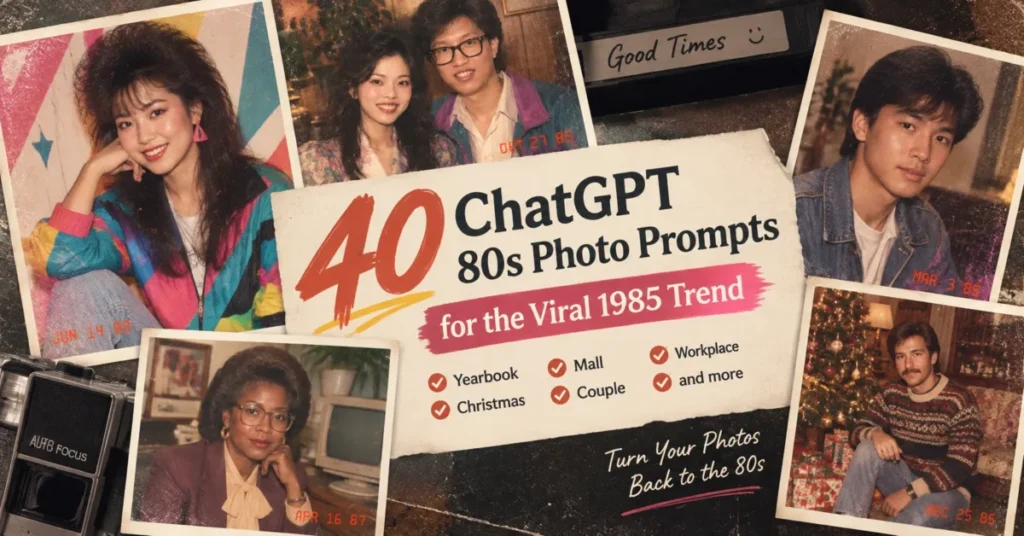
The 80s photo trend on Instagram runs on one long prompt, and the vague version NewsBytes warns about (“make it look like the 80s”) leaves out the two lines doing the real work: the identity lock and the “no modern objects” close. This page carries the original 1985 flashback prompt as published, plus 36 variants built on the same frame and three repair prompts, written so the identity lock and the close stay in every yearbook, prom, mall, holiday or family version.
Every ChatGPT 80s photo prompt below is copy-paste ready. Upload one clear photo, paste one prompt, and use the fix-it prompts at the end of the library if the first result drifts.
In This Article (14 sections)
Quick Copy: Before You Paste
- One clear photo, face uncovered, no sunglasses, no hat brim across the eyes.
- One person per photo for the first run. Add a second person only after a solo run keeps your face.
- PNG or JPEG, under the 20MB per-image limit OpenAI documents.
- Paste the whole prompt. Do not cut the “Preserve my identity” line or the “No modern objects or text” close.
- Keep the date stamp line if you want the shoebox-print look; remove it if you want an avatar.
- Read the result against the six-point face check before you post it.
- Run the fix-it prompt for the specific fault instead of regenerating from scratch.
- Do not upload photos of other people without asking them first.
- Use Temporary Chat if you do not want the upload used for model training.
- Expect a separate image limit on the Free plan; ChatGPT tells you when you reach it.
Item 10 comes from OpenAI’s Free tier FAQ, and the same pages sit under the plan table further down.
40 ChatGPT 80s Photo Prompts to Copy
The library runs in eight groups. A1 to A4 hold the original 1985 prompt and its closest variants, B1 to B6 cover yearbook and school, and C1 to C6 cover mall and studio portraits.
D1 to D6 cover family, couples, and home snapshots, E1 to E5 cover holidays, and F1 to F6 cover the decade’s distinct looks. G1 to G4 cover workplace, team, wedding, and band scenes, and H1 to H3 are the repair prompts.
Every prompt in A to G carries its own identity lock, and the H prompts inherit it from the first pass, so nothing below the library is required to use one. Replace the words in the middle block to build your own scene; leave the first and last blocks alone.
A. The Original 1985 Flashback Prompt and Its Variants
A1. The prompt behind the trend. This is the text as reproduced in the BusinessToday report on the trend; the NewsBytes write-up prints a near-identical version, punctuation and one dropped article aside, and attributes it to OpenAI. OpenAI’s own launch post mentions the prompt without quoting it, and the chatgpt.com page for it asks for a login, so the attribution runs through those publishers.
Using my uploaded photo, show me what I would have looked like around 1985. Preserve my identity, facial features, skin tone, age, and recognizable appearance. Reimagine my hair, clothing, accessories, and surroundings with bold, unmistakably mid-1980s styling – expressive silhouettes, statement accessories, layered details, distinctive colors, and textures. Make it feel like a genuine 1985 photograph with analog grain, faded color, direct flash, and subtle softness. Add a period-accurate 1980s red-orange date stamp in the lower corner – no modern objects or text.
Use it when: you want the prompt as printed in the coverage and you have one clear solo photo.
A2. The short version for a tight image budget. Same locks, fewer style adjectives.
Using my uploaded photo, show me as a 1985 snapshot. Preserve my identity, facial features, skin tone, age, and recognizable appearance. Mid-1980s hair, clothing, and setting. Analog grain, faded color, direct flash. Red-orange date stamp in the lower corner. No modern objects or text.
Use it when: you are on the Free plan and want one clean attempt before the image limit lands.
A3. Change the year, change the decade’s half. The 1980s did not look the same in 1981 and 1989, so this variant names a year and spells out early-decade hair, clothing, colors, and setting instead of leaving them to the model.
Using my uploaded photo, show me what I would have looked like in 1983. Preserve my identity, facial features, skin tone, age, body shape, and recognizable appearance. Do not slim, smooth, or beautify my face. Early-1980s styling: feathered hair, a collared shirt with a thin knit tie or a pastel blouse with a rounded collar, muted earth tones, a wood-paneled room. Make it feel like a genuine 1983 photograph with analog grain, faded color, direct flash, and subtle softness. Add a period-accurate red-orange date stamp reading 04 12 83 in the lower corner. No modern objects or text.
Use it when: you want early-decade restraint instead of neon. Swap 1983 for 1987 or 1989 and change the styling line and the stamp reading to match.
A4. The avatar version with no date stamp. Same era, no camera stamp, tighter crop, framed for a profile picture.
Using my uploaded photo, show me as a mid-1980s portrait cropped from the chest up. Preserve my identity, facial features, skin tone, age, and recognizable appearance. Do not slim, smooth, or beautify my face. Mid-1980s hair and one statement accessory, a plain studio backdrop in muted blue. Make it feel like a genuine 1985 photograph with analog grain, faded color, direct flash, and subtle softness. No date stamp. No modern objects or text.
Use it when: the result is going on a profile instead of into a story. A headshot-specific library lives at the AI headshot prompts page if the goal is a work photo rather than a decade look.
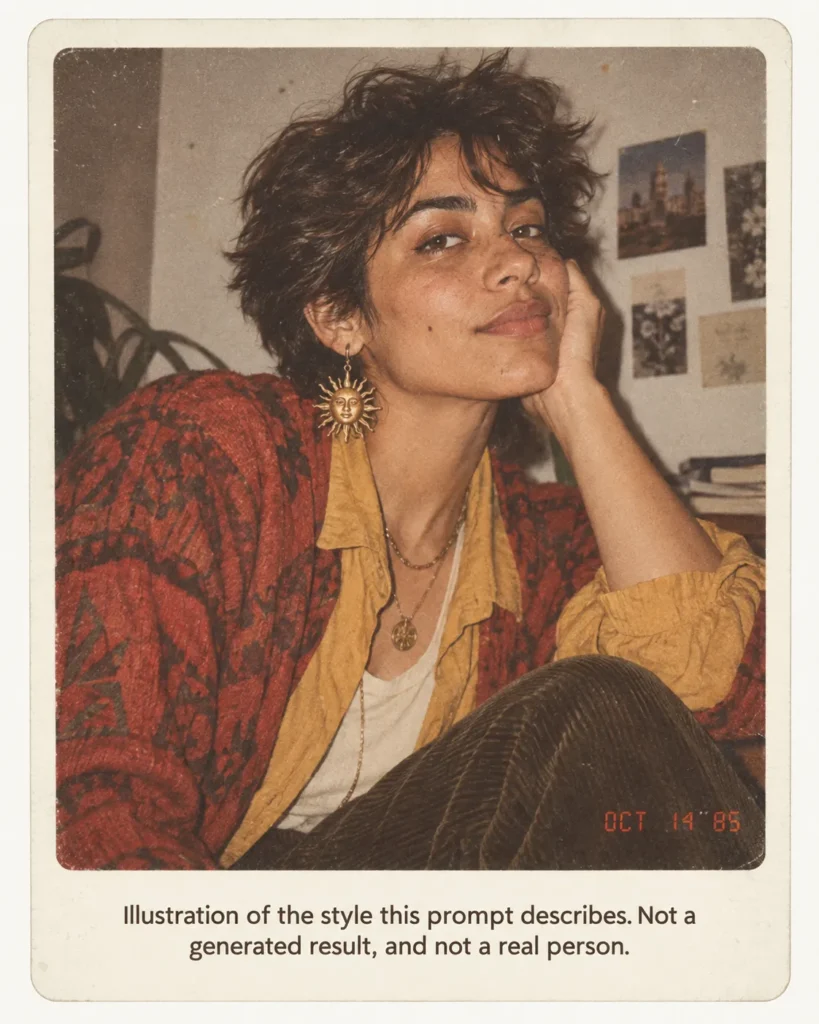
B. Yearbook and School Prompts
B1. Senior portrait, laser backdrop.
Using my uploaded photo, show me as a 1986 high school senior portrait. Preserve my identity, facial features, skin tone, age, and recognizable appearance. Do not slim, smooth, or beautify my face. Feathered or permed hair, a shirt with a wide collar, a studio backdrop with blue and pink laser streaks, head turned slightly with the shoulders square. Make it feel like a genuine 1986 photograph with analog grain, faded color, direct flash, and subtle softness. Add a period-accurate red-orange date stamp in the lower corner. No modern objects or text.
Use it when: you want the classic yearbook page look. The laser backdrop is the era marker, so keep it.
B2. Class photo, one of thirty.
Using my uploaded photo, show me in a 1985 class photo, seated in the front row of a small group, with the other students out of focus and unrecognizable. Preserve my identity, facial features, skin tone, age, and recognizable appearance. Do not slim, smooth, or beautify my face. Mid-1980s hair, a striped polo shirt or a ruffled blouse, a chalkboard and a paper alphabet strip behind me. Make it feel like a genuine 1985 photograph with analog grain, faded color, direct flash, and subtle softness. Add a period-accurate red-orange date stamp in the lower corner. No modern objects or text.
Use it when: you want context around you without asking the model to invent recognizable faces.
B3. Prom couple under a balloon arch.
Using my uploaded photo of two people, show us at a 1987 prom under a balloon arch. Preserve each person’s identity, facial features, skin tone, age, and recognizable appearance, and keep each face on the correct body. Do not slim, smooth, or beautify any face. Taffeta dress with puffed sleeves and a wrist corsage, a pastel tuxedo jacket with a boutonniere, teased hair, a gymnasium with crepe paper streamers. Make it feel like a genuine 1987 photograph with analog grain, faded color, direct flash, and subtle softness. Add a period-accurate red-orange date stamp in the lower corner. No modern objects or text.
Use it when: both people gave permission and each has a clear face in the upload.
B4. Marching band or cheer squad.
Using my uploaded photo, show me in a 1984 school band uniform, holding a brass instrument, on a football field at dusk. Preserve my identity, facial features, skin tone, age, and recognizable appearance. Do not slim, smooth, or beautify my face. A plumed shako hat set back so my face stays fully visible, a jacket with braided cord, mid-1980s hair. Make it feel like a genuine 1984 photograph with analog grain, faded color, direct flash, and subtle softness. Add a period-accurate red-orange date stamp in the lower corner. No modern objects or text.
Use it when: you want a costume without a wig; the hat line asks for the face to stay visible so the check is possible.
B5. Graduation, cap and gown.
Using my uploaded photo, show me at a 1988 graduation in a cap and gown, holding a rolled diploma with a ribbon, outside a brick school building. Preserve my identity, facial features, skin tone, age, and recognizable appearance. Do not slim, smooth, or beautify my face. Big hair under the cap, oversized glasses if I wear glasses in the upload, a parent’s station wagon parked far behind me. Make it feel like a genuine 1988 photograph with analog grain, faded color, direct flash, and subtle softness. Add a period-accurate red-orange date stamp in the lower corner. No modern objects or text.
Use it when: you wear glasses. The prompt tells the model to keep them, which the original text does not.
B6. Picture day retake.
Using my uploaded photo, show me as a 1985 school picture-day portrait against a mottled brown studio backdrop, sitting on a stool, hands folded. Preserve my identity, facial features, skin tone, age, and recognizable appearance. Do not slim, smooth, or beautify my face. A sweater vest over a collared shirt or a blouse with a lace collar, hair combed flat with a side part. Make it feel like a genuine 1985 photograph with analog grain, faded color, direct flash, and subtle softness. Add a period-accurate red-orange date stamp in the lower corner. No modern objects or text.
Use it when: you want the quiet version of the trend. Nothing neon, just the backdrop and the flash.
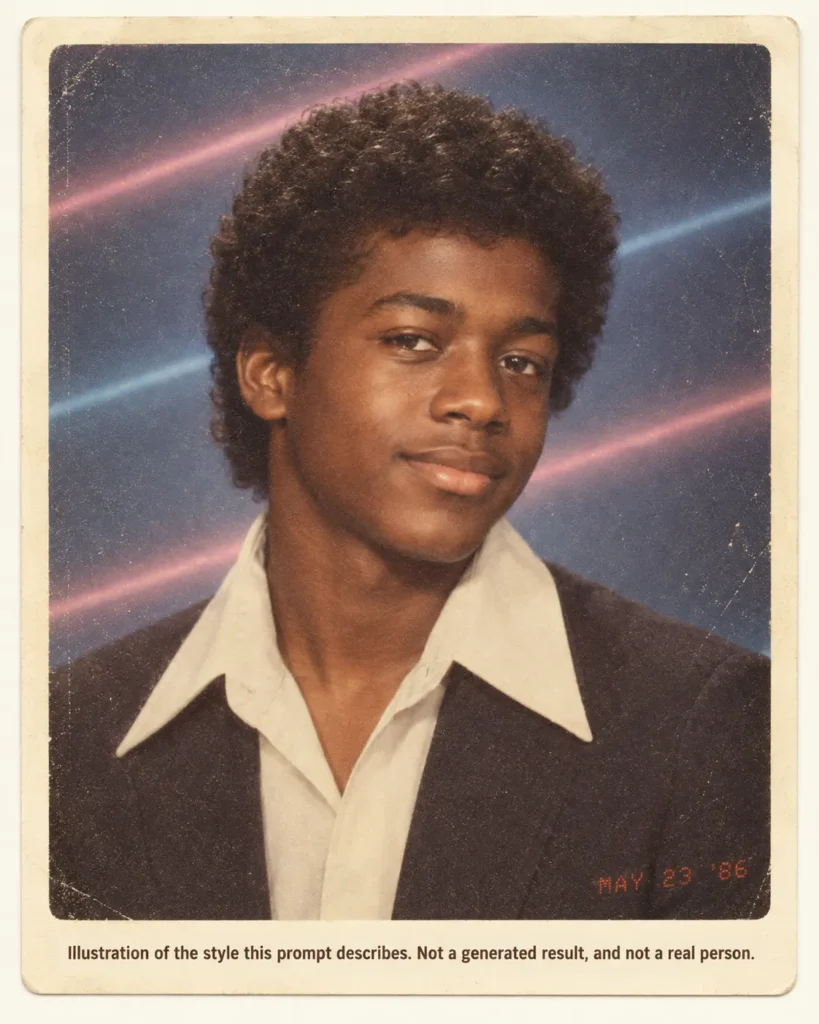
C. Mall, Studio, and Glamour Portrait Prompts
C1. Mall portrait studio, 1986.
Using my uploaded photo, show me in a 1986 mall portrait studio: a painted cloud backdrop, a wicker chair, a single soft key light with a hard flash fill. Preserve my identity, facial features, skin tone, age, and recognizable appearance. Do not slim, smooth, or beautify my face. Teased hair with sprayed height, a sweater with shoulder pads, one pair of large earrings. Make it feel like a genuine 1986 photograph with analog grain, faded color, direct flash, and subtle softness. Add a period-accurate red-orange date stamp in the lower corner. No modern objects or text.
Use it when: you want the studio look and not a snapshot. The cloud backdrop and wicker chair are the era markers.
C2. Glamour portrait with a soft-focus filter.
Using my uploaded photo, show me as a mid-1980s studio glamour portrait: soft-focus lens, a wind machine lifting my hair, a sequined jacket or a satin blouse, a black gradient backdrop with one rim light. Preserve my identity, facial features, skin tone, age, and recognizable appearance. Do not slim, smooth, or beautify my face beyond the soft-focus lens. Make it feel like a genuine 1985 studio photograph with fine analog grain, slightly faded color, and subtle softness. Add a period-accurate red-orange date stamp in the lower corner. No modern objects or text.
Use it when: you accept some softness by design. The prompt names the lens as the only softening it permits.
C3. Department store portrait package.
Using my uploaded photo, show me in a 1985 department store portrait: a marbled gray backdrop, a three-quarter pose, hands resting on a fake wooden fence prop. Preserve my identity, facial features, skin tone, age, and recognizable appearance. Do not slim, smooth, or beautify my face. A patterned sweater or a blouse with a big bow at the collar, hair feathered back. Make it feel like a genuine 1985 photograph with analog grain, faded color, direct flash, and subtle softness. Add a period-accurate red-orange date stamp in the lower corner. No modern objects or text.
Use it when: you want the family-package look without a second person.
C4. Neon studio portrait.
Using my uploaded photo, show me in a 1987 neon studio portrait: a black backdrop with pink and cyan neon tube lights behind me, a leather jacket with the collar up or a sequined top, hair teased high. Preserve my identity, facial features, skin tone, age, and recognizable appearance. Do not slim, smooth, or beautify my face. Make it feel like a genuine 1987 photograph with analog grain, slightly faded color, direct flash, and subtle softness. Add a period-accurate red-orange date stamp in the lower corner. No modern objects or text.
Use it when: you want the loud version. The flash line is there to ask for even face lighting under the neon.
C5. Passport-booth strip.
Using my uploaded photo, show me as a 1985 photo-booth strip of four frames, each a straight-on portrait against a plain gray curtain, with different small expressions in each frame. Preserve my identity, facial features, skin tone, age, and recognizable appearance in every frame. Do not slim, smooth, or beautify my face. Mid-1980s hair and a denim jacket with pins. Make it feel like a genuine 1985 booth print with heavy grain, faded color, and hard direct flash. No date stamp. No modern objects or text.
Use it when: you want four looks from one upload. Check every frame, not just the first.
C6. Modeling composite card.
Using my uploaded photo, show me as a 1986 modeling composite card: a large main portrait and two smaller full-length shots on a white card with a thin black border. Preserve my identity, facial features, skin tone, age, body shape, and recognizable appearance in every frame. Do not slim, smooth, or beautify my face. Oversized blazer with shoulder pads, high-waisted jeans, white sneakers, hair with volume. Make it feel like a genuine 1986 printed card with analog grain and faded color. No date stamp. No readable text on the card. No modern objects.
Use it when: you want a multi-frame layout. The “no readable text” line is there so the card carries no invented agency name.
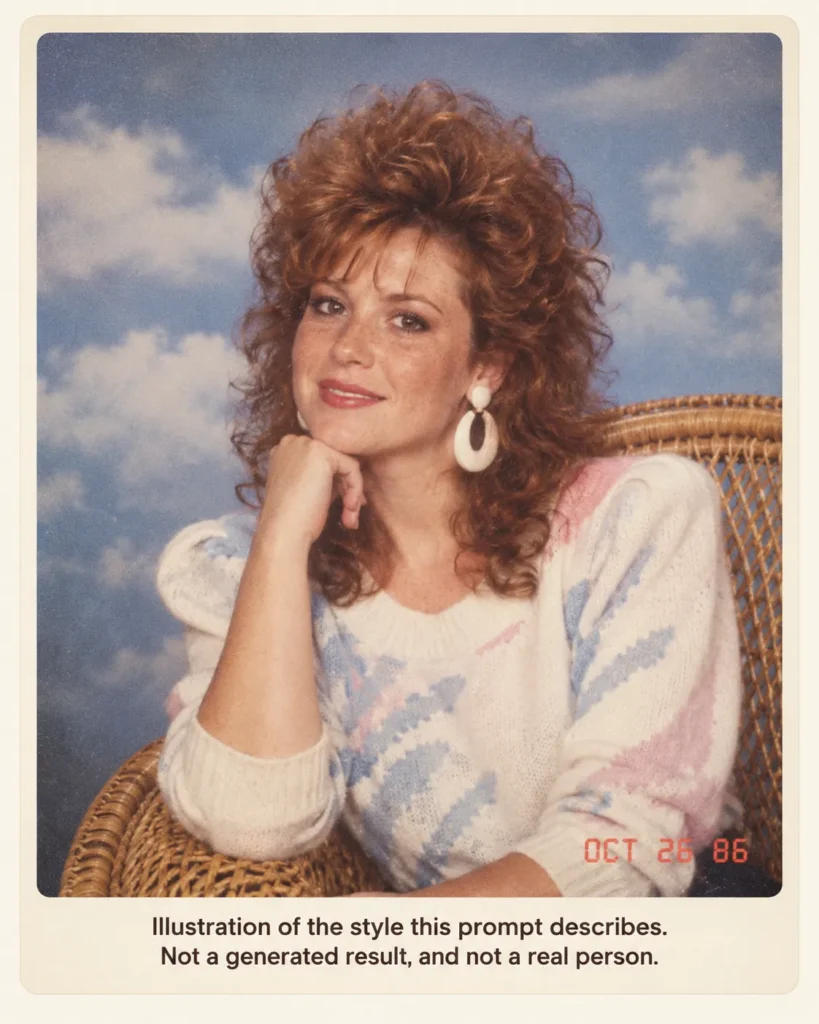
D. Family and Couple Prompts
D1. Family portrait in a wood-paneled living room.
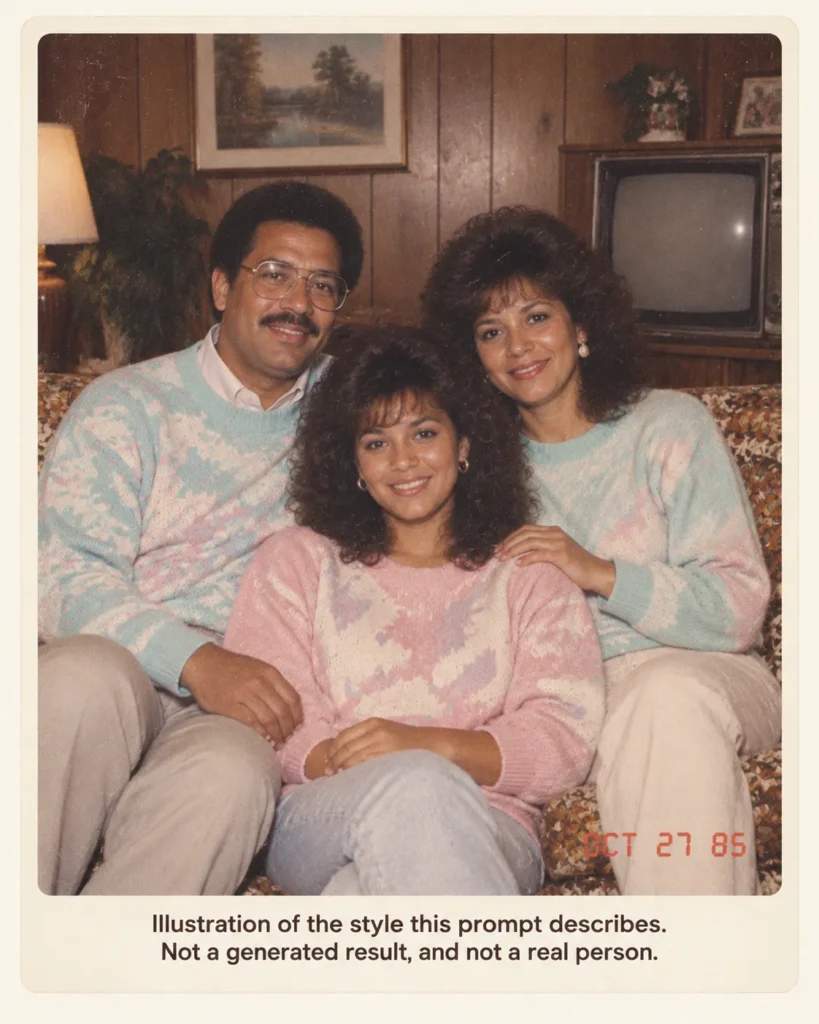
Using my uploaded photo of my family, show us as a 1985 family portrait in a wood-paneled living room, seated on a floral couch, with a console television turned off behind us. Preserve each person’s identity, facial features, skin tone, age, and recognizable appearance, and keep each face on the correct body. Do not slim, smooth, or beautify any face. Matching pastel sweaters, feathered hair on the adults, a side part on the children. Make it feel like a genuine 1985 photograph with analog grain, faded color, direct flash, and subtle softness. Add a period-accurate red-orange date stamp in the lower corner. No modern objects or text.
Use it when: each person in the photo has agreed to it. Run a solo test on the hardest face first.
D2. Couple at the arcade.
Using my uploaded photo of two people, show us in a 1985 arcade, leaning against a cabinet machine with its screen glow on our faces, holding paper cups of soda. Preserve each person’s identity, facial features, skin tone, age, and recognizable appearance, and keep each face on the correct body. Do not slim, smooth, or beautify any face. Denim jackets, a headband, feathered hair, a carpet with a geometric pattern. Make it feel like a genuine 1985 photograph with analog grain, faded color, direct flash, and subtle softness. Add a period-accurate red-orange date stamp in the lower corner. No modern objects or text.
Use it when: both faces are clear in one upload. The ChatGPT photo editing prompts library covers merging two separate photos if you only have one of each person.
D3. Road trip at the station wagon.
Using my uploaded photo, show me leaning on the open tailgate of a wood-sided station wagon at a roadside overlook in 1984, a paper map folded on the roof, a cooler at my feet. Preserve my identity, facial features, skin tone, age, and recognizable appearance. Do not slim, smooth, or beautify my face. Short shorts or high-waisted jeans, a tucked T-shirt, sunglasses pushed up on my head so my eyes stay visible. Make it feel like a genuine 1984 photograph with analog grain, faded color, hard midday light, and subtle softness. Add a period-accurate red-orange date stamp in the lower corner. No modern objects or text.
Use it when: you want daylight instead of flash. The sunglasses line asks for the eyes to stay visible for the face check.
D4. Birthday party at the kitchen table.
Using my uploaded photo, show me at a 1986 birthday party, leaning over a sheet cake with candles at a kitchen table, a paper tablecloth, a wall phone with a coiled cord in the background. Preserve my identity, facial features, skin tone, age, and recognizable appearance. Do not slim, smooth, or beautify my face. A party hat tilted back so my whole face shows, a striped shirt, hair with volume. Make it feel like a genuine 1986 photograph with analog grain, faded color, direct flash, and subtle softness. Add a period-accurate red-orange date stamp in the lower corner. No modern objects or text.
Use it when: you want a snapshot with props. The hat line is there for the same reason as the band hat in B4.
D5. Grandparents’ kitchen.
Using my uploaded photo, show me standing in a 1985 kitchen with avocado-green appliances, a wall calendar, and a percolator on the counter, holding a mug. Preserve my identity, facial features, skin tone, age, and recognizable appearance. Do not slim, smooth, or beautify my face. A cardigan over a collared shirt, hair combed with a side part. Make it feel like a genuine 1985 photograph with analog grain, faded color, direct flash, and subtle softness. Add a period-accurate red-orange date stamp in the lower corner. No modern objects or text.
Use it when: you want the domestic version. The appliance color does the decade work without any neon.
D6. Matching sweaters portrait.
Using my uploaded photo of two people, show us as a 1987 couple portrait in matching patterned knit sweaters against a gray studio backdrop, one person seated and one standing with a hand on the other’s shoulder. Preserve each person’s identity, facial features, skin tone, age, and recognizable appearance, and keep each face on the correct body. Do not slim, smooth, or beautify any face. Feathered and permed hair, one pair of large earrings. Make it feel like a genuine 1987 photograph with analog grain, faded color, direct flash, and subtle softness. Add a period-accurate red-orange date stamp in the lower corner. No modern objects or text.
Use it when: you want the studio couple shot. The hand-on-shoulder pose specifies one seated and one standing position, so the prompt leaves less room for a face swap.
E. Holiday and Seasonal Prompts
E1. Christmas living room, 1985.
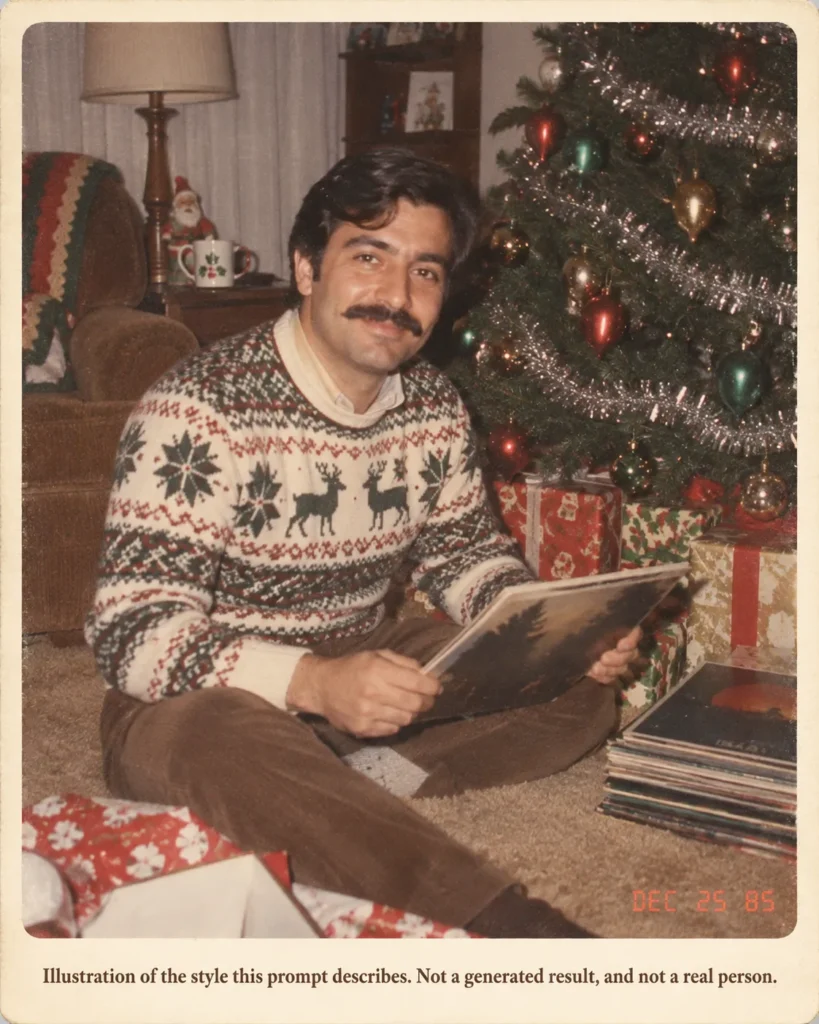
Using my uploaded photo, show me in a 1985 living room on Christmas morning, sitting on the carpet beside a tree with tinsel and large colored bulbs, wrapped boxes and a stack of vinyl records nearby. Preserve my identity, facial features, skin tone, age, and recognizable appearance. Do not slim, smooth, or beautify my face. A patterned holiday sweater, hair with volume, a mug on the side table. Make it feel like a genuine 1985 photograph with analog grain, faded color, direct flash, and subtle softness. Add a period-accurate red-orange date stamp reading 12 25 85 in the lower corner. No modern objects or text.
Use it when: the story is going up in December. The tinsel and large bulbs are the era markers; small white LED lights would break it.
E2. Halloween party.
Using my uploaded photo, show me at a 1986 Halloween party in a homemade costume made from a cardboard box and tinfoil, in a basement rec room with paper bats taped to the wall. Preserve my identity, facial features, skin tone, age, and recognizable appearance, with my face fully uncovered and no mask. Do not slim, smooth, or beautify my face. Mid-1980s hair, a bowl of candy on a card table. Make it feel like a genuine 1986 photograph with analog grain, faded color, direct flash, and subtle softness. Add a period-accurate red-orange date stamp reading 10 31 86 in the lower corner. No modern objects or text.
Use it when: you want a costume. The “no mask” line is there so a costume request does not also cover the face you need to check.
E3. Thanksgiving table.
Using my uploaded photo, show me seated at a 1985 Thanksgiving table with a turkey on a platter, a gelatin mold, and a brown-and-orange tablecloth, holding a serving spoon. Preserve my identity, facial features, skin tone, age, and recognizable appearance. Do not slim, smooth, or beautify my face. A plaid shirt or a blouse with a lace collar, hair feathered back. Make it feel like a genuine 1985 photograph with analog grain, faded color, direct flash, and subtle softness. Add a period-accurate red-orange date stamp in the lower corner. No modern objects or text.
Use it when: you want a seated table scene. The flash line is kept on purpose; a candlelit request asks for a different look than a print.
E4. New Year’s Eve, 1989.
Using my uploaded photo, show me at a New Year’s Eve party at midnight going into 1990, holding a plastic champagne flute, wearing a paper crown tilted back so my face shows, confetti in the air, a banner out of focus behind me. Preserve my identity, facial features, skin tone, age, and recognizable appearance. Do not slim, smooth, or beautify my face. A sequined top or a satin jacket, teased hair. Make it feel like a genuine 1989 photograph with analog grain, faded color, direct flash, and subtle softness. Add a period-accurate red-orange date stamp reading 12 31 89 in the lower corner. No modern objects or readable text.
Use it when: you want the end of the decade. The “no readable text” line is there so the banner carries no wrong year.
E5. Summer beach with a boombox.
Using my uploaded photo, show me on a 1985 beach, sitting on a striped towel next to a large portable cassette stereo, a bottle of tanning oil and a paperback nearby. Preserve my identity, facial features, skin tone, age, and recognizable appearance. Do not slim, smooth, or beautify my face. A high-cut swimsuit or trunks with a tank top, a visor pushed up so my eyes show, hair with volume. Make it feel like a genuine 1985 photograph with analog grain, faded color, hard sunlight, and subtle softness. Add a period-accurate red-orange date stamp in the lower corner. No modern objects or text.
Use it when: you want daylight and props. The visor line does the same job as the sunglasses line in D3.
F. Distinct 80s Looks
F1. Early-80s preppy catalog.
Using my uploaded photo, show me as a 1982 clothing catalog photo: a polo shirt with the collar up, a sweater knotted over the shoulders, khakis, boat shoes, standing on a wooden dock with a sailboat out of focus. Preserve my identity, facial features, skin tone, age, and recognizable appearance. Do not slim, smooth, or beautify my face. Neatly parted hair. Make it feel like a genuine 1982 catalog photograph with fine analog grain, slightly faded color, and soft daylight. No date stamp. No modern objects or readable text.
Use it when: you want the clean early-decade look. No date stamp, to match the catalog-print look.
F2. Mid-80s pastel and palm trees.
Using my uploaded photo, show me in 1985 wearing a pastel linen blazer over a T-shirt, sleeves pushed up, standing in front of a white stucco building with a palm tree and a pink and teal sky at dusk. Preserve my identity, facial features, skin tone, age, and recognizable appearance. Do not slim, smooth, or beautify my face. Hair with volume, a thin watch. Make it feel like a genuine 1985 photograph with analog grain, faded color, direct flash, and subtle softness. Add a period-accurate red-orange date stamp in the lower corner. No modern objects or text.
Use it when: you want the coastal pastel look without naming a television show.
F3. Late-80s neon and geometric shapes.
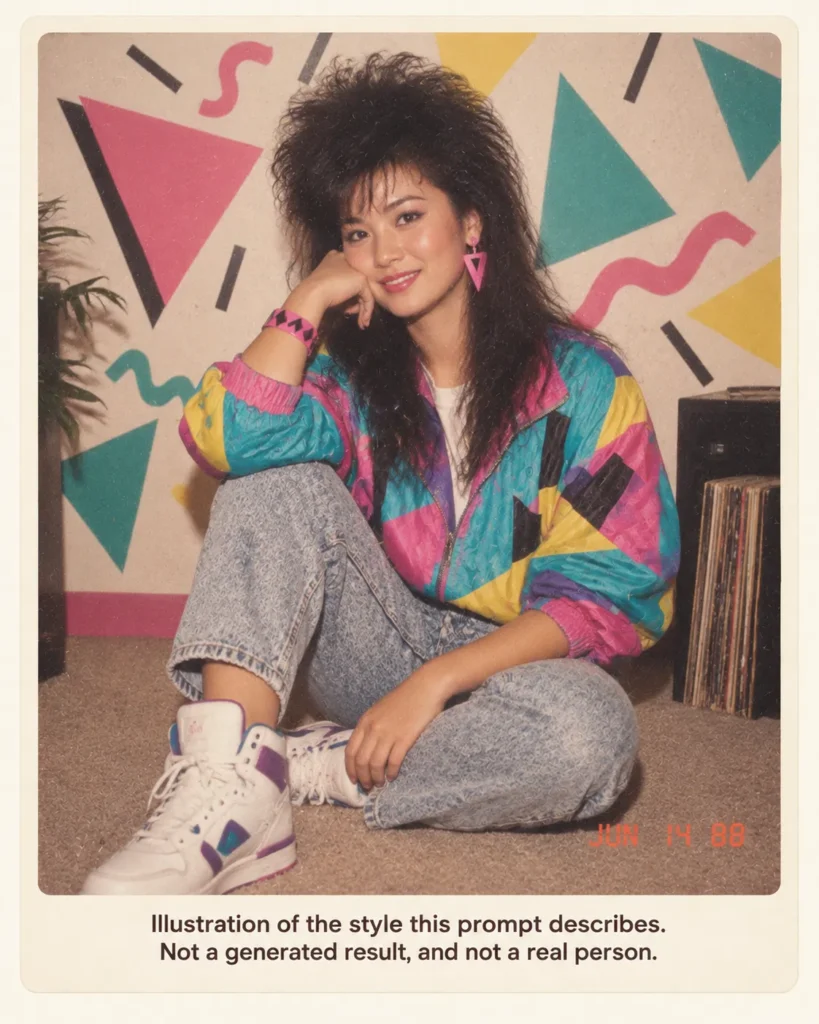
Using my uploaded photo, show me in 1988 wearing a neon windbreaker with a geometric print, high-top sneakers, and a snap bracelet, standing in front of a wall painted with triangles and squiggles in teal, pink, and yellow. Preserve my identity, facial features, skin tone, age, and recognizable appearance. Do not slim, smooth, or beautify my face. Hair teased high or a short flat top. Make it feel like a genuine 1988 photograph with analog grain, slightly faded color, direct flash, and subtle softness. Add a period-accurate red-orange date stamp in the lower corner. No modern objects or text.
Use it when: you want the loudest version of the decade. The flash line does the same job as in C4.
F4. Roller rink night.
Using my uploaded photo, show me at a 1986 roller rink, standing on quad skates at the rail, a mirror ball and colored spotlights above, a snack bar out of focus behind me. Preserve my identity, facial features, skin tone, age, and recognizable appearance. Do not slim, smooth, or beautify my face. Satin shorts or striped tube socks, a cropped jacket, a headband, hair with volume. Make it feel like a genuine 1986 photograph with analog grain, faded color, direct flash, and subtle softness. Add a period-accurate red-orange date stamp in the lower corner. No modern objects or text.
Use it when: you want movement in the scene. The rail is named so the prompt specifies where the hands go.
F5. Small-town street at night.
Using my uploaded photo, show me on a small-town main street at night in 1985, under a diner’s neon sign, a boxy sedan parked at the curb, a payphone on the corner. Preserve my identity, facial features, skin tone, age, and recognizable appearance. Do not slim, smooth, or beautify my face. A denim jacket over a striped shirt, hair feathered. Make it feel like a genuine 1985 photograph with heavy analog grain, faded color, direct flash against the dark street, and subtle softness. Add a period-accurate red-orange date stamp in the lower corner. No modern objects or text.
Use it when: you want the night-street mood. The payphone and boxy sedan are the era markers.
F6. Camcorder still.
Using my uploaded photo, show me as a paused frame from a 1988 home camcorder tape: slightly soft, horizontal tracking lines near the bottom, a white timestamp reading PM 7:42 in the corner, standing in a driveway at a backyard barbecue. Preserve my identity, facial features, skin tone, age, and recognizable appearance. Do not slim, smooth, or beautify my face. A tucked polo shirt, hair with volume. Muted video color, not film grain. No red-orange date stamp. No modern objects or other readable text.
Use it when: you want the video look instead of the print look. This one swaps the film lines for tape artifacts on purpose.
G. Group and Workplace Prompts
G1. Office desk portrait, 1987.
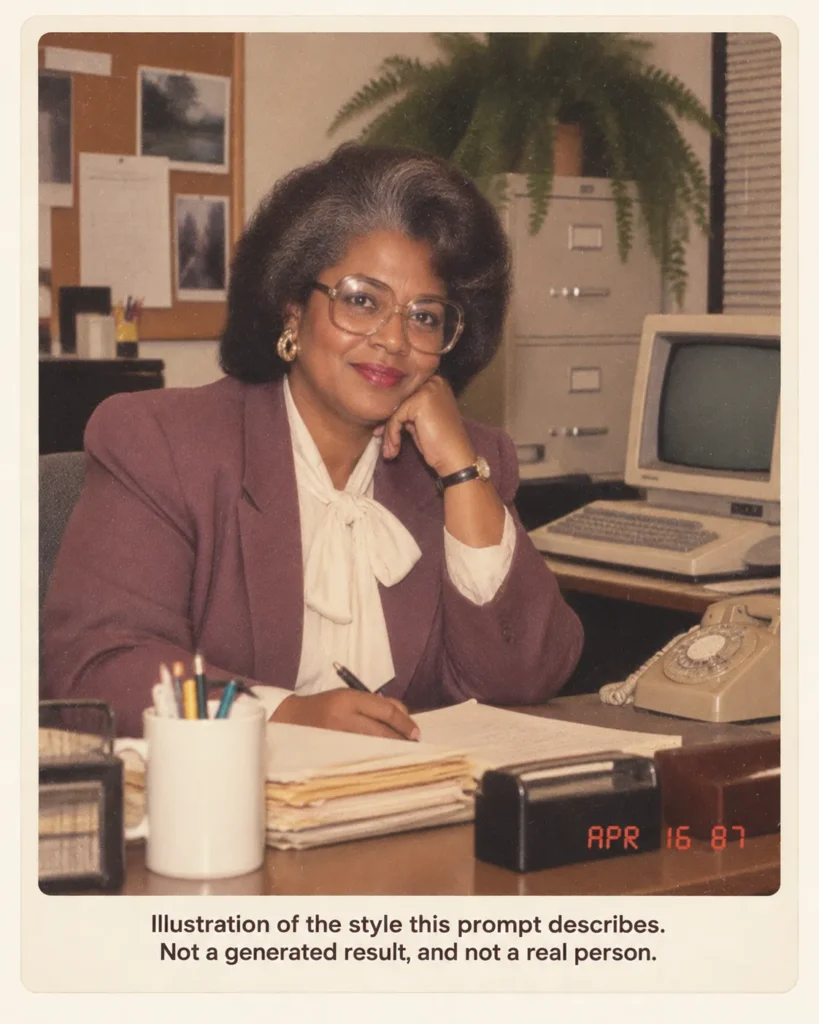
Using my uploaded photo, show me at a 1987 office desk with a beige computer with a small monochrome screen, a rotary phone, and a stack of paper folders, a fern on the filing cabinet behind me. Preserve my identity, facial features, skin tone, age, and recognizable appearance. Do not slim, smooth, or beautify my face. A blazer with shoulder pads and a blouse with a bow, or a short-sleeved shirt with a wide tie, hair with volume. Make it feel like a genuine 1987 photograph with analog grain, faded color, direct flash, and subtle softness. Add a period-accurate red-orange date stamp in the lower corner. No modern objects or readable text on the screen.
Use it when: you want the workplace version. The screen line does the same job as the card line in C6.
G2. Softball team.
Using my uploaded photo, show me in a 1985 company softball uniform, kneeling in the front row of a team lineup with the other players out of focus, a glove on one hand, a chain-link backstop behind me. Preserve my identity, facial features, skin tone, age, and recognizable appearance. Do not slim, smooth, or beautify my face. A trucker cap pushed back so my face is fully visible, striped socks. Make it feel like a genuine 1985 photograph with analog grain, faded color, hard daylight, and subtle softness. Add a period-accurate red-orange date stamp in the lower corner. No modern objects or readable text on the uniforms.
Use it when: you want a team setting without inventing teammates’ faces.
G3. Wedding party.
Using my uploaded photo of two people, show us as a 1986 wedding portrait: a dress with puffed sleeves and a long veil, a gray tuxedo with a ruffled shirt, a church step with a wrought-iron rail, a bouquet with baby’s breath. Preserve each person’s identity, facial features, skin tone, age, and recognizable appearance, and keep each face on the correct body. Do not slim, smooth, or beautify any face. Teased hair under the veil, a mustache only if the upload has one. Make it feel like a genuine 1986 photograph with analog grain, faded color, direct flash, and subtle softness. Add a period-accurate red-orange date stamp in the lower corner. No modern objects or text.
Use it when: both people agreed to it. The mustache line makes facial hair conditional on the upload instead of leaving it to the styling request.
G4. Garage band.
Using my uploaded photo, show me in a 1984 garage band, holding an electric guitar, standing in front of a drum kit and an amplifier, a poster-covered wall and a single bare bulb overhead. Preserve my identity, facial features, skin tone, age, and recognizable appearance. Do not slim, smooth, or beautify my face. A sleeveless shirt, a bandana around the wrist, hair with volume. Make it feel like a genuine 1984 photograph with heavy analog grain, faded color, direct flash, and subtle softness. Add a period-accurate red-orange date stamp in the lower corner. No modern objects and no readable text on the posters.
Use it when: you want props and mood. The poster line is there so the posters carry no invented band names.
H. Fix-It Prompts for a Second Pass
These three run as a follow-up in the same chat after a first result. They are written as edits, not fresh runs, which is the case OpenAI says Images 2.5 handles better: changing only what you asked for.
H1. The face drifted.
Keep everything in this image exactly as it is, including the clothing, hair, background, grain, and date stamp. Only correct the face so it matches my uploaded photo: the same eye shape and spacing, nose, mouth, jawline, skin tone, age, and any glasses or facial hair from the upload. Do not slim, smooth, or beautify.
H2. Something modern got in.
Keep the image exactly as it is. Remove any object, clothing detail, or text that would not exist in the year the first prompt named, and replace it with a period-accurate equivalent. Do not change my face, pose, or the framing.
H3. It does not look like a print.
Keep the image exactly as it is, including my face and the scene. Increase the analog grain, fade the colors slightly toward warm, add a hard direct-flash look with a soft falloff at the edges, and make sure the red-orange date stamp in the lower corner reads the date the first prompt asked for, or a date in the year it named, for example 09 09 85. Do not change anything else.
Use these when: one thing is wrong. If two things are wrong, run H1 first, so the scene repair is applied to the face you are keeping.
What the ChatGPT 80s Trend Is
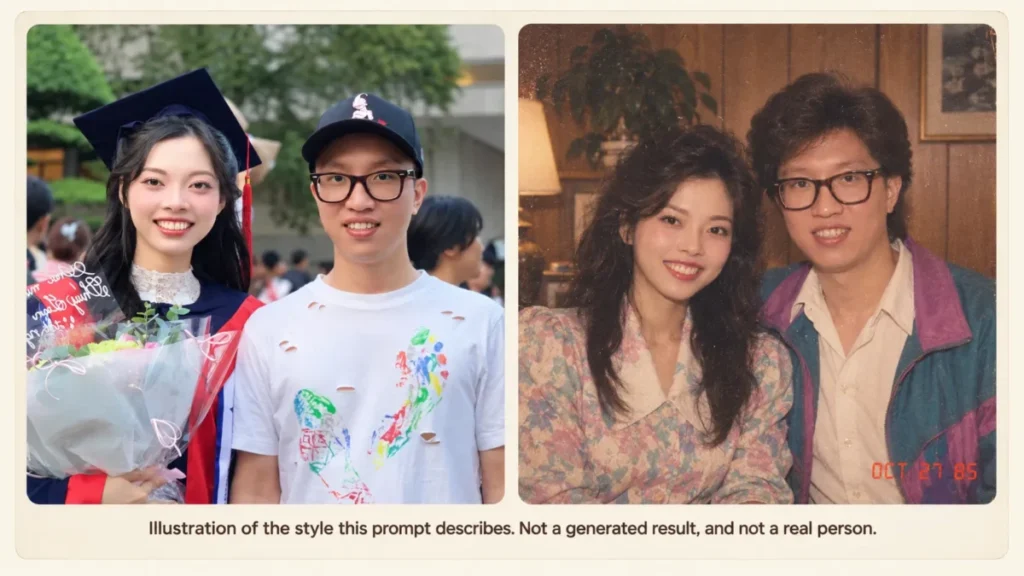
The trend is a photo edit, not a text prompt: you upload a picture of yourself and ask ChatGPT to redraw it as a mid-1980s snapshot, then post it. BusinessToday says the trend has also moved to Instagram Stories, where the “Add Yours” sticker invites the next person to post their own.
OpenAI’s launch post for Images 2.5 refers to a prompt going viral for an 80s look without quoting it, and the 80s flashback page on chatgpt.com carries the tagline “Give your photos an ’80s look” and asks for a login. That is why the prompt text on this page is attributed to the publishers that printed it.
How to Make an 80s Photo in ChatGPT: Five Steps
This section is the how-to-use guide for the library. It applies to every template in A to G, because each prompt asks for the same required input and is written from the same five blocks, so the same checks and the same common error apply to the example output of any of them.
- Pick the required input. One photo, face uncovered, PNG or JPEG, within the per-image size OpenAI lists in the checklist above.
- Open image creation. OpenAI states that Images 2.5 is rolling out to ChatGPT users across all tiers, so a Free account can run these prompts once the rollout reaches it. The Free tier FAQ says image creation has its own usage limit and that ChatGPT notifies you when you reach it.
- Paste one template without editing the locks. Customize the middle block (the era details) if you want a different scene.
- Check the example output against the face gate below before you post. BusinessToday warns that the result can carry inaccurate facial details, so the common error to look for is a result that looks like the decade and not like you.
- Repair, do not regenerate. If one thing is wrong, run H1, H2, or H3 in the same chat. A fresh run can change the face again, and the face is the part you already got right.
Source: official OpenAI Images 2.5 rollout post for tier availability; the plan and upload limits are cited at the checklist above.
The Anatomy of a Good 80s Prompt
The viral prompt is built from five separate jobs in one paragraph. Once you see the five blocks, every variant in the library reads as the same template with one or two blocks swapped.
| Block | Intended job | Wording that carries it |
|---|---|---|
| Upload line | Asks the model to edit your photo, not draw a stranger | “Using my uploaded photo, show me…” |
| Identity lock | Asks the redraw to keep who you are | “Preserve my identity, facial features, skin tone, age, and recognizable appearance.” |
| Era details | Names hair, clothing, props, and setting for one specific year | “mid-1980s styling” plus the specifics for the scene |
| Photo look | Asks for a print, not a render | “analog grain, faded color, direct flash, and subtle softness” |
| Stamp and close | Asks for the camera date and rules out anachronisms | “1980s red-orange date stamp in the lower corner – no modern objects or text.” |
The identity lock is the block this page treats as most at risk when the prompt is shortened, and it is the block the facial-details part of the BusinessToday caution bears on: the publisher tells readers to check facial details, hands, jewellery, clothing patterns, and backgrounds before sharing. The library adds “Do not slim, smooth, or beautify my face” to that lock on everything except A1 as printed and the short A2 (C2 qualifies it for its soft-focus lens), because “recognizable” leaves room for a flattering redraw and the extra line is written to close that reading.
The era block is where the year matters, and the table below maps each cue to the specific wording the library uses, split into early (1980 to 1983), mid (1984 to 1986), and late (1987 to 1989). NewsBytes’ pitfall note is that a vague prompt gives a less realistic result, and this table is the opposite of vague; prompts mix columns on purpose where a scene calls for it.
| Era cue | Early 80s wording | Mid 80s wording | Late 80s wording |
|---|---|---|---|
| Hair | feathered, neatly parted | feathered, side part, permed, teased, sprayed height | teased high, flat top |
| Clothing | collared shirt, thin knit tie, pastel blouse, polo with the collar up | shoulder pads, denim jacket with pins, satin, pastel linen blazer | neon windbreaker, geometric print, snap bracelet |
| Props | sailboat, boat shoes | paper map, cooler, brass instrument, portable cassette stereo, arcade cabinet, wicker chair, vinyl records | camcorder, high-top sneakers, plastic champagne flute, rotary phone on an office desk |
| Backdrop | dock, wood panel | chalkboard, laser streaks, painted clouds, mall studio, wood panel, mirror ball | neon tubes, triangle-and-squiggle wall, brick school building |
| Photo look | fine or analog grain, soft daylight or direct flash | analog grain, direct flash, faded color, heavy grain on booth, night, and garage shots | analog grain, direct flash, or muted video color on the camcorder still |
| Stamp | none on the avatar, catalog, booth, or composite prints, any year | red-orange date stamp, lower corner | red-orange stamp, or a white camcorder timestamp |
The photo-look block is what asks for the shoebox-print look. “Direct flash” asks for the flat, even lighting of a point-and-shoot, which is the lighting the six-point check is written for.
Common Failures and the Line That Fixes Each
Every failure below is one the publishers covering the trend warn about, or one the prompt structure leaves room for. The first fix is a line to add or a prompt to run, before a new upload.
| Failure | Likely cause (editorial) | Fix |
|---|---|---|
| Face does not look like you | “Recognizable” leaves room for a flattering redraw | Add “Do not slim, smooth, or beautify my face”, then run H1 if it persists |
| Glasses or facial hair vanish or appear | The prompt leaves them unmentioned | Add “keep my glasses” or “a mustache only if the upload has one” |
| A modern object survives | The close line was cut or the scene invited one | Restore “No modern objects or text”, then run H2 |
| Date stamp is wrong or missing | The prompt gives no exact reading | Give the stamp an exact reading, “09 09 85” |
| Two faces swap or merge | Nothing tells the model who stands where | Add a pose that fixes positions and “keep each face on the correct body” |
| Result looks like a costume | Vague styling words without a scene or a year, the NewsBytes pitfall | Name the year and a specific room, street, or backdrop |
| Result looks like a render | Photo-look block was cut | Restore grain, faded color, direct flash; run H3 |
| Invented text on a banner, screen, or uniform | The prompt leaves a surface open for lettering | Add “no readable text” to the close |
| Hands or jewellery are wrong | The BusinessToday caution: AI can produce inaccurate hands and jewellery | Keep hands simple (folded, on a rail) and remove jewellery from the era block |
Source: the face, hands, jewellery, clothing-pattern, and background warning is from the BusinessToday caution; the vague-prompt warning is from the NewsBytes pitfalls note. Every other row is an editorial reading of the prompt structure, not a reported test.
Which Plan Runs It, and What Else Images 2.5 Changed
None of the prompts on this page is written for a paid plan. The gate is a usage limit, and the Free tier FAQ does not state a number.
| Question | What OpenAI’s pages state | What it means for this library |
|---|---|---|
| Can the Free plan run Images 2.5? | Images 2.5 is rolling out to ChatGPT, ChatGPT Work, and Codex users across all tiers | Free is included; the prompts above need no paid feature |
| How many images does Free allow? | Image generation has a separate usage limit; ChatGPT notifies you when you reach it | No number is stated, so plan a short session and use A2 to spend it well |
| Does a paid plan get more? | Image creation on Free can have stricter limits than paid plans | No figure is given for either side |
| Upload size and type | PNG, JPEG, non-animated GIF, 20MB per image | Any PNG, JPEG, or non-animated GIF under that size qualifies |
| Are uploads used for training? | Content from services for individuals may be used to train models; opt out via the privacy portal; Temporary Chat is not used for training | Use Temporary Chat for a photo you do not want retained for training |
Source: official OpenAI Images 2.5 rollout post and Free tier FAQ, checked 2026-09-11.
Source: official OpenAI image inputs FAQ and data-use page, same check.
Two other Images 2.5 changes matter for this trend, and the first is that OpenAI says the model is better at editing only what you asked for while keeping the rest the same, which is the behaviour the H1 to H3 repair prompts are written for. It also says image sharing can now include the prompt that produced the picture, which is one way a prompt travels with an image.
OpenAI describes the Sketch feature, invoked by typing “@Sketch”, as drawing in ChatGPT to use as a visual guide. For this trend it could be a way to indicate a pose or a prop position without describing it, although OpenAI’s page does not say so, and how it interacts with the identity line is not something the page addresses.
I would not budget an afternoon for this on the Free plan, because the limit is real and the Free tier FAQ does not state its size. The library is written so that a first attempt with A1 or A2 plus one repair prompt is the whole session.
The ChatGPT pricing guide covers what each paid tier changes if you plan to run the whole family through it.
Running the Same Prompt in Gemini or Grok
The five-block frame is plain-language instruction, not ChatGPT syntax, so it can be pasted into any tool that takes a photo plus text. How each tool treats the identity lock is covered on the pages that own it.
The Nano Banana prompts library covers how Gemini handles identity across edits and which Gemini plan you need, and the Grok pricing guide covers what the image tools cost there.
One habit to carry across: check the result for anachronisms first when you switch tools, because the close line is the block you cannot verify from the prompt alone.
Before You Post: The Six-Point Face Check and the Privacy Question
Run this against the result before the story goes up. It is the check for the failure that makes the trend look bad on you specifically.
- Eye spacing and shape match the upload.
- Nose width and length match.
- Mouth shape and any gap or asymmetry match.
- Jawline and face width match; the result has not slimmed you.
- Skin tone matches; the fade in the print is warm, not lighter.
- Glasses, facial hair, and visible marks are present if they are in the upload and absent if they are not.
A result that fails two or more points goes back through H1, not through a fresh run. Cropping and resizing for a story are editor jobs, not prompt jobs; the best AI photo editor roundup covers those.
On privacy, OpenAI’s data-use page states that content from its services for individuals may be used to train its models, that you can opt out through its privacy portal, and that Temporary Chat content is not used for training. For a photo of your own face that is a settings choice; for a photo of someone else it is a consent question, and the library’s two-person prompts assume you asked.
Example: How to Plan One Run
This is a planning example, not a record of a generation; no image was produced for this page.
Use case: a solo story post for the trend, on a Free plan, with one phone photo taken in daylight.
Required input: the daylight photo, face uncovered, no sunglasses, saved as JPEG under 20MB.
Template: A2, the short version, because the Free tier FAQ states no image number and a shorter prompt has fewer style words to misread.
Customize: nothing on the first run. The point of the first run is to learn whether the face holds.
Example output the prompt asks for: a mid-1980s snapshot, faded color, visible grain, a red-orange stamp in the lower corner.
Common error to watch for: the face is slimmer than the upload. If so, run H1 once; if H1 does not hold the face, try a clearer, front-lit source photo before running more prompts.
Common Mistakes
Shortening the prompt to a sentence. NewsBytes describes “make it look like the 80s” as the vague version and says a realistic result needs a specific, descriptive prompt. The short version in A2 keeps the locks and cuts the style detail.
Running the two-person prompt first. A two-face edit has more ways to go wrong. Run a solo prompt on each person before B3, D1, D2, D6, or G3.
Regenerating instead of repairing. Regenerating discards the face you already have. H1 to H3 are written so the second attempt only asks for the fault.
Posting without the face check. The point of the trend is that it is you in 1985. A result that carries the decade but not your face reads as a stock image.
Uploading someone else’s photo. The two-person prompts assume consent. Ask first, and use Temporary Chat if the other person wants the upload kept out of training.
Expecting an exact year from a decade word. “80s” spans two very different looks. Name the year and use the era-cue table.
What to Do After
If the solo run held your face, move to one of the two-person prompts (B3, D1, D2, D6, G3), and read the result with the face check on each person.
If you want the same treatment with a different tool, the AI photo editing prompts library carries the tool-agnostic versions of the restoration and background edits, and the Nano Banana library linked above carries the Gemini side.
If the result is going somewhere other than a story, the profile-picture version is A4, and the headshot library linked under it carries the work-photo equivalents.
Related Resources
- ChatGPT review: what the image tools do and do not do across the plans, beyond this one trend.
- Best free AI photo editors: for readers who hit the Free image limit and want to finish the edit elsewhere.
- Best AI image generators: the wider field if the goal is a generated scene and not an edit of your own photo.
FAQ
The body covers the prompts and the plan gate; these are the questions that remain after reading it.
How Do I Make an 80s Photo in ChatGPT?
Upload one clear photo of yourself, paste prompt A1 (or A2 if you want a shorter first attempt) from the library above, and check the result against the six-point face check. If the face drifted, run H1 in the same chat instead of generating again.
What Is the ChatGPT 80s Trend?
It is a photo trend in which people post a picture of themselves redrawn by ChatGPT as a mid-1980s snapshot; BusinessToday says it has also moved to Instagram Stories through the “Add Yours” sticker.
What Is the Exact 80s Prompt?
Prompt A1 above is the text as printed by BusinessToday, and the note under it gives the NewsBytes variant and attribution. The chatgpt.com 80s flashback page asks for a login and shows the tagline, not the prompt.
Does It Work on the Free Plan?
Free is included; step 2 of the how-to above cites OpenAI’s rollout statement and the Free tier FAQ. No image number is stated on either page, so keep the first session short.
Why Does the Result Not Look Like Me?
The original prompt’s “recognizable appearance” is the only face lock it carries. The failure table above gives the extra line to add, and H1 is the repair pass to run instead of a fresh attempt.
Can I Use the Same Prompt in Gemini or Grok?
Yes; the Gemini and Grok section above covers it, and the pages linked there cover how each tool handles the edit.
How Do I Get the Red-Orange Date Stamp Right?
Give it an exact reading in the prompt, such as “reading 09 09 85”, and keep it in the lower corner. If it comes out wrong, H3 asks for the stamp to be corrected while leaving the face alone.
Is It Safe to Upload My Photo?
See the privacy paragraph above: the short answer is opt out or use Temporary Chat, and ask before uploading anyone else’s face.