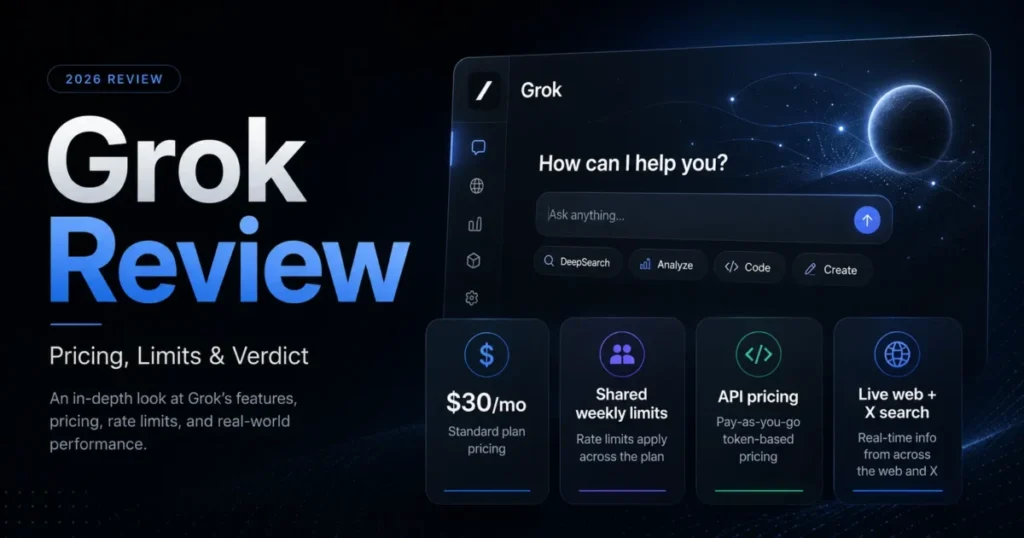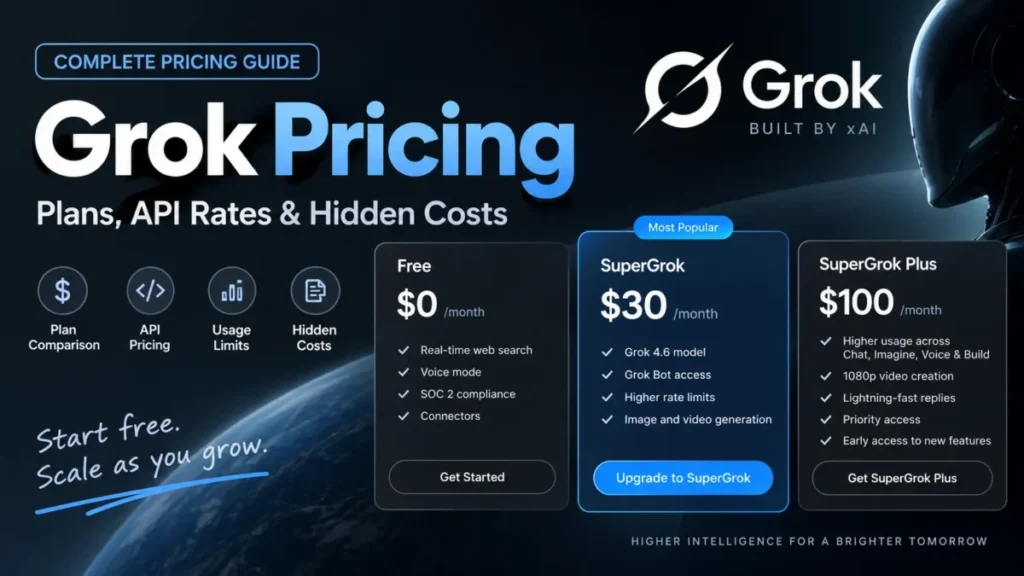
The advertised number is easy. SuperGrok is $30/month and SuperGrok Plus is $100/month on the public xAI pricing page, and a buyer who stops reading there will budget wrong.
What decides the real cost is a weekly usage pool that all Grok products draw from, a top-up mechanic that xAI itself says costs more per action than an upgrade, and a developer API billed on a completely separate meter. Two of the individual plan names on xAI’s own comparison table carry no numeric price at all.
This guide separates what xAI publishes from what the rest of the search results assert, then turns the published numbers into budgets.
In This Article (19 sections)
Quick Pricing Verdict
| Question | Answer |
|---|---|
| Starting price | $0/month on Free |
| Cheapest paid individual plan | SuperGrok at $30/ |
| Best-documented paid individual plan | SuperGrok, moving to SuperGrok Plus only when weekly usage runs out repeatedly |
| Team price | Business at $30/ |
| Plan to avoid | Any plan chosen on a price copied from a third-party roundup rather than the signed-in checkout |
| Biggest hidden cost | Extra Usage Credits bought repeatedly after the weekly pool empties |
| Second biggest hidden cost | Long-context API requests, which reprice every token in the request |
| Prices verified | Checked 2026-09-09 against official xAI pages |
Sources: xAI pricing page and Grok Business pricing.
Grok runs on the web at grok.com and in the iOS and Android apps, as documented in the Grok overview. The same overview covers chat, Grok Imagine for images and video, voice, file analysis, and connectors to external tools.
That breadth is the reason the pricing is harder than a single monthly number suggests. Every one of those surfaces spends the same allowance.
Grok Pricing Plans and Costs
| Plan | Published price | Billing basis | Best for | What the page shows |
|---|---|---|---|---|
| Free | $0/month | Individual account | Evaluating Grok before paying | Real-time web and X search, voice mode, connectors, SOC 2 |
| SuperGrok Lite | Not published | Individual subscription | Cannot be assessed on price | Named on the comparison table with no numeric price |
| SuperGrok | $30/ | Individual subscription | Individuals who want a published price and a public feature card | Grok 4.6, connectors, Expert, image and video generation, higher rate limits |
| SuperGrok Plus | $100/ | Individual subscription | Heavy Imagine, Voice and Build workloads | Everything in SuperGrok, 1080p video, much higher usage, peak-time priority |
| SuperGrok Heavy | Not published | Individual subscription | Cannot be assessed on price | Named on the comparison table, and a yearly form is referenced in the FAQ |
| Business | $30/ | Per user | Teams needing administration and data controls | Seat management, consolidated billing, RBAC, no training, Grok Build |
| Enterprise | Contact sales | Custom | Organizations with identity and encryption requirements | SSO, SCIM, custom RBAC, CMEK, dedicated data plane |
Sources: xAI plan comparison for the individual tiers, SpaceXAI Business page for Business and Enterprise. Checked 9 September 2026.
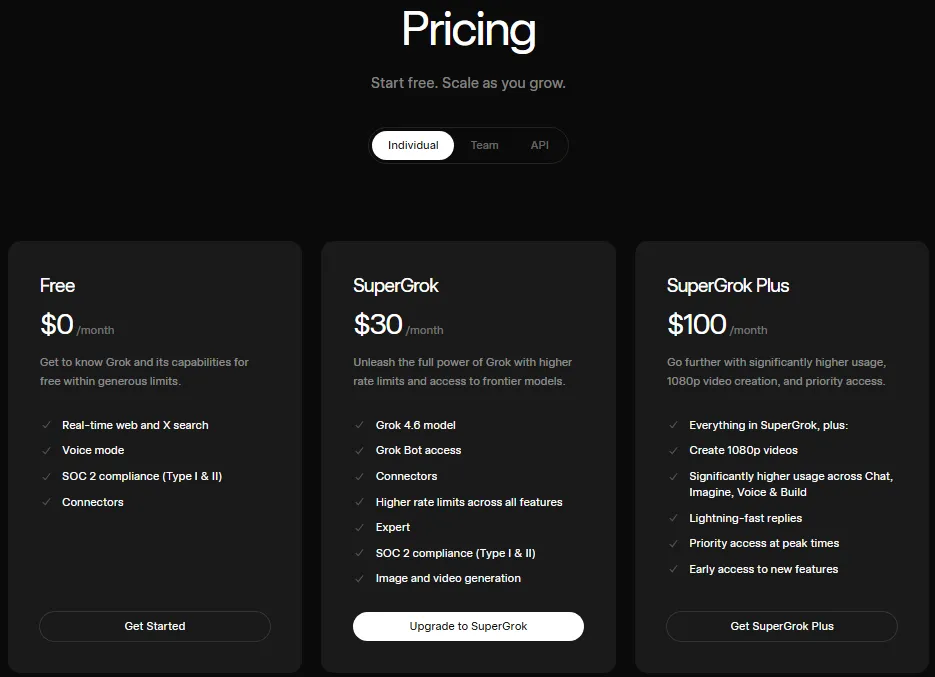
Four plans on that table carry a number a buyer can act on. Three do not, and that difference decides what can actually be budgeted.
SuperGrok Lite and SuperGrok Heavy appear by name on the comparison table, and no amount for either was visible on the xAI pricing page on the date above.
I would treat any Lite or Heavy figure as unverified until the signed-in checkout shows it. A number carried over from an app store listing or a guide written six months ago is not the same object as a price on the vendor’s live page.
Which Bill Are You Actually Paying?
Grok has three separate commercial paths in the official pages, and comparing across them without saying so is how buyers end up with the wrong budget.
A direct individual subscription bought at grok.com or through an app store is one path. A Business or Enterprise workspace bought per seat is a second, and the xAI developer API is a third.
Nothing in the official pages says a consumer SuperGrok subscription includes developer API tokens. Treat the API as a separate invoice unless a signed-in billing screen says otherwise.
usage pool
admin controls
tools, media, storage
The Advertised Price vs The Real Price
| What the page advertises | What changes the number | Who feels it |
|---|---|---|
| SuperGrok at $30/ | Extra Usage Credits once the weekly pool empties | Anyone generating video or running long coding sessions |
| SuperGrok Plus at $100/ | Nothing on the subscription line, but the API is still separate | Individuals who also build with the API |
| Business at $30/ | Seat count, and the same weekly usage mechanics per user | Teams adding seats faster than they planned |
| grok-4.6 rates that look like $2.00 per 1M input tokens | The long-context threshold, tool calls, storage, and the priority tier | Anyone shipping an agent rather than a chat wrapper |
| Enterprise as a feature list | A sales-led quote with no public anchor | Procurement teams with no budget baseline |
Source: rates and mechanics on this table come from the xAI API pricing page and the Grok FAQ.
Each row shows the same problem at a different point in the bill. The advertised figure is a floor, and the mechanic behind it decides how far above that floor a real month lands.
The Five Costs the Advertised Price Does Not Show
Five mechanics sit between the subscription line and the real monthly total. Four of them are documented by xAI and one of them only appears on an invoice.
1. The Weekly Pool Is Shared, and Not Every Action Costs the Same
Grok moved paid plans to one shared weekly usage pool from June 2026, replacing separate daily limits per product. The pool covers chat, Imagine, Voice and Build together, and xAI states there is no restriction on which products a subscriber spends it on.
The flexibility cuts both ways. xAI documents that different products consume different amounts of compute, with chat using less and video generation or coding tasks using more, which means a heavy Imagine or coding session consumes more of the week than the same number of chat turns.
The consequence for budgeting is specific. No Grok plan converts into a reliable number of messages or videos per week, because xAI publishes no absolute weekly allowance per plan.
The account is the only authority on this. Settings then Usage, on web or mobile, shows a progress bar for the percentage used and a breakdown by product.
The same screen shows the reset date and time and any Extra Usage Credits balance, as described in the Grok usage documentation.
I would check that screen before the second week of a new subscription, not after the first outage. A buyer who needs deterministic weekly capacity should treat public Grok consumer plans as unquantifiable until a signed-in Usage screen has been watched for a full cycle.
2. Extra Usage Credits Cost More Per Action Than Your Plan Does
When the weekly pool empties, paid features pause until the limit resets. Free tier chat and voice limits stay available separately, and the paying subscriber can wait, buy Extra Usage Credits, upgrade, or switch on Auto Top Up.
Credits start at $5 from the Usage tab on the web, are added to the account immediately, and are consumed after the plan’s included weekly usage is exhausted. They expire one year after purchase.
The same FAQ answers the question directly. xAI states that upgrading to a higher plan provides significantly more weekly usage at a lower cost per action than repeatedly buying Extra Usage Credits.
That is the vendor telling buyers when its own top-up product stops being the right purchase. Auto Top Up makes the same problem quieter, because it adds credits automatically when the balance runs low, with the subscriber choosing the amount and a monthly cap.
There is a clean cash threshold sitting between the two individual tiers. SuperGrok Plus costs 70 dollars more per month than SuperGrok at the published monthly prices, so a subscriber whose top-up spending passes that figure month after month is paying more for less.
Two cautions on that rule. It is a cash comparison, not a usage-unit break-even, because xAI publishes no absolute allowance for either plan, and the upgrade only helps if the larger Plus allowance actually covers the workload.
Sources for this section: Grok credits documentation for the credit terms and the upgrade guidance, published SuperGrok prices for the two monthly figures.
3. One Long Prompt Reprices the Entire API Request
The grok-4.6 rate card looks cheap at a glance. Below the long-context threshold it bills $2.00 per 1M input tokens, $0.50 per 1M cached input tokens, and $6.00 per 1M output tokens.
Once a prompt reaches 200k tokens, xAI bills the long-context rates for every token in that request, not only the tokens above the line. The long-context grok-4.6 rates are $4.00 input, $1.00 cached input, and $12.00 output per 1M tokens.
A month of 1M uncached input tokens and 200k output tokens comes to 3.20 dollars at the short-context rates, and 6.40 dollars if every request in it crosses the 200k prompt threshold.
The volumes did not change: priced at the long-context rates, the same work costs twice as much.
Accessible text alternative for the chart above: at short-context rates the modelled request costs 2.00 dollars for input, 1.20 dollars for output and 3.20 dollars in total. At long-context rates the same volumes cost 4.00 dollars for input, 2.40 dollars for output and 6.40 dollars in total.
4. Server-Side Tools Bill Separately From Tokens
An agent that searches, runs code, and reads attachments is not paying token rates alone. Each server-side tool invocation carries its own charge on top of the model tokens the same request consumes.
Web Search and Code Execution are $5 per 1k calls each. File Attachments cost $10 per 1k calls, Collections Search costs $2.50 per 1k calls, and X Search costs $5 per 1k calls under the rate card in force on the date this guide was checked.
Ten thousand Web Search calls add 50 dollars before a single token is counted.
That figure is small next to an enterprise inference bill and large next to a hobby project, which is exactly why it belongs in the forecast rather than in a footnote.
5. Storage, Downloads, Priority Processing, and the Heavy Renewal
Three more meters run underneath an API build. File storage bills $0.025 per GiB per day, collection storage bills $0.10 per GiB per day, and downloading from either costs $0.20 per GiB.
Ten GiB of files held for thirty days comes to 7.50 dollars before any download. A retrieval system that keeps documents around indefinitely accrues that charge whether or not anyone queries it.
Priority Processing is the fourth. The rate card applies 2x standard rates to it, so selecting it doubles the model spend on that workload.
The last one is not an API charge at all. xAI’s FAQ says a large invoice a customer does not recognize is often a SuperGrok Heavy yearly subscription rather than API usage, which tells buyers that annual Heavy billing exists without telling them what it costs.
Sources for this section: xAI API rate card for storage, downloads and Priority Processing, Grok billing FAQ for the Heavy yearly invoice note.
What Each Grok Plan Includes
Each block below states what the plan card lists, then what would send a buyer past it. The two undisclosed tiers get the same treatment, which is to say what cannot be assessed.
Free
Free is $0/month and carries real-time web and X search, voice mode, connectors, and SOC 2 compliance on the current pricing card. Image and video generation is listed on the SuperGrok card rather than the Free card.
Free is the right choice while the question is still whether Grok fits the workflow at all. It stops being the right choice the moment a repeated task hits the free limits, because there is no partial upgrade below the paid tiers with a published price.
SuperGrok
SuperGrok is $30/month and is the cleanest paid reference point Grok has, because both its price and its feature card are public. The card lists Grok 4.6, Grok Bot access, connectors, higher rate limits across all features, Expert, SOC 2 compliance, and image and video generation.
Avoid it if the workload is mostly 1080p video, since that resolution is listed on the Plus card. Avoid it also if the account regularly empties its weekly pool, because the credits that keep it running are the expensive way to buy capacity.
SuperGrok Plus
SuperGrok Plus is $100/month and adds five things over SuperGrok: 1080p video creation, significantly higher usage across Chat, Imagine, Voice and Build, faster replies, priority access at peak times, and early access to new features.
The honest way to judge it is the 70 dollar monthly step rather than the feature list. A creator who needs 1080p output has a hard reason to pay it, and a chat-heavy user who never touches Imagine usually does not.
SuperGrok Lite and SuperGrok Heavy
Both plans are named on xAI’s comparison table. Neither showed a numeric price there on the date this guide was checked, and the FAQ’s only Heavy pricing signal is that a yearly subscription can produce a large invoice.
No price-to-value verdict is possible on that evidence, and printing one from a secondary source would be worse than saying so. Check the signed-in upgrade screen before buying either.
Business
Business is $30/month per user. Its card lists Imagine, Voice, Grok 4.6, SOC 2 compliance, role based access control, increased rate limits and no training.
The rest of the card is the administration layer: team and seat management, consolidated billing, domain verification and claims, user analytics, custom data retention, connectors, advanced audit and security controls, and Grok Build.
The sticker number matches SuperGrok, and the products are not comparable. One is an individual subscription and the other is a per-seat workspace with administration, billing consolidation, and a documented no-training control.
Enterprise
Enterprise is quoted by sales. It adds custom SSO, directory sync through SCIM, custom role based access control, advanced user and access management, dedicated onboarding and ongoing support, customer-managed encryption keys, application-level encryption, and a dedicated data plane on top of the Business list.
Governance triggers the tier, not headcount. A twelve-person company with a customer-managed key requirement reaches Enterprise before a sixty-person company that has none.
Sources for this section: individual plan cards for the individual plan cards, Grok Business pricing for the Business and Enterprise cards.
Feature Gates: What You Actually Get by Plan
| Capability | Free | SuperGrok | SuperGrok Plus | Business |
|---|---|---|---|---|
| Grok 4.6 | Not on the card | Listed | Inherited from SuperGrok | Listed |
| Image and video generation | Not on the card | Listed | Inherited from SuperGrok | Imagine listed |
| 1080p video creation | Not listed | Not listed | Listed | Not stated on the card |
| Weekly usage headroom | Free limits only | Higher rate limits across all features | Significantly higher across Chat, Imagine, Voice and Build | Increased rate limits |
| Peak-time priority | Not listed | Not listed | Listed | Not stated on the card |
| Connectors | Listed | Listed | Inherited from SuperGrok | Listed |
| Seat and billing administration | Not applicable | Not applicable | Not applicable | Seat management and consolidated billing |
| No-training control | Not listed | Not listed | Not listed | Listed |
| SOC 2 compliance | Listed | Listed | Inherited from SuperGrok | Listed |
Sources: plan cards on the public plan cards and the Grok Business pricing page. “Not on the card” means the capability was absent from that plan card, which is not the same as a documented exclusion.
That distinction matters more than the ticks. A gap on a marketing card is evidence about the card, and only a signed-in account or explicit documentation settles what a plan actually withholds.
When the Free Plan Stops Working
Free works until a workflow becomes repeatable. The moment a task runs weekly rather than occasionally, the free chat and voice limits start deciding the schedule instead of the work.
There is a second, less obvious break. Free’s card does not list image and video generation, so a workflow that depends on Imagine output should confirm what Free actually allows in a signed-in account before planning around it.
The upgrade signal is a task with a deadline running into a limit that resets on xAI’s schedule rather than the buyer’s.
Grok Bot and Plan Eligibility
This one needs care, because two official pages describe it differently.
The SuperGrok card on the xAI pricing page lists Grok Bot access as a SuperGrok feature. The Grok Bot FAQ, updated in early September 2026, names a different set: SuperGrok Plus, SuperGrok Heavy, Cursor Pro+, Cursor Ultra, and Cursor Teams Standard and Premium.
That same page adds that Grok Bot subscriptions include weekly usage, with on-demand usage billed from model and token cost.
Base SuperGrok is not named in that eligibility list. Whether that is a wording gap or a genuine entitlement difference cannot be settled from public pages.
The buying consequence is narrow. If Grok Bot is the reason for the subscription, confirm the entitlement on the signed-in upgrade screen before paying for SuperGrok at $30/month.
Do not treat the pricing card bullet as a guarantee of the same weekly Bot usage the FAQ describes for Plus and Heavy.
Real Cost Scenarios: 5, 10, 20, and 25 Users
| Team size | Plan | Monthly cost | Twelve-month cost | Notes |
|---|---|---|---|---|
| 1 user | SuperGrok | 30 dollars | 360 dollars | Excludes tax, top-ups, and any API bill |
| 1 user | SuperGrok Plus | 100 dollars | 1,200 dollars | Excludes tax and any API bill |
| 5 users | Business | 150 dollars | 1,800 dollars | Adds seat management and consolidated billing |
| 10 users | Business | 300 dollars | 3,600 dollars | Usage still varies per user, not per seat price |
| 20 users | Business | 600 dollars | 7,200 dollars | Audit and retention controls start earning their keep |
| 25 users | Business | 750 dollars | 9,000 dollars | Worth testing an Enterprise quote against this baseline |
Source: every figure is the published monthly rate on the Grok Business pricing page or the xAI individual plan prices multiplied by seats and months. These are arithmetic annualizations of a monthly price, not verified annual contract prices.
Two columns are deliberately absent. The table does not add an allowance-per-dollar column, because xAI publishes no absolute allowance to divide, and it does not present the twelve-month column as a discount, because no annual Grok discount is published for these plans.
Budget the seat cost as a floor and the usage behavior as the variable. A ten-seat workspace where two people generate video weekly is not the same monthly reality as a ten-seat workspace of chat users, even though the invoice line is identical.
Grok API Pricing Explained
The API is billed on usage rather than a seat, so for anyone building rather than chatting the total is not capped by a subscription price. It is a stack rather than a single rate.
Token Rates and the 200k Threshold
| Model | Context | Input per 1M | Cached input per 1M | Output per 1M |
|---|---|---|---|---|
| grok-4.6, short context | 500k | $2.00 | $0.50 | $6.00 |
| grok-4.6, long context | Prompt at or above 200k tokens | $4.00 | $1.00 | $12.00 |
| grok-4.5, short context | 500k | $2.00 | $0.30 | $6.00 |
| grok-4.5, long context | Prompt at or above 200k tokens | $4.00 | $0.60 | $12.00 |
| grok-build-0.1, short context | 256k | $1.00 | $0.20 | $2.00 |
| grok-build-0.1, long context | Above the model threshold | $2.00 | $0.40 | $4.00 |
Source: xAI token pricing, which states that models with long context pricing bill the long context rates for all tokens in a request once the prompt reaches the threshold.
Cached input is the biggest lever on that rate card. At $0.50 per 1M tokens against $2.00 for uncached input on short-context grok-4.6, prompt structure is worth more to the bill than model choice for a lot of repetitive workloads.
Check which model row a quoted rate belongs to before budgeting from it. The card still lists grok-4.5 alongside grok-4.6 at the same input and output rates but a cheaper cached rate, $0.30 against $0.50 on short context.
That makes a cache-heavy workload one of the few cases where the older model is the cheaper line.
Server-Side Tools
| Tool | Rate |
|---|---|
| Web Search | $5 per 1k calls |
| X Search | $5 per 1k calls |
| Code Execution | $5 per 1k calls |
| File Attachments | $10 per 1k calls |
| Collections Search | $2.50 per 1k calls |
Source: xAI tool pricing. X Search is scheduled to change; see the pricing changes section below.
Media, Storage, and Processing Tier
| Line item | Rate |
|---|---|
| grok-imagine-video-1.5 output, 480p | $0.08 per second |
| grok-imagine-video-1.5 output, 720p | $0.14 per second |
| grok-imagine-video-1.5 output, 1080p | $0.25 per second |
| grok-imagine-video-1.5 media input | $0.01 per image |
| File storage | $0.025 per GiB per day |
| Collection storage | $0.10 per GiB per day |
| Download, files or collections | $0.20 per GiB |
| Priority Processing | 2x standard rates |
| Batch API | 20 percent lower rates on grok-4.3 and related models, no discount shown on others |
Source: xAI media and storage rates.
Per-second video rates are hard to feel, so convert them. Sixty seconds of 1080p output from grok-imagine-video-1.5 comes to 15.00 dollars before media input charges.
That number is the one to put next to a consumer subscription when deciding which path a video workflow belongs on. It is also the number that makes 480p worth considering for drafts, since the same minute comes to 4.80 dollars at that resolution.
API Pricing Changes to Watch
One change is already scheduled. On 21 September 2026, X Search moves from $5 per 1k calls to $5 per 1k posts fetched and $10 per 1k user profiles fetched.
The billing unit changes, not only the rate. A workload that fetches many posts per call will feel it differently from one that fetches few, so any forecast built on the per-call rate needs rerunning against the new units.
Two smaller items belong in the same watch list. xAI states that a request its system deems in violation of the usage guideline is still charged for the generation, and its FAQ states that API credits are non-refundable.
Monthly vs Annual Billing
There is no verified annual price to compare for the individual plans. The public xAI pricing page shows monthly figures for Free, SuperGrok and SuperGrok Plus, and no annual amount for either paid tier was visible there on the date this guide was checked.
Heavy is where the caution earns its keep. The Grok invoice guidance confirms a Heavy yearly subscription exists, without disclosing what it costs, which is precisely why an unrecognized invoice is a documented support question rather than an edge case.
Three practical rules come out of that. Annualize a monthly price only as labeled arithmetic, and never call that total an annual plan.
The third rule is to read the billing history before disputing a charge, since a yearly renewal and an API invoice look very different once you know which one you signed up for.
Which Grok Plan Should You Avoid?
Avoid buying SuperGrok Lite or SuperGrok Heavy on a price found in a search result. Neither amount is published on the pricing page, and a plan chosen on an unverified figure cannot be budgeted or defended.
Avoid staying on SuperGrok while buying credits every week. xAI’s own guidance says the higher plan gives more weekly usage at a lower cost per action than repeated top-ups, and the 70 dollar monthly gap to Plus is the number to compare that spending against.
Avoid Business as a substitute for Enterprise when an identity or encryption requirement is already on the table. SSO, SCIM, customer-managed encryption keys and a dedicated data plane sit on the Enterprise card, and discovering that after rollout is an expensive way to learn it.
One exception belongs here. A small team with no compliance requirement that wants consolidated billing is well served by Business, and paying for Enterprise governance it will not use is the mirror-image mistake.
Which Grok Plan Should You Choose?
Each recommendation below rests on three things: the published plan price, the feature gate that decides what a plan withholds, and the upgrade trigger that shows when a workload has outgrown it.
If usage at a given team size keeps running out mid-week, the total cost of staying put climbs above the next tier, because top-up credits are priced per action rather than included. Every gate named here comes from the official documentation cited earlier in this guide.
Evaluating, or using Grok casually. Free, until a task that matters starts hitting a limit that resets on someone else’s schedule.
A solo user doing daily research, writing, or coding. SuperGrok at $30/month, with the Usage screen checked at the end of week two to see whether the pool is actually holding.
A creator whose output is video. SuperGrok Plus at $100/month is the only individual tier with a published price that lists 1080p creation, and the 70 dollar step buys a resolution rather than a vague speed promise.
A team of five to twenty-five. Business at $30/month per user, because seat management, consolidated billing, user analytics and the no-training control are the actual purchase, not the model access.
An organization with identity, encryption, or data-retention requirements. Enterprise, and start the sales conversation with the Business seat math as the baseline the quote has to beat.
A developer with bursty workloads. The API, evaluated on its own stack of tokens, tools, media, storage and processing tier, rather than as an upgrade from a subscription.
Grok Pricing Against Competing Consumer Tiers
| Product | Entry paid consumer price | Higher consumer tier | Notes |
|---|---|---|---|
| Grok, SuperGrok | $30/ | SuperGrok Plus at $100/ | Weekly pool shared across products; API not stated to be included |
| ChatGPT Plus | $20/ | Not covered here | OpenAI states API usage is separate and billed independently |
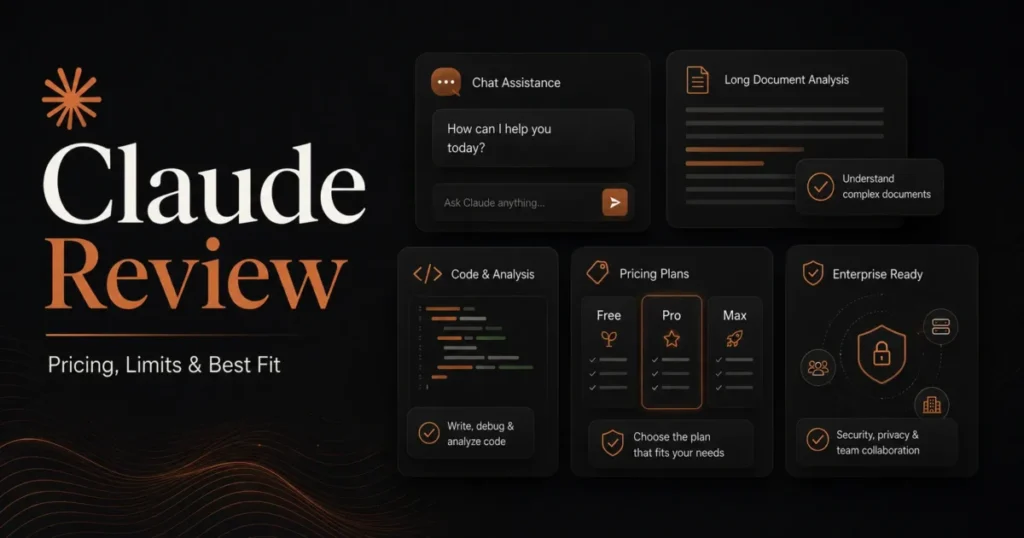
| Claude Pro | $20/ | Claude Max from $100 per month | Pro is about $17 per month when billed annually at $200 up front |
Sources: Grok from the xAI plan prices. OpenAI from the ChatGPT Plus help article. Claude from the Claude pricing page. Feature sets differ, so these rows are price anchors only.
At monthly billing, SuperGrok sits 10 dollars a month above both entry tiers in that table. That premium is defensible if real-time X search or Imagine video is the reason for buying, and harder to justify on price alone for general chat and writing, where both entry tiers are cheaper.
The upper tier lands differently. At $100/month SuperGrok Plus sits level with the highest consumer tier in that table, so the choice there is about which weekly capacity model suits the workload rather than which sticker is lower.
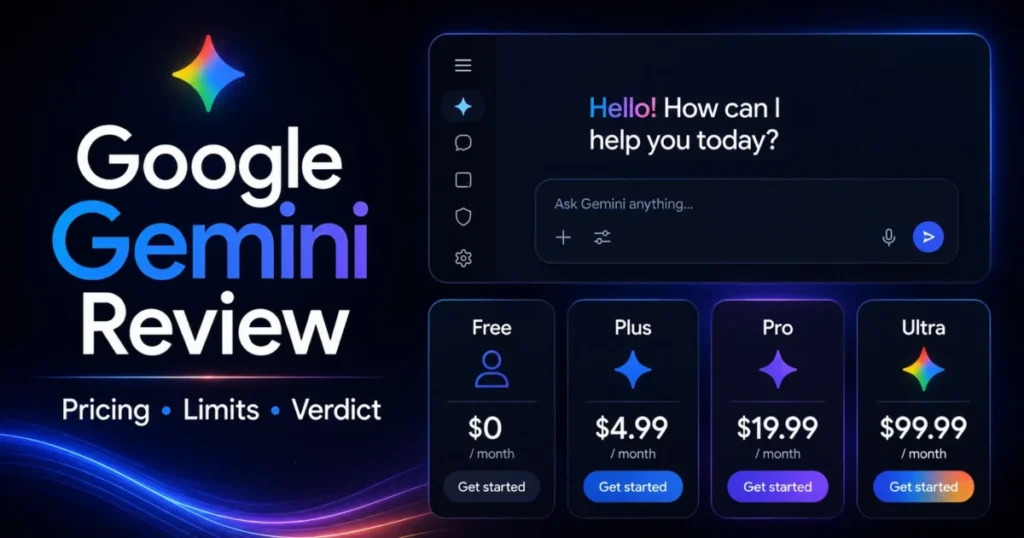
If the comparison matters, the plan-level detail is in the ChatGPT pricing guide and the Claude pricing guide, and the Gemini pricing guide covers Google’s consumer tiers separately.
Is Grok Worth the Price?
Worth it if the workload leans on what Grok charges a premium for: real-time web and X search, Imagine image and video output, voice, or connector-driven work inside one weekly pool the subscriber controls.
Worth it if a team needs administration and a no-training control at a per-seat price close to the individual tiers retrieved for ChatGPT and Claude.
Not worth it if the job is general chat, drafting, and summarizing. Both entry tiers in the table above publish a lower monthly price for that ground.
Not worth it if the budget has to be exact. Without a published weekly allowance, a Grok subscription cannot be forecast the way a seat-and-feature product can, and finance teams that need a fixed number will not get one from the public pages.
The renewal question to answer before the second year is narrow. Did the Usage screen show the pool comfortably covering a normal week, or did the account spend a year buying credits to finish what the plan was supposed to include?
How to Avoid Overpaying for Grok
- Verify Lite and Heavy at the checkout, never from a roundup. Neither price is on the public pricing page, and the signed-in upgrade screen is the only source that binds.
- Watch the Usage screen for one full weekly cycle before upgrading. The breakdown by product shows which surface is spending the pool, which may be fixable without paying more.
- Compare monthly top-up spending against the 70 dollar step to Plus. Past that line, the cheaper plan is the expensive one.
- Set a monthly cap on Auto Top Up, or leave it off. Automatic credit purchases hide the exact signal that should trigger an upgrade decision.
- Cache aggressively on the API, and check the model row. Cached input at $0.50 per 1M tokens against $2.00 uncached on short-context grok-4.6 is a fourfold structural saving on repetitive prompts, and grok-4.5 caches cheaper still at $0.30.
- Keep prompts under the 200k threshold when the work allows it. Crossing it reprices the whole request, not the overflow.
- Audit stored files and collections monthly. Storage bills daily whether or not anything reads it, and downloads bill again on the way out.
- Buy Enterprise for a control you actually need. Governance features are worth a quote; buying them as insurance against a requirement nobody has stated is how a per-seat budget doubles.
Methodology
This pricing guide is based on official xAI sources: the public pricing page, the Grok Business page, the consumer FAQ, the developer API rate card, the Grok overview, and the Grok Bot documentation. Each page was opened and read on 9 September 2026.
Prices, plan gates and usage mechanics were assessed against the criteria a buyer has to defend: what the vendor publishes, what billing basis it publishes it on, what the plan withholds, and what the total becomes at realistic team sizes.
Competitor figures come from each vendor’s own pricing or help documentation and are used as price anchors, not as feature-equivalence claims. The questions this guide answers follow the headings in xAI’s own billing and usage documentation.
Where an official page names a plan without publishing its amount, this guide records the absence rather than importing a figure from a secondary source. Every derived total is labeled as arithmetic on a published monthly rate.
FAQ
These are the questions the sections above leave open, answered from the same official pages.
Is Grok free to use?
Yes. The pricing page lists a Free plan at $0/month with real-time web and X search, voice mode, connectors and SOC 2 compliance, subject to free tier limits.
How much does SuperGrok cost per month?
SuperGrok is $30/month on the public xAI pricing page, checked in September 2026. SuperGrok Plus is $100/month.
What happens when the Grok weekly limit runs out?
Paid features pause until the weekly limit resets. Free tier chat and voice limits remain available, and the subscriber can buy Extra Usage Credits, upgrade, or enable Auto Top Up.
How many messages or videos does a Grok plan include each week?
xAI does not publish an absolute weekly allowance by plan. It states only that products consume different amounts of compute, with video and coding tasks using more than chat, so the signed-in Usage screen is the only reliable meter.
Are Extra Usage Credits cheaper than upgrading?
No, not as a habit. xAI states that upgrading to a higher plan provides significantly more weekly usage at a lower cost per action than repeatedly buying Extra Usage Credits, and credits start at $5 with a one-year expiry.
How much is Grok Business per user?
Business is $30/month per user on the Grok Business page. Enterprise is quoted by sales rather than published.
Does a SuperGrok subscription include xAI API usage?
Nothing in the official pages says it does. Treat the developer API as a separate, usage-based bill covering tokens, server-side tools, media generation, storage and any priority tier.
Is there an annual Grok plan?
No annual amount for SuperGrok or SuperGrok Plus was published on the pricing page when this guide was checked. The FAQ does confirm that a SuperGrok Heavy yearly subscription exists, without disclosing its price.
Where do I cancel a Grok subscription?
It depends on where it was bought. Web subscriptions are managed through grok.com settings and billing, Apple handles App Store cancellations and refunds, and Android cancellations go through Google Play with refund requests handled by xAI.
Your Next Step
The decision this guide exists to settle is which pricing path fits the workload, and it comes down to three checks. Open the signed-in Usage screen before assuming a plan covers a normal week, verify any Lite or Heavy amount at checkout rather than from a search result, and keep the developer API in its own budget line.
From there the choice is straightforward. Stay on Free while the workload is occasional, and take SuperGrok at $30/month as the paid baseline.
Move to SuperGrok Plus when 1080p video or repeated top-ups justify the step, and buy Business per user when administration rather than model access is the real purchase.
If the outcome is that Grok is not the right subscription, the Grok review covers capability fit, and the best AI chatbots guide covers the alternatives.