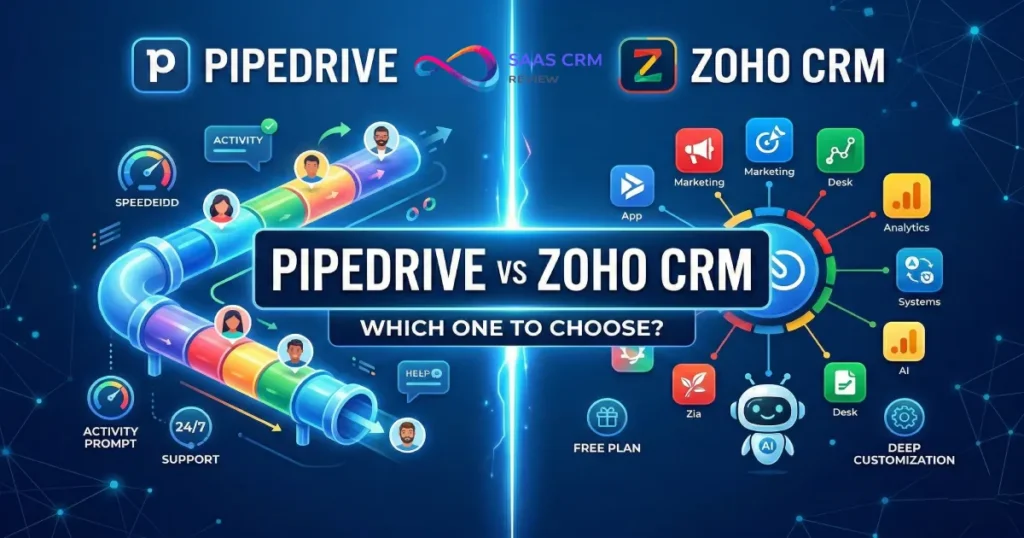
Pipedrive vs Zoho CRM comes down to one question: do you need a focused, sales-pipeline-first tool — or an extensible platform that can run sales, marketing, support, and operations from a single vendor? Choose Pipedrive if your team lives and dies by deal velocity and you want the fastest ramp-up time. Choose Zoho CRM if you need a free tier, deeper customization, broader departmental coverage, or aggressive cost control at scale. (For standalone deep-dives, see our full Pipedrive CRM review and Zoho CRM review.)
Choose Pipedrive if: your priority is pipeline speed, UX polish, and 24/7 support out of the box.
Choose Zoho CRM if: you want a free plan, suite-level breadth, stronger AI (Zia), and lower per-seat cost at higher tiers.
Pipedrive vs Zoho CRM at a Glance
| Criteria | Pipedrive | Zoho CRM | Edge |
|---|---|---|---|
| Starting price | $14/user/mo (Essential) | $0 (Free for 3 users); paid from $14/user/mo | Zoho |
| Top-tier price | $79/user/mo (Power) | $52/user/mo (Ultimate) | Zoho |
| Free plan | No (14-day trial) | Yes — 3 users, 5 000 records | Zoho |
| Best for | Sales-pipeline-focused teams | Multi-department ops, budget-first buyers | — |
| Ease of use | ⭐⭐⭐⭐⭐ Clean, intuitive | ⭐⭐⭐ Functional but cluttered in places | Pipedrive |
| Sales pipeline | ⭐⭐⭐⭐⭐ Purpose-built | ⭐⭐⭐⭐ Solid, more configuration needed | Pipedrive |
| Automation | Good; limits scale with plan | Strong; Blueprints + custom functions | Zoho |
| AI | Pipedrive AI / Pulse — next-best-action, forecasting | Zia — chatbot, scoring, sentiment, anomaly detection | Zoho |
| Reporting | Custom dashboards; unlimited on top tier | Deep analytics + Zoho Analytics extension | Zoho |
| Native integrations | 250+ marketplace apps | 500+ + entire Zoho suite (45+ apps) | Zoho |
| Zapier support | Yes | Yes | Tie |
| 24/7 support (all plans) | Live chat on all plans | Email/ticket; live chat on paid plans only | Pipedrive |
| Security / compliance | 2FA, SSO (higher tiers), SOC 2 | 2FA, SSO, encryption at rest, audit logs, SOC 2 | Zoho |
| Mobile app | iOS + Android (well-reviewed) | iOS + Android (well-reviewed) | Tie |
How We Evaluated (Criteria & Weights)
| Criterion | Weight | What We Assessed |
|---|---|---|
| Ease of use & onboarding | 15% | UI clarity, time to first deal, admin setup |
| Sales pipeline & deal management | 15% | Pipeline views, activities, forecasting |
| Automation & customization | 12% | Workflow rules, Blueprints, custom modules |
| AI capabilities | 10% | Feature depth, plan gating, data privacy |
| Reporting & analytics | 10% | Dashboards, forecasting, BI extension |
| Integrations & ecosystem | 10% | Native count, API quality, common US stacks |
| Pricing & TCO | 10% | Per-seat cost, add-ons, bundles, hidden fees |
| Security & compliance | 8% | 2FA, SSO, encryption, audit logs, SOC 2 |
| Support quality | 5% | Availability, channels, SLA expectations |
| Scalability | 5% | Record limits, user caps, multi-department growth |
Scoring method: Each criterion is rated 1–5 per platform, multiplied by weight, then summed. Sources: vendor pricing pages, CRM.org (2026), Capterra user reviews.
Weighted Scorecard
| Criterion | Weight | Pipedrive (1–5) | Zoho CRM (1–5) | Weighted Winner |
|---|---|---|---|---|
| Ease of use & onboarding | 15% | 5 | 3 | Pipedrive (+0.30) |
| Sales pipeline & deal management | 15% | 5 | 4 | Pipedrive (+0.15) |
| Automation & customization | 12% | 3 | 5 | Zoho CRM (+0.24) |
| AI capabilities | 10% | 3 | 4.5 | Zoho CRM (+0.15) |
| Reporting & analytics | 10% | 3.5 | 4.5 | Zoho CRM (+0.10) |
| Integrations & ecosystem | 10% | 4 | 5 | Zoho CRM (+0.10) |
| Pricing & TCO | 10% | 3 | 4.5 | Zoho CRM (+0.15) |
| Security & compliance | 8% | 3.5 | 4.5 | Zoho CRM (+0.08) |
| Support quality | 5% | 5 | 3 | Pipedrive (+0.10) |
| Scalability | 5% | 3 | 4.5 | Zoho CRM (+0.08) |
| Overall (weighted) | 100% | 3.84 / 5 | 4.18 / 5 | Zoho CRM |
Interpretation: Zoho CRM scores higher overall thanks to breadth, pricing, and customization. Pipedrive leads on usability and pipeline UX — if those are your #1 criteria, the weighted total flips. Always re-weight for your priorities.
Zoho CRM vs Pipedrive Pricing in 2026: Seats, Tiers, Add-Ons, and Real TCO
For a deeper dive into each vendor’s plan structure, see our dedicated Pipedrive pricing guide and Zoho CRM pricing breakdown.
Plan-by-Plan Breakdown
| Tier | Pipedrive | Zoho CRM |
|---|---|---|
| Free | — (14-day trial only) | Free Edition: 3 users, 5 000 records |
| Entry | Essential — $14/user/mo | Standard — $14/user/mo |
| Mid | Advanced — $39/user/mo | Professional — $23/user/mo |
| Upper | Professional — $49/user/mo | Enterprise — $40/user/mo |
| Top | Power — $79/user/mo | Ultimate — $52/user/mo |
All prices billed annually. Source: official vendor pricing pages, verified February 2026.
Zoho’s Free Edition is a genuinely usable starting point — not a stripped demo. We cover it alongside 23 other no-cost options in our best free CRM software roundup.
What Drives Cost Up
Pipedrive charges per-company add-ons that stack fast:
- LeadBooster (chatbot + web forms + prospector): ~$32.50/mo
- Smart Docs: ~$32.50/mo
- Projects: ~$6.70/mo
- Campaigns: ~$13.33/mo
A 20-seat Professional plan with LeadBooster + Smart Docs can push effective per-seat cost well above $60.
Zoho CRM keeps add-on costs lower because marketing, support, and analytics live in sibling apps. The real cost lever is Zoho CRM Plus ($57/user/mo) or Zoho One ($45/user/mo for all 45+ Zoho apps, per Zoho’s official pricing page) — both can be cheaper than Pipedrive + add-ons for multi-function teams.
3 Pricing Scenarios (Annual Billing)
| Scenario | Pipedrive (plan + typical add-ons) | Zoho CRM (plan or bundle) | Savings with Zoho |
|---|---|---|---|
| 5 users, basic pipeline | Essential: $840/yr | Standard: $840/yr | $0 |
| 20 users, mid-tier + marketing | Professional + Campaigns: ~$13,200/yr | Professional: $5,520/yr | ~$7,680/yr |
| 50 users, full stack | Power + add-ons: ~$60,000+/yr | CRM Plus: $34,200/yr | ~$25,800/yr |
Estimates based on published list prices; actual quotes may vary.
Bottom line on pricing: At small scale, pricing is roughly comparable. At 20+ seats with multi-channel needs, Zoho’s suite bundles create a clear TCO advantage. Pipedrive’s value proposition is ROI-per-rep, not cost-per-seat. If you’re evaluating the best CRM platforms for 2026 purely on cost, Zoho wins on paper; if you weight sales velocity, the ROI math may favor Pipedrive.
Ease of Use & Onboarding (Time-to-Value)
Pipedrive is consistently praised for a clean, intuitive interface that sales reps can learn in hours. The visual pipeline board is the default view, and most actions are one or two clicks away. Admin setup for a basic pipeline takes a single afternoon.
Zoho CRM is functional but denser. Navigation can feel cluttered, particularly once you enable modules for marketing, inventory, or customer portals. The upside is configurability: Canvas Design Studio lets admins redesign record layouts with drag-and-drop. But that flexibility means a steeper learning curve for admins, and a realistic onboarding window of 2–4 weeks for a mid-market team.
Suggested Week 1–4 Rollout
| Week | Pipedrive | Zoho CRM |
|---|---|---|
| 1 | Import data, configure pipeline stages, invite reps | Import data, map modules, configure layouts |
| 2 | Connect email/calendar, set up automations | Set up Blueprints, connect Zoho suite apps |
| 3 | Train reps (≤2 hours), go live | Train admins on Canvas + workflow rules |
| 4 | Review dashboards, iterate | Train reps, go live, iterate |
Edge: Pipedrive for time-to-value; Zoho CRM for long-term configurability.
Sales Pipeline & Deal Management
Both platforms cover pipeline stages, activity scheduling, deal health tracking, and forecasting. The difference is philosophical:
- Pipedrive was built around the pipeline. Drag-and-drop Kanban, activity-based selling prompts, and deal rotting indicators are baked in. Reps spend less time navigating and more time selling. Teams focused on building the best CRM stack for sales often shortlist Pipedrive first.
- Zoho CRM treats the pipeline as one module among many. It’s fully capable — with lead scoring (via Zia), web-to-lead forms, assignment rules, and multi-pipeline support — but it takes more configuration to reach the same “feels fast” state Pipedrive delivers out of the box.
Edge: Pipedrive for pure pipeline velocity; Zoho CRM if you also need lead qualification, territory management, and CPQ in the same system.
Automation & Customization
| Capability | Pipedrive | Zoho CRM |
|---|---|---|
| Workflow automation | Yes — trigger/action rules; limits by plan | Yes — workflows, macros, schedules |
| Visual process builder | No | Blueprints (guided selling flows) |
| Custom fields | Yes, all plans | Yes, all plans |
| Custom modules | Limited | Full custom modules on Enterprise+ |
| Low-code extensions | No | Zoho Creator, custom functions (Deluge) |
| Approval workflows | No native | Yes |
Zoho’s Blueprint feature is a meaningful differentiator for teams that need guided processes — e.g., regulated industries or multi-step approvals. Teams looking for CRM-integrated marketing automation will also find Zoho’s native workflow breadth more capable here. Pipedrive keeps automation simple and effective but runs into ceilings at scale (rule limits, no approval chains, no scripting language).
Edge: Zoho CRM for deep customization; Pipedrive if simpler is better.

AI Capabilities in 2026: Zia vs Pipedrive AI / Pulse
| Feature | Pipedrive AI / Pulse | Zoho Zia |
|---|---|---|
| Next-best-action suggestions | ✅ | ✅ |
| Lead/deal scoring | ✅ (higher tiers) | ✅ (Enterprise+) |
| Email summarization | Partial | ✅ + sentiment + intent analysis |
| Conversational analytics bot | No | ✅ (ask Zia questions in natural language) |
| Anomaly detection | No | ✅ |
| Revenue forecasting | ✅ (AI-powered) | ✅ |
| Plan gating | Professional+ ($49+/user/mo) | Enterprise+ ($40+/user/mo) |
Zoho’s Zia is more mature: it acts as an in-CRM chatbot grounded on your company data, offers trend-anomaly alerts, and pulls sentiment from emails. Pipedrive’s AI Sales Assistant and Pulse focus on deal-level nudges and revenue forecasting — useful, but narrower in scope.
Data-privacy note: Both vendors process AI queries server-side. Confirm data-residency options (US, EU, AU) before committing, especially for HIPAA- or GDPR-sensitive workloads.
“Don’t buy for AI alone” checklist: (1) Will your team actually act on AI nudges daily? (2) Is the AI gated behind a plan you’d buy anyway? (3) Does the vendor publish a clear AI data-processing policy? If the answer to any is “no,” deprioritize AI in your decision.
Edge: Zoho CRM on breadth and maturity; Pipedrive is catching up but isn’t there yet.
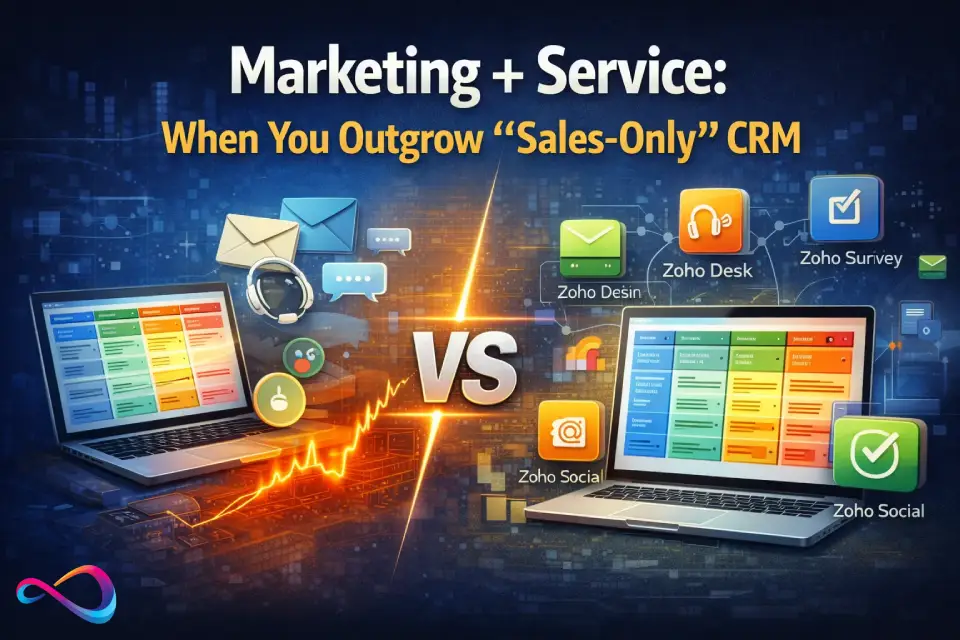
Marketing + Service: When You Outgrow “Sales-Only” CRM
Pipedrive added Campaigns (email marketing) and Projects as add-ons, but it remains a sales-first tool. If you need ticketing, live chat, or social-media management, you’re patching with third-party integrations. Explore the best help desk software if that’s a priority alongside your CRM.
Zoho CRM sits inside a 45+ app ecosystem: Zoho Campaigns, Zoho Desk (helpdesk), Zoho Social, Zoho Survey, and more — all with native data sharing. For teams that will eventually need omnichannel customer ops, this eliminates integration headaches. Our roundup of sales and marketing platforms positions Zoho CRM among the strongest combined options for integrated revops workflows.
If your top priority is marketing automation rather than service breadth, our HubSpot vs Zoho CRM comparison breaks down where each platform’s marketing stack wins and loses.
Edge: Zoho CRM decisively for multi-department needs.
Reporting & Analytics
Pipedrive offers customizable dashboards, goal tracking, and revenue forecasting. On the Power plan, reports and dashboards are unlimited. For most SMB sales teams, this is sufficient.
Zoho CRM’s reporting is deeper out of the box — pivot tables, anomaly alerts, cohort tracking — and extends into Zoho Analytics for BI-grade visualization across CRM + marketing + support data. Exec dashboards vs rep dashboards are easier to segregate in Zoho thanks to role-based report sharing.
Key RevOps metrics comparison: Both platforms track pipeline coverage, deal velocity, and conversion rates. Zoho’s advantage is cross-module reporting — you can correlate marketing-sourced leads with support ticket volume and customer LTV in a single dashboard. Pipedrive excels at rep-level activity analytics (calls booked, emails sent, win rate by stage).
Edge: Zoho CRM for analytics depth; Pipedrive if you need clean, quick sales-only dashboards.
Integrations & Ecosystem
Zoho CRM: 500+ native integrations plus the Zoho suite. The suite strategy is a superpower when you need CRM + helpdesk + email marketing + project management from one vendor, with single sign-on and shared data models. The risk: vendor lock-in. Migrating away from five interconnected Zoho apps is significantly harder than migrating from one. If you’re weighing that lock-in risk, our Zoho CRM vs Salesforce comparison covers the enterprise-alternative angle in depth.
Pipedrive: 250+ marketplace integrations. Strong connections to Google Workspace, Microsoft 365, Slack, Mailchimp, QuickBooks, and Xero — the typical US SMB stack. API documentation is developer-friendly (REST, webhooks). Pipedrive works well as a best-of-breed pipeline tool inside a Zapier-connected stack.
Edge: Zoho for breadth, Pipedrive for best-of-breed flexibility.
Dealbreakers & Hidden Costs (2026)
This section covers the “fine print” that rarely appears in comparison articles but frequently derails CRM implementations.
Data Residency & Compliance
Both Pipedrive and Zoho CRM host data in US and EU data centers. Zoho also operates data centers in Australia, India, Japan, and Canada (per Zoho’s official Trust Center). Before signing, verify: (1) which region your data will reside in, (2) whether you can enforce data-location restrictions contractually, and (3) the AI data-processing addendum for Zia or Pipedrive AI.
Sandbox & Staging Environments
Zoho CRM offers a dedicated Sandbox environment on the Enterprise plan and above (per Zoho’s feature comparison page). This lets you test automation rules, Blueprint changes, and custom functions before pushing to production — critical for mid-market RevOps teams. Pipedrive does not offer a native sandbox. You can create a second test account, but changes can’t be promoted programmatically.
API Rate Limits & Automation Ceilings
- Pipedrive: 200 API calls per user per 10-second window (Standard); higher limits on Enterprise. Workflow automations capped at 30 on Essential, scaling to unlimited on Power.
- Zoho CRM: 15,000 API calls/day on Standard, scaling to 25,000/day on Ultimate. Workflow rules capped at 10 per module on Standard, up to 2,500 on Ultimate (per Zoho’s feature comparison page).
If your tech stack relies heavily on Zapier or custom integrations, check whether these limits fit your daily volume.
Calling, SMS & Telephony
Neither platform includes a built-in phone system. Both rely on CTI integrations:
- Pipedrive: Integrates with Aircall, JustCall, RingCentral, and others via marketplace. No native SMS.
- Zoho CRM: Built-in telephony module (Zoho Telephony / PhoneBridge) that connects to 50+ PBX providers. Also integrates with Zoho Voice for native VoIP. SMS through Zoho SMS or third-party connectors.
For teams where calling is a primary workflow, Zoho’s built-in telephony module creates less friction.
Email Sync Limitations
Both platforms sync with Gmail and Outlook. However, neither imports your full historical email thread archive at setup — only emails sent/received after the sync is enabled. If you need retroactive email history inside CRM records, plan for a manual import or a third-party tool.
Contract & Discounting Nuances
- Annual vs monthly: Both charge a premium for monthly billing (~20–30% more). Negotiate annual pricing.
- Renewal surprises: Confirm auto-renewal terms. Zoho and Pipedrive both default to auto-renew.
- Volume discounts: Zoho occasionally offers bundled pricing through partners. Pipedrive’s discounting is less public; ask your account rep for 20+ seat quotes. For a full breakdown, see our Salesforce pricing guide as a benchmark of what enterprise CRM costs look like.
- Export rights: Both platforms allow full CSV/data export at any time. Verify that file-storage exports (documents, attachments) are included in your plan’s export pathway.

Security, Compliance, and Admin Governance
| Control | Pipedrive | Zoho CRM |
|---|---|---|
| Two-factor authentication | ✅ All plans | ✅ All plans |
| SSO (SAML) | Professional+ | Standard+ (per Zoho’s feature comparison page) |
| Encryption at rest | ✅ | ✅ (AES-256, per Zoho’s security whitepaper) |
| Audit logs | Enterprise+ | Professional+ |
| IP restrictions | Enterprise+ | Enterprise+ |
| SOC 2 Type II | ✅ (per Pipedrive’s Trust Center) | ✅ (per Zoho’s Trust Center) |
| GDPR tools | ✅ | ✅ |
| Role-based permissions | ✅ All plans (basic); granular on higher tiers | ✅ All plans; field-level security on Enterprise+ |
Role hierarchy note: Zoho CRM supports multi-level role hierarchies and territory management from the Enterprise plan, which is essential for mid-market orgs with complex reporting lines. Pipedrive supports permission sets and visibility groups, but lacks true multi-level hierarchy and territory segmentation.
What to ask before signing: (1) Where is data hosted — US, EU, AU? (2) What’s the data-processing agreement for AI features? (3) Are audit logs exportable for your compliance team? (4) Does the SOC 2 Type II report cover the specific services you’ll use?
Edge: Zoho CRM offers more granular controls at lower price points.
Support Quality & Partner Ecosystem
Pipedrive provides 24/7 live chat across all plans (per Pipedrive’s support documentation) — a rarity in this price range. Phone support and a dedicated implementation program unlock on higher tiers. If you’re also evaluating HubSpot’s support model, our HubSpot vs Pipedrive comparison covers support tier differences in detail.
Zoho CRM leans on community forums, an extensive knowledge base, and email/ticket support by default. Live chat and phone support require paid support tiers or higher CRM plans. For US-based teams that value immediate human help at 2 AM, this is a real gap.
Both vendors have partner ecosystems of certified consultants for implementation help.
Edge: Pipedrive for always-on support; Zoho if self-service resources are sufficient.
Migration Playbook (Both Directions)
Pre-Migration Cleanup (applies to both)
- Deduplicate contacts and companies.
- Archive or delete stale deals (>12 months inactive).
- Standardize picklist values and custom-field naming conventions.
- Export a full backup (CSV + attachments).
Field & Pipeline Mapping
| Source element | Target element | Watch out for |
|---|---|---|
| Deal stages | Pipeline stages | Stage names rarely map 1:1; rebuild the funnel logic |
| Custom fields | Custom fields | Data types must match (single-line → single-line) |
| Activities / notes | Activities / notes | Timestamps may shift; verify timezone settings |
| Email history | Email history | Neither platform imports full email threads natively; use a sync tool |
| Automations | Automations | Must be rebuilt manually — no cross-platform export format |
Sandbox & Cutover
- Zoho → Pipedrive: Use Pipedrive’s import wizard (CSV). Test in a sandbox deal pipeline with 50–100 records before full cutover.
- Pipedrive → Zoho: Use Zoho’s Data Migration tool, which lists Pipedrive as a supported source (per Zoho’s Data Migration documentation). Map modules, validate in Zoho Sandbox (Enterprise+), then go live.
Common pitfalls: unmapped custom fields silently drop data; activity associations break if contact IDs change; automation rules need rebuilding from scratch. If you’re migrating from an enterprise platform, our Pipedrive vs Salesforce guide covers the specific field-mapping differences.
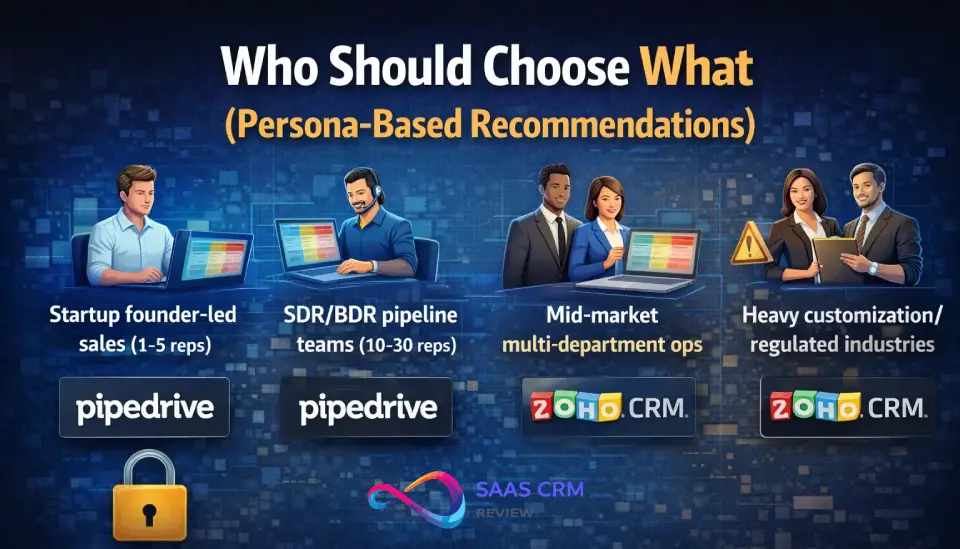
Who Should Choose What (Persona-Based Recommendations)
| Persona | Recommended | Why |
|---|---|---|
| Startup founder-led sales (1–5 reps) | Pipedrive | Fastest ramp, lowest friction, no admin overhead |
| SDR/BDR pipeline teams (10–30 reps) | Pipedrive | Activity-based selling DNA, clean pipeline UX |
| Agencies / consultancies | Pipedrive | Per-project pipeline management, simple enough for non-tech staff |
| Mid-market multi-department ops | Zoho CRM | Suite integration across sales, marketing, support |
| Heavy customization / regulated industries | Zoho CRM | Blueprint, custom modules, field-level security, audit logs |
| Budget-first teams / free-plan starters | Zoho CRM | Free edition for 3 users; cheapest at scale |
Quick Decision Checklist (60 Seconds)
Answer these 10 questions honestly. Score 1 point for each:
Pipedrive signals:
- Your primary goal is closing deals faster — not running marketing or support.
- You have <30 sales reps.
- You want reps productive within one day, not one month.
- You prefer a clean, focused tool over a Swiss Army knife.
- 24/7 live chat support matters to you.
Zoho CRM signals:
- You need CRM + marketing + support in one platform.
- Budget is your top constraint — or you want a free plan.
- You need heavy customization (custom modules, Blueprints, scripting).
- You plan to use 3+ Zoho apps beyond CRM.
- You have regulatory or compliance requirements (audit logs, field-level security).
Score 4–5 Pipedrive? Start your Pipedrive trial. Score 4–5 Zoho? Start with Zoho CRM’s free plan. Score 3/3 split? Test both with 50 real contacts for two weeks.
3 Mini-Cases: How the Choice Plays Out in Practice
Case 1 — Startup (5 reps, $0 budget): A SaaS startup with 5 SDRs needed a CRM yesterday. They started with Zoho CRM’s free plan (3 users), added 2 paid Standard seats ($14/user/mo), and were running pipeline in 48 hours. Total year-1 cost: ~$336. If speed mattered more than budget, Pipedrive’s Essential plan ($840/yr for 5 users) would have delivered a faster, cleaner UX.
Case 2 — SDR Team (20 reps, pipeline-first): A B2B company with 20 BDRs chose Pipedrive Professional for its activity-based pipeline, clean Kanban views, and rep leaderboards. They added LeadBooster for prospecting. Total: ~$13,200/yr. Zoho Professional would have cost $5,520/yr but required 2 additional weeks of admin setup. The team prioritized speed-to-pipeline over cost savings.
Case 3 — Mid-Market Ops (50 seats, multi-department): A growing retailer needed CRM + helpdesk + email marketing + BI reporting. They evaluated Pipedrive Power + add-ons (~$60,000+/yr) vs Zoho CRM Plus ($34,200/yr with Desk, Campaigns, and Analytics included). Zoho CRM Plus saved ~$25,800/yr and eliminated 3 integration points. The tradeoff: 4 weeks of admin setup vs 2 weeks with Pipedrive.
Decision Matrix
| Criterion | Winner | Rationale |
|---|---|---|
| Ease of use | Pipedrive | Minimal learning curve, clean UI |
| Sales pipeline | Pipedrive | Purpose-built for deal velocity |
| Automation depth | Zoho CRM | Blueprints, custom functions, approvals |
| AI maturity | Zoho CRM | Zia chatbot, anomaly detection, sentiment |
| Breadth of features | Zoho CRM | Suite covers marketing, support, BI |
| Pricing / TCO at scale | Zoho CRM | Lower top-tier pricing, suite bundles |
| Integrations (best-of-breed) | Pipedrive | Leaner, API-friendly, pairs well with Zapier |
| Integrations (native breadth) | Zoho CRM | 500+ plus 45-app suite |
| Security controls | Zoho CRM | More granular at lower tiers |
| Support availability | Pipedrive | 24/7 live chat on all plans |
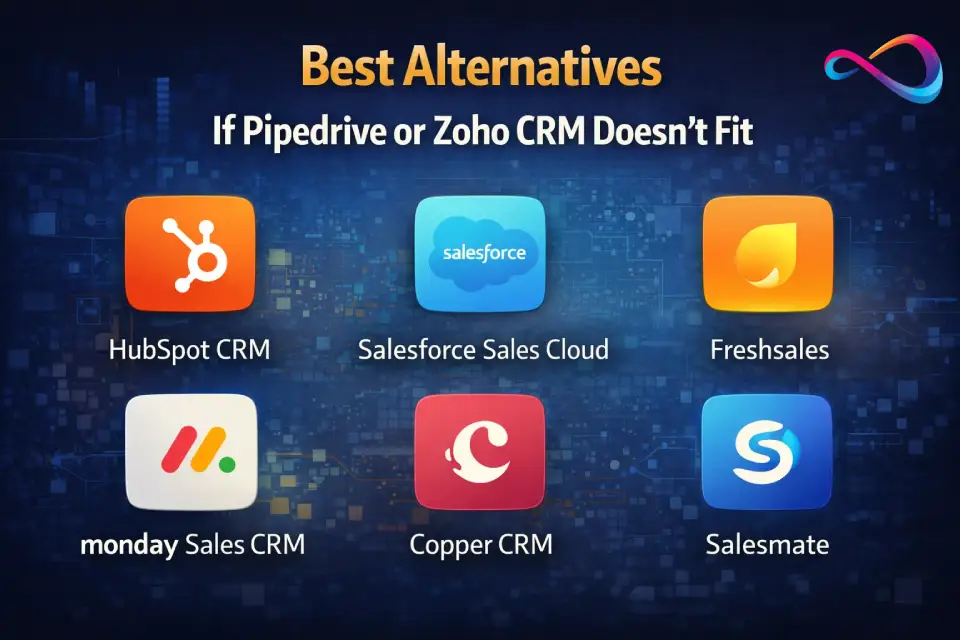
Best Alternatives (When Neither Is Right)
If neither Pipedrive nor Zoho CRM fits your use case, consider these platforms. For a broader survey, see our guide to the best CRM for small business in 2026.
- HubSpot CRM: Free tier with marketing hub; strong for inbound-led teams but expensive at scale. See our full HubSpot CRM review for a detailed breakdown.
- Salesforce Sales Cloud: Enterprise-grade customization and ecosystem; overkill (and overpriced) for most SMBs. Our Salesforce CRM review covers the full feature set and pricing tiers.
- Freshsales (Freshworks): AI-forward, clean UI, built-in phone; a solid middle ground for mid-market sales teams evaluating Pipedrive competitors.
- monday Sales CRM: Visual project-management DNA; fits teams that blend project work with sales. Read our monday.com review for a full feature breakdown.
- Copper CRM: Deep Google Workspace integration; ideal for agencies living in Gmail.
- Salesmate: Affordable all-rounder with built-in calling and texting.
Still exploring? Browse the full Pipedrive alternatives or Zoho CRM alternatives guides for more options.
Zoho vs Pipedrive – FAQ
1. Is Pipedrive better than Zoho CRM?
It depends on your priority. Pipedrive is better for pure sales-pipeline speed and ease of use. Zoho CRM is better for breadth, budget, customization, and multi-department operations. Neither is universally “better.”
2. Which is cheaper — Pipedrive or Zoho CRM?
At entry level, both start at $14/user/month. At upper tiers, Zoho CRM is significantly cheaper: $52/user/month (Ultimate) vs Pipedrive’s $79/user/month (Power). Zoho also offers a free plan for up to 3 users.
3. Does Zoho CRM have a free plan?
Yes. Zoho CRM’s Free Edition supports up to 3 users with up to 5,000 records, basic reporting, and core sales-force automation. No credit card is required.
4. Does Pipedrive have a free version?
No. Pipedrive offers a 14-day free trial on all plans, but there is no permanently free tier. After the trial, you must subscribe to a paid plan starting at $14/user/month.
5. Which CRM is easier to use?
Pipedrive consistently earns higher usability ratings. Its interface is cleaner, requires less training, and gets reps productive within hours. Zoho CRM is more powerful but takes longer to configure and learn.
6. Which CRM has better automation?
Zoho CRM offers deeper automation with Blueprints (visual process flows), approval workflows, custom functions (Deluge scripting), and macros. Pipedrive’s automation is simpler and faster to set up but reaches limits at scale.
7. Which CRM has better AI features in 2026?
Zoho’s AI assistant, Zia, is more mature — offering a conversational chatbot, anomaly detection, sentiment analysis, and predictive scoring. Pipedrive’s AI (including Pipedrive Pulse) focuses on next-best-action nudges and revenue forecasting.
8. Which CRM has better reporting?
Zoho CRM wins on depth with pivot tables, cohort analysis, and a direct extension to Zoho Analytics for BI-grade dashboards. Pipedrive’s reporting covers core sales metrics well but is narrower in scope.
9. Can Zoho CRM integrate with Gmail and Google Workspace?
Yes. Zoho CRM has a native Gmail add-on and syncs with Google Calendar, Google Contacts, and Google Drive.
10. Can Pipedrive integrate with Microsoft Outlook?
Yes. Pipedrive offers native Outlook email sync and calendar sync. It also integrates with Microsoft Teams via its marketplace.
11. How hard is it to migrate from Zoho CRM to Pipedrive (or vice versa)?
Moderate difficulty. Contact and deal data migrate via CSV; automations must be rebuilt manually. Zoho offers a built-in migration tool that accepts Pipedrive as a source. Budget 1–3 weeks for a full cutover including testing.
12. What is Zoho One, and is it relevant to this comparison?
Zoho One bundles 45+ Zoho applications (CRM, Desk, Campaigns, Analytics, etc.) for $45/user/month. If you need more than just CRM, Zoho One can be cheaper than buying Zoho CRM + add-ons separately — and far cheaper than Pipedrive + third-party tools.
13. Which CRM is better for startups?
Pipedrive is generally better for early-stage startups focused on closing deals fast with minimal overhead. Zoho CRM’s free plan is better if budget is the top constraint and you can tolerate a steeper learning curve. For a broader comparison, see our best CRM for startups guide.
14. Which CRM has better security and compliance controls?
Zoho CRM offers more granular controls at lower price points — including SSO from the Standard plan (per Zoho’s feature comparison page), field-level security on Enterprise, and comprehensive audit logs. Both vendors hold SOC 2 Type II certification.
15. Is Pipedrive or Zoho CRM better for a 50-person sales team?
At that scale, Zoho CRM typically wins on total cost and breadth. A 50-seat Pipedrive deployment with add-ons can exceed $60,000/year; a comparable Zoho CRM Plus deployment runs around $34,200/year with broader functionality.
Summary in 8 Bullets
- Pipedrive is the best choice for sales-focused teams that value UI polish, fast onboarding, and 24/7 support.
- Zoho CRM is the best choice for multi-department organizations that want suite-level breadth, deep customization, and lower cost at scale.
- At the entry tier ($14/user/mo), both platforms are priced identically; the gap widens dramatically at upper tiers and with add-ons.
- Zoho CRM’s free plan (3 users, 5,000 records) gives budget-first teams a no-risk starting point Pipedrive can’t match.
- Zia (Zoho AI) is ahead of Pipedrive AI / Pulse in conversational analytics, sentiment analysis, and anomaly detection in 2026.
- Pipedrive wins on pipeline UX and time-to-value; Zoho wins on automation depth, customization, and reporting.
- Zoho’s ecosystem is a superpower and a lock-in risk — evaluate whether you’ll use 3+ Zoho apps before committing to the suite.
- Whichever you choose, budget 2–4 weeks for onboarding, data cleanup, and rollout — and rebuild automations from scratch if migrating between the two.
Conclusion
The Pipedrive vs Zoho CRM decision in 2026 isn’t about which platform is objectively better — it’s about which fits your team’s workflow, budget, and growth trajectory. Pipedrive will get a 5-rep sales team closing deals faster with less admin friction. Zoho CRM will give a 30-person organization a unified platform across sales, marketing, and service at a fraction of the enterprise-software price tag.
Your next steps:
- Define your must-haves — pipeline speed vs multi-department breadth.
- Run a TCO model for your team size with the pricing scenarios above.
- Start a trial — Pipedrive’s 14-day trial or Zoho CRM’s free plan.
- Test with real data — import 100 contacts and run your actual workflow.
- Evaluate AI value honestly using the “don’t buy for AI alone” checklist.
- Plan your rollout using the 4-week timeline above; assign an admin owner from Day 1.
About the author

I’m Macedona, an independent reviewer covering SaaS platforms, CRM systems, and AI tools. My work focuses on hands-on testing, structured feature analysis, pricing evaluation, and real-world business use cases.
All reviews are created using transparent comparison criteria and are updated regularly to reflect changes in features, pricing, and performance.