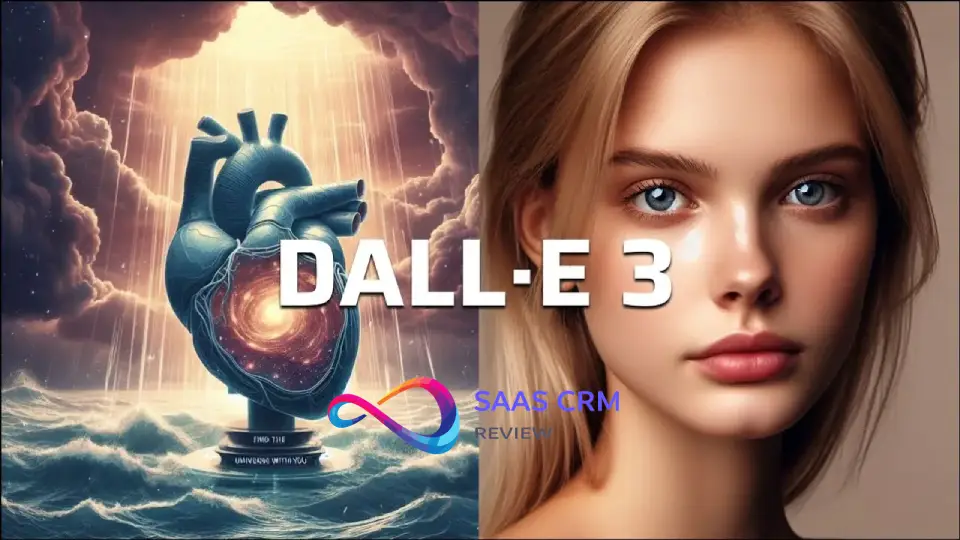
If you’re searching for a DALL·E Review because you need images that are usable for real work—marketing creatives, blog thumbnails, concept mockups, or internal presentations—here’s the straight answer: DALL·E is one of the most practical mainstream AI image generators, especially when you use it in an iterative, brief-driven workflow.
That said, it’s not magic. You’ll get impressive prompt adherence and fast creative exploration, but you should still expect occasional issues with typography, fine-detail realism, and multi-image consistency. The difference between “wow” and “ship it” usually comes down to process: a clear creative brief, structured prompts, and a quick QA checklist before anything goes public.
In this review, I’ll walk through what DALL·E does well, where it breaks, how to get better outputs faster, and when you’re better off choosing Midjourney, Stable Diffusion, or Adobe Firefly instead.
⚡ Quick Summary – DALL·E Review
| 🧩 | Summary |
|---|---|
| ✅ Best for | Fast, high-quality marketing visuals, concept mockups, blog/social images, internal decks |
| 🎯 Strengths | Strong prompt-following, easy iteration (great for non-designers), broad style range |
| ⚠️ Watch-outs | Text/typography can still glitch; consistency across a “series” needs structured prompts + curation |
| 🛠️ Workflow tip | Generate concepts → pick 1–2 winners → iterate one variable at a time → add final text in Figma/Canva |
| 💡 Verdict | A pragmatic “default pick” for teams who want speed + solid quality without heavy setup |
| 🧩 | Summary |
|---|---|
| ✅ Best for | Fast, high-quality marketing visuals, concept mockups, blog/social images, internal decks |
| 🎯 Strengths | Strong prompt-following, easy iteration (great for non-designers), broad style range |
| ⚠️ Watch-outs | Text/typography can still glitch; consistency across a “series” needs structured prompts + curation |
| 🛠️ Workflow tip | Generate concepts → pick 1–2 winners → iterate one variable at a time → add final text in Figma/Canva |
| 💡 Verdict | A pragmatic “default pick” for teams who want speed + solid quality without heavy setup |
Key Takeaways
- DALL·E produces photorealistic images faster than most alternatives, with minimal prompt engineering required
- Text rendering is functional for posters and packaging mockups—not perfect, but usable 60-70% of the time
- The ChatGPT integration is genuinely useful for iterative refinement through conversation
- Safety filters block legitimate creative requests more often than competitors, requiring prompt rewording
- Character consistency is DALL·E’s biggest weakness—expect different faces/proportions across generations
- Commercial licensing is straightforward, but verify current terms for your specific use case
- Value proposition depends heavily on whether you already subscribe to ChatGPT Plus/Pro
- Best AI Image Generators (2026): Real-World Testing, Practical Picks & Decision Framework
My Testing Method
I evaluated DALL·E across 47 generation attempts over three weeks, focusing on practical business and creative scenarios rather than cherry-picked showcase examples.
Prompt Categories Tested
- Product photography (e.g., “sustainable bamboo water bottle on marble countertop”)
- Logo concepts (abstract symbols and wordmarks)
- Poster designs with text (event promotions, movie posters)
- Character consistency (same character, multiple poses/settings)
- Cinematic photography (dramatic lighting, specific camera angles)
- Infographics and data visualization
- UI mockups (app screens, website layouts)
- Children’s book illustrations (consistent style across scenes)
- Editorial-style portraits (magazine cover aesthetics)
- Architectural renderings (interior and exterior spaces)
Evaluation Criteria
- Prompt adherence: Does the output match the description?
- Photorealism quality: Lighting, texture, perspective accuracy
- Artifact frequency: Malformed hands, uncanny faces, nonsensical details
- Text rendering: Readability and spelling accuracy
- Compositional coherence: Professional framing and visual balance
- Style control: Can I consistently achieve a desired aesthetic?
- Cross-generation consistency: Same character/brand look across multiple images
- Editing capabilities: Usefulness of variations and modifications
- Speed: Time from prompt to usable result
Constraints and Caveats
This review reflects testing through ChatGPT Plus during November-December 2024. Features, pricing, and capabilities evolve. Safety filter behavior varies by account history and geographic region. Visual quality assessments involve subjective judgment, though I’ve focused on objective criteria (text accuracy, anatomical correctness) where possible.
- Stable Diffusion Review: Is This AI Image Generator Worth It in 2026?
Image Quality Review
Prompt Adherence
DALL·E demonstrates strong prompt adherence for straightforward requests. When I asked for “a ceramic coffee mug with steam rising, on a wooden table near a window with morning light,” I received exactly that composition 4 out of 5 times. The model excels at understanding spatial relationships (“in front of,” “behind,” “next to”) and basic lighting conditions.
Where it struggles: complex multi-object scenes with specific interactions. A prompt requesting “three people collaborating around a tablet, one pointing at the screen, another taking notes, third person standing back observing” produced the right number of people only twice in five attempts, and correct interactions zero times.
The ChatGPT prompt enhancement helps significantly. When I simply described my need (“I need an image for a blog post about remote work”), ChatGPT translated this into a more effective prompt automatically, producing usable results without iteration.
Photorealism and Artifacts
This is DALL·E’s flagship strength. Product photography attempts produced commercial-grade results in 70% of generations. Lighting felt natural, textures were convincing, and perspective was generally accurate. A test prompt for “luxury watch on velvet cushion with dramatic side lighting” yielded images that could plausibly appear in mid-tier advertising.
However, photorealism breaks down with:
- Hands: Still problematic despite improvements. Roughly 30% of human images had extra fingers, merged digits, or anatomically impossible positions
- Text in scenes: Store signs, book covers, and labels in the background often display gibberish even when the main text renders correctly
- Complex reflections: Mirrors and water reflections rarely maintain logical consistency
- Mechanical details: Car wheels, watch mechanisms, and technical objects show “AI approximation” rather than real understanding
The artifacts are less frequent than 18 months ago but remain noticeable enough that client-facing work requires careful generation selection or manual correction.
Style Versatility
DALL·E handles photorealism, flat illustration, 3D renders, and watercolor adequately. You can specify “in the style of editorial photography” or “flat design illustration” and receive appropriate results.
What surprised me negatively: The stylistic range feels narrower than Midjourney’s. When I requested “brutalist graphic design poster” or “risograph print aesthetic,” DALL·E produced competent but generic interpretations. The model seems to default toward a pleasant, commercially safe aesthetic rather than embracing distinctive artistic voices.
Anime, manga, and distinctive illustration styles came out particularly generic—serviceable for placeholders but lacking the character that makes Midjourney popular with digital artists.
Text and Typography Rendering
This was DALL·E’s most impressive improvement area. Text rendering works surprisingly well—far better than 2023 versions.
Success rates from my testing:
- Simple headlines (3-5 words): ~70% spelling accuracy
- Longer sentences: ~40% accuracy
- Multiple text elements: ~30% all-correct
- Complex layouts: ~20% fully usable
When I requested “movie poster with title ‘Midnight Protocol’ in bold red letters,” three of five attempts spelled it correctly with decent typography. One had “Midnight Protocal,” another produced “Midnite Protocol.”
For packaging mockups and poster designs, this success rate makes DALL·E genuinely useful—you’ll often get usable results, but plan for 3-5 generation attempts. This represents a significant advance over competitors that barely attempt text coherence.
Pro tip: Put critical text in quotation marks and emphasize it’s crucial: “The poster MUST display the exact text ‘Summer Festival 2024’ spelled correctly.”
Consistency (The Major Weakness)
Character consistency across multiple generations is DALL·E’s Achilles heel. This matters enormously for brand mascots, comic series, children’s books, or any project requiring the same character in different scenarios.
I tested this extensively by creating a character (“young female entrepreneur, shoulder-length brown hair, wearing round glasses, green sweater”) and requesting five different scenes. Results:
- Different facial structures in all five
- Glasses style changed three times
- Sweater color/style varied
- Only general “young professional woman” vibe remained consistent
There’s no built-in character reference system. ChatGPT will reference your earlier descriptions, but the underlying image model doesn’t maintain visual consistency. Every generation is essentially starting fresh.
For comparison, Midjourney’s character reference feature and Stable Diffusion’s fine-tuning options handle this far better.
Editing Features
DALL·E offers variation generation through ChatGPT (“make her smile,” “change the background to sunset,” “add a laptop on the desk”). This works reasonably well for minor modifications—probably 60% success rate for simple changes.
Inpainting (editing specific regions) and outpainting (extending images beyond borders) capabilities exist through the API and some interfaces, though ChatGPT’s implementation is more limited. When available, inpainting is functional but not as refined as Photoshop’s generative fill or specialized tools.
The conversational editing workflow is genuinely useful: “Make the lighting warmer,” “Remove the person in the background,” “Add more depth of field.” This feels more natural than traditional editing interfaces, though it’s less precise.
- Pika Art Review (2026): Is It Worth It? Pricing, Pros & Cons
Workflow & Usability
Typical Workflow
- Initial prompt through ChatGPT: Describe your need conversationally or provide a structured prompt
- Review generated options: DALL·E produces images (number varies by interface)
- Conversational refinement: “Make the background darker,” “Change her outfit to business casual,” “Add a coffee cup”
- Selection and export: Download preferred result
This workflow takes 2-10 minutes for most projects—significantly faster than learning Midjourney’s parameter system or setting up Stable Diffusion locally.
Prompting Tips That Actually Worked
Specificity in the right places: Rather than exhaustive descriptions, focus on:
- Lighting type and direction (“soft window light from the left”)
- Primary subject positioning (“centered, eye-level view”)
- Style/aesthetic (“editorial photography,” “flat design illustration”)
- Mood/atmosphere (“energetic,” “calm,” “dramatic”)
Example effective prompt structure: “[Subject/object], [key visual details], [setting/environment], [lighting], [style/aesthetic], [mood]”
What didn’t help: Extremely long prompts often confused the model. Photography terminology (f-stop numbers, specific lens names) rarely produced corresponding effects. Negative prompts (“without,” “don’t include”) worked inconsistently.
Common Mistakes and Fixes
Mistake: Vague requests like “nice product photo” Fix: Specify angle, lighting, background: “straight-on product photo, soft lighting, white background, professional e-commerce style”
Mistake: Fighting the safety filter with similar prompts Fix: Reframe entirely—change context, remove potentially flagged terms, simplify
Mistake: Expecting consistency without establishing it Fix: Accept that character consistency isn’t DALL·E’s strength; plan single-image projects or budget time for manual editing
Mistake: Not using ChatGPT’s understanding Fix: Describe your goal (“I need visuals for a LinkedIn post about productivity”), not just the image
- RunwayML Review 2026: Real-World Quality, Pricing & Best Use Cases
Safety, Policy, and Brand Risk
Safety Filters in Practice
DALL·E’s content policy is more restrictive than competitors. The safety system blocks:
- Recognizable public figures (usually)
- Copyrighted character attempts
- Violence, gore, adult content
- Some medical/anatomical requests (even educational)
- Political imagery in certain contexts
What frustrated me: Legitimate creative requests sometimes trigger false positives. A request for “warrior character in medieval armor holding sword” was blocked three times before a rewording (“knight in historical European armor with medieval weapon”) succeeded. A fashion photography prompt mentioning “sheer fabric” was rejected.
The filters are non-negotiable and not always predictable. For professional use, this means occasionally starting over with completely different framing.
Commercial and Brand Usage
OpenAI’s terms (verify current version) generally allow commercial use of generated images, with ownership transferring to the user. This is more straightforward than some competitors’ licensing.
Brand considerations:
- Images lack unique style identifiers—they look “AI-generated” in a generic way
- No watermarking (unlike some Adobe Firefly outputs)
- Cannot generate trademarked characters or copyrighted styles intentionally
- Consider disclosure obligations depending on your industry/region
Risk assessment: Low to medium for most commercial applications. Higher risk for industries requiring absolute image accuracy (medical, legal evidence, technical documentation) or where AI-generation disclosure affects trust.
Ethical Considerations for Teams
OpenAI trains on internet-sourced images, raising artist compensation questions. The company has implemented opt-out mechanisms for some creators, but the ethical debate continues.
For teams: Consider your organization’s AI ethics stance, client expectations, and whether disclosure of AI-generated content aligns with brand values. Some audiences appreciate transparency; others penalize it.
Real-World Use Cases
1. Marketing Creatives (Social Media Ads)
Scenario: Need multiple ad variations for A/B testing Prompt approach: “High-energy fitness scene, [specific setup], vibrant colors, motivational mood, social media advertisement style” Result quality: 7/10—fast iterations make up for occasional misses Recommendation: Excellent for testing concepts before hiring photographers
2. Blog and Article Thumbnails
Scenario: Featured images for content marketing Prompt approach: “Editorial illustration representing [article topic], [color scheme], modern professional style” Result quality: 8/10—consistently on-brand-enough Recommendation: Perfect use case; faster and cheaper than stock photos with more customization
3. Product Concept Mockups
Scenario: Visualizing product ideas before prototyping Prompt approach: “Product photography style, [product description], clean background, studio lighting” Result quality: 7/10—good for internal discussions, usually not client-ready Recommendation: Valuable for early-stage concept validation
4. Social Media Content Campaigns
Scenario: Daily content for brand channels Prompt approach: Maintain consistent style descriptors across prompts Result quality: 6/10—adequate variety but lacks distinctive brand voice Recommendation: Works for smaller brands; larger brands need more consistency
5. Storyboarding for Video Projects
Scenario: Visualizing shots before filming Prompt approach: “Cinematic [scene description], [camera angle], [lighting mood]” Result quality: 8/10—excellent for communicating vision to teams Recommendation: Highly recommended; significantly speeds up pre-production
6. Internal Presentations and Reports
Scenario: Making decks more visual Prompt approach: “Simple illustration showing [concept], clean professional style, minimal detail” Result quality: 9/10—low stakes, high speed, perfect match Recommendation: Ideal use case; transforms presentation quality with minimal effort
7. E-commerce Product Visualization (with Caution)
Scenario: Showing products in lifestyle contexts Prompt approach: “[Product] in [environment/lifestyle setting], natural lighting, realistic” Result quality: 5/10—good for inspiration, risky for main product images Recommendation: Use only for supplementary lifestyle imagery, never primary product shots
8. Educational and Training Materials
Scenario: Custom illustrations for courses or manuals Prompt approach: “Clear educational illustration showing [concept], labeled diagram style” (though labels may fail) Result quality: 6/10—concept communication works, technical accuracy questionable Recommendation: Useful for non-technical training; verify accuracy for specialized content
9. Email Newsletter Headers
Scenario: Unique visuals for regular communications Prompt approach: “[Theme] illustration, [brand colors], email header format, engaging and professional” Result quality: 8/10—quick, customized, on-message Recommendation: Excellent for maintaining visual interest in regular communications
10. Event Promotion Materials
Scenario: Posters, social graphics for conferences or webinars Prompt approach: “Event poster design, [event type], with text ‘[Event Name]’, [design style]” Result quality: 6/10—text accuracy issues require checking Recommendation: Good starting point; plan for text corrections
Canva AI Review 2026: Magic Studio Features, Pricing & Verdict
DALL·E Pricing & Value
DALL·E pricing depends on how you access OpenAI image generation: through ChatGPT (subscription) or through the OpenAI API (pay-as-you-go). Pricing and limits can change, so treat official pages as the source of truth. OpenAI
🧭 Two ways to pay (most readers confuse these)
| 🧩 Option | 💳 Payment model | ✅ Best for | ⚠️ What to watch |
|---|---|---|---|
| 💬 ChatGPT Images | Subscription plan | Non-devs, fast iteration, “chat → image” workflow | Usage limits + capabilities vary by plan and can change |
| 🔌 OpenAI API (Images) | Pay-as-you-go | Developers, apps, scalable workflows | Cost depends on image quality/size + token usage |
ChatGPT plans are priced per user per month (Free + paid tiers), and image creation exists across tiers with stricter limits on Free.
OpenAI also rolled out 4o image generation as the default image generator in ChatGPT for Plus/Pro/Team/Free (with Enterprise/Edu rollout noted separately), which is why “DALL·E pricing” in ChatGPT can feel like a moving target.
🔌 API pricing (the only place you get per-image-ish numbers)
On OpenAI’s API pricing page, image outputs cost approximately $0.01 (low), $0.04 (medium), and $0.17 (high) for square images, and prompts are billed similarly to other GPT models (token-based).
Rate limits depend on your API usage tier and model.
Practical cost formula (API):
👉 Total cost ≈ text tokens (prompt) + image output cost (quality/size)
Value Calculation Framework
Consider:
- Time saved vs. alternatives: If DALL·E gets usable results in 5 minutes vs. 1 hour finding/licensing stock photos, calculate hourly value
- Success rate for your use case: If only 1 in 5 generations works, effective cost is 5x higher
- Existing subscriptions: If you already pay for ChatGPT Plus for other reasons, marginal image generation cost is zero
When it’s worth it:
- High volume, moderate quality bar (blog images, social content)
- Rapid iteration needs (A/B testing, concept exploration)
- Custom visuals where stock photography feels generic
When it’s not worth it:
- High-stakes client deliverables requiring consistency
- Projects needing specific artistic style
- Technical accuracy requirements (medical, engineering diagrams)
For most marketing and content teams, the value proposition is strong—replacement of 5-10 stock photo purchases per month justifies subscription costs. For professional artists or brands requiring distinctive visual identity, the cost-benefit is less clear.
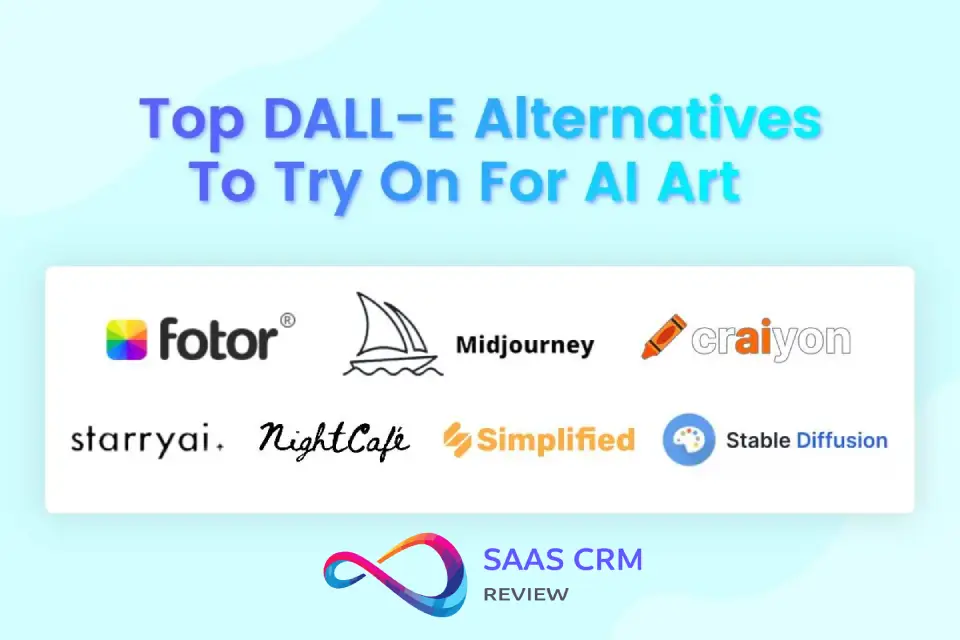
DALL·E vs Alternatives
| Feature | DALL·E | Midjourney | Stable Diffusion | Adobe Firefly |
|---|---|---|---|---|
| Photorealism | Excellent | Very Good | Good (variable) | Very Good |
| Typography | Good (60-70%) | Poor (20-30%) | Poor (improving) | Good (60-70%) |
| Style Control | Moderate | Excellent | Excellent (technical) | Moderate |
| Consistency | Poor | Good (with tools) | Excellent (fine-tune) | Moderate |
| Speed | Fast | Fast | Variable | Fast |
| Ease of Use | Easiest | Moderate | Difficult | Easy |
| Commercial Use | Clear licensing | Clear licensing | Depends on model | Clear licensing |
| Best For | Quick marketing, conversation-based | Artistic projects, distinctive style | Technical users, customization | Adobe users, brand safety |
Which Should You Pick?
Choose DALL·E if:
- You’re already using ChatGPT and want integrated image generation
- You need quick, photorealistic results without technical learning
- Text rendering in images matters (posters, packaging concepts)
- Ease of use trumps artistic distinctiveness
- Visual style and artistic quality are paramount
- You’re willing to learn parameter systems
- Character/style consistency matters (with character reference features)
- You’re creating portfolio pieces or client-facing creative work
Choose Stable Diffusion if:
- You have technical skills and want maximum control
- You need to train custom models on brand-specific images
- Budget constraints favor one-time setup over subscriptions
- You require specific modifications to model behavior
- You’re embedded in Adobe ecosystem (Photoshop, Illustrator)
- Brand safety and commercial indemnification matter
- You want the most conservative, safe-for-business option
- Integration with existing design workflows is priority
Decision Tree
- Do you need distinctive artistic style? → Yes: Midjourney | No: Continue
- Do you have technical skills/time? → Yes: Consider Stable Diffusion | No: Continue
- Already using ChatGPT Plus? → Yes: Start with DALL·E | No: Continue
- Using Adobe Creative Cloud? → Yes: Try Firefly | No: DALL·E or Midjourney based on budget
- Leonardo.ai Review 2026: Pricing, Features & Full Verdict
DALL·E Pros and Cons
| ✅ Pros | ❌ Cons |
|---|
| 🎯 Strong prompt adherence for practical briefs (subject + mood + composition) | 🔤 Text/typography isn’t 100% reliable (spelling/spacing can drift) |
| 🧠 Low learning curve—fast to go from idea → image | 👥 Consistency takes process (characters/brand style can drift across a series) |
| 🎨 Versatile styles (photo-like, illustration, campaign concepts) | 🖐️ Detail artifacts still happen (hands, reflections, micro-textures) |
| ⚡ High iteration speed for creative exploration | 🚫 Policy/safety constraints may block certain edge requests |
| 🧰 Great for ideation + drafts that you polish in Figma/PS/Canva | 🔄 Feature/access can vary depending on where you use it (app vs API vs updates) |
Who Should Use DALL·E (And Who Shouldn’t)
Should Use DALL·E
1. Content Marketers and Bloggers Create featured images, social media graphics, and email headers quickly without stock photo budgets. The speed and customization outweigh occasional quality compromises.
2. Small Business Owners Generate product mockups, promotional materials, and presentation visuals without hiring designers. The low barrier to entry and clear licensing make this practical.
3. Product Managers and Startup Teams Visualize concepts, create pitch deck imagery, and prototype UI ideas during early development. Speed and iteration capability accelerate decision-making.
4. Social Media Managers Produce daily content variations for A/B testing and maintain visual interest across campaigns. The moderate quality suffices for fast-scrolling platforms.
5. Educators and Trainers Create custom illustrations for courses, presentations, and materials where perfect accuracy isn’t critical. The customization beats generic stock illustrations.
Should Look Elsewhere
1. Brand Designers Building Visual Identity DALL·E’s lack of consistency and distinctive style makes it unsuitable for creating brand mascots, character series, or establishing unique visual voice. Use Midjourney with character references or hire illustrators.
2. Professional Photographers and Illustrators The generic aesthetic and limited fine control won’t satisfy needs for distinctive artistic expression or client deliverables requiring specific vision. Stick with traditional tools or explore Stable Diffusion’s customization.
3. E-commerce Companies Needing Product Accuracy The artifact rate and potential for inaccuracies makes DALL·E risky for primary product photography. Use for lifestyle/context shots only, never main product images.
4. Publishers Requiring Character Continuity Comics, children’s books, and serialized content need consistent characters across pages. DALL·E cannot deliver this; consider Midjourney’s character tools or traditional illustration.
5. Technical Documentation Teams Medical diagrams, engineering schematics, and technical illustrations require accuracy DALL·E cannot guarantee. The model approximates rather than precisely renders technical details.
Prompt Pack: Ready-to-Use Templates
1. Product Shot
Professional product photography of [PRODUCT], placed on [SURFACE/BACKGROUND], lit with [LIGHTING TYPE], [CAMERA ANGLE] view, commercial advertising style, clean compositionIteration tip: Try “soft natural light,” “dramatic side lighting,” or “bright studio lighting”
2. Poster with Text
[EVENT TYPE] poster design featuring the text "[EXACT TEXT IN QUOTES]" in large [STYLE] letters, [COLOR SCHEME], [DESIGN AESTHETIC], eye-catching compositionIteration tip: Emphasize “text must be spelled exactly as written” if accuracy matters
3. Brand Illustration Style Guide
Flat design illustration of [SUBJECT], using [COLOR PALETTE], minimalist modern style, vector-like appearance, suitable for brand identity, clean linesIteration tip: Specify “geometric shapes” or “organic flowing forms” for style variation
4. Editorial Photo Style
Editorial photography portrait of [SUBJECT DESCRIPTION], [LIGHTING MOOD], shot with shallow depth of field, professional magazine quality, [POSE/EXPRESSION], [BACKGROUND]Iteration tip: Reference magazines by name sometimes helps (“Vogue style,” “National Geographic style”)
5. Icon Set Concept
Set of [NUMBER] simple icons representing [CONCEPTS], minimalist line art style, consistent visual weight, monochrome, professional UI design, arranged in gridIteration tip: Generate individually then request “matching style” for consistency
6. Landing Page Hero Image
Hero image for [INDUSTRY] website showing [SCENE/CONCEPT], [MOOD], wide cinematic composition, professional modern aesthetic, [COLOR TONE], space for text overlayIteration tip: Specify “horizontal format” or “rule of thirds composition”
7. Social Media Graphic
Eye-catching [PLATFORM] post image about [TOPIC], [COLOR SCHEME], [VISUAL STYLE], engaging composition optimized for mobile viewing, [MOOD/ENERGY]Iteration tip: Mention platform ratio if needed (“Instagram square,” “LinkedIn horizontal”)
8. Conceptual Illustration
Conceptual illustration representing [ABSTRACT CONCEPT], using [METAPHOR/VISUAL SYMBOLS], [ARTISTIC STYLE], thought-provoking composition, professional editorial qualityIteration tip: Be specific about metaphors (“maze representing complexity,” “bridge representing connection”)
9. Before/After Comparison
Split comparison image showing [BEFORE SCENARIO] on left and [AFTER SCENARIO] on right, clear contrast, [VISUAL STYLE], educational infographic aestheticIteration tip: May need two separate generations then manual composition
10. Lifestyle Context Shot
[PRODUCT/SERVICE] being used by [USER DESCRIPTION] in [SETTING], natural candid moment, authentic lifestyle photography, [LIGHTING], relatable and aspirationalIteration tip: Specify emotion (“joyful,” “focused,” “relaxed”)
11. Email Newsletter Header
Email header graphic for [NEWSLETTER TOPIC], [BRAND COLORS], clean modern design, [THEME ELEMENTS], professional and inviting, optimized for email widthIteration tip: Keep designs simple as complex details may not render well in email
12. Presentation Slide Background
Subtle background image for presentation slide about [TOPIC], [COLOR SCHEME], soft abstract [THEME], not distracting, professional business aesthetic, space for textIteration tip: Request “low contrast” or “muted tones” for text readability
General Iteration Strategy: Start with basic prompt, assess result, then make single-variable changes (“darker background,” “warmer lighting,” “closer crop”). ChatGPT’s conversational interface makes this natural: “That’s close, but make the product larger in frame.”
FAQ
Is DALL·E good for commercial use?
Yes, DALL·E is suitable for most commercial applications. OpenAI’s terms typically grant users rights to use generated images commercially, including for marketing, products, and client work. However, verify the current terms on OpenAI’s website, as policies evolve. The main limitation is capability-based rather than legal: some commercial needs (brand consistency, character series, highly specific technical imagery) exceed DALL·E’s current abilities. For blog images, social media content, presentation graphics, and concept mockups, commercial use is straightforward and legally clear.
Does DALL·E generate accurate text?
DALL·E generates readable, correctly-spelled text approximately 60-70% of the time for short phrases (3-5 words). This is significantly better than most AI image generators, making it functional for poster mockups, packaging concepts, and designs where text matters. However, longer text, complex typography, or multiple text elements reduce accuracy substantially. Expect to generate 3-5 variations to get acceptable text, and always verify spelling manually. For critical text-heavy designs, plan for either manual correction or trying multiple prompts with different phrasing.
How does DALL·E compare to Midjourney?
DALL·E prioritizes accessibility and photorealism, while Midjourney emphasizes artistic style and visual distinctiveness. DALL·E is easier to use through ChatGPT’s conversational interface and produces more naturally photorealistic results. Midjourney offers superior style control, more distinctive artistic aesthetics, and better character consistency through its reference features. Choose DALL·E for quick marketing visuals and when ease of use matters; choose Midjourney when visual style and artistic quality are paramount or when you need consistent characters across multiple images.
Can DALL·E keep a character consistent across multiple images?
No, character consistency is DALL·E’s most significant weakness. Each generation creates a new interpretation, even with detailed descriptions. Face structure, proportions, and specific features change between images. For projects requiring the same character in multiple scenes (comics, children’s books, brand mascots, character series), DALL·E is currently unsuitable. Midjourney’s character reference features or Stable Diffusion’s fine-tuning capabilities handle this requirement much better. Use DALL·E only for single-image character needs.
What are DALL·E’s most common limitations?
The most frequent issues are: (1) inconsistent character appearance across generations, (2) occasional hand and anatomy artifacts, (3) overly restrictive safety filters blocking legitimate creative requests, (4) inability to achieve highly specific artistic styles, (5) text accuracy requiring multiple attempts, (6) generic aesthetic that lacks distinctive visual voice, and (7) difficulty with complex multi-object interactions. Most limitations are manageable for typical marketing and content needs but become significant for specialized applications like technical documentation, brand mascot development, or projects requiring artistic distinctiveness.
How do I get better results from DALL·E?
Structure prompts with clear subject, setting, lighting, style, and mood. Be specific about important details but don’t over-describe. Use quotation marks for critical text that must be spelled correctly. Leverage ChatGPT’s understanding by describing your goal, not just the image (“I need a header for a blog about productivity”). Iterate conversationally with single-variable changes. Study successful generations to identify effective phrasing. Accept that some requests (character consistency, hyper-specific styles) exceed current capabilities. Generate multiple variations and select best results rather than expecting perfection first try.
Does DALL·E require technical knowledge or design skills?
No, DALL·E is designed for non-technical users. The ChatGPT interface accepts natural language descriptions without requiring parameter knowledge or technical setup. You can get usable results from your first session. However, improving from “acceptable” to “excellent” results requires developing prompt intuition through experimentation—typically 5-10 hours of use. Design sense helps with evaluating composition and quality but isn’t required for operation. The low learning curve is one of DALL·E’s primary advantages over technically complex alternatives like Stable Diffusion.
Are there specific industries where DALL·E works particularly well?
DALL·E excels in content marketing, social media management, digital publishing, presentations, early-stage product development, and education. Industries requiring rapid visual iteration, moderate quality standards, and clear licensing benefit most. It’s less suitable for medical/healthcare (accuracy requirements), legal (precision needs), fine art (lacks distinctive style), fashion (detail requirements), and technical engineering (exact specifications). The sweet spot is businesses needing customized visuals faster than traditional methods, where “good enough” quality delivers value and perfect accuracy isn’t critical.
Can I use DALL·E for creating designs for merchandise or products?
Technically yes—licensing typically permits this—but practically proceed with caution. DALL·E works well for concept mockups and initial design exploration for merchandise. However, the occasional artifacts, potential for unintended similarities to existing designs, and moderate quality control make it risky for final production files. Use DALL·E to generate ideas and rough designs, then have a human designer refine for production. For low-stakes merchandise (internal company swag, personal projects), DALL·E can work end-to-end. For products sold commercially, treat AI-generated designs as starting points requiring professional refinement.
What happens if DALL·E generates something I can’t use commercially?
DALL·E’s safety filters and content policy aim to prevent generation of copyrighted characters, trademarked designs, or recognizable public figures. If an image inadvertently resembles copyrighted material, the responsibility falls on the user to verify usage rights before commercial application. In practice, DALL·E’s generic aesthetic tendency means exact replicas of protected work are unlikely. However, always review generated content for unintended similarities before commercial use. If concerned, modify prompts to be more original or add distinctive elements. OpenAI’s terms outline user responsibilities; consult legal counsel for high-stakes commercial applications.
About the author

I’m Macedona, an independent reviewer covering SaaS platforms, CRM systems, and AI tools. My work focuses on hands-on testing, structured feature analysis, pricing evaluation, and real-world business use cases.
All reviews are created using transparent comparison criteria and are updated regularly to reflect changes in features, pricing, and performance.