For a free calendar that runs on any device, Google Calendar is the pick: web, Android and iOS, with one booking page on a personal account. Every other app here either is the calendar account (Outlook, iCloud) or reads one, so Fantastical, Notion Calendar and Morgen show the Google, Outlook or iCloud calendars you already have.
Prices are US dollars from each vendor’s page, checked November 2026, annual billing unless stated. At team size the gap opens: five Reclaim Starter seats cost $10 x 5 x 12 = $600 a year, and five Motion Pro AI seats $19 x 5 x 12 = $1,140.
Quick verdict
Apple-only households start with Apple Calendar, free on the App Store; Microsoft 365 offices stay in Outlook; families share Cozi.
Pay only for a job the free tier stops doing: Fantastical for scheduling links on Apple devices, Reclaim or Motion when AI should place tasks and focus time, Proton when event titles must stay encrypted.
Watch the free-tier caps: Cozi free adds events for the next 30 days; Reclaim Lite includes one Calendar Sync.

Google Calendar
Best for: a free calendar on any device
Free on the web, Android and iOS, with a booking page on a personal account.
Limit: unlimited booking pages need a Workspace Business Standard seat

Fantastical
Best for: Apple power users who type events in plain English
Typed-sentence entry and calendar sets on Mac, iPhone, iPad, Apple Watch and Windows.
Limit: Fantastical Scheduling needs a paid plan, and no Android app is listed

Reclaim.ai
Best for: AI scheduling of focus time and habits
A free Lite plan defends focus time on a Google or Outlook calendar.
Limit: Lite syncs one calendar inside a one-week scheduling range

Cozi
Best for: family calendars
One shared, color-coded calendar with shopping lists and meals for the whole household.
Limit: the free tier adds events from the Agenda view for the next 30 days
In This Article (16 sections)
Quick Comparison: 11 Calendar Apps Side by Side
Apple Calendar, Fantastical, Notion Calendar, Reclaim Lite, Cozi and TimeTree list a free tier; Morgen and Motion offer trials instead. Paid plans are priced on different bases, so compare like with like: Cozi Gold is $39 a year for one subscription that covers everyone in the account, while Motion Pro AI is $19 per seat per month on annual billing.
| Software | Best for | Starting price | Free plan or trial | Recommended plan | Key limitation |
|---|---|---|---|---|---|
| Google Calendar | A free calendar on any device | Free with a personal Google Account | Free; Workspace 14-day trial | Free, or Business Standard $14.00 per user per month for booking pages | Starter lacks appointment booking pages |
| Microsoft Outlook | Microsoft 365 and Windows users | Free Outlook.com account | Free; 1-month trial of Personal and Family | Business Basic $7.00 per user per month, paid yearly | Free accounts see ads in the inbox |
| Apple Calendar | iPhone and iPad households | Free | Free | Free | Apple platforms only on its listing |
| Fantastical | Apple power users who type events | $4.75 per month, billed annually | Free tier; 14-day trial | Individual $4.75 per month, billed annually | Scheduling links need a paid plan; no Android app listed |
| Notion Calendar | Notion workspaces | Free | Free | Free | Cannot import Google events into a Notion database |
| Morgen | Time blocking tasks from several apps | $15 per month, billed yearly | 14-day trial, no card; no free plan listed | Yearly plan $15 per month, billed yearly | Team plan needs at least 2 seats |
| Reclaim.ai | AI scheduling of focus time and habits | Free Lite plan | Free Lite; 14-day trial | Starter $10 per seat per month, yearly view | Lite: 1 calendar sync, 1-week range |
| Motion | Auto-scheduling tasks and projects | $19 per seat per month, paid annually | Free trial; no free plan listed | Pro AI $19 per seat per month, paid annually | 7,500 AI credits per seat per month |
| Cozi | Family calendars | Free | Free | Cozi Gold $39 a year | Free tier stops at events 30 days ahead |
| TimeTree | Shared calendars for couples and groups | Free with ads | Free; first Premium month free | Premium $44.99 a year | Free tier shows ads |
| Proton Calendar | Private, encrypted calendars | Free account | Free | Mail Plus $47.88 a year after a $29.88 first year | Calendar sold inside Proton plans |
Sources: Google Workspace pricing, Microsoft 365 Business Basic, Apple Calendar on the App Store, Flexibits pricing, Notion Calendar, Morgen pricing, Reclaim pricing, Motion pricing, Cozi Gold, TimeTree Premium, Proton pricing, checked November 2026.
How I Chose These Tools
I looked at the 11 picks below and five more under Also Considered. The must-haves were a phone app, sync with at least one of Google, Outlook or iCloud, and a published price. The ranking criteria, in order: device fit, the calendar accounts an app connects, the sharing model, scheduling automation, the free-tier limit and yearly cost, and privacy.
The evidence is each vendor’s official pricing and product pages and App Store listings, read in November 2026. Sync reliability and how well Reclaim, Motion or Morgen place tasks are settled by your own accounts: run the free tier or trial for one work week before you pay.
Yearly Cost for One Person, a Family and a 5-Person Team
Over a year, every free pick stays at $0, a paid personal calendar costs $39 to $99.99, and an AI scheduler for five people costs $600 to $1,140 on annual billing. The formula is the list price x seats x 12 months.
| App and plan | One person per year | Family per year | 5-person team per year |
|---|---|---|---|
| Google Calendar, personal account | Free | Free (a family group gets a shared Family calendar) | Free |
| Google Workspace Business Starter | $7.00 x 12 = $84 | No family plan listed | $7.00 x 5 x 12 = $420 |
| Microsoft 365 Personal and Family | $99.99 (Personal) | $129.99 (Family, 1 to 6 people) | See Business Basic |
| Microsoft 365 Business Basic | $7.00 x 12 = $84 | No family plan listed | $7.00 x 5 x 12 = $420 |
| Apple Calendar | Free | Free | Free |
| Fantastical Individual, Family, Team | $4.75 x 12 = $57 | $7.50 x 12 = $90 (up to 5 members) | $4.75 x 5 x 12 = $285 |
| Notion Calendar | Free | Free | Free |
| Morgen Yearly and Team Yearly | $15 x 12 = $180 | No family plan listed | $10 x 5 x 12 = $600 |
| Reclaim.ai Starter | $10 x 12 = $120 | No family plan listed | $10 x 5 x 12 = $600 ($12 x 5 x 12 = $720 on the monthly view) |
| Motion Pro AI | $19 x 12 = $228 | No family plan listed | $19 x 5 x 12 = $1,140 ($29 x 5 x 12 = $1,740 paid monthly) |
| Cozi Gold | $39 | $39 (one account for the household) | No team plan listed |
| TimeTree Premium | $44.99 ($4.49 x 12 = $53.88 billed monthly) | No family plan listed | No team plan listed |
| Proton Mail Plus | $47.88 after a $29.88 first year | Family plans listed separately | Business plans listed separately |
Sources: Google Workspace pricing, Microsoft 365 personal plans, Microsoft 365 Business Basic, Flexibits pricing, Morgen pricing, Reclaim pricing, Motion pricing, Cozi Gold, TimeTree Premium, Proton pricing, checked November 2026.
The table changes two decisions. A five-person team that wants AI scheduling pays Reclaim $1,140 minus $600 = $540 a year less than Motion, so Motion has to earn that gap with its project tools. And a household never needs a seat price: Cozi Gold covers everyone on the shared account, and a Google family group gets its calendar free.
1. Google Calendar: Best Free Calendar for Any Device and Google Workspace Teams
- Best for: a free calendar on any device, and teams already on Google Workspace
- Starting price: free with a personal Google Account; Business Starter $7.00 per user per month, 1-year commitment
- Platforms: web, Android, iOS, Wear OS, Apple Watch
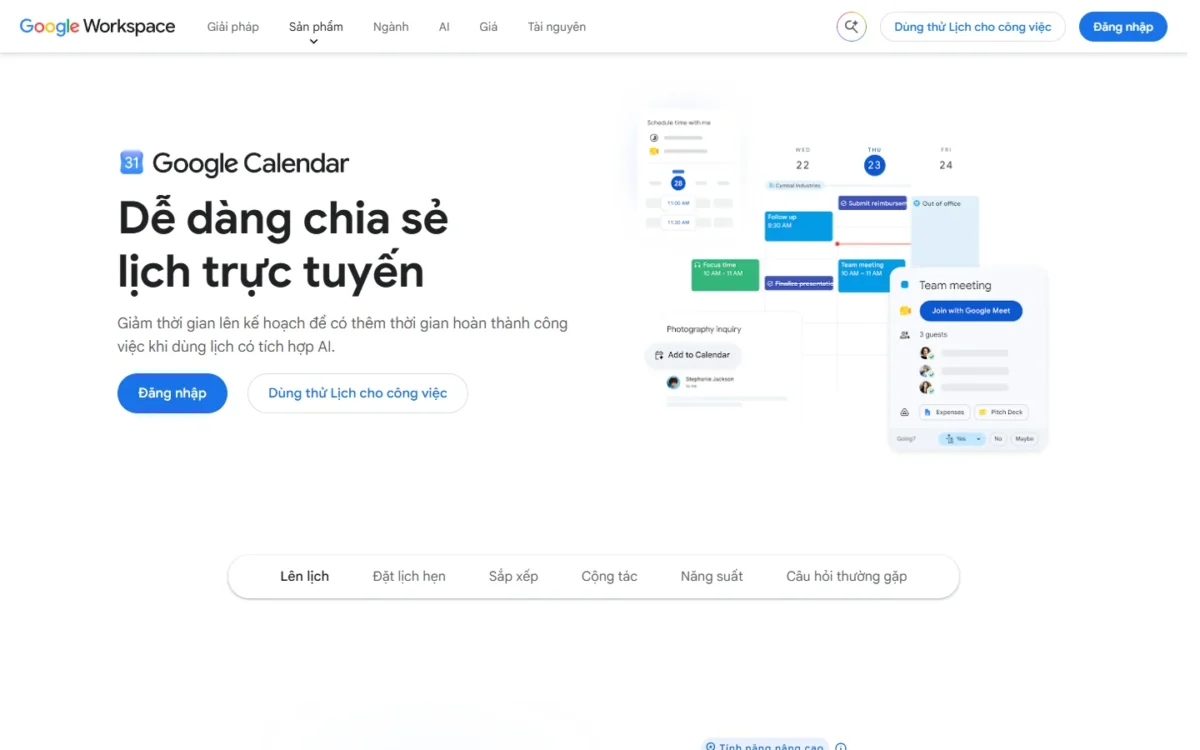
Google Calendar takes the first spot because the free version already does the job most readers arrive with: it runs on the web, Android and iOS, syncs to Wear OS and Apple Watch, and gives a personal Google Account one booking page. Where it falls short is the paid tier: it is a Workspace seat, so a freelancer who only wants more booking pages pays for business email and storage too.
The booking page separates it from the other free picks: a consultant publishes one page, clients pick a slot, and the event lands on the calendar. Business Standard subscribers get unlimited pages, Stripe payments and email reminders. Reclaim Lite also gives one scheduling link free (its one-week range limits automated scheduling, not the link), so the choice between the two free links turns on whether you also want focus time placed for you.
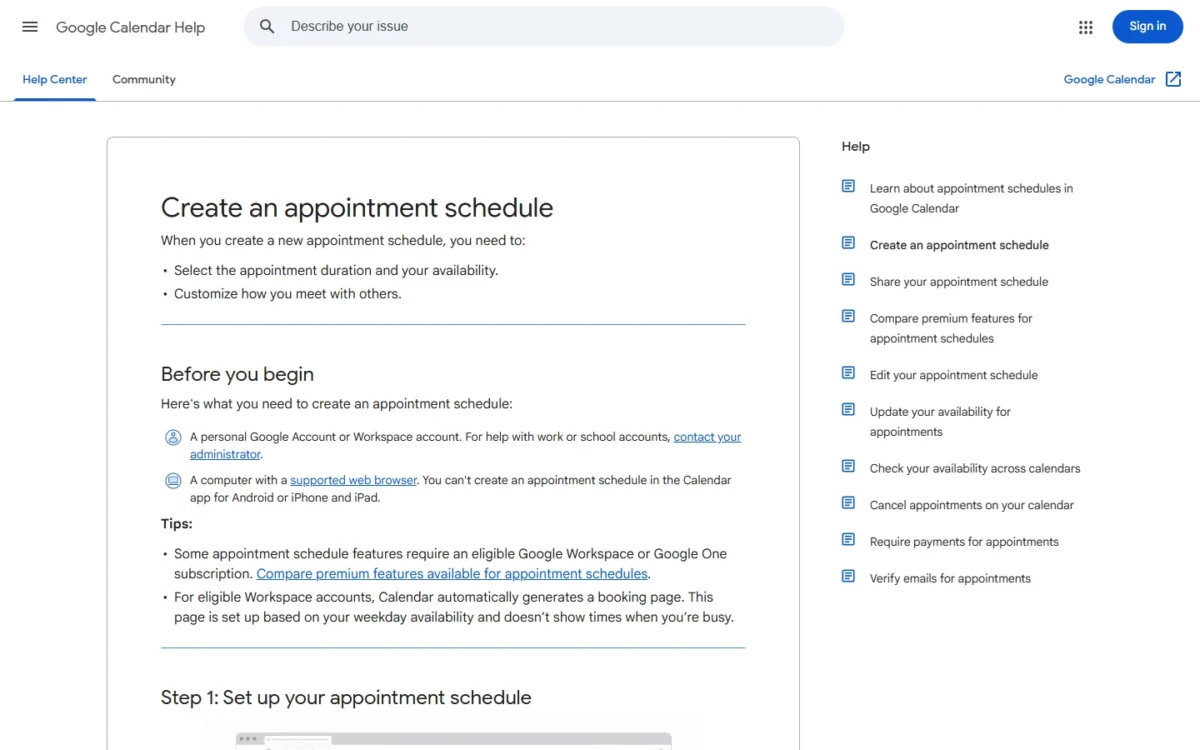
A Google family group creates a shared calendar called “Family” that every member can edit, enough for a household that only needs shared dates; Cozi earns its place when the household also wants lists. Integrations stay inside Google: Time Insights, Tasks, Gmail and Meet. If one booking page is not enough and a Workspace seat is too much, what Calendly’s plans cost per seat is in the Calendly pricing guide.
Business Starter costs $7.00 per user per month with a 1-year commitment, billed monthly, so five seats cost $7.00 x 5 x 12 = $420 a year; new customers pay an introductory $3.50 for the first 20 users for 12 months. Appointment booking pages are not supported on Starter and start on Business Standard at $14.00, which lifts five seats to $14.00 x 5 x 12 = $840.
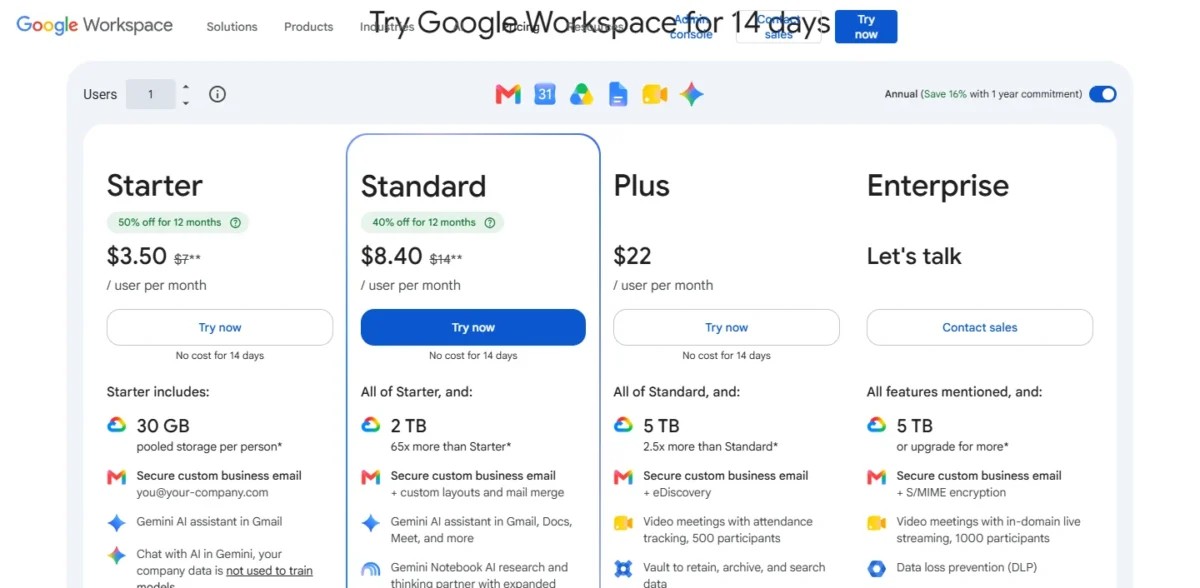
| Plan | Price | Billing | Key limit |
|---|---|---|---|
| Personal Google Account | Free | None | One booking page |
| Business Starter | $7.00 per user per month | 1-year commitment, billed monthly | Appointment booking pages not supported |
| Business Standard | $14.00 per user per month | 1-year commitment, billed monthly | Maximum 300 users |
Sources: Google Calendar product page and Google Workspace pricing, checked November 2026.
Pros
- Runs on every platform in this list, phone, web and watch, at no cost
- One booking page free on a personal Google Account
- A Google family group creates a shared Family calendar automatically
Cons
- Unlimited booking pages need Business Standard at $14.00 per user per month
- The paid tier is a Workspace seat with email and storage, not a calendar-only plan
- Automatic task placement is Reclaim’s or Motion’s job, not a feature on Google Calendar’s product page
- Skip it if:
- you want the calendar to block focus time and move tasks for you; Reclaim.ai does that on the same Google account, free on Lite. Pick Google Calendar if a free calendar with one booking page is the whole need, and go straight to Business Standard when a second page forces the upgrade.
2. Microsoft Outlook: Best for Microsoft 365 and Windows Users
- Best for: people whose work runs on Microsoft 365 or Exchange, and Windows users
- Starting price: free Outlook.com account; Microsoft 365 Personal $99.99 a year
- Accounts in one app: Gmail, Yahoo, iCloud and work accounts on Windows, Mac, iOS and Android
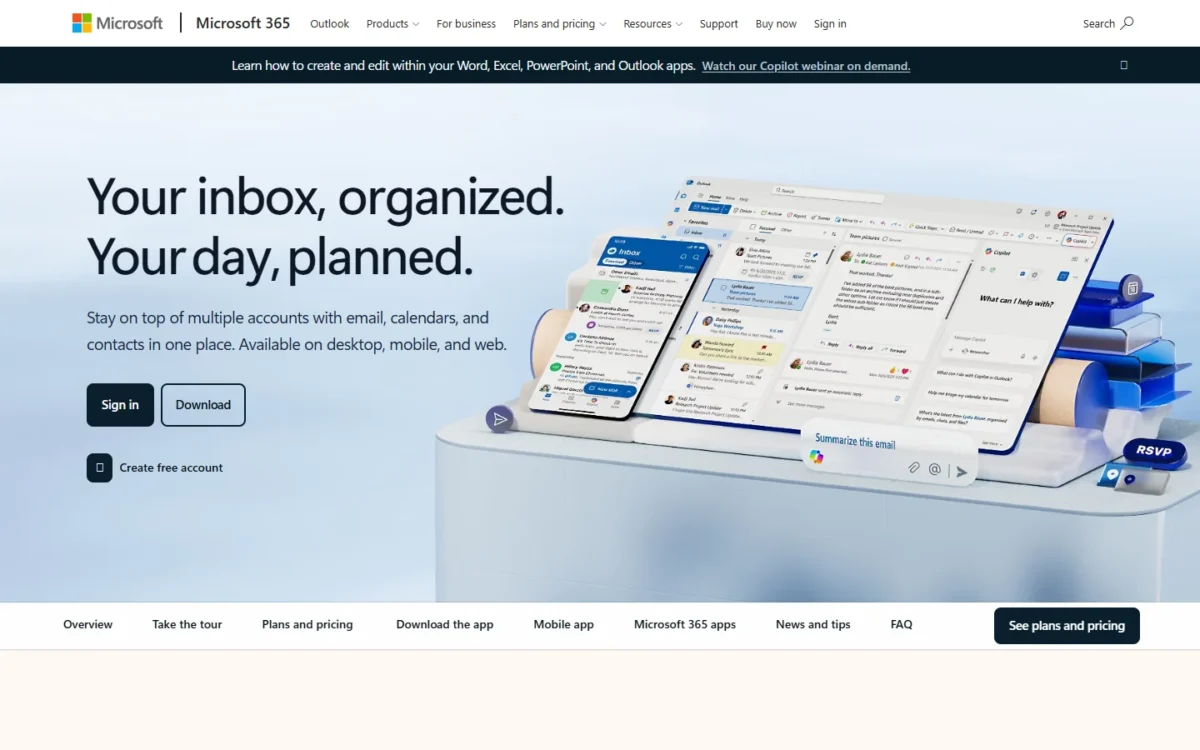
If your employer runs on Exchange or Microsoft 365, the calendar decision is already made, and Outlook is a better personal calendar than its reputation suggests: its apps on Windows, Mac, iOS and Android hold Gmail, Yahoo and iCloud accounts beside the work account. The catch on the free Outlook.com account is advertising in the inbox, and removing it means a Microsoft 365 subscription rather than a calendar-only tier.
That subscription is a different purchase from a calendar. Microsoft 365 Family covers 1 to 6 people and bundles the Office apps and 2 TB of shared storage, so a household buys it for the software and gets the ad-free calendar on the side; Cozi sells the family organizer alone. Buy Family when the apps are part of the reason, not for the calendar.
For a company, Business Basic includes Microsoft Bookings for appointment scheduling, the Microsoft-side answer to Google Workspace Business Starter at the same seat price; Bookings sits in Basic while Google’s booking pages start on the $14.00 Standard plan. Microsoft’s FAQ points to its July 1, 2026 packaging and pricing updates for commercial suites; the prices here are the ones its pages showed in November 2026, after that date.
One person pays $99.99 a year for Microsoft 365 Personal (or $9.99 a month), a household $129.99 a year for Family, and a five-person company $7.00 x 5 x 12 = $420 a year on Business Basic paid yearly.
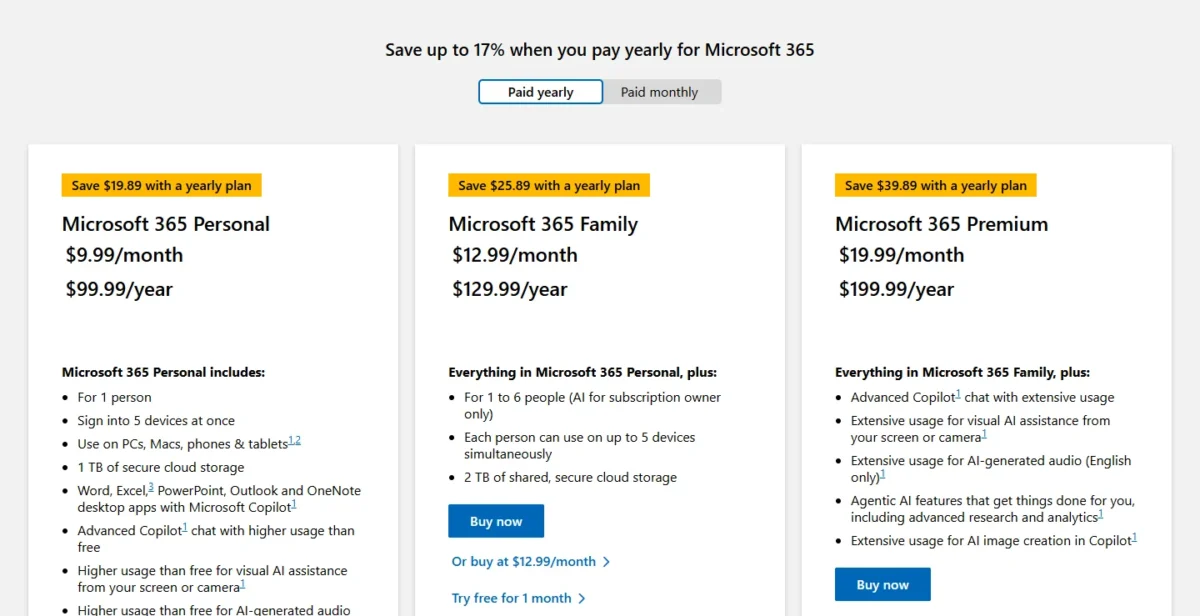
| Plan | Price | Billing | Key limit |
|---|---|---|---|
| Outlook.com | Free | None | Ads in the inbox |
| Microsoft 365 Personal | $99.99 a year or $9.99 a month | Yearly or monthly | 1 person |
| Microsoft 365 Family | $129.99 a year or $12.99 a month | Yearly or monthly | 1 to 6 people |
| Microsoft 365 Business Basic | $7.00 per user per month paid yearly; $8.40 on a monthly subscription | Paid yearly, or a monthly subscription | Web and mobile apps; up to 300 users |
Sources: Outlook personal email and calendar, Microsoft 365 personal plans, Microsoft 365 Business Basic and Microsoft 365 business plans, checked November 2026.
Pros
- Gmail, Yahoo and iCloud accounts sit beside the work account in one app
- Business Basic includes Microsoft Bookings
- Family covers 1 to 6 people on one subscription
Cons
- The free Outlook.com account shows ads in the inbox
- Removing ads means a Microsoft 365 subscription, not a calendar-only tier
- Business Basic ships web and mobile apps; desktop Outlook needs Business Standard at $14.00 per user per month, paid yearly
- Skip it if:
- nobody in your household or company uses Microsoft 365; Google Calendar gives the same free sharing plus a booking page without a subscription, and Apple Calendar does it on iPhone.
3. Apple Calendar: Best Built-In Calendar for iPhone and iPad Households
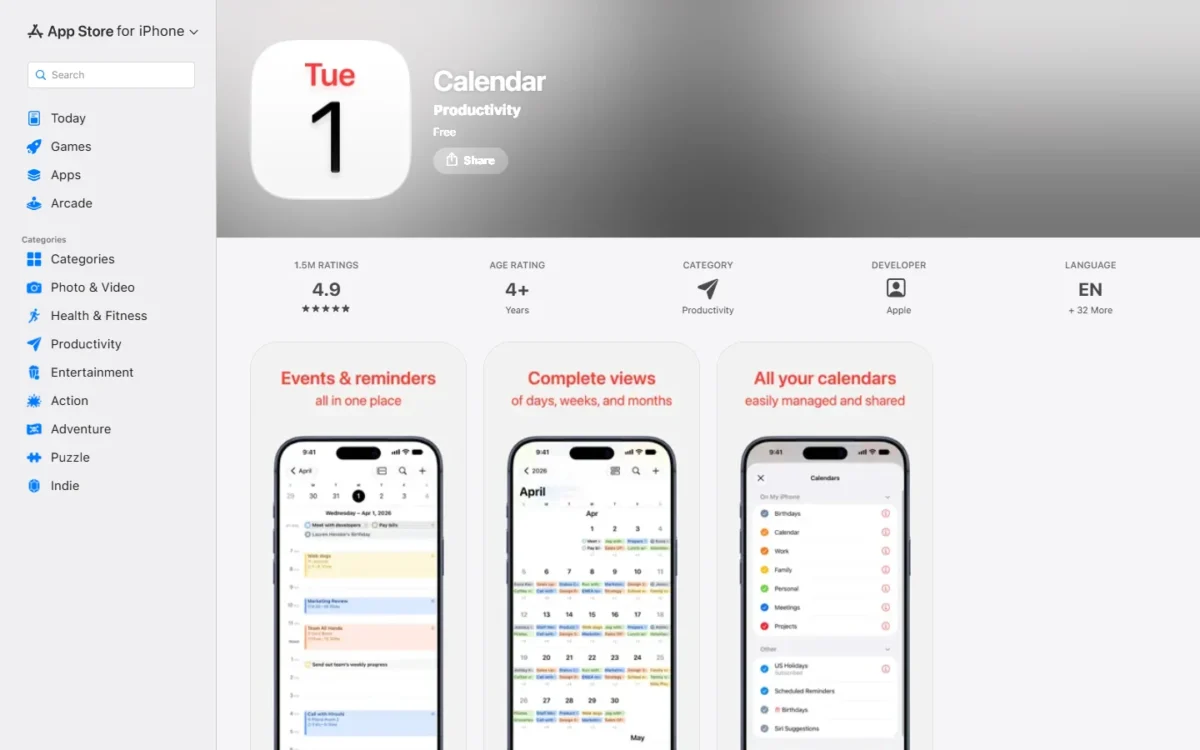
Apple Calendar homepage, first screen, apps.apple.com, captured Nov 2026
- Best for: households whose devices are all Apple
- Starting price: free on the App Store
- Accounts: iCloud, Exchange, Google and others in one view
The strongest argument for Apple Calendar is that an Apple-only household has nothing to buy and nothing to install: it shows events from iCloud, Exchange, Google and other accounts in one view, beside reminders, holidays and birthdays. Its limit is just as plain: the App Store listing covers iOS, iPadOS, watchOS and visionOS, so a family with one Android phone loses the shared view on that device.
Sharing works the way a family needs it to: an iCloud calendar shared with family, colleagues or friends lets them see events, add more, receive alerts or change the calendar. The listing shows 4.9 out of 5 from 1.5 million ratings on the App Store, checked November 2026; I read that as a sign the basics work, not as proof of sync quality with Google or Exchange, which your own setup settles in a day.

Against Fantastical, the question is whether you need scheduling pages and meeting polls; Fantastical charges for Fantastical Scheduling on top of the same iCloud, Google and Exchange accounts Apple Calendar already connects.
Apple Calendar costs nothing: the App Store lists it as Free, and there is no paid tier to compare.
- Apple Calendar: Free, for iPhone, iPad, Apple Watch and Apple Vision Pro per the listing’s compatibility
Sources: Apple Calendar on the App Store, checked November 2026.
Pros
- Free on the App Store; connects iCloud, Exchange and Google accounts in one view
- Shared iCloud calendars let family members add and change events
- Reminders with dates appear beside events
Cons
- The listing names iOS, iPadOS, watchOS and visionOS only, so no Android or Windows app
- No booking pages on the listing; Fantastical sells them as Fantastical Scheduling
- Shared calendars are iCloud calendars, so a Google-only relative needs a Google share instead
- Skip it if:
- anyone who needs the shared calendar uses Android or Windows; Google Calendar gives the whole group the same view on Android, iPhone and the web. Pick Apple Calendar if every device is Apple and nobody needs a scheduling page.
4. Fantastical: Best for Apple Power Users Who Type Events in Plain English
- Best for: Apple users and Mac-based professionals who add many events a day
- Starting price: Individual $4.75 per month, billed annually ($6.99 billed monthly)
- Platforms: Mac, iPhone, iPad, Apple Watch, Apple Vision Pro, Windows
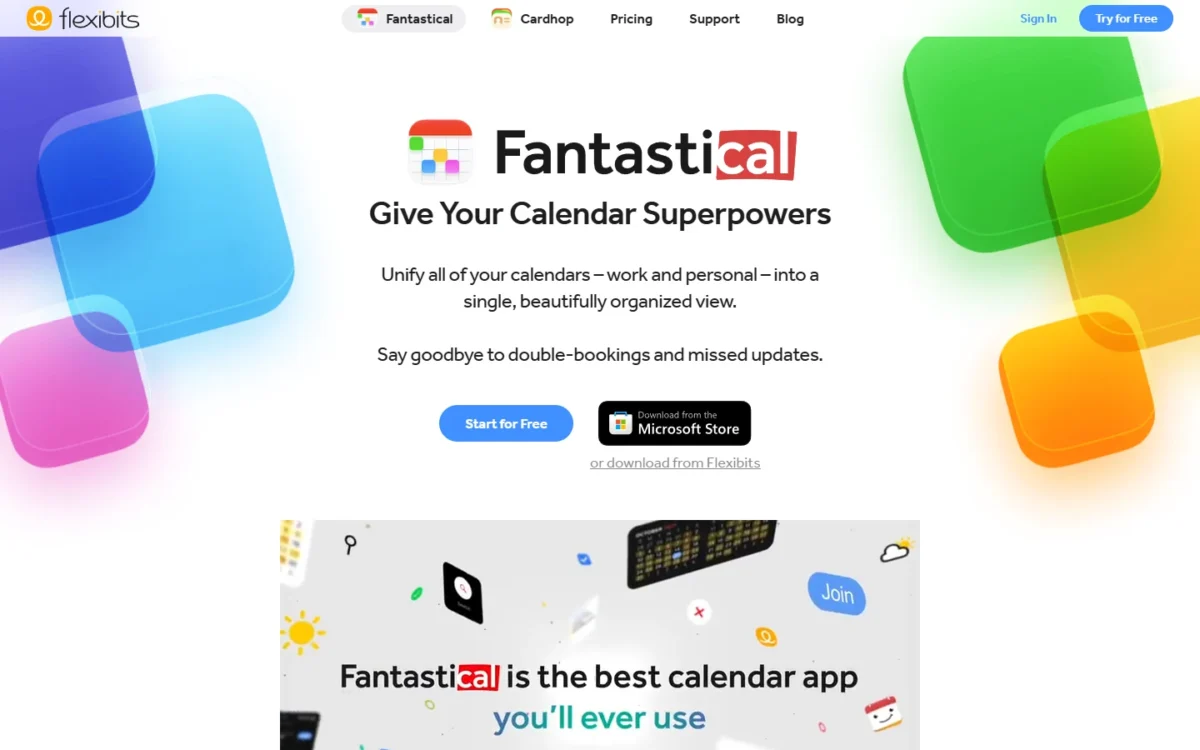
Fantastical is the one paid personal calendar here I would recommend to someone who already likes Apple Calendar, because it changes how you enter events rather than where they live: type “Lunch with John at 123 Main Street on Tuesday” and the event is created, or start with “todo” and it becomes a dated task. The paid tier is cheap for one person, and its clearest gain is Fantastical Scheduling.
Flexibits’ feature table prints only a few Free-versus-Premium differences: calendar mirroring of 2 weeks against 6 months, a 3-day weather forecast against 10 days, and standard email support against priority. Fantastical Scheduling comes with Individual, and Openings with multiple hosts comes with Team. A solo user who only adds events has little reason to upgrade; anyone who shares availability with clients pays from the first booking link.
Scheduling is the other reason to pay: Openings publishes your available times as a link and Proposals runs a meeting poll, both in Premium. Integrations cover iCloud Reminders, Todoist and Google Tasks for tasks and Google Meet, Zoom, Webex and Microsoft Teams for calls; if Todoist holds your tasks, my Todoist review covers its free-plan limits. Unlike Apple Calendar, Fantastical runs on Windows.
Individual costs $4.75 per month billed annually ($4.75 x 12 = $57 a year) or $6.99 billed monthly; Family costs $7.50 per month billed annually for up to 5 members ($7.50 x 12 = $90 a year); Team costs $4.75 per user per month billed annually, so five seats are $4.75 x 5 x 12 = $285.
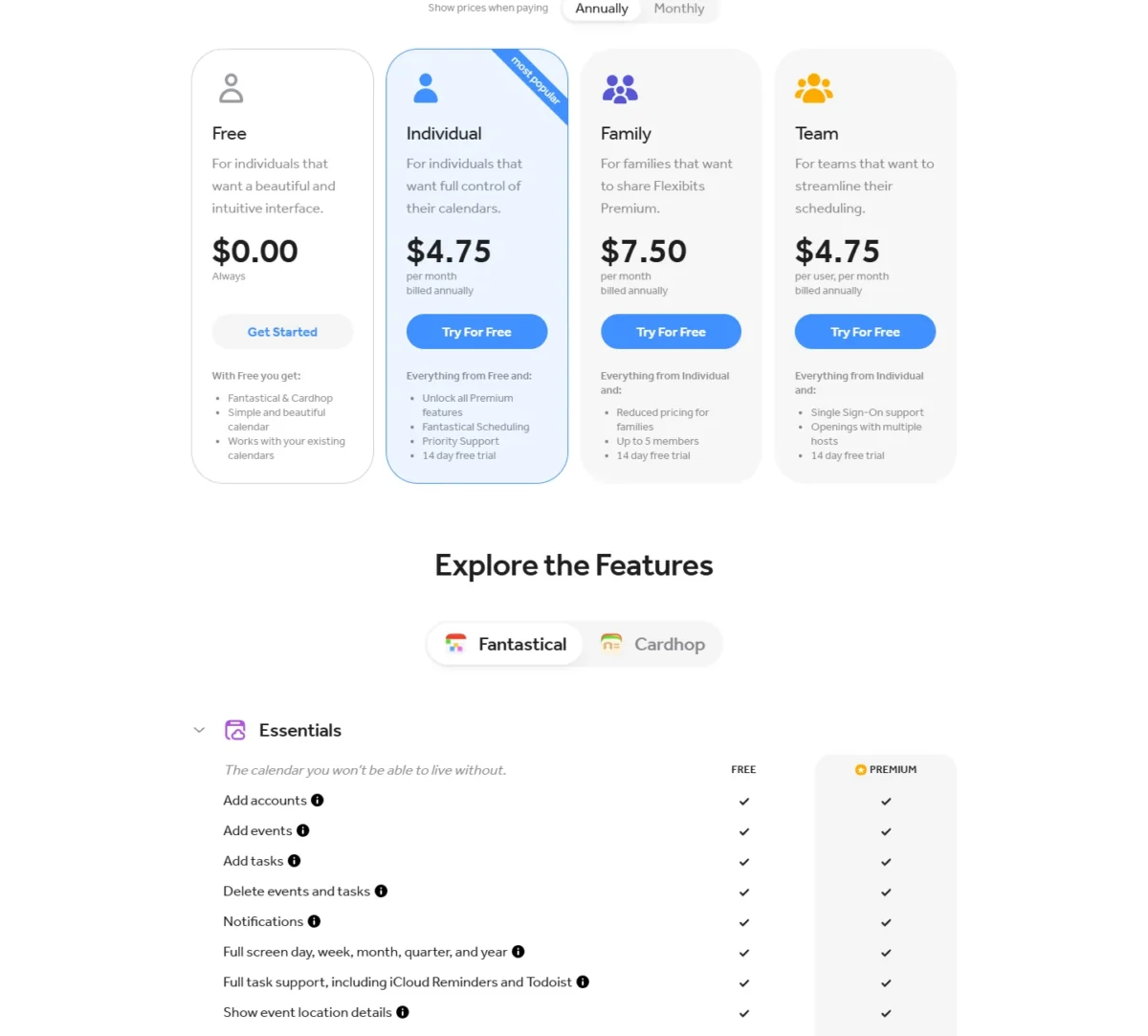
| Plan | Price | Billing | Key limit |
|---|---|---|---|
| Free | $0.00 | None | 2-week calendar mirroring, 3-day weather |
| Individual | $4.75 per month billed annually ($6.99 billed monthly) | Annual or monthly | For individuals; adds Fantastical Scheduling |
| Family | $7.50 per month billed annually ($10.49 billed monthly) | Annual or monthly | Up to 5 members |
| Team | $4.75 per user per month billed annually ($6.99 billed monthly) | Annual or monthly | Adds SSO and Openings with multiple hosts |
Sources: Flexibits pricing (Annually and Monthly views), checked November 2026.
Pros
- Typed sentences create events and dated tasks
- Openings and Proposals give a scheduling page and meeting polls inside the calendar
- A Windows app, which Apple Calendar’s listing does not name
Cons
- Fantastical Scheduling needs a paid plan
- No Android app on the platform list
- Monthly billing costs $6.99 per month against $4.75 per month billed annually
- Skip it if:
- you add a few events a week and never send invites; Apple Calendar does that free, and Google Calendar adds a booking page without a subscription. Pick Individual the week you first need a booking link, and Family when up to five people want to share Flexibits Premium.
5. Notion Calendar: Best Free Calendar for Notion Workspaces
- Best for: people who plan projects in Notion and want dates beside their meetings
- Starting price: free; included in Notion’s Free plan
- Platforms: macOS, Windows, iPhone, iPad, Android
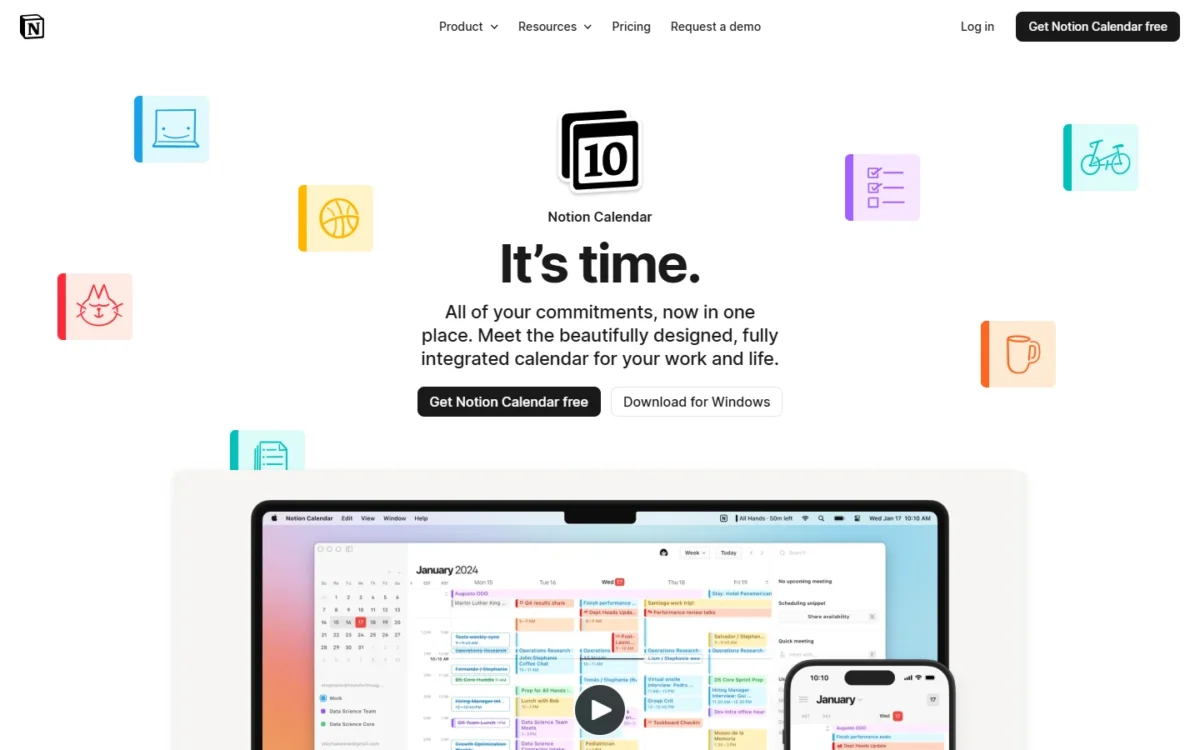
A Notion user should switch calendars for one reason: Notion Calendar shows Notion database items next to Google Calendar events, so a project deadline set in a database appears on the same day as the meeting it competes with. It costs nothing, which makes it the free answer to the job Morgen charges for when your tasks already live in Notion databases.
The sync runs the right way for planning and the wrong way for archiving: events from Google, Outlook and iCloud appear in the app, but importing Google Calendar events into a Notion database is not yet possible. For someone juggling two Google accounts, the single view on macOS, Windows, iPhone, iPad and Android is reason enough to install it.
Against Google Calendar’s own apps, the gain is the Notion layer and a Windows desktop app; the loss is Google’s booking page and Family calendar, which stay in Google Calendar itself. If you are still deciding whether Notion is your workspace at all, the Notion vs Obsidian comparison settles that first.
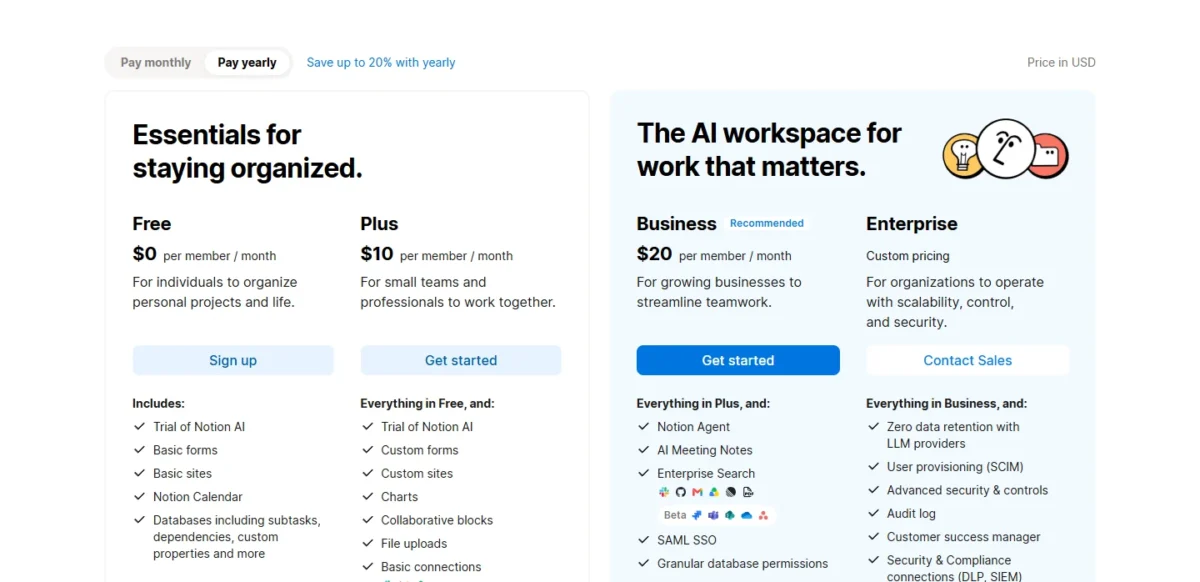
Notion Calendar is free to download, and Notion’s pricing page lists it inside the Free plan at $0 per member per month, so one person, a family and a five-person team all pay $0 for the calendar.
- Notion Calendar: free, on macOS, Windows, iPhone, iPad and Android
- Notion Free plan: $0 per member per month, includes Notion Calendar
Sources: Notion Calendar and Notion pricing, checked November 2026.
Pros
- Free, with no paid calendar tier
- Notion database items appear beside Google Calendar events
- Android and Windows apps; Apple Calendar lists neither, and Fantastical lists Windows but not Android
Cons
- Importing Google Calendar events into a Notion database is not yet possible
- Its page describes Notion database items beside events; Morgen is the pick that lists Todoist, Linear and ClickUp integrations
- The iPhone app requires iOS 18.0 or later
- Skip it if:
- your tasks live outside Notion; Morgen reads Todoist, Linear, ClickUp and Notion at once. Pick Notion Calendar if a database already holds your deadlines, and keep Google Calendar underneath for sharing and booking.
6. Morgen: Best for Time Blocking Tasks From Several Apps
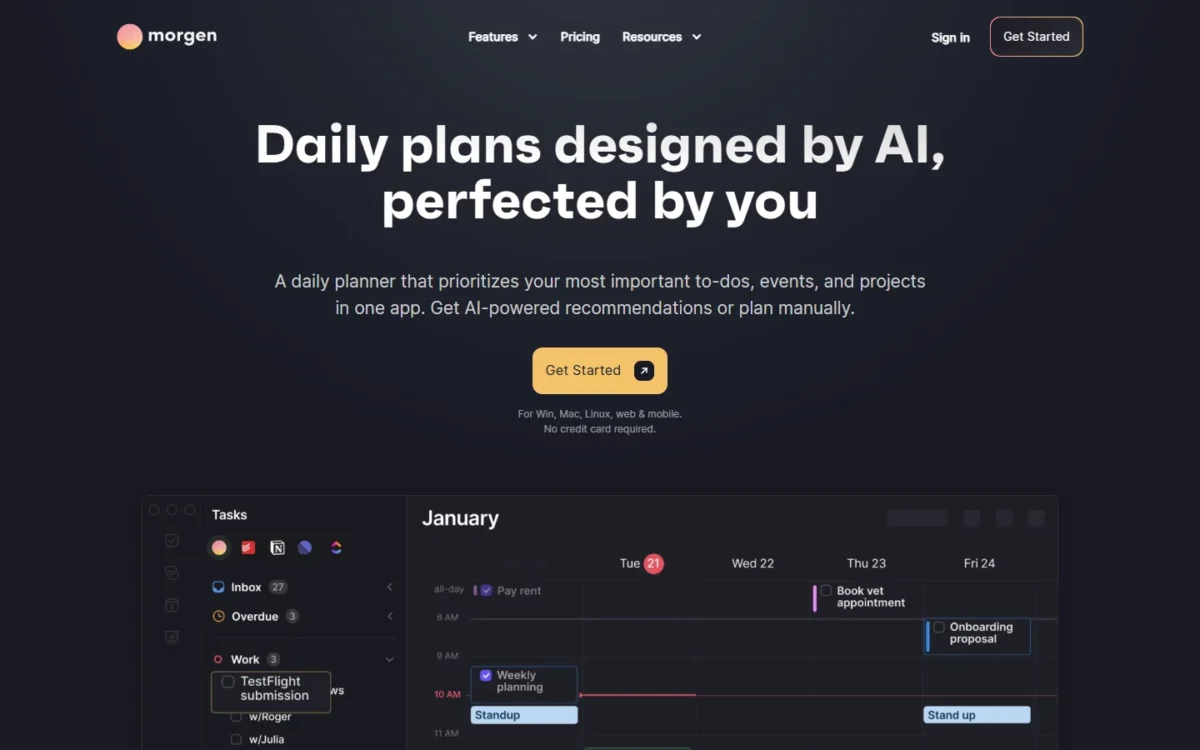
- Best for: solo professionals and small teams whose tasks sit in several apps
- Starting price: Yearly plan $15 per month, billed yearly (Monthly plan $30 per month, billed monthly)
- Free plan or trial: 14-day free trial, no credit card; no free plan listed
Morgen is worth $15 x 12 = $180 a year when your tasks are scattered across Notion, Todoist, Linear or ClickUp and you want them blocked on one calendar that also runs on Linux. Unlimited calendar and task integrations come on every plan, so the price buys consolidation rather than one trick. The trade-off is the absence of a free plan: after the 14-day trial you pay or leave.
Two facts separate it from the AI schedulers below. Morgen sells time blocking supported by an AI Planner, with a booking page and scheduling links on every plan; Reclaim’s and Motion’s pages describe AI that places focus time or tasks itself. A planner who wants to drag blocks and have the app suggest fits Morgen; a manager who wants the calendar defended without touching it fits Reclaim.
The discounts are concrete: students, academics and nonprofits get 25 percent off Pro, switchers from Motion, Reclaim, Fantastical or Sunsama get 15 percent off for a year, and a full refund is available within 30 days. Integrations include Google, Outlook, iCloud and Fastmail calendars plus Notion, Todoist, Linear, ClickUp, Obsidian, Google Tasks and Microsoft To-Do, and data is stored in Switzerland or the EU.
The individual Yearly plan costs $15 per month billed yearly and the Monthly plan $30 per month billed monthly, so paying monthly doubles the bill. Team costs $10 per seat per month billed yearly with a minimum of 2 seats, or $25 per seat monthly, which puts five seats at $10 x 5 x 12 = $600 a year.
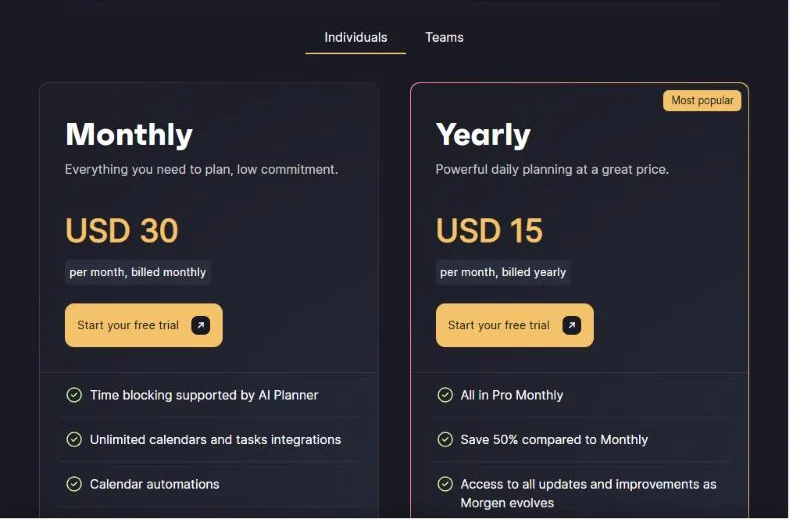
| Plan | Price | Billing | Key limit |
|---|---|---|---|
| Monthly | $30 per month | Billed monthly | 1 user |
| Yearly | $15 per month | Billed yearly | 1 user |
| Team Monthly | $25 per seat per month | Billed monthly | Minimum 2 seats |
| Team Yearly | $10 per seat per month | Billed yearly | Minimum 2 seats |
Sources: Morgen pricing (Individuals and Teams views), checked November 2026.
Pros
- Tasks from Notion, Todoist, Linear, ClickUp, Obsidian, Google Tasks and Microsoft To-Do on one calendar
- Linux desktop app alongside Windows, macOS, mobile and browser
- Data stored in Switzerland or the EU; 30-day refund; 25 percent academic discount
Cons
- No free plan; the trial ends after 14 days
- Monthly billing costs $30 per month against $15 per month billed yearly
- A solo user with tasks in one app pays for integrations they will not use
- Skip it if:
- all your tasks already live in Notion, where Notion Calendar does the same view free, or you want the AI to place blocks for you, which Reclaim does free on Lite. Pick Morgen if you connect at least two task apps on day one of the trial.
7. Reclaim.ai: Best AI Scheduling for Focus Time and Habits

- Best for: managers and freelancers who want focus time defended on a Google or Outlook calendar
- Starting price: Lite free; Starter $10 per seat per month on the yearly view ($12 on the monthly view)
- Calendars: Google Calendar and Outlook Calendar
Reclaim is the AI scheduler you can start without paying: Lite is free forever and includes Focus Time, Habits, Buffer Time and Smart Meetings, which is the whole idea of the product. Its limits push a serious user to Starter: Lite syncs one calendar, optimizes a one-week scheduling range, allows one scheduling link and limited integrations. A freelancer with one Google calendar can live on Lite; anyone who syncs work and personal calendars cannot.
The timely reason readers land here is Clockwise, whose pricing page now says the product is no longer available from March 27, 2026, as the team joins Salesforce. Reclaim covers the same focus-time job with a free entry point, and Starter adds an 8-week range, 3 calendar syncs, 3 scheduling links and unlimited integrations for up to 10 seats.
The fee to watch is attendee users. Smart Meetings with 3 or more people need an attendee user for each person without a paid seat; packs of 3 cost $8 a month on Starter’s yearly view. Reclaim connects Google and Outlook calendars only, so an iCloud-first household belongs with Fantastical or Apple Calendar.
Starter costs $10 per seat per month on the yearly view ($10 x 12 = $120 a year for one seat) and $12 per seat per month on the monthly view, so five seats cost $12 x 5 x 12 = $720 billed monthly against $600 yearly.
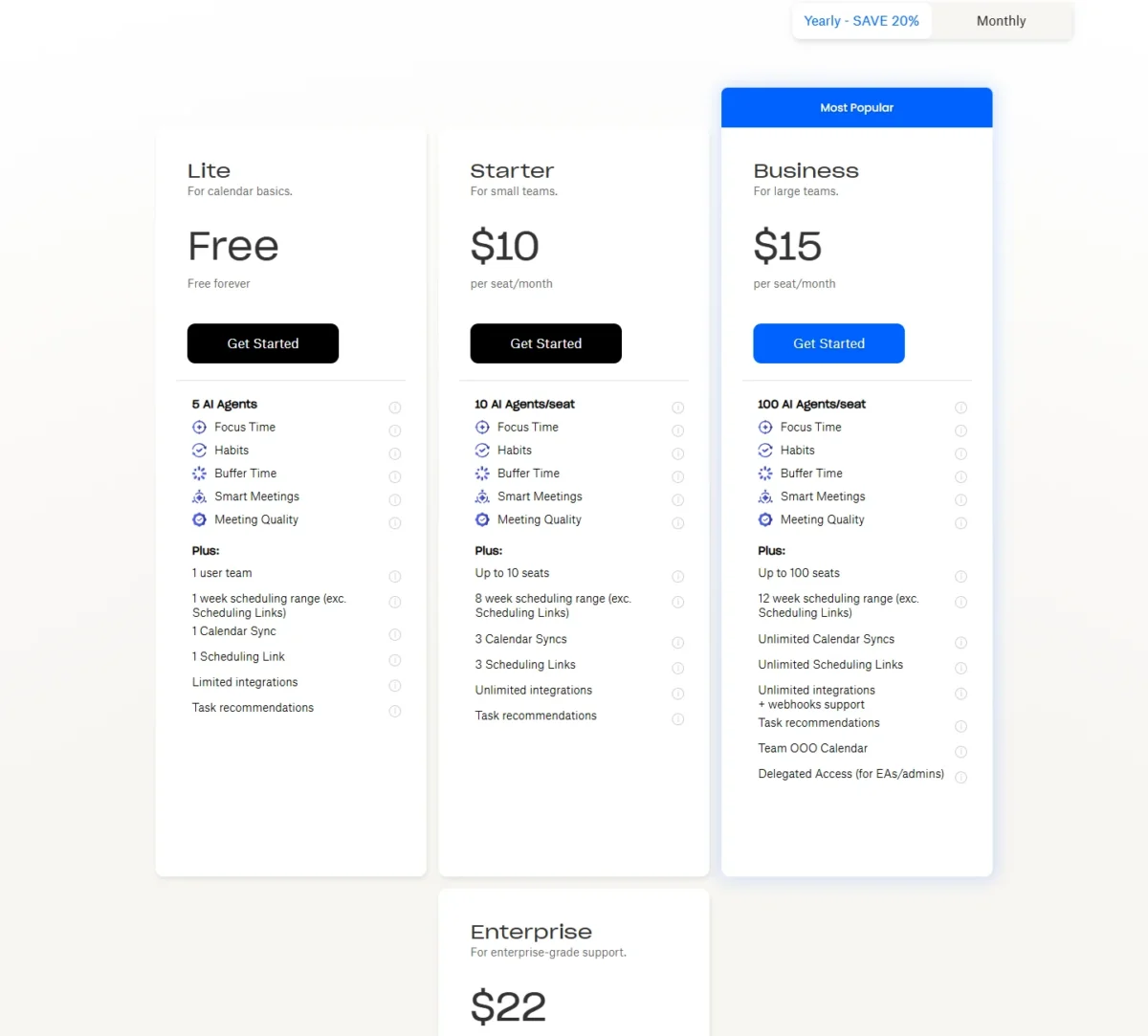
| Plan | Price | Billing | Key limit |
|---|---|---|---|
| Lite | Free | None | 1 calendar sync, 1-week range, 1 scheduling link |
| Starter | $10 per seat per month ($12 on the monthly view) | Yearly or monthly | Up to 10 seats, 8-week range |
| Business | $15 per seat per month ($18 on the monthly view) | Yearly or monthly | Up to 100 seats, 12-week range |
Sources: Reclaim pricing, checked November 2026.
Pros
- Free Lite plan includes Focus Time, Habits, Buffer Time and Smart Meetings
- Starter’s seat price is about half of Motion Pro AI’s
- Covers the job Clockwise left behind on March 27, 2026
Cons
- Lite’s one-week range and single sync suit one calendar only
- Starter stops at 10 seats and an 8-week range
- Smart Meetings with 3 or more people need paid attendee-user packs
- Skip it if:
- you want projects, tasks and documents managed in the same tool; Motion sells that bundle. Pick Reclaim if focus time is the problem: start on Lite with one calendar for a week and move to Starter when the one-week range bites.
8. Motion: Best for Auto-Scheduling Tasks and Projects
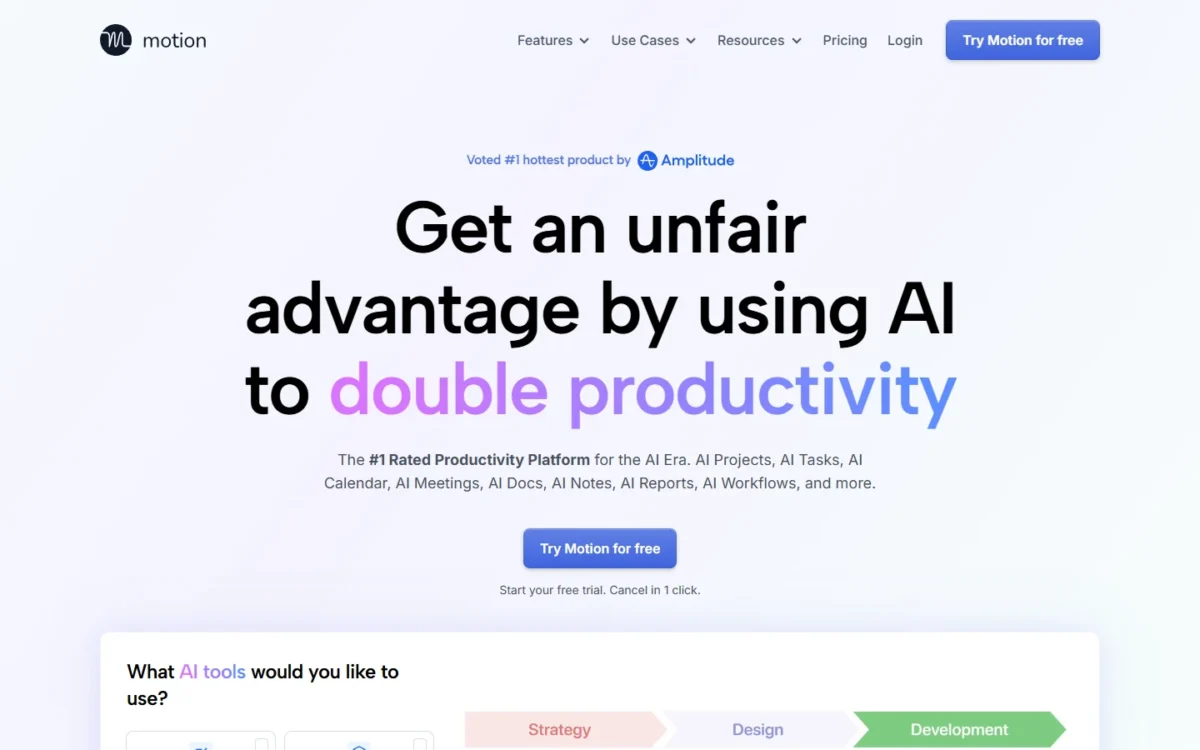
- Best for: professionals and small teams who want tasks, projects and the calendar in one AI tool
- Starting price: Pro AI $19 per seat per month, paid annually ($29 monthly)
- Free plan or trial: free trial; no free plan listed
Motion’s higher seat price is justified when the calendar is only part of what you are buying: Pro AI bundles an AI task planner, AI projects and tasks, AI calendar and meetings, docs and a writer, so a two-person agency gets a project tool and a calendar in one seat. Treated as a calendar alone it is the most expensive seat on this list, and without a free plan the trial is the only way to learn whether auto-scheduling suits you.
Credits are the limit to understand before paying. Pro AI includes 7,500 AI credits per seat per month and Business AI 15,000; the page does not say how many credits a scheduled task uses, so the trial is where you learn whether 7,500 lasts a month. Business AI adds team capacity planning, Gantt charts and time tracking, which is project-management territory; if that is the real need, my ranking of project management software compares the tools built for it.
Against Reclaim, the choice is scope against price: Reclaim defends focus time on an existing calendar, Motion replaces the task manager too at about twice the seat price. A team that already pays for Asana or ClickUp gains little from Motion’s project side. Integrations are listed on the pricing page without a count; apps cover iOS, Android and desktop.
Pro AI costs $19 per seat per month paid annually ($19 x 12 = $228 a year) or $29 paid monthly, so five seats cost $19 x 5 x 12 = $1,140 a year on annual billing or $29 x 5 x 12 = $1,740 monthly.

| Plan | Price | Billing | Key limit |
|---|---|---|---|
| Pro AI | $19 per seat per month ($29 monthly) | Annual or monthly | 7,500 AI credits per seat per month |
| Business AI | $29 per seat per month ($49 monthly) | Annual or monthly | 15,000 AI credits per seat per month |
Sources: Motion pricing, checked November 2026.
Pros
- AI task planner, projects, docs and calendar in one subscription
- Business AI adds Gantt charts, time tracking and team capacity planning
- iOS, Android and desktop apps
Cons
- No free plan
- AI credits are capped per seat, and the page does not say what one task costs
- Five seats cost $1,140 minus $600 = $540 a year more than Reclaim Starter
- Skip it if:
- you only need focus time and habits placed on an existing calendar; Reclaim does that free on Lite. Pick Motion to retire a task manager, not to improve a calendar, and watch the credit counter in week two of the trial before committing five seats.
9. Cozi: Best Family Calendar
- Best for: families with kids who want one calendar, one shopping list and one meal plan
- Starting price: free; Cozi Gold $39 a year
- Platforms: iPhone, Android and mobile browsers; any computer
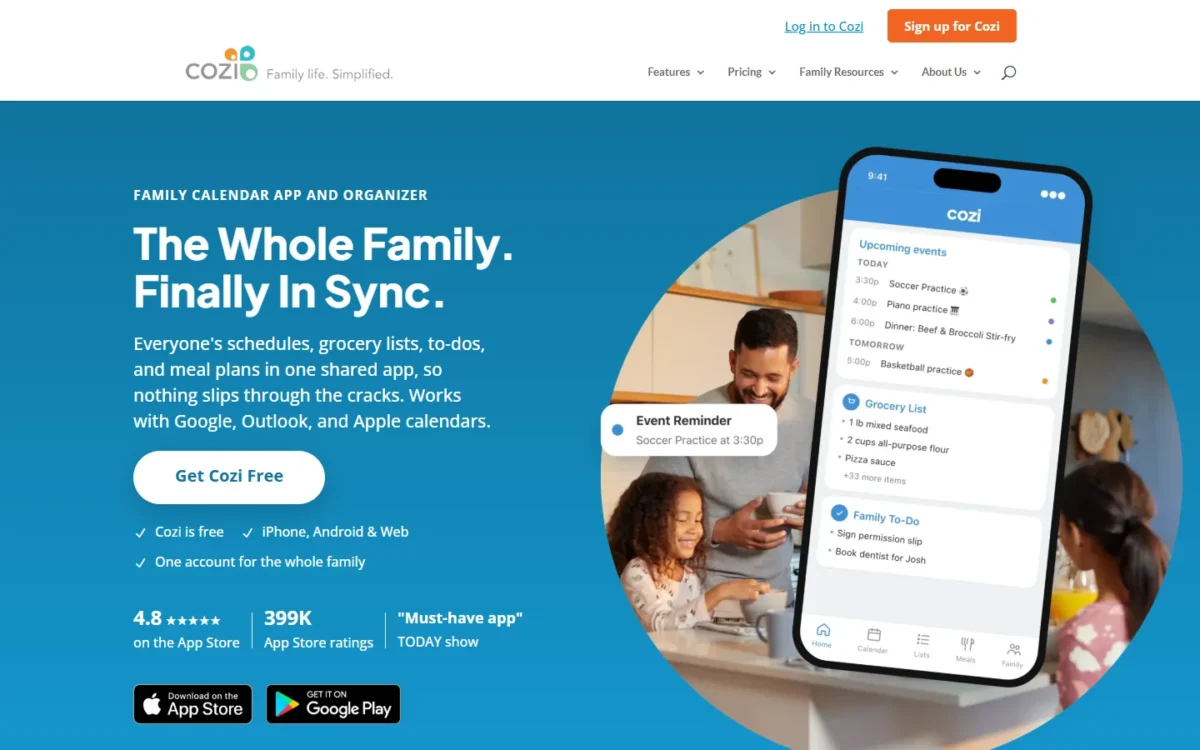
Cozi is the family pick because it is built around the household rather than a person: everyone shares one account, each member gets a color on the calendar, and the shopping list, to-do lists and recipe box live beside the schedule. The free version does the daily job until someone plans ahead: free accounts add events from the Agenda view for the next 30 days, while Gold gives unlimited future calendar access and adds events from Month and 3-Day views too.
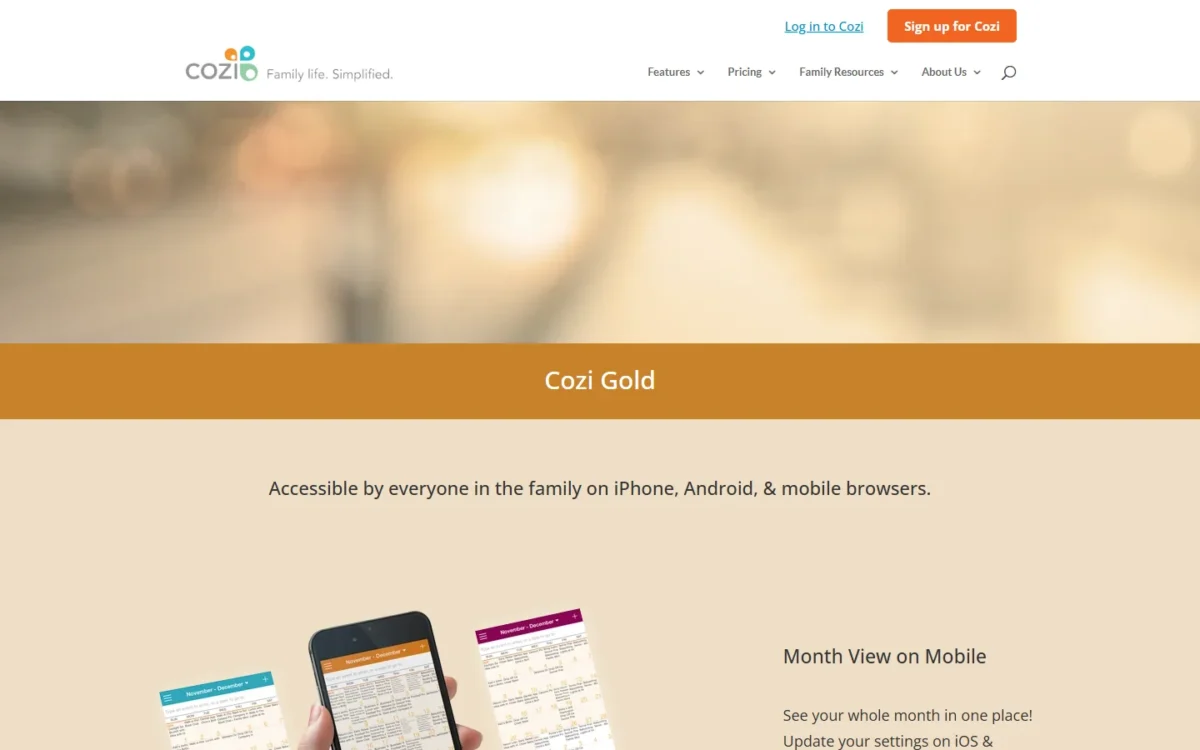
That cap decides the purchase. A family that books camp in March for July needs Gold, which also removes ads and adds a mobile month view, up to three reminders per event, change notifications, calendar search and a birthday tracker. Because the account is shared, one Gold subscription covers every device in the family, and at $39 a year it costs less than a single Microsoft 365 Personal plan at $99.99.
Cozi’s integrations are subscriptions to other calendars, such as a work calendar, school calendars and team schedules, so school events flow in. Against TimeTree, Cozi wins for a household that cooks and shops together, while TimeTree wins for a couple or club that only shares dates. Against Google’s Family calendar, Cozi’s edge is the lists; Google’s edge is price.
Cozi is free, and Cozi Gold costs $39 by in-app purchase or on the web, renewing each year; the household pays $39 a year in total because the family shares one account, and a monthly price is not shown.
| Plan | Price | Billing | Key limit |
|---|---|---|---|
| Cozi (free) | Free | None | Events only 30 days ahead; ads |
| Cozi Gold | $39 | Yearly, auto-renews | One shared family account |
Sources: Cozi Gold and Cozi on the App Store, checked November 2026.
Pros
- One shared account with a color per family member
- Shopping lists, to-do lists and a recipe box beside the calendar
- Gold covers the whole household on one subscription
Cons
- Events past the 30-day line need Gold
- Mobile month view, calendar search and change notifications need Gold
- Built for a household, so a work team or a solo planner gets little from it
- Skip it if:
- your group is not a household, or nobody needs lists; TimeTree sells a shared calendar with a free version, and a Google family group gets a shared calendar at no cost. Pick Cozi free for a month, and pay for Gold the first time someone plans past 30 days.
10. TimeTree: Best Shared Calendar for Couples and Groups
- Best for: couples, friends and clubs who share one calendar
- Starting price: free with ads; Premium $4.49 a month or $44.99 a year
- Premium adds: file attachments, event priority, 3-day vertical view, no ads, dedicated support
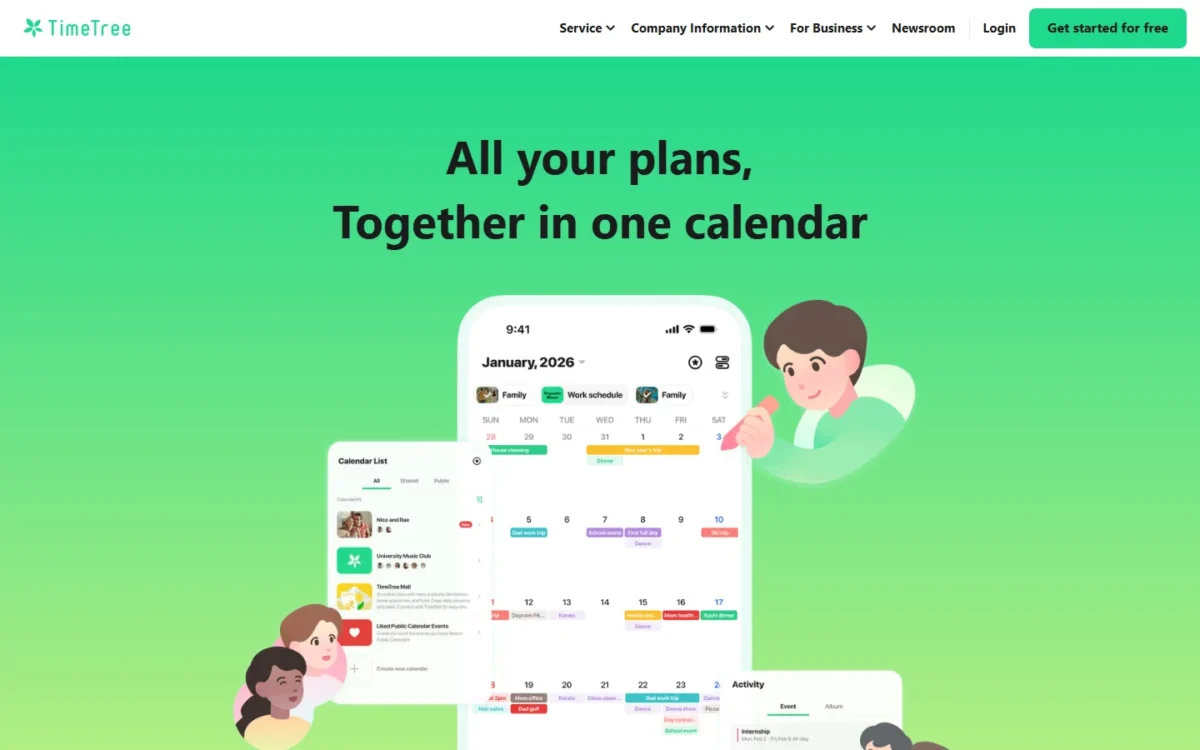
TimeTree is the pick when the people sharing a calendar are not a household: a couple, a roommate group, a sports club. The free version carries ads, and Premium exists mostly to remove them and add attachments.
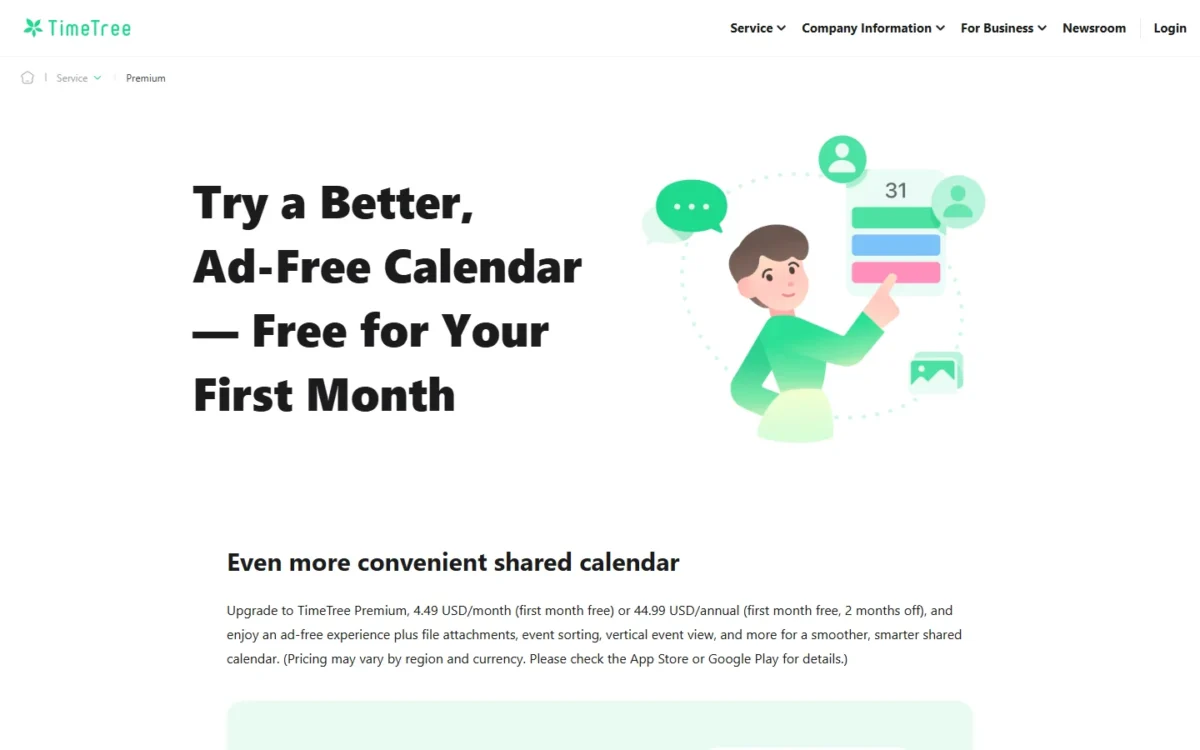
Premium changes five things: PDFs, Word documents and photos attach to events, important events pin to the top, a vertical hour-by-hour view shows up to three days, dedicated support is included, and ads disappear. It is the cheapest paid monthly tier on this list, and the annual price saves $53.88 minus $44.99 = $8.89 against twelve monthly payments. Pricing may vary by region and currency, so the App Store or Google Play shows the price you will pay.
Against Cozi, TimeTree’s Premium page mentions no shopping list, recipe box or household account, and no 30-day limit on free events; for a couple who only needs shared dates, that makes TimeTree’s free tier the simpler start. Integrations and calendar-account sync are not described on the Premium page.
Premium costs $4.49 a month or $44.99 a year, both with the first month free, so one person pays $44.99 on the annual plan or $4.49 x 12 = $53.88 on monthly payments; the page prices one subscription and lists no family or team plan.
| Plan | Price | Billing | Key limit |
|---|---|---|---|
| Free | Free | None | Ads; no file attachments |
| Premium | $4.49 a month or $44.99 a year | Monthly or annual, first month free | One subscription |
Sources: TimeTree Premium, checked November 2026.
Pros
- A shared calendar with a free, ad-supported version
- File attachments and a 3-day vertical view on Premium
- First Premium month free
Cons
- Free tier shows ads
- Its Premium page lists no shopping lists or meal plans like Cozi’s
- Prices may vary by region and app store
- Skip it if:
- you share meals and shopping as well as dates; Cozi’s Gold covers the whole family, and its free tier already has the lists. Pick TimeTree free for a couple or club, and pay for Premium only when the ads bother you or you attach documents to events.
11. Proton Calendar: Best Private, Encrypted Calendar
- Best for: privacy-minded individuals and businesses
- Starting price: free account; Mail Plus $47.88 every 12 months after a $29.88 first year
- Company: Proton AG, Geneva, Switzerland
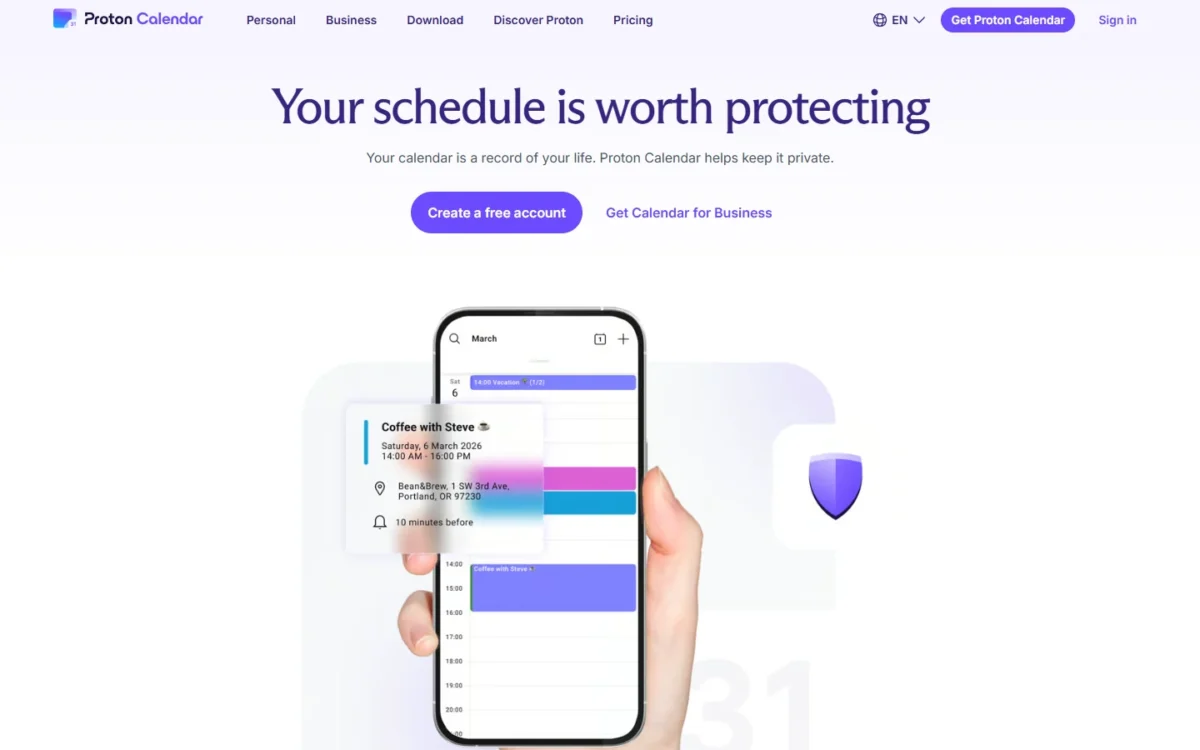
Proton Calendar is the pick when what you want from a calendar is that nobody else can read it: event details, including the title, description, location and the people invited, are end-to-end encrypted so that Proton itself cannot see them. Its paid route is a Proton plan rather than a calendar plan, so upgrading means buying a bundle such as Mail Plus.
The free account covers the private-calendar job on its own, and Proton adds automatic, private scheduling: it updates your availability, lets people book time and adds confirmed meetings without exposing your data. Its one integration that matters is Proton Mail: invitations send from the inbox and events can be added without switching apps. That encryption of event details is the whole reason this pick exists.
Among the other picks, Morgen is the nearest on privacy, storing data in Switzerland or the EU, but Morgen’s job is time blocking and it has no free plan; Proton’s job is confidentiality, and its pricing page lists the Free account at $0.00 a month. Swiss incorporation puts user data under Swiss privacy law, which Proton states and I report as its claim.
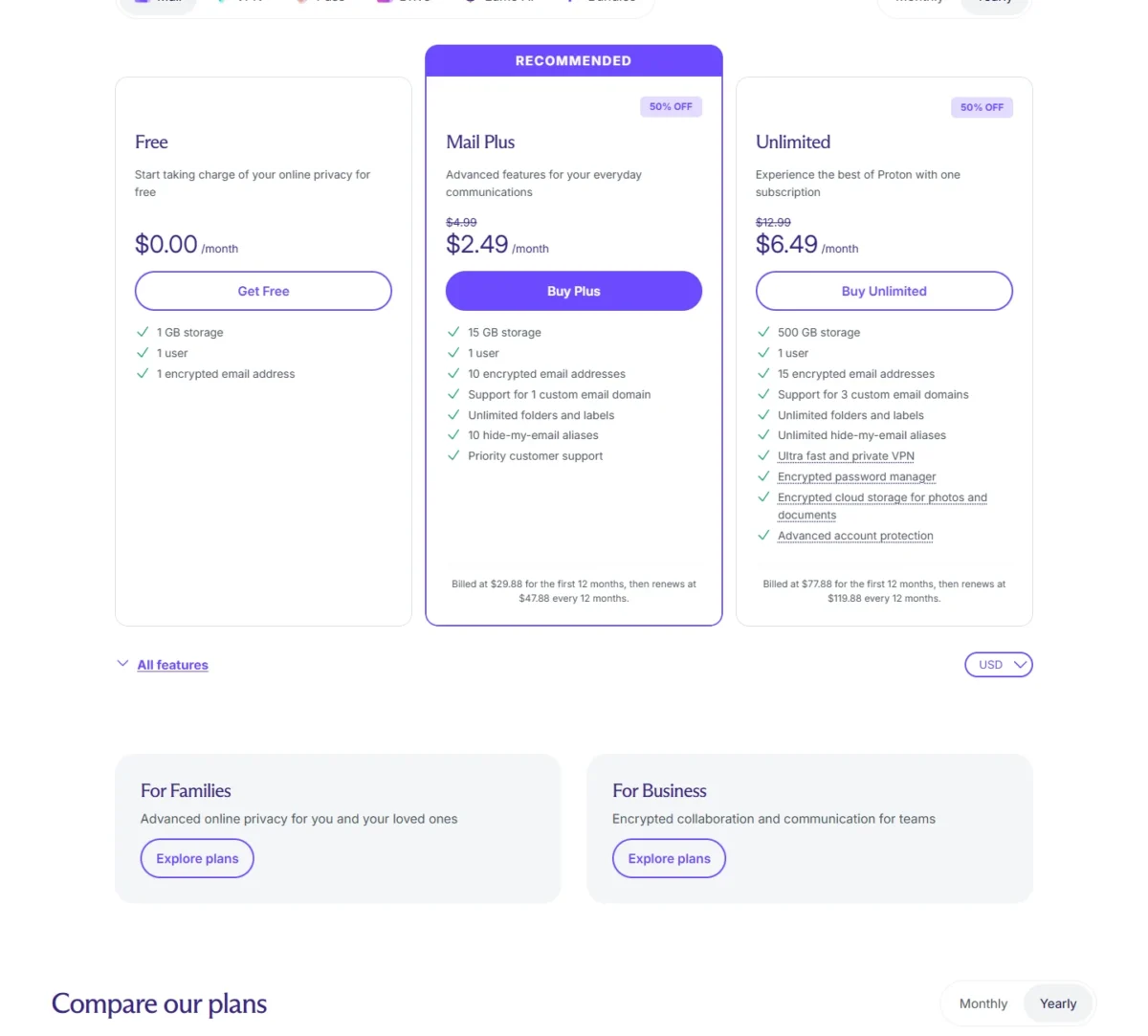
Proton Calendar comes with a free account; the paid plans are Proton plans, with Mail Plus billed at $29.88 for the first 12 months and then $47.88 every 12 months, so a privacy-first individual pays $47.88 a year after the promotional first year.
| Plan | Price | Billing | Key limit |
|---|---|---|---|
| Free | $0.00 | None | 1 GB storage, 1 user |
| Mail Plus | $29.88 first 12 months, then $47.88 | Every 12 months | 15 GB storage, 1 user |
| Unlimited | $77.88 first 12 months, then $119.88 | Every 12 months | 500 GB storage, 1 user |
Sources: Proton Calendar and Proton pricing, checked November 2026.
Pros
- Proton itself cannot read an event’s title, description, location or guest list
- Free account listed at $0.00 a month
- Private scheduling lets others book time without exposing your data
Cons
- Paid tiers are Proton bundles; Mail Plus renews at $47.88 a year after the first year
- Calendar features per plan sit behind a collapsed section on the pricing page
- No family or group calendar sharing described on the calendar page
- Skip it if:
- your calendar has to be shared with a Google or Outlook-based team every day; Google Calendar or Outlook keeps everyone in one system. Pick Proton on the free account for a personal calendar, and pay for Mail Plus only if you also want the encrypted mailbox.
How to Choose the Best Calendar App for Your Devices and Accounts
Start from the devices you use and the calendar account you cannot leave, then decide whether you need sharing or AI scheduling; those two questions eliminate most of the list before price matters. An Android phone rules out Apple Calendar and Fantastical, a Windows laptop rules out Apple Calendar, and a work Exchange account favors Outlook or any app that reads it.
Sharing splits by who shares: a household picks Cozi or a Google family group, a couple or club picks TimeTree, a company picks Google Workspace or Microsoft 365 so the admin owns the calendars. Scheduling automation splits by what you need placed: a booking page comes free with Google Calendar and in Microsoft Bookings on business plans, while AI that moves tasks and focus time is Reclaim, Motion or Morgen.
If what you schedule is staff shifts rather than your own day, my list of employee scheduling software for shift teams covers that product.
| Software | Android app | Reads Google, Outlook and iCloud | Family or group sharing | Booking page or scheduling link | AI auto-scheduling |
|---|---|---|---|---|---|
| Google Calendar | Yes | Google; the iOS app also shows device Exchange and iCloud calendars | Yes (Family calendar) | Yes (1 page free; unlimited on Business Standard) | Meeting-time suggestions (Help me schedule in Gmail, Gemini) |
| Microsoft Outlook | Yes | Yes (Gmail, iCloud accounts) | Not listed | Business plans (Microsoft Bookings) | Not listed |
| Apple Calendar | Not listed | Yes (iCloud, Exchange, Google) | Yes (iCloud calendars) | Not listed | Not listed |
| Fantastical | Not listed | Yes (iCloud, Google, Exchange) | Not listed | Premium (Openings) | Not listed |
| Notion Calendar | Yes | Yes | Not listed | Not listed | Not listed |
| Morgen | Yes | Yes | Not listed | Yes (all plans) | Yes (AI Planner) |
| Reclaim.ai | Not listed | Google and Outlook only | Not listed | Yes (1 link on Lite, 3 on Starter) | Yes |
| Motion | Yes | Not listed | Not listed | Not listed | Yes (AI Task Planner) |
| Cozi | Yes | Subscribed calendars | Yes (one family account) | Not listed | Not listed |
| TimeTree | Play store named on its Premium page | Not listed | Yes (shared calendar) | Not listed | Not listed |
| Proton Calendar | Not listed | Not listed | Not listed | Yes (private scheduling) | Not listed |
Sources: Google Calendar, Outlook, Apple Calendar on the App Store, Flexibits pricing, Notion Calendar, Morgen pricing, Reclaim pricing, Motion pricing, Cozi Gold, TimeTree Premium, Proton Calendar, checked November 2026.
“Not listed” means the vendor’s saved page does not mention it, not that the app lacks it. Windows apps are listed by Outlook, Fantastical, Notion Calendar and Morgen, and Proton is the one pick whose page states end-to-end encrypted event details.
A reader who wants notes and planning in one app is in a different category; the second brain apps list covers tools that combine notes with a calendar view.
Plain calendars vs AI scheduling calendars
An AI scheduling calendar places tasks, habits and focus time on top of a Google or Outlook calendar for $10 to $19 per seat per month on annual billing, while a plain calendar holds the events you enter and nothing moves by itself. Pay for the AI tier when you have more tasks than open hours and meetings keep eating the blocks you set; keep the plain calendar when your week is mostly appointments, because a booking page solves that free.
My take
Pick Reclaim Lite if you want to test the idea: one calendar, one week, no card. It is worth paying for Morgen or Motion when the free focus blocks keep moving because your tasks live in Todoist, Notion or a project tool; if they survive the week, you need nothing more.
Also Considered
- Any.do: a to-do app first; the free plan lists a calendar view beside tasks and reminders, and Premium costs $4.99 a month billed annually or $7.99 monthly. It belongs in a task-manager list.
- Akiflow: tasks plus calendar planning, with a 7-day trial and no free plan. Pro costs $19 a month billed yearly or $34 monthly, which overlaps the time-blocking job of my #6 pick at a higher yearly price ($19 x 12 = $228 against $15 x 12 = $180).
- Vimcal: a fast calendar with booking links and polls for founders and executives, $35 a month or $300 a year after the trial; its free tier is iOS only.
- Calendly: a booking layer on an existing calendar, free for one event type and $10 per seat per month on Standard; it is not a calendar app, which is why Google’s free booking page or Fantastical Openings often replaces it.
- Clockwise: no longer available from March 27, 2026, as the team joins Salesforce; former users get the same focus-time job from Reclaim.
Sources: Any.do pricing, Akiflow pricing, Vimcal pricing, Calendly pricing, Clockwise, checked November 2026.
Frequently Asked Questions
Is there anything better than Google Calendar?
Better for a job, not overall. Fantastical is better on Apple devices for typed entry and scheduling pages; Reclaim is better at defending focus time, and it runs on the same Google account; Cozi is better for a family that shares lists. For a free calendar on any device with a booking page, Google Calendar remains the pick.
Is Cozi or Skylight better?
They are different purchases. Cozi is a free app on iPhone, Android and the web with a paid Gold tier, while Skylight Calendar is a plugged-in touchscreen display that shows your calendars, with a companion app for Apple and Android. Choose Cozi if everyone has a phone; choose Skylight if the family needs a screen in the kitchen.
What is the best monthly calendar app?
Apple Calendar or Google Calendar: Apple Calendar is free on the App Store and shows events in List, Day, Week or Month views, and Google Calendar’s view picker offers Month beside Day, Week, Year, Schedule and 4 days. Fantastical lists full-screen day, week, month, quarter and year views in its Essentials table, while Cozi’s mobile month view sits in the Gold tier, so pay for a month view only when it comes with another feature you want.
What is the best calendar app for students?
A free one: Google Calendar on any phone, Apple Calendar on an iPhone, or Notion Calendar if coursework lives in Notion. A student who wants time blocking gets 25 percent off Morgen Pro with an institutional email. The AI tools for students list covers the rest of a study stack.
What is the best calendar app for Android?
Google Calendar, since it is free and built for Android. Notion Calendar, Morgen, Motion and Cozi list Android apps too; Apple Calendar and Fantastical do not, and Reclaim’s and Proton’s pages do not list one. Reclaim works through the Google Calendar account rather than a listed Android app.
Final Verdict: My Pick for Each Situation
No single app wins every job, so pick by situation:
- Any device, no budget: pick Google Calendar; add Reclaim Lite if you want focus time defended free.
- Apple household: pick Apple Calendar; move to Fantastical when you want a scheduling page and meeting polls.
- Microsoft 365 office: pick Outlook, with Business Basic when the company needs Bookings.
- Notion workspace: pick Notion Calendar, free.
- Tasks in several apps: pick Morgen on the Yearly plan; it is worth the yearly price when two or more task apps feed the calendar.
- AI focus time for a team of five: pick Reclaim Starter, unless you also want to retire the task manager, where Motion Pro AI costs $1,140 minus $600 = $540 more a year.
- Family with kids: pick Cozi, with Gold once you need to add events more than 30 days out.
- Couple or club: pick TimeTree free, with Premium to lose the ads.
- Privacy first: pick Proton Calendar on a free account.
Across the list, the free tiers do the daily job, and the upgrade usually starts at a named cap: a second booking page, a second synced calendar, a scheduling link, events past 30 days. Pay when that cap stops you, not before.