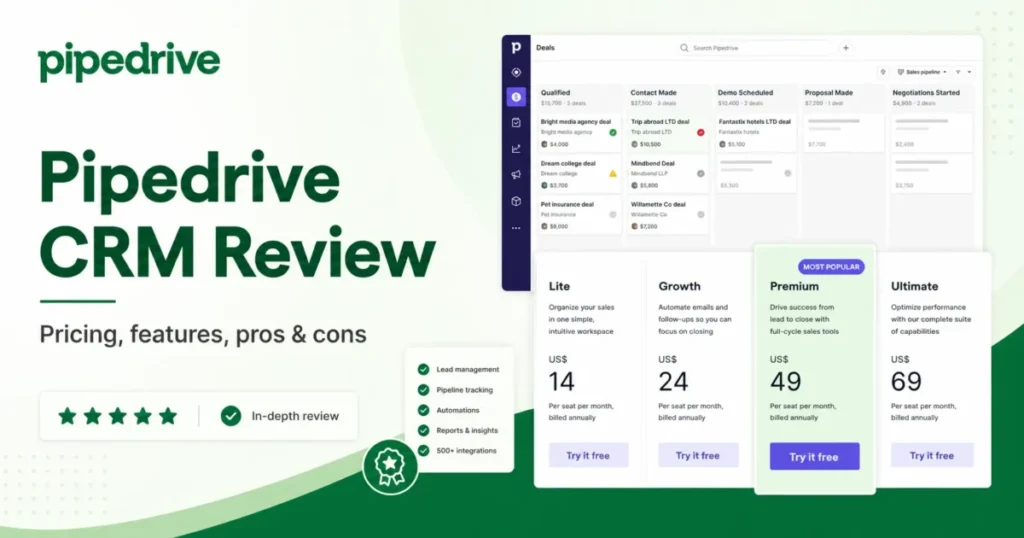
The cheapest Pipedrive plan is not the plan most sales teams end up paying for. Lite lists at $14 per seat per month on annual billing, and it ships without full email sync, workflow automation or forecast reports.
That one gate decides the real budget. This Pipedrive CRM Review works through the 2026 plan structure, the add-on math, the usage ceilings, and the buyer profiles that should shortlist other best CRM software options instead.
Pipedrive is a sales-first system built around activities and pipeline stages, not a full customer platform. It fits 5 to 50 person B2B sales teams that need follow-up discipline more than lifecycle marketing.
In This Article (18 sections)
Quick Verdict
| Category | Verdict |
|---|---|
| Best for | 5 to 50 person B2B sales teams, agencies, recruiters, real estate teams, and owner-led sales orgs |
| Not ideal for | Marketing-led lifecycle teams, native ticketing teams, enterprise RevOps, free-plan seekers |
| Starting price | $14 per seat/ |
| Best practical plan | Growth at $39 per seat/ |
| Free plan | No. A 14-day free trial only, no credit card required |
| Setup difficulty | Low for pipelines. Medium once imports, permissions, automations and reporting arrive |
| Main strength | Drag-and-drop pipeline plus activity discipline that reps adopt without an admin |
| Main limitation | Reporting ceiling and automation branching capped by plan |
| Best alternative | HubSpot CRM for marketing-led teams, Salesforce Sales Cloud for enterprise object models |
Two numbers carry most of the decision here: the $25 per seat gap between Lite and Growth, and the 3 if/else steps Growth allows inside one automation. Both are covered in detail below.
What Pipedrive Is, and What It Deliberately Is Not
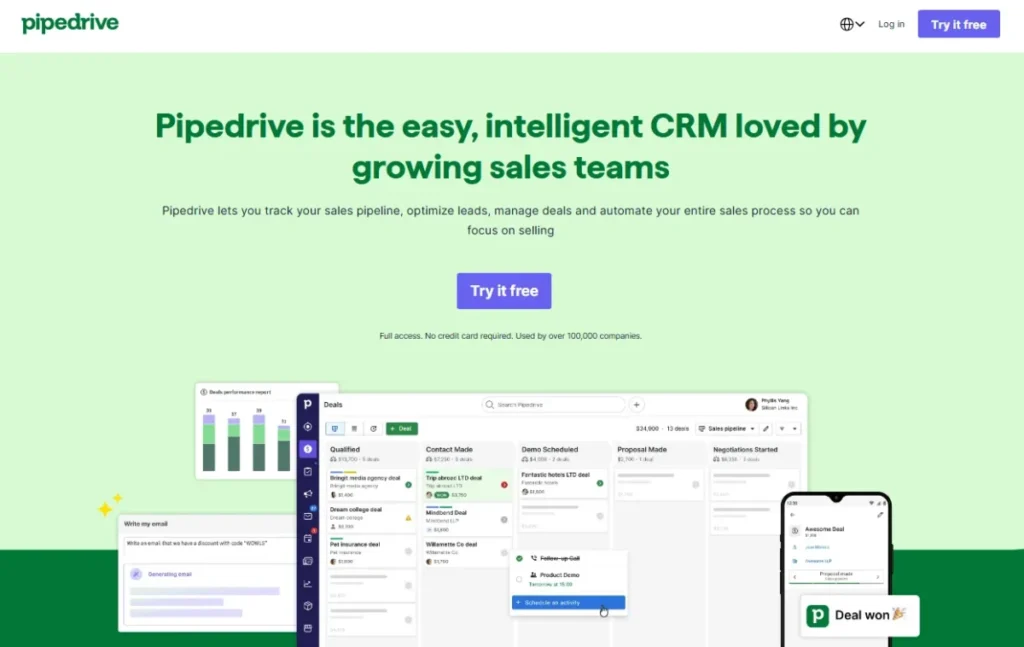
Pipedrive CRM is a cloud sales platform founded in 2010 and headquartered in New York. Its official products page describes a suite built around activity-based selling, where the next scheduled action on a deal matters more than the record itself.
That philosophy explains the interface. Deals sit as cards inside pipeline stages, and each card pushes the rep toward a call, a meeting or an email rather than a form to fill.
Pipedrive states that more than 100,000 companies use the product and that the marketplace lists 500+ integrations. If you are still deciding what CRM software does at a category level, that framing matters, because Pipedrive is narrower than a customer platform on purpose.
It is not a marketing automation suite, and it is not a help desk. It is also not a data warehouse with a sales module bolted on.
Campaigns by Pipedrive adds email marketing, and LeadBooster adds lead capture, but both sit around the sales core rather than replacing a marketing stack. Teams that want one system for marketing, sales and support will fight this product rather than use it.
How This Pipedrive CRM Review Was Built
SaaS CRM Review did not run a hands-on trial of Pipedrive for this article. Every claim below comes from official pages, official help documentation, or named third-party sources.
The evidence base was Pipedrive’s pricing page, its 2025 plan-change help article, its billing article, the automation troubleshooting doc, the support contact page, the AI product page, the Marketplace, the developer API reference, and the Trust Center. Review sentiment comes from Capterra and G2 listings, and pricing figures were cross-checked against recent US-focused sources.
That last point needs stating plainly. Pipedrive’s official pricing page localizes currency by visitor region, so the USD figures in this review were confirmed against 2026 US pricing sources rather than scraped from a US-served page.
I treat those USD figures as accurate for planning and not as a checkout guarantee. Confirm the final number, taxes and billing terms inside Pipedrive checkout before you sign anything.
Testing level: third_party_validated. No hands-on trial language appears below, because no trial was run.
If you want the full standard behind that label, our review methodology explains how each evidence tier is handled. This Pipedrive CRM Review follows it without exception.
Pricing checked: July 9, 2026. Plan limits verified against Pipedrive’s official plan-change documentation on the same date.
The Three Problems Pipedrive Solves Well
Reps Stop Losing Deals to Silence
The core problem Pipedrive CRM fixes is not data storage. It is the deal that goes quiet because nobody scheduled the next call.
Activity-based selling forces every deal card to carry a next action. A deal with no scheduled activity shows as a gap in the pipeline view, which makes coaching a five-minute exercise instead of a spreadsheet audit.
For a 12-person sales team running two pipelines, that single behavior is the return on the license. I would judge the purchase on whether the “no next activity” count drops in the first 30 days, not on how many features the plan unlocked.
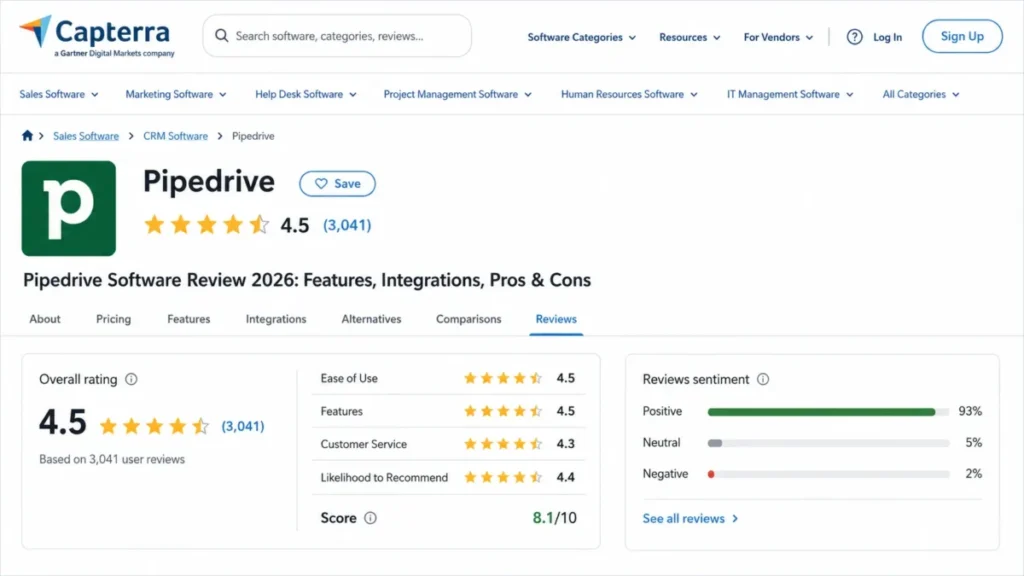
Capterra’s listing shows a 4.5 out of 5 score on ease of use across 3,041 reviews, and adoption is the reason that matters. A CRM the reps ignore produces worse forecasts than a shared spreadsheet.
Pipeline Visibility Without a Sales Ops Hire
Salesforce and HubSpot both reward an admin. Pipedrive does not require one to get a working pipeline in week one.
Stages are drag-and-drop, and Pipedrive positions the product for growing sales teams rather than admin-heavy deployments. A founder or sales manager can configure a first working pipeline without a certified implementation partner.
That is a real cost saving. A CRM’s seat price never covers the administrator the product assumes you already have.
The trade-off arrives later, and it is discussed in the reporting section below.
Follow-Up Automation That Reps Actually Trigger
From the Growth plan up, Pipedrive’s pricing page shows workflow automation and nurturing sequences. That combination handles the repetitive part of B2B selling: stage-change tasks, follow-up emails, and owner assignment.
A workable Growth-tier workflow looks like this. Deal moves to “Demo Booked” → create a follow-up activity for the owner → send a templated recap email → if no reply in three days, create a call task.
That covers most SMB follow-up discipline. Where it stops working is covered under automation limits, because Growth allows only 3 if/else steps inside a single automation.
The Two Problems Pipedrive Creates
The Reporting Ceiling Arrives Before the Team Feels Big
Reporting is the most repeated criticism in Pipedrive’s review-platform patterns, and it is the clearest reason growing teams leave. Capterra’s negative examples cite limited advanced reporting, and G2’s dislike themes include limited features and advanced capability sitting on higher-priced plans.
Simple dashboards are fine. Deals by stage, activity volume per rep, win rate by source, forecast by close date: Pipedrive handles all of it.
The ceiling appears with multi-object analytics. Blended marketing attribution, revenue reporting across custom objects, and cohort analysis against product usage are not what this reporting engine was built to do.
Report counts inside Pipedrive CRM are also gated. Growth caps at 50 reports, Premium at 250 reports per user, and Ultimate at 500 reports per user according to Pipedrive’s plan documentation.
| Reporting need | Fits Pipedrive? | Practical answer |
|---|---|---|
| Deals by stage, activity volume, win rate by source | Yes | Standard dashboards, available from Growth |
| Forecast by close date | Yes | Forecast reports open on Growth |
| More than 50 custom reports | Not on Growth | 250 per user on Premium, 500 on Ultimate |
| Multi-object analytics across product and support data | No | Export to a BI layer |
| Blended marketing attribution | No | Needs a marketing platform plus a BI layer |
| Board-level revenue reporting across functions | No | Treat Pipedrive as a source system, not the reporting layer |
Rows four to six are the ones that end a Pipedrive contract. A sales manager never hits them, and a revenue operations lead hits all three inside a year.
Here is the practical threshold I use. If a sales ops manager already maintains a BI layer, or is about to, Pipedrive stays viable as the source system.
If leadership expects the CRM itself to answer cross-functional revenue questions, this is the wrong tool.
“No Marketing Automation” Is Wrong, and the Truth Is Worse
Competitor reviews repeat that Pipedrive has no marketing automation. That claim is inaccurate, and the correction is not flattering.
Pipedrive does sell Campaigns, an email marketing product with layouts, tracking, analytics and filtering. What it does not sell is full lifecycle marketing automation: behavior-triggered journeys, landing pages, ad-audience sync, lead-scoring across channels, and marketing attribution feeding revenue reporting.
Sales email sequencing and marketing automation are different jobs. One nudges 40 open deals; the other nurtures 40,000 contacts across a lifecycle.
Buyers who need the second thing usually end up paying twice: a Pipedrive license plus a marketing platform. That stack works, and it is still a two-vendor decision worth pricing against a single-platform option.
Our HubSpot CRM review covers where that consolidation pays off.
The Buyer Risk Ledger
| Risk | Who it hits | Consequence | Mitigation |
|---|---|---|---|
| Budgeting from the $14 Lite price | Founders and finance approvers | Real cost is 2.8x higher once Growth is needed | Budget Growth from day one |
| Automation branching cap | Ops-heavy teams on Growth | Complex routing must move to Premium or an external tool | Map your longest workflow before choosing a plan |
| Reporting ceiling | Sales ops managers at 20+ reps | Board reporting moves to spreadsheets within a year | Confirm the BI plan before renewal |
| Add-ons priced per company | Teams under 10 seats | LeadBooster adds ~17% to a 5-seat Growth bill | Price the add-on stack before comparing seat prices |
| Support access by plan | Growth teams running a time-boxed go-live | Blocked migrations wait until the next business day | Buy Premium for 24/7 live chat |
| Bulk email automation limits | Teams migrating from spreadsheets | Mass-update automations can fail or be blocked | Use Campaigns or group email for mass sends |
The mitigations are cheap and the risks are not. Every row above is fixable before purchase, and expensive after it.
Pipedrive Pricing Reality in 2026
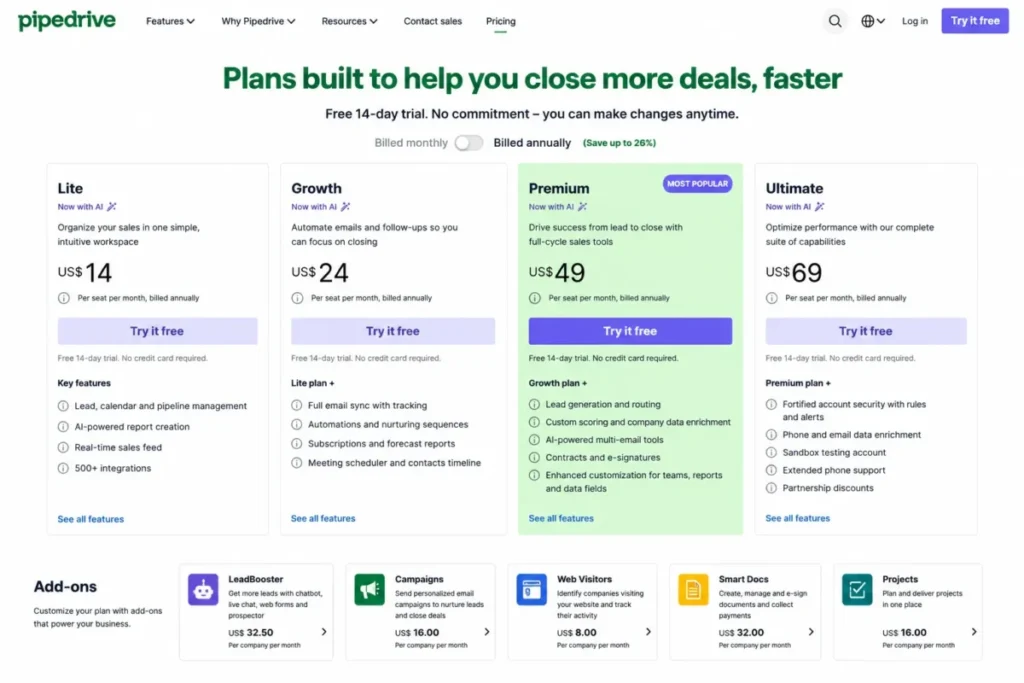
Pipedrive CRM has four plans and no free tier. Prices below are USD per seat per month, and both billing cycles are shown because the gap is large.
| Plan | Annual (per seat/ | Monthly (per seat/ | What opens here | Worth it? |
|---|---|---|---|---|
| Lite | $14 | $24 | Leads, calendar, pipeline, AI report creation, real-time sales feed, 500+ integrations | Only for solo pipeline tracking |
| Growth | $39 | $49 | Full email sync and tracking, automations, nurturing sequences, forecast reports, meeting scheduler, contacts timeline | The practical entry point |
| Premium | $59 | $79 | LeadBooster, custom scoring, company data enrichment, AI multi-email tools, contracts and e-signatures, Projects, team inbox | Buy for admin limits and 24/7 chat |
| Ultimate | $79 | $99 | Security rules and alerts, phone and email enrichment, sandbox account, extended phone support | Admin and security buyers only |
Feature gates come from Pipedrive’s official pricing page. The USD values were cross-checked against 2026 US pricing sources, because the official page can serve a different currency depending on visitor region.
The pattern is consistent across tiers: annual billing removes $10 to $20 per seat per month. On a 10-seat Growth plan, that is $1,200 a year, paid upfront rather than monthly.
Seat prices are only the first layer. The full Pipedrive pricing breakdown tracks how add-ons, billing cycle and plan gates compound into a real annual figure.
The 2025 Plan Rename That Still Confuses Buyers
Half the reviews still ranking for this keyword use plan names Pipedrive retired. If a comparison table mentions Essential or Professional, it is out of date.
| Old plan name | Current plan name |
|---|---|
| Essential | Lite |
| Advanced | Growth |
| Professional | Premium |
| Power | Premium |
| Enterprise | Ultimate |
Professional and Power both collapsed into Premium, which is why some older feature comparisons no longer reconcile. Anyone renewing from a legacy contract should map their entitlements against the current plan sheet rather than assume a like-for-like migration.
Where the Lite Plan Stops Working
Lite is a real product, and it is the wrong anchor for most teams reading this review. It covers lead, calendar and pipeline management, AI report creation and the sales feed.
It does not cover full email sync, workflow automation, nurturing sequences, forecast reports, the meeting scheduler, or the contacts timeline. Those five gates describe the daily routine of an active B2B seller.
A solo consultant tracking 20 deals a quarter can live on Lite. A three-person outbound team cannot, because every email lives outside the CRM and every follow-up is manual.
The upgrade trigger is email sync, not team size. The moment a manager wants to see thread history on a deal card without a rep pasting it in, Growth becomes the floor.
That is the Budget Pressure Point on this product. $14 is the shelf price. $39 is the operating price, and a 10-seat team should plan for $4,680 a year rather than $1,680.
Add-Ons Move the Total Cost More Than the Seat Price
Seat price is the number every competing review compares. Add-ons are the number that changes the decision.
LeadBooster can be attached to any Pipedrive plan from $32.50 per month per company, and it bundles Chatbot, Live Chat, Prospector and Web Forms. Campaigns and Web Visitors are separately priced add-ons that stay paid even on Ultimate.
Premium includes LeadBooster in the seat price. That single fact reshapes the Growth-versus-Premium comparison for any team that needs web lead capture.
| Scenario (annual billing) | Monthly cost | Annual cost |
|---|---|---|
| 5 seats, Growth | $195 | $2,340 |
| 5 seats, Growth + LeadBooster | $227.50 | $2,730 |
| 5 seats, Premium (LeadBooster included) | $295 | $3,540 |
| 10 seats, Growth | $390 | $4,680 |
| 10 seats, Growth + LeadBooster | $422.50 | $5,070 |
| 10 seats, Premium (LeadBooster included) | $590 | $7,080 |
At five seats, LeadBooster adds 17% to the Growth bill; at ten seats it adds 8%, because the add-on is priced per company rather than per user. Small teams therefore pay a much larger relative penalty for lead capture, which is a reason to test whether web forms are needed at all before the first renewal.
Campaigns and Web Visitors are not included in the table because their US list prices were not verified for this review. Confirm both in checkout, and treat any competing article that quotes them without a source date with suspicion.
Free Trial, Not a Free Plan
Pipedrive offers a 14-day free trial with no credit card required. There is no permanent free tier, and no amount of plan-mixing produces one.
If a zero-cost CRM is a hard requirement, this product is disqualified at the first filter. Zoho CRM and HubSpot both operate free tiers; our Zoho CRM review covers what that free entry point actually includes.
Annual billing is charged upfront for the full year, while monthly billing charges on the same day each month. The discount is real, and so is the commitment, so confirm cancellation and proration terms before choosing annual to save $10 per seat.
Key Features and the Plans That Gate Them
Every feature below answers four questions: what it does, who it helps, which Pipedrive CRM plan opens it, and where it stops.
Visual Pipeline and Deal Management
The pipeline view is the product. Deals move as cards through stages the team defines, and that view is the primary working surface rather than a record list.
It opens on Lite, which is the reason the entry plan sells. The limitation is depth rather than function: pipeline logic assumes a linear sales motion, so committee-based enterprise deals with parallel workstreams do not map cleanly onto stages.
Email Sync and Tracking
Full email sync with open and click tracking opens on Growth. Below that, email lives outside the deal record.
Premium raises the ceiling to 3 email syncs per user, which matters for reps working multiple mailboxes or shared aliases. Confirm your provider’s connector on the Marketplace listing before assuming a specific mailbox will sync.
Workflow Automation and Sequences
Automations and nurturing sequences also open on Growth. This is where the plan gate becomes a design constraint rather than a price point.
Growth allows 3 if/else steps per automation. Premium raises that to 10 if/else steps, permits 150 active automations, and allows 25 sequences.
Three branches covers “if no reply, create a task; if reply, move stage; otherwise wait.” It does not cover territory-based routing crossed with deal size crossed with product line.
There is a caveat competing reviews skip. Pipedrive’s automation troubleshooting documentation states that bulk updates can exceed frequency limits and fail, and that email-sending automations triggered by large bulk edits can be blocked by provider tools.
Pipedrive’s own guidance is to use group emailing or Campaigns for mass sends. Anyone planning to migrate a spreadsheet and trigger a welcome sequence off the import should read the automation troubleshooting article first, because that exact pattern is the documented failure mode.
LeadBooster and Lead Generation
LeadBooster covers Chatbot, Live Chat, Prospector and Web Forms. It ships inside Premium and attaches to lower plans from $32.50 per month per company.
Lead routing and custom scoring also sit at Premium. Teams that generate leads from a website, rather than purely from outbound, should price Premium against Growth-plus-LeadBooster rather than assume the cheaper tier wins.
Pipedrive AI
Pipedrive’s AI page lists AI notifications, an AI email generator, AI email summarization, AI app recommendations, AI marketplace search, and AI-generated reports. AI report creation appears from Lite; the multi-email AI tools sit at Premium.
Treat this as assistive tooling, not revenue intelligence. Summarizing a thread and drafting a follow-up is a different capability from forecasting risk across a pipeline with a model.
The data-handling position is worth reading before a security review. Pipedrive’s AI product page states that it does not permit third parties to use client data to improve or train AI models, and that it does not use client data to train its own models without permission.
That is the sentence to paste into a vendor security questionnaire. Pipedrive also states that product information can change, so re-check it at renewal rather than trusting a six-month-old review.
Reporting and Forecasting
Forecast reports open on Growth. Custom report volume is capped per plan, as covered in the scale-threshold table below.
The honest summary: reporting is adequate for sales managers and thin for revenue operations. That distinction, not team size, is the real dividing line.
Scale Thresholds: Where Each Plan Runs Out
Most reviews describe features. Very few publish the ceilings, which are the numbers that decide when a team migrates off Pipedrive CRM.
| Plan | Active leads + deals | Custom reports | Automation branching | Other stated limits |
|---|---|---|---|---|
| Lite | 2,500 per user | Not stated | No workflow automation | No full email sync |
| Growth | 5,000 per user | 50 | 3 if/else steps per automation | Forecast reports open here |
| Premium | 15,000 per company | 250 per user | 10 if/else steps, 150 active automations | 150,000 API tokens, 3 email syncs/ |
| Ultimate | Not stated | 500 per user | Not stated | 500 custom fields, 25 teams, 25 visibility groups, 25 custom permission sets |
Read the Premium row twice. Pipedrive’s documentation expresses the Lite and Growth ceilings per user and the Premium ceiling per company, which is a different scaling behavior, and a 30-seat Premium team should confirm that figure directly with sales before signing.
The Ultimate row carries the freshness warning. Older articles describe the retired Enterprise plan as effectively unlimited, while the current plan sheet publishes hard numbers such as 500 custom fields and 500 reports per user.
Pipedrive’s plan-change documentation is the source for every figure in this table.
What breaks first as a team grows is not seats. It is report count, then automation branching, then custom-field sprawl inside a deal model that stays linear.
Teams that hit all three inside a year are describing a platform problem, and the Salesforce CRM review sets out the admin cost that migration carries.
Ease of Use, Setup, and the Mobile App
Setup difficulty is low for a single pipeline and medium once real configuration starts. Importing contacts, mapping custom fields, wiring email sync, defining permission sets and building the first automation is a week of work for a sales ops owner, not an afternoon.
Capterra’s aggregate score is 4.5 out of 5 across 3,041 reviews, with 4.5 on ease of use and 4.3 on features. Those two numbers describe the product accurately: adoption is the strength, and depth is the constraint.
The mobile apps for iOS and Android cover task management, reminders, contact history, deal timelines, in-app call logging and inbox access. That set matters enormously for field sales, real estate teams and event-driven selling, and barely at all for an inside-sales team at desks.
I would not weight mobile heavily unless reps log calls between site visits. For everyone else it is a convenience, not a purchase driver.
The 30/90-Day Adoption Test
Apply this before renewal, not after. It separates a CRM that changed behavior from a CRM that became an expensive contact list.
- Day 30: every open deal has a scheduled next activity, and fewer than 10% of deals are rotting.
- Day 30: email sync is live for every rep, with no side-channel threads outside the CRM.
- Day 90: the weekly forecast comes from Pipedrive, not from a spreadsheet a manager rebuilds each Monday.
- Day 90: at least one automation runs without a rep remembering to trigger it.
- Day 90: the pipeline stage definitions have been revised at least once, which proves someone owns the system.
Fail two of those and the problem is process, not software. Switching CRMs will not fix it.
Integrations and Stack Fit
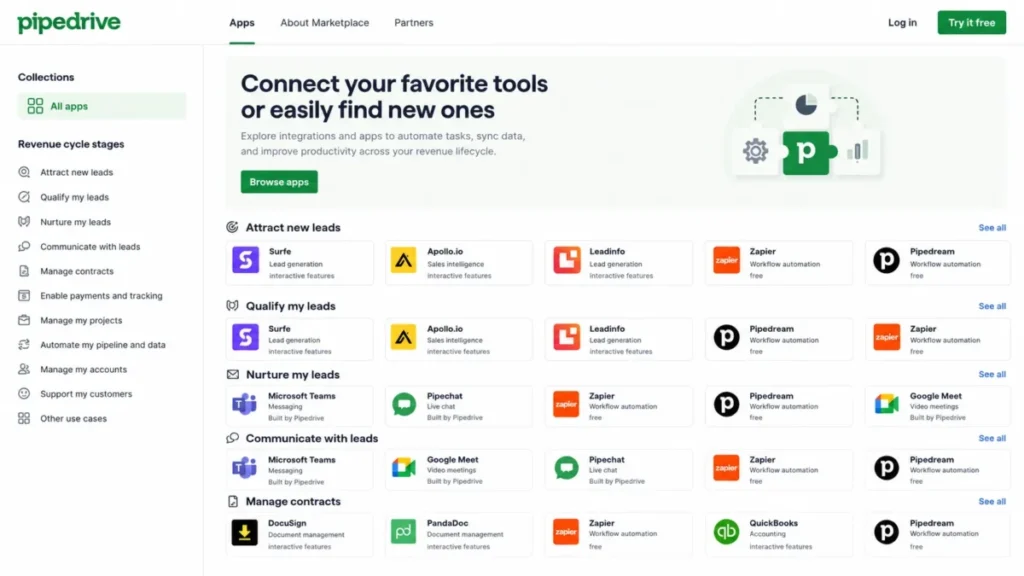
Pipedrive’s Marketplace organizes apps by revenue stage rather than by alphabet, which is more useful than a logo wall. Visible integrations include Zapier, Microsoft Teams, Google Meet, DocuSign, Apollo.io, Surfe, Leadinfo and WhatsApp tools.
The 500+ integrations figure is real and mostly irrelevant. What matters is whether the six tools in your revenue stack connect natively or through a bridge, because bridged integrations break during vendor API changes and native ones usually do not.
Integrations by Revenue Stage
| Revenue stage | What connects here | Examples visible on the Marketplace |
|---|---|---|
| Attract leads | Web forms, live chat, visitor tracking | LeadBooster tools, Leadinfo |
| Qualify leads | Prospecting and contact enrichment | Apollo.io, Surfe |
| Nurture leads | Email marketing and sequences | Campaigns by Pipedrive |
| Communicate | Meetings and messaging | Microsoft Teams, Google Meet, WhatsApp tools |
| Manage contracts | Documents and e-signature | DocuSign, Smart Docs |
| Automation and data | Cross-app workflows | Zapier |
| Projects | Post-sale delivery handoff | Projects, on Premium and above |
| Customer support | Ticketing handoff | Third-party help desks |
Read the bottom two rows as purchases, not features. Projects covers a delivery handoff rather than a delivery system, and support ticketing has no first-party option at any tier.
Stack-Fit Map
Pipedrive CRM owns the sales motion and delegates the rest. Budget for the surrounding tools rather than discovering them in month three.
| Workflow | Does Pipedrive own it? | What you will add |
|---|---|---|
| Pipeline, deals, activities | Yes | Nothing |
| Sales email and sequences | Yes, from Growth | Nothing |
| Lead capture from website | Partly | LeadBooster or Premium |
| Lifecycle marketing automation | No | A dedicated marketing platform |
| Support ticketing and SLAs | No | A help desk |
| Post-sale project delivery | Partly, via Projects on Premium | A project tool for complex delivery |
| Invoicing and revenue recognition | No | Accounting software |
| Cross-functional revenue reporting | No | A BI layer |
Four of those eight rows are external purchases for a mid-sized team. That is not a flaw in Pipedrive, but it is a fact the seat price hides, and it is the number to put next to a single-platform quote.
API and Developer Readiness
Pipedrive’s API is RESTful, returns JSON, supports CORS, and validates requests against an API token. Endpoints cover activities, deals, leads, pipelines, projects, users and webhooks, with OpenAPI files, Postman support, and official Node.js and PHP libraries.
That is enough for an internal integration, a data sync, or a custom lead-routing service. It is not a platform layer in the Salesforce sense, and there is no equivalent of a declarative object model with its own runtime.
One number belongs in the technical evaluation: Premium is documented at 150,000 API tokens. A developer planning a high-frequency two-way sync should confirm how that budget is consumed before designing the integration, because token cost per call is not a figure Pipedrive publishes on the pricing page.
Security, Support, and Admin Controls
Support Is Plan-Gated, and Most Reviews Do Not Say So
Support quality sentiment in G2’s dislike themes is mixed. Some of that mix is explained by the plan a reviewer bought, not by the support team.
| Plan | Live chat | Phone | Notes |
|---|---|---|---|
| Lite | Not listed on the official support page | No | Help center and self-serve resources |
| Growth | Monday to Friday, business hours in the user’s time zone | No | Blocked migrations wait overnight |
| Premium | Monday to Sunday, 24/7 | No | The realistic tier for time-boxed go-lives |
| Ultimate | Monday to Sunday, 24/7 | Extended phone support, Mon-Fri 7:00 to 23:00 CET/ | Phone window is European, not US business hours |
Read that last cell carefully if the buyer is on US Pacific time. A 7:00 to 23:00 CET window closes at 2:00 pm Pacific, which is mid-afternoon for a West Coast team.
Support access is documented on Pipedrive’s support contact page, and no response-time SLA is published there for any tier.
Premium Versus Ultimate Is an Admin Decision
Nobody upgrades to Ultimate for sales features. The step up is about control, and the plan documentation makes that explicit.
| Dimension | Premium | Ultimate |
|---|---|---|
| Custom reports per user | 250 | 500 |
| Teams | 15 | 25 |
| Visibility groups | 15 | 25 |
| Custom permission sets | 15 | 25 |
| Security rules and alerts | No | Yes |
| Sandbox testing account | No | Yes |
| Data enrichment | Company data | Phone and email data |
| Phone support | No | Extended hours |
A 25-rep team with three regions and two product lines exhausts 15 visibility groups faster than it exhausts 250 reports. The sandbox account is the other quiet differentiator, because it is the only supported way to test an automation change without touching live deals.
Security and Compliance
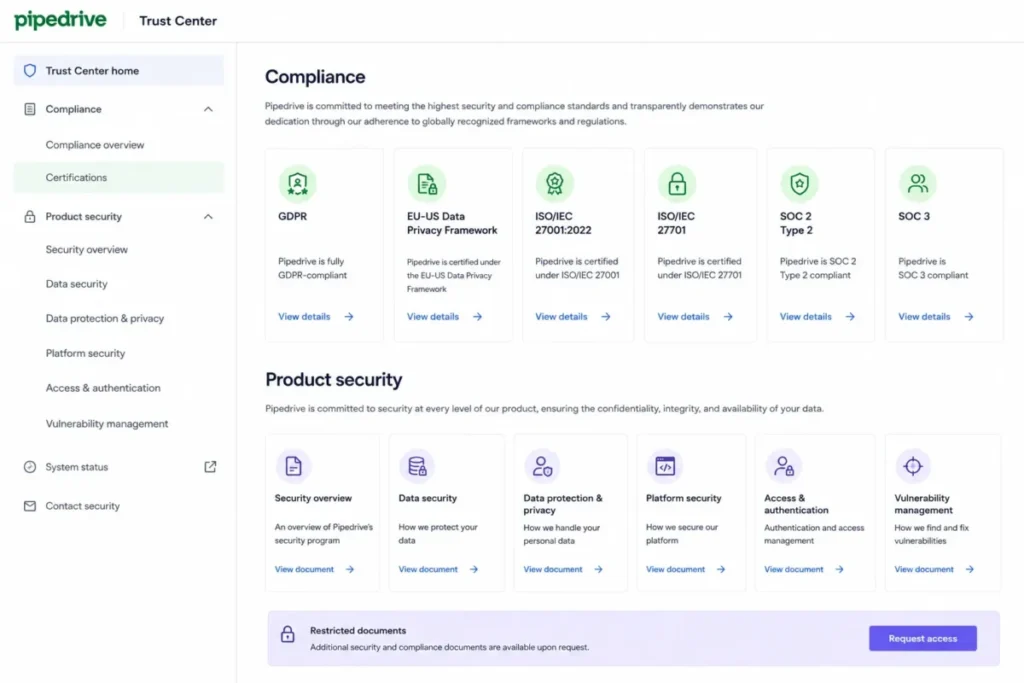
Pipedrive’s Trust Center documents GDPR, the EU-US Data Privacy Framework and its UK Extension, ISO/IEC 27001:2022, ISO/IEC 27701, SOC 2 Type 2 and SOC 3. It also lists application penetration testing, audit logging, MFA, data backups, access controls and incident response.
Most reviews of this product reduce that list to a single GDPR sentence. The Pipedrive Trust Center is the source, and some sensitive documents require an access request rather than a direct download.
Do not promise your security reviewer a SOC 2 report attached to the email. Promise them a Trust Center access request, and start it early.
Pipedrive Pros and Cons
Six of each, drawn only from evidence cited elsewhere in this Pipedrive CRM Review.
| Pros | Cons |
|---|---|
| Drag-and-drop pipeline that reps operate without a dedicated CRM admin | Lite excludes full email sync, workflow automation and forecast reports |
| Growth opens email sync, automations and sequences at $39 per seat per month annually | Growth caps automations at 3 if/else steps and 50 custom reports |
| Premium bundles LeadBooster instead of charging the $32.50 per month add-on | Campaigns and Web Visitors stay paid add-ons on every plan, including Ultimate |
| Marketplace groups 500+ integrations by revenue stage rather than alphabetically | 24/7 live chat starts at Premium; Growth gets business-hours chat only |
| Trust Center documents SOC 2 Type 2, ISO/ | No permanent free plan, only a 14-day trial |
| Capterra shows 4.5 out of 5 across 3,041 reviews, with 4.5 on ease of use | Ultimate publishes hard ceilings such as 500 custom fields, replacing old Enterprise “unlimited” assumptions |
The cons cluster in two places: the entry plan and the reporting engine. Neither is a defect, and both are budget items.
What Real Users Repeatedly Say
Review platforms are noisy. The value is in the repeated patterns, not the individual five-star post.
| Repeated praise | What it means for your shortlist |
|---|---|
| Short learning curve, minimal training | Adoption risk is genuinely low; budget less for enablement |
| Visual, customizable pipeline management | Fits deal-centric sales motions; weaker for account-centric ones |
| Broad integration coverage | Stack fit is rarely the blocker; integration quality still varies by app |
| Repeated criticism | What it means for your shortlist |
|---|---|
| Limited advanced reporting | Plan for a BI layer if leadership wants cross-functional revenue answers |
| Advanced features sit on higher plans | Price the plan you will need in month six, not month one |
| Missing or limited features versus larger CRMs | Confirm your two most complex workflows during the 14-day trial |
| Support experience varies | Much of this maps to plan tier, so check chat hours before blaming the team |
Capterra reports 93% positive sentiment and a likelihood-to-recommend score of 8.1 out of 10 across its Pipedrive listing. A 93% positive rate with a persistent reporting complaint is exactly what a well-scoped, deliberately narrow product looks like.
Who Wins and Who Loses With Pipedrive
The Winners
- 8 to 30 person B2B sales teams with a repeatable deal motion and no CRM admin on payroll.
- Agencies and consultancies tracking 30 to 150 open opportunities with named owners.
- Real estate and field-sales teams that log calls and update deals from a phone between appointments.
- Recruiters running candidate and client pipelines as two parallel deal flows.
- Founder-led sales orgs replacing spreadsheets, where adoption matters more than feature depth.
The Losers
| Buyer profile | Where Pipedrive fails them | Look at instead |
|---|---|---|
| Marketing-led lifecycle teams | Campaigns is email marketing, not journey automation with landing pages and attribution | HubSpot |
| Enterprise RevOps | Linear deal model, capped custom fields, no CPQ or territory planning | Salesforce Sales Cloud |
| Support-heavy teams | No native ticketing, SLAs or queue management | A dedicated help desk |
| Sales ops with advanced analytics needs | Reporting caps at 500 reports per user and cannot blend multi-object attribution | A BI layer or a heavier CRM |
| Zero-budget startups | No free plan; 14-day trial only | A free-tier CRM |
| Committee-based enterprise sellers | Linear stages do not model parallel workstreams and multi-threaded approvals | An enterprise CRM |
Five of those six rows describe product design rather than plan limits, so no upgrade fixes them. If a buyer sits in the marketing-led row, the HubSpot vs Pipedrive comparison is the more useful next read.
Switch or Stay
Switch to Pipedrive if the current CRM is unused, adoption is the bottleneck, and the sales motion is a linear pipeline.
Stay where you are if the current CRM already feeds board reporting, or if a marketing team depends on lifecycle automation living inside the same platform.
Delay the decision if the sales process is being redesigned this quarter. A CRM migration during a process change produces a clean system full of stale assumptions.
Better Alternatives for the Losers
Five alternatives, chosen by the failure mode rather than by market share.
| Alternative | Better for | Why it is on this list |
|---|---|---|
| HubSpot CRM | Marketing-led revenue teams | Lifecycle marketing automation sits in the same platform as the CRM, and a free tier exists |
| Salesforce Sales Cloud | Enterprise RevOps and complex object models | Configurable objects, territory hierarchies and quoting that a linear deal model cannot express |
| Zoho CRM | Teams that need a free entry tier | Free plan plus a large first-party app suite around the CRM |
| Freshsales | Teams wanting the CRM and their calling stack from one vendor | Named in Pipedrive’s own competitor set for the same sales-CRM bracket |
| monday Sales CRM | Teams running deals and delivery together | Positions itself as a work platform first, so it stretches outside the sales motion |
Profiles below come from Pipedrive’s own competitor set and each product’s public category positioning. This review did not benchmark those tools feature by feature, so treat the linked reviews as the source for their current pricing and inclusions.
HubSpot CRM
Choose HubSpot over Pipedrive CRM when marketing, not sales, drives the pipeline. Lifecycle journeys, forms and attribution sit in one platform instead of being bought as a second contract.
Stay with Pipedrive if marketing is one person sending a newsletter. Platform breadth is only worth paying for when more than one team uses it.
Salesforce Sales Cloud
Choose Salesforce when the data model is the product: configurable objects, territory hierarchies, approval matrices and quoting. Pipedrive’s linear deal model with capped custom fields does not represent that shape at any tier.
Stay with Pipedrive if the answer to “who will administer it” is nobody. Confirm the administration cost before switching, because it sits outside the licence quote.
Zoho CRM
Choose Zoho when a free entry tier is a hard requirement, or when the team already runs other Zoho apps. Reducing vendor count is the real benefit here, not any single feature.
Stay with Pipedrive if rep adoption is the risk you are managing. Suite breadth adds configuration work that a five-person team feels in week one.
Freshsales
Freshsales sits in Pipedrive’s own competitor set and is commonly shortlisted by teams that want the CRM and their calling stack from one vendor. Confirm which communication features are included on which plan before comparing seat prices.
Stay with Pipedrive if the sales motion is email-led and pipeline hygiene is the goal. Pipedrive’s activity model is the stricter discipline.
monday Sales CRM
Choose monday Sales CRM when the same team runs deals and delivery and wants both on one board structure. It positions itself as a work platform first, which is why it stretches further outside the sales motion.
Stay with Pipedrive if deal velocity is the only metric that matters. Flexibility costs setup time, and a sales-only team rarely recovers it.
Final Verdict: Is Pipedrive Worth It in 2026?
Pipedrive is worth it for 5 to 50 person B2B sales teams that need pipeline discipline, fast adoption and straightforward sales automation without hiring an administrator. It is not worth it for marketing-led lifecycle teams, support-heavy organizations, enterprise RevOps groups, or anyone requiring a permanent free plan.
Buy Growth at $39 per seat per month on annual billing. That is the plan where email sync, automations, sequences and forecast reports live, and it is the honest entry price for a working sales team.
Move to Premium when web lead capture, 24/7 chat support, ten-branch automations or higher admin limits become real requirements. Move to Ultimate only for security rules, a sandbox account and 25 permission sets, which is an admin purchase, not a sales one.
Skip Pipedrive entirely if lifecycle marketing, native ticketing or multi-object revenue reporting is on the requirements list. No plan upgrade closes those requirements, which is why anyone in that position should start from a broader Pipedrive alternatives shortlist instead of a higher tier.
The renewal question to answer twelve months from now: is the weekly forecast built in Pipedrive, or rebuilt in a spreadsheet every Monday? If it is the spreadsheet, the CRM is a contact list, and the license is not earning its cost.
This Pipedrive CRM Review reflects official pricing, plan and documentation evidence checked on July 9, 2026 by Macedona for SaaS CRM Review. Prices localize by region, and Pipedrive states that product information can change, so confirm plan terms in checkout.
Teams shopping this tier should also compare it against the wider best CRM for small business field before committing to annual billing.
FAQ
Is Pipedrive a good CRM?
Pipedrive is a strong sales CRM and a weak customer platform, scoring 4.5 out of 5 on Capterra across 3,041 reviews with pipeline visibility and fast adoption as the repeated strengths. Teams needing lifecycle marketing, native ticketing or multi-object revenue reporting should look elsewhere, because those gaps sit in the product design rather than in the plan you buy.
How much does Pipedrive cost in 2026?
Pipedrive CRM costs $14, $39, $59 and $79 per seat per month on annual billing for Lite, Growth, Premium and Ultimate, while monthly billing runs $24, $49, $79 and $99. Pricing was checked on July 9, 2026 against recent US sources, because the official pricing page localizes currency by visitor region, so confirm the final USD figure and taxes in checkout.
Does Pipedrive have a free plan?
No, Pipedrive offers a 14-day free trial with no credit card required and no permanent free tier on any plan, so a zero-cost requirement rules it out at the first filter. If that constraint is firm, Zoho CRM and HubSpot both operate free entry tiers worth scoping before you spend a trial week here.
Which Pipedrive plan should I choose?
Growth at $39 per seat per month is the practical floor for any active sales team, because full email sync, workflow automation, nurturing sequences and forecast reports all open there rather than on Lite. Choose Premium if you need website lead capture, 24/7 live chat or ten-branch automations, and Ultimate only for security rules, a sandbox account and larger permission-set allowances.
Does Pipedrive include marketing automation?
Partly, and the distinction decides your stack: Campaigns by Pipedrive handles email marketing with layouts, tracking and analytics, but it does not deliver lifecycle automation with behavior-triggered journeys, landing pages, ad-audience sync and attribution. Teams needing those capabilities should budget a separate marketing platform alongside the Pipedrive CRM licence rather than expecting one tool to cover both jobs.
Is Pipedrive better than HubSpot?
For a sales-only team with no CRM administrator, Pipedrive wins on adoption speed and entry cost, while a marketing-led revenue team is better served by HubSpot because lifecycle automation sits in the same platform rather than a second vendor contract. The deciding question is which function owns the pipeline, not which product lists more features.
What are the disadvantages of Pipedrive?
Six stand out. Lite excludes email sync and automation, Growth caps automations at three if/else steps and 50 reports, Campaigns and Web Visitors remain paid add-ons, 24/7 chat starts at Premium, there is no free plan, and Ultimate now publishes hard ceilings such as 500 custom fields where the retired Enterprise plan was assumed unlimited.
Does Pipedrive sync with Gmail and Outlook?
Full email sync with open and click tracking opens on the Growth plan and above per Pipedrive’s official pricing page, and Premium allows three email syncs per user for reps handling multiple mailboxes. Confirm your specific mail provider’s connector on the Pipedrive Marketplace before purchase, because connector availability is listed there rather than on the pricing page.
Is Pipedrive good for large sales teams?
Complexity decides this, not headcount: a 60-rep team selling one product through a linear pipeline fits Premium, provided the 15,000 leads-plus-deals-per-company ceiling is confirmed with sales first. A 25-rep team running three regions, two product lines and approval routing exhausts Premium’s 15 visibility groups and 15 permission sets long before seat count becomes the constraint.
Is Pipedrive worth it in 2026?
Yes for 5 to 50 person B2B sales teams that need pipeline discipline and fast adoption without an admin hire, budgeting Growth at $39 per seat per month rather than the $14 headline. No for marketing-led teams, support-heavy organizations, enterprise RevOps groups and free-plan seekers, where the limitations are structural and no upgrade resolves them.