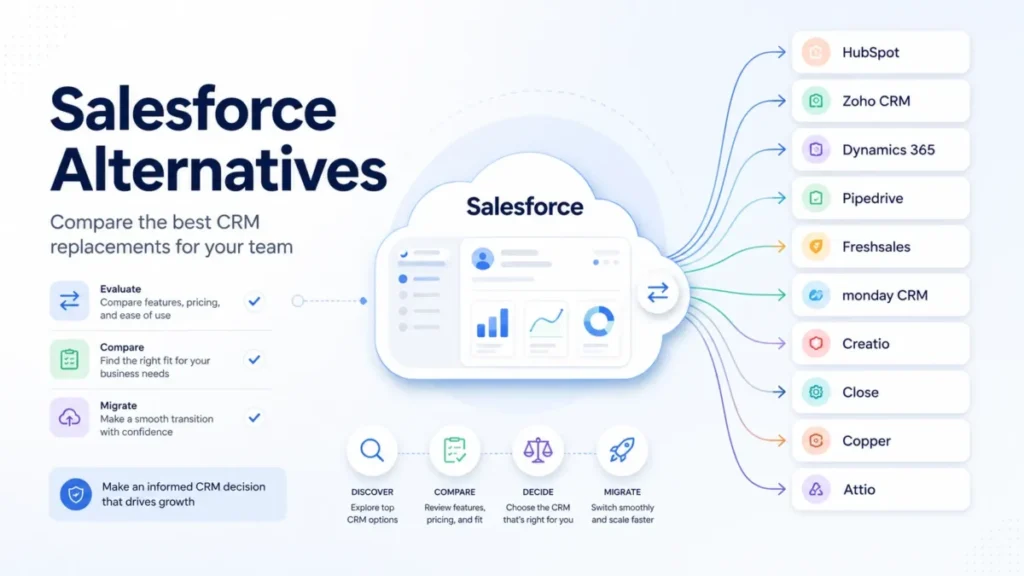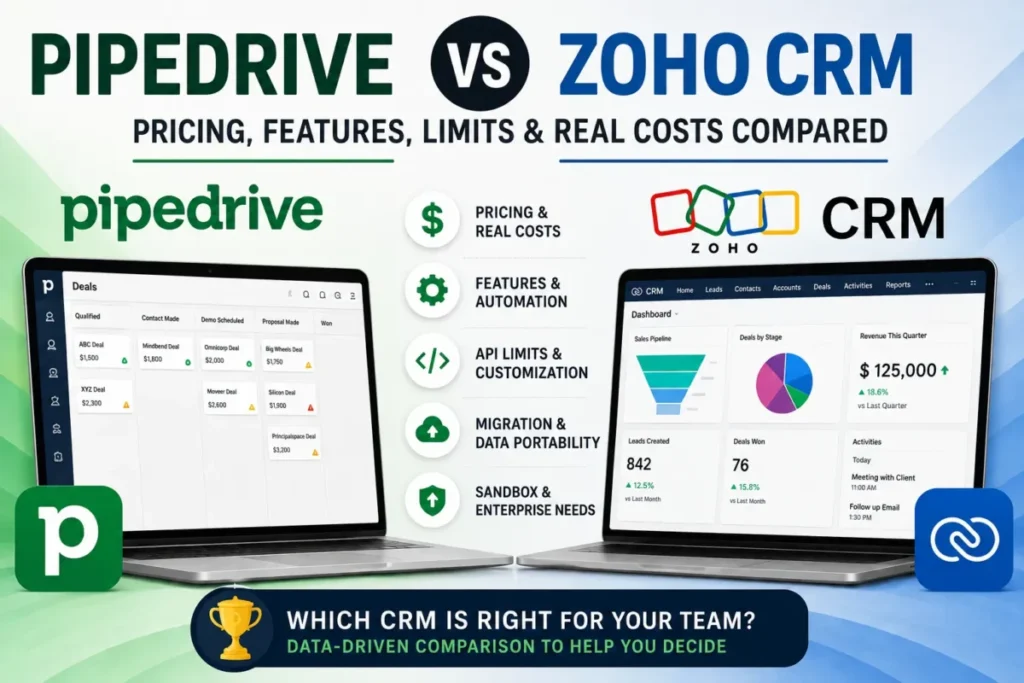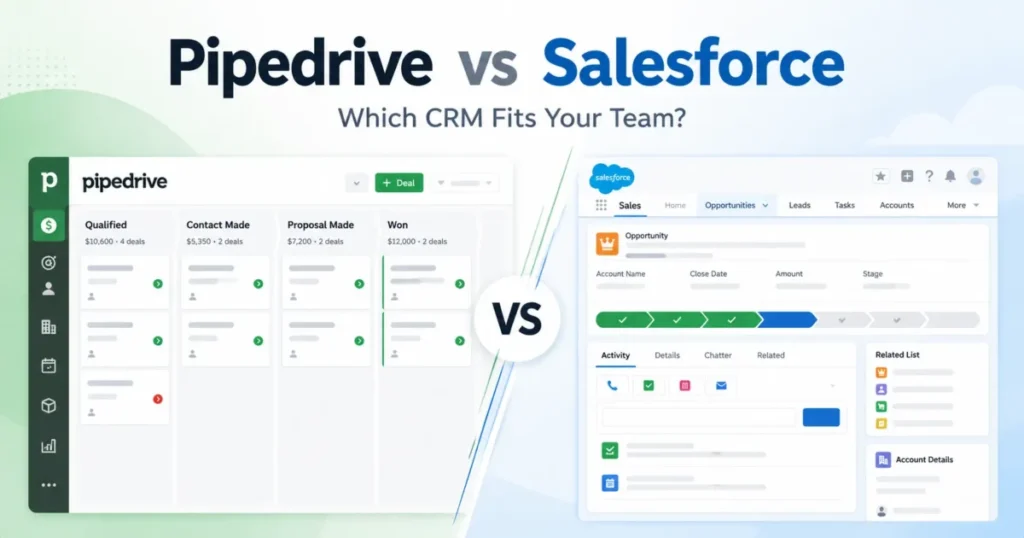
A rep opens a deal, changes its stage, logs a call, and moves on. That loop runs a few hundred times a week, and it is the thing you are actually buying.
Pipedrive vs Salesforce is usually framed as small business against enterprise. That framing is lazy, and it sends the wrong teams to the wrong tool.
The honest split is narrower. Pipedrive is built so a sales team can run that loop with almost no administration behind it, while Salesforce is built so an operations team can reshape the loop itself.
This comparison prices both at real team sizes, names the limit each one hits first, and shows which direction of migration is genuinely harder. If you are still shortlisting, the wider set of best CRM software options is worth a look first.
In This Article (25 sections)
Quick Verdict: Pipedrive vs Salesforce
Pipedrive is the stronger default for a lean sales team with a straightforward pipeline and no dedicated CRM administrator. Salesforce earns its cost when the sales process itself needs to be engineered, governed, and integrated at depth.
| Decision category | Winner | Why it wins |
|---|---|---|
| Base license cost | Pipedrive | Every practical plan pair lands multiples cheaper at the same seat count |
| Time to a working pipeline | Pipedrive | A deal, its value, a contact and a stage are the whole setup |
| Automation capacity | Depends | Pipedrive publishes a hard ceiling per plan; Salesforce trades that ceiling for build effort |
| Platform customization | Salesforce | Record types, sales paths and object design are the product, not an add-on |
| Integration ecosystem | Salesforce | More than 5,500 listed apps against more than 500 native connectors |
| Web API entitlement | Salesforce, on stated entitlement | Web API is named in the Enterprise edition description, so the entitlement is explicit before purchase |
| Moving data in | Pipedrive | A documented Salesforce-to-Pipedrive route exists; the reverse wizard refuses opportunities |
| Identity architecture | Salesforce | Federated SAML sign-on, against Pipedrive’s documented exclusivity between native two-factor authentication and SSO |
| Mobile access rules | Incomparable | Pipedrive documents that its rules stop at the browser apart from two-factor authentication, and no equivalent Salesforce statement was checked |
| Administration overhead | Pipedrive | The thing you do not have to staff is the thing you do not have to pay for |
Choose Pipedrive if the pipeline is linear, the process is already settled, and nobody’s job title contains the word operations. Choose Salesforce if the process branches, the CRM has to be the system of record for other teams, or the integration list is a requirement rather than a wish.
Pipedrive vs Salesforce at a Glance
The two products answer different questions, so the comparable rows below are the ones a buyer actually weighs before a demo.
| Attribute | Pipedrive | Salesforce |
|---|---|---|
| Entry plan, billed annually | Lite at $14 per seat/ | Starter Suite at $25 per user/ |
| Practical plan for a real sales team | Growth at $39 or Premium at $59 | Pro Suite at $100 or Enterprise at $175 |
| Top published plan | Ultimate at $79 per seat/ | Agentforce 1 Sales at $550 per user/ |
| Free trial | 14 days, no credit card | Offered per edition, length not stated on the pricing page |
| Automation ceiling | Published per plan: 50, 150 or 250 active automations | No published per-plan ceiling on the Sales pricing page |
| Native integrations | More than 500 advertised | More than 5,500 apps listed on AppExchange |
| Sandbox | Included from the top plan | Full Sandbox bundled with Unlimited |
| Documented migration in | Salesforce supported through Import2 | Import wizards exclude opportunities |
Sources: Pipedrive plan cards and Salesforce Sales edition cards, checked 2026-08-19. Plan capabilities follow each vendor’s own documentation.
Read that table as two different product philosophies rather than two scores. One vendor sells a finished sales workflow, the other sells the ability to build one, and what CRM software actually does sits underneath both.
Methodology: How We Compared Both CRMs
This comparison draws on the vendors’ own pricing pages, product documentation, help-center articles, trust and compliance pages, and the current competing results for the query. Plan prices and documented limits were checked on August 19, 2026.
The evaluation criterion applied to both sides was the same at every step: the daily deal workflow, automation capacity, integration and API entitlement, migration paths, security and admin controls, support scope, and total license cost at realistic team sizes.
Each pairing keeps its evidence isolated, with Pipedrive as the first product and Salesforce as the second product, so neither side is judged on the other’s material. Where they diverge, the plan difference or the limit difference is named rather than scored.
Greater weight was given to factors that change a purchase decision rather than lengthen a feature list: what a plan gates, where cost rises with headcount, and which constraint appears first as a team grows.
Claims that could not be confirmed on an official page were excluded, and the result is given as a winner by scenario so a reader can choose when each product is the better buy.
Workflow 1: Taking a Deal From Created to Closed
This is the workflow that decides adoption, because it is the one a rep repeats all day.
Pipedrive’s documented path is short. A user opens a pipeline, chooses + Deal, then enters the deal value, pipeline and related contact, drags the card between stages as the deal progresses, and marks it Won or Lost.
There is one documented catch worth knowing before you design pipelines. Deal progress reporting only reflects movement inside the current pipeline, so a team that shuffles deals between pipelines will quietly degrade its own stage analytics.
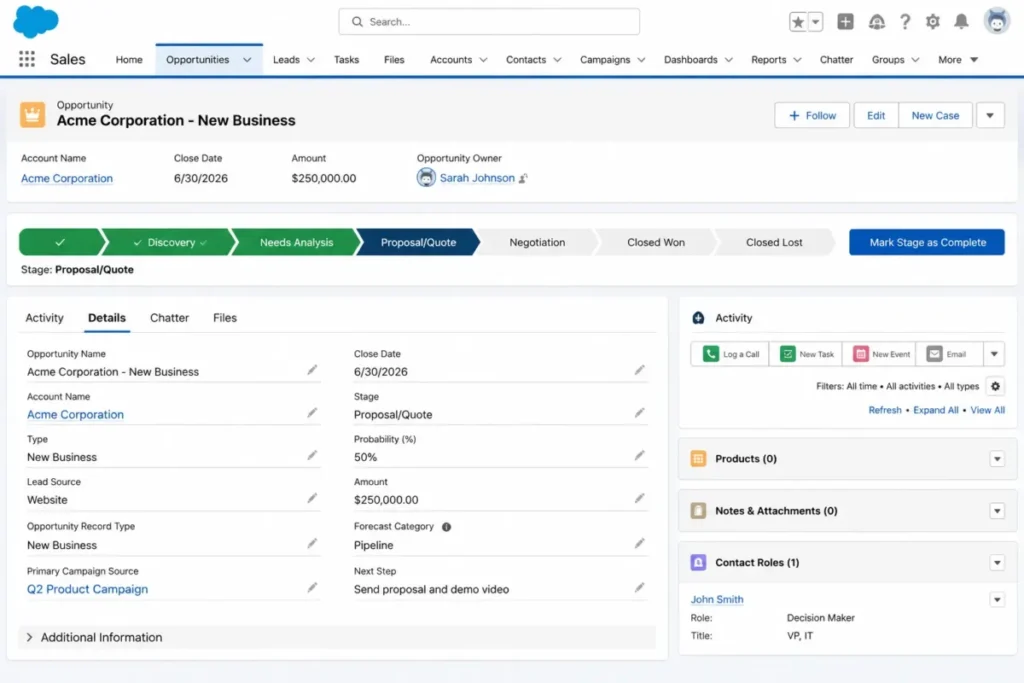
Salesforce’s path carries more decisions at the point of creation. A user opens Opportunities, chooses New, selects a record type, then names the deal and sets a close date, account and stage before saving.
Progress then runs through the Activity tab and the sales path, where a rep logs calls, creates tasks, schedules events, and clicks Mark Stage as Complete until the record is set to Closed Won or Closed Lost.
The difference is not difficulty, it is who absorbs the complexity. Pipedrive fixes the shape of the workflow so a rep never configures anything, and Salesforce exposes record types and paths so an administrator can encode a real qualification process into the record itself.
That is a genuine advantage in both directions. A team with one selling motion pays for flexibility it will never use, and a team with three selling motions will bend Pipedrive into shapes it was not designed to hold.
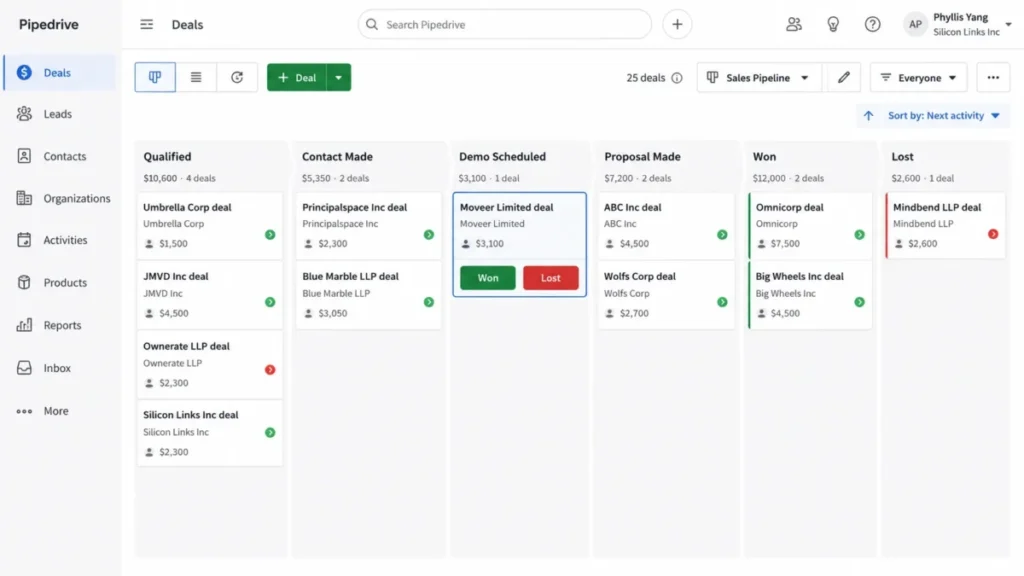
For a deeper look at how that pipeline holds up over a full sales cycle, the standalone Pipedrive CRM review goes further than a comparison can.
Workflow 2: Automating the Repetitive Parts of the Pipeline
Automation is where the two products stop being comparable on a feature checklist and start being comparable on capacity.
Pipedrive publishes a hard number. Automations arrive on Growth, and the account is capped at 50 active automations on Growth, 150 on Premium and 250 on Ultimate.
The documented behavior at the ceiling matters more than the ceiling itself. Once the threshold is reached you cannot activate another automation, and the documentation states that some automations may stop running, fail to complete actions, or ignore new executions.
Deactivated automations do not count against the cap, which gives an administrator a real lever. A team can rotate seasonal automations off rather than upgrading, and that is a legitimate answer for a while.
Here is the upgrade trigger, stated plainly. If your workflow inventory is heading past roughly 40 live automations on the Growth plan, budget for Premium before you hit the ceiling, because discovering it during a quarter-end push is an expensive way to learn it exists.
Salesforce takes the opposite trade. The Sales pricing page publishes no equivalent per-plan automation ceiling, and automation depth instead becomes a build question: who designs the flows, who tests them, and who owns them when they break.
That is the real cost difference, and it does not appear on either price list. Pipedrive’s constraint is a number you can read in advance, while Salesforce’s constraint is whoever builds and owns the flows.
| Automation dimension | Pipedrive | Salesforce |
|---|---|---|
| Published per-plan ceiling | 50 on Growth, 150 on Premium, 250 on Ultimate | Not published on the Sales pricing page |
| Documented behavior at the limit | Automations may stop, fail to complete actions, or ignore new executions | Not stated, because no ceiling is published on that page |
| Practical constraint | Capacity of the plan you bought | Availability of someone to build and maintain flows |
| Upgrade trigger | Live automation count approaching the cap | Process branching that a fixed workflow cannot express |
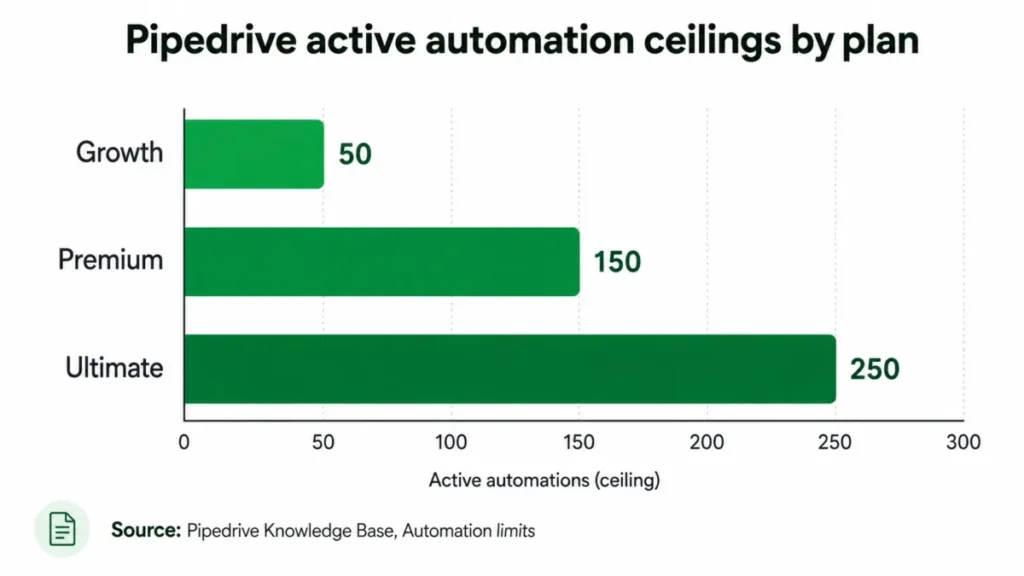
The bar chart restates only the three ceilings in the table above, so a reader who cannot see the image loses nothing.
Workflow 3: Getting Your Existing Data In
Migration is where comparisons usually wave a hand and say both tools import CSV files. The documented reality is asymmetric, and the asymmetry runs against Salesforce.
Pipedrive documents a named route out of Salesforce. Its import-from-other-software flow uses Import2, lists Salesforce among the supported source systems, requires a global admin, and offers free migration of up to 1,000,000 records with paid handling above that.
Going the other way is harder in a specific, checkable place. Salesforce’s Data Import Wizard handles up to 50,000 records at a time across accounts, contacts, leads, campaign members and custom objects.
The same page caps the file at 100 MB, each record at 400 KB and each import at 90 fields.
The line that changes a project plan is the exclusion list. Opportunities cannot be imported through the import wizards at all, which means your entire deal history needs a different tool, a partner, or a developer.
That single sentence is the reason a Pipedrive-to-Salesforce move is a project rather than an afternoon. Contacts and accounts land through the wizard, and the pipeline that finance actually cares about does not.
| Migration factor | Salesforce to Pipedrive | Pipedrive to Salesforce |
|---|---|---|
| Documented route | Import2, with Salesforce named as a source | Data Import Wizard, for supported objects only |
| Volume ceiling | Free up to 1,000,000 records, paid above | 50,000 records per import, 100 MB per file |
| Deal or opportunity history | Inside the Import2 record count, with per-object parity still to be confirmed | Excluded from the import wizards |
| Prerequisite | Global admin, with users created first | Source data must match supported objects and size limits |
| Realistic effort | Low to medium | Medium to high, because opportunities need a second method |
Neither route proves complete object-for-object parity, and this analysis does not claim it. Custom objects, automations, attachments and permission models still need their own inventory, which is exactly the work a CRM migration checklist is for.
Pricing and Value per Dollar
Both vendors publish list prices, so the interesting question is not which is cheaper. It is how much cheaper, at the tier a real team would actually buy.
Pipedrive’s published plans run from $14 to $79 per seat per month on annual billing, and the annual payment is shown per seat rather than per company.
| Pipedrive plan | Per seat/ | Annual payment per seat | What the plan adds |
|---|---|---|---|
| Lite | $14 | $168 | Leads, deals, contacts and calendar in one place, AI report creation |
| Growth | $39 | $468 | Full email sync with tracking, automations and nurturing sequences, subscriptions and forecast reports, meeting scheduler |
| Premium | $59 | $708 | Lead generation and routing, custom scoring, enrichment, AI email tools, contracts and e-signatures |
| Ultimate | $79 | $948 | Security rules and alerts, phone and email enrichment, sandbox, extended phone support |
Source: the Pipedrive pricing page, checked on the date given in the methodology above.
Salesforce’s published Sales editions start lower than most buyers expect and climb faster than most budgets expect.
| Salesforce edition | Per user/ | Annual payment per user | What the edition adds |
|---|---|---|---|
| Starter Suite | $25 | $300 | Entry sales, service and marketing in one suite, monthly billing available |
| Pro Suite | $100 | $1,200 | Broader sales functionality, with Premier Support offered as an add-on |
| Enterprise | $175 | $2,100 | Deeper pipeline and deal insight, conversation intelligence, and web API |
| Unlimited | $350 | $4,200 | Predictive AI, sales engagement, Premier Success Plan and Full Sandbox |
| Agentforce 1 Sales | $550 | $6,600 | The top published Sales edition on the pricing page |
Source: the Salesforce Sales pricing page. Annual payment figures are this article’s arithmetic over the published monthly rate.
Comparing each vendor’s cheapest plan is the mistake that makes these articles useless. Lite and Starter Suite are not the plans a working sales team ends up on, so the pairs below match practical tiers instead.
The base-license gap between the two products widens as seat count rises, and the pairings below show where that widening starts to bite.
| Scenario | Pipedrive annual base | Salesforce annual base | Multiple |
|---|---|---|---|
| 5 seats, Growth against Pro Suite | $2,340 | $6,000 | 2.56 times |
| 10 seats, Growth against Pro Suite | $4,680 | $12,000 | 2.56 times |
| 10 seats, Premium against Enterprise | $7,080 | $21,000 | 2.97 times |
| 25 seats, Premium against Enterprise | $17,700 | $52,500 | 2.97 times |
| 50 seats, Ultimate against Unlimited | $47,400 | $210,000 | 4.43 times |
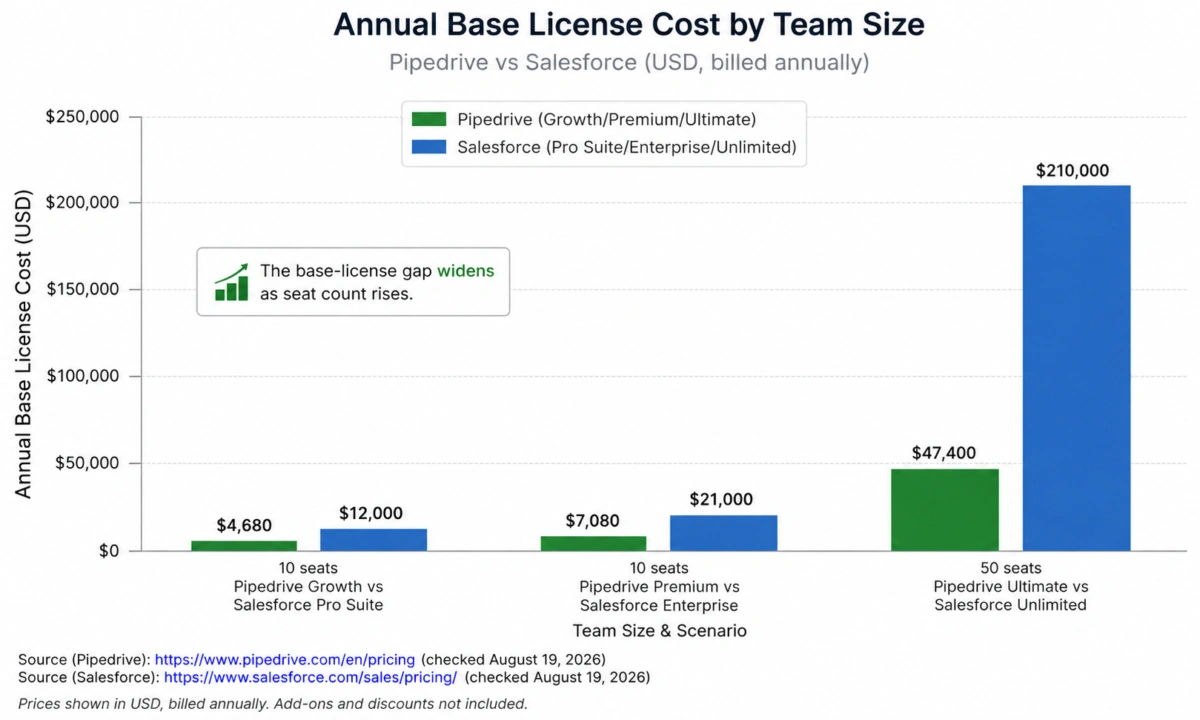
Every figure in that table is list price multiplied by seats multiplied by twelve months, and nothing else. Implementation labour, partner fees, add-ons and support upgrades sit outside it, which is precisely why the gap understates rather than overstates the real difference.
Two contract mechanics deserve a line each. Pipedrive bills monthly or annually, and annual billing is prepaid at a discount.
Seats are charged whether or not they are assigned to a user, so a team that over-provisions in January pays for those seats all year.
On the Salesforce side, Premier Support appears as an add-on at the Pro Suite level while the Premier Success Plan is bundled from Unlimited upward. Support tier is a line item below Unlimited rather than an included default, and it belongs in the quote before the comparison is final.
Pipedrive’s add-ons are the other budget leak, since LeadBooster starts at $32.50, Web Visitors at $41, Smart Docs at $32.50, Projects at $16 and Campaigns at $13.33 on the pricing page. Confirm the billing unit on each one before modeling it, because two add-ons can cost more than the whole step from Growth to Premium.
For the full tier-by-tier breakdown on either side, the dedicated Pipedrive pricing plans guide and the Salesforce pricing breakdown carry more detail than a comparison table can hold.
Feature-by-Feature Comparison
Feature counts do not decide CRM purchases. Capacity, gating and the first constraint you hit do, so each dimension below names a winner and the condition attached to it.
| Dimension | Winner | The deciding detail |
|---|---|---|
| Pipeline usability | Pipedrive | Four steps from deal creation to a closed outcome |
| Process modeling | Salesforce | Record types and sales paths encode a real qualification process |
| Automation ceiling | Pipedrive for transparency | A published cap beats an unpublished one for planning |
| Automation depth | Salesforce | Branching logic that a fixed workflow cannot express |
| Reporting | Salesforce | Deal insight and conversation intelligence arrive at Enterprise |
| Forecasting | Pipedrive for the price | Forecast reports sit on Growth rather than a senior edition |
| Lead handling | Pipedrive at mid-tier | Lead generation and routing arrive on Premium |
| Integrations | Salesforce | More than 5,500 listed apps against more than 500 native connectors |
| Web API entitlement | Salesforce, on stated entitlement | Web API is part of the Enterprise edition description |
| Identity controls | Salesforce | Federated SAML sign-on, against a documented two-factor and SSO exclusivity on the other side |
| Sandbox | Depends | Pipedrive includes one on its top plan, Salesforce bundles a full sandbox at Unlimited |
| Administration cost | Pipedrive | The plan that needs no administrator has none to fund |
Read the winners as conditional, not absolute. Salesforce wins most depth dimensions and loses most cost-per-outcome dimensions, which is the entire trade in one sentence.
Ease of Use and Setup
Setup effort is where the price difference starts paying for itself, in one direction or the other.
Pipedrive’s setup burden is bounded by design. The documented deal object needs a value, a pipeline and a related contact, and that is the whole model a new rep has to hold.
Salesforce’s setup burden is proportional to how much of the process you encode. Record types, page layouts, required fields and sales paths are all decisions someone has to make, and each one is also a decision someone can get wrong.
That is not a criticism of either product. It is the reason a five-person team should not buy a platform whose main value is configurability it has nobody to configure.
The 30-day test is simple. If reps are logging deals without being chased and the pipeline view matches what the sales lead believes is happening, adoption is working; if not, no feature list will fix it.
At 90 days the question changes to data quality. Stage definitions drift, close dates go stale, and the tool that survives that is the one whose fields a rep can fill without opening a help article.
Automation and Workflow Comparison
The automation ceiling above is the headline, and two secondary points decide how it lands in practice.
Pipedrive’s automations arrive on Growth alongside email sync, nurturing sequences and the meeting scheduler, so the plan that unlocks automation is also the plan that unlocks the surrounding workflow.
Salesforce’s answer is not a bigger number, it is a different shape. Flows are built rather than bought, which is why an integration-heavy or approval-heavy revenue process fits Salesforce and a linear pipeline does not need it.
Reporting and Analytics Comparison
Reporting is the dimension where Salesforce’s higher editions earn their price for the right buyer.
Pipedrive puts forecast reports and subscriptions on Growth, and AI-assisted report creation is available from its entry plan. For a sales team measuring pipeline value, stage conversion and forecast accuracy, that is enough.
Salesforce places deeper pipeline and deal insight, plus conversation intelligence, at the Enterprise edition. If revenue reporting has to reconcile with finance, marketing and support in one place, that depth is the reason to pay $175 per user/month rather than $59 per seat/month.
One caution applies to both. Pipedrive’s own documentation warns that deal progress reporting reflects movement within the current pipeline only, so multi-pipeline routing quietly costs you reporting fidelity.
Integrations and Ecosystem
Integration comparisons usually stop at logo counts, which is the least useful number available.
The counts themselves are real. Pipedrive advertises more than 500 integrations, and AppExchange listed more than 5,500 apps at the checked date, a figure that moves week to week.
Entitlement is the part that changes a budget. Salesforce describes web API as part of the Enterprise edition, so an integration-dependent team should price Enterprise at $175 per user/month rather than assuming Pro Suite at $100 covers it.
Then there is a genuine 2026 change that older setup guides miss. From Spring 2026, new legacy Connected Apps cannot be created by default, and permission has to be requested from Salesforce Support.
Existing apps keep working and can still be installed through packages, and External Client Apps are the recommended path for anything new.
If your integration plan was written against a tutorial from last year, that is the paragraph to re-read before the project starts.
API capacity is the other operational risk. Salesforce measures API usage over a rolling 24-hour window, and once the limit is exceeded further calls may be blocked.
Calls resume when usage drops back below the threshold, which makes this a synchronization outage rather than an invoice.
The honest verdict: Salesforce has the larger ecosystem and the more demanding entitlement model, and Pipedrive has fewer connectors and fewer ways for an integration project to surprise you.
AI Features Comparison
Both vendors sell AI, and the comparison is only useful where the documentation is specific.
Pipedrive lists AI-powered report creation on its entry plan and AI-powered multi-email tools on Premium, which places the useful AI at mid-tier rather than at the top.
Salesforce positions predictive AI and sales engagement at Unlimited, with a dedicated Agentforce 1 Sales edition above it at $550 per user/month. That is a strategic bet on agents rather than a feature toggle, and it should be evaluated as a separate purchase decision.
Neither vendor’s AI claims are testable from documentation alone, so treat this dimension as a reason to run a trial rather than a reason to sign.
Support, Security, and Admin Controls
Security is where the two products diverge in a way that can disqualify one of them before price is discussed.
Pipedrive publishes ISO/IEC 27001:2022, ISO/IEC 27701, SOC 2 Type 2 and SOC 3 among its compliance certifications, alongside GDPR and EU-US Data Privacy Framework material. That is a credible posture for most commercial buyers.
Two documented boundaries matter for specific teams. Except for two-factor authentication, Pipedrive security rules do not apply through the mobile app, which is a real gap for a field-sales organization whose access policy assumes coverage everywhere.
The second is an architecture choice rather than a gap. Pipedrive documents that its own two-factor authentication cannot be used simultaneously with SSO, so an identity team has to decide which control it wants rather than layering both.
Salesforce documents SAML-based federated single sign-on and publishes a current ISO/IEC 27001:2022 certificate covering its services. For an organization whose security review starts with the identity provider, that is a shorter conversation.
Support scope splits along the same line as price. Pipedrive extends phone support hours on its top plan, while Salesforce treats Premier Support as an add-on below Unlimited and bundles the Premier Success Plan at Unlimited and above.
The full control surface on the Salesforce side is broader than any comparison section can cover, and the standalone Salesforce CRM review works through it properly.
Migration and Setup Difficulty
Setup difficulty is directional, and treating it as a single score hides the part that costs money.
| Direction | Setup difficulty | What drives it |
|---|---|---|
| New team onto Pipedrive | Low | A fixed deal model, no object design, no administrator required |
| New team onto Salesforce | Medium to high | Record types, layouts, paths, permissions and integration approvals |
| Salesforce to Pipedrive | Low to medium | A documented Import2 route, with custom objects still needing an inventory |
| Pipedrive to Salesforce | Medium to high | Opportunity history needs a method outside the import wizards |
The asymmetry is not a marketing point, it is a documented one. Leaving Salesforce has a named path, and arriving at Salesforce with your deal history intact does not.
Pros and Cons
Each entry below names a specific plan, limit or figure rather than a generic strength. All of them are drawn from the evidence in the sections above rather than from vendor marketing.
Pipedrive Pros and Cons
| Pros | Cons |
|---|---|
| Lowest base license cost at every plan pair, from $2,340 to $47,400 a year across the scenarios above | Automations are capped at 50, 150 or 250 active workflows on the plans that include them |
| Deal workflow is four steps, so rep onboarding does not need a project | Security rules other than two-factor authentication do not apply on the mobile app |
| Automation ceilings are published, so capacity can be planned before purchase | Native two-factor authentication cannot run alongside SSO |
| A documented Salesforce migration route with free handling up to 1,000,000 records | Paid seats are billed whether or not they are assigned to a user |
| Forecast reports and email sync arrive at Growth rather than a senior tier | Five separate add-ons can quietly lift the effective monthly cost |
Salesforce Pros and Cons
| Pros | Cons |
|---|---|
| Record types and sales paths let an operations team encode a real qualification process | Enterprise costs $21,000 a year for 10 users before implementation, roughly triple the Pipedrive Premium equivalent |
| More than 5,500 apps listed on AppExchange | API usage runs against a rolling 24-hour limit, and exceeding it can block further calls |
| Web API is named in the Enterprise edition description, so the entitlement is explicit | Import wizards cannot import opportunities, so migrating deal history needs another method |
| SAML federated sign-on, against a documented two-factor and SSO exclusivity on the other side | New legacy Connected Apps are disabled by default from Spring 2026, so older setup guidance is stale |
| Full Sandbox and the Premier Success Plan bundled from Unlimited upward | Premier Support is an add-on below Unlimited, so support tier is a separate line item |
Where Pipedrive Wins
Pipedrive wins wherever the sales process is already settled and the constraint is money or attention rather than capability.
It wins on cost at every pairing in the scenario table, and the gap is not marginal. At 10 seats the Growth plan runs $4,680 a year against $12,000 for Pro Suite, and the governance-tier pairing at 50 seats reaches $47,400 against $210,000.
It wins on time to value, because a deal needs a value, a pipeline and a contact rather than an object model. A team can be selling out of it in a week without hiring anyone.
It wins on planning transparency. A published automation ceiling is a number a buyer can test against their own workflow inventory before signing, which is more useful than a limit nobody has stated.
It wins on exit. The vendor documents a migration route out of Salesforce with free handling up to a million records, which is a rare thing for a challenger to publish.
Where Salesforce Wins
Salesforce wins wherever the process itself is the thing that needs building, and where the CRM has obligations beyond the sales team.
It wins on process modeling. Record types, sales paths and object design let a revenue operations team encode qualification, approval and handoff rules that a fixed pipeline cannot express.
It wins on ecosystem depth, with more than 5,500 listed applications against more than 500 native connectors. For a stack with unusual components, the odds of a supported path are better.
It wins on API-centric architecture, because web API is described as part of the Enterprise edition rather than something to negotiate separately.
It wins on identity architecture. Salesforce documents SAML federated sign-on, while Pipedrive documents that its native two-factor authentication cannot run alongside SSO, so one identity team gets a choice the other does not.
Who Should Choose Pipedrive?
Choose Pipedrive if a straightforward B2B pipeline is the whole job and nobody on the team is a CRM administrator.
Choose it if the budget conversation is happening before the capability conversation, because $4,680 a year for 10 seats leaves room for the tools that generate the pipeline in the first place.
Choose it if the automation inventory is realistically under a few dozen live workflows and you are willing to treat the published ceiling as your upgrade trigger.
Choose it if you are leaving Salesforce and want a documented route rather than a partner engagement.
Who Should Choose Salesforce?
Choose Salesforce if the sales process branches by segment, product or region and needs to be enforced rather than suggested.
Choose it if the CRM has to be the system of record for teams beyond sales, where reporting must reconcile across functions rather than describe one pipeline.
Choose it if web API access and federated identity are procurement requirements rather than preferences.
Choose it if you already have, or will fund, the administrator who makes any of the above real. Without that person the cost buys capability nobody activates.
Who Should Avoid Both?
Avoid both if the current system is a spreadsheet and nobody has agreed what a stage means. Buying a CRM before agreeing a process moves the argument into software and makes it more expensive.
Avoid both if the primary need is marketing automation or customer support rather than pipeline management, since a sales CRM will be the wrong centre of gravity for that team.
Avoid both if the budget is under a few thousand dollars a year and the team is fewer than three sellers. At that size a lighter tool from the best CRM for small business shortlist will do the job without the seat commitment.
Alternatives to Pipedrive and Salesforce
If the pair above resolves to neither, three alternatives are worth the shortlist for specific reasons.
HubSpot suits teams whose CRM has to sit next to marketing from day one, where the sales pipeline is one surface among several rather than the whole product.
Zoho CRM competes directly on cost with more configurability than Pipedrive offers at the same tier, and the Zoho CRM review covers where that configurability starts costing time.
Freshsales fits a team that wants built-in phone and email engagement rather than a separate sales-engagement purchase, and the Freshsales evaluation explains the plan gates behind that.
Verdict by Scenario
| Buyer scenario | Recommendation | Deciding factor |
|---|---|---|
| 5 to 10 sellers, one linear pipeline, no CRM admin | Pipedrive Growth | $4,680 a year at 10 seats and a four-step deal workflow |
| 10 to 25 sellers needing lead routing and scoring | Pipedrive Premium | Routing, scoring and 150 active automations without an Enterprise license |
| Integration-led revenue team with API requirements | Salesforce Enterprise | Web API sits in the edition description rather than in a side negotiation |
| Governance-heavy organization needing sandbox and premium support | Salesforce Unlimited | Full Sandbox and the Premier Success Plan are bundled rather than quoted |
| Field-sales team with strict device access policy | Validate before choosing Pipedrive | Security rules other than two-factor authentication stop at the mobile app |
| Team leaving Salesforce and wanting a documented exit | Pipedrive | Import2 names Salesforce as a source and handles up to 1,000,000 records free |
| Team moving to Salesforce with years of deal history | Salesforce, but budget the migration | Opportunities are excluded from the import wizards |
Every row above is a condition, not a company size. That is the point: headcount is a weak predictor, and process complexity is a strong one.
Final Verdict
Pipedrive is the better buy for most teams that arrive here with a settled sales process, and the reason is narrower than price.
The decision turns on who owns the sales process. If it is already settled and lives in the heads of the people selling, Pipedrive turns it into software cheaply and quickly, and the published automation ceiling tells you in advance when you will outgrow the plan.
If the process is still being designed, or has to serve several teams with different rules, Salesforce is the only one of the two that can hold it. That capability costs between two and a half and three times as much per user at the tiers most buyers land on, and it costs administration time on top.
The trade Pipedrive asks you to accept is real. You accept a published automation ceiling, an access-rule gap on mobile, and an identity model that makes you choose between native two-factor authentication and SSO.
The trade Salesforce asks you to accept is also real, and it is mostly paid in labour. Higher license cost, a stale generation of integration tutorials to re-learn after the Spring 2026 Connected Apps change, and a migration path that will not carry your opportunity history in through the front door.
If both fit, run the trial on your own workflow inventory rather than on a feature list. Count the automations you actually need, name the integrations that must exist on day one, and let those two numbers pick the tool.
FAQ
These are the questions the body above leaves open for a buyer weighing cost against migration risk. Each answer points back to the section that carries the evidence.
Is Pipedrive cheaper than Salesforce?
Yes, at every practical plan pairing. Ten seats on Pipedrive Growth cost $4,680 a year against $12,000 for Salesforce Pro Suite, and Premium against Enterprise is $7,080 against $21,000 at the same headcount.
Can Pipedrive replace Salesforce?
For a linear sales pipeline, yes. For a process that needs record types, branching approvals, deep API integration or sandboxed change control, it cannot, and forcing it will cost more than the license saved.
Can I migrate from Salesforce to Pipedrive?
Pipedrive documents a migration route through Import2 that lists Salesforce as a supported source, requires a global admin, and covers up to a million records free. It does not prove that every custom object, automation and attachment transfers, so inventory those separately.
Does Salesforce Pro Suite include API access?
The Sales pricing page describes web API as part of the Enterprise edition rather than Pro Suite. An integration-dependent team should price Enterprise before assuming the mid tier covers it, and any lower-tier API arrangement should be confirmed in the quote.
At what point do teams outgrow Pipedrive?
The clearest signal is the automation ceiling: 50 active automations on Growth, 150 on Premium and 250 on Ultimate. The second signal is process shape, when one pipeline can no longer represent how the team actually sells.
Which CRM is easier to use, Pipedrive or Salesforce?
Pipedrive, for a sales rep, because the documented deal workflow is four steps and needs no configuration. Salesforce is easier for an operations team that wants to change how selling works, which is a different question with a different answer.
What changed with Salesforce Connected Apps in 2026?
From Spring 2026, creating new legacy Connected Apps is disabled by default and requires permission from Salesforce Support. Existing apps keep working and can be installed through packages, and Salesforce recommends External Client Apps for new integrations.
Is Pipedrive safe for a field-sales team?
It depends on your access policy. Pipedrive publishes ISO/IEC 27001, ISO/IEC 27701, SOC 2 Type 2 and SOC 3, but its security rules other than two-factor authentication do not apply through the mobile app, which some device policies will not accept.
If neither product survives your shortlist, the Pipedrive alternatives roundup covers the next tier of options.