Less Annoying CRM sells one plan at $15 per user per month on its official pricing page, and that single pricing decision explains most of what a buyer needs to know. There is no cheaper tier to outgrow and no premium tier to escape to, so the purchase is a fit decision rather than a plan decision.
This Less Annoying CRM review is built for teams replacing a spreadsheet or an overbuilt CRM. It works through the numbers most reviews skip: cost at five team sizes, storage and email-logging ceilings, migration coverage, and the points where an external tool becomes necessary.
If your team is one to ten people selling on relationships, this is a strong fit.
If your staff work offline, work in a language other than English, or run branching automation, the constraints below will decide the purchase for you before pricing does.
Buyers who are still comparing categories can start with our roundup of the best CRM software for small business, then come back for the detail.
In This Article (16 sections)
Quick verdict: Less Annoying CRM at a glance
| Category | Verdict |
|---|---|
| Best for | Solo consultants and 2 to 10 person relationship-sales or client-service teams leaving spreadsheets |
| Not ideal for | Offline field teams, non-English teams, and operations-heavy sales teams that need branching automation |
| Starting price | $15 per user per month plus applicable tax, one plan for everyone |
| Best practical plan | The single plan billed monthly, because annual payment carries no price reduction |
| Free plan or trial | No free plan. A 30-day trial, no credit card, no feature restrictions |
| Setup difficulty | Low for a clean contact-and-company spreadsheet, medium once notes, tasks, and pipeline history matter |
| Main strength | One price with no feature tiers, plus phone and email support that starts during the trial |
| Main limitation | No offline mobile mode, and a published rule of thumb to stay below 50,000 contacts and companies |
| Best alternative | Capsule CRM as the closest like-for-like shortlist entry; the blocker table below covers the other cases |
Source: Less Annoying CRM pricing and billing documentation, price checked: August 3, 2026.
Less Annoying CRM pros and cons
| Pros | Cons |
|---|---|
| One published price of $15 per user per month, with no feature tiers to compare | Annual payment carries no price reduction, so prepaying only helps procurement paperwork |
| Unlimited contacts, companies, custom fields, and pipelines on that single plan | No offline mobile mode, which rules out disconnected field work |
| A 30-day trial with no credit card and no feature restrictions | Automatic email logging covers three mailboxes per user and only the first five matching recipients per message |
| Phone and email support included before you become a paying customer | The importer moves contacts and companies, not standalone tasks, notes, or lead records |
| Native automations that fire on a pipeline-status change, without a Zapier account | No published API rate limit, and webhooks cannot be edited after they are created |
| A documented HIPAA position with a BAA, plus a published DPA and standard contractual clauses | English-only interface and support, with phone hours on US Central Time only |
Both columns come from the same evidence set used throughout this review: the vendor’s official pricing, help center, API documentation, and terms of service.
What is Less Annoying CRM?
Less Annoying CRM is a hosted contact and pipeline CRM built for small businesses that need more structure than a spreadsheet without the configuration load of a large platform. The company was founded in 2009 by Tyler and Bracken King, describes itself as family-owned and self-funded, and operates the service through Less Annoying Software, LLC.
The product scope is deliberately narrow. The official product tour covers contacts, leads and pipelines, calendars, reporting, team management, integrations, and security, and nothing in the published feature set reaches into marketing automation, sales sequencing, or business intelligence.
That narrowness is the product strategy rather than an oversight, and it is why the buying question is unusual here. You are not choosing a tier.
You are deciding whether your workflows fit inside a fixed, documented ceiling, and it helps to be clear on what CRM software is expected to do in your team before you answer that.
How we researched Less Annoying CRM
This review is based on Less Annoying CRM’s official pricing page, help center, API documentation, terms of service, and security and privacy pages, plus labeled review-site sentiment from G2, Capterra, and TrustRadius. Pricing and plan limits were checked on August 3, 2026.
The product was assessed against the same buyer-focused criteria applied across our SaaS CRM Review methodology. Those criteria are real cost at several team sizes, documented limits, workflow fit, migration and export coverage, integration and API constraints, security posture, and support scope.
Greater weight was given to the factors that change a decision after month one: cost at scale, the limits that force an external tool, migration effort, and data portability. Vendor positioning and marketing language carried no weight in the assessment.
Claims the sources did not support were excluded, and every workflow described below is reconstructed from published documentation rather than summarized from a vendor page.
Less Annoying CRM pricing and total cost
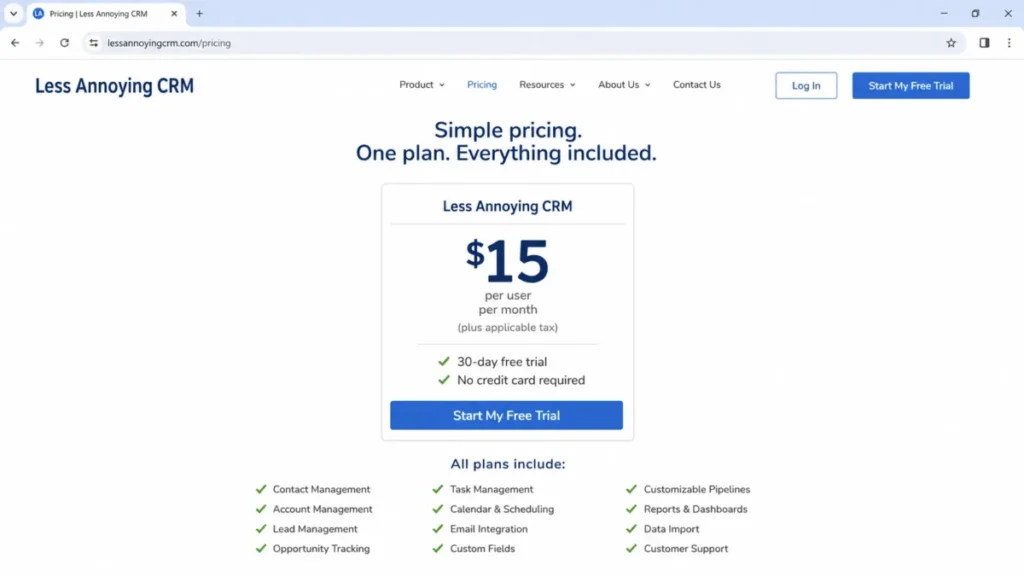
The published US price is $15 per user per month plus applicable tax, and the vendor states that every feature is included at that price with no contracts and no upgrade path. The 30-day trial costs nothing, starts without a credit card, and carries no feature restrictions.
Source: Less Annoying CRM official pricing page, price checked: August 3, 2026.
What the plan costs at five team sizes
| Team size | Monthly cost | Annual cost | Practical read |
|---|---|---|---|
| 1 user | $15 | $180 | The cheapest realistic entry point, since there is no free plan |
| 5 users | $75 | $900 | The sweet spot for a small service team sharing contacts and pipelines |
| 10 users | $150 | $1,800 | Still cheap, but the workflow ceiling matters more than the invoice here |
| 25 users | $375 | $4,500 | Viable only if the process stays simple, because there is no admin tier to grow into |
| 50 users | $750 | $9,000 | Priced well, yet most teams this size hit reporting or automation limits first |
Sources: Less Annoying CRM payment methods documentation and the published $15 seat price, price checked: August 3, 2026. Figures multiply the list price by seats and months, and exclude tax, storage expansion, and any third-party tools.
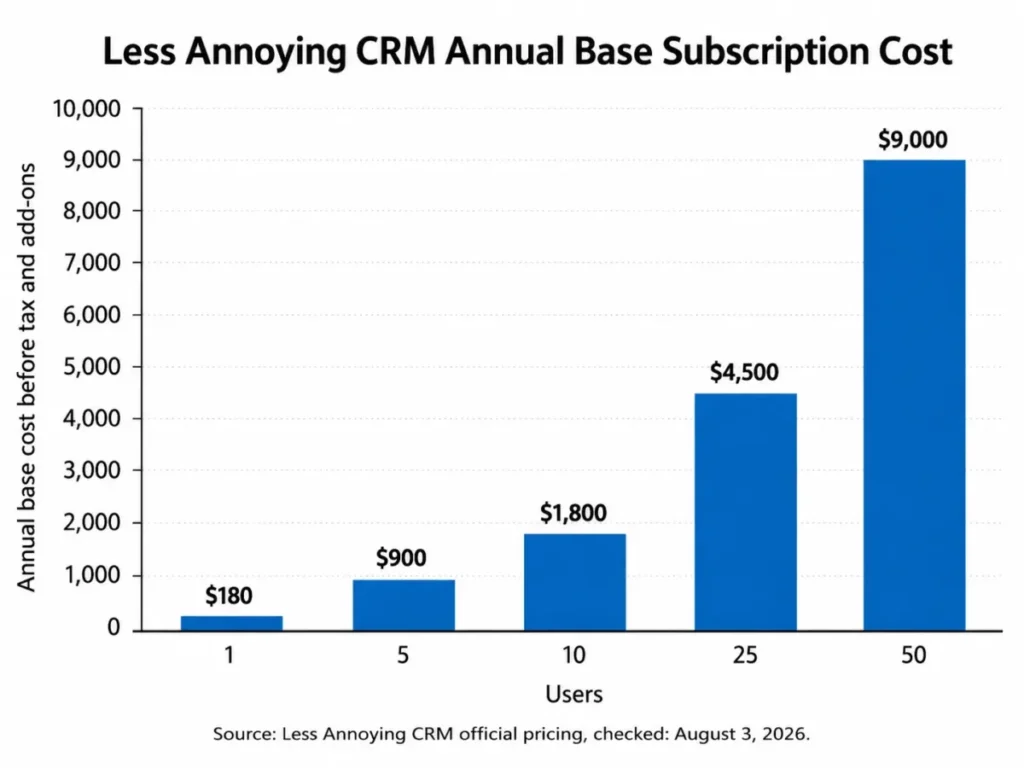
The arithmetic is the easy part. What deserves attention is that these totals stay flat as needs grow, because there is no higher tier to buy, so a team that outgrows the workflow model pays for external tools instead of a bigger plan.
Annual billing saves nothing
Customers can pay monthly or annually, and the vendor’s payment documentation states plainly that annual payment does not reduce the price. It also publishes a separate policy stating that no volume or advance-payment discounts exist, so a 50-seat account pays the same per-seat rate as a solo consultant.
Source: Less Annoying CRM payment methods and discount policy, checked: August 3, 2026.
Monthly is therefore the rational default for most buyers. Pay annually only when your finance process prefers one invoice a year.
The vendor’s terms of service allow a price change with 30 days notice, which is the reason to keep the cancellation option cheap.
Where cost still appears
“No hidden fees” is accurate about tiers, and it is not the same as no additional cost. Three things can still move the number.
Applicable tax is added on top of the list price and depends on your billing jurisdiction, so budget from the pre-tax figure and confirm the total at checkout. File storage is pooled at 25 GB per user, and an extra 100 GB costs $15 per month when the pool runs out.
Source: Less Annoying CRM file storage limits, checked: August 3, 2026.
| Team size | Pooled storage included | Cost to add 100 GB |
|---|---|---|
| 1 user | 25 GB | $15 per month |
| 5 users | 125 GB | $15 per month |
| 10 users | 250 GB | $15 per month |
| 25 users | 625 GB | $15 per month |
Source: Less Annoying CRM storage limit documentation, checked: August 3, 2026.
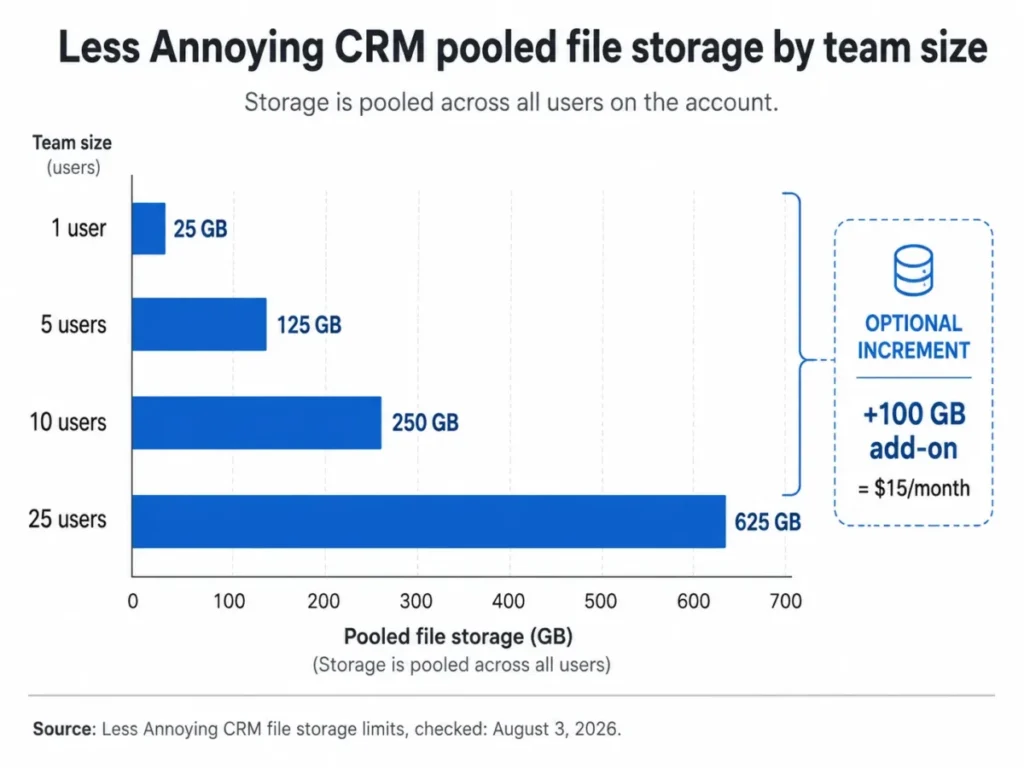
Document-heavy teams should read that against the 50 MB per-file ceiling in the storage limit rules, since scans and video eat a pool faster than a seat count suggests.
The third cost lives outside the invoice entirely. Anything the native feature set does not do, such as bulk email campaigns, telephony, or branching automation, arrives as a paid third-party subscription, and that is the line item teams forget when they compare a $15 CRM against a $60 platform.
That $15 figure is the vendor’s list seat price, price checked: August 3, 2026.
If a low base price is the main driver, it is worth checking the free CRM software options before committing to a per-seat fee at all.
What the single plan includes and where the real limits sit
There are no feature gates by plan, so the gate analysis moves to a different axis: what the included feature does before it stops.
| Capability | Included at $15 per user | The limit to check first |
|---|---|---|
| Contacts and companies | Unlimited, per the pricing page | Rule of thumb to stay below 50,000 total records |
| Custom fields, groups, pipelines | Unlimited | No branching or approval logic on pipeline stages |
| File storage | 25 GB per user, pooled account-wide | 50 MB maximum per individual file |
| Email logging | Included | Three mailboxes per user, first five matching recipients per message |
| Automations | Included | Documented actions are assignment, note, task, group, and pipeline item |
| Reporting | Contact, activity, task, and pipeline reports plus exports | No forecasting or BI layer in the published feature set |
| Mobile apps | iOS, Android, and mobile browser | Requires a live connection, with no offline mode |
| API and webhooks | Included | No published rate limit, and webhooks cannot be edited after creation |
| Support | Email, phone, help center, training, screen share | Weekday phone hours on US Central Time, English only |
| Full account export | Included | Administrator permission required |
Sources: Less Annoying CRM product tour, the official price page, and the API introduction, checked: August 3, 2026.
Read that table as the upgrade-trigger list, because it is the only one this product has. Each row pairs a documented capability with its operating consequence for a specific team, so the trade-off is visible before you choose.
Every row also names the condition that pushes a team toward an external tool or a different platform, since no higher plan exists to solve it.
Key features and practical workflows
Six capabilities carry the daily work here, and each one is documented with a ceiling attached. The sections below pair what the feature does with the limit a buyer meets first.
Contact records and pipelines
Contact profiles consolidate addresses, phone numbers, email addresses, notes, files, tasks, events, and activity history in one place, and unlimited custom fields, groups, and pipelines let a small team model its own process without paying for a configuration tier. For a consultancy tracking 2,000 relationships, that is genuinely all the structure required.
The constraint is depth rather than breadth. Visible TrustRadius reviews include a complaint about limited customization in the contact area, which lines up with a product built to be configured in an afternoon rather than modeled over a quarter.
Calendars and shared scheduling
Calendar functionality includes two-way sync with Google and Outlook, shared team calendars, event reminders, and sub-calendars, which covers the coordination job most small service teams have. Teams that already live in Google Workspace or Microsoft 365 get the useful half of a CRM calendar without a second scheduling tool.
Email logging, and the three numbers that matter
Email is where documented behavior diverges most from buyer expectation. Each user can connect up to three email accounts, logging begins prospectively rather than backfilling history, and only messages involving contacts that already exist in the CRM are logged automatically.
| Email logging behavior | Documented limit | Practical workaround |
|---|---|---|
| Connected mailboxes | 3 per CRM user | Disconnect an unused mailbox, or log manually |
| Historical email | Logging starts from connection onward | Forward key threads into the record after setup |
| Unknown senders | Only existing CRM contacts log automatically | Create the contact first, then the timeline fills |
| Group messages | Only the first five matching recipients | Send separately when every record needs the activity |
Source: Less Annoying CRM email logging documentation, checked: August 3, 2026.
The five-recipient ceiling is the one to test during the trial. An account manager who emails six stakeholders on a deal will find one record silently missing the thread, and that gap only becomes visible during a handover, which is exactly the wrong moment.
Automations that exist, despite what older reviews say
Several ranking reviews still describe this product as having no native automation, and the current documentation contradicts that. Automations can assign a user and create notes, tasks, groups, or pipeline items, and they run manually, on a pipeline-status change, or on a form submission.
The documented setup path starts in Settings, then Automations, where the automation and its actions are saved first. The pipeline status is then opened separately and set to run that automation when a contact enters the status.
Sources: Less Annoying CRM automations documentation and automation setup guide, checked: August 3, 2026.
Scope it honestly before you migrate a process. This handles stage-based handoffs, ownership assignment, and follow-up task creation, and the published action set includes no branching, no delays, no approvals, and no multi-step sequences.
Reporting that answers operational questions only
Reporting covers filtered contact reports, activity reports, task reports, pipeline reports, and exports, which is enough to run a weekly pipeline review and check whether anyone is neglecting an account. G2 review themes repeatedly praise ease of setup and contact tracking while asking for stronger reporting, and that pattern matches the published feature list.
If your management cadence depends on forecast accuracy, cohort analysis, or attribution, plan on exporting to a spreadsheet or a BI tool from day one.
Mobile access, with one hard constraint
Native iOS and Android apps exist alongside mobile browser access, so the common claim that this is a browser-only product is out of date. The constraint sits elsewhere: the official help article states that an internet or mobile-data connection is required and no offline mode is available, and it describes push notifications and biometric login as work in progress.
Source: Less Annoying CRM mobile app documentation, checked: August 3, 2026.
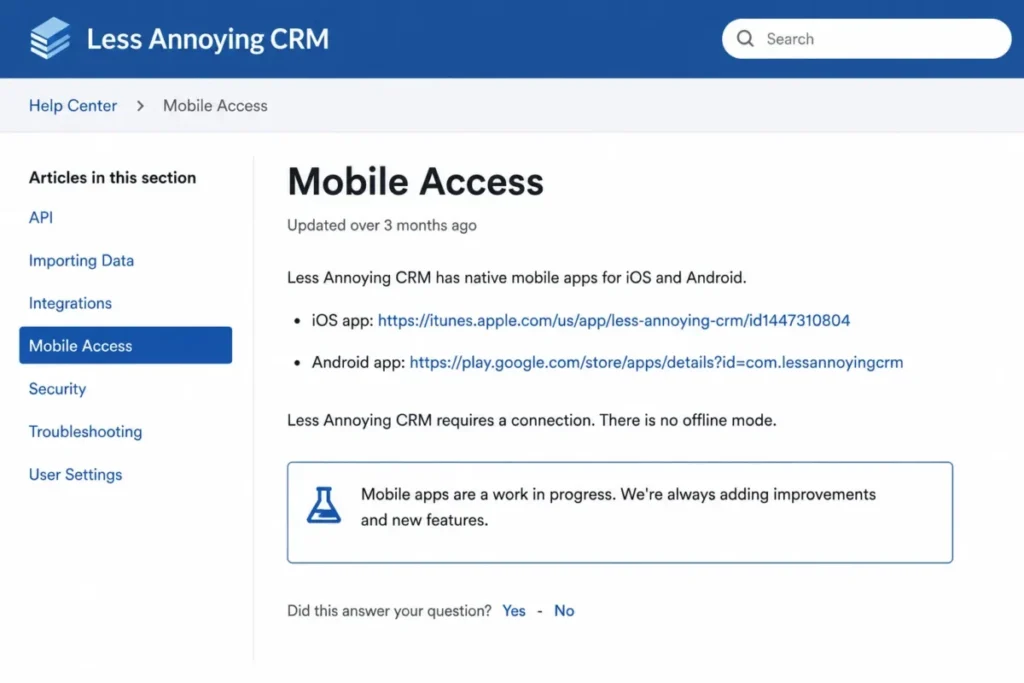
For a home-services business whose technicians work in basements and rural properties, that is a disqualifier no plan choice can fix.
Setup, ease of use, and the first 30 days
Setup difficulty is low for the intended buyer and rises with historical depth. A clean spreadsheet of contacts and companies imports through a guided flow, and CRM coaches will run up to three imports per account, with each file or worksheet counted separately.
The importer accepts CSV, XLS, and XLSX files, reads only the first worksheet in a workbook, and expects one record per row with one field per column. Data cleanup remains the customer’s job, which is the honest part of the vendor’s positioning and the part that consumes the weekend.
Sources: Less Annoying CRM spreadsheet import formatting and import request policy, checked: August 3, 2026.
Teams arriving from a spreadsheet get the smoothest path here, and structuring the sheet before import saves the most time. Our Google Sheets CRM template lays out the one-record-per-row shape the importer expects.
A reasonable adoption check looks like this. By day 30, every active deal should live in a pipeline, email logging should be connected for each user, and nobody should still be keeping a private spreadsheet.
By day 90, the tell is whether notes are being written in the CRM rather than in inboxes, because that habit, not the feature set, is what makes the tool worth the $15 seat price.
Integrations, API, and automation
The official integration catalog names Google Calendar, Google Contacts, Outlook Calendar, Mailchimp, Zapier, and a set of partner applications spanning communications, mapping, forms, invoicing, and marketing, and the vendor advertises access to thousands more applications through Zapier.
Source: Less Annoying CRM integrations catalog, checked: August 3, 2026.
Treat those three groups as different products. A native sync such as calendar integration is maintained by the vendor, a partner application is built and supported by someone else, and a Zapier workflow depends on a separate subscription that belongs in your budget rather than in the CRM’s price.
The API covers contacts, files, notes, tasks, events, pipelines, custom fields, users, teams, relationships, and webhooks, which is broad enough for most sync projects. The vendor describes it as an advanced feature for capable programmers and states that support will not write or debug customer code.
Sources: Less Annoying CRM API introduction and webhook documentation, checked: August 3, 2026.
Two constraints matter for anyone planning a production integration. No numeric rate limit is published, and the terms of service reserve the right to throttle or terminate excessive or abusive API access, which means capacity cannot be planned from a documented number.
Webhooks are the second. They cover a limited event set and cannot be edited after creation, so any change means deleting and recreating the endpoint, and an engineering team should ask for written throughput guidance before committing to a high-volume sync.
Migration, export, security, and support
These four topics decide the switching cost on both ends of the contract. Getting data in, getting it back out, satisfying a security review, and knowing what support will not do are the questions that outlast the trial.
What the importer moves, and what it does not
The native import path is contact-and-company first. Standalone tasks, notes, lead records, and other non-contact objects are outside the documented spreadsheet importer, which turns a switch from another CRM into a manual project rather than a file upload.
| Object | Native spreadsheet import | What to plan for |
|---|---|---|
| Contacts | Supported | Map name columns first, then the remaining fields |
| Companies | Supported | Normalize company names before the run |
| Background information | Supported as a mapped field | Long notes can land here when the format allows |
| Standalone notes | Not covered by this path | Budget manual entry or a third-party migration service |
| Tasks and lead records | Not covered by this path | Recreate the open items, and archive the closed ones |
| Attachments | Not covered by this path | Re-upload against the 50 MB per-file ceiling |
Source: Less Annoying CRM spreadsheet import formatting, checked: August 3, 2026.
Duplicate behavior deserves a rehearsal. Imports can create duplicate contacts, exact-name duplicate companies are skipped rather than updated, and cleanup runs afterward through a bulk merge, so a sample import of 50 rows before the real one is the cheapest insurance available.
Source: Less Annoying CRM duplicate import behavior, checked: August 3, 2026.
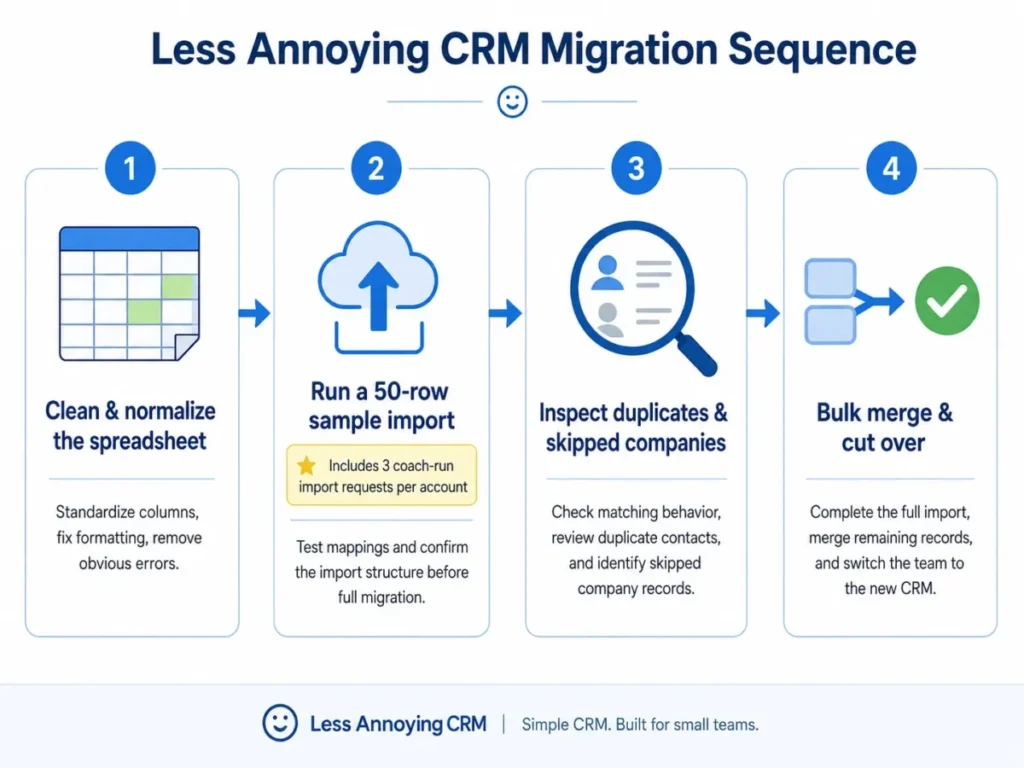
Anyone planning a switch from another platform should read our CRM migration checklist alongside this section, because the effort here scales with historical depth rather than contact count.
Getting the data back out
Data portability is real, and it is not a single button. A full-account export runs from Settings, then Export data, and only administrators can run it, while contact notes and pipeline notes follow different export paths and files attached to notes sit outside contact and pipeline exports.
Sources: Less Annoying CRM bulk export documentation and notes documentation, checked: August 3, 2026.
Build the exit checklist before you need it: contacts, pipeline reports, and the uploaded-files export, reconciled against record counts. After an account closes, encrypted data is retained for one calendar year unless earlier deletion is requested, after which it is deleted permanently.
Security posture, stated and unconfirmed
Published security documentation is stronger than most reviews of a $15 CRM suggest, and it stops short of an enterprise procurement pack.
| Control | Status in the official documentation | Procurement read |
|---|---|---|
| HIPAA support and a signed BAA | Stated by the vendor | Workable for a small regulated practice, subject to your own counsel |
| GDPR position, DPA, and standard contractual clauses | Stated by the vendor, with processor role named | Enough to start a data-protection review |
| AWS hosting in Northern Virginia, encryption, nightly and real-time backup | Documented | US data residency; confirm if your policy requires an EU region |
| Password hashing, two-factor authentication, scans and penetration testing | Documented | Reasonable baseline controls for a small team |
| SOC 2, SAML SSO, SCIM, and a formal SLA | Not confirmed in the pages reviewed for this article | Ask the vendor directly before a shortlist decision |
Sources: Less Annoying CRM technical security, GDPR documentation, and data security and backups, checked: August 3, 2026.
The distinction in that last row is deliberate. An item that is unconfirmed is not an item that is absent, and a procurement team should treat it as a question for the vendor rather than a scored deduction.
Support scope, including the boundaries
Email, phone, help-center, training, and scheduled screen-share support are included for trial and paid users alike, which is unusual at this price. That combination shows up constantly in Capterra user feedback about ease of use, support quality, and value.
The boundaries are equally clear. The interface and support are English-only, phone support runs weekdays from 9:00 a.m. to 4:30 p.m. US Central Time, weekend coverage is email, and support will not write or debug your API code.
Sources: Less Annoying CRM training and support and availability documentation, checked: August 3, 2026.
For a team in Europe or Asia, that phone window lands outside the working day, and email becomes the practical channel.
Limitations and reasons not to buy
Six limits do most of the disqualifying work, and none of them can be solved by spending more with this vendor.
No offline mobile mode. The mobile apps require a live connection, so disconnected field work is unavailable at any price, and push notifications and biometric login are described as work in progress.
A practical scale ceiling around 50,000 records. The vendor’s pricing page states there is no strict cap and recommends staying below roughly 50,000 contacts and companies. The terms of service add that use far above the customer average can lead to deactivation until usage returns to typical levels, so treat 50,000 as a planning threshold rather than a hard wall.
Email logging that is narrower than it looks. Three mailboxes per user, prospective-only logging, contact matching, and the first-five-recipient ceiling together mean the activity timeline is a good record and an incomplete audit trail.
Automation without branching. Stage-based follow-up is covered, and anything with conditions, delays, or approvals moves to Zapier or the API, which adds a subscription and an owner.
Migration that stops at contacts and companies. Notes, tasks, lead records, and attachments are outside the native importer, so a history-rich switch is a manual project with duplicate cleanup attached.
Integration capacity you cannot plan. No numeric API rate limit is published, throttling sits at the vendor’s discretion, and webhooks cannot be edited after creation.
The pattern behind all six is the same. This product is priced and built for teams whose process fits in a contact record and a pipeline, and every limit above marks the edge of that design rather than a gap someone forgot to fill.
Who Less Annoying CRM is best for
Solo consultants and freelancers under 5,000 records. At $180 a year, calculated from the published seat price, with unlimited custom fields and a real support line, the alternative is usually a spreadsheet that quietly loses follow-ups. Buyers in this group can compare it against the field in our guide to the best CRM for freelancers.
Two to ten person service and account-management teams. Shared contacts, shared calendars, pipelines, and stage-based automation cover the coordination problem at $75 to $150 a month against the same per-seat list price. No one has to administer a permissions model at that size.
Spreadsheet migrants with contact-first data. If your history lives in columns rather than in threaded notes and attachments, the import path is short and the coaching is included.
Small regulated practices that need a BAA. The vendor’s stated HIPAA position and BAA availability, combined with a published DPA, are enough to start a compliance conversation that most CRMs at this price cannot start at all.
Owner-led businesses that value phone support. Free phone and email support during the trial is the strongest non-price differentiator here, and it matters most for teams with no internal CRM administrator.
Who should avoid Less Annoying CRM
Field teams that lose connectivity. No offline mode means technicians and site-based staff cannot work from records in a basement, a warehouse, or a rural property.
Non-English or globally distributed teams. An English-only interface and English-only support, with US Central Time phone hours, creates an adoption problem that no configuration solves.
Operations-heavy sales teams. Branching sequences, approval routing, and multi-step outreach are outside the native action set, and rebuilding them in Zapier moves both cost and fragility outside the CRM.
Teams that manage by forecast. The reporting set answers operational questions well and does not replace a forecasting or BI layer.
Enterprise buyers with a procurement checklist. SOC 2, SAML SSO, SCIM, and a contractual SLA were not confirmed in the documentation reviewed here, and API throughput is discretionary, which is enough to stall a formal approval.
Less Annoying CRM alternatives
Because there is no higher tier, outgrowing this product means changing vendor rather than changing plan. Map the blocker first, then shortlist.
| If this is your blocker | Where to start looking | Verify before you commit |
|---|---|---|
| Offline field access | Mobile-first field CRMs; Pipedrive is a common shortlist entry | Offline record access in that vendor’s own mobile documentation |
| Branching automation and sequences | Sales CRMs with workflow builders, such as Zoho CRM | Which automation depth sits on which plan, and its per-seat cost |
| Seat price is the constraint | Vendors with a permanent free tier | What the free tier gates: users, records, or email logging |
| Similar simplicity, different ceilings | Capsule CRM as a like-for-like comparison | Contact caps, storage, and integration limits on the entry plan |
| Enterprise identity and audit | Established enterprise CRM platforms | SOC 2 report, SSO and SCIM support, and a contractual SLA |
Budget-driven buyers should read row three against the $15 per-seat list price, price checked: August 3, 2026.
Those names are shortlist starting points rather than verified matches, because the evidence set behind this article covers Less Annoying CRM only. Check each candidate’s own pricing page and documentation against the same limits examined above.
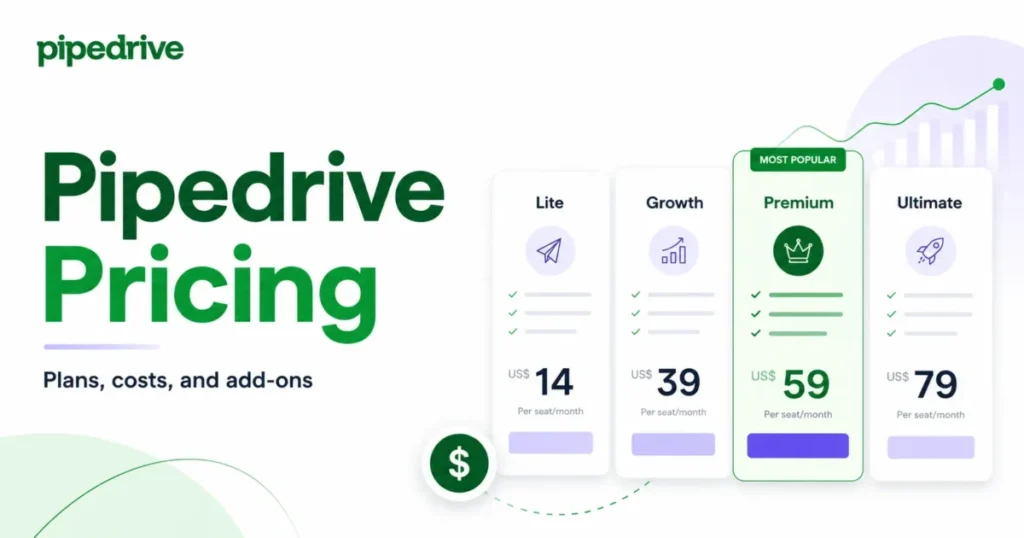
Two of them are already covered in depth on this site. Our Pipedrive CRM review works through pipeline depth and per-seat cost, and the Capsule CRM review suits buyers who want the same simplicity with different ceilings.
Final verdict
Is Less Annoying CRM worth it in 2026? Yes, for a one to ten person relationship-sales or client-service team that wants contacts, pipelines, calendars, and follow-up in one place.
At the $15 per-user monthly price with unlimited records, unlimited custom fields, included support, and a documented HIPAA and GDPR position, the value is hard to argue with at that size and shape of business.
No, for teams whose work happens offline, in another language, or inside branching processes. Those constraints are structural, and no amount of budget moves them, which makes them a shortlist test rather than a negotiation point.
Our recommendation is to start month to month rather than annually, since prepaying buys no reduction, and to spend the 30-day trial on the hardest workflow instead of the easiest one. Connect a real mailbox, run a 50-row sample import, and build the one automation your process depends on.
Stay with the product while the answer to three questions stays no. Are we approaching the 50,000-record guidance, are we rebuilding the process in Zapier, or are we exporting to a spreadsheet every week to answer management questions?
When one of those turns to yes, the migration conversation has already started, and the export checklist above is what makes leaving cheap.
FAQ
The answers below repeat the figures used earlier in this review, with the same official sources behind them.
How much does Less Annoying CRM cost?
The published US price is $15 per user per month plus applicable tax on the vendor’s price page, with one plan that includes every feature. That works out to $180 per user per year, $900 for a five-person team, and $1,800 for ten users.
Storage above the pooled 25 GB per user costs $15 per month for each additional 100 GB, per the file storage documentation.
Is there a free plan, or just a trial?
No, unless you count the trial. There is no permanent free plan, and the vendor offers a 30-day trial that requires no credit card and applies no feature restrictions.
Support is included during that trial, which makes it a genuine evaluation rather than a limited preview.
Does Less Annoying CRM work offline?
No. The official mobile documentation states that an internet or mobile-data connection is required and that no offline mode is available.
Native iOS and Android apps exist, along with mobile browser access, but every one of them needs connectivity. Push notifications and biometric login are described as work in progress.
How many contacts can Less Annoying CRM handle?
There is no strict contractual cap, and the pricing FAQ recommends staying below roughly 50,000 contacts and companies. Treat that as a planning threshold for search, reporting, and account-wide performance.
The terms of service also allow deactivation when usage runs far above the customer average, so unlimited is a marketing word rather than a capacity guarantee.
Does it have automation, or do you need Zapier?
Yes, if your automation is stage-based. Native automations assign users and create notes, tasks, groups, or pipeline items, and they run manually, on a pipeline-status change, or on a form submission.
Branching logic, delays, approvals, and multi-step sequences are not in the documented action set, so those move to Zapier or the API.
Can I import my old CRM data?
Contacts and companies import from CSV, XLS, and XLSX files, and coaches will run up to three imports per account. Standalone notes, tasks, lead records, and attachments are outside that path.
The importer also reads only the first worksheet of a workbook, so split multi-tab files before uploading them.
Can we export everything before we cancel?
Yes, with two conditions. Only an administrator can run the full-account export, and complete coverage takes several passes because contact notes, pipeline notes, and uploaded files follow different export paths.
After closure, encrypted data is retained for one calendar year unless you request earlier deletion.
Is Less Annoying CRM HIPAA compliant?
The vendor states that the service supports HIPAA use and that it will sign a Business Associate Agreement when a customer needs one. Compliance still depends on how your practice configures access and handles records, so treat the BAA as the starting point of a review with your own counsel rather than a finished answer.
Is it a good fit for a ten-person team?
Yes, if the process is simple. Ten seats cost $150 per month at the listed seat price, and shared pipelines, calendars, and stage-based automation cover most client-service coordination.
The pressure at that size usually comes from reporting depth and email logging edge cases rather than price, so test both during the trial.
Less Annoying CRM vs Pipedrive: how should we decide?
Decide on process complexity rather than a feature scorecard. Choose Less Annoying CRM when relationship history, shared calendars, and simple stage-based follow-up describe the whole job, and no one needs offline access.
Look at a deeper sales CRM such as Pipedrive when forecasting, sequences, or branching workflow is where your revenue process lives, and verify its price on the vendor’s own page. Our Zoho CRM review covers a third option for teams that need multilingual deployment.
Decide the same way on every shortlist: start the 30-day trial and run your hardest workflow, keep the current CRM if it already handles that workflow, or shortlist a more advanced alternative when the limits above block it.