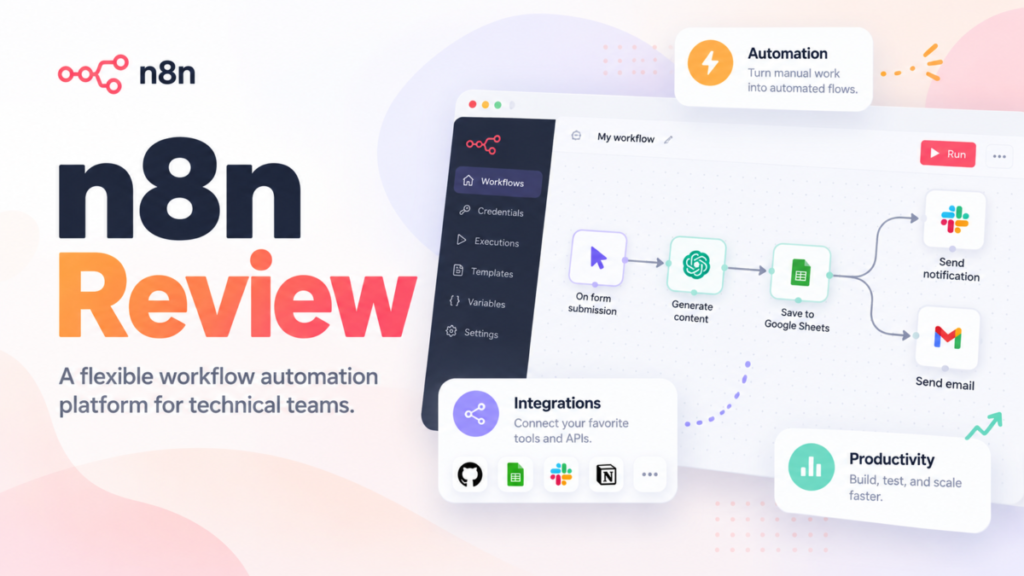
My n8n review comes down to one condition: n8n is worth it for a team with someone who can read an API response. It bills per workflow run with unlimited users on every plan, and its self-hosted Community edition is free.
It is the wrong buy for a non-technical team that needs niche apps connected fast. Cloud starts at the Starter plan’s 2.5k workflow executions a month, and the plan that fits you depends on how often your triggers fire, not on headcount.
Quick verdict
- Worth it for: teams with a developer or technical ops owner who want per-run billing with unlimited users, or a free self-hosted edition
- Skip it if: nobody will debug a failed API call, or a non-technical team needs niche apps connected without code
- Main strength: one execution per full run whatever the step count, plus code steps and AI agents on every Cloud plan
- Biggest limit: Git, environments and SSO start at self-hosted Business or Cloud Enterprise; support below Enterprise is the forum
- Price basis: n8n Cloud Starter is 20€ per month billed annually or 24€ per month billed monthly, for 2.5k executions a month; the Community edition is free
In This Article (13 sections)
n8n at a Glance
n8n is a workflow and AI-agent automation platform you either rent as n8n Cloud or run on your own servers.
- Category: workflow and AI-agent automation, hosted by n8n or self-hosted
- Best for: technical and ops-led small teams running automations in production
- Starting plan: Cloud Starter, 20€ per month billed annually or 24€ per month billed monthly, for 2.5k workflow executions a month
- Free option: self-hosted Community edition; 14-day Cloud trial with no credit card
- Billing unit: workflow executions, with unlimited users and workflows on every plan
- Main limitation: Starter runs 5 executions at once, each capped at 5 minutes
The two ways of running it behave like different products. On n8n Cloud, n8n handles hosting, updates and scaling; self-hosted, n8n’s deployment guide makes you responsible for the infrastructure and its maintenance. Most strengths and limits below apply to one of the two, so each one names it.
n8n Pros and Cons
The main downsides of using n8n are governance features held for the top plans and forum-only support; its main advantages are its billing unit and its developer tools.
Pros
- Unlimited users on every plan, so a team that adds builders adds no seat cost
- One execution per full workflow run, which favors long multi-step workflows over per-step billing
- A free self-hosted Community edition for teams that can run Docker
- JavaScript and Python code steps plus HTTP and GraphQL requests on every plan, for APIs without a native node
- Agents, MCP and human approval for tool calls on every Cloud plan, for teams building AI agents with a review step
Cons
- Starter allows 5 concurrent executions of up to 5 minutes, which hurts bursty or long-running jobs
- Git version control, environments and SSO need self-hosted Business or Cloud Enterprise, a gap for regulated teams on Cloud Pro
- Business is self-hosted only, so a team without ops staff jumps from Pro to Enterprise
- Email support and SLA-backed support exist only on Enterprise; every other plan relies on the forum
- The Sustainable Use License blocks reselling n8n itself as a paid hosted service
n8n Cloud vs Self-Hosted: Which n8n Are You Buying?
Pick n8n Cloud if nobody on the team manages servers; self-host the Community edition if someone can run Docker and you can live without SSO, sharing, Git or environments. n8n’s own decision table recommends Cloud for teams that “don’t have technical expertise” and self-hosting for teams with infrastructure and technical resources.
| Edition or plan | Hosting | Cost | What it adds | What it lacks |
|---|---|---|---|---|
| Community | Self-hosted | Free | Almost the complete feature set; queue mode | SSO, Git, environments, projects, sharing |
| Registered Community | Self-hosted | Free with your email | Folders, debug in editor, custom execution data | Same gaps as Community |
| Cloud Starter and Pro | Hosted by n8n | Paid by execution tier | No installation; Assistant and Gateway credits | Git, environments, SSO |
| Business | Self-hosted only | Paid license; 50% off for qualifying start-ups | SSO and LDAP, Git, environments, 6 shared projects | Email and SLA support |
| Enterprise | Hosted by n8n or self-hosted | Contact Sales | Unlimited shared projects, log streaming, SLA support | Assistant preview only on request |
Sources: n8n pricing page, n8n’s edition comparison and Choose how to use n8n, checked October 2026.
Missing sharing is the Community gap teams feel first: only the instance owner and a workflow’s creator can open it, so colleagues cannot share workflows or credentials.
Free software is not a free deployment. Self-hosted, you provide and manage the infrastructure, and its maintenance is your responsibility, so price your own hosting and upkeep before calling self-hosting cheaper.
A Business or Enterprise license key pings n8n’s license server daily with data such as production execution counts. Telemetry is on by default and can be turned off.
With the edition chosen, the next question is which features you will use, and on which plan.
n8n Features That Change the Decision
Four features decide most n8n purchases: code inside the visual editor, AI agents, error handling, and collaboration with Git. Code steps, agents and error handling are on every plan; Git version control starts at Business.
Visual workflows, with code when a developer needs it
Yes, a builder can go past the drag-and-drop nodes on every plan. JavaScript and Python code steps, custom API requests over HTTP or GraphQL, cURL import and webhook triggers are included from Starter up.
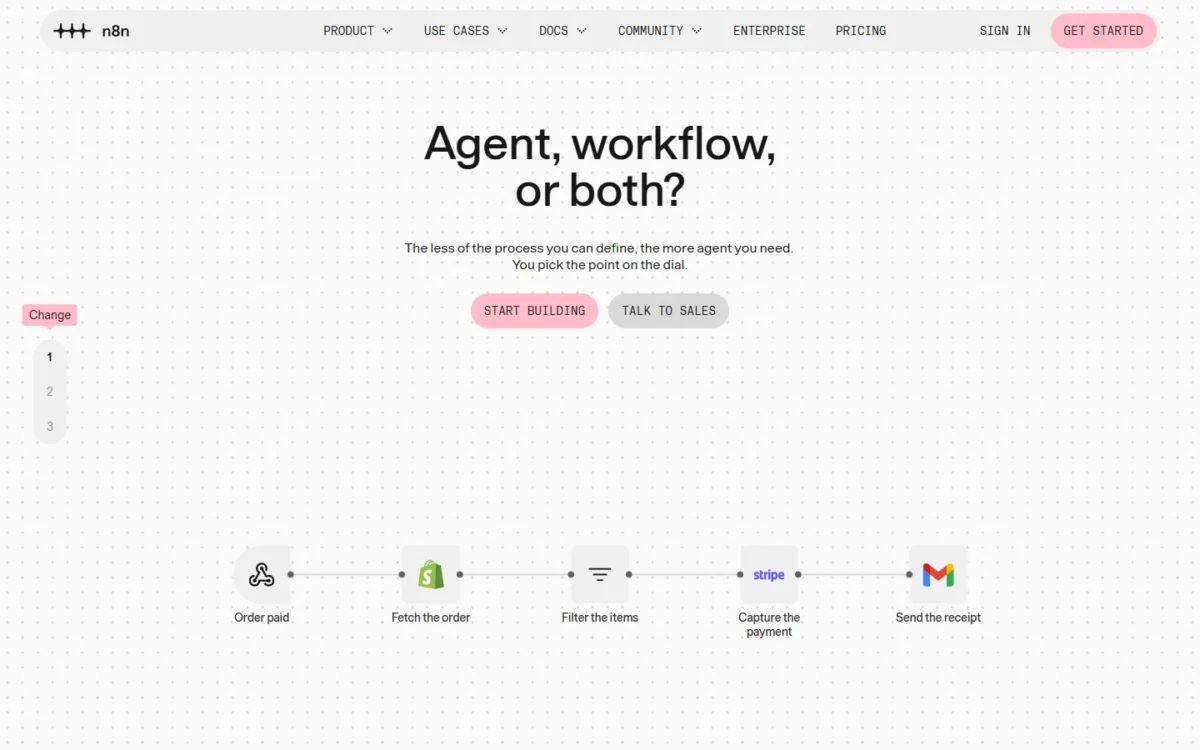
A missing connector becomes an HTTP request, not a blocker, which is the practical edge over a pure no-code tool. Custom nodes and bash scripts stay self-hosted only, so a team that packages its own nodes has to self-host.
AI agents, MCP and n8n Assistant
n8n’s AI features go well past a single AI step, but Agents and Assistant are both in preview. Agents run on every n8n Cloud plan and on self-hosted n8n from version 2.32.3, and n8n warns they “can make mistakes”.
An agent combines a model, instructions, tools, skills, a knowledge base and memory, and it can delegate to sub-agents. People reach a published agent through channels such as Slack, Telegram or Linear, or it runs on a schedule.
The AI Agent node, MCP Server Trigger, MCP Client and human approval for tool calls are included on Starter, Pro and Enterprise. Human approval is the one I would weigh most: an agent that updates a CRM should pause for a person before the risky call.
n8n Assistant builds, edits, tests and troubleshoots workflows from a chat, on Cloud Starter and Pro and self-hosted Community, Registered Community and Business. On Enterprise, n8n lists the Assistant preview as on request. Cloud meters it in Assistant credits: 1,600 a month on Starter, 4,000 or 9,600 on Pro by plan size.
Self-hosted, Assistant runs on your own model key with no credit limit. Gateway credits, a separate prepaid balance for AI models without your own API keys, exist only on Cloud Starter and Pro.
Gateway top-ups expire 12 months after purchase, and nodes using Gateway credits stop when the balance hits zero. Set an automatic top-up before an agent goes to production.
If the real question is which agent platform to buy rather than which workflow tool, my roundup of the best AI agents takes the wider view.
Error handling and debugging
A workflow that fails overnight is caught by error workflows, execution logs, automatic retries and debug in editor, all on every plan. Searching past executions by their data starts on Pro.
Starter keeps execution logs for 7 days and Pro for 30, which matters when a weekly report breaks unnoticed. Audit logging and log streaming to tools like Datadog are Enterprise features. Error-workflow runs do not count against the execution quota, so alerting is free.
Collaboration, Git and environments
Users are unlimited, but shared projects are not: Starter has 1, Pro 3, Business 6 and Enterprise unlimited. Project editors start on Pro.
Git-based source control and environments are available on Business and Enterprise only, which on Cloud means Enterprise. A team that wants reviewed changes between a dev and a prod instance either self-hosts Business or talks to sales.
n8n Ease of Use
n8n Cloud needs no installation, and the 14-day trial settles the learning question on your own workflow. Self-hosting starts with a one-line script, curl -fsSL https://get.n8n.io | sh, which requires Docker on Linux or macOS (or WSL on Windows).
For production, n8n’s hosting docs point to Docker Compose, and npm installation is deprecated from n8n 3.0.
The trial gives Pro features with 1,000 executions, 5 concurrent executions, a 180-second timeout and 1 team project, with no credit card. That timeout is shorter than Starter’s 5-minute cap, so a long job can fail in the trial yet run on a paid plan.
When the trial ends without an upgrade, n8n deletes the workspace, and you have 90 days to download your workflows.
n8n Assistant can plan, build and test a first workflow from a description, but n8n advises reviewing generated workflows before production.
The practical path: start the trial, rebuild your busiest automation, and count how often it fires in a week. That count, not the editor, decides the bill.
n8n Pricing
n8n prices every plan by monthly workflow executions, with unlimited users and workflows. Billed annually, Starter is 20€ per month for 2.5k executions, Pro 50€ per month for 10k at its base size, and Business 667€ per month for 40k. Enterprise is Contact Sales, and the self-hosted Community edition is free.
n8n’s pricing page shows its prices in euros outside the US, and US prices may differ. Annual billing saves 17% against the monthly prices in the table.
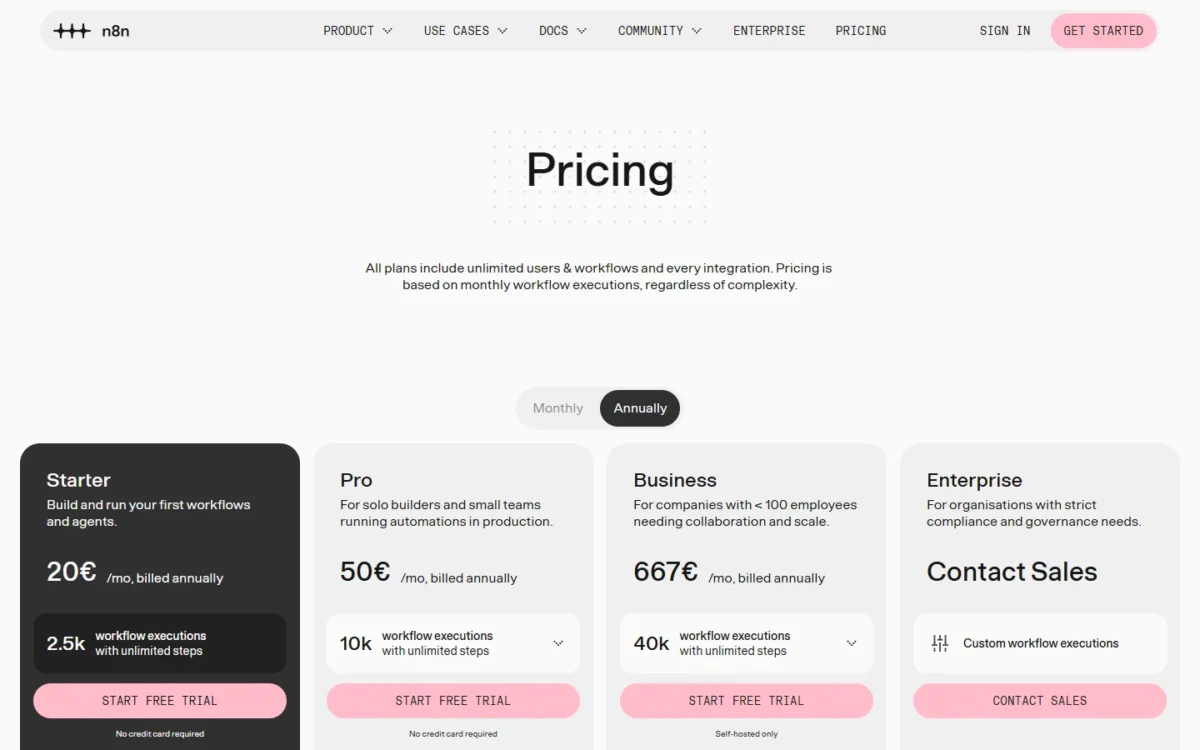
| Plan | Billed annually (EUR) | Billed monthly (EUR) | Executions per month | Concurrent runs | Key limit |
|---|---|---|---|---|---|
| Starter | 20€ per month | 24€ per month | 2.5k | 5 | 5-minute max run, 1 shared project |
| Pro | 50€ per month | 60€ per month | 10k (base size) | 20 / 50 | 40-minute max run, 3 shared projects |
| Business | 667€ per month | 800€ per month | 40k | Queue mode for scaling | Self-hosted only, forum support |
| Enterprise | Contact Sales | Contact Sales | Custom | 200+ | Price only through sales |
Sources: n8n pricing page, Monthly and Annually views, checked October 2026.
Starter’s 2.5k executions cover a few daily or hourly workflows, not a sync every few minutes. I would start a production team on Pro: it lifts the run cap to 40 minutes and adds execution search, global variables and 30 days of logs.
Business is built for a company, not a builder: n8n aims it at companies with fewer than 100 employees. Companies under 20 employees can check whether they qualify for the Start-up Plan, which takes 50% off Business.
Business overage
On Business, exceeding the quota does not stop workflows. If you neither upgrade nor answer the sales team, n8n invoices the overage 45 days later, at 4,000 EUR for each extra bucket of 300,000 executions. The pricing page’s quota and overage answer covers the Business and Enterprise plans.
How n8n counts executions
An execution is one production run of a whole workflow, whatever its step count. Only production runs count: those started by triggers, schedules or polling.
| Trigger or run | What counts | Monthly figure to budget |
|---|---|---|
| Schedule Trigger | Every firing, whatever the outcome | Daily: 30 or 31; every 5 minutes: about 8,600–8,900 |
| Polling trigger (for example Google Drive) | Only polls that find new data | The number of times new data arrives |
| Webhook Trigger | Every inbound request, empty body included | Events per day x days in the month |
| Manual, sub-workflow and error-workflow runs | Nothing | 0 |
Sources: n8n’s executions documentation and n8n pricing page, checked October 2026.
The trap is the schedule. A polling trigger that finds nothing is free, but a Schedule Trigger counts every time it fires, even when there is no work.
Here is an illustrative monthly execution budget for a small ops team with four workflows:
- a daily report in a 31-day month: 1 x 31 = 31 executions
- a CRM sync on a 5-minute schedule: about 8,600–8,900
- a form webhook at 50 submissions a day in the same 31-day month: 50 x 31 = 1,550
- a Drive polling trigger that finds new files 200 times: 200
The total is 31 + 8,600 + 1,550 + 200 = 10,381 at the low end and 31 + 8,900 + 1,550 + 200 = 10,681 at the high end, past Pro’s 10k base size.
A 10-minute sync halves that line to about 4,300–4,450. The budget becomes 31 + 4,300 + 1,550 + 200 = 6,081 to 31 + 4,450 + 1,550 + 200 = 6,231, inside Pro with room to grow.
The schedule interval, not the number of workflows or steps, decided the plan in that budget. Check your shortest schedule before you pick a tier.
At a 5-minute sync, the team needs more than Pro’s 10k base size: a larger Pro plan size, or Business’s 40k, which is self-hosted only. At 10 minutes, Pro’s base size covers it.
Cost for a 10-person team
On n8n, a team of ten pays the same as a team of one, because every plan includes unlimited users; only executions move the bill. In euros, ten people on Pro at its base size cost 50€ per month billed annually, 50€ x 12 = 600€ a year.
On Zapier, the Team plan starts at $69 a month paid yearly, $69 x 12 = $828 a year, for 25 users, and its bill moves with tasks.
The units differ, so compare workloads, not price tags. Zapier counts each successful action as a task, and triggers do not count. Make counts credits, and most module actions use one.
Take an illustrative 10-step workflow, one trigger and nine actions, that runs 1,000 times a month. n8n counts one execution per run, so 1,000 runs x 1 execution = 1,000 executions, inside Starter’s 2.5k.
Zapier’s help page says “Each successful action in a Zap counts as a separate task.” and “Triggers don’t count toward your task limit.”
In this example, 9 actions x 1,000 runs = 9,000 tasks. On Make, if each of the 10 modules uses one credit, it is about 10 x 1,000 = 10,000 credits.
The longer the workflow, the more Zapier’s tasks and Make’s credits grow with each step, while n8n’s count stays at one execution per run. For a two-step Zap, one trigger and one action, Zapier counts 1 task per run, the same count as n8n’s 1 execution, so the billing edge disappears.
What forces an upgrade
Starter stops being enough at more than 2.5k executions a month, a run longer than 5 minutes, a second shared project, or a need to search executions by their data. Runs above Starter’s 5 concurrent executions are not dropped: they queue until capacity frees up, which delays time-sensitive webhooks.
Pro stops being enough when you need SSO, Git version control, environments or more than 3 shared projects. On Cloud, those gates lead to Enterprise; self-hosted, they lead to Business. Email support or an SLA is Enterprise at any size.
Saved-execution limits do not force an upgrade. When you reach one, n8n removes the oldest saved executions and the workflows keep running.
n8n Integrations and Custom APIs
n8n’s integrations page lists 2367 integrations, HubSpot, Pipedrive and Postgres among them. Zapier offers integrations for more than 9,000 apps. Anything with an API is still reachable through HTTP or GraphQL requests on every plan, at the cost of building the call yourself.
If your CRM is HubSpot, n8n lists a native HubSpot integration, and my HubSpot CRM review covers HubSpot’s own plans and limits.
Teams that drive n8n from their own tooling get its API and CLI on every plan; additional API scope control is Enterprise only.
Connecting systems means handing n8n your credentials, which is the next question.
Support, Security and Data Location
n8n’s trust center lists GDPR, SOC 2 Type 2 and SOC 3, with the reports available on request. Hosted plans store data in the EU, on servers in Frankfurt, Germany; self-hosted data sits wherever you host n8n.
Every plan includes an encrypted credential store and credential sharing. SSO and LDAP start at Business; external secret store integration, execution data redaction and instance-wide 2FA enforcement sit in the Enterprise column.
Below Enterprise, support is the community forum: Starter, Pro and Business get the forum, which n8n says has over 170,000 members; email support and dedicated support with an SLA are Enterprise only. n8n’s plans list no uptime figure.
Those gates and support levels decide who n8n suits.
Who Should Use n8n?
n8n fits teams where someone technical owns the automations, and it fits poorly where nobody does.
Best for
- A team with a developer or technical ops owner, since code steps and HTTP requests are on every plan
- A growing team that adds builders often, because users are unlimited on every plan
- Long multi-step workflows, billed as one execution per run whatever the step count
- EU data-residency needs, met by Cloud hosting in Frankfurt; other regions by self-hosting
- AI-agent builders who need a person to approve risky tool calls
Not ideal for
- A team with no one to build HTTP requests for apps that lack a native node
- A Cloud team that needs SSO without buying Enterprise
- A team that needs vendor support under an SLA but cannot justify Enterprise
- An agency planning to resell hosted n8n as its own paid service, which the license restricts
For the readers in the second list, the useful question is which competitor fits instead.
n8n vs Zapier and Make
Zapier fits the widest app catalog and builders who never touch code; Make fits a visual builder at a low credit-based entry price; n8n fits code, self-hosting and per-run billing.
| Software | Best for | Starting price | Billing unit | Key difference | Main trade-off |
|---|---|---|---|---|---|
| n8n | Technical teams, long workflows | Free Community edition; Cloud Starter, 2.5k executions | Workflow executions | Self-hosting, code steps, unlimited users | Fewer native integrations; forum support |
| Zapier | Non-technical teams, niche apps | Free $0 (100 tasks a month); Professional from $19.99 a month paid yearly | Tasks (each successful action) | More than 9,000 apps | Long workflows use many tasks |
| Make | Visual builders on a budget | Free $0 (1,000 credits a month); Core $9 a month for 10k credits | Credits (most actions use 1) | 3000+ apps on a visual canvas | Credits grow with every module |
Sources: n8n pricing page, Zapier pricing and Make pricing (Make figures from its October 6, 2026 page copy), checked October 2026.
Zapier’s Professional plan is $19.99 a month paid yearly or $29.99 paid monthly, and my Zapier review covers its task limits.
Make prices Core, Pro and Teams per 10k credits a month; my Make review covers how those tiers scale.
When to pick Zapier or Make instead
Pick Zapier when the team is non-technical and the apps are niche; multi-step Zaps start on its Professional plan. Pick Make for a visual builder with routers and filters on its Free plan, if you can model your volume in credits.
Stay with n8n when your workflows run ten steps or more, when you need to self-host, or when the team keeps growing. If you are leaving Zapier mainly over cost, my list of Zapier alternatives compared by price and limits covers more options.
How I Evaluated n8n
On October 20, 2026 I read n8n’s pricing page in its Monthly and Annually views, its edition, deployment, executions and concurrency docs, and its agent, Assistant and Gateway credit docs. I read its release notes, trust center and license file, plus Zapier’s and Make’s pricing pages, the same day.
The plan facts are n8n’s own; the plan fits, the execution budget and the upgrade triggers are my analysis of them. n8n does not publish an uptime figure in its plan lists, and its quota and overage answer covers the Business and Enterprise plans.
How fast your team ships its first working workflow depends on your own apps and data: the 14-day Cloud trial or a local Community install settles it before you pay.
FAQ
Is n8n actually free?
The self-hosted Community edition is free to run indefinitely, and registering it with your email unlocks folders and debug in editor at no cost. n8n Cloud has no free plan, only the 14-day trial.
Is n8n becoming obsolete?
The release record points the other way. n8n 2.44 shipped on October 13, 2026, a week after 2.43 made Browser Use in n8n Assistant available to all users on October 6. Agents, which now run on every Cloud plan, are still in preview, so expect their behavior to change.
Is n8n trustworthy?
n8n’s trust center lists GDPR, SOC 2 Type 2 and SOC 3, and it publishes separate security self-assessments (CAIQ) for Cloud and for self-hosted customers. Cloud data stays in Frankfurt. Self-hosted, your own security practice decides most of the answer.
Can I use n8n for client projects?
The Sustainable Use License allows use for your own internal business, non-commercial or personal purposes, and distribution only free of charge for non-commercial purposes. Running n8n for your own company fits that wording; hosting n8n and charging clients for access does not. Confirm agency or embedded use with n8n before you build on it.
n8n Review: Final Verdict
n8n is worth it for technical or ops-led teams. Start the 14-day trial on your busiest workflow and count its executions for a week. Buy Pro if the month runs past Starter’s 2.5k or any job runs longer than 5 minutes.
Self-host the Community edition if you can run Docker and do not need SSO, sharing or Git. Move to self-hosted Business or Cloud Enterprise when those gates or an SLA become requirements.
Pick Zapier or Make instead when nobody on the team will read an API error. n8n rewards the team that can debug its own workflows, and it bills that team per run, not per person.