My 1Password review in one line: it is worth paying for when a small team shares logins, and Business is the plan once you need control over copying, exporting and printing. Business also holds single sign-on (SSO), SCIM provisioning, team policies and the audit log, so buy it once an identity provider or an audit enters the picture.
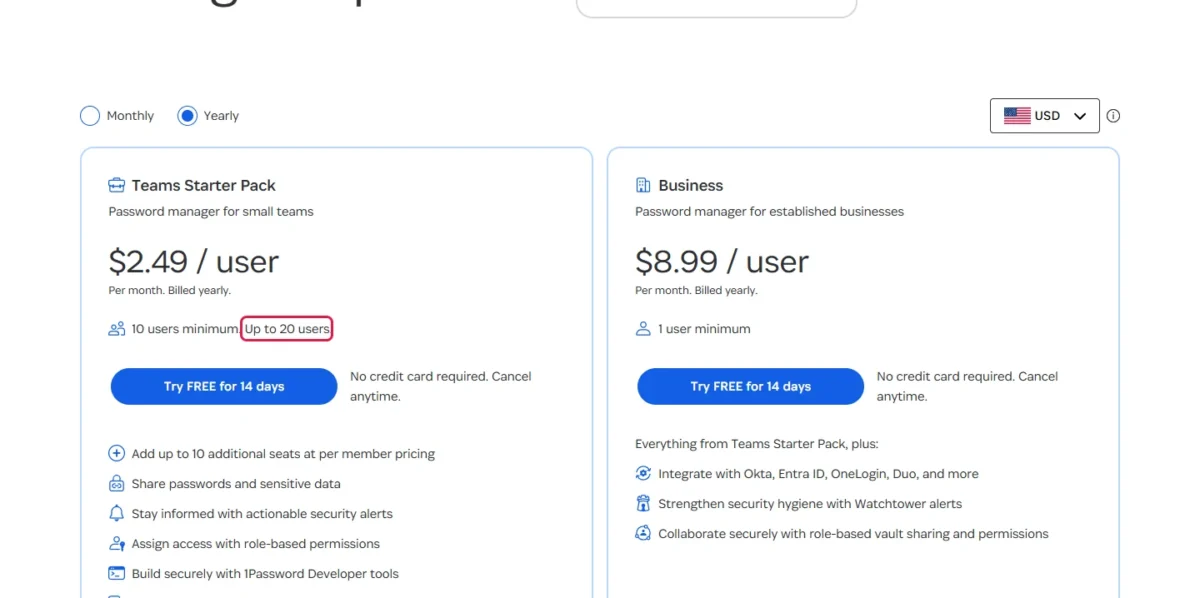
Teams Starter Pack costs $24.95 a month for 10 members and Business $8.99 per user a month, both billed yearly in USD (checked November 2026).
Quick verdict
- Worth it for: teams of 5 to 20 with no identity provider, and companies on Okta, Microsoft Entra ID or Google Workspace that buy Business
- Skip it if: you need a $0 plan: 1Password lists a 14-day free trial and no free plan
- Main strength: Business vault permissions that separate viewing, copying, exporting and printing
- Biggest limit: Teams Starter Pack stops at 20 members, where it costs $299.40 + 10 x $4.99 x 12 = $898.20 a year against $8.99 x 20 x 12 = $2,157.60 on Business
In This Article (10 sections)
What 1Password Is and Who It’s For
1Password is a password manager that keeps a team’s logins, payment details and other sensitive data in encrypted vaults and autofills them across its apps and browser extensions. It sells in three tracks: Teams Starter Pack “for small teams”, Business “for established businesses”, and the Individual plan and Families, its family plan, for personal use.
Larger organizations get customized, volume-based pricing from sales; the business pricing page prints no Enterprise price.
- Best for: teams of 5 to 20, and companies that run an identity provider
- Starting price: $24.95 a month for 10 members on Teams Starter Pack, billed yearly
- Free plan or trial: no free plan listed; 14-day free trial, no credit card required
- Main limitation: SSO, SCIM provisioning and the audit log need Business
1Password Features That Matter for Teams
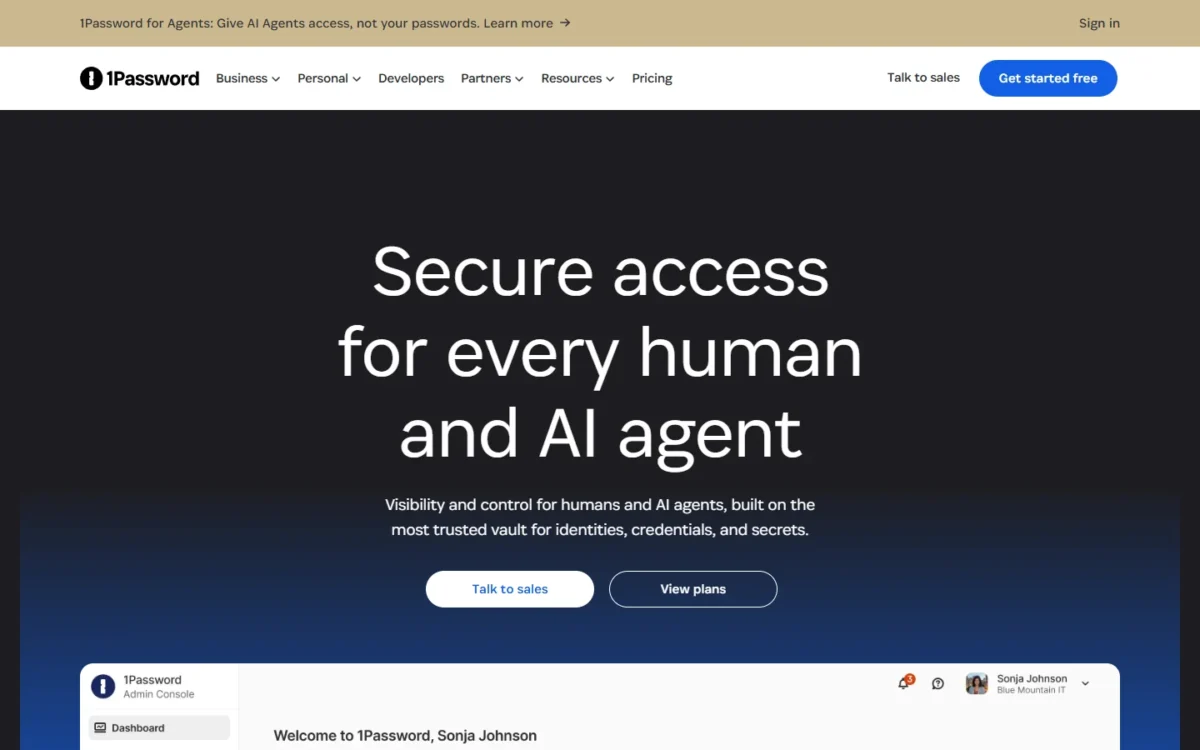
Shared vaults and guest accounts come with both business plans; SSO, automated provisioning, team policies, the audit log and most reports come with Business.
| Feature | Teams Starter Pack | Business |
|---|---|---|
| Shared vaults and guest accounts | Yes, 5 guests | Yes, 20 guests |
| Vault permissions | 3 on a team account | 5, plus client settings |
| Unlock with SSO | Not listed | Yes |
| Automated provisioning (SCIM) | Not listed | Yes |
| Team policies and firewall rules | Not listed | Yes |
| Audit log | Free trial only, on direct billing | Yes, 365 days of events |
| Custom groups | Not listed | Yes |
| Free Families membership per user | Not listed | Yes |
Sources: 1Password help center on vault permissions, the audit log and subscription billing, checked Nov 2026. “Not listed” means absent from the Teams Starter Pack card on the business pricing page.
Shared vaults, permissions and guests
A team account has three vault permissions: Allow Viewing, Allow Editing and Allow Managing. A Business account has five item permissions (View, Create, Edit, Archive and Delete Items) plus client settings such as View and Copy Passwords, Export Items and Print Items.
On a team account, Allow Viewing already includes viewing concealed passwords and copying them, and Allow Editing includes printing. Business is where you can give a bookkeeper access to a finance vault and leave export and print switched off.
Every member also has a built-in Employee vault, and guests reach one vault each. For delegating admin work, Business adds custom groups with custom permissions.
SSO and SCIM provisioning (Business only)
On Business, staff can sign in through your identity provider, and the provider can create and suspend their 1Password accounts. They are two separate setups.
Unlock with SSO replaces the account password and Secret Key with the identity provider’s sign-in. It runs over OpenID Connect (OIDC) only, connects one identity provider, and has setup guides for Auth0, Duo, Google, JumpCloud, Microsoft Entra ID, Okta, OneLogin and Ping.
People in the Owners group can’t use SSO, which keeps owners from being locked out. Existing members must open 1Password once with their account password and Secret Key before they switch, so anyone who has lost those details needs an account recovery first.
Automated provisioning is the SCIM side. It creates users and groups, confirms new accounts automatically and suspends users, and it works with Azure AD, Google Workspace, Okta, OneLogin, Rippling and JumpCloud. It won’t manage a group that holds the Recover Accounts or Manage All Groups permission.
My take
If your company already manages accounts in Okta, Entra ID or Google Workspace, treat Business as the starting price, not the upgrade. I would pay the per-user price for a team that hires and offboards through a directory, and not for a ten-person office without one.
Onboarding and offboarding
With provisioning on, onboarding is an assignment in your identity provider: the new hire gets an invite email, signs up and is confirmed on accepting, with no administrator approval. Deprovision the person later and 1Password suspends the account. Keep it suspended for about a month before you delete it, in case you need the data back.
On Teams Starter Pack, Owners and Administrators invite and remove people by hand. Vault access is one line on an employee onboarding checklist, so decide who sends that invitation before day one.
On per-user billing, a removed seat shows on the next invoice, and amounts already charged are nonrefundable.
Policies, audit log and reports
Business administrators can require a minimum account password length, enforce two-factor authentication through an authenticator app, security key or Duo, and apply firewall rules that allow certain countries or deny IP addresses. The audit log is available only in Business and keeps 365 days of events. A Teams Starter Pack account on direct billing can start a free trial of the audit log and reports instead.
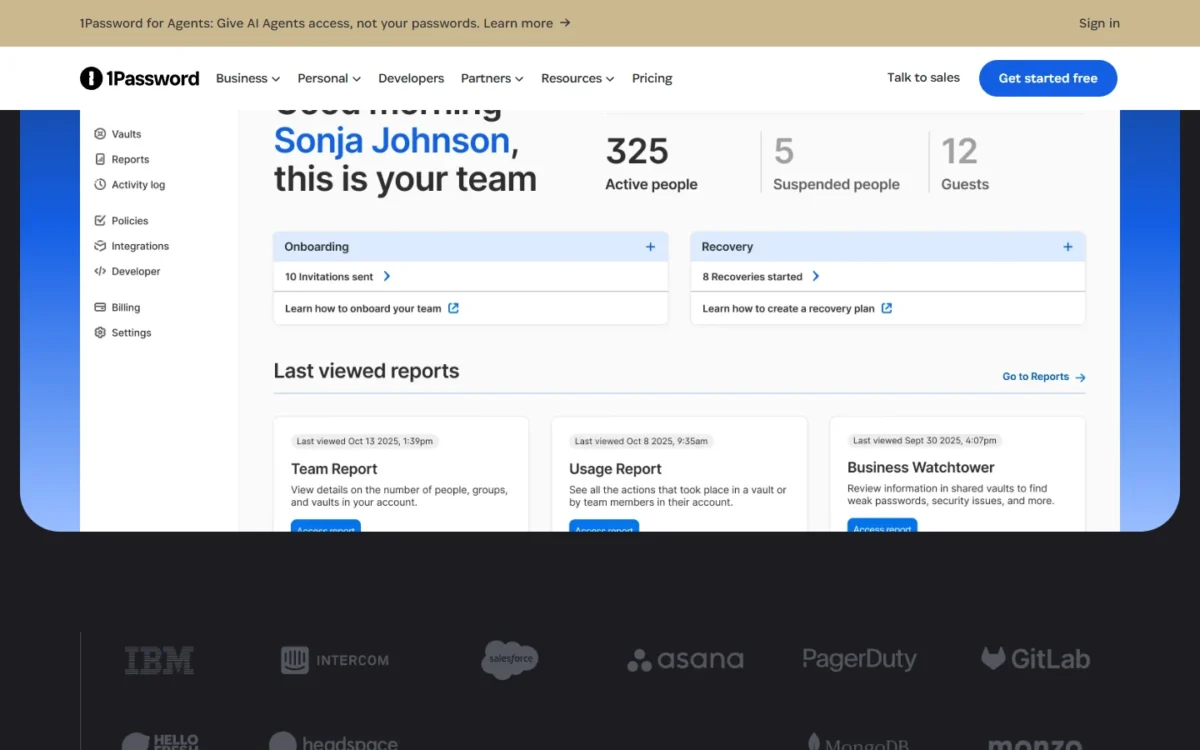
For longer retention, Events Reporting sends audit events to a SIEM such as Splunk, Elastic or Microsoft Sentinel. Most reports are Business features too, including the Business Watchtower report, which totals weak, reused or compromised passwords across the organization’s vaults.
Security model: Secret Key, encryption and SOC 2
1Password describes its design as a zero-knowledge architecture: AES 256-bit end-to-end encryption that keeps vault data inaccessible to everyone else, 1Password included. The key is built from two parts: the account password you memorize and a 34-character Secret Key created on your own device.
1Password says it has no record of the Secret Key and can’t recover it, so an attacker who brute-forces its servers still can’t decrypt a vault. The cost falls on your team: every employee has to keep the Emergency Kit that holds the key.
1Password states that it is SOC 2 Type II certified and publishes the results of independent audits; the SOC 2 report is the document a compliance reviewer should ask for. Day to day, Watchtower flags breached, weak and reused passwords.
Apps, browsers, passkeys and Travel Mode
1Password has apps for macOS, iOS, watchOS, Windows, Android and Linux, and browser extensions for Chrome, Safari, Edge, Firefox and Brave. 1Password 8 requires macOS Monterey 12 or later, iOS or iPadOS 18 or later, or a 64-bit version of Windows 10 or later. Check older machines before rollout: SSO does not work in 1Password 7, which will be retired starting in early 2027.
Passkeys are stored like any other item, so a team can view, move and share them. If your team has not yet settled how passkeys differ from passwords in daily use, do that before you enable them.
Travel Mode comes with every 1Password subscription. It removes every vault not marked safe for travel from the apps and browser extension, which matters at a border inspection, and Business administrators can switch it on and off for each team member.
Support runs 24/7 by email, forum and social media, plus a call line to its support team Monday to Friday, 9 AM to 5 PM EST.
1Password Ease of Use and Setup
Moving a team into 1Password comes down to two jobs: importing existing passwords and sending invitations. 1Password imports data from many browsers and applications, including Chrome, Firefox, Edge, Brave and Safari and any app that exports a CSV file. A CSV import on 1Password.com carries Logins, Credit Cards and Secure Notes.
The 14-day free trial handles the two plans differently. A Teams Starter Pack trial allows up to 10 team members, while a Business trial lets you add or remove as many people as you like.
How autofill behaves on your own sites depends on those sites, so I would use the trial for four checks:
- Share one vault with a real group and set the permissions you would run in production.
- Fill logins on the sites the team uses daily, in every browser it uses.
- On Business, connect the identity provider with one test user or group, not the whole organization.
- Export a test vault: 1Password 8 exports to 1PUX or CSV, and the CSV file holds only Login and Password items.
Pick the Business trial if SSO or provisioning is on your list.
1Password Plans at a Glance
Is 1Password worth the price? Yes for most small teams: Teams Starter Pack is the cheaper plan from 3 to 20 people, and Business earns its per-user price once SSO, provisioning or the audit log matters.
The pack is a flat price, not a per-user one. Its card shows $2.49 per user per month with a 10-user minimum, so a five-person team still pays for 10 seats.
| Plan | Price, billed yearly (USD) | Seats and what it adds |
|---|---|---|
| Teams Starter Pack | $24.95 per month ($299.40 per year) | 10 members included, up to 10 more at $4.99 per seat per month; 5 guests |
| Business | $8.99 per user per month ($107.88 per user per year) | 1 user minimum; adds SSO, provisioning, policies, the audit log, custom groups and 20 guests |
| Individual | $3.99 per month regular price | 1 user |
| Families | $5.99 per month regular price | 5 users, unlimited shared vaults |
Sources: 1Password business pricing and 1Password personal pricing, Yearly view, USD, checked Nov 2026.
Four things force the move from the pack to Business: a 21st member, an identity provider, a need for the audit log or team policies, or a shared vault where export and print must stay off. The table below compares both plans’ yearly totals by team size.
| Users | Teams Starter Pack, per year | Business, per year |
|---|---|---|
| 2 | $299.40 (pays for 10 seats) | $8.99 x 2 x 12 = $215.76 |
| 10 | $299.40 | $8.99 x 10 x 12 = $1,078.80 |
| 20 | $299.40 + 10 x $4.99 x 12 = $898.20 | $8.99 x 20 x 12 = $2,157.60 |
| 21 | Not available: 20 members maximum | $8.99 x 21 x 12 = $2,265.48 |
Sources: 1Password business pricing, Yearly view, checked Nov 2026. Assumptions: annual billing, no tax, no discounts.
A team of one or two should buy Business: two users cost $8.99 x 2 x 12 = $215.76 a year, less than the pack’s $299.40, and get the Business features. The pack is the cheaper plan from 3 users ($8.99 x 3 x 12 = $323.64 on Business) through 20, even though a team of 3 or 4 pays for 10 seats.
On Business every hire adds $107.88 a year, the pattern behind per-seat pricing creep, so recount seats at each renewal. A member who joins mid-term is charged a prorated amount for the time left in the billing cycle, billed within 48 hours of accepting the invitation.
My take
I would stay on Teams Starter Pack while you have 3 to 20 people, no identity provider, nobody asking for an audit trail or team policies, and no vault where export or print must stay off. Business is worth it when one of those changes; a 20-person team’s yearly bill then more than doubles, so budget for it before the 21st hire.
1Password publishes two ways to pay less. Nonprofits and journalists can ask sales for a discount, and new personal customers pay $2.99 a month for Individual and $4.49 for Families, billed yearly, for the first year only.
1Password Pros and Cons
Pros
- Business permissions separate viewing, copying, exporting and printing, so a finance or client vault can be shared without handing out an export
- Unlock with SSO and automated provisioning both work with Okta, OneLogin and JumpCloud, so joiners and leavers follow the directory
- Every Business user gets a free Families membership, with only the subscription status linked to the employer
- The Business audit log keeps 365 days of events and can stream to a SIEM
- The Secret Key is created on the device, so a brute-force attack on 1Password’s servers can’t decrypt a vault without it
Cons
- No free plan is listed, which rules it out for a team with a $0 budget
- Teams Starter Pack stops at 20 members, so a 21st hire moves the team to per-user Business pricing
- SSO, provisioning, team policies and the audit log all need Business, even for a 10-person team
- Owners can’t use SSO, and only one identity provider can be connected
- CSV export carries only Login and Password items, which complicates a later move to another manager
I would weigh the first two cons first: the budget one for a very small office, the 20-member ceiling for a team that is hiring.
What Users Say About 1Password
Gartner Peer Insights shows 1Password at 4.6 from 142 ratings, read on November 20, 2026. Its two highlighted reviews come from an engineer and a chief technology officer at IT services firms. On Gartner, the first is titled “Exceptional security and user-friendly design deliver unmatched peace of mind”, and the second “Secure, polished and powerful, but not the cheapest”.
My take
Both reviewers work at large IT services companies, so the sample reflects bigger IT teams more than a ten-person office. I would weigh the “not the cheapest” remark more heavily than Gartner’s overall rating, because it matches the plan math above.
Who Should Use 1Password (and Who Should Skip It)
Buy Teams Starter Pack if you run 5 to 20 people with no identity provider, and Business if your directory lives in Okta, Entra ID or Google Workspace. Skip 1Password if you need a free plan or a self-hosted server; Bitwarden lists both.
Best for
- A team of 5 to 20 with no identity provider: Teams Starter Pack is one flat price for the first 10 members
- A company that manages staff in Okta, Microsoft Entra ID or Google Workspace: SSO and provisioning come with Business
- A team that answers client or compliance audits: the Business audit log keeps 365 days of events
Not ideal for
- Anyone who needs a $0 plan: Bitwarden offers a free account
- A team whose policy requires self-hosting: Bitwarden lists a self-host option on Enterprise
- A team of 21 or more that will not pay per user: Teams Starter Pack ends at 20 members
1Password vs Competitors
Three rivals belong on the same shortlist: Bitwarden for a free account and a lower per-user price, NordPass for a Google Workspace team that wants SSO on its entry plan, and LastPass for a team already using it. For the rest of the market, start with my top password managers for business teams.
| Software | Best for | Starting price | Key difference | Main trade-off |
|---|---|---|---|---|
| 1Password | Teams of 5 to 20; companies on an identity provider | Teams Starter Pack: $24.95 per month for 10 members, billed yearly | Business permissions for copy, export and print | No free plan; SSO needs Business |
| Bitwarden | Budget-led teams and self-hosters | Teams: $4 per user per month, billed annually | SCIM provisioning on Teams; a free account | SSO needs Enterprise at $6 per user per month, billed annually |
| NordPass | Small teams on Google Workspace | Teams: $1.99 per user per month on the 1-year plan, 10-user pack only | Google Workspace SSO on Teams | Entra ID and Okta SSO need Enterprise at $5.99 per user per month |
| LastPass | Teams already on LastPass | Business: $7 per user per month, billed annually | Federated login and directory integrations on Business | A higher seat price than Bitwarden Teams or NordPass Teams |
Sources: Bitwarden business pricing, NordPass business plans, 1-year view, LastPass Business and the 1Password business pricing page cited above, checked Nov 2026.
Trial Bitwarden alongside 1Password when price leads: SCIM arrives on its $4 Teams plan, while 1Password holds provisioning for Business. My Bitwarden vs 1Password comparison sets the two plan ladders side by side.
Self-hosting is the other reason to look at Bitwarden; my full Bitwarden review covers it.
The NordPass review covers where its Teams plan stops.
For a team already on LastPass, LastPass vs 1Password for teams is the head-to-head.
For a wider field, my list of NordPass alternatives for teams lines up more team password managers.
FAQ
What is the downside of 1Password?
The main downside for a team is where the admin features sit: SSO, provisioning, policies and the audit log all need the per-user Business plan. The second is recovery. 1Password can’t recover a Secret Key, so a member who loses it and the Emergency Kit depends on an administrator’s account recovery.
Can 1Password admins see employees’ private items?
Not through reporting. In the Business Watchtower report, an administrator sees only the number of issues in Employee vaults and in shared vaults they can’t access, not the items. A linked Families account stays outside the employer’s reach: the business can’t access or manage it.
What happens to my free family account if I leave the company?
It is unlinked from the business account and enters a complimentary trial period. Add a payment method and it continues as a paid 1Password Families subscription. The account belongs to the family organizer, not the employer.
Is there anything better than 1Password for a small team?
For three jobs, yes: Bitwarden for a free account or self-hosting, NordPass for Google Workspace SSO on an entry plan, and LastPass for staff already on it. For copy, export and print control, 1Password Business is my pick.
How I Evaluated 1Password
The 1Password facts in this review come from 1Password’s own pages, read on November 20, 2026: the business and personal pricing pages, the security page and the help center articles on SSO, provisioning, vault permissions, policies, the audit log, reports, billing, import and export. The rival facts come from Bitwarden’s, NordPass’s and LastPass’s own pages, and the user rating from Gartner Peer Insights.
Plan-fit calls and yearly totals are my analysis of those facts. 1Password does not publish an Enterprise price.
Final Verdict of My 1Password Review: Is It Worth It?
Yes, 1Password is worth it for a small team that shares credentials, on the plan that matches the control it needs. Pick Teams Starter Pack if you have 5 to 20 people, no identity provider, no audit requests and no vault where export or print must stay off. Pick Business if staff sign in through Okta, Entra ID or Google Workspace, if a client will ask for an access record, or if a shared vault needs copying, export or print switched off, and budget $107.88 per user per year.
The trade-off is price for control. At $8.99 per user per month, Business costs more per seat than Bitwarden Enterprise ($6), NordPass Enterprise ($5.99 on the 1-year plan) or LastPass Business ($7), all on annual billing. If the budget is $0, pick Bitwarden’s free account instead.
Before you pay, run the four trial checks above inside the 14-day trial.