Prices, plans and features checked on each tool’s official website on November 12, 2026.
TL;DR: SendPulse is the best fit for most teams that want WhatsApp chatbot leads to land in a CRM: SendPulse says it is an official WhatsApp Business API provider and Meta Partner, its bot creates deals in a built-in CRM, and Pro starts at $12/month on monthly billing plus Meta fees. ManyChat suits ad and Instagram funnels, WATI suits HubSpot teams that want two-way sync, respond.io suits mid-market B2C teams, and 360dialog suits developers who want raw API access.
Quick verdict
For small and mid-size US teams that need the WhatsApp lead in a CRM.
CRM sync sits a plan above the cheapest WhatsApp plan: WATI’s HubSpot sync starts on Pro at $119 a month billed annually, and respond.io needs Growth ($159 billed yearly) for HubSpot and Advanced ($279) for Salesforce. Since October 1, 2026, Meta bills service replies past 1,000 per business number a month.
No tool here runs WhatsApp on a free plan; Meta’s fees come on top.

ManyChat
Best for: Instagram and ad-driven WhatsApp funnels
Pro connects up to three channels, so an Instagram DM automation and its WhatsApp follow-up live in one account.
Limit: HubSpot contacts are identified by email, and WhatsApp needs Pro

SendPulse
Best for: bots that open deals in a built-in CRM
A Create deal action in the flow places the lead at the pipeline stage you choose, from Pro at $12 a month.
Limit: price rises with subscribers; no native HubSpot or Salesforce sync on its pages

WATI
Best for: HubSpot teams that need two-way sync
Contacts, properties and owners sync both ways from Pro, matched by phone number, with deal stages editable on either side.
Limit: Growth has no HubSpot and stops at 3 users

respond.io
Best for: multi-agent teams on Salesforce
Growth includes 10 users plus Workflows and AI Agents; Advanced adds the Salesforce integration beside the chat.
Limit: HubSpot contacts sync into respond.io, and the bot needs Growth at $199 a month
In This Article (11 sections)
Quick Comparison: Plan, Price and Where the Lead Goes
The cheapest plan that runs a WhatsApp bot ranges from SendPulse Pro at $12 a month to respond.io Growth at $199 a month, before Meta’s fees; moving the lead into a CRM often takes one tier more.
| Software | Best for | Plan that runs the bot (price, billing) | Free plan or trial | Where the lead goes | Key limitation |
|---|---|---|---|---|---|
| ManyChat | Instagram and ad-driven funnels | Pro: $29 a month billed yearly | Free plan without WhatsApp; 14-day Pro trial | HubSpot contact or form, keyed on email | 2,500 active contacts on Pro, then overage per contact |
| SendPulse | Deals in a built-in CRM | Pro: $12 a month, or $9.60 billed annually, at up to 500 subscribers | Basic plan free without WhatsApp; 7-day trial with a card | Deal in its own CRM at a chosen pipeline stage | Price climbs with subscribers; no HubSpot or Salesforce sync listed |
| WATI | HubSpot teams needing two-way sync | Growth: $59 a month billed annually; HubSpot needs Pro at $119 | No free plan; 7-day trial | HubSpot contact and deal stage, two-way, from Pro | Growth caps at 3 users; 1,000 free automation triggers a month |
| respond.io | Multi-agent teams on Salesforce | Growth: $199 a month, or $159 billed yearly; Salesforce needs Advanced at $279 billed yearly | No free plan; 7-day Growth trial, no card | respond.io contact; HubSpot contacts sync in from Growth; Salesforce from Advanced | Starter has no Workflows or AI Agents |
| 360dialog | Developers wanting raw API access | Regular (Standard Subscription): $59 per number a month, month to month | No trial listed on the pricing page | Your own system through the API, or a Zapier, Make or n8n workflow | No bot builder on the pricing page; the Inbox needs Premium |
Sources: ManyChat pricing, SendPulse messengers pricing, WATI pricing, respond.io pricing, 360dialog client pricing docs, checked Nov 2026.
How I Chose These Tools
Every tool here connects to the official WhatsApp Business Platform; that was the must-have. I ranked the five tools below and the two under Also Considered on six criteria: where the qualified lead lands, the plan that first runs a WhatsApp bot and its price, the plan that unlocks HubSpot or Salesforce, Meta’s per-message fees, seats and human handoff, and build style.
The evidence is each vendor’s pricing page and help center, Meta’s pricing documentation and G2’s review pages. The order runs from most no-code to most developer-oriented, not best to worst.
1. ManyChat: Best for Instagram and Ad-Driven WhatsApp Funnels
- Plan that runs WhatsApp: Pro, $29 a month billed yearly
- Where the lead goes: a HubSpot contact or form submission, identified by email
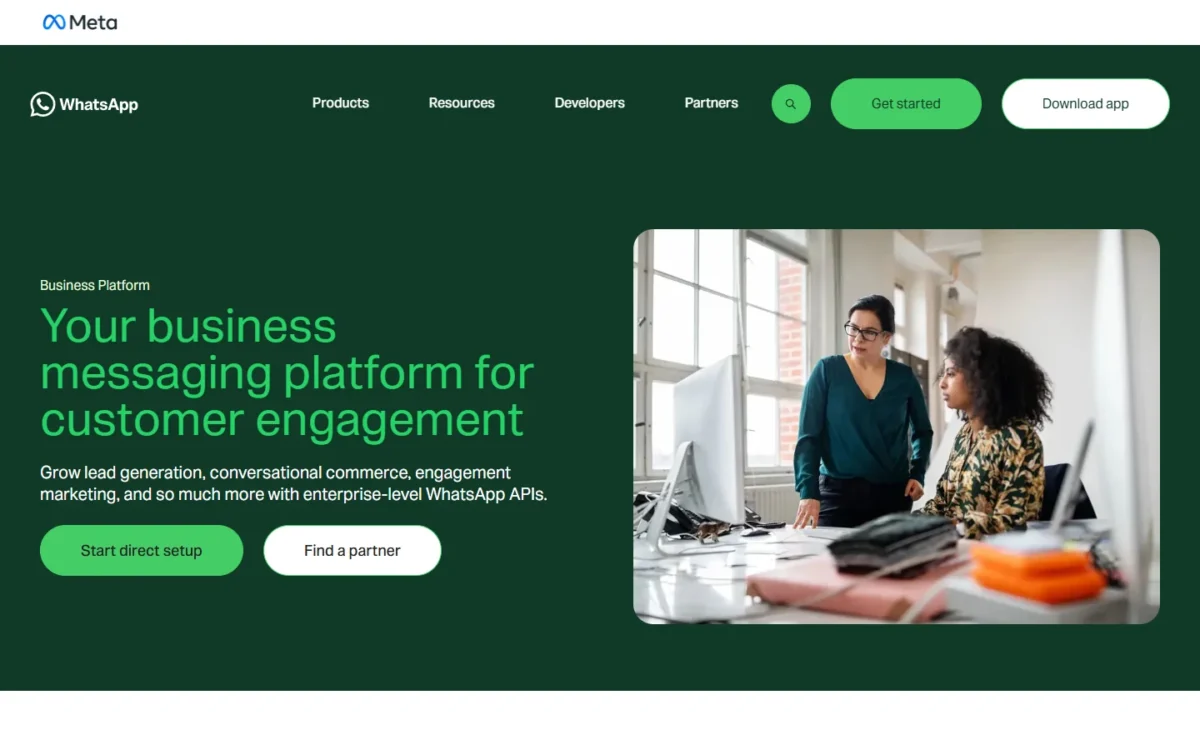
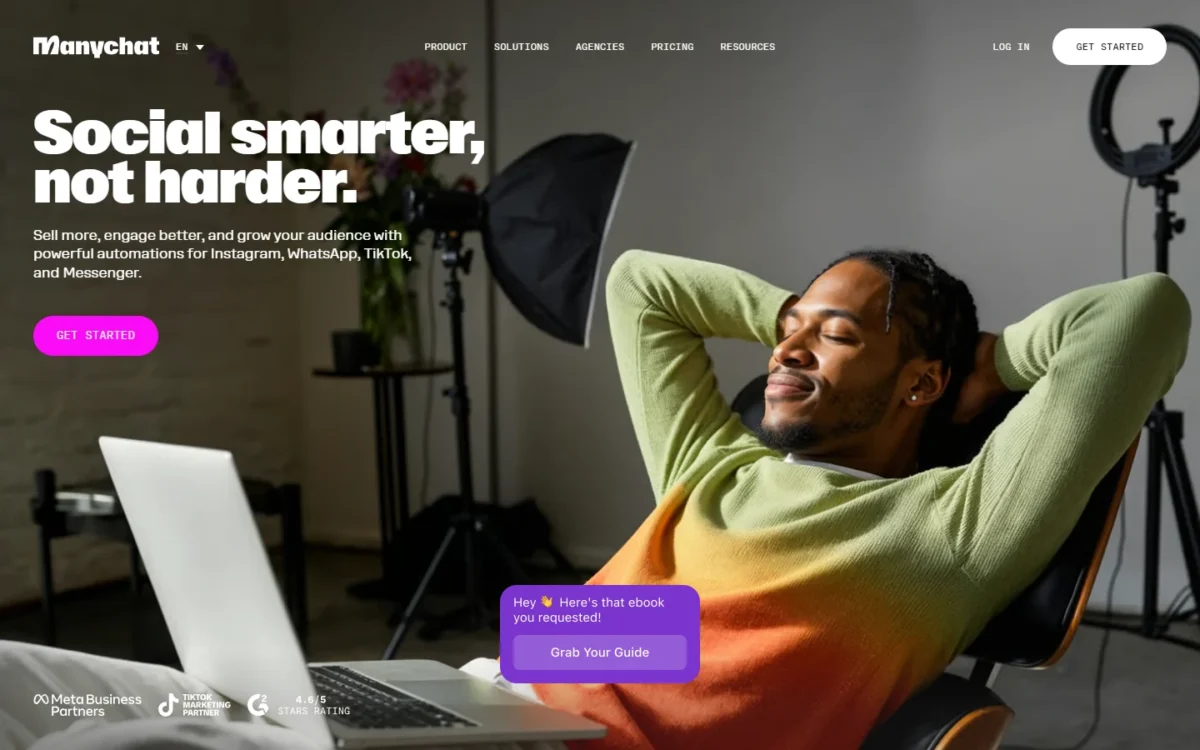
ManyChat earns its place when WhatsApp is the next step of a funnel you already run on Instagram, TikTok or in Meta ads: the account that answers comments and DMs moves the same lead into a WhatsApp chat to close there. The catch is the handoff: WhatsApp needs Pro, and HubSpot contacts are identified by email, which a WhatsApp lead does not hand you by default.
Pro also adds WhatsApp broadcasts, where contact-based pricing bites: a contact counts as active whenever a message is sent or received, so one broadcast to 5,000 contacts on the annual plan adds 2,500 x $0.038 = $95 of overage that month.
ManyChat’s WhatsApp page still describes charges per new conversation with the first 1,000 conversations a month free, while Meta has charged per message since July 1, 2025.
My take
I would pick ManyChat Pro if the funnel starts on Instagram or in a Meta ad and the CRM record can wait for an email address.
ManyChat Pro costs $29 a month billed yearly, $348 a year, for 2,500 active contacts, 3 users and 2 Inbox seats. Pro carries a 14-day free trial, and a plan cancelled within 30 days is refunded; see ManyChat’s official pricing page.
- Essential: $14 a month billed yearly, 250 active contacts, no WhatsApp
- Business: $69 a month billed yearly, 7,500 active contacts, 3 Inbox seats
Sources: ManyChat pricing, ManyChat Pro plan help page, checked Nov 2026.
Pros
- Instagram, TikTok and WhatsApp automations run in one Pro account with up to three channels
- WhatsApp broadcasts and AI-powered conversations come with Pro, not a higher tier
- 14-day Pro trial and a 30-day refund window
Cons
- WhatsApp is unavailable on Free and Essential
- HubSpot contacts are keyed on email, so a phone-only WhatsApp lead needs an extra question
- No deal action in the HubSpot integration
Choose ManyChat when social engagement is the source of your leads and WhatsApp is where you close them; it holds 4.5 out of 5 from 165 reviews on G2, checked November 2026.
- Skip it if:
- the bot must create a deal or your CRM is Salesforce: SendPulse opens the deal itself, and respond.io adds Salesforce on Advanced.
2. SendPulse: Best for Bots That Open Deals in a Built-In CRM
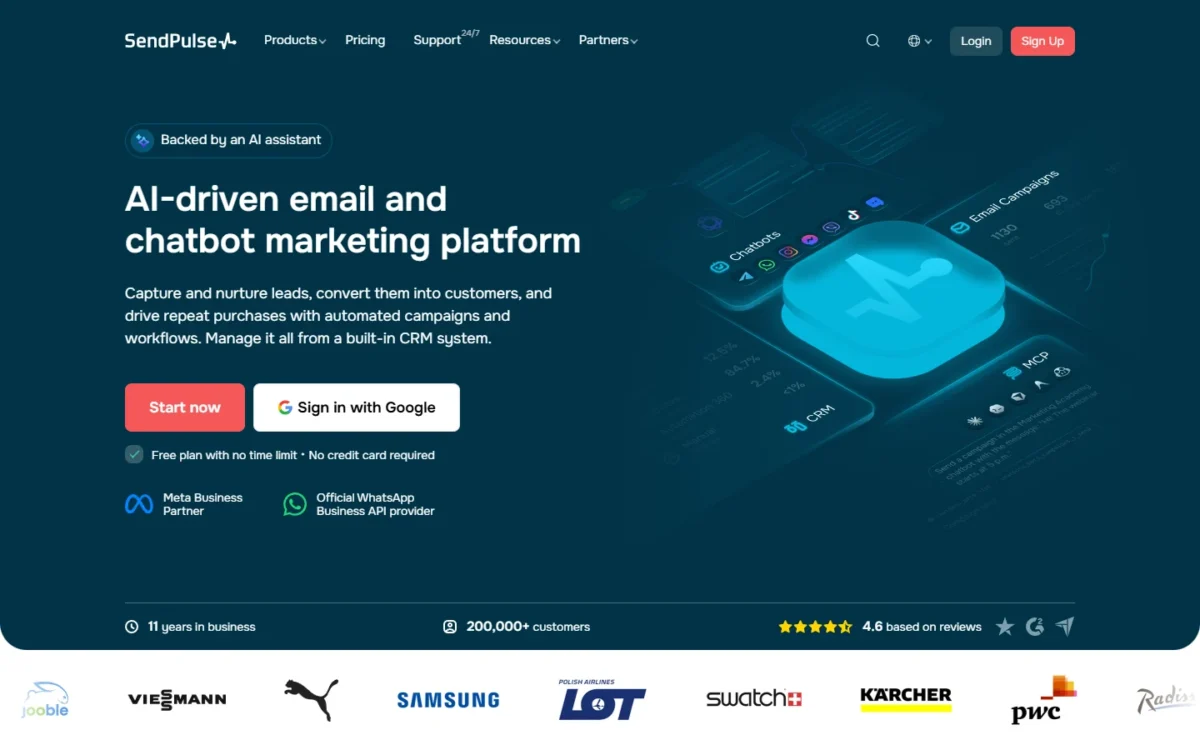
- Plan that runs WhatsApp: Pro, $12 a month or $9.60 a month billed annually, at up to 500 subscribers
- Where the lead goes: a deal in SendPulse’s own CRM, at the pipeline stage the flow sets
Yes, one tool can run the WhatsApp bot and put the deal in a pipeline without a separate CRM, and SendPulse is the one I would start with. Its flow builder has a Create deal action that drops the lead into the pipeline and stage you choose. The limit runs the other way: a team already living in HubSpot or Salesforce finds no native sync on SendPulse’s pages, only the API and webhooks.
Payment buttons place a deal in the stage you set for a new, successful or failed payment, so a WhatsApp order shows up as pipeline revenue rather than a chat transcript.
Against WATI, the difference is where the pipeline lives: SendPulse’s is its own, WATI’s is HubSpot’s, so a team that has never bought a CRM saves that premium here.
My take
I would pick SendPulse Pro if the deal should appear in a pipeline the moment the bot finishes and you do not already run HubSpot or Salesforce.
SendPulse Pro costs $12 a month on monthly billing or $9.60 a month billed annually ($115.20 a year) at up to 500 subscribers; above 500 the price rises by tier on the slider of its official pricing page.
SendPulse is an Official WhatsApp Business Solution Provider. Its WhatsApp API page calls it an Official Meta Partner.
Meta’s fees are billed through a SendPulse credit line in US dollars at the US rates it prints: $0.0064 per service or utility message, $0.0300 per marketing message, $0.0145 per minute of calls.
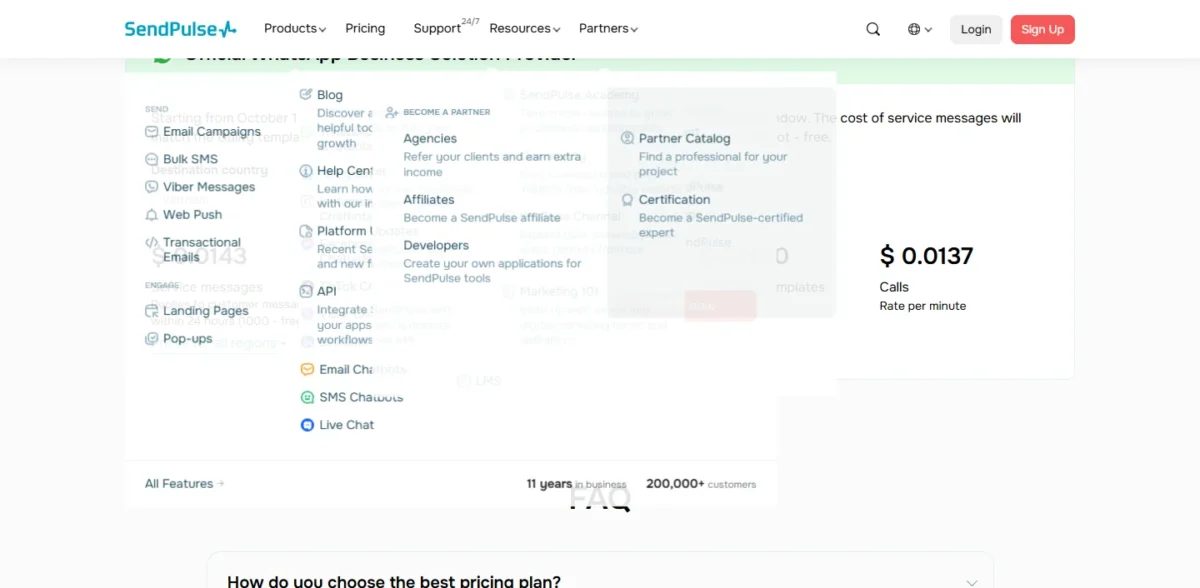
- Basic: free, 3 chatbots, 500 subscribers, 10,000 messages a month, no WhatsApp
Sources: SendPulse messengers pricing, SendPulse WhatsApp chatbot page, checked Nov 2026.
Pros
- Create deal action in the flow places the lead at a chosen pipeline stage
- Payment buttons move deals by payment status
- Pro at $12 a month is the lowest WhatsApp entry price of the five, before Meta’s fees
Cons
- WhatsApp is excluded from the free Basic plan, and the trial requires a credit card
- No native HubSpot or Salesforce sync on its pages; API and webhooks are the route
- Pro pricing climbs with subscriber count
Choose SendPulse when you sell through WhatsApp and have no CRM yet; its G2 page lists 727 reviews for the platform as a whole, checked November 2026.
- Skip it if:
- your pipeline already lives in HubSpot and reps work from it: WATI Pro keeps both sides in step.
3. WATI: Best for HubSpot Teams That Need Two-Way Sync
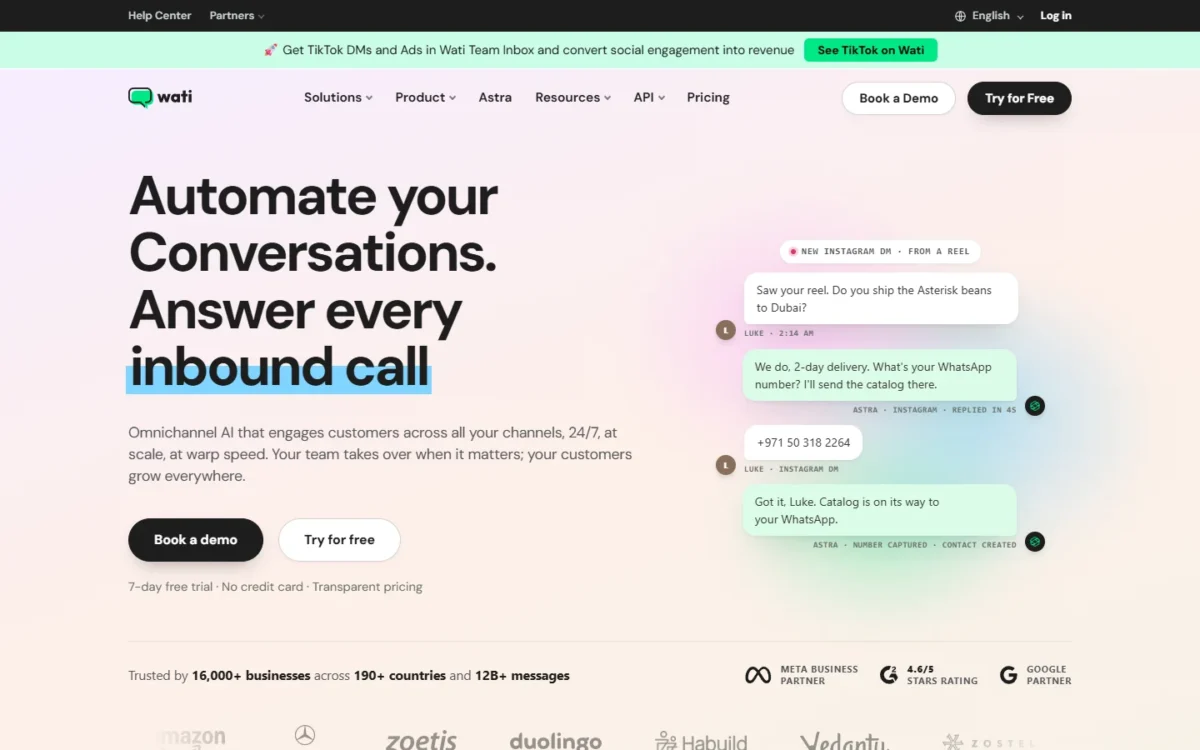
- Plan that runs WhatsApp: Growth, $59 a month billed annually; HubSpot needs Pro at $119
- Where the lead goes: HubSpot contact, owner and deal stage, synced both ways and matched by phone number
WATI is the pick for a sales team that reports in HubSpot, because its HubSpot sync writes the bot’s updates back both ways: contacts and properties sync in real time, owner assignment carries across, and deal stages, properties and notes update from either platform. That sync starts on Pro. The cost is that Growth, the cheapest WhatsApp plan, has no HubSpot and stops at 3 users.
The phone-number match is what makes it work for WhatsApp: a lead arrives with a number, not an email, and existing HubSpot contacts are matched by phone number when messages are sent or received. ManyChat needs an email first; respond.io matches on email or phone but syncs contacts in from HubSpot.
My take
I would pick WATI Pro, not Growth, if HubSpot is the point: Growth’s $708 a year against Pro’s $1,428 saves $720 but leaves the CRM disconnected and the team at 3 seats.
Pro includes 5 users with extra users at $39 per user per month, so eight people on Pro pay $119 + 3 x $39 = $236 a month on annual billing. Template messages are charged on top at Meta’s rates; see WATI’s official pricing page.
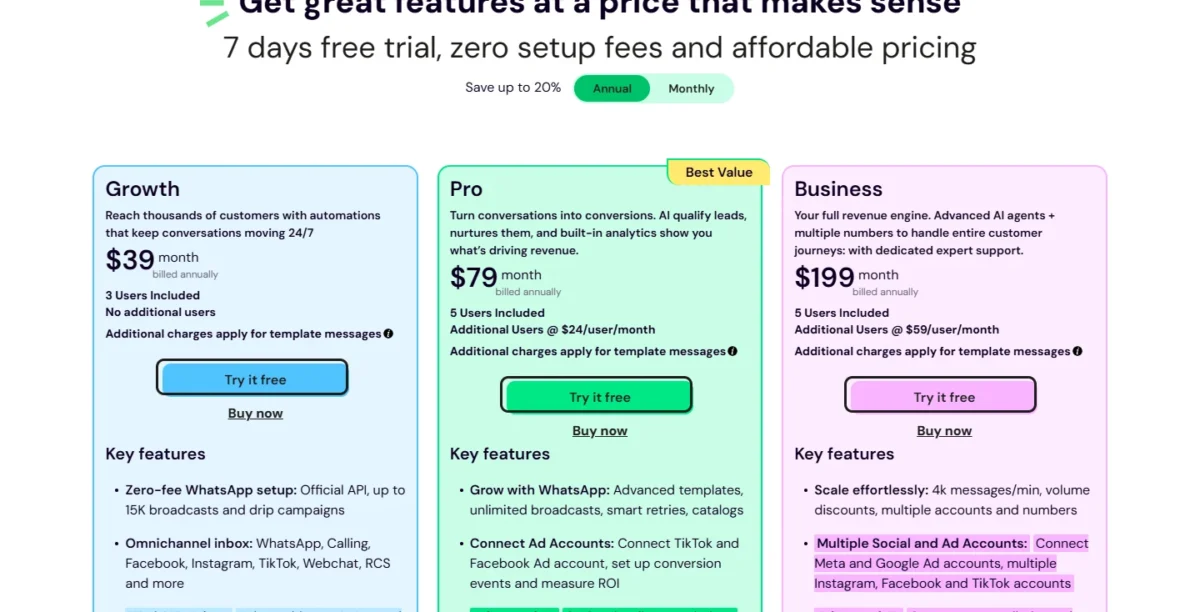
This screenshot shows the regional price view served to the capture computer; the US prices are in the table above.
- Growth: $59 a month billed annually, 3 users with no add-on seats, 1,000 free automation triggers, no HubSpot
- Pro: $119 a month billed annually plus $39 per extra user a month, 5 users, 2,000 free triggers, HubSpot
- Business: $279 a month billed annually plus $89 per extra user a month, 5 users, 5,000 free triggers, Salesforce
Sources: WATI pricing, WATI HubSpot integration page, checked Nov 2026.
Pros
- Two-way HubSpot sync of contacts, properties and owners from Pro, with deal stages editable on either side
- Existing HubSpot contacts matched by phone number, the identifier a WhatsApp lead brings
- Astra AI agents on every plan, with human hand-off from Pro
Cons
- Growth has no HubSpot integration and is capped at 3 users with no add-on seats
- Automation triggers are capped per plan; past the cap, replies are manual unless you buy more
- Salesforce, pipeline management and HubSpot AI summaries need Business
Choose WATI when HubSpot is your system of record and reps must see WhatsApp context there; it holds 4.6 out of 5 from 516 reviews on G2, checked November 2026.
- Skip it if:
- the desk reaches seven agents and HubSpot contact sync into respond.io will do: seven users on WATI Pro cost $119 + 2 x $39 = $197 a month on annual billing, while respond.io Growth includes 10 users at $159 a month billed yearly.
4. respond.io: Best for Multi-Agent Teams on Salesforce
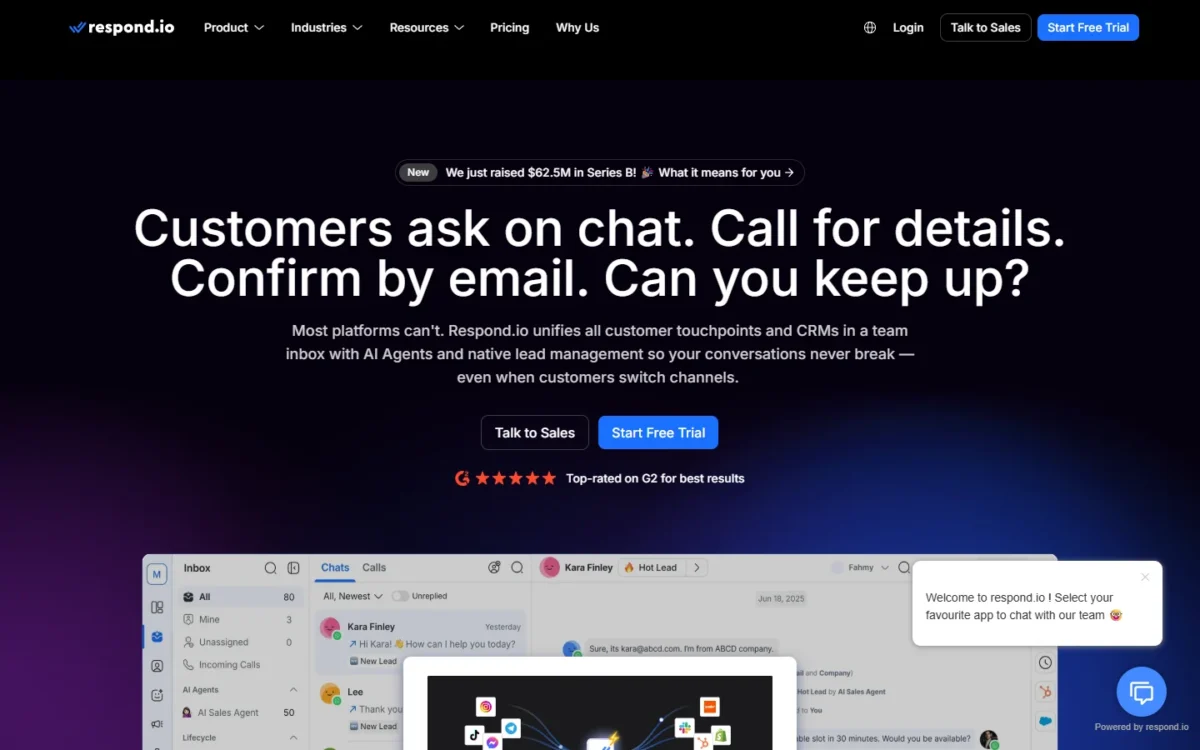
- Plan that runs WhatsApp: Growth, $199 a month or $159 a month billed yearly (Workflows and AI Agents start here)
- Where the lead goes: a respond.io contact; HubSpot from Growth, Salesforce from Advanced
respond.io is the pick when several agents share the WhatsApp queue and the CRM record has to sit beside the chat: Growth gives 10 users plus Workflows and AI Agents, and Advanced adds the Salesforce integration. The trade-off is the HubSpot side: contacts sync from HubSpot into respond.io and users can edit selected HubSpot properties there, but nothing in it moves a HubSpot deal.
Seats are where respond.io beats WATI for a growing desk: Growth includes 10 users with extra users at $25 a month, or $20 on yearly billing, while WATI Pro includes 5. respond.io prices by monthly active contacts instead, starting at 1,000, with overage at $12 per 100 on Growth.
My take
I would pick respond.io Growth for a multi-agent WhatsApp desk, and Advanced only when Salesforce is the CRM.
respond.io’s Growth and Advanced prices below start with 1,000 monthly active contacts, and Enterprise is a custom quote. Prices are in USD on its official pricing page, and WhatsApp fees are not included.
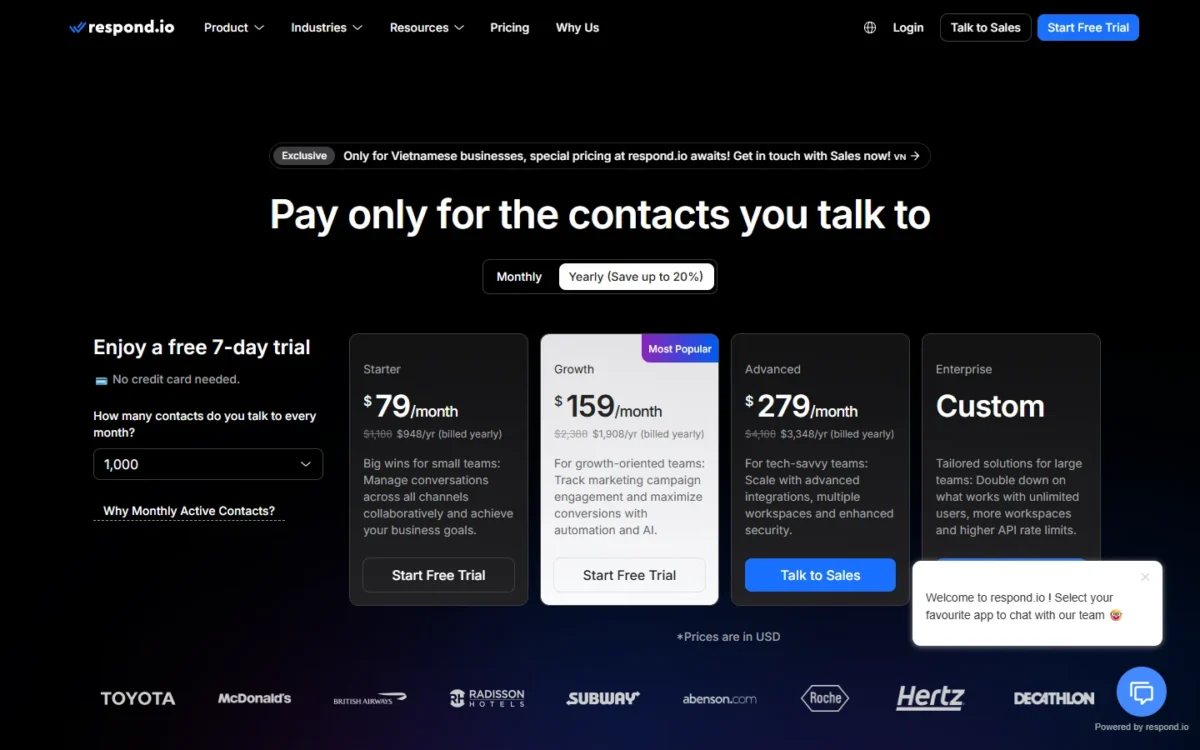
- Starter: $99 a month, or $79 a month billed yearly, 5 users, no Workflows or AI Agents
- Growth: $199 a month, or $159 a month billed yearly, 10 users, 1,000 monthly active contacts, HubSpot
- Advanced: $349 a month, or $279 a month billed yearly, 10 users, Salesforce, webhooks, multiple workspaces
Sources: respond.io pricing, checked Nov 2026.
Pros
- 10 users on Growth, with extra users at $25 a month or $20 billed yearly
- Workflows and AI Agents on Growth, with AI usage included rather than metered per agent
- Salesforce integration on Advanced, below the Enterprise tier
Cons
- The bot needs Growth; Starter has no Workflows
- Contacts sync from HubSpot into respond.io, with no deal stage among the synced items
- CRM records show only when the email or phone number matches exactly, down to spaces
Choose respond.io when agents, not automations, carry most of the WhatsApp load; it holds 4.8 out of 5 from 568 reviews on G2, checked November 2026.
- Skip it if:
- the bot itself must write its answers into HubSpot: WATI’s chatbots collect information, update attributes and sync the changes to HubSpot, from Pro.
5. 360dialog: Best for Developers Who Want Raw API Access
- Plan that runs WhatsApp: Regular (Standard Subscription), $59 per number a month, month to month
- Where the lead goes: wherever your webhooks, Zapier, Make or n8n send it
Paying per number for API access beats a builder when the bot is yours to write, or when WhatsApp has to live inside a product you already sell. There is no bot builder on the pricing page, so a marketing team without a developer should not start here.
The pricing unit is the difference against every other pick: 360dialog charges per WhatsApp number, billable from activation until you cancel, so two numbers on Premium are 2 x $119 = $238 a month before a single Meta fee.
My take
I would pick 360dialog Regular if a developer owns the bot and the CRM write-back, and Premium only when the team needs the shared Inbox or the Inbox MCP for an AI agent.
360dialog bills each channel monthly, in EUR or USD only. Read the tiers on the official pricing documentation page.
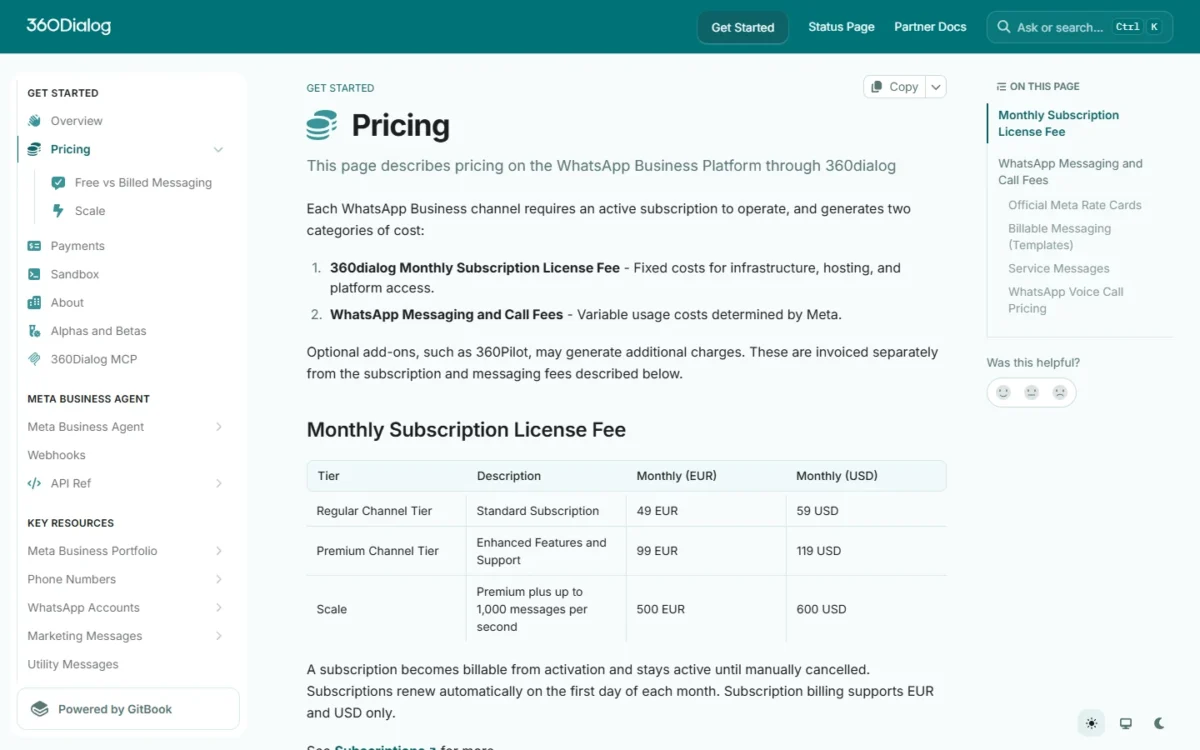
- Regular Channel Tier (Standard Subscription): $59 per number a month, without the Inbox
- Premium: $119 per number a month, adds the shared Inbox and the Inbox MCP at no extra charge
- Scale (Premium plus up to 1,000 messages per second): $600 per number a month
Sources: 360dialog client pricing docs, checked Nov 2026.
Pros
- Human support 24 hours a day, 7 days a week, including weekends and public holidays
- The Hub integrates with the Zapier, Make and n8n workflow tools
- Flat per-number pricing, month to month, with no plan tiers tied to seats
Cons
- No bot builder on the pricing page
- The shared Inbox and the Inbox MCP need the Premium plan
- Several WhatsApp numbers multiply the base fee, since each channel needs its own subscription
Choose 360dialog when the WhatsApp channel is part of your own product; its G2 page lists 153 reviews, checked November 2026.
- Skip it if:
- nobody on the team writes code: SendPulse opens the deal from a visual flow at $12 a month, and ManyChat runs the social funnel.
What a WhatsApp Chatbot Really Costs After Meta’s October 2026 Change
The bill is the plan price plus Meta’s per-message charge, which since October 1, 2026 includes service replies past 1,000 per business phone number a month, billed at the market’s utility rate, on every tool here.
Meta has charged per delivered message since July 1, 2025, by message category and the recipient’s country calling code; messages from users to businesses cost nothing (Meta’s WhatsApp Business Platform pricing). The 1,000 free service messages per number do not roll over, and a chat started from an ad that clicks to WhatsApp opens a free entry point window of up to 7 days in which marketing, utility, authentication and service messages are free.
Replies from Meta’s own AI, the Meta Business Agent, are billed apart at $2.00 per 1 million tokens, about 4 to 5 cents a message by Meta’s estimate.
The agent and reply counts below are assumptions of this page, not vendor figures; only the plan prices come from the saved pages.
| Scenario | ManyChat | SendPulse | WATI | respond.io | 360dialog |
|---|---|---|---|---|---|
| 1 agent, 2,000 bot replies a month (1,000 billable), no CRM needed | Pro: $29 x 12 = $348 | Pro: $9.60 x 12 = $115.20 at up to 500 subscribers | Growth: $59 x 12 = $708 | Growth: $159 x 12 = $1,908 | Regular: $59 x 12 = $708 for one number |
| 3 agents, 5,000 replies (4,000 billable), lead into HubSpot | Pro: $29 x 12 = $348, plus $25 for a third Inbox seat; HubSpot contact only | Pro: $115.20; own CRM, HubSpot not listed; user count not listed on its pricing page | Pro: $119 x 12 = $1,428 for 5 users; two-way HubSpot updates | Growth: $1,908 for 10 users; HubSpot contacts flow in | Regular: $708 plus your Zapier or Make build |
| 8 agents, 15,000 replies (14,000 billable), lead into Salesforce | Advanced: $139 x 12 = $1,668, which seats 5 of the 8 in the Inbox | Pro: $115.20 at 500 subscribers; Salesforce not listed; user count not listed on its pricing page | Business: $279 x 12 = $3,348 for 5 users; with 3 extra users at $89 x 12 = $1,068 each, $3,348 + 3 x $1,068 = $6,552 | Advanced: $279 x 12 = $3,348 for 10 users | Premium: $119 x 12 = $1,428 per number plus your build |
Sources: ManyChat pricing, SendPulse messengers pricing, WATI pricing, respond.io pricing, 360dialog client pricing docs, Meta WhatsApp pricing, checked Nov 2026. Annual billing where offered, SendPulse at its 500-subscriber tier, respond.io at 1,000 monthly active contacts, one number; taxes, templates, add-ons and Meta’s per-message fees excluded.
At Meta’s North America rate of $0.0034 per service message, the billable replies in the three scenarios cost 1,000 x $0.0034 = $3.40, 4,000 x $0.0034 = $13.60 and 14,000 x $0.0034 = $47.60 a month.
SendPulse’s printed US rate of $0.0064 makes them 1,000 x $0.0064 = $6.40, 4,000 x $0.0064 = $25.60 and 14,000 x $0.0064 = $89.60, about one extra WATI Business seat at the top.
How to Choose the Best WhatsApp Chatbot Builder: Follow the Lead to Your CRM
Pick by where the lead must land, then by the plan that unlocks it; the plan price alone sorts these five in the wrong order for most teams.
Where the Lead Goes After the Bot: CRM Handoff Compared
A WhatsApp chatbot hands a lead over in one of three ways: a deal in a CRM inside the same platform (SendPulse), a sync with HubSpot or Salesforce (WATI, respond.io, ManyChat), or raw data passed to whatever you build or connect (360dialog).
| Criterion | ManyChat | SendPulse | WATI | respond.io | 360dialog |
|---|---|---|---|---|---|
| Deal created from the bot | Not listed | Yes, Create deal action on Pro | HubSpot deal stages editable from WATI, Pro | Not listed | Your own build |
| HubSpot | Contact create or update, Pro | Not listed (API and webhooks on Pro) | Two-way sync, Pro | Contacts sync in from HubSpot, Growth | Your build, or a Zapier, Make or n8n workflow |
| Salesforce | Not listed on its pricing page | Not listed | Business | Advanced | Your build, or a Zapier, Make or n8n workflow |
| Contact match key | Main email | Phone number | Exact email or phone | Your system’s | |
| Team inbox handoff (plan, users) | Pro, 3 users and 2 Inbox seats | Pro, with full chat history; user count not listed on its pricing page | Growth 3 users; Pro 5 users | Starter 5 users; Growth 10 users | Inbox on Premium |
| AI replies or agents (plan) | AI-powered conversations, Pro | AI assistant; ChatGPT integration on Pro | 1 Astra agent on Growth, 2 on Pro | AI Assist on Starter; AI Agents on Growth | Inbox MCP on Premium |
Sources: ManyChat HubSpot help page, SendPulse deal sources, WATI HubSpot sync guide, respond.io HubSpot help, respond.io Salesforce help, 360dialog pricing, checked Nov 2026.
If the CRM matters more than the bot, start from the WhatsApp CRM tools compared on this site. If you would rather keep the number you already use and skip the WhatsApp Business API, my Spun WhatsApp CRM review tests a CRM that links to that number by QR code.
Which Tool for Which Team
| Your priority | Tool to consider | Reason | Trade-off |
|---|---|---|---|
| Deals in a pipeline without buying a CRM | SendPulse Pro | Create deal action and in-chat payments on a $12-a-month plan | Price rises with subscribers; no native HubSpot or Salesforce |
| Reps work in HubSpot and need WhatsApp context there | WATI Pro | Two-way contact, owner and deal-stage sync, matched by phone | Growth does not include it; 5 users, then $39 each |
| Seven or more agents, or Salesforce | respond.io Growth or Advanced | 10 users on Growth; Salesforce sidebar on Advanced | HubSpot contacts sync in; the bot needs Growth |
| Funnel starts on Instagram, TikTok or Meta ads | ManyChat Pro | Three channels in one account, with WhatsApp broadcasts | HubSpot keyed on email; 2,500 active contacts before overage |
| Developers own the bot and the CRM write-back | 360dialog Regular | API access per number, and the Hub integrates with Zapier, Make and n8n | No bot builder on the pricing page; per-number billing |
Sources: SendPulse messengers pricing, WATI pricing, respond.io pricing, ManyChat pricing, checked Nov 2026.
If Instagram is your main channel, this comparison of Instagram chatbot platforms is the better shortlist, since the WhatsApp gate matters less there than the Instagram feature set.
My take
I would let price settle only the tie between SendPulse and ManyChat, and pick SendPulse there unless the funnel starts on Instagram.
Also Considered
- Chatbase: an AI agent builder priced by message credits, Hobby at $40 a month or $32 a month billed yearly for 700 credits, with WhatsApp listed among its channels.
- Botpress: lists WhatsApp on its Plus plan at $150 a month billed annually with 250 conversations included.
Both are better judged against website builders than against the five above, which were chosen for the CRM handoff. My chatbot platforms list covers them there.
FAQ
What is a WhatsApp chatbot builder?
A WhatsApp chatbot builder runs automated conversations on a business’s WhatsApp number through the WhatsApp Business Platform, then hands the lead to a human or a CRM. The audience is large: WhatsApp passed 3 billion monthly users, as TechCrunch reported from Meta’s Q1 2025 earnings call.
Is there a free WhatsApp chatbot builder?
Not among these five. SendPulse’s Basic plan is free with 3 chatbots and 500 subscribers but excludes WhatsApp, and ManyChat’s Free plan covers 25 active contacts without WhatsApp. The closest to free is a trial: 14 days on ManyChat Pro, 7 days on WATI, 7 days on SendPulse with a card required, and 7 days on respond.io with no card.
Are WhatsApp bots allowed, and can they use AI?
A business bot about its own products is allowed. Meta’s WhatsApp Business Solution Terms bar AI providers from using the platform to deliver general-purpose AI assistants as the primary functionality, while a business may retain an AI provider as its solution provider. A personal assistant is a different product; my list of AI chatbots for personal and team use covers those.
How do I build a WhatsApp chatbot?
Pick one of three routes: a visual builder (SendPulse, ManyChat), an inbox platform with automations or AI agents on a paid plan (WATI, respond.io), or API access (360dialog), where your developer writes the bot.
Which WhatsApp chatbot is best for a small business, and which for a larger team?
A small business without a CRM fits SendPulse Pro, or ManyChat Pro when the funnel is social; a larger team pays for seats and sync on respond.io. If WhatsApp is one of several tools you are buying, the AI tools for small business list prices the wider stack.
Final Verdict: My Pick for Each Situation
I would start the SendPulse trial if you have no CRM and want the first qualified WhatsApp lead to appear as a deal, since Pro carries the Create deal action and in-chat payments.
I would start WATI’s trial on Pro, not Growth, if HubSpot is where your reps live. Take respond.io when the desk has more agents than the others seat, or when Salesforce is the CRM.
ManyChat Pro is the choice when Instagram or Meta ads start the conversation and WhatsApp finishes it; ask for the email early so HubSpot can match the contact. 360dialog is for the team with a developer and a product of its own, and for nobody else on this list.
My take
Whichever you pick, I would run one lead from a WhatsApp message to your CRM during the trial and watch where it lands and under which key.