Bing Image Creator is a good free pick for one person’s drafts, social posts and slide images: it costs $0 with a personal Microsoft Account and gives 15 fast creations a day before it moves to a slower standard speed.
Two rules narrow it for business. Bing Image Creator’s terms say the service is “for entertainment purposes,” and it is not available to users signed in with a work or school account. This Bing Image Creator review covers the caps, the paid route and the image terms.
Quick verdict
Bing Image Creator is worth using for everyday images if you have a personal Microsoft Account and can accept its terms.
- Worth it for: a solo marketer, blogger, teacher or freelancer making social, blog and slide images.
- Skip it if: your team signs in with work or school accounts, or the image goes into client work or a paid ad.
- Main strength: $0, with 15 fast creations a day on the help page, then free standard speed up to 200 prompts per 24 hours.
- Biggest limit: the terms give no warranty that a Creation does not infringe someone else’s rights.
- Price basis: free; Rewards points buy extra fast creations.
In This Article (12 sections)
Bing Image Creator at a Glance
- Category: AI image generator from Microsoft, at bing.com/images/create
- Best for: personal-account users making everyday social, blog and slide images
- Price: free with a personal Microsoft Account
- Fast creations: 15 a day per the help page, 10 per the creation page’s sign-in panel
- Daily cap: 200 prompts per 24 hours, counting every “Edit image” click
- Extra speed: Microsoft Rewards points, redeemed as boosts
- Account: personal Microsoft Account only, not Microsoft Entra ID work or school accounts
- Formerly: “Image Creator from Designer,” per the terms of use
The price is not the question here; the account rule and the terms decide who is in or out.
Bing Image Creator Pros and Cons
Pros
- $0 for anyone with a personal Microsoft Account, so a solo creator pays nothing to start
- 15 fast creations a day, and standard speed keeps running free after that, which covers a daily social posting habit
- Five aspect ratios (1:1, 7:4, 4:7, 3:2, 2:3) and 1, 2 or 4 images per creation cover square, vertical and wide formats
- You can upload your own photo to enhance, remix or reimagine it, and uploads are not used to train models
- Prompts work in over 100 languages, which helps a creator who writes prompts in a language other than English
Cons
- No Microsoft Entra ID (work or school) sign-in, so a team on Microsoft 365 business accounts needs personal accounts or another tool
- The terms say “for entertainment purposes” and give no warranty against third-party infringement, a risk for client and ad work
- The 200-prompt daily cap counts every “Edit image” click, so heavy editing uses up the allowance
- Microsoft takes a licence to your Prompts and Creations, and output may not be unique, which rules it out for logos
- Image Creator is not yet available in every country or region
- No paid Bing Image Creator plan is listed on its creation or help page; only Rewards points buy extra fast speed
The disadvantages of Bing Image Creator are mostly rules, not missing features: the account it accepts, the terms it sets and the caps it counts.
Bing Image Creator Features
Four features decide the fit: the format controls, upload-and-edit, the provenance marks, and where it runs.
Models, aspect ratios and images per prompt
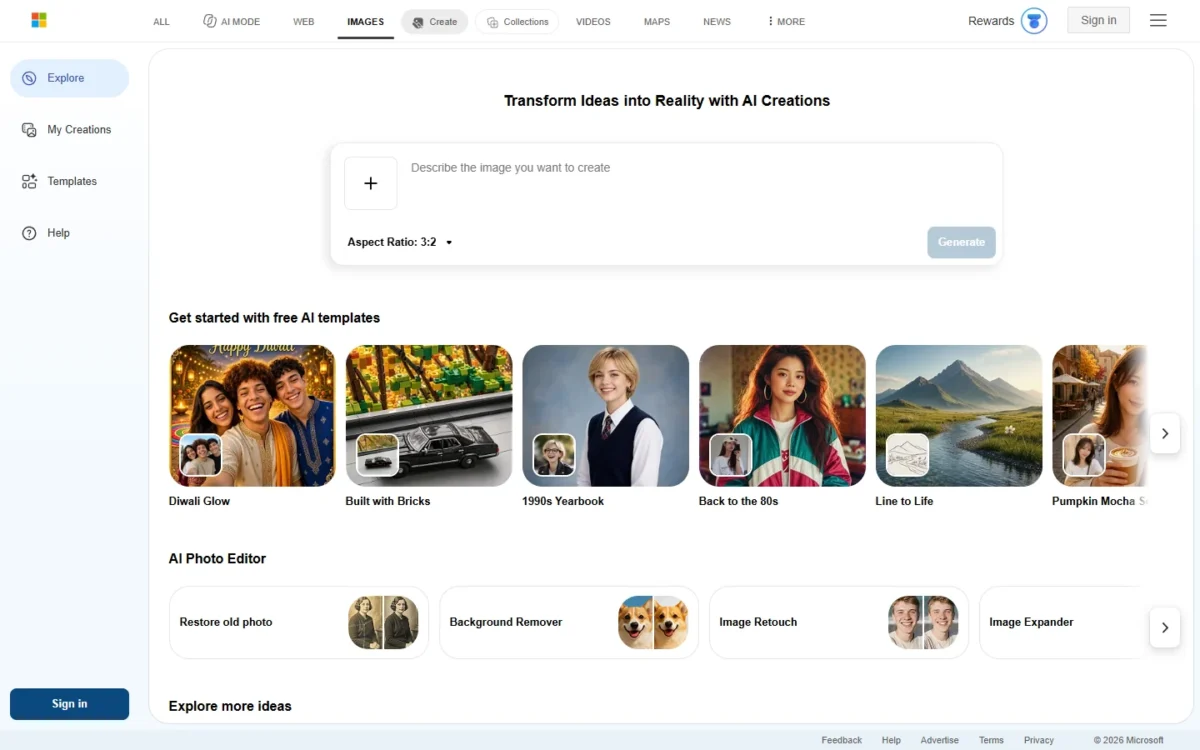
Bing Image Creator gives you a model picker, five aspect ratios and 1, 2 or 4 images per creation, and several images from one Create click count as one creation. At a quantity of 4, the 15 fast creations can return up to 15 x 4 = 60 images a day.
For a social manager, the vertical 4:7 and 2:3 ratios cover posts and stories, while the horizontal 7:4 suits a wide blog banner.
The two Microsoft pages name different models. The creation page’s picker lists “Vivid and natural” and “MAI-Image-2.6-Flash: Detailed & dynamic,” while the help page names MAI-Image-2.5-Flash and MAI-Image-2e. The pages I read do not state the output resolution, so check the file size before planning a print piece.
Upload and edit your own image
Yes: you upload an image to enhance, remix or reimagine it, and all image editing runs on MAI-Image-2.5-Flash.
The privacy cost is retention. Uploads are saved for up to 30 days; images with detected faces are then deleted, while images without faces may be stored for up to 18 months. You cannot delete an upload yourself, and uploads may be used to improve image processing services, though not to train models.
That changes what I would upload: a staff headshot is gone within 30 days, but a client’s unreleased product photo may stay for 18 months.
Visible watermark and content credentials
Bing Image Creator offers an optional visible watermark, and the terms forbid removing content credentials or other provenance marks that show a Creation came from the service.
The watermark applies to the images you create during your current visit, so a publisher who labels AI images has to switch it on each session.
Where it runs: web, Bing app and Bing Search
No separate app is needed: Bing Image Creator runs on its website, as a miniapp inside the Bing mobile app, and inside Copilot Search and Bing Search, each with a sign-in first. The same creation page also opens Bing Video Creator, under the same terms of use.
Bing Image Creator Ease of Use
Getting started takes three steps on Microsoft’s help page:
- Open the Bing Image Creator website, or the Bing Image Creator miniapp in the Bing mobile app.
- Click “Sign in to Create” at the top right of the website, or “Sign in & Create” in the app.
- Sign in with a personal Microsoft Account, or create one.
The prompt does most of the work. The help page’s advice is to be specific and add adjectives, an action, a scene, and a style and mood such as “digital art” or “photorealistic”. For starting points, my copy-paste AI image prompts by job work as a base you edit.
Three things trip people up:
- Blocked prompts. A prompt that may break the content policy is blocked, and more violations can lead to automatic suspension, from “Access suspended for 1 hour” up to permanent. Appeals go through the Feedback button on the Bing homepage.
- Vague prompts. The creation page can reject a prompt as “too vague to generate high-quality images.”
- Repeated results. A prompt similar to recent ones may return a “cached image,” a saved earlier creation; add details to get a fresh one.
Bing Image Creator Pricing: Is It Completely Free?
Yes. Bing Image Creator is free with a personal Microsoft Account, and neither its creation page nor its help page lists a paid plan.
The help FAQ prints the free allowance and the Rewards rules; Microsoft’s paid route to more AI image creation sits in Microsoft 365, inside Copilot.
| Plan | Price | Billing | What it adds for images |
|---|---|---|---|
| Bing Image Creator | $0 | None; personal Microsoft Account | 15 fast creations a day, then standard speed up to 200 prompts per 24 hours |
| Image Creator boosts | Rewards points | Points per fast creation, enabled in settings | Fast speed after the daily 15; one redemption gives 5 boosts |
| Microsoft 365 Personal | $9.99/ | Monthly or yearly | Higher usage than free for AI image creation in Copilot, for one person |
| Microsoft 365 Family | $12.99/ | Monthly or yearly | 1 to 6 people, AI for subscription owner only |
| Microsoft 365 Premium | $19.99/ | Monthly or yearly | Extensive usage for AI image creation in Copilot; usage limits apply |
Sources: Bing Image Creator help page and Microsoft 365 plan comparison, checked Nov 2026.
Two Microsoft pages, two allowances
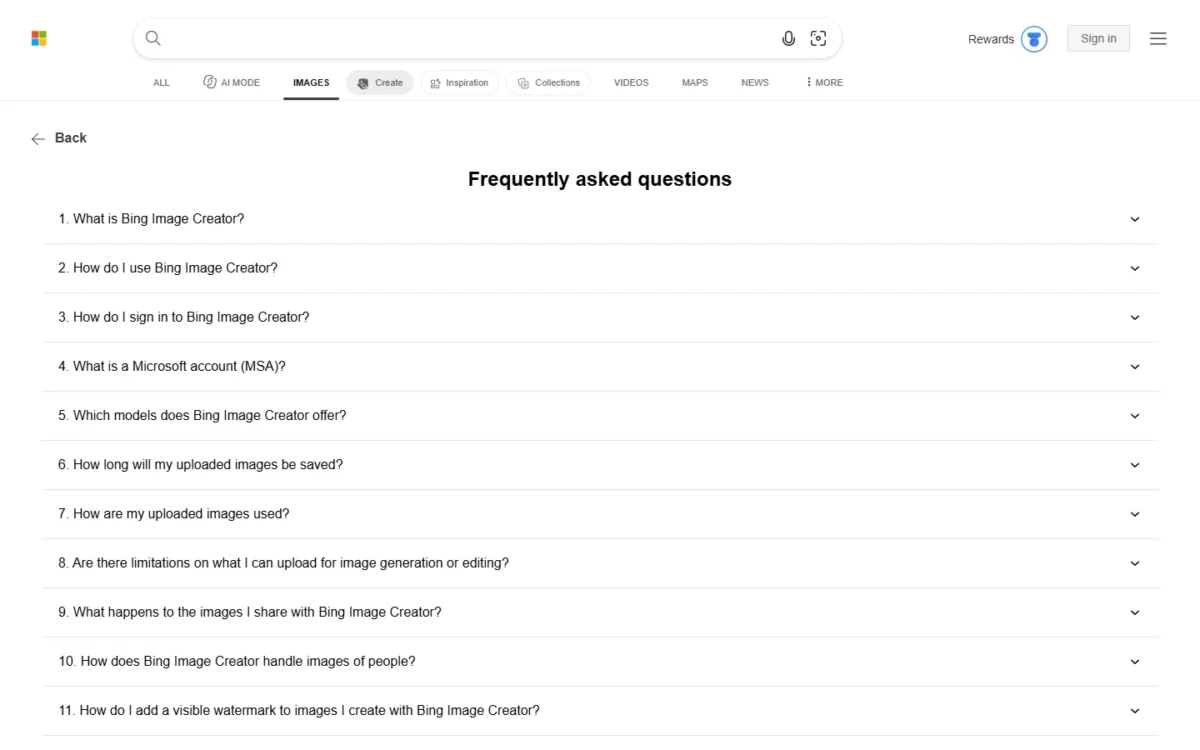
Bing Image Creator’s own pages disagree on the free allowance. The help page says you get 15 free fast creations a day and up to 200 prompts per 24-hour period. The sign-in panel on the Bing Image Creator creation page prints “10 free creations in Fast mode” and “Unlimited creations in Standard mode.”
The math below uses the help page’s 15. Check the counter in your own account before you plan a posting calendar around it.
For one person, 15 fast creations a day comes to 15 x 30 = 450 fast creations in a 30-day month at $0. A five-person team on personal accounts gets 5 x 15 = 75 fast creations a day for $0, since each person signs in with their own Microsoft Account.
After the 15, Bing Image Creator switches to standard speed, and the creation page warns that new creations “may take a few minutes.” Rewards points keep the fast speed: once you enable them in your Bing Image Creator settings, points come off your Rewards points balance for each fast creation. Signing up also brings emails about Rewards, including offers about partner products.
Microsoft’s paid route buys Copilot capacity, not a bigger Bing Image Creator allowance. The plan lines say “AI image creation in Copilot,” with no image count. Personal is for one person and Family’s AI goes to the owner only, so five people need five Personal plans: 5 x $99.99 = $499.95 a year.
The same five people on Premium pay 5 x $199.99 = $999.95 a year.
If one person does buy Personal, pay yearly: $9.99 x 12 months = $119.88 against $99.99, the $19.89 saving Microsoft’s plan page prints.
The standard-speed wait near a deadline has a first fix in Rewards points; Bing Image Creator says it will tell you how many points each image costs, but its help page prints no figure.
Two limits still force a change: the 200-prompt cap for heavy editors, and the terms for client or ad images. No Microsoft 365 plan line names Bing Image Creator, so I would not buy one to lift these caps; for heavy editors and anyone making client or ad images, a paid image generator with published credits and licence terms fits better.
Image Rights, Privacy and Commercial Use
Bing Image Creator’s terms set conditions on use rather than a ban: you must use Creations lawfully, under the Code of Conduct and without infringing anyone’s rights, and the terms make no ownership claim on them. Four clauses in the Bing Image Creator terms of use change the business answer:
- The Online Services “are for entertainment purposes,” and you should not rely on them.
- The terms give no warranty that a Creation does not infringe third-party rights, and you agree to indemnify the provider and its affiliates against claims from your later use of Creations.
- You grant Microsoft and its partners a licence to copy, distribute, publicly display and edit your Prompts and Creations.
- Creations may not be unique: other users may get the same or similar output.
Together, those clauses put the legal risk of a published image on you. This is my buyer’s reading of the terms, not legal advice.
| Use | Clause that decides | My call |
|---|---|---|
| Your own social post or blog header | Lawful use under the Code of Conduct | Fits: the same no-warranty clause applies, but it is your own low-stakes post with no client relying on it; turn the watermark on if you disclose AI images |
| Slide, mockup or internal draft | Entertainment-purpose wording | Fits; nobody relies on a draft |
| Client deliverable | No non-infringement warranty; you indemnify the provider | Skip unless the client accepts that risk in writing |
| Paid ad | No non-infringement warranty; you indemnify the provider | Skip; a tool with a stated commercial licence answers the permission question, and its own terms still decide who carries infringement risk |
| Logo or brand mark | Output may not be unique; the provider holds a licence | Skip; a mark needs to be yours alone |
Sources: Bing Image Creator terms of use, checked Nov 2026.
Leonardo.Ai’s pricing FAQ is the contrast: it grants free-tier users a non-exclusive, royalty-free licence for commercial use, while Leonardo.Ai holds rights to those images.
Bing Image Creator stores generated images for up to 90 days, so download anything you want to keep.
Who Should Use Bing Image Creator?
Bing Image Creator suits individuals with a personal Microsoft Account who make drafts, social and slide images within about 15 fast creations a day. It does not suit teams that sign in with work accounts, or anyone who needs licence terms for client work.
Best for
- A solo social media manager posting daily, covered by 15 fast creations of up to 4 images each
- A blogger who needs wide header images in the 7:4 or 3:2 ratio
- A teacher or presenter making slide images, a low-risk use under the terms
- A creator who writes prompts in one of the over 100 supported languages
- Someone editing their own photos, with face images deleted after 30 days
Not ideal for
- A team that signs in with work or school accounts
- An agency delivering client images, since the terms give no non-infringement warranty
- A brand designing a logo, since Creations may not be unique
- Anyone in a country or region where Image Creator is not yet available
- A heavy editor who passes 200 prompts in 24 hours
Bing Image Creator vs Competitors
Google Gemini matches Bing Image Creator at $0 with image generation and editing on Free, while Leonardo.Ai gives free users a commercial licence.
| Software | Best for | Starting price | Key difference | Main trade-off |
|---|---|---|---|---|
| Bing Image Creator | Personal-account users making everyday images | $0 with a personal Microsoft Account | 15 fast creations a day, five aspect ratios | Entertainment-purpose terms; no work or school accounts |
| Google Gemini | People already on a Google Account | $0 per month (Free plan) | Image generation and editing inside a general AI assistant | Plus and Pro state usage as multiples of Free, Ultra as multiples of Pro; none state image counts |
| Leonardo.Ai | Freelancers who need commercial use on a free tier | Free tier with daily tokens | Free users get a royalty-free licence for commercial use | Leonardo.Ai holds rights to free-tier images; paid users keep full ownership |
Sources: Bing Image Creator help page, Google AI plans page and Leonardo.Ai pricing page, checked Nov 2026.
Gemini is the pick for a cheap step up: Google AI Plus, at $4.99/ month, gets 2x higher usage access than Free. Leonardo.Ai is the pick when you need a stated commercial licence on a free tier, and its tokens reset daily.
Best Bing Image Creator Alternatives
The right alternative depends on the limit you hit. For another $0 option, my ranking of free AI image generators by what each free tier allows sets Bing Image Creator against the other free tiers.
If the problem is licence terms or volume, look at paid AI image generators matched to the job.
If DALL·E is the other name on your shortlist, start with my DALL·E review.
How I Evaluated Bing Image Creator
This review rests on official documentation and pricing pages: Microsoft’s Bing Image Creator creation page, help FAQ and terms of use, plus the Microsoft 365 plan comparison, all read on November 4, 2026, with competitor facts from Google’s and Leonardo.Ai’s own plan pages. The volume math and the work-use table are my analysis of those pages.
The pages I read do not state the output resolution, the Rewards points cost per fast creation, or how much more image creation a Microsoft 365 plan adds in Copilot. Output depends on your prompts, so run your own on the free allowance first.
FAQ
Does Bing Image Creator work with a work or school account?
No. Microsoft blocks Microsoft Entra ID sign-ins, the kind most work and school accounts use. Sign in with a personal Microsoft Account instead, the consumer account tied to your personal email; a company that runs on Microsoft 365 business accounts has to accept staff using personal accounts or pick another generator.
Why do Bing Image Creator results repeat or look the same?
A prompt close to other recent prompts may return a cached image, a copy Microsoft saved temporarily, rather than a new creation. The terms add that other users may receive the same or similar Creations. Rewording the prompt with specific details is the way to get a fresh result.
How long does Bing Image Creator keep my images?
Generated images are stored for up to 90 days, and you can delete your creations, or your whole Bing Image Creator account, at any time. Uploads follow their own retention rules, set out in the upload section above.
Bing Image Creator Review: Final Verdict
Use Bing Image Creator if you have a personal Microsoft Account and need everyday images within the daily allowance: it costs $0, and 15 fast creations of up to 4 images each go a long way for posts and slides. Skip it for work-account teams, client images and paid ads. Leonardo.Ai’s free tier gives a stated commercial licence, which settles permission to use the image; who carries infringement risk is a separate question to check in any generator’s terms.
The trade-off is $0 against terms that call the service entertainment and leave infringement risk with you. Before relying on it, check your fast-creation counter, the terms for your use, and whether your region has access.