


The best AI video editor depends on the editing job: Descript for cutting by transcript, OpusClip for long-to-short clips, CapCut for free short-form work and VEED for subtitles. The plan that job needs, not the entry price, sets what you pay.
This list covers editors that work on footage you already shot, for US creators and small teams. If you want video made from a prompt, my ranking of the best AI video generators covers that job.
I ranked the ten from each vendor’s pricing, plan and help pages, read on October 26, 2026, by the job each automates, the plan it needs and its yearly cost.
Quick verdict
For talk-heavy YouTube or podcast video, Descript is my pick: you edit the video by editing its transcript, and Creator at $24 per person per month on annual billing adds 4K export.
For shorts cut from long videos, OpusClip bills by minute of source video. CapCut gives short-form creators AI captions and cleanup on its free tools, and VEED suits teams that subtitle and translate.
The trade-off across the list: each vendor meters AI work in its own unit (media hours, credits, minutes or videos), so compare your monthly workload, not the headline price.

Descript
Best for: editing video by editing the transcript
Text-based editing, Remove Filler Words and Eye Contact cover a talking-head edit in one tool.
Limit: media hours are capped per editor, 10 a month on Hobbyist

OpusClip
Best for: turning long videos into short clips
Its AI picks, reframes and captions clips, at 1 credit per minute of source video.
Limit: Free has no editing and a 3-day export window

CapCut
Best for: free short-form editing on phone and desktop
Auto subtitles, noise removal and video background removal are offered free online.
Limit: the Pro price shows only after sign-in and varies by region

VEED
Best for: unlimited auto subtitles on every paid plan
Unlimited auto subtitles start on Creator, and Pro translates into 50+ languages.
Limit: every plan is billed per seat
| Software | Best for | Starting price | Free plan or trial | Plan the job needs | Limit that forces an upgrade |
|---|---|---|---|---|---|
| Descript | Editing by transcript | $16 per person per month, billed annually | Free plan, 60 media minutes a month | Creator, $24 per person per month, billed annually | 10 media hours a month per editor on Hobbyist |
| OpusClip | Long-to-short clips | $12 a month, billed monthly | Free plan, 60 credits a month | Pro, $138 billed annually | 150 credits a month on Starter |
| CapCut | Free short-form editing | Free; Pro price shown after sign-in | Free plan with basic editing tools | Free; Pro for premium templates | Premium templates need Pro |
| VEED | Unlimited auto subtitles on every paid plan | $10 per user per month, billed yearly as $116 | Start for free | Pro, $21 per user per month, billed yearly as $257 | Translation starts on Pro |
| Kapwing | Team dubbing by the minute | $16 per member per month, billed annually | Free plan, watermark, 4-minute exports | Pro; Business at $50 per member per month for lip sync | 50 dubbing minutes a month per workspace |
| Riverside | Recording and editing podcasts | $24 a month, billed $288 annually | Free plan; 14-day Pro trial | Pro, billed $288 annually | 15 hours of separate-track downloads a month |
| Submagic | Captioned shorts at volume | $12 per member per month, billed annually | No credit card required to start | Pro, $23 per member per month, billed annually | 2-minute videos on Starter |
| Captions | AI editing from a phone | $24.99/mo on the iOS price list | Free version without AI credits | Max, $24.99/mo | 500 credits a month on Max |
| Adobe Premiere | AI inside a full editor | US$22.99/ | 7-day free trial | Premiere; teams US$37.99/mo per license | 25 generative credits a month on Premiere |
| Runway | Generative edits to footage | $12 a month, billed annually | Free plan, 125 one-time credits | Standard, $12 a month, billed annually | 625 credits a month on Standard |
Sources: Descript, OpusClip, CapCut, VEED, Kapwing, Riverside, Submagic, Captions, Adobe and Runway pricing pages, checked October 2026.
In This Article (15 sections)
How I Chose These AI Video Editors
I compared twelve editors for editing footage you already have: the ten below and two under Also Considered. The must-have was an AI tool that changes uploaded or recorded footage, which left text-to-video generators out.
I ranked the rest by the editing job the AI automates, the plan that job needs and its US price, the allowance that forces an upgrade, platform and hand-off, and team billing.
| Software | Transcript editing | Long-to-short clipping | Subtitles, translation or dubbing | Audio or eye-contact cleanup | Generative edits to a shot |
|---|---|---|---|---|---|
| Descript | Free | Free (limited) | Free (limited) | Free (limited) | Hobbyist (video regenerate) |
| OpusClip | Starter | Free | Free | Starter | Not listed |
| CapCut | Not listed | Not listed | Free | Free | Not listed |
| VEED | Not listed | Not listed | Creator | Yes | Not listed |
| Kapwing | Free (credit-limited) | Free (credit-limited) | Free (limited); dubbing on Pro | Free (Clean Audio up to 5 minutes) | Kai Video Generation, by credits |
| Riverside | Pro | Free | Yes | Pro | Not listed |
| Submagic | Starter | Yes | Starter | Pro | Not listed |
| Captions | Not listed | Max | Yes | Yes | Max: “Generate custom B-roll, music, sound effects, images, and more” |
| Adobe Premiere | Premiere | Not listed | Not listed | Premiere | Premiere |
| Runway | Not listed | Not listed | Not listed | Not listed | Standard |
Sources: Descript, OpusClip, CapCut, VEED, Kapwing, Kapwing credits FAQ, Riverside, Submagic, Captions, Adobe help and Runway pages, checked October 2026. “Yes” means the vendor lists the tool without naming a plan.
Caption accuracy and dub quality depend on your footage, so run the same ten-minute sample through the free plans of your top two before you pay.
1. Descript: Best for Editing Video by Editing the Transcript
- Best for: YouTubers, podcasters and teams cutting talking-head video
- Free plan: 60 media minutes a month, 100 one-time AI credits, 720p export
- Plan the job needs: Creator, $24 per person per month on annual billing, scaling to a team of 3 (billed separately)
- Hand-off: timeline export to Adobe Premiere, Final Cut Pro, Adobe Audition and Pro Tools & Logic; integration count not published
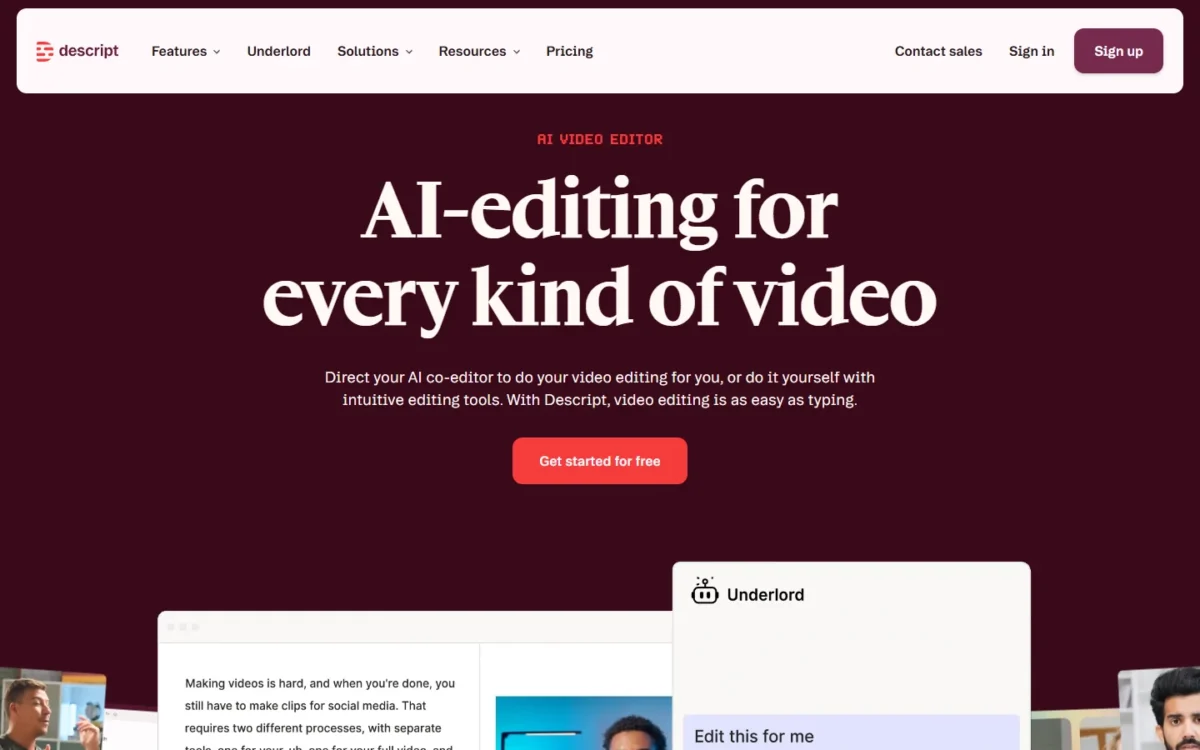
Descript turns the transcript into the editing surface: you edit the video by editing a document. That fits anyone whose footage is mostly people talking, from a solo YouTuber to a podcast team. The trade-off is metering, since every plan caps media hours per editor.
Remove Filler Words cuts “um,” “ah,” “like” and repeated words, and Shorten Word Gaps shrinks silences. Eye Contact adjusts your gaze so you appear to look into the camera while reading a script,.

Those tools spend AI credits, counted per editor: 400 a month on Hobbyist, 800 on Creator. Dynamic captions are unlimited on every plan, Free included.
Dubbing with a proofread step sits on the Business card, at $50 per person per month on annual billing.
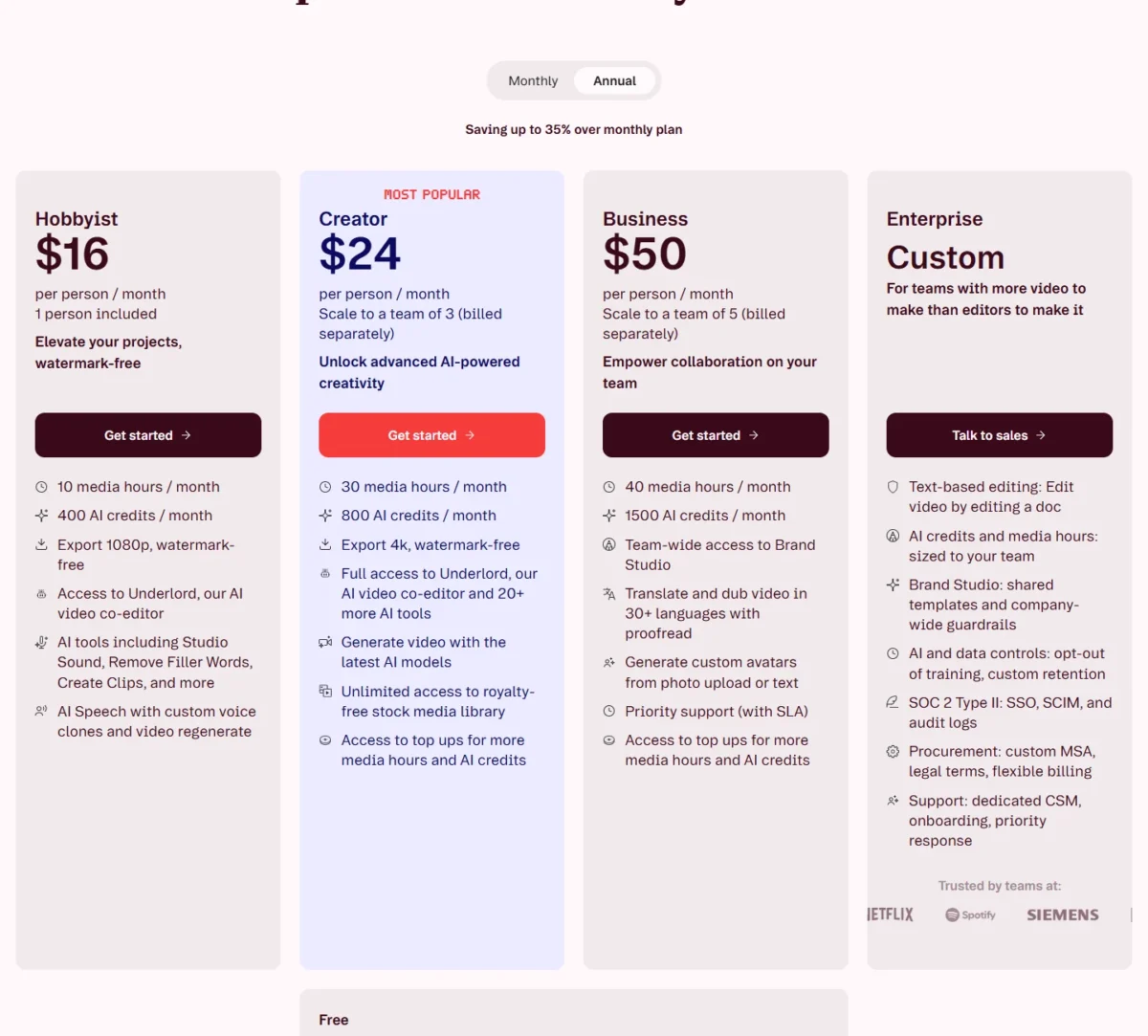
Hobbyist costs $16 per person per month on annual billing or $24 month to month. I would start a channel on Creator: 30 media hours and 4K export, against Hobbyist’s 10 hours and 1080p.
| Plan | Price per person per month | Billing | Key limit |
|---|---|---|---|
| Hobbyist | $16 annual or $24 monthly | Annual or monthly | 10 media hours, 400 AI credits a month, 1080p |
| Creator | $24 annual or $35 monthly | Annual or monthly | 30 media hours, 800 AI credits a month, 4K, team of up to 3 |
| Business | $50 annual or $65 monthly | Annual or monthly | 40 media hours, 1,500 AI credits a month |
Sources: Descript pricing page, checked October 2026.
Pros
- Editing the transcript edits the video, so a talk-heavy cut needs no timeline
- Remove Filler Words and Eye Contact cover a presenter’s cleanup
- Timeline export to Premiere and Final Cut keeps a pro finish possible
Cons
- 4K export starts on Creator; Free exports at 720p
- Dubbing with proofread sits on Business
- Cleanup tools and Underlord, Descript’s AI co-editor, share one monthly credit pool
- Skip it if:
- you mostly mine long streams for vertical shorts and do not need the full edit; OpusClip finds the clips for you and bills by source minute.
2. OpusClip: Best for Turning Long Videos Into Short Clips

- Best for: creators and marketers repurposing long videos into shorts
- Free plan: 60 credits a month, watermark, clips exportable for 3 days
- Plan the job needs: Pro, $11.5 a month billed $138 annually
- Hand-off: export to Adobe Premiere Pro and DaVinci Resolve on Pro; Zapier and an MCP connector listed; integration count not published
For podcasters and webinar hosts, the edit that matters is a set of short clips pulled from a long recording, and OpusClip automates exactly that. Its AI picks the moments, reframes them and adds animated captions. The trade-off is scope: Free has no editing at all, and the editor arrives with Starter.
The credit rule turns budgeting into arithmetic. Processing costs 1 credit per minute of the original video, so a 60-minute episode uses 60 credits. Pro’s 300 credits a month cover 300 / 60 = 5 such episodes.
That model differs from Submagic’s, which counts finished videos and caps their length. Submagic caps each video at 30 minutes even on Business.
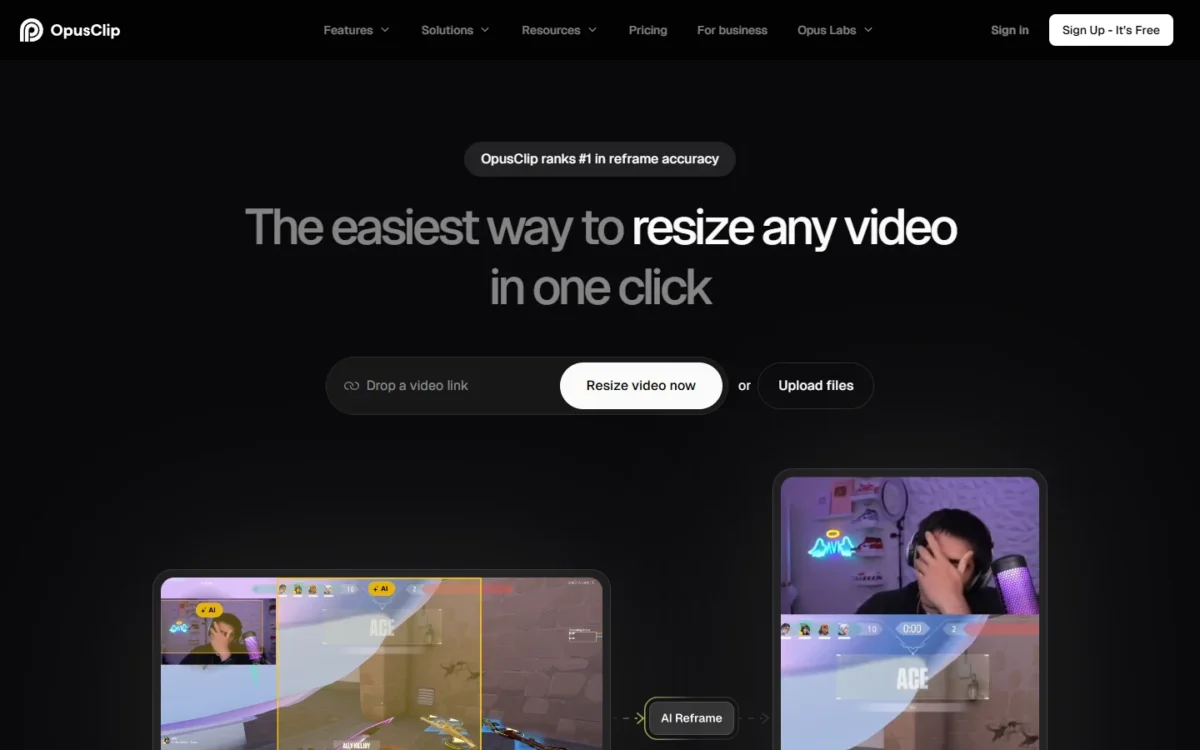
Pro adds 1:1 and 16:9 clips beside 9:16, a social media scheduler, and export to Adobe Premiere Pro and DaVinci Resolve. Each Pro pack includes 2 seats, and a team workspace tops out at 4 seats with 2 packs.
On October 26, 2026 the pricing page showed Pro at $11.5 a month billed $138 annually and Starter at $12 a month billed monthly. Starter is monthly only, so a year of it costs $12 x 12 = $144, more than a year of Pro at $138 with twice the credits.

| Plan | Price | Billing | Key limit |
|---|---|---|---|
| Free | $0 | Free forever | 60 credits a month, watermark |
| Starter | $12 a month (list price $15) | Monthly only | 150 credits a month, 9:16 only |
| Pro | $11.5 a month, billed $138 annually (list price $29) | Annual | 300 credits a month per pack |
Sources: OpusClip pricing page and credits help page, checked October 2026.
Pros
- The AI picks, reframes and captions clips from one upload
- Credits map one to one to source minutes
- A year of Pro costs less than a year of Starter
Cons
- Free has no editing, and its clips stop being exportable after 3 days
- Starter renders 9:16 clips only
- A team workspace stops at 4 seats on Pro
- Skip it if:
- you need to edit the whole video rather than mine it for clips; Descript is built for the full cut of talk-heavy footage.
3. CapCut: Best for Free Short-Form Editing on Phone and Desktop

- Best for: TikTok, Reels and Shorts creators who want AI captions and cleanup without a subscription
- Free plan: free templates and basic editing tools
- Pro adds: 650 monthly AI credits, all premium templates, 1 TB of storage
- Platforms: CapCut Desktop, CapCut Online and CapCut Mobile; integration count not published
Short-form creators can reach AI editing on CapCut without a subscription: its auto subtitle generator, background noise remover, voice enhancer and video background remover are offered free online. It fits creators who film on a phone and finish on a laptop. The trade-off is a Pro price you cannot see before sign-in.
CapCut’s subtitle generator is free online, works in multiple languages and adds no watermark. Kapwing caps free subtitles at 10 minutes, while CapCut’s tool and pricing pages publish no minute limit.
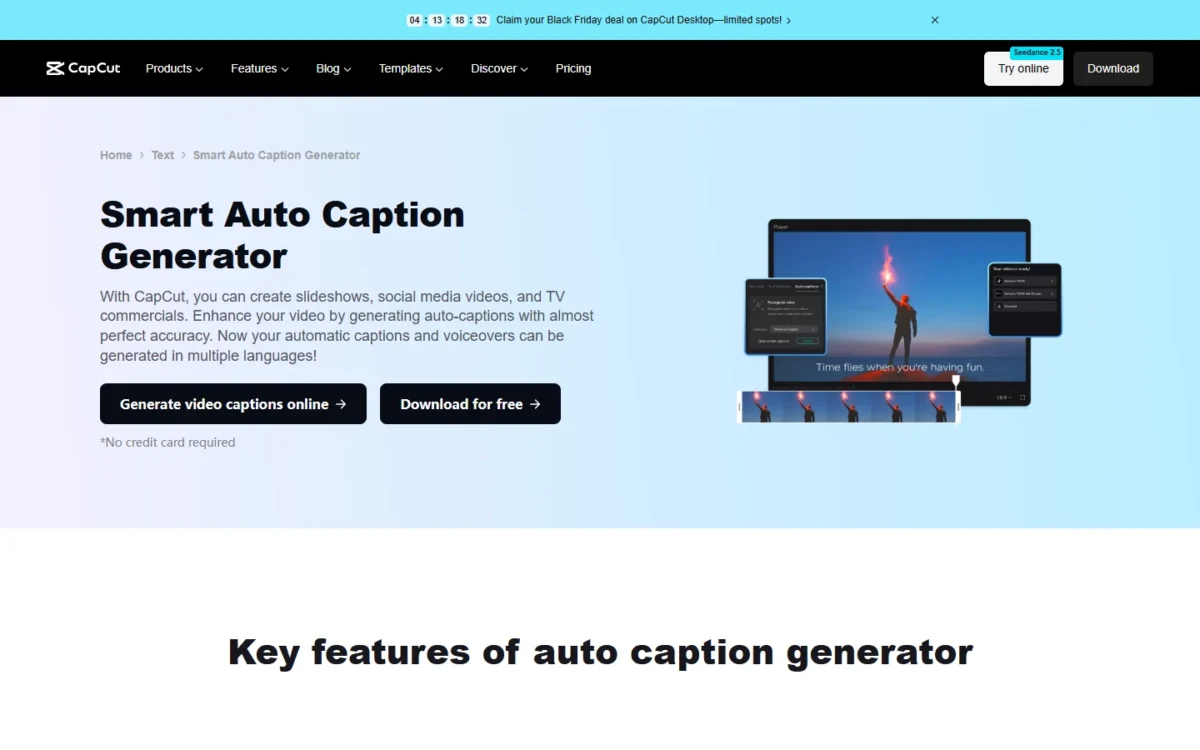
Pro unlocks all premium templates and 650 AI credits a month. Teams adds per-seat billing, a brand kit and Pro features for every seat, bought and managed only through CapCut Online.
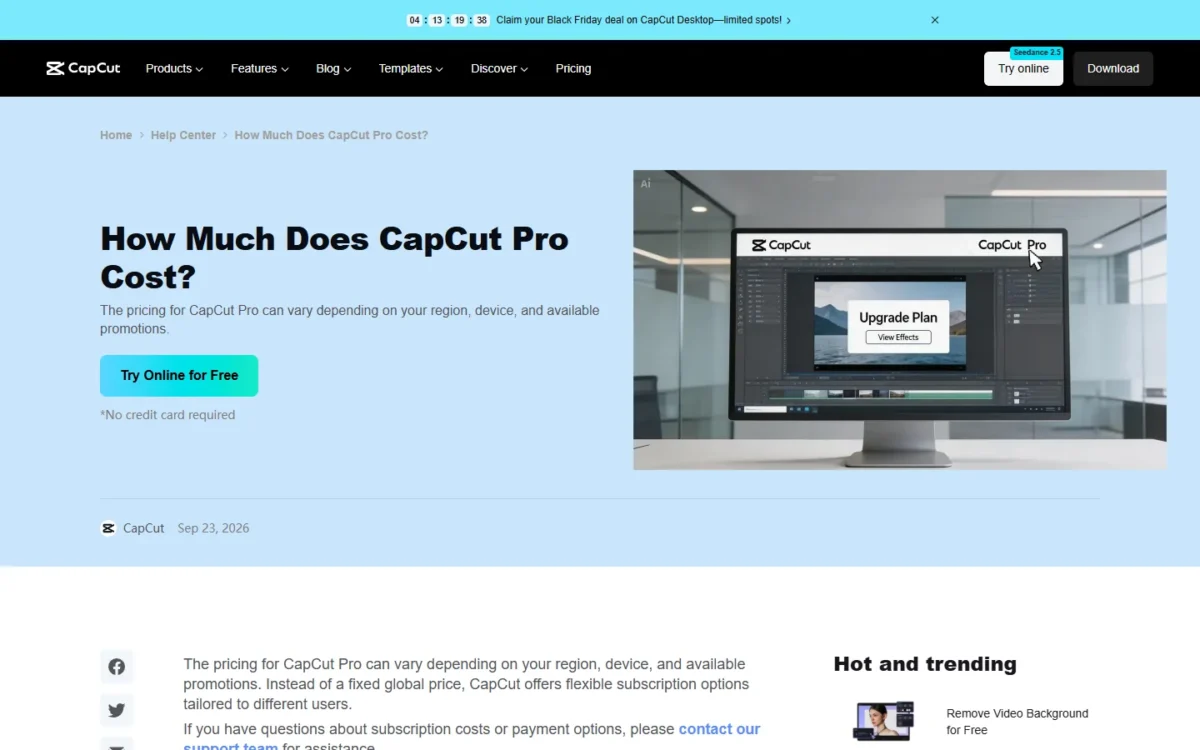
CapCut does not print one US price for Pro: its help center says Pro pricing varies by region, device and promotions. For Teams, CapCut’s help page gives typical starting prices of $15–$30 per seat per month when billed annually, as of 2026.
| Plan | Price | Billing | Key limit |
|---|---|---|---|
| Free | Free | None | Basic editing tools, free templates |
| Pro | Shown after sign-in | Monthly or yearly | 650 monthly AI credits, 1 TB storage |
| Teams | $15–$30 per seat per month, typical | Billed annually | Bought through CapCut Online only |
Sources: CapCut Pro help page and CapCut Teams help page, checked October 2026.
Pros
- Free online subtitles carry no watermark
- Runs on desktop, online and mobile
- Reels and TikTok templates give a short-form starting point
Cons
- No single US price for Pro before sign-in
- Teams can only be bought through CapCut Online
- Transcript-based editing is not listed on CapCut’s homepage or pricing page
- Skip it if:
- your team needs subtitle and dubbing minutes it can budget per plan; Kapwing publishes them on its pricing page.
4. VEED: Best for Unlimited Auto Subtitles on Every Paid Plan
- Best for: marketing teams publishing subtitled and translated video
- Starting price: Creator, $10 per user per month, billed yearly as $116
- Plan the job needs: Pro, $21 per user per month, billed yearly as $257
- Hand-off: Subtitle, Clean Audio and Lip Sync APIs; integration count not published
VEED is the pick for a team that subtitles most of its videos, because every paid plan includes unlimited auto subtitles. Creator gives each user unlimited subtitles under a 50-hour monthly fair use, at $10 per user per month billed yearly (VEED).
Kapwing Pro caps the whole workspace at 1,000 subtitle minutes a month, at $16 per member per month billed yearly (Kapwing).
The trade-off is the bill, because VEED charges per seat. Translation into 50+ languages starts on Pro, and VEED lists Eye Contact AI and background-noise removal among its video editing tools.
Translation is metered by the minute: translating a 30-minute video into Spanish uses 30 minutes, and each extra language another 30. Unused minutes do not roll over.
Creator costs $10 per user per month billed yearly as $116, or $20 on monthly billing. For three people on Pro, yearly billing comes to $257 x 3 = $771, and monthly billing to $44 x 3 x 12 = $1,584.

| Plan | Price per user per month | Billing | Key limit |
|---|---|---|---|
| Creator | $10 yearly or $20 monthly | Yearly or monthly | Unlimited auto subtitles, 50-hour monthly fair use |
| Pro | $21 yearly or $44 monthly | Yearly or monthly | Translation into 50+ languages |
| Studio | $35 yearly or $70 monthly | Yearly or monthly | Custom templates |
Sources: VEED pricing page, Pay yearly and Pay monthly views, checked October 2026.
Pros
- Unlimited auto subtitles from Creator, the entry paid plan
- Translation into 50+ languages on Pro
- Subtitle, Clean Audio and Lip Sync APIs for teams that automate
Cons
- Per-seat billing multiplies every plan by the number of editors
- Pro costs $44 per user on monthly billing against $21 on yearly billing
- Translation minutes do not roll over
- Skip it if:
- you need a fixed number of dubbing minutes to plan a localization calendar; Kapwing publishes 50 a month on Pro.
5. Kapwing: Best for Team Dubbing With Published Minute Limits
- Best for: small teams that subtitle, translate and dub in one shared web workspace
- Free plan: 10 credits, watermark, 4-minute exports at 720p
- Plan the job needs: Pro for subtitles and dubbing; Business for voice clones and lip sync
- Integrations: count not published
When a team needs to know how many minutes of subtitles, translation and dubbing it can run each month, Kapwing answers on its pricing page. Pro gives the workspace 1,000 subtitle minutes, 500 translation minutes and 50 dubbing minutes. The catch: those limits belong to the workspace, so a second member adds cost, not minutes.
A three-person team that dubs more than Pro’s 50 workspace minutes a month needs Business, with 200.
Smart Cut removes silences, and Clean Audio removes background noise for up to 500 minutes a month on Pro. Business adds custom voice clones and lip sync, the two features dubbed video needs to match the original speaker.
Pro costs $16 per member per month on annual billing or $24 on monthly billing, and paid plans have no free trial. A three-person Pro workspace on annual billing costs $576 a year ($192 x 3 members), for one shared pool of minutes.

| Plan | Price per member per month | Billing | Key limit |
|---|---|---|---|
| Free | $0 | None | 10 credits, watermark, 4-minute exports, 720p |
| Pro | $16 annual or $24 monthly | Annual or monthly | 1,000 subtitle, 500 translation, 50 dubbing minutes a month |
| Business | $50 annual or $64 monthly | Annual or monthly | 4,000 subtitle, 2,000 translation, 200 dubbing minutes a month |
Sources: Kapwing pricing page, plan FAQ and subscription FAQ, checked October 2026.
Pros
- Subtitle, translation and dubbing minutes are printed per plan
- Smart Cut and Clean Audio handle silence and noise
- Business adds voice clones and lip sync
Cons
- Limits are pooled per workspace, so extra seats add no minutes
- No free trial on Pro or Business
- Unused credits do not roll over
- Skip it if:
- one person edits alone on a phone; Captions or CapCut fit that workflow without a shared workspace.
6. Riverside: Best for Recording and Editing Podcasts in One Place
- Best for: podcasters and interview shows that record remote guests
- Free plan: up to 720p, watermark, 2 hours of multi-track recording (one-off)
- Trial: 14 days on Pro
- Publishing: YouTube, Spotify, Apple, Instagram and LinkedIn; integration count not published
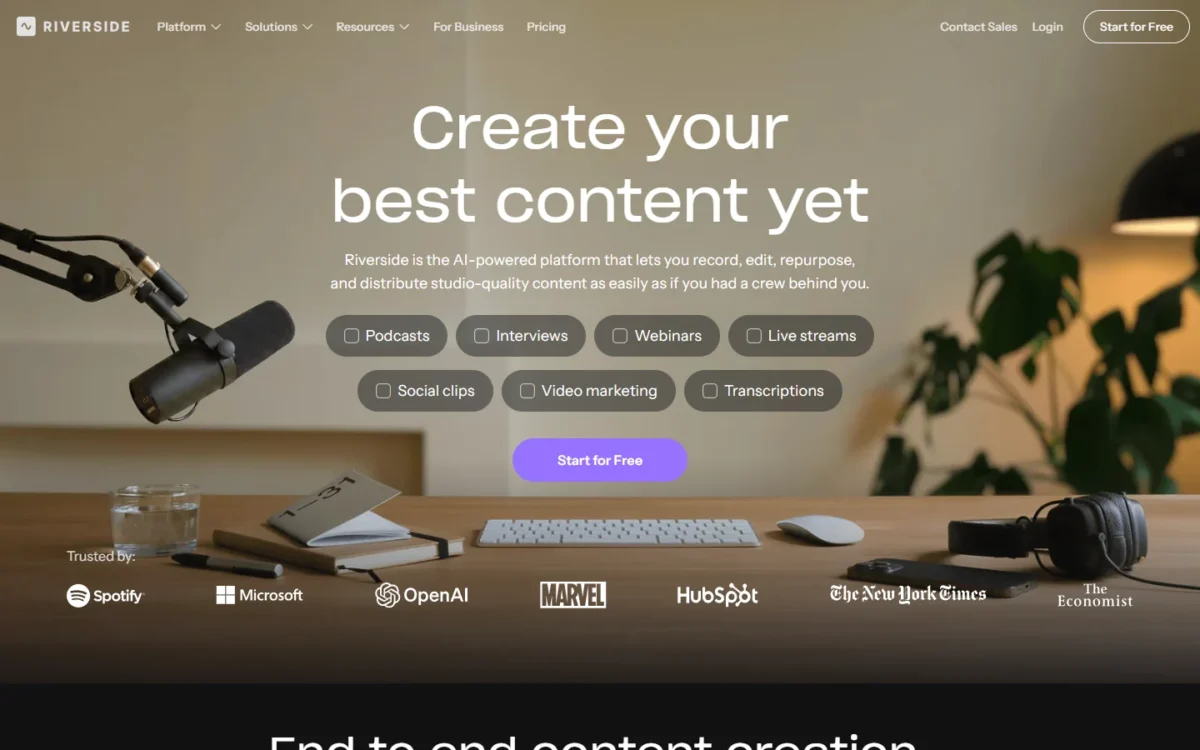
Riverside earns its place by putting the recorder and the editor in one product. A podcaster records guests on separate tracks, then cuts the episode by its transcript and pulls Magic Clips without moving files. That fits a weekly show with remote guests; a creator who films elsewhere pays for a studio they will not use.
Pro bundles unlimited text-based editing, an AI editing and repurposing agent, AI B-roll, eye contact, and removal of silences and filler words. Podcast hosting and publishing to YouTube, Spotify and Apple come in the same plan.
Recording is where Riverside Pro differs from Descript. Riverside Pro leaves recording unlimited and caps separate-track downloads instead, at 15 hours a month; Descript caps remote recording at 15 hours a month on Creator and 5 on its $16 Hobbyist plan.
Pro is billed $288 annually, which works out to $24 a month. Grow, billed $408 annually, adds hosting for 2 shows and live streaming, among other extras.

| Plan | Price | Billing | Key limit |
|---|---|---|---|
| Free | $0 | None | 720p, watermark, 2 hours of multi-track recording |
| Pro | $24 a month, billed $288 annually | Annual | 15 hours of separate-track downloads, 1 studio |
| Grow | Billed $408 annually | Annual | 2 studios, live streaming |
Sources: Riverside pricing page, checked October 2026.
Pros
- Records remote guests on separate tracks and edits in the same place
- Text-based editing, eye contact and filler-word removal on Pro
- Hosting and publishing to YouTube, Spotify and Apple included
Cons
- Separate-track downloads stop at 15 hours a month on Pro
- A second editor is an add-on seat; collaborative editing needs Business
- Free exports carry a watermark at up to 720p
- Skip it if:
- you edit footage recorded on cameras or other apps; Descript imports it and edits by transcript.
7. Submagic: Best for Captioned Short-Form Video at Volume

- Best for: short-form creators and agencies producing captioned shorts at volume
- Plan the job needs: Pro, $23 per member per month on annual billing, for removing silences and bad takes
- Limits: 15 videos a month up to 2 minutes on Starter; 40 up to 5 minutes on Pro
- Integrations: API from $57 a month for 250 minutes; integration count not published
Agencies that publish many captioned shorts a week get a caption-first tool in Submagic: caption templates, hook titles and b-roll, with an API to run it from their own pipeline. The trade-off is that every plan counts videos and caps their length, so Starter’s 2-minute cap rules out anything longer than a short.
Starter allows 15 videos per member a month, Pro 40 and Business up to 100, at 2, 5 and 30 minutes each. Pro adds AI removal of bad takes and silences, auto zooms and clean audio; Starter lists text-based trimming but not silence removal.
Submagic and OpusClip both list an API, priced differently, and OpusClip’s is Limited API Access on Pro. Submagic sells API credits from $0.23 a minute at 250 minutes to $0.10 a minute at 10,000 minutes, so captioning can run inside a client’s own workflow.
Starter costs $12 per member per month on annual billing or $19 on monthly billing; Pro is $23 annual or $39 monthly. Annual billing saves $192 a year per member on Pro: $39 x 12 = $468 against $23 x 12 = $276.
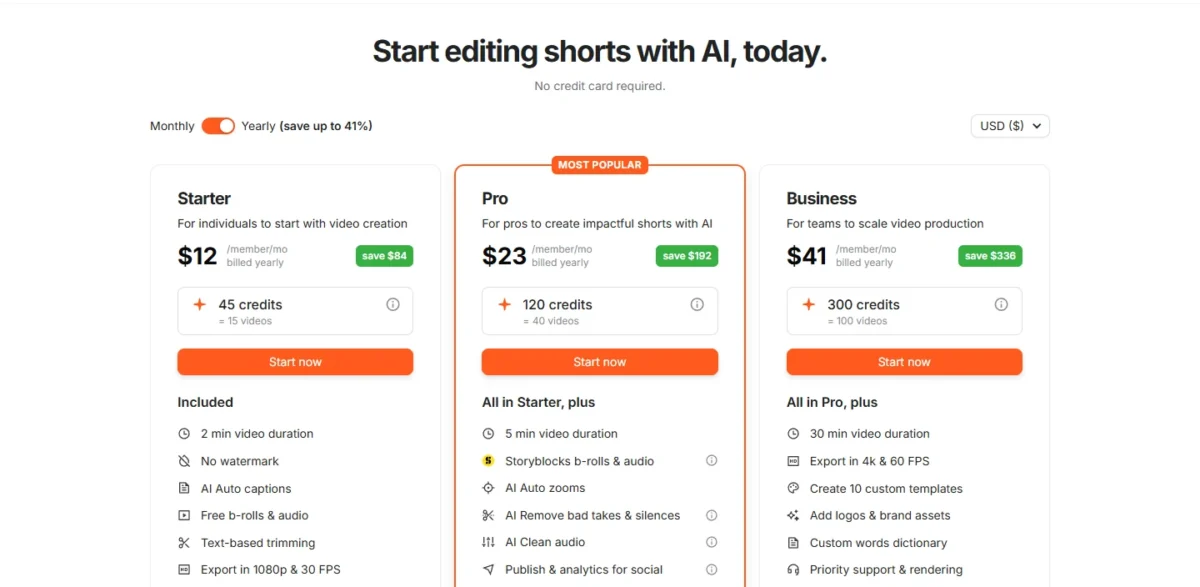
| Plan | Price per member per month | Billing | Key limit |
|---|---|---|---|
| Starter | $12 annual or $19 monthly | Annual or monthly | 15 videos a month, 2 minutes each |
| Pro | $23 annual or $39 monthly | Annual or monthly | 40 videos a month, 5 minutes each |
| Business | $41 annual or $69 monthly | Annual or monthly | Up to 100 videos a month, 30 minutes each |
Sources: Submagic pricing page, checked October 2026.
Pros
- Caption-first editing with templates, hook titles and b-roll
- Pro removes bad takes and silences on talking-head shorts
- API priced per minute, down to $0.10 at volume
Cons
- Every plan counts videos per member per month
- Starter caps each video at 2 minutes
- 4K export needs Business
- Skip it if:
- your source videos run longer than your plan’s duration cap and you want the tool to find the clips; OpusClip takes a full episode and bills by its minutes.
8. Captions: Best for AI Editing From Your Phone
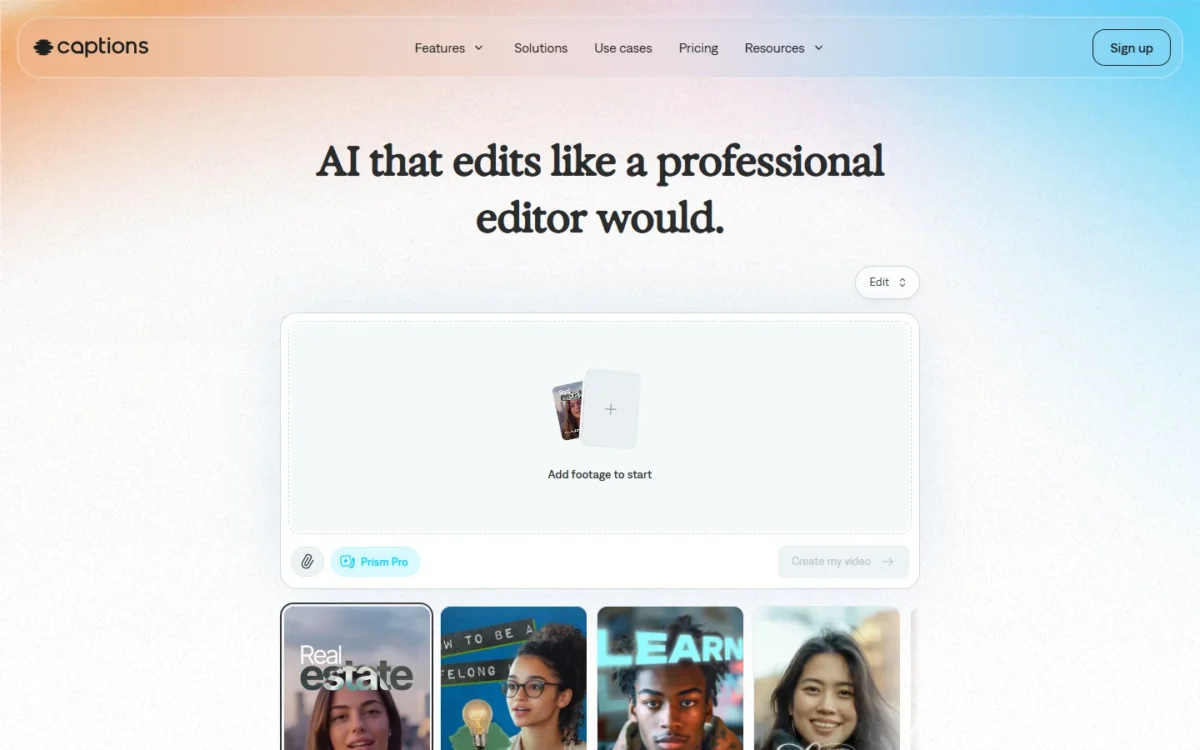
- Best for: solo creators who film, edit and post from a phone
- Free version: basic tools such as trimming and transitions, no AI credits
- Credits: 500 a month on Max, 1,400 on Frontier, rolling over up to 3x the monthly allowance
- Integrations: count not published
A solo creator who films and posts from a phone has the most to gain from Captions, where AI Edit, Clips and a chat-based editor run the edit inside the app. AI Translate with AI Lipdub turns one recording into other languages. The free version has no AI credits, so the real entry point is Max.
Captions spends credits, and its pricing page does not publish how many credits a minute of AI Lipdub uses. Unused credits roll over up to 3x the monthly allowance, which helps when output swings from month to month.
Captions lists Max at $24.99/mo and Frontier at $69.99/mo, in USD and for iOS plans only, without naming a billing period. A yearly plan bills 12 months up front at a discount, so check the in-app price for both periods before you commit.
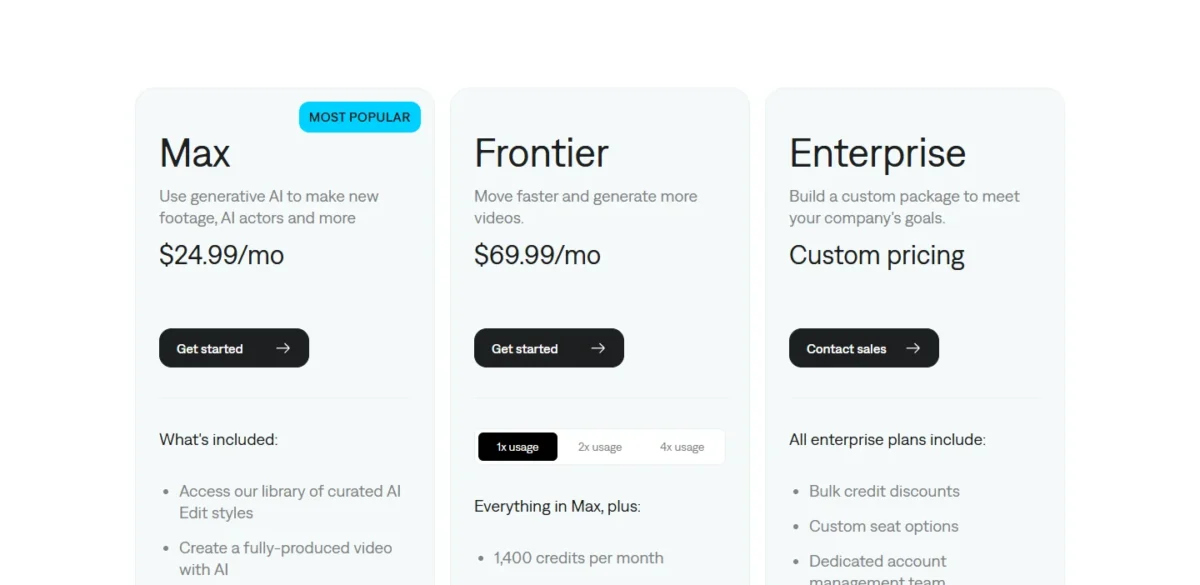
| Plan | Price | Billing | Key limit |
|---|---|---|---|
| Free | Free | None | Basic tools, no AI credits |
| Max | $24.99/mo | As listed for iOS | 500 credits a month |
| Frontier | $69.99/mo | As listed for iOS | 1,400 credits a month |
Sources: Captions pricing page, checked October 2026.
Pros
- AI Edit, Clips and a chat-based editor run inside a phone app
- AI Translate and AI Lipdub for other-language versions in the same app
- Unused credits roll over up to 3x the monthly allowance
Cons
- The free version has no AI credits
- Listed prices reflect iOS plans only
- Custom seats are an Enterprise option
- Skip it if:
- a team needs shared seats and a pooled minute budget; Kapwing bills per member and pools the minutes per workspace.
9. Adobe Premiere: Best for Professional Editors Who Want AI Inside a Full Editor
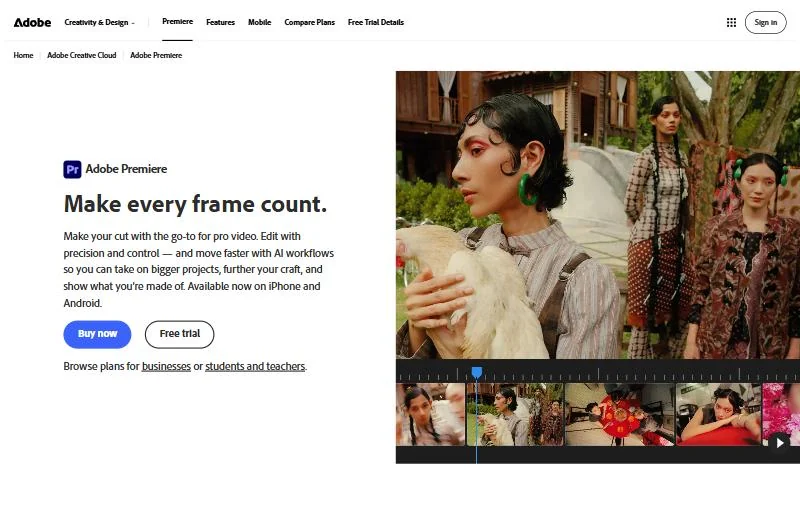
- Best for: editors who already cut on a timeline and want AI fixes inside it
- Teams: US$37.99/mo per license, annual plan billed monthly
- Trial: 7-day free trial
- AI tools: Generative Extend, Text-Based Editing, Enhance Speech
Editors who already work on a timeline can get AI help in Adobe Premiere without leaving it. Generative Extend adds frames to a clip, Text-Based Editing builds a rough cut from an automatic transcript, and Enhance Speech cleans dialogue. The trade-off: Premiere is a full professional editor, more editor than a captions-only or clips-only job needs.
Generative Extend, powered by Adobe Firefly, lengthens video by up to 2 seconds and audio by up to 10, enough to hold a reaction or smooth a transition. It needs an internet connection, because it runs on a cloud AI model.
For timeline depth, color and effects across desktop editors, my guide to the best video editing software covers the traditional field.
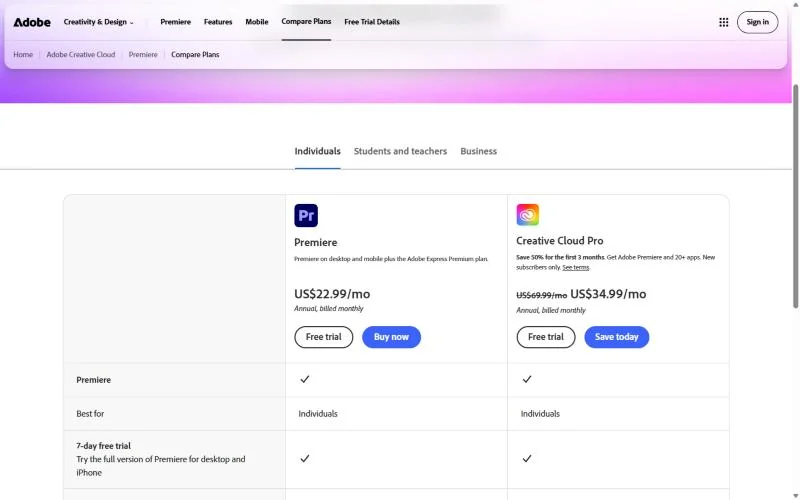
Premiere alone costs US$22.99/mo on an annual plan billed monthly, a 12-month commitment of US$22.99 x 12 = US$275.88. Creative Cloud Pro, regularly US$69.99/mo on the same terms with 50% off the first 3 months for new subscribers, adds 20+ apps and 4000 generative credits a month against Premiere’s 25.
| Plan | Price | Billing | Key limit |
|---|---|---|---|
| Premiere | US$22.99/mo | Annual, billed monthly | 25 generative credits a month, 100GB storage |
| Premiere for teams | US$37.99/mo per license | Annual, billed monthly | Per license |
| Creative Cloud Pro | US$69.99/mo regularly; 50% off the first 3 months for new subscribers | Annual, billed monthly | 20+ apps, 4000 generative credits a month |
Sources: Adobe Premiere plans page, US view, checked October 2026.
Pros
- Generative Extend adds up to 2 seconds of video inside the timeline
- Text-Based Editing transcribes clips automatically on import
- Enhance Speech cleans dialogue in the Essential Sound panel
Cons
- A full timeline editor, more tool than a captions-only or clips-only job needs
- Generative Extend needs an internet connection
- The Premiere plan includes 25 generative credits a month against Creative Cloud Pro’s 4000, so heavy generative work points to the pricier plan
- Skip it if:
- you have never edited on a timeline and your footage is mostly talk; Descript builds its editor around the transcript.
10. Runway: Best for Generative Edits to Existing Footage
- Best for: creators who need to change what is inside a shot they already filmed
- Free plan: 125 one-time credits
- Aleph 2.0 cost: 140 credits per 5 seconds; 53 such edits a year on Standard
- Integrations: Runway MCP on Pro and Max; integration count not published
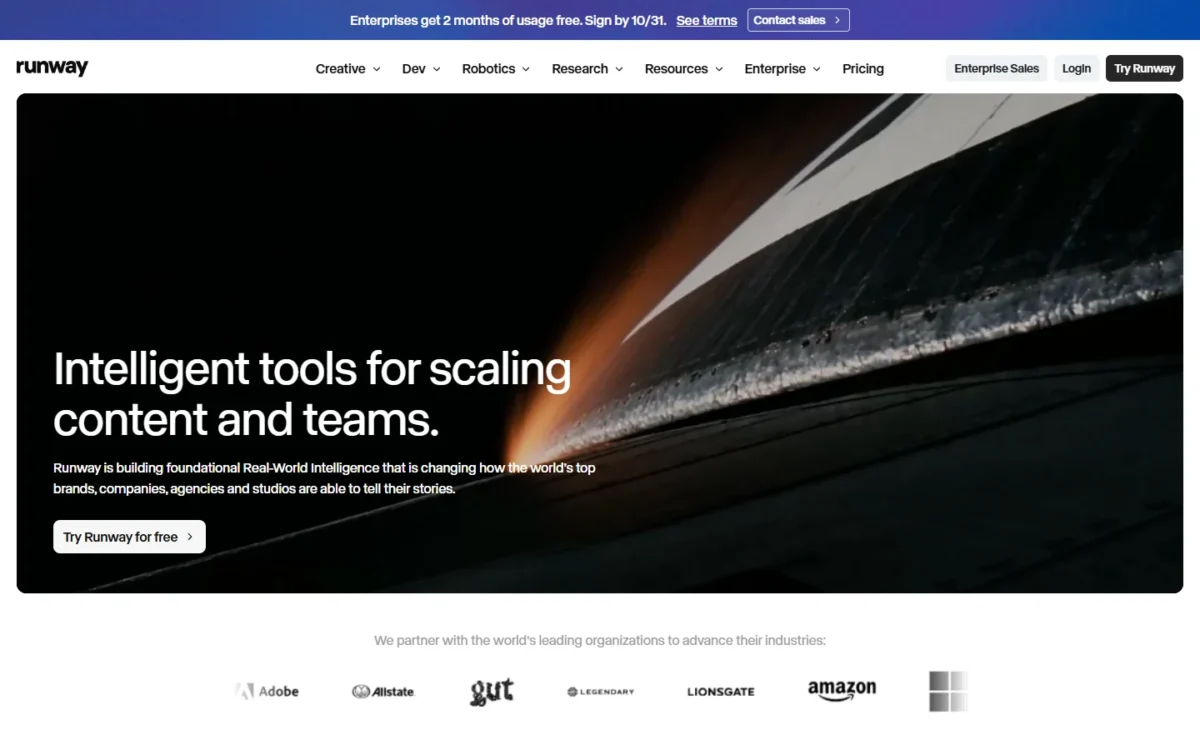
Most picks here edit timing, text or audio; Runway edits the pixels inside a shot. Its Aleph model takes an input video and adds, removes or transforms objects, generates new angles and changes style and lighting, the kind of fix a reshoot would otherwise cover. The trade-off is cost per second, since every Aleph edit spends credits.
For the full assessment of its models and workflow, my Runway review goes deeper.
Aleph is available to all paid users, so Standard is enough to start, with 4K upscaling and no watermarks. Premiere’s Generative Extend lengthens a clip; Aleph changes what the clip shows, so a pro editor can use both.
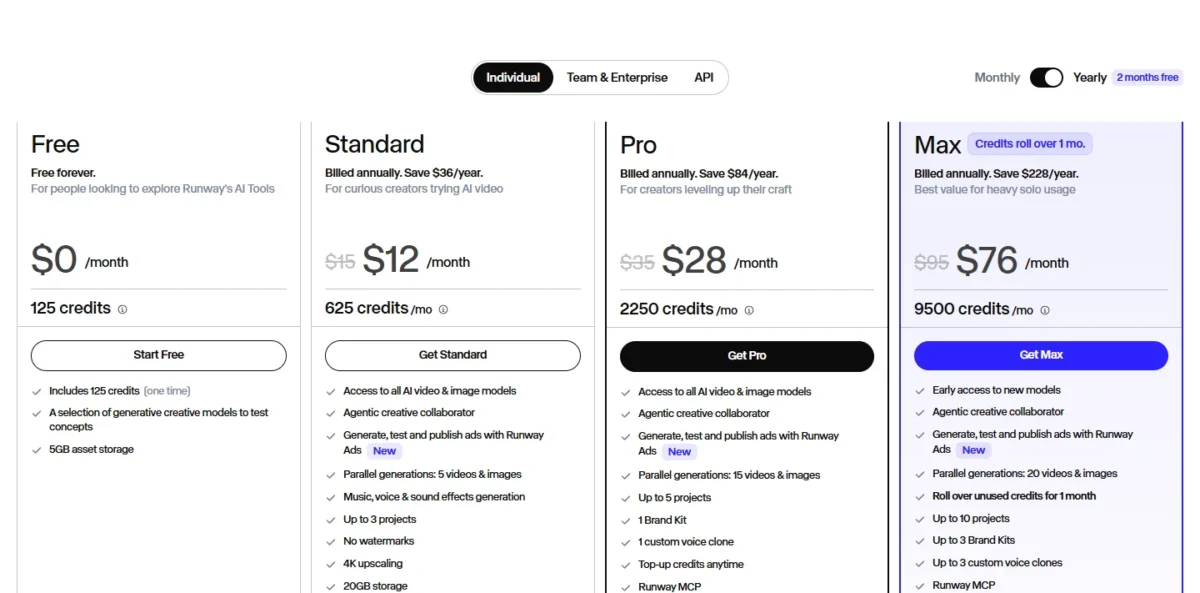
Standard costs $12 a month billed annually or $15 month to month, with 625 credits a month. At 140 credits per 5 seconds of Aleph 2.0, a year of Standard covers 53 such edits, and a year of Pro covers 192. My Runway pricing guide works through the credit math for every model.
| Plan | Price per month | Billing | Key limit |
|---|---|---|---|
| Free | $0 | One-time credits | 125 credits |
| Standard | $12 annual or $15 monthly | Annual or monthly | 625 credits a month; 53 Aleph 2.0 edits a year |
| Pro | $28 annual | Annual | 2,250 credits a month; 192 Aleph 2.0 edits a year |
Sources: Runway pricing page and Runway Aleph announcement, checked October 2026.
Pros
- Aleph adds, removes or transforms objects in footage you already shot
- New angles, style and lighting changes from one input video
- Aleph is available on every paid plan, from Standard
Cons
- Each 5 seconds of Aleph 2.0 costs 140 credits
- Monthly credits do not roll over on Standard or Pro
- No captions, clipping or transcript editing listed
- Skip it if:
- you need captions, cleanup or clips from long footage; Descript and OpusClip are built for those jobs.
How to Choose the Best AI Video Editor for Your Job
Match the tool to the editing job, then check the plan that job needs, not the entry plan.
| Your editing job | Pick | Plan the job needs | Trade-off |
|---|---|---|---|
| Talking-head video for YouTube or a podcast | Descript | Creator, for 4K and 30 media hours | Media hours are capped per editor |
| Shorts from long videos | OpusClip | Pro, for 300 credits and Premiere export | Teams stop at 4 seats |
| Free captions and cleanup for short-form | CapCut | Free; Pro for premium templates | No single US price for Pro |
| Unlimited auto subtitles, plus translation, for a marketing team | VEED | Pro, for 50+ languages | Billed per seat |
| Dubbing on a known monthly budget | Kapwing | Pro; Business for lip sync | Minutes are pooled per workspace |
| Recording and editing a podcast | Riverside | Pro | Separate-track downloads capped at 15 hours |
| Captioned shorts at volume or by API | Submagic | Pro, for silence and bad-take removal | Videos are counted and length-capped |
| Editing everything on a phone | Captions | Max | The free version has no AI credits |
| AI inside a professional timeline | Adobe Premiere | Premiere | A full timeline editor |
| Changing what a shot shows | Runway | Standard | 140 credits per 5 seconds of Aleph 2.0 |
Sources: Descript, OpusClip, Kapwing, Riverside, Submagic and Runway pricing and plan pages, checked October 2026.
Watch the unit before you compare prices. Descript meters media hours per editor, OpusClip minutes of source video, Kapwing minutes per workspace, Submagic videos per member and Runway credits per second of output.
Ease of use comes down to where you edit. For a beginner who has never cut on a timeline, my pick is Descript, Captions or CapCut rather than Adobe Premiere.
Descript says most people make their first cuts within minutes, because you edit by deleting words in a transcript. Kapwing is a web product, Captions runs in a phone app and CapCut’s subtitle tool needs no credit card.
Performance shows up in the plan limits, not in a benchmark. OpusClip lists faster processing on Starter and Pro than on Free, Submagic gives Business priority rendering and 4K at 60 FPS, and Kapwing exports up to 120 minutes in 4K on Pro.
If the same workflow also needs writing, image or audio tools, my list of AI tools for content creation covers the rest of the stack.
What a Solo Creator and a 3-Person Team Pay per Year
On annual billing for the plan each job needs, a solo creator pays from $138 a year (OpusClip Pro) to $288 (Descript Creator or Riverside Pro). For three people, Kapwing Pro is $16 a month billed annually, or $192 a year per member, so three members come to $192 x 3 = $576 a year.
Two routes fall outside the table’s three-person totals. One OpusClip Pro pack covers 2 seats, and the pricing page card prints a price for one pack, $138 a year.
| Software | Plan the job needs | One person, one year | Three people, one year | Note |
|---|---|---|---|---|
| OpusClip | Pro, one pack | $138 | Needs a second pack for the third seat | One pack: 300 credits a month, 2 seats |
| Runway | Standard | $12 x 12 = $144 | Team plans sit on the Team & Enterprise tab | Credits limit the work |
| Kapwing | Pro | $16 x 12 = $192 | $192 x 3 = $576 | One pooled set of minutes |
| VEED | Pro | $257 | $257 x 3 = $771 | Per-seat billing |
| Adobe Premiere | Premiere solo, teams for three | US$22.99 x 12 = US$275.88 | US$37.99 x 3 x 12 = US$1,367.64 | Annual, billed monthly |
| Submagic | Pro | $23 x 12 = $276 | $23 x 3 x 12 = $828 | Pro adds silence removal |
| Descript | Creator | $24 x 12 = $288 | $24 x 3 x 12 = $864 | Creator scales to a team of 3, billed separately |
| Riverside | Pro | $288 | Extra editor seats are add-ons | Recording studio included |
Sources: VEED, OpusClip, Submagic, Runway, Descript, Kapwing, Riverside and Adobe pages, checked October 2026. Tax is not included. CapCut prints only a typical Teams range ($15–$30 per seat per month, billed annually) and no fixed Pro price, and Captions prints no US yearly price, so neither has a row.
Kapwing’s three-person workspace shares one pool of minutes, including 50 dubbing minutes a month, while VEED and Descript sell per-seat allowances. A team that splits one workload should start with Kapwing Pro; a team where each person edits separately gets more from per-seat plans.
Also Considered
- Filmora: a desktop timeline editor whose AI features run on credits: Advanced lists 1,000 Filmora AI credits a month and the Perpetual license 1,000 one-time credits. I left it out because its strength is traditional editing rather than an AI editing job.
- Canva: video editing is one part of a design suite, and the AI video tools its pricing page names are Video Background Remover and Image to Video. My Canva AI review covers its AI suite as a whole.
FAQ
Which AI is best to edit videos?
The best AI for editing video depends on the job, so no single editor wins. Descript fits talk-heavy video edited by transcript, OpusClip fits shorts cut from long videos, and Kapwing fits teams that dub on a monthly budget. Decide by the plan your job needs and the unit it meters.
Which AI video editors have a free plan?
Descript, OpusClip, CapCut, Kapwing, Riverside, Captions and Runway have free plans or versions; VEED lets you start for free but prints no limits. For free generation from a prompt, see my free AI video generators list.
What is the best AI video editor for YouTube?
For long-form YouTube video that is mostly talk, Descript is my pick, because the transcript is the edit and Creator exports in 4K. For YouTube Shorts cut from long videos, OpusClip fits better: it finds and reframes the clips, and Pro schedules posts to YouTube.
Which AI video editor works on a PC?
CapCut Desktop runs on Windows and macOS, and Adobe Premiere is a desktop editor for anyone who wants a full timeline. Kapwing is a web product, so it runs in a browser on any PC, and Descript exports timelines to Premiere for a desktop finish.
Final Verdict
Pick by job. For talk-heavy video, Descript on Creator gives you transcript editing, cleanup and 4K, with media hours capped per editor. For shorts from long recordings, OpusClip Pro at $138 a year is the plan to buy, with a 4-seat ceiling for teams.
On a zero budget, CapCut’s free tools cover captions and cleanup. For unlimited auto subtitles on every paid plan, VEED fits if per-seat billing does, and Pro adds translation into 50+ languages. For dubbing on a fixed budget, Kapwing Pro prints its minutes per plan.
Podcasters who record remote guests should look at Riverside first, solo phone creators at Captions, and timeline editors at Adobe Premiere. Runway is the add-on for the shot that needs more than a trim.






Pingback: 12 Best AI Video Generators in 2026: Cost per Second, Plans