

Copper is the better buy for a sales team that works in Gmail and Google Calendar, and Salesforce is the better buy when the process needs forecasting, quoting and deep customization.
In Salesforce vs Copper, the price gap is widest at the top comparable tier: Salesforce Core costs $195 per user a month against $99 per seat for Copper Business, both billed annually.
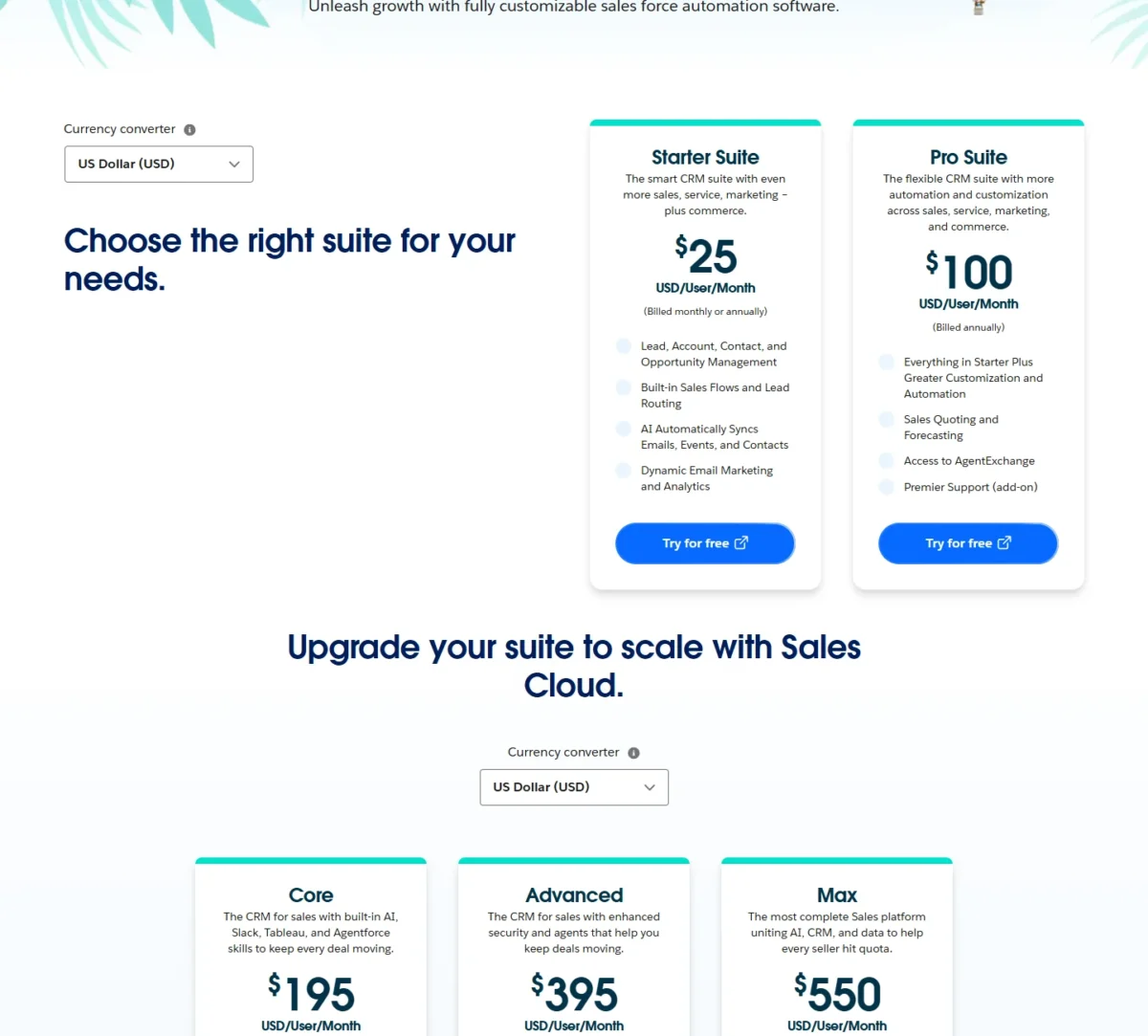
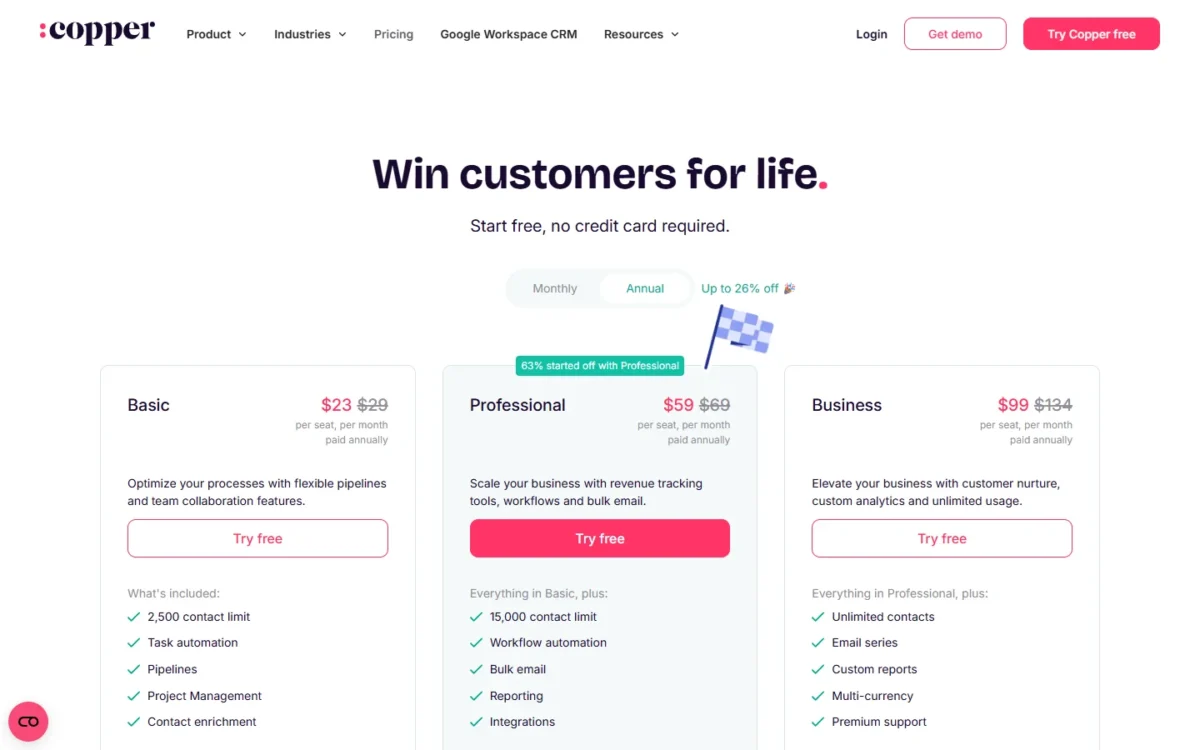
Copper Professional costs $59 per seat a month on annual billing. Salesforce Pro Suite costs $100 per user a month, billed annually. For 10 seats, year one comes to $59 x 10 x 12 = $7,080 on Copper and $100 x 10 x 12 = $12,000 on Salesforce.
Both prices come from the vendors’ US pages, read in October 2026.
Quick verdict
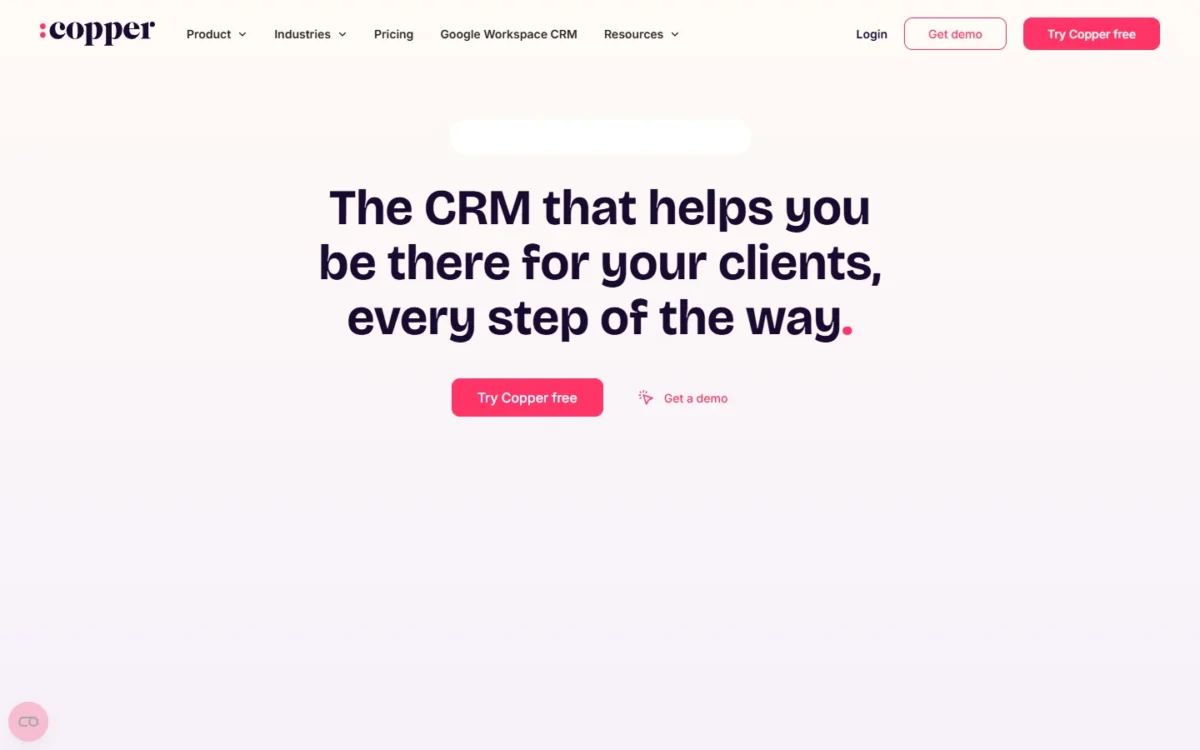
Copper fits a relationship-led team that sells from Gmail and Google Calendar: its Google Workspace integrations come with every plan, and Professional adds workflow automation.
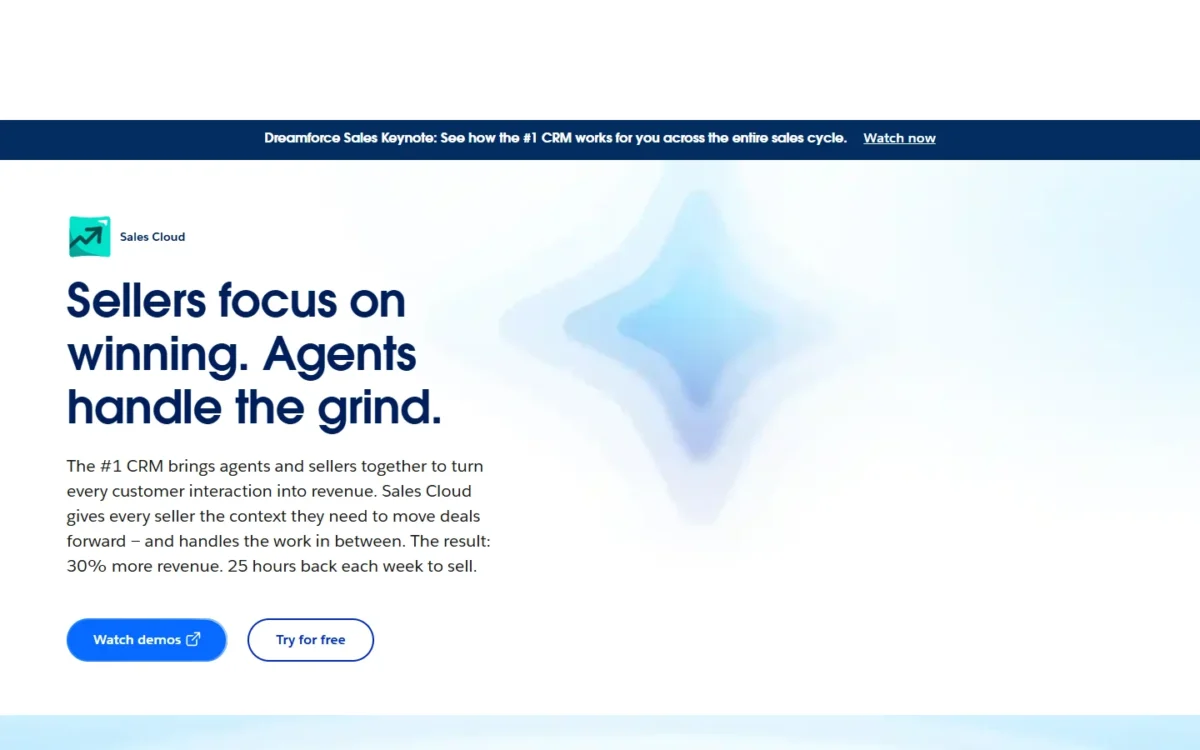
Salesforce fits a team that forecasts, sends quotes or runs a custom process: Pro Suite lists sales quoting, forecasting and greater customization.
The trade-off: Copper Professional at $59 costs $41 less per seat a month than Pro Suite at $100, but Copper’s pricing page lists no forecasting, and Salesforce’s Gmail integration waits on an admin.
In This Article (11 sections)
Salesforce vs Copper at a Glance
Copper is a Google Workspace CRM priced from $23 to $99 per seat a month on annual billing. Salesforce sells Sales Cloud as five suites, from Starter Suite at $25 to Max at $550 per user a month.
| Attribute | Salesforce | Copper |
|---|---|---|
| Best for | Teams that forecast, quote or run a custom process | Teams that sell from Gmail and Google Calendar |
| Entry plan | Starter Suite, $25 per user per month | Basic, $23 per seat per month paid annually |
| Automation plan | Pro Suite, $100 per user per month, billed annually | Professional, $59 per seat per month paid annually |
| Google Workspace | Gmail integration an admin turns on | Gmail, Calendar, Contacts and Drive on every plan |
| Main strength | Quoting and forecasting on Pro Suite | CRM inside Gmail and Calendar via a Chrome extension |
| Main limitation | Annual billing above Starter Suite | Basic stops at 2,500 contacts |
Sources: Salesforce Sales Cloud pricing, Copper pricing and Copper integrations FAQ, checked October 2026.
Starter Suite at $25 and Basic at $23 sit $2 apart, so the real choice is made one tier up. The differences below decide which CRM a Gmail team can actually work in.
Key Differences Between Salesforce and Copper
Four differences decide this pick, and they do not all favor the same product.
- Where the CRM lives: inside Gmail and Calendar for Copper; in Salesforce, with records shown in Gmail once an admin enables the integration.
- Forecasting and quoting: listed on Salesforce Pro Suite; copper.com/pricing lists revenue tracking and pipeline reports instead.
- Customization: greater customization on Salesforce Pro Suite; custom fields on Copper: 25 on Basic, 50 on Professional, unlimited on Business, per Copper’s pricing page.
- Billing: monthly or annual on every Copper plan; monthly at Salesforce only on Starter Suite.
Where the CRM lives is the difference I would weigh first for inbox-bound sellers, because it decides where reps update records. My Salesforce CRM review judges the wider platform on its own terms.
Forecasting pulls the other way for a sales manager who reports a number to finance. My full Copper CRM review looks at Copper alone, beyond this pairing.
Salesforce vs Copper: Features Compared
Copper puts its Google Workspace features on every plan and workflow automation on its middle plan, while Salesforce reserves forecasting, quoting and AgentExchange access for Pro Suite.
| Feature | Salesforce | Copper |
|---|---|---|
| Records inside Gmail | Gmail integration, enabled by an admin | All plans, via the Chrome extension |
| Entry-level automation | Starter Suite: Sales Flows and lead routing | Basic: task automation |
| Workflow automation | Pro Suite: greater automation | Professional |
| Forecasting | Pro Suite | Not listed on copper.com/ |
| Quoting | Pro Suite | Integration: PandaDoc or DocuSign, Professional |
| Reports | Starter Suite: dynamic email marketing and analytics | Professional; custom reports on Business |
| Custom fields | Pro Suite: greater customization | Limited: 25 on Basic, 50 on Professional; unlimited on Business |
| Team permissions | Not listed on sales/ | Professional |
| Apps and API | Pro Suite: AgentExchange access | Professional: Developer API; Zapier 5,000+ apps |
Sources: Salesforce Sales Cloud pricing, Copper plans feature comparison and Copper pricing, checked October 2026.
Gmail and Google Workspace Integration
Copper fits a Workspace-only team better, because its Gmail, Google Calendar, Google Contacts and Google Drive integrations come with all plans. Its Chrome extension brings Copper into Gmail and Google Calendar on desktop, so reps add leads and track conversations without switching tabs.
Salesforce reaches the same inbox through Setup. Its Gmail integration lets reps see, create and modify Salesforce records in Gmail after an admin with the Customize Application permission verifies Enhanced Email and turns on Gmail Integration and Sync.
On AI, Copper’s feature table lists an AI email template generator and an AI email re-writer. Salesforce’s Starter Suite lists AI that syncs emails, events and contacts.
Verdict: Gmail and Google Workspace
Copper fits better for a team whose day runs in Gmail and Calendar, from Basic up. Salesforce fits when an admin will own the setup. Its help page names editions (Essentials through Unlimited), not suites, so confirm the integration on your suite in the trial.
Sales Automation and Workflows
Copper spreads automation across three plans, while Salesforce starts on its entry suite. Copper Basic creates a task automatically after an action in Copper. Professional is Copper’s first plan with workflow automation, and it adds single-email automation; Business adds email series.
Salesforce Starter Suite already lists built-in Sales Flows and lead routing, plus dynamic email marketing and analytics. Pro Suite adds greater customization and automation. For a team that must route inbound leads to reps from day one, Starter Suite is the stronger entry buy.
The depth of each builder is the part to check yourself: build your two or three most important follow-up rules in each trial before you pay.
Verdict: Sales automation
Depends on workflow complexity: Salesforce Starter Suite covers lead routing, and Pro Suite is the step for a process that needs heavier customization. Copper Professional covers workflow automation at $59 per seat a month against Pro Suite’s $100, both billed annually.
Reporting and Forecasting
Salesforce fits better for forecasting, because Pro Suite lists sales quoting and forecasting on top of the dynamic email marketing and analytics Starter Suite already lists. Copper’s reporting grows with its plans instead: Professional adds pipeline reports, activity reports, a Google Sheets add-on and Looker Studio, and Business adds a custom report builder.
Copper’s homepage says custom reports can project revenue. Since custom reports sit on Business, a Copper revenue projection means the $99-per-seat plan and a report you build yourself.
Verdict: Reporting and forecasting
Salesforce fits better for a sales manager who owes a monthly forecast. Copper fits a team that needs pipeline and activity reports, which start on Professional. A Copper forecast means a custom report on Business.
Customization and Data Model
Salesforce fits better when the sales process needs its own fields, objects and rules. Its pricing page ties greater customization to Pro Suite, and its data export help covers custom objects and fields.
Copper’s pricing page gives custom fields as 25 on Basic, 50 on Professional, unlimited on Business. Its plan comparison also lists fields customized by pipeline on Basic and team permissions on Professional, and its pricing page lists customizable sales pipelines, while Salesforce’s Data Import Wizard has a Custom Objects option of its own.
My reading: a team whose records are deals, people and companies fits Copper, and a team that needs custom objects of its own fits Salesforce.
Integrations and Apps
Which side wins depends on the apps your team already runs. Copper includes its Google integrations on all plans, puts most other integrations on Professional and above, and keeps select ones for Business.
On Professional, Copper’s plan comparison lists native integrations with DocuSign, Mailchimp, QuickBooks, PandaDoc, JustCall, RingCentral, Slack and Zendesk, plus the Developer API. Through Zapier, Copper connects to more than 5,000 other apps.
Salesforce lists access to AgentExchange on Pro Suite, and Core bundles Slack Business+ and Tableau Next. A team that depends on Salesforce-specific vendors should look them up on AgentExchange before settling on Starter Suite.
Salesforce vs Copper Pricing
At comparable tiers, Copper costs $23, $59 and $99 per seat a month on annual billing, against $25, $100 and $195 per user a month for Salesforce Starter Suite, Pro Suite and Core. As of October 2026, Salesforce also sells Advanced and Max above Core.
| Plan tier | Salesforce | Copper |
|---|---|---|
| Entry | Starter Suite: $25 per user per month, billed monthly or annually | Basic: $23 paid annually; $29 billed monthly |
| Automation tier | Pro Suite: $100 per user per month, billed annually | Professional: $59 paid annually; $69 billed monthly |
| Top small-team tier | Core: $195 per user per month, billed annually | Business: $99 paid annually; $134 billed monthly |
| Try before paying | Free Suite at $0; 30-day free trial | 14-day free trial on the Business plan |
Sources: Salesforce Sales Cloud pricing, Copper pricing and Copper integrations FAQ, checked October 2026. Copper prices are per seat per month in USD, excluding taxes and fees.
Copper bills every plan monthly or annually and advertises up to 26% off for annual billing. Salesforce bills Starter Suite monthly or annually, but Pro Suite and every suite above it annually.
So a team not ready to commit for a year can still buy Copper’s workflow automation month to month, but cannot buy Salesforce’s forecasting that way. On Copper Professional, monthly billing costs $69 – $59 = $10 more per seat a month.
Advanced, Max and the Sales Cloud add-ons matter mainly to larger teams, and my Salesforce pricing guide walks through each of them.
For Copper’s onboarding and plan details beyond this tier comparison, see my Copper pricing breakdown.
Year-One Cost for 5 and 10 Seats
At annual list prices, 10 seats cost $7,080 a year on Copper Professional against $12,000 on Salesforce Pro Suite, and the table shows every comparable tier.
| Plan | 5 seats, year one | 10 seats, year one |
|---|---|---|
| Copper Basic, $23 | $23 x 5 x 12 = $1,380 | $23 x 10 x 12 = $2,760 |
| Salesforce Starter Suite, $25 | $25 x 5 x 12 = $1,500 | $25 x 10 x 12 = $3,000 |
| Copper Professional, $59 | $59 x 5 x 12 = $3,540 | $59 x 10 x 12 = $7,080 |
| Copper Professional, $69 billed monthly | $69 x 5 x 12 = $4,140 | $69 x 10 x 12 = $8,280 |
| Salesforce Pro Suite, $100 | $100 x 5 x 12 = $6,000 | $100 x 10 x 12 = $12,000 |
| Copper Business, $99 | $99 x 5 x 12 = $5,940 | $99 x 10 x 12 = $11,880 |
| Salesforce Core, $195 | $195 x 5 x 12 = $11,700 | $195 x 10 x 12 = $23,400 |
Sources: Salesforce Sales Cloud pricing and Copper pricing, checked October 2026. Assumptions: US list prices, the same seat count all year, no tax, no add-ons, no onboarding fees.
Copper Business at $99 costs $1 less per seat a month than Salesforce Pro Suite at $100. At the same budget, the choice is Copper’s custom reports and unlimited contacts against Salesforce’s forecasting and quoting.
If your seat count will change during the year, run your own numbers in my CRM cost calculator.
Add-Ons and Upgrade Triggers
Copper’s upgrades are triggered by contacts and features, while Salesforce’s are triggered by features and support:
- Copper contacts: Basic stops at 2,500 contacts, Professional at 15,000, and Business lists unlimited contacts.
- Copper features: workflow automation, reporting, bulk email and most integrations start on Professional; custom reports start on Business.
- Salesforce features: forecasting, quoting and AgentExchange access start on Pro Suite.
- Salesforce support: Premier Success costs 30% of net license fees, and Core includes it.
- Salesforce AI: Agentforce for Sales starts at $125 per user a month, and AI can be added to Core and above.
The Copper trigger to watch first is the contact cap: a team importing more than 2,500 contacts outgrows Basic on day one. On Salesforce, faster support on Pro Suite raises the Sales Cloud license bill by 30%, the point where Core, which bundles Premier Success, deserves a price check.
Ease of Use: Rolling Out Each CRM on Google Workspace
Copper’s homepage says no dedicated administrator is required, which is the vendor’s claim. Its Workspace page says the team connects its Google Workspace accounts first, and Copper then pulls in contact information and email conversations. Copper calls this running “in days, not weeks (or months)”, which is the vendor’s claim.
Salesforce’s rollout runs through an admin: Enhanced Email first, then Gmail Integration and Sync in Setup, then a short setup by each rep in Gmail. Copper still needs an admin or account owner to set up its other integrations.
Copper lists live chat, plus personal onboarding for eligible Business and Professional annual accounts. Salesforce includes its Standard Success Plan (documentation and Trailhead) in all licenses.
Whether either one feels easy to your team is a question for the trials. Salesforce gives 30 days and Copper 14, and Copper’s trial runs on Business, which includes features Professional does not.
Salesforce vs Copper: Pros and Cons
Salesforce’s strengths are depth and room to grow, and Copper’s are price and inbox fit.
Salesforce
Pros
- Quoting and forecasting on Pro Suite, for managers who report a monthly number
- Starter Suite lists Sales Flows, lead routing and email marketing at $25
- A 30-day free trial with no credit card
Cons
- Pro Suite and above are billed annually, before a team has proven fit
- The Gmail integration needs an admin to turn it on
- Forecasting costs four times the entry seat: $100 against Starter Suite’s $25
Copper
Pros
- Gmail, Google Calendar, Google Contacts and Google Drive integrations on every plan
- Workflow automation from Professional, at $59 per seat a month on annual billing
- Native DocuSign, PandaDoc, QuickBooks, JustCall and RingCentral integrations on Professional
Cons
- Basic caps contacts at 2,500, which a team with a large legacy list outgrows at import
- Forecasting is not listed on copper.com/pricing
- Custom reports and email series wait for Business at $99 per seat a month
Which Is Better for Your Needs?
Copper is the better fit when the priority is Gmail, budget or monthly billing, and Salesforce when it is forecasting, quoting or a custom process.
| Your priority | Better fit | Reason | Trade-off |
|---|---|---|---|
| Reps live in Gmail and Calendar | Copper | Workspace integrations on every plan | No forecasting listed |
| Workflow automation on a budget | Copper | Professional at $59 a seat, annual | Custom reports need Business |
| Forecasts and quotes in the CRM | Salesforce | Pro Suite lists both | $100 a user, annual only |
| A custom process | Salesforce | Pro Suite adds greater customization | Someone must own configuration |
| Monthly billing with automation | Copper | Professional at $69 a seat, monthly | $10 more than annual |
| Over 15,000 contacts | Depends | Copper Business lists unlimited contacts; Salesforce prices per user | Copper’s cheaper plans stop at 15,000 |
| A large app ecosystem | Depends | Zapier reaches 5,000+ apps for Copper; AgentExchange opens on Pro Suite | Check your must-have apps on each |
Sources: Salesforce Sales Cloud pricing and Copper pricing, checked October 2026.
If your team stays under 15,000 contacts and sells from the inbox, start with Copper Professional. Move to Salesforce Pro Suite once a forecast or a quote has to come out of the CRM itself; the switching section below maps that move.
If neither profile matches, my ranking of CRMs for small business widens the shortlist.
Teams weighing Salesforce against its other big rival can read the HubSpot vs Salesforce comparison next.
If Salesforce is not the CRM you want beside Copper, open Pipedrive vs Copper.
Readers who would rather weigh Zoho CRM against Copper can read Zoho CRM vs Copper.
Switching Between Salesforce and Copper
Moving in either direction runs through CSV files: Salesforce exports a zip archive of CSV files, Copper’s importer lists Salesforce among its file types, and Salesforce’s Data Import Wizard reads a CSV import file.
From Salesforce to Copper
- Run Data Export in Salesforce Setup: monthly export works in all editions except Database.com, weekly export in Enterprise, Performance and Unlimited.
- Download the zip within 48 hours of the email; formula and roll-up summary fields are always excluded.
- In Copper, create custom fields first, then import companies, people and opportunities in that order.
- Keep each file under 3MB, and use Revert Import if a run maps fields wrongly.
- Rebuild workflows, reports and integrations, since Copper’s import guide moves records, not rules.
From Copper to Salesforce
- Export from Copper, which lists data import and export on its plans, and confirm the export comes out as CSV files, since that is the format Salesforce’s wizard reads.
- In Salesforce Setup, open the Data Import Wizard: under Standard Objects it lists accounts, contacts, leads, solutions, person accounts and articles, and a separate Custom Objects option imports custom objects.
- Map every column before you start the import, because unmapped fields are not imported into Salesforce.
- Opportunities are not on the wizard’s list, so settle how open deals will move before you set a cutover date.
- Rebuild Copper’s workflow automations in Salesforce’s automation tools, and have an admin turn on the Gmail integration before reps start.
Salesforce’s data export help sets the export schedule by edition, so check yours before planning a cutover date.
How I Compared Salesforce and Copper
I compared Salesforce Sales Cloud and Copper on their US pricing pages and official help documentation, read on October 21, 2026, including both the Monthly and Annual views of Copper’s pricing page.
I set the plans side by side by job: Starter Suite against Basic, Pro Suite against Professional, and Core against Business. The criteria were Google Workspace fit, automation, reporting, customization, the annual totals for 5 and 10 seats, and switching.
Every fact comes from the vendors’ own pages, and every verdict is my reading of them. Where a page lists a feature without a limit, the article gives the trial step that settles it.
FAQ
Is Copper a CRM system?
Yes. Copper is CRM software for relationship-focused service businesses, built to work inside Google Workspace. Its Basic plan already pairs sales pipelines with project management, so a won deal can become a delivery project in the same tool.
Is there a free version of Salesforce or Copper?
Salesforce’s compare table lists a Free Suite at $0 per user per month, and Sales Cloud has a 30-day free trial with no credit card and no installations. Copper’s pricing page lists three priced plans, and its homepage says every plan starts with a 14-day free trial with no credit card required.
Final Verdict: Salesforce or Copper?
Buy Copper if your sales team works in Gmail and needs workflow automation at $59 per seat a month. Buy Salesforce if forecasting, quoting or a custom process justifies Pro Suite.
Choose Salesforce if
- A sales manager must forecast in the CRM, which starts on Pro Suite
- Quotes need to come out of the CRM rather than a PandaDoc or DocuSign integration
- You expect to grow into Core at $195, which bundles Premier Success, Slack Business+ and Tableau Next
Choose Copper if
- Your reps spend the day in Gmail and Google Calendar
- Workflow automation on Professional covers your follow-up rules
- You want monthly billing at the automation tier, at $69 per seat
The trade-off is fit against depth. Copper costs less at each comparable tier on annual billing, and its homepage says no dedicated administrator is required; Salesforce costs more, but its higher suites give a growing team room for AI, Slack and analytics.
If Insightly is the other CRM you are weighing against Copper, see Insightly vs Copper.
Skip Copper if your manager needs a forecast feature; the Copper alternatives are worth a look before you jump straight to Salesforce.
Skip Salesforce if annual billing above Starter Suite prices you out, and start with the Salesforce alternatives instead.






Pingback: HubSpot vs Copper (2026): Pricing, Gmail Fit and Verdict