Google Drive is easy to justify if your work already runs through Gmail, Docs and Sheets, and a weak choice as a long-term safety net for files. The best value in this Google Drive review is Business Standard: $14 per user per month on the annual plan for 2 TB of pooled storage per user.
Weigh three limits before paying. New Google accounts now start at 5 GB until you verify a phone number, and files in Trash are deleted after 30 days. Google’s end-to-end option is reserved for Enterprise Plus, Frontline Plus and two Education editions.
Evidence basis: official pricing pages and documentation, checked October 2026.
In This Article (11 sections)
Google Drive at a Glance
| Question | Short answer |
|---|---|
| Best for | Gmail and Android users, and small teams that write together in Docs and Sheets |
| Skip it if | You need deleted files back after 30 days, end-to-end encryption on a small-business budget, or a Linux sync app |
| Free storage | 15 GB shared with Gmail and Google Photos; new accounts since March 9, 2026 start at 5 GB until phone verification |
| Practical personal plan | Google AI Plus: $4.99 a month for 400 GB |
| Practical business plan | Business Standard: $14 per user per month on the annual plan, 2 TB pooled storage per user |
| Main strength | Docs, Sheets, Slides, Office files and PDFs edited in real time inside Drive |
| Main limitation | Trash empties after 30 days; Business Starter pools 30 GB per user |
| Best alternative | Dropbox for longer file recovery; OneDrive for Microsoft Office desktop users |
Sources: Google AI plans page, Google Workspace pricing page, How your Google storage works, checked October 2026.
The pattern is consistent: Drive is priced well for storage and collaboration, and less well for recovery and encryption. Which of those you are buying decides the plan.
Google Drive Pros: What It Does Well
Drive earns its place through the apps around it more than through raw storage.
Collaboration happens inside the file
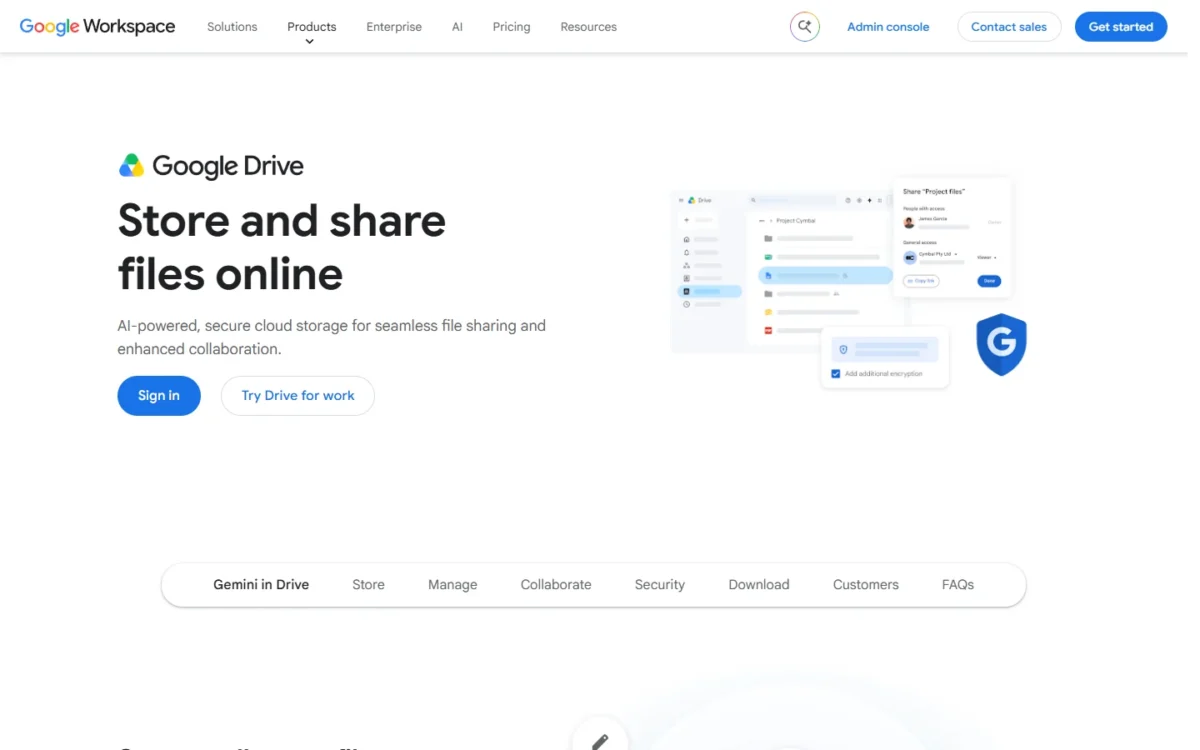
Google’s Drive for work page says you can edit Docs, Sheets, Slides, Microsoft Office files and PDFs in real time. That changes the workflow more than any storage number: a team shares one link instead of emailing attachments, so nobody argues about which copy is current.
Sharing is granular: edit, comment or view rights per file, with expiration dates to cut off access later. For agencies and freelancers sending work to clients, that is enough control without a separate file-transfer service.
Drive for desktop keeps your laptop disk free
Drive for desktop, for Windows and macOS, can stream or mirror your files. Streaming uses almost no computer space, while mirroring downloads a full copy. A laptop with a small SSD can still reach a multi-terabyte Drive.
Mirrored files are always available offline, and streamed files can be marked for offline use. The app runs up to 4 Google accounts at once, which suits a freelancer keeping personal and client accounts side by side.
Without the app, offline Docs, Sheets and Slides need Chrome or Edge plus the Google Docs Offline extension.
Gemini in Drive depends on the plan
Google pitches AI Overviews in Drive as cited answers drawn from your own files. That matters most in a Drive with years of shared folders, where file names stop being a reliable way to find anything.
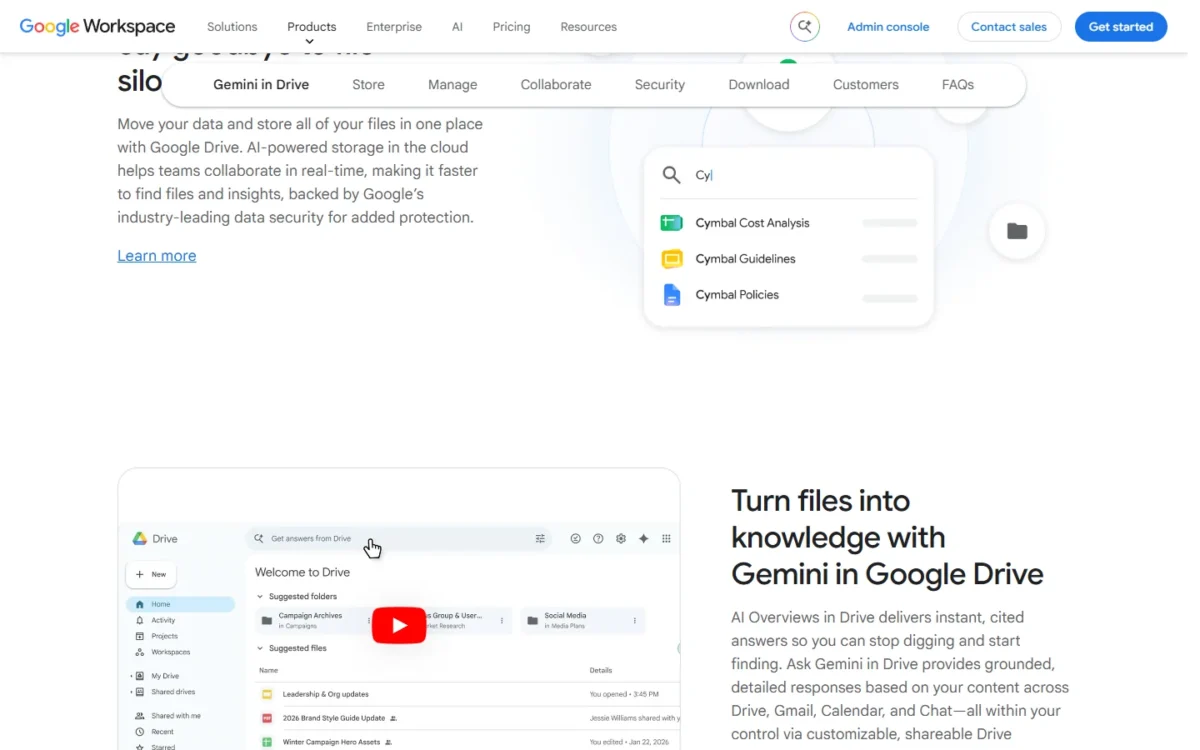
The plan decides whether you get it. Google’s Workspace comparison table lists AI to find and summarize Drive files on Business Standard, Business Plus and Enterprise, but not on Business Starter. A team that wants AI search across its files should rule Starter out on that basis alone.
Shared drives keep files when people leave
In a shared drive, files belong to the team rather than to the person who uploaded them. When someone leaves and an admin deletes their account, the files they added stay. Any business with staff turnover should keep team files there, not in one person’s My Drive.
Google’s shared drive limits are generous for a small company: up to 600 members and 500,000 items per shared drive.
The catch is Business Starter. Google’s shared drive setup guide marks the advanced settings, such as blocking external sharing or stopping viewers from downloading, as not supported for Business Starter.
Google Drive Storage Limits That Decide Your Plan
Three storage rules decide when Drive stops being free or cheap.
The free 15 GB is shared, and new accounts start at 5 GB
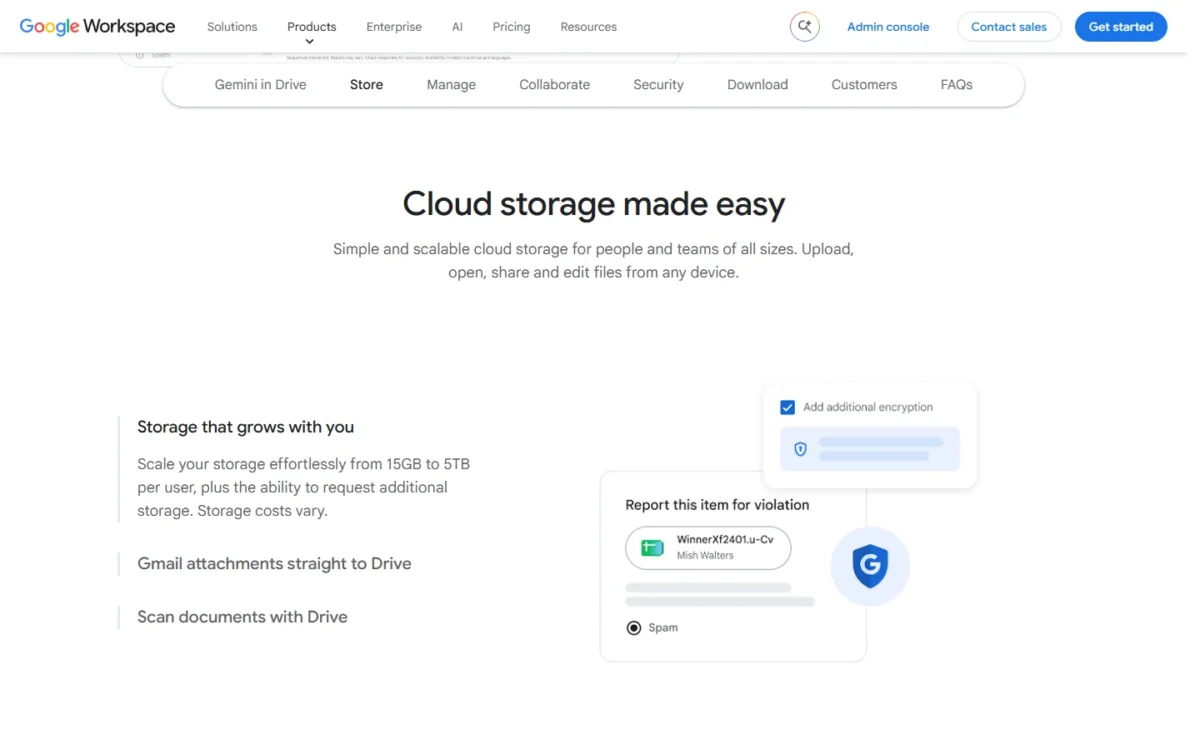
Every Google account includes up to 15 GB, shared across Gmail, Google Drive and Google Photos. Since March 9, 2026, new accounts get 5 GB, with another 10 GB unlocked by verifying a valid phone number.
That changes the math for anyone opening a fresh account for a side business. Until the phone step, you have a third of the familiar 15 GB, and original-quality photo backups, Gmail attachments and Drive files all draw from it.
Trash and quota overruns both cost you
Files in your Trash still count toward your storage until they are permanently deleted, so clearing Trash is the first place to look for space.
Going over quota has teeth. Drive stops accepting uploads, Google Photos stops backing up, and your ability to send and receive email in Gmail can be affected. Because the quota is shared, a Drive full of video can affect your email.
File-size and upload caps
Single files can be up to 5 TB, enough for raw video and disk images. Google Docs cap at 1.02 million characters and Sheets at 20 million cells, limits that matter for very large documents and data exports.
The cap that bites is uploads: each user can upload and copy 750 GB to Drive within 24 hours. Moving a 3,000 GB archive takes at least four days (3,000 GB ÷ 750 GB per day = 4), so plan a migration in stages, not over one weekend.
Google Drive Pricing: Personal and Business Plans
Google sells Drive storage two ways: Google One and Google AI plans for personal accounts, and Google Workspace for businesses. The real difference is not the price per gigabyte. It is who owns the files and which admin controls come with them.
Personal plans: Google AI Plus is the sensible upgrade
| Plan | US price | Storage across Gmail, Drive and Photos | What else changes |
|---|---|---|---|
| Free | $0 a month | 15 GB (new accounts: 5 GB until phone verification) | Gemini app access |
| Google AI Plus | $4.99 a month | 400 GB | 2x higher Gemini usage than Free; Gemini in Gmail and Vids |
| Google AI Pro | $19.99 a month | 5 TB | 4x higher Gemini usage than Free; Gemini in Gmail, Docs and Vids; YouTube Premium Lite |
| Google AI Ultra | from $99.99 a month | starting at 20 TB | up to 20x higher Gemini usage than Pro |
Sources: Google AI plans page, United States, How your Google storage works, checked October 2026.
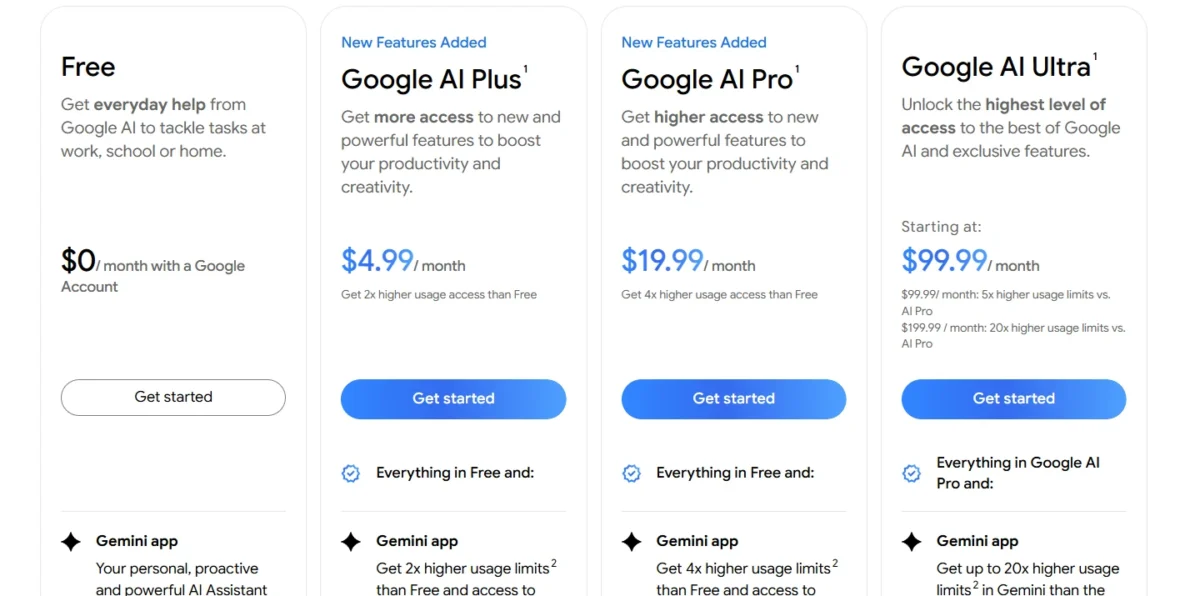
Start with Google AI Plus. At $4.99 x 12 months = $59.88 a year, it gives one person more than 26 times the free 15 GB. For a single person’s photos, mail and documents, I would start here and move up when the storage meter says so.
Google AI Pro is a different purchase. At $19.99 x 12 months = $239.88 a year, the jump from Plus buys 5 TB. It also raises Gemini usage from 2x higher than Free to 4x higher, and bundles Gemini in Docs and YouTube Premium Lite.
Unless you want an AI assistant anyway, judge Pro by our Gemini review on whether the paid plan is worth it, not by its storage.
Google One’s plans page also lists storage-only tiers, Lite (30 GB) and Basic (100 GB). When this review was checked, that page showed a non-US market priced in Vietnamese dong, so their US prices are left out rather than guessed.
The same page lists sharing storage with up to 5 others on Basic and Google AI Pro, which turns a 5 TB plan into a family plan.
Business plans: Google Workspace
| Plan | Annual plan, per user per month | Flexible Plan, per user per month | Pooled storage per user | Drive-related extras |
|---|---|---|---|---|
| Business Starter | $7 | $8.40 | 30 GB | Shared drives without advanced sharing controls; no AI to find or summarize Drive files |
| Business Standard | $14 | $16.80 | 2 TB | AI to find and summarize Drive files; eSignature with Docs and PDFs |
| Business Plus | $22 | $26.40 | 5 TB | Vault to retain, archive and search data; eDiscovery |
| Enterprise | Let’s talk (contact sales) | Not listed | 5 TB, with more on request | Data loss prevention, context-aware access, AI classification for Drive |
Sources: Google Workspace pricing page, Google Workspace Flexible Plan help page, checked October 2026.
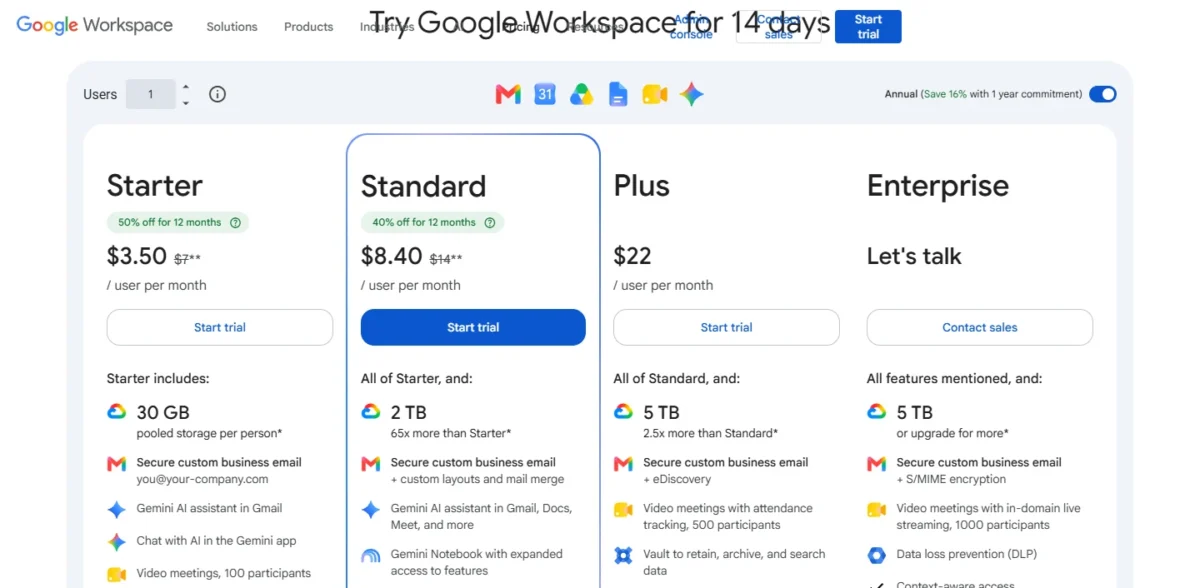
The annual plan is the one to compare. Google’s pricing page labels it “Save 16% with 1 year commitment”, while the Flexible Plan lets you add or remove users at any time and cancel without penalty.
New customers see a promotion: Starter at $3.50 (50% off) and Standard at $8.40 (40% off) per user per month. It lasts 12 months and covers the first 20 users; the regular $7 and $14 apply after that.
Two rules shape bigger rollouts. Business plans top out at 300 users, and in the first 90 days a Flexible Plan account is limited to 20-50 users unless you prepay.
If you are weighing the whole suite rather than Drive alone, our Google Workspace review of plan gates and who should skip it covers Gmail, Meet and the rest.
What Google Drive Costs a Team of 5 or 10
The per-user price hides two decisions: annual versus Flexible billing, and whether 30 GB per person is enough.
| Plan | 5 users, annual plan, per year | 10 users, annual plan, per year | 10 users, Flexible Plan, per year | Pooled storage per user |
|---|---|---|---|---|
| Business Starter | $7 x 5 x 12 = $420 | $7 x 10 x 12 = $840 | $8.40 x 10 x 12 = $1,008 | 30 GB |
| Business Standard | $14 x 5 x 12 = $840 | $14 x 10 x 12 = $1,680 | $16.80 x 10 x 12 = $2,016 | 2 TB |
| Business Plus | $22 x 5 x 12 = $1,320 | $22 x 10 x 12 = $2,640 | $26.40 x 10 x 12 = $3,168 | 5 TB |
Sources: Google Workspace pricing page, Flexible Plan help page, checked October 2026. Regular prices; the first-year promotion is excluded.
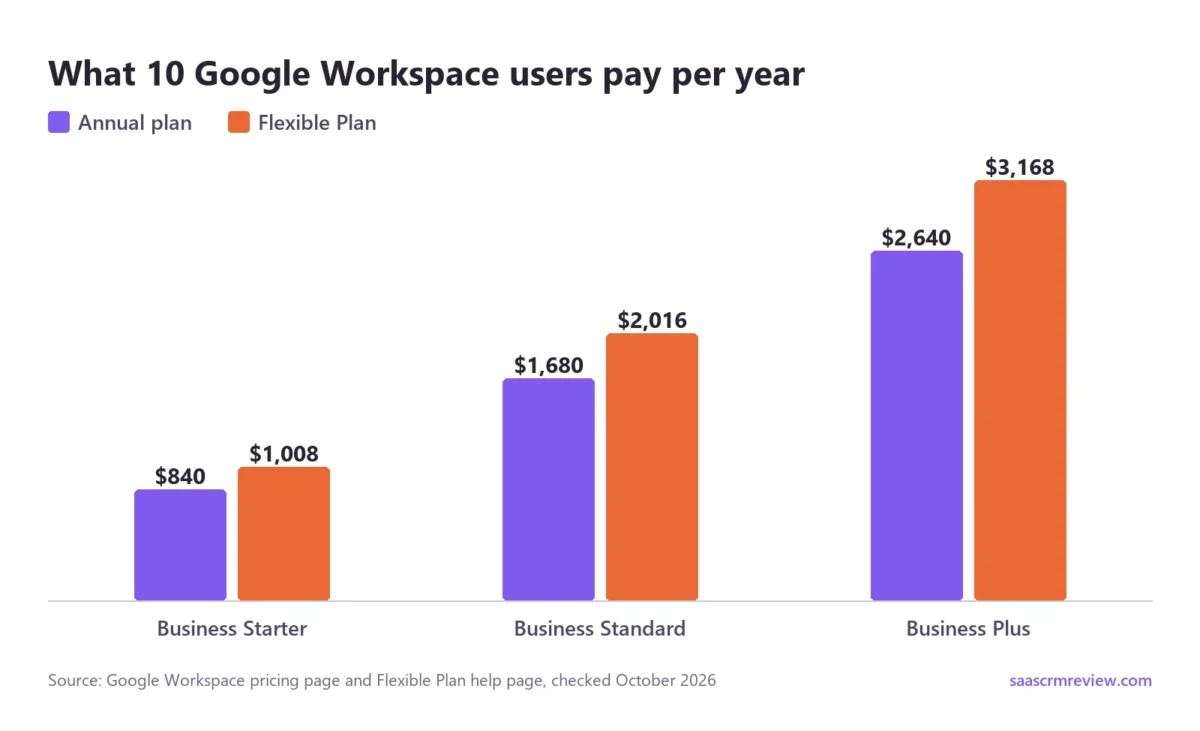
Starter’s pooled storage is the limit that forces an upgrade, long before the price does. Ten users share 30 x 10 = 300 GB, less than the 400 GB that Google AI Plus gives one personal account.
Moving that team to Business Standard costs $14 – $7 = $7 more per user per month, or $7 x 10 x 12 = $840 a year. Each person’s share of the pool jumps from 30 GB to 2 TB, which makes it the easiest upgrade in the lineup to justify.
Paying monthly is the expensive habit. At 10 users, Flexible billing costs $1,008 – $840 = $168 more a year on Starter and $2,016 – $1,680 = $336 more on Standard. Pay that premium while headcount is changing; once the team is stable, take the annual plan.
The annual plan is still a 12-month commitment, and our Google Workspace pricing and contract risks guide covers what that means if the team shrinks mid-term.
Solo business owners get an odd bargain. One Business Standard seat is $14 x 12 months = $168 a year for 2 TB plus business email. Google AI Pro’s 5 TB costs $19.99 x 12 months = $239.88.
If you want business email anyway and 2 TB is enough, Workspace is the cheaper route.
Is Google Drive Secure and Trustworthy?
I would call Drive secure enough for personal files and for most small businesses. The gap is regulated data, because end-to-end encryption costs Enterprise-level money.
Google says files uploaded to Drive are encrypted in transit and at rest, and that it does not use content in Drive for advertising. It also says it accesses private content only with your permission or when required by law.
That default encryption is not end-to-end. Client-side encryption, which Google describes as encryption its servers and third parties cannot decrypt, is supported on Frontline Plus, Enterprise Plus, Education Standard and Education Plus. A 20-person firm on Business Plus cannot turn it on.
For most teams, the controls that matter sit lower in the lineup:
- 2-step verification and the Advanced Protection Program on every Workspace plan
- Fundamental data regions, which keep covered data in the United States or Europe, on Business Standard and Business Plus
- Vault for retention and eDiscovery on Business Plus
- data loss prevention, context-aware access and AI classification for Drive on Enterprise
The order matters for a buyer. A small firm worried about a departing employee needs shared drives and Vault long before it needs client-side encryption. For a personal account, I would worry more about a sharing link left open than about Google’s encryption.
Google Drive Cons: What Are the Downsides?
Deleted files have a 30-day clock. Files in Trash are deleted forever after 30 days. Notice a damaged file in month two, and the good copy may be gone.
Version history has the same weakness. Older versions of non-Google files, such as PDFs, may be deleted after 30 days or once 100 newer versions exist, unless you mark them Keep forever.
One quota covers three apps. Because Gmail, Photos and Drive share storage, a full Drive can affect your email. That hurts most on the free tier, where the whole budget is 15 GB, or 5 GB for an unverified new account.
Business Starter is cut down. Thirty GB per user and no advanced shared drive controls make it a mailbox plan with some storage attached. Teams that treat Drive as their file server should budget for Standard from the start.
Encryption tiers are steep. Client-side encryption sits on Enterprise Plus and similar editions, so small businesses with regulated files pay enterprise prices or look elsewhere.
Desktop sync covers Windows and macOS. Google offers Drive for desktop for those two systems, so Linux users are left with the browser.
Google Drive vs Dropbox and OneDrive: Which Fits You?
Drive wins on free space: up to 15 GB, against 2 GB on Dropbox Basic. New accounts since March 9, 2026 start at 5 GB, plus 10 GB after phone verification. Dropbox wins on file recovery: Standard restores deleted files for 180 days, against 30 days in Drive’s Trash.
Dropbox’s plans page lists 2 GB on its free Basic plan, against Google’s 15 GB. Dropbox’s Standard plan restores deleted files for 180 days and Advanced for 1 year, far longer than Drive’s 30-day Trash. Plus restores for the same 30 days.
Advanced also lists end-to-end encryption, which Google reserves for Enterprise Plus and similar editions.
For files you rarely open but cannot afford to lose, that recovery window matters more than Drive’s extra free space. In that case, Dropbox’s plans and file-recovery options deserve the first look.
Microsoft 365 Personal pairs 1 TB of OneDrive storage with the Word, Excel, PowerPoint, Outlook and OneNote desktop apps. Microsoft 365 Family covers 1 to 6 people with up to 6 TB, 1 TB per person.
If your files are Office documents edited on a PC, that bundle buys apps Drive does not include. In my view, Drive suits you if you write in the browser and share links.
Who Should Use Google Drive, and Who Should Skip It
Choose Google Drive if:
- you already use Gmail and Google Photos, so one storage quota covers all three
- your team writes and edits together in Docs, Sheets and Slides
- you want pooled business storage at a low per-user price, as on Business Standard
- you would pay for Gemini anyway, since Google AI Pro bundles 5 TB
Skip Google Drive if:
- you need deleted files back after 30 days; Dropbox Standard keeps them for 180 days
- you handle regulated data and need end-to-end encryption without an Enterprise Plus contract
- your work happens in Office desktop apps, which Microsoft 365 Personal includes
- you sync from Linux, since Drive for desktop is built for Windows and macOS
- you must move several terabytes in a hurry, given the 750 GB per 24 hours upload cap
Google Drive Review: Final Verdict
Google Drive is worth paying for when collaboration is the job. For one person, start with Google AI Plus at $4.99 a month for 400 GB, and move to Google AI Pro if you also want Gemini.
For a team, skip Business Starter unless 30 GB per person is truly enough. Buy Business Standard on the annual plan instead: $14 x 10 users x 12 months = $1,680 a year, with 2 x 10 = 20 TB pooled.
Look elsewhere when recovery or encryption is the job. Dropbox keeps deleted files longer on its business plans, and Google’s end-to-end option needs Enterprise Plus. Drive is a collaboration tool that stores files well, not a vault.
Google Drive FAQ
Does Google delete your files if you stay over your storage limit?
Yes, eventually. If an account stays over quota for 2 years, Google may remove its content across Gmail, Google Photos and Google Drive. Google says it gives at least 3 months’ notice first, with a chance to buy more storage, delete files or download your data before anything goes.
Do files shared with me use my Google Drive storage?
No. Files in “Shared with me” count against the owner’s storage, not yours. That changes when you make a copy of a shared file or add your own files to a folder someone shared with you. Those new files use your storage, so a busy shared folder can still fill your quota.
Can I download everything from Google Drive if I leave?
Yes, on a personal account. Google’s Download Your Data tool lets you download a copy of your content, such as photos and emails, to back it up or move it to another service. On a work or school account, your organization can export your data for you and can stop you from downloading it yourself.
How fast does a Google storage upgrade take effect?
Google says a storage plan upgrade can take up to 24 hours to become active. If the new space has not appeared after a day, signing out and back in is Google’s first suggested fix, and Google One support is the next step.