
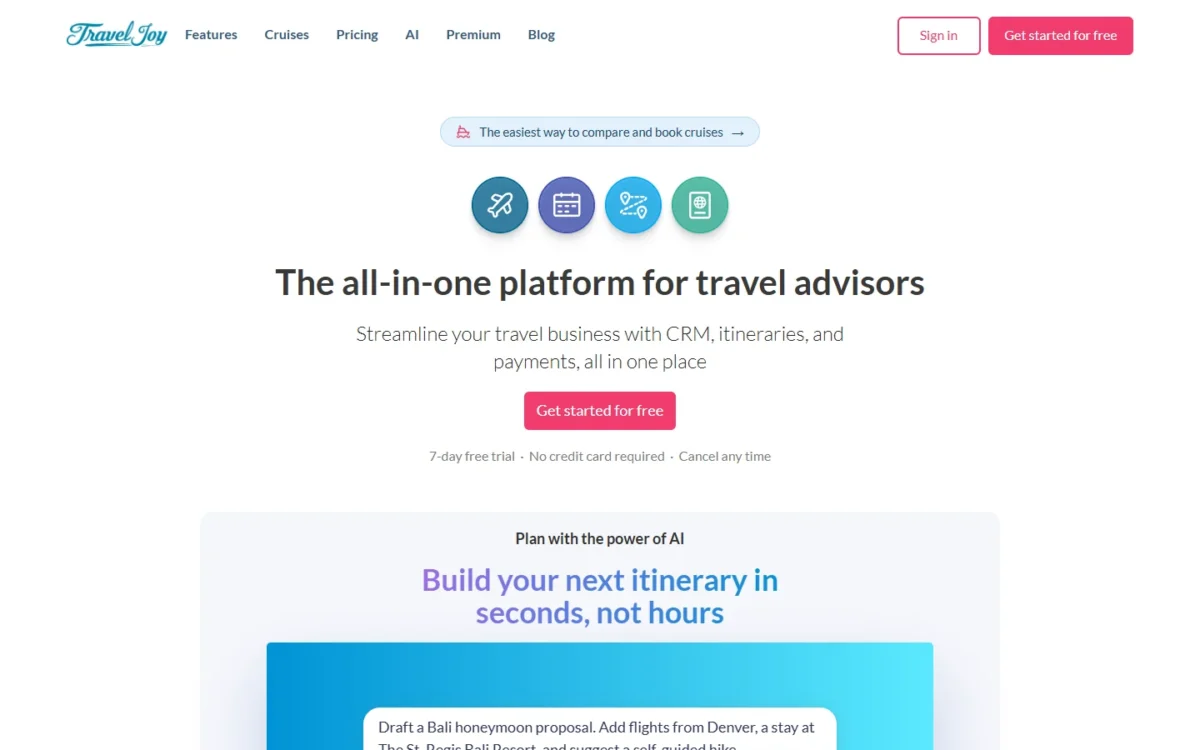
TravelJoy suits independent travel advisors who want client records, itineraries and client payments in one tool. Most should start on Pro at $32 a month billed annually, because Starter stops at 12 trips a year. This TravelJoy review covers the advisor software at traveljoy.com, not the travel insurance that shares its name in search results.
As of October 2026, cruise booking has moved from a paid add-on into Pro and Premium, and Premium sells at early-access pricing of $79 a month billed annually for its first year.
Quick verdict
TravelJoy is worth it for solo advisors and small host-agency teams who book more than 12 trips a year and want the CRM, itineraries and client payments in one place.
Skip it if you rely on Zapier, SMS or email campaigns but will not pay for Premium or Pro add-ons.
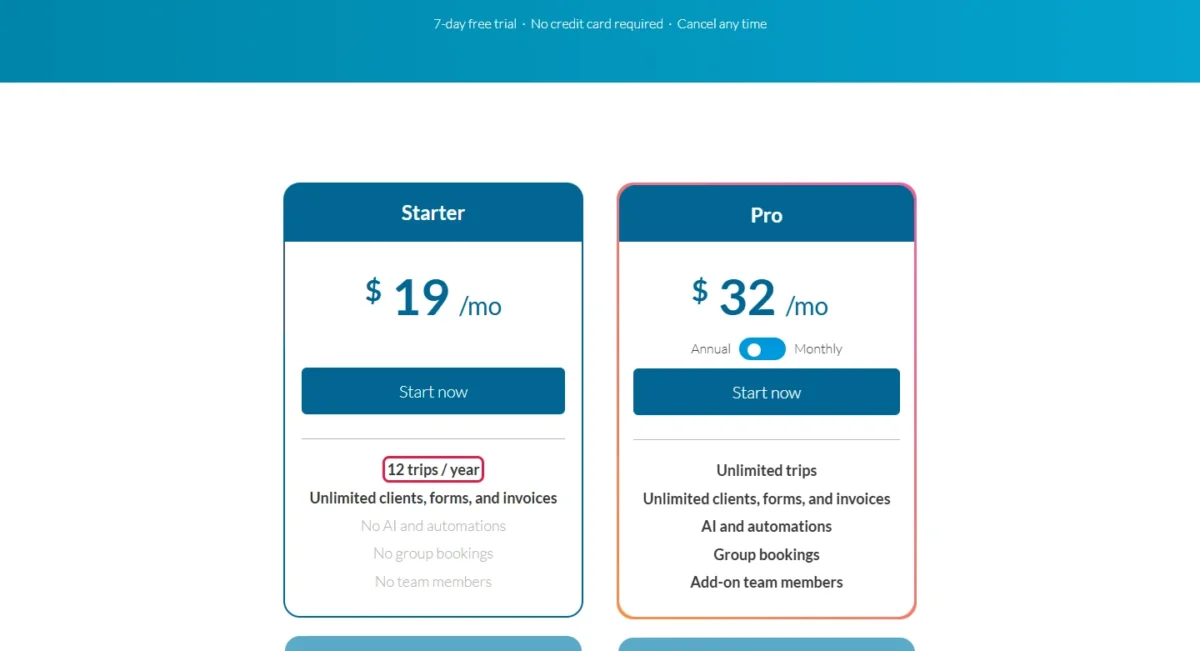
Its main strength is payment processing: Pro charges 3.5% + 30c per card payment and 1.5% per ACH transfer, against 5% + 30c and 3% on Starter. Its biggest limit is Starter, which has no AI, automations, group bookings or team members.
Price basis: Pro costs $32 a month billed annually or $39 billed monthly; Starter is $19 a month.
In This Article (12 sections)
TravelJoy at a Glance
- Category: CRM, itinerary builder and payments platform for travel advisors
- Best for: independent advisors and small agencies
- Starting price: $19/mo Starter; Pro $32/mo billed annually or $39/mo billed monthly
- Free trial: 7 days, no credit card required
- Money-back guarantee: 30 days
- Main limitation: Starter allows 12 trips a year, with no AI, automations, group bookings or team members
Most advisors will land on Pro: a 13th trip in one year is already past Starter’s cap, and so is the first group booking.
TravelJoy Pros and Cons
Pros
- Unlimited clients, forms and invoices on every plan, so a growing client list never raises the bill
- Pro lowers the card and ACH processing fees Starter charges, which pays off for advisors who collect deposits in the tool
- Itinerary Copilot, Magic Importer and passport parsing cut retyping for Pro and Premium users
- Cruise booking under your own or your host’s IATA is included on Pro and Premium, with no cut of your commission
- A 7-day trial without a card, then a 30-day money-back guarantee, keeps a wrong pick cheap
Cons
- Starter stops at 12 trips a year with no automations, group bookings or team members, which fits a side business only
- Zapier ($29 a month) and SMS ($49 a month) are paid add-ons on Pro, while email marketing campaigns are a Premium feature
- Premium has no free trial; its $99 monthly option avoids the $948 first-year annual bill
- The pricing page lists add-on team members without a price, which slows an agency owner’s budgeting
- Cruise booking opens through a waitlist, with priority for advisors at TravelJoy partner hosts
What Is TravelJoy, and Is It Legit?
TravelJoy is a travel agency platform that puts a CRM, an itinerary builder and client payments in one workspace for travel advisors. Yes, it is a legitimate company.
Its team page says TravelJoy is headquartered in San Francisco with a remote-first team, and names Dayo Esho as CEO and founder and Chris Kline as CTO and founder. The no-card trial and 30-day money-back guarantee let you check it before money changes hands.
TravelJoy Features
The CRM and client payments work on every TravelJoy plan, while AI, automations and group bookings start at Pro.
CRM, forms and client records
Yes, TravelJoy can replace a spreadsheet and a separate forms tool: every plan includes unlimited clients, forms and invoices. The CRM holds contacts with client preferences, templates for forms and invoices, tasks, a calendar that syncs with Google and Outlook, and reports on commissions and sales.
Because no plan charges per contact, a client list that keeps growing never changes the price. The limit sits elsewhere: the CRM connects to few outside tools below Premium, covered under integrations below.
Itinerary builder and Itinerary Copilot
The itinerary builder creates branded proposals and itineraries to send to clients. Itinerary Copilot, the AI that turns trip notes into itinerary drafts, needs Pro or Premium, because Starter lists no AI.

10x Copilot usage costs $49 a month as a Pro add-on and is included in Premium. TravelJoy does not publish the base allowance that “10x” multiplies, so a heavy Copilot user should watch for limits during the trial.
Payments, authorizations and processing fees
Collecting client payments costs a percentage per transaction, and the rate falls on Pro:
| Payment type | Starter | Pro | Funds available |
|---|---|---|---|
| Credit card | 5% + 30c | 3.5% + 30c | 2 business days |
| Bank transfer (ACH) | 3% | 1.5% | 4 business days |
Sources: TravelJoy pricing page, checked October 2026.
TravelJoy processes payments and payment authorizations in the same platform that holds the CRM and the invoices.
From Starter to Pro, the card rate drops by 5 – 3.5 = 1.5 points. Annual Pro costs $32 – $19 = $13 a month more than Starter, or $13 x 12 = $156 a year. At 1.5 points per card payment, the fee cut alone earns that $156 back at $156 / 0.015 = $10,400 in card payments a year.
An advisor who runs real deposits through TravelJoy should count Pro’s fee cut as part of its price, not as a bonus.
Group bookings and AI automations
Group bookings and automations work on Pro and Premium only; Starter has neither. Automations handle repetitive tasks and recurring emails, and the AI tools add three time savers:
- Magic Importer and passport parsing pull data out of uploaded documents, so you stop retyping traveler details
- the Opportunities list surfaces past clients who are likely to travel again
- Premium adds a weekly refresh of the Opportunities tab
Booking platform and cruise booking
Yes, you can book inside TravelJoy without losing your host’s commission. The booking platform covers hotels, activities, transfers and more, and cruise booking runs under your IATA or your host’s IATA.
TravelJoy states it does not take a cut of your cruise commission; your host pays it as usual. That keeps a host-agency advisor’s sales credit where it was.
Cruise booking was previously a paid add-on and is now included on Pro and Premium, with rolling access through a waitlist and priority for advisors at TravelJoy partner hosts.
Features only help if getting started is manageable.
TravelJoy Ease of Use
TravelJoy describes a three-step start: create the account, upload your logo and add client contacts, then pick a plan. The 7-day trial needs no credit card, and TravelJoy says you can start creating itineraries in minutes; use the 7 days to load your own clients.
TravelJoy describes itself as a centralized digital workspace, with CRM, itineraries and payments in one place. The Help Center includes an account setup checklist and webinars, and Joymaker support staff offer 1:1 help.
Use the trial to settle what documentation cannot:
- build one itinerary from the notes of a trip you already sold, with Copilot on Pro
- send one payment request to yourself and follow it to the deposit
- ask your host whether it is a TravelJoy partner host, which decides your place on the cruise waitlist
Once the workflow fits, the plan choice is the next decision.
TravelJoy Pricing
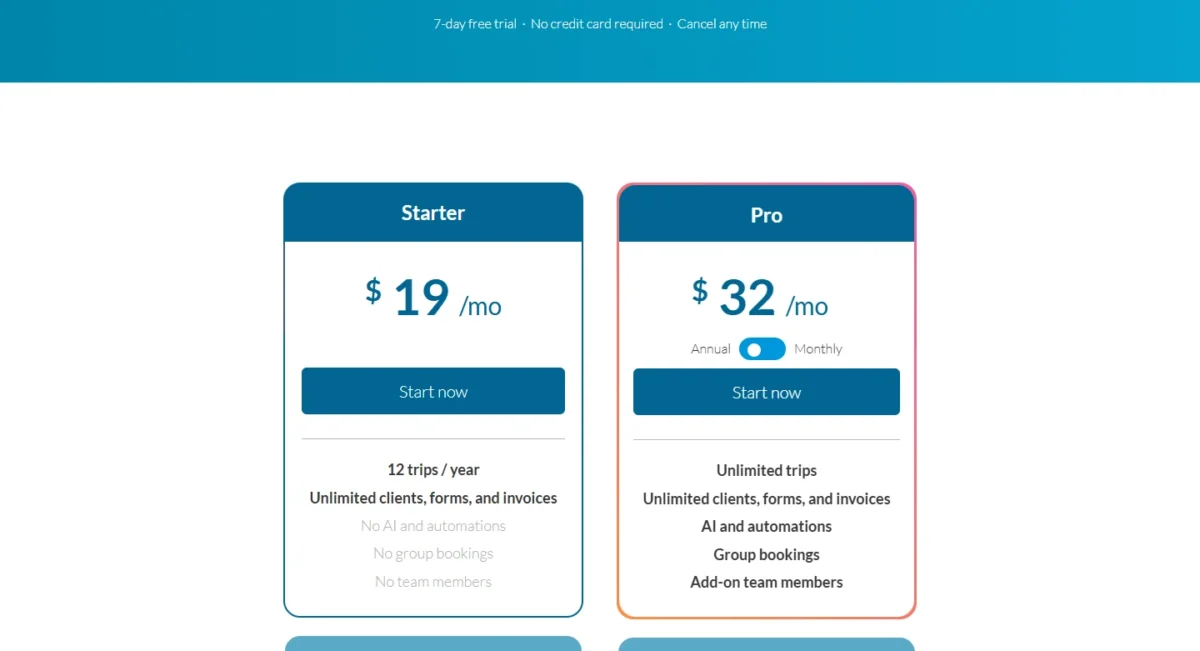
TravelJoy has three plans, checked October 2026. Starter costs $19 a month, Pro $32 a month billed annually or $39 billed monthly, and Premium $79 a month billed annually or $99 monthly.
Pro is the plan that removes the trip cap and lowers payment fees; Premium adds marketing tools, Zapier and included team accounts.
| Plan | Price | Billing | Key limit |
|---|---|---|---|
| Starter | $19/mo | Monthly price, no annual option shown | 12 trips a year; no AI, automations, groups or team members |
| Pro | $32/mo or $39/mo | Annual or monthly | Zapier and SMS are paid add-ons |
| Premium | $79/mo or $99/mo | Annual ($948 for the first year) or monthly | No free trial |
Sources: TravelJoy pricing page and TravelJoy Premium page, checked October 2026.
Team member seats have no public price. TravelJoy’s help article on teams and assistants says the accounts “are offered at a discounted rate based on the account type.” The pricing is listed inside the account under Settings -> Team, behind the “Add member” button.
What a solo advisor pays in a year, before payment fees and add-ons:
- Starter: $19 x 12 = $228
- Pro, billed annually: $32 x 12 = $384
- Pro, billed monthly: $39 x 12 = $468, or $468 – $384 = $84 more than annual
- Premium, billed annually: $79 x 12 = $948
The limit that forces an upgrade from Starter to Pro is the 13th trip of a year, the first group trip, the first automation or the first team member.
The upgrade from Pro to Premium pays once you need one $49 add-on: annual Pro plus SMS or 10x Copilot costs $32 + $49 = $81 a month, more than annual Premium at $79. If Zapier is all you need, $32 + $29 = $61 a month keeps Pro cheaper. If you want the full plan-by-plan cost breakdown, read my TravelJoy pricing guide.
Pricing note
Premium’s $79 annual rate is early-access pricing, billed as $948 for the first year. The Premium page does not publish what the plan costs after that year.
If you want TravelJoy’s bill set against other tools, my travel agency CRM cost breakdown prices the rivals in one place.
The plan choice also depends on what TravelJoy connects to and who answers when something breaks.
Integrations, Support and Security
TravelJoy publishes few integrations: Google and Outlook calendar sync in the CRM, and Zapier only on Premium or as a $29 a month Pro add-on. The vendor does not publish an integration count or an API.
TravelJoy names Flodesk, QuickBooks and Google Drive as Zapier examples. An advisor on Pro who sends newsletters from Flodesk pays the $29 add-on to connect it.
Support covers the Help Center’s videos and guides, Joymaker 1:1 help, and email support Monday to Friday, 10:00am to 6:00pm Eastern. Pro and Premium list support via chat and calls; Premium adds dedicated support and training.
On security, TravelJoy states it does not use advisors’ or clients’ data to train public AI models, and describes its client payments as PCI-compliant. Accounts support 2-step verification. The pages I read name no security certification.
Who Should Use TravelJoy?
TravelJoy is right for a solo advisor who books more than 12 trips a year and wants payments and itineraries inside the CRM. Skip it if you need a wide integration catalog on Pro, or a per-seat agency price published before signing up.
Best for
- Solo advisors past 12 trips a year who collect deposits in the tool, on Pro’s lower card and ACH fees
- Host-agency advisors who want cruise bookings under the host’s IATA, on Pro or Premium
- Small agencies of up to three advisors and an assistant, since Premium includes two Pro team member accounts and one Pro assistant account
- Advisors leaving a spreadsheet and a separate forms tool, with unlimited clients and forms on every plan
Not ideal for
- Advisors who need Zapier, SMS or email campaigns on Pro’s budget: annual Pro with Zapier and SMS costs $32 + $29 + $49 = $110 a month
- Agencies that need a per-seat price published before signing up
- Advisors whose storefront is the itinerary document and a website, where Travefy Core bundles a website builder
- Teams that want a general sales CRM rather than a travel tool
For a small agency, the owner sees each advisor’s and the agency’s commission and sales reports and sets commission splits privately. An assistant works from the owner’s dashboard, and clients receive the assistant’s emails as if the owner sent them.
If your agency sells more like a B2B sales team than a trip-planning shop, my HubSpot CRM review covers a general-purpose pipeline CRM instead.
TravelJoy vs Competitors
TravelJoy has the lowest published entry of the three: $19 a month for Starter and $32 a month for annual Pro. Travefy Core costs $39 a month billed annually, and Tern $35 per seat per month billed annually.
| Software | Best for | Starting price | Key difference | Main trade-off |
|---|---|---|---|---|
| TravelJoy | Solo advisors who collect payments in the CRM | $19/mo Starter; $32/mo Pro billed annually | Card and ACH fees fall on Pro | Zapier and SMS cost extra on Pro |
| Travefy | Advisors who sell with itinerary and proposal documents | $39/ | Website and landing page builder in Core | Agency seats at $20/ |
| Tern | Agencies that want one per-seat platform | $35/ | AI tools with included usage and email integration in every plan | Included AI usage limits apply from July 1, 2026 |
Sources: TravelJoy pricing, Travefy pricing and Tern pricing, checked October 2026.
Travefy is the pick when the itinerary is your storefront: Core bundles the itinerary and proposal builder with a website and landing page builder and mobile apps. Against annual Pro, Core costs $39 – $32 = $7 a month more. If you are weighing Travefy instead, read my Travefy review.
Tern bills per seat, and its agency plans (3+ seats) add commission reconciliation, agency-wide reporting and centralized billing. Three advisors on annual Tern pay 3 x $35 = $105 a month, against the first-year early-access $79 for annual TravelJoy Premium with two Pro team members and an assistant included. If you are weighing Tern instead, read my Tern review.
How I Evaluated TravelJoy
In October 2026 I read TravelJoy’s pricing page in both billing views, its features, Premium, AI, cruises and team pages, and its Help Center. I also read Travefy’s and Tern’s pricing pages.
The review rests on that official documentation and on my own cost math from the published prices. TravelJoy does not publish an integration count, the base Copilot allowance, a team-seat price outside the account, Premium’s price after the first year, or security certifications.
FAQ
Is TravelJoy the same as TravelJoy travel insurance?
No. This review covers the subscription software advisors pay for at traveljoy.com, while the insurance posts in search results review a policy travelers buy. Inside the software, travel insurance is one item in Pro’s platform list, next to proposals, itineraries and payments.
Can I cancel TravelJoy and get a refund?
Yes. TravelJoy says you can cancel any time, and plans include a 30-day money-back guarantee. The 7-day trial asks for no credit card, so you can test with your own clients before you pay anything.
Does TravelJoy have a mobile app?
Your clients do: they can open their itinerary and trip details in the Itineraries mobile app. TravelJoy’s pages describe no separate app for advisors, so check the advisor side on your phone during the 7-day trial if you plan trips away from a desk.
TravelJoy Review: Final Verdict
TravelJoy is worth it for a solo advisor on annual Pro, $384 a year, who collects client payments through it; the lower card and ACH fees are part of what that price buys. Starter works for up to 12 trips a year.
Pay for Premium when you need SMS or 10x Copilot, since one $49 add-on already makes Pro dearer. It also fits when two more advisors and an assistant would join. Pick Travefy when the itinerary document and a website sell your trips, and Tern when per-seat agency billing decides.
- Skip it if:
- you need Zapier, SMS and email campaigns but will not pay for Premium, or your agency must see a per-seat price before signing up.
Before paying, use the 7-day trial to build one real itinerary, send one payment request, and ask your host about cruise waitlist priority.