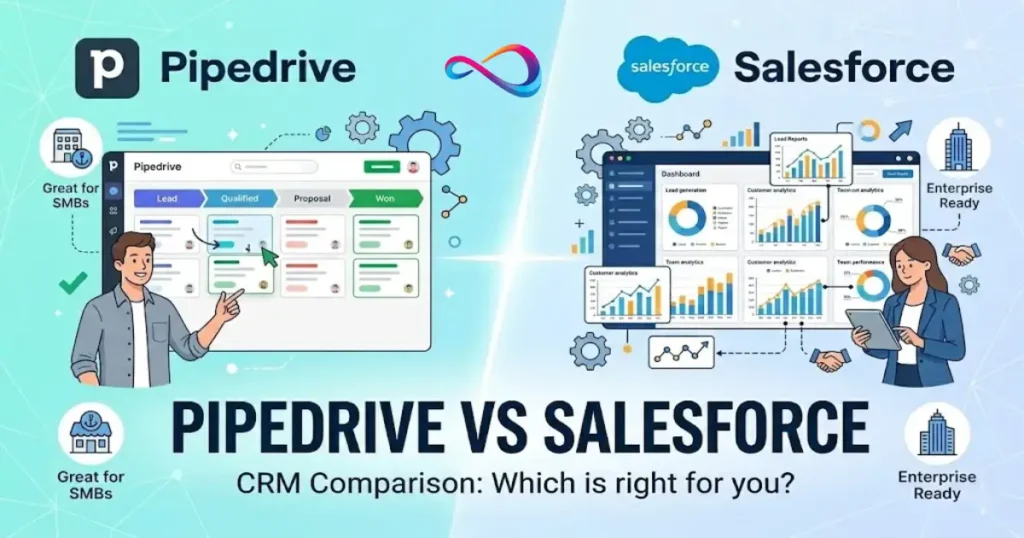
Pipedrive vs Salesforce is a choice between a fast, sales-first CRM and a highly configurable platform built for complex, multi-team workflows. In this 2026 review, we compare pricing and TCO, automation, reporting, integrations, and AI—then map each product to real buying scenarios so you can confidently choose what fits your sales motion and budget.
Best for sales-focused SMBs (2–50 reps): Pipedrive
Best for multi-department orgs or complex sales processes: Salesforce Sales Cloud
Quick Answer — TL;DR Verdict for 2026
- Choose Pipedrive if your team is under 50 reps, runs a straightforward B2B sales motion, and doesn’t have a dedicated CRM admin. You’ll get a usable pipeline in days, not months.
- Choose Salesforce if you need custom objects, multi-team workflows (sales + service + marketing), territory management, or enterprise-grade compliance controls.
- Pipedrive costs roughly $14–$99/user/month (billed annually). Salesforce Sales Cloud ranges from $25–$550/user/month, but most teams need the Pro Suite ($100/user/month) or Enterprise ($175/user/month) editions for meaningful functionality (Salesforce pricing page).
- Pipedrive’s total cost of ownership (TCO) is typically 40–70% lower for a 10-person team when you include admin time, training, and integration costs — based on the TCO model later in this article.
- Salesforce’s AI (Einstein + Agentforce) is more capable but only delivers ROI if you have clean data and dedicated admin resources to configure it.
- If you’re a 5–30 person sales team that doesn’t need Service Cloud, Marketing Cloud, or custom Apex development, Salesforce is likely overkill.
Quick Answers to Top Questions
Is Salesforce better than Pipedrive? Salesforce is more powerful and customizable, making it the better platform for mid-market and enterprise organizations with dedicated admins and complex, multi-department sales processes. For SMBs and sales-only teams, Pipedrive typically delivers better ROI because reps actually adopt it and admin costs are minimal.
Which CRM is cheaper all-in? Pipedrive is significantly cheaper across both license cost and total cost of ownership. For a 10-seat team, expect Year 1 TCO of roughly $13K–$15K on Pipedrive Premium versus $38K–$48K on Salesforce Pro Suite — a difference driven primarily by admin labor and implementation expenses.
Which is easier to implement? Pipedrive. Most teams are productive within days. A competent sales manager can configure it over a weekend with no external help. Salesforce Enterprise-tier deployments typically take 8–16 weeks with an experienced implementation partner, plus additional time for user training.
Mini Decision Tree
- Do you need CRM for sales only, or for sales + service + marketing?
- Sales only → Lean toward Pipedrive
- Multi-department → Lean toward Salesforce
- Do you have (or plan to hire) a dedicated CRM admin?
- No → Pipedrive
- Yes → Salesforce becomes viable
- How complex is your sales process? (multiple pipelines, CPQ, territory routing, approval chains)
- Simple to moderate → Pipedrive
- Complex → Salesforce
- What’s your realistic per-seat budget including admin/implementation?
- Under $60/user/month all-in → Pipedrive
- $150+/user/month all-in → Salesforce
Use-Case Decision Matrix
| Scenario | Team Size | Sales Complexity | Dedicated Admin? | All-In Budget/User/Mo | Winner |
|---|---|---|---|---|---|
| Startup / founder-led sales | 2–10 | Low | No | < $40 | Pipedrive |
| Growing B2B sales team | 10–50 | Moderate | No / part-time | $40–$80 | Pipedrive |
| Mid-market, multi-department | 50–150 | High | Yes | $150–$250 | Salesforce |
| Enterprise, regulated industry | 150–500+ | Very high | Yes (team) | $250+ | Salesforce |
| Any team, zero admin capacity | Any | Any | Never | Any | Pipedrive |
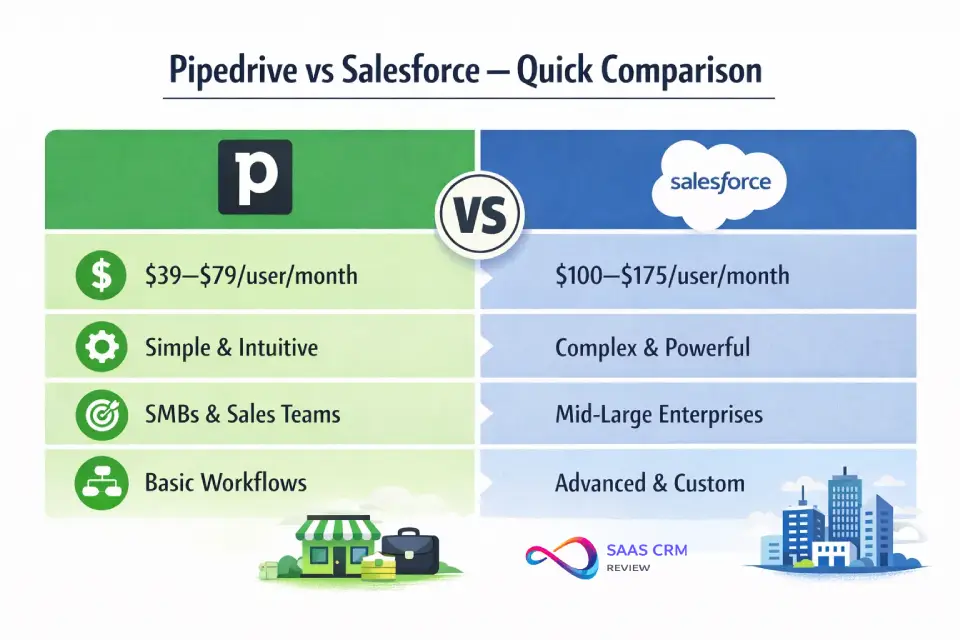
Pipedrive vs Salesforce — Quick Comparison (2026 Snapshot)
| Criteria | Pipedrive | Salesforce Sales Cloud |
|---|---|---|
| Best for | SMBs, agencies, startups, sales-only teams | Mid-market to enterprise, multi-department orgs |
| Starting price | $14/user/mo (Lite, annual) | $25/user/mo (Starter Suite, annual) |
| Realistic starting price | $39–49/user/mo (Growth/Premium) | $100–175/user/mo (Pro Suite/Enterprise) |
| Free plan | No (14-day trial) | Yes — Free Suite (2 users max) |
| Setup time | Days to 2 weeks | 4–12 weeks (Enterprise: 3–6+ months) |
| Admin needs | Sales manager or ops generalist | Dedicated Salesforce admin (often certified) |
| Automation depth | Rules-based; up to 250 automations (Ultimate) | Salesforce Flow — enterprise-grade, unlimited complexity |
| AI capabilities | Sales Assistant, Pulse lead scoring, AI email writer | Einstein AI + Agentforce (scoring, forecasting, conversation intelligence, autonomous agents) |
| Reporting | Functional dashboards; adequate for SMB | Highly customizable; cross-object reporting; Tableau integration |
| Custom objects | No (custom fields only) | Yes — full relational data model |
| Integrations | 500+ Marketplace apps + Zapier | 7,000+ AppExchange apps + robust APIs |
| Mobile app | Strong; optimized for field reps | Full-featured; mirrors desktop |
| Permissions/governance | Basic role-based access | Granular: profiles, permission sets, field-level security, territories |
| Compliance | SOC 2, GDPR, SSO/2FA | SOC 2, GDPR, HIPAA-capable (with Shield add-on), SSO/2FA, audit trail |
What Changed in 2026
- AI is table stakes, not a differentiator. Both platforms ship AI features on higher tiers. The real question is whether your data quality and admin capacity justify the cost. Salesforce’s Agentforce introduces autonomous AI agents for lead nurture and pipeline management — powerful if configured, shelfware if not.
- Salesforce launched a Free Suite (2 users max), closing the “no free plan” gap. However, it’s extremely limited and serves mainly as a trial funnel.
- Pipedrive’s AI Pulse for lead qualification is a meaningful upgrade for SMBs who lack the data science resources to build scoring models.
- Governance expectations are rising. Mid-market buyers increasingly ask about audit trails, data residency, and role-based access before purchase — areas where Salesforce has a structural advantage.
- Integration quality matters more than quantity. Buyers are moving from “how many integrations?” to “does the sync handle duplicates, deletions, and bi-directional updates properly?”
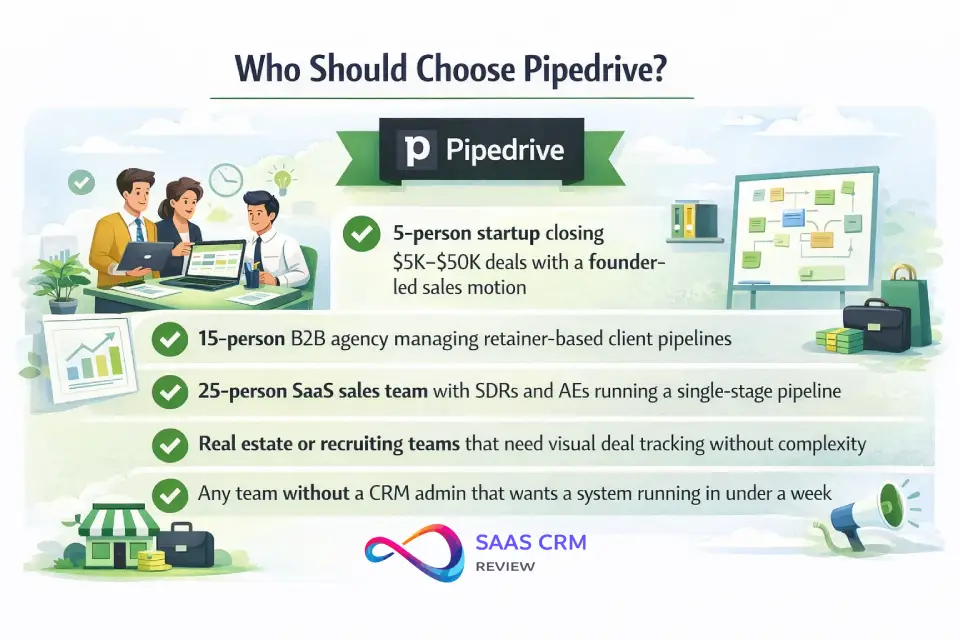
Who Should Choose Pipedrive in 2026?
Typical Profile
Sales-led teams of 2–50 reps. Single pipeline or 2–3 parallel pipelines. No dedicated CRM admin. Budget-conscious founders or sales leaders who prioritize adoption over customization. If you’re exploring CRM options for early-stage sales teams, Pipedrive belongs on your shortlist.
Where Pipedrive Excels
- Pipeline UX. The visual, drag-and-drop pipeline is still one of the best in the category. Reps actually use it without training.
- Speed to value. A competent sales manager can configure Pipedrive in a weekend. You’ll be tracking deals by Monday.
- Adoption rates. Because the UI is intuitive, you avoid the classic CRM failure mode: reps refusing to log activities.
- Cost predictability. Pricing tiers are simple. Add-ons exist (LeadBooster, Campaigns, Smart Docs) but aren’t mandatory. See the Pipedrive pricing breakdown for a deeper look at each tier.
- Activity-based selling. Pipedrive’s design philosophy centers on “what’s the next action?”—which maps well to high-velocity B2B and agency sales.
Where Pipedrive Hits Its Ceiling
- No custom objects. You can add custom fields, but you can’t model complex relationships (e.g., linking products to contracts to renewal dates across objects). If your data model requires a relational database, Pipedrive will feel constraining fast.
- Reporting limits. Dashboards are functional but lack cross-entity reporting depth. If your VP of Sales wants attribution analysis across pipeline stages with cohort breakdowns, you’ll need a BI tool on top.
- Governance gaps. Field-level security, territory management, and detailed audit trails are limited or absent. This matters once you have 30+ users across multiple teams.
- Multi-department dead-end. There’s no Service Cloud equivalent. If you need sales + support + marketing on one platform, Pipedrive can’t grow with you.
Pipedrive — Pros and Cons at a Glance
✅ Pros:
- Fastest time-to-value of any major CRM
- Intuitive UI drives high rep adoption
- Affordable and predictable pricing
- Strong mobile app for field reps
- No-code automation covers 80% of SMB needs
❌ Cons:
- No custom objects → limited data modeling
- Reporting ceiling for data-driven orgs
- Governance too basic for 50+ user teams
- No native service/support module
- Automation capped at 250 (Ultimate plan)
Best-Fit Scenarios
- 5-person startup closing $5K–$50K deals with a founder-led sales motion
- 15-person B2B agency managing retainer-based client pipelines
- 25-person SaaS sales team with SDRs and AEs running a single-stage pipeline
- Real estate or recruiting teams that need visual deal tracking without complexity
- Any team without a CRM admin that wants a system running in under a week
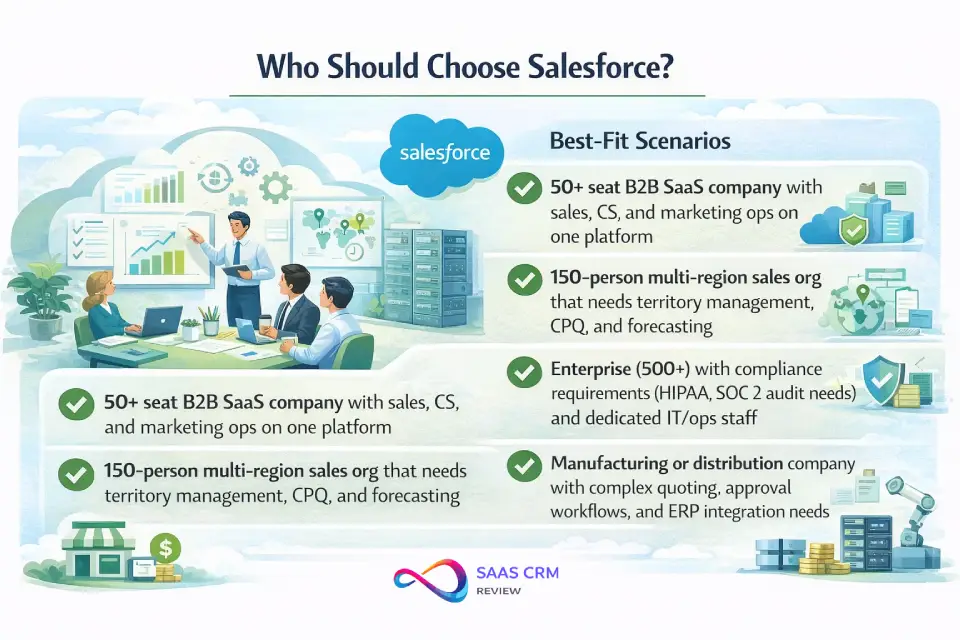
Who Should Choose Salesforce in 2026?
Typical Profile
Organizations with 50+ users, multiple revenue teams (sales, CS, marketing ops), or compliance requirements. Usually have at least one dedicated Salesforce admin (often certified). Budget includes implementation partner costs. For a detailed cost breakdown by edition, see the Salesforce pricing guide.
Where Salesforce Excels
- Data model flexibility. Custom objects, lookup/master-detail relationships, formula fields, and roll-up summaries let you model virtually any business process.
- Automation power. Salesforce Flow replaces the old Process Builder/Workflow Rules and handles multi-step, branching automations that Pipedrive can’t touch. Think: auto-create a renewal opportunity 90 days before contract end, assign it to the territory owner, notify the CS manager, and update the forecast — all without code.
- Platform breadth. Sales Cloud, Service Cloud, Marketing Cloud (Account Engagement/Pardot), CPQ, Revenue Cloud — it’s a unified platform. You avoid the integration tax of stitching together 5–6 separate tools.
- Enterprise governance. Profiles, permission sets, field-level security, org-wide defaults, sharing rules, territories, and full audit trails. This is where Salesforce earns its premium for regulated industries.
- Ecosystem depth. The AppExchange has 7,000+ apps. More importantly, the Salesforce admin/developer talent pool is massive (Trailhead has trained millions), making it easier to hire and scale your ops team.
Salesforce Tradeoffs to Accept
- Complexity is the cost of power. Every custom object, flow, and integration adds maintenance burden. Without strong admin discipline, Salesforce orgs accumulate technical debt fast.
- Time to value is measured in months, not days. Even a “simple” Enterprise deployment takes 6–12 weeks with a competent implementation partner.
- Admin dependency. If your Salesforce admin leaves, you have a bus-factor problem. Many mid-market companies under-invest in admin staffing.
- Cost escalation. The per-seat price is just the beginning. Implementation, AppExchange subscriptions, data storage overages, premium support, and consultant hours add up quickly.
Salesforce — Pros and Cons at a Glance
✅ Pros:
- Unmatched customization via custom objects, Flow, and Apex
- Enterprise-grade governance and compliance posture
- Platform unifies sales, service, marketing, and commerce
- Massive AppExchange and talent ecosystem
- AI/ML capabilities (Einstein, Agentforce) are industry-leading when properly configured
❌ Cons:
- Steep learning curve for admins and end users
- High TCO (licenses + admin + implementation + add-ons)
- Requires a dedicated admin to maintain long-term
- Over-engineered for simple, single-pipeline teams
- AI features require clean data and significant setup
Best-Fit Scenarios
- 50+ seat B2B SaaS company with sales, CS, and marketing ops on one platform
- 150-person multi-region sales org that needs territory management, CPQ, and forecasting
- Enterprise (500+) with compliance requirements (HIPAA, SOC 2 audit needs) and dedicated IT/ops staff
- Manufacturing or distribution company with complex quoting, approval workflows, and ERP integration needs
- Any company that needs CRM + service desk + marketing automation unified under one data model
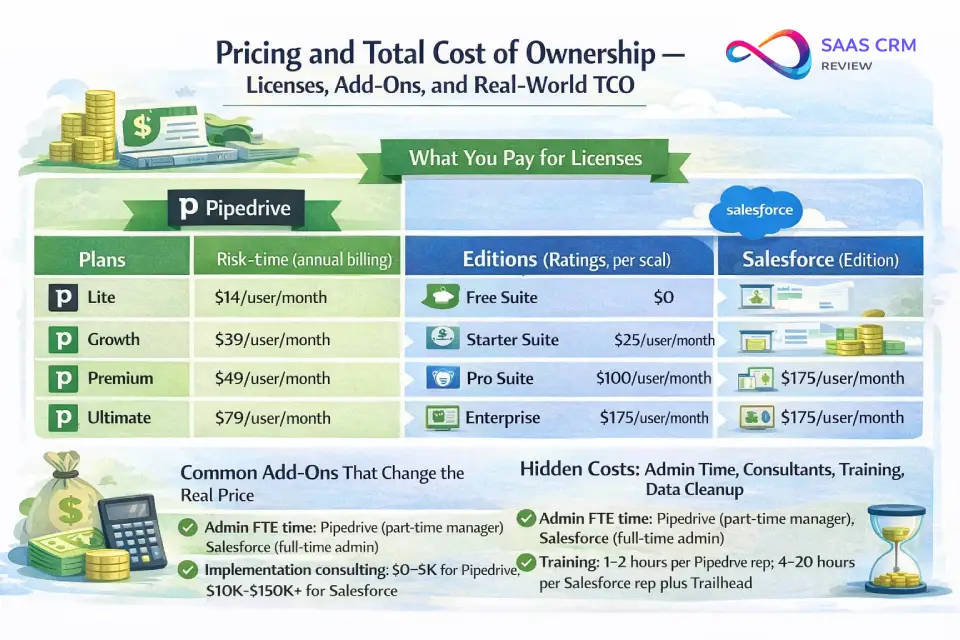
Pricing and Total Cost of Ownership — Licenses, Add-Ons, and Real-World TCO
What You Pay for Licenses
Pipedrive (see current pricing):
| Plan | Annual Billing | Monthly Billing | Key Additions |
|---|---|---|---|
| Lite | $14/user/mo | $24/user/mo | Visual pipeline, activity tracking, basic email |
| Growth | $39/user/mo | $49/user/mo | Two-way email sync, 50 automations, product catalog |
| Premium | $49/user/mo | $79/user/mo | AI email, lead scoring, Smart Docs, 150 automations |
| Ultimate | $79/user/mo | $99/user/mo | Sandbox, audit log, security alerts, 250 automations |
Salesforce Sales Cloud (see current pricing):
| Edition | Annual Billing | Key Additions |
|---|---|---|
| Free Suite | $0 (2 users max) | Basic lead/contact/opportunity management |
| Starter Suite | $25/user/mo | Unlimited users, lead routing, email sync |
| Pro Suite | $100/user/mo | Custom objects, AppExchange access, forecasting |
| Enterprise | $175/user/mo | Advanced pipeline management, Agentforce, conversation intelligence |
| Unlimited | $350/user/mo | Predictive AI, sales engagement, Premier Success Plan |
| Agentforce 1 Sales | $550/user/mo | Full AI suite, unmetered agents, Tableau Next, Slack Enterprise+ |
Common Add-Ons That Change the Real Price
Pipedrive add-ons (priced per company, not per user):
- LeadBooster (chatbots, live chat, web forms): ~$32.50/mo
- Campaigns (email marketing): ~$13.33/mo
- Web Visitors (website tracking): ~$41/mo
- Projects (project management): ~$6.70/mo
- Smart Docs (included in Premium+): ~$32.50/mo on lower tiers
Salesforce common cost adds:
- Implementation partner: $5,000–$100,000+ depending on complexity
- AppExchange subscriptions (e.g., DocuSign, Conga, ZoomInfo): often $20–$100+/user/mo each
- Data storage overages: varies widely by org tier and data volume; overage fees can add up quickly once you exceed your edition’s included storage allocation
- Premium/Signature Success Plan: typically 20–30% of net license fees
- Salesforce CPQ: $75/user/mo add-on
- Revenue Intelligence: $250+/user/mo add-on
Hidden Costs: Admin Time, Consultants, Training, Data Cleanup
This is where the Pipedrive vs Salesforce pricing conversation gets real. License cost often represents just 30–50% of your actual CRM spend. The rest is:
- Admin FTE time. Pipedrive: a sales manager typically spends 2–5 hrs/week. Salesforce: a dedicated admin often spends 20–40 hrs/week (frequently a full-time role at $70K–$110K/year in the US market).
- Implementation consulting. Pipedrive: $0–$5,000 (often DIY). Salesforce: $10,000–$150,000+ for mid-market, depending on customization scope.
- Training. Pipedrive: 1–2 hours per rep. Salesforce: 4–20 hours per rep + Trailhead learning paths.
- Data cleanup and migration. Both platforms require this, but Salesforce’s stricter data model means more upfront field mapping and deduplication work.
TCO Reality Check (Annual Estimates)
| Cost Component | SMB (10 users) — Pipedrive Premium | SMB (10 users) — Salesforce Pro Suite | Mid-Market (50 users) — Pipedrive Ultimate | Mid-Market (50 users) — Salesforce Enterprise |
|---|---|---|---|---|
| License cost | $5,880/yr | $12,000/yr | $47,400/yr | $105,000/yr |
| Add-ons | ~$1,200/yr | ~$3,000/yr | ~$2,400/yr | ~$30,000/yr |
| Admin labor | ~$5,000/yr (part-time) | ~$15,000/yr (part-time) | ~$20,000/yr (part-time) | ~$90,000/yr (full-time) |
| Implementation | $0–$2,000 (one-time) | $5,000–$15,000 (one-time) | $2,000–$5,000 (one-time) | $30,000–$80,000 (one-time) |
| Training | ~$500 | ~$3,000 | ~$2,000 | ~$15,000 |
| Estimated Year 1 TCO | ~$13,000–$15,000 | ~$38,000–$48,000 | ~$74,000–$77,000 | ~$270,000–$320,000 |
These are approximate ranges based on typical US deployments. Your actual costs will vary based on sales process complexity, integration needs, and whether you DIY or use a consultant.
Rule of thumb: If Pipedrive’s Year 1 TCO feels like a rounding error in your operating budget, you can probably afford Salesforce. If the Salesforce estimate makes you wince, Pipedrive is likely the better allocation of capital.
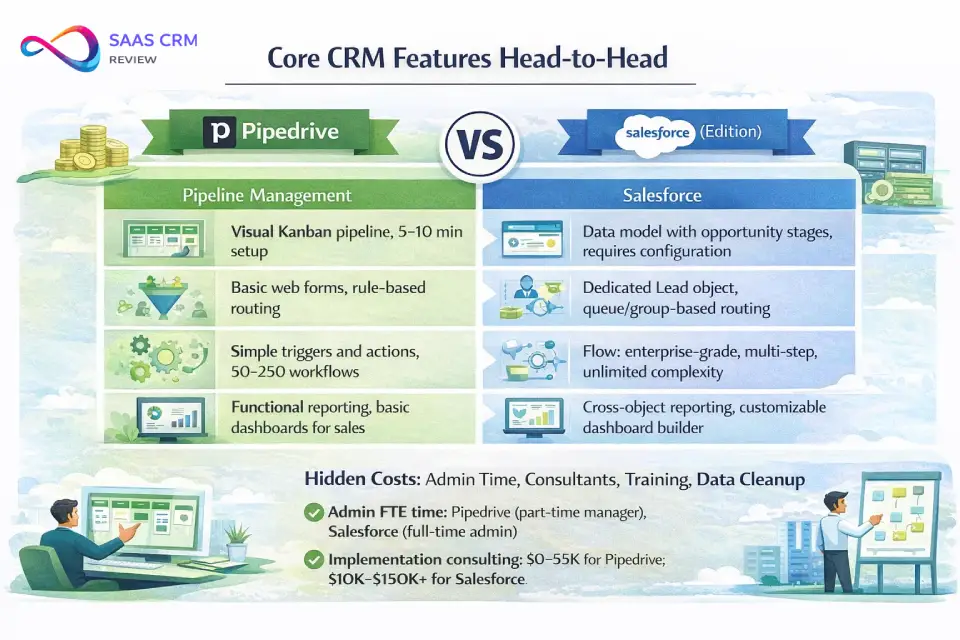
Core CRM Features Head-to-Head
Pipeline and Deal Management
Pipedrive was built pipeline-first. The visual Kanban board is the center of the product. Drag deals between stages, see rotting-deal indicators, filter by rep or product — it’s fast and opinionated in a good way. Multiple pipelines are supported on all plans.
Salesforce handles opportunity management through a more structured approach: Opportunities link to Accounts and Contacts, move through customizable stages with required fields and validation rules, and can be viewed in Kanban or list format. It’s more powerful but requires setup. You’ll need to define your sales process, configure path guidance, and potentially build record types for different deal flows.
Bottom line: If pipeline visualization and daily rep workflow speed matter most, Pipedrive wins on out-of-the-box experience. If you need multi-object relationships (e.g., one Account with multiple Opportunities tied to different Products and Contracts), Salesforce’s data model is necessary.
Lead Capture, Routing, and Scoring
Pipedrive offers web forms, chatbots (via LeadBooster add-on), and Smart Contact Data for enrichment. Lead scoring is available on Premium and above. Routing is manual or rule-based on higher tiers. For most SMBs, this is sufficient.
Salesforce provides dedicated Lead and Contact objects with conversion workflows, web-to-lead capture, assignment rules, and queue-based routing. Einstein Lead Scoring (available on Enterprise+) uses machine learning to rank leads. For teams with high inbound volume and complex routing requirements (by territory, product line, or round-robin with weighting), Salesforce’s lead management is significantly more capable.
Email and Calendar Sync
Both platforms sync with Gmail and Microsoft Outlook/365. Pipedrive’s email sync is straightforward and works well on Growth tier and above. Salesforce’s Einstein Activity Capture automates email and calendar logging but can be inconsistent with certain email configurations. Both support email templates and tracking. Edge: roughly comparable for day-to-day use, though Pipedrive is simpler to configure. For teams using Google Workspace as their primary email platform, both CRMs integrate natively.
Automation and Workflows
Pipedrive offers rule-based workflow automations: “when deal moves to Stage X, send email Y and create activity Z.” It’s easy to set up and covers 80% of SMB automation needs. The cap (50–250 automations depending on plan) is the main constraint.
Salesforce Flow is a different category entirely. It handles screen flows (guided user experiences), record-triggered flows (execute on data changes), scheduled flows (batch operations), and auto-launched flows. You can branch, loop, call external APIs, and invoke Apex code. There is no practical cap on complexity — but the learning curve is steep, and poorly designed flows are a major source of org performance issues.
If your team says: “We want to auto-assign leads and send follow-up emails” — Pipedrive is fine.
If your team says: “We need to auto-create renewal opportunities 90 days before expiry, sync CPQ line items to our billing system, and slack-notify regional managers based on territory rules” — you need Salesforce.
Reporting, Forecasting, and Dashboards
Pipedrive provides functional reporting: deal conversion rates, activity reports, revenue forecasts, and pipeline velocity metrics. Dashboards are pre-built with some customization. It’s adequate for sales managers tracking team performance but lacks cross-object reporting and cohort analysis.
Salesforce reporting is one of its strongest features. Cross-object reports, matrix reports, bucket fields, joined reports, and custom report types give you deep analytical flexibility. Forecasting includes collaborative forecasting, overlay splits, and historical trending. For executives who want reporting depth, Salesforce Sales Cloud vs Pipedrive is not a close contest — Salesforce is objectively stronger, especially when paired with Tableau (CRM Analytics on Unlimited+).
Mobile Usability
Both apps are well-regarded. Pipedrive’s mobile app is optimized for deal updates on the go — log calls, move deals, check schedules. Salesforce’s mobile app mirrors the desktop experience and supports custom Lightning pages. For field sales teams, both are functional; Pipedrive is slightly more intuitive for quick updates.
Permissions and Governance
Pipedrive has role-based visibility rules and permission sets. You can control what reps see (their own deals, team deals, or all deals) and restrict certain actions. It’s sufficient for teams under 30–40 users.
Salesforce governance is enterprise-grade: profiles, permission sets, permission set groups, field-level security, org-wide defaults, role hierarchy, sharing rules, territory management, and full audit trail. If you need to demonstrate access controls for SOC 2 audits or HIPAA compliance, Salesforce’s model is purpose-built for it.
Custom Objects and Customization Depth
This is the sharpest divergence. Pipedrive supports custom fields on standard objects (deals, contacts, organizations, products) but not custom objects. You can’t create a “Subscriptions” or “Installations” object that relates to Deals and Contacts.
Salesforce allows unlimited custom objects with relationships, roll-up summaries, formula fields, validation rules, and record types. If your business process requires a data model beyond Leads → Contacts → Deals, Salesforce is likely necessary.
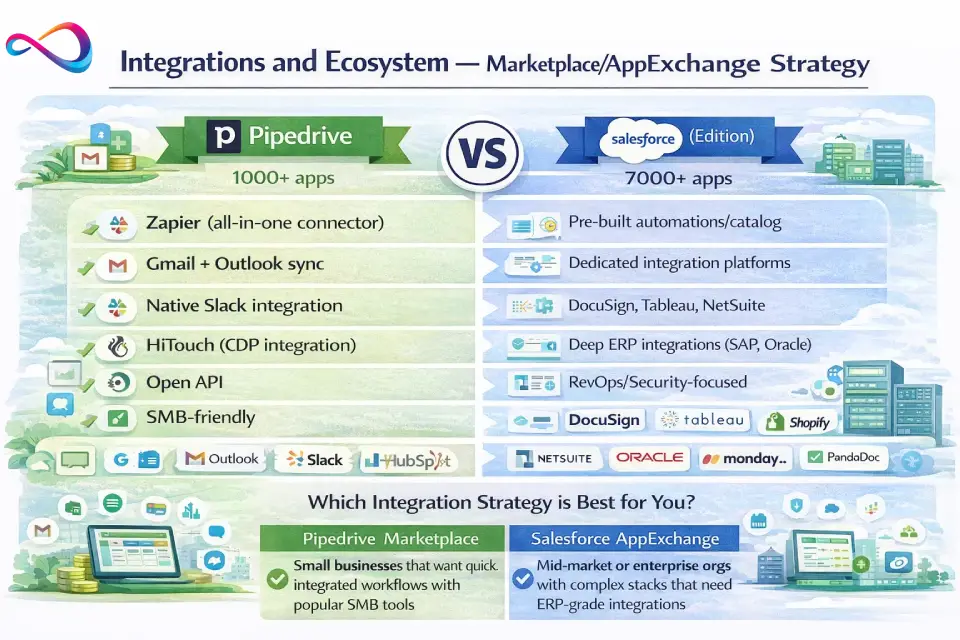
Integrations and Ecosystem — Marketplace/AppExchange Strategy
When Ecosystem Breadth Matters
Most SMBs integrate their CRM with 3–7 tools: email/calendar, marketing automation, support desk, accounting, and maybe a calling/meeting platform. For this, Pipedrive’s 500+ Marketplace apps plus Zapier connectivity are usually sufficient. Teams that outgrow basic Zapier workflows often explore Zapier alternatives for more robust iPaaS solutions.
Salesforce’s AppExchange (7,000+ apps) matters when you need deep, pre-built integrations — like syncing CPQ line items to NetSuite, running DocuSign from within an Opportunity record, or pulling ZoomInfo enrichment data directly into Lead fields. The AppExchange also matters for industry-specific solutions (healthcare, financial services, manufacturing).
How to Evaluate Integration Quality
Don’t count integrations — evaluate them:
- Sync direction: One-way or bi-directional?
- Sync frequency: Real-time, scheduled, or manual?
- Conflict resolution: What happens when both systems update the same record?
- Data mapping: Can you map custom fields, or only standard fields?
- Error handling: Does the integration surface sync failures, or fail silently?
Typical Tech Stack Integration
| Tool Category | Pipedrive | Salesforce |
|---|---|---|
| Email/Calendar | Gmail, Outlook — native sync | Gmail, Outlook — Einstein Activity Capture |
| Marketing | Mailchimp, Pipedrive Campaigns | Account Engagement (Pardot), Marketing Cloud |
| Support/Service | Zendesk, Intercom (via Zapier) | Service Cloud (native) |
| Accounting | QuickBooks, Xero (via marketplace) | QuickBooks, NetSuite (AppExchange) |
| Communication | Slack, Zoom (native integrations) | Slack (owned by Salesforce), Zoom, Microsoft Teams |
| iPaaS/Middleware | Zapier, Make | MuleSoft (owned by Salesforce), Zapier, Workato |
Integration Pitfalls to Avoid
- Duplicate creation: Without dedup rules, syncing leads from marketing tools creates duplicates in both platforms. Salesforce has built-in duplicate management rules; Pipedrive requires more manual handling.
- Source-of-truth confusion: Define early which system owns each data entity. Attempting bi-directional sync on the same fields across tools creates reconciliation nightmares.
- iPaaS sprawl: Zapier works for 5–15 automations. Beyond that, you’ll spend more time managing Zaps than using your CRM. At scale, evaluate native integrations or an enterprise iPaaS.
AI Capabilities in 2026 — Practical Evaluation
Both platforms invest heavily in AI. What matters is whether AI features deliver measurable value for your team, or just look good in a demo.
Salesforce AI (Einstein + Agentforce)
- Lead and opportunity scoring (Einstein): ML-based, trained on your historical data. Generally requires a meaningful volume of closed-won/lost opportunities (typically 200+ per Salesforce’s own guidance) to be useful.
- Conversation intelligence: Transcribes and analyzes sales calls, surfacing mentions of competitors, objections, and next steps.
- Agentforce (2025–2026 launch): Autonomous AI agents that can handle lead nurture sequences, qualify inbound leads via chat, and assist pipeline management. These are genuinely powerful in demos — but require clean data, clear guardrails, and admin oversight to avoid hallucination risks in customer-facing contexts.
- Forecasting: Einstein Predictive Forecasting applies AI to your pipeline data. It’s useful for mid-market+ teams with enough historical data to train on.
Pipedrive AI (Sales Assistant + Pulse)
- Sales Assistant: Surfaces actionable suggestions — deals going stale, high-value deals without next activities, performance tips. Less sophisticated than Einstein but immediately useful without configuration.
- Pipedrive Pulse: AI-powered lead qualification that helps prioritize inbox leads. Useful for SMBs without the resources to build custom scoring models.
- AI email writer: Generates draft emails based on deal context. A time-saver, not a game-changer.
AI Reality Check
| Factor | Pipedrive AI | Salesforce AI |
|---|---|---|
| Data requirements | Works with limited data | Needs 200+ historical records for scoring accuracy |
| Admin effort to configure | Minimal | Significant (especially Agentforce) |
| Practical value for SMBs | High — immediate time savings | Medium — often underutilized due to complexity |
| Practical value for enterprise | Limited ceiling | High — when properly implemented |
| Privacy/auditability | Basic controls | Granular: data retention policies, audit trails, human override settings |
AI Procurement Questions to Ask
Before buying on AI features, ask your vendor:
- What data does the AI model access, and where is it stored?
- Can users override AI recommendations?
- Is there an audit trail of AI-driven actions?
- What’s the minimum data volume needed for accurate predictions?
- Are AI features included in your plan, or are they consumption-based add-ons?
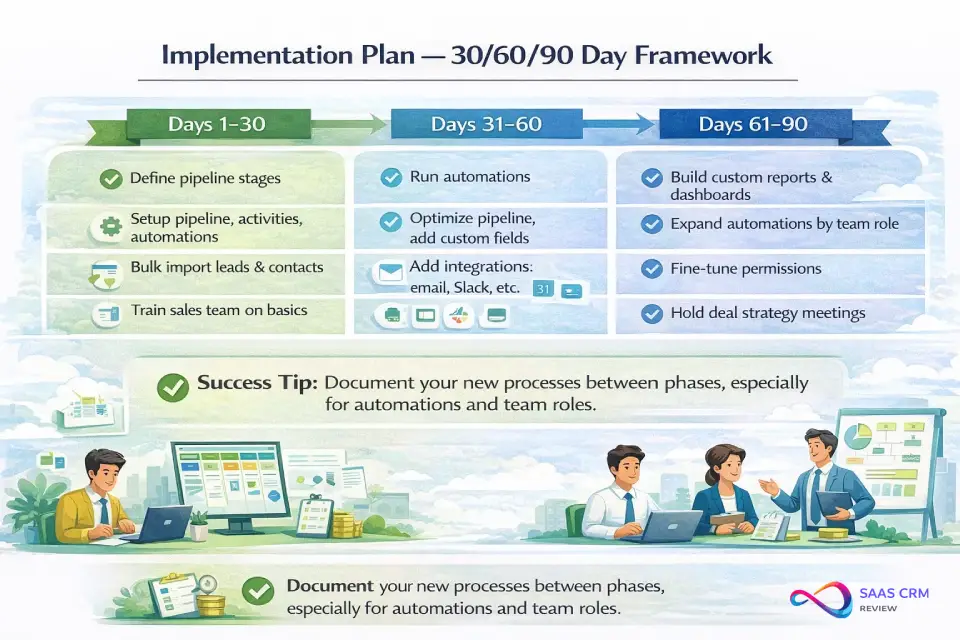
Implementation Plan — 30/60/90 Day Framework
Phase 1 (Days 1–30): Foundation
| Task | Pipedrive | Salesforce |
|---|---|---|
| Define pipeline stages and deal fields | 1–2 days | 3–5 days (includes record types, page layouts) |
| Import contacts and historical deals | 1–2 days | 3–7 days (data mapping, dedup, validation rules) |
| Connect email/calendar | 30 minutes | 1–2 hours (Einstein Activity Capture config) |
| Set up user roles/permissions | 1 hour | 1–3 days (profiles, permission sets, sharing rules) |
| Basic training | 1–2 hours per rep | 4–8 hours per rep |
Phase 2 (Days 31–60): Integrations and Automation
- Connect marketing tools, support desk, and accounting software
- Build core workflow automations (lead assignment, follow-up sequences, deal stage notifications)
- Pipedrive: plan for 3–5 key automations; test and iterate
- Salesforce: plan for 10–20 flows; involve your admin or implementation partner
Phase 3 (Days 61–90): Reporting, Governance, and Optimization
- Build dashboards for sales managers and executives
- Review data hygiene: duplicates, incomplete records, stale deals
- Establish governance: naming conventions, required fields, data entry standards
- Run first pipeline review using CRM data (the real adoption test)
- Set CRM adoption KPIs: login frequency, activity logging rate, pipeline update cadence
Adoption Playbook
- Don’t launch on a Monday. Launch mid-week so you can troubleshoot in real-time Thursday/Friday.
- Assign a CRM champion per team (not just the admin) to model good behavior.
- Measure adoption, not just deployment. Track: % of reps logging activities, % of deals with updated close dates, % of pipeline with next steps scheduled.
- Run a 30-day “data quality sprint” post-launch. Fix the messy records before they become entrenched.
Migration and Switching Checklist (Pipedrive ↔ Salesforce)
Migrating from Pipedrive to Salesforce
- Export all data from Pipedrive (contacts, organizations, deals, activities, notes) as CSV.
- Map fields to Salesforce objects: Pipedrive “Organizations” → Salesforce “Accounts”; Pipedrive “People” → Salesforce “Contacts”; Pipedrive “Deals” → Salesforce “Opportunities.”
- Handle custom fields. Create matching custom fields in Salesforce before import. Document field-type mismatches (e.g., Pipedrive multi-option dropdown → Salesforce picklist).
- Stage mapping. Align Pipedrive deal stages to Salesforce opportunity stages. Assign probability values.
- Deduplication. Run dedup before import. Salesforce’s duplicate management rules won’t catch everything.
- Import order: Accounts → Contacts → Opportunities → Activities/Notes. Respect object relationships.
- Rebuild automations. Pipedrive workflows don’t export. Document each automation, then rebuild in Salesforce Flow.
- Test in a sandbox (Enterprise+ includes sandboxes). Don’t import directly to production.
Migrating from Salesforce to Pipedrive
- Export via Data Loader or Reports (CSV format).
- Simplify your data model. Pipedrive doesn’t have custom objects — you’ll need to flatten any custom object data into custom fields on Deals, Contacts, or Organizations.
- Accept data loss in some areas: Complex Flow automations, approval processes, and custom object relationships won’t translate.
- Focus on core data: Accounts (→ Organizations), Contacts (→ People), Opportunities (→ Deals), Activities, and Notes.
- Historical reporting: Export any reports you need to keep before decommissioning Salesforce. Pipedrive won’t display historical Salesforce data natively.
Common Traps
- Attribution history disappears. Campaign influence, lead source attribution, and pipeline conversion data typically don’t survive CRM migrations cleanly. Export reports first.
- Email thread history. Logged emails may not migrate. Archive critical threads independently.
- Workflow logic. Documenting existing automations is the most underestimated migration task. Spend 2x the time you think you need here.
Cutover Plan
- Set a hard cutover date (no parallel CRM usage — it kills adoption).
- Communicate the date 2–3 weeks in advance.
- Have a 72-hour rollback plan in case of critical data issues.
- Freeze reporting in the legacy system 48 hours before cutover.
Security, Compliance, and Admin Governance
| Capability | Pipedrive | Salesforce |
|---|---|---|
| SSO | Available on all plans (Google, Microsoft) | Available on all paid plans (SAML-based, Okta, Azure AD) |
| 2FA/MFA | Supported | Required by default since 2022 |
| Role-based permissions | Yes — visibility groups, permission sets | Yes — profiles, permission sets, field-level security, OWD |
| Audit trail | Ultimate plan only | Full audit trail on Enterprise+ (Field History Tracking, Setup Audit Trail) |
| SOC 2 Type II | Yes | Yes |
| GDPR | Compliant | Compliant |
| HIPAA | Not specifically addressed | BAA available via Health Cloud + Shield add-on |
| Data residency | EU and US data centers | Multiple regions; Hyperforce for more options |
| Sandbox | Ultimate plan only | Pro Suite+ (Developer sandbox); Enterprise+ (Full/Partial sandboxes) |
If you’re in a regulated industry (healthcare, financial services, government contracting), Salesforce’s compliance posture is materially stronger. Pipedrive covers the basics well for standard B2B use cases.
Salesforce vs Pipedrive: Which CRM Wins for Your Scenario?
5-Person Agency / Consulting Firm
Choose Pipedrive (Growth or Premium) because you need fast pipeline visibility without a CRM project. Your deal stages are simple, your team is small, and your budget is better spent on prospecting tools than platform fees. Watch-out: If you land an enterprise client that requires formal proposal/approval workflows, you may hit Pipedrive’s ceiling.
30-Person B2B SaaS Sales Team
Choose Pipedrive (Premium or Ultimate) if your sales process is straightforward and you don’t need Service Cloud or custom objects. Choose Salesforce (Pro Suite or Enterprise) if you have a CS team that needs a unified customer record, or if your data model requires custom objects (e.g., tracking “Subscriptions” or “Usage” alongside Opportunities). Watch-out on Pipedrive: You’ll likely outgrow it within 18–24 months if you add CS, marketing ops, or product-led motions. Watch-out on Salesforce: Budget for a dedicated admin or part-time consultant. To explore where each tool stands on the broader best CRM for sales teams landscape, see our ranked comparison.
100-Person Multi-Region Sales Org
Choose Salesforce (Enterprise or Unlimited). At this scale, you need territory management, approval workflows, forecasting with overlay splits, and cross-object reporting. Pipedrive’s governance model won’t support the permission complexity of a multi-region team. Watch-out: Implementation costs will be significant — budget $40K–$100K+ for a proper rollout with an implementation partner.
500+ Person Enterprise
Choose Salesforce. Full stop. You’re in platform-CRM territory. At this scale, the comparison is typically Salesforce vs Microsoft Dynamics 365 or a homegrown solution. Watch-out: Agentforce and Einstein AI features sound compelling, but require executive sponsorship, clean data governance, and a dedicated analytics team to realize ROI.
Real Estate / Recruiting Team (Small)
Choose Pipedrive. Both industries benefit from Pipedrive’s visual pipeline and activity-based workflow. The mobile app is strong for field agents. Watch-out: If you need compliance-heavy workflows (e.g., regulated financial products or government contracts), evaluate Salesforce instead.
“We Don’t Have an Admin and Never Will”
Choose Pipedrive. Salesforce without an admin is a slow-motion disaster. You’ll accumulate broken automations, stale data, and frustrated reps. If you won’t invest in administration, don’t invest in Salesforce.
Alternatives to Pipedrive and Salesforce
If neither platform fits perfectly, consider these CRM alternatives. For a deeper look, see our guides to Pipedrive alternatives and Salesforce CRM alternatives.
- HubSpot CRM — “If you want Pipedrive simplicity with built-in marketing automation.” Free tier is generous; paid tiers get expensive fast. Best for marketing-led growth motions. See how it stacks up in our HubSpot vs Pipedrive and HubSpot vs Salesforce comparisons.
- Zoho CRM — “If you want Salesforce-like depth at Pipedrive-like prices.” Strong customization, affordable, but the UI lags behind both competitors. For a plan-by-plan breakdown, check the Zoho CRM pricing guide. For a direct comparison with Pipedrive, read our Pipedrive vs Zoho CRM guide.
- Microsoft Dynamics 365 Sales — “If your org is deep in the Microsoft 365 ecosystem.” Native Teams/Outlook integration is a genuine advantage for Microsoft-first companies.
- Freshsales (Freshworks) — “If you want a clean, modern SMB CRM with good built-in phone/email.” Competitive with Pipedrive on features, sometimes cheaper. Teams comparing options can also review our Freshsales alternatives guide.
- monday CRM — “If your team already lives in monday.com for project management.” Lightweight CRM bolted onto a work-management platform.
- Copper — “If you’re a Google Workspace shop that wants CRM inside Gmail.” Tight Google integration, limited beyond that.
- Close — “If your inside sales team makes high-volume calls and wants a CRM built for calling.” Best-in-class calling and SMS features.
- Insightly — “If you need CRM + project management in one tool.” Decent for professional services firms.
For a broader overview, see our best CRM software roundup.
FAQs — Salesforce vs Pipedrive
Is Salesforce better than Pipedrive?
It depends on your team size and complexity. Salesforce is more powerful and customizable, making it the better choice for mid-market and enterprise orgs with dedicated admins. For SMBs and sales-only teams, Pipedrive often delivers better ROI because reps actually adopt it and you don’t need a dedicated admin to maintain it.
Is Pipedrive cheaper than Salesforce in 2026?
Yes, both on license cost and total cost of ownership. Pipedrive’s most popular plans cost $39–$79/user/month (annual). Salesforce’s functional starting point for most teams is $100–$175/user/month, plus significant admin and implementation expenses. For a 10-person team, expect Pipedrive’s Year 1 TCO to be substantially lower — see the TCO table earlier in this article.
Which CRM is easier to use?
Pipedrive. It’s consistently rated higher for usability across G2, Capterra, and Gartner Peer Insights. Most teams are productive within hours of setup. Salesforce has a steeper learning curve — plan for 4–20 hours of training per user depending on role.
Does Pipedrive offer a free plan?
No. Pipedrive offers a 14-day free trial on all tiers. Salesforce now offers a Free Suite (2 users max) with basic CRM functionality, plus 30-day trials on paid plans. If a free CRM is essential to your evaluation, see our best free CRM software guide.
Which has better reporting — Pipedrive or Salesforce?
Salesforce, significantly. It supports cross-object reports, matrix reports, joined reports, bucket fields, and custom report types. Pipedrive’s reporting covers standard pipeline and activity metrics, which is sufficient for most SMBs but limiting for data-driven sales orgs.
Which has better automation?
Salesforce Flow is enterprise-grade: multi-step, branching, API-calling, and effectively unlimited in complexity. Pipedrive’s automations are simpler (if/then rules) and capped at 50–250 depending on plan. For straightforward sales workflows, Pipedrive is faster to configure. For complex, multi-object orchestration, Salesforce is necessary.
Can Pipedrive scale to enterprise?
Pipedrive can support teams up to roughly 50–80 users, but it typically hits governance, customization, and reporting limits beyond that. It lacks custom objects, granular permissions, and advanced forecasting. If you anticipate growing past 100 users or adding non-sales teams, plan your migration path early.
Is Salesforce worth it for small businesses?
Only if your sales process is genuinely complex or you need multi-department CRM. For a 5–15 person team selling a single product with a simple sales cycle, Salesforce is overkill and overpriced. The Starter Suite ($25/user/month) is viable for small teams, but you lose most of what makes Salesforce powerful (custom objects, flows, AppExchange access).
Which has more integrations?
Salesforce’s AppExchange has 7,000+ apps versus Pipedrive’s 500+ Marketplace apps. But integration count isn’t the right metric — evaluate the specific tools in your stack. Both integrate natively with Gmail, Outlook, Slack, and most common business tools. Pipedrive + Zapier covers most SMB integration needs.
Can I migrate from Pipedrive to Salesforce (or vice versa)?
Yes, but it requires planning. Pipedrive-to-Salesforce migrations involve field mapping, stage alignment, and rebuilding automations in Flow. Salesforce-to-Pipedrive requires flattening custom objects into custom fields due to Pipedrive’s simpler data model. Budget 2–6 weeks for either direction and test in a sandbox before going live.
What are the hidden costs of Salesforce?
Implementation partners ($10K–$150K+), dedicated admin salary ($70K–$110K/year in the US), AppExchange subscriptions, data storage overages, premium support plans (often 20–30% of license fees), and Trailhead/training time. For mid-market deployments, hidden costs can equal or exceed license fees in Year 1.
Which is better for B2B SaaS companies?
Pipedrive for early-stage (seed through Series A) SaaS companies with under 30 reps and a product-led or founder-led sales motion. Salesforce for Series B+ companies with dedicated RevOps, customer success, and marketing operations teams. The inflection point is usually when you need unified reporting across sales + CS + marketing.
Which CRM has better mobile apps?
Both have solid iOS and Android apps. Pipedrive’s mobile experience is more streamlined for quick deal updates and activity logging. Salesforce’s mobile app is more powerful (supports custom Lightning pages and flows) but requires more configuration to optimize.
How hard is Salesforce to implement?
For a Starter or Pro Suite deployment with basic configuration, 2–4 weeks is realistic. For Enterprise-tier deployments with custom objects, integrations, and complex automations, plan for 8–16 weeks with an experienced implementation partner. Factor in 2–4 weeks of user training on top of that.
Key Terms Defined
- CRM (Customer Relationship Management): Software that manages interactions with leads, contacts, and customers across the sales cycle.
- TCO (Total Cost of Ownership): The full cost of a CRM including licenses, add-ons, implementation, admin time, training, and integrations — not just the per-seat sticker price.
- RevOps (Revenue Operations): A function that aligns sales, marketing, and customer success operations under shared data, tooling, and process governance.
- Custom Object: A user-defined data table in a CRM (Salesforce supports these; Pipedrive does not). Used to model business entities beyond standard Leads/Contacts/Deals.
- iPaaS (Integration Platform as a Service): Middleware tools (e.g., Zapier, Make, MuleSoft) that connect SaaS applications without custom code.
- Sandbox: A copy of your CRM environment used for testing changes before deploying to production. Available on higher tiers of both platforms.
- Pipeline Velocity: A metric measuring how quickly deals move through your pipeline, calculated as (number of deals × average deal value × win rate) ÷ average sales cycle length.
- SSO (Single Sign-On): An authentication method allowing users to access multiple applications with one set of credentials (e.g., via Okta, Azure AD, or Google).
How We Evaluated
This comparison is based on:
- Vendor documentation and official pricing pages (verified February 2026)
- Product demos and trial environments for both platforms
- Aggregated user reviews from Capterra, G2, and Gartner Peer Insights
- Implementation experience patterns observed across US-based sales teams of varying sizes
Scoring Rubric
| Criteria | Weight | Pipedrive Score (1–10) | Salesforce Score (1–10) |
|---|---|---|---|
| Ease of use & adoption | 20% | 9 | 5 |
| Pipeline & deal management | 15% | 9 | 8 |
| Automation & workflows | 15% | 6 | 9 |
| Reporting & forecasting | 10% | 5 | 9 |
| Customization & data model | 10% | 4 | 10 |
| Integrations & ecosystem | 10% | 6 | 9 |
| AI capabilities | 5% | 6 | 8 |
| Security & governance | 5% | 5 | 9 |
| Pricing & TCO (value) | 10% | 9 | 4 |
| Weighted Total | 100% | 6.9 | 7.6 |
Salesforce scores higher overall, but that score is only meaningful if you need the capabilities that drive it. An SMB buying Salesforce for a 6.9-level use case is paying for a 7.6-level tool — the delta is cost, not value.
Scoring note: Scores reflect the platform’s capability relative to the full market, not to each other. A score of 5 doesn’t mean “bad” — it means “adequate.” Context matters: Pipedrive’s 9 on ease of use is a significant competitive advantage if adoption is your biggest CRM risk.
Conclusion
The Pipedrive vs Salesforce decision in 2026 comes down to three questions:
- How complex is your sales process? Simple pipeline + single team = Pipedrive. Multi-object, multi-team, compliance-heavy = Salesforce.
- Do you have admin resources? No admin = Pipedrive. Dedicated admin on staff = Salesforce is viable.
- What’s your realistic all-in budget? Under $60/user/month (including admin time) = Pipedrive. $150+/user/month = Salesforce.
If you tell me you’re a 10-person sales team selling a single SaaS product, I’d pick Pipedrive Premium every time. You’ll be live in a week, your reps will actually use it, and you’ll save significantly in Year 1 versus Salesforce.
If you tell me you’re a 100-person org with sales, CS, and marketing teams, territory management needs, and SOC 2 audit requirements, I’d pick Salesforce Enterprise — and I’d budget for an implementation partner and a full-time admin from day one.
The worst decision? Picking Salesforce because it’s the “safe” choice, then watching it sit half-configured while your reps track deals in spreadsheets. CRM adoption, not CRM features, is what drives pipeline visibility and revenue predictability.
Choose the tool your team will actually use.
Pricing and feature availability verified February 2026. CRM vendors update pricing and packaging frequently — always confirm current plans on the vendor’s official pricing page before purchasing.
About the author

I’m Macedona, an independent reviewer covering SaaS platforms, CRM systems, and AI tools. My work focuses on hands-on testing, structured feature analysis, pricing evaluation, and real-world business use cases.
All reviews are created using transparent comparison criteria and are updated regularly to reflect changes in features, pricing, and performance.