

Intercom is one of the most well-known customer messaging platforms for SaaS businesses—but it’s also one of the most debated. Some teams consider it a game-changer for customer experience, while others see it as expensive and overly complex.
In this Intercom Review, we break down how Intercom actually performs in real-world usage: its core features, pricing structure, strengths, limitations, and how it compares to alternatives like Zendesk, Drift, Freshchat, and Crisp. The goal is simple—help you decide whether Intercom is truly worth the investment for your business in 2026.
Quick Summary – Intercom Review
| Category | Summary |
|---|---|
| What is Intercom? | A SaaS customer messaging and support platform combining live chat, AI automation, help center, and proactive in-app engagement. |
| Best for | Growing and established SaaS companies focused on customer experience, onboarding, and support automation. |
| Key strengths | Conversational UX, strong AI (Fin), deep customer context, proactive messaging, scalable workflows. |
| Main drawbacks | High and variable pricing, complex plans, overkill for small teams, usage-based costs add up. |
| Pricing model | Seat-based pricing + usage-based charges (AI resolutions, messaging channels). |
| AI capabilities | Fin AI Agent ($0.99 per resolution) for chat and email; effective with well-maintained knowledge bases. |
| Ease of use | Modern UI, but requires setup time to fully benefit from automation and segmentation. |
| Scalability | Excellent for mid-size to enterprise SaaS teams; supports advanced workflows and SLAs. |
| Top alternatives | Zendesk (ticket-heavy support), Drift (sales chat), Freshchat & Crisp (budget-friendly chat). |
| Overall verdict | Powerful and flexible, but best suited for teams that actively manage CX and can justify the cost. |
Read more: Best Help Desk Solutions of 2026: Reviewed & Compared

Key Features of Intercom
Live Chat & Messaging
Intercom’s messenger is embedded directly into your website or app, allowing real-time conversations with visitors and customers. Unlike basic chat widgets, it maintains conversation history, syncs across devices, and supports rich media including images, videos, and file attachments.
The standout capability here is contextual messaging. When a customer starts a chat, your team sees their user profile, previous conversations, product usage data, and custom attributes you’ve defined. This eliminates the repetitive “Can I get your email?” dance that plagues most support interactions.
From real-world usage, the messenger performs reliably with minimal lag, and the mobile apps (iOS and Android) keep teams responsive when away from desks. However, customization options for the chat widget itself are somewhat limited compared to more flexible alternatives like Crisp or Tawk.to.
AI Chatbot (Fin / Automation)
Fin is Intercom’s AI agent, launched as a GPT-4-powered chatbot that answers customer questions by searching your help center, past conversations, and connected data sources. Unlike traditional rule-based bots, Fin uses natural language understanding to interpret questions and provide relevant answers without requiring elaborate decision trees.
In testing, Fin handles straightforward questions effectively—password resets, feature explanations, billing inquiries—but struggles with nuanced or multi-step problems that require judgment calls. The accuracy depends heavily on how well-structured your knowledge base is; garbage in, garbage out applies here.
The pricing model for Fin is usage-based (charged per resolution), which creates unpredictability in monthly costs. For teams handling high volumes of repetitive questions, Fin can significantly reduce workload. For those with complex, varied support needs, it serves better as a first-line filter than a replacement for human agents.
Intercom also offers workflow automation through custom bots and triggers, letting you route conversations, collect information, or send proactive messages based on user behavior. Setting these up requires time investment but pays dividends in operational efficiency once configured properly.
Help Center & Knowledge Base
Intercom’s help center (called Articles) allows you to build a public or private knowledge base with categorized content, search functionality, and multilingual support. The editor is clean and intuitive, supporting rich formatting, embedded images, and videos.
The search experience is notably strong. Intercom uses semantic search that understands intent, not just keyword matching. If someone searches “cancel subscription,” it surfaces articles about billing and account closure even if those exact words don’t appear.
From a content management perspective, versioning and analytics are useful but not as robust as dedicated knowledge base platforms like Document360 or Helpjuice. You can see which articles get viewed most, but deeper engagement metrics (scroll depth, time on page, exit points) aren’t available.
The help center integrates tightly with Fin and the messenger, surfacing relevant articles during conversations and allowing agents to send them with one click. This closed-loop experience between self-service and live support is where Intercom’s ecosystem advantage becomes clear.
Customer Segmentation & Targeting
Intercom’s segmentation engine lets you slice your audience by dozens of attributes: user properties, company data, behavioral triggers, conversation history, and custom events from your product. This powers targeted messaging campaigns, personalized chat experiences, and intelligent routing.
For example, you could automatically send a proactive message to users who’ve logged in five times but haven’t completed a key action, or route enterprise customers to senior support agents while directing free-tier users to self-service resources first.
The segment builder uses a visual interface that’s relatively intuitive, though complex multi-condition segments can become unwieldy. The real power emerges when you combine segments with automation—creating sophisticated workflows that feel personalized without manual intervention.
One limitation: segments update based on data you push to Intercom, so implementation requires proper integration with your product analytics and CRM systems. For non-technical teams, this can be a significant hurdle.
Integrations & API
Intercom connects with over 300 third-party tools including Salesforce, HubSpot, Slack, Stripe, and major analytics platforms. The native integrations are generally well-maintained and reliable, though setup complexity varies—some work out of the box, others require developer involvement.
The REST API is well-documented and robust, supporting custom integrations for teams with engineering resources. You can push user data, trigger messages, create conversations programmatically, and pull reporting data into your own systems.
From a practical standpoint, the integration ecosystem works well for standard SaaS stacks, but niche or regional tools may lack direct connections, requiring middleware like Zapier (which adds cost and complexity). The webhook system is reliable for real-time data syncing, though rate limits exist for high-volume operations.
Read more: Read more: Best Knowledge Base Software 2026
Intercom Pricing Explained
Intercom’s pricing is notoriously complex and has been a consistent pain point for users. The platform uses a seat-based model combined with usage-based charges, making true cost prediction difficult.
There are three primary packages:
Essential starts around $39/month for small teams, including basic live chat, shared inbox, and help center. However, this tier excludes most automation, advanced routing, and Fin AI—essentially making it a glorified chat widget.
Advanced (formerly Professional) runs approximately $99/seat/month and unlocks meaningful features: automation, workflows, advanced reporting, and multiple team inboxes. Most growing companies end up here by necessity.
Expert is custom-priced for enterprise needs, adding features like HIPAA compliance, advanced permissions, custom bots, and dedicated support.
On top of base pricing, Intercom charges separately for:
- Fin AI responses (roughly $0.99 per resolution, though pricing has fluctuated)
- SMS and WhatsApp channels (usage-based)
- Additional seats beyond your plan minimum
The result: a company expecting to pay $500/month often ends up at $1,200+ once they add necessary features and account for actual usage. Intercom has made efforts to simplify pricing recently, but transparency remains an issue compared to competitors like Crisp or Help Scout that offer more predictable flat-rate plans.
Who Intercom pricing makes sense for: Mid-market and enterprise SaaS companies ($1M+ ARR) where the per-customer value justifies premium tooling. The ROI calculation works when reducing response time or improving conversion rates by even small percentages translates to significant revenue impact.
Who should look elsewhere: Bootstrapped startups, agencies, or businesses with tight margins. The cost-benefit ratio doesn’t align when you’re operating lean or don’t have complex automation needs.

Intercom Pros and Cons
When evaluating Intercom, the key question isn’t whether it’s powerful—it clearly is. The real question is whether that power aligns with your support model, budget, and growth stage. Based on hands-on usage across SaaS teams of different sizes, here is a balanced assessment.
✅ Pros of Intercom
| Strength | Why It Matters in Practice |
|---|---|
| Best-in-class conversational UX | Intercom’s Messenger feels native inside SaaS products. Conversations are continuous and contextual, not fragmented tickets. This noticeably improves response quality and customer satisfaction. |
| Strong AI automation (Fin AI Agent) | Fin can resolve a meaningful percentage of repetitive questions when trained on a solid knowledge base. In real deployments, this can reduce human ticket volume by 30–50% for common issues. |
| Deep customer context | Agents see user plan, lifecycle stage, recent activity, and past conversations in one view. This reduces internal back-and-forth and speeds up resolutions. |
| Proactive messaging capabilities | Intercom excels at in-app prompts, onboarding nudges, and targeted messages based on user behavior—useful for product-led growth (PLG) strategies. |
| Scales well with growing SaaS teams | As volume increases, features like workflows, routing rules, and SLAs become genuinely valuable rather than decorative. |
| Large integration ecosystem | Native integrations with CRM, analytics, billing, and internal tools make Intercom viable as a central CX layer, not just a chat tool. |
Consultant insight:
Intercom shines when support, onboarding, and customer engagement are treated as strategic functions—not just reactive ticket handling.
❌ Cons of Intercom
| Limitation | Practical Impact |
|---|---|
| High and unpredictable costs | Seat-based pricing plus usage-based charges (AI, messaging channels) makes forecasting difficult. Monthly spend can grow faster than expected as volume scales. |
| Overkill for small teams | Many early-stage startups pay for capabilities they rarely use. For low ticket volume, simpler tools deliver better ROI. |
| Complex pricing structure | Features are split across plans and add-ons. Understanding what you actually need often requires sales calls or calculator modeling. |
| Help Center customization is limited | Compared to dedicated knowledge base platforms, design and SEO flexibility is constrained. |
| AI quality depends heavily on setup | Fin AI performs well only when documentation is clean and maintained. Without this, answers can feel shallow or generic. |
| Not ideal for traditional ticket-heavy workflows | Teams that rely on rigid queues, forms, and escalation hierarchies may find Zendesk more suitable. |
Consultant insight:
Intercom rewards teams that actively manage automation, content, and usage. Passive setups tend to become expensive without delivering proportional value.
Real-World Use Cases
SaaS Startups (Post-Seed Funding)
Intercom fits well for SaaS companies that have achieved product-market fit and are scaling beyond founder-led support. The typical profile: 10-50 employees, $500K-$5M ARR, product-led growth motion.
These companies benefit from Intercom’s ability to blend onboarding, feature education, and reactive support into cohesive user journeys. Proactive messages can reduce churn by catching struggling users before they cancel, while automation handles the growing volume of repetitive questions.
The investment makes sense here because improving activation rates or reducing churn by even 5-10% generates ROI that dwarfs the platform cost.
Mid-Size B2B Companies
Companies in the 50-200 employee range running complex products often find Intercom’s segmentation and routing capabilities essential. When you’re managing enterprise customers alongside self-serve users, the ability to provide differentiated experiences based on account value becomes critical.
These organizations typically run multiple support teams (L1, L2, specialized), integrate heavily with CRM and analytics tools, and need sophisticated reporting to measure team performance. Intercom handles this operational complexity better than simpler alternatives.
Enterprise Teams (with caveats)
Large enterprises use Intercom, but often alongside rather than replacing existing systems. You’ll see it deployed for specific product lines, customer-facing portals, or as the “conversational layer” sitting atop Zendesk or Salesforce Service Cloud.
The platform’s permissions system and compliance features (HIPAA, SOC 2) support enterprise requirements, but the lack of advanced SLA management and limited customization compared to true enterprise platforms means it rarely serves as the sole support infrastructure for Fortune 500 companies.
When Intercom is a bad fit
E-commerce businesses needing order management and shipping integrations find better-tailored solutions in Gorgias or Richpanel.
Small service businesses (consultants, agencies, local businesses) get better value from simpler tools like Tidio, Crisp, or even just email.
Teams prioritizing email support over chat should consider Help Scout or Front instead.
Budget-conscious startups under $20K MRR can’t justify the cost—tools like Chatwoot (open-source) or Crisp provide 80% of functionality at 20% of the price.
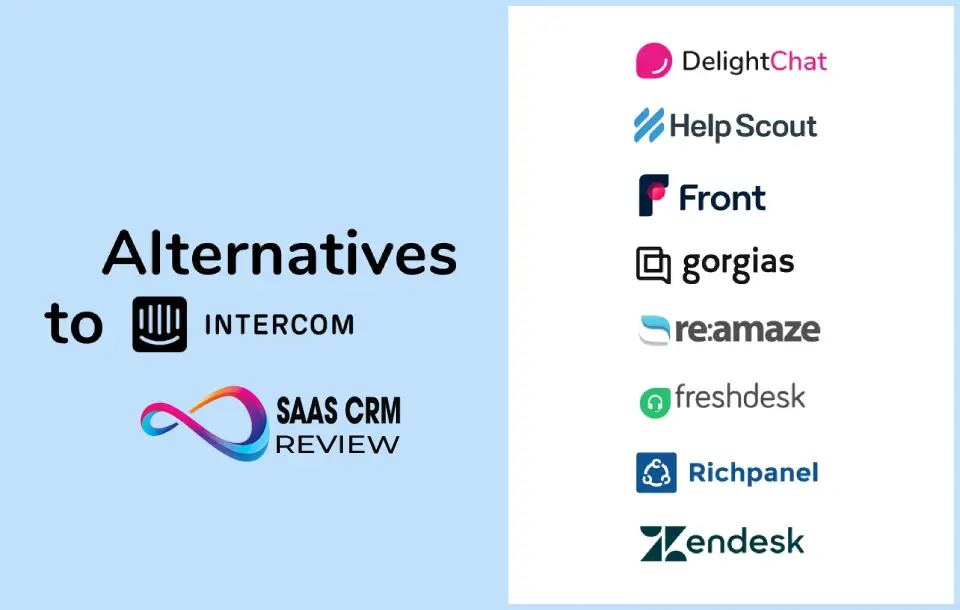
Intercom vs Competitors
When evaluating customer support and engagement platforms, positioning matters as much as featureZend, but their core design philosophies differ. Below is a pract
Intercom vs Zendesk
| Criteria | Intercom | Zendesk |
|---|---|---|
| Best f | Conversational support & in-app engagement | Traditional ticketing & structured wor |
| UX focus | In-prod | Ticket management and SLA |
| AI automation | Native Fin A | AI add-ons available (Explore & bots) |
| Ideal teams | SaaS with product-led growth | Enterprise multi-br |
| Pricing model | Seat + usage-based | Seat/fe |
Key Differences
- Conversational vs. Ticket First: Intercom t
- Proactivity: Inter
- Cost Predictab: Zendesk’s tiered se
When to choose which
- Choose Intercom if your support is deeply integrated into product experiences and you want proactive, personalized engagement.
- Choose Zendesk if you need robust ticket workflows, compliance options, and strict SLA tracking across teams.
Read more: Zendesk vs Intercom (2026): Which Customer Support Platform Fits Your Team?
Intercom vs Drift
| Criteria | Intercom | Drift |
|---|---|---|
| Primary focus | Support + engagement | Conversational marketing & sales |
| AI capabilities | Fin for support | Conversational bots for lead routing |
| Use case strength | Customer success & support | B2B lead qualification |
| Channels | Chat, email, banners, in-app | Chat, calendar, sales routing |
Key Differences
- Purpose: Intercom is centered on support and lifecycle messaging; Drift is built around revenue acceleration and sales conversations.
- Bot intentions: Drift bots excel at qualifying leads and booking meetings. Intercom’s AI excels at resolving support queries and engagement triggers.
When to choose which
- Choose Intercom if your priority is support efficiency and onboarding.
- Choose Drift if your priority is growing qualified leads and shortening sales cycles.
Intercom vs Freshchat
| Criteria | Intercom | Freshchat |
|---|---|---|
| Best for | Feature-rich support + engagement | Cost-effective chat & ticketing |
| AI automation | Included (Fin, usage-based) | AI available (less mature) |
| Setup complexity | Medium to high | Low to medium |
| Pricing | Higher entry cost | Lower & simpler entry point |
Key Differences
- Depth of features: Intercom’s automation, segmentation, and proactive messaging are stronger and deeper.
- Ease of onboarding: Freshchat is simpler and faster to set up for basic chat and support.
When to choose which
- Choose Intercom if you need scaling automation, customer context, and lifecycle messaging.
- Choose Freshchat if your support needs are straightforward and budget is a concern.
Intercom vs Crisp
| Criteria | Intercom | Crisp |
|---|---|---|
| Best for | Growing SaaS & engaged support teams | Small businesses & simple support |
| Feature depth | High (automation, workflows, AI) | Moderate |
| Pricing model | Usage-based + seats | Simpler plans & add-ons |
| Integrations | Extensive | More limited |
Key Differences
- Target audience: Crisp targets small teams needing reliable chat support without complexity; Intercom targets teams looking for strategic engagement.
- Scalability: Intercom scales more robustly into automation and enterprise needs.
When to choose which
- Choose Intercom for structured, data-driven support growth.
- Choose Crisp for basic live chat with lighter overhead.
Practical Trade-off Guide
Best fit by company stage
| Company Stage | Recommended Tool | Why |
|---|---|---|
| Early-stage/Bootstrapped | Crisp / Freshchat | Lower cost, faster setup |
| PMF & Growing | Intercom | Contextual support and automation |
| Sales-driven B2B | Drift | Lead routing + meeting automation |
| Enterprise Support Operations | Zendesk | Structured ticketing & SLAs |
Is Intercom Worth It?
Intercom is worth the investment if you meet three criteria:
- You operate a digital product or SaaS business where messaging is the primary support channel
- You have the budget to absorb $1,000-$3,000+/month in platform costs
- You’ll actually use the automation and segmentation features that justify the premium pricing
For mid-market SaaS companies with product-led growth motions, Intercom often becomes the central nervous system for customer interaction. The ability to automate onboarding, provide contextual support, and proactively reduce churn creates measurable ROI that justifies the cost.
For everyone else—early-stage startups, non-SaaS businesses, email-heavy support teams, budget-conscious companies—better-value alternatives exist that provide the essential features without the complexity or cost.
Who should use Intercom:
- SaaS companies post-Series A with $1M+ ARR
- Product-led growth companies needing tight product-support integration
- Teams willing to invest in proper implementation and training
- Businesses where customer lifetime value justifies premium tooling
Who should avoid Intercom:
- Pre-revenue or bootstrapped startups
- Companies primarily supporting customers via email
- Teams needing simple chat without automation complexity
- Organizations with tight budgets or unpredictable cash flow
The platform is powerful and well-built, but it’s explicitly designed for a specific type of company at a specific stage of growth. Understand whether you’re actually in that category before committing to the investment.
Frequently Asked Questions (FAQ)
Is Intercom good for small businesses?
Intercom is generally too expensive and feature-rich for most small businesses. Unless you’re a venture-backed startup with growth capital, you’ll find better value in tools like Crisp, Tidio, or Tawk.to that offer live chat and basic automation at fraction of the cost. Small businesses with simple support needs don’t require Intercom’s advanced segmentation and automation capabilities.
Does Intercom use AI?
Yes, Intercom uses AI extensively through Fin, their GPT-4-powered chatbot that answers customer questions by understanding natural language and searching your knowledge base. Fin can resolve common inquiries without human intervention, but accuracy depends on your content quality. Intercom also uses AI for smart article suggestions, conversation summarization, and response recommendations for support agents.
Is Intercom better than Zendesk?
“Better” depends on your use case. Intercom excels at real-time messaging, proactive engagement, and modern user experience, making it superior for SaaS and digital products. Zendesk offers stronger email management, more comprehensive reporting, better SLA tracking, and deeper ticketing workflows, making it better for traditional support operations and enterprise teams managing complex ticket volumes across multiple channels.
Can Intercom replace live agents?
No. While Fin AI can handle straightforward, repetitive questions (password resets, basic product info, navigation help), it cannot replace human judgment for complex issues, emotional situations, or problems requiring critical thinking. Intercom works best as a hybrid model: AI handles tier-1 questions while routing complex issues to human agents. Companies seeing success use automation to deflect 30-50% of inquiries, not eliminate agents entirely.
Does Intercom integrate with CRM systems?
Yes, Intercom integrates with major CRM platforms including Salesforce, HubSpot, Pipedrive, and Close. These integrations sync contact data, conversation history, and allow your sales and support teams to work from a unified customer view. Implementation complexity varies—some integrations are plug-and-play while others require API configuration or middleware like Zapier for custom field mapping.
What is Intercom’s Fin AI and how much does it cost?
Fin is Intercom’s AI agent that automatically answers customer questions using your help center content and previous conversations. It costs approximately $0.99 per successful resolution, charged on top of your base subscription. This usage-based pricing means costs fluctuate month-to-month based on volume. For businesses handling thousands of inquiries monthly, Fin can reduce support load significantly, but the unpredictable pricing makes budgeting difficult.
About the author

I’m Macedona, an independent reviewer covering SaaS platforms, CRM systems, and AI tools. My work focuses on hands-on testing, structured feature analysis, pricing evaluation, and real-world business use cases.
All reviews are created using transparent comparison criteria and are updated regularly to reflect changes in features, pricing, and performance.





