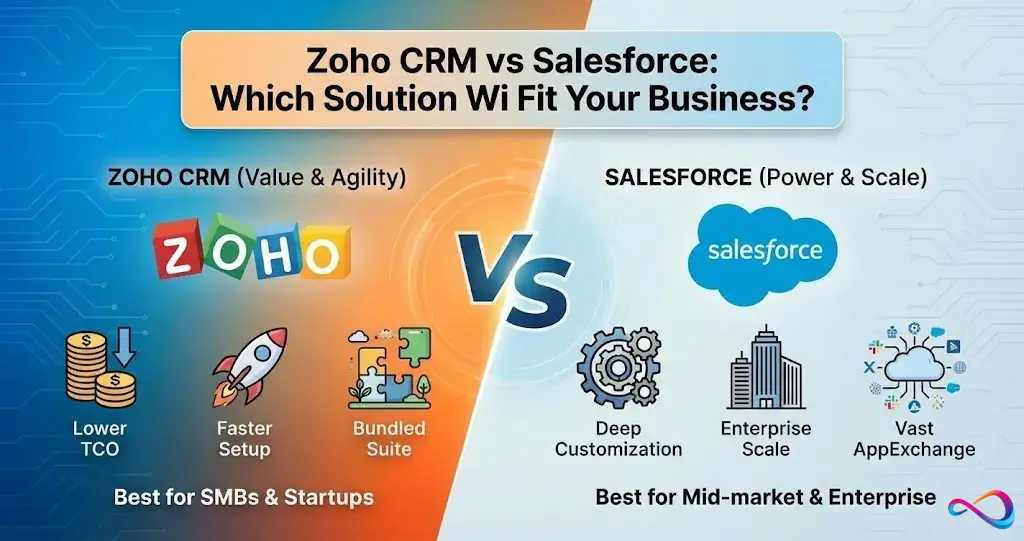
Choosing the right CRM software can transform how your business manages customer relationships, closes deals, and scales operations. For small to mid-sized businesses, two names consistently dominate the conversation: HubSpot CRM and Zoho CRM.
Both platforms offer robust features, free entry points, and scalable pricing. But they serve different business needs, philosophies, and growth trajectories. HubSpot excels in marketing automation and inbound sales methodology, while Zoho offers unmatched customization and affordability across a massive suite of business tools.
This comprehensive comparison breaks down everything you need to know—features, pricing, usability, and real-world fit—so you can make an informed decision for your team in 2026.
Quick Comparison Overview
| Feature | HubSpot CRM | Zoho CRM |
|---|---|---|
| Best For | Marketing-focused teams, inbound sales | Budget-conscious businesses, customization needs |
| Free Plan | Unlimited users, basic features forever | Up to 3 users, limited features |
| Starting Price | $20/user/month (Starter) | $14/user/month (Standard) |
| Marketing Automation | Excellent (native integration) | Good (requires separate Zoho Marketing or add-ons) |
| Customization | Moderate | Extensive (custom modules, fields, workflows) |
| Learning Curve | Easy to moderate | Moderate to steep |
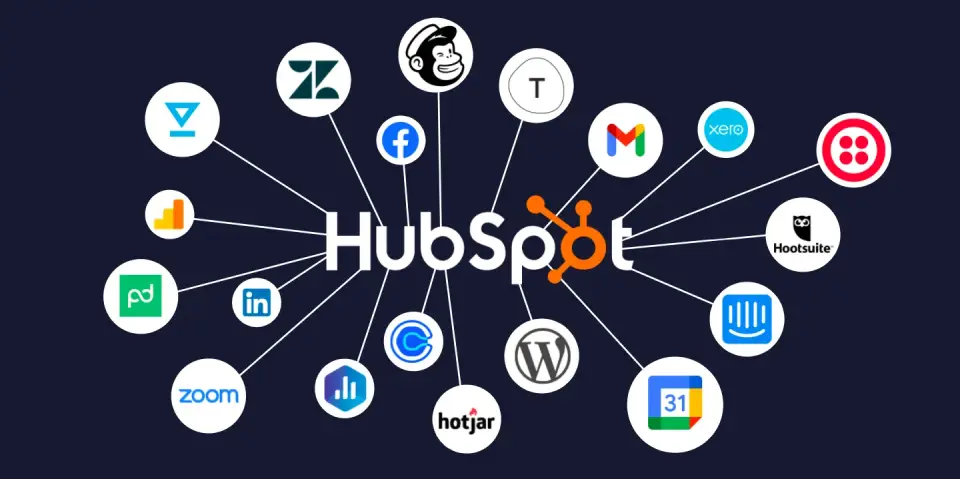
| Integrations | 1,500+ (strong marketplace) | 800+ (deep Zoho ecosystem integration) |
| Reporting | Strong visual dashboards | Powerful but complex |
| Email Tracking | Included in free plan | Limited in free, robust in paid |
| Mobile App | Excellent | Good |
| Support | Email, chat, phone (paid plans) | 24/5 support on most paid plans |
Bottom Line: Choose HubSpot if you prioritize ease of use, marketing automation, and a modern interface. Choose Zoho if you need affordability, deep customization, and integration with Zoho’s broader ecosystem.
- HubSpot CRM Alternatives: Best Picks for Sales Teams, Startups, and Growing Businesses
What Is HubSpot CRM?
HubSpot CRM is the customer relationship management platform from HubSpot, Inc., a Boston-based company founded in 2006 by Brian Halligan and Dharmesh Shah. HubSpot pioneered the inbound marketing methodology and built its CRM to align sales, marketing, and service teams around the customer journey.
Core Features
- Contact and company management with automatic data enrichment
- Email tracking and notifications when prospects open emails or click links
- Deal pipeline management with drag-and-drop stages
- Meeting scheduler (integrated with Gmail and Outlook calendars)
- Live chat and chatbot builder for website engagement
- Email templates and sequences for sales outreach
- Reporting dashboards with visual analytics
- Mobile app for iOS and Android
Ideal Users
HubSpot CRM is designed for:
- Startups and SMBs focused on inbound marketing
- Sales teams that want simple, visual pipeline management
- Companies already using HubSpot Marketing Hub or Sales Hub
- Teams that value ease of use over deep customization
Strengths
HubSpot’s free plan is genuinely useful—not a trial. You get unlimited users, contacts, and data storage, which is rare among CRM platforms. The interface is intuitive, requiring minimal training. Native integration between the CRM and HubSpot’s Marketing, Sales, Service, and CMS Hubs creates a seamless ecosystem for growing companies.
Limitations
Advanced features require paid tiers, and costs escalate quickly as you add users and upgrade to Professional or Enterprise plans. Customization is more limited compared to Zoho—you can’t easily create custom modules or radically alter workflows without upgrading. For businesses with complex, unique processes, HubSpot can feel restrictive.
What Is Zoho CRM?
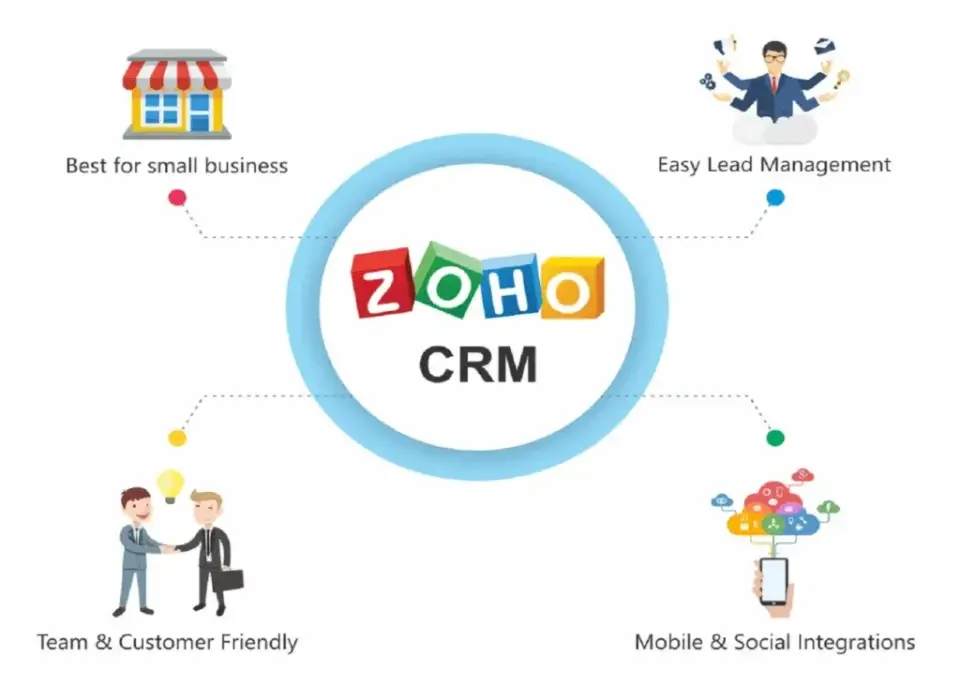
Zoho CRM is part of Zoho Corporation’s suite of 45+ business applications. Founded in 1996 and headquartered in Chennai, India (with a U.S. presence in Austin, Texas), Zoho has built a reputation for affordable, feature-rich software that challenges enterprise giants.
Core Features
- Multichannel communication (email, phone, live chat, social media)
- AI-powered sales assistant (Zia) for lead scoring, predictions, and recommendations
- Advanced workflow automation with conditional logic and custom functions
- Canvas design studio to create fully custom CRM layouts
- Extensive customization (custom modules, fields, buttons, and pages)
- Blueprint for defining and enforcing sales processes
- Gamification to motivate sales teams with points and leaderboards
- Advanced analytics and reporting with custom dashboards
Ideal Users
Zoho CRM is built for:
- Cost-conscious startups and small businesses
- Companies that need extensive customization
- Businesses already using Zoho’s ecosystem (Zoho Books, Zoho Desk, Zoho Campaigns)
- Teams with technical resources or willingness to learn
Strengths
Zoho’s pricing is hard to beat, especially when bundling multiple Zoho apps. The platform offers enterprise-level customization at SMB prices. If you need a CRM that adapts to your exact workflow—not the other way around—Zoho delivers. The AI assistant, Zia, provides predictive analytics and anomaly detection that competitors charge premium prices for.
Limitations
The interface feels dated compared to HubSpot’s modern design. The learning curve is steeper, and setting up advanced workflows requires technical knowledge or onboarding support. While Zoho integrates deeply with its own ecosystem, third-party integrations aren’t as polished or numerous as HubSpot’s marketplace.
Read more: HubSpot vs Salesforce: Which CRM Is Better for Your Business in 2026?
HubSpot vs Zoho CRM – Feature-by-Feature Comparison
Contact & Lead Management
HubSpot: Automatically enriches contact records with data from public sources. Allows manual and bulk imports from CSV files, Gmail, or Outlook. Tagging and list segmentation are straightforward. Custom properties are available but limited on free and starter tiers.
Zoho: Offers more granular control over contact fields and custom modules. You can create entirely new data structures (e.g., separate modules for vendors, partners, or contractors). Lead scoring is robust, with AI-powered predictions from Zia. However, bulk operations and data cleanup tools require familiarity with Zoho’s interface.
Winner: Zoho for customization and depth; HubSpot for ease of use.
Sales Pipeline & Automation
HubSpot: Visual pipeline with drag-and-drop deal stages. Automated task creation, email sequences, and deal rotations are available on paid plans. Sales automation focuses on inbound lead nurturing and follow-ups.
Zoho: Blueprint feature lets you design step-by-step processes with mandatory fields, approvals, and conditional paths. Workflow rules support complex logic, including time-based actions, webhooks, and custom functions (JavaScript-based). More powerful for businesses with multi-step approval processes.
Winner: Zoho for complexity and control; HubSpot for simplicity and speed.
Marketing Automation
HubSpot: Marketing automation is native and tightly integrated. You can build email campaigns, landing pages, forms, and workflows directly in the CRM. Marketing Hub (paid) adds advanced segmentation, A/B testing, and attribution reporting. This is HubSpot’s biggest strength.
Zoho: Marketing automation requires Zoho Campaigns (separate app) or Zoho Marketing Automation (formerly Marketing Hub). Integration is solid if you’re in the Zoho ecosystem, but it’s not as seamless as HubSpot’s all-in-one approach. Zoho Campaigns is affordable and capable but lacks HubSpot’s polish.
Winner: HubSpot, decisively.
Reporting & Analytics
HubSpot: Pre-built dashboards with attractive visualizations. Custom reports are easy to create with filters and date ranges. Attribution reporting (on Professional and Enterprise) tracks ROI across campaigns. Limited compared to dedicated BI tools but excellent for most SMBs.
Zoho: Zoho Analytics integration provides enterprise-grade reporting with custom SQL queries, pivot tables, and predictive analytics. More powerful than HubSpot but harder to configure. Reports can be overwhelming for non-technical users.
Winner: Zoho for power users; HubSpot for ease and clarity.
Integrations & Ecosystem
HubSpot: Over 1,500 integrations in the HubSpot App Marketplace, including Salesforce, Slack, QuickBooks, Shopify, and Zapier. Native integrations are well-documented and reliable. HubSpot also offers a robust API for custom builds.
Zoho: 800+ integrations, with exceptional depth within Zoho’s own suite (45+ apps covering accounting, HR, project management, and more). Third-party integrations exist but can feel less polished. If you’re all-in on Zoho, the ecosystem is unbeatable.
Winner: HubSpot for third-party breadth; Zoho for internal ecosystem depth.
Customization & Scalability
HubSpot: Custom properties, workflows, and pipelines are available, but you can’t radically alter the data model. Customization is designed to be accessible to non-technical users, which limits flexibility for unique use cases.
Zoho: Unlimited custom modules, fields, buttons, layouts, and even custom functions (code-level automation). Canvas allows pixel-perfect interface design. This level of customization rivals Salesforce at a fraction of the cost.
Winner: Zoho, by a wide margin.
- Pipedrive vs Freshsales: Which CRM Is Better for Sales Teams in 2026?
Pricing Comparison: HubSpot CRM vs Zoho CRM
| Plan / Tier | HubSpot CRM (Per User / Per Month) | Zoho CRM (Per User / Per Month) |
|---|---|---|
| Free Plan | ✔ Free CRM available with core features (contact management, deal tracking, email tracking, basic marketing tools) | ✔ Free plan available (limited users & features) |
| Entry / Starter | $15 (annual billing) – Sales Hub Starter: basic CRM features, contact management, reporting | $14 Standard – essential CRM features (lead/contact management, simple automation) |
| Mid Tier | ~$90 – Sales Hub Professional (deal automation, advanced reports) | $23 Professional – advanced workflows, analytics, deeper feature set |
| Upper Mid / Advanced | ~$150 – Sales Hub Enterprise (advanced analytics, custom objects) | $40 Enterprise – AI assistant (Zia), multi-user portals, advanced workflows |
| Top Tier / Premium | Can scale to $3,600+ per month for full HubSpot CRM + Marketing + Service Hub packages (all hubs bundled) | $52 Ultimate – enhanced BI, advanced analytics & automation |
Value for Money
Zoho offers more features per dollar, especially at the Professional and Enterprise levels. HubSpot’s free plan is the most generous in the industry, but costs jump sharply as you scale.. For a 10-person team, Zoho CRM Professional costs $230/month vs. HubSpot Professional at $1,000/month—a significant difference.
If budget is your primary concern and you’re willing to invest time in setup, Zoho wins. If you prioritize ease of use and marketing integration, HubSpot’s higher cost may be justified.
Ease of Use & User Experience
Learning Curve
HubSpot: Minimal training required. New users can start managing contacts and deals within minutes. The interface is clean, modern, and intuitive. Onboarding resources (HubSpot Academy) are excellent and free.
Zoho: Steeper learning curve due to the sheer number of features and customization options. The interface can feel cluttered, especially for first-time users. However, once configured, power users appreciate the flexibility.
UI/UX Differences
HubSpot’s design prioritizes simplicity and visual appeal. Navigation is logical, and key actions (add contact, create deal, send email) are always accessible.
Zoho’s interface is functional but dated. Menus and settings can be buried under multiple clicks. Customization improves UX for specific workflows but requires upfront investment.
Onboarding & Support
HubSpot: Email and chat support on all paid plans; phone support on Professional and Enterprise. HubSpot Academy offers free certifications. Community forums are active.
Zoho: 24/5 support via email, phone, and chat on Standard and above. Zoho also offers paid onboarding services and implementation partners. Documentation is comprehensive but not as beginner-friendly as HubSpot’s.
Winner: HubSpot for out-of-the-box usability; Zoho for teams with technical resources.
- Keap CRM vs Agile CRM: Which Is Better for Small Businesses in 2026?
HubSpot vs Zoho CRM for Different Business Types
Startups
HubSpot: Ideal for lean teams that need a CRM immediately without upfront investment. The free plan supports unlimited users and scales as you grow. Perfect for startups focused on inbound marketing and content-driven growth.
Zoho: Best for bootstrapped startups that need affordability and are comfortable with a DIY approach. Zoho’s free plan supports 3 users, but paid tiers remain budget-friendly as you add team members.
Recommendation: HubSpot for marketing-led startups; Zoho for cost-conscious, process-driven teams.
Small Businesses
HubSpot: Suits small businesses that want simplicity and don’t have dedicated IT staff. Sales teams can manage pipelines, track emails, and automate follow-ups without extensive training.
Zoho: Great for small businesses with unique workflows or those already using Zoho apps (Books, Desk, Inventory). The customization enables small teams to operate efficiently without sacrificing control.
Recommendation: HubSpot for ease; Zoho for customization and ecosystem integration.
Growing Companies
HubSpot: Scales naturally as you add Marketing Hub, Sales Hub, or Service Hub. The platform grows with your team, though costs can escalate quickly.
Zoho: Offers enterprise features at mid-market prices. As you scale, Zoho’s customization and AI capabilities support complex sales processes without forcing a platform migration.
Recommendation: HubSpot if marketing automation is central to growth; Zoho if budget and customization are priorities.
Enterprises
HubSpot: Enterprise plan supports large teams with advanced permissions, hierarchical structures, and dedicated support. However, very large enterprises often outgrow HubSpot’s customization limits.
Zoho: Enterprise and Ultimate plans rival Salesforce in capability at a fraction of the cost. Custom modules, advanced reporting, and multi-user portals support complex organizational needs.
Recommendation: Zoho for cost-effective enterprise CRM; HubSpot for enterprises prioritizing marketing operations.
Pros and Cons Summary
HubSpot CRM
Pros:
- Best-in-class free plan with unlimited users
- Intuitive interface with minimal learning curve
- Seamless marketing automation integration
- Strong third-party integrations (1,500+)
- Excellent onboarding resources and support
Cons:
- Pricing escalates quickly on paid tiers
- Limited customization compared to competitors
- Advanced features locked behind Professional and Enterprise plans
- Can feel restrictive for businesses with unique processes
Zoho CRM
Pros:
- Highly affordable across all tiers
- Unmatched customization (custom modules, workflows, layouts)
- AI-powered sales assistant (Zia) included
- Deep integration with Zoho’s 45+ app ecosystem
- Powerful reporting and analytics (via Zoho Analytics)
Cons:
- Steeper learning curve and dated interface
- Free plan limited to 3 users
- Third-party integrations less polished than HubSpot
- Requires technical knowledge for advanced setup
At a Glance — Pros & Cons Table
| Aspect | HubSpot CRM | Zoho CRM |
|---|---|---|
| Ease of Use | ⭐⭐⭐⭐☆ (Very intuitive) | ⭐⭐⭐☆☆ (Moderate complexity) |
| Free Plan Value | ⭐⭐⭐⭐⭐ (Best in class) | ⭐⭐⭐⭐☆ (Good for small teams) |
| Customization | ⭐⭐⭐☆☆ (Limited) | ⭐⭐⭐⭐☆ (Extensive) |
| Pricing Flexibility | ⭐⭐☆☆☆ (Higher cost at scale) | ⭐⭐⭐⭐☆ (Affordable tiers) |
| Marketing Automation | ⭐⭐⭐⭐⭐ (Strong) | ⭐⭐⭐☆☆ (Capable, but less intuitive) |
| Sales & Workflow Automation | ⭐⭐⭐⭐☆ (Good) | ⭐⭐⭐⭐☆ (Strong, flexible) |
| Integration Ecosystem | ⭐⭐⭐⭐⭐ (Broad) | ⭐⭐⭐⭐☆ (Good, plus deep Zoho stack) |
| Customer Support | ⭐⭐⭐⭐☆ (Highly rated) | ⭐⭐⭐☆☆ (Mixed feedback) |
Final Verdict – HubSpot or Zoho CRM?
There’s no universal winner—the right CRM depends on your business model, budget, and priorities.
Choose HubSpot CRM if you:
- Need a CRM immediately with zero cost and minimal setup
- Prioritize marketing automation and inbound sales
- Want an intuitive interface your team can adopt in days, not weeks
- Value seamless integration with popular third-party tools
- Plan to use HubSpot’s Marketing, Sales, or Service Hubs
Choose Zoho CRM if you:
- Operate on a tight budget and need maximum features per dollar
- Require extensive customization to match your workflows
- Already use or plan to use Zoho’s broader app ecosystem
- Have technical resources or willingness to invest in setup
- Need enterprise-level features without enterprise pricing
For most startups and marketing-focused SMBs, HubSpot offers the fastest path to CRM adoption. For budget-conscious businesses with unique processes or those seeking an all-in-one business suite, Zoho delivers unbeatable value and flexibility. If simplicity and pipeline focus matter more than marketing tools, you may also want to explore how Pipedrive compares to Zoho CRM.
Frequently Asked Questions (FAQ)
Is HubSpot CRM really free?
Yes. HubSpot’s free CRM includes unlimited users, contacts, and data storage with no time limit. You get core features like contact management, deal tracking, email tracking, meeting scheduling, and live chat. It’s not a trial—it’s a genuinely free product. Paid upgrades unlock advanced automation, custom reporting, and deeper integrations, but the free plan is sufficient for many small teams.
Is Zoho CRM better than HubSpot?
“Better” depends on your needs. Zoho excels in affordability, customization, and AI-powered analytics. It’s ideal for businesses that need a tailored CRM or are budget-conscious. HubSpot is better for teams that prioritize ease of use, marketing automation, and a modern interface. If you need a CRM up and running today with minimal training, HubSpot wins. If you need deep customization and enterprise features at SMB prices, Zoho wins.
Which CRM is easier to use?
HubSpot is significantly easier to use. The interface is intuitive, navigation is logical, and new users can manage contacts and deals within minutes. Zoho’s interface is more complex due to its extensive feature set and customization options. Teams with technical resources or those willing to invest time in configuration will appreciate Zoho’s power, but non-technical users will find HubSpot more accessible.
Can Zoho replace HubSpot?
Yes, Zoho CRM can replace HubSpot, but it depends on how you use HubSpot. If you rely heavily on HubSpot’s Marketing Hub for automated campaigns, landing pages, and attribution reporting, replicating that in Zoho requires additional apps (Zoho Campaigns, Zoho Marketing Automation). For pure CRM functionality—contact management, deal pipelines, sales automation—Zoho is a full replacement and offers more customization. Migrating data between platforms is feasible but requires planning and testing.
Final Thought: Both HubSpot and Zoho CRM are powerful platforms that serve distinct audiences. Test both using their free plans to see which interface, workflow, and philosophy align with your team’s needs. The best CRM is the one your team will actually use consistently.
About the author

I’m Macedona, an independent reviewer covering SaaS platforms, CRM systems, and AI tools. My work focuses on hands-on testing, structured feature analysis, pricing evaluation, and real-world business use cases.
All reviews are created using transparent comparison criteria and are updated regularly to reflect changes in features, pricing, and performance.