
Basecamp is worth it if you prioritize simplicity, flat-rate pricing, and reducing tool sprawl. It’s a collaboration hub with light PM capabilities—not an enterprise work management platform. For small-to-medium teams wanting chat, tasks, and file sharing in one predictable structure, Basecamp delivers.
Not worth it if: You need Gantt charts, task dependencies, custom automations, or AI features. Those teams should evaluate tools like Asana, Monday.com, or ClickUp—covered in our project management software reviews.
Is Basecamp worth it in 2026?
Basecamp is worth it for small-to-medium teams prioritizing simplicity, flat-rate pricing, and consolidating chat, tasks, and files into one platform. It’s not ideal for teams needing Gantt charts, task dependencies, advanced reporting, or AI features. Best fit: agencies, remote teams, and organizations reducing tool sprawl.
How much does Basecamp cost?
Basecamp offers three tiers: Free (1 project, 20 users), Plus (per-user monthly pricing, unlimited projects), and Pro Unlimited (fixed monthly rate billed annually, unlimited users and projects). Pro Unlimited becomes cost-effective at approximately 20+ employees. Verify current pricing on the official Basecamp pricing page.
Best Basecamp alternatives?
Top 2026 alternatives based on use case: Asana for Gantt charts and dependencies, Monday.com for visual automations, ClickUp for maximum features, Trello for simple Kanban, Notion for documentation-first workflows, Wrike for enterprise PM with proofing, and Teamwork for agency billing and profitability tracking.
TL;DR Summary
Basecamp in 4 Bullets:
- ✅ Best for: Small teams (5–50), agencies with clients, async-first remote teams
- ⚠️ Not for: Complex project scheduling, power users needing customization, enterprises needing governance
- 💰 Pricing: Free (1 project) → Per-user (Plus) → Flat-rate (Pro Unlimited)
- 🎯 Category: Collaboration hub + light PM (not enterprise work management)
Why Trust This Review
What we verified (As of January 2026):
- Pricing from Basecamp Pricing Page
- Features from Basecamp Features Page
- Security from 37signals Security Policies
- Integrations from Basecamp Integrations Page
Methodology: Based on documentation + user reports + comparative analysis. We did not conduct hands-on testing for this review. Claims about competitors should be verified on their respective official pages before purchasing.
Evaluation Methodology (2026)
We evaluated Basecamp using a consultant-grade rubric across seven criteria:
| Criterion | Weight | What We Assessed |
|---|---|---|
| Usability | High | Onboarding friction, daily UX, learning curve |
| Workflow Fit | High | Match to common team types (agency, ops, product) |
| Adoption Risk | Medium | Team resistance, migration complexity, change management |
| Reporting Depth | Medium | Visibility for managers, accountability tools |
| Integrations | Medium | Ecosystem breadth, API capability |
| Governance/Security | Medium | Compliance posture, admin controls, data handling |
| Pricing/TCO | High | Total cost including hidden factors, break-even analysis |
Limitations: No hands-on testing performed. Competitor comparisons based on publicly available information; verify current details before purchase decisions.
Product Specs Quick Scan
| Capability | Basecamp | Notes |
|---|---|---|
| Task lists | ✅ Yes | Basic to-dos, no subtasks |
| Subtasks | ❌ No | Use separate to-do items |
| Task dependencies | ❌ No | Not supported |
| Kanban boards | ✅ Yes | Card Tables (basic) |
| Gantt charts | ❌ No | Use Hill Charts instead |
| Timeline view | 🔶 Limited | Lineup (project-level only) |
| Custom fields | ❌ No | Fixed structure |
| Automations | ❌ No | Use Zapier for workarounds |
| Built-in chat | ✅ Yes | Campfire + Pings |
| Message boards | ✅ Yes | Async discussions |
| File storage | ✅ Yes | 500 GB – 5 TB |
| Client portal | ✅ Yes | Free guest seats |
| Time tracking | 🔶 Add-on | Timesheet |
| Reporting | 🔶 Basic | Activity-based, no custom dashboards |
| Mobile apps | ✅ Yes | iOS + Android |
| API | ✅ Yes | REST API available |
So what? If you need dependencies, subtasks, or Gantt charts—Basecamp won’t work. If you need simplicity with built-in chat, it’s a strong fit.
What Is Basecamp (and Who Is It For)?
Basecamp is a collaboration hub with built-in light project management—different from enterprise work management platforms. Built by 37signals (founded 1999, launched Basecamp 2004), the product emphasizes simplicity over feature competition.
For teams needing more advanced PM capabilities, consider reading our Asana review or Wrike review for comparison.
5-Question Decision Framework
| Question | If YES → Basecamp fits | If NO → Consider |
|---|---|---|
| Do we need simplicity over customization? | ✅ | Monday.com, ClickUp |
| Are we okay without Gantt/dependencies? | ✅ | Asana, Wrike |
| Do we want one tool replacing Slack + Trello + email? | ✅ | Keep separate tools |
| Are we 15+ people wanting predictable costs? | ✅ | Per-user tools if <15 |
| Do we work with external clients regularly? | ✅ | Teamwork (for billing) |
What’s Changed in 2026 (Reality Check)
Transparency: Based on publicly available sources checked as of January 2026, we found no announcements of major feature overhauls since Card Tables and Hill Charts were introduced. The product appears to receive incremental updates rather than transformative releases. This assessment may not reflect changes announced after our verification date.
What we observed in sources checked:
- Pricing tiers: Free / Plus / Pro Unlimited structure appears unchanged
- Timesheet add-on: Available to address time tracking needs
- Card Tables: Kanban feature appears fully integrated
- AI features: No generative AI features found in current documentation (competitors offer AI features; availability varies by plan—verify on respective vendor sites)
So what? Basecamp in 2026 appears to be a mature, stable product. This is a feature for teams wanting reliability without constant UI changes. It’s a limitation for teams wanting cutting-edge AI tools.
Basecamp Pricing 2026: Plans, Costs, and TCO
Verified as of January 2026 from Basecamp Pricing Page.
Pricing Table
| Plan | Price | Billing | Best for | Projects | Storage | Users | Support | Included / Notes |
|---|---|---|---|---|---|---|---|---|
| Basecamp Free | $0 | Free forever | Trying Basecamp / very small needs | 1 project at a time | 1 GB | Up to 20 users | — | Upgrade later for more projects, storage, or users |
| Basecamp Plus | $15 per user/month | Month-to-month | Freelancers, startups, smaller teams | Unlimited | 500 GB | Billed for employees only (guests/clients free) | 24/7/365 | Optional upgrades: Timesheet, Admin Pro Pack |
| Basecamp Pro Unlimited | $299/month (billed annually) or $349/month (monthly) | Annual lump sum or monthly | Fast-growing businesses | Unlimited | 5 TB | Unlimited (no per-user fees) | Priority 24/7/365 | Includes Timesheet, Admin Pro Pack, personal onboarding, 60-day free trial |
Pro Unlimited also available at higher monthly rate without annual commitment.
Break-Even Formula: Calculate Your Own
Use this formula to determine which plan saves money for your team:
Break-even calculation:
If (Team Size × Plus per-user price) > Pro Unlimited monthly price → Pro Unlimited is cheaper
Based on published pricing, the break-even point is approximately 20 employees. Above that threshold, Pro Unlimited typically saves money. Verify current per-user and flat-rate prices on the official pricing page before calculating.
TCO Lens: Stack Consolidation Formula
To calculate your actual TCO savings from consolidation:
Current stack cost:
(Chat tool per-user price × users) + (PM tool per-user price × users) + (File storage per-user price × users) + Admin overhead (hours/month × hourly rate)= Current monthly TCO
Basecamp TCO:
Pro Unlimited monthly price + Reduced admin overhead (single system)= Basecamp monthly TCO
So what? Calculate your actual tool sprawl costs using these formulas. Basecamp’s value proposition is consolidation—one bill, one system, one login. If you’re running 3+ tools today, the TCO comparison often favors Basecamp at scale.
Core Features Breakdown
Message Boards
What it does: Threaded, long-form async discussions per project.
So what? Forces searchable, structured communication. Replaces email chains. Works across time zones. Not real-time—teams dependent on instant messaging may struggle.
To-Dos
What it does: Simple task lists with assignments and due dates.
So what? Adequate for straightforward workflows. No subtasks or dependencies means complex projects require discipline to break work into proper items.
Card Tables (Kanban)
What it does: Kanban-style columns for workflow visualization.
So what? Basic but functional. No automations, WIP limits, or swimlanes. For simple pipelines, it works. For sophisticated process management, consider tools with advanced Kanban features. Our Trello review and Monday.com review cover alternatives with stronger board capabilities.
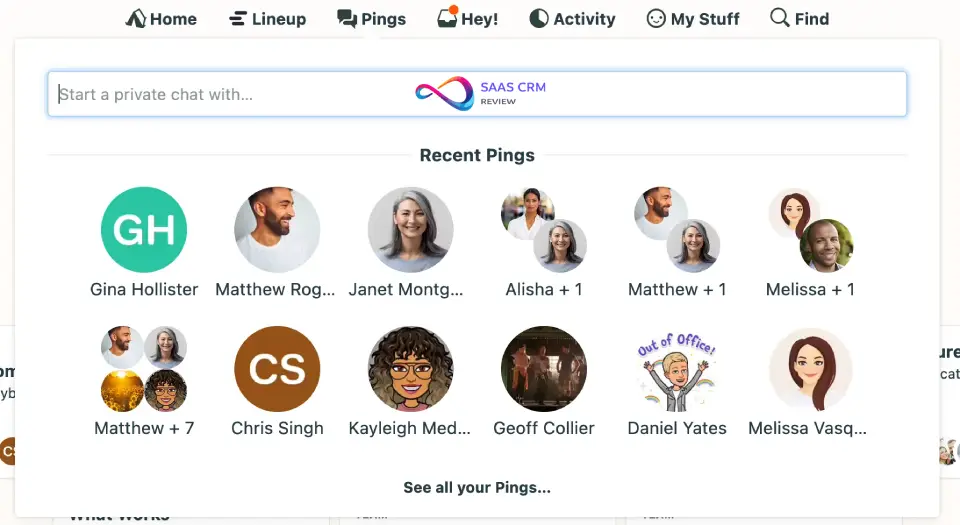
Campfire & Pings (Chat)
What it does: Group chat (Campfire) and direct messages (Pings).
So what? Can replace team chat for teams willing to commit fully. No threading in Campfire—conversations flow linearly. Works when chat is supplementary, not central.
Automatic Check-ins
What it does: Scheduled questions to the team (e.g., “What did you work on today?”).
So what? Eliminates status meetings. Async accountability. Responses are logged and searchable. One of Basecamp’s genuinely unique features.
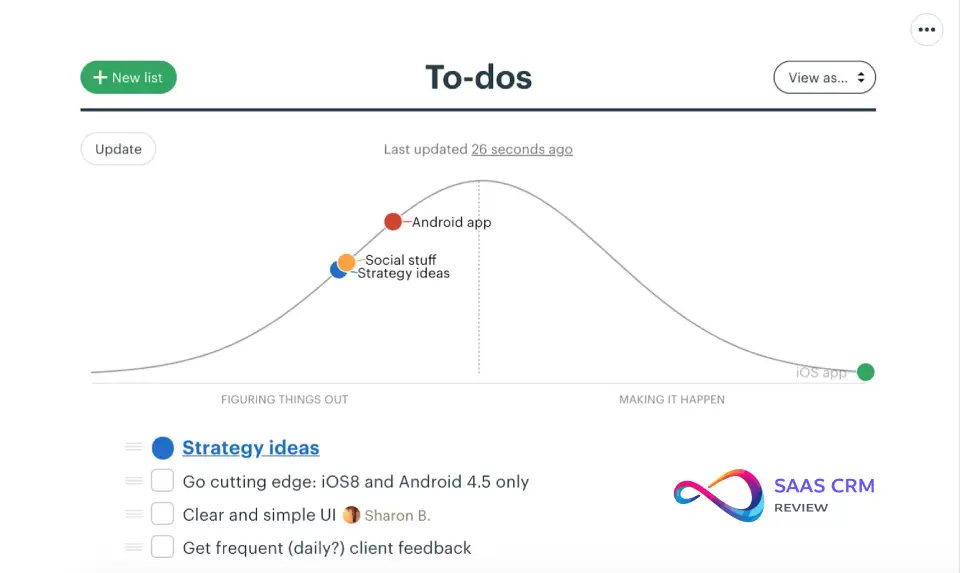
Hill Charts, Lineup, Mission Control
What it does: Visual progress tracking at project/portfolio level.
So what? Hill Charts are subjective (drag a dot uphill/downhill)—good for communicating “feel” of progress, not precise tracking. None replace detailed Gantt charts.
Basecamp Pros and Cons (With Mitigations)
Pros
| Advantage | Why It Matters |
|---|---|
| Flat-rate pricing at scale | Pro Unlimited eliminates cost anxiety as teams grow |
| All-in-one consolidation | Replaces chat + tasks + file sharing for many teams |
| Opinionated simplicity | Fast onboarding, no configuration paralysis |
| Free client seats | Agencies save on external collaborators |
| Stable, profitable company | 25+ years in business, no VC pressure |
| Async-first design | Reduces notification overload |
| Low admin overhead | Single system to manage vs. multiple tools |
Cons (With Mitigations)
| Limitation | Impact | Mitigation |
|---|---|---|
| No dependencies | Can’t link tasks in sequence | Milestone discipline + “definition of done” per phase |
| Limited reporting | No custom dashboards | Weekly check-in exports + manual status summaries |
| Basic Kanban | No automations/WIP limits | Enforce WIP rules through team process |
| No subtasks | Complex tasks harder to break down | Create to-do lists with finer granularity |
| No AI features | Some competitors offer AI (varies by plan) | Accept limitation or use external AI tools |
| Chat lacks threading | Campfire conversations hard to follow | Use Message Boards for substantial discussions |
Best For / Not Best For
✅ BASECAMP IS BEST FOR
- Small-to-medium teams (5–75 people) prioritizing simplicity
- Agencies managing multiple client projects (free client seats)
- Remote/async teams wanting structured work communication
- Teams consolidating multiple tools into one platform
- Organizations at 20+ employees wanting flat-rate predictability
❌ BASECAMP IS NOT BEST FOR
- Teams needing Gantt charts, dependencies, or critical path scheduling
- Organizations requiring advanced reporting or portfolio analytics
- Large enterprises with complex governance/compliance needs
- Power users wanting deep customization and automations
- Teams with established workflows in competing tools
Dealbreakers & Red Flags (60 Seconds)
Walk away from Basecamp if:
- You absolutely need task dependencies. No workaround fully replaces software-enforced dependencies. Tools like Asana or Wrike offer this natively—see our ClickUp review for another option with dependencies.
- Your stakeholders demand Gantt charts. Hill Charts won’t satisfy executives expecting traditional project views.
- You require specific compliance certifications. Verify directly with 37signals if you need SOC 2 Type II, specific GDPR documentation, or custom security questionnaires.
- Your team lives in a competing chat tool. Basecamp wants to replace your chat, not integrate with it.
- You need data residency outside the US. Verify current data center locations directly with vendor if this is a requirement.
Basecamp vs Key Competitors
Basecamp vs Asana
| Criteria | Basecamp | Asana |
|---|---|---|
| Pricing model | Flat-rate option | Per-user tiered |
| Task views | To-dos, basic Kanban | List, board, timeline, calendar, Gantt |
| Dependencies | ❌ No | ✅ Yes |
| AI features | ❌ No | AI available (varies by plan) |
| Built-in chat | ✅ Campfire | ❌ No |
| Admin overhead | Low | Medium |
Choose Basecamp if: You want simplicity + consolidation + flat pricing.
Choose Asana if: You need Gantt charts, dependencies, or AI-powered features. Read our full Asana review for detailed analysis.
Basecamp vs Monday.com
| Criteria | Basecamp | Monday.com |
|---|---|---|
| Pricing model | Flat-rate option | Per-user tiered |
| Customization | Minimal | Highly customizable |
| Automations | ❌ No | ✅ Extensive |
| Visual dashboards | Basic | Rich |
| Admin overhead | Low | Medium-high |
Choose Basecamp if: You prefer simplicity over configurability.
Choose Monday.com if: You need visual automations and custom dashboards.
Basecamp vs ClickUp
| Criteria | Basecamp | ClickUp |
|---|---|---|
| Feature volume | Intentionally limited | Extremely feature-rich |
| Pricing | Flat-rate option | Per-user tiered + add-ons |
| Learning curve | Very low | Steep |
| AI features | ❌ No | AI available (varies by plan) |
| Admin overhead | Low | High |
Choose Basecamp if: Feature overload stresses your team.
Choose ClickUp if: You want maximum capabilities and accept complexity. See our ClickUp review for pros/cons.
Basecamp vs Notion
| Criteria | Basecamp | Notion |
|---|---|---|
| Focus | PM + team chat | Documentation + databases |
| Structure | Opinionated, fixed | Fully flexible |
| Built-in chat | ✅ Yes | ❌ No |
| Admin overhead | Low | Medium |
Choose Basecamp if: You need structured PM with built-in chat.
Choose Notion if: Documentation and custom databases are central to your workflow. Our Notion review explains the tradeoffs.
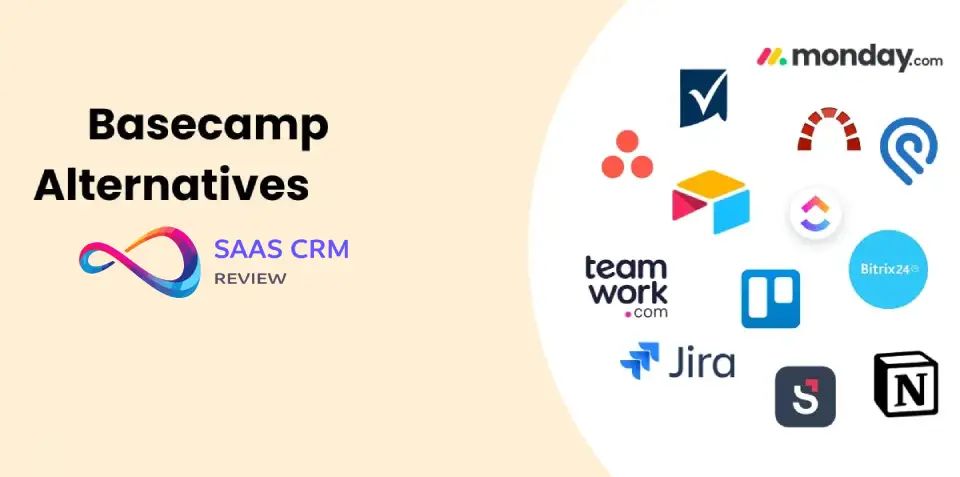
Best Basecamp Alternatives in 2026
Alternatives Matrix
| Tool | Best For | Pricing Model | Standout Feature |
|---|---|---|---|
| Basecamp | Simple all-in-one | Flat-rate option | Consolidation + predictability |
| Asana | Complex workflows | Per-user | Gantt + AI |
| Monday.com | Visual workflows | Per-user | Automations |
| ClickUp | Feature maximizers | Per-user | Everything + AI |
| Trello | Simple Kanban | Freemium | Visual simplicity |
| Notion | Docs + light PM | Per-user | Flexible databases |
| Wrike | Enterprise PM | Per-user | Proofing + resources |
| Airtable | Data-driven ops | Per-user | Relational databases |
For detailed analysis of each alternative, browse our SaaS software reviews.
Choose This If…
| Your Scenario | Best Choice |
|---|---|
| Need Gantt charts + dependencies | Asana, Wrike |
| Want visual automations | Monday.com |
| Want max features, accept complexity | ClickUp |
| Only need simple Kanban | Trello |
| Documentation is central | Notion |
| Need spreadsheet-style PM | Smartsheet, Airtable |
| Want simplicity + flat pricing | Basecamp |
Our Smartsheet review and Airtable review provide in-depth coverage of spreadsheet-style PM options. For individuals needing personal task management without team overhead: Todoist Review. If you need native time tracking with billable rates and client profitability dashboards. Read Teamwork Review
For software development specifically, Linear offers focused issue tracking while matching Basecamp’s philosophy of simplicity over feature overload.
Security, Privacy, and Compliance
Scope of this section: This section summarizes security claims based on 37signals’ publicly available security documentation. It is not a security audit. Organizations with specific compliance requirements should conduct independent verification.
Source: 37signals Security Policies
| Aspect | Status | Notes |
|---|---|---|
| Encryption in transit | ✅ Yes | TLS (per documentation) |
| Encryption at rest | ✅ Yes | Per 37signals documentation |
| Data backups | ✅ Yes | Multiple daily |
| Self-service export | ✅ Yes | Browsable format |
Caveats requiring vendor verification:
- Data center locations and residency options
- Specific compliance certifications (SOC 2, ISO 27001)
- Custom security questionnaire completion
Important: If your organization requires specific compliance posture, data residency outside the US, or completed security questionnaires, verify directly with 37signals and your compliance team before purchasing.
Integrations and API Ecosystem
Source: Basecamp Integrations Page
Native vs. Third-Party: Basecamp’s integration ecosystem relies primarily on third-party connectors (like Zapier) rather than deep native integrations. Calendar sync (Google, Apple, Outlook) is native. Most other integrations require third-party middleware.
Key Integration Categories
| Category | Examples |
|---|---|
| Time tracking | Harvest, Toggl, Clockify, Everhour |
| Reporting | Bridge24, Ganttify, Easy Insight |
| Automation | Zapier, Unito, Zoho Flow |
| Development | GitHub (via helpers), Honeybadger, Marker.io |
| Calendar sync | Google, Apple, Outlook (native) |
API
Basecamp provides a REST API for custom integrations.
Limitations
- No native integration with competing chat tools (by design)
- Fewer integrations than some competitors
- Zapier often required for third-party connections
So what? If your stack depends heavily on a competing chat tool or you need extensive native integrations, evaluate whether Zapier bridges the gaps. For teams with simpler needs, the available integrations cover common use cases.
Basecamp intentionally excludes video conferencing—expecting teams to use external tools. For video-heavy teams, this means budgeting for a separate platform. Most Basecamp users pair it with Zoom Workplace for client calls and team meetings, leveraging Zoom’s AI Companion for automatic meeting notes.
For teams needing robust file versioning and larger storage capacity than Basecamp’s built-in files, integrating with Dropbox via Zapier provides block-level sync and 180-day version history on Professional plans.
Implementation Playbook (30-60-90 Days)
Days 1–30: Foundation
- Pilot with one team/project (not company-wide)
- Migrate active project assets (not archives)
- Set up Automatic Check-ins
- Train team on Message Boards vs. Campfire distinction
- Disable email notifications for Basecamp activity
Days 31–60: Expansion
- Add 2–3 more projects
- Invite external clients to relevant projects
- Establish naming conventions
- Create company-wide “HQ” project
- Collect feedback on friction points
Days 61–90: Optimization
- Full team adoption
- Archive old tools
- Establish documented project templates
- Review Check-in effectiveness
- Decide: Plus vs. Pro Unlimited based on headcount
Adoption Success Signals (3 KPIs to Track)
Monitor these metrics to gauge successful adoption:
| KPI | Target | How to Measure |
|---|---|---|
| Daily Active Usage | 80%+ of team logging in daily by Day 30 | Admin activity reports |
| Check-in Response Rate | 90%+ responses to Automatic Check-ins | Check-in completion tracking |
| Tool Sprawl Reduction | 50%+ reduction in other tool usage by Day 60 | Compare logins to legacy tools |
Migration Notes
From Chat Tools
- Campfire replaces channels (but no threading)
- Message Boards replace important announcements
- Pings replace DMs
- Biggest adjustment: Teaching team to use Boards for discussions, Campfire only for quick chat
From Trello
If you’re migrating from Trello, expect these changes:
- Card Tables replaces boards (but simpler)
- To-dos replaces cards (less metadata)
- Biggest adjustment: Less card customization; embrace structure over flexibility
For a detailed Trello comparison, see our Trello review.
From Asana
If you’re evaluating a switch from Asana:
- No dependencies or subtasks
- No multiple views
- Biggest adjustment: Breaking complex projects into simpler milestone-based to-do lists
Common Mistakes to Avoid
- Migrating everything at once. Start with one team. Company-wide rollouts fail.
- Keeping email notifications on. This recreates inbox overload. Turn them off.
- Using Campfire for everything. Substantial discussions belong in Message Boards (searchable, structured).
- Expecting Basecamp to be feature-rich PM. It’s intentionally simpler. Don’t fight the philosophy.
- Not assigning an internal champion. Someone needs to answer questions during transition.
- Inviting clients without setting visibility. Control what clients can see before inviting.
Final Verdict: Who Should Buy Basecamp in 2026?
Buy Basecamp if:
- You want stability from a long-running profitable company
- Simplicity and fast onboarding matter more than feature depth
- Your team is 20+ people and you want flat-rate pricing
- You’re an agency with clients (free guest seats)
- You value async work and reducing notification overload
Don’t buy Basecamp if:
- You need Gantt charts, dependencies, or critical path scheduling
- You require advanced reporting or custom dashboards
- You want AI-powered features
- Your team has established workflows in competing tools
Decision Checklist
Choose Basecamp if you check 4+ of these:
- Simplicity > feature depth
- We want chat, tasks, and files in one tool
- Flat-rate pricing matters (we’re 20+ people or growing)
- We prefer async over real-time
- We don’t need Gantt charts or dependencies
- We manage client projects (free external seats valuable)
- We prefer a stable, independent company
Basecamp Review FAQ
1. Is Basecamp worth it in 2026?
Yes, for teams valuing simplicity and flat-rate pricing. No, if you need Gantt charts, dependencies, or AI. Basecamp is a collaboration hub with light PM—not enterprise work management.
2. How much does Basecamp cost?
Free (1 project, 20 users), Plus (per-user monthly), Pro Unlimited (fixed monthly rate billed annually). Pro Unlimited breaks even at ~20 employees. Verify current pricing on the official Basecamp pricing page.
3. Does Basecamp have a free plan?
Yes. One project, up to 20 users, limited storage. Suitable for evaluation or very small projects.
4. Does Basecamp have Gantt charts?
No. Basecamp offers Hill Charts (subjective progress) and Lineup (project timeline). For Gantt charts, consider Asana or Wrike. Our Wrike review covers enterprise PM options.
5. Is Basecamp better than Asana?
Different tools for different needs. Basecamp: simpler, flat pricing, built-in chat. Asana: more views, dependencies, AI. Choose based on complexity needs.
6. Can Basecamp replace team chat tools?
Partially. Campfire and Pings handle chat, but lack threading and extensive integrations. Works for teams fully committing to Basecamp.
7. Is Basecamp good for agencies?
Yes. Free client seats, visibility controls, and structured project organization suit agency workflows well.
8. What are Basecamp’s main limitations?
No Gantt charts, no dependencies, no subtasks, basic Kanban, no AI features, limited integrations.
9. Does Basecamp integrate with chat tools?
Not natively. Basecamp is designed to replace team chat, not complement it. Zapier offers limited connections.
10. Is Basecamp secure?
Encryption in transit and at rest, multiple backups per documentation. Verify specific compliance certifications directly with vendor.
11. How does Basecamp pricing compare to Monday.com?
Basecamp offers flat-rate option; Monday.com uses per-user tiered pricing. Basecamp often cheaper at 20+ users; Monday.com often cheaper for smaller teams.
12. Who owns Basecamp?
37signals, a private company founded 1999 by Jason Fried and David Heinemeier Hansson.
13. Can I export data from Basecamp?
Yes. Self-service export in browsable format. No support contact needed.
14. Is Basecamp suitable for large teams?
Works for teams up to ~100 in non-complex industries. Large enterprises needing governance, resource management, and advanced reporting should consider Wrike or enterprise tiers of other tools.
15. What’s the best Basecamp alternative for small teams?
ClickUp (feature-rich), Trello (simple Kanban), or Notion (docs + light PM) depending on workflow preferences. Our Notion review helps compare documentation-focused options.
About the author

I’m Macedona, an independent reviewer covering SaaS platforms, CRM systems, and AI tools. My work focuses on hands-on testing, structured feature analysis, pricing evaluation, and real-world business use cases.
All reviews are created using transparent comparison criteria and are updated regularly to reflect changes in features, pricing, and performance.





