Zendesk is worth it for support teams that need email, chat, messaging and phone in one queue and will budget for Suite Professional, $115 per agent per month paid yearly. That plan is where SLAs, skills-based routing and CSAT surveys start.
Small email-only teams should skip it: the $19 Support Team plan has no live chat, messaging or voice, and Help Scout’s free plan covers 5 users. This Zendesk review prices the plans Zendesk sells today, checked October 2026, at 5 and 10 agents.
Quick verdict
- Zendesk is worth it for: multi-channel teams of five or more agents that need SLAs and skills-based routing, which start on Suite Professional.
- Skip Zendesk if: you run an email-only queue with fewer than five agents, or plan heavy bot deflection on a tight seat budget.
- Main strength: email, messaging, live chat and voice in one queue from Suite Team, with AI agents included in every plan.
- Biggest limit: the workflow controls sit on Suite Professional, and AI resolutions past the 5 or 10 per agent a month cost $1.50 to $2.00 each. Since May 18, 2026, only LLM-verified resolutions count.
- Price basis: Suite plans run $55 to $115 per agent per month paid yearly, or $69 to $149 billed monthly; Enterprise is quote-only.
In This Article (12 sections)
Zendesk at a Glance
Zendesk is a customer service and ticketing platform billed per agent per month, sold as a $19 email plan and three Suite tiers.
- Category: customer service and help desk ticketing platform
- Best for: multi-channel support teams of five to fifty agents
- Starting price: $19 per agent per month paid yearly (Support Team, email and ticketing); the Suite starts at $55
- Free plan or trial: no free plan; a 14-day trial of Suite Professional; a startups program with a 6-month Suite trial for up to 50 agents
- AI pricing: 5 or 10 automated resolutions per agent per month included, then $1.50 committed or $2.00 pay-as-you-go each
- Main limitation: SLAs, skills-based routing and CSAT surveys need Suite Professional
This review covers Zendesk for customer service. Zendesk Sell, the vendor’s sales CRM, has its own page in my Zendesk Sell review.
Older names such as Guide, Chat and Talk come from the legacy Support Suite bundles. The current Suite puts the help center, live chat, messaging and voice into one plan.
A $55 Suite seat says little until you know where Suite Team runs out, and that is what the pros and cons settle.
Zendesk Pros and Cons
Zendesk’s strengths are channel breadth, included AI agents and security paperwork; the limits to check are plan gates and metered AI.
Pros
- Suite Team ($55 per agent per month paid yearly) puts email, messaging, live chat and voice in one queue, so a team adding chat buys no second tool.
- AI agents are included in every Suite and Support plan, and since May 18, 2026 escalations and contained conversations do not draw on the allowance.
- Suite Professional runs up to 5 help centers in 40+ languages, which suits a team supporting several brands or markets.
- The trust center lists SOC 2 Type II, ISO 27001:2022, ISO 42001 and FedRAMP LI-SaaS, which helps a regulated buyer’s security review.
- SSO through JWT or SAML and two-factor authentication are in every self-serve plan, including the $19 Support Team.
Cons
- Support Team ($19) has no messaging, live chat, voice or help center, so the headline price buys an email ticketing tool.
- SLAs, skills-based routing, CSAT surveys and multiple ticket forms start on Suite Professional at $115, more than twice Suite Team’s $55.
- AI resolutions past 5 per agent a month (Support Team, Suite Team) or 10 (Suite Professional) cost $1.50 committed or $2.00 pay-as-you-go.
- Full Copilot, with auto assist and unlimited use, is a $50 per agent per month add-on sold on Professional and higher plans.
- Custom agent roles and audit logs show a dash in all three self-serve plans, and custom agent roles appear only on the Enterprise plan, which is priced through sales.
- HIPAA needs an Advanced Security or Advanced Compliance add-on, set security configurations and a signed BAA.
The common problems with Zendesk, as its plan pages lay them out, are gates and meters rather than missing features. Suite Team lacks SLAs and skills routing, and AI resolutions past the allowance are billed. Custom agent roles need an Enterprise quote, and audit logs appear in none of the three priced plans.
The next question is which plan holds each feature.
Zendesk Features
Most features a growing support team asks for open on Suite Professional, as the plan-gate table shows.
| Feature | Support Team | Suite Team | Suite Professional |
|---|---|---|---|
| Messaging, live chat and voice | Not included | Included | Included |
| Help centers | None | 1, in 1 default language | Up to 5, in 40+ languages |
| Conversation routing | Agent status and capacity | Agent status and capacity | Adds skill and ticket priority |
| SLAs, multiple ticket forms, side conversations, CSAT | Not available | Not available | Included |
| Light agents | None | None | Up to 100 |
| Included automated resolutions | 5 per agent/ | 5 per agent/ | 10 per agent/ |
| Copilot | Not included | Help center lists 5 uses per agent/ | 5 uses per agent/ |
| Custom objects | None | Up to 3 | Up to 30 |
| Action builder | Up to 40K actions/ | Up to 40K actions/ | Up to 100K actions/ |
| Reporting | Prebuilt dashboards, 24-hour refresh | Prebuilt dashboards, 24-hour refresh | Custom data exploration, 1-hour refresh |
| Sandbox | Not available | Not available | Add-on |
Sources: Zendesk pricing and plan comparison, Zendesk Suite plan types, checked October 2026.
Suite Team buys the channels; Suite Professional buys the controls. Suite Enterprise + Copilot, the highest plan on the pricing page, adds custom permissions, approval workflows and two included sandboxes.
Zendesk prices Enterprise only through sales. Audit logs, guided mode and custom layouts also sit outside all three self-serve plans.
Ticketing, routing and SLAs
Every plan includes triggers, automations and macros, so even Support Team can run time-based escalations and standard replies. Routing, SLAs and views are the core of what a ticketing system does, and Zendesk splits them across plans.
Suite Team routes conversations by agent status and capacity. Suite Professional adds skill and ticket priority, plus SLA targets and multiple ticket forms.
A team that owes customers contractual response times cannot track them on Suite Team, because SLA policies are not in that plan. A team that sends billing questions to two specialists hits the routing gate just as fast.
Action builder runs multi-step flows across Zendesk and other systems. It includes up to 40K actions a month on Support Team and Suite Team and 100K on Professional; more cost $200 per 100K actions per subscription term.
Messaging, live chat and voice
Suite Team is the first plan with messaging, live chat and voice; Support Team has none of them. Every Suite plan includes five WhatsApp numbers, and more are a paid Zendesk add-on.
Voice comes in parts. Local and toll-free numbers and call minutes are add-ons on both Suite plans, and IVR phone trees start on Professional.
A team that runs a real contact center buys Zendesk Contact Center, $83+ per agent per month paid yearly on any Suite plan. It requires a Suite plan and a Premier plan.
Phone-heavy teams therefore pay three bills: the seat, the Contact Center license and the Premier plan.
Help center and self-service
Suite Team includes one help center in one default language. Suite Professional raises that to up to 5 help centers in 40+ languages, and adds community forums to help center search.
A company with a second brand or a second help center language therefore outgrows Suite Team on its first day. Suite plans also include 100,000 generative searches per month, which answer questions at the top of help center search.
AI agents and automated resolutions
AI agents come with every Zendesk plan, and you pay per automated resolution beyond a small allowance. Support Team and Suite Team include 5 per agent per month and Suite Professional 10.
The pricing table caps included resolutions at up to 10k a year, a ceiling written on the row for all three plans.
Each extra resolution costs $1.50 when committed in advance or $2.00 pay-as-you-go. A 10-agent Suite Team account gets 5 x 10 = 50 a month, fewer than two a day.
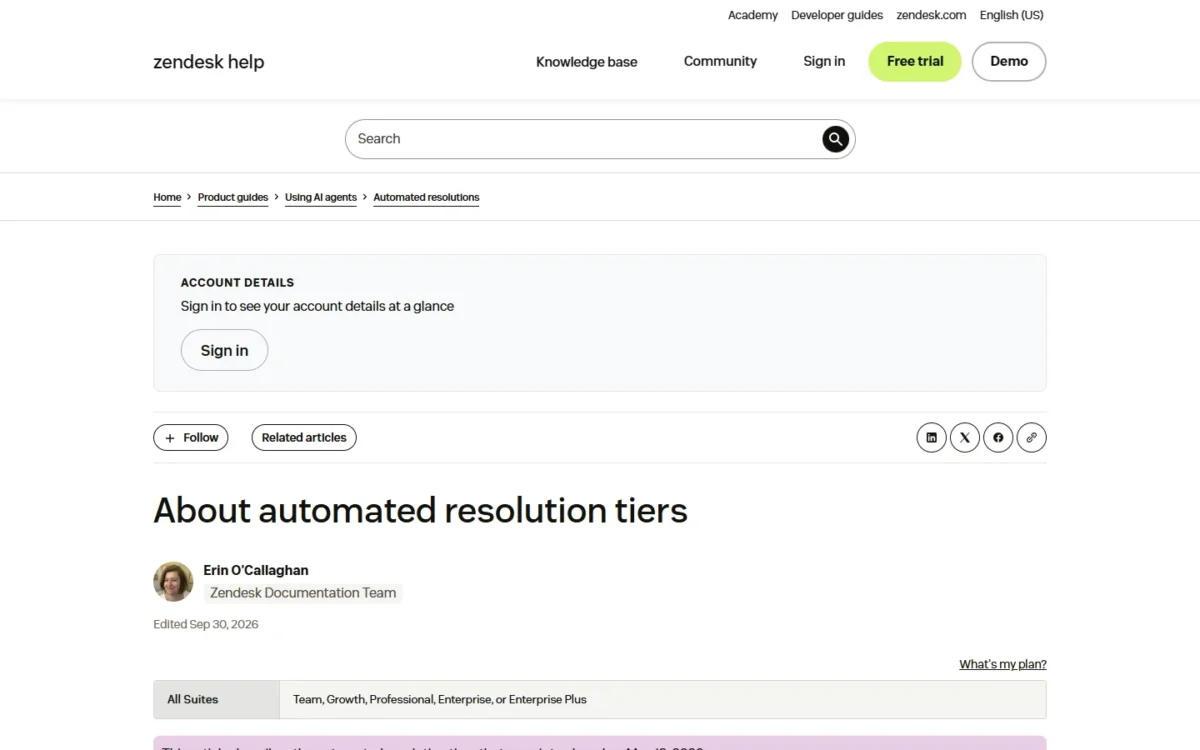
Since May 18, 2026, Zendesk groups bot outcomes into three automated resolution tiers. An Assisted escalation (the bot helped, a human finished) and a Contained resolution do not count against the allowance.
Only a Verified resolution counts: a large language model reads the ended conversation and confirms the request was resolved. An email conversation ends 72 hours after the first email, a messaging conversation after 2 hours by default (up to 72), and a call at hangup.
That rule is fairer than billing every bot touch, but the LLM decides what you pay for.
The tiers page states no pass rate for verification, so count verified resolutions on your own tickets during the trial. Scope the bot before you price it: AI customer service workflows set out where an AI agent fits a help desk queue.
Copilot for agents
The help center article on the free Copilot allowance names all Suite plans and Support Professional and above. The pricing table shows it on Suite Professional only, so a Suite Team buyer should ask sales whether it applies.
The allowance is 5 uses per agent per month, pooled across the team and capped at 500 per instance. The uses cover writing tools, ticket summaries, merge suggestions and similar tickets.
When the pool runs out, Copilot pauses until the next billing cycle, with no overage charge. Intelligent triage classifications are free and do not draw on the pool, but using them in triggers needs the add-on.
Ten agents share 50 uses a month, a sampler rather than a daily tool. The full Copilot add-on costs $50 per agent per month paid yearly, removes the cap, adds auto assist and comes with a 30-day trial.
Reporting and analytics
Every plan includes prebuilt dashboards and data exports. Custom data exploration, which builds your own metrics, charts and dashboards, starts on Suite Professional.
The refresh rate matters as much as the builder. Support Team and Suite Team refresh dashboards every 24 hours; Suite Professional refreshes every hour, so a manager watching a backlog during the day needs Professional.
Zendesk Ease of Use
Zendesk’s 14-day trial runs Suite Professional with the Copilot add-on switched on by default. It therefore shows a richer product than the Suite Team plan.
The documentation shows a setup built on defaults. Zendesk ships pre-configured views and business rules it recommends as best practices, and every plan includes role-based on-demand training for agents, admins and developers.
The admin interface comes in 28 languages. Professional Services, for configuration, data migration and custom apps, is an add-on with no published price.
Safe testing costs extra below Enterprise. A sandbox is an add-on on Suite Professional, and Suite Enterprise includes two, so a Suite Team admin changes triggers on the live account.
What to check during the trial:
- If you will buy Suite Team, ignore SLAs, skills-based routing, CSAT surveys and side conversations: they leave with the trial.
- Run real tickets through the AI agent and count verified resolutions against your plan’s 5 or 10 per agent a month.
- Note how often agents use Copilot. Without the add-on, Suite Professional gives 5 pooled uses per agent a month.
- Ask sales for a trial of the plan you will buy, since the default trial is Suite Professional.
Zendesk Pricing
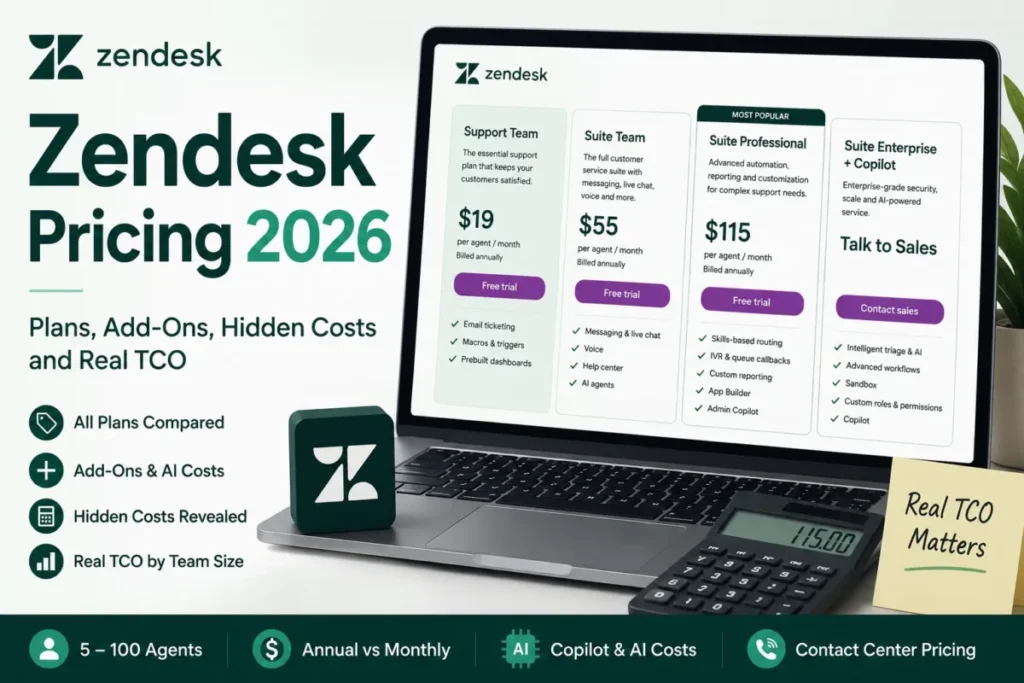
Zendesk costs $19, $55 and $115 per agent per month on annual billing for Support Team, Suite Team and Suite Professional. Monthly billing raises those to $25, $69 and $149, and Suite Enterprise + Copilot is Talk to Sales.
I would put a team of five or more agents on several channels on Suite Professional, because it holds SLAs, skills routing and 10 automated resolutions per agent a month.
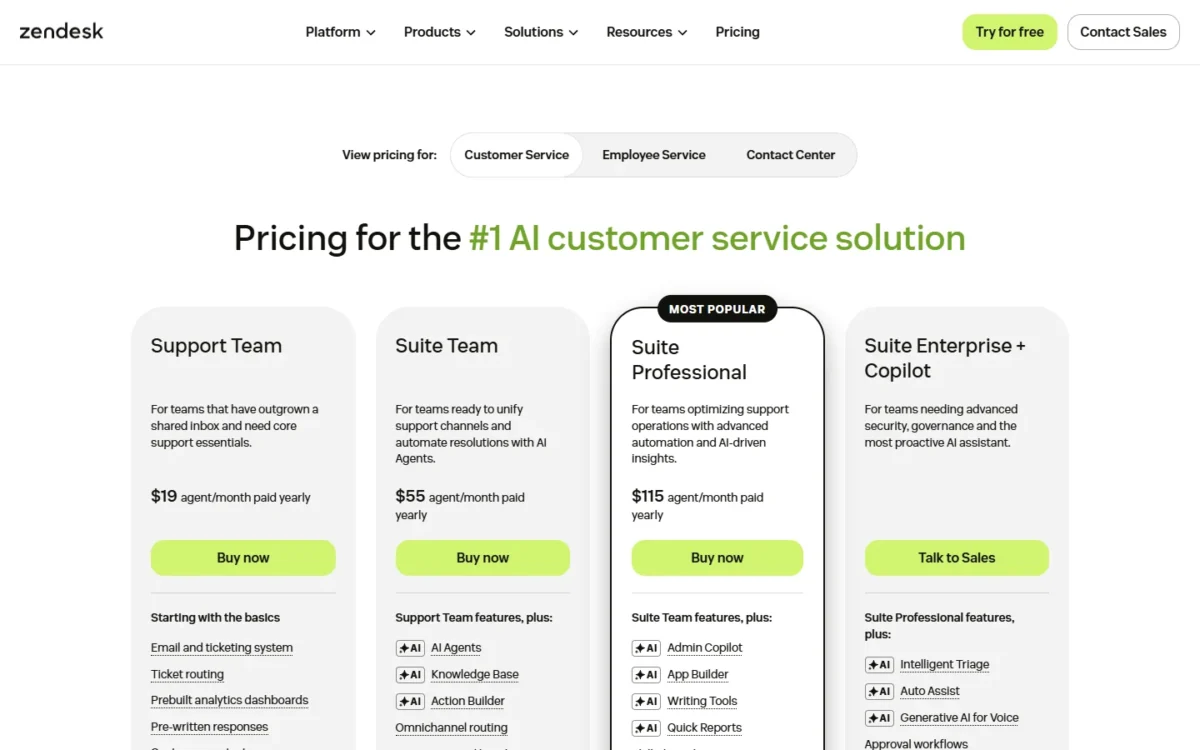
| Plan | Annual billing | Monthly billing | Included AI resolutions | Key limit |
|---|---|---|---|---|
| Support Team | $19 per agent/ | $25 per agent/ | 5 per agent/ | No messaging, live chat, voice or help center |
| Suite Team | $55 per agent/ | $69 per agent/ | 5 per agent/ | No SLAs or skills routing |
| Suite Professional | $115 per agent/ | $149 per agent/ | 10 per agent/ | Full Copilot is a $50 add-on |
| Suite Enterprise + Copilot | Talk to Sales | Talk to Sales | Not shown | Price only through sales |
Sources: Zendesk pricing page, US prices in USD, checked October 2026.
Annual billing carries the label “20% off annual”. Zendesk sells month-to-month, annual and multi-year subscriptions, and plan changes can apply immediately or at renewal depending on the terms.
I would start month to month until a few weeks of real volume confirm the plan, then switch to annual.
What a year of seats costs at two team sizes, before AI overage, add-ons, voice usage and tax:
| Team and plan | Annual billing | Monthly billing |
|---|---|---|
| 5 agents, Suite Team | $55 x 5 x 12 = $3,300 | $69 x 5 x 12 = $4,140 |
| 5 agents, Suite Professional | $115 x 5 x 12 = $6,900 | $149 x 5 x 12 = $8,940 |
| 10 agents, Suite Professional | $115 x 10 x 12 = $13,800 | $149 x 10 x 12 = $17,880 |
| 10 agents, Suite Professional + Copilot | $115 x 10 x 12 = $13,800 plus $50 x 10 x 12 = $6,000, which is $19,800 | Not published |
Sources: Zendesk pricing page, checked October 2026; Copilot is priced per agent per month paid yearly.
The jump that hurts is the plan gate, not the seat count. Five agents who need SLAs pay $115 x 5 x 12 = $6,900 a year on Professional instead of $55 x 5 x 12 = $3,300 on Suite Team.
Suite Professional includes 10 automated resolutions per agent per month.
Take an illustrative 10-agent team with that allowance, 10 x 10 = 100 a month, whose AI agent closes 400 verified resolutions a month: 400 – 100 = 300 are billable.
Pay-as-you-go costs $2.00 x 300 = $600 a month; committed resolutions cost $1.50 x 300 = $450. Over a year, that is $2.00 x 300 x 12 = $7,200 or $1.50 x 300 x 12 = $5,400 on top of the seats.
AI allowance
Only Verified resolutions draw on the allowance since May 18, 2026. Each one past 5 (Support Team, Suite Team) or 10 (Suite Professional) per agent a month is billed. The tiers page states no pass rate for the check, so forecast bot volume before you sign.
The add-ons that change the total, each per agent per month paid yearly:
- Copilot: $50, on Suite Professional and above
- Workforce Engagement Bundle (workforce management plus quality assurance): $50
- Quality Assurance alone: $35
- Contact Center: $83+, with a Suite plan and a Premier plan required; extra Minutes Blocks cost $33
Phone numbers, call minutes, a sandbox, Premier support and Professional Services are add-ons the pricing page lists without a price.
These limits force an upgrade, in the order I would check them:
- Contractual response times or skill-based queues: Suite Team to Suite Professional.
- A second brand or language in the help center: Suite Team to Suite Professional.
- More verified bot resolutions than the allowance: buy committed resolutions rather than paying the pay-as-you-go rate.
- HIPAA: Suite Professional plus the Advanced Security or Advanced Compliance add-on and a BAA.
- Custom agent roles: an Enterprise quote. Audit logs appear in none of the three priced plans, so ask sales before you rely on them.
Every add-on price and a calculator for your own seat count are in my full Zendesk pricing breakdown.
With the cost known, the remaining checks are integrations, security and the vendor’s own support.
Integrations, Security and Support
Zendesk connects to other tools through 1,000+ prebuilt apps and integrations in its Marketplace, plus API access on every plan. The site menu counts 1,800+ apps, partners and integrations, a wider figure that includes partners.
The API limit matters for teams that sync orders or accounts in bulk. An additional API volume add-on, available on Suite Professional with at least 10 agent seats, raises the limit to 2,500 requests per minute.
Custom objects, for order or product data shown beside a ticket, stop at 3 on Suite Team and 30 on Suite Professional. Support Team has none.
Other customization follows the same ladder. Custom user and organization fields and custom views come with every plan, while custom layouts and contextual workspaces sit outside the three self-serve plans.
Whether Zendesk can be trusted with customer data starts with its certifications. Its trust center lists SOC 2 Type II, ISO 27001:2022, 27017, 27018, 27701 and ISO 42001 for AI management, plus FedRAMP LI-SaaS and PCI-DSS.
HIPAA is conditional. A HIPAA-enabled account needs the Advanced Security or Advanced Compliance add-on, Zendesk’s security configurations and a signed BAA, and HIPAA-enabled accounts start on Suite Professional.
Data center location (US, APAC, the European Economic Area or the United Kingdom) is also a Suite Professional feature. Data is encrypted at rest with AES-256 on every plan.
The pricing page’s plan comparison lists access to Zendesk’s customer support during your business hours for your highest-severity issues, plus its help center, community and getting-started on-demand training. Premier plans, with 24/7 proactive support, are an add-on with no listed price.
The trust center links to a status page with real-time system availability and incident history; ask sales which service levels apply to your plan.
These facts sort teams into those Zendesk fits and those it does not.
Who Should Use Zendesk?
Zendesk fits a support team of five or more agents that works several channels and will pay for Suite Professional’s controls. It does not fit a small email-only team, which pays for a platform it will not use.
Best for
- Teams of five or more agents across email, chat and phone whose queues need SLA targets and skill-based assignment, both on Suite Professional
- Multi-brand or multi-language support, with up to 5 help centers in 40+ languages on Professional
- Regulated buyers who need FedRAMP LI-SaaS, ISO 42001 or a HIPAA BAA on the vendor’s own list
- Teams already deflecting tickets with bots that want to pay only for verified resolutions
Not ideal for
- An email-only team of 1 to 4 people: Help Scout’s free plan covers 5 users and 1 Inbox
- Teams that want SLA policies at $55 per agent: Freshdesk Pro lists multiple SLA policies at that price, billed annually
- High-volume bot deflection on a seat budget, where every verified resolution past the allowance is billed
- Teams that need custom agent roles, or audit logs, from a self-serve plan
Two of the “not ideal” lines name a rival, and the competitor table sets them side by side.
Zendesk vs Competitors
The three rivals in the table differ from Zendesk on one point each. Freshdesk uses the same $19 and $55 price points, Intercom bills its Fin AI agent per outcome, and Help Scout offers a free plan.
| Software | Best for | Starting price | Key difference | Main trade-off |
|---|---|---|---|---|
| Zendesk | Multi-channel teams that need SLAs and skills routing | $19 per agent/ | Up to 5 help centers and 100 light agents on Professional | SLAs and skills routing start on Suite Professional |
| Freshdesk | Teams that want SLA policies on a mid plan | $19 per agent/ | Pro at $55 lists multiple SLA policies | Skill-based routing, sandbox and audit logs sit on Enterprise at $89 |
| Intercom | Teams putting an AI agent first | $19 per seat/ | Fin AI Agent at $0.99 per outcome on every plan | SLAs are listed on Expert at $132 per seat/ |
| Help Scout | Small email-first teams | Free plan for 5 users; Standard $25 per user/ | Free plan with 1 Inbox and 1 Docs site | SSO/ |
Sources: Freshdesk pricing, Intercom pricing, Help Scout pricing, Zendesk pricing, checked October 2026.
Freshdesk, billed annually, spends those two prices differently. At $55, Freshdesk Pro lists multiple SLA policies, while Zendesk’s $55 Suite Team has none; my Freshdesk review covers the rest of that plan.
Freshdesk Enterprise, $89 per agent per month billed annually, lists audit logs and a sandbox at a published price. Zendesk’s plan comparison shows audit logs in none of its three priced plans, and its Enterprise price is quote-only. A team that needs audit logs can budget them on Freshdesk without a sales call.
Intercom prices Essential at $19, Advanced at $85 and Expert at $132 per seat per month, paying annually. It bills Fin at $0.99 per outcome. Intercom Copilot costs $29 per agent per month billed annually, or $35 per agent per month billed monthly.
That makes Intercom’s agent assistant the cheaper add-on of the two, against the $50 Copilot add-on Zendesk sells on Suite Professional.
The Zendesk vs Intercom comparison sets the two side by side on AI pricing and messaging.
Help Scout’s pricing page prints Standard at $25 per user/mo beside a -16% toggle, with Plus at $45 and Pro at $75. Its free plan gives a small email team a shared inbox at no cost before Zendesk’s $19 Support Team makes sense.
The four vendors meter AI in different units. Zendesk charges per verified resolution past the allowance, Intercom per Fin outcome and Help Scout $0.75 per AI Answers resolution.
Freshdesk charges $49 per 100 AI Agent sessions after 500 free sessions, which it offers once per account.
Each vendor defines its own unit, so price them on your own monthly volume rather than on the per-unit sticker.
Best Zendesk Alternatives
Three kinds of team look past Zendesk: email-only teams that need no Suite, AI-first teams that want outcome pricing, and budget teams that want SLAs below Suite Professional’s seat price.
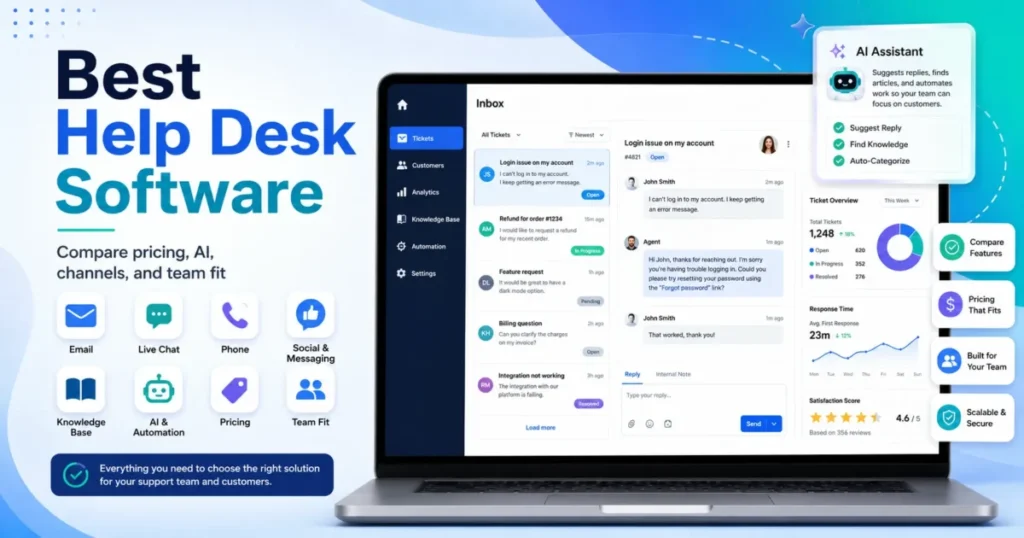
My ranking of the best help desk software covers the options for ticket-first teams.
For platforms built around voice and AI agents, the customer service platforms compared are the wider list.
How I Evaluated Zendesk
I checked Zendesk’s US pricing page and its full plan comparison on October 20, 2026. I also read its help center articles on Suite plan types, add-ons, automated resolution tiers and the Copilot allowance, its Contact Center pricing page and its trust center.
For the competitor table, I read Freshdesk’s, Intercom’s and Help Scout’s pricing pages the same day.
The facts come from those official pages. The cost math, the plan-fit calls and the upgrade order are my analysis of those facts, and the screenshots are captures of Zendesk’s public pages.
Zendesk does not publish a price for Suite Enterprise + Copilot, Premier support, Professional Services, the HIPAA add-ons, phone numbers or call minutes. The pages above print no verification pass rate for AI resolutions.
Several plan gates come from the pricing page’s comparison table, which marks a missing feature with a dash; the plan names in this review follow that table.
Zendesk Review FAQ
What is Zendesk used for?
Zendesk runs a customer support queue: tickets from email, messaging, live chat, social channels and phone land in one agent workspace. The Suite adds a help center, AI agents billed per verified resolution and prebuilt reporting, so a team can answer, deflect and measure support in one product.
Is Zendesk free for startups?
No. Zendesk sells no free plan, but young companies can apply to its startups program, which offers a 6-month trial of the Suite for up to 50 agents. The standard trial lasts 14 days, so a startup that qualifies gets far more time to judge the Suite on real tickets.
Final Verdict
Yes, sign up for Zendesk if your team works several channels and can budget for Suite Professional. At 10 agents on annual billing, that is $115 x 10 x 12 = $13,800 a year. That plan is the real Zendesk, with SLAs, skills routing, up to five help centers and up to 100 light agents.
No, if you run an email-only queue with fewer than five agents. Help Scout’s free plan covers that job for less, while Freshdesk’s Growth plan costs the same $19 per agent per month as Support Team, both billed annually, as my Help Scout review details.
The trade-off is depth for seat price plus metered AI. Suite Team at $55 is a channel bundle without the controls this review’s buyer needs, and the AI allowance is small enough that bot volume belongs in the budget.
Before you sign, verify four things:
- Which plan your trial matches, since the default trial is Suite Professional with Copilot on
- Your monthly verified bot resolutions against 5 or 10 per agent
- Whether 5 pooled Copilot uses per agent cover your agents, or the $50 add-on does
- A written quote for the HIPAA add-on, if you handle health data