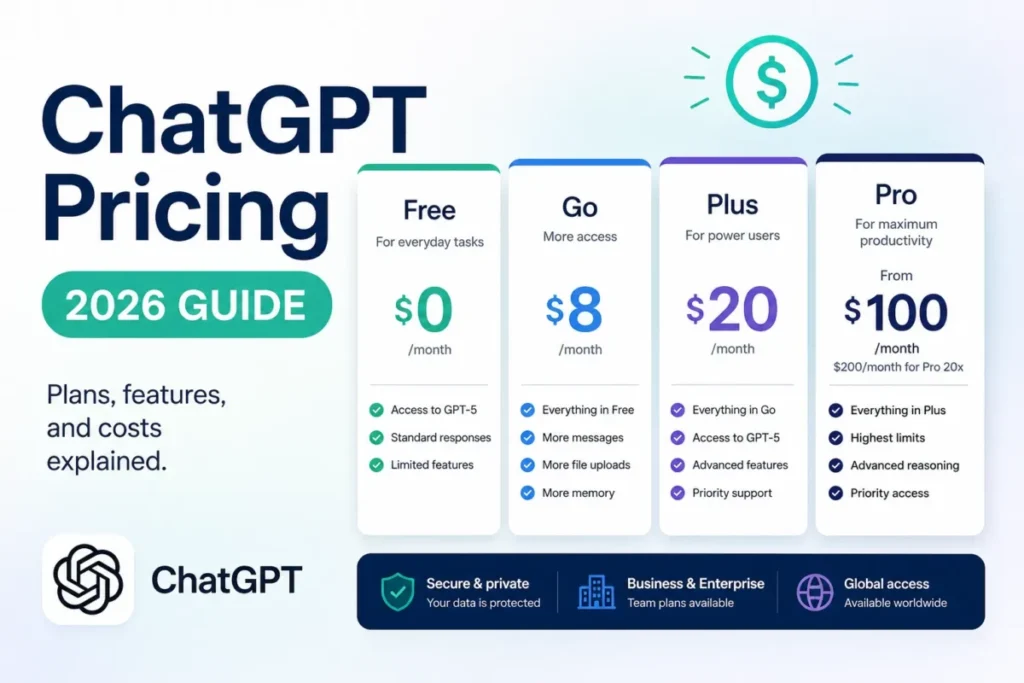
Codex pricing runs from $0 to $500 per developer per month, billed monthly, because OpenAI includes its coding agent in every ChatGPT plan. Codex and ChatGPT Work share one plan’s pricing, credits and usage limits. Plus, at $20 a month billed monthly, works within five-hour and weekly limits; the Pro plans currently have no five-hour limit.
Quick pricing answer
- Plans: Codex comes with ChatGPT Free ($0), Go ($8), Plus ($20) and Pro ($100, $200 or $500), each per month and billed monthly; Enterprise & Edu is by quote, and an API key bills per token.
- Teams: Business is $20 per user per month billed annually (2+ users) or $25 billed monthly, so 5 developers pay $20 x 5 x 12 = $1,200 a year, not $25 x 5 x 12 = $1,500.
- Where to start: Plus for a few focused sessions a week, Pro 100 for all-day use, Business for teams that need SSO.
- Cost caveat: past the included limits, usage draws on credits whose purchase price varies by account, region and plan.
- Checked: November 2026, US list prices in USD.
In This Article (7 sections)
Real Codex Cost for 1, 5 and 20 Users
One developer pays $20 x 12 = $240 a year on Plus. Pro 100 costs the same developer $100 x 12 = $1,200 a year. On Business billed annually, a 5-person team pays $20 x 5 x 12 = $1,200 a year. All figures are list prices for US buyers in USD, checked in November 2026, before credits, API-key usage or tax.
Codex cost calculator
This calculator needs JavaScript. The scenario table below gives the same estimate for typical workloads.
Enter what you need. The calculator prices it on every plan at list prices and names the cheapest plan that covers it.
- List prices in USD from Codex’s official pricing pages, checked Nov 18, 2026. Tax and regional prices are not included.
- 12-month figures are 12 times the monthly cost at the billing you choose.
- A planning estimate at list prices, not a quote.
Enter your developer count, pick monthly or annual billing, and tick what you need, such as SAML SSO or no five-hour limit. The calculator prices every plan side by side and names the cheapest that fits, leaving out tax, regional prices and credits.
| Team size | Plan | Billing | Monthly equivalent | Annual total | Assumptions |
|---|---|---|---|---|---|
| 1 developer | Plus | Monthly | $20 | $20 x 12 = $240 | 12 monthly payments |
| 1 full-time developer | Pro 100 | Monthly | $100 | $100 x 12 = $1,200 | 12 monthly payments; no annual option |
| 2 developers | Business | Annual | $20 x 2 = $40 | $20 x 2 x 12 = $480 | The 2-seat minimum |
| 5 developers | Business | Annual | $20 x 5 = $100 | $20 x 5 x 12 = $1,200 | 5 seats, billed annually |
| 5 developers | Business | Monthly | $25 x 5 = $125 | $25 x 5 x 12 = $1,500 | 5 seats, billed monthly |
| 10 developers | Business | Annual | $20 x 10 = $200 | $20 x 10 x 12 = $2,400 | 10 seats, billed annually |
| 10 developers | Business | Monthly | $25 x 10 = $250 | $25 x 10 x 12 = $3,000 | 10 seats, billed monthly |
| 20 developers | Business | Annual | $20 x 20 = $400 | $20 x 20 x 12 = $4,800 | 20 seats, billed annually |
| 20 developers | Business | Monthly | $25 x 20 = $500 | $25 x 20 x 12 = $6,000 | 20 seats, billed monthly |
Sources: OpenAI’s pricing page for Codex, checked November 2026. Totals are list-price estimates, not quotes.
Annual billing is what makes Business the cheap route: paying monthly costs a 5-person team $1,500 – $1,200 = $300 more a year, and a 20-person team $6,000 – $4,800 = $1,200 more.
Each total buys a plan’s included Codex usage, not unlimited work, so credits and usage-based API billing come on top. For scale, OpenAI’s rate card for Business and Enterprise puts average Codex cost at approximately $100-$200 per developer per month. The plan table shows what each plan limits.
Codex Plans and Prices Compared
Every ChatGPT plan includes Codex, from Free at $0 to Pro at $500 a month, and two routes are priced another way: Enterprise & Edu by quote and an API key at per-token rates.
| Plan | Monthly billing | Annual billing | Best for | Main limitation |
|---|---|---|---|---|
| Free | $0 per month | Free plan | Quick coding tasks | GPT-6 Luna in the desktop app; no Codex Cloud |
| Go | $8 per month | Not offered | Lightweight coding tasks | GPT-6 Luna in the desktop app; no Codex Cloud |
| Plus | $20 per month | Not offered | A few focused sessions each week | Five-hour and weekly limits |
| Pro 100 | $100 per month | Not available | Daily use without a five-hour limit | Ultrafast not included |
| Pro 200 | $200 per month | Not available | More included usage than Pro 100 | Pro help page: Ultrafast not included; rate card: GPT-6.2 Sol Ultrafast in Codex |
| Pro 500 | $500 per month | Not available | The highest included usage, plus Ultrafast | Ultrafast uses included usage at 6x to 8x the Standard rate, depending on the model |
| Business | $25 per user per month | $20 per user per month, billed annually | Teams of 2+ that need SSO | 2-user minimum; per-seat limits |
| Enterprise & Edu | Contact sales | Contact sales | Rollouts that need audit logs | Price by quote |
| API Key | Usage-dependent | Usage-dependent | Automation in CI | No cloud-based features |
Sources: OpenAI’s pricing page for Codex, Pro tiers, Codex with your ChatGPT plan and ChatGPT plans, checked November 2026.
Prices are for US buyers in USD, per user per month and billed monthly unless marked annual, read in November 2026. OpenAI’s pricing pages do not state whether tax is included.
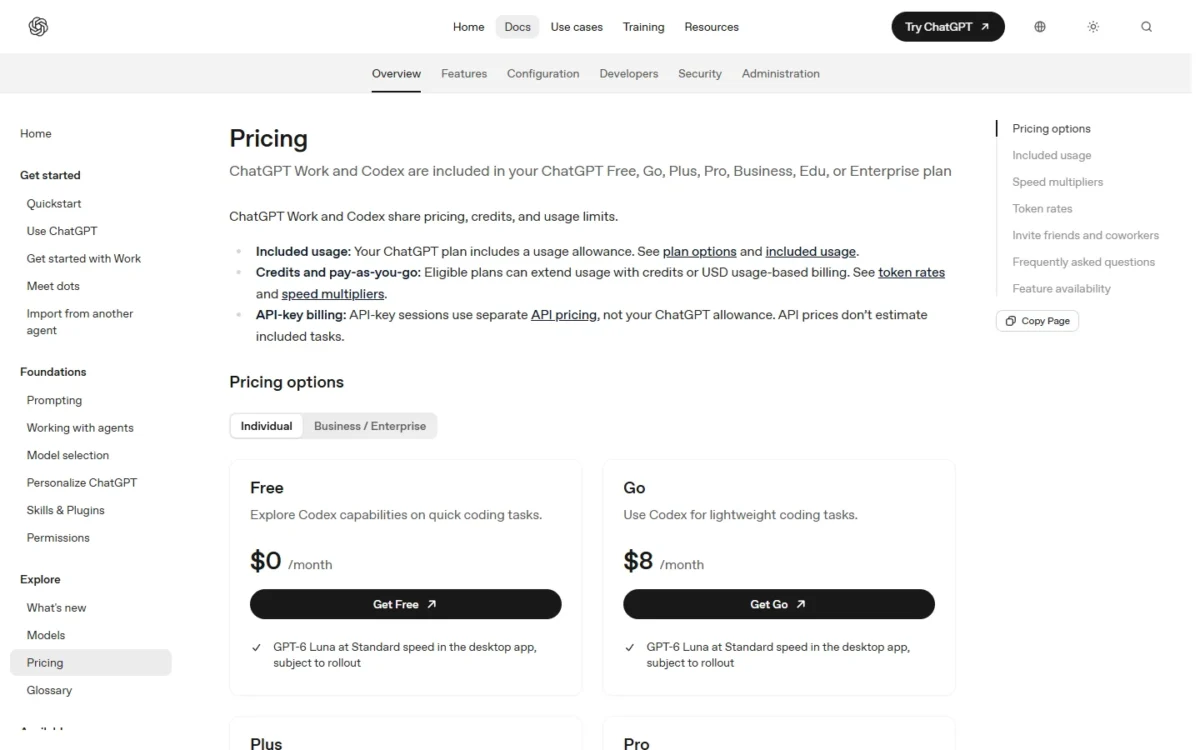
On Plus and Pro, one ChatGPT sign-in covers Codex on the web, in the CLI, in the IDE extension and on iOS; Free and Go list Codex in the desktop app.
What Each Codex Plan Actually Gets You
Free and Go list Codex in the desktop app with GPT-6 Luna. Plus adds the CLI, the IDE extension, the web and cloud code review under five-hour and weekly limits, Pro drops the five-hour limit, and Business adds a managed workspace.
Free and Go: Codex in the desktop app
Yes, Codex is free to try: Free ($0) and Go ($8 a month) both list GPT-6 Luna at Standard speed in the desktop app, subject to rollout. Codex Cloud is not included with Free or Go, and image generation isn’t available on the Free plan.
The Go card carries the same single Codex line as the Free card, so Go’s $8 x 12 = $96 a year buys more ChatGPT, not more Codex. If chat is why you are weighing Go, my ChatGPT Go vs Plus comparison is the page for that decision.
Plus ($20 per month)
Plus is where Codex becomes a full toolset: for $20 a month it runs on the web, in the CLI, in the IDE extension and on iOS, with cloud integrations such as automatic code review and Slack. GPT-6.2 Astra and GPT-6.2 Sol are available on Plus in the Codex app and CLI.
What you buy is a usage allowance, not a message count. OpenAI publishes these estimates of local messages per five-hour period:
| Model | Plus | Standard Business |
|---|---|---|
| GPT-6 Luna | 350-3,000 | 350-3,000 |
| GPT-6.1 Terra | 35-285 | 35-285 |
| GPT-6.2 Sol | 17-180 | 17-180 |
| GPT-6.1 Sol | 15-160 | 15-160 |
| GPT-6.2 Astra | 6-50 | 6-50 |
Sources: OpenAI’s pricing page for Codex, checked November 2026.
These are estimates, not fixed limits, and weekly limits may also apply. Local messages and cloud chats share the allowance, and usage also moves with context, reasoning, tool use and caching.
Model choice is the lever you control: the same five hours stretch from as few as 6 messages on GPT-6.2 Astra to as many as 3,000 on GPT-6 Luna. For a rare heavy week, Plus users can buy credits instead of upgrading.
Pro 100, Pro 200 and Pro 500
All three Pro tiers include everything in Plus and currently have no five-hour limit. Pro is billed monthly: annual billing and paying several months in advance are not available.
The tiers differ in allowance and in one feature. Pro 200 includes more usage than Pro 100, and Pro 500, the new $500 tier, offers the highest included usage of the three.
OpenAI’s Pro help page gives no quota for any tier and no usage multiple against Plus. It says only that Pro 100 and Pro 500 now include twice their previous Work and Codex allowance, that on Pro 200 only the lower allowance doubled, and that a larger allowance does not guarantee twice as many completed tasks.
The feature is Ultrafast, and two OpenAI pages draw its line differently. The Pro help page says “Among Pro plans, Ultrafast is available only on Pro 500,” the plan that includes GPT-6 Astra Ultrafast and GPT-6.1 Sol Ultrafast. The rate card for Business and Enterprise adds an exception: “Pro $200 also includes GPT-6.2 Sol Ultrafast in Codex using existing plan limits.”
For GPT-6 Astra and GPT-6.1 Sol, Ultrafast spends included usage at 8 times the Standard rate, then draws on credits at 6 times the Standard credit rate. At launch, buying credits on Pro 100 or Pro 200 does not add Ultrafast.
My take
Pick Pro 100 if the five-hour limit on Plus is what stops you: it is the first step past Plus, and $100 x 12 = $1,200 a year removes that limit. Pro 200 is the next step, worth it only when you still use up Pro 100’s included allowance.
Pro 500 costs $500 x 12 = $6,000 a year. Pick it if you still use up Pro 200’s included allowance, since Pro 500 offers the highest included usage of the three, or if you want Ultrafast on GPT-6 Astra or GPT-6.1 Sol.
Business ($20 per user per month, billed annually)
Business costs $20 per user per month billed annually, or $25 billed monthly, and starts at 2 users. It adds what a team lead buys a team plan for: a dedicated workspace with admin controls, SAML SSO and MFA, larger virtual machines for cloud chats, and no training on your business data by default.
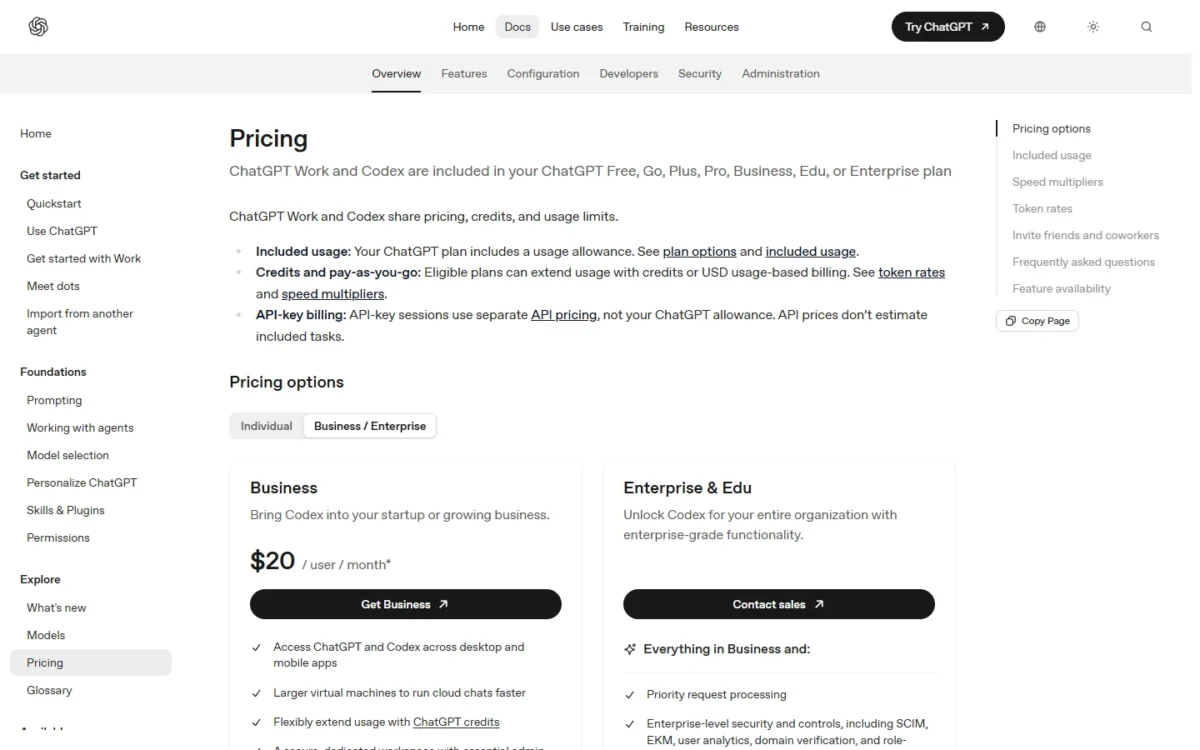
A standard Business seat does not buy more Codex than Plus: the Codex pricing page’s five-hour estimates are identical for both. Business users get per-seat limits, and a user who exceeds them keeps working only if the workspace has purchased credits for its shared pool.
Business also has a usage-based Codex-only seat, which includes Codex usage only and requires workspace credits from first use. A workspace that had a Codex seat before June 24, 2026 can continue using legacy Codex seats.
For 5 developers, Business against five Plus accounts is not a price decision, because annual Business matches Plus at $20 a head. You are paying for SSO, admin controls and the no-training default.
A team that needs none of them can mix personal plans instead: four Plus accounts and one Pro 100 for the heaviest user cost $20 x 4 + $100 = $180 a month, or $180 x 12 = $2,160 a year. That is ($100 – $20) x 12 = $960 a year more than five Plus accounts, and it buys the heaviest user Pro 100, with no five-hour limit.
Enterprise & Edu and the API key route
Enterprise & Edu has no list price: its card says Contact sales. On flexible pricing, Enterprise and Edu users have no fixed rate limits and usage scales with credits. The plan adds SCIM, EKM, role-based access control and audit logs through the Compliance API, so talk to sales when a rollout needs those controls.
An API key bills Codex in the CLI, SDK or IDE extension at API pricing, with no cloud-based features such as GitHub code review or Slack. The sign-in decides the bill: sign in with ChatGPT and usage draws on your plan’s allowance; use an API key and the session is billed at API rates.
Codex Free Plan, Trial and Monthly vs Annual Billing
Codex has a Free plan at $0, its pricing page lists no trial of the paid plans, and annual billing exists only for Business and Enterprise. On Business, annual billing saves ($25 – $20) x 12 = $60 per user a year.
Monthly plans exist for Go, Plus and Business, and annual plans for Business and Enterprise. Pro is monthly only: canceling stops future renewals, and you normally keep the plan until the end of the current billing period.
For a team with a stable headcount, annual billing is the default: 10 developers save $60 x 10 = $600 a year, and 20 save $60 x 20 = $1,200. While you are still finding out whether Codex sticks, monthly billing costs $5 more per user per month and avoids committing to a year up front.
Discounts, referrals and usage resets
Two discounts apply to ChatGPT plans: nonprofits can get up to 75% off ChatGPT Business or Enterprise, and verified U.S. K-12 educators can use ChatGPT for Teachers at no charge through June 2027.
For some Plus and Pro promotions, a successful referral adds a banked reset that refreshes your 5-hour and weekly Codex usage windows. OpenAI may also give eligible users a one-time reset, but future resets are not guaranteed, so don’t budget around them.
Extra Codex Costs to Consider
Three things raise a Codex bill beyond the subscription: credits after the included limits, API-key usage at per-token rates, and the multipliers that Fast mode, Ultrafast, voice and image generation apply to your allowance.
| Cost type | When it applies | Pricing basis | Notes |
|---|---|---|---|
| Credits | After your included limits | Credits per 1M tokens, by model | Purchase prices vary by account, region and plan; credits expire 12 months from purchase |
| API key | Sessions signed in with an API key | gpt-6.2-sol: $2.00 input, $0.10 cached input, $10.00 output per 1M tokens | A 30-minute cache write is $2.50 per 1M tokens; Codex credit billing has no cache-write charge |
| Fast mode | When selected | 2x to 2.5x included usage | 2x on credits |
| Ultrafast | Pro 500, eligible Enterprise and Edu plans; GPT-6.2 Sol in Codex on Pro 200 per the rate card | 6x to 8x included usage | GPT-6.2 models on purchased credits: 3x Standard through February 28, 2027, then 6x |
| Voice | Voice in Desktop | $0.05 per minute of your Codex usage budget | 1.25 credits per minute on credit billing |
| Image generation | Not available on the Free plan | Uses included limits 3-5x faster on average | Then draws from credits |
| Codex Cloud | Cloud tasks | No separate VM charge for standard environments at launch | Model usage still counts toward limits |
Sources: OpenAI’s pricing page for Codex, OpenAI API pricing and Using Credits for Flexible Usage in ChatGPT, checked November 2026.
Credits are the unit that pays for usage beyond included limits on credit-based plans. OpenAI quotes credit rates per million input tokens, cached input tokens and output tokens, at Standard speed:
| Model | Input tokens | Cached input tokens | Output tokens |
|---|---|---|---|
| GPT-6.2 Astra | 200 credits | 10 credits | 1,000 credits |
| GPT-6.2 Sol | 50 credits | 2.5 credits | 250 credits |
| GPT-6.1 Terra | 25 credits | 1.25 credits | 125 credits |
| GPT-6 Luna | 2.5 credits | 0.25 credits | 12.5 credits |
Sources: OpenAI’s pricing page for Codex, checked November 2026.
OpenAI API pricing lists gpt-6.2-astra at $8.00 per 1M input tokens, $0.40 per 1M cached input tokens and $40.00 per 1M output tokens.
Model choice moves these token rates most: GPT-6.2 Astra’s input rate is 200 / 50 = 4 times GPT-6.2 Sol’s, and GPT-6.2 Sol’s is 50 / 2.5 = 20 times GPT-6 Luna’s. What a credit costs in dollars is the open variable, because purchase amounts and prices vary by account, region and plan.
For team budgets, OpenAI’s rate card for Business and Enterprise gives two anchors. It puts a typical GPT-6.2 Sol task in Codex at 2 to 15 credits, and average Codex cost at approximately $100-$200 per developer per month, varying significantly with the model, concurrent instances, automations and fast mode.
Run that average over a year and a 5-person team lands between $100 x 5 x 12 = $6,000 and $200 x 5 x 12 = $12,000. A 20-person team lands between $100 x 20 x 12 = $24,000 and $200 x 20 x 12 = $48,000, several times what its Business seats commit.
Two smaller lines are easy to price. An hour of voice costs $0.05 x 60 = $3 of usage budget, or 1.25 x 60 = 75 credits on credit billing. And on purchased credits, Ultrafast with GPT-6.2 models doubles from 3 times to 6 times the Standard rate on March 1, 2027.
What happens when you hit a Codex usage limit
The active turn can finish: if you reach a limit mid-turn, Codex keeps working on that turn, subject to fair-use limits. After that, Plus and Pro users can buy credits without changing plans, and Business, Edu and Enterprise plans with flexible pricing can purchase workspace credits. Anyone can also run extra local chats on an API key at standard API rates, or wait for the reset; OpenAI Support does not reset usage limits.
Two edge cases catch people. On Business, if the workspace pool has no credits, the feature is blocked until a workspace owner adds more. On personal plans, available credits can be used automatically once your allowance is exhausted, and OpenAI notes that telling Codex to “ask me before using credits” adds no billing approval step.
To stretch an allowance, OpenAI suggests tighter prompts, only the relevant files, a smaller AGENTS.md and fewer MCP servers. Reviews Codex runs through GitHub count as Code Review usage; reviews you run locally count toward your general usage limits.
Codex on an API key vs a ChatGPT subscription
An API key suits CI and scripted runs. For interactive daily work, a plan is the more predictable bill, because a key pays for every token, cache writes included.
Take an illustrative month on gpt-6.2-sol with invented volumes: 20 million input tokens, 200 million cached input tokens, 2 million output tokens and 10 million tokens of 30-minute cache writes. The API’s Standard rates for gpt-6.2-sol are $2.00 per 1M input tokens, $0.10 per 1M cached input tokens, $10.00 per 1M output tokens and $2.50 per 1M tokens for a 30-minute cache write. That illustrative month costs 20 x $2.00 + 200 x $0.10 + 2 x $10.00 = $80 before cache writes, and $80 + 10 x $2.50 = $105 with them.
Neither total forecasts your bill: API prices don’t estimate included tasks, so a plan’s allowance cannot be converted into tokens. The example shows the shape of the cost, with every token type metered and cache writes on top.
My rule: put automation with nobody at the keyboard on a key, where spend tracks usage and the missing cloud features don’t matter, and keep people on plans.
Which Codex Plan Should You Buy, and Is the Pricing Worth It?
Start on Plus at $20 a month. Move to Pro 100 when the five-hour limit stops you on most working days, buy Business on annual billing when a team of 2 or more needs SSO, and stay on Free or Go if occasional desktop-app help is all you want.
| Your needs | Plan to consider | Why | Main limitation |
|---|---|---|---|
| A few quick tasks a month | Free or Go | $0 or $8 a month covers GPT-6 Luna in the desktop app; no upgrade needed | No Codex Cloud |
| A few focused sessions a week, with pull-request review | Plus | $20 a month adds the CLI, the IDE extension, the web and automatic code review | Five-hour and weekly limits |
| All-day use; the five-hour limit stops you most days | Pro 100 | $100 a month with no five-hour limit | Monthly billing only; no Ultrafast |
| Ultrafast on GPT-6 Astra or GPT-6.1 Sol | Pro 500 | Pro 500 includes GPT-6 Astra Ultrafast and GPT-6.1 Sol Ultrafast | $500 a month |
| GPT-6.2 Sol Ultrafast in Codex | Pro 200 | Per the rate card, Pro $200 includes GPT-6.2 Sol Ultrafast in Codex within existing plan limits | $200 a month; the Pro help page lists Ultrafast as not included on Pro 200 |
| A team of 2+ that needs SSO | Business, billed annually | $20 per user per month with SAML SSO, MFA and admin controls | 2-user minimum; per-seat limits |
| CI or scripted automation | API Key | Per-token billing in the CLI, SDK or IDE extension | No cloud-based features |
| A rollout that needs audit logs | Enterprise & Edu | SCIM, role-based access control and Compliance API audit logs | Contact sales |
Sources: OpenAI’s pricing page for Codex, checked November 2026.
Is Pro 100 worth $100 a month?
Pro 100 is worth it when the five-hour limit on Plus stops your work on most working days. It costs $100 – $20 = $80 a month more, or $80 x 12 = $960 a year, and the alternatives are waiting for a reset or buying credits at a price that varies by account.
It is not worth it for a few sessions a week: stay on Plus and buy credits in the rare heavy week.
- Skip it if:
- GPT-6 Luna in the desktop app covers your quick tasks (stay on Free), or nobody on the team needs SSO or admin controls (skip Business).
A team that does buy seats should treat the seat price as the floor of the budget: credits decide what heavy users cost on top, so set usage alerts before the first developer hits a limit.
If the real question is Codex or Anthropic’s agent at the same budget, my Codex vs Claude Code comparison puts the two side by side.
An editor-first team should look at Cursor’s plans and prices before committing seats.
And when neither the limits nor the ChatGPT bundle fits how you work, the best AI tools for coding is the wider shortlist.
How I Verified Codex Pricing
I read OpenAI’s pricing page for Codex, its API pricing page, the ChatGPT pricing page and its help articles on Codex plans, Pro tiers, credits, flexible pricing and the Business rate card in November 2026. Pricing region and currency: United States, USD, per user per month.
Totals are calculated as price x seats x 12 months, and the API month is an illustrative example. OpenAI does not publish a fixed dollar price per credit or a usage quota for the Pro tiers, so this guide states neither.
FAQ
How much does Codex cost?
Codex costs $0 on Free, $8 a month on Go, $20 on Plus and $100, $200 or $500 on Pro, because it comes with the ChatGPT plan. Business is $20 per user per month billed annually. Go, Plus, Pro and Business can be bought with any major credit card.
Is Codex cheaper than Claude Code?
This page prices only Codex, so the answer needs Anthropic’s numbers beside it: Codex runs $20 a month on Plus and $100, $200 or $500 on Pro. My Claude Code guide covers the other tool.
Is there a student price for Codex?
No student price appears on OpenAI’s ChatGPT pricing page. It describes ChatGPT Edu as a plan universities deploy across their campus communities, and the Codex page lists Enterprise & Edu as Contact sales.
Do Codex credits expire?
Yes. Credits expire 12 months from purchase, and unused credits do not roll over. They have no cash value, can’t be transferred to someone else, and are refunded only where law, a contract or an approved exception requires it.