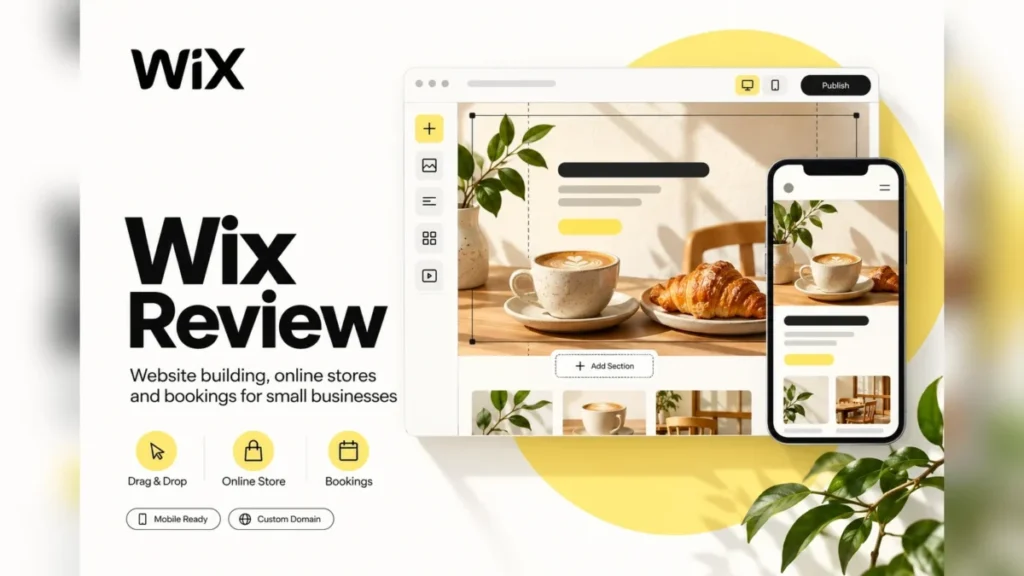
Wix fits a small business that wants its website, bookings and card payments on one yearly bill. Core, at $29 a month billed yearly, is the plan that job starts on. It is the wrong pick for an owner who may later move the site to another host, because a Wix site must run on Wix’s servers.
This Wix review covers the US Premium plans, the plan gate behind each upgrade, the yearly cost at three business sizes and the limits that lock you in.
Quick verdict
Wix is worth it for a service business or a small store that wants the site, online booking and payments in one place and expects to stay on the platform.
Skip it if you may want to host the site elsewhere or expect to redesign often: Wix cannot export a site to another host, and a created site cannot switch templates.
The main strength is Core, which adds Accept payments, Basic eCommerce and Scheduling and services for $29 a month, billed yearly. The biggest limit is lock-in. Prices are per site, from $17 to $159 a month, shown as yearly subscriptions paid in full.
In This Article (12 sections)
Wix at a Glance
Wix is a website builder with hosting included, sold per site as a free plan and four Premium plans.
- Category: website builder with hosting, domains and AI creation tools
- Best for: service businesses and small stores that take bookings or payments on the site
- Starting price: $17 a month for Light, billed yearly and paid in full; Core, the first plan with payments, is $29 a month
- Free plan or trial: a free plan with no credit card, plus a 14-day money-back guarantee on new Premium plans
- Main limitation: the site must stay on Wix’s servers and keeps the template it was built on
The free plan and the main limitation pull in opposite directions: building and publishing on a free Wix web address cost nothing, a custom domain needs a Premium plan, and leaving later means rebuilding elsewhere.
Wix Pros and Cons
The biggest downside of Wix is lock-in: the site cannot leave Wix’s servers or switch templates. Its strengths sit in the Core plan and the free build phase.
Pros
- The free plan needs no credit card, so an owner can build the whole site before paying anything
- Core bundles Accept payments, Basic eCommerce and Scheduling and services, which covers a salon or a consultant on one plan
- More than 2,000 templates, each mobile-ready, give most trades a starting design
- SEO controls include editable meta tags, canonical tags, robots.txt and bulk 301 redirects of up to 500 URLs per import, which matters when you replace an old site
- Help starts with a 24/7 chat, and Wix does not charge for phone, chat or email support
Cons
- A Wix site cannot be hosted elsewhere, so leaving Wix means rebuilding the site on another platform
- A created site cannot switch templates, and a redesign leaves Bookings, Stores and Contacts behind on the old site
- Light at $17 a month lists no payments or scheduling, so any business that takes money online starts at Core
- Core caps a site at 5 collaborators, so the sixth editor forces Business
- The free domain lasts 1 year and works only for a new domain bought from Wix
- The 14-day refund covers new plans only, not renewals, upgrades or domains
The biggest pros are features, so the next question is which ones your business needs and which plan holds them.
Wix Features
Four features decide whether Wix fits: the AI builder, the template choice (which is permanent), bookings and eCommerce from Core, and the SEO controls.
AI website builder and Aria
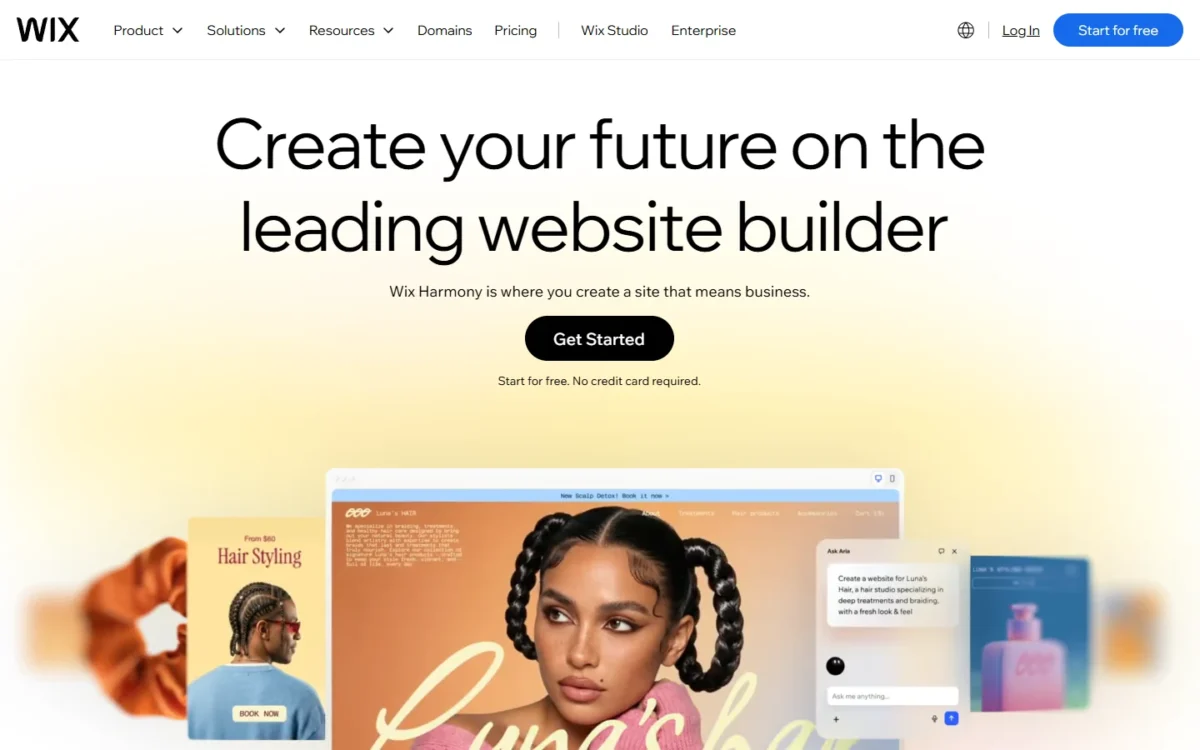
Yes, AI can build the first draft: Wix’s AI website builder, part of Wix Harmony, creates a site from a prompt that describes your business. After that, you edit by asking Aria, the built-in AI agent, or by drag and drop. Starting is free, and the AI website builder page says no credit card is required.
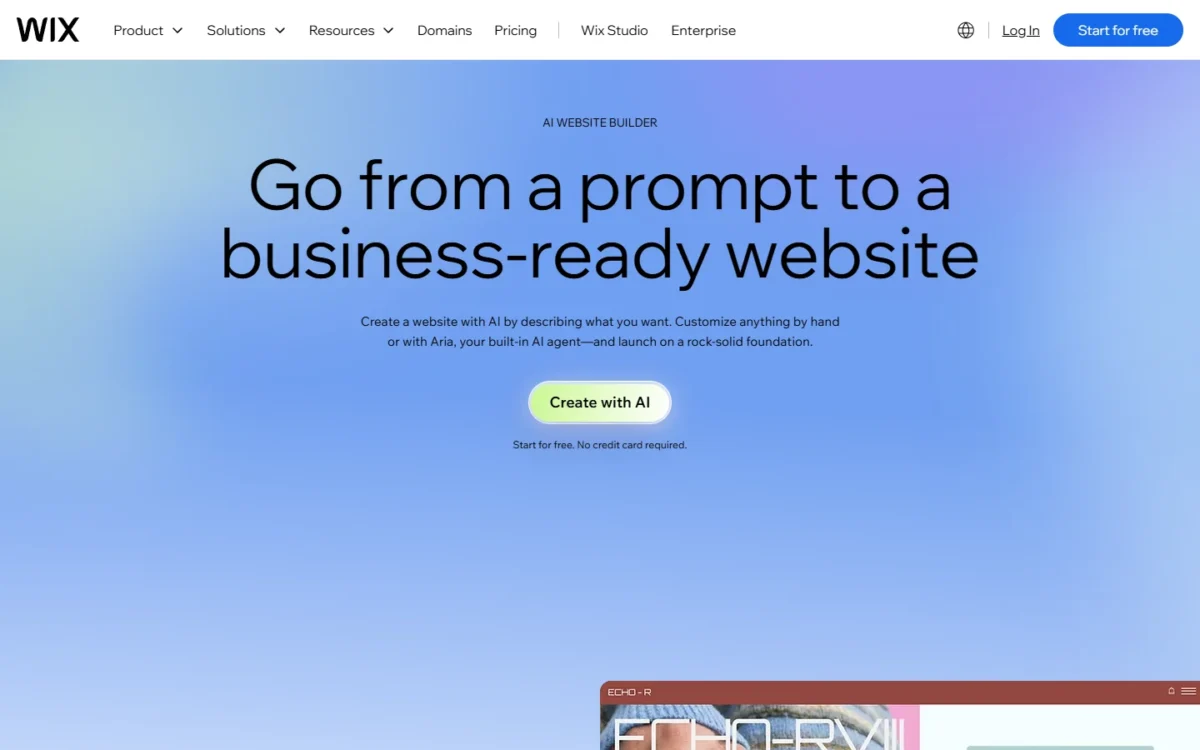
The older Wix ADI tool was retired on November 10, 2024, and legacy ADI projects now open in the Wix Editor. For an owner, the practical rule is that the starting method sticks: a site started from a template cannot switch to AI later, so choose the route before you build.
Templates, and why you cannot switch later
No, you cannot change a created site’s template. Wix’s template-switching help article says the way out is a new site, then copying elements and pages and moving the plan and domain across.
The catch is what stays behind. That article lists Wix Bookings, Wix Stores, Contacts, Site members, Wix Invoices and email marketing among the features that cannot transfer. A clinic that redesigns after a year of bookings rebuilds its booking setup by hand.
Wix lists more than 2,000 free HTML5 templates, all mobile-ready, so there is plenty to test. Free sites cost nothing, which makes the cheap insurance obvious: build two or three test sites on different templates before you add real content.
Bookings and eCommerce by plan
Core is the first plan that lists Accept payments, Basic eCommerce and Scheduling and services. Business raises the store to Standard eCommerce, and Business Elite to Advanced eCommerce with an Advanced developer platform.
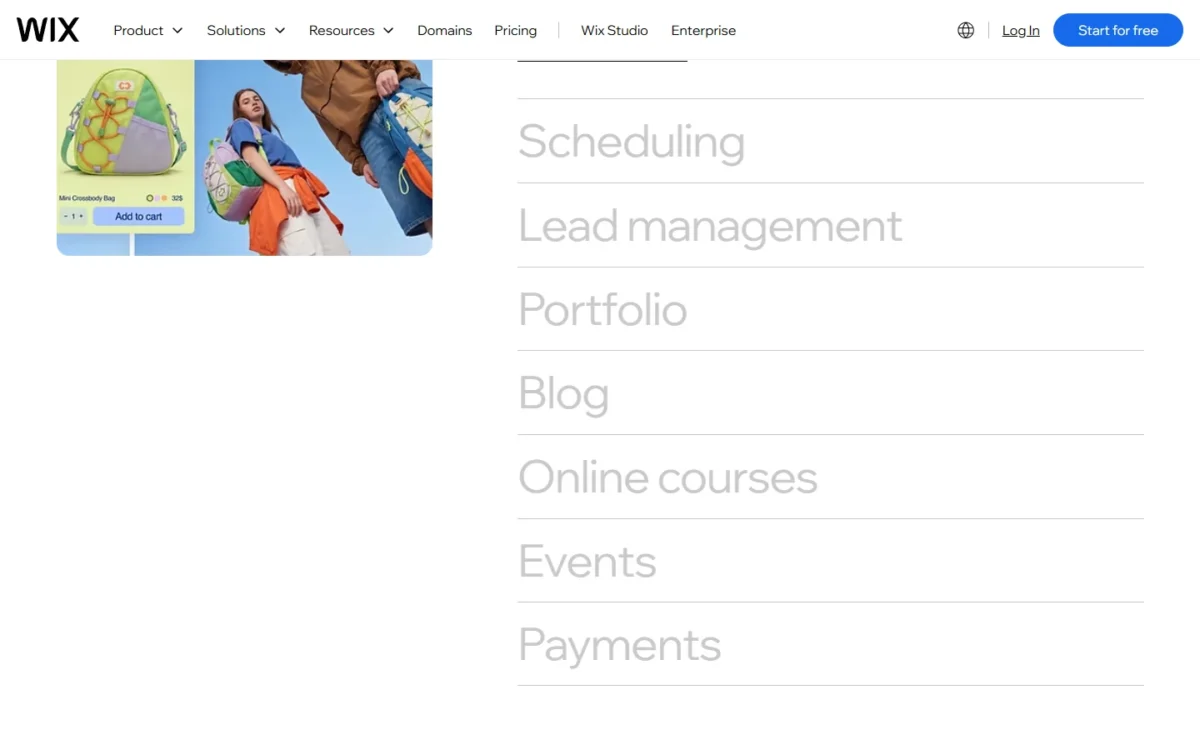
The store tools reach further than a brochure builder’s checkout. Wix’s eCommerce page lists up to 1,000 variants per product, CSV import and export, digital products, subscriptions, Wix Retail POS and Wix Mobile POS, and 80+ payment providers. It also names Wix Payments for cards, Apple Pay and Google Pay.
The plan cards name the eCommerce tier without listing what each tier adds. A store owner choosing between Core and Business should open Compare Plan Features on the plans page before paying.
SEO tools
Wix gives an owner the SEO controls a small-business site needs. The Wix SEO page lists editable meta tags and URL slugs, custom canonical tags, a robots.txt editor, structured data presets you can override, and Google Search Console integration.
Two tools matter most when you replace an existing site. Bulk 301 redirects import up to 500 URLs at once, which protects old links, and Wix keeps the XML sitemap and converts images to WebP automatically.
Wix also lists an AI Visibility tool, which tracks mentions in ChatGPT, Gemini and Perplexity, and a personalized SEO Setup Checklist powered by a Semrush integration.
Wix Ease of Use
Wix’s plans page describes building a site in five steps: a prompt or free template, drag-and-drop customizing, business features, a domain, then marketing. Wix allows up to 999 free sites, so testing costs time rather than money.
The step that cannot be undone is the template choice. The editor’s Preview shows the desktop and mobile layout before publishing, and sites cannot move between the Wix Editor and the Studio Editor.
Wix’s support help article says chat support works best from a desktop computer, so a phone-only owner should plan admin time at a laptop.
Once the site works, the question becomes what a year of it costs for your team.
Wix Pricing
Wix’s four Premium plans run from $17 a month (Light) to $159 a month (Business Elite), and the displayed prices are yearly subscriptions paid in full. A small business that takes bookings or payments starts on Core, the first plan that lists them, at $29 x 12 = $348 a year.
Prices are US list prices in US dollars, before tax, which Wix adds based on your billing address. Each Premium plan card lists a free domain for 1 year and multi-cloud hosting.
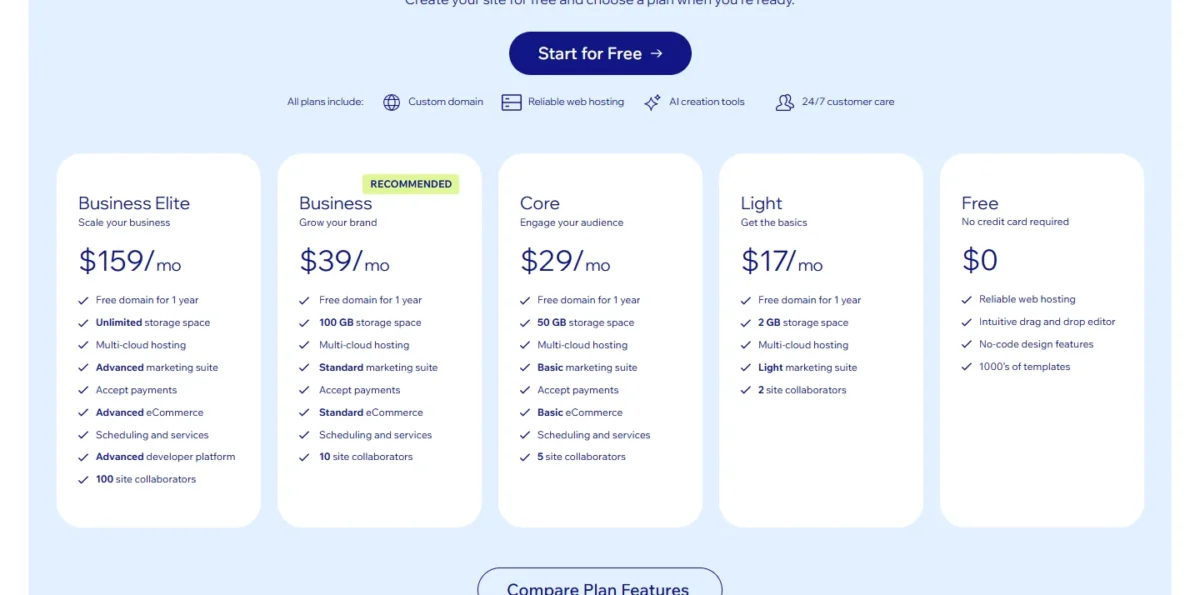
| Plan | Price | Billing | Key limit |
|---|---|---|---|
| Free | $0 | No credit card required | Wix ads and a wixsite.com address; no custom domain |
| Light | $17 a month | Yearly, paid in full | 2 GB storage, 2 site collaborators, no payments listed |
| Core | $29 a month | Yearly, paid in full | 50 GB storage, 5 site collaborators, Basic eCommerce |
| Business | $39 a month | Yearly, paid in full | 100 GB storage, 10 site collaborators, Standard eCommerce |
| Business Elite | $159 a month | Yearly, paid in full | Unlimited storage, 100 site collaborators, Advanced eCommerce |
Sources: Wix plans page and Wix free website help article, checked October 2026.
Light fits a solo brochure site that sells nothing online. Core fits a service business with up to 5 editors that takes bookings or payments, and Business fits a team of 6 to 10 editors or a store that needs Standard eCommerce.
Light moves to Core when you need payments or scheduling, a third editor or more than 2 GB of storage. Core moves to Business at the sixth editor or beyond 50 GB of storage.
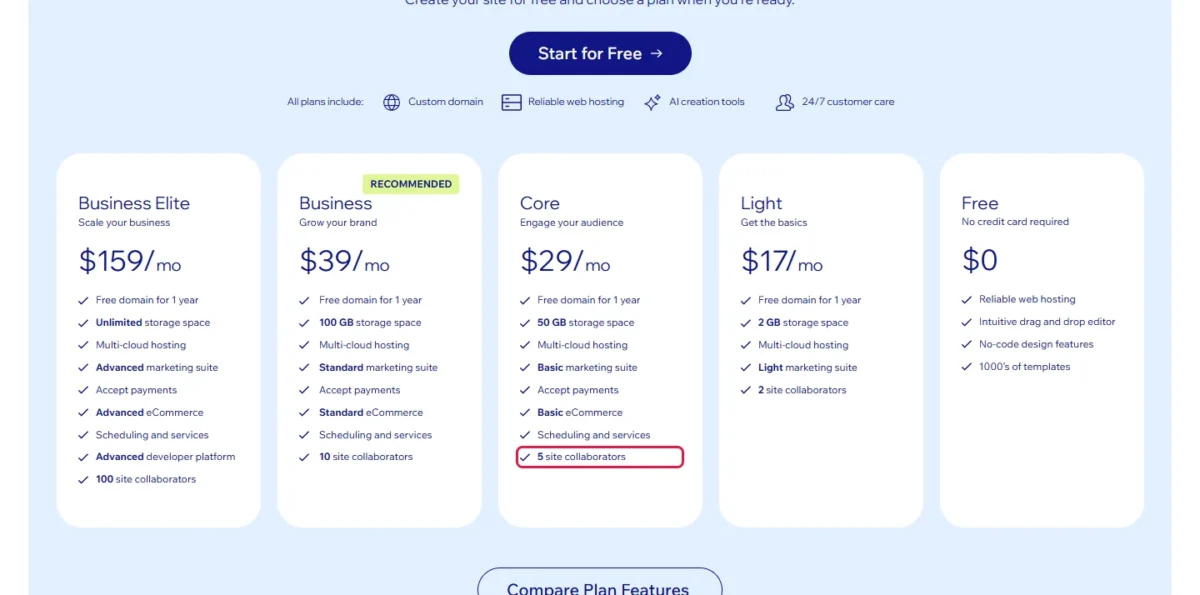
What a year costs at three common sizes, at the list prices above:
- A solo brochure site on Light: $17 x 12 = $204 a year, with no online payments.
- A five-person service firm taking bookings on Core: $29 x 12 = $348 a year.
- A business with six to ten editors on Business: $39 x 12 = $468 a year.
The jump from Core to Business is $10 a month ($39 – $29), or $10 x 12 = $120 a year. It buys five more editors, 50 GB more storage and Standard eCommerce, a modest price once the 5-collaborator cap bites.
Business Elite at $159 x 12 = $1,908 a year is a different purchase. Its case rests on Advanced eCommerce, the developer platform and 100 collaborators, and I would not pay for it until a store outgrows Business.
Premium plans also come on a monthly basis, but the plans page does not print the price for monthly billing. The purchase page shows the final price before you pay. For the full breakdown, see my Wix pricing guide.
Domain note
The free domain is a 1-year voucher, valid only for a new domain bought from Wix, and it cannot renew a domain you already own. The plans page does not print the year-two renewal price, so check it at checkout before you count on a free domain.
The refund window is short and narrow. Wix’s refund help article gives a full refund on a new Premium plan, monthly or yearly, cancelled within 14 days. Renewals, upgrades and domains are excluded, and a refund can take up to 45 business days.
Stopping is less drastic than it sounds. When a plan is cancelled or expires, the site is not deleted; it returns to the free version with Wix ads and a siteprefix.wixsite.com address.
The price buys hosting and support as well as features, so the next test is whether you can count on them.
Performance, Security and Support
Wix states 99.99% uptime on multi-cloud hosting and publishes a public status page. These are Wix’s own statements, and the status page is the record to check.
Wix says its 24/7 chat gets you help right away, with a Customer Care Expert by chat, phone or email at no charge. Availability changes with your time zone, language and issue.
On security, Wix’s hosting help article describes 24/7 security monitoring, HTTPS and SSL protection and DDoS protection. Wix’s Studio page states that its security certificates include PCI DSS Level 1, SOC 2 Type 2 and multiple ISOs, and that it is compliant with GDPR, CCPA and LGPD.
For a record rather than a promise, Wix’s status page shows real-time health and uptime over the past 90 days. It also warns that some issues affecting a small number of users may not be shown.
On speed, Wix says it increased the ratio of Wix sites in Google’s CrUX report with good scores for all three Core Web Vitals by 10x. That is the vendor’s claim; your own site’s speed depends on its images, apps and pages.
Who Should Use Wix, and Who Should Skip It?
Wix fits a service business or small store that wants one bill for its site, bookings and payments and plans to stay. Skip it if you need to move hosts later or expect to redesign often.
Best for
- A service business taking bookings and card payments, which Core covers from $29 a month, billed yearly
- A shop with a modest catalog that wants products, POS and the site in one dashboard
- An owner who wants to build the full site on the free plan before paying
- A team of up to 5 editors, the Core collaborator cap
Not ideal for
- An owner who may move the site to another host, since a Wix site must run on Wix’s servers
- A business that redesigns often, because a new template means a new site and Bookings, Stores and Contacts do not transfer
- A product-led store planning a large catalog, which should price Shopify’s store plans first
- An agency building client sites, which Wix points to Wix Studio
Wix Studio is a separate platform: Wix says Studio is built for professionals and teams, while Wix is for self creators and business owners. This review covers the Wix plans only.
Wix vs Competitors
Wix offers a free plan to build on, and Core puts scheduling and payments together at $29 a month, billed yearly.
Squarespace Basic is $19 a month on its Pay annually view, with a 14-day trial instead of a free plan. Shopify Basic is $29 a month paid yearly for a product store, and WordPress.com Personal is $4 a month, billed every 12 months.
| Software | Best for | Starting price | Key difference | Main trade-off |
|---|---|---|---|---|
| Wix | Service businesses taking bookings and payments | $17/mo (Light), billed yearly | Free plan to build on; scheduling and payments from Core at $29/mo | Site must stay on Wix’s servers; template cannot be switched |
| Squarespace | Design-led brand sites | $19/mo (Basic), Pay annually view | Basic accepts payments, with a 2% online store transaction fee | No free plan, a 14-day free trial instead; Basic allows up to 2 contributors |
| Shopify | Product-led online stores | $29/mo (Basic), Pay yearly view | Basic is $39/mo on the Pay monthly view, so monthly billing has a printed price | Grow, labelled for small teams, is $89/mo paid yearly |
| WordPress.com | The lowest entry price | $4/mo (Personal), billed every 12 months | Personal installs WordPress plugins and allows unlimited users | Payments start on Premium at $8/mo, billed every 12 months |
Sources: Wix plans page, Squarespace pricing, Shopify pricing and WordPress.com pricing, checked October 2026.
A brochure site that takes card payments costs $29 a month on Wix Core, billed yearly, against $19 a month on Squarespace Basic’s Pay annually view. Squarespace Basic adds a 2% online store transaction fee to store sales.
Best Wix Alternatives
The right alternative depends on why Wix fails you. For the lowest entry price and WordPress plugins, WordPress.com Personal starts at $4 a month, billed every 12 months. For a product-first store, Shopify Basic is $29 a month on yearly billing.
For the full shortlist, my ranking of website builders for small business by job sets Wix against the other builders worth a look. If Squarespace is your other option, read my Wix vs Squarespace comparison.
Some owners searching for Wix really need graphics, flyers and social posts rather than a hosted site. For that job, my Canva AI review is the better next read.
How I Evaluated Wix
I based this review on two US copies of Wix’s plans page, dated October 20 and 23, 2026. Wix’s prices vary by location, so a US copy matters.
I also read Wix’s help-center articles on refunds, hosting, template switching, free sites and support, and its AI builder, SEO, eCommerce, Studio and status pages, in October 2026.
The evidence is official documentation and pricing pages: prices, plan limits and policies come straight from them. The plan picks, the yearly totals at three business sizes and the fit calls are my analysis of them. The screenshots were captured from wix.com in October 2026.
Wix does not publish the monthly-billing price on its plans page, the year-two domain renewal price, or a total count of App Market apps. Editor feel and support response depend on your setup; the free plan and the 14-day refund let you judge both cheaply.
FAQ
Why do people leave Wix?
The limits Wix itself documents are lock-in and redesigns. A Wix site must run on Wix’s servers, so it cannot move to another host. A new design means a new site, and Bookings, Stores, Contacts and Site members do not transfer to it.
Are Wix websites any good for SEO?
Yes, the technical controls are there: editable meta tags, canonical tags, robots.txt, structured data, an automatic XML sitemap and Google Search Console integration. Wix sites also use server-side rendering, which Wix says is built with crawl efficiency in mind. Rankings still depend on your content and links, which no builder supplies.
Can I move my Wix site to another host?
No. Wix’s help center says a Wix site must be hosted and operated on Wix’s servers, though the content you build belongs to you. You can keep a domain registered elsewhere and connect it, or transfer it, but the site itself has to be rebuilt on the new platform.
Wix Review: Final Verdict
Build on Wix if you run a service business or small store that wants bookings and payments on Core at $29 x 12 = $348 a year and expects to stay. Choose another builder if portability matters, because the site cannot leave Wix’s servers.
Before paying, settle three things. Pick the template on a free test site, since you cannot switch it later, and count your editors against Core’s 5-collaborator cap.
Then check the domain’s year-two renewal price at checkout, because the free domain covers only the first year.
Final recommendation
Choose Wix Core if you take bookings or card payments and want the site, scheduling and store in one dashboard for $348 a year.
Choose Business once a sixth person needs to edit the site. Look elsewhere if you may move hosts or redesign often.