

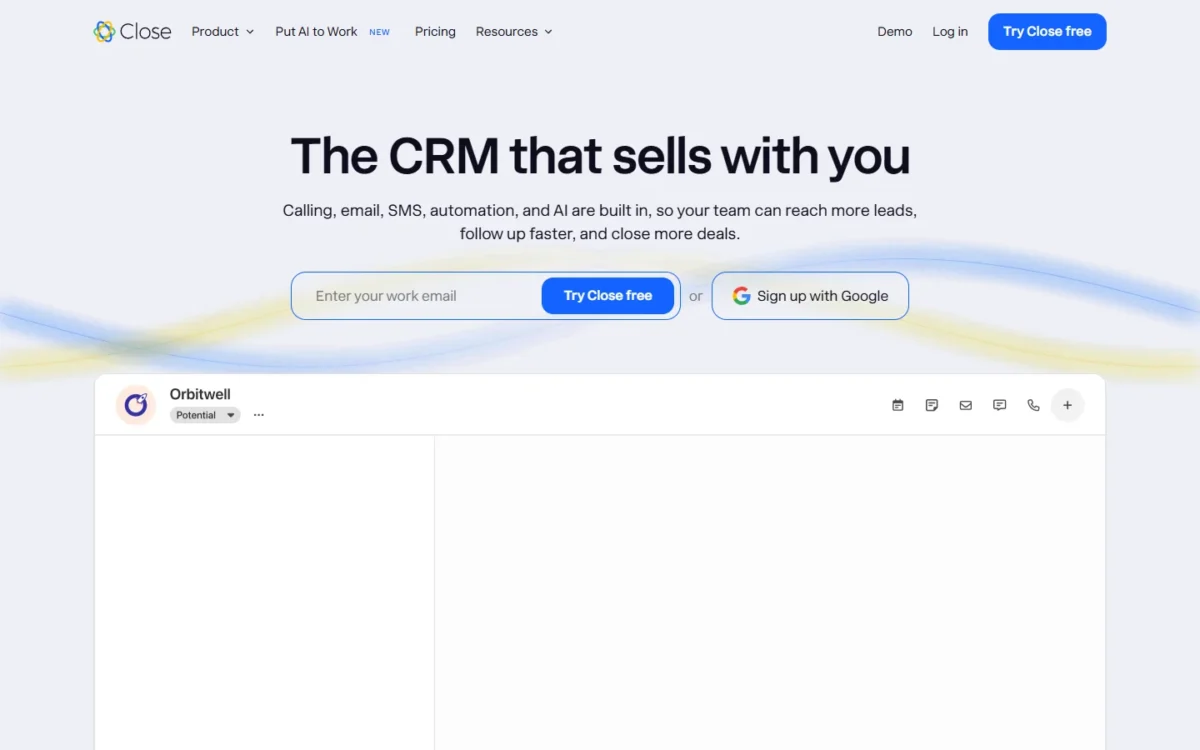
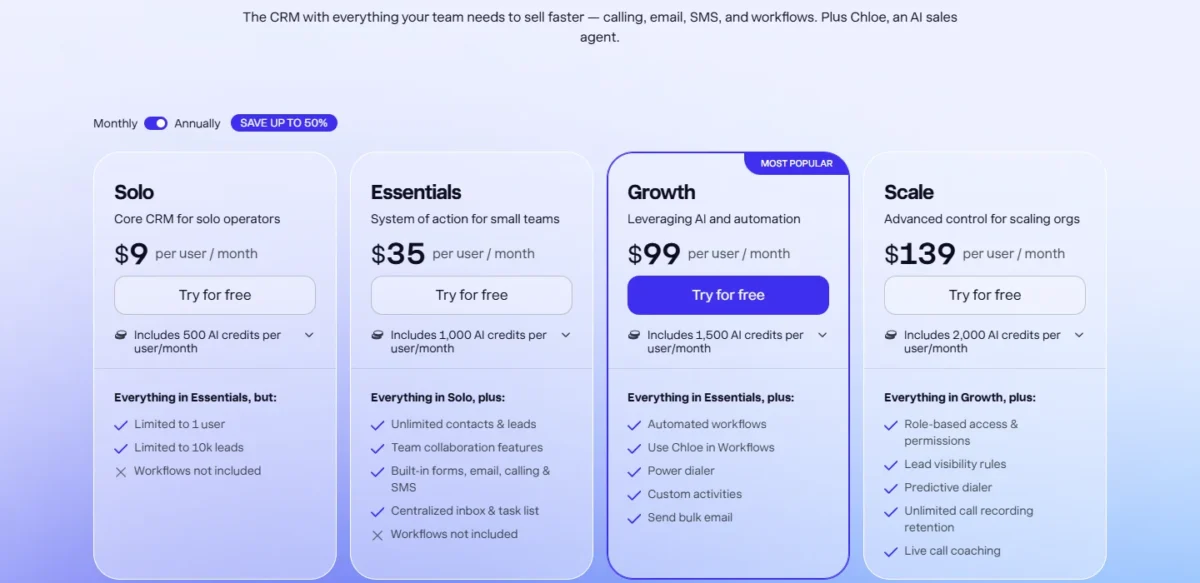
Close is the better buy in the Salesforce vs Close decision for a US team whose reps live on calls and email. Its Growth plan costs $99 per user per month, billed annually, and holds calling, a power dialer and email, SMS and call workflows in one seat.
Salesforce sells multi-step sequences as the Sales Engagement add-on, from $50 per user per month. Paired with Pro Suite ($100 per user per month, billed annually, contract required), that is $100 + $50 = $150 a seat, and the Sales Cloud editions table lists no dialer. I read both price lists on October 21, 2026.
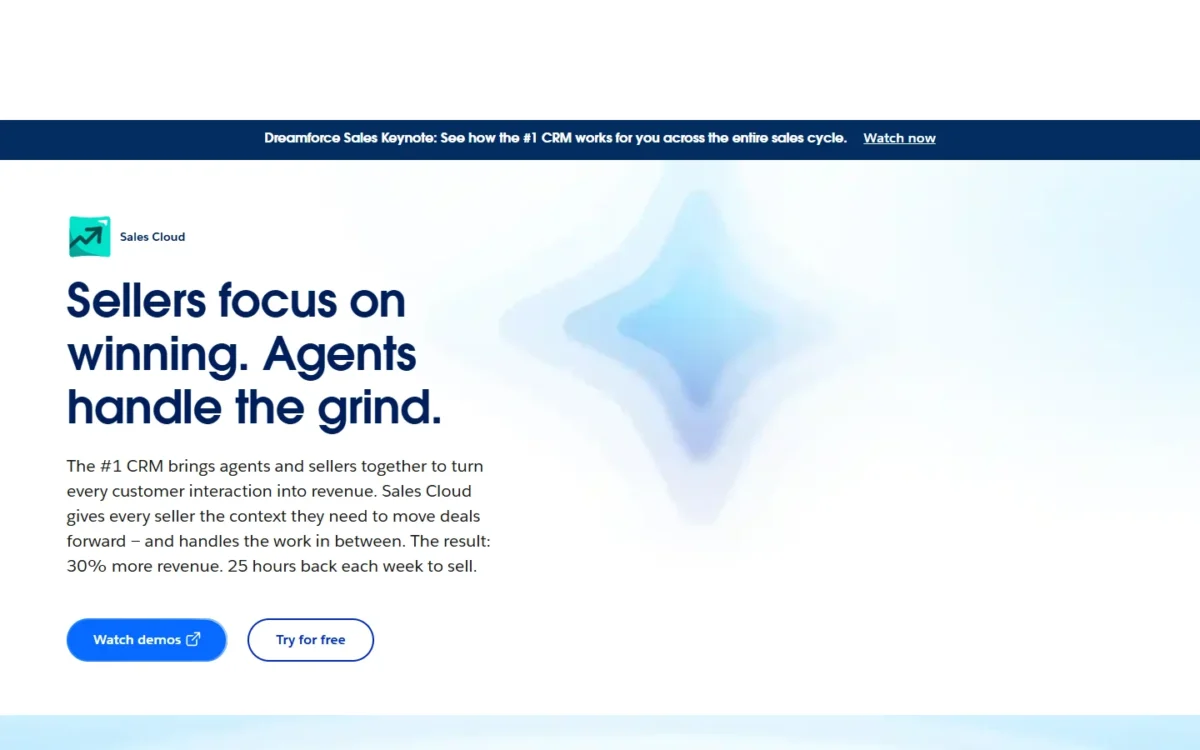
Salesforce is the pick when the CRM must be a configurable platform: custom apps start on Pro Suite, and territory forecasting on Core at $195 per user per month.
Quick verdict
Pick Close if your reps dial and email all day: calling sits on every plan, and Growth adds the power dialer and workflows at $99 per user per month, billed annually, with no contract.
Pick Salesforce Sales Cloud if the CRM must model more than leads and deals: custom apps, quotes and contracts from Pro Suite, then Pipeline Inspection and Sales Territories from Core.
The trade-off: Close keeps custom roles for Scale ($139 billed annually), while Salesforce Pro Suite with sequences costs $100 plus $50 for Sales Engagement, and Salesforce lists no telephony price.
In This Article (10 sections)
Salesforce vs Close at a Glance
Salesforce Sales Cloud is a configurable CRM platform sold by edition and add-on, while Close is a sales CRM with calling, SMS and email built into every plan. Both hold the shared record of leads, contacts and deals that defines what a CRM does.
| Attribute | Salesforce Sales Cloud | Close |
|---|---|---|
| Best for | Teams that need custom apps, quotes and territory forecasting | Inside-sales teams that call, email and text from the CRM |
| Starting price | Free Suite $0; Starter Suite $25, billed monthly or annually | Solo $9 billed annually (1 user); Essentials $35 billed annually |
| Sequences stack | Sales Engagement from $50 on top of an edition, e.g. Pro Suite $100, both billed annually | Growth $99 billed annually, $109 monthly |
| Calling and dialer | Not listed on the Sales Cloud editions table | Calling on every plan, billed by usage; power dialer on Growth |
| Main strength | Unlimited Custom Applications from Pro Suite | Calling, SMS and email in the seat, month to month |
| Main limitation | Pro Suite: annual contract, 5 flows per org | Custom roles only on Scale |
Sources: Salesforce Sales Cloud pricing, Salesforce small-business pricing, Sales Engagement pricing, Close pricing, checked October 2026.
Key Differences Between Salesforce and Close
The deciding differences are where calling comes from, where sequences live, how you pay, and how far the data model bends.
- Calling: built into every Close plan and billed at cost; not listed on Sales Cloud’s editions table, and Salesforce lists no telephony price.
- Sequences: a Close Growth feature; a Salesforce add-on, Sales Engagement, from $50 per user per month, billed annually.
- Commitment: Close bills monthly or annually with “No contracts”; Salesforce Pro Suite is “Billed annually. Contract required.”
- Data model: Salesforce adds custom applications, quotes, contracts and orders from Pro Suite; Close attaches every contact and opportunity to a lead.
Salesforce vs Close: Features Compared
Close puts the phone tools a rep uses every hour on Growth and Scale, while Salesforce puts customization, forecasting and approvals on Pro Suite and Core.
| Feature | Salesforce Sales Cloud | Close |
|---|---|---|
| Calling inside the CRM | Not listed on the editions table | Every plan, usage-billed |
| Power dialer | Not listed on the editions table | Growth |
| Predictive dialer | Not listed on the editions table | Scale |
| Multi-step sequences | Add-on: Sales Engagement | Growth |
| Flow or workflow automation | Limited: 5 flows per org on Pro Suite; Core | Growth |
| Call recording or analysis | Conversation Intelligence: Core | Limited: 30 days on Solo and Essentials, 90 on Growth |
| Custom data | Unlimited Custom Applications: Pro Suite | 250 custom fields on every plan |
| Territories and pipeline inspection | Core | Not listed on the pricing page |
| Roles and permissions | Every edition | Four predefined roles; custom roles on Scale |
| API | Add-on: $25 per user per month on Pro Suite; Core | API access listed on the pricing page |
Sources: Salesforce editions table, Close pricing, checked October 2026.
Calling and dialers
Close lets reps call from the CRM on every plan, adds a power dialer on Growth and a predictive dialer on Scale; Sales Cloud’s editions table lists no dialer in any edition.
The power dialer calls the next contact as soon as a call ends. The predictive dialer dials several numbers at once and connects a rep only when a person answers.
For tools it does not build in, Salesforce points to MuleSoft, integration partners or apps on AgentExchange (AppExchange on the editions table), which opens on Pro Suite.
Salesforce lists no telephony price, so price the calling option you would use before you compare totals.
Verdict: Calling and dialers
Close fits better for a team on the phone most of the day, because the power dialer comes with the Growth seat. Close bills minutes on top, so place real calls from your own list during the trial.
Sequences and automation
Close Workflows are available on Growth and Scale only, while Salesforce Cadences sit in the Sales Engagement add-on from $50 per user per month, billed annually.
A Close Workflow can assign a new lead and run email, SMS, task and call steps, with delays from 1 minute up to 365 days.
Salesforce’s Flow Builder is not included on Starter Suite, allows 5 flows per org on Pro Suite and is included from Core, along with Approval Processes.
Sales Engagement is part of Unlimited Edition and Agentforce 1 Sales Edition and is sold separately for other editions. The editions table names no Unlimited Edition, so a Core, Advanced or Max buyer confirms Cadences with Salesforce.
On Starter Suite, cadences without Flow Builder cost $25 + $50 = $75 per user per month at the add-on’s starting price, which Salesforce says varies by edition.
Verdict: Sequences
Close fits better when sequences come with flows and a dialer: Growth holds all three at $99, while Pro Suite plus Sales Engagement is $100 + $50. Salesforce fits a team that wants cadences alone at Starter Suite’s $75 stack, or approval processes, which start on Core.
Customization and data model
Salesforce bends further: Pro Suite adds Unlimited Custom Applications, Lightning App Builder and a Developer Sandbox, none of which Starter Suite includes.
Close keeps a fixed shape. It stores 250 custom fields on every plan and adds custom activities on Growth, but every contact and opportunity belongs to a lead, and a lead stays a lead before and after the sale.
Close lists over 100 integrated apps, and Zapier connects it to 2,000+ more. Salesforce opens AgentExchange from Pro Suite but charges $25 per user per month there for the Web Services API, which is included from Core.
Verdict: Customization
Salesforce fits better when records go beyond leads and deals: Quotes, Contracts and Orders are all on Pro Suite, under its annual contract.
Reporting and forecasting
Salesforce forecasts deeper, but the depth starts on Core: Pro Suite has Sales Quoting and Forecasting, while Pipeline Inspection, Sales Territories and Opportunity Splits begin at Core.
Close lists activity reports and dashboards, an opportunity funnel report with conversion rates and sales velocity, a leaderboard and custom graphs. Forecasting is not listed on its pricing page.
Verdict: Forecasting
Depends on plan. A manager who coaches on call and email activity gets those reports in Close; a manager who forecasts by territory needs Salesforce Core at $195 per user per month, billed annually.
Permissions and team control
Salesforce includes Roles and Permissions in every edition, Free Suite included; Close gives Essentials and Growth four predefined roles and keeps custom roles for Scale.
In Close, everything a user does is visible to the whole team, and lead visibility rules are a Scale feature. A team that must hide some leads from some reps needs Scale.
Verdict: Permissions
Salesforce fits better for a team that needs no sequences: Starter Suite at $25 lists Roles and Permissions. With sequences, Close Scale at $139 costs less per seat than Pro Suite plus Sales Engagement at $100 + $50 = $150. Downgrading from Close Scale removes custom roles.
Salesforce vs Close Pricing
Close Growth costs less than the Salesforce Pro Suite stack: $99 per user per month billed annually, against $100 for Pro Suite plus $50 for Sales Engagement, both billed annually.
| Tier | Salesforce Sales Cloud | Close |
|---|---|---|
| Free option | Free Suite: $0 | Not listed; 14-day free trial |
| Entry team plan, no sequences | Starter Suite: $25, billed monthly or annually | Essentials: $35 billed annually, $49 billed monthly |
| Sequences with flows | Pro Suite $100 + Sales Engagement from $50, both billed annually | Growth: $99 billed annually, $109 billed monthly |
| Management tier | Core: $195, billed annually | Scale: $139 billed annually, $149 billed monthly |
Sources: Salesforce Sales Cloud pricing, Sales Engagement pricing, Close pricing, checked October 2026.
Core and Scale are not equal jobs: Core adds territory forecasting and Premier Success, while Scale adds the predictive dialer and custom roles. Advanced ($395) and Max ($550) sit above Core in Salesforce’s full price list and add-ons.
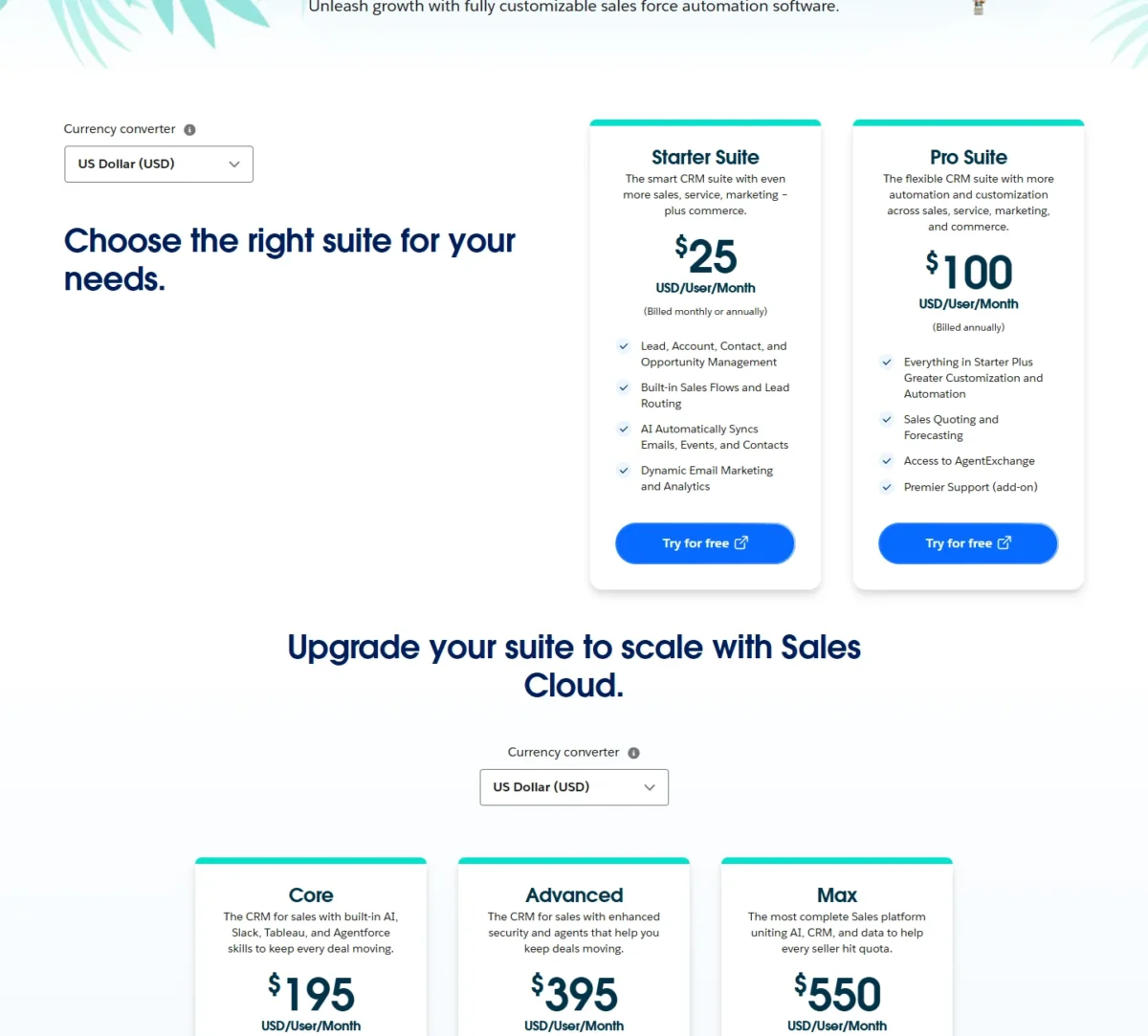
Salesforce bills Pro Suite and every edition above it annually, and most Salesforce products use annual contracts. Close monthly plans can be changed or canceled anytime; annual downgrades take effect at the end of the term.
Paying Close monthly costs $109 – $99 = $10 more per rep per month on Growth. I would pay that premium for the first quarter, then switch to annual once the team has settled on a plan.
What the seat price leaves out:
- Salesforce: Premier Success at 30% of net license fees (for purchase on Pro Suite, included from Core), the $25 API add-on on Pro Suite, and telephony, for which Salesforce lists no price.
- Close: calling and SMS usage, Call Assistant at $50 a month per organization plus per-minute transcription, and extra organizations at $50 a month each.
AI splits the same way. Each Close seat includes AI credits for Chloe and other AI features: 500 per user per month on Solo, 1,000 on Essentials, 1,500 on Growth and 2,000 on Scale. Salesforce sells Agentforce for Sales from $125 per user per month, for purchase on Core and Advanced and included in Max.
Cost for a 5- and 10-rep team
Close Growth costs less than the Pro Suite stack at both team sizes: 10 reps pay $99 x 10 x 12 = $11,880 a year, billed annually.
| Plan | 5 reps a year | 10 reps a year |
|---|---|---|
| Salesforce Starter Suite | $25 x 5 x 12 = $1,500 | $25 x 10 x 12 = $3,000 |
| Close Essentials, annual | $35 x 5 x 12 = $2,100 | $35 x 10 x 12 = $4,200 |
| Salesforce Pro Suite + Sales Engagement | $100 x 5 x 12 = $6,000 plus $50 x 5 x 12 = $3,000, which is $9,000 | $100 x 10 x 12 = $12,000 plus $50 x 10 x 12 = $6,000, which is $18,000 |
| Close Growth, annual | $99 x 5 x 12 = $5,940 | $99 x 10 x 12 = $11,880 |
| Close Growth, monthly | $109 x 5 x 12 = $6,540 | $109 x 10 x 12 = $13,080 |
Sources: Salesforce Sales Cloud pricing, Sales Engagement pricing, Close pricing, checked October 2026.
Assumptions: list prices in USD, annual billing unless the row says monthly, Sales Engagement at its starting price; the totals exclude tax, Close calling usage, Salesforce telephony, Premier Success and the Pro Suite API add-on.
Salesforce Starter Suite at $25 costs less than Close Essentials at $35 on the entry row, where neither plan runs sequences. Against the Pro Suite stack, even Close Growth billed monthly costs less than Salesforce billed annually.
What calling usage adds
Close bills calls by the minute and numbers by the month on top of the seat: most outbound calls cost around $0.02 a minute, and phone numbers start at about $1 a month.
Three billing rules move that number:
- Every call rounds up to the next minute, so a 70-second call bills as 2 minutes.
- A forwarded call bills as two calls.
- US texting needs A2P 10DLC registration: a one-time $4 or $44 by volume, plus a $15 campaign verification fee, then $1.50 a month ($10 a month above 6,000 message segments a month).
Take an illustrative team of 5 reps, each placing 40 calls a day that last 70 seconds, over 21 working days.
Under per-minute rounding, one rep bills 40 x 2 = 80 minutes a day, although 40 x 70 = 2,800 seconds is under 47 minutes of talk.
The team bills 80 x 5 x 21 = 8,400 minutes a month. At $0.02 a minute, that is 8,400 x $0.02 = $168 a month.
Salesforce lists no telephony price, so get the per-minute rate of the calling option you would use before you compare totals.
The limits that force an upgrade
Each upgrade step below carries its price per rep per month on annual billing.
Close:
- Solo to Essentials, $35 – $9 = $26 more: a second user, the 10,001st lead, or email open tracking.
- Essentials to Growth, $99 – $35 = $64 more: the first workflow, the power dialer, bulk email, or recordings kept past 30 days.
- Growth to Scale, $139 – $99 = $40 more: custom roles, lead visibility rules, the predictive dialer, or recordings kept past 90 days.
Salesforce:
- Starter Suite to Pro Suite, $100 – $25 = $75 more, plus Sales Engagement from $50 for cadences: any Flow Builder flow, an AgentExchange app, quotes, contracts or a custom app.
- Pro Suite to Core, $195 – $100 = $95 more: a sixth flow, approval processes, Pipeline Inspection, Sales Territories, or an API without the $25 add-on.
A phone team meets Essentials to Growth first on Close and Starter Suite to Pro Suite first on Salesforce, where the step costs more even before a Sales Engagement seat.
Salesforce vs Close: Pros and Cons
Each panel reads its product for a phone-and-email team; my full Salesforce review weighs Sales Cloud on its own terms.
Salesforce Sales Cloud:
Pros
- Unlimited Custom Applications, Lightning App Builder and a Developer Sandbox from Pro Suite
- Roles and Permissions in every edition, including Starter Suite at $25
- Pipeline Inspection, Sales Territories and Opportunity Splits on Core
- A 30-day free trial with no credit card
Cons
- Cadences need the Sales Engagement add-on, from $50 per user per month
- No dialer on the editions table and no telephony price listed
- Pro Suite requires an annual contract and caps Flow Builder at 5 flows per org
- The Web Services API costs $25 per user per month extra on Pro Suite
Close, which the Close CRM review covers plan by plan:
Pros
- Calling and SMS on every plan, billed at cost
- Power dialer and workflows in the Growth seat at $99 per user per month, billed annually
- Monthly billing with no contract, and a 30-day money-back guarantee
- Over 100 integrated apps, plus 2,000+ through Zapier
Cons
- Custom roles and lead visibility rules only on Scale, at $139 billed annually
- Call recordings kept 30 days on Solo and Essentials, 90 days on Growth
- Minutes, numbers and A2P 10DLC fees sit outside the seat price
- Forecasting is not listed on the pricing page
Which Is Better for Your Needs?
Close fits most phone-and-email teams, and Salesforce fits teams whose CRM must model and forecast more than a pipeline.
| Your priority | Better fit | Reason | Trade-off |
|---|---|---|---|
| Reps on the phone most of the day | Close | Calling on every plan, power dialer on Growth | Minutes and numbers are billed by usage |
| Sequences with flows and a dialer | Close | Workflows and the power dialer in Growth at $99, against $100 + $50 for Pro Suite with Sales Engagement | Records stay inside the lead model |
| Cadences alone, no Flow Builder | Salesforce | Starter Suite $25 + Sales Engagement from $50 = $75 | No Flow Builder on Starter Suite; no dialer listed |
| Quotes, contracts, custom apps | Salesforce | All three on Pro Suite | Annual contract at $100 per user per month |
| Territory forecasting | Salesforce | Sales Territories and Pipeline Inspection on Core | $195 per user per month, billed annually |
| Month-to-month billing | Close | Monthly plans with no contracts | Growth is $109 monthly, $99 annually |
| Roles and permissions, no sequences | Salesforce | Starter Suite at $25 lists Roles and Permissions | With sequences, Close Scale at $139 costs less than $100 + $50 on Salesforce |
| Total calling cost per rep | Insufficient evidence | Salesforce lists no telephony price | Price your own call volume on both trials |
Sources: Salesforce Sales Cloud pricing, Close pricing, checked October 2026.
If Salesforce is on your list for marketing and service rather than calling, HubSpot against Salesforce is the closer comparison.
If Close is your choice and you still want one more rival to weigh it against, compare it in Close vs Salesflare.
Skip Close if:
- Your sales process needs quotes, contracts, orders or custom apps tied to deals.
- Managers forecast by territory or split credit between reps.
Skip Salesforce if:
- Your reps make most of their calls from the CRM and you do not want to buy a dialer separately.
- You need sequences but not a $50-per-seat add-on on top of Pro Suite.
- You cannot sign an annual contract; Salesforce alternatives compared covers options with lighter terms.
Switching Between Salesforce and Close
Records move in both directions through each vendor’s own tools, but neither vendor’s import or export pages list workflows or call routing, so plan to rebuild those.
Salesforce to Close:
- An Admin opens Close’s Lead Importer, picks “Import from a CRM” and selects Salesforce; Close’s partner Import2 runs it, at no cost in most cases.
- Run the sample migration. Close matches a Salesforce Lead, Account or Contact to a Close Lead; other data can become custom fields.
- Check the sample, start the full import, then rebuild Flows or Cadences as Close Workflows.
Before you leave, Salesforce’s monthly data export, available in all editions except Database.com, gives you a CSV backup. Pro Suite’s annual contract makes the renewal date the cheapest moment to move.
Close to Salesforce:
- Export leads, contacts or opportunities from Close’s Leads page; JSON is the only format that carries every activity.
- Pull Smart Views, templates, notes and phone numbers with Close’s support tools, which need an API key.
- Load the CSVs with Salesforce’s Data Import Wizard, up to 50,000 records at a time, in all editions except Database.com.
On a Close annual plan, a cancellation takes effect at the end of the billing term, so time the move to that date.
If you are leaving Salesforce and have not settled on Close, read monday vs Salesforce before you commit.
How I Compared Salesforce and Close
I read each vendor’s own US pages on October 21, 2026. For Salesforce, that meant the Sales Cloud, small-business and Sales Engagement pricing pages and the full editions table; for Close, its pricing page in both billing views.
Both help centers supplied the workflow, dialer, usage, roles, import and export facts. I set plans side by side by job, Starter Suite against Essentials, Pro Suite plus Sales Engagement against Growth, and Core against Scale, and computed every total from list prices.
The Sales Cloud pricing page lists no telephony price; test connect rates with your own call list during the trial.
FAQ
Does Salesforce have a free version?
Yes. The Sales Cloud editions table lists Free Suite at $0 per user per month, with account, contact, lead and opportunity management and 10GB of data storage per org. Close lists no free plan; its 14-day trial needs no credit card and includes $5 of calling and enrichment credits.
Is Close only for small teams?
No. Close aims Scale at high-volume teams that want its predictive dialer and custom roles, and it lets a team organize users into up to 100 groups of up to 100 users each. Teams with 10+ seats that commit for 12+ months qualify for a discount.
Who are Salesforce’s main competitors?
Beyond Close, this site compares Salesforce with HubSpot, Pipedrive and Zoho CRM; read how Zoho CRM stacks up against Salesforce when Zoho is on your shortlist.
Final Verdict: Salesforce or Close?
Buy Close for a phone-and-email inside-sales team that wants calling, dialing and sequences in one seat with monthly billing. Buy Salesforce when you need Sales Territories and Advanced Forecast & Pipeline Management (Core and up).
Choose Salesforce if
- Your deals need quotes, contracts, orders or custom apps, which start on Pro Suite
- Managers forecast by territory or split credit, which starts on Core
- Your team needs no sequences, and Starter Suite at $25 per seat, with Roles and Permissions, covers it
Choose Close if
- Reps dial and email most of the day, and the power dialer comes with Growth
- You want sequences without an add-on: Workflows are in Growth at $99 per user per month, billed annually
- You need month-to-month billing without a contract
- Your data fits leads, contacts and opportunities, with contacts and deals attached to a lead
Both trials need no credit card: Salesforce runs 30 days, Close 14. Place real calls from your own list in Close’s trial, and price the calling option you would use during Salesforce’s.
Before you buy Close, open Pipedrive vs Close for one more look at your options.
To widen the shortlist, see the best CRM software for small teams.
A pipeline-first option is weighed in Pipedrive vs Salesforce.






Pingback: Close Pricing 2026: CRM Plans, Team Costs and Add-ons