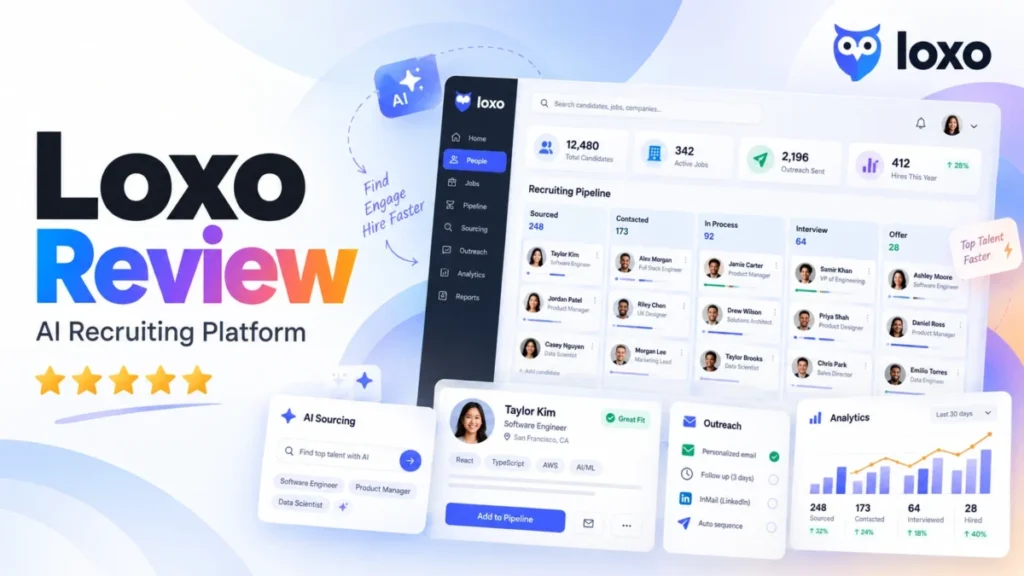
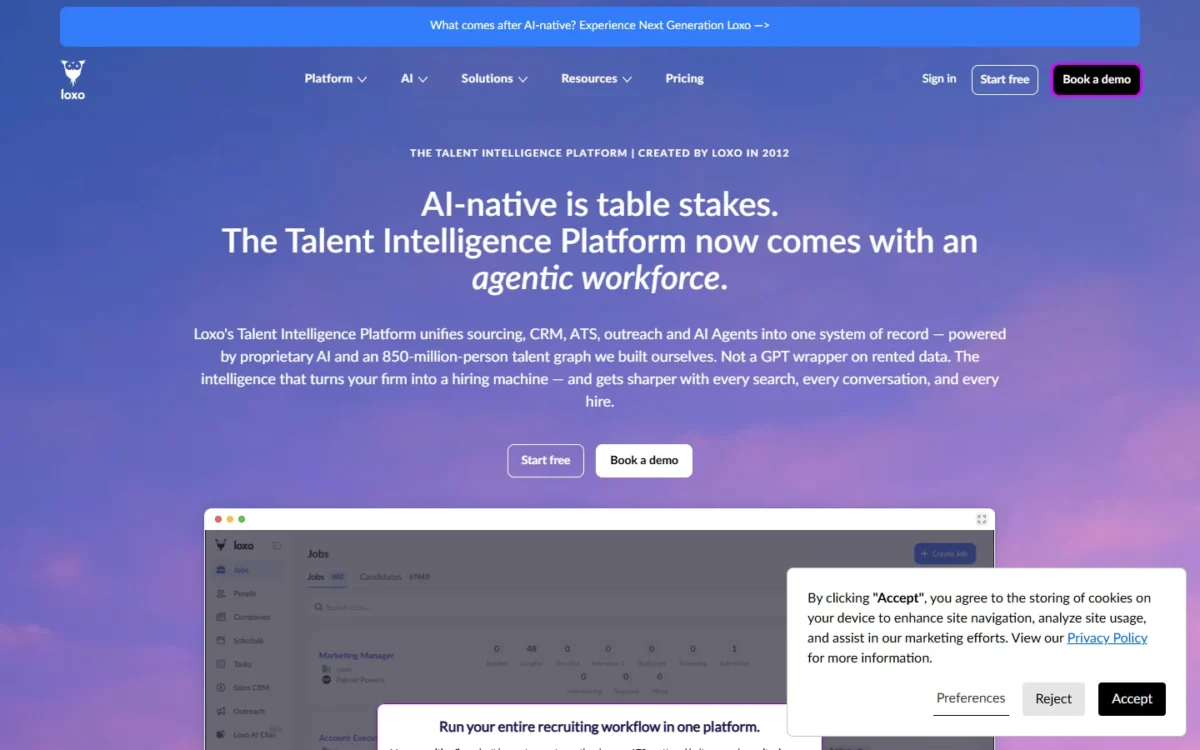
Loxo is worth a demo for a US recruiting agency ready to buy Professional seats for sourcing, outreach and its ATS in one system. Core, the only plan with a public price, starts at $149 per user per month, billed annually, without the AI sourcing graph or the agents. This Loxo review prices that split by agency size.
In This Article (10 sections)
Quick Verdict on Loxo for US Recruiting Agencies
Book the demo if your agency wants sourcing, sequences and placements on one record and can sign for annual Professional seats. If an ATS and recruiting CRM is all you need, Core covers it at a published starting price. Skip Loxo if you need month-to-month billing, because Core and Professional are both annual plans, paid up front.
| Question | Loxo answer |
|---|---|
| Best for | Direct-hire, staffing and executive search agencies of 3+ seats that pay separately for sourcing, contact data and sequencing |
| Skip it if | You need month-to-month billing |
| Starting price | Core at $149 per user per month, billed annually, paid up front |
| Plan the AI sourcing needs | Professional, priced only after a demo |
| Main strength | Loxo Source searches an 850M+ professional graph together with your own database |
| Main limitation | No public Professional price and no published credit cost per search |
| Best alternatives | Recruiterflow, Recruit CRM, Juicebox (see below) |
Sources: Loxo pricing page, checked October 2026.
On October 14, 2026, Loxo’s pricing page sold Professional as “The workforce plan”, with agents metered by 2,500 credits per seat per month. Its Scheduling and Deduplication agents were still marked “Coming soon”. An agency that matches the skip-if row is better served by my shortlist of the best CRM for recruiters.
That verdict rests on a plan split, so what does each plan’s AI actually do?
How Loxo’s AI Sourcing Works, and Which Plan Gets It
Core includes natural-language, relevance-ranked AI search; Loxo Source, the agent workforce, contact information and API access are listed only on Professional.
| Capability | Core | Professional |
|---|---|---|
| Natural-language AI search | Included | Included |
| Loxo Source on the 850M+ talent graph | Not listed | Included |
| Every agent, on every seat | Not listed | Included |
| Full Agentic Mode and Agent Impact Center | Not listed | Included |
| Three Data Agents | Not listed | Included |
| Loxo AI Chat | Not listed | Included |
| Contact information with shortlists | Not listed | When available |
| API access | Not listed | Included |
| MCP connection to your own AI tools | Included | Included |
| Agent credits | Not listed | 2,500 per seat per month |
Sources: Loxo pricing page, checked October 2026.
That makes Core an ATS and recruiting CRM with smart search, not an AI sourcing product. It covers the record-keeping work: unlimited jobs, candidates and companies, pipelines, activities, reporting, email and calendar sync, and a Chrome extension.
On Professional, one fully agentic search runs intake, Skill DNA, the JD, a Longlist screening up to 10,000 candidates and a Shortlist ranked across seven dimensions. Your decision comes next, then Outreach + Pursuit. Loxo pitches it as “The whole search in minutes, not weeks”.
Loxo’s pricing FAQ says a Loxo customer no longer needs a separate sourcing or contact-data tool. That holds for Professional only, since Core lists neither Loxo Source nor contact information. Core replaces your ATS and CRM; Professional is the plan that can also retire a sourcing database and a contact-data subscription.
Business development has its own module. Loxo Sales CRM tracks prospects, a sales pipeline and revenue forecasts, and its invoicing links a job to a deal. Loxo’s integrations directory also lists HubSpot, so an agency already running BD there can keep it; my HubSpot CRM review covers that side of the stack.
The agents run on credits, so the next question is how far one seat’s allowance goes.
What a Credit Buys
Loxo does not publish how many credits one agentic search consumes. Each Professional seat includes 2,500 credits a month, pooled across the team and refreshed in full each cycle. The page calls all its capacity figures “figurative; standard usage may vary”.
For a 5-seat Professional team, the pool is 5 x 2,500 = 12,500 credits a month, and the busiest desk can draw on all of it. Boost 2x lifts a seat to 5,000 credits a month and Boost 5x to 12,500. Loxo’s account team prices Boosts with you, so the cost of a heavy sourcing desk is also a demo question.
Asked whether unused credits carry over, Loxo’s FAQ says only that the full pool refreshes each month. Plan as if a quiet month’s credits are lost. The Agent Impact Center shows credit use action by action, so a trial search can reveal the real cost.
Agentic Outreach: What Loxo Sends and Where You Stay in Control
Loxo’s agents message candidates only after you approve the shortlist. Loxo describes Full Agentic Mode as “Autonomous through the shortlist. Never through the decision.”, and Outreach + Pursuit runs after that human gate.
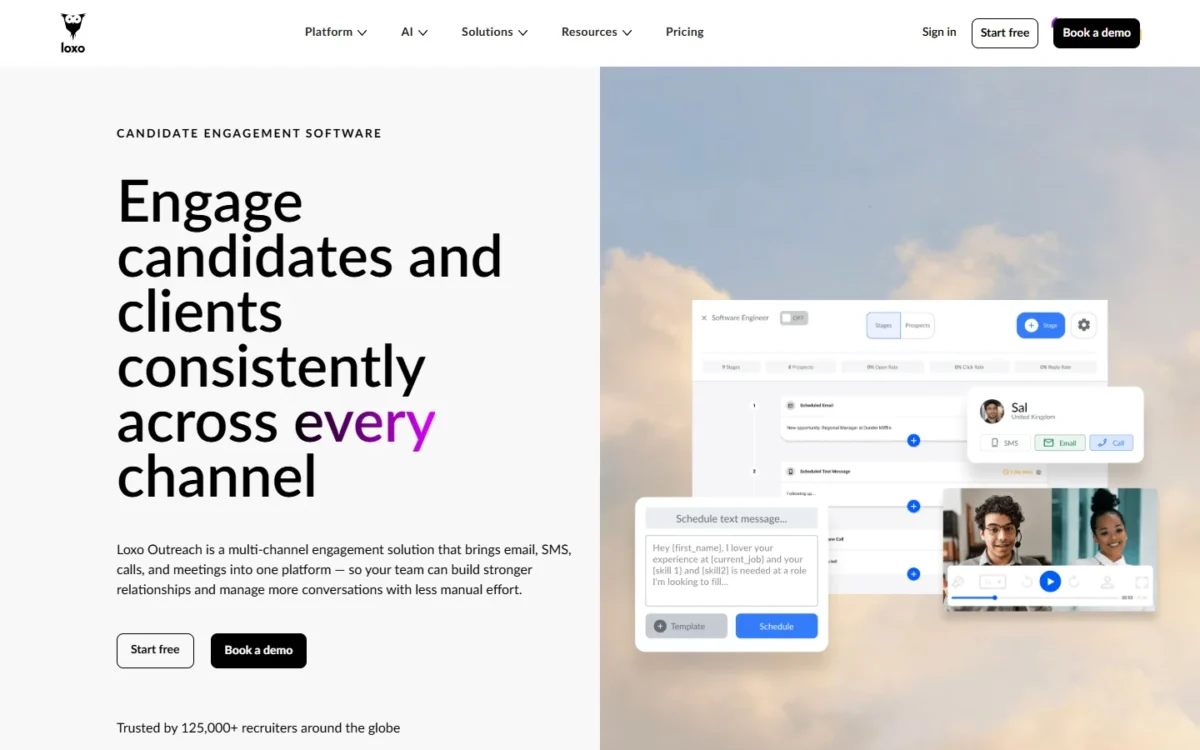
Loxo Outreach builds multi-stage email and SMS sequences with personalized messages, automated follow-ups, templates and A/B testing. Calls and meetings are logged on every profile.
Candidates join a sequence manually or through a CRM workflow trigger, such as reaching a set pipeline stage. A stage change can then start the next campaign without anyone remembering to.
Outreach GPT drafts those messages from the job description and the candidate’s profile. Despite the name, Loxo says Outreach GPT runs on its own custom-built LLM and is not affiliated with OpenAI or ChatGPT. Loxo names data privacy and accuracy as its biggest reasons for building its own model.
Email leaves Loxo one of two ways: through an ESP such as Mailgun, or through Microsoft 365 or Google Workspace inboxes you sync. Loxo calls synced inboxes “generally more durable for outbound recruiting outreach”. Either way, deliverability rides on your domain, and Loxo’s own FAQ names shared reputation risk when several recruiters send from one domain.
Loxo says its users “can see up to a 4.5x increase in response rates” from automated follow-ups, per the Loxo Outreach page. Read that as the vendor’s ceiling, not a result to budget on.
The Outreach page names email, SMS, phone and meetings as channels, not LinkedIn. LinkedIn messages reach Loxo through Talentalk, a marketplace partner that syncs them in. That matters for any agency whose first touch is usually a LinkedIn message.
A careful outreach design still leaves gaps, and most of them are commercial.
Where Loxo Falls Short
Six limits stand out, and each one hurts a different kind of agency:
- No public Professional price. The plan that carries the AI says “Book a demo to see pricing for your team”. That hurts agencies that set a software budget before talking to sales.
- Annual plans, paid up front. Core and Professional both state “Annual plans, paid up front.” and offer no month-to-month billing option. A new or seasonal desk has to fund a year at signing.
- Credit cost per search is unpublished. With capacity figures called “figurative” and Boost priced by the account team, a heavy sourcing desk cannot forecast its AI spend before the trial.
- Two agents are not shipped yet. Scheduling and Deduplication are marked “Coming soon”, so an agency buying for interview booking should not count on it today.
- Free migration has conditions. It covers Core teams of 3+ seats; below that is guided self-serve, and Professional or Enterprise moves are fixed packages at a price the page does not state. Solo recruiters and Professional switchers carry that cost.
- API access is listed only on Professional. An agency with custom reporting or integrations on Core has no API on its plan list.
| Agency size | What breaks first | Why |
|---|---|---|
| Solo recruiter (1 seat) | Cash flow and migration | Core is $149 x 12 months = $1,788 up front, with no free migration below 3 seats |
| 3-5 seats | The AI gate | Core runs $149 x 3 x 12 = $5,364 to $149 x 5 x 12 = $8,940 a year; sourcing and agents need a Professional quote |
| 10 seats | Credits and governance | Busy desks need Boosts priced by sales; SSO/ |
Sources: Loxo pricing page, checked October 2026.
Stack fit is a smaller risk. The “All Integrations” list on Loxo’s integrations directory had 47 entries on October 14, 2026, including Indeed, Monster, CareerBuilder, Broadbean, Greenhouse, Workday, iCIMS, HubSpot, Okta, RingCentral, Ringover, Zoom and Xero.
Most of these limits are price and contract terms, so here is the cost you can know before the demo.
Loxo Pricing: What You Can Know Before the Demo
Loxo Core starts at $149 per user per month, billed annually and paid up front. Professional and Enterprise are priced only through sales.
| Seats | Core, billed annually at $149 per user per month | Professional |
|---|---|---|
| 1 seat | $149 x 1 x 12 = $1,788 | Quote after a demo |
| 3 seats | $149 x 3 x 12 = $5,364 | Quote after a demo |
| 5 seats | $149 x 5 x 12 = $8,940 | Quote after a demo |
| 10 seats | $149 x 10 x 12 = $17,880 | Quote after a demo |
Sources: Loxo pricing page, checked October 2026.
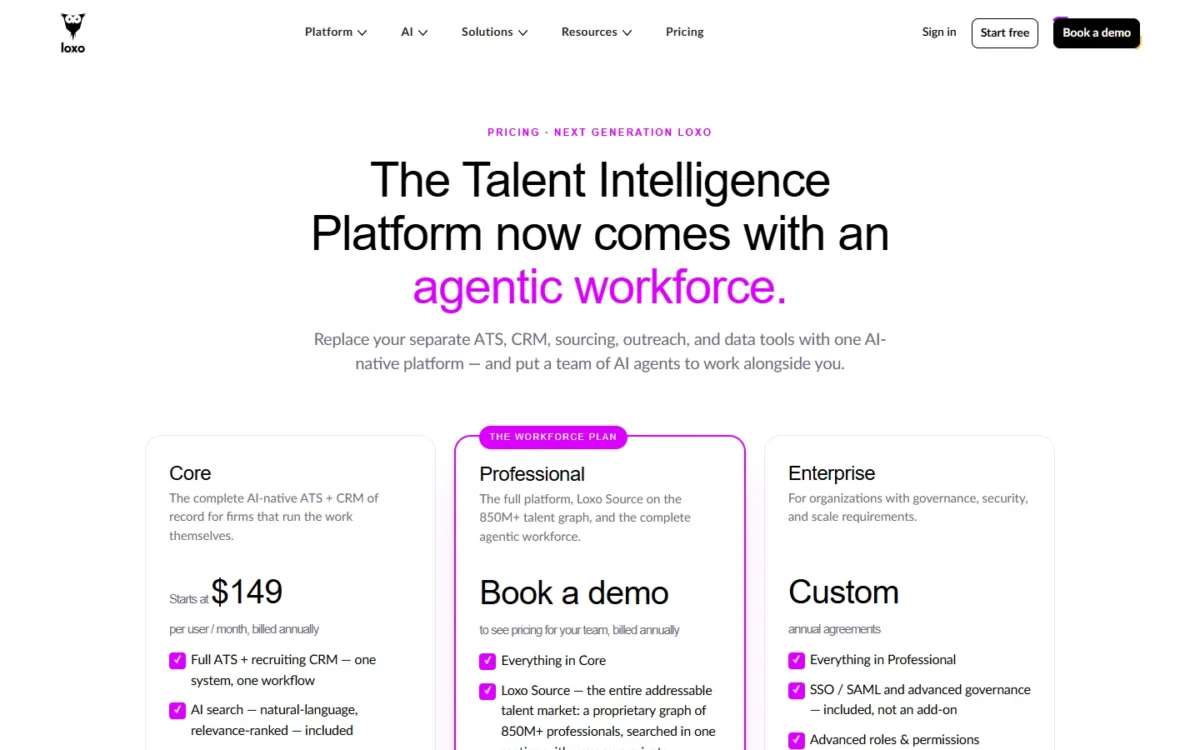
Because Core is paid up front, the full year in the table is due at signing, before the first placement fee from the new system. “Starts at” also marks $149 as a floor, and the page does not say what moves a team above it.
Two lines on the page need care. Under “Included with Professional”, the credit panel prints “2,500 credits / user / mo included in $199” without saying what the $199 prices or its billing period.
A “New customer limited time offer” line also sits between the Core and Professional blocks, with no plan, amount or end date. I report both lines as printed; neither is a price to budget on until sales explains it.
Loxo’s 7-day trial is the full Professional platform, including Loxo Source, the complete workforce and Full Agentic Mode, with no credit card. You can measure the agents before you hear their price.
Enterprise is a custom annual agreement that adds SSO/SAML, advanced roles and permissions, a dedicated success team and priority support. A 10-seat agency whose clients require single sign-on is therefore pricing Enterprise, not Core.
The unknowns now have names, and one sales call can answer all of them.
Questions to Ask in Your Loxo Demo
Take these ten questions to the call; each one fills a gap in what Loxo publishes.
- What does Professional cost per seat, and is there a seat minimum? Your budget has no other source for the plan that carries the AI.
- What does “included in $199” on the pricing page refer to? The page prints $199 in Professional’s credit panel without saying what it prices or its billing period.
- How many credits does one full-market search use? This turns 2,500 credits per seat into a search count.
- What does a Boost 2x or 5x seat cost? The account team sizes Boost pricing, so heavy desks need the number in writing.
- What will our migration package cost on Professional? Free migration covers Core teams of 3+ seats only.
- How long is the contract, and is the seat price locked at renewal? Annual billing paid up front makes renewal terms the real long-term cost.
- How complete is contact data for US candidates in our niche? Professional delivers contact information “when available”.
- Which plan includes Loxo Outreach sequences, and how do LinkedIn steps fit one? The Outreach page names no plan and lists no LinkedIn channel.
- Do you have a security audit report? The pricing page names no security certification; its footer links GDPR and CCPA policies.
- What support do Core and Professional seats get? The pricing page names a dedicated success team and priority support only on Enterprise.
Run the 7-day trial on a live job order before the price conversation, so the credit and Boost questions start from a real search.
With answers in hand, the remaining question is whether your agency is the buyer Loxo fits.
Who Should Book a Loxo Demo, and Who Should Skip It
Book it if you run a direct-hire, staffing or executive search agency of 3+ seats that pays separately for sourcing, contact data and sequencing. Skip it if you need month-to-month billing. A team that only wants an ATS and recruiting CRM fits Core, the plan with a published starting price.
Book a Loxo demo if:
- you run an agency of 3+ seats where one pooled Professional credit allowance can feed every desk; the Professional migration is scoped as a fixed package before you sign (demo question 5);
- your sourcing database and contact-data bills are big enough to offset a Professional quote, since those are the subscriptions Professional can retire;
- your outreach already runs through synced Microsoft 365 or Google Workspace inboxes, the sending method Loxo calls more durable.
Skip Loxo if:
- you recruit alone and need month-to-month billing, since Core means $1,788 up front with self-serve migration;
- your sourcing happens mostly in LinkedIn messages, which Loxo reaches only through a partner.
Are AI recruiting tools worth it for a small team? At 3 seats, Core’s yearly cost is in the pricing table above, and the agents need a Professional quote on top of that plan choice. Justify that quote against the sourcing and contact-data bills it would cancel.
If you skip, here is what to compare instead.
Loxo Alternatives Worth Comparing
Three alternatives answer the main reasons to pass on Loxo: Recruiterflow for agents included in the plan, Recruit CRM for contract staffing and LinkedIn chats, and Juicebox for AI sourcing alone.
- Recruiterflow. Its pricing page lists two plans, Platform and AIRA, and says the AIRA plan includes all current and future AIRA agents at no extra cost, with “No add-ons”. Pick it over Loxo if a metered credit pool and sales-priced Boosts would make AI spend hard to forecast.
- Recruit CRM. Recruit CRM manages WhatsApp and LinkedIn chats inside the CRM, adds a Bill & Pay tool for invoicing, timesheets and payroll, and offers a 30-day free trial. Pick it if you place contractors or your recruiters live in LinkedIn messages.
- Juicebox. Juicebox searches 800M global profiles and 30+ data sources in natural language and builds AI-personalized sequences with social and call steps. Pick it if your ATS works and you only want AI sourcing, not a new system of record.
For the wider question of which talent acquisition software fits an agency, my ranking of recruiting CRMs for agencies compares the full shortlist by agency type.
Final Verdict
Whether your agency will pay for Professional decides the Loxo question. Loxo’s case rests on Loxo Source and the agent workforce, and both sit on the quote-only plan.
If yes, run the 7-day trial on a live job order, read that search’s credits in the Agent Impact Center, then bring the ten questions to the demo.
If no, Core makes sense when an ATS and recruiting CRM is all you need and you can pay a year up front. Recruiterflow says all current and future AIRA Agents come at no extra cost on the AIRA plan, so compare that plan first if agent cost matters most, then the rest of my recruiting CRM shortlist.
FAQ
What are reviews like for Loxo?
Loxo’s homepage displayed a 4.6-star rating for each of G2, Capterra, Software Advice and GetApp on October 14, 2026. Those badges are the vendor’s own display. Check the review count and dates on the directory itself before treating 4.6 as current.
Is there a free version of Loxo?
No free plan appears among Loxo’s three plans: Core, Professional and Enterprise. The free option is a 7-day trial of the full Professional platform with no credit card. Plan for a paid contract once the trial ends, since Core and Professional are both annual plans, paid up front.
Does Loxo use ChatGPT?
No for outreach drafting: Loxo says Outreach GPT runs on its own custom-built LLM, not OpenAI’s. Loxo AI Chat is a separate feature that Loxo describes as “The world’s best AI models, inside your own private Loxo.” If your clients restrict AI vendors, ask which models AI Chat uses.