UX Pilot Pro ($19 a month, billed annually) is worth it if you turn prompts into multi-screen flows for paid work in Figma or code. Free’s 80 daily credits are enough to judge it, but Free designs are licensed for personal, non-commercial use only.
For this UX Pilot review, I ran one prompt in my own Free account on October 10, 2026. It built four onboarding screens in about three minutes for 22 of my 80 daily credits (22 / 4 = 5.5 credits per screen).
Evidence basis: hands-on test in my own UX Pilot Free account on October 10, 2026 (one prompt, one run, four screens; Export panel opened, no export run), plus UX Pilot’s plans, terms and enterprise pages, checked October 2026. How I review
In This Article (8 sections)
UX Pilot Review at a Glance: Verdict, Price and Who It Fits
Pro fits one person doing paid screen work that has to land in Figma or code. Teams fits only when two or more people share credits and projects, and Free is for judging UX Pilot, never for client work.
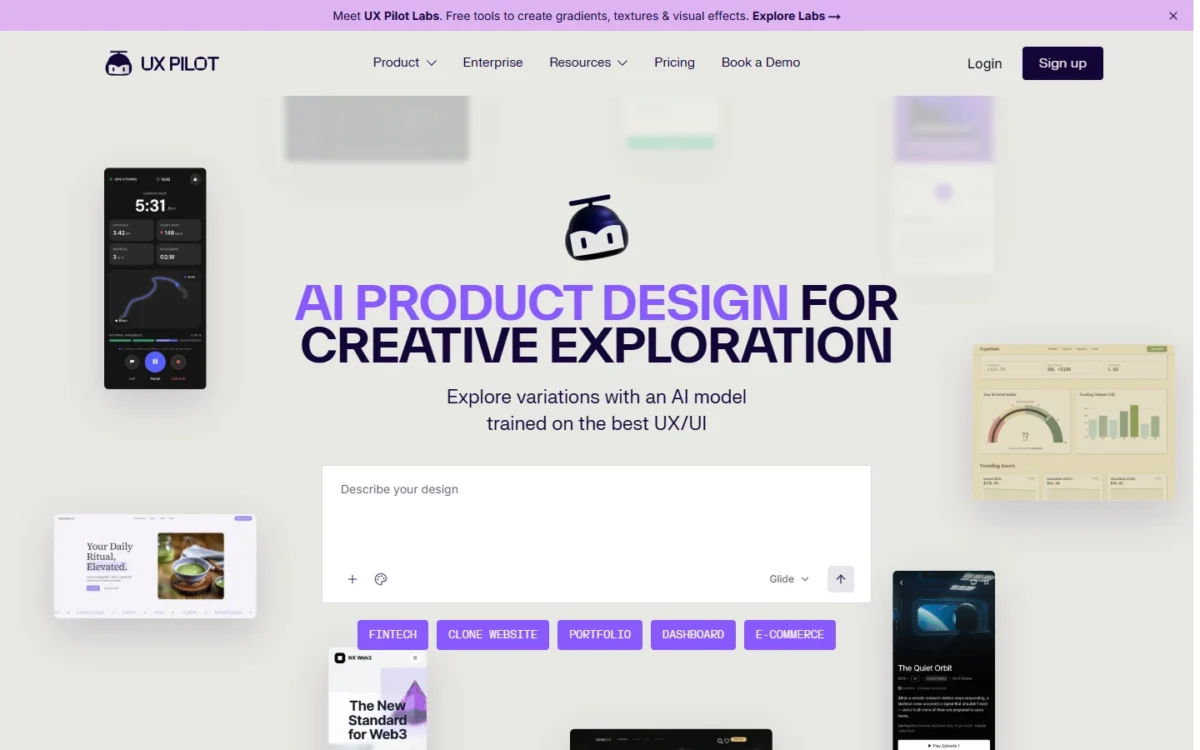
UX Pilot is an AI design tool that generates wireframes and high-fidelity UI screens from a text prompt; its paid plans export them to Figma or code.
| Question | Short answer |
|---|---|
| Best for | Freelancers, designers and PMs doing paid multi-screen work for Figma or code |
| Skip it if | You need a running app, SSO below Enterprise, or more than 5 projects alone |
| Starting price | Free at $0; Pro at $19 a month billed annually, or $29 billed monthly |
| Practical plan | Pro: 750 credits a month, 5 projects, export to Figma and code |
| Main strength | 4 onboarding screens from one prompt in my Free test |
| Main limitation | Free work is non-commercial, and the plans table puts export on Pro and up |
| Best alternative | Lovable, when you need a running app rather than screens |
Sources: UX Pilot plans page and UX Pilot terms of service, checked October 2026.
The evidence behind that verdict is one real prompt and what it cost.
How I Tested UX Pilot on the Free Plan
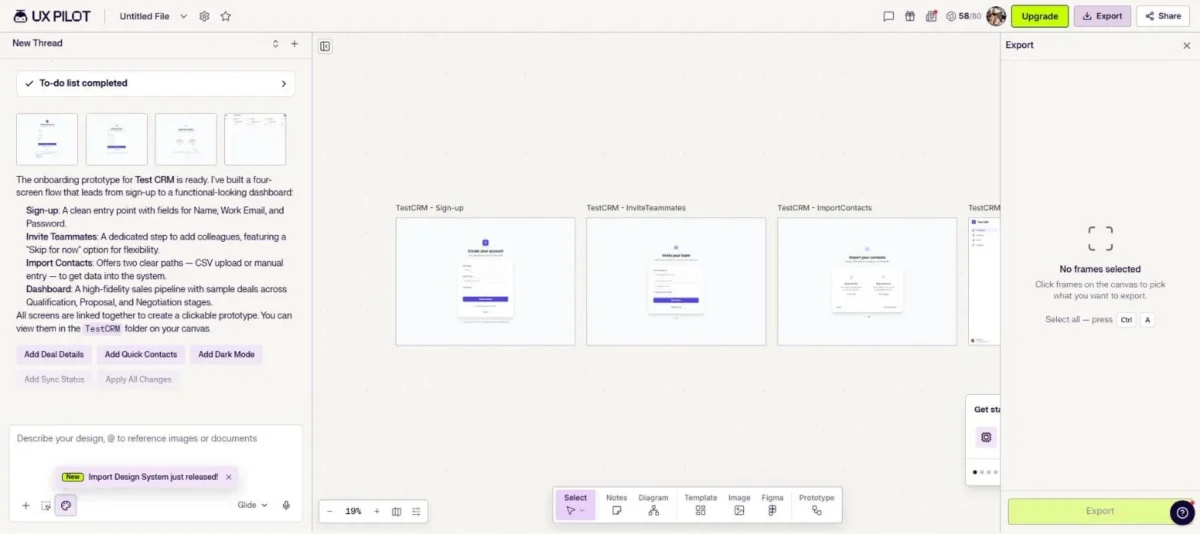
One prompt, one run, Free plan, October 10, 2026: UX Pilot returned four screens in about three minutes and used 22 of 80 daily credits. I opened the Export panel with one screen selected but did not run an export.
The prompt asked for a clickable onboarding prototype for a small-team CRM called Test CRM, using placeholder data. It listed four screens: sign-up, an invite step with a skip option, a contacts import and a dashboard with a sample pipeline.
UX Pilot named the screens Sign-up, Invite Teammates, Import Contacts and Dashboard. I did not record whether each requested detail came out as asked.
| Task | Sample | Result | Credits |
|---|---|---|---|
| Generate the onboarding flow | 1 prompt, 1 run | 4 screens: Sign-up, Invite Teammates, Import Contacts, Dashboard | 22 used (80 to 58) |
| Open Export with one screen selected | 1 screen | Figma, FIG, MCP, HTML, PDF and ZIP listed, no lock mark | Export not run |
Sources: my Free-plan test on October 10, 2026; the 80-credit daily allowance from the UX Pilot plans page.
UX Pilot first wrote a four-item to-do list, then built the screens one after another. The dashboard shows sample deals across Qualification, Proposal and Negotiation stages, and UX Pilot said the four screens are linked as a clickable prototype.
I ran the test in my own browser, with Claude in Chrome operating the page while I watched.
What this test does not show:
- One prompt and one run, so 22 / 4 = 5.5 credits per screen is a single data point, not an average.
- Free plan only: no Pro, Teams or Enterprise feature was used.
- No follow-up edits, no Figma or GitHub connection, no team features and no completed export.
- I read the clock at intervals, so “about three minutes” is an upper bound within about a minute.
Four screens is the demo; a purchase depends on the jobs UX Pilot handles week to week.
What UX Pilot Does Well for Designers and PMs
The design toolkit is on every plan, including Free: wireframes, hi-fi UI, screen flows, design review, the predictive heatmap and Figma component import.
The plans page says the same under its heading, then tells buyers to choose by usage, projects and collaborators, “not by which features you get”. The table still gates credits, projects, export and the cloner by plan.
| Feature | Free | Pro | Teams | Enterprise |
|---|---|---|---|---|
| Wireframes, hi-fi UI, screen flows | Yes | Yes | Yes | Yes |
| Design review, predictive heatmap | Yes | Yes | Yes | Yes |
| Figma component import | Yes | Yes | Yes | Yes |
| Export to Figma and to code | No | Yes | Yes | Yes |
| Website cloner | No | Yes | Yes | Yes |
| Real-time collaboration, seats and roles | No | No | Yes | Yes |
| SSO and SCIM (SAML), audit logs | No | No | No | Yes |
Sources: UX Pilot plans page, compare-plans table, checked October 2026.
The gates sit on output, not on design. A PM on Free can build and review the same flows as a Pro user. The table and the terms stop that PM from exporting them or using them commercially.
From one prompt to a linked multi-screen flow
Yes, in my run: one prompt became four screens that UX Pilot reported as linked into a clickable prototype. Screen flows are in the Free column, so you can try your own brief before paying.
For a PM, that is a linked onboarding draft, as UX Pilot reported it, from one paragraph of requirements; for a designer, a starting layout.
My run made no follow-up edits, so try edits, and the links between the screens, on your own brief while still on Free.
Predictive heatmap and design review on every plan
The predictive heatmap and design review both sit in the Free column, so neither is a reason to upgrade. The plans page lists no credit cost for either, and I did not run them, so try both on a Free screen first.
A reviewer who only checks screens, rather than generating them, may never need a paid seat.
Website cloner: Pro and up, despite the “Free” landing page
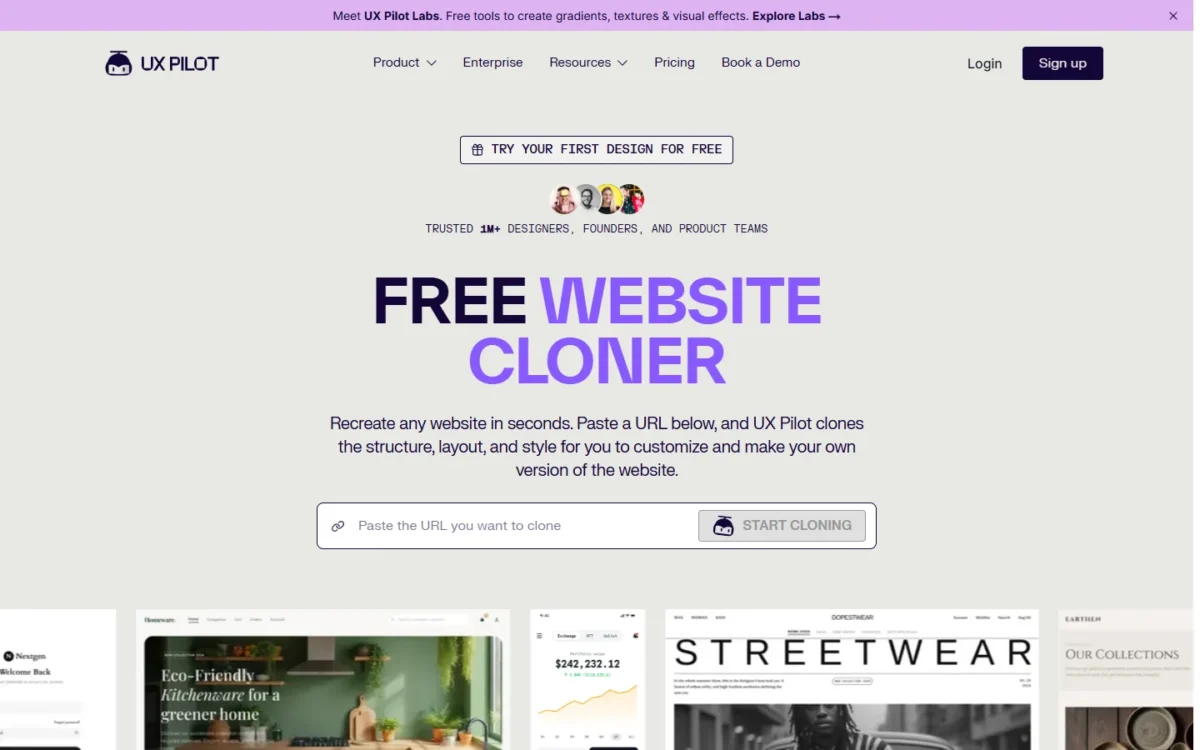
No: the plans table marks the website cloner “-” on Free and includes it from Pro up, although its landing page is headed “Free Website Cloner”. It recreates a site from a URL or screenshot as editable screens to refine and export to Figma or HTML.
For an agency rebuilding a client’s own site, that is a concrete reason to pay for Pro. Before pasting a rival’s URL, I would research competitor UX without copying their design.
Those strengths come with conditions.
Where UX Pilot Falls Short
Six limits hurt specific buyers, each at a predictable point:
- Free work is non-commercial. The terms limit Free to “personal, non-commercial purposes”, ruling out client and employer work.
- No refunds, and the credit math can move. The terms rule out refunds, even for unused time, and let UX Pilot change “the required tokens for each model”; annual buyers carry that risk.
- Pro stops at 5 projects. A freelancer or small agency with a sixth live client outgrows Pro, and the Teams seat selector starts at 2 seats.
- SSO, SCIM and audit logs are Enterprise-only. IT teams that provision tools through an identity provider cannot do so on Pro or Teams.
- The license clause does not name Teams. The terms (updated February 12, 2026) grant commercial rights to “Standard and Pro” subscribers. No plan named Standard appears among the plans page’s four plans, and Teams is not named, so Teams buyers should get theirs confirmed in writing.
- Screens and code, not a running app. A founder who needs users logging in to a working product needs a different kind of builder.
Figma export on Free: the pricing table and the app disagree
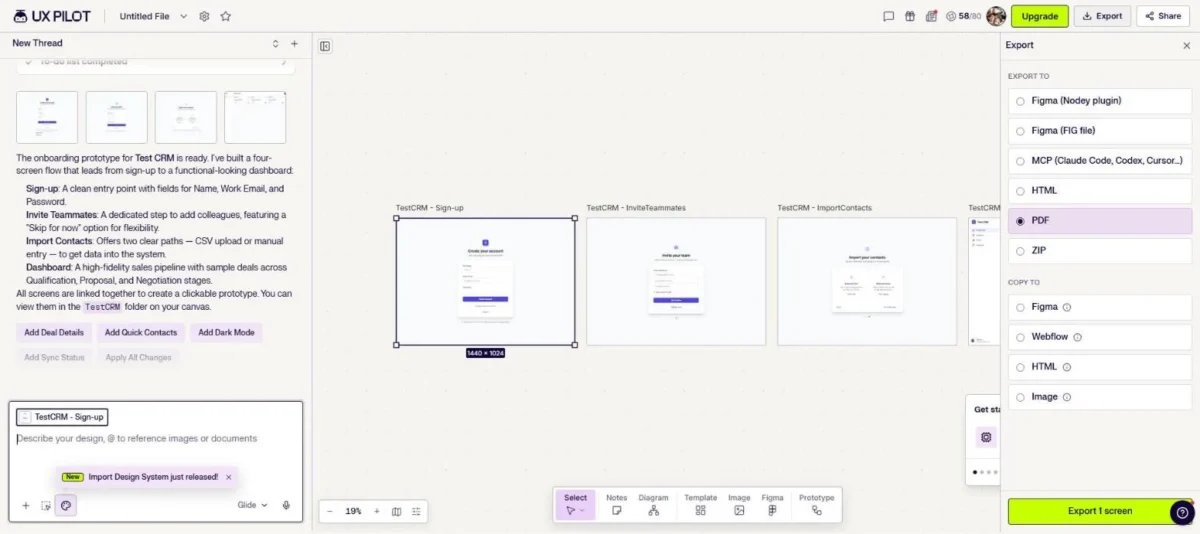
Whether Free can export to Figma is untested. The plans table marks both exports “-” on Free. Yet my Free Export panel listed Figma (Nodey plugin), Figma (FIG file), MCP, HTML, PDF and ZIP, with no lock mark.
The “Export 1 screen” button was active, but I did not press it.
UX Pilot’s FAQ lists Figma designs, PDFs, source code, images and zip files as export formats, with no plan named. Even a completed Free export would carry Free’s non-commercial license.
Try a Figma and an HTML export of one screen on Free before paying for Pro. If the file arrives, Pro’s case rests on commercial rights, projects, banked credits and the cloner.
Most of these limits are plan gates, so each plan’s price comes next.
UX Pilot Pricing: Credits per Screen and What Each Plan Costs
UX Pilot costs $0 on Free, $19 a month on Pro and $31 per user per month on Teams, billed annually; Enterprise is custom. Monthly billing raises Pro to $29 and Teams to $39 per user (checked October 2026).
| Plan | Billed annually | Billed monthly | Credits | Projects | Gate that matters |
|---|---|---|---|---|---|
| Free | $0 | $0 | 80 a day, no rollover (up to 13 screens a day) | 1 | No export; non-commercial license |
| Pro | $19 a month ($228 a year) | $29 a month | 750 a month (up to 125 screens) | 5 | Export, cloner, commercial rights |
| Teams | $31 per user a month | $39 per user a month | 900 per user a month, pooled (up to 150 screens each) | Unlimited | Shared pool, roles, collaboration |
| Enterprise | Custom | Custom | Custom | Unlimited | SSO, SCIM, audit logs |
Sources: UX Pilot plans page, yearly and monthly views, and UX Pilot terms, checked October 2026.
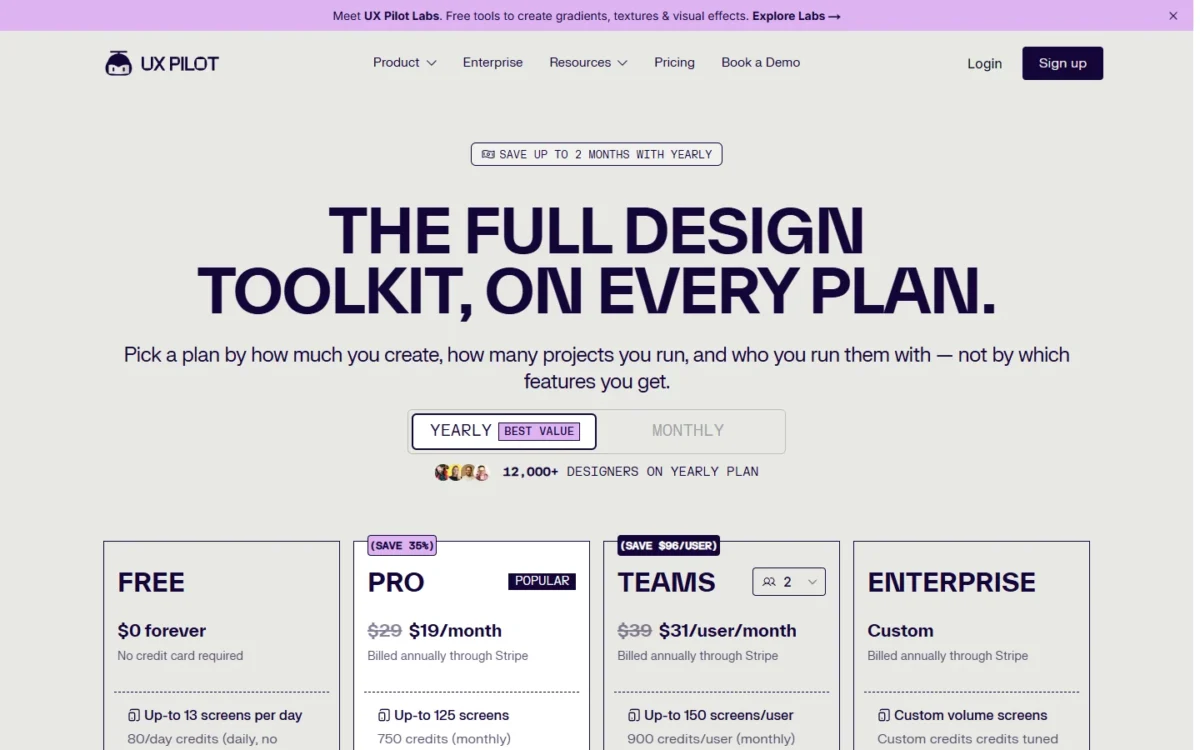
Paying Pro monthly costs $29 x 12 = $348 a year, $120 more than the $228 annual price. Under terms that rule out refunds, that premium is the price of being able to stop after any month.
Pro’s plan credits roll over and accumulate monthly, but only while the subscription is active. Cancel, and the balance locks until you reactivate, so banked credits keep you paying.
Top-up credit packs come with Pro, but the plans page prints no price for them. If your screens end up in Figma, my Figma pricing guide covers that tool’s own plans.
The next question is how many screens a credit balance buys.
How many credits does one screen cost?
About 6 credits. UX Pilot’s own plan math gives 750 / 125 = 6 credits per screen on Pro, and my run used 22 / 4 = 5.5 credits per screen.
That changes what Pro is for. Free’s 80 daily credits cover about three runs like mine (3 x 22 = 66). Used every day of a 30-day month, Free gives 80 x 30 = 2,400 credits, over three times Pro’s 750.
So Pro does not buy volume. It buys commercial rights, 5 projects instead of 1, credits that bank from month to month and, if the plans table holds, export and the cloner.
At full use on annual billing, a Pro screen costs about $0.15 ($19 / 125) and a Teams screen about $0.21 ($31 / 150). The plans page and the terms publish no credit cost for other modes.
Teams math: five seats and one shared credit pool
Five Teams seats cost $31 x 5 x 12 = $1,860 a year billed annually, against $19 x 5 x 12 = $1,140 for five Pro accounts.
The $720 gap, $12 per person a month ($31 – $19), buys a pool of 900 x 5 = 4,500 credits a month. It also adds real-time collaboration, seats and roles, unlimited projects, centralized billing and priority support.
| Team size | Teams, billed annually | Separate Pro, billed annually | Extra for Teams | Monthly credits |
|---|---|---|---|---|
| 2 people | $31 x 2 x 12 = $744 | $19 x 2 x 12 = $456 | $744 – $456 = $288 | 1,800 pooled vs 1,500 split |
| 5 people | $31 x 5 x 12 = $1,860 | $19 x 5 x 12 = $1,140 | $1,860 – $1,140 = $720 | 4,500 pooled vs 3,750 split |
Sources: UX Pilot plans page, checked October 2026.
Teams pays off when usage is uneven: one heavy designer can draw on the credits of four light reviewers, which five separate Pro accounts cannot do. Independent freelancers who never share projects gain nothing from the pool and should stay on Pro.
Sharing one Pro login is no shortcut: the terms prohibit sharing accounts or access credentials with unauthorized users.
Enterprise: SSO, SCIM, audit logs and security
Yes. SSO and SCIM (SAML), audit logs, custom data retention, custom API access and full design-system import appear only in the Enterprise column, at a custom price. For an SSO-bound company, Teams is a dead end.
UX Pilot says it has completed a SOC 2 Type 1 audit and shares the report on request. Its terms say it does not train its AI models on your generated designs.
Who Should Use UX Pilot, and Who Should Skip It
Pick the plan by buyer: Pro for paid solo work, Free for exploring alone, Teams for a shared budget, Enterprise for SSO.
| Buyer | Plan | Why |
|---|---|---|
| Freelancer or solo designer with paid work | Pro | Commercial rights, export, 5 projects |
| PM exploring ideas alone | Free, then Pro | Upgrade once screens go to a client or employer |
| Small team with one heavy designer | Teams | Pooled credits, roles, unlimited projects |
| Agency with more than 5 live projects | Teams | Pro caps projects at 5; confirm the Teams commercial license in writing |
| Company that requires SSO or SCIM | Enterprise | SSO and SCIM are Enterprise-only |
Sources: UX Pilot plans page and UX Pilot terms, checked October 2026.
Once screens leave your own desk, Free stops being an option.
Skip it if:
- you need a running app with logins and payments, not screens and code;
- you already pay for Figma and want the AI inside it;
- you want an agent that edits your existing codebase, a job for AI coding agents such as Codex and Claude Code;
- you work alone but need more than 5 projects, since a 2-seat Teams plan costs $31 x 2 x 12 = $744 a year;
- you need SSO and will not sign an enterprise contract.
UX Pilot Alternatives by Reason to Switch
Each skip reason points to a different kind of tool; UX Pilot compared with 10 other AI prototyping tools ranks the whole category. By reason to switch:
- For a running app: Lovable, which builds a running app, handles hosting, authentication and payments, so users can log in to the result.
- For AI inside the Figma you already pay for: Figma Make inside Figma starts from your design context and copies its output to the canvas.
- For manual control of every frame: a classic design tool fits better, and my list of UI/UX design tools compares them.
If none applies, the question is which UX Pilot plan to buy.
Final Verdict: Which UX Pilot Plan Is Worth It?
The deciding factor is who uses the screens and how many people share them. Free suits personal exploration, Pro one person’s paid work, Teams shared projects, and Enterprise SSO.
Pro is where most buyers should land, and I would start it monthly. The first month costs $10 more ($29 – $19), cheap insurance against a $228 annual commitment the no-refund terms make impossible to undo.
Three checks on Free before paying:
- Divide the credits your own prompt uses by the screens it produces; near 6 means Pro’s 750 credits buy about 125 screens.
- Try exporting one screen to Figma and HTML; if it works on Free, Pro is buying commercial rights and projects.
- Count your live projects and who shares them. More than 5 projects plus a second person points to Teams; a solo user with more than 5 should skip UX Pilot.