A customer satisfaction survey usually fails before anyone reads the first score. It fails at the moment someone pastes eighteen reasonable-looking questions into a form without deciding which single decision the answers have to support.
This page is built to stop that. Below are 100 copy-ready questions grouped by touchpoint, 12 complete surveys you can send as written, a 30-second metric selector, timing rules by trigger, and a scoring policy you can hold steady across quarters.
Every question carries a recommended scale, a metric label, and the moment it belongs in. If you still need to pick a platform first, start with the customer feedback tools comparison and come back with a build target.
In This Article (17 sections)
Quick Copy: The 15-Point Survey Build Checklist
Work through this list before you write a single question. It is the shortest path from a vague request for feedback to a survey somebody owns.
| Check | Pass condition |
|---|---|
| Decision named | One sentence states what the result will change |
| Owner named | A person, not a team inbox, receives low scores |
| Metric chosen | Satisfaction, recommendation, effort, or diagnostic only |
| Population defined | You can list who gets invited and who does not |
| Trigger set | A real event fires the invitation |
| Length capped | Question count matches the survey’s job |
| One idea per item | No question hides two constructs |
| Options complete | Every respondent has one honest answer path |
| Scale locked | Anchors, direction, and labels written down |
| Scoring rule locked | The satisfied band is defined before launch |
| Open text rationed | At most one required free-text field |
| Order deliberate | Primary metric first, diagnostics after |
| Profile fields minimized | Nothing asked that the CRM already holds |
| Privacy stated | Identified or not identified, and the setting proves it |
| Pretest done | Wording, options, logic, and mobile experience checked with a small test group |
Copy the same checklist as plain text:
CUSTOMER SATISFACTION SURVEY BUILD CHECKLIST
[ ] 1. Decision named: this result will change ______________
[ ] 2. Owner named: ______________ receives every low score
[ ] 3. Metric chosen: CSAT / NPS / CES / diagnostic only
[ ] 4. Population defined: who is invited, who is excluded
[ ] 5. Trigger set: fires ____ after ____________
[ ] 6. Length capped at ____ questions
[ ] 7. One idea per question, no compound wording
[ ] 8. Answer options complete and non-overlapping
[ ] 9. Scale locked: ____ points, anchored ____ to ____
[ ] 10. Scoring rule locked: satisfied = ____________
[ ] 11. Open text: one focused reason question only
[ ] 12. Order: primary metric first, diagnostics second
[ ] 13. Profile fields: enrich from CRM instead of asking
[ ] 14. Privacy: identified / not identified, setting verified
[ ] 15. Pretest complete: wording, options, logic, mobile
Methodology: How These Questions and Templates Were Built
The question bank and templates draw on official survey documentation from SurveyMonkey, Qualtrics, Typeform, Microsoft, Zendesk, and QuestionPro, plus published questionnaire-design guidance from Pew Research Center. Every cited page was checked on 12 August 2026.
Each question was assessed against the same criteria: it measures one construct, it names a scale a respondent can answer, it belongs to a specific trigger, and its answer changes a decision that somebody owns.
Greater weight was given to the factors that decide whether a result is usable: metric fit, construct separation, answer-option completeness, and timing relative to the experience being rated. Question volume carried no weight.
Statements that documentation did not support were left out, and response-rate or benchmark figures appear nowhere on this page because no source establishes one that holds across channels and audiences.
Choose CSAT, NPS, or CES in 30 Seconds
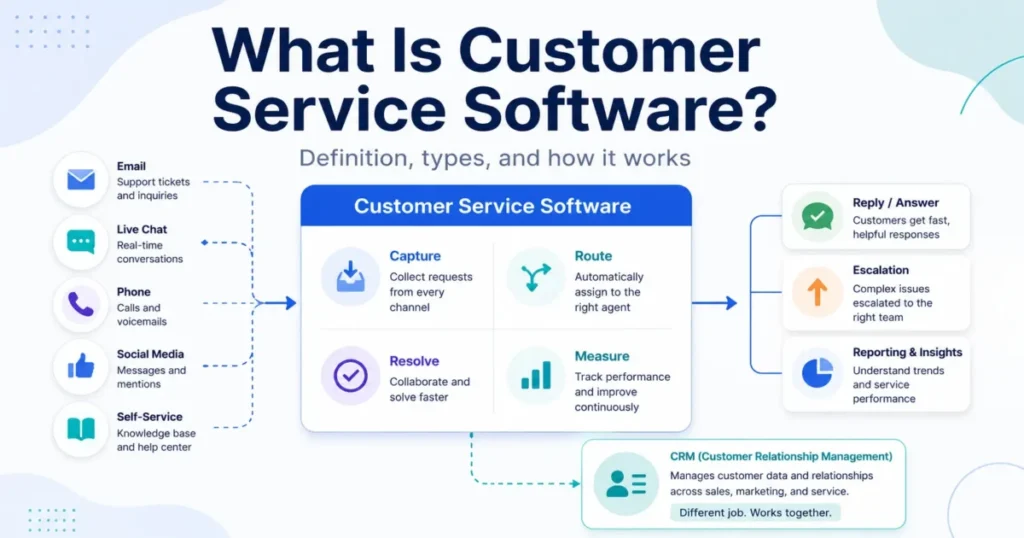
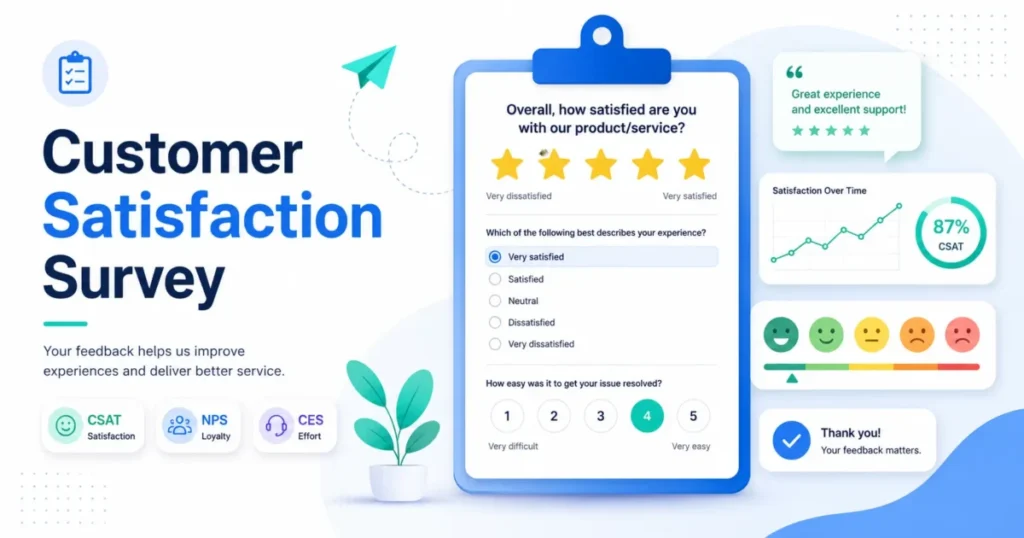
Three metrics answer three different questions, and treating them as interchangeable is the fastest way to produce a number nobody can act on. Qualtrics separates them by what each one measures: satisfaction with a purchase, affinity toward the company, and how hard a task was to complete, per its customer satisfaction survey guidance.
| If the question you need answered is | Use | Scale | Ask it |
|---|---|---|---|
| How satisfied was this person with a defined experience | CSAT | Satisfaction scale | Soon after the experience |
| Would this person recommend the company | NPS | Standard recommendation scale | At a planned relationship checkpoint |
| How hard was it to get this done | CES | Effort scale | Immediately after the task |
| Why did something go wrong | Diagnostic only | Mixed | When a score has already flagged it |
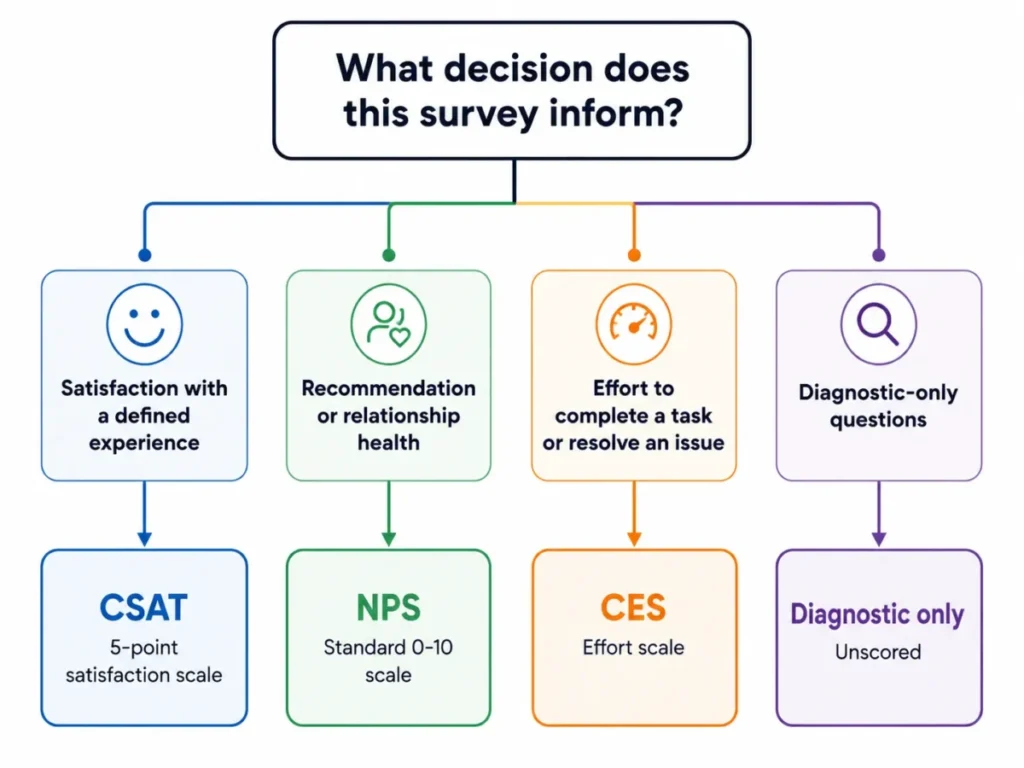
The routing rule is short. Pick the branch that matches the sentence you would write in a status update, and let the other two metrics go.
Running all three metrics in one short pulse is a mistake. A four-question survey carrying CSAT, NPS, and CES produces three headline numbers and no clear owner, which is how survey programs quietly become reporting exercises.
How to Use This Question Bank
The use case is narrow on purpose: you already know which customer moment you want to measure, and you need wording you can send this week. Nothing here requires a research background.
The required input is four facts about that moment. Name the decision the result will change, the touchpoint being rated, the population you will invite, and the person who reads low scores.
- Write the decision sentence first, then pick the metric that answers it.
- Open the template that matches your touchpoint instead of building from the full bank.
- Customize it: swap in your product, team, and process names, and delete anything that does not change the decision.
- Validate wording, answer options, order, and logic against the checks further down this page.
- Assign the owner, set the trigger, pretest, and only then turn on the invitation.
The example output of those five steps is a three-to-five-question survey with one primary metric, one reason field, a named trigger, and a named owner. If your draft has eight questions and two metrics, step three was skipped.
The common error is starting from the bank instead of a template, because a reader who opens 100 questions ships 18 of them while a reader who opens a template ships four. Every question here carries a documented design basis, so apply the template first and treat the bank as the place you go when one item does not fit your tool workflow.
How to Choose the Right Survey Questions
Step 1: Write Down the Decision the Survey Must Support
QuestionPro’s published guidance starts in the same place, telling teams to decide whether they are measuring product satisfaction, support quality, website experience, or overall satisfaction before writing anything, in its customer satisfaction question guidance.
| Field | Fill this in |
|---|---|
| Decision this informs | The result will change ______________ |
| Touchpoint being rated | Support case, purchase, onboarding, delivery, digital task, relationship |
| Population invited | Segment, region, and any exclusions |
| Owner of the result | Named person who reads low scores |
| Review cadence | When themes get read and acted on |
A survey without a named decision has no stopping rule, which is exactly why it grows to eighteen questions.
Step 2: Split Must-Have Questions From Nice-to-Have Questions
| Question role | Must-have | Nice-to-have |
|---|---|---|
| Primary metric | Yes, exactly one | Never more than one |
| Outcome check | Yes when resolution or completion matters | No |
| Driver diagnostic | One or two where a driver is contested | Rest of the drivers |
| Reason text | One focused field | Any second text box |
| Profile data | Only what the CRM cannot supply | Everything else |
The reject rule is blunt. If a question fails the must-have test and no one can name the decision its answer changes, it does not ship, regardless of how interesting the data would be.
Step 3: Score Every Candidate Question
The scoring model below is this article’s editorial screening framework, not an industry standard or a validated survey-research scale. Use it to force a consistent decision, not to produce a defensible research statistic.
Run each surviving question through the same weighted check. Rate every criterion from 1 for weak to 5 for strong, multiply by the weight shown in the worked example below, and add the results.
| Criterion | Weight | Strong looks like | Evidence behind the criterion |
|---|---|---|---|
| Decision impact | Highest | A named person acts differently on a low answer | Editorial rule from the goal step |
| Single construct | High | A respondent cannot answer two ways | Qualtrics double-barrelled guidance |
| Answerable | Medium | The respondent has lived the thing being rated | Timing guidance from SurveyMonkey |
| Option quality | Low | Choices are complete and non-overlapping | Pew closed-ended question guidance |
| Respondent effort | Lowest | Rating instead of forced free text | Qualtrics open-ended effort note |
Thresholds, applied to the weighted total on the same 1 to 5 range:
- 4.2 and above: ship it.
- 3.5 to 4.1: rewrite once, then re-score.
- Below 3.5: cut it.
- Any question scoring 1 on single construct is cut regardless of its total.
Worked example, so the arithmetic is checkable:
Candidate: "How satisfied were you with the speed and quality of support?"
  Decision impact   4 x 0.30 = 1.20
  Single construct  1 x 0.25 = 0.25   <- speed AND quality
  Answerable        5 x 0.20 = 1.00
  Option quality    4 x 0.15 = 0.60
  Respondent effort 5 x 0.10 = 0.50
  Weighted total            = 3.55  -> cut on the single-construct rule

Rewritten as two items, each re-scored:
  "How satisfied were you with the speed of the first response?"  = 4.55  -> ship
  "How satisfied were you with the quality of the help you got?"  = 4.55  -> ship
Qualtrics describes the failure this candidate contains. A compound question asks about two different issues while allowing only a single answer, per its double-barrelled question guidance.
The answers can then be misinterpreted, because the respondent cannot signal which half they answered. Splitting the item is the whole fix.
Answer options fail the same way. Pew Research Center’s questionnaire guidance holds that closed-ended options should include all reasonable responses and should not overlap, in its survey question writing guidance.
Bad option set for “How often do you contact support?”: Rarely, 1 to 3 times a month, 3 to 5 times a month, Often. Two numeric bands share the value 3, and two vague labels compete with them.
Fixed option set: Never, Less than once a month, 1 to 3 times a month, 4 to 6 times a month, More than 6 times a month.
Step 4: Lock the Scale and the Scoring Rule
| Metric | Scale used here | Score rule | Change it later only if |
|---|---|---|---|
| CSAT | Five-point satisfaction, very dissatisfied to very satisfied | Satisfied responses divided by total responses, times one hundred | You restate the whole trend line |
| NPS | Standard zero-to-ten recommendation scale | Promoter percentage minus detractor percentage | Never, the scale is the standard |
| CES | Five-point effort, very high effort to very little effort | Report the mean and the low-effort share together | You relabel every historical wave |
| Diagnostic | Mixed | Theme it, never average it | Not applicable |
SurveyMonkey’s method for the satisfaction percentage is to count the customers who selected the top satisfaction ratings, divide by total responses, and multiply by 100, described in its customer satisfaction survey guide. The part teams skip is writing down which ratings count as satisfied before the first wave, so declare it: on the 5-point scale used across these templates, satisfied means a 4 or a 5.
For recommendation, the Net Promoter System keeps the categories fixed. Promoters scored 9 or 10, detractors scored 0 to 6, and the score is the promoter percentage minus the detractor percentage, per its Net Promoter Score measurement guidance.
If you want the arithmetic done for you, the NPS calculator handles the banding.
A 5-point satisfaction scale is one documented implementation, not the only valid one. It is used consistently across these templates so that scores stay comparable between quarters, which matters far more than the number of points.
For the five-point effort scale used across these templates, report both the mean and the share selecting 4 or 5, and keep the same calculation across every wave. That pairing is the editorial reporting rule here rather than the only valid summary of effort.
Source: SurveyMonkey official customer satisfaction documentation, checked 2026-08-12.
Step 5: Check Delivery, Timing, and Privacy
| Check | Question to answer | Failure signal |
|---|---|---|
| Trigger | What event fires the invitation | Survey arrives before the experience |
| Channel | Email, in-app, embedded, or post-chat | Channel excludes half the population |
| Identity | Are responses linked to an account | The word anonymous appears with no setting behind it |
| Enrichment | Which fields come from the CRM | The survey re-asks known account data |
Anonymity is a configuration state, not a wording choice. Microsoft Forms documents an explicit setting for this, in its guidance on recording names in Forms responses.
That same help page warns that names still get recorded when a question asks for personally identifiable information and the respondent supplies it.
Removing a name field is not the same as switching identity capture off.
Enrichment is the cheaper half of this step. Qualtrics recommends pulling respondent data from the customer database or CRM rather than asking for it in a survey wherever possible, in its customer satisfaction survey methodology.
That is why none of the templates below carries an industry or company-size question.
Step 6: Pretest Before You Send
Pew Research Center treats pretesting as an essential step in questionnaire design, especially for questions being introduced for the first time, in its questionnaire design guidance.
Six tasks catch most of the damage. The group sizes below are a workable example rather than a validated minimum, so scale them to the audience you can realistically reach.
| Pretest task | Who runs it | What it catches |
|---|---|---|
| Read aloud | Two colleagues | Compound and leading wording |
| Answer cold | Three customers or proxies | Questions nobody can answer |
| Force every path | Survey owner | Missing not-applicable options |
| Trigger a low score | Survey owner | Broken follow-up logic |
| Open on a phone | Anyone | Truncated scale labels |
| Export the results | Analyst | Column names nobody can read |
Step 7: Decide What Ships
| Outcome of the checks | Decision |
|---|---|
| Every question clears the ship threshold, logic tested, owner named | Ship it |
| A driver question rewritten once and now clears the threshold | Ship it |
| Two or more questions land in the rewrite band | Cut to the primary metric and one reason field |
| No named owner for low scores | Do not launch, fix ownership first |
| No trigger that matches the experience | Do not launch, fix the trigger first |
100 Customer Satisfaction Survey Questions
Each block below is copy-ready. The tag after every question gives the response scale, the metric it belongs to, and the moment it fits.
Prefer to work in a spreadsheet? Grab the 100-question sheet as a CSV, which carries the same wording, scale, metric, and trigger for every item and opens directly in Excel or Google Sheets.
Questions marked diagnostic are never averaged into a headline score.
| Group | Questions | Primary metric | Best trigger |
|---|---|---|---|
| General satisfaction | Q001 to Q010 | CSAT | Periodic or general pulse |
| Recent transaction | Q011 to Q020 | CSAT and CES | Soon after an interaction |
| Support and service | Q021 to Q030 | CSAT | After a support case |
| Product satisfaction | Q031 to Q040 | CSAT | After meaningful product use |
| SaaS onboarding | Q041 to Q048 | CSAT and CES | At the first-value milestone |
| Purchase and checkout | Q049 to Q056 | CSAT and CES | Soon after purchase |
| Delivery and fulfillment | Q057 to Q064 | CSAT | After delivery |
| Website and app | Q065 to Q072 | CSAT | After a digital task |
| Value perception | Q073 to Q080 | Diagnostic | Relationship or renewal |
| Loyalty and retention | Q081 to Q088 | NPS and intent | Relationship checkpoint |
| B2B relationship | Q089 to Q095 | Relationship CSAT | Quarterly business review |
| Improvement and churn | Q096 to Q100 | Diagnostic | Cancellation or at-risk |
General Satisfaction Questions (Q001 to Q010)
Use this group when the survey covers a whole relationship rather than one event. The overall item is your trend line, so once it is worded it should not change.
SurveyMonkey’s own satisfaction template mixes exactly these roles, pairing an overall rating with need fit, quality, value, responsiveness, repurchase intent, and one open comment, in its customer satisfaction survey template.
Q001  Overall, how satisfied are you with the service you received from us?  [Rating 1-5 | CSAT | General pulse]
Q002  How well did this experience meet your expectations?  [Rating 1-5 | Diagnostic | After a defined experience]
Q003  How would you rate the quality of your overall experience?  [Rating 1-5 | Diagnostic | General review]
Q004  Which part of this experience satisfied you most?  [Single choice + Other | Diagnostic | Multi-step journey]
Q005  Which part of this experience needs the most improvement?  [Single choice + Other | Diagnostic | Multi-step journey]
Q006  How easy was it to do what you needed to do with us?  [Rating 1-5 | CES context | After a task]
Q007  How consistent has the quality been each time you dealt with us?  [Rating 1-5 | Diagnostic | Repeat customers only]
Q008  How satisfied are you with how quickly we respond when you need us?  [Rating 1-5 | CSAT driver | Relationship survey]
Q009  What is the first word you would use to describe working with us?  [Short text | Qualitative | Periodic pulse]
Q010  Is there anything else you want us to know about this experience?  [Optional long text | Qualitative | Survey close]
Recent Transaction Questions (Q011 to Q020)
This group rates one interaction, not a relationship. Keep the window tight, because a customer answering three weeks later is rating a memory.
Q013 and Q014 are the pair most teams skip, and they are the two that tell you whether a bad score is about the outcome or about the effort.
Q011  How satisfied are you with your most recent interaction with us?  [Rating 1-5 | CSAT | Soon after interaction]
Q012  Did this interaction meet your expectations?  [Rating 1-5 | Diagnostic | After interaction]
Q013  Were you able to complete what you came to do?  [Yes / Partly / No | Outcome | After a task]
Q014  How much effort did you personally have to put in to complete this task?  [Rating 1-5 | CES | Immediately after]
Q015  How satisfied are you with the amount of time this interaction took?  [Rating 1-5 | CSAT driver | Time-sensitive tasks]
Q016  How clear was the information you received during this interaction?  [Rating 1-5 | Diagnostic | Assisted interaction]
Q017  How clear are you about what happens next?  [Rating 1-5 | Diagnostic | Interaction with a next step]
Q018  How likely are you to use this process again if you have the same need?  [Rating 1-5 | Intent | Repeatable transaction]
Q019  What is the main reason for the rating you gave?  [Optional short text | Follow-up | After the metric question]
Q020  What one change would have made this interaction easier?  [Optional short text | Qualitative | After an effort rating]
Support and Service Questions (Q021 to Q030)
Support is where a single number does the most damage. An excellent agent can handle a frustrating product problem, and a fast resolution can still cost the customer four emails.
Split satisfaction, outcome, effort, and cause so improvement work reaches the right team.
Q021  How satisfied are you with the support you received?  [Rating 1-5 | CSAT | After a support case]
Q022  Was your issue resolved?  [Yes / Partly / No | Outcome | After a support case]
Q023  Was your issue resolved during this interaction?  [Yes / No / Not applicable | Diagnostic | Discrete interaction]
Q024  How easy was it to get the help you needed?  [Rating 1-5 | CES | After the support journey]
Q025  How well did the support representative understand your issue?  [Rating 1-5 | Diagnostic | Human-assisted support]
Q026  How confident were you in the support representative's knowledge?  [Rating 1-5 | Diagnostic | Human-assisted support]
Q027  How clear was the support representative's communication?  [Rating 1-5 | Diagnostic | Human-assisted support]
Q028  How satisfied are you with the speed of the first response?  [Rating 1-5 | CSAT driver | After a support case]
Q029  How satisfied are you with the follow-up you received?  [Rating 1-5 | CSAT driver | Cases needing follow-up]
Q030  What could we change to make support better next time?  [Optional short text | Qualitative | Survey close]
Product Satisfaction Questions (Q031 to Q040)
Send these only once someone has used the product enough to hold an opinion. Q040 is the quiet one worth keeping, because it exposes the gap between what a customer expected before purchase and what they experienced after adoption.
Q031  Overall, how satisfied are you with this product?  [Rating 1-5 | CSAT | After meaningful use]
Q032  How well does this product meet your needs?  [Rating 1-5 | Diagnostic | After meaningful use]
Q033  How easy is this product to use?  [Rating 1-5 | Ease | After meaningful use]
Q034  How reliable has this product been for you?  [Rating 1-5 | Diagnostic | Periodic product survey]
Q035  How would you rate the quality of this product?  [Rating 1-5 | Diagnostic | Product survey]
Q036  Which feature provides the most value to you?  [Single choice + Other | Diagnostic | Usage survey]
Q037  Which feature provides the least value to you?  [Single choice + Other / None | Diagnostic | Usage survey]
Q038  What capability do you most wish this product had?  [Optional short text | Qualitative | Product research]
Q039  How well does this product help you accomplish the job you use it for?  [Rating 1-5 | Outcome | After meaningful use]
Q040  Compared with what you expected before using it, how has the product performed?  [Rating 1-5 | Diagnostic | After adoption period]
SaaS Onboarding Questions (Q041 to Q048)
Onboarding is a particularly useful satisfaction touchpoint for subscription businesses, because the feedback arrives early in the customer lifecycle while the account can still be saved. Fire it at your defined first-value milestone, never at signup.
Q041  Overall, how satisfied are you with your onboarding experience?  [Rating 1-5 | CSAT | Onboarding milestone]
Q042  How clear were the setup instructions?  [Rating 1-5 | Diagnostic | After initial setup]
Q043  How easy was it to complete your first important task?  [Rating 1-5 | CES context | First-value milestone]
Q044  How satisfied are you with the time it took to reach your first useful outcome?  [Rating 1-5 | CSAT driver | First-value milestone]
Q045  How confident do you feel using the product after onboarding?  [Rating 1-5 | Diagnostic | End of onboarding]
Q046  What was the biggest obstacle you encountered during onboarding?  [Optional short text | Qualitative | End of onboarding]
Q047  Which onboarding resource helped you most?  [Single choice + Other / None used | Diagnostic | End of onboarding]
Q048  What one change would most improve onboarding?  [Optional short text | Qualitative | End of onboarding]
Purchase and Checkout Questions (Q049 to Q056)
These rate the buying process, not the product. Q055 is the one that pays for the survey, because it surfaces the friction that almost stopped successful buyers from completing the purchase.
Q049  How satisfied are you with your purchase experience?  [Rating 1-5 | CSAT | Soon after purchase]
Q050  How easy was it to find the information you needed before purchasing?  [Rating 1-5 | CES context | After purchase]
Q051  How easy was the purchase process to complete?  [Rating 1-5 | CES | Immediately after checkout]
Q052  How clear was the pricing information before you purchased?  [Rating 1-5 | Diagnostic | After purchase]
Q053  How easy was it to complete payment?  [Rating 1-5 | CES context | Immediately after checkout]
Q054  How confident do you feel about your purchase decision?  [Rating 1-5 | Diagnostic | After purchase]
Q055  What, if anything, nearly stopped you from completing the purchase?  [Optional short text | Qualitative | After purchase]
Q056  What one change would improve the purchase process?  [Optional short text | Qualitative | Survey close]
Delivery and Fulfillment Questions (Q057 to Q064)
Physical fulfillment needs answer paths for people who had no problem at all, which is why three of these carry an explicit opt-out option. Without it you force a rating out of someone who never used the return process.
Q057  How satisfied are you with the delivery experience?  [Rating 1-5 | CSAT | After delivery]
Q058  Did your order arrive by the date you were told to expect it?  [Yes / No / No date given | Outcome | After delivery]
Q059  How satisfied are you with the condition of your order when it arrived?  [Rating 1-5 | CSAT driver | After delivery]
Q060  How clear were the delivery updates you received?  [Rating 1-5 | Diagnostic | After delivery]
Q061  How useful was the tracking information you received?  [Rating 1-5 / No tracking received | Diagnostic | Tracked delivery]
Q062  If you needed help with a delivery problem, how easy was it to get that problem addressed?  [Rating 1-5 / Did not need help | CES context | After delivery]
Q063  If you used our return process, how satisfied were you with that process?  [Rating 1-5 / Did not use it | CSAT driver | After a return]
Q064  What one change would improve delivery for you?  [Optional short text | Qualitative | Survey close]
Website and App Questions (Q065 to Q072)
Keep these anchored to a task the visitor attempted. A satisfaction rating is not a substitute for behavioral analytics, and asking people to estimate page speed produces opinion, not measurement.
Q065  Overall, how satisfied are you with the website or app today?  [Rating 1-5 | CSAT | After a digital task]
Q066  How easy was it to find the information you needed?  [Rating 1-5 | CES context | Information-seeking task]
Q067  How easy was it to navigate to what you wanted?  [Rating 1-5 | Ease | Multi-screen task]
Q068  How satisfied are you with the speed of the website or app?  [Rating 1-5 | CSAT driver | After a session]
Q069  Were you able to complete the task you came to do?  [Yes / Partly / No | Outcome | After a digital task]
Q070  Did you encounter an error or obstacle while completing your task?  [Yes / No / Not sure | Diagnostic | After a digital task]
Q071  What was the easiest part of completing your task?  [Optional short text | Qualitative | Diagnostic study]
Q072  What one change would make this website or app easier to use?  [Optional short text | Qualitative | After a digital task]
Value Perception Questions (Q073 to Q080)
These are diagnostics, not a satisfaction score, and they belong in a renewal or relationship survey rather than a post-ticket pulse. Q075 and Q074 measure different things: one is about clarity, the other about fairness, and combining them hides which problem you have.
Q073  How satisfied are you with the value you receive for what you pay?  [Rating 1-5 | CSAT driver | Renewal or relationship]
Q074  How fair does the price feel relative to the value you receive?  [Rating 1-5 | Diagnostic | Renewal or relationship]
Q075  How clear is our pricing to you?  [Rating 1-5 | Diagnostic | Post-purchase or relationship]
Q076  How would you rate the value you receive compared with alternatives you considered?  [Rating 1-5 / Did not compare | Diagnostic | Post-purchase]
Q077  How confident are you that this is worth continuing to pay for?  [Rating 1-5 | Retention signal | Before renewal]
Q078  Which benefit creates the most value for you?  [Single choice + Other | Diagnostic | Relationship survey]
Q079  Have you encountered a cost that you did not expect when you started?  [Yes / No / Not sure | Diagnostic | Relationship survey]
Q080  What one change would most improve the value you receive?  [Optional short text | Qualitative | Renewal survey]
Loyalty and Retention Questions (Q081 to Q088)
Q081 is the standard recommendation item and it keeps its own 0 to 10 scale. The rest are stated intent on the 5-point scale, and stated intent is a survey answer rather than a forecast.
Q081  How likely are you to recommend us to a friend or colleague?  [0 to 10 | NPS | Relationship checkpoint]
Q082  What is the main reason for your recommendation rating?  [Optional short text | NPS follow-up | Directly after Q081]
Q083  How likely are you to purchase from us again?  [Rating 1-5 | Intent | Post-purchase or relationship]
Q084  How likely are you to renew your subscription or contract?  [Rating 1-5 / No renewal applies | Retention signal | Before renewal]
Q085  How likely are you to continue using us?  [Rating 1-5 | Retention signal | Relationship survey]
Q086  If you were choosing again today, how likely would you be to choose us?  [Rating 1-5 | Intent | Relationship survey]
Q087  What one change would make you more likely to stay with us?  [Optional short text | Qualitative | Renewal survey]
Q088  What is the main issue that could cause you to stop using us?  [Optional short text | Qualitative | Relationship survey]
B2B Relationship Questions (Q089 to Q095)
Account-level feedback is a different construct from a support ticket score, and mixing them is how a strong account team gets judged on a slow bug fix. Ask these at a business review, with the account owner in the room afterwards.
Q089  Overall, how satisfied are you with us as a business partner?  [Rating 1-5 | Relationship CSAT | Business review]
Q090  How well does our account team understand your business goals?  [Rating 1-5 | Diagnostic | Business review]
Q091  How satisfied are you with the frequency of communication from our team?  [Rating 1-5 | CSAT driver | Business review]
Q092  How useful is the guidance you receive from our team?  [Rating 1-5 | Diagnostic | Business review]
Q093  How well does our product support the business objective you use it for?  [Rating 1-5 | Outcome | Business review]
Q094  How easy is it to work with our team across the parts of your organization that interact with us?  [Rating 1-5 | CES relationship | Multi-stakeholder account]
Q095  What should our highest priority be for improving the relationship next quarter?  [Optional short text | Qualitative | Business review]
Improvement and Churn Questions (Q096 to Q100)
Label this group honestly. It is churn research, and forcing a satisfaction score into a cancellation flow gives you a number that describes people who already left.
Q096  What is the biggest frustration in working with us?  [Optional short text | Qualitative | Diagnostic survey]
Q097  If you could change one thing about working with us, what would it be?  [Optional short text | Qualitative | Relationship or cancellation]
Q098  What was the main issue that made you consider stopping your use of us?  [Optional short text | Qualitative | At-risk or cancellation]
Q099  What is the primary reason you are canceling or downgrading?  [Single choice + Other | Churn reason | Cancellation flow]
Q100  Is there anything else we should know before we make changes based on your feedback?  [Optional long text | Qualitative | Survey close]
12 Free Customer Satisfaction Survey Templates
Twelve complete surveys, grouped by how mature your feedback program already is. Free here means these are editorial templates you can copy and keep.
It says nothing about the plans of any survey platform.
| Template | Best for | Metric | Owner |
|---|---|---|---|
| T01 General satisfaction pulse | A first, very short program | CSAT | CX lead |
| T02 Post-purchase | Checkout and buying friction | CSAT | Growth or ecommerce |
| T03 Post-support | Ticket and case feedback | CSAT plus outcome | Support operations |
| T04 Product satisfaction | Fit, usability, and roadmap input | CSAT | Product management |
| T05 SaaS onboarding | First-value milestone | CSAT plus effort | Customer success |
| T06 Website or app task | A defined digital task | CSAT plus outcome | Product or UX |
| T07 Delivery | Physical fulfillment | CSAT | Operations |
| T08 B2B relationship | Account-level health | Relationship CSAT | Account management |
| T09 Renewal and retention | Pre-renewal risk | Retention diagnostics | Customer success |
| T10 Cancellation | Churn reason capture | Churn diagnostics | Retention or RevOps |
| T11 NPS relationship | Recommendation tracking | NPS | CX lead |
| T12 Customer effort | Friction in one workflow | CES | Workflow owner |
Starter Templates
Start here if nobody owns customer feedback yet. Each of these is short enough that a team can commit to reading every response for the first three months, which is the habit that makes the program stick.
Template T01: 3-Question General Satisfaction Pulse
Best for a first program, a periodic check, or any team that needs one trend line before it needs diagnostics. Trigger it after a defined experience or at a deliberate relationship checkpoint.
The CX lead owns the result. Do not use it when you need to diagnose several journey stages at once, because three questions cannot separate four causes.
Thanks for your time. This takes about 30 seconds.

1. Overall, how satisfied are you with the service you received from us?
   1 Very dissatisfied  2 Dissatisfied  3 Neutral  4 Satisfied  5 Very satisfied

2. What is the main reason for the rating you gave?
   [Optional short text]

3. Is there anything else you want us to know about this experience?
   [Optional long text]

Scoring: CSAT = (count of 4 and 5) / (total valid responses) x 100
Owner: CX lead reads every 1 and 2 within two business days.
Template T03: Post-Support CSAT
Best for support teams that need to tell an agent problem apart from a product problem. Trigger it once the case reaches your defined completion state.
Support operations owns the score, with routing to product or policy owners when the reason field points there. Do not read Q021 alone as proof that the underlying issue was fixed.
Thanks for contacting support. Four quick questions.

1. How satisfied are you with the support you received?
   1 Very dissatisfied  2 Dissatisfied  3 Neutral  4 Satisfied  5 Very satisfied

2. Was your issue resolved?
   Yes / Partly / No

3. How easy was it to get the help you needed?
   1 Very difficult  2 Difficult  3 Neutral  4 Easy  5 Very easy

4. What could we change to make support better next time?
   [Optional short text]

Scoring: report question 1 as CSAT. Report questions 2 and 3 separately.
Never average them into a single support index.
Owner: support operations, with product routing on cause themes.
Zendesk publishes a concrete version of the timing decision. Its default automation sends the satisfaction survey 24 hours after a ticket is solved rather than closed, and the delay is editable, per the Zendesk guidance on customizing CSAT survey timing.
Treat that as one product’s default, not a universal rule.
Template T11: 3-Question NPS Relationship Pulse
Best for teams that deliberately want a recommendation measure rather than a satisfaction one. Trigger it at a planned relationship checkpoint, not after every minor interaction.
The CX lead owns it. Do not reach for this template when the actual question is about one support ticket or one task.
1. How likely are you to recommend us to a friend or colleague?
   0 Not at all likely ......... 10 Extremely likely

2. What is the main reason for your recommendation rating?
   [Optional short text]

3. What one change would make you more likely to stay with us?
   [Optional short text]

Scoring: NPS = % scoring 9-10 minus % scoring 0-6. Calculate from question 1 only.
Owner: CX lead. Detractor comments route to the account owner within 48 hours.
Template T12: 3-Question Customer Effort Pulse
Best for support, self-service, checkout, onboarding, or any workflow where friction is the contested question. Send it immediately after the task.
The workflow owner owns it. Do not relabel the effort answer as satisfaction, and do not use this template when the decision is about loyalty.
1. How much effort did you personally have to put in to complete this task?
   1 Very high effort  2 High  3 Moderate  4 Low  5 Very little effort

2. What is the main reason for the rating you gave?
   [Optional short text]

3. What one change would have made this interaction easier?
   [Optional short text]

Scoring: report the mean and the share answering 4 or 5. Keep anchors fixed across waves.
Owner: the person responsible for the workflow being measured.
Qualtrics describes customer effort score as a single-item metric measuring how much effort a customer has to exert to get an issue resolved, in its customer effort score guidance.
The same page recommends deploying it immediately after the touchpoint and keeping the survey to one or two questions, with a follow-up asking why the interaction felt easy or difficult. This template follows that shape.
Growing Templates
Use these once one pulse is running and somebody is acting on it. Each adds two or three diagnostics to a primary metric, which is the point where survey design starts to matter.
Template T02: Post-Purchase Satisfaction
Best for ecommerce, subscription checkout, or a service purchase where the decision concerns buying friction rather than long-term product value. Trigger it soon after a successful purchase.
Growth, ecommerce, or RevOps owns it. Do not use it to claim product satisfaction from a buyer who has not used the product yet.
1. How satisfied are you with your purchase experience?
   1 Very dissatisfied ... 5 Very satisfied

2. How clear was the pricing information before you purchased?
   1 Very unclear ... 5 Very clear

3. How confident do you feel about your purchase decision?
   1 Not at all confident ... 5 Extremely confident

4. What, if anything, nearly stopped you from completing the purchase?
   [Optional short text]

5. What one change would improve the purchase process?
   [Optional short text]

Scoring: question 1 is the CSAT item. Treat 2 and 3 as drivers, not a combined score.
Owner: growth or ecommerce lead for the purchase flow.
Template T05: SaaS Onboarding Satisfaction
Best for customer success or product growth teams measuring the first-value journey. Trigger it at your defined onboarding milestone, not on day one.
Customer success owns it. Do not send it before the customer reaches the milestone the questions describe, because the answers will measure anticipation instead of experience.
1. Overall, how satisfied are you with your onboarding experience?
   1 Very dissatisfied ... 5 Very satisfied

2. How clear were the setup instructions?
   1 Very unclear ... 5 Very clear

3. How easy was it to complete your first important task?
   1 Very difficult ... 5 Very easy

4. How confident do you feel using the product after onboarding?
   1 Not at all confident ... 5 Extremely confident

5. What one change would most improve onboarding?
   [Optional short text]

Scoring: keep satisfaction, ease, and confidence as separate fields so the friction
point is visible. A high score on 1 with a low score on 3 means the guide was pleasant
and the product was hard.
Owner: customer success or onboarding operations.
Template T06: Website or App Task Satisfaction
Best for product, UX, or growth teams evaluating one defined online task. Trigger it after the user completes or abandons an eligible task.
Product or digital experience owns it. Do not use perceived speed as a substitute for instrumented performance data.
1. Overall, how satisfied are you with the website or app today?
   1 Very dissatisfied ... 5 Very satisfied

2. How easy was it to find the information you needed?
   1 Very difficult ... 5 Very easy

3. Were you able to complete the task you came to do?
   Yes / Partly / No

4. Did you encounter an error or obstacle while completing your task?
   Yes / No / Not sure

5. What one change would make this website or app easier to use?
   [Optional short text]

Scoring: pair question 3 with your analytics completion rate. A gap between the two
usually means the funnel definition is wrong, not the customer.
Owner: product or UX lead for that journey.
Template T07: Delivery Satisfaction
Best for teams responsible for physical delivery or fulfillment. Trigger it once delivery is recorded and the customer has had time to open the box.
Operations owns it. Do not ask return-process questions of people who never returned anything; branch the question or drop it.
1. How satisfied are you with the delivery experience?
   1 Very dissatisfied ... 5 Very satisfied

2. Did your order arrive by the date you were told to expect it?
   Yes / No / No date was given

3. How clear were the delivery updates you received?
   1 Very unclear ... 5 Very clear

4. If you needed help with a delivery problem, how easy was it to get that problem addressed?
   1 Very difficult ... 5 Very easy / Did not need help

5. What one change would improve delivery for you?
   [Optional short text]

Scoring: keep the customer-reported arrival answer in question 2 separate from your
carrier data. When they disagree, the promise date is usually the problem.
Owner: operations or fulfillment lead.
Advanced Templates
These carry more questions because the decisions behind them are slower and more expensive. Each one needs an owner who can act at account level, not just a dashboard.
Template T04: Product Satisfaction
Best for product teams surveying customers who have used the product enough to judge fit, usability, and value. Trigger it after meaningful use rather than at signup.
Product management owns it. Do not ask new users to rate long-term reliability.
1. Overall, how satisfied are you with this product?
   1 Very dissatisfied ... 5 Very satisfied

2. How well does this product meet your needs?
   1 Not at all well ... 5 Extremely well

3. How easy is this product to use?
   1 Very difficult ... 5 Very easy

4. Which feature provides the most value to you?
   [Single choice from your feature list + Other]

5. What capability do you most wish this product had?
   [Optional short text]

6. Compared with what you expected before using it, how has the product performed?
   1 Much worse than expected ... 5 Much better than expected

Scoring: question 1 is the outcome. Questions 2, 3, and 6 explain it.
Owner: product management, with themes reviewed each planning cycle.
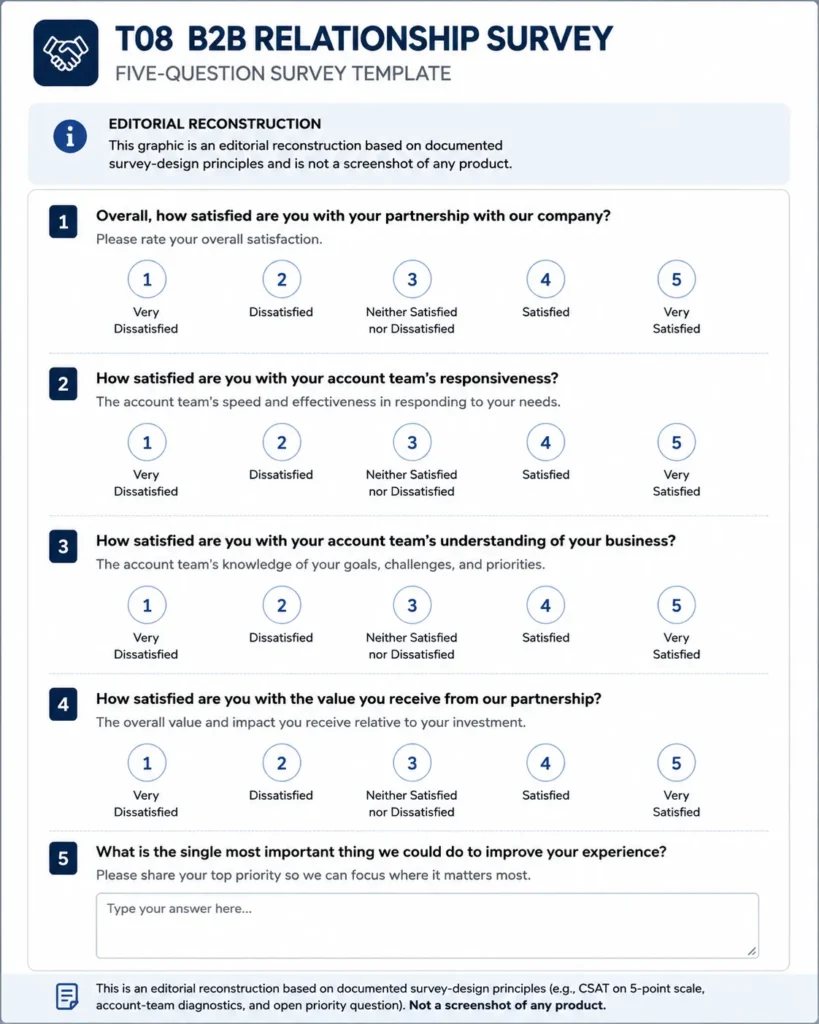
Template T08: B2B Quarterly Relationship Satisfaction
Best for B2B accounts where customer success or account management needs relationship-level feedback rather than a transaction score. Trigger it at a planned business review.
The account owner owns it. Do not let this template replace transaction surveys when the live question is about one recent event.
1. Overall, how satisfied are you with us as a business partner?
   1 Very dissatisfied ... 5 Very satisfied

2. How well does our account team understand your business goals?
   1 Not at all well ... 5 Extremely well

3. How satisfied are you with the frequency of communication from our team?
   1 Very dissatisfied ... 5 Very satisfied

4. How useful is the guidance you receive from our team?
   1 Not at all useful ... 5 Extremely useful

5. How well does our product support the business objective you use it for?
   1 Not at all well ... 5 Extremely well

6. What should our highest priority be for improving the relationship next quarter?
   [Optional short text]

7. Is there anything else we should know before we make changes based on your feedback?
   [Optional long text]

Scoring: question 1 is the relationship measure. Do not present the seven items as an
external benchmark. Question 3 is deliberately two-sided: more contact is not better.
Owner: customer success or account management lead for that account.
Template T09: Renewal and Retention
Best for customer success teams that need stated renewal intent with enough lead time to act on it. Trigger it well before the renewal date.
Customer success or retention operations owns it. Do not label this survey as NPS or CSAT, because it contains neither standard item.
1. How likely are you to renew your subscription or contract?
   1 Very unlikely ... 5 Very likely / No renewal applies

2. How confident are you that this is worth continuing to pay for?
   1 Not at all confident ... 5 Extremely confident

3. What one change would make you more likely to stay with us?
   [Optional short text]

4. What is the main issue that could cause you to stop using us?
   [Optional short text]

5. Is there anything else we should know before we make changes based on your feedback?
   [Optional long text]

Scoring: treat question 1 as a stated intention, not a forecast. Pair it with usage and
support history before you call an account safe.
Owner: customer success or retention operations.
Template T10: Cancellation and Churn Feedback
Best for subscription, membership, or service teams collecting feedback at cancellation or downgrade. Trigger it inside the cancellation flow, and never make it a barrier to canceling.
Retention, product, or RevOps owns it depending on the reason category. Do not stack a long satisfaction questionnaire onto a cancellation path.
1. What was the main issue that made you consider stopping your use of us?
   [Optional short text]

2. What is the primary reason you are canceling or downgrading?
   Single choice: price / missing capability / product reliability /
   support experience / internal change / moved to another provider /
   no longer needed / Other

3. If you could change one thing about working with us, what would it be?
   [Optional short text]

4. Is there anything else we should know before we make changes based on your feedback?
   [Optional long text]

Scoring: analyze question 2 by category and theme the text fields. Do not derive a CSAT
number from this survey.
Owner: retention lead, routing each reason category to its owner.
Filled Example: One Post-Support Response and What It Should Trigger
This is a fabricated response used to show interpretation, not customer data.
| Question | Answer | What it says | What it should not say |
|---|---|---|---|
| Satisfaction with support | Satisfied, one band below the top | The interaction went well | That the journey was easy |
| Was your issue resolved | Yes | The outcome was reached | That it was reached quickly |
| How easy was it to get help | Difficult, one band above the floor | Effort was high | That the agent performed badly |
| What could we change | The right help article was hard to locate before contacting support | Self-service discovery failed | That support needs retraining |
Read the four answers together and the story is specific. The agent did the job, the outcome landed, and the customer still paid a high effort cost getting to a human because search did not surface the article.
That routes to content and self-service, not to a coaching session. Had the survey carried only the satisfaction question, this account would have been logged as a happy ticket and the discovery problem would have stayed invisible.
When to Send Each Survey
| Touchpoint | Trigger | Why the window matters |
|---|---|---|
| Support case | After the case reaches its completion state | Recall of the interaction is still specific |
| Purchase | Soon after the order confirms | The buying process is still fresh, the product is not yet judged |
| Onboarding | At the defined first-value milestone | The customer has something real to rate |
| Delivery | After delivery is recorded and inspected | Condition and timing are both known |
| Digital task | Immediately after the task ends | The friction is still in short-term memory |
| Relationship | At a planned checkpoint | Avoids rating one recent incident as the whole relationship |
SurveyMonkey’s survey timing guidance is to send the survey soon after the experience, right after a purchase, a support interaction, or an onboarding milestone, so the answers reflect something the customer remembers well. That principle sets the window; your operations decide the exact delay.
Red Flags That Should Pause a Survey Launch
| Red flag | Risk it creates | Action |
|---|---|---|
| No named owner for low scores | Feedback becomes a report nobody acts on | Pause, assign an owner |
| Two constructs in one question | Cause of dissatisfaction is unrecoverable | Split the question |
| Overlapping answer bands | Responses land in arbitrary buckets | Rewrite the option set |
| No not-applicable path | Forced inaccurate answers | Add a branch or an opt-out choice |
| Survey fires before the experience | People rate anticipation, not reality | Move the trigger |
| Anonymous claimed with identity on | Trust and privacy exposure | Verify the collection setting |
| Three metrics in one short pulse | No single decision to act on | Cut to one primary metric |
| Required free text on every item | Drop-off and thin answers | Keep one optional reason field |
| Scale anchors changed mid-program | Trend line is no longer comparable | Restate history or keep the old scale |
| Profile questions the CRM already answers | Length grows, trust falls | Enrich instead of asking |
| Cancellation flow blocked by a survey | Support escalation and reputation damage | Make it skippable |
| Results generalised from a tiny sample | Overstated customer health | Report who was invited and who answered |
Common Customer Satisfaction Survey Mistakes
| Mistake | Why it breaks the result | Fix |
|---|---|---|
| Combining product and support in one question | Two constructs get one answer | Ask them as separate items |
| Adding CSAT, NPS, and CES to one pulse | Three headlines, no decision | Choose the metric that matches the question |
| Surveying before the experience happened | The respondent has nothing to rate | Tie the trigger to a completed event |
| Requiring an explanation after every rating | Effort rises, quality falls | One focused optional reason field |
| Changing the satisfied band between waves | Scores stop being comparable | Document the rule and hold it |
| Re-asking data the CRM already holds | Length grows without new information | Enrich responses from existing fields |
| Using one support score to judge everything | Agent, product, and effort get blamed together | Separate satisfaction, outcome, effort, and cause |
| Launching a customized template untested | Wording and logic defects reach customers | Pretest wording, options, order, and branching |
SurveyMonkey makes a related point about scope, warning that surveys which drift into unrelated questions distract or confuse the respondent, in its customer satisfaction question guidance.
The same page notes that a graded item, such as how professional a company is, returns richer data than a yes or no. Skip logic is the tool that keeps irrelevant follow-ups away from people who do not need them.
How to Read Results Without Overstating Them
A satisfaction percentage describes the people who answered, and nobody else. Nonresponse bias is the reason.
SurveyMonkey defines it as what happens when the individuals who choose not to participate differ systematically from those who do, in its nonresponse bias explainer.
The result is a sample that inaccurately reflects the target population.
Report three numbers together, every time: how many customers were invited, how many answered, and the score. A satisfaction figure quoted without the first two is a claim about a population you did not measure.
Resist the urge to set a target response rate from a blog post. No verified benchmark holds across email, in-app, post-chat, B2B, and B2C at once, so the honest move is to track your own baseline and watch the direction.
When Not to Use a Customer Satisfaction Survey
- There is no decision the answers could change.
- The behavior matters more than the opinion, and analytics answers that better.
- The respondent has not experienced the thing you want rated.
- The decision is about effort, and NPS was chosen out of habit.
- The decision is about loyalty, and CES was chosen out of habit.
- A minor interaction is about to receive a full diagnostic questionnaire.
- The survey would be described as anonymous without the setting to back it.
- The sample is small and self-selected, and the result would be presented as company-wide truth.
Tools You Can Use to Build These Surveys
| Tool | Documented strength for these templates | Fits when |
|---|---|---|
| SurveyMonkey | Satisfaction templates, scales, and skip logic | You want a documented library alongside your own questions |
| Typeform | Rating plus open text with conditional follow-ups | Low scores should trigger a different next question |
| Microsoft Forms | Choice, Text, Rating, Ranking, Likert, and NPS types with sections and branching | Your organization already works inside the Microsoft ecosystem |
| Qualtrics | Structured CSAT, NPS, and CES program design | You are building a program, not a single survey |
Microsoft documents the question types this page relies on, listing Choice, Text, Rating, and Date, in its guidance on creating a form with Microsoft Forms. Ranking, Likert, and Net Promoter Score sit behind the more question types control, alongside sections and branching.
Forms also shares a form as a template so colleagues can duplicate and customize it. Its help page states that no existing response data carries over to the duplicate, in the guidance on sharing a form as a template.
That makes Forms a reasonable home for a template library that several teams reuse.
Typeform’s own customer satisfaction template is built the same way these are, per its customer satisfaction survey template.
It combines rating scales that produce trackable numbers, open-ended questions that explain them, and conditional logic that follows up on low scores.
For a wider platform shortlist, the Survicate review covers one feedback tool in depth.
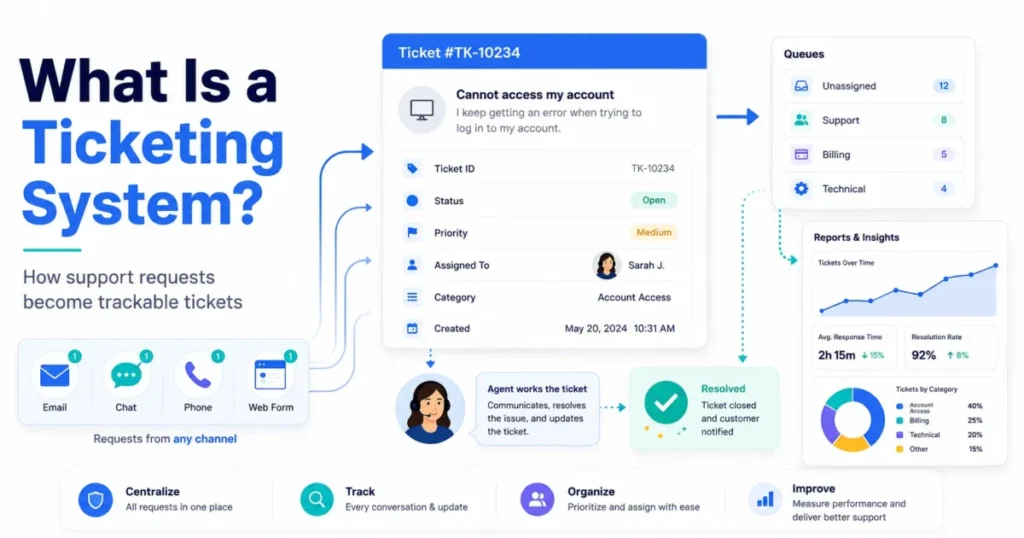
Teams whose surveys will fire from a help desk should check how customer service software handles post-ticket triggers before committing.
Source: Microsoft Forms official help documentation, checked 2026-08-12.
The Free Asset Pack: Google Forms, Response Tracker, and Invitation Emails
Four assets accompany this page, and each removes a step that usually stalls a launch.
The question sheet linked above holds all 100 questions with their scale, metric, and trigger, and the Google Forms build guide gives a section-by-section build order for T01, T03, T05, T11, and T12. Open the sheet beside the form, add the questions in order, set section branching on the low-score path, and switch response collection to match your identity decision.
The response tracker workbook has a raw response tab, a scoring tab that calculates CSAT, NPS, and CES from the same formulas published above, and a monthly trend tab. It works in Excel and imports into Google Sheets, and the scoring tab asks for the invited count so the response rate never goes missing.
If you are already building operational sheets, the Google Sheets CRM template uses the same structural approach.
The fourth asset is the survey pack itself, which holds all twelve templates as plain text you can paste straight into a form builder. Invitation emails come with it, because the invitation decides who answers, and who answers decides what the score means:
SUBJECT (post-support): Two minutes on the help you got from us?
Hi {{FIRST_NAME}} - your case about {{ISSUE_SUMMARY}} is closed. Four quick
questions tell us whether it was actually resolved and how hard it was to get
there. It takes under a minute and {{OWNER_NAME}} reads every answer.
[Start the survey]

SUBJECT (post-onboarding): How did your first two weeks go?
Hi {{FIRST_NAME}} - you hit {{MILESTONE}} last week. Five questions on setup,
your first task, and what slowed you down. Your answers change what we build
next quarter.
[Start the survey]

SUBJECT (relationship): One question, then you are done
Hi {{FIRST_NAME}} - one question on whether you would recommend us, plus space
to say why. No follow-up sequence, no sales handoff.
[Start the survey]
Three rules make these work. Name the trigger so the invitation is plainly about a real event, state the true length, and name the person who reads the answers.
What to Review After Your First 50 Responses
Fifty is an operational checkpoint here, not a statistical threshold. It marks the point at which themes usually become readable and a first correction is worth making.
- Scores are steady and comments repeat one theme: fix the theme, do not add questions.
- Scores are high but response volume is thin: report the invited and answered counts alongside the score, and treat the result as directional.
- Scores are split by segment: keep the survey, add one segmentation field from the CRM, and stop there.
- Effort is high while satisfaction is fine: the journey is the problem, not the team, and self-service is the usual culprit.
- Comments name a tool rather than a process: it may be time to compare platforms, starting with live chat software if the friction sits in real-time conversations.
- You need to connect satisfaction to money: pair the trend with the customer lifetime value calculator rather than asserting a link.
Frequently Asked Questions
What questions should I ask in a customer satisfaction survey?
Ask one primary metric question that matches your decision, one outcome question if completion or resolution matters, one or two contested drivers, and one optional reason field. Everything else is optional, and most surveys get worse when the fifth question arrives.
How many questions should a customer satisfaction survey have?
For a focused pulse, SurveyMonkey’s guidance is to limit the core survey to three to five questions and keep each one on a single topic, in its survey-length guidance. That is a rule for a pulse rather than a universal ceiling, and a quarterly B2B relationship survey can justify seven items when each one drives a different account action.
What is the difference between CSAT and NPS?
CSAT measures how satisfied someone was with a defined experience on a satisfaction scale. NPS measures how likely someone is to recommend the company on the standard 0 to 10 scale, and its score is the promoter percentage minus the detractor percentage, per the Net Promoter Score method.
They answer different questions and should not be swapped for each other.
How do I calculate CSAT?
Count the responses that fall in your defined satisfied band, divide by total valid responses, and multiply by 100, following SurveyMonkey’s CSAT calculation. Declare the satisfied band before the first wave, and across these templates it means a 4 or a 5 on the 5-point scale.
When should I send a customer satisfaction survey?
Send transactional surveys close enough to the event that the customer is rating the experience rather than a memory of it, and send relationship surveys at planned checkpoints. Zendesk’s documented CSAT automation default of 24 hours after a ticket is solved is one product’s implementation of that principle, not a rule for every channel.
Should I send CSAT after every support ticket?
Not automatically. Sampling a share of solved tickets protects high-volume customers from survey fatigue and still produces a usable trend, and it also keeps the invitation meaningful for the accounts you most want to hear from.
What should I ask after a low CSAT score?
Ask one focused reason question, conditionally, rather than a battery of follow-ups. Open-ended items give you context a rating cannot, and Qualtrics notes they also demand more effort from the respondent, so spending that effort only where a score has already flagged a problem is the efficient trade.
Should customer satisfaction surveys be anonymous?
Only if your collection settings support the claim. Anonymity depends on how the survey is distributed and configured, and a form that omits a name field can still record identity, so verify the setting before you promise anything.
Is a high CSAT trustworthy if only a small share of customers respond?
Treat it as directional. When the people who answer differ systematically from the people who do not, the score describes the responders rather than the customer base, so publish the invited count and the answered count next to it.
What should I ask customers who are about to cancel?
Ask the main issue in their own words, then a single-choice primary reason for analysis, then one prioritized change. Keep it short and keep it skippable, because a cancellation flow that traps someone in a questionnaire costs more than the data is worth.