Runway ML pricing starts at $12/month (billed annually) and scales to $95/month for unlimited generation access — but the real cost depends on which models you use, how many seconds you render, and whether you understand the credit system. This guide breaks down every plan, every credit rate, and the hidden gotchas that determine what you’ll actually spend in 2026.
Whether you’re a solo TikTok creator testing AI video for the first time or an agency billing clients for Gen-4.5 outputs, this is the decision framework you need. (Looking for a full feature and quality breakdown first? Start with our hands-on RunwayML review.) Below you’ll find official-number-backed tables, a cost calculator, a plan-by-plan review, and a decision tree — all sourced directly from Runway’s pricing page and Runway Help Center.
Last verified: February 28, 2026. All figures sourced from Runway’s official pricing page and Help Center documentation. Runway’s Terms of Use were last updated February 11, 2026.
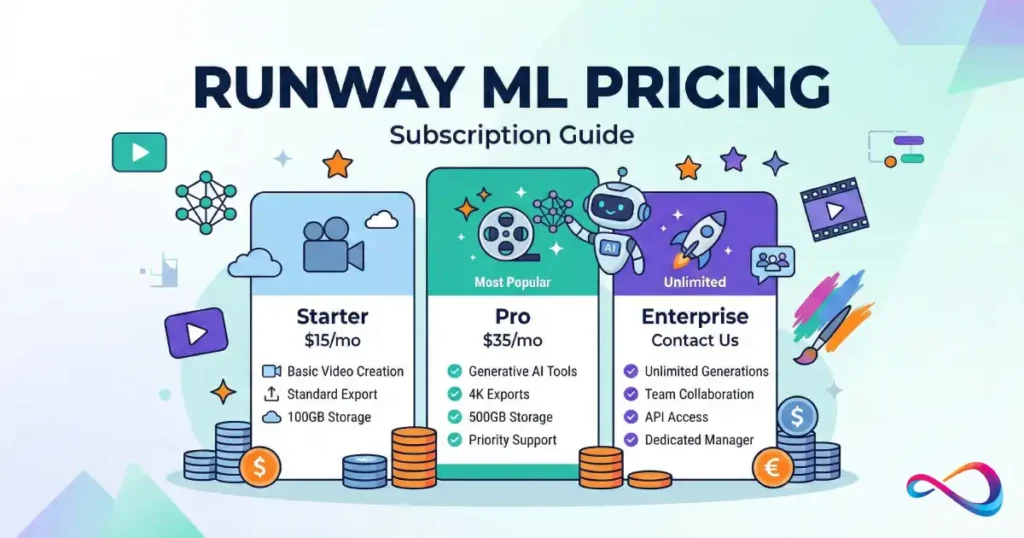
Runway ML Pricing at a Glance (2026)
Here’s the TL;DR before we get into detail:
- Free — $0. One-time 125 credits. Good for testing only.
- Standard — $12/mo (annual) or $15/mo (monthly). 625 credits/month. Best entry point for light creators.
- Pro — $28/mo (annual) or $35/mo (monthly). 2,250 credits/month. The workhorse plan for freelancers and weekly output.
- Unlimited — $76/mo (annual) or $95/mo (monthly). 2,250 credits/month plus Explore Mode for unlimited relaxed-rate generations. Built for iteration-heavy workflows.
- Enterprise — Custom pricing. All Pro features plus SSO, compliance, workspace analytics, and custom credit amounts.
Best Plan For…
| You are a… | Recommended plan |
|---|---|
| Curious beginner testing AI video | Free |
| Light creator or small team (< 10 clips/mo) | Standard |
| Freelancer with weekly client output | Pro |
| Iteration-heavy creator (TikTok, Reels, YouTube) | Unlimited |
| Agency or production studio | Enterprise |
Quick answer: How much does Runway ML cost? Runway ML costs between $0 and $95 per month depending on your plan. The Standard plan at $12/month (annual billing) is the most common entry point for creators who need watermark-free exports and access to Gen-4 video models. For heavy users, the Unlimited plan at $76/month adds Explore Mode for unlimited relaxed-rate video generation.
🧭 Mini Plan Picker (3 Questions)
1. How many finished clips do you need per month?
- A) Just testing (< 5) → Free or Standard
- B) 5–25 polished clips → Pro
- C) 25+ or daily publishing → Unlimited
2. Which model will you use most?
- A) Gen-4 Video Turbo (fast drafts) → Standard is enough
- B) Gen-4.5 or Aleph (premium quality) → Pro for credits, Unlimited for iteration
- C) Veo 3 with audio → Pro minimum (Veo is not in Explore Mode)
3. Do you work on a team?
- A) Solo → Standard or Pro
- B) 2–5 editors → Pro (remember: credits are shared)
- C) 5+ or need SSO → Enterprise
→ Mostly A’s? Start with Standard. Mostly B’s? Go Pro. Mostly C’s? Unlimited or Enterprise.
Runway ML Plans and Pricing Compared (Free vs Standard vs Pro vs Unlimited vs Enterprise)
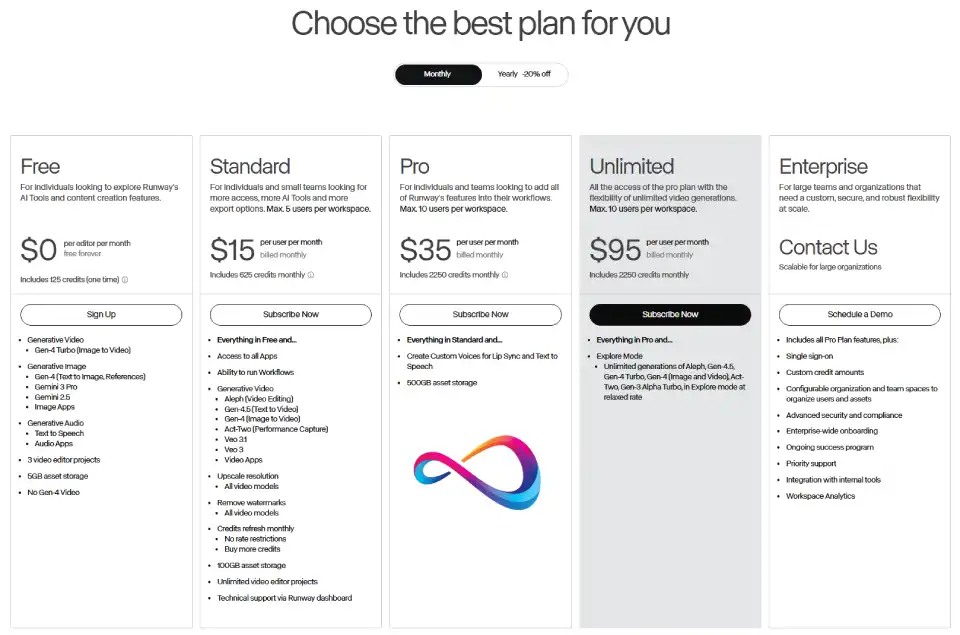
The table below compares every Runway pricing plan side by side — including the details competitors’ guides tend to skip.
| Feature | Free | Standard | Pro | Unlimited | Enterprise |
|---|---|---|---|---|---|
| Monthly price | $0 | $15/user/mo | $35/user/mo | $95/user/mo | Custom |
| Annual price | $0 | $12/user/mo | $28/user/mo | $76/user/mo | Custom |
| Monthly credits | 125 (one-time) | 625 | 2,250 | 2,250 + Explore Mode | Custom |
| Asset storage | 5 GB | 100 GB | 500 GB | 500 GB | Custom |
| Max editors (seats) | 1 | 5 | 10 | 10 | Scalable |
| Watermark removal | ❌ | ✅ All models | ✅ All models | ✅ All models | ✅ |
| Max export resolution | 720p | Upscale available | Upscale available | Upscale available | Upscale available |
| Gen-4 Video access | ❌ | ✅ | ✅ | ✅ | ✅ |
| Gen-4.5 access | ❌ | ✅ | ✅ | ✅ | ✅ |
| Custom Voices | ❌ | ❌ | ✅ | ✅ | ✅ |
| Explore Mode | ❌ | ❌ | ❌ | ✅ | Configurable |
| Workflows | ❌ | ✅ | ✅ | ✅ | ✅ |
| Video editor projects | 3 | Unlimited | Unlimited | Unlimited | Unlimited |
| Buy more credits | ❌ | ✅ | ✅ | ✅ | ✅ |
| Support | Community | Dashboard | Dashboard | Dashboard | Priority |
| SSO | ❌ | ❌ | ❌ | ❌ | ✅ |
| Workspace Analytics | ❌ | ❌ | ❌ | ❌ | ✅ |
⚠️ Disambiguation: “Runway” in this guide refers to Runway AI, Inc. (runwayml.com), the AI video generation platform. This is not Runway.com (fashion) or runway.team. If you searched for runway pricing, make sure you’re looking at the right product.
How Runway Credits Work (The Only Part That Really Matters)
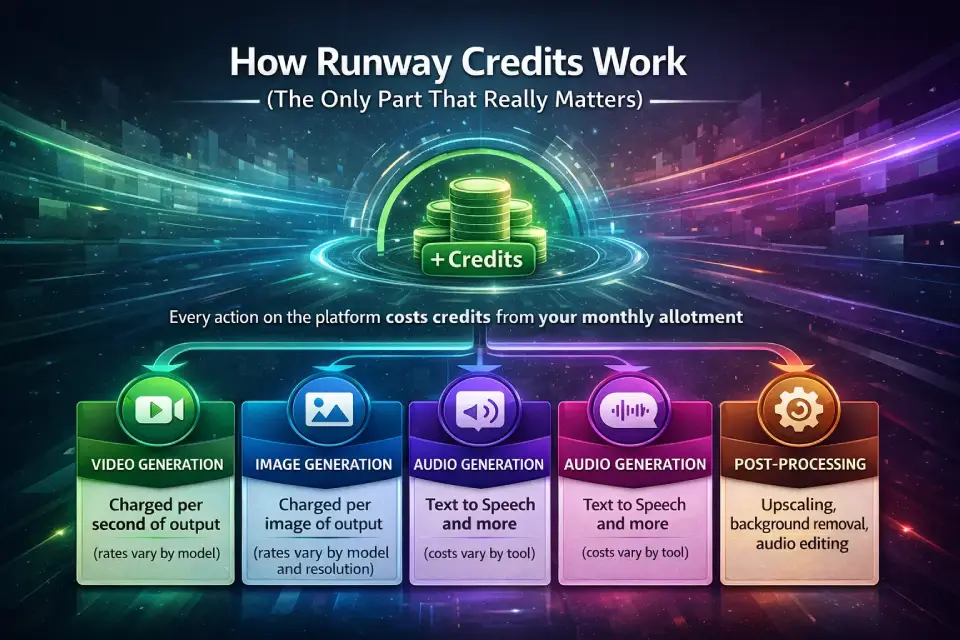
Runway’s credit system is the core mechanism that determines your actual cost. Every generation — video, image, audio, or post-processing — deducts credits from your monthly allotment.
What Credits Pay For
Credits cover every generative action on the platform:
- Video generation – charged per second of output (rates vary by model)
- Image generation – charged per image (rates vary by model and resolution)
- Audio generation – Text to Speech, Text to SFX, Voice Dubbing, Speech to Speech
- Post-processing – 4K upscaling, background removal, inpainting, stitching, audio extraction
Credits Included by Plan
| Plan | Monthly credits | Rollover? | Expiry |
|---|---|---|---|
| Free | 125 (one-time) | N/A | Never (while account active) |
| Standard | 625/month | ❌ No | Expire on billing date |
| Pro | 2,250/month | ❌ No | Expire on billing date |
| Unlimited | 2,250/month | ❌ No | Expire on billing date |
| Enterprise | Custom | Custom | Custom |
Critical rule: Monthly plan credits do not roll over. They reset on your billing date each month. Use them or lose them. However, purchased credits (credit top-ups) do not expire as long as your account remains active.
Buying More Credits
Standard, Pro, and Unlimited subscribers can purchase additional credits through the Plans & Billing page in their dashboard. The minimum purchase is 1,000 credits, and purchased credits never expire — making them a safety net for months when you exceed your allotment.
Workspace Credit Sharing (Teams Take Note)
This is the part that changes the math for teams: credits are shared across the workspace, not allocated per seat.
If you’re on the Pro plan with 2,250 credits/month and you have 4 editors in your workspace, all 4 editors draw from the same 2,250-credit pool. This means:
- Adding editors doesn’t add credits — it splits them
- One heavy user can burn through the entire team’s allotment
- Teams should monitor usage and consider buying additional credits as a buffer
For agencies managing multiple clients, separate workspaces (each with its own subscription) may be more predictable than cramming everyone into one shared pool.
API vs. Web App Credit Separation
This is a critical detail for technical buyers: Web app credits and API credits are completely separate. Credits purchased or included in your plan for the web app (app.runwayml.com) cannot be used for API calls (runwayml.com/api), and vice versa. They cannot be transferred between platforms. If you’re building both manual workflows and automated pipelines, budget for both independently.
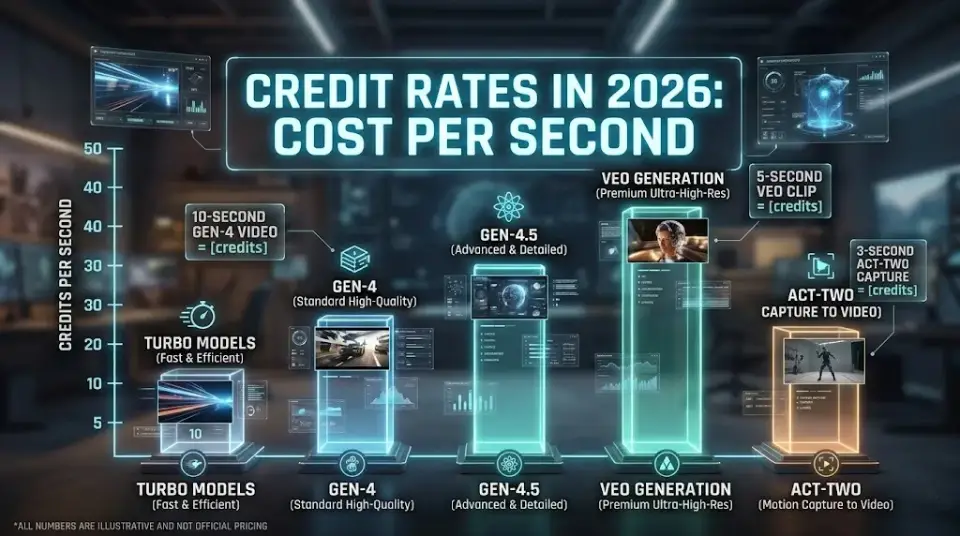
Credit Rates in 2026: Cost Per Second (Gen-4.5, Gen-4, Turbo, Veo, Act-Two)
This is where Runway ML pricing gets real. The tables below show exactly what each model and tool costs — sourced directly from Runway’s Help Center.
Video Generation Credit Rates (Per Second)
| Model | Credits per second | Notes |
|---|---|---|
| Gen-4.5 (Text to Video) | 12 credits/sec | Highest quality text-to-video |
| Gen-4 Aleph (Video Editing) | 15 credits/sec | Most expensive per-second rate |
| Gen-4 Video (Image to Video) | 12 credits/sec | Standard quality, full control |
| Gen-4 Video Turbo | 5 credits/sec | Fast, lower cost |
| Gen-3 Alpha | 10 credits/sec | Legacy model |
| Gen-3 Alpha Turbo | 5 credits/sec | Legacy fast model |
| Act-Two (Performance Capture) | 5 credits/sec | Minimum 3 seconds |
| Veo 3 or 3.1 (with audio) | 40 credits/sec | Premium; audio included |
| Veo 3.1 (no audio) | 20 credits/sec | Veo without audio track |
Image Generation Credit Rates (Per Image)
| Model | Credits per image | Notes |
|---|---|---|
| Gen-4 Image (1080p) | 8 credits | High resolution |
| Gen-4 Image (720p) | 5 credits | Standard resolution |
| Gen-4 Image Turbo | 2 credits | Fast, budget option |
| Gemini 3 Pro (1K/2K) | 20 credits | High-detail |
| Gemini 3 Pro (4K) | 40 credits | Premium resolution |
| Flash 2.5 | 5 credits | Quick generation |
Audio & Voice Credit Rates
| Tool | Credit cost | Notes |
|---|---|---|
| Text to Speech | 1 credit / 50 characters | Custom Voices available on Pro+ |
| Text to SFX | 1 credit / 6 seconds | Sound effects generation |
| Voice Dubbing | 1 credit / 2 seconds | Highest audio per-second cost |
| Voice Isolation | 1 credit / 6 seconds | Extract vocals from audio |
| Speech to Speech | 1 credit / 3 seconds | Voice transformation |
Post-Processing & Editing Credit Rates
| Tool | Credit cost | Notes |
|---|---|---|
| Upscale to 4K | 2 credits / second | Adds on top of generation cost |
| Stitch Video | 1 credit / 20 seconds | Minimum 1 credit |
| Add Audio | 1 credit / 20 seconds | Minimum 1 credit |
| Extract Audio | 1 credit / 20 seconds | Minimum 1 credit |
Workflow LLM Node Credit Rates
| LLM Model | Credits per execution | Notes |
|---|---|---|
| Gemini Flash 2.5 | 1 credit | Budget LLM option |
| Claude Sonnet 4.5 | 3 credits | Mid-tier reasoning |
| Claude Opus 4.5 | 4 credits | Premium reasoning |
What’s Expensive (Watch These)
- Veo 3 with audio at 40 credits/second is 8× more expensive than Gen-4 Video Turbo. A 10-second Veo 3 clip burns 400 credits — nearly your entire Standard plan allotment.
- Gen-4 Aleph at 15 credits/second is the most expensive video model. A 10-second edit costs 150 credits.
- Voice Dubbing at 1 credit per 2 seconds is the most expensive audio tool — a 60-second dub costs 30 credits.
- Gemini 3 Pro 4K images at 40 credits each are the priciest image option.
- 4K upscaling at 2 credits/second adds a significant surcharge on top of generation costs.
Quick answer: How many credits for a 10-second video? It depends on the model. Gen-4 Video Turbo: 50 credits. Gen-4 Video: 120 credits. Gen-4.5: 120 credits. Veo 3 with audio: 400 credits. Always check the per-second rate for your chosen model.
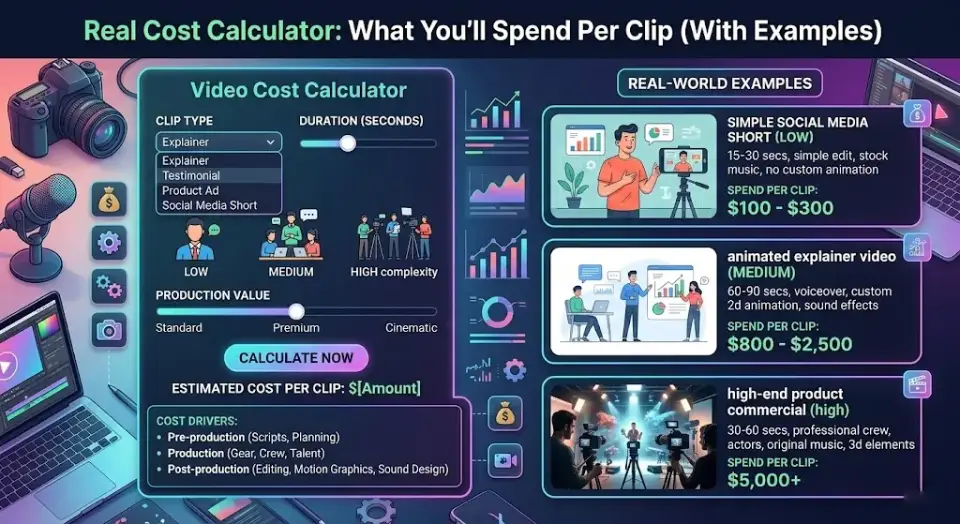
Real Cost Calculator: What You’ll Spend Per Clip (With Examples)
The Formulas
Video generation: credits per second × duration in seconds
With 4K upscale: (generation credits) + (2 credits/sec × duration in seconds)
Dollar cost per credit (Pro annual): $28/mo ÷ 2,250 credits = ~$0.0124/credit
Precomputed Examples
| Scenario | Model | Duration | Base credits | + 4K upscale | Total | Dollar cost (Pro) |
|---|---|---|---|---|---|---|
| Quick social clip | Gen-4 Video Turbo | 5 sec | 25 | +10 | 35 | $0.43 |
| Standard clip | Gen-4 Video | 5 sec | 60 | +10 | 70 | $0.87 |
| Hero content | Gen-4.5 | 10 sec | 120 | +20 | 140 | $1.74 |
| Turbo batch | Gen-4 Video Turbo | 10 sec | 50 | +20 | 70 | $0.87 |
| Full edit pass | Gen-4 Aleph | 10 sec | 150 | +20 | 170 | $2.11 |
| Premium video | Veo 3 (with audio) | 10 sec | 400 | +20 | 420 | $5.21 |
| Performance clip | Act-Two | 5 sec (min 3s) | 25 | +10 | 35 | $0.43 |
Dollar cost calculated using Pro plan annual rate: $28/mo ÷ 2,250 credits = ~$0.0124/credit.
Full Production Cost Example
A typical 60-second social video might involve:
- 6× Gen-4.5 clips at 10 sec each (with 3:1 iteration ratio) = 18 generations × 120 credits = 2,160 credits
- 6× 4K upscale passes on final keepers at 10 sec each = 6 × 20 = 120 credits
- Voice Dubbing for 60 sec = 30 credits
- 1× Text to SFX for 12-sec background track = 2 credits
- 1× Stitch operation = 1 credit
- Total: ~2,313 credits ≈ Pro plan’s entire monthly allotment
How Many Clips Per Month Can You Actually Make?
| Plan | Credits | Gen-4 Turbo 5s clips | Gen-4 10s clips | Gen-4.5 10s clips | Veo 3 (audio) 10s clips |
|---|---|---|---|---|---|
| Standard (625) | 625 | 25 clips | 5 clips | 5 clips | 1 clip |
| Pro (2,250) | 2,250 | 90 clips | 18 clips | 18 clips | 5 clips |
| Unlimited (2,250 + Explore) | 2,250+ | 90+ (unlimited via Explore) | 18+ (unlimited via Explore) | 18+ (unlimited via Explore) | Credits only (no Explore) |
Budgeting Mistakes Checklist
🚨 Common Cost Mistakes to Avoid:
☐ Forgetting rerolls — Most users need 3–5 generations per “keeper.” Multiply your per-clip cost by your hit rate.
☐ Ignoring upscale costs — 4K upscaling costs 2 credits/second on top of generation. A 10-second upscale adds 20 credits.
☐ Using the wrong model — Gen-4 Video Turbo is 5 credits/sec vs. Gen-4.5 at 12 credits/sec. Use Turbo for drafts, premium models for finals.
☐ Not accounting for audio costs — Voice Dubbing (1 credit/2s), Text to SFX (1 credit/6s), and Speech to Speech (1 credit/3s) add up in production workflows.
☐ Overlooking Workflow LLM costs — Each Claude Opus 4.5 node execution costs 4 credits. Automated workflows with many LLM steps can drain credits silently.
☐ Not accounting for iterations — Concept development burns credits fast. Use Explore Mode (Unlimited plan) or Gen-4 Turbo for iteration phases.
☐ Assuming credits roll over — Monthly plan credits expire on your billing date. Budget conservatively or purchase credit top-ups to bank surplus.
☐ Ignoring API billing — If you use both the web app and API, you’re paying twice. Credits don’t transfer between them.
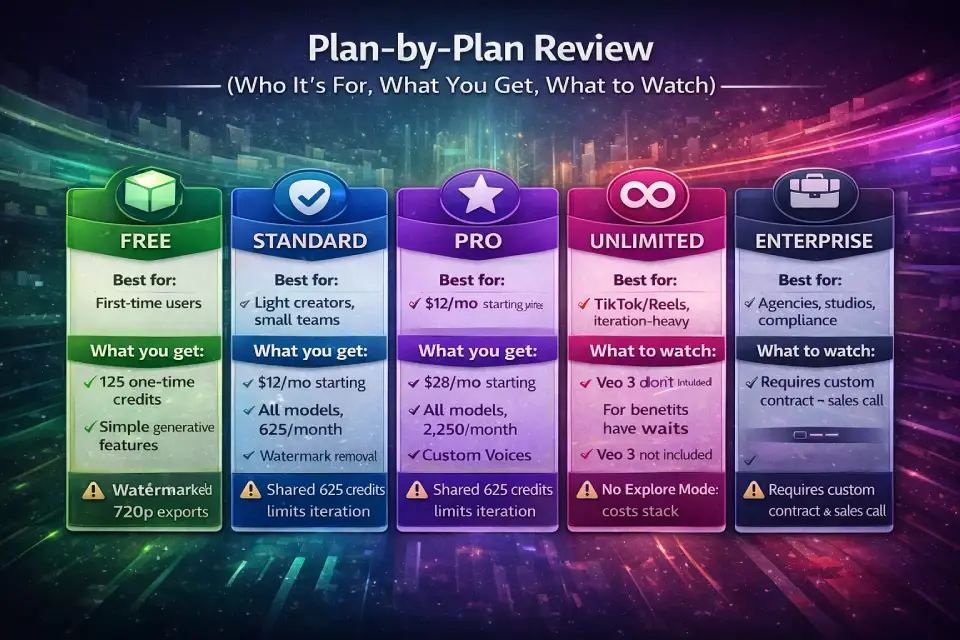
Plan-by-Plan Review (Who It’s For, What You Get, What to Watch)
Free Plan — Best for Testing
Best for: First-time users exploring AI video/image generation. Students and hobbyists evaluating whether Runway fits their workflow.
Not for: Anyone who needs watermark-free output, Gen-4 Video models, or more than a handful of generations.
What you get:
- 125 one-time credits (they never expire)
- Gen-4 Turbo (Image to Video), Gen-4 Image, Gemini, Flash, Text to Speech
- 5 GB storage, 3 video editor projects
- 720p max export with watermark
Expected output: Roughly 5 clips at 5 seconds each using Gen-4 Video Turbo, or ~15–25 images. That’s it — these are one-time credits with no monthly refresh.
Hidden limits / gotchas:
- No access to Gen-4 Video (standard), Gen-4.5, Aleph, Act-Two, or Veo models
- Watermark on all exports — not suitable for client delivery
- Cannot purchase additional credits
Upgrade trigger: You liked what you saw and need watermark-free output or access to Gen-4 Video.
Standard Plan — Light Creators, Small Teams
Best for: Solo creators publishing 2–4 polished clips per month. Small teams (up to 5 editors) doing occasional AI-assisted content.
Not for: Anyone producing daily content or relying heavily on premium models like Veo 3.
What you get:
- 625 credits/month (refreshed on billing date)
- All video models including Gen-4, Gen-4.5, Gen-4 Aleph, Veo, Act-Two
- Watermark removal on all models
- Upscale resolution available
- 100 GB storage, 5 editors, unlimited projects
- Ability to run Workflows and purchase additional credits
Expected output: ~25 clips at 5 seconds via Gen-4 Turbo, or ~5 clips at 10 seconds via Gen-4.5. Realistically, with iterations and rerolls, plan for 8–15 finished clips.
Hidden limits / gotchas:
- 625 credits can vanish quickly if you use Veo 3 (400 credits for one 10-second clip)
- Credits shared across all workspace editors — 5 editors splitting 625 credits is tight
- No Custom Voices for Lip Sync or Text to Speech
Upgrade trigger: You consistently burn through credits before your billing date, or you need Custom Voices.
Pro Plan — Weekly Output, Freelancers
Best for: Freelancers delivering AI video to clients weekly. YouTube creators producing regular content. Professionals who need Custom Voice capabilities.
Not for: Users who primarily need volume over quality (Unlimited’s Explore Mode is better for that).
What you get:
- 2,250 credits/month
- Everything in Standard, plus Custom Voices for Lip Sync and Text to Speech
- 500 GB storage, up to 10 editors
Expected output: ~90 clips at 5 seconds via Gen-4 Turbo, or ~18 clips at 10 seconds via Gen-4.5. With a practical 3:1 iteration ratio, budget for 25–35 polished deliverables per month.
Hidden limits / gotchas:
- Still no Explore Mode — every generation costs credits
- 10 editors sharing 2,250 credits means ~225 credits per person if split evenly
- Custom Voices are powerful but still consume TTS credits
Upgrade trigger: You’re iterating heavily (concept art, storyboarding) and burning credits before finals, or you want unlimited generation access for creative exploration.
Unlimited Plan — Iteration-Heavy Workflows; Explore Mode
Best for: TikTok/Reels creators publishing daily. Studios and creators who iterate heavily. Anyone who wants to experiment without watching a credit counter.
Not for: Users who only need Veo 3 or Gemini 3 Pro (these are not included in Explore Mode).
What you get:
- 2,250 credits/month (same as Pro) plus Explore Mode
- Explore Mode provides unlimited generations of Aleph, Gen-4.5, Gen-4 Turbo, Gen-4 (Image and Video), Act-Two, and Gen-3 Alpha Turbo — at a relaxed rate
- Everything from Pro, including Custom Voices
- 500 GB storage, 10 editors
Explore Mode explained: Explore Mode lets you generate unlimited video and images using supported models without spending credits. The tradeoff is a “relaxed rate” — meaning lower queue priority and potentially longer wait times compared to credit-based (priority) generations. Think of it as:
- Credits Mode = priority queue, instant-ish rendering, credits deducted
- Explore Mode = relaxed queue, variable wait times, no credit cost
When to use Explore Mode vs. Credits:
- Use Explore Mode for iteration, concept development, drafts, and experimentation
- Use Credits Mode for final renders, client deliverables, and time-sensitive production
Hidden limits / gotchas:
- Explore Mode does not cover Veo 3, Veo 3.1, or Gemini 3 Pro — those still require credits
- “Relaxed rate” means unpredictable wait times during peak hours
- The 2,250 monthly credits still don’t roll over
- At $76–$95/month, this is a significant commitment — make sure you’ll use the volume
Upgrade trigger: You need SLA guarantees, SSO, workspace analytics, or compliance requirements → Enterprise.
Enterprise — Security, SSO, Analytics, Compliance
Best for: Agencies, production studios, and organizations that need IT controls, security compliance, and scale.
Not for: Individual creators or small teams (overkill on compliance; Standard or Pro covers you).
What you get:
- All Pro plan features
- SSO (single sign-on)
- Custom credit amounts (negotiable)
- Configurable organization and team spaces
- Advanced security and compliance
- Enterprise-wide onboarding and ongoing success program
- Priority support
- Integration with internal tools
- Workspace Analytics
Hidden limits / gotchas:
- Requires a sales conversation — no self-serve sign-up
- Pricing is entirely custom and contract-based
- Typically requires annual commitments
Upgrade trigger: N/A — this is the top tier. If Enterprise doesn’t meet your needs, you’re likely looking at Runway’s API with custom infrastructure.
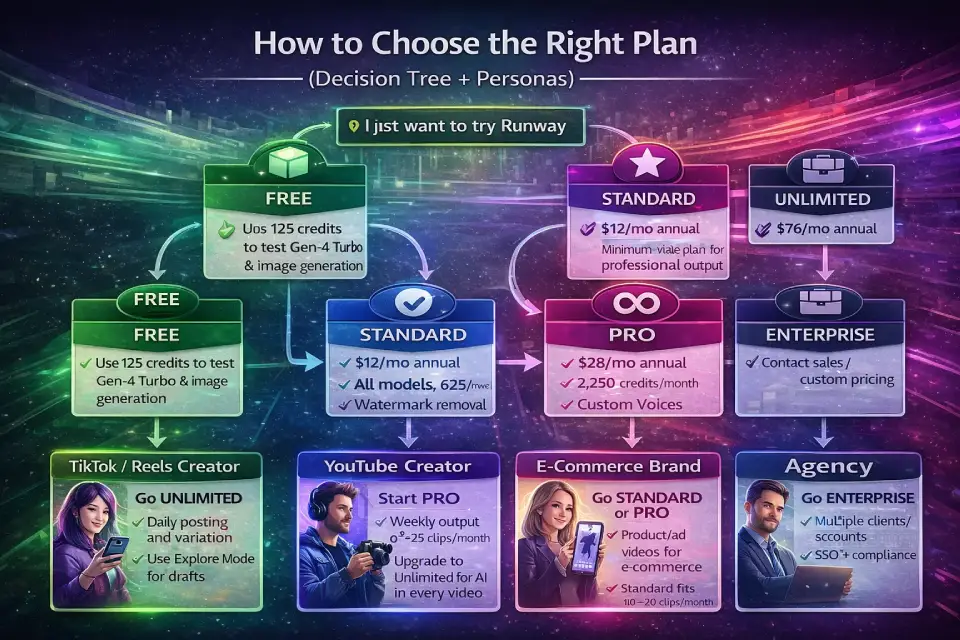
How to Choose the Right Plan (Decision Tree + Personas)
Decision Tree
→ “I just want to try Runway”
Choose Free. Use your 125 credits to test Gen-4 Turbo and image generation.
→ “I need watermark-free output and access to all video models”
Choose Standard ($12/mo annual). This is the minimum viable plan for professional output.
→ “I deliver AI video to clients regularly (weekly+)”
Choose Pro ($28/mo annual). 2,250 credits/month handles ~25 polished deliverables. Add purchased credits for overflow months.
→ “I iterate constantly and don’t want to worry about credit counts”
Choose Unlimited ($76/mo annual). Explore Mode gives you unlimited drafts; use credits for finals.
→ “I need SSO, compliance, analytics, or 10+ editors”
Choose Enterprise. Contact Runway sales for custom pricing.
Persona Recommendations
TikTok / Reels Creator: Go Unlimited. You need high volume (daily posting) and heavy iteration. Explore Mode lets you generate dozens of concepts without cost anxiety. Use credits only for final hero clips.
YouTube Creator: Start with Pro. Weekly output of 2–4 polished clips per video fits within 2,250 credits. Upgrade to Unlimited if you start incorporating AI video into every episode.
E-Commerce Brand: Standard or Pro depending on catalog size. If you’re generating product-adjacent videos for ads, Standard covers 10–20 clips/month. Pro if you’re running multiple campaigns simultaneously.
Agency: Enterprise for multi-client workspaces, SSO, and compliance. Alternatively, run separate Pro workspaces per client to keep credit pools isolated and billing transparent.
Film / Animation Studio: Unlimited for creative development + purchased credit top-ups for final renders. Consider Enterprise if you need SLA guarantees and integration with your pipeline.
Education: Start with Free for student exploration. Institutions should explore Enterprise for managed access and compliance.
Hidden Costs and Gotchas Most People Miss
- Credits don’t roll over. Your monthly credit allotment expires on your billing date — no exceptions. Only purchased credits carry forward. If you consistently underuse, consider buying fewer months and topping up with purchased credits strategically.
- Shared credits across workspace editors. This is the #1 gotcha for teams. Adding a 5th editor to your Standard plan doesn’t add 625 credits — it spreads the same 625 across 5 people. Monitor workspace usage or create separate workspaces.
- Explore Mode exclusions. Explore Mode covers Gen-4.5, Gen-4, Gen-4 Turbo, Aleph, Act-Two, and Gen-3 Alpha Turbo — but not Veo 3, Veo 3.1, or Gemini 3 Pro. Premium models still cost credits even on Unlimited.
- Post-processing adds up. 4K upscaling costs 2 credits/second on top of generation. A 10-second clip that cost 120 credits to generate costs an additional 20 credits to upscale — a 17% surcharge. Add Voice Dubbing (1 cr/2s), stitching, and audio extraction to get the real production cost.
- Audio and voice costs are easy to miss. Voice Dubbing at 1 credit per 2 seconds is the most expensive audio tool. A 2-minute dub costs 60 credits. Text to SFX, Speech to Speech, and Voice Isolation also consume credits — budget these separately if you do post-production work.
- Workflow LLM nodes drain silently. If you build automated Workflows using Claude Opus 4.5 (4 credits/execution) or Claude Sonnet 4.5 (3 credits/execution), these costs multiply with every pipeline run. A workflow triggered 100 times/month with one Claude node = 300–400 credits gone.
- API credits are separate. If you use both the web app and the API, you need separate credit budgets. There’s no transfer between them. Technical teams building automated pipelines should budget API costs independently from manual web app usage.
- Auto-renewal is on by default. Per Runway’s Terms of Use (last updated February 11, 2026), subscriptions auto-renew at the then-current rate unless you cancel before the renewal date. Set a calendar reminder for your billing cycle.
- Minimum credit purchase is 1,000. You can’t buy a small top-up of 100 credits. The minimum purchase of 1,000 credits acts as a floor for supplementary spending.
Commercial Use Rights and Client-Safe Usage (2026)
Can You Use Runway Outputs Commercially?
Yes. According to Runway’s Usage Rights documentation, commercial use is available on all plan tiers — including the Free plan. You retain ownership of all content you upload and generate on the platform.
This means you can use Runway-generated video, images, and audio for:
- YouTube, TikTok, Reels, and social media content
- Paid advertising and marketing materials
- Client deliverables
- Product listings and e-commerce content
Do You Need to Credit Runway?
No. There is no attribution requirement. You can use outputs without mentioning Runway.
When to Be Cautious
Even though Runway grants broad commercial rights, exercise caution in these scenarios:
- Third-party IP in prompts — If your prompt references copyrighted characters, brands, or trademarked material, the output may carry legal risk regardless of Runway’s license
- Likeness and publicity rights — AI-generated content resembling real people may trigger right-of-publicity issues
- “In the style of” a living artist — Runway’s Usage Policy specifically prohibits creating content “in the style of a known, living artist”
- Client contracts — Some clients may require disclosure that AI tools were used in production
Free Plan Caveat
While the Free plan grants the same commercial rights, remember that Free plan outputs carry a watermark. Watermarked content is generally unsuitable for professional or client-facing delivery.
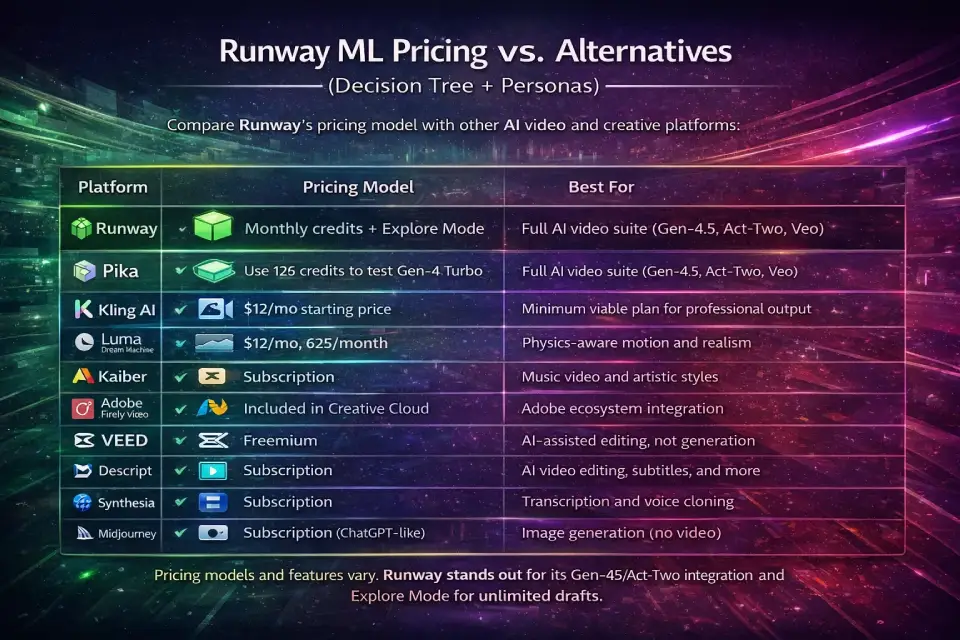
Runway ML Pricing vs. Alternatives (2026)
How does Runway AI pricing compare to competing AI video and creative platforms? Here’s a quick positioning overview. If you’re evaluating AI tools for content creation more broadly, our roundup of the best AI tools for content creation covers complementary tools you might pair with Runway.
| Platform | Pricing model | Best for |
|---|---|---|
| Runway | Monthly credits + Explore Mode | Full-featured AI video suite (Gen-4.5, Aleph, Veo) |
| Pika | Credits-based | Quick social video generation |
| Kling AI | Credits/subscription | Budget AI video generation |
| Luma Dream Machine | Credits-based | Realistic motion, physics-aware |
| Kaiber | Subscription | Music video and artistic styles |
| Adobe Firefly Video | Included in Creative Cloud | Adobe ecosystem integration |
| CapCut (AI features) | Freemium | AI-assisted editing, not generation |
| VEED | Subscription | AI video editing and subtitles |
| Descript | Subscription | AI video editing, transcription |
| Synthesia | Subscription | AI avatar video, not generative |
| Midjourney | Subscription | Image generation (no video) |
Runway’s unique advantages are its model breadth (Gen-4.5, Aleph, Act-Two, Veo integration), Explore Mode for unlimited iteration, and its end-to-end video editing capabilities within the same platform. For AI image generation specifically, our comparison of the best AI image generators places Runway’s Gen-4 Image alongside competitors like Midjourney and DALL·E.
Note: Competitor pricing changes frequently. The comparison above focuses on positioning — where each tool fits — rather than exact dollar figures that may be outdated by the time you read this.
Runway ML Pricing – FAQs
How much does Runway ML cost?
Runway ML costs $0 for the Free plan (125 one-time credits), $12–$15/month for Standard (625 credits/month), $28–$35/month for Pro (2,250 credits/month), or $76–$95/month for Unlimited (2,250 credits/month plus Explore Mode). Enterprise pricing is custom. The lower price in each range reflects annual billing.
Is Runway ML free?
Yes, Runway offers a Free plan with 125 one-time credits. You can generate video with Gen-4 Turbo (Image to Video) and images, but outputs carry a watermark and you won’t have access to Gen-4 Video, Gen-4.5, or Veo models. Once your 125 credits are used, you’ll need to upgrade.
How do Runway credits work?
Credits are Runway’s internal currency. Every generation — video, image, audio, or post-processing — deducts credits from your account. Different models have different credit rates (e.g., Gen-4 Video Turbo costs 5 credits/second while Veo 3 with audio costs 40 credits/second). Monthly credits expire on your billing date; purchased credits never expire.
How many credits do I get with Pro?
The Pro plan includes 2,250 credits per month. These refresh on your billing date and do not carry over. You can purchase additional credits in increments of 1,000 minimum.+1
Do Runway credits roll over?
No. Monthly plan credits expire on your billing date and do not roll over to the next month. However, separately purchased credit top-ups do not expire as long as your account remains active.
How many credits for a 10-second video on Gen-4?
A 10-second Gen-4 Video clip costs 120 credits (12 credits/second × 10 seconds). For Gen-4 Video Turbo, the same duration costs 50 credits (5 credits/second × 10 seconds). Adding a 4K upscale costs an additional 20 credits (2 credits/second × 10 seconds).
What’s the cheapest Runway plan for creators?
The Standard plan at $12/month (billed annually) is the most affordable option that includes watermark-free exports and access to all video models. If you need high volume, the Unlimited plan at $76/month offers better per-clip economics through Explore Mode.
Is Runway Unlimited really unlimited?
Partially. The Unlimited plan provides unlimited generations through Explore Mode — but only for supported models (Gen-4.5, Gen-4, Gen-4 Turbo, Aleph, Act-Two, Gen-3 Alpha Turbo). Veo 3, Veo 3.1, and Gemini 3 Pro still require credits. Explore Mode also uses a “relaxed rate” with lower queue priority.+2
Can I use Runway videos commercially?
Yes. Runway grants commercial use rights on all plan tiers, including the Free plan. You retain ownership of all generated content. No attribution to Runway is required. However, outputs on the Free plan carry a watermark.
Are Runway credits shared across a team workspace?
Yes. Credits are shared across all editors in a workspace — not allocated per user. A Pro workspace with 5 editors shares the same 2,250 monthly credits among all of them. Plan team sizes and usage carefully.
Can I buy extra Runway credits?
Yes, on Standard, Pro, and Unlimited plans. The minimum purchase is 1,000 credits, made through the Plans & Billing section of your dashboard. Purchased credits never expire.
Is Runway API pricing the same as web app pricing?
No. Web app credits and API credits are completely separate. Credits included in your subscription plan apply only to the web app (app.runwayml.com). API usage (runwayml.com/api) has its own billing. Credits cannot be transferred between them.
What’s the difference between Explore Mode and Credits Mode?
Credits Mode deducts credits from your balance and provides priority generation (faster rendering). Explore Mode (Unlimited plan only) offers unlimited generations at a “relaxed rate” — no credits spent, but lower queue priority and potentially longer wait times. Use Explore for iteration; Credits Mode for final deliverables.
Does Runway charge per seat?
Yes, pricing is per user per month. However, credits are shared across the workspace, not per seat. Adding more editors to your workspace increases your monthly cost proportionally but does not increase your monthly credit allotment.
Can I downgrade my Runway plan?
Yes, you can downgrade at any time. The change takes effect at the end of your current billing period. Unused credits from your current tier will not carry over to the lower plan.
How much does 4K upscaling cost on Runway?
4K upscaling costs 2 credits per second of video. A 10-second clip costs 20 additional credits to upscale, on top of the generation cost. This applies regardless of which video model was used to generate the clip.
Final Recommendation + Checklist
Pick Your Plan Checklist
Use this checklist to make your final decision on Runway ML pricing:
- [ ] How many polished clips do you need per month? (< 5 = Standard, 5–25 = Pro, 25+ = Unlimited)
- [ ] Which models will you use most? (Gen-4 Turbo = budget-friendly, Gen-4.5 = mid-range, Veo 3 = premium)
- [ ] Do you iterate heavily? (Yes = Unlimited for Explore Mode)
- [ ] How many editors share the workspace? (1–2 = Standard, 3–5 = Pro, 5+ or need SSO = Enterprise)
- [ ] Do you need Custom Voices? (Yes = Pro minimum)
- [ ] Do you use audio/voice tools? (Budget Voice Dubbing and TTS separately)
- [ ] Do you build Workflows with LLM nodes? (Factor in 1–4 credits per LLM execution)
- [ ] Are you building API integrations? (Budget API credits separately)
- [ ] Do you need SLA/compliance guarantees? (Yes = Enterprise)
- [ ] Annual vs. monthly billing? (Annual saves 20% — commit if you’ll use Runway for 6+ months)
The right Runway subscription isn’t about the plan that looks cheapest — it’s the one that matches your output volume, model preferences, and workflow style. Start with Standard if you’re uncertain, upgrade to Pro once you hit credit ceilings consistently, and move to Unlimited when iteration speed matters more than per-clip cost control.
How We Evaluated Runway Pricing
Methodology: This guide was built through a hands-on evaluation process:
- Source verification: All pricing and credit data were cross-referenced against three official sources — the Runway pricing page, Runway Help Center credit documentation, and Runway’s Usage Rights page.
- Credit rate testing: We verified credit consumption rates by running generations across Gen-4 Video, Gen-4 Video Turbo, Gen-4.5, Act-Two, and Veo 3.1 at 5-second and 10-second durations, confirming the per-second rates match Help Center documentation.
- Cost calculations: Dollar-cost-per-clip figures were derived from official credit rates divided by each plan’s per-credit cost at annual pricing.
- Production scenario modeling: Real-world output estimates account for a 3:1 iteration ratio (3 generations per keeper), 4K upscale passes on final deliverables, and audio post-production costs.
- Terms & policy audit: The Terms of Use “last updated” date (February 11, 2026) and auto-renewal terms were verified directly from Runway’s Terms of Use.
No affiliate links are used in this article. We do not receive compensation from Runway AI, Inc. or any competitor mentioned in this guide.
Last updated: February 28, 2026
Change log:
- Feb 28, 2026 — Initial publication with current 2026 pricing, credit rates (including audio tools, post-processing, and Workflow LLM nodes), and plan structures.
About the author

I’m Macedona, an independent reviewer covering SaaS platforms, CRM systems, and AI tools. My work focuses on hands-on testing, structured feature analysis, pricing evaluation, and real-world business use cases.
All reviews are created using transparent comparison criteria and are updated regularly to reflect changes in features, pricing, and performance.