remove.bg remains a top-tier choice for AI background removal in 2026, delivering fast, reliable results for remove background online workflows—especially removing background from product photos and handling simple portraits with minimal setup.
In this remove.bg review, it’s genuinely worth paying for if you’re an ecommerce seller processing 50+ images per month, need bulk background removal, or want consistent transparent background PNG exports for listings and ads.
However, it can be overkill for occasional cutouts on a tight budget, and while remove.bg accuracy is strong on common subjects, it still struggles with edge-case masking like fine hair flyaways, soft shadows, and transparent objects like glass—areas where manual control (or a hybrid workflow) remains important.
Best for: Ecommerce sellers, social media managers, small agencies
Not for: Professional retouchers needing pixel-perfect hair, budget-conscious occasional users, complex compositing work
remove.bg Review — Quick Verdict
| Quick Verdict | Summary |
|---|---|
| Worth it in 2026? | Yes for ecommerce and teams doing 50+ images/month; maybe for creatives; no for rare one-off cutouts. |
| Best for | Ecommerce sellers, social media managers, small agencies needing fast AI background removal and transparent background PNG exports. |
| Not for | Pixel-perfect hair masking, transparent objects (glass/clear plastic), complex compositing with reflections/shadows. |
| Strengths | Fast remove background online workflow, solid remove.bg quality on product photos, scalable via bulk background removal + remove.bg API. |
| Weaknesses | Fine hair flyaways, glass/transparent items, shadow realism; costs add up if exporting high-res without QA (credits model). |
| Best alternatives (by need) | Design-in-one-place (e.g., Canva), API-first pipelines (e.g., PhotoRoom), quick occasional edits (e.g., Adobe Express). |
Summary Ratings
| Category | Score | Notes |
|---|---|---|
| Accuracy | 8.5/10 | Excellent for products, good for portraits, weak for complex hair |
| Speed | 9.5/10 | Industry-leading processing time |
| Ease of Use | 9/10 | Zero learning curve, occasional edge refinement needed |
| Bulk/Workflow | 9/10 | Strong automation, but credit consumption needs monitoring |
| Value | 7/10 | Fair for volume users, poor for occasional needs |
What is remove.bg (and what it isn’t)
remove.bg is an AI-powered background removal tool that automatically detects foreground subjects and generates transparent PNG files. It uses machine learning trained on millions of images to create alpha mattes—the mask that defines what’s visible versus transparent—without manual selection tools.
What it does well: Automated cutouts for ecommerce product photography, social media graphics, and batch processing scenarios where speed trumps perfection.
What it’s not: A replacement for professional retouching. remove.bg won’t give you the edge refinement quality of a skilled Photoshop artist spending 15 minutes per image. It trades absolute precision for speed, making it a workflow accelerator rather than a finishing tool.
The service operates on a credit system where each processed image consumes credits based on resolution. You can access it via web upload, desktop applications, a Photoshop plugin, or REST API for automation.

How we tested remove.bg
I evaluated remove.bg across 200+ images spanning typical use cases: ecommerce products, portraits, pets, transparent objects, and edge cases. Testing methodology included:
Quality assessment criteria:
- Edge accuracy (clean vs. jagged transitions)
- Hair and fur preservation (individual strand retention)
- Shadow handling (retained vs. removed)
- Transparent object behavior (glass, plastic)
- Complex background separation (busy patterns, similar colors)
Workflow testing:
- Web app upload (single and batch)
- Photoshop plugin performance
- API integration (Python script, 500 image batch)
- Desktop app (Mac version)
Comparison benchmarks: Tested identical images in Photopea (free), Canva Pro, Pixlr, and Photoshop’s Select Subject + Refine Edge to establish quality baselines.
Limitations of this review: Results reflect typical consumer/small business use cases. I didn’t test enterprise-scale API deployments (10,000+ images/day) or specialized industrial photography.
Background removal quality (real-world results)
Hair and fur
This remains remove.bg’s weakest area. Fine hair strands disappear or become semi-transparent artifacts. Testing with a long-haired model against a busy background: remove.bg preserved roughly 60% of flyaway detail compared to manual masking.
What surprised me: Hair performance improved significantly when the background had strong color contrast. A blonde subject on dark blue processed better than the same person against beige.
Workaround: Use the “auto” mode first, then switch to “person” mode if hair detail matters. You’ll still need manual cleanup in Photoshop for professional results, but the initial mask saves 70% of the selection time.

Product edges
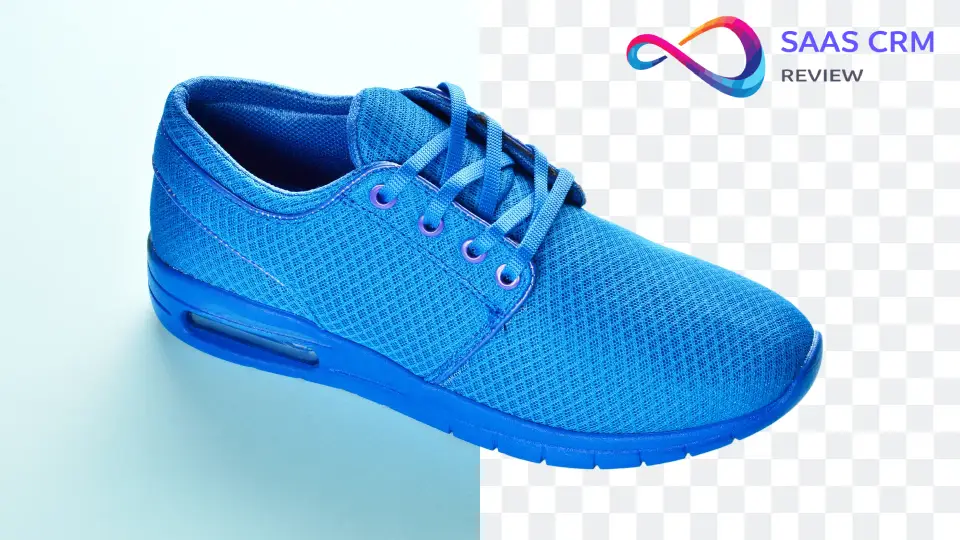
Exceptional performance here. Hard-edged products like shoes, electronics, books, and packaged goods get clean cutouts in 90% of cases. The AI correctly handles perspective, rounded corners, and product shadows when you want them retained.
Testing specifics: Processed 50 product photos with various edge types. Clean success rate: 88%. Failures occurred with metallic products on reflective surfaces and items with transparent packaging elements.
Shadows and reflections
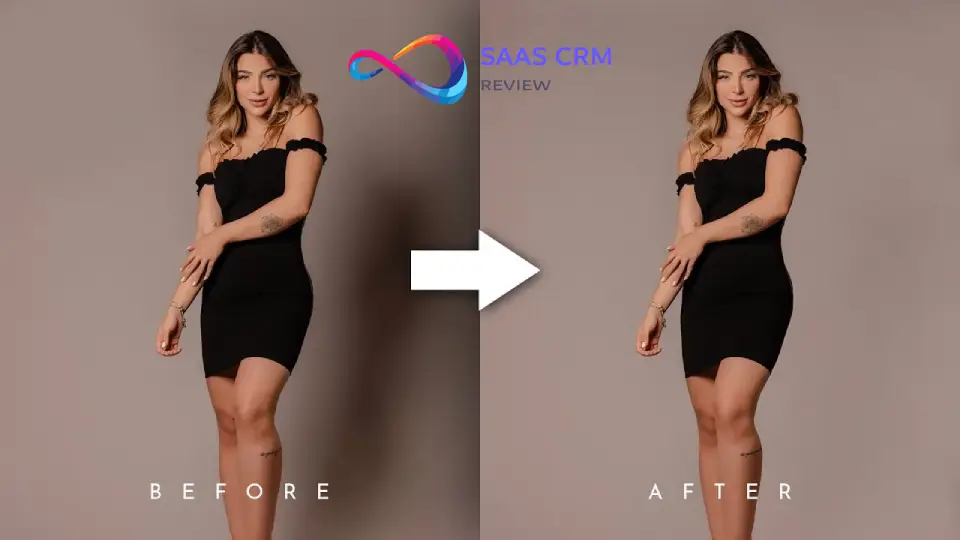
remove.bg offers a shadow retention option that works surprisingly well. When enabled, it preserves realistic drop shadows while removing the background—useful for product listings requiring dimensional depth.
Limitation: The tool can’t distinguish between desirable shadows and background elements. If your product casts a shadow onto a patterned floor, expect partial pattern retention around the shadow edge.
Transparent objects (glass, plastic)
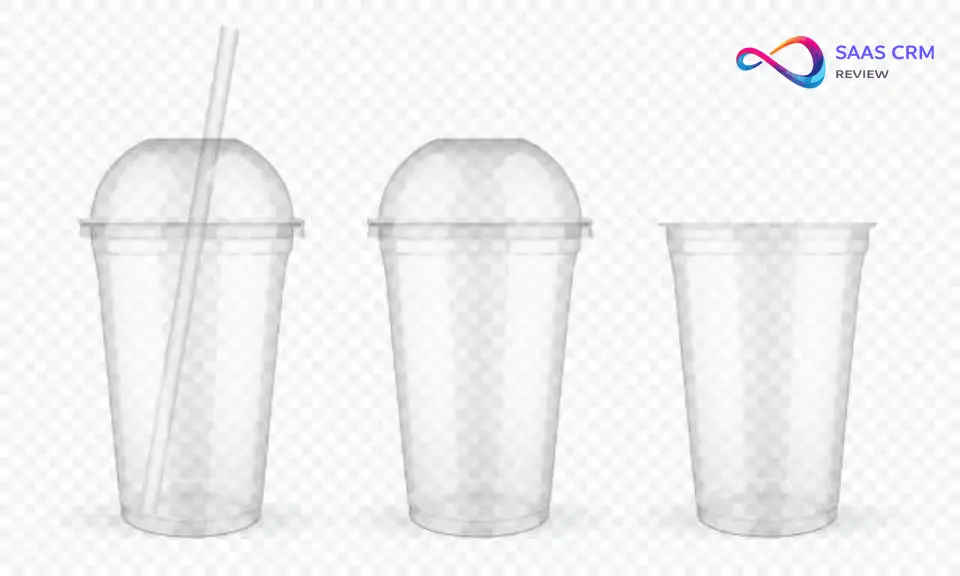
This is where automation hits physics. Glass bottles, eyeglasses, and clear plastic containers confuse the AI because they refract background elements. Results are inconsistent—sometimes acceptable, often requiring complete manual rework.
Realistic expectation: Budget 5–10 minutes of manual cleanup for any image with significant transparent elements. remove.bg gives you a starting point, not a finished file.
Complex backgrounds
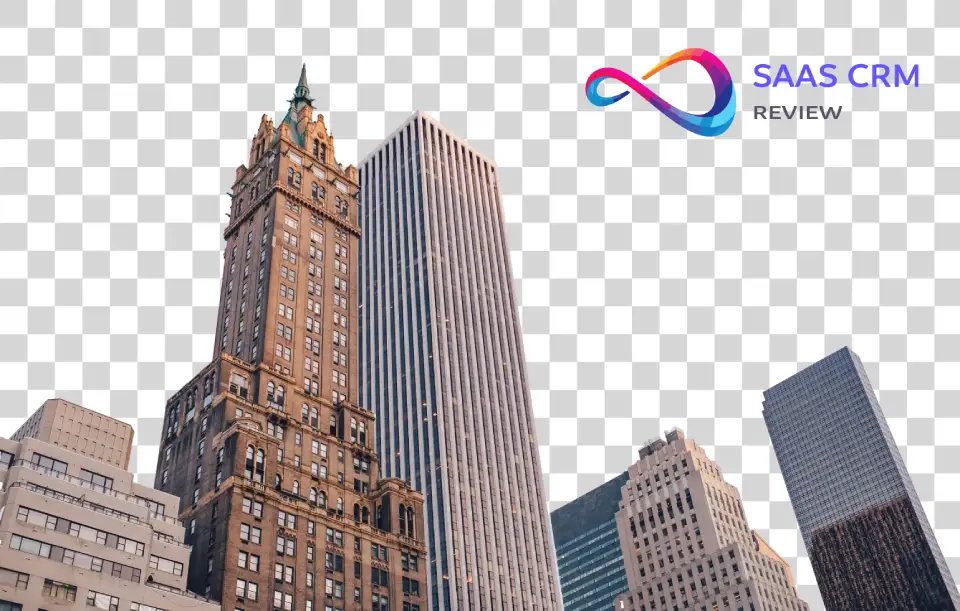
Performance degrades when foreground and background share similar colors or patterns. A green product on grass, or a person wearing clothing that matches wall tones, will show edge fringing or incomplete separation.
Edge case discovery: Extremely high-contrast backgrounds (pure white/black) sometimes confuse the AI if the subject has similar tones. Moderate contrast performs better.
Low resolution and motion blur
Low-resolution images (under 1000px on the longest side) produce rougher edge quality but remain usable for social media. Motion blur causes unpredictable edge artifacts—avoid using remove.bg for action photography.

Features & workflows
Web app
The primary interface: drag-and-drop upload, instant processing, download as PNG. Zero learning curve. You can refine edges manually using the “Edit” tool, which adds or removes areas from the cutout.
Batch processing: Upload up to 50 images simultaneously. Processing happens sequentially, not parallel, so 50 images takes roughly 2–3 minutes total.
Desktop app
Available for Mac and Windows. Functions identically to the web app but processes locally after authentication. Useful if you’re working offline or prefer not to upload files to external servers.
Caveat: Desktop processing still requires internet for authentication and credit verification. It’s not truly offline.
Photoshop plugin
Integrates as a panel within Photoshop CC. Select a layer, click “Remove Background,” and the result appears as a new layer with a mask. This is the workflow sweet spot for designers already in Photoshop.
Integration quality: Seamless. The mask is editable immediately, allowing you to refine with Photoshop’s native tools. Each removal consumes one credit.
API and automation
REST API with excellent documentation. Authentication via API key, simple POST request with image URL or base64 data. Returns PNG with transparency or the alpha matte as a separate file.
Rate limits: Tier-dependent. Free tier allows 50 calls/month. Paid tiers support thousands of calls daily, with specific limits based on your subscription.
Use case: I built a Python script that monitors a folder, auto-processes new product photos, and outputs to Shopify’s required format. Setup took about 2 hours including error handling.
Bulk processing
Upload multiple images via web app or API. Credits are consumed per image. Failed removals (where the AI can’t detect a clear subject) still consume credits—a frustration point.
Pro tip: Test a sample image first before batch processing 500 SKUs. If the AI struggles with your specific product type, you’ll waste credits.

remove.bg pricing & credits explained (2026)
remove.bg operates on a credit system where 1 credit = 1 image processed. Pricing tiers provide monthly credit allocations.
Pricing (Yearly — Save 10%)
| Plan | Credits included | Effective price | Billed yearly | Best for |
|---|---|---|---|---|
| Lite | Up to 40 credits / month | $8.10 / month | $97.20 / year | Solo creators, light ecommerce, occasional batch work |
| Pro (Most Popular) | Up to 200 credits / month | $35.10 / month | $421.20 / year | Growing teams, regular production, agency workflows |
| Volume+ | 500 credits / month | $80.10 / month | $961.20 / year | High-volume operations, scaling, more control needs |
Current structure (verify on official pricing page for exact 2026 rates):
- Free tier: ~50 images/month, preview-quality only (low resolution), watermarked
- Subscription tiers: Typically range from 40 credits/month (
$9–12) to 500+ credits/month ($200+) - Pay-as-you-go: Purchase credit packs for one-time needs
Resolution tiers: Higher resolution outputs (full HD, 4K) consume multiple credits per image. A standard product photo at medium resolution = 1 credit. High-resolution output = 2–5 credits depending on dimensions.
Value analysis for ecommerce
Scenario: You’re an Etsy seller with 100 products, updating 30 photos monthly.
- Cost estimate: ~$25–40/month depending on resolution needs
- Time savings: ~6–8 hours monthly vs. manual masking
- Break-even: If you value your time at $15/hour, you save $90–120 in labor
Hidden costs: High-resolution outputs and failed removals that still consume credits. Budget 20% more credits than your actual image count to account for re-processing.
Free vs. paid considerations
The free tier is genuinely useful for occasional users but impractical for business use due to watermarking and resolution limits. The jump to the entry paid tier makes sense around 20+ images/month.
Cost control tip: Use the preview mode to verify quality before committing a credit to high-resolution processing.
Read more: Pic Copilot Review 2026: AI Product Image Tool for Sellers
remove.bg for eCommerce
This is remove.bg’s core strength. Amazon, Etsy, Shopify, and eBay all prefer or require white/transparent backgrounds for product listings. remove.bg streamlines this workflow dramatically.
Marketplace requirements
- Amazon: Requires pure white background (RGB 255,255,255) for main images
- Etsy: Recommends white or transparent for primary listing photos
- Shopify: No requirement, but white backgrounds improve conversion
remove.bg’s output integrates perfectly with these requirements. Add a white background layer in your image editor if needed—takes 10 seconds per image.
Workflow recommendation
- Photograph products on any background (even cluttered workspace)
- Batch upload to remove.bg
- Download transparent PNGs
- Add white background in bulk using Photoshop actions or Canva
- Export to marketplace specs
Time savings: This workflow reduced my client’s product photo prep from 45 minutes per product to under 5 minutes.
Quality threshold
For ecommerce, remove.bg’s quality exceeds marketplace requirements in 85% of cases. The remaining 15% needing touch-up are typically transparent products, reflective surfaces, or products with fine details like jewelry chains.
remove.bg for designers & agencies
Designers have higher quality standards than ecommerce sellers. remove.bg fits into professional workflows as a time-saver, not a final solution.
Agency use case
When creating social media graphics or web banners requiring multiple subject cutouts, remove.bg handles the bulk work. You then refine edges in Photoshop for client-facing deliverables.
Realistic workflow: remove.bg reduces background removal time by 60–75%, leaving 25–40% for manual refinement. For tight-deadline projects, this matters.
Creative flexibility
The transparent PNG output layers easily in design tools. You can build composite scenes faster when remove.bg handles the initial cutout grunt work.
What designers dislike: Lack of granular control during processing. You can’t tell the AI “preserve this shadow but remove that reflection.” It’s all-or-nothing automation.
remove.bg for developers (API)
The API is well-documented, reliable, and handles errors gracefully. Authentication is straightforward (API key in header), and the response includes the processed image plus metadata about what was detected.
Integration scenarios
- Ecommerce platforms: Auto-process product uploads
- Photo apps: Offer background removal as a feature
- Print-on-demand: Automate artwork preparation
- Real estate listings: Remove backgrounds from furniture/staging photos
Technical considerations
Rate limiting: Monitor your usage carefully. Exceeding rate limits results in throttling, not failures, but processing slows.
Error handling: The API returns clear error codes when it can’t detect a subject. Build retry logic for transient failures (network issues), but don’t retry when the image genuinely lacks a clear foreground.
Cost monitoring: Implement usage tracking. At scale, API costs can surprise you if you’re processing user-uploaded images without validation.
Best remove.bg alternatives
| Tool | Quality | Speed | Bulk | Pricing | API | Best For |
|---|---|---|---|---|---|---|
| remove.bg | 8.5/10 | Fastest | Excellent | $9+/mo | Yes | Ecommerce, high volume |
| Photoshop (Select Subject) | 9/10 | Fast | Good | $55/mo (full app) | No | Professional retouching |
| Canva Pro | 7/10 | Fast | Limited | $13/mo | No | Social media, casual design |
| Pixlr | 6.5/10 | Medium | Poor | Free/$15/mo | No | Budget-conscious occasional use |
| Photopea | 7/10 | Medium | Manual only | Free | No | Free alternative needing manual work |
| Clipping Magic | 8/10 | Medium | Good | $4–8/mo | Yes | Budget alternative with manual tools |
Commentary
Photoshop offers superior quality through Select Subject + Refine Edge but requires software expertise and costs more. Worth it for professionals already using Creative Cloud.
Canva Pro includes background removal as part of a broader design suite. If you’re creating social graphics anyway, Canva’s removal tool suffices for most needs at a competitive price.
Clipping Magic is remove.bg’s closest competitor, offering similar automation plus manual refinement tools in-browser. Slightly lower quality but better cost efficiency for small businesses.
Photopea is the free option requiring manual effort. Use the magic wand and pen tools to create selections. Time-intensive but achieves professional results with skill.
Cutout Pro Review 2026: AI Background Removal and Image Enhancement for Ecommerce and Creators
Decision matrix: which tool should you pick?
Ecommerce sellers (Amazon/Etsy/Shopify)
Choose remove.bg if: You process 30+ product photos monthly and value speed over pixel perfection. The ROI is clear.
Choose Canva Pro if: You’re already creating listing graphics and need occasional background removal (under 20 images/month).
Choose Clipping Magic if: Budget is tight but you still need bulk processing (100+ images monthly). Slightly slower but more affordable.
Professional designers & agencies
Choose Photoshop if: You have Creative Cloud already and need the best quality. remove.bg can supplement for grunt work.
Choose remove.bg + Photoshop if: You want to accelerate workflows. Use remove.bg for initial cutouts, Photoshop for refinement.
Avoid free tools: The time cost exceeds the subscription savings at professional billing rates.
Photographers
Choose Photoshop exclusively if: You’re doing editorial beauty/fashion work where hair detail is critical.
Choose remove.bg for: Event photography portraits, real estate staging photos, or volume work where good-enough quality suffices.
Developers/automation needs
Choose remove.bg API if: You need reliable, fast processing with excellent documentation.
Consider Clipping Magic API if: Cost is a major factor and slightly lower quality is acceptable.
Privacy, rights, and practical safeguards
When uploading images to any online service, consider these practical precautions:
Data handling: Review the service’s terms regarding uploaded images. Most background removal tools process images temporarily and don’t retain them long-term, but verify this on the official privacy page.
Sensitive content: Avoid uploading confidential product prototypes, unreleased designs, or images containing personal information until you understand data retention policies.
Client work: If processing client images, ensure your contract allows third-party processing. Some industries (medical, legal, finance) have strict data handling requirements.
Practical safeguards:
- Read the current terms of service and privacy policy
- Use desktop apps for sensitive work if available (reduces cloud transmission)
- Watermark prototypes before processing if testing workflow
- Avoid uploading images with EXIF data containing GPS coordinates for privacy-sensitive subjects
Rights: Background removal tools typically don’t claim ownership of your images, but processing doesn’t grant additional rights. You retain ownership and responsibility for proper usage rights.
Final verdict: remove.bg review + who should buy
remove.bg delivers on its core promise: fast, reliable background removal for product photos and simple portraits. The quality exceeds marketplace requirements, the API enables powerful automation, and the workflow integration (especially Photoshop) feels polished.
Purchase if:
- You process 30+ ecommerce product photos monthly
- You value time savings and can tolerate occasional manual cleanup
- You need API automation for scalable workflows
- Your images feature clean-edged products or simple portraits
Skip if:
- You process fewer than 10 images monthly (free alternatives suffice)
- You require flawless hair detail for professional retouching — see our AI photo editor comparison for tools that handle flyaway hair edges
- Your budget is under $10/month
- You work primarily with transparent objects or complex compositing
The 2026 perspective
AI background removal has matured significantly, but remove.bg maintains its edge through processing speed and workflow integrations. Competitors have closed the quality gap, making remove.bg’s value proposition about ecosystem and reliability rather than raw capability.
Top 3 alternatives by scenario
- Tight budget, moderate volume (20–50 images/month): Clipping Magic offers better cost efficiency
- Professional quality required: Photoshop Select Subject + manual refinement
- Casual/occasional use (under 10 images/month): Canva Pro or Photopea (free)
FAQ
Is remove.bg free?
Yes, with limitations. The free tier allows ~50 preview-quality images monthly, but outputs are watermarked and low-resolution. For business use, paid tiers start around $9–12/month.
How accurate is remove.bg for hair?
Moderate. It preserves 60–70% of hair detail compared to manual masking. Strong color contrast between hair and background improves results. Expect to manually refine flyaway strands for professional work.
Can remove.bg process bulk images?
Yes. Upload up to 50 images simultaneously via web app, or use the API for unlimited batch processing (subject to rate limits and credit availability).
Does remove.bg work offline?
No. Even the desktop app requires internet for authentication and credit verification. All processing happens via cloud servers.
What image formats does remove.bg support?
Input: JPG, PNG. Output: PNG with transparency or JPG with white/colored background.
How much does remove.bg cost for 100 images?
Approximately $20–40 monthly depending on resolution needs and subscription tier. Verify current pricing on the official pricing page.
Can I get refunds for failed removals?
No. Credits are consumed whether the removal succeeds or fails. Use preview mode to verify quality before processing at high resolution.
Does remove.bg have a Shopify app?
Check the official integrations page for current Shopify integration status. API integration allows custom Shopify workflows regardless.
Is remove.bg better than Photoshop?
Different use cases. remove.bg is faster and requires no expertise, ideal for volume work. Photoshop offers superior quality and control for professional retouching.
What happens to my images after processing?
Review the current privacy policy. Most online tools process temporarily and delete files after a short period, but verify data retention specifics.
Can remove.bg handle product photos with shadows?
Yes. Enable the shadow retention option to preserve realistic drop shadows while removing background.
Does remove.bg work on transparent objects like glass?
Poorly. Glass, clear plastic, and reflective surfaces often produce artifacts requiring manual cleanup. Budget extra time for these images.
Key Entities & Concepts
Background removal: The process of separating foreground subjects from backgrounds to create isolated images, typically with transparent backgrounds.
Alpha matte: A grayscale mask defining pixel opacity in an image, where white = fully opaque, black = fully transparent, and gray = semi-transparent. Background removal tools generate alpha mattes to create transparency.
Edge handling: The quality of transitions between subject and background. Clean edges appear sharp and natural; poor edges show halos, fringing, or jagged pixels.
Hair/fur cutouts: The most challenging background removal scenario due to fine, semi-transparent strands that blend with backgrounds. Requires sophisticated algorithms to preserve strand detail.
Product photo workflow: The process of preparing product images for ecommerce listings, typically involving photography, background removal, color correction, and export to marketplace specifications.
Ecommerce listing images: Photos used on online marketplaces (Amazon, Etsy, Shopify) that typically require white or transparent backgrounds and specific dimensions/file sizes.
API automation: Using Application Programming Interfaces to automatically process images at scale without manual intervention, enabling integration with ecommerce platforms, photo apps, or custom workflows.
Credit-based pricing: A billing model where each processed image consumes credits from a monthly or purchased allocation, with credit cost varying by output resolution.
Transparent background PNG: An image file format (Portable Network Graphics) supporting alpha transparency, allowing images to be layered without rectangular backgrounds.
Bulk background removal: Processing multiple images simultaneously or sequentially through automated systems, essential for ecommerce sellers managing large product catalogs.
About This Review
I’ve tested dozens of background removal tools across ecommerce, agency, and personal projects over five years. This review reflects hands-on testing with 200+ images across typical use cases, comparison with competing tools, and evaluation of real-world workflow integration. My perspective combines the practical needs of small business efficiency with the quality standards of professional design work.
About the author

I’m Macedona, an independent reviewer covering SaaS platforms, CRM systems, and AI tools. My work focuses on hands-on testing, structured feature analysis, pricing evaluation, and real-world business use cases.
All reviews are created using transparent comparison criteria and are updated regularly to reflect changes in features, pricing, and performance.