
This Miro review examines whether Miro is the right visual collaboration platform for your team in 2026—or if an alternative makes more sense for your workflow.
Miro review 2026 – Quick Verdict
Miro is an online whiteboard software built around an infinite canvas. It excels at real-time collaboration, workshops, and visual planning for distributed teams. Miro pricing starts free (with limits) and scales to $16+/user/month for business features.
| Consideration | Recommendation |
|---|---|
| Best for | Product teams, UX researchers, agile coaches, workshop facilitators, remote-first organizations |
| Not ideal for | Budget-constrained teams scaling past 20 users, offline-heavy workflows, teams needing only basic diagramming |
| Best alternative for cheaper scaling | FigJam ($3/editor/mo — see Figma pricing plans) or Microsoft Whiteboard (included with M365) |
| Best alternative for structured facilitation | Mural |
| Best alternative for technical diagrams | Lucidspark or Lucidchart |
Key Takeaways
- Miro is the market leader in visual collaboration with 5,000+ templates and 160+ integrations
- Miro free plan is limited to 3 editable boards—most teams need Starter ($8/user/mo) or higher
- Miro AI features (clustering, summarization, diagram generation) are evolving; credits vary by plan
- Performance can degrade on very large boards (Source: Miro Help Center)
- Miro enterprise buyers should verify compliance certifications directly with Miro Trust Center
Methodology: How We Evaluated
Why you can trust this review: This analysis is based on publicly available information, official Miro documentation, and aggregated user feedback from third-party review platforms. We did not conduct hands-on testing in a controlled environment.
| Criterion | Weight | How We Evaluated |
|---|---|---|
| Features | 25% | Official feature documentation and help center |
| Pricing | 20% | Miro pricing page |
| Ease of use | 15% | User feedback on learning curve (Capterra, G2) |
| Integrations | 15% | Miro marketplace and vendor documentation |
| Security | 15% | Miro security page |
| User feedback | 10% | Capterra reviews and G2 (source: g2.com) |
Verification note: Pricing, features, and compliance certifications can change. Enterprise buyers should validate critical details with Miro Trust Center or sales before procurement.
What Is Miro?
Miro is an online whiteboard platform where teams collaborate visually on an infinite canvas. Originally launched as RealtimeBoard (2011), it rebranded to Miro in 2019. Today it serves as a comprehensive visual collaboration platform for brainstorming, affinity mapping, retrospectives, and stakeholder alignment.
Core Capabilities
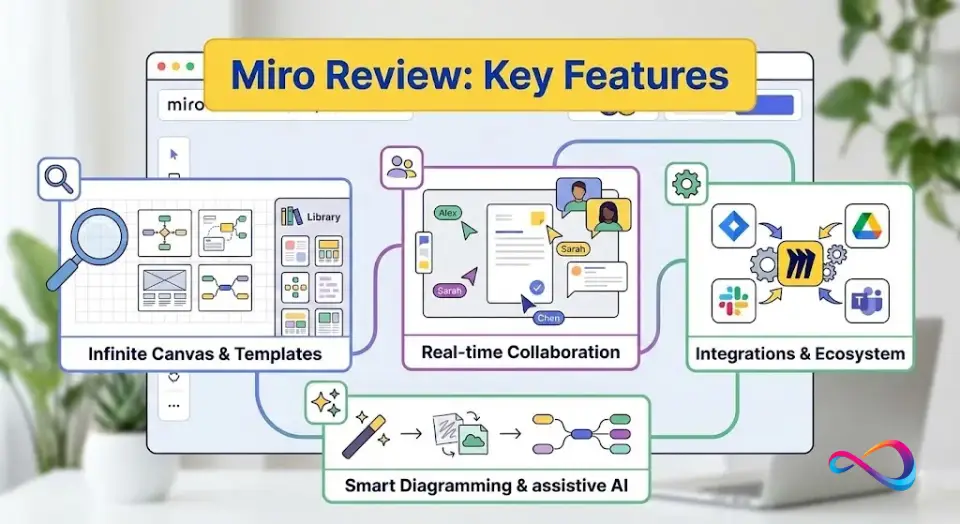
- Infinite canvas: Unlimited workspace for brainstorming, planning, and mapping
- Template library: 5,000+ templates for agile, design thinking, strategy, workshop kits
- Real-time collaboration: Live cursors, comments, voting, video chat
- Facilitation tools: Timers, anonymous sticky notes, estimation apps, Miro Engage
- Miro integrations: 160+ apps including Jira, Confluence, Slack, Microsoft Teams, Zoom
- Miro AI features: Summarization, clustering, diagram generation
Typical Teams and Workflows
Miro serves diverse use cases across product development, design research, and strategic planning. For teams evaluating project management software, Miro complements task trackers by providing visual planning space.
- Miro for product teams: Roadmaps, sprint planning, stakeholder alignment
- Miro for UX workshops: User journey maps, wireframing, research synthesis
- Miro for agile retrospectives: Kanban boards, daily standups, async collaboration
- Consultants: Client workshops, strategy sessions, presentation mode
- Training/education: Virtual classrooms, group exercises

What Changed in 2026
Key updates since late 2024:
- Miro AI expanded: Miro AI now includes Sidekicks (conversational agents), Flows (automated workflows), and Intelligent Canvas (auto-generated flowcharts and mind maps). See Miro AI overview for current capabilities.
- AI credit system: Plans include monthly credits—Free (10/team), Starter (25/member), Business (50/member), Enterprise (100/member)
- Data residency: EU data residency available for all plans; US/AU require Enterprise tier (Source: Miro Help Center)
- Add-ons: Miro Prototypes, Miro Insights, and Miro Portfolios at additional cost
- Template expansion: 5,000+ templates now available via Miroverse and Miro Marketplace
Miro review: Pricing in 2026
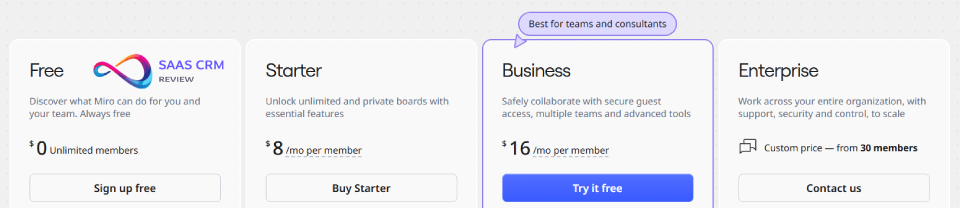
Understanding Miro pricing per user per month is critical before committing.
Pricing Snapshot
| Plan | Annual Price | Monthly Price | Key Inclusions |
|---|---|---|---|
| Free | $0 | $0 | 3 editable boards, 5,000+ templates, 10 AI credits/team/mo |
| Starter | $8/user/mo | $10/user/mo | Unlimited boards, custom templates, 25 AI credits/member/mo |
| Business | $16/user/mo | $20/user/mo | SSO, guest access, advanced shapes, 50 AI credits/member/mo |
| Enterprise | Custom | Custom | SCIM, data residency (US/AU), governance, 100 AI credits/member/mo |
Prices based on miro.com/pricing as of February 2026.
Miro Free Plan Limitations
The Miro free plan limitations are significant for team use:
- Only 3 editable boards per workspace
- 10 AI credits shared across the entire team
- Limited guest access and sharing permissions
Is Miro worth it for small teams? If you need more than 3 boards or formal guest sharing, you’ll need a paid plan. Teams managing complex projects may want to explore ClickUp for integrated task management.
Miro Business vs Enterprise Differences
| Feature | Business | Enterprise |
|---|---|---|
| SSO (SAML) | ✅ | ✅ |
| SCIM provisioning | ❌ | ✅ |
| EU data residency | ✅ | ✅ |
| US/AU data residency | ❌ | ✅ |
| Advanced governance | Limited | ✅ |
| Admin controls | Standard | Advanced |
Miro review: Key Features
Infinite Canvas + Navigation
Miro’s signature is the infinite canvas—zoom out for the big picture, zoom in for details. This digital whiteboard approach works well for brainstorming, affinity mapping, and visual planning.
- Minimap for orientation
- Frames to organize content (similar to slides)
- Outline panel for quick navigation
Miro performance on large boards: For very large boards, Miro recommends splitting content across multiple boards (Source: Miro Help Center – Best practices).
Templates + Miroverse
Miro offers 5,000+ templates covering agile retrospectives templates, design thinking, strategy frameworks, and workshop kits. The Miroverse community library adds thousands of user-contributed options—a significant advantage over simpler tools like Microsoft Whiteboard.
Facilitation Tools
Miro features shine for facilitation:
- Voting: Prioritize ideas with dot voting
- Timer: Keep discussions time-boxed
- Private mode: Hide sticky notes until everyone posts (reduces anchoring bias)
- Estimation app: For agile estimation
- Miro Engage: Polls, Q&A, gamification
These tools make Miro strong for remote retrospectives. Tools like Asana focus more on task management than workshop facilitation.
Diagramming + Artifacts
Miro supports flowcharts, mind maps, org charts, and basic UML. Advanced shapes are available on Business/Enterprise. For complex diagramming (ERD, architecture), dedicated tools like Lucidchart may offer more depth.
This capability supports Miro for journey mapping and service blueprints—common UX research workflows.
Docs, Tables, and Presentation Mode
- Embed documents and tables directly on boards
- Presentation mode turns frames into slide decks
- Talktrack feature for async collaboration—similar to Loom’s async video messaging
Miro Integrations
Miro integrations with Jira and Confluence are particularly strong. The full ecosystem includes 160+ apps:
- Project management: Jira, Confluence, monday.com
- Communication: Slack, Microsoft Teams
- Video: Zoom Workplace
- Design: Figma, Sketch
- Productivity: Google Workspace, Microsoft 365
Miro AI in 2026
What Miro AI Can Do
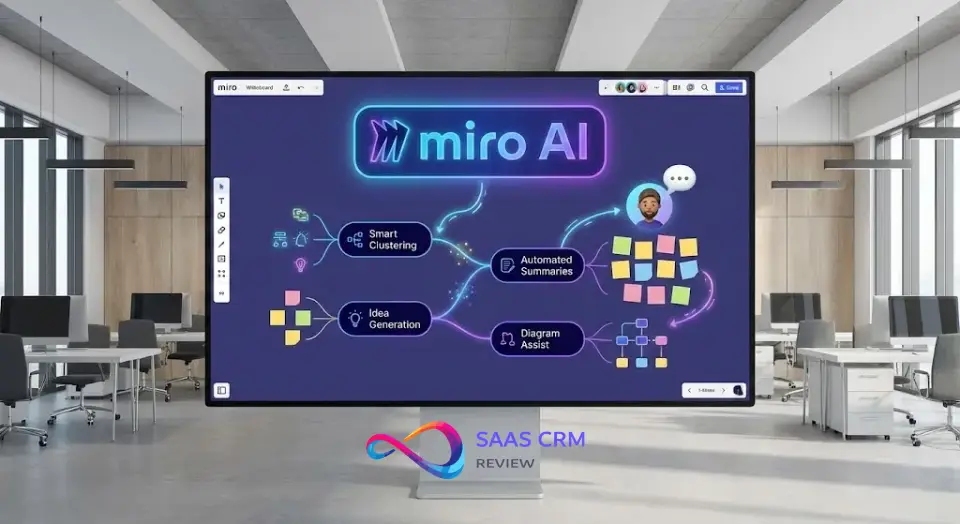
Miro AI capabilities include:
- Summarize content: Condense sticky notes into key takeaways
- How Miro AI clusters sticky notes: Auto-group ideas by theme (affinity mapping)
- Generate diagrams: Describe a process; AI drafts a flowchart or mind map
- Translate boards: Multi-language support for global teams
- Sidekicks: Conversational agents for specialized tasks
Limitations
- AI credits are capped by plan (10–100/member/month)
- Generated outputs may need manual refinement
- AI cannot access external data or real-time information
- For regulated industries seeking compliance, verify data handling with Miro directly
Miro review: Ease of Use
Learning Curve
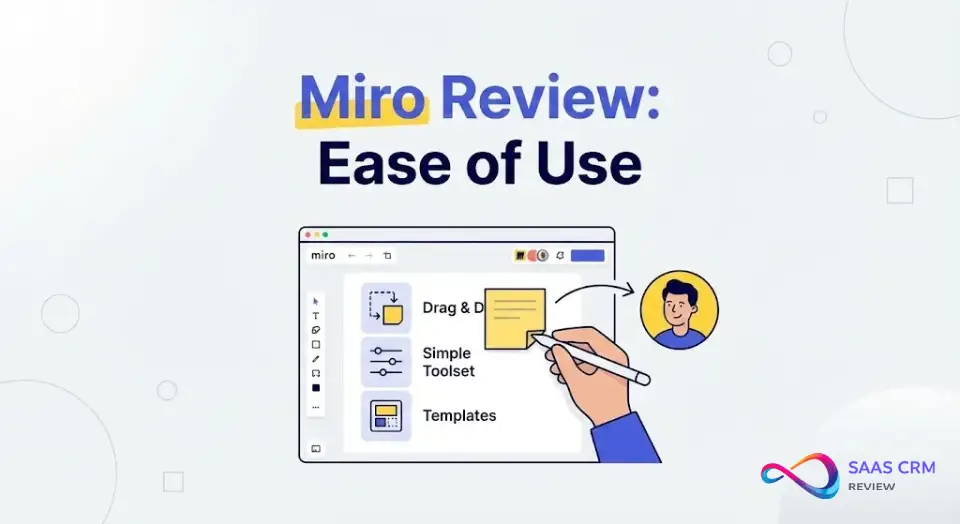
Basic tasks (sticky notes, drawing, images) are intuitive—most users start collaborating within minutes. Advanced Miro features (AI, complex diagramming, admin controls) require more time.
Onboarding
- In-app tutorials and guided tours
- Miro Academy (free courses)
- Help center documentation
- Miro enterprise customers receive dedicated onboarding support
Mobile Experience
The mobile app works for reviewing boards and quick edits. For creation and facilitation, desktop or web is recommended. Does Miro have offline mode? No—Source: Miro Help Center – System requirements.

Security and Compliance
Miro Security Overview
- SSO (SAML 2.0): Business and Enterprise
- SCIM provisioning: Enterprise only
- Granular access control: Board, team, and guest-level permissions
- Encryption: TLS in transit, AES-256 at rest
Does Miro Support SOC 2 and ISO 27001?
Per Miro’s security page, Miro claims SOC 2 Type II and ISO/IEC 27001 certifications. Verify current status with Miro Trust Center.
HIPAA and BAA
Important: Do not assume HIPAA compliance or BAA availability. Verify directly with Miro Trust Center or sales. If handling PHI, confirm whether Miro will sign a BAA and whether PHI is permitted under your contract.
Data Residency
- EU data residency: Available for all plans
- US/AU data residency: Enterprise only
Miro Review: Pros and Cons
Pros
- Strong real-time collaboration: Live cursors, comments, video chat create synchronous workshop experiences
- Massive template library: 5,000+ templates accelerate common workflows
- 160+ integrations: Deep ecosystem connectivity with Jira, Slack, Figma, Teams
- Miro AI maturing: Summarization, clustering, diagram generation
- Scalable for enterprise: SSO, SCIM, governance options
- Cross-platform: Web, desktop, iOS, Android
Cons
- Performance on large boards: Users report lag on complex boards
- Miro pricing scales quickly: $16/user/mo × 50 users = $800/month
- Miro free plan very limited: 3 editable boards is restrictive
- No offline mode: Requires internet connection
- Learning curve for advanced features: AI, admin controls take time
- Mobile less capable: Not ideal for creation or facilitation
Who Miro Is Best For
Good Fit
| Persona | Why Miro Works |
|---|---|
| Miro for product teams | Roadmaps, planning, stakeholder alignment |
| Miro for UX workshops | User journey maps, wireframing, research synthesis |
| Agile coaches | Retrospectives, sprint planning, Kanban |
| Workshop facilitators | Brainstorming, design thinking |
| Remote-first organizations | Async collaboration, sync visual collaboration |
| Miro enterprise | SSO, SCIM, governance, compliance |
Avoid If…
- Tight budget, larger team: Costs add up—consider FigJam or Microsoft Whiteboard
- Heavy technical diagramming: Lucidchart or draw.io offer more depth
- Offline requirements: No offline mode
- Simple whiteboarding only: Microsoft Whiteboard may suffice
- Export-heavy workflows: PDF exports can be inconsistent
Teams focused on task execution may find Trello or Teamwork more aligned with their workflow.
Best Miro Alternatives (2026)
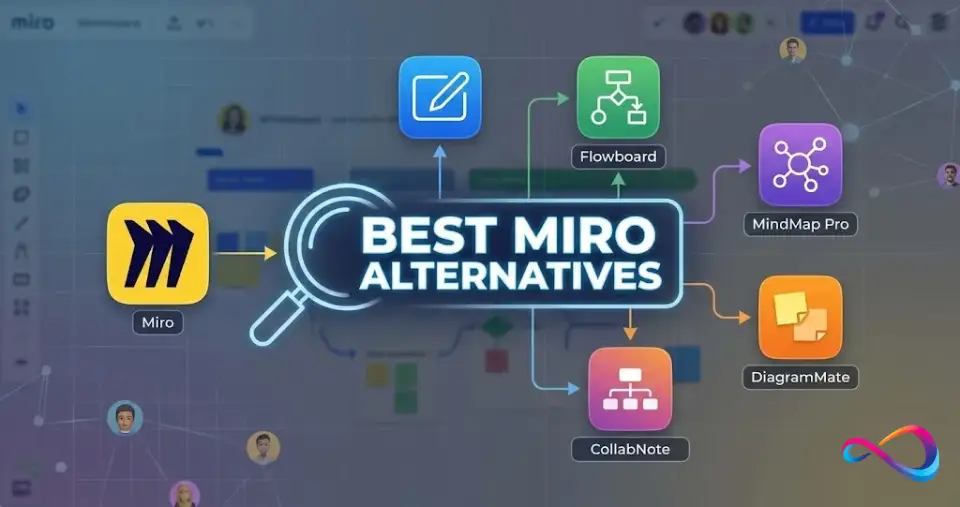
For a comprehensive comparison, see our guide to the best team collaboration tools.
Comparison Table
| Tool | Best For | Strength vs Miro | Weakness vs Miro | Price Posture |
|---|---|---|---|---|
| Mural | Facilitated workshops | Structured facilitation, method guides | Smaller template library | ~$12/user/mo |
| FigJam | Figma users | Cheaper, native Figma integration | Fewer enterprise features | ~$3/editor/mo |
| Lucidspark | Strategy + diagramming | Lucidchart integration, diagram depth | Less collaboration focus | ~$8/user/mo |
| Lucidchart | Technical diagrams | Superior UML, flowcharts, exports | Not a whiteboard tool | ~$8/user/mo |
| Whimsical | Clean diagramming | Fast, simple, clean exports | Less collaboration depth | ~$10/user/mo |
| Microsoft Whiteboard | M365 users | Included free, Teams integration | Fewer features | Included |
| Notion | Docs + light whiteboard | All-in-one workspace | Whiteboard is secondary | ~$8/user/mo |
| Confluence Whiteboards | Jira users | Atlassian ecosystem integration | Standalone whiteboard weaker | Included |
Miro vs Mural
Both target enterprise workshops. Miro vs Mural for workshops: Mural emphasizes structured facilitation with method guides. Miro offers broader templates (5,000+) and stronger AI. Choose Mural for methodology-driven workshops; Miro for flexibility.
Miro vs FigJam
Miro vs FigJam for Figma users: FigJam is significantly cheaper and integrates natively with Figma. For design teams already in Figma, FigJam often suffices. Miro wins on enterprise controls, integrations, and breadth.
Miro vs Lucidspark
Lucidspark is part of Lucid’s diagramming ecosystem. For teams prioritizing flowcharts or technical documentation, Lucid tools are stronger. Miro is more versatile for general collaboration.
Decision Matrix
| If you need… | Choose… |
|---|---|
| Figma-native whiteboard | FigJam |
| Structured workshop facilitation | Mural |
| Technical diagramming | Lucidspark / Lucidchart |
| Free with Microsoft 365 | Microsoft Whiteboard |
| All-in-one docs + whiteboard | Notion |
| Jira ecosystem | Confluence Whiteboards |
| Versatile visual collaboration | Miro |
Miro review: FAQs
Is Miro free?
Yes, Miro offers a Miro free plan with 3 editable boards, 5,000+ templates, and 10 AI credits per team per month. For ongoing team collaboration, most users need a paid plan starting at $8/user/month.
How much does Miro cost?
Miro pricing: Starter is $8/user/month (annual) or $10 (monthly). Business is $16/user/month. Enterprise pricing is custom. Verify current rates at miro.com/pricing.
Is Miro worth it?
Is Miro worth it for small teams? For teams relying on visual collaboration—brainstorming, workshops, planning—Miro delivers strong value. If needs are simpler or budget is tight, FigJam or Microsoft Whiteboard may be sufficient.
Is Miro better than Mural?
Miro vs Mural: Miro has more templates and AI features. Mural excels at structured facilitation with method guides. Choose based on whether you prioritize flexibility (Miro) or methodology (Mural).
Is Miro better than FigJam?
Miro vs FigJam: Miro is more feature-rich and enterprise-ready. FigJam is simpler, cheaper, and integrates natively with Figma. Design teams in Figma often find FigJam sufficient.
What are the best Miro alternatives?
Best Miro alternatives for remote teams: FigJam, Mural, Lucidspark, Microsoft Whiteboard, Whimsical, Notion. For agile issue tracking, consider Linear as a complement.
Does Miro work offline?
No. Miro requires an internet connection. Offline mode is not available (Source: Miro Help Center).
Is Miro secure for enterprise?
Miro security: Miro claims SOC 2 Type II and ISO 27001 certifications. SSO and SCIM are available on higher tiers. For HIPAA/BAA, verify directly with Miro Trust Center—do not assume availability.
What integrations does Miro support?
Miro integrations include 160+ apps: Jira, Confluence, Slack, Teams, Zoom, Google Workspace, Figma, and more. API and Zapier support enable custom workflows.
How does Miro AI work?
Miro AI uses board content to summarize text, cluster ideas, generate diagrams, and translate content. AI credits are allocated per plan (10–100/member). Capabilities are evolving.
Can guests collaborate in Miro?
Yes, but Miro guest access and sharing permissions vary by plan. Free and Starter have limitations. Business and Enterprise offer broader guest collaboration.
Is Miro good for agile teams?
Yes. Miro for agile retrospectives templates is a top use case. Facilitation tools (voting, timers, anonymous mode) support effective retros.
Conclusion
This Miro review shows that Miro remains a leading choice for visual collaboration in 2026. With 5,000+ templates, 160+ Miro integrations, and evolving Miro AI features, it serves product, design, and agile teams well.
However, Miro isn’t right for everyone. Budget-conscious teams should evaluate FigJam or Microsoft Whiteboard. Those needing structured facilitation may prefer Mural. Technical diagramming users should consider Lucidchart.
Next steps:
- Miro looks like a fit: Start a free trial at miro.com
- Cost or simplicity matters more: Shortlist FigJam, Microsoft Whiteboard, or Mural
- Miro enterprise with compliance needs: Request security documentation from Miro sales
For more cloud storage and productivity options, explore our Dropbox review.
About the author

I’m Macedona, an independent reviewer covering SaaS platforms, CRM systems, and AI tools. My work focuses on hands-on testing, structured feature analysis, pricing evaluation, and real-world business use cases.
All reviews are created using transparent comparison criteria and are updated regularly to reflect changes in features, pricing, and performance.





