Choosing the right CRM can directly impact how your marketing, sales, and customer service teams perform at scale. HubSpot and Salesforce are two of the most powerful CRM platforms on the market—but they are built for very different types of organizations.
In this in-depth HubSpot vs Salesforce comparison, we break down features, pricing, ease of use, AI capabilities, and real-world fit to help SMBs, growing companies, and enterprises decide which CRM best supports their revenue strategy in 2026.
Quick Summary – HubSpot vs Salesforce
| Category | HubSpot CRM | Salesforce CRM |
|---|---|---|
| Best For | SMBs, startups, scale-ups | Mid-market & enterprise |
| Core Strength | Ease of use & inbound growth | Deep customization & scalability |
| Ease of Use | ⭐⭐⭐⭐⭐ Very intuitive | ⭐⭐⭐ Steep learning curve |
| Implementation Speed | Fast (weeks) | Slower (months for full setup) |
| Marketing Automation | Built-in, marketer-friendly | Powerful but complex |
| Sales Management | Simple, visual pipelines | Advanced forecasting & territories |
| Customer Service | Easy-to-use Service Hub | Enterprise-grade Service Cloud |
| AI Capabilities | Practical AI for productivity | Advanced predictive AI (Einstein) |
| Customization Depth | Moderate | Extremely high |
| Integrations | Hundreds (HubSpot App Marketplace) | Thousands (AppExchange) |
| Pricing Model | Platform + contacts | Per user + add-ons |
| Pricing Transparency | High | Medium–Low |
| Total Cost of Ownership | Predictable for SMBs | High at scale |
| Onboarding Requirement | Required for Pro & Enterprise | Optional, but often needed |
| Time to Value | Very fast | Slower but powerful long-term |
| Typical Users | Marketing-led growth teams | Complex sales & ops orgs |
| Overall Positioning | Growth-focused CRM | Enterprise CRM platform |
- HubSpot CRM Alternatives: Best Picks for Sales Teams, Startups, and Growing Businesses
Overview of HubSpot
Founded in 2006 by Brian Halligan and Dharmesh Shah at MIT, HubSpot pioneered the inbound marketing methodology and built its CRM platform around this philosophy. The company went public in 2014 and has grown into a comprehensive customer platform serving over 200,000 customers across 120+ countries.
Core CRM Philosophy
HubSpot’s approach centers on providing an all-in-one platform that unifies marketing, sales, and customer service under a single database. The platform emphasizes user-friendliness, quick implementation, and the principle that technology should adapt to users rather than requiring extensive training or technical expertise.
Key Products
HubSpot offers five interconnected hubs that work seamlessly together:
- Marketing Hub: Email marketing, landing pages, SEO tools, social media management, and marketing automation
- Sales Hub: Pipeline management, email tracking, meeting scheduling, sales automation, and conversation intelligence
- Service Hub: Ticketing system, knowledge base, customer feedback surveys, and service automation
- Content Hub: Website CMS, blog hosting, drag-and-drop page builder, and content optimization tools
- Operations Hub: Data sync, automation workflows, data quality management, and integration tools
Ideal Customer Profile
HubSpot excels for small to mid-sized businesses, marketing-driven organizations, and companies seeking rapid implementation without dedicated IT resources. It’s particularly strong for businesses prioritizing inbound marketing, content-driven growth strategies, and teams that value intuitive user interfaces over deep customization.
Overview of Salesforce
Founded in 1999 by Marc Benioff, Parker Harris, Dave Moellenhoff, and Frank Dominguez, Salesforce pioneered cloud-based CRM and established the Software-as-a-Service (SaaS) business model. As the world’s largest CRM provider, Salesforce serves over 150,000 customers and holds approximately 20% of the global CRM market share.
Core CRM Philosophy
Salesforce built its platform on extreme flexibility and customization. The company’s approach allows organizations to configure nearly every aspect of the CRM to match complex business processes, industry-specific requirements, and unique workflows. This “platform” mentality means Salesforce functions as both a CRM and an application development environment.
Key Products
Salesforce offers specialized clouds for different business functions:
- Sales Cloud: Opportunity management, lead scoring, sales forecasting, and territory management
- Service Cloud: Case management, omnichannel support, field service management, and customer portals
- Marketing Cloud: Multi-channel campaign management, journey builder, advertising studio, and social listening
- Commerce Cloud: E-commerce platform for B2C and B2B transactions
- Einstein AI: Predictive analytics, intelligent recommendations, and automated insights across all clouds
- Slack: Team collaboration and communication (acquired 2021)
Ideal Customer Profile
Salesforce is designed for mid-market to enterprise organizations with complex sales processes, significant customization requirements, and dedicated technical resources. It’s the preferred choice for companies needing industry-specific solutions, businesses with intricate multi-department workflows, and organizations that view their CRM as a strategic competitive advantage worth substantial investment.
HubSpot vs Salesforce: Feature Comparison
CRM & Contact Management
HubSpot provides a unified contact database that automatically captures and organizes customer interactions across email, website visits, social media, and customer service touchpoints. The contact records display a complete timeline of engagement history, making it easy for any team member to understand relationship context. Contact segmentation uses list building with filters based on properties, behaviors, and lifecycle stages.
Salesforce offers highly customizable object relationships through its data model, allowing businesses to create custom objects beyond standard contacts, accounts, and opportunities. The platform supports complex hierarchies, record types, and page layouts. While this provides unprecedented flexibility, it also requires careful database architecture planning and ongoing administration.
Winner: HubSpot for simplicity and speed; Salesforce for enterprise complexity and customization depth.
Marketing Automation
HubSpot integrates marketing automation directly into the CRM at every pricing tier. Users can build workflows with visual editors, create personalized email sequences, score leads based on engagement, and track attribution across the customer journey. The platform includes native tools for landing pages, forms, CTAs, and A/B testing without requiring separate products or integrations.
Salesforce separates marketing functionality into Marketing Cloud (formerly Pardot for B2B and Marketing Cloud for B2C), which operates as a distinct platform with separate licensing. Marketing Cloud offers sophisticated journey building, advanced segmentation, and multi-channel orchestration but requires integration configuration between Marketing Cloud and Sales Cloud data.
Winner: HubSpot for integrated marketing-sales alignment; Salesforce for enterprise-scale campaign complexity.
Sales Pipeline & Forecasting
HubSpot provides visual pipeline management with drag-and-drop deal stages, customizable deal properties, and automation for routine sales tasks. Forecasting capabilities include goal setting, pipeline analytics, and revenue predictions based on historical close rates. The deal board view gives sales teams an intuitive Kanban-style interface for managing opportunities.
Salesforce delivers advanced forecasting with multiple forecast types, territory-based predictions, and collaborative forecast submission workflows. The platform supports complex sales methodologies including MEDDIC, solution selling, and enterprise sales cycles with multiple stakeholders. Opportunity splits, product schedules, and quote generation offer granular revenue tracking.
Winner: Salesforce for enterprise sales complexity; HubSpot for straightforward pipeline visibility.
Customer Service & Support
HubSpot Service Hub provides a ticketing system, knowledge base builder, customer portal, and live chat functionality within the unified CRM. Support teams access the complete customer history, including marketing touchpoints and sales interactions, enabling contextual service delivery. Automation routes tickets, sends satisfaction surveys, and tracks resolution metrics.
Salesforce Service Cloud offers omnichannel case management, field service dispatch, telephony integration, and sophisticated SLA management. The platform supports complex case routing rules, escalation processes, and entitlement management for contract-based support. Service Cloud integrates with Slack for team collaboration on customer issues.
Winner: Salesforce for enterprise service operations; HubSpot for streamlined support experiences.
AI & Automation Capabilities
HubSpot has integrated AI features throughout the platform, including content assistant for writing emails and blog posts, conversation intelligence for call analysis, predictive lead scoring, and chatbot builders. The AI tools focus on augmenting day-to-day tasks rather than requiring data science expertise. Workflow automation uses if/then logic accessible to non-technical users.
Salesforce Einstein provides predictive analytics, opportunity scoring, automated activity capture, and natural language processing across all clouds. Einstein Bots handle customer service inquiries, Einstein Vision analyzes images, and Einstein Discovery uncovers insights from complex datasets. However, many Einstein features require additional licensing and data science knowledge to optimize.
Winner: HubSpot for practical, accessible AI; Salesforce for advanced enterprise AI capabilities.
Integrations & Ecosystem
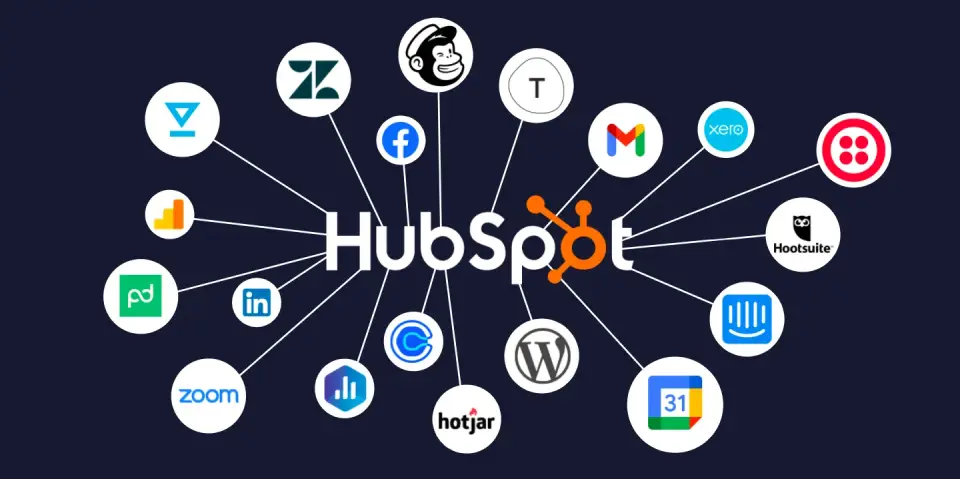
HubSpot offers over 1,500 integrations through its App Marketplace, including connections to major platforms like Gmail, Outlook, Slack, Zoom, and WordPress. The platform provides native integrations with accounting software, e-commerce platforms, and advertising networks. APIs allow custom integration development, though the ecosystem is smaller than Salesforce.
Salesforce maintains the largest third-party ecosystem in enterprise software through AppExchange, featuring over 7,000 pre-built integrations and applications. The platform’s open API architecture and development tools (Apex, Visualforce, Lightning) enable unlimited customization. Salesforce MuleSoft (acquired 2018) provides enterprise integration platform capabilities for connecting legacy systems.
Winner: Salesforce for ecosystem depth and enterprise integration requirements.
- Keap CRM vs Agile CRM: Which Is Better for Small Businesses in 2026?
HubSpot vs Salesforce Pricing
Pricing is one of the biggest differentiators between HubSpot CRM and Salesforce CRM. While both platforms target marketing and revenue teams, they use very different pricing models, which directly affects total cost of ownership as teams scale. (For a deep dive into HubSpot’s side, see our HubSpot pricing in 2026 guide. For Salesforce’s full tier breakdown, see our Salesforce pricing guide.)
High-Level Pricing Model Overview
| Platform | Pricing Model | Primary Cost Driver |
|---|---|---|
| HubSpot | Platform-based + contacts | Marketing contacts + core seats |
| Salesforce | Per-user licensing | Number of users + add-ons |
Key takeaway:
HubSpot pricing scales with marketing database size, while Salesforce pricing scales with user count and feature tiers.
HubSpot Marketing Hub Pricing (Professional vs Enterprise)
| Plan | Professional | Enterprise |
|---|---|---|
| Starting Price | $800–$890 / month | $3,600 / month |
| Billing | Monthly or annual commitment | Annual (Talk to Sales) |
| Included Core Seats | 3 | 5 |
| Additional Core Seats | $45 / seat / month | $75 / seat / month |
| Marketing Contacts Included | 2,000 | 10,000 |
| HubSpot Credits | 3,000 | 5,000 |
| Required Onboarding Fee | $3,000 (one-time) | $7,000 (one-time) |
Salesforce Pricing (Sales Cloud–Centric)
Salesforce CRM Pricing by Edition
| Plan | Price (USD) | Billing | Best For |
|---|---|---|---|
| Starter Suite | $25 / user / month | Monthly or annual | Very small teams |
| Pro Suite | $100 / user / month | Annual | Growing teams |
| Enterprise | $175 / user / month | Annual | Complex sales orgs |
| Unlimited | $350 / user / month | Annual | Large enterprises |
| Agentforce 1 Sales | $550 / user / month | Annual | AI-first enterprise sales |
Salesforce Feature Progression by Tier
| Capability | Starter | Pro | Enterprise | Unlimited | Agentforce 1 |
|---|---|---|---|---|---|
| Sales Automation | ✔ | ✔ | ✔ | ✔ | ✔ |
| Marketing Tools | Basic | Moderate | Advanced | Advanced | Advanced |
| Forecasting | ✖ | ✔ | ✔ | ✔ | ✔ |
| AppExchange Access | ✖ | ✔ | ✔ | ✔ | ✔ |
| API Access | ✖ | ✖ | ✔ | ✔ | ✔ |
| Predictive AI | ✖ | ✖ | ✖ | ✔ | ✔✔ |
| Sandbox & Dev Tools | ✖ | ✖ | Limited | Full | Full |
| Data Cloud Credits | ✖ | ✖ | Optional | Optional | Included |
Real-World Cost Comparison: HubSpot vs Salesforce
Example: 10-Person Marketing & Sales Team
| Platform | Estimated Monthly Cost | Notes |
|---|---|---|
| HubSpot Professional | ~$1,000–$1,200 | Contacts + limited seats |
| Salesforce Pro (10 users) | ~$1,000 | No onboarding, fewer marketing tools |
Example: 50-Person Revenue Team
| Platform | Estimated Monthly Cost | Notes |
|---|---|---|
| HubSpot Enterprise | $4,000–$6,000+ | Cost driven by contacts |
| Salesforce Enterprise | $8,750+ | Cost driven by users |
Important insight:
Salesforce becomes significantly more expensive as user count increases, while HubSpot becomes more expensive as marketing databases grow.
Ease of Use & User Experience (UX)
Onboarding & Learning Curve
HubSpot emphasizes rapid onboarding with guided setup, in-app tutorials, and HubSpot Academy’s free certification courses. Most teams achieve basic productivity within days, and the platform’s contextual help reduces support dependency. The unified interface means users learn one system rather than navigating multiple products.
Salesforce requires substantial training investment, with most organizations dedicating weeks to administrator training and ongoing user education. The platform’s flexibility creates complexity, as configuration choices impact user experience. Salesforce Trailhead offers excellent free training, but achieving proficiency demands significant time commitment.
Winner: HubSpot by a significant margin for user adoption speed.
UI/UX Design
HubSpot features a modern, consumer-grade interface with consistent design patterns across all hubs. The platform prioritizes visual clarity, reducing clicks to complete tasks, and providing contextual information where users need it. Mobile apps deliver full functionality with responsive design.
Salesforce Lightning Experience represents a major interface improvement over Classic, offering component-based pages and better mobile responsiveness. However, the UI still reflects the platform’s complexity, with numerous tabs, nested menus, and configuration options that can overwhelm new users.
Winner: HubSpot for intuitive design; Salesforce for customizable interfaces.
Customization Complexity
HubSpot allows property creation, pipeline customization, and workflow building through point-and-click interfaces. Custom reporting uses drag-and-drop report builders. However, deep customization options are more limited compared to Salesforce, particularly around object relationships and process automation complexity.
Salesforce enables complete platform customization through declarative tools (clicks, not code) and programmatic development. Administrators can build custom applications, complex validation rules, and sophisticated approval processes. This power comes with the responsibility of governance, documentation, and technical debt management.
Winner: Depends on business needs—HubSpot for manageable customization; Salesforce for unlimited flexibility.
Reporting, Analytics & AI
Dashboards & Reporting Depth
HubSpot provides role-based dashboards with pre-built reports for marketing, sales, and service metrics. Custom reports use a visual builder with filters, breakdowns, and multiple visualization types. Attribution reporting tracks multi-touch conversion paths, and campaign analytics measure ROI across channels. Reporting is intuitive but less granular than Salesforce for complex analysis.
Salesforce offers extensive reporting capabilities through Reports and Dashboards, with cross-object reporting, matrix reports, and joined reports for complex data analysis. Tableau integration (Salesforce acquisition) provides enterprise business intelligence. Custom report types allow virtually any data combination, though building sophisticated reports requires technical skill.
Winner: Salesforce for analytical depth; HubSpot for actionable insights without complexity.
Predictive Analytics
HubSpot predictive lead scoring uses machine learning to identify high-quality leads based on historical conversion patterns. The system automatically updates scores as new data becomes available, helping sales teams prioritize outreach. Deal forecasting predicts revenue based on pipeline velocity and historical close rates.
Salesforce Einstein delivers AI-powered opportunity scoring, win/loss analysis, automated activity capture, and next-best-action recommendations. Einstein Discovery identifies hidden patterns in business data and generates predictions about future outcomes. The platform supports custom AI model building for specific business scenarios.
Winner: Salesforce for sophisticated predictive capabilities; HubSpot for accessible predictive features.
AI Assistants
HubSpot’s AI tools integrate into daily workflows with content generation for emails and social posts, conversation intelligence that analyzes sales calls, and chatbot builders for customer service automation. The AI features enhance productivity without requiring specialized expertise or extensive setup.
Einstein AI permeates the Salesforce ecosystem with features like Einstein Bots for automated customer service, Einstein Voice for voice-activated CRM updates, and Einstein Analytics for advanced data visualization. The AI capabilities are powerful but often require additional licensing, configuration, and optimization to realize full value.
Winner: HubSpot for practical AI implementation; Salesforce for comprehensive AI platform.
HubSpot vs Salesforce for Different Business Types
Startups & Small Businesses
Best Choice: HubSpot
Startups and small businesses benefit from HubSpot’s free CRM tier, transparent pricing, and rapid implementation. The platform requires minimal technical resources, allowing small teams to manage marketing, sales, and service without dedicated administrators. Built-in marketing tools eliminate the need for separate marketing automation platforms, reducing complexity and cost.
HubSpot’s all-in-one approach means startups avoid integration headaches while maintaining data consistency across customer touchpoints. The lower total cost of ownership and faster time-to-value make HubSpot the pragmatic choice for resource-constrained organizations.
Salesforce considerations: Sales Cloud Starter provides basic CRM functionality for small teams, but costs escalate rapidly when adding users, features, or additional clouds. Implementation complexity typically requires consultant assistance, increasing initial investment.
Mid-Market Companies
Best Choice: Depends on complexity and growth trajectory
Mid-market companies with straightforward sales processes, strong marketing focus, and limited IT resources typically find better value in HubSpot Professional or Enterprise tiers. The platform scales effectively to several hundred users while maintaining ease of use.
Organizations with complex sales cycles, multiple business units, industry-specific requirements, or sophisticated service operations benefit from Salesforce’s customization capabilities. Mid-market companies planning rapid growth or eventual enterprise scale should consider Salesforce to avoid future migration costs.
Decision factors: Technical resources availability, customization requirements, integration needs, and strategic importance of CRM as competitive differentiator.
Enterprise Organizations
Best Choice: Salesforce (typically)
Enterprise organizations generally require Salesforce’s advanced capabilities including:
- Complex territory management and multi-level approval processes
- Industry-specific solutions (financial services, healthcare, manufacturing)
- Advanced data security, compliance, and governance features
- Extensive customization for proprietary business processes
- Global deployment with regional data residency requirements
- Deep integration with legacy enterprise systems
Large enterprises have dedicated Salesforce administrators, developers, and architects who can leverage the platform’s full potential. The higher total cost of ownership is justified by strategic value and competitive advantages gained through customization.
HubSpot considerations: Enterprise companies with simpler processes, particularly in B2B SaaS, media, or professional services sectors, successfully use HubSpot Enterprise. The platform works well when marketing-sales alignment is prioritized over deep customization.
HubSpot vs Salesforce: Head-to-Head Comparison Table
| Feature | HubSpot | Salesforce |
|---|---|---|
| Starting Price | Free (CRM) / $20/mo (Starter) | $25/user/mo (Sales Starter) |
| Ease of Use | Excellent – minimal training needed | Moderate – requires substantial training |
| Implementation Time | Days to weeks | Weeks to months |
| Customization Depth | Moderate – sufficient for most SMBs | Extensive – unlimited enterprise customization |
| Marketing Automation | Native integration, included | Separate product (Marketing Cloud/Pardot) |
| Ideal Company Size | Startups to mid-market | Mid-market to enterprise |
| Learning Curve | Low – intuitive interface | High – complex platform |
| Integration Ecosystem | 1,500+ apps | 7,000+ apps (AppExchange) |
| AI Capabilities | Practical, accessible AI tools | Advanced Einstein AI (add-on costs) |
| Reporting Complexity | User-friendly, visual builders | Advanced, technical reporting options |
| Mobile Experience | Excellent native apps | Good Lightning mobile app |
| Support Model | Tiered support by plan level | Tiered support, premium at higher cost |
| Admin Requirements | Part-time or power user | Full-time dedicated admin(s) |
| Best For | Inbound marketing, SMB growth | Enterprise sales, complex processes |
Which CRM Should You Choose?
Choose HubSpot If You:
- Are a startup, small business, or mid-market company with under 500 employees
- Prioritize ease of use and rapid team adoption over deep customization
- Have limited IT resources or no dedicated CRM administrator
- Want integrated marketing, sales, and service tools in one platform
- Focus on inbound marketing, content creation, and lead nurturing
- Need predictable, transparent pricing without hidden costs
- Value speed to implementation and quick ROI
- Prefer a modern, consumer-grade user experience
- Want to avoid complex integration projects between marketing and sales systems
Choose Salesforce If You:
- Are an enterprise organization with complex, multi-department workflows
- Require extensive customization to match proprietary business processes
- Have dedicated technical resources (Salesforce admins, developers)
- Need industry-specific solutions or regulatory compliance features
- Operate in multiple countries requiring regional data residency
- View CRM as a strategic platform for competitive advantage
- Have long, complex sales cycles with multiple stakeholder involvement
- Need advanced territory management, forecasting, or revenue operations capabilities
- Require deep integration with legacy enterprise systems (ERP, data warehouses)
- Anticipate building custom applications on the CRM platform
The Budget-Based Framework:
Under $50,000 annually: HubSpot offers better value with comprehensive functionality, particularly if marketing automation is important.
$50,000-$150,000 annually: Either platform can work depending on customization needs. Evaluate based on technical resources and complexity requirements.
Over $150,000 annually: Salesforce becomes competitive when enterprise features, extensive customization, and dedicated admin resources justify the investment.
The Growth-Stage Framework:
Pre-revenue to $5M ARR: HubSpot’s free tier and Starter plans provide excellent foundation without over-investing in unused capabilities.
$5M-$50M ARR: HubSpot Professional/Enterprise tiers scale effectively unless complexity demands Salesforce customization.
$50M+ ARR: Salesforce typically makes sense as organizations have resources to leverage advanced capabilities and customization delivers competitive advantages.
FAQs About HubSpot vs Salesforce
Is HubSpot better than Salesforce?
Neither platform is universally “better”—the right choice depends on your specific business context. HubSpot excels for small to mid-sized businesses prioritizing ease of use, integrated marketing automation, and rapid implementation. Salesforce is superior for enterprise organizations requiring extensive customization, complex workflows, and industry-specific functionality. HubSpot wins on user experience and pricing transparency, while Salesforce wins on flexibility and scalability.
Is Salesforce worth the cost?
Salesforce justifies its higher cost for organizations that leverage its customization capabilities, extensive ecosystem, and enterprise features. Companies with complex sales processes, multiple business units, or specific industry requirements typically achieve positive ROI through improved efficiency and revenue growth. However, for simpler use cases, Salesforce’s cost may exceed value delivered, making HubSpot or other alternatives more cost-effective choices.
Can HubSpot replace Salesforce?
HubSpot can successfully replace Salesforce for many small to mid-market companies, particularly those prioritizing marketing-sales alignment over deep customization. However, HubSpot typically cannot fully replace Salesforce in enterprise environments with highly customized implementations, complex multi-cloud deployments, or industry-specific requirements. Migration from Salesforce to HubSpot works best when simplifying processes and reducing complexity is a strategic goal.
Which CRM is easier to use?
HubSpot is significantly easier to use than Salesforce, with most users becoming productive within days rather than weeks. The platform’s intuitive interface, guided onboarding, and unified design reduce training requirements and support tickets. Salesforce’s complexity, while enabling powerful customization, creates steeper learning curves requiring substantial training investment. For organizations prioritizing user adoption and minimizing change management challenges, HubSpot offers clear advantages.
Conclusion
Both HubSpot and Salesforce represent excellent CRM platforms that have earned their market leadership positions. Your choice ultimately depends on business size, technical resources, customization requirements, and strategic priorities rather than one platform being objectively superior.
Choose HubSpot if you’re a startup or growing company seeking an intuitive, all-in-one platform that unifies marketing, sales, and service with minimal technical overhead. The platform delivers exceptional value for organizations prioritizing rapid implementation, user adoption, and inbound marketing strategies.
Choose Salesforce if you’re an enterprise organization requiring deep customization, industry-specific solutions, and the most extensive third-party ecosystem available. The platform excels when CRM represents a strategic competitive advantage worth substantial investment in implementation, customization, and ongoing administration.
For many businesses in the middle—mid-market companies with moderate complexity—the decision hinges on available technical resources and growth trajectory. Companies with dedicated IT support and plans for significant scale should lean toward Salesforce. Organizations with limited technical staff and focus on marketing-driven growth should favor HubSpot.
Regardless of which platform you choose, both HubSpot and Salesforce offer free trials or free tiers. Take advantage of these opportunities to evaluate user experience, test key workflows, and assess whether the platform aligns with how your teams actually work. The best CRM is ultimately the one your team will actually use consistently to build stronger customer relationships and drive business growth.
About the author

I’m Macedona, an independent reviewer covering SaaS platforms, CRM systems, and AI tools. My work focuses on hands-on testing, structured feature analysis, pricing evaluation, and real-world business use cases.
All reviews are created using transparent comparison criteria and are updated regularly to reflect changes in features, pricing, and performance.