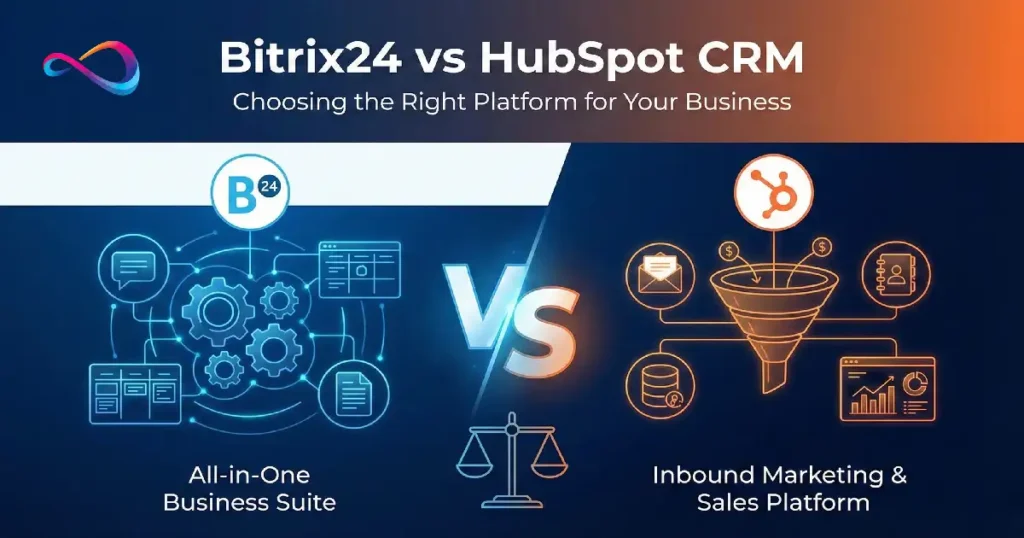
Bitrix24 vs HubSpot CRM (2026) is a choice between an all-in-one business suite and a marketing-led CRM platform. HubSpot CRM is typically the better fit if you want a clean user experience, strong marketing automation, and a large integrations ecosystem—but pricing can climb fast as you add users and market to more contacts.
Bitrix24 is often the better value for teams that need CRM plus project management, collaboration, and telephony in one tool, though the interface has a steeper learning curve. This guide compares features, pricing, pros and cons, and the best alternatives for different business needs.
Quick Verdict: Bitrix24 vs HubSpot
HubSpot CRM is the better pick for marketing-led teams that want a clean UX, powerful automation, and a huge integrations ecosystem—but costs can rise quickly as you add users and scale marketing contacts. Bitrix24 is the stronger value if you need an all-in-one suite (CRM + project management + collaboration + telephony) with unlimited users on free/flat plans, as long as you’re okay with a steeper learning curve.
Quick Recommendations
Choose HubSpot if you need:
- Inbound marketing + advanced automation and reporting
- Fast team adoption (best UX) and easy scaling
- A large app marketplace and “plug-and-play” integrations
Choose Bitrix24 if you need:
- CRM + project management + telephony in one platform
- Predictable pricing and/or unlimited users without per-seat costs
- Client portals/collaboration features and you can invest in setup/training
Avoid both if you need:
- Enterprise sales automation → Salesforce
- Lightweight sales CRM → Pipedrive
- Deep customization at lower cost → Zoho
How We Evaluated These CRMs
We assessed Bitrix24 and HubSpot CRM across five weighted categories based on typical buyer priorities:
- Features & Functionality (30%): CRM core, marketing automation, service tools, collaboration, telephony, project management, AI capabilities
- Pricing & Value (25%): Free plan generosity, paid tier pricing, contact/user limits, hidden costs, TCO
- Ease of Use & Adoption (20%): UI/UX quality, learning curve, setup time, mobile apps, onboarding resources
- Support & Reliability (15%): Documentation, support channels, uptime, community, training programs
- Extensibility & Integrations (10%): Native integrations, API quality, marketplace ecosystem, Zapier/Make support
Our analysis draws from official product documentation (Bitrix24, HubSpot), verified user reviews on G2, hands-on testing where possible, and consultant experience with mid-market CRM implementations.
At-a-Glance Comparison Table
| Factor | Bitrix24 | HubSpot CRM |
|---|---|---|
| Platform Type | All-in-one business suite (CRM + PM + collab) | Modular inbound marketing platform (CRM + Hubs) |
| Free Plan | Yes (unlimited users, up to 5 GB storage) | Yes (unlimited users, limited features) |
| Starting Paid Price | $49/month (5 users, Basic plan) | $20/seat/month (or $15/seat/month annual) (Starter CRM Suite, 2-user min) |
| Best For | Budget teams, project-heavy orgs, telephony needs | Marketing-led growth, ease of use, integrations |
| Core Strength | All-in-one breadth, telephony, project mgmt | Marketing automation, UX, ecosystem |
| Main Limitation | Cluttered UI, learning curve, weak reporting | Price escalation, contact limits, no PM |
| Marketing Automation | Basic (email, workflows, landing pages) | Industry-leading (sequences, A/B, attribution) |
| Project Management | Full suite (Gantt, tasks, time tracking) | None native (integrations only) |
| User Limits (Free) | Unlimited | Unlimited |
| Contact Limits | Unlimited contacts | Unlimited contacts; marketing contacts metered on paid |
| Storage (Free) | 5 GB (cloud); unlimited (self-hosted) | Limited (not clearly specified) |
| Integrations | 100+ native, Zapier support | 1,500+ via App Marketplace, deep native integrations |
| Mobile App | iOS & Android (feature-rich but clunky) | iOS & Android (polished, streamlined) |
| Learning Curve | Steep (overwhelming for new users) | Gentle (intuitive for most users) |
Source: Bitrix24 Pricing, HubSpot Pricing, G2 user reviews.
What Is Bitrix24?
Bitrix24 is a comprehensive business management suite that combines CRM, project management, collaboration tools, telephony, and HR modules in a single platform. Originally launched in 2012 by Bitrix, Inc., it positions itself as an affordable all-in-one alternative to stitching together Asana, Slack, a CRM, and a phone system.
The platform offers both cloud-hosted and self-hosted (on-premise) deployment options, making it attractive to organizations with data sovereignty requirements or IT teams that prefer control over infrastructure. Bitrix24’s free plan is notably generous—supporting unlimited users—which appeals to budget-conscious small businesses and nonprofits.
However, this breadth comes at a cost: the interface is dense and can feel overwhelming. Bitrix24 is best suited for teams willing to invest in training and configuration to unlock its full potential, particularly those who value having project management and CRM tightly integrated.

What Is HubSpot CRM?
HubSpot CRM is the free core of HubSpot’s modular inbound marketing and sales platform, designed to help businesses attract, engage, and delight customers. Launched in 2014, the CRM integrates seamlessly with HubSpot’s paid “Hubs”—Marketing Hub, Sales Hub, Service Hub, Operations Hub, Content Hub, and Commerce Hub—allowing teams to add functionality as they scale.
HubSpot’s philosophy centers on ease of use and inbound methodology: the platform is built to capture leads through content, nurture them with automation, and close deals with intuitive pipeline management. The free CRM offers unlimited users and contacts, robust contact management, email tracking, meeting scheduling, and basic reporting—making it a strong starting point for startups and small teams.
The trade-off is price: as your marketing contact database grows or you need advanced features (automation, custom reporting, attribution), costs can escalate quickly. HubSpot is ideal for marketing-first organizations willing to pay a premium for polish, integrations, and a proven inbound growth playbook.

Bitrix24 Deep Dive
Bitrix24 Features & Strengths
CRM & Sales Pipeline
- Contact & Lead Management: Unlimited contacts, companies, deals; custom fields; duplicate detection
- Pipeline Management: Customizable deal stages, Kanban view, automation rules, recurring deals
- Activity Tracking: Calls, emails, meetings logged automatically; activity timeline per contact
- Sales Automation: Workflows to assign leads, send follow-ups, update deal stages
- Quotes & Invoices: Generate quotes, invoices, and accept payments (Stripe, PayPal)
Marketing Tools
- Email Marketing: Visual email builder, templates, segmentation, basic A/B testing
- Landing Pages & Forms: Drag-and-drop builder with templates, lead capture forms
- CRM Marketing: Integrated campaigns tied to deals and contacts
- SMS Marketing: Send bulk SMS (extra charges apply)
- Limitations: Marketing automation is less sophisticated than dedicated platforms; no advanced attribution or journey mapping
Customer Service & Support
- Helpdesk: Multi-channel ticketing (email, live chat, social, phone)
- Live Chat Widget: Free on all plans; includes chatbot builder (paid plans)
- Client Portal: Extranet for clients to view projects, tickets, and files
- Knowledge Base: Basic internal/external KB functionality
- Telephony: Built-in VoIP with call recording, IVR, call queues (paid plans); integrates with external telephony
Project Management & Collaboration
- Task Management: Tasks, subtasks, dependencies, recurring tasks, templates
- Gantt Charts: Visual project timelines, critical path, resource planning
- Time Tracking: Log time per task, generate timesheets, billing integration
- Workload Management: Team capacity views, workload balancing
- Kanban & Scrum: Agile boards, sprints, burndown charts (higher tiers)
- File Storage & Collaboration: Document management, version control, co-editing (Bitrix24.Docs)
Communication & Team Tools
- Team Chat: Channels, direct messages, video calls (up to 48 participants on paid plans)
- Calendar: Shared calendars, meeting scheduling, resource booking
- Employee Directory: Org chart, profiles, absence management
- Intranet/Social Network: Activity streams, announcements, polls, recognition
Telephony & Video
- Built-in Telephony: Rent numbers, make/receive calls, call recording, IVR, call statistics
- Video Conferencing: HD video for up to 48 users (Professional/Enterprise), screen sharing, recording
- Mobile Apps: Full-featured iOS/Android apps (can be clunky)
Reporting & Analytics
- CRM Reports: Sales funnel, win/loss, rep performance, sales forecast
- Custom Reports: Basic custom report builder (limited flexibility)
- Dashboards: Pre-built dashboards for CRM, tasks, projects
- BI Connector: Export to external BI tools (paid plans)
- Weakness: Reporting is a common pain point—less intuitive and customizable than competitors
Unique Strengths
- All-in-One Breadth: CRM + project management + HR + collaboration = fewer tools to manage
- Generous Free Plan: Unlimited users (cloud), full feature access with limits
- Self-Hosted Option: On-premise deployment for data control (requires technical expertise)
- Built-in Telephony: Rare among CRMs at this price point
- No Per-User Pricing (Free/Cloud): Flat monthly fee regardless of user count on paid plans
Bitrix24 Weaknesses & Limitations
- Overwhelming UI/UX: Interface is cluttered and dated; steep learning curve for new users. G2 reviews frequently cite “too many features, hard to find what you need.”
- Weak Marketing Automation: Email and automation are basic compared to HubSpot, ActiveCampaign, or Marketo. No sophisticated lead scoring, attribution, or journey orchestration.
- Reporting Gaps: Custom reporting is limited and unintuitive; exporting data for analysis is cumbersome.
- Mobile App Experience: Full-featured but clunky; not as polished as HubSpot or modern CRMs.
- Documentation & Support: Free users get community support only; paid support (email) can be slow. Documentation is extensive but sometimes outdated or unclear.
- Customization Complexity: Deep customization requires technical skills or hiring a Bitrix24 partner.
- Performance Issues: Users report slow load times on free/Basic plans, especially with large datasets.
- Limited Native Integrations: ~100 native integrations vs. HubSpot’s 1,500+; relies on Zapier/Make for many connections.
Best For (Bitrix24)
- Budget-Conscious Teams: Need CRM + project management without multiple subscriptions
- Small to Mid-Size Service Businesses: Agencies, consultancies, IT firms needing client portals and project tracking
- Teams Needing Telephony: Built-in calling and video eliminate need for separate tools
- Project-Heavy Organizations: Construction, events, creative agencies where PM + CRM integration is valuable
- Self-Hosted Requirements: Enterprises or regulated industries requiring on-premise deployment
- Unlimited User Scenarios: Teams that want to onboard all employees without per-seat costs
Not Ideal If (Bitrix24)
- Marketing-First Growth: If inbound marketing and lead nurturing are core strategies, HubSpot or ActiveCampaign are stronger
- You Prize Simplicity & UX: Teams that need rapid adoption and intuitive interfaces will struggle
- Advanced Reporting Needs: Data-driven orgs requiring sophisticated analytics should look elsewhere (Salesforce, HubSpot Professional+)
- No Technical Resources: Self-hosting or deep customization requires IT support; cloud users may hit limits without expertise

HubSpot CRM Deep Dive
HubSpot Features & Strengths
CRM & Sales Pipeline (Free & Paid)
- Contact & Company Management: Unlimited contacts/companies; rich contact records with timeline, custom properties
- Deal Pipeline: Drag-and-drop Kanban, multiple pipelines, customizable stages, deal probability
- Activity Logging: Email tracking, call logging, meeting scheduling (integrated with Gmail/Outlook)
- Email Templates & Sequences: Reusable templates (free); automated email sequences (Sales Hub Starter+)
- Task Automation: Reminders, task assignments, follow-up automation
- Sales Analytics: Pipeline reports, deal forecasting, rep performance (more robust in Sales Hub Pro+)
Marketing Hub (Paid Add-On)
- Email Marketing: Drag-and-drop builder, personalization, A/B testing, smart send times
- Marketing Automation: Visual workflow builder with branching logic, lead scoring, lifecycle stages
- Landing Pages & Forms: SEO-optimized templates, progressive profiling, smart CTAs
- Ad Management: Sync audiences to Google, Facebook, LinkedIn; track ad ROI
- Attribution Reporting: Multi-touch attribution, revenue attribution (Professional+)
- Content Strategy: SEO recommendations, topic clusters, pillar pages (Content Hub)
- Strength: Best-in-class marketing automation for inbound; deep integration between marketing and CRM
Sales Hub (Paid Add-On)
- Meeting Scheduling: Personalized booking links, round-robin, calendar sync
- Email Sequences: Automated follow-up campaigns with performance tracking
- Sales Automation: Workflows to rotate leads, notify reps, update properties
- Calling: Built-in calling with recording, transcription (Sales Hub Starter+)
- Quotes: CPQ-lite for generating quotes (Sales Hub Professional+)
- Playbooks: Sales scripts and battle cards within CRM
- Conversation Intelligence: Call recording, transcription, coaching insights (Sales Hub Enterprise)
Service Hub (Paid Add-On)
- Ticketing System: Multi-channel ticket creation, SLA tracking, automation
- Knowledge Base: Self-service help center with SEO, analytics
- Live Chat & Chatbots: Conversational bots for lead qualification and support
- Customer Feedback: NPS, CSAT, CES surveys; feedback automation
- Customer Portal: Secure client access to tickets and knowledge base
Operations Hub (Paid Add-On)
- Data Sync: Bi-directional sync with external databases, SaaS tools
- Programmable Automation: Code-powered workflows for advanced logic
- Data Quality: Duplicate management, data formatting automation
Reporting & Analytics
- Standard Reports: Pre-built for sales, marketing, service, website
- Custom Reports: Single-object reports (free); cross-object, custom dashboards (Professional+)
- Attribution: Multi-touch revenue attribution (Marketing Hub Professional+)
- Forecasting: Sales forecasting, goal tracking (Sales Hub Professional+)
- Dashboards: Unlimited custom dashboards (Professional+)
Integrations & Ecosystem
- 1,500+ App Marketplace Integrations: Including Salesforce, Shopify, WordPress, Slack, Zoom, QuickBooks, Stripe, Mailchimp
- Deep Native Integrations: Gmail, Outlook, Google Workspace, Microsoft 365, LinkedIn Sales Navigator
- API: Robust RESTful API for custom integrations
- Zapier/Make: Extensive support for no-code automation
Unique Strengths
- Ease of Use: Industry-leading UX; minimal training required for basic adoption
- Free CRM Generosity: Unlimited users/contacts, email tracking, meeting scheduling, basic pipeline—best free CRM
- Modular Scalability: Start free, add Hubs as needed; grow from startup to enterprise
- Inbound Marketing DNA: Built for content-driven growth; best practices baked into platform
- Integration Ecosystem: Unmatched breadth of native and third-party connections
- HubSpot Academy: World-class free training, certifications, and onboarding resources
HubSpot Weaknesses & Limitations
- Price Escalation: Costs increase sharply with marketing contacts, additional Hubs, and advanced features. A mid-market company can easily spend $3K–$10K+/month.
- Marketing Contact Limits: Paid Marketing Hub tiers meter marketing contacts separately from total CRM contacts; overages are expensive ($250+ for 5,000 extra contacts monthly).
- No Native Project Management: Lacks task dependencies, Gantt charts, or resource planning; requires integrations (Asana, Monday, etc.).
- Limited Telephony on Free: Free CRM has no built-in calling; Sales Hub Starter+ required for VoIP.
- Customization Limits (Lower Tiers): Custom objects, advanced workflows, calculated properties require Professional+ tiers.
- Lock-In Risk: Deep platform adoption can make migration costly; exporting clean data requires effort.
- Support Tiers: Free users rely on community/docs; email support starts at Starter; phone support at Professional.
Best For (HubSpot)
- Marketing-Led Growth Companies: SaaS, agencies, consultancies using inbound marketing as primary acquisition channel
- Ease-of-Use Priority Teams: Organizations where rapid user adoption and minimal training are critical
- Scaling Startups: Teams starting free and willing to invest in paid Hubs as revenue/contacts grow
- Integration-Heavy Tech Stacks: Companies relying on dozens of tools that need seamless data sync
- Inbound Marketing Practitioners: Teams already aligned with HubSpot methodology (blogging, lead magnets, nurture)
- Sales Teams Needing Simplicity: Reps who need intuitive deal tracking, email sequences, and meeting scheduling without complexity
Not Ideal If (HubSpot)
- Tight Budgets Long-Term: Costs can become prohibitive for SMBs with >10K contacts or needing advanced features
- Need Built-In Project Management: No native PM; must integrate with Asana, Monday, ClickUp, etc.
- Heavy Outbound Sales Motion: Outbound-focused teams may prefer Salesforce, Outreach, or SalesLoft
- Complex Enterprise Sales: Large enterprises with intricate sales processes may outgrow HubSpot’s capabilities (vs. Salesforce)
- Require Built-In Telephony (Free): Bitrix24, Zoho, or Freshsales offer calling on free plans
Feature Comparison: Bitrix24 vs HubSpot
Sales Pipeline & CRM Features
| Feature | Bitrix24 | HubSpot CRM |
|---|---|---|
| Contact Management | Unlimited contacts, custom fields, tagging | Unlimited contacts, properties, lifecycle stages |
| Deal Pipeline | Kanban, multiple pipelines, automation | Kanban, multiple pipelines, drag-and-drop |
| Activity Logging | Calls, emails, meetings, tasks | Email tracking, call logging, meetings |
| Email Integration | Gmail, Outlook, IMAP | Deep Gmail/Outlook integration, tracking |
| Email Templates | Yes (basic) | Yes (robust, personalization tokens) |
| Email Sequences | Basic workflows | Sales Hub Starter+ (powerful sequences) |
| Calling | Built-in VoIP (paid plans) | Sales Hub Starter+ (built-in); free has none |
| Meeting Scheduling | Calendar booking | Meetings tool (free, with calendar sync) |
| Quotes & Invoices | Yes (built-in) | Sales Hub Professional+ (CPQ) |
| Lead Scoring | Basic (rule-based) | Marketing Hub Starter+ (predictive available) |
| Mobile CRM | iOS/Android (feature-rich, clunky) | iOS/Android (polished, streamlined) |
HubSpot wins on ease of use and email sequence sophistication. Bitrix24 wins on built-in telephony (lower tiers) and invoicing.
Marketing Automation
| Feature | Bitrix24 | HubSpot CRM / Marketing Hub |
|---|---|---|
| Email Marketing | Visual builder, templates, segmentation | Free: limited; Starter+: full automation |
| Landing Pages | Drag-and-drop builder | Free: limited; Starter+: templates, A/B tests |
| Forms | Lead capture forms, web forms | Free: unlimited; advanced features Starter+ |
| Workflows | Basic automation rules | Marketing Hub: visual workflows, branching |
| Lead Scoring | Rule-based (manual) | Marketing Hub: manual & predictive |
| A/B Testing | Basic email tests | Marketing Hub: emails, pages, CTAs |
| Attribution | None | Marketing Hub Professional: multi-touch |
| Ad Management | No | Marketing Hub: Google, Facebook, LinkedIn sync |
| SEO Tools | No | Content Hub: SEO recommendations, topics |
HubSpot dominates marketing automation—not even close. Bitrix24’s marketing tools are functional but basic.
Customer Service & Ticketing
| Feature | Bitrix24 | HubSpot CRM / Service Hub |
|---|---|---|
| Ticketing System | Multi-channel helpdesk | Free: basic tickets; Service Hub: SLA, automation |
| Live Chat | Built-in (free on all plans) | Free: live chat; Service Hub: chatbots |
| Knowledge Base | Basic KB | Service Hub: SEO-optimized help center |
| Customer Portal | Client extranet (projects, files, tickets) | Service Hub: customer portal |
| Call Center | Built-in telephony, call routing, IVR | Service Hub Professional: call routing |
| Feedback Surveys | No native tool | Service Hub: NPS, CSAT, CES |
Bitrix24 offers more out-of-the-box on free (live chat, telephony). HubSpot Service Hub is more polished but requires paid tier for advanced features.
Collaboration & Project Management
| Feature | Bitrix24 | HubSpot CRM |
|---|---|---|
| Task Management | Advanced (dependencies, recurring, templates) | Basic tasks only (no dependencies) |
| Gantt Charts | Yes (native) | No (integrate with Asana, Monday, etc.) |
| Time Tracking | Built-in | No (integrate with Toggl, Harvest, etc.) |
| Kanban Boards | Tasks, projects, Scrum | Deals only (not for project tasks) |
| Team Chat | Built-in (channels, DMs, video) | No (integrate with Slack, Teams) |
| File Storage | Included (5 GB free, more on paid) | Limited (no dedicated project file storage) |
| Workload Management | Resource allocation, capacity planning | No |
Bitrix24 wins decisively—HubSpot has no native PM. If you need project management, Bitrix24 or integrate HubSpot with dedicated PM tools.
Reporting & Analytics
| Feature | Bitrix24 | HubSpot CRM |
|---|---|---|
| Pre-Built Reports | Sales funnel, rep performance, pipeline | Free: standard reports; Pro: custom |
| Custom Reports | Limited (basic builder) | Professional+: cross-object, calculated fields |
| Dashboards | Pre-built CRM dashboards | Free: limited; Professional+: unlimited custom |
| Sales Forecasting | Basic | Sales Hub Professional: forecast by rep/team |
| Attribution | No | Marketing Hub Professional: multi-touch |
| Data Export | CSV, Excel, API | CSV, Excel, API, native BI integrations |
HubSpot Professional+ has superior reporting. Bitrix24’s reporting is a known weakness; users export to Excel/BI tools.
Integrations & Extensibility
| Feature | Bitrix24 | HubSpot CRM |
|---|---|---|
| Native Integrations | ~100 (Mailchimp, Zapier, Outlook, etc.) | 1,500+ (App Marketplace) |
| Email/Calendar | Gmail, Outlook, Exchange, IMAP | Deep Gmail, Outlook, Google Calendar, Office 365 |
| Zapier/Make | Supported | Extensive Zapier support, growing Make |
| API | REST API (well-documented) | Robust REST API, webhooks, SDKs |
| Accounting | QuickBooks, Xero integrations | QuickBooks, Xero, NetSuite, Sage |
| eCommerce | WooCommerce, Shopify (limited) | Shopify, WooCommerce, BigCommerce, Stripe |
| Marketplace | Bitrix24.Market (smaller) | HubSpot App Marketplace (massive) |
HubSpot’s ecosystem is unmatched—1,500+ integrations vs. Bitrix24’s ~100. If integrations are critical, HubSpot is the clear winner.
Pricing Comparison: Bitrix24 vs HubSpot
Pricing verified January 2026 from official sources. Always check current pricing at Bitrix24.com/prices and HubSpot.com/pricing/crm before purchasing.
Free Plans Compared
| Feature | Bitrix24 Free | HubSpot Free CRM |
|---|---|---|
| Users | Unlimited | Unlimited |
| Contacts | Unlimited | Unlimited |
| Deals/Pipelines | Unlimited deals, multiple pipelines | Unlimited deals, multiple pipelines |
| Storage | 5 GB (cloud); unlimited (self-hosted) | Limited (not clearly specified) |
| Email Marketing | Up to 5,000 emails/month | Limited sends; Starter needed for automation |
| Landing Pages | Limited builder access | Basic landing pages (HubSpot branding) |
| Live Chat | Yes (built-in) | Yes (with HubSpot branding) |
| Telephony | No (Basic plan required) | No (Sales Hub Starter required) |
| Project Management | Tasks, Gantt, Kanban (limited views) | Tasks only (no PM features) |
| Mobile App | Yes (full-featured) | Yes (polished) |
| Support | Community only | Community, knowledge base |
| Limitations | 5 GB storage, limited admin controls, watermarks | HubSpot branding, limited automation, reporting |
Both are generous. Bitrix24 offers more breadth (PM, email marketing). HubSpot offers better UX and easier adoption.
Paid Plans: Tier-by-Tier Analysis
Bitrix24 Pricing (Cloud)
| Plan | Price | Users | Storage | Key Features |
|---|---|---|---|---|
| Basic | $49/mo (billed annually) | 5 | 24 GB | CRM, telephony (100 min/mo), email marketing (1K contacts), online documents, automation |
| Standard | $99/mo (billed annually) | 50 | 100 GB | Marketing automation, sales intelligence, CRM analytics, online store |
| Professional | $199/mo (billed annually) | 100 | 1,024 GB | Sales automation, telephony (unlimited min), HR automation, Scrum, time mgmt |
| Enterprise | $399/mo (billed annually) | 250 | 3,072 GB | Custom roles, automation designer, BI builder, audit log, dedicated support |
Notes:
- No per-user pricing: Flat monthly fee per tier
- Self-hosted option: One-time license starting ~$2,390 (verify current pricing)
- Telephony: Minutes included; overage charges apply
- Source: Bitrix24 Pricing
HubSpot Pricing (Starter CRM Suite Example)
HubSpot uses modular pricing: buy individual Hubs or bundles (CRM Suite). Pricing is per user/month (annual billing) and varies by marketing contacts.
| Hub/Suite | Tier | Price (Starting) | Key Limits/Features |
|---|---|---|---|
| CRM (Free) | Free | $0 | Unlimited users/contacts; email tracking, meetings, basic reports |
| Starter CRM Suite | Starter | $15/user/mo (2-user min = $30/mo) | 1,000 marketing contacts included; email, forms, landing pages, basic automation, calling |
| Professional CRM Suite | Professional | $1,170/mo (5 users, 2K marketing contacts) | Advanced automation, custom reporting, A/B testing, attribution, playbooks |
| Enterprise CRM Suite | Enterprise | $4,300/mo (7 users, 10K marketing contacts) | Advanced permissions, predictive lead scoring, conversation intelligence, custom objects |
Marketing Hub (Standalone, if not using Suite):
- Starter: $15/mo (1K marketing contacts)
- Professional: $800/mo (2K marketing contacts)
- Enterprise: $3,600/mo (10K marketing contacts)
Sales Hub (Standalone):
- Starter: $15/user/mo (2-user min)
- Professional: $90/user/mo (5-user min)
- Enterprise: $150/user/mo (10-user min)
Notes:
- Marketing Contacts: Contacts you actively market to (email, ads). Overages cost extra ($250+ per 5K/mo).
- Per-User Pricing: Costs scale with team size.
- Bundles Save Money: CRM Suite bundles are cheaper than buying Hubs separately.
- Source: HubSpot Pricing
Verify current pricing: HubSpot adjusts pricing periodically; check official site before purchasing.
Total Cost of Ownership (TCO): 3 Scenarios
Scenario 1: 5-Person Startup (Year 1)
Bitrix24:
- Plan: Basic ($49/mo × 12 = $588/year)
- Add-ons: None needed
- Training: Self-service (free)
- Total Year 1: ~$588
HubSpot:
- Plan: Starter CRM Suite, 5 users, 1K marketing contacts ($75/mo × 12 = $900/year)
- Add-ons: None initially
- Training: HubSpot Academy (free)
- Total Year 1: ~$900
Winner: Bitrix24 (38% cheaper). HubSpot costs more but offers easier adoption.
Scenario 2: 25-Person Growing Company (Year 1)
Bitrix24:
- Plan: Standard ($99/mo × 12 = $1,188/year) (supports 50 users)
- Telephony Overages: ~$200/year (estimate)
- Training/Onboarding: ~$500 (partner consultant, 1-day workshop)
- Total Year 1: ~$1,888
HubSpot:
- Plan: Professional CRM Suite, 10 sales users, 5,000 marketing contacts ($1,700/mo × 12 = $20,400/year)
- Additional Users: 5 marketing users ($450/mo × 12 = $5,400/year)
- Onboarding (Optional): HubSpot Professional Services (~$3,000)
- Total Year 1: ~$28,800
Winner: Bitrix24 (93% cheaper). HubSpot’s per-user and contact-based pricing adds up fast.
Scenario 3: 100-Person Mid-Market (Year 1)
Bitrix24:
- Plan: Professional ($199/mo × 12 = $2,388/year)
- Telephony: Unlimited minutes included
- Onboarding/Customization: Partner implementation (~$5,000)
- Training: Workshops, documentation (~$2,000)
- Total Year 1: ~$9,388
HubSpot:
- Plan: Enterprise CRM Suite, 25 users, 25,000 marketing contacts (~$6,000/mo × 12 = $72,000/year)
- Additional Users: 10 service users (~$1,500/mo × 12 = $18,000/year)
- Onboarding: HubSpot onboarding + integrations (~$10,000)
- Total Year 1: ~$100,000
Winner: Bitrix24 (91% cheaper). HubSpot Enterprise pricing is prohibitive for budget-conscious mid-market.
Key Insight: Bitrix24’s flat pricing scales far more affordably. HubSpot’s value justifies cost if you fully leverage marketing automation, integrations, and ease of use—but many SMBs hit pricing walls.
Hidden Costs & Pitfalls
Bitrix24 Hidden Costs:
- Self-Hosted Infrastructure: If choosing on-premise, factor server costs, IT labor, backups (~$500–$2K/year for SMB).
- Customization & Implementation: Complex setup may require Bitrix24 partner ($1,500–$10K depending on scope).
- Training: Steep learning curve may need paid training sessions or consultant time.
- Telephony Overages: Basic plan includes 100 minutes/month; overages cost extra. Professional = unlimited.
- Add-On Modules: Some integrations or advanced features may require marketplace apps (paid).
HubSpot Hidden Costs:
- Marketing Contact Overages: Exceeding tier limits is expensive. Example: Professional plan with 2K contacts; growing to 12K costs +$500/mo.
- Additional Hubs: If you start with Sales Hub, adding Marketing Hub or Service Hub = new subscription costs.
- User Seat Expansion: Every new sales/service user = incremental monthly cost.
- Professional Services: Onboarding, migration, custom integrations can run $3K–$50K+ depending on complexity.
- Support Tiers: Phone support requires Professional+ tier; free/Starter rely on email/community.
- Integration Costs: Some app marketplace integrations are paid third-party apps.
Consultant’s Take: Bitrix24’s costs are upfront and predictable (flat fee). HubSpot’s costs creep with growth (contacts, users, Hubs). Budget accordingly—HubSpot’s TCO over 3 years can be 5–10x Bitrix24 for the same team size.
Ease of Use & Learning Curve
HubSpot: Gentle Curve, Rapid Adoption
HubSpot is renowned for its intuitive, user-friendly interface. The platform is designed with the assumption that users are not CRM experts—navigation is logical, features are discoverable, and onboarding flows guide new users.
- Setup Time: 1–3 days for basic CRM setup (contacts, deals, email integration)
- User Adoption: High—most users productive within 1 week
- UI/UX: Clean, modern, consistent design; minimal clutter
- Mobile App: Polished iOS/Android apps with core features easily accessible
- Training Resources: HubSpot Academy offers free courses, certifications, and video tutorials; extensive documentation
- Common Feedback: “Easiest CRM we’ve used.” “Sales team adopted it without complaint.” (G2 Reviews)
Pain Points:
- Advanced features (custom objects, complex workflows) require learning
- Reporting customization on lower tiers is limited
- Some users find upsell prompts intrusive
Bitrix24: Steep Curve, Powerful Once Mastered
Bitrix24’s interface reflects its all-in-one nature—lots of features means lots of menus, settings, and options. New users often feel overwhelmed.
- Setup Time: 1–2 weeks for CRM + projects + collaboration (longer if customizing)
- User Adoption: Slow—expect 2–4 weeks for team proficiency; training recommended
- UI/UX: Dated, cluttered; inconsistent design patterns; tons of configuration options
- Mobile App: Feature-complete but clunky; not as intuitive as HubSpot
- Training Resources: Documentation is extensive but can be outdated; video tutorials available; community support on free plan
- Common Feedback: “Powerful but overwhelming.” “Takes time to learn, but worth it if you need all the features.” (G2 Reviews)
Pain Points:
- Finding features is difficult due to deep menu structures
- Customization requires technical knowledge or paid consulting
- Free plan users have no direct support (community forums only)
HubSpot wins on ease of use by a landslide. If rapid adoption and minimal training are priorities, HubSpot is the clear choice. Bitrix24 requires commitment and training investment.
Implementation & Migration
Implementation Timeline (Typical SMB)
| Phase | Bitrix24 | HubSpot CRM |
|---|---|---|
| Planning & requirements | 1–2 weeks | ~1 week |
| Initial setup | 1–2 weeks | 3–5 days |
| Data migration | 1–2 weeks | ~1 week |
| Customization | 2–4 weeks | 1–2 weeks |
| Training | 2–3 weeks | ~1 week |
| Go-live & stabilization | 1–2 weeks | 3–5 days |
| Total (typical SMB) | 8–13 weeks | 4–6 weeks |
Key takeaway: HubSpot usually rolls out faster thanks to guided onboarding and simpler UX. Bitrix24 takes longer because you’re configuring a broader suite (projects/telephony), but it can pay off if you’ll use those modules.
Data Migration Considerations
Bitrix24
- Import: CSV, API, manual entry
- Common sources: spreadsheets, legacy CRM exports, Google Sheets
- Main pitfalls: tricky field mapping, manual dedupe, and contact–deal relationships may require multiple imports
- Best practice: clean + standardize first; test with a sample; migrate in order Contacts → Companies → Deals; plan for admin/dev time if heavily customized
HubSpot
- Import: guided CSV wizard, API, migration tools (for some CRMs)
- Common sources: Salesforce/Zoho/Pipedrive, spreadsheets
- Main pitfalls: confusion between CRM contacts vs marketing contacts, property limits on lower tiers, and partial loss of historical activity/deal detail
- Best practice: define properties + lifecycle stages upfront; dedupe before import; set clear rules for “marketing contacts” to avoid surprise costs
Key takeaway: HubSpot is typically easier for standard migrations; Bitrix24 is more “manual-heavy,” especially when preserving relationships and complex configurations.
Training & Onboarding
Bitrix24 adoption is slower—use 1–2 power users and role-based workflows; expect ~10–15 hours/user. HubSpot ramps faster with Academy + in-app guides; many teams get productive in ~5–10 hours/user.
Key takeaway: HubSpot wins on speed-to-adoption; Bitrix24 needs more training but is worth it when you’re consolidating CRM + PM + telephony.
Security & Compliance
Both platforms meet baseline security expectations for modern SaaS, but specifics matter for regulated industries.
| Security Feature | Bitrix24 | HubSpot CRM |
|---|---|---|
| Data Encryption | TLS 1.2+ in transit; AES-256 at rest | TLS 1.2+ in transit; AES-256 at rest |
| SOC 2 Type II | No official SOC 2 report published (as of Jan 2026) | Yes (HubSpot Trust Center) |
| GDPR Compliance | Yes (EU data residency available) | Yes (DPA available, GDPR-compliant) |
| HIPAA | Not HIPAA-compliant | Not HIPAA-compliant (contact HubSpot for BAA if needed) |
| SSO (Single Sign-On) | SAML SSO (Enterprise plan) | SAML SSO (Enterprise tier only) |
| Two-Factor Authentication | Yes (free on all plans) | Yes (free on all plans) |
| Role-Based Permissions | Yes (granular on paid plans) | Yes (basic free; advanced Enterprise) |
| Audit Logs | Yes (Enterprise plan) | Yes (Enterprise tier) |
| Data Residency | EU, US, RU options (self-hosted = full control) | US, EU data centers (cannot choose on lower tiers) |
| Self-Hosted Option | Yes (on-premise license available) | No (cloud-only) |
Sources: Bitrix24 Security, HubSpot Trust Center
Compliance Notes for US Buyers:
- HubSpot offers SOC 2 Type II reporting via its trust resources, which can make procurement easier for US compliance-heavy teams (e.g., SaaS, finance).
- For Bitrix24, confirm available audit/security attestations directly with the vendor—requirements vary by industry—but its self-hosted (on-premise) option can provide stronger control over data residency and access for organizations with strict sovereignty needs.
- For HIPAA use cases, don’t assume out-of-the-box compliance: verify whether a BAA is available and whether your specific implementation meets HIPAA requirements, or consider a healthcare-focused CRM.
HubSpot edges out for US enterprise/compliance needs (SOC 2). Bitrix24 wins for self-hosted/data sovereignty scenarios.
Decision Framework: Which CRM Should You Choose?
Use this scoring rubric to objectively compare Bitrix24 and HubSpot for your specific needs. Rate each criterion 1–5 for importance to your business, then score each platform 1–5 for fit. Calculate weighted scores to guide your decision.
Scoring Rubric
| Criteria | Your Weight (1–5) | Bitrix24 Score (1–5) | Weighted Bitrix | HubSpot Score (1–5) | Weighted HubSpot |
|---|---|---|---|---|---|
| Budget / Affordability | ___ | 5 (very affordable) | ___ | 2 (expensive as you scale) | ___ |
| Marketing Automation Needs | ___ | 2 (basic email, workflows) | ___ | 5 (industry-leading) | ___ |
| Sales Pipeline Simplicity | ___ | 3 (capable but clunky) | ___ | 5 (intuitive, visual) | ___ |
| Project Management | ___ | 5 (full PM suite built-in) | ___ | 1 (none; must integrate) | ___ |
| Team Size (Users) | ___ | 5 (unlimited, flat pricing) | ___ | 3 (per-user pricing scales) | ___ |
| Ease of Use / Adoption | ___ | 2 (steep learning curve) | ___ | 5 (easiest CRM available) | ___ |
| Integration Ecosystem | ___ | 3 (~100 integrations) | ___ | 5 (1,500+ integrations) | ___ |
| Telephony / Calling | ___ | 5 (built-in VoIP) | ___ | 3 (Sales Hub Starter+ only) | ___ |
| Reporting & Analytics | ___ | 2 (limited, clunky) | ___ | 4 (strong at Pro+ tier) | ___ |
| Scalability (Growth) | ___ | 3 (scales affordably, but UX doesn’t) | ___ | 5 (scales features & polish) | ___ |
| Support & Training | ___ | 2 (community only on free; slow paid) | ___ | 5 (HubSpot Academy, docs, support) | ___ |
| Data Control / Self-Hosting | ___ | 5 (self-hosted option) | ___ | 1 (cloud-only) | ___ |
| TOTAL | — | Add up Weighted Bitrix | ___ | Add up Weighted HubSpot | ___ |
How to Interpret:
- Bitrix24 Wins (Higher Weighted Score): Prioritize Bitrix24 if budget, project management, telephony, and self-hosting outweigh ease of use and marketing needs.
- HubSpot Wins (Higher Weighted Score): Choose HubSpot if marketing automation, integrations, ease of use, and scalability justify the higher cost.
- Tie or Close Scores: Consider a 30-day trial of both (HubSpot free CRM + Bitrix24 free plan) to test with your team before committing.
Decision Tree:
START: Do you have budget >$500/mo for CRM as you scale?
├─ YES → Do you need sophisticated marketing automation?
│   ├─ YES → **HubSpot** (Marketing Hub core to strategy)
│   └─ NO → Do you need project management in CRM?
│       ├─ YES → **Bitrix24** (all-in-one value)
│       └─ NO → **HubSpot Free CRM** or **Pipedrive** (sales simplicity)
└─ NO (Budget <$500/mo) → Do you need project management + CRM?
    ├─ YES → **Bitrix24** (flat pricing, PM included)
    └─ NO → Do you need ease of use above all?
        ├─ YES → **HubSpot Free CRM** or **Zoho CRM Free** (easier than Bitrix24)
        └─ NO → **Bitrix24** (most features for free)
FAQ: Bitrix24 vs HubSpot
1. Which is better, Bitrix24 or HubSpot?
HubSpot is better for marketing-led teams prioritizing ease of use, integrations, and scalability; Bitrix24 is better for budget-conscious teams needing CRM + project management + telephony in one affordable platform. The “better” choice depends on your budget, use case, and tolerance for complexity.
2. Is Bitrix24 cheaper than HubSpot?
Yes, significantly. Bitrix24’s flat-rate pricing ($49–$399/mo) is far cheaper than HubSpot’s per-user, per-contact model, which can cost $1,000–$10,000+/mo as you scale. For a 25-person team with 10K marketing contacts, Bitrix24 costs ~$100/mo vs. HubSpot’s ~$2,000–$3,000/mo.
3. Does Bitrix24 have better project management than HubSpot?
Yes. Bitrix24 includes full project management (Gantt charts, tasks, time tracking, Scrum, workload management). HubSpot has no native project management—you must integrate with Asana, Monday.com, or ClickUp.
4. Which has better marketing automation, Bitrix24 or HubSpot?
HubSpot dominates marketing automation. HubSpot offers visual workflow builder, advanced lead scoring, multi-touch attribution, A/B testing, and SEO tools. Bitrix24’s marketing tools are basic—email campaigns, simple workflows, and landing pages—suitable for light marketing but not inbound-first strategies.
5. Can I use Bitrix24 and HubSpot for free?
Yes, both offer generous free plans. Bitrix24 Free supports unlimited users, 5 GB storage, CRM, tasks, chat, and video calls. HubSpot Free CRM supports unlimited users/contacts, email tracking, pipeline management, and meeting scheduling. HubSpot’s free tier is easier to use; Bitrix24’s includes more features (project management, more storage on self-hosted).
6. Which is easier to use, Bitrix24 or HubSpot?
HubSpot is significantly easier. HubSpot’s intuitive UI, guided onboarding, and clean design require minimal training. Bitrix24’s cluttered interface and steep learning curve can overwhelm new users—expect 2–4 weeks for team proficiency vs. HubSpot’s 1 week.
7. Does HubSpot integrate better than Bitrix24?
Yes. HubSpot has 1,500+ App Marketplace integrations and deep native connections to Gmail, Outlook, Shopify, WordPress, Slack, QuickBooks, and more. Bitrix24 offers ~100 native integrations and relies on Zapier/Make for many connections.
8. Which CRM is better for small business, Bitrix24 or HubSpot?
It depends on priorities. If budget is tight and you need project management + CRM, Bitrix24 is better ($49–$99/mo flat). If you prioritize ease of use and plan to invest in marketing automation as you grow, HubSpot Free CRM → Starter is better (easier adoption, scales smoothly).
9. Can I migrate from Bitrix24 to HubSpot (or vice versa)?
Yes, but it requires effort. Both platforms support CSV exports for contacts, companies, and deals. HubSpot’s import wizard simplifies migrations. Bitrix24 migrations are more manual. Budget 1–2 weeks for data export, cleanup, mapping, and import. Historical activity data (emails, calls) may not transfer fully—plan for data loss or manual intervention.
10. Which has better customer support, Bitrix24 or HubSpot?
HubSpot offers superior support. HubSpot provides HubSpot Academy (free training), extensive documentation, community forums, email support (Starter+), and phone support (Professional+). Bitrix24 Free users get community support only; paid users get email support, which can be slow. HubSpot’s training and resources are best-in-class.
11. Does Bitrix24 have telephony like HubSpot?
Bitrix24 has BETTER built-in telephony. Bitrix24 includes VoIP calling, call recording, IVR, call queues on Basic+ plans ($49/mo+). HubSpot requires Sales Hub Starter ($15/user/mo, 2-user min) for calling—free HubSpot CRM has no telephony.
12. Which CRM scales better for growing companies?
HubSpot scales more smoothly in features and UX. HubSpot’s modular Hubs, advanced automation, and polished interface grow with you from startup to enterprise. Bitrix24 scales affordably (flat pricing) but UX, reporting, and marketing automation don’t improve as you grow—you may outgrow it and migrate to HubSpot or Salesforce.
Final Recommendation
Choose HubSpot if: You’re building a modern, marketing-led business that values ease of use, integrations, and scalability—and you have the budget to invest $500–$5,000/month as you grow. HubSpot is the best choice for SaaS startups, agencies, and sales teams that need intuitive tools and can afford to pay for quality.
Choose Bitrix24 if: Budget is your primary constraint, you need project management tightly integrated with CRM, or built-in telephony is essential. Bitrix24 delivers incredible value for service businesses, consultancies, and teams willing to invest training time to unlock its all-in-one potential.
Try both free plans before committing—HubSpot Free CRM and Bitrix24 Free let you test with your team risk-free. The right CRM is the one your team will actually use, so prioritize adoption alongside features.
Our Verdict: For most US SMBs in 2026, HubSpot edges out Bitrix24 due to superior UX, marketing capabilities, and ecosystem—if you can afford it. But Bitrix24 wins on value for budget-conscious teams needing an all-in-one platform without per-user pricing.
Suggested External Citations
- G2 Grid Report for CRM Software (2026)
https://www.g2.com/categories/crm
Why Credible: Aggregates verified user reviews and satisfaction scores from thousands of real CRM users; industry-standard comparison resource. - HubSpot Official Pricing & Product Pages
https://www.hubspot.com/pricing/crm | https://www.hubspot.com/products/crm
Why Credible: Primary source for HubSpot features, pricing tiers, and product capabilities. - Bitrix24 Official Pricing & Feature Documentation
https://www.bitrix24.com/prices/ | https://www.bitrix24.com/features/
Why Credible: Primary source for Bitrix24 pricing, feature availability, and deployment options.
About the author

I’m Macedona, an independent reviewer covering SaaS platforms, CRM systems, and AI tools. My work focuses on hands-on testing, structured feature analysis, pricing evaluation, and real-world business use cases.
All reviews are created using transparent comparison criteria and are updated regularly to reflect changes in features, pricing, and performance.