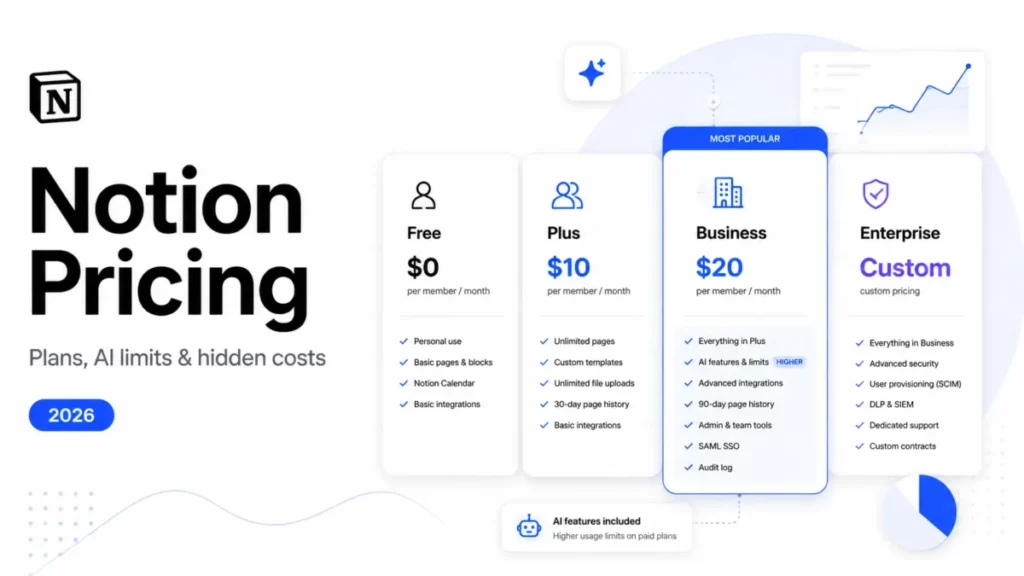
Notion pricing reads as four numbers: $0, $10, $20, and a sales call. The numbers that actually move a budget sit underneath those.
Business is where ongoing Notion AI begins, and “included” is not the same as unbounded. Custom Agents run on credits bought separately at $10 per 1,000, and unused credits expire at the end of each month.
This guide prices Notion for a US team: what each plan costs on both billing cadences, which limits force an upgrade, what happens when a team reaches an AI allowance, and what a 5, 10, or 20-seat workspace pays once add-ons are counted.
In This Article (20 sections)
Quick Pricing Verdict
| Buying question | Short answer |
|---|---|
| Starting price | $0 on Free, with a 5 MB upload cap and 7-day page history |
| Cheapest genuinely usable paid plan | Plus at $10 per member/ |
| Best plan for most teams | Business at $20 per member/ |
| Plan to avoid | Plus, if the workspace already depends on Notion AI for daily work |
| Biggest hidden cost | Notion credits for Custom Agents at $10 per 1,000, shared workspace-wide, with no rollover |
| Second hidden cost | A custom domain for a Notion Site at $8 per domain/ |
| Enterprise price | Not published; quote only |
| Best alternative if Business is too expensive | ClickUp Business at $12 per user/ |
| Pricing verified | 2026-08-25, US/USD |
The whole pricing decision comes down to one question: does the team need ongoing Notion AI and Business-level admin control, or does it just need a shared workspace? Everything below is downstream of that answer.
Notion Pricing Plans Compared
Notion bills per member, per workspace, on either a monthly or a yearly cycle.
| Plan | Paid yearly | Paid monthly | Page history | Best for |
|---|---|---|---|---|
| Free | $0 | $0 | 7 days | Solo use and small trials that never touch native AI |
| Plus | $10 per member/ | $12 per member/ | 30 days | Small paid teams that want history and unlimited uploads, not AI |
| Business | $20 per member/ | Read from the billing toggle | 90 days | Teams that need ongoing Notion AI, SAML SSO, or private teamspaces |
| Enterprise | Custom quote | Custom quote | Unlimited | Organizations that need SCIM, audit logs, or zero-retention AI |
Source: Notion official pricing page and the Notion Plus pricing release note, checked 2026-08-25. Billing basis: per member, per month, US/USD, before tax.
Two rows in that table need explaining, because they are where most published Notion pricing goes stale.
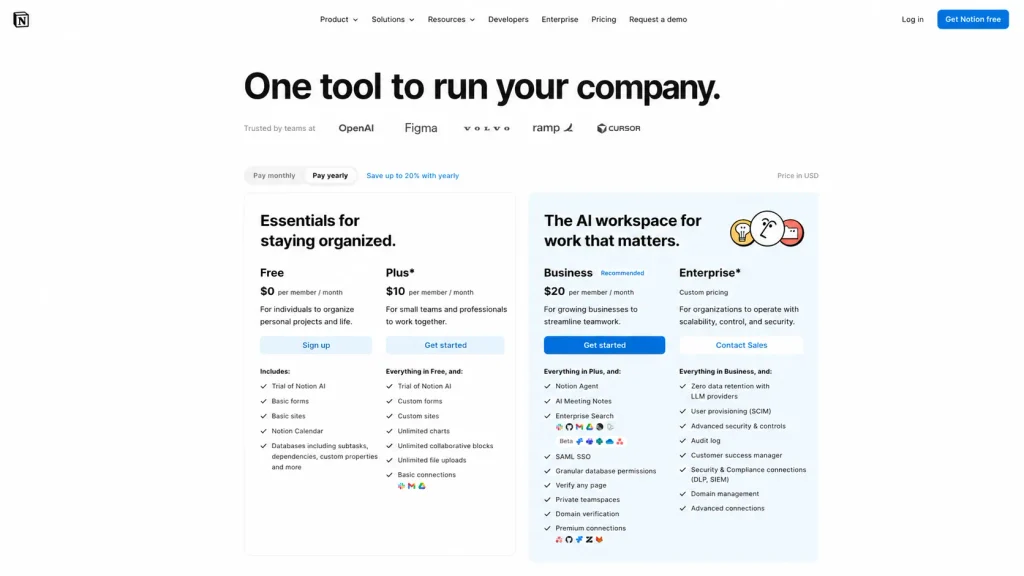
The first is the monthly column. Notion’s own pricing release note states the Plus rate as $10 per member/month billed annually and $12 billed monthly. Notion does not publish an equally direct sentence for Business anywhere I could reach on 2026-08-25.
The official pricing page renders $20 for Business with a “Pay monthly / Pay yearly” toggle above it and a “Save up to 20% with yearly” banner beside it. The $20 figure is the yearly rate, which the Notion for Startups page confirms independently as “$20 per member paid annually.”
Apply the Plus ratio and Business monthly lands near $24. Treat that as arithmetic from a verified ratio, not as a quoted Notion price, and read the real number off the toggle before you commit a budget line.
The second row worth flagging is guests. Older pricing roundups still report a fixed 100-guest or 250-guest cap on paid Notion plans; the current pricing matrix lists 10 guests on Free and unlimited guests on Plus, Business, and Enterprise.
That correction has money attached. If a team budgeted extra paid seats because a stale article said guests were capped, it is buying seats it does not need.
How Notion Billing Works: Members, Guests, and Seat Changes
Notion charges by seat, per workspace. The same person in two workspaces is two billable seats, which is the first thing to check before splitting a company across separate workspaces for tidiness.
Guests are different. Notion’s billing documentation states that adding members is a billable action, while guests sit under a per-plan guest limit rather than a per-seat charge.
For an agency or a client-facing team, that distinction is worth real money. External collaborators who only need access to a handful of pages belong in the guest column, not the seat count.
Seat changes are asymmetric, and the asymmetry only ever runs one way. Added members are prorated for the remainder of the current interval, so mid-cycle hiring costs what it should.
Removals are not prorated. Notion states plainly that any decrease in member count is reflected at the next billing cycle.
There is a genuine mitigation buried in that same documentation, and it is the single most useful billing fact in this guide. On an annual plan you keep the paid seats you already bought until renewal, and you can assign new members into those vacated seats at no additional charge.
So a 25-seat annual workspace that loses four people has not lost $960. It has four prepaid seats sitting open until the renewal date, and the practical move is to fill them rather than to request a refund that is not coming.
I would build the annual commitment around the headcount floor, not the headcount forecast. Buy the seats the team will certainly hold for twelve months, and add the volatile seats month by month through proration.
One more purchasing caveat sits outside the price itself. Notion’s plan-change documentation states that the Plus plan may not be available for every workspace, and that Plus purchases on mobile are limited to workspaces with a single member.
A multi-member Plus upgrade has to happen on web or desktop. That is a five-minute problem the first time it appears and a confusing one if it appears during a rushed upgrade.
What Each Notion Plan Includes
Free: $0
Free gives unlimited pages and blocks for personal use, a 5 MB per-file upload ceiling, 7 days of page history, and 10 guests.
The 5 MB cap is the limit that ends the free ride for most teams. It applies to PDF imports too, where Free allows 5 MB per PDF against 20 MB on paid plans.
Avoid Free if the workspace stores design files, recorded meetings, or scanned contracts. Avoid it also if anyone needs to recover a page edited more than a week ago.
Plus: $10 per member/month paid yearly
Plus removes Free’s 5 MB file-size restriction for normal workspace uploads: paid plans allow unlimited uploads, with an approximately 5 GB maximum per file.
What Plus does not include is the thing most 2026 buyers are actually shopping for. Notion’s AI documentation states that Notion AI is available on Business and Enterprise plans, and that Free and Plus users get “a limited number of complimentary AI responses” to try the features.
Avoid Plus if the team has already built AI into a daily workflow. A trial allocation is not a plan entitlement, and discovering that after rollout is an expensive way to learn it.
Business: $20 per member/month paid yearly
Business is the practical tier for most teams that have outgrown Free, and it is where four separate gates open at once: ongoing Notion AI, Custom Agents, SAML SSO, and private teamspaces.
It also adds granular database permissions, domain verification, and 90-day page history.
The premium over Plus is $10 per member/month, which is $120 per member/year. Whether that is worth paying is a question about AI and admin control, not about storage or history.
Avoid Business if the workspace has no AI use case and no identity requirement. Paying $120 per seat per year for 60 extra days of page history is a poor trade.
Enterprise: quote only
Enterprise adds the controls that turn a workspace into a governed system: SCIM user provisioning, audit logs, SIEM and DLP connections, domain management, and a customer success manager.
It also changes how AI data is handled, which is covered in the security section below.
Notion publishes no Enterprise price and no seat minimum. Any Enterprise number you find in a third-party pricing roundup is a guess, and budgeting from a guess is how procurement conversations go sideways.
Feature Gates: What You Actually Get by Plan
| Capability | Free | Plus | Business | Enterprise |
|---|---|---|---|---|
| File upload size | 5 MB per file | Unlimited | Unlimited | Unlimited |
| PDF import size | 5 MB per PDF | 20 MB per PDF | 20 MB per PDF | 20 MB per PDF |
| Page history | 7 days | 30 days | 90 days | Unlimited |
| Guests | 10 | Unlimited | Unlimited | Unlimited |
| Ongoing Notion AI | Trial responses only | Trial responses only | Included, allowance-governed | Included, allowance-governed |
| Custom Agents | Not available | Not available | Credit-funded at $10 per 1,000 | Credit-funded at $10 per 1,000 |
| Identity and access | Login only | Login only | SAML SSO and domain verification | SAML SSO plus SCIM provisioning |
| Workspace privacy | Members see the workspace | Members see the workspace | Private teamspaces and granular database permissions | Private teamspaces plus domain management |
| Security monitoring | None | None | None | Audit log, SIEM and DLP connections |
| Confluence migration through the UI | Not available | Not available | Up to 10 spaces at once | Up to 10 spaces at once |
| AI provider data retention | 30 days or fewer | 30 days or fewer | 30 days or fewer | Zero retention |
Source: Notion official pricing page, Notion AI documentation, and Notion Confluence import documentation, verified 2026-08-25.
Read that table as three upgrade triggers rather than a feature list.
The Free-to-Plus trigger is storage and recovery: a file over 5 MB, or a page someone needs back after a week. The Plus-to-Business trigger is AI entitlement or SAML SSO, and it is the expensive one at $120 per seat/year.
The Business-to-Enterprise trigger is identity lifecycle and audit. If security review asks for SCIM deprovisioning or an audit log, no amount of Business budget answers the question, and the conversation moves to sales.
Notion AI Limits and Credits
This is the section where Notion pricing stops being a table and starts being a forecast, and it is where most competing guides stop reading.
Ongoing Notion AI is a Business and Enterprise entitlement. It is not an unmetered one.
Notion’s usage-allowance documentation describes two rolling windows on Business and Enterprise: a six-hour window and a monthly window. When either ceiling is reached, “access to some AI features may temporarily pause until your usage refreshes.”
The allowance covers the personal Notion Agent including chat, image generation, page translation, and Skills. The six-hour counter resets on its own schedule; the monthly counter resets at the start of the next billing cycle.
Notion does not publish the size of either allowance. That absence is itself a planning fact: no honest cost model can forecast a Business workspace’s AI capacity from public data, so an AI-heavy team should pilot before it commits an annual term.
| AI limit | Applies to | Documented behaviour |
|---|---|---|
| Six-hour usage window | Agent chat, image generation, page translation, Skills | Usage resets when the window refreshes; affected features can pause until then |
| Monthly usage window | Same feature set | Resets at the start of the next billing cycle |
| AI Meeting Notes | Meeting recording and notes | Separate 10-hour daily cap, handled outside the general allowance |
| Post-allowance continuation | Eligible AI use | Notion credits, admin-enabled, off by default |
Source: Notion AI usage-allowance documentation, verified 2026-08-25.
The Meeting Notes row matters more than its size suggests. Ten hours a day sounds generous until you picture a 30-person team where six people record parallel calls all morning.
What happens at the ceiling
The decision at the allowance boundary has exactly two branches, and a workspace admin controls which one exists.
Branch one is to wait. The six-hour window refreshes on its own, and the monthly window refreshes at the next billing cycle.
Branch two is to pay through it with Notion credits. That setting is off by default and an admin has to turn it on in Settings, which means a team that has never looked at it will hit branch one whether it wants to or not.
I would turn that setting on deliberately or leave it off deliberately, and I would not discover it during a deadline. Either choice is defensible; drifting into one is not.
Custom Agents and the credit bill
Custom Agents are the second AI cost layer, and they are the one that turns a fixed subscription into a partly variable one.
Notion prices credits at $10 per 1,000. Credits are shared across the whole workspace, reset every month, and unused credits do not roll over.
That combination has a specific budgeting consequence. Buying a large credit block “to be safe” is buying capacity that expires, so credits are a monthly consumable to be topped up, not an annual allocation to be provisioned.
Notion’s credit documentation adds the operational half. Admins get in-app and email notifications at 80% and 100% of workspace credit usage, and Custom Agents pause automatically when credits run out until they reset or an admin adds more.
There is a billing-channel trap here worth checking before you depend on agents. If the Notion subscription is managed through the Apple App Store or Google Play, credits cannot be purchased inside Notion at all, and the fix is to move billing to notion.com.
That is a bad thing to learn at the moment a paused agent is blocking a workflow. Any team planning agent automation should confirm the subscription is billed directly first.
Hidden Costs and Add-ons
| Cost | Price | Billing basis | When it appears |
|---|---|---|---|
| Notion credits for Custom Agents | $10 per 1,000 credits | Workspace pool, monthly, no rollover | Any Business or Enterprise team running Custom Agents |
| Custom domain for a Notion Site | $8 per domain/ | Per domain | Publishing a Notion Site on your own domain |
| Mid-cycle seat additions | Prorated at the plan rate | Per member | Hiring between renewal dates |
| Seats left paid after a departure | No refund until renewal | Per member | Any headcount reduction on an annual term |
| Migration cleanup labour | Not priced by Notion | Internal time | Moving from Asana, Confluence, or a large document set |
| Premium support and customer success | Not published | Enterprise scope | Enterprise procurement |
Source: Notion Sites availability and pricing documentation, Notion Agents product page, and Notion billing documentation, verified 2026-08-25.
The custom domain line is the easiest one to miss, because a Notion Site looks like a bundled feature until the branded URL is requested. Notion’s Sites documentation puts a custom domain at an additional $8 per month with annual billing, or $10 per month billed monthly, and paid plans can claim up to 25 custom domains.
One domain is $96 a year on annual billing. Three marketing sites on their own domains is $288 a year that never appears in a per-seat forecast.
Real Cost Scenarios: 5, 10, and 20 Users
All figures below are annual totals at list price, calculated as members multiplied by the per-member monthly rate multiplied by twelve. They exclude tax, credits, add-ons, and any Enterprise quote.
| Team size | Plus, annual | Business, annual | Business premium | Business plus 2,000 credits/ |
|---|---|---|---|---|
| 5 members | $600 | $1,200 | $600 | $1,440 |
| 10 members | $1,200 | $2,400 | $1,200 | $2,640 |
| 20 members | $2,400 | $4,800 | $2,400 | $5,040 |
Calculated from Notion’s Business rate and the Notion credit price on annual billing, as members multiplied by the per-member rate multiplied by twelve. Ten Business seats are $2,400 a year, or $2,640 with credits.
The credit column uses 2,000 credits a month at $10 per 1,000, which is $20 a month or $240 a year, added to the Business seat cost.
A 10-person team running modest agent automation is therefore looking at roughly $2,640 a year, not the $2,400 the plan table implies. The gap is small at 10 seats and it is the shape of the gap that matters, because credit usage scales with automation, not with headcount.
That is the practical reason to model credits separately from seats. Seat cost is predictable a year out; credit cost is a monthly number that a single enthusiastic agent builder can double.
Cost at Scale: Plus Against Business
| Members | Plus, annual | Business, annual | Business premium per year |
|---|---|---|---|
| 1 | $120 | $240 | $120 |
| 5 | $600 | $1,200 | $600 |
| 10 | $1,200 | $2,400 | $1,200 |
| 25 | $3,000 | $6,000 | $3,000 |
| 50 | $6,000 | $12,000 | $6,000 |
| 100 | $12,000 | $24,000 | $12,000 |
Derived from the Business per-member rate and the Plus per-member rate, annual billing, seats only. Twenty-five seats cost $3,000 a year on Plus and $6,000 on Business.
The premium is $120 per member per year at every size, which makes the upgrade decision unusually clean.
Ask whether ongoing AI, SAML SSO, private teamspaces, and granular database permissions are worth $3,000 a year to that specific team. If the honest answer is that two people would use the AI, the money is better spent elsewhere.
At 100 seats the same question is worth $12,000 a year, and at that size the answer usually flips, because SAML SSO stops being a convenience and starts being an access-control requirement.
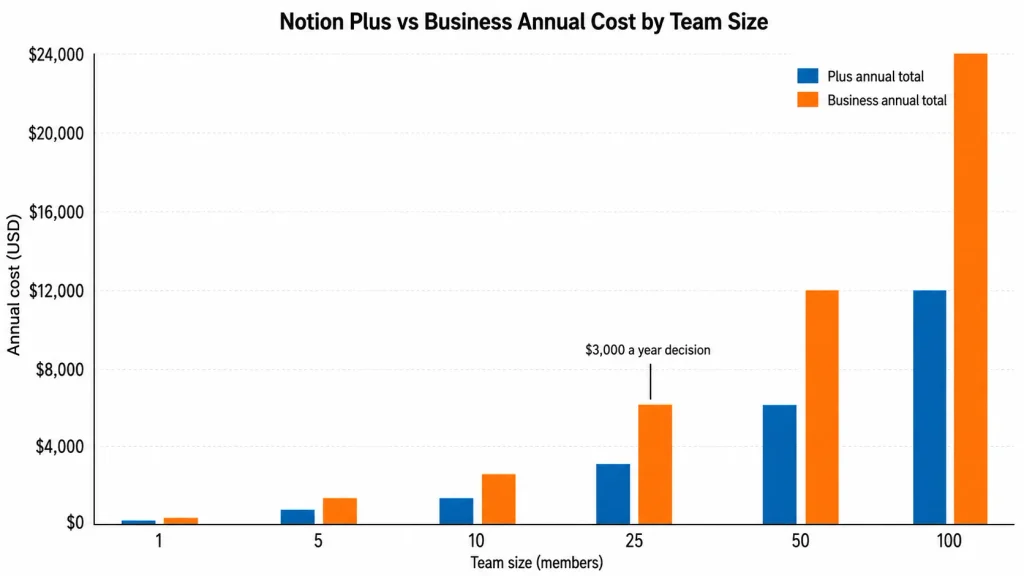
Text equivalent of the chart above, for readers and parsers that cannot use the image: the Business bar sits at exactly twice the Plus bar at every one of the six team sizes, and the dollar gap between them runs $120, $600, $1,200, $3,000, $6,000, and $12,000 as the team grows from 1 member to 100.
Monthly vs Annual Billing
Notion’s yearly cadence is cheaper, and for Plus the size of the difference is published rather than inferred.
Notion publishes both Plus cadences: $10 per member/month paid yearly against $12 paid monthly. Over twelve months that is $120 against $144, so annual billing costs 16.7% less than twelve monthly payments.
Notion’s pricing page advertises “Save up to 20% with yearly.” That headline is the ceiling across every currency it sells in, not the US figure, and the USD saving on Plus is the 16.7% above.
For Business the yearly rate is $20 per member/month, or $240 a year. The monthly rate lives behind the billing toggle rather than in a published sentence, and applying the Plus ratio puts it near $24 per member/month, or roughly $288 a year.
So the annual commitment saves somewhere around $48 per member per year on Business. That is real money at 50 seats and it is not the deciding factor for most teams.
The deciding factor is the seat-removal asymmetry from earlier. Annual billing locks a seat count for twelve months, and a shrinking team cannot recover the difference in cash, only in reassigned seats.
I would take annual billing when headcount is stable or growing. I would take monthly billing through a hiring freeze, a restructure, or any period where the seat count is more likely to fall than rise, and treat the extra 16.7% as insurance.
Migration Costs Most Pricing Pages Skip
Notion charges nothing for its importers. The cost is in what the importers leave behind, and for a switching team that labour is a larger line item than the first year’s subscription difference.
Notion’s import documentation confirms imports run on desktop and web rather than mobile, and that complex layouts, styling, and app-specific features often need cleanup afterwards.
The Asana path is well documented and clearly bounded. Notion’s Asana importer handles up to roughly 14,000 tasks per import with no project limit, and about 100 to 120 file attachments per workspace per day.
Projects, tasks, subtasks, sections, assignees, due dates, descriptions, comments, and attachments come across. Automations, dependencies, reporting, some custom fields, external integrations, rules, and permissions do not.
That last list is the actual switching cost. A team whose Asana workspace runs on rules and dependencies is not migrating a task list, it is rebuilding an operating system, and the attachment throttle means a large estate takes days rather than an afternoon.
Confluence is larger and more gated. Notion’s Confluence importer supports ZIP imports up to 5 GB (15 GB on request), API migration up to 30 GB, and roughly 50,000 pages, with up to 10 spaces imported at once through the UI on Business and Enterprise plans only.
Permissions do not survive: imported pages land private to the importing user. Most macros and plugins flatten to text, images, or links, and table styling, private pages, custom emoji, charts, previews, page history, and folders are not preserved either.
For a regulated team, the permissions line is the one to price first. Re-establishing space-level access control by hand across a few hundred imported pages is a project, and it is the reason a Confluence migration belongs in a capital plan rather than a software budget.
I would scope migration labour before signing an annual term, not after. The subscription is the cheap part.
Security, Retention, and When Enterprise Becomes the Answer
Business covers most admin requirements: SAML SSO, private teamspaces, granular database permissions, and domain verification. Enterprise is where identity lifecycle and monitoring live.
The trigger list is concrete. SCIM provisioning, audit logs, SIEM and DLP connections, and domain management are Enterprise-only, so a security review that asks for automated deprovisioning has already decided the tier.
AI data handling is the trigger that most pricing coverage omits entirely. Notion’s AI security documentation states zero data retention with LLM providers for Enterprise workspaces, while non-Enterprise workspaces sit with providers that retain customer data for 30 days or fewer before deletion.
The same page states that Notion and its AI subprocessors do not use customer data to train models by default, backed by contractual agreements with those subprocessors. It also names a SOC 2 Type 2 report, ISO 27001 certification, and HIPAA handling through zero-retention APIs.
For a healthcare, legal, or financial buyer, that retention difference is a tier decision on its own. It has nothing to do with team size, which is why “Enterprise is for large companies” is unhelpful shorthand.
I would ask Notion sales for the quote the moment a written retention or deprovisioning requirement exists. Until one does, Business is the cheaper correct answer.
Trials, Education, and the Startup Offer
The Business trial is 30 days and it has conditions. Notion’s trial documentation requires a professional domain and excludes teams already on Business or Enterprise, so educational and personal domains do not qualify.
The renewal behaviour is the part to diarise. If payment details were entered at the start, the Business subscription auto-renews at the end of the trial without a further confirmation; if they were not, Notion prompts for confirmation instead.
Students and educators get Plus free, with the education workspace limited to a single member. That is a genuine benefit for an individual and useless for a student team, which is a distinction “Notion is free for students” tends to lose.
Qualifying startups get the largest offer. Notion for Startups gives eligible companies up to six months free on Business with Notion AI included, for non-paying customers with a valid work email, no previous Notion promotion, and fewer than 100 employees. Companies under 10 employees get one month free instead of six.
Notion states the maximum value of the offer as $12,000 for 100 employees, which is exactly the Business list price for 100 seats for six months. Re-verified on the publish date: 2026-08-25.
Keep that separate from the standard price when you model year two. A six-month promotion is a first-year saving, and the workspace renews at $20 per member/month on annual billing once it lapses.
Which Notion Plan Should You Choose?
Solo user or side project. Free, until a file exceeds 5 MB or you need a page back from more than seven days ago. Students and educators should claim free Plus instead.
Two to ten people, no AI dependency. Plus at $10 per member/month paid yearly. Unlimited uploads, 30-day history, unlimited guests, and no reason to pay the Business premium.
Any team that uses Notion AI in daily work. Business. The trial responses on Free and Plus are not a workflow foundation, and the $120 per seat/year premium is the price of the entitlement.
Any team with an SSO requirement. Business, regardless of headcount. SAML SSO does not appear below it, and a five-person security-conscious team pays the same premium as a fifty-person one.
Regulated buyers, or anyone with a written deprovisioning or retention requirement. Enterprise, via a quote. SCIM, audit logs, DLP and SIEM connections, and zero-retention AI handling all sit there.
Agent-heavy teams. Business or Enterprise, plus a monthly credit budget modelled separately at $10 per 1,000 credits.
Which Notion Plan Should You Avoid?
Plus is the plan to avoid for most teams shopping Notion in 2026, and the reason is specific rather than general.
Plus looks like the sensible middle option, and it is priced like one. But it sits on the wrong side of the only two gates that matter to a modern buyer: ongoing Notion AI and SAML SSO.
A team that picks Plus because it is half the price of Business, then builds a workflow on the complimentary AI responses, will be back inside a quarter paying the $120 per seat/year premium anyway. That is the false economy in this pricing table.
The exception is real and worth naming. If the workspace is a shared document and project store with no AI use case and no identity requirement, Plus is correctly priced and Business is $120 per seat/year of nothing.
Free is the plan to avoid for any team handling files. The 5 MB upload ceiling and 7-day history are not limitations you work around, they are limitations that quietly lose work.
Notion Pricing vs Competitors
| Product | Free plan | Practical paid tier, paid yearly | 10-user annual cost | Best for |
|---|---|---|---|---|
| Notion | Yes, 5 MB uploads | Business, $20 per member/ | $2,400 | Docs, wiki, and databases with native AI in one workspace |
| ClickUp | Yes, Free Forever | Business, $12 per user/ | $1,440 | Task and project execution with heavier native project features |
| Asana | Yes, Personal | Starter, $10.99 per user/ | $1,318.80 | Work management where task dependencies and rules matter |
| Airtable | Yes | Team, $20 per user/ | $2,400 | Relational data and structured records over free-form docs |
| monday.com | Yes, up to 2 seats | Standard, $12 per seat/ | $1,440 | Visual work boards with a low entry price above the free tier |
Source: the official ClickUp, Asana, Airtable, and monday.com pricing pages, verified 2026-08-25. Each 10-user total is that plan’s per-user annual rate multiplied by ten.
Read the middle column carefully, because the comparison is not like for like. ClickUp and monday.com reach a practical business tier at $12, and Asana at $10.99, all below Notion’s $20 Business rate.
What none of those three include at that price is a documents-and-wiki layer of Notion’s depth. Airtable matches Notion at $20 for its Team plan and beats it on relational structure, while trailing badly as a place to write.
The honest framing is that Notion Business is not competing on price at $20. It is competing on consolidation, and the comparison only favours it when a team would otherwise buy a wiki and a project tool separately.
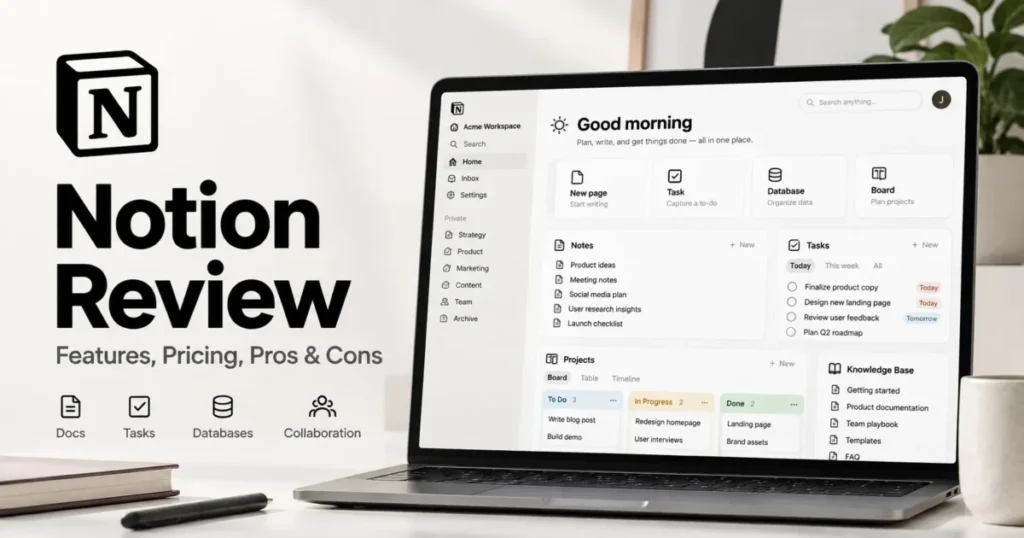
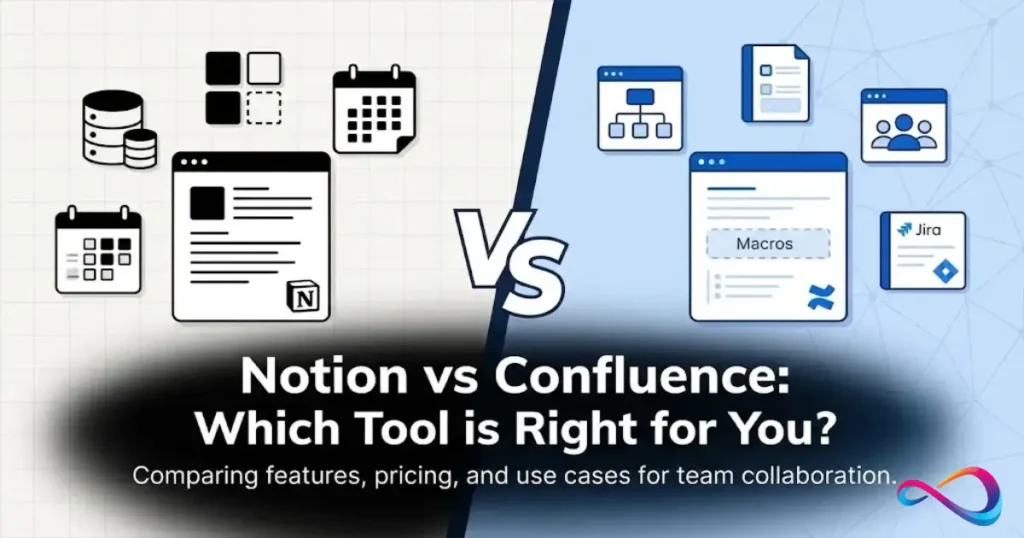
If your team already runs a dedicated project tool and only needs a knowledge base, Notion Plus at $10 against ClickUp Business at $12 is the more useful comparison, and the AI entitlement stops being part of the decision. My ClickUp pricing guide and Asana pricing breakdown hold the per-tier detail for those two, and the Notion versus Confluence comparison covers the documentation-first case.
Is Notion Worth the Price?
Notion Business is worth $20 per member/month when a team is consolidating: replacing a wiki, a document store, and a lightweight project tracker at once, and using native AI often enough that the entitlement is doing work.
At 10 seats that is $2,400 a year against two or three separate subscriptions that would comfortably exceed it.
It is not worth the price when only a few people would touch the AI, the team already owns a project tool it likes, and nobody has an SSO requirement. In that shape you are paying $120 per seat/year for 60 extra days of page history.
It is also not worth committing annually before an AI pilot. Because Notion publishes no allowance size, the only way to know whether Business AI covers a team’s real workload is to run that workload for a month and watch for pauses.
The renewal question to be able to answer twelve months in: did the AI entitlement and the admin controls change how the team works, or did the workspace end up being a wiki with a $120 per seat surcharge? If it is the second, downgrade to Plus at renewal rather than negotiating.
How to Avoid Overpaying for Notion
Buy annual for the headcount floor, monthly for the rest. Removals are not prorated and refunds do not arrive mid-term, so only commit the seats that will certainly exist in twelve months.
Fill vacated seats instead of asking for money back. An annual plan keeps the paid seats until renewal and lets you assign new members into them at no extra charge, which is the only recovery mechanism there is.
Classify external collaborators as guests. Paid plans list unlimited guests, so anyone who needs a handful of pages should not be occupying a billable seat.
Turn the AI credit setting on or off deliberately. It is off by default, so decide whether the workspace should be able to spend past the allowance before a deadline decides for you.
Treat credits as a monthly consumable. At $10 per 1,000 with no rollover, a large pre-purchase is money that expires; top up against actual usage and watch the 80% alert.
Move billing off the app stores before you build on agents. A subscription managed through Apple or Google cannot buy credits inside Notion, and finding out mid-workflow costs a migration you did not schedule.
Check eligibility before paying list price. Startups under 100 employees, students, and educators all have documented routes to a lower first-year cost, and none of them apply retroactively.
Price the migration, not just the subscription. Asana rules and Confluence permissions do not transfer, and that rebuild is usually the largest number in a first-year Notion budget.
Methodology and Source Notes
This analysis is based on Notion’s official pricing page, its help-center billing and plan documentation, its AI usage and credit documentation, its import and security documentation, and the official pricing pages of four named competitors. Pricing and plan limits were verified on 2026-08-25 for the US market in US dollars.
Each plan was assessed against the same buyer-focused criteria: entry cost, billing cadence, feature gates, usage allowances, add-on and variable costs, migration constraints, administrative controls, and total cost at realistic team sizes.
Greater weight was given to factors that change a purchase decision rather than a feature count, including upgrade triggers, allowance behaviour, renewal mechanics, and the cost of scaling seats.
Claims that could not be traced to an official page were excluded, derived totals are labelled as calculations from the stated per-member rates, and eligibility-based offers are reported separately from standard list pricing.
FAQ
Is Notion free?
Yes. The Free plan costs $0 and allows unlimited pages for personal use, with a 5 MB per-file upload limit, 7 days of page history, and 10 guests.
Does Notion charge per user?
Yes. Notion bills per member per workspace, and the same person in two workspaces counts as two billable seats.
Is Notion AI included in the price?
Ongoing Notion AI is included on Business and Enterprise. It is governed by six-hour and monthly usage allowances, so “included” means entitled rather than unmetered, and affected features can pause when a ceiling is reached.
How much do Notion credits cost?
$10 per 1,000 credits. They fund Custom Agents, are shared across the workspace, reset monthly, and do not roll over.
What happens when you hit a Notion AI limit?
Affected AI features pause until the six-hour window refreshes or the monthly window resets at the next billing cycle. If an admin has enabled Notion credits, eligible usage can continue on credits instead; that setting is off by default.
Is annual Notion billing cheaper?
Yes. Plus is $120 per member per year on annual billing against $144 across twelve monthly payments, which is 16.7% less.
Business is $240 per member per year on annual billing.
How much is Notion Enterprise?
Notion does not publish an Enterprise price or a seat minimum. Enterprise is quoted by sales, and the tier is driven by SCIM, audit logs, DLP and SIEM connections, domain management, and zero-retention AI handling.
How many guests can you have in Notion?
Free allows 10 guests. Plus, Business, and Enterprise list unlimited guests, which contradicts older third-party articles still reporting a 100-guest or 250-guest cap on paid plans.
Can a startup get Notion Business free?
Eligible startups with fewer than 100 employees, a valid work email, no previous Notion promotion, and no existing paid subscription can get up to six months free on Business. Companies under 10 employees get one month.
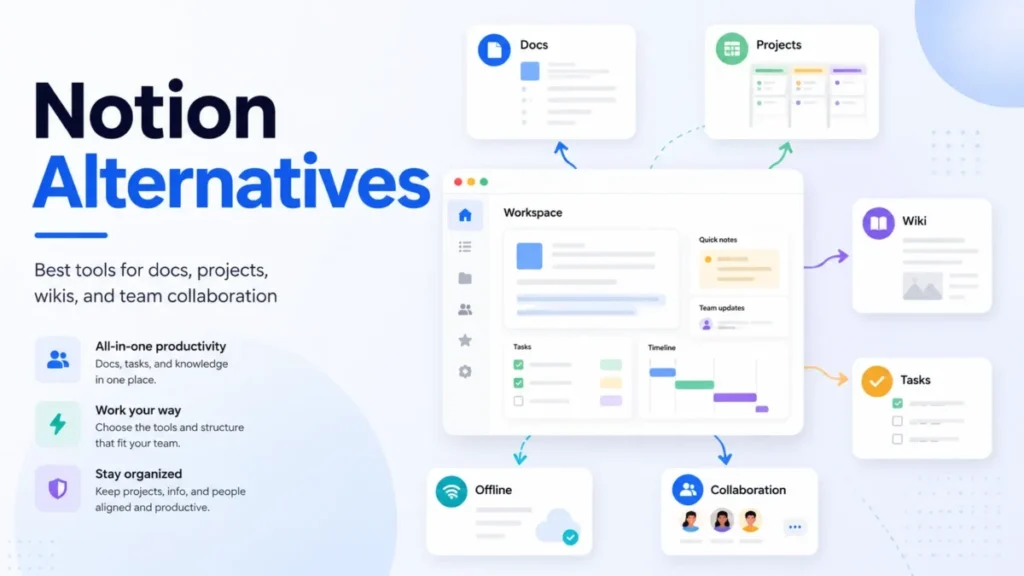
Further reading on this site: the full Notion review covers the product beyond its price, Notion alternatives worth pricing out covers replacements, and the best wiki software roundup covers the documentation category Notion competes in.