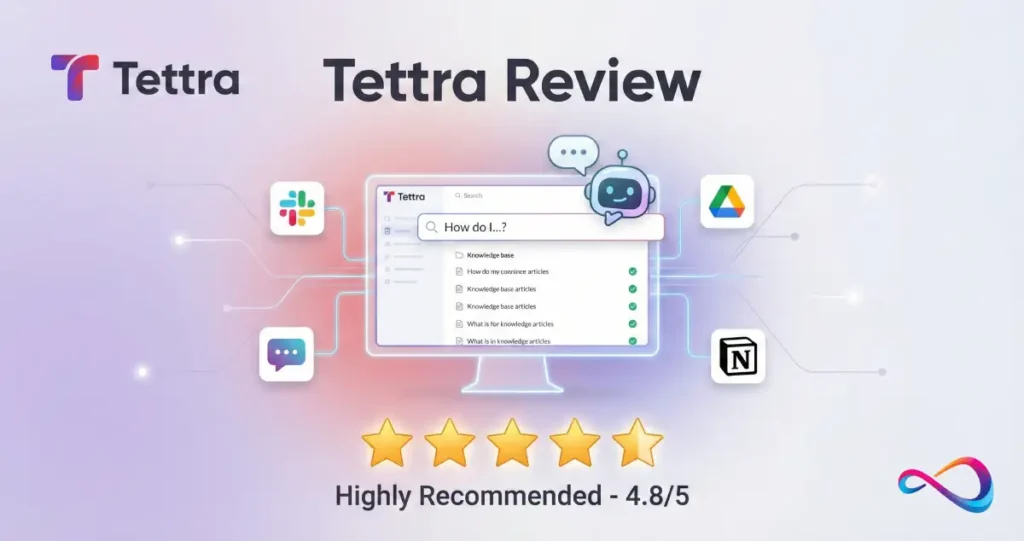
Should you use Tettra, what does it cost, what’s good and bad, and what are the best alternatives? This Tettra review answers those questions directly.
What you’ll learn in 10 minutes: The pricing floor for Tettra, where the Kai AI bot actually helps, what governance you need to run it well, and which alternative fits if Tettra doesn’t.
Who this is for: Teams evaluating internal knowledge base solutions, especially those using Slack as their primary communication tool. Also useful if you’re comparing Tettra against Guru, Notion, Confluence, or Slab.
Disclosure: This review is based on vendor documentation and reputable third-party reviews—not hands-on product testing. We cite sources inline and mark unconfirmed details explicitly.
In This Article (14 sections)
Quick Verdict – Tettra Review
- Best for:
- Slack-heavy teams (10–250 users) who want AI-powered Q&A and lightweight content governance without complex wiki administration.
- Not for:
- Teams needing deep hierarchical wikis, regulated SSO/SCIM requirements (confirm Enterprise plan details), or organizations with fewer than 10 users.
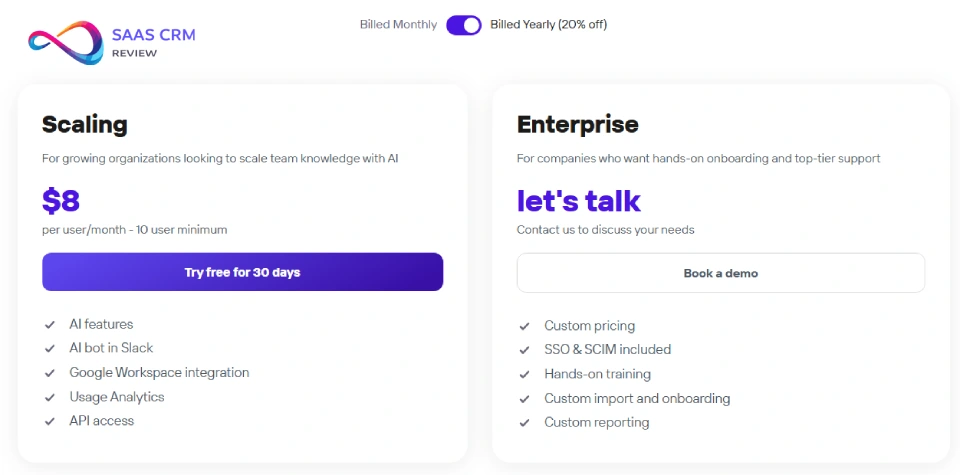
Starting price: $8/user/month with a 10-user minimum = $80/month floor (per Tettra pricing).
Top alternative: Notion for all-in-one flexibility; Guru for enterprise multi-channel needs; Confluence for Atlassian ecosystem users.
Key Takeaways
These are the five facts you need if you read nothing else:
- Tettra costs $8/user/month with a 10-user minimum—the floor is $80/month regardless of team size.
- Kai is an AI bot that answers questions in Slack and the web app using your knowledge base content (RAG-based, powered by OpenAI).
- Stale and private pages are excluded from AI indexing—only verified, current content feeds Kai’s answers.
- Slack integration includes auto-answers, thread summarization, and SSO—designed for teams living in Slack.
- Alternatives like Notion, Guru, and Confluence may fit better if you need deep wiki hierarchy, enterprise identity (SCIM), or all-in-one workspace capabilities.
What Is Tettra?
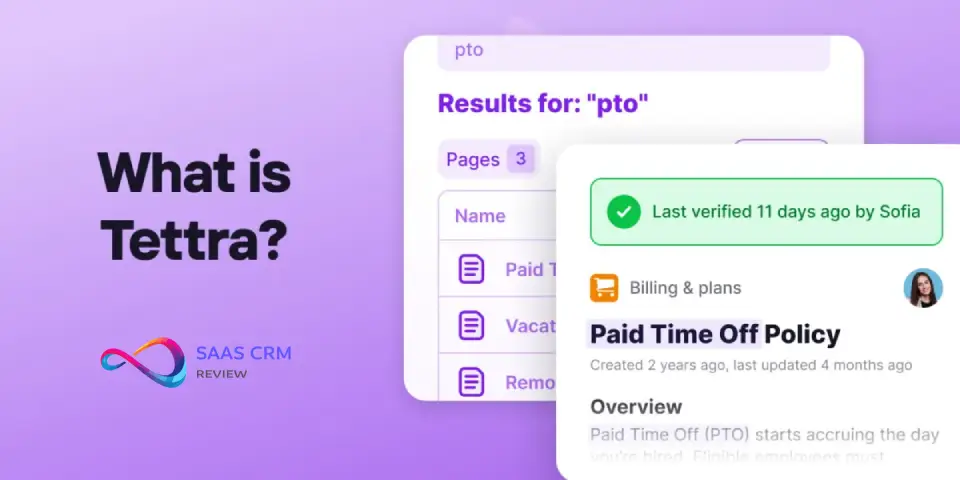
Tettra is an AI-powered internal knowledge base designed for teams that communicate primarily through Slack. It helps organizations document processes, answer repetitive questions automatically, and keep company knowledge organized.
Positioning Statement
Tettra positions itself as the “internal wiki for Slack teams.” Unlike general-purpose wikis (Confluence, Notion), Tettra optimizes for a specific workflow: questions get asked in Slack → Kai answers from the knowledge base → unanswered questions get routed to experts → answers become new documentation.
How Tettra Differs from a Typical Wiki
Traditional wikis are repositories you search manually. Tettra adds an active layer: the Kai bot intercepts questions in Slack and provides answers proactively. This shifts the burden from “users must search” to “the system surfaces knowledge.”
The tradeoff: Tettra’s structure is flatter and simpler than deep-hierarchy wikis like Confluence. If you need complex page trees with nested spaces and permission inheritance, Tettra may feel limiting. For a detailed breakdown, see our Notion vs Confluence comparison.
How We Evaluated Tettra
We used an explicit framework to assess Tettra consistently. This section exists for transparency—no claim of objectivity, but a clear method.
Evaluation Criteria (Weighted)
- AI Answer Quality – 25%: Does Kai provide accurate, fast answers? What feedback mechanisms exist?
- Knowledge Workflows – 20%: Verification, ownership, stale content detection, Q&A routing.
- Integrations – 20%: Slack depth, Google Docs connectivity, Zapier, API access.
- Admin & Security – 15%: SSO options, permissions, encryption, compliance indicators.
- User Experience – 10%: Setup time, navigation, editor quality.
- Pricing Value – 10%: Cost per user, minimum seats, feature access by plan.
Methodology and Limitations
- Sources used: Tettra’s pricing page, Slack integration page, Kai AI support documentation, and G2’s alternatives listing.
- No hands-on access: We did not test the product directly. All claims are sourced from vendor documentation or marked as “confirm with sales/docs.”
- Anti-bias note: We prioritize workflow fit over feature count. A tool with fewer features that matches your workflow beats a feature-rich tool that doesn’t.
Tettra Review: Core Features
This section covers what Tettra actually does. We’ll go deep on Kai AI, Slack integration, and governance workflows—the three pillars that define Tettra’s value.
Kai AI Bot
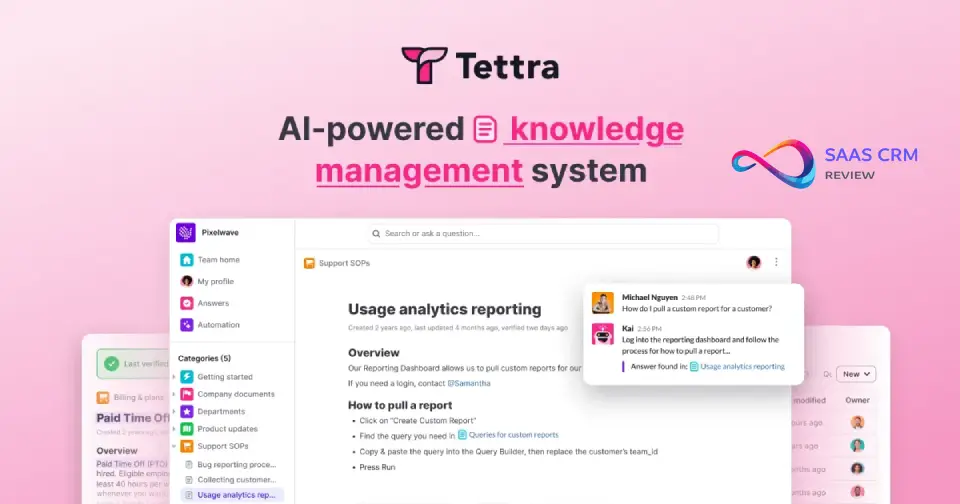
Kai is Tettra’s AI assistant that answers questions using your knowledge base. Per Tettra’s Kai documentation:
How Kai works:
- Ask questions via Slack DM to Kai or @mention Kai in any channel
- Kai searches your Tettra knowledge base using RAG (Retrieval-Augmented Generation)
- Kai generates a summarized answer and links to source pages
- Users provide feedback (👍 good answer / 👎 bad answer) to improve future responses
- If Kai can’t answer, it prompts you to assign the question to a subject matter expert
Guardrails and limitations:
- Stale pages are excluded from indexing—only verified, current content is used
- Private pages are excluded from AI indexing
- OpenAI’s API powers Kai; per Tettra’s security documentation, your data is not used for OpenAI model training
- Kai supports questions and answers in multiple languages, including non-Latin alphabets
Admin visibility: Admins can review all questions asked in Slack via the Questions area in Tettra, under the Slack Kai tab.
Kai in Practice: 3 Mini Scenarios
Scenario A: HR Policy Question
- Question in Slack: “What’s our PTO policy for part-time employees?”
- How Kai responds: Searches for pages tagged “PTO” or “policy” and summarizes the relevant section
- Content required: An up-to-date, verified page covering PTO policies
- Failure mode: If the page is stale or marked private, Kai won’t find it
- Mitigation: Set verification reminders on policy pages; keep them public to internal users
Scenario B: Support Escalation
- Question in Slack: “How do I escalate a P1 ticket?”
- How Kai responds: Provides step-by-step escalation process from your runbook
- Content required: A page titled something like “Escalation Procedures” with clear steps
- Failure mode: Kai may give partial answers if content is scattered across multiple pages
- Mitigation: Consolidate related processes into single, comprehensive pages
Scenario C: Engineering Runbook
- Question in Slack: “@Kai how do I restart the payment service in staging?”
- How Kai responds: Surfaces the relevant runbook page with commands
- Content required: Technical runbook pages with searchable titles and clear steps
- Failure mode: Outdated commands if the page owner hasn’t verified recently
- Mitigation: Assign engineering leads as page owners with 30-day verification cadence
Slack Integration
Per Tettra’s Slack integration page, Slack is Tettra’s primary interface:
Core capabilities:
- Auto-answers in channels: Configure Kai to respond automatically to questions in designated Slack channels
- @mention and DM: @mention Kai in any channel or DM Kai directly for private answers
- Thread summarization: Convert Slack conversations into new knowledge base pages with one click—Kai summarizes the thread and creates a draft
- Mine existing answers: Kai scans Slack for useful conversations and prompts you to save them
- Slack SSO: User accounts sync with Slack—add someone to Slack, they get Tettra access; remove them, and access revokes automatically
- Link previews: Tettra links shared in Slack render with full previews
Setup time: Fast Slack setup is claimed (confirm exact duration in docs).
Knowledge Workflows: Governance Required
Tettra includes governance features, but they only work if you operationalize them. Here’s what running Tettra well actually requires:
Ownership model:
- Every page should have an assigned owner
- Owners are responsible for accuracy and verification
- Unowned content reports help surface orphaned pages (per Tettra pricing page)
Verification cadence:
- Set verification schedules (e.g., 30/60/90 days) based on content volatility
- Policy pages: 90-day verification
- Technical runbooks: 30-day verification
- Stale page reports flag pages past their verification date
Stale content policy:
- Stale pages are excluded from Kai’s index
- This is a feature, not a bug—it prevents Kai from citing outdated information
- But it means unverified pages become invisible to AI, which may frustrate users
Who approves what (process suggestion):
- Content owners approve their own pages
- Category owners (team leads) review unowned content reports weekly
- Knowledge ops or admin reviews stale reports monthly
Information Architecture
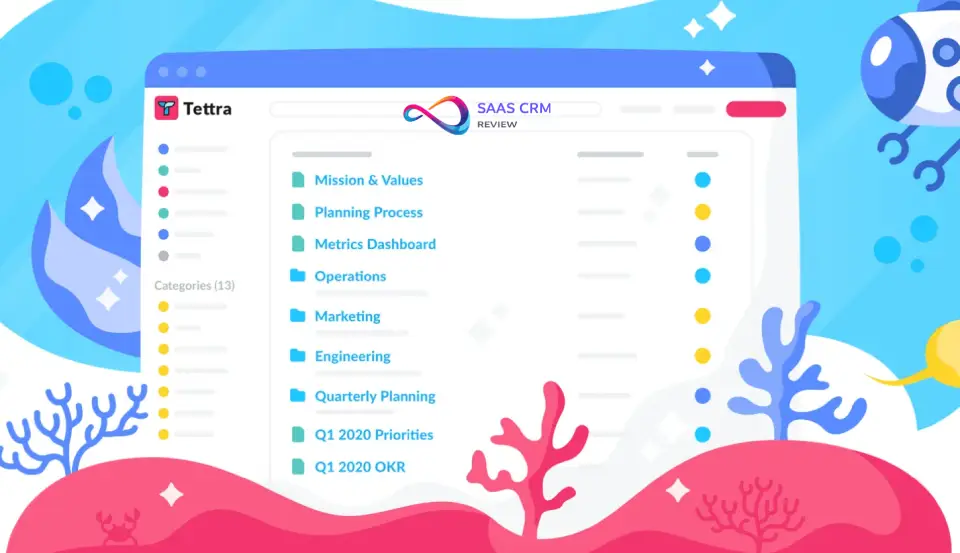
Tettra uses a flat structure: Categories → Subcategories → Pages. There’s no deep nesting like Confluence spaces/pages/child pages.
Category strategy:
- Organize by team (HR, Engineering, Sales) or by function (Onboarding, Policies, Technical Docs)
- Avoid over-categorization—too many categories makes search harder
Naming conventions:
- Use clear, searchable titles: “PTO Policy 2026” not “Policy Doc v3”
- Include keywords users would actually type in Slack
Templates for SOP pages:
- Purpose / Scope
- Steps (numbered)
- Owner / Last verified
- Related pages
Definition of Done for KB articles:
- Has owner assigned
- Verified within cadence
- Tagged appropriately
- Tested with Kai (ask the question, see if Kai finds it)
Search, Permissions, and Analytics
Search and findability:
- Native search across all Tettra content
- Train Kai with Google Docs for federated search (per Tettra pricing page)
- AI-generated tags for automatic categorization
Permissions:
- Guest users (limited access)
- Read-only users
- Invite-only categories
- Page locking
- Group permissions (synced with Google Groups, per Tettra pricing page)
Analytics:
- Team usage analytics
- Monthly analytics email
- Question tracking dashboard (see what’s being asked, what’s unanswered)
Tettra Pricing in 2026
Pricing sourced from Tettra’s pricing page. This is the only pricing table in the article.
| Plan | Price | Minimum | Key Features |
|---|---|---|---|
| Scaling | $8/user/ | 10 users | All AI features, Slack integration, Zapier, API access |
| Enterprise | Custom | Contact sales | Volume discounts (250+ users), dedicated onboarding, priority support |
What You Actually Pay
- 10 users: $80/month (minimum spend)
- 25 users: $200/month
- 50 users: $400/month
- 100 users: $800/month
- 250+ users: Custom pricing with volume discounts
Discounts
- Annual billing saves two months (per Tettra pricing page)
- Testimonial program offers additional savings
- Volume discounts available past 250 licenses (contact sales)
Free Trial
30 days, no credit card required.
Budget Caveats
- The 10-user minimum means very small teams pay a premium per actual user
- SSO is Slack-based; for SAML/SCIM, confirm Enterprise plan requirements with sales
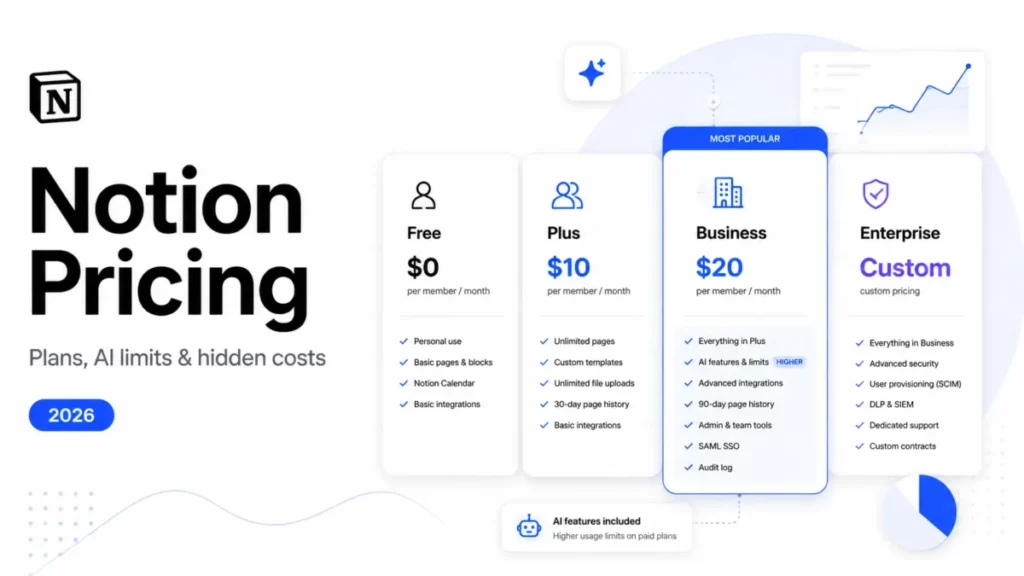
- No free tier—if you need free, look at Notion
Tettra Pros and Cons
Pros (With Evidence)
- Slack-first answering: Kai works directly in Slack DMs and channels, where your team already communicates (per Slack integration page)
- Stale/private pages excluded from AI: Prevents Kai from citing outdated or confidential information (per Kai documentation)
- Clear pricing floor: $8/user/month with 10-user minimum is transparent (per pricing page)
- Built-in governance: Verification workflows, stale page reports, and ownership assignment are included, not add-ons
- Fast Slack setup: Integration is designed for quick activation (confirm exact time in docs)
- Slack SSO: User provisioning syncs with Slack—no separate identity management required
Cons (Consultant Tradeoffs)
- Governance burden: Tettra only works well if you assign owners, set verification cadences, and review stale content—this is operational overhead
- Not for deep wiki needs: Flat category structure won’t satisfy teams needing complex page hierarchies
- 10-user minimum: Teams under 10 pay for seats they don’t use
- Enterprise features may require upgrade: SCIM provisioning, SAML SSO (beyond Slack SSO), and advanced compliance may require Enterprise plan—confirm with sales
- No free tier: Unlike Notion or Confluence, there’s no free plan for small teams
- AI requires Scaling plan or higher: The core Kai features aren’t available on cheaper tiers (because there aren’t cheaper tiers)
Tradeoff callout: Tettra’s Slack-first strength means exceptional chat integration, but teams wanting a standalone wiki with complex page hierarchies will find Confluence or Notion more capable.
Real-World Use Cases
Each use case follows a mini playbook format: Problem → What to store → How to measure success → Common failure mode → Fix.
1. Customer Support / Success Teams
Problem: Support agents answer the same product questions daily, wasting time and creating inconsistent responses.
What to store in Tettra:
- Product FAQ pages
- Troubleshooting guides
- Escalation procedures
- Pricing and plan comparison docs
How to measure success:
- Reduction in repeat questions in Slack (track via Kai dashboard)
- Time to first response on tickets
- Agent satisfaction with knowledge access
Common failure mode: Outdated troubleshooting steps lead Kai to give wrong answers, eroding trust.
Fix: Assign support leads as owners of troubleshooting pages with 30-day verification. Review Kai’s “bad answer” feedback weekly. For teams needing dedicated support ticketing alongside knowledge management, consider pairing Tettra with a dedicated help desk solution.
2. HR / People Operations
Problem: New hires ask the same onboarding questions; policies are scattered across Google Docs, emails, and tribal knowledge.
What to store in Tettra:
- Onboarding checklists
- Benefits and PTO policies
- Company handbook sections
- Org charts and team directories
How to measure success:
- Time to productivity for new hires
- Reduction in HR inbox volume
- Onboarding survey scores
Common failure mode: Policy pages become stale after annual updates are forgotten.
Fix: Set 90-day verification on all policy pages. Assign HR generalist as owner with calendar reminders tied to open enrollment and policy review cycles.
3. Engineering Teams
Problem: Tribal knowledge lives in senior engineers’ heads; on-call rotations struggle to find runbooks.
What to store in Tettra:
- Service runbooks (start/stop/restart procedures)
- Architecture decision records (ADRs)
- Incident postmortems
- Coding standards and style guides
How to measure success:
- Mean time to resolution (MTTR) for incidents
- On-call escalation frequency
- New engineer ramp-up time
Common failure mode: Runbooks contain outdated commands after infrastructure changes.
Fix: Assign service owners as page owners. Require runbook verification after every major deployment. Use Kai to test: “How do I restart [service]?” If the answer is wrong, the runbook needs updating. Teams using project management tools like ClickUp or Asana can integrate task tracking with documentation workflows.
4. Agencies and Professional Services
Problem: Client-facing documentation needs to be shareable without exposing internal processes.
What to store in Tettra:
- Client onboarding guides
- Project templates
- Deliverable standards
- FAQ for common client questions
How to measure success:
- Client satisfaction scores
- Reduction in “where do I find X?” emails from clients
- Project kickoff efficiency
Common failure mode: Internal and external content gets mixed; clients see confidential processes.
Fix: Use external sites feature for client-facing categories (per Tettra pricing page). Keep internal ops in separate, invite-only categories. Agencies managing multiple client projects may benefit from visual boards like Trello alongside their knowledge base.
5. Sales Enablement
Problem: Reps need quick access to competitive intel, pricing, and objection handling—but can’t find it mid-call.
What to store in Tettra:
- Competitive battlecards
- Pricing and discounting guidelines
- Objection handling scripts
- Case studies by industry
How to measure success:
- Win rate (track if reps cite using KB)
- Time spent searching for collateral
- Consistency of pricing across deals
Common failure mode: Battlecards become outdated as competitors ship new features.
Fix: Assign product marketing as owners. Set 60-day verification on competitive pages. Tag pages by competitor name for easy Kai retrieval. Sales teams also tracking deals in a CRM can explore options in our Zendesk Sell review for integrated sales workflows.
Implementation: 30-60-90 Day Rollout
This isn’t a vendor-provided timeline—it’s a suggested approach based on typical knowledge base implementations.
Day 0–30: Pilot Phase
- [ ] Connect Slack integration
- [ ] Identify pilot team (suggest: Support or HR—high question volume, clear content needs)
- [ ] Assign 1–2 knowledge owners for pilot
- [ ] Create 10–20 foundational pages covering top repeat questions
- [ ] Enable Kai in one pilot Slack channel
- [ ] Train pilot team on asking Kai and providing feedback
- [ ] Review Kai dashboard weekly for unanswered questions
Day 31–60: Governance Phase
- [ ] Define verification cadence by content type (30/60/90 days)
- [ ] Assign owners for all existing pages
- [ ] Set up stale page report review (weekly)
- [ ] Create page templates for common content types
- [ ] Expand to second team
- [ ] Document internal “Definition of Done” for KB articles
Day 61–90: Scale Phase
- [ ] Roll out to remaining teams
- [ ] Enable Kai auto-answers in high-traffic Slack channels
- [ ] Review team usage analytics
- [ ] Identify content gaps from unanswered questions
- [ ] Conduct first quarterly content audit
- [ ] Evaluate: Is Tettra reducing repeat questions? Measure against baseline.
Migration Strategy
If migrating from another tool:
- Export existing content (confirm import/export options with Tettra)
- Prioritize high-traffic pages for migration first
- Don’t migrate everything—use this as an opportunity to prune outdated content
- Assign owners during migration, not after
Security and Admin Considerations
We only list what’s explicitly stated in Tettra’s public documentation. Anything else is marked for confirmation.
Confirmed in Public Docs
- Encryption in transit and at rest
- PCI-compliant payment processor
- Slack SSO (user accounts sync with Slack)
- Historical uptime data available (status page exists)
- Data export available in HTML format at any time
- OpenAI API used for Kai—data not used for model training (per Kai documentation)
Confirm with Sales/Docs
- SCIM provisioning details
- SAML SSO (beyond Slack SSO)
- SOC 2 Type II certification
- Data retention policies
- BAA for HIPAA compliance
- Specific uptime SLA percentages
Best Tettra Alternatives
Alternatives listed per G2’s Tettra alternatives page. We only include one comparison table as required.
| Feature | Tettra | Notion | Guru | Confluence | Slab |
|---|---|---|---|---|---|
| AI answers | Kai (RAG) | AI add-on | AI Assist | Limited | Built-in |
| Slack integration | Native | Basic | Strong | Basic | Strong |
| Deep wiki hierarchy | Basic | Strong | Basic | Strong | Basic |
| Free tier | No | Yes | No | Yes | No |
| Min users | 10 | None | Confirm | None | Confirm |
| Best for | Slack Q&A | All-in-one | Enterprise KB | Atlassian users | Slack teams |
For teams seeking alternatives with different strengths, here’s how each option compares:
Choose Tettra If
- Your team lives in Slack and wants AI-powered answers
- You have 10+ users
- You need lightweight governance (verification, ownership) without complex admin
- You don’t need deep hierarchical page structures
Choose Notion If
- You want an all-in-one workspace (docs, databases, projects, wikis)
- You need maximum flexibility in page structure
- You have mixed use cases beyond just knowledge management
- A free tier matters to you
For a detailed breakdown, see our Guru vs Notion comparison, which covers how these platforms differ in their approach to knowledge delivery.
Choose Guru If
- You’re an enterprise with 100+ users
- You need multi-channel KB access (browser extension, Slack, Teams, web)
- Advanced analytics and compliance features are required
- You have budget for premium pricing
Choose Confluence If
- You use Atlassian products (Jira, Trello, Bitbucket)
- You need deep, hierarchical wiki structures with complex permissions
- You have technical documentation with nested page trees
- Your team doesn’t mind Confluence’s learning curve
Choose Slab or Slite If
- Similar needs to Tettra but with potentially lower user minimums (confirm pricing)
- You want strong Slack integration without Tettra’s 10-user floor
- Pricing is a primary concern
For a detailed Slite review, check our dedicated analysis covering features, pricing, and governance capabilities.
Other Alternatives Worth Considering
Beyond the main competitors, several other knowledge base platforms serve specific needs:
- Document360: Strong for customer-facing knowledge bases and technical documentation portals
- Nuclino: Lightweight team wiki with visual graph views and real-time collaboration
- Coda: Flexible doc-database hybrid for teams wanting building blocks over templates
Read full review: Helpjuice Review 2026: Features, Pricing, Pros & Cons
Decision Framework
Score yourself on these seven criteria. If you answer “Yes” to 5 or more, Tettra is likely a good fit.
- Slack-first: Is Slack your team’s primary communication tool?→ Yes: Tettra. No: Consider Notion or Confluence.
- Team size: Do you have 10 or more users?→ Yes: Tettra’s minimum is met. No: Look at Notion (free tier) or Slab.
- AI priority: Is reducing repetitive questions a top goal?→ Yes: Tettra’s Kai is purpose-built for this. No: A traditional wiki may suffice.
- Governance willingness: Will someone own verification schedules and content audits?→ Yes: Tettra’s governance features will shine. No: Content will go stale and Kai will fail.
- Wiki complexity: Do you need deep hierarchical page structures?→ Yes: Confluence or Notion. No: Tettra’s flat structure is fine.
- Enterprise identity: Do you require SAML SSO and SCIM provisioning?→ Yes: Confirm Tettra Enterprise capabilities with sales. May need Guru or Confluence.
- Budget: Is $80/month (10-user minimum) acceptable as a floor?
→ Yes: Tettra works. No: Notion’s free tier or Confluence’s free tier may be better starting points.
Tradeoff callout: Tettra excels when you’re Slack-native and willing to operationalize governance. If your team won’t assign owners or verify content, Kai’s effectiveness will degrade within months.
Tettra Review – FAQ
What is Tettra used for?
Tettra is an AI-powered internal knowledge base. Teams use it to document processes, answer repetitive questions via the Kai AI bot, and keep company knowledge organized. It’s designed for organizations that communicate primarily through Slack.
How much does Tettra cost?
$8 per user per month with a 10-user minimum. The minimum spend is $80/month. Enterprise pricing is custom—contact Tettra for quotes on 250+ users. Annual billing saves two months (per Tettra pricing page).
Does Tettra have a free plan?
No. Tettra offers a 30-day free trial but no ongoing free tier. If you need free, consider Notion or Confluence’s free plans.
What is Kai AI in Tettra?
Kai is Tettra’s AI bot that answers questions using your knowledge base. It works in Slack (DMs and channels) and the Tettra web app. Kai uses RAG technology powered by OpenAI and excludes stale/private pages from its answers.
Does Tettra integrate with Slack?
Yes, Slack is Tettra’s core integration. Features include auto-answers in channels, thread summarization, Slack SSO, and @mention capability. Slack integration is what differentiates Tettra from general-purpose wikis.
How does Tettra’s AI handle data security?
Tettra uses OpenAI’s API, and your data is not used for model training. Encryption in transit and at rest is confirmed. For SCIM, SAML SSO, and SOC 2 details, confirm with Tettra sales.
Can Tettra replace Confluence?
Partially. Tettra excels at Slack-native Q&A and lightweight documentation. Confluence is stronger for deep hierarchical wikis and Atlassian ecosystem integration. Choose based on whether you need chat-first or wiki-first.
How long does it take to set up Tettra?
Slack connection is fast (confirm exact time in docs). Full implementation including content creation, migration, and governance setup typically takes 30–90 days depending on scope.
What’s the minimum team size for Tettra?
10 users. If you have fewer than 10 users, you still pay for 10 ($80/month). Very small teams should consider Notion or Slab.
Does Kai work with multiple languages?
Yes. Per Tettra’s Kai documentation, you can ask questions and receive answers in multiple languages, including non-Latin alphabets.
Can I export data from Tettra?
Yes. You can export all content in HTML format at any time (per Tettra pricing page FAQ).
What are the best alternatives to Tettra?
Notion, Guru, Confluence, Slab, and Slite are top alternatives. Notion for all-in-one workspace. Guru for enterprise multi-channel. Confluence for Atlassian users and deep wikis. Slab and Slite for Slack-focused teams with potentially lower user minimums.
How does content verification work in Tettra?
Assign owners and set verification schedules. Stale pages (past their verification date) are excluded from Kai’s index. Unowned content reports help surface orphaned pages.
Is Tettra good for small teams?
Only if you have 10+ users. The 10-user minimum means very small teams pay for unused seats. If you have 5 users, Notion’s free tier is more cost-effective.
Does Tettra offer an API?
Yes. API access is available on Scaling and Enterprise plans (per Tettra pricing page).
Final Recommendation
ROI Thought Experiment
If your team spends 10 hours per week answering repetitive questions in Slack, and Kai handles half of those automatically:
- Time saved: 5 hours/week × 50 weeks = 250 hours/year
- Value at $50/hour: $12,500/year in reclaimed productivity
- Tettra cost for 25 users: $200/month × 12 = $2,400/year
- Net ROI: ~$10,000/year
This is a rough framework—your numbers will vary. But if repeat questions are a significant time sink, the math often works.
Summary
Tettra is a strong fit for Slack-first teams who want AI-powered Q&A without heavy wiki administration. The governance features are useful but require operational commitment. If you won’t assign owners and verify content, don’t expect Kai to stay accurate.
Recommended for:
- Customer support and success teams using Slack
- HR/People Ops centralizing onboarding and policies
- Engineering teams capturing tribal knowledge from Slack threads
- SMBs with 10–250 users who prioritize simplicity
Not recommended for:
- Teams under 10 users (pay for unused seats)
- Organizations needing deep hierarchical wikis
- Regulated industries requiring SCIM/SOC 2 without confirming Enterprise capabilities
Next Steps
- Start a free trial: 30 days, no credit card required (per Tettra pricing page)
- Pilot in one channel: Enable Kai in a high-question-volume Slack channel first
- Measure before scaling: Track repeat question reduction before full rollout
- Confirm Enterprise features: If you need SCIM, SAML, or SOC 2, contact Tettra sales before committing
For more knowledge base comparisons and reviews, explore our complete guide to knowledge base software.
This article was researched using Tettra’s pricing page, Slack integration page, Kai AI support documentation, and G2’s alternatives listing. No hands-on product access was used. Last updated: January 2026.